
基于Martin的全国基础底图实现
概述
前面有文章基于Martin实现MapboxGL自定义底图分享了Martin的使用,本文使用网络收集的数据实现了全国基础数据的收集和基础底图。
实现后效果


实现
1. 数据准备
实例中包含如下数据:
- 边界线和九段线数据
- 省边界面数据
- 省会城市点数据
- 市边界面数据
- 市中心点数据
- 区边界面数据
- 区中心点数据
- 建筑物数据
- 河流(1级、2级和5级)
- 铁路数据
- 公路数据
- 机场数据
2. 数据入库
将准备好的数据导入的数据库中。
- 可借助QGIS实现,操作步骤可参考教程QGIS工具箱导入。
- 或借助工具
PostGIS PostGIS Bundle 3 for PostgreSQL x64 12 Shapefile and DBF Loader Exporter导入到数据库中。可参考教程数据的导入 - 或下载我分享的数据库备份文件还原
3. 修改配置文件
在martin.exe同级目录下新建文件config.yaml,内容如下:
# Connection keep alive timeout [default: 75]
keep_alive: 75# The socket address to bind [default: 0.0.0.0:3000]
listen_addresses: '0.0.0.0:3000'# Set TileJSON URL path prefix. This overides the default of respecting the X-Rewrite-URL header.
# Only modifies the JSON (TileJSON) returned, martins' API-URLs remain unchanged. If you need to rewrite URLs, please use a reverse proxy.
# Must begin with a `/`.
# Examples: `/`, `/tiles`
base_path: /tiles# Number of web server workers
worker_processes: 16# Amount of memory (in MB) to use for caching tiles [default: 512, 0 to disable]
cache_size_mb: 50000# If the client accepts multiple compression formats, and the tile source is not pre-compressed, which compression should be used. `gzip` is faster, but `brotli` is smaller, and may be faster with caching.  Default could be different depending on Martin version.
preferred_encoding: gzip# Enable or disable Martin web UI. At the moment, only allows `enable-for-all` which enables the web UI for all connections. This may be undesirable in a production environment. [default: disable]
web_ui: enable# Database configuration. This can also be a list of PG configs.
postgres:# Database connection string. You can use env vars too, for example:#   $DATABASE_URL#   ${DATABASE_URL:-postgresql://postgres@localhost/db} 'postgres://<database_username>:<database_userpassword>@<hostaddress>:<port_no>/<database_name>'connection_string: 'postgresql://postgres:root@localhost:5432/lzugis'#  If a spatial table has SRID 0, then this SRID will be used as a fallbackdefault_srid: 4326# Maximum Postgres connections pool size [default: 20]pool_size: 20# Limit the number of table geo features included in a tile. Unlimited by default.# max_feature_count: 1000# Control the automatic generation of bounds for spatial tables [default: quick]# 'calc' - compute table geometry bounds on startup.# 'quick' - same as 'calc', but the calculation will be aborted if it takes more than 5 seconds.# 'skip' - do not compute table geometry bounds on startup.auto_bounds: skip# Enable automatic discovery of tables and functions.# You may set this to `false` to disable.auto_publish:# Optionally limit to just these schemasfrom_schemas:- public# Here we enable both tables and functions auto discovery.# You can also enable just one of them by not mentioning the other,# or setting it to false.  Setting one to true disables the other one as well.# E.g. `tables: false` enables just the functions auto-discovery.tables:# Optionally set how source ID should be generated based on the table's name, schema, and geometry columnsource_id_format: '{table}'# Add more schemas to the ones listed above# A table column to use as the feature ID# If a table has no column with this name, `id_column` will not be set for that table.# If a list of strings is given, the first found column will be treated as a feature ID.id_columns: gid# Boolean to control if geometries should be clipped or encoded as is, optional, default to trueclip_geom: true# Buffer distance in tile coordinate space to optionally clip geometries, optional, default to 64buffer: 64# Tile extent in tile coordinate space, optional, default to 4096extent: 4096functions:# Optionally set how source ID should be generated based on the function's name and schemasource_id_format: '{schema}.{function}'# Associative arrays of table sourcestables:table_source_id:# ID of the MVT layer (optional, defaults to table name)layer_id: my_base# Table schema (required)schema: public# Table name (required)table: province,capital,city# Geometry SRID (required)srid: 4326# Geometry column name (required)geometry_column: geom# Feature id column nameid_column: ~# An integer specifying the minimum zoom levelminzoom: 0# An integer specifying the maximum zoom level. MUST be >= minzoommaxzoom: 10# The maximum extent of available map tiles. Bounds MUST define an area# covered by all zoom levels. The bounds are represented in WGS:84# latitude and longitude values, in the order left, bottom, right, top.# Values may be integers or floating point numbers.bounds: [ -180.0, -90.0, 180.0, 90.0 ]# Tile extent in tile coordinate spaceextent: 4096# Buffer distance in tile coordinate space to optionally clip geometriesbuffer: 64# Boolean to control if geometries should be clipped or encoded as isclip_geom: true# Geometry typegeometry_type: GEOMETRY# List of columns, that should be encoded as tile properties (required)properties:gid: int4# Associative arrays of function sourcesfunctions:function_source_id:# Schema name (required)schema: public# Function name (required)function: function_zxy_query# An integer specifying the minimum zoom levelminzoom: 0# An integer specifying the maximum zoom level. MUST be >= minzoommaxzoom: 30# The maximum extent of available map tiles. Bounds MUST define an area# covered by all zoom levels. The bounds are represented in WGS:84# latitude and longitude values, in the order left, bottom, right, top.# Values may be integers or floating point numbers.bounds: [ -180.0, -90.0, 180.0, 90.0 ]
sprites:paths:# all SVG files in this dir will be published as a "my_images" sprite source# - ./icons   sources:# SVG images in this directory will be published as a "my_sprites" sprite sourceicons: ./icons
mbtiles:paths:# scan this whole dir, matching all *.mbtiles files# - /dir-path# specific mbtiles file will be published as mbtiles2 source- ./world_cities.mbtilessources:# named source matching source name to a single file# mb-src1: /path/to/mbtiles1.mbtiles
# Font configuration
fonts:# A list of *.otf, *.ttf, and *.ttc font files and dirs to search recursively.- ./font/msyh.ttf
5. 启动服务
在cmd命令窗口中输入命令.\martin.exe --config ./config.yaml启动。
6. 前端调用
前端调用服务的完整代码如下:
<html lang="en"><head><meta charset="UTF-8" /><meta name="viewport" content="width=device-width, initial-scale=1.0" /><title>Document</title><link href="./public/lib/mapbox-gl.css" rel="stylesheet" /><style>html,body,#map {width: 100%;height: 100%;inset: 0;overflow: hidden;background-color: #efefef;}</style>
</head><body><div id="map" class="map"></div><script src="./public/lib/mapbox-gl.js"></script><script>const url = 'http://localhost:3000/catalog'fetch(url).then(res => res.json()).then(res => {const { tiles, fonts } = reslet sources = {}, fontsArray = Object.keys(fonts)Object.keys(tiles).forEach(tile => {sources[tile] = {type: "vector",tiles: [`http://127.0.0.1:3000/${tile}/{z}/{x}/{y}`],}})var style = {version: 8,name: "Mapbox Streets",sprite: "http://127.0.0.1:3000/sprite/icons",glyphs: `http://127.0.0.1:3000/font/${fontsArray.join(',')}/{fontstack}/{range}.pbf`,sources: sources,layers: [// 背景图层{id: 'background',type: 'background',paint: {'background-color': '#fff'}},// 省填充{id: "base_province_fill",type: "fill",source: "base_province","source-layer": "base_province",paint: {"fill-color": "#f7f7f7","fill-opacity": 0.8,},},// 建筑物填充{id: "theme_building",type: "fill",source: "theme_building","source-layer": "theme_building",minzoom: 13,maxzoom: 14.4,paint: {"fill-color": "#eeeeee","fill-opacity": 1,},},// 建筑物拉伸{id: "theme_building_extrusion",type: "fill-extrusion",source: "theme_building","source-layer": "theme_building",minzoom: 13,paint: {"fill-extrusion-color": "#eeeeee","fill-extrusion-opacity": 0.6,'fill-extrusion-height': 25},},// 建筑物描边{id: "theme_building_border",type: "line",source: "theme_building","source-layer": "theme_building",minzoom: 13,maxzoom: 14.5,paint: {"line-color": "#eee","line-opacity": 1,},},// 建筑物标注{"id": "theme_building_label","type": "symbol","source": "theme_building",'source-layer': 'theme_building',minzoom: 14.5,'layout': {'text-field': ['get', 'name'],'text-size': 12,'text-allow-overlap': false,'text-justify': 'center',"text-font": ["Microsoft YaHei"]},paint: {'text-color': '#a3a3a3','text-halo-color': '#fff','text-halo-width': 1.2,}},// 省边界{id: "base_province",type: "line",source: "base_province","source-layer": "base_province",paint: {"line-color": "#989ea7","line-width": 0.5,'line-opacity': 1,},},// 城市边界{id: "base_city",type: "line",source: "base_city","source-layer": "base_city",minzoom: 6,paint: {"line-color": "#b6ccd8","line-width": 0.5,'line-opacity': 0.75,},},// 区县边界{id: "base_county",type: "line",source: "base_county","source-layer": "base_county",minzoom: 8.2,paint: {"line-color": "#b6ccd8","line-width": 0.3,'line-opacity': 0.8,},},// 一级水域面{id: "theme_hyd1_p",type: "fill",source: "theme_hyd1_p","source-layer": "theme_hyd1_p",minzoom: 6,paint: {"fill-color": "#b2cefe","fill-opacity": 1,},},// 二级水域面{id: "theme_hyd2_p",type: "fill",source: "theme_hyd2_p","source-layer": "theme_hyd2_p",minzoom: 6,paint: {"fill-color": "#b2cefe","fill-opacity": 1,},},// 一级水域线{id: "theme_hyd1_l",type: "line",source: "theme_hyd1_l","source-layer": "theme_hyd1_l",paint: {"line-color": "#b2cefe","line-width": 1,},},// 5级水域线{id: "theme_hyd5_l",type: "line",source: "theme_hyd5_l","source-layer": "theme_hyd5_l",minzoom: 8.4,paint: {"line-color": "#b2cefe","line-width": 0.8,},},// 路网{id: "theme_road",type: "line",source: "theme_road","source-layer": "theme_road",minzoom: 6,paint: {"line-color": "#ffac4d","line-width": 1,},},// 铁路{id: "theme_railway",type: "line",source: "theme_railway","source-layer": "theme_railway",minzoom: 8.4,paint: {"line-color": "#bec4cd","line-width": 2,},},// 铁路白色{id: "theme_railway_bg",type: "line",source: "theme_railway","source-layer": "theme_railway",minzoom: 8.4,paint: {"line-color": "#fff","line-width": 1.5,},},// 铁路间隔{id: "theme_railway_interval",type: "line",source: "theme_railway","source-layer": "theme_railway",minzoom: 8.4,paint: {"line-color": "#bec4cd","line-width": 1.5,"line-dasharray": [3, 3]},},// 国界线虚线{id: "base_boundry",type: "line",source: "base_boundry_l","source-layer": "base_boundry_l",filter: ["==", "type", 1],paint: {"line-color": "#e04747","line-width": 2,"line-dasharray": [3, 3]},},// 国界线{id: "base_boundry_l",type: "line",source: "base_boundry_l","source-layer": "base_boundry_l",filter: ["!=", "type", 1],paint: {"line-color": "#e04747","line-width": 2,},},// 九段线{id: "base_nineline",type: "line",source: "base_nineline","source-layer": "base_nineline",paint: {"line-color": "#e04747","line-width": 3,},},// 机场{"id": "theme_airport","type": "symbol","source": "theme_airport",'source-layer': 'theme_airport',minzoom: 8.2,'layout': {'icon-image': 'airport','icon-size': 0.55,'icon-allow-overlap': true,},paint: {'icon-color': '#f00',}},// 区县名称{"id": "base_county_c","type": "symbol","source": "base_county_c",'source-layer': 'base_county_c',minzoom: 8.2,filter: ['!=', ['get', 'district'], '北京'],'layout': {'icon-image': 'capital','icon-size': 0.32,'icon-allow-overlap': false,'text-field': ['get', 'district'],'text-size': 10,'text-allow-overlap': false,'text-justify': 'center','text-offset': [0, 1.3],"text-font": ["Microsoft YaHei"]},paint: {'text-color': 'rgb(80, 80, 80)','text-halo-color': '#fff','text-halo-width': 1.4,}},// 城市名称{"id": "base_city_c","type": "symbol","source": "base_city_c",'source-layer': 'base_city_c',minzoom: 6,filter: ['!=', ['get', 'district'], '北京'],'layout': {'icon-image': 'capital','icon-size': 0.35,'icon-allow-overlap': false,'text-field': ['get', 'district'],'text-size': 11,'text-allow-overlap': false,'text-justify': 'center','text-offset': [0, 1.3],"text-font": ["Microsoft YaHei"]},paint: {'text-color': 'rgb(80, 80, 80)','text-halo-color': '#fff','text-halo-width': 1.8,}},// 省会城市{"id": "base_capital","type": "symbol","source": "base_capital",'source-layer': 'base_capital',filter: ['!=', ['get', 'name'], '北京'],maxzoom: 5.9,'layout': {'icon-image': 'capital','icon-size': 0.38,'icon-allow-overlap': false,'text-field': ['get', 'name'],'text-size': 12,'text-allow-overlap': false,'text-justify': 'center','text-offset': [0, 1.5],"text-font": ["Microsoft YaHei"]},paint: {'text-color': 'rgb(80, 80, 80)','text-halo-color': '#fff','text-halo-width': 1.8,}},// 首都{"id": "base_capital_beijing","type": "symbol","source": "base_capital",'source-layer': 'base_capital',filter: ['==', ['get', 'name'], '北京'],'layout': {'icon-image': 'star','icon-size': 0.5,'icon-allow-overlap': false,'text-field': ['get', 'name'],'text-size': 14,'text-allow-overlap': false,'text-justify': 'center','text-offset': [0, 1.6],"text-font": ["Microsoft YaHei"]},paint: {'text-color': 'rgb(255, 0, 0)','text-halo-color': '#fff','text-halo-width': 1.6,'icon-color': '#f00',}},],};var map = new mapboxgl.Map({container: "map", // container IDstyle: style,center: [107.11040599933166, 34.26271532332011], // starting position [lng, lat]zoom: 3,minZoom: 3,doubleClickZoom: false,hash: false,localFontFamily: true,logoPosition: "bottom-right",});window.map = map})</script>
</body></html>
资源下载
相关资源上传到了CSDN,请异步到https://download.csdn.net/download/GISShiXiSheng/90417459下载。
相关文章:
基于Martin的全国基础底图实现
概述 前面有文章基于Martin实现MapboxGL自定义底图分享了Martin的使用,本文使用网络收集的数据实现了全国基础数据的收集和基础底图。 实现后效果 实现 1. 数据准备 实例中包含如下数据: 边界线和九段线数据省边界面数据省会城市点数据市边界面数据…...

网络安全:防范NetBIOS漏洞的攻击
稍微懂点电脑知识的朋友都知道,NetBIOS 是计算机局域网领域流行的一种传输方式,但你是否还知道,对于连接互联网的机器来讲,NetBIOS是一大隐患。 漏洞描述 NetBIOS(Network Basic Input Output System,网络基本输入输…...

一周学会Flask3 Python Web开发-客户端状态信息Cookie以及加密
锋哥原创的Flask3 Python Web开发 Flask3视频教程: 2025版 Flask3 Python web开发 视频教程(无废话版) 玩命更新中~_哔哩哔哩_bilibili HTTP是无状态(stateless)协议。也就是说,在一次请求响应结束后,服务器不会留下任何关于对…...

机器学习面试八股文——决战金三银四
大家好,这里是好评笔记,公主 号:Goodnote,专栏文章私信限时Free。本笔记的任务是解读机器学习实践/面试过程中可能会用到的知识点,内容通俗易懂,入门、实习和校招轻松搞定。 公主号合集地址 点击进入优惠地…...

Visual studio 2022 将打开文件的方式由单击改为双击
1. 打开vs2022,选择Tools -> Options打开Options设置页面 2. 在左侧依次展开Environment, 选择Tabs and Windows 3. 在右侧面板往下拖拽滚动条,找到Preview Tab section, unchecked "Preview selected files in Solution Explorer (Altclick t…...

【Akashic Records】THE EGG
博客主页: [小ᶻ☡꙳ᵃⁱᵍᶜ꙳] 本文专栏: Akashic Records 文章目录 💯观后感一、宇宙的孤寂与个人成长:二、选择与责任:三、灵性与世界的连接:四、选择如何改变命运:结语: 💯…...

Tio-Boot 集成 Spring Boot 实现即时通讯功能全解析
Tio-Boot 集成 Spring Boot 实现即时通讯功能全解析(详细版) 一、Tio-Boot 简介 Tio-Boot 是基于 Tio 框架的 Spring Boot Starter 扩展,提供高性能、低延迟的网络通信能力,支持 TCP/UDP 协议及 WebSocket 协议,适用…...

从零开始用react + tailwindcs + express + mongodb实现一个聊天程序(一)
项目包含5个模块 1.首页 (聊天主页) 2.注册 3.登录 4.个人资料 5.设置主题 一、配置开发环境 建立项目文件夹 mkdir chat-project cd chat-project mkdir server && mkdir webcd server npm init cd web npm create vitelatest 创建前端项目时我们选择javascrip…...

ant design 疑惑记录 Dropdown.Button
onMenuClick是点击展开的 子项的点击事件 Actions的点击事件是什么? 解答: 也是个按钮Button,也有自己的onClick事件 const onMenuClick (e) > {console.log(click, e); }; const otherClick (e) > {console.log(其他操作主按钮…...

Perplexity AI:通过OpenAI与DeepSeek彻底革新搜索和商业策略
在不断发展的AI领域,Perplexity AI已经成为一个独特的力量,正在重塑我们搜索信息的方式。 通过结合前沿的AI工具,Perplexity提供了更智能、更像人类的搜索体验。那么,这个平台与竞争对手有何不同呢? 让我们一起探索Perplexity的商业策略、它如何通过变现服务以及如何利用…...

什么是Firehose?它的作用是什么?
目录 1. Firehose 的作用 2. Firehose 文件(prog_firehose.mbn) 如何获取 Firehose 文件? 3. Firehose 模式(EDL Mode) 如何进入 EDL 模式? 4. Firehose 命令(低级操作) 5. F…...

rkipc main.c 中 rk_param_init函数分析
rk_param_init函数 这个函数是用来读取配置文件进行参数配置 这个函数在 luckfox-pico/project/app/rk_smart_door/smart_door/common/uvc/param/param.c 中 这个函数在main函数中被调用 //通过-c 配置文件路径 把配置文件传进来 case c:rkipc_ini_path_ optarg;//调用&am…...

SAP on Microsoft Azure Architecture and Administration (Ravi Kashyap)
SAP on Microsoft Azure Architecture and Administration (Ravi Kashyap)...

Missing required prop: “maxlength“
背景: 封装一个使用功能相同使用频率较高的input公共组件作为子组件,大多数长度要求为200,且实时显示统计子数,部分input有输入提示。 代码实现如下: <template><el-input v-model"inputValue" t…...
在windows下安装windows+Ubuntu16.04双系统(下)
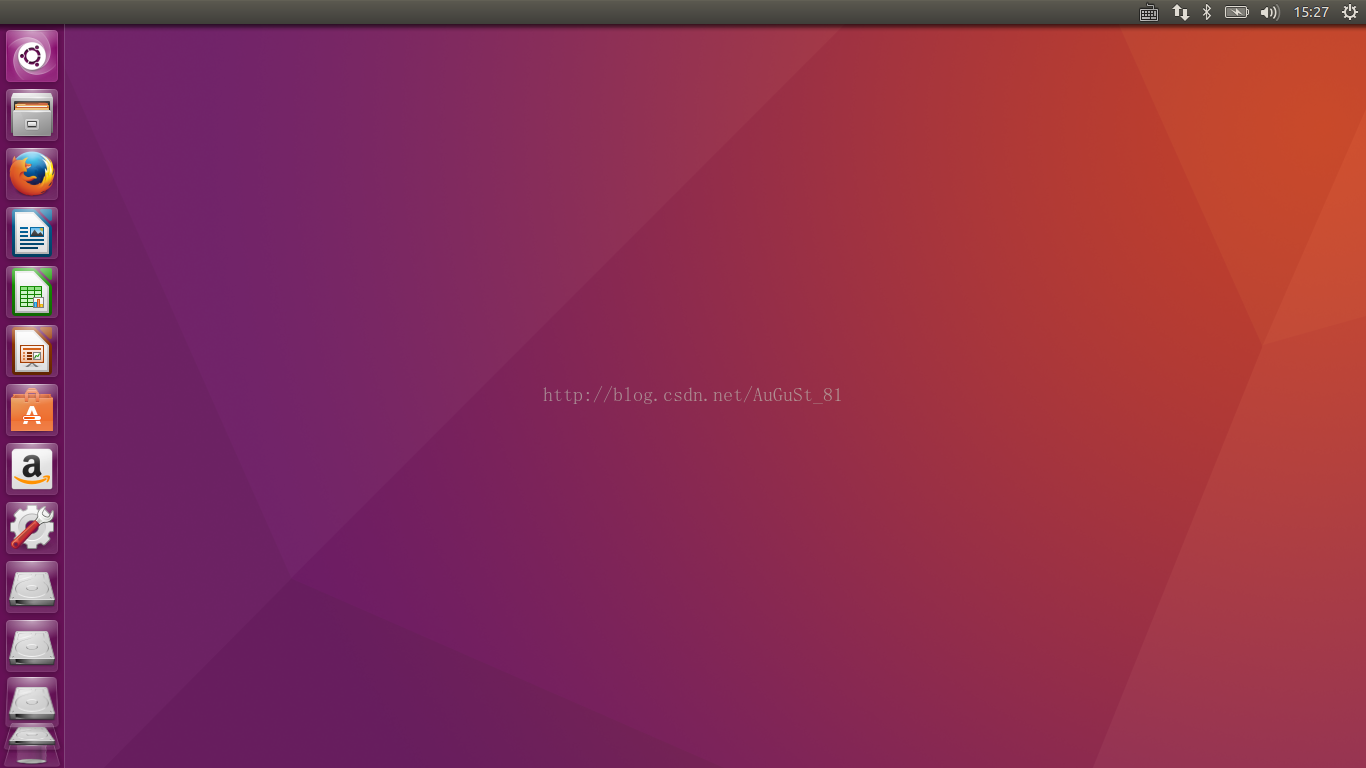
这篇文章的内容主要来源于这篇文章,为正式安装windowsUbuntu16.04双系统部分。在正式安装前,若还没有进行前期准备工作(1.分区2.制作启动u盘),见《在windows下安装windowsUbuntu16.04双系统(上)》 二、正式安装Ubuntu …...

数据库驱动免费下载(Oracle、Mysql、达梦、Postgresql)
数据库驱动找起来好麻烦,我整理到了一起,需要的朋友免费下载:驱动下载 目前收录了Oracle、Mysql、达梦、Postgresql的数据库驱动的多个版本,后续可能会分享更多。...

业务流程相关的权威认证和培训有哪些
业务流程的认证和培训种类繁多,旨在帮助专业人士掌握业务流程管理 (BPM) 的知识和技能,从而提升个人职业发展和组织运营效率。下面分别介绍: 一、 业务流程认证和培训的种类 业务流程的认证和培训可以大致分为以下几类,涵盖了不…...
实现向deepseek/GPT等模型的api发送请求/多轮对话(附源码))
java(spring boot)实现向deepseek/GPT等模型的api发送请求/多轮对话(附源码)
我们再启动应用并获取api密钥后就可以对它发送请求了,但是官方文档对于如何进行多轮对话以及怎么自定义参数并没有说的很清楚,给的模板也没有java的,因此我们需要自己实现。 import org.json.JSONArray; import org.json.JSONObject;import j…...

vivado修改下载器下载速率
Error Launching Program X Error while launching program: fpga configuration failed. DONE PIN is not HIGH 原因是下载器速度太快了。先从任务管理器中关闭hw_server.exe试一下,要是不行就按下面三种方法解决。 第一种方法可以不用修改下载速度,直接先从vivado中将bit流…...

巧妙实现右键菜单功能,提升用户操作体验
在动态交互式图库中,右键菜单是一项能够显著提升用户操作便捷性的功能。它的设计既要响应用户点击位置,又需确保菜单功能与数据操作紧密结合,比如删除图片操作。以下将通过一段实际代码实现,展示从思路到实现的详细过程。 实现右键…...

【Altium Designer】BGA扇出
目录 一、前期规则设置 1.调整Clearance规则 2.定义线宽与过孔参数 3.配置Fanout规则 二、自动扇出操作 1.选择目标器件 2.设置扇出参数 3.执行扇出 三、手动优化与验证 1.检查未成功扇出的引脚 2.调整过孔布局 3.验证平面完整性 四、高级技巧 1.分区域扇出 2.差分对优先…...

无前端经验如何快速搭建游戏站:使用 windsurf 从零到上线的详细指南
页面初稿设计 寻找参考网站:浏览互联网,寻找一个或多个你认为设计出色的网站,将你感兴趣的页面部分进行截图保存,这些截图将成为你设计游戏站页面初稿的重要参考。利用 v0.dev 进行页面设计:打开 v0.dev 网站…...

mysql之事务深度解析与实战应用:保障数据一致性的基石
文章目录 MySQL 事务深度解析与实战应用:保障数据一致性的基石一、事务核心概念与原理1.1 事务的本质与意义1.2 事务的 ACID 特性1.2.1 原子性 (Atomicity)1.2.2 一致性 (Consistency)1.2.3 隔离性 (Isolation)1.2.4 持久性 (Durability) 1.3 事务隔离级别与并发问题…...

CASS11快捷键设置
快捷键增加如下: tr----trim bo---(-boundary) ro---rotate ed----explode of---offset qs---qselect dp---ptype re---regen rec---rectang br---break dis---distuser do---draworder...

Python进行简单医学影像分析的示例
以下是一个使用Python进行简单医学影像分析的示例,这里我们以常见的DICOM格式医学影像为例,使用pydicom库读取DICOM文件,使用matplotlib进行影像显示,使用scikit - image进行简单的影像处理。 需求复现讲解 1. 安装必要的库 在…...

anaconda安装报错
一 anaconda报错 Cannot open 本地 Failed to start [powershell.exe, -ExecutionPolicy, RemoteSigned, -NoExit, -Command, & D:\anaconda3\condabin\conda.bat shell.powershell hook | Out-String | Invoke-Expression ; try { conda activate D:/anaconda3/envs/1-man…...

git从本地其他设备上fetch分支
在 Git 中,如果你想从本地其他设备上获取分支,可以通过以下几种方式实现。不过,需要注意的是,Git 本身是分布式版本控制系统,通常我们是从远程仓库(如 GitHub、GitLab 等)拉取分支,而…...

HTTP 常见状态码技术解析(应用层)
引言 HTTP 状态码是服务器对客户端请求的标准化响应标识,属于应用层协议的核心机制。其采用三位数字编码,首位数字定义状态类别,后两位细化具体场景。 状态码不仅是服务端行为的声明,更是客户端处理响应的关键依据。本文将从协议规…...

OpenBMC:BmcWeb定义service
1.定义service //src\webserver_run.cppint run() {...std::shared_ptr<sdbusplus::asio::connection> systemBus std::make_shared<sdbusplus::asio::connection>(io);crow::connections::systemBus systemBus.get();auto server sdbusplus::asio::object_serv…...

如何使用3D高斯分布进行环境建模
使用3D高斯分布来实现建模,主要是通过高斯分布的概率特性来描述空间中每个点的几何位置和不确定性。具体来说,3D高斯分布被用来表示点云数据中的每一个点或体素(voxel)的空间分布和不确定性,而不是单纯地存储每个点的坐…...