
基于coze+微信小程序实现图片上传并利用大模型解析
项目截图:

实现代码(直接搬去可用)
前提:需要填写你的oss配置+coze的api授权配置!!!
<template><view class="container"><!-- 高斯模糊背景 --><view class="animated-bg"><view class="gradient-blob"></view><view class="gradient-blob two"></view><view class="gradient-blob three"></view><view class="gradient-blob four"></view><view class="overlay"></view></view><!-- 返回按钮 --><view class="back-button" @tap="goBack"><text class="back-icon">←</text><text class="back-text">返回</text></view><!-- 头部区域 --><view class="header"><text class="logo-text">单词识别助手</text><text class="subtitle">上传单词图片,快速获取详细释义</text></view><!-- 上传区域 --><view class="upload-section"><view class="upload-box" @tap="chooseImage" v-if="!tempFilePath"><text class="upload-icon">📷</text><text class="upload-text">点击上传单词图片</text><text class="upload-desc">支持拍照或从相册选择</text></view><view class="preview-box" v-else><image :src="tempFilePath" mode="aspectFit" class="preview-image"/><view class="action-buttons"><button class="action-btn cancel" @tap="cancelUpload">取消</button><button class="action-btn confirm" @tap="analyzeImage">识别</button></view></view></view><!-- 加载状态 --><view class="loading-state" v-if="loading"><view class="pulse-loader"><view class="pulse"></view><view class="pulse"></view><view class="pulse"></view></view><text class="loading-text">正在识别中...</text></view><!-- 只有当有单词数据时才显示结果区域 --><div class="word-info" v-if="wordInfo.word"><div class="word-header"><text class="word">{{ wordInfo.word }}</text><text class="phonetic">{{ wordInfo.phonetic }}</text></div><div class="word-content"><div class="item"><text class="label">词性:</text><text>{{ wordInfo.type }}</text></div><div class="item"><text class="label">中文含义:</text><text>{{ wordInfo.meaning }}</text></div><div class="item"><text class="label">例句:</text><text>{{ wordInfo.example }}</text></div><div class="item"><text class="label">相关词汇:</text><text>{{ wordInfo.similar }}</text></div></div></div></view>
</template><script>export default {data() {return {tempFilePath: '', // 临时图片路径loading: false,wordResult: null, // 模拟的识别结果// 模拟数据mockResult: {word: "Happiness",phonetic: "ˈhæpinəs",meanings: [{partOfSpeech: "名词",definition: "幸福;快乐;愉快;幸福感",example: "Money doesn't buy happiness."},{partOfSpeech: "名词",definition: "适当;恰当;正确",example: "She questioned the happiness of his choice of words."}]},ossConfig: {accessKeyId: '----------------填写你的-----------------',accessKeySecret: '----------------填写你的-----------------',bucket: '----------------填写你的-----------------',region: '----------------填写你的-----------------', // 根据你的实际地区修改endpoint: '----------------填写你的-----------------',},cozeConfig: {apiUrl: 'https://api.coze.cn/open_api/v2/chat',token: '----------------填写你的-----------------',botId: '----------------填写你的-----------------',userId: '----------------填写你的-----------------'},wordInfo: {word: '',phonetic: '',meaning: '',example: '',similar: '',pronunciation: ''}}},methods: {// 返回上一页goBack() {uni.navigateBack({delta: 1 // 返回的页面层数,1 表示返回上一页});},// 选择图片chooseImage() {uni.chooseImage({count: 1,sizeType: ['compressed'],sourceType: ['album', 'camera'],success: (res) => {this.tempFilePath = res.tempFilePaths[0];}});},// 取消上传cancelUpload() {this.tempFilePath = '';this.wordResult = null;},// Base64编码函数base64Encode(str) {const chars = 'ABCDEFGHIJKLMNOPQRSTUVWXYZabcdefghijklmnopqrstuvwxyz0123456789+/=';let output = '';let chr1, chr2, chr3, enc1, enc2, enc3, enc4;let i = 0;while (i < str.length) {chr1 = str.charCodeAt(i++);chr2 = str.charCodeAt(i++);chr3 = str.charCodeAt(i++);enc1 = chr1 >> 2;enc2 = ((chr1 & 3) << 4) | (chr2 >> 4);enc3 = ((chr2 & 15) << 2) | (chr3 >> 6);enc4 = chr3 & 63;if (isNaN(chr2)) {enc3 = enc4 = 64;} else if (isNaN(chr3)) {enc4 = 64;}output = output +chars.charAt(enc1) + chars.charAt(enc2) +chars.charAt(enc3) + chars.charAt(enc4);}return output;},// 上传到OSSasync uploadToOSS(filePath) {return new Promise((resolve, reject) => {const date = new Date();date.setHours(date.getHours() + 1); // 设置policy过期时间为1小时后const policyText = {expiration: date.toISOString(), // 设置过期时间conditions: [["content-length-range", 0, 5048576000] // 设置上传文件的大小限制]};// 生成policy,使用自定义的base64编码函数const policy = this.base64Encode(JSON.stringify(policyText));// 生成signatureconst signature = this.computeSignature(policy, this.ossConfig.accessKeySecret);// 生成文件名const fileName = `word_images/${Date.now()}_${Math.random().toString(36).slice(2)}.jpg`;uni.uploadFile({url: this.ossConfig.endpoint,filePath: filePath,name: 'file',formData: {key: fileName,policy: policy,OSSAccessKeyId: this.ossConfig.accessKeyId,signature: signature,success_action_status: '200'},success: (res) => {if (res.statusCode === 200) {const url = `https://${this.ossConfig.bucket}.${this.ossConfig.region}/${fileName}`;resolve(url);} else {uni.showToast({title: '上传失败',icon: 'none'});reject(new Error('上传失败'));}},fail: (err) => {uni.showToast({title: '上传失败',icon: 'none'});reject(err);}});});},// 计算签名computeSignature(policy, accessKeySecret) {// 由于uni-app环境中可能没有crypto-js,这里使用一个简单的方法来计算const hmac = function(key, str) {const crypto = require('crypto');const hmac = crypto.createHmac('sha1', key);hmac.update(str);return hmac.digest('base64');};return hmac(accessKeySecret, policy);},// 调用Coze APIasync callCozeAPI(imageUrl) {try {const response = await uni.request({url: this.cozeConfig.apiUrl,method: 'POST',header: {'Authorization': `Bearer ${this.cozeConfig.token}`,'Content-Type': 'application/json','Accept': '*/*','Host': 'api.coze.cn','Connection': 'keep-alive'},data: {conversation_id: Date.now().toString(),bot_id: this.cozeConfig.botId,user: this.cozeConfig.userId,query: `请识别这张图片中的单词,图片地址是:${imageUrl}`,stream: false}});const responseData =  response;console.log(responseData)const result = JSON.parse(responseData[1].data.messages[1].content);	console.log(result)// 根据实际返回数据更新显示return result;} catch (error) {console.error('Coze API 调用失败:', error);uni.showToast({title: error.message || 'API调用失败',icon: 'none',duration: 3000});return null;}},// 修改原有的analyzeImage方法async analyzeImage() {this.loading = true;try {// 1. 上传图片到OSSconst imageUrl = await this.uploadToOSS(this.tempFilePath);console.log(imageUrl)// 2. 调用Coze APIconst result = await this.callCozeAPI(imageUrl);console.log(result)// 3. 处理返回结果this.wordInfo = {word: result.out2, // pearphonetic: result.yinbiao, // 英/peə(r)/;美/per/type: result.output, // 名词meaning: result.out, // 梨example: result.liju, // I like to eat pears.(我喜欢吃梨。)similar: result.xiangsi // apple(苹果)、banana(香蕉)等,都属于水果类词汇};} catch (error) {console.error('处理失败:', error);} finally {this.loading = false;}}}}
</script><style>.container {min-height: 100vh;position: relative;overflow: hidden;background: #f8f9fa;}.animated-bg {position: fixed;width: 100%;height: 100%;top: 0;left: 0;overflow: hidden;z-index: 0;background: linear-gradient(125deg, #00fff3, #ff00e6);animation: gradientBG 15s ease infinite;}.gradient-blob {position: absolute;width: 1000rpx;height: 1000rpx;background: linear-gradient(45deg,rgba(255, 49, 97, 0.5),rgba(255, 97, 162, 0.5));border-radius: 50%;filter: blur(80px);animation: blob-movement 20s infinite linear,color-shift 10s infinite alternate;opacity: 0.7;top: -300rpx;left: -300rpx;}.gradient-blob.two {background: linear-gradient(45deg,rgba(67, 206, 162, 0.5),rgba(24, 90, 157, 0.5));animation: blob-movement-2 25s infinite linear,color-shift-2 12s infinite alternate;animation-delay: -3s;top: 60%;left: 60%;}.gradient-blob.three {background: linear-gradient(45deg,rgba(255, 197, 84, 0.5),rgba(255, 159, 0, 0.5));animation: blob-movement-3 30s infinite linear,color-shift-3 8s infinite alternate;animation-delay: -5s;top: 40%;left: 30%;}.gradient-blob.four {background: linear-gradient(45deg,rgba(147, 88, 255, 0.5),rgba(19, 123, 255, 0.5));animation: blob-movement-4 28s infinite linear,color-shift-4 15s infinite alternate;animation-delay: -7s;top: 20%;left: 70%;}.overlay {position: absolute;top: 0;left: 0;right: 0;bottom: 0;background: rgba(255, 255, 255, 0.2);backdrop-filter: blur(20px);}@keyframes gradientBG {0% {background-position: 0% 50%;}50% {background-position: 100% 50%;}100% {background-position: 0% 50%;}}@keyframes blob-movement {0% {transform: translate(0, 0) scale(1) rotate(0deg);}33% {transform: translate(300rpx, 200rpx) scale(1.2) rotate(120deg);}66% {transform: translate(-200rpx, 400rpx) scale(0.8) rotate(240deg);}100% {transform: translate(0, 0) scale(1) rotate(360deg);}}@keyframes blob-movement-2 {0% {transform: translate(0, 0) scale(1.1) rotate(0deg);}33% {transform: translate(-250rpx, -300rpx) scale(0.9) rotate(120deg);}66% {transform: translate(300rpx, -200rpx) scale(1.2) rotate(240deg);}100% {transform: translate(0, 0) scale(1.1) rotate(360deg);}}@keyframes blob-movement-3 {0% {transform: translate(0, 0) scale(0.9) rotate(0deg);}33% {transform: translate(400rpx, -100rpx) scale(1.1) rotate(120deg);}66% {transform: translate(-300rpx, 200rpx) scale(0.8) rotate(240deg);}100% {transform: translate(0, 0) scale(0.9) rotate(360deg);}}@keyframes blob-movement-4 {0% {transform: translate(0, 0) scale(1) rotate(0deg);}33% {transform: translate(-200rpx, 300rpx) scale(1.1) rotate(120deg);}66% {transform: translate(250rpx, -250rpx) scale(0.9) rotate(240deg);}100% {transform: translate(0, 0) scale(1) rotate(360deg);}}@keyframes color-shift {0% {background: linear-gradient(45deg, rgba(255, 49, 97, 0.5), rgba(255, 97, 162, 0.5));}100% {background: linear-gradient(45deg, rgba(255, 182, 193, 0.5), rgba(255, 20, 147, 0.5));}}@keyframes color-shift-2 {0% {background: linear-gradient(45deg, rgba(67, 206, 162, 0.5), rgba(24, 90, 157, 0.5));}100% {background: linear-gradient(45deg, rgba(0, 255, 255, 0.5), rgba(0, 128, 128, 0.5));}}@keyframes color-shift-3 {0% {background: linear-gradient(45deg, rgba(255, 197, 84, 0.5), rgba(255, 159, 0, 0.5));}100% {background: linear-gradient(45deg, rgba(255, 215, 0, 0.5), rgba(255, 140, 0, 0.5));}}@keyframes color-shift-4 {0% {background: linear-gradient(45deg, rgba(147, 88, 255, 0.5), rgba(19, 123, 255, 0.5));}100% {background: linear-gradient(45deg, rgba(138, 43, 226, 0.5), rgba(65, 105, 225, 0.5));}}/* 头部样式 */.header {padding: 60rpx 40rpx;text-align: center;z-index: 1;position: relative;}.logo-text {font-size: 48rpx;color: #1a1a1a;font-weight: 600;letter-spacing: 2rpx;text-shadow: 0 2px 4px rgba(255, 255, 255, 0.2);}.subtitle {font-size: 28rpx;color: rgba(0, 0, 0, 0.7);margin-top: 16rpx;display: block;}/* 上传区域样式 */.upload-section {padding: 40rpx;z-index: 2;position: relative;}.upload-box {background: rgba(255, 255, 255, 0.2);backdrop-filter: blur(20px);border-radius: 20rpx;padding: 60rpx;display: flex;flex-direction: column;align-items: center;border: 2rpx dashed rgba(255, 255, 255, 0.5);}.upload-icon {font-size: 80rpx;margin-bottom: 20rpx;}.upload-text {font-size: 32rpx;color: #333;margin-bottom: 10rpx;}.upload-desc {font-size: 24rpx;color: rgba(0, 0, 0, 0.5);}.preview-box {width: 100%;border-radius: 20rpx;overflow: hidden;}.preview-image {width: 100%;height: 400rpx;border-radius: 20rpx;}.action-buttons {display: flex;justify-content: space-between;margin-top: 20rpx;gap: 20rpx;}.action-btn {flex: 1;padding: 20rpx;border-radius: 10rpx;text-align: center;font-size: 28rpx;}.action-btn.cancel {background: rgba(255, 255, 255, 0.3);color: #333;}.action-btn.confirm {background: linear-gradient(135deg, #7C3AED, #3B82F6);color: #fff;}.word-text {font-size: 40rpx;font-weight: bold;color: #333;}.phonetic {font-size: 28rpx;color: rgba(0, 0, 0, 0.6);margin-left: 20rpx;}.meanings {margin-top: 30rpx;}.meaning-item {margin-bottom: 20rpx;}.pos {font-size: 26rpx;color: #666;background: rgba(0, 0, 0, 0.1);padding: 4rpx 12rpx;border-radius: 6rpx;margin-right: 10rpx;}.definition {font-size: 30rpx;color: #333;display: block;margin: 10rpx 0;}.example {font-size: 26rpx;color: #666;display: block;font-style: italic;}/* 加载动画 */.loading-state {padding: 60rpx;text-align: center;}.pulse-loader {display: flex;justify-content: center;gap: 12rpx;}.pulse {width: 16rpx;height: 16rpx;background: #fff;border-radius: 50%;animation: pulse 1.5s infinite ease-in-out;}.pulse:nth-child(2) { animation-delay: 0.2s; }.pulse:nth-child(3) { animation-delay: 0.4s; }@keyframes pulse {0%, 100% { transform: scale(0.5); opacity: 0.2; }50% { transform: scale(1); opacity: 1; }}.loading-text {color: rgba(255,255,255,0.7);font-size: 28rpx;margin-top: 20rpx;display: block;}/* 结果卡片 */.result-wrapper {padding: 40rpx;}.result-card {background: rgba(255, 255, 255, 0.2);backdrop-filter: blur(15px);border-radius: 20rpx;padding: 30rpx;border: 1px solid rgba(255, 255, 255, 0.3);animation: slideUp 0.3s ease;}.result-header {display: flex;justify-content: space-between;align-items: center;margin-bottom: 20rpx;}.back-button {position: fixed;top: 40rpx;left: 20rpx;display: flex;align-items: center;padding: 10rpx 20rpx;background: rgba(255, 255, 255, 0.8);border-radius: 50rpx;backdrop-filter: blur(10px);z-index: 999;box-shadow: 0 2rpx 10rpx rgba(0, 0, 0, 0.1);}.back-icon {font-size: 36rpx;margin-right: 10rpx;color: #333;}.back-text {font-size: 28rpx;color: #333;}.word-info {padding: 20px;}.word-header {margin-bottom: 20px;}.word {font-size: 24px;font-weight: bold;margin-right: 10px;}.phonetic {color: #666;}.item {margin-bottom: 15px;}.label {color: #333;font-weight: bold;margin-right: 10px;}
</style>
相关文章:
基于coze+微信小程序实现图片上传并利用大模型解析
项目截图: 实现代码(直接搬去可用) 前提:需要填写你的oss配置coze的api授权配置!!! <template><view class"container"><!-- 高斯模糊背景 --><view class&qu…...

java——执行linux/cmd命令
在Java中执行命令行命令可以通过Runtime.exec()或ProcessBuilder实现。以下是两种方法的详细说明和示例代码: 1. 使用 Runtime.exec() 适用于简单场景,但需手动处理输入/输出流。 try {// 执行命令(参数以数组形式传递,避免空格…...

VMware Fusion 虚拟机Mac版 安装CentOS 7 系统
介绍 CentOS是Community Enterprise Operating System的缩写,也叫做社区企业操作系统。是企业Linux发行版领头羊Red Hat Enterprise Linux的再编译版本(是一个再发行版本),而且在RHEL的基础上修正了不少已知的 Bug ,相…...

java练习(44)
ps:题目来自力扣 两两交换链表中的节点 给你一个链表,两两交换其中相邻的节点,并返回交换后链表的头节点。你必须在不修改节点内部的值的情况下完成本题(即,只能进行节点交换)。 // 定义链表节点类,每个节…...

Deepseek 开源周第一天:FlashMLA
Deepseek 隆重开启开源周!第一天我们迎来了FlashMLA。我很高兴带大家了解这项创新,揭秘 FlashMLA 为何能成为 AI 和 GPU 优化领域的变革者。 Deepseek 开源周的热门话题有哪些?...

DeepSeek-OpenSourceWeek-第三天-Release of DeepGEMM
DeepGEMM:这是一款专为高效的 FP8(8 位浮点)通用矩阵乘法(GEMMs)而开发的尖端库。GEMMs 是许多 AI 工作负载(尤其是深度学习)中的基本操作。 特点: 支持稠密和 MoE GEMMs:它可以处理标准的稠密矩阵乘法以及混合专家(MoE)模型中使用的矩阵乘法。MoE 是一种神经网络架…...

Bitlocker取证之PXE降级取密钥
支持到微软Surface pro系列。...

【补阙拾遗】排序之冒泡、插入、选择排序
炉烟爇尽寒灰重,剔出真金一寸明 冒泡排序1. 轻量化情境导入 🌌2. 边界明确的目标声明 🎯3. 模块化知识呈现 🧩📊 双循环结构对比表★★★⚠️ 代码关键点注释 4. 嵌入式应用示范 🛠️5. 敏捷化巩固反馈 ✅ …...

跨AWS账户共享SQS队列以实现消息传递
在现代分布式系统中,不同的服务和组件通常需要进行通信和协作。Amazon Simple Queue Service (SQS)提供了一种可靠、可扩展且完全托管的消息队列服务,可以帮助您构建分布式应用程序。本文将介绍如何在一个AWS账户(账户A)中创建SQS队列,并授权另一个AWS账户(账户B)中的用户和角色…...

基于Python实现的【机器学习】小项目教程案例
以下是一个基于Python实现的【机器学习】小项目教程案例,结合的经典案例与最佳实践,涵盖数据预处理、模型训练与评估全流程,并附详细代码说明与结果分析: 案例1:鸢尾花分类(SVM算法) 数据集:Iris Dataset(含150个样本,4个特征,3个类别) 目标:根据花瓣与萼片长度…...

TDengine 中的数据库
数据库概念 时序数据库 TDengine 中数据库概念,等同于关系型数据库 MYSQL PostgreSQL 中的数据库,都是对资源进行分割管理的单位。 TDengine 数据库与关系型数据库最大区别是跨库操作,TDengine 数据库跨库操作除了少量几个SQL 能支持外&…...

.Net Core Visual Studio NuGet.Config 配置参考
Visual Studio 2022 NUGET NU1301 无法加载源 基础连接已关闭:无法建立SSL / TLS安全通道的信任关系;根据验证过程,远程证书无效,参考文章:https://blog.csdn.net/hefeng_aspnet/article/details/145780081 NuGet 行为…...

深入剖析 OpenCV:全面掌握基础操作、图像处理算法与特征匹配
深入剖析 OpenCV:全面掌握基础操作、图像处理算法与特征匹配 一、引言二、OpenCV 的安装(一)使用 pip 安装(二)使用 Anaconda 安装 三、OpenCV 基础操作(一)图像的读取、显示与保存(…...

帧率和带宽
帧率,通常指的是每秒传输的帧数,帧就是一段数据包。 带宽则是指在单位时间内可以传输的数据量,通常以比特每秒来衡量 帧率在ROS2中可能指的是每秒发布的消息数量。也就是说,一个节点发布话题的频率。比如,每秒发布10次…...
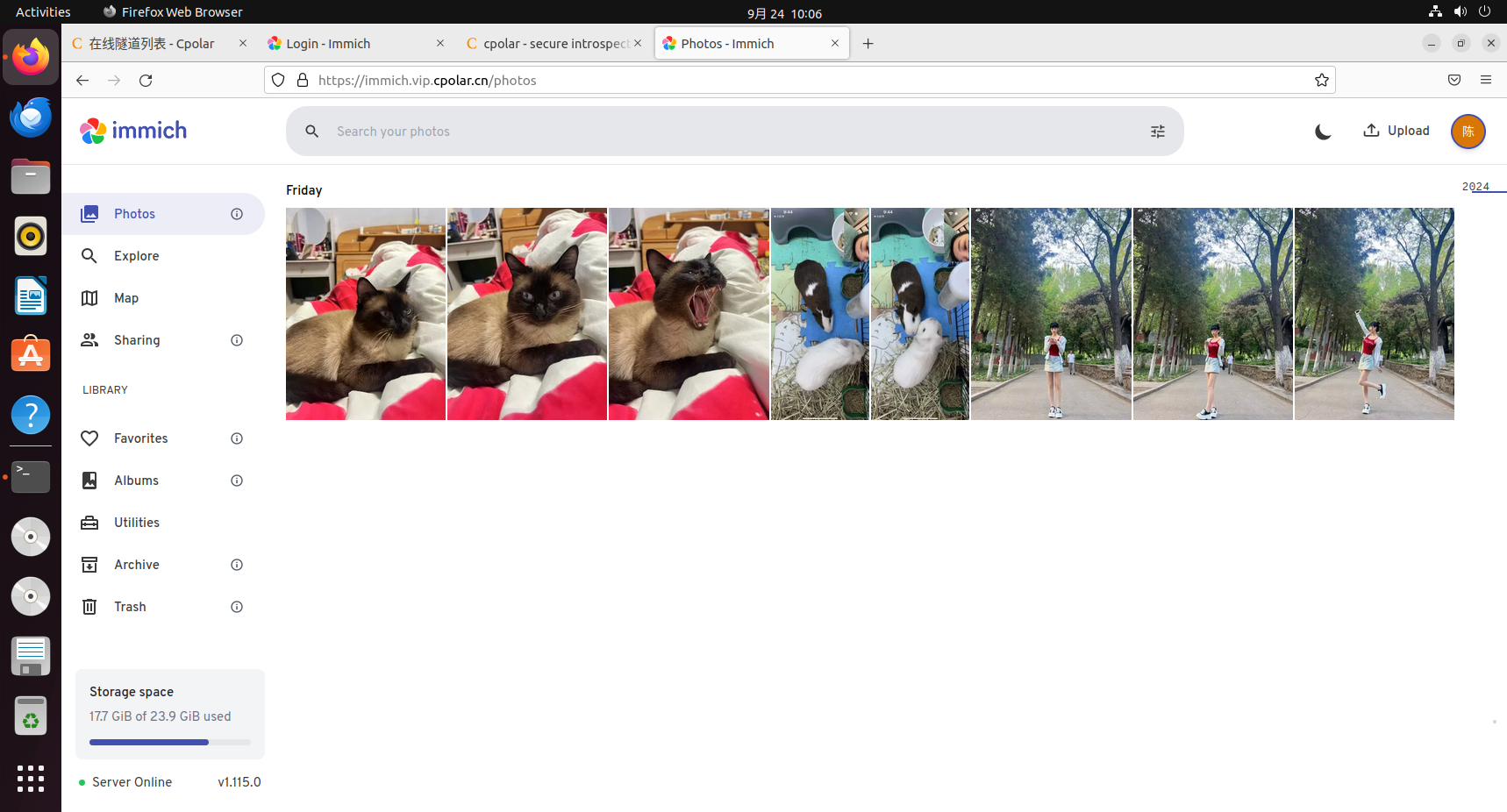
Immich自托管服务的本地化部署与随时随地安全便捷在线访问数据
文章目录 前言1.关于Immich2.安装Docker3.本地部署Immich4.Immich体验5.安装cpolar内网穿透6.创建远程链接公网地址7.使用固定公网地址远程访问 前言 小伙伴们,你们好呀!今天要给大家揭秘一个超炫的技能——如何把自家电脑变成私人云相册,并…...

20250212:ZLKMedia 推流
1:资料 快速开始 ZLMediaKit/ZLMediaKit Wiki GitHub GitHub - ZLMediaKit/ZLMediaKit: WebRTC/RTSP/RTMP/HTTP/HLS/HTTP-FLV/WebSocket-FLV/HTTP-TS/HTTP-fMP4/WebSocket-TS/WebSocket-fMP4/GB28181/SRT server and client framework based on C++11 文档里面提供了各个系…...

IDEA中.gitignore未忽略指定文件的问题排查与解决
IDEA 中.gitignore 未忽略.env 文件的问题排查与解决 在使用 IntelliJ IDEA 进行项目开发时,合理利用.gitignore文件来管理版本控制是非常重要的。它能帮助我们排除一些不需要纳入版本管理的文件,比如包含敏感信息的.env文件。然而,有时我们会遇到一种情况:明明已经将.env…...

Apache-iotdb 基本概念
问题背景 定义(写得太好了!) root 是整个树状结构的父节点, CirroData-TimeS 有存储组、设备、测点等概念,数据在存储的时候,不同的存储组的数据是存储在不同的文件夹中的。上图中有 root.sgcc、root.ln两…...

CryptoJS库中WordArray对象支持哪些输出格式?除了toString() 方法还有什么方法可以输出吗?WordArray对象的作用是什么?
前言:这里只说js用的CryptoJS库里的相关内容,只用js来进行代码操作和讲解。 这里网上相关的帖子很少,不得已问了很长时间AI 想引用CryptoJS库情况分两种,一种是html引用,另一种是在Nodejs里引用。 一、引用CryptoJS库…...

Java 面试题 20250227
Java 中序列化与反序列化是什么? 序列化:将 Java 对象转化成可传输的字节序列格式(字节流、JSON、XML),以便于传输和存储。 反序列化:将字节序列格式数据转化成 Java 对象的过程。 1、为什么需要序列化和…...

springboot浅析
springboot浅析 什么是springboot? 实际上springboot就是一个给我们提供了快速搭建使用spring的一种方式,让我们省去了繁琐的xml配置。 为什么无需进行大量的xml配置,就是因为springboot是基于约定优于配置的思想,简单来说就是遵循…...

【文件基础操作】小笔记
Step1: 现在项目文件夹(我的项目叫做RunPony)下创建一个a.txt文本文件,手动写入一些数字,保存 Step2: 现在在main.c内写一个基本的文件处理的程序 Step3: 现在已经知道如何打开关闭文件,下一步要搞懂如何读取txt内的…...

SSL 证书是 SSL 协议实现安全通信的必要组成部分
SSL证书和SSL/TLS协议有着密切的关系,但它们本质上是不同的概念。下面是两者的区别和它们之间的关系的表格: 属性SSL/TLS 协议SSL证书英文全称SSL(Secure Sockets Layer),TLS(Transport Layer Security&am…...

AI问答-供应链管理:排队模型M/D/5/100/m/FCFS代表的含义是什么
在供应链管理中,排队模型M/D/5/100/m/FCFS代表的含义如下: M: 表示顾客到达时间间隔服从负指数分布(Markov,负指数分布具有无记忆性),即顾客到达是随机的,且到达时间间隔服从指数分…...

迁移学习策略全景解析:从理论到产业落地的技术跃迁
(2025年最新技术实践指南) 一、迁移学习的范式革命与核心价值 在人工智能进入"大模型时代"的今天,迁移学习已成为突破数据瓶颈、降低训练成本的关键技术。本文基于2025年最新技术进展,系统梳理六大核心策略及其在产业实…...

Linux驱动学习(四)--字符设备注册
上一节讲到的字符设备注册与销毁是通过cdev_init、cdev_add、cdev_del等函数分步执行的,本小节用一种更简单的方式,来注册字符设备 register_chrdev 如果major为0,该函数将动态的分配一个主设备号并且返回对应的值如果major > 0ÿ…...

30天开发操作系统 第24天 -- 窗口操作
一、窗口切换 1.0 前天开始我们的应用程序可以显示自己的窗口了,现在画面上到处都是窗口,我们急需能够 切换窗口顺序的功能,使得在需要的时候可以查 看最下面的窗口的内容。这个功能看起来不难,我们马上来实现它。 不过…...

Visual Studio 中 C/C++ 函数不安全警告(C4996)终极解决方案:分场景实战指南
问题描述 在 Visual Studio 中编写 C/C 代码时,使用 scanf、strcpy、fopen 等传统函数会触发以下警告: C4996: xxx: This function or variable may be unsafe. Consider using xxx_s instead. 根本原因: 这些函数缺乏缓冲区溢出检查&#…...

【Go】十八、http 调用服务的编写
http接口框架的搭建 这个http接口框架的搭建参考之前的全量搭建,这里是快速搭建的模式: 直接对已有的http模块进行复制修改,主要修改点在于 proto部分与api、router 部分,剩余的要针对进行修改模块名称。 接口的具体编写 在 a…...

提升数据洞察力:五款报表软件助力企业智能决策
概述 随着数据量的激增和企业对决策支持需求的提升,报表软件已经成为现代企业管理中不可或缺的工具。这些软件能够帮助企业高效处理数据、生成报告,并将数据可视化,从而推动更智能的决策过程。 1. 山海鲸报表 概述: 山海鲸报表…...