
Java-拼图小游戏跟学笔记
阶段项目-01-项目介绍和界面搭建_哔哩哔哩_bilibili https://www.bilibili.com/video/BV17F411T7Ao?p=144
代码
1.主界面分析(组件)
JFrame:最外层的窗体
JMenuBar:最上层的菜单
JLabel:管理文字和图片的容器
1.界面
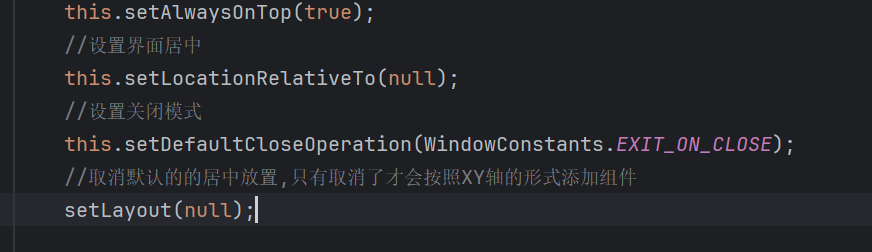
--关闭模式--
-
DO_NOTHING_ON_CLOSE:当用户尝试关闭窗口时,程序什么都不做。 -
HIDE_ON_CLOSE:当用户尝试关闭窗口时,窗口会被隐藏起来,但不会被销毁。 -
DISPOSE_ON_CLOSE:当用户尝试关闭窗口时,窗口会被销毁,释放掉所有相关的资源。 -
EXIT_ON_CLOSE:当用户尝试关闭窗口时,整个程序会直接退出。
public interface WindowConstants
{/*** 什么都不做的默认窗口关闭操作。*/public static final int DO_NOTHING_ON_CLOSE = 0;/*** 隐藏窗口的默认窗口关闭操作。*/public static final int HIDE_ON_CLOSE = 1;/*** 销毁窗口的默认窗口关闭操作。* <p>* <b>注意</b>:当 Java 虚拟机(VM)中的最后一个可显示窗口被销毁时,虚拟机可能会终止。更多信息请参见* <a href="../../java/awt/doc-files/AWTThreadIssues.html">* AWT 线程问题</a>。* @see java.awt.Window#dispose()* @see JInternalFrame#dispose()*/public static final int DISPOSE_ON_CLOSE = 2;/*** 退出应用程序的默认窗口关闭操作。尝试在支持此功能的窗口(如* <code>JFrame</code>)上设置此值时,可能会根据* <code>SecurityManager</code> 抛出 <code>SecurityException</code>。* 建议仅在应用程序中使用此选项。** @since 1.4* @see JFrame#setDefaultCloseOperation*/public static final int EXIT_ON_CLOSE = 3;}
代码展示
package com.scarelf.ui;import javax.swing.*;
import java.awt.*;public class GameJFrame extends JFrame {public GameJFrame() {//设置界面的宽高this.setSize(603,680);//设置界面的标题this.setTitle("拼图单机版 v1.0");//设置界面置顶this.setAlwaysOnTop(true);//设置界面居中this.setLocationRelativeTo(null);//设置关闭模式this.setDefaultCloseOperation(WindowConstants.EXIT_ON_CLOSE);//让界面显示出来,建议写在最后setVisible(true);}
}
2.菜单
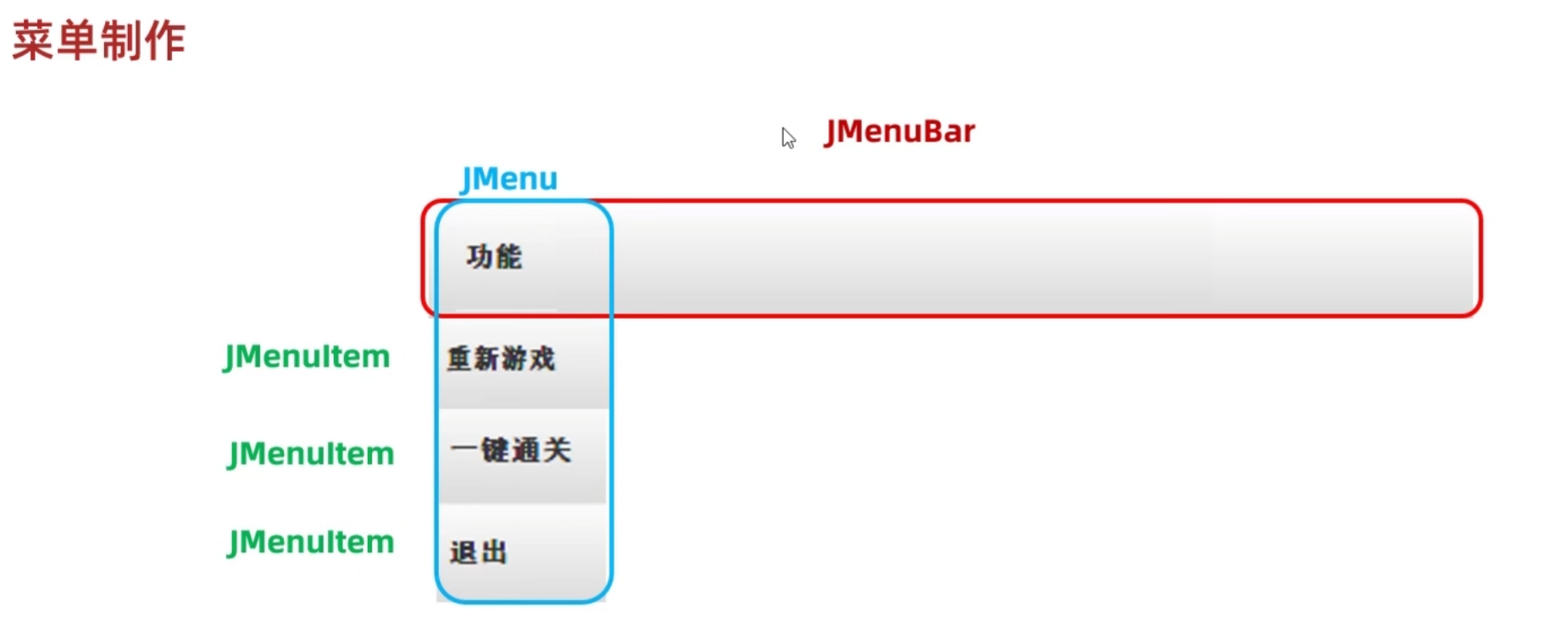
//初始化菜单//创建整个的菜单对象JMenuBar jMenuBar = new JMenuBar();//创建菜单上面的两个选项对象JMenu functionJMenu = new JMenu("功能");JMenu aboutJMenu = new JMenu("关于制作人");JMenu rechargeJMenu = new JMenu("充值选项");//创建选项下面的条目对象JMenuItem replayItem = new JMenuItem("重新游戏");JMenuItem reLoginItem = new JMenuItem("重新登录");JMenuItem closeItem = new JMenuItem("关闭游戏");JMenuItem accountItem = new JMenuItem("公众号");JMenuItem QQItem = new JMenuItem("制作人QQ");JMenuItem wepayItem = new JMenuItem("微信支付");//将每个选项下面的条目添加到选项当中functionJMenu.add(replayItem);functionJMenu.add(reLoginItem);functionJMenu.add(closeItem);aboutJMenu.add(accountItem);aboutJMenu.add(QQItem);rechargeJMenu.add(wepayItem);//将菜单里面的两个选项添加到菜单当中jMenuBar.add(functionJMenu);jMenuBar.add(aboutJMenu);jMenuBar.add(rechargeJMenu);//给整个界面设置菜单this.setJMenuBar(jMenuBar);3.添加图片
- 取消默认的居中放置
- 创建一个图片ImageIcon的对象
- 创建一个JLabel的对象(管理容器)
- 指定图片位置
- 把管理容器添加到界面中
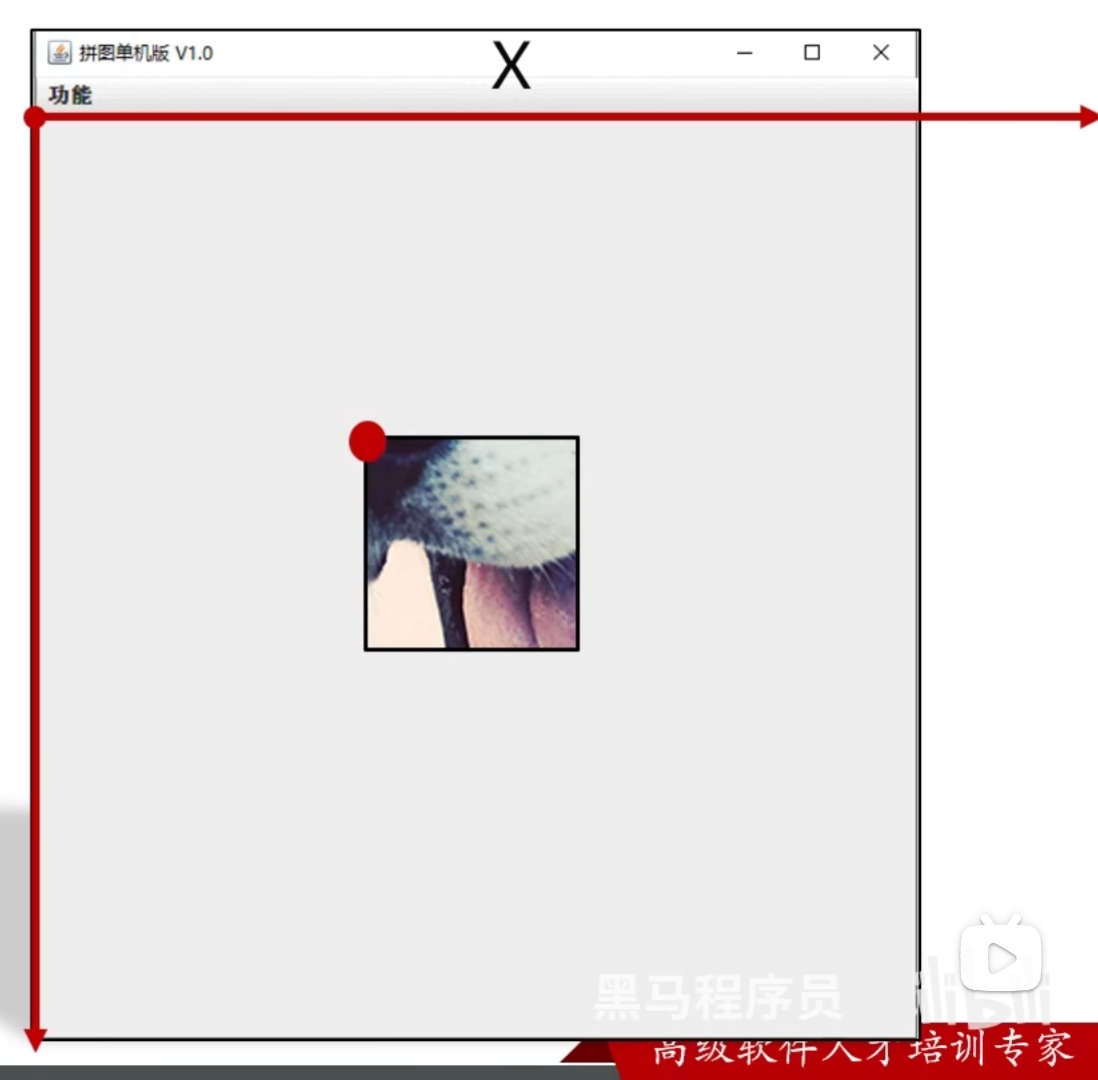
前提
private void initImage() {int number = 1;for (int i = 0; i < 4; i++) {for (int j = 0; j < 4; j++) {//创建一个JLabel的对象(管理容器)JLabel jLabel1 = new JLabel(path + num + ".jpg");//指定图片位置jLabel1.setBounds(105*j,105*i,105,105);//把管理容器添加到界面中//this.add(jLabel1);this.getContentPane().add(jLabel1);}number++;}}4.打乱图片顺序
(1)测试类
package Test;import java.util.Random;public class 打乱 {public static void main(String[] args) {//需求://把一个一维数组中的数据:0~15打乱顺序//让后再按照4个一组的方式添加到二维数组当中去int [] tempArr = {0,1,2,3,4,5,6,7,8,9,10,11,12,13,14,15};Random r = new Random();for (int i = 0; i < tempArr.length; i++) {int index = r.nextInt(tempArr.length);int temp = tempArr[index];tempArr[index] = tempArr[i];tempArr[i] = temp;}int [][]data = new int [4][4];for (int i = 0; i < tempArr.length; i++) {data[i/4][i%4] = tempArr[i];}}
}
(2)修改
把data定义在成员变量当中,因为initData和initImage都会用到此数据

private void initImage() {for (int i = 0; i < 4; i++) {for (int j = 0; j < 4; j++) {int num = data[i][j];//创建一个JLabel的对象(管理容器)JLabel jLabel1 =new JLabel(path+ num + ".jpg");//指定图片位置jLabel1.setBounds(105*j,105*i,105,105);//把管理容器添加到界面中//this.add(jLabel1);this.getContentPane().add(jLabel1);}}}5.事件
事件是可以被组件识别的操作
当你对组件干了某件事情之后,就会执行对应的代码
- 事件源:按钮,图片,窗体
- 事件:某些操作(鼠标点击,鼠标划入)
- 绑定监听:当时间源上发生了某个事件,则执行某段代码
KeyListener //键盘监听
MouseListener //鼠标监听
ActionListener //动作监听(鼠标的单击和空格)
(1)ActionListener
package Test;import javax.swing.*;
import java.awt.event.ActionEvent;
import java.awt.event.ActionListener;public class thingTest1 {public static void main(String[] args) {JFrame jFrame = new JFrame();jFrame.setSize(603,680);jFrame.setTitle("事件演示");jFrame.setAlwaysOnTop(true);jFrame.setLocationRelativeTo(null);jFrame.setDefaultCloseOperation(WindowConstants.EXIT_ON_CLOSE);jFrame.setLayout(null);//创建一个按钮对象JButton jtb = new JButton("按钮1");//设置位置和宽高jtb.setBounds(0,0,100,50);//给按钮添加动作监听//jtb:组件对象,表示你要给那个组件添加事件//addActionListener:表示我要给组件添加哪一个事件监听(动作监听)//参数:表示事件被触发时候要执行的代码//jtb.addActionListener(new MyActionListener());//使用匿名内部类jtb.addActionListener(new ActionListener() {@Overridepublic void actionPerformed(ActionEvent e) {System.out.println("按钮1被点击了");}});//把按钮添加到界面当中jFrame.getContentPane().add(jtb);jFrame.setVisible(true);}
}
package Test;//下同public class MyJFrameTest {public static void main(String[] args) {new MyJFrame();}}
-----------------------------------------------------------------------------------------package Test;import javax.swing.*;
import java.awt.event.ActionEvent;
import java.awt.event.ActionListener;
import java.util.Random;public class MyJFrame extends JFrame implements ActionListener {JButton jtb1 = new JButton("按钮1");JButton jtb2 = new JButton("按钮2");public MyJFrame() {this.setSize(603,680);this.setTitle("事件测试类 2");this.setAlwaysOnTop(true);this.setLocationRelativeTo(null);this.setDefaultCloseOperation(WindowConstants.EXIT_ON_CLOSE);this.setLayout(null);jtb1.setBounds(0,0,100,50);jtb1.addActionListener(this);jtb2.setBounds(100,0,100,50);jtb2.addActionListener(this);//把按钮添加到界面当中this.getContentPane().add(jtb1);this.getContentPane().add(jtb2);this.setVisible(true);}@Overridepublic void actionPerformed(ActionEvent e) {Object source = e.getSource();if(source == jtb1){jtb1.setSize(200,200);}else if(source == jtb2){Random r = new Random();jtb2.setLocation(r.nextInt(500),r.nextInt(500));}}}
(2)鼠标监听

package Test;import javax.swing.*;
import java.awt.event.ActionEvent;
import java.awt.event.ActionListener;
import java.awt.event.MouseEvent;
import java.awt.event.MouseListener;public class MyJFrame2 extends JFrame implements MouseListener {JButton jtb1 = new JButton("按钮1");public MyJFrame2() {this.setSize(603,680);this.setTitle("事件测试类 2");this.setAlwaysOnTop(true);this.setLocationRelativeTo(null);this.setDefaultCloseOperation(WindowConstants.EXIT_ON_CLOSE);this.setLayout(null);jtb1.setBounds(0,0,100,50);jtb1.addMouseListener(this);//把按钮添加到界面当中this.getContentPane().add(jtb1);this.setVisible(true);}@Overridepublic void mouseClicked(MouseEvent e) {System.out.println("点击");}@Overridepublic void mousePressed(MouseEvent e) {System.out.println("按住不松");}@Overridepublic void mouseReleased(MouseEvent e) {System.out.println("松开");}@Overridepublic void mouseEntered(MouseEvent e) {System.out.println("划入");}@Overridepublic void mouseExited(MouseEvent e) {System.out.println("划出");}}
(3)键盘监听
package Test;import javax.swing.*;
import java.awt.event.ActionListener;
import java.awt.event.KeyEvent;
import java.awt.event.KeyListener;public class MyJFrame3 extends JFrame implements KeyListener {JButton jtb1 = new JButton("button");public MyJFrame3() {this.setSize(603,680);this.setTitle("MyJFrame3");this.setAlwaysOnTop(true);this.setLocationRelativeTo(null);this.setDefaultCloseOperation(WindowConstants.EXIT_ON_CLOSE);this.setLayout(null);jtb1.setBounds(0,0,100,50);jtb1.addKeyListener(this);this.getContentPane().add(jtb1);this.setVisible(true);}@Overridepublic void keyTyped(KeyEvent e) {}@Overridepublic void keyPressed(KeyEvent e) {System.out.println("按下不松");}@Overridepublic void keyReleased(KeyEvent e) {int code = e.getKeyCode();System.out.println(code);}
}
6.美化界面
1.将15张小图片移动到界面的中央偏下方
2.添加背景图片
细节:代码中后添加的,塞在下面
3.添加图片的边框
jLabel.setBoreder(new BevelBorder(1));
4.优化路径
- 从盘符开始的:绝对路径
- 非盘符开始的:相对路径
private void initImage() {for (int i = 0; i < 4; i++) {for (int j = 0; j < 4; j++) {int num = data[i][j];//创建一个JLabel的对象(管理容器)JLabel jLabel1 =new JLabel(path + num + ".jpg");//指定图片位置jLabel1.setBounds(105*j + 83,105*i + 105,105,105);//给图片添加边框//0:表示让图片凸起来//1:表示让图片凹下去jLabel1.setBorder(new BevelBorder(BevelBorder.LOWERED));//把管理容器添加到界面中//this.add(jLabel1);this.getContentPane().add(jLabel1);}}//添加背景图JLabel background = new JLabel(new ImageIcon("image/background.png"));background.setBounds(40, 40, 800, 600);//把背景图添加到界面当中this.getContentPane().add(background);}7.上下移动
1.本类实现KeyListener接口,并重写所有抽象方法
2.给整个界面添加键盘监听事件
3.统计一下空白方块对应的数字0在二维数组中的位置
4.Bug修复
- 当空白方块在最下方时,无法再次进行上移
- 当空白方块在最上方时,无法再次进行下移
- 当空白方块在最左方时,无法再次进行右移
- 当空白方块在最右方时,无法再次进行左移
因为东西实在太多了所以就把改变的部分发出来,最后我再展示源码
...
public class GameJFrame extends JFrame implements KeyListener {...int x = 0;int y = 0;public GameJFrame() {//设置界面initJFrame();//设置菜单initJMenuBar();//初始化数据(打乱)initData();//初始化图片initImage();//让界面显示出来,建议写在最后setVisible(true);}private void initData() {...for (int i = 0; i < tempArr.length; i++) {if(tempArr[i] == 0){x = i / 4;y = i % 4;}else{data[i/4][i%4] = tempArr[i];}}}private void initImage() {//清空原本已经出现的所有图片this.getContentPane().removeAll();...//刷新一下界面this.getContentPane().repaint();}private  void initJMenuBar(){...}private void initJFrame(){...//给整个界面添加键盘监听事件this.addKeyListener(this);}@Overridepublic void keyTyped(KeyEvent e) {}@Overridepublic void keyPressed(KeyEvent e) {}@Overridepublic void keyReleased(KeyEvent e) {//对上, 下, 左, 右进行判断//左: 37 上: 38 右: 39 下: 40int code = e.getKeyCode();if(code == 37){if(y == 3){return;}data[x][y]=data[x][y+1];data[x][y+1]=0;y++;initImage();}else if(code == 38){if(x == 3){return;}//逻辑:把空白方块下方的数字往上移动//x, y  表示空白方块//x+1, y  表示空白方块下方的数字//把空白方块下方的数字赋值给空白方块data[x][y]=data[x+1][y];data[x+1][y]=0;x++;//调用方法按照最新的数字加载图片initImage();}else if(code == 39){if(y == 0){return;}data[x][y]=data[x][y-1];data[x][y-1]=0;y--;initImage();}else if(code == 40){if(x == 0){return;}data[x][y]=data[x-1][y];data[x-1][y]=0;x--;initImage();}}
}
8.查看完整图片
String path = "images";
//按下不松时会调用这个方法@Overridepublic void keyPressed(KeyEvent e) {int code = e.getKeyCode();if(code == 65){//把界面中所有的图片全部删除this.getContentPane().removeAll();//加载一张完整的图片JLabel all = new JLabel(new ImageIcon(path + "all.jpg"));all.setBounds(83, 134, 420, 420);this.getContentPane().add(all);//添加背景图JLabel background = new JLabel(new ImageIcon("image/background.png"));background.setBounds(40, 40, 800, 600);//把背景图添加到界面当中this.getContentPane().add(background);//刷新一下界面this.getContentPane().repaint();}}9.作弊码
}else if(code == 65){initImage();}else if(code == 87){data =new int [][]{{1, 2, 3, 4},{5, 6, 7, 8},{9, 10, 11, 12},{13, 14, 15, 0}};initImage();}10.判断胜利
//判断data数组中的数据是否跟win数组中相同//如果全部相同,返回true,否则返回falsepublic boolean victory(){for (int i = 0; i < data.length; i++) {for (int j = 0; j < data.length; j++) {if(data[i][j] != win[i][j]){return false;}}}return true;}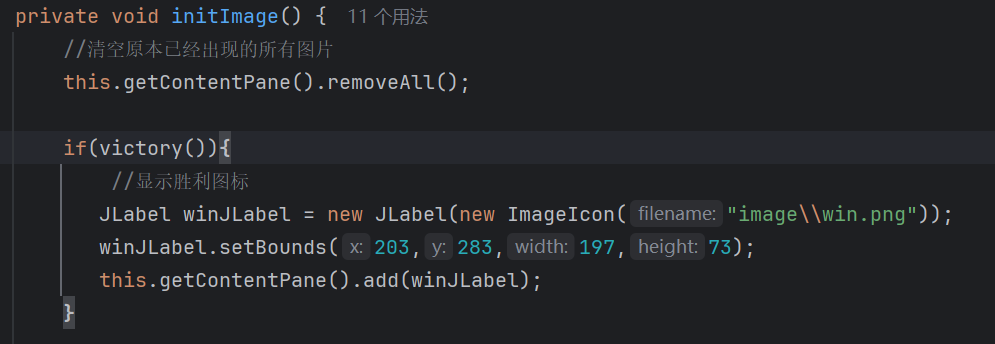
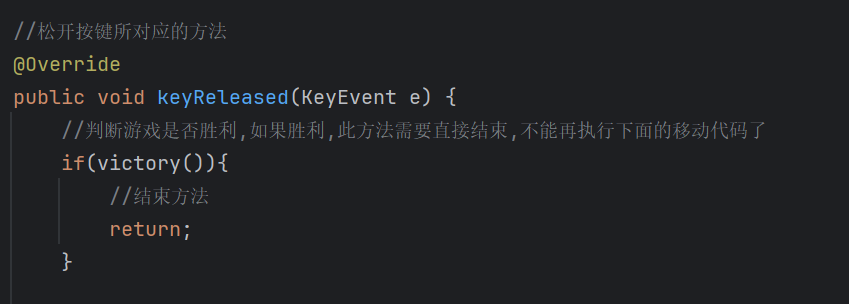
11.记步功能
 JLabel stepCount = new JLabel("步数" + step);stepCount.setBounds(50,30,100,20);this.getContentPane().add(stepCount);
...
x++;
step++;
initImage();
...
12.JMenuBar相关事件
if(obj == replayItem){//再次打乱二维数组中的数据initData();//计步器清零step = 0;//重新加载图片initImage();}else if(obj == reLoginItem){//关闭当前界面this.setVisible(false);//打开登录界面new LoginJFrame();}else if(obj == closeItem){//直接关闭虚拟机即可System.exit(0);}else if(obj == accountItem){//创建一个弹框对象JDialog jDialog = new JDialog();//创建一个管理图片的容器对象JLabelJLabel jLabel = new JLabel(new ImageIcon( "image\\img_1.png"));//设置位置和宽高jLabel.setBounds(0,0,getWidth(),getHeight());//把图片添加到弹框当中jDialog.getContentPane().add(jLabel);//给弹框设置大小jDialog.setSize(500,500);//让弹框置顶jDialog.setAlwaysOnTop(true);//让弹框居中jDialog.setLocationRelativeTo(null);//弹框不关闭则无法操作下面的界面jDialog.setModal(true);//让弹框显示出来jDialog.setVisible(true);
...
因为下面的一部分都是网课上面留的作业,因为本人实力有限,怕误导大家,所以我写得解释就比较少了,虽然最终代码可以运行,但是自己心里也不是十拿九稳
13.更换图片
需要知道在更换图片中更换图片是JMenu,而其下面的分类是JMenuItem
...
JMenuItem animal = new JMenuItem("动物");JMenuItem girl = new JMenuItem("女性");JMenuItem sport = new JMenuItem("运动");
...
//创建更换图片
JMenu changeImage = new JMenu("更换图片");
...
changeImage.add(animal);
changeImage.add(girl);
changeImage.add(sport);
...
else if(obj == animal){//选择随机图片Random r = new Random();int index =r.nextInt(8) + 1;path = "image\\animal\\animal"+ index + "\\";//再次打乱二维数组中的数据initData();//计步器清零step = 0;//重新加载图片initImage();}else if(obj == girl){//选择随机图片Random r = new Random();int index =r.nextInt(13)+1;path = "image\\girl\\girl" + index + "\\";//再次打乱二维数组中的数据initData();//计步器清零step = 0;//重新加载图片initImage();}else if (obj == sport){//选择随机图片Random r = new Random();int index =r.nextInt(10)+1;path = "image\\sport\\sport" + index + "\\";//再次打乱二维数组中的数据initData();//计步器清零step = 0;//重新加载图片initImage();}
14.登录界面
(1)提前设置账号密码
//创建一个集合存储正确的用户名和密码static ArrayList<User> allUsers = new ArrayList<>();static {allUsers.add(new User("ccc","123456"));allUsers.add(new User("bbb","123456"));allUsers.add(new User("aaa","123456"));}
...
...
private static class User {static String username;static String  password;public User() {}public User(String username, String password) {this.username = username;this.password = password;}public String getUsername() {return username;}public void setUsername(String username) {this.username = username;}public String getPassword() {return password;}public void setPassword(String password) {this.password = password;}}
(2)明文显示的输入框和密文显示的输入框
JTextField username = new JTextField();
JPasswordField password = new JPasswordField();
(3)设置弹窗方法
private void showJDialog(String contnet) {JDialog dialog = new JDialog();dialog.setSize(200, 150);dialog.setAlwaysOnTop(true);dialog.setLocationRelativeTo(null);dialog.setModal(true);JLabel label = new JLabel(contnet);label.setBounds(0, 0, 200, 150);dialog.getContentPane().add(label);dialog.setVisible(true);}(4)对按钮的操作美化等
@Overridepublic void mousePressed(MouseEvent e) {Object source =e.getSource();if(source ==login) {login.setIcon(new ImageIcon("image\\login\\登录按下.png"));} else if(source ==register){register.setIcon(new ImageIcon("image\\login\\注册按下.png"));}}@Overridepublic void mouseReleased(MouseEvent e) {Object source =e.getSource();if(source ==login) {login.setIcon(new ImageIcon("image\\login\\登录按钮.png"));} else if(source ==register){register.setIcon(new ImageIcon("image\\login\\注册按钮.png"));}}(5)对有事件交互的变量定义在成员变量的地方
JButton register = new JButton();JButton login = new JButton();String codeStr = CodeUtil.getCode();JLabel rightCode = new JLabel(codeStr);JTextField username = new JTextField();JPasswordField password = new JPasswordField();JTextField code = new JTextField();其中对验证码的要求是定义一个工具类,而且需要点击就会改变
package CodeUtil;import java.util.ArrayList;
import java.util.Random;public class CodeUtil {public static String getCode(){//1.创建一个集合ArrayList<Character> list = new ArrayList<>();//2,添加字母a - z, A - Zfor (int i = 0; i < 26; i++) {list.add((char) ('a' + i));list.add((char) ('A' + i));}//3.生成四个随机字母String result ="";Random r = new Random();for (int i = 0; i < 4; i++) {int index0 = r.nextInt(list.size());result += list.get(index0);}//4.在后面添加数字int number = r.nextInt(10);result = result + number;//5.把字符串变成字符数组char[] chars = result.toCharArray();//6.打乱顺序int index = r.nextInt(chars.length);char temp = chars[4];chars[4] = chars[index];chars[index] = temp;//7.把字符数组变回字符串String code = new String(chars);return code;}
}
(6)对账号和密码进行判断
@Overridepublic void mouseClicked(MouseEvent e) {Object source =e.getSource();if(source ==rightCode){String code = CodeUtil.getCode();rightCode.setText(code);}else if(source ==login){//获取两个文本输入框中的内容String usernameInput = this.username.getText();String passwordInput = this.password.getText();//获取用户输入的验证码String codeInput = code.getText();User userInfo = new User(usernameInput,passwordInput);if(codeInput.length() == 0){showJDialog("验证码不能为空");}else if(usernameInput.length() == 0 ||passwordInput.length() == 0){showJDialog("用户名或者密码为空");}else if(codeInput.equals(rightCode.getText())){showJDialog("验证码输入错误");}else if(contains(userInfo)){this.setVisible(false);new GameJFrame();}else {showJDialog("用户名或密码错误");}}else if(source ==register){this.setVisible(false);new Registerjframe();}}public boolean contains(User userInput){for (int i = 0; i < allUsers.size(); i++) {User rightUser = allUsers.get(i);if(userInput.getUsername().equals(rightUser.getUsername()) &&userInput.getPassword().equals(rightUser.getPassword())){return true;}}return false;}因为注册需要其他知识点所以在这个还没有写出来,下面展示所有代码
源码
package com.scarelf.ui;import javax.swing.*;
import javax.swing.border.BevelBorder;
import java.awt.event.ActionEvent;
import java.awt.event.ActionListener;
import java.awt.event.KeyEvent;
import java.awt.event.KeyListener;
import java.util.Random;public class GameJFrame extends JFrame implements KeyListener, ActionListener {//创建一个二维数组:用来管理数据//加载图片的时候,会根据二维数组中的数据进行加载int [][]data = new int [4][4];//记录空白方块在二维数组中的位置int x = 0;int y = 0;String path = "image\\animal\\animal3\\";//定义一个二维数组,存储正确的数据int [][] win = {{1, 2, 3, 4},{5, 6, 7, 8},{9, 10, 11, 12},{13, 14, 15, 0}};//定义变量用来统计步数int step = 0;//创建选项下面的条目对象JMenuItem replayItem = new JMenuItem("重新游戏");JMenuItem reLoginItem = new JMenuItem("重新登录");JMenuItem closeItem = new JMenuItem("关闭游戏");JMenuItem accountItem = new JMenuItem("二维码");JMenuItem QQItem = new JMenuItem("制作人QQ");JMenuItem wePayItem = new JMenuItem("微信支付");JMenuItem animal = new JMenuItem("动物");JMenuItem girl = new JMenuItem("女性");JMenuItem sport = new JMenuItem("运动");public GameJFrame() {//设置界面initJFrame();//设置菜单initJMenuBar();//初始化数据(打乱)initData();//初始化图片initImage();//让界面显示出来,建议写在最后setVisible(true);}private void initData() {int [] tempArr = {0,1,2,3,4,5,6,7,8,9,10,11,12,13,14,15};Random r = new Random();for (int i = 0; i < tempArr.length; i++) {int index = r.nextInt(tempArr.length);int temp = tempArr[index];tempArr[index] = tempArr[i];tempArr[i] = temp;}for (int i = 0; i < tempArr.length; i++) {if(tempArr[i] == 0){x = i / 4;y = i % 4;}data[i/4][i%4] = tempArr[i];}}private void initImage() {//清空原本已经出现的所有图片this.getContentPane().removeAll();if(victory()){//显示胜利图标JLabel winJLabel = new JLabel(new ImageIcon("image\\win.png"));winJLabel.setBounds(203,283,197,73);this.getContentPane().add(winJLabel);}JLabel stepCount = new JLabel("步数" + step);stepCount.setBounds(50,30,100,20);this.getContentPane().add(stepCount);//先加载的图片在上方,后加载的图片塞在下面for (int i = 0; i < 4; i++) {for (int j = 0; j < 4; j++) {int num = data[i][j];//创建一个JLabel的对象(管理容器)JLabel jLabel1 =new JLabel( new ImageIcon(path + num + ".jpg"));//指定图片位置jLabel1.setBounds(105*j + 83,105*i + 134,105,105);//给图片添加边框//0:表示让图片凸起来//1:表示让图片凹下去jLabel1.setBorder(new BevelBorder(BevelBorder.LOWERED));//把管理容器添加到界面中//this.add(jLabel1);this.getContentPane().add(jLabel1);}}//添加背景图JLabel background = new JLabel(new ImageIcon( "image/background.png"));background.setBounds(40, 40, 508, 560);//把背景图添加到界面当中this.getContentPane().add(background);//刷新一下界面this.getContentPane().repaint();}private  void initJMenuBar(){//初始化菜单//创建整个的菜单对象JMenuBar jMenuBar = new JMenuBar();//创建菜单上面的两个选项对象JMenu functionJMenu = new JMenu("功能");JMenu aboutJMenu = new JMenu("关于我");JMenu rechargeJMenu = new JMenu("充值选项");//创建更换图片JMenu changeImage = new JMenu("更换图片");//给条目绑定事件replayItem.addActionListener(this);reLoginItem.addActionListener(this);closeItem.addActionListener(this);animal.addActionListener(this);girl.addActionListener(this);sport.addActionListener(this);accountItem.addActionListener(this);QQItem.addActionListener(this);wePayItem.addActionListener(this);//将每个选项下面的条目添加到选项当中functionJMenu.add(changeImage);functionJMenu.add(replayItem);functionJMenu.add(reLoginItem);functionJMenu.add(closeItem);changeImage.add(animal);changeImage.add(girl);changeImage.add(sport);aboutJMenu.add(accountItem);aboutJMenu.add(QQItem);rechargeJMenu.add(wePayItem);//将菜单里面的两个选项添加到菜单当中jMenuBar.add(functionJMenu);jMenuBar.add(aboutJMenu);jMenuBar.add(rechargeJMenu);//给整个界面设置菜单this.setJMenuBar(jMenuBar);}private void initJFrame(){//设置界面的宽高this.setSize(603,680);//设置界面的标题this.setTitle("拼图单机版 v1.0");//设置界面置顶this.setAlwaysOnTop(true);//设置界面居中this.setLocationRelativeTo(null);//设置关闭模式this.setDefaultCloseOperation(WindowConstants.EXIT_ON_CLOSE);//取消默认的的居中放置,只有取消了才会按照XY轴的形式添加组件setLayout(null);//给整个界面添加键盘监听事件this.addKeyListener(this);}@Overridepublic void keyTyped(KeyEvent e) {}//按下不松时会调用这个方法@Overridepublic void keyPressed(KeyEvent e) {int code = e.getKeyCode();if(code == 65){//把界面中所有的图片全部删除this.getContentPane().removeAll();//加载一张完整的图片JLabel all = new JLabel(new ImageIcon(path + "all.jpg"));all.setBounds(83, 134, 420, 420);this.getContentPane().add(all);//添加背景图JLabel background = new JLabel(new ImageIcon( "image/background.png"));background.setBounds(40, 40, 508, 560);//把背景图添加到界面当中this.getContentPane().add(background);//刷新一下界面this.getContentPane().repaint();}}//松开按键所对应的方法@Overridepublic void keyReleased(KeyEvent e) {//判断游戏是否胜利,如果胜利,此方法需要直接结束,不能再执行下面的移动代码了if(victory()){//结束方法return;}//对上, 下, 左, 右进行判断//左: 37 上: 38 右: 39 下: 40int code = e.getKeyCode();if(code == 37){if(y == 3){return;}data[x][y]=data[x][y+1];data[x][y+1]=0;y++;step++;initImage();}else if(code == 38){if(x == 3){return;}//逻辑:把空白方块下方的数字往上移动//x, y  表示空白方块//x+1, y  表示空白方块下方的数字//把空白方块下方的数字赋值给空白方块data[x][y]=data[x+1][y];data[x+1][y]=0;x++;step++;//调用方法按照最新的数字加载图片initImage();}else if(code == 39){if(y == 0){return;}data[x][y]=data[x][y-1];data[x][y-1]=0;y--;step++;initImage();}else if(code == 40){if(x == 0){return;}data[x][y]=data[x-1][y];data[x-1][y]=0;x--;step++;initImage();}else if(code == 65){initImage();}else if(code == 87){data =new int [][]{{1, 2, 3, 4},{5, 6, 7, 8},{9, 10, 11, 12},{13, 14, 15, 0}};initImage();}}@Overridepublic void actionPerformed(ActionEvent e) {//获取当前被点击的条目对象Object obj = e.getSource();if(obj == replayItem){//再次打乱二维数组中的数据initData();//计步器清零step = 0;//重新加载图片initImage();}else if(obj == reLoginItem){//关闭当前界面this.setVisible(false);//打开登录界面new LoginJFrame();}else if(obj == closeItem){//直接关闭虚拟机即可System.exit(0);}else if(obj == accountItem){//创建一个弹框对象JDialog jDialog = new JDialog();//创建一个管理图片的容器对象JLabelJLabel jLabel = new JLabel(new ImageIcon( "image\\img_1.png"));//设置位置和宽高jLabel.setBounds(0,0,getWidth(),getHeight());//把图片添加到弹框当中jDialog.getContentPane().add(jLabel);//给弹框设置大小jDialog.setSize(500,500);//让弹框置顶jDialog.setAlwaysOnTop(true);//让弹框居中jDialog.setLocationRelativeTo(null);//弹框不关闭则无法操作下面的界面jDialog.setModal(true);//让弹框显示出来jDialog.setVisible(true);}else if(obj == QQItem){//创建一个弹框对象JDialog jDialog = new JDialog();//创建一个管理图片的容器对象JLabelJLabel jLabel = new JLabel("2190144173");//设置位置和宽高jLabel.setBounds(200,0,getWidth(),getHeight());//把图片添加到弹框当中jDialog.getContentPane().add(jLabel);//给弹框设置大小jDialog.setSize(300,75);//让弹框置顶jDialog.setAlwaysOnTop(true);//让弹框居中jDialog.setLocationRelativeTo(null);//弹框不关闭则无法操作下面的界面jDialog.setModal(true);//让弹框显示出来jDialog.setVisible(true);}else if(obj == wePayItem){//创建一个弹框对象JDialog jDialog = new JDialog();//创建一个管理图片的容器对象JLabelJLabel jLabel = new JLabel(new ImageIcon("image\\img.png"));//设置位置和宽高jLabel.setBounds(0,0,getWidth(),getHeight());//把图片添加到弹框当中jDialog.getContentPane().add(jLabel);//给弹框设置大小jDialog.setSize(500,500);//让弹框置顶jDialog.setAlwaysOnTop(true);//让弹框居中jDialog.setLocationRelativeTo(null);//弹框不关闭则无法操作下面的界面jDialog.setModal(true);//让弹框显示出来jDialog.setVisible(true);}else if(obj == animal){//选择随机图片Random r = new Random();int index =r.nextInt(8) + 1;path = "image\\animal\\animal"+ index + "\\";//再次打乱二维数组中的数据initData();//计步器清零step = 0;//重新加载图片initImage();}else if(obj == girl){//选择随机图片Random r = new Random();int index =r.nextInt(13)+1;path = "image\\girl\\girl" + index + "\\";//再次打乱二维数组中的数据initData();//计步器清零step = 0;//重新加载图片initImage();}else if (obj == sport){//选择随机图片Random r = new Random();int index =r.nextInt(10)+1;path = "image\\sport\\sport" + index + "\\";//再次打乱二维数组中的数据initData();//计步器清零step = 0;//重新加载图片initImage();}}//判断data数组中的数据是否跟win数组中相同//如果全部相同,返回true,否则返回falsepublic boolean victory(){for (int i = 0; i < data.length; i++) {for (int j = 0; j < data.length; j++) {if(data[i][j] != win[i][j]){return false;}}}return true;}}
package com.scarelf.ui;import CodeUtil.CodeUtil;
import javax.swing.*;
import java.awt.event.*;
import java.security.PrivateKey;
import java.util.ArrayList;public class LoginJFrame extends JFrame implements KeyListener, MouseListener {//创建一个集合存储正确的用户名和密码static ArrayList<User> allUsers = new ArrayList<>();static {allUsers.add(new User("lihaihang","123456"));allUsers.add(new User("gongxiaofan","123456"));allUsers.add(new User("wujunfeng","123456"));}JButton register = new JButton();JButton login = new JButton();String codeStr = CodeUtil.getCode();JLabel rightCode = new JLabel(codeStr);JTextField username = new JTextField();JPasswordField password = new JPasswordField();JTextField code = new JTextField();public LoginJFrame() {initJFrame();//在这个界面中添加内容initView();//让当前界面显示出来this.setVisible(true);}private void initView() {//1.添加用户名文字JLabel usernameText = new JLabel(new ImageIcon("image\\login\\用户名.png"));usernameText.setBounds(116, 135, 47, 17);this.getContentPane().add(usernameText);//2.添加用户名输入框username.setBounds(195, 134, 200, 30);this.getContentPane().add(username);//3.添加密码文字JLabel passwordText = new JLabel(new ImageIcon("image\\login\\密码.png"));passwordText.setBounds(130, 195, 32, 16);this.getContentPane().add(passwordText);//4.密码输入框password.setBounds(195, 195, 200, 30);this.getContentPane().add(password);//验证码提示JLabel codeText = new JLabel(new ImageIcon("image\\login\\验证码.png"));codeText.setBounds(133, 256, 50, 30);this.getContentPane().add(codeText);//验证码输入框code.setBounds(195, 256, 100, 30);this.getContentPane().add(code);//位置和宽高rightCode.setBounds(300, 256, 50, 30);this.getContentPane().add(rightCode);//添加监视功能rightCode.addMouseListener(this);// 5.添加登录按钮login.setBounds(123, 310, 128, 47);login.setIcon(new ImageIcon("image\\login\\登录按钮.png"));login.setBorderPainted(false);login.setContentAreaFilled(false);this.getContentPane().add(login);login.addMouseListener(this);//添加注册按钮register.setBounds(256, 310, 128, 47);register.setIcon(new ImageIcon("image\\login\\注册按钮.png"));register.setBorderPainted(false);register.setContentAreaFilled(false);this.getContentPane().add(register);register.addMouseListener(this);//7.添加背景图片JLabel backgroundImage = new JLabel(new ImageIcon("image\\login\\background.png"));backgroundImage.setBounds(0, 0, 470, 390);this.getContentPane().add(backgroundImage);}private void initJFrame () {setSize(488, 430);//设置界面的标题this.setTitle("拼图 登录");//设置界面置顶this.setAlwaysOnTop(true);//设置界面居中this.setLocationRelativeTo(null);//设置关闭模式this.setDefaultCloseOperation(WindowConstants.EXIT_ON_CLOSE);//取消内部默认布局this.setLayout(null);}public void initImage(){JLabel userImage = new JLabel(new ImageIcon("./image/user.jpg"));userImage.setBounds(0, 0, 470, 390);}@Overridepublic void keyTyped(KeyEvent e) {}@Overridepublic void keyPressed(KeyEvent e) {}@Overridepublic void keyReleased(KeyEvent e) {}@Overridepublic void mouseClicked(MouseEvent e) {Object source =e.getSource();if(source ==rightCode){String code = CodeUtil.getCode();rightCode.setText(code);}else if(source ==login){//获取两个文本输入框中的内容String usernameInput = this.username.getText();String passwordInput = this.password.getText();//获取用户输入的验证码String codeInput = code.getText();User userInfo = new User(usernameInput,passwordInput);if(codeInput.length() == 0){showJDialog("验证码不能为空");}else if(usernameInput.length() == 0 ||passwordInput.length() == 0){showJDialog("用户名或者密码为空");}else if(codeInput.equals(rightCode.getText())){showJDialog("验证码输入错误");}else if(contains(userInfo)){this.setVisible(false);new GameJFrame();}else {showJDialog("用户名或密码错误");}}else if(source ==register){this.setVisible(false);new Registerjframe();}}public boolean contains(User userInput){for (int i = 0; i < allUsers.size(); i++) {User rightUser = allUsers.get(i);if(userInput.getUsername().equals(rightUser.getUsername()) &&userInput.getPassword().equals(rightUser.getPassword())){return true;}}return false;}private void showJDialog(String contnet) {JDialog dialog = new JDialog();dialog.setSize(200, 150);dialog.setAlwaysOnTop(true);dialog.setLocationRelativeTo(null);dialog.setModal(true);JLabel label = new JLabel(contnet);label.setBounds(0, 0, 200, 150);dialog.getContentPane().add(label);dialog.setVisible(true);}@Overridepublic void mousePressed(MouseEvent e) {Object source =e.getSource();if(source ==login) {login.setIcon(new ImageIcon("image\\login\\登录按下.png"));} else if(source ==register){register.setIcon(new ImageIcon("image\\login\\注册按下.png"));}}@Overridepublic void mouseReleased(MouseEvent e) {Object source =e.getSource();if(source ==login) {login.setIcon(new ImageIcon("image\\login\\登录按钮.png"));} else if(source ==register){register.setIcon(new ImageIcon("image\\login\\注册按钮.png"));}}@Overridepublic void mouseEntered(MouseEvent e) {}@Overridepublic void mouseExited(MouseEvent e) {}private static class User {static String username;static String  password;public User() {}public User(String username, String password) {this.username = username;this.password = password;}public String getUsername() {return username;}public void setUsername(String username) {this.username = username;}public String getPassword() {return password;}public void setPassword(String password) {this.password = password;}}
}
package com.scarelf.ui;import javax.swing.*;public class Registerjframe extends JFrame {public Registerjframe() {setSize(488, 500);//设置界面的标题this.setTitle("拼图 注册");//设置界面置顶this.setAlwaysOnTop(true);//设置界面居中this.setLocationRelativeTo(null);//设置关闭模式this.setDefaultCloseOperation(WindowConstants.EXIT_ON_CLOSE);//让界面显示出来,建议写在最后setVisible(true);}
}
package CodeUtil;import java.util.ArrayList;
import java.util.Random;public class CodeUtil {public static String getCode(){//1.创建一个集合ArrayList<Character> list = new ArrayList<>();//2,添加字母a - z, A - Zfor (int i = 0; i < 26; i++) {list.add((char) ('a' + i));list.add((char) ('A' + i));}//3.生成四个随机字母String result ="";Random r = new Random();for (int i = 0; i < 4; i++) {int index0 = r.nextInt(list.size());result += list.get(index0);}//4.在后面添加数字int number = r.nextInt(10);result = result + number;//5.把字符串变成字符数组char[] chars = result.toCharArray();//6.打乱顺序int index = r.nextInt(chars.length);char temp = chars[4];chars[4] = chars[index];chars[index] = temp;//7.把字符数组变回字符串String code = new String(chars);return code;}
}
import com.scarelf.ui.GameJFrame;
import com.scarelf.ui.LoginJFrame;
import com.scarelf.ui.Registerjframe;public class Main {public static void main(String[] args) {//new GameJFrame();new LoginJFrame();//new registerJFrame();}
}
打包
之后学习打包exe安装包,因为涉及软件什么的太多知识点,所以直接放原视频了有需要的可以自己查看,在此不再提及
阶段项目-11-游戏打包成exe安装包_哔哩哔哩_bilibilihttps://www.bilibili.com/video/BV17F411T7Ao?p=154
- 将代码打包成jar包。
- 整合资源文件
- 将jar包打包成exe
- 将jdk、资源文件、jar包转换后的exe三者再次打包成最终的exe。
相关文章:
Java-拼图小游戏跟学笔记
阶段项目-01-项目介绍和界面搭建_哔哩哔哩_bilibilihttps://www.bilibili.com/video/BV17F411T7Ao?p144 代码 1.主界面分析(组件) JFrame:最外层的窗体 JMenuBar:最上层的菜单 JLabel:管理文字和图片的容器 1.界面 --关闭模式-- DO_NOTHING_ON_CLOSE:当用户…...
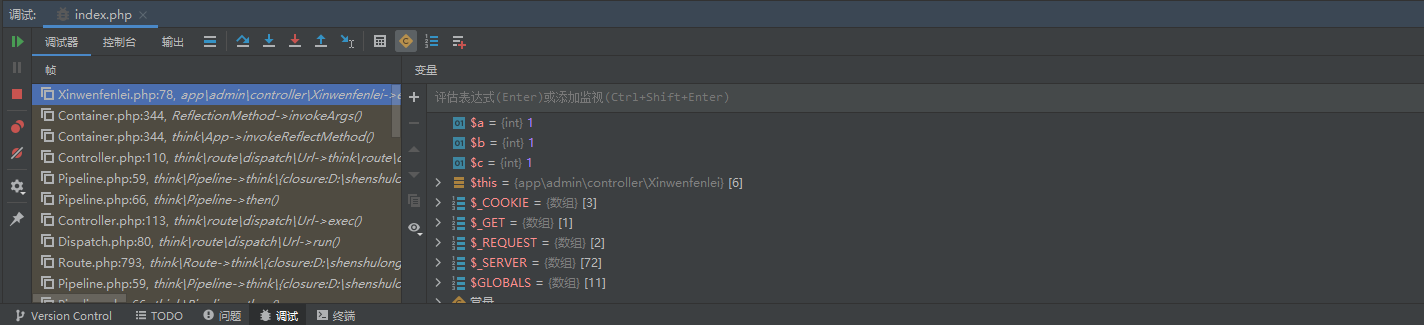
phpStorm2021.3.3在windows系统上配置Xdebug调试
开始 首先根据PHP的版本下载并安装对应的Xdebug扩展在phpStorm工具中找到设置添加服务添加php web page配置完信息后 首先根据PHP的版本下载并安装对应的Xdebug扩展 我使用的是phpStudy工具,直接在php对应的版本中开启xdebug扩展, 并在php.ini中添加如下…...

FALL靶机
下载靶机,可以看到靶机地址 在kali上扫描靶机的端口和目录文件 访问:http://192.168.247.146/test.php,他提示我们参数缺失 我们爆破一下他的参数 使用kali自带的fuzz FUZZ就是插入参数的位置 -w 指定字典文件 wfuzz -u "http://192.…...
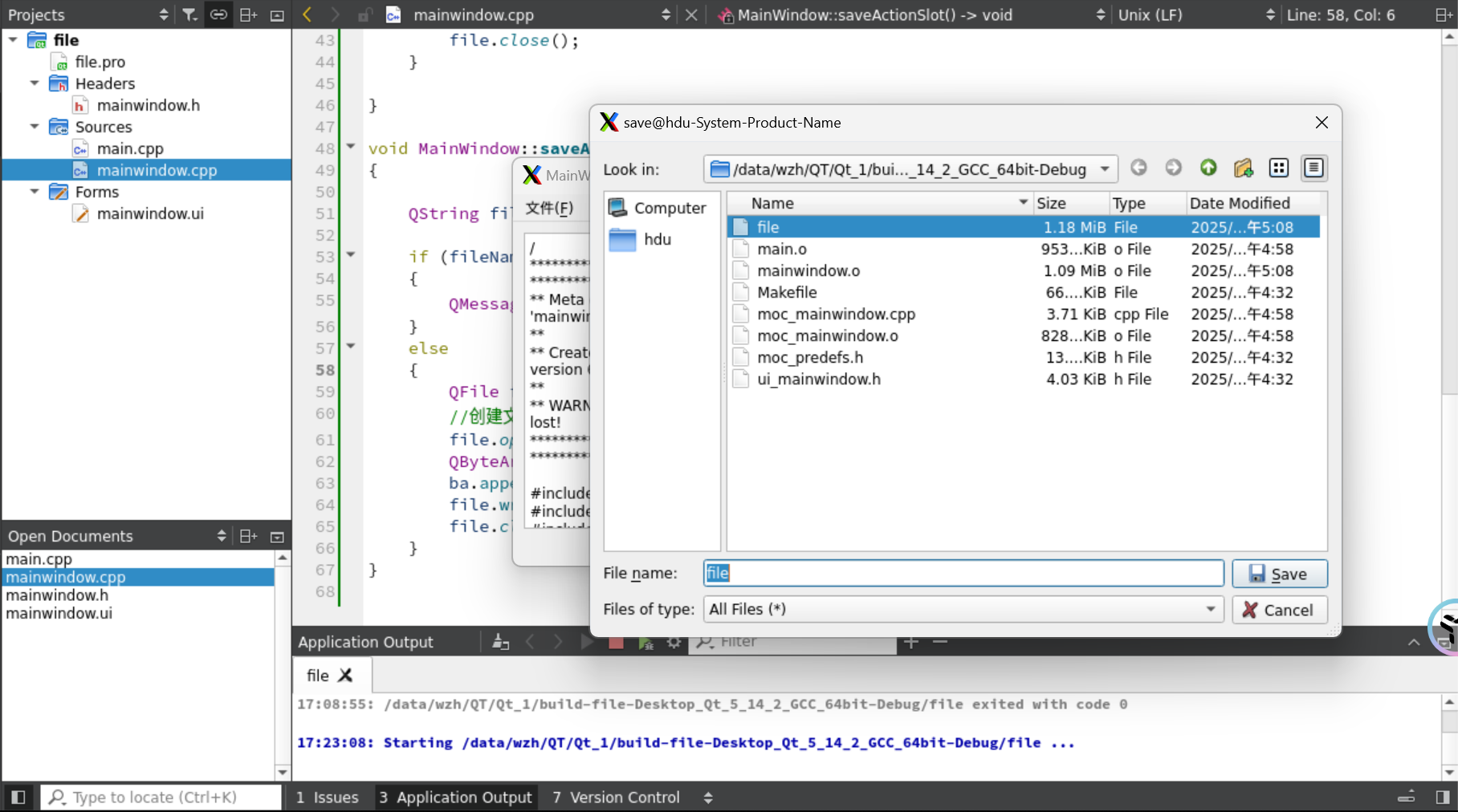
QT文件操作(QT实操学习3)
1.项目架构 1.UI界面 1.新建文本文档 2.打开文件 3.另存为文件 2.mainwindow.h #ifndef MAINWINDOW_H #define MAINWINDOW_H#include <QMainWindow> #include <QFileDialog> #include <QMessageBox> #include <QDebug> QT_BEGIN_NAMESPACE namespa…...
的**大数据及人工智能技术栈**及其核心组件的深度解析)
主流云平台(AWS、华为云、阿里云、Google Cloud等)的**大数据及人工智能技术栈**及其核心组件的深度解析
云计算系列文章: 1. GCP(Cloud-native stack)的云原生技术栈介绍 2. 主流云厂商的云原生技术栈(Cloud-native stack)及其核心组件对比 3. 主流云平台(AWS、华为云、阿里云、Google Cloud等)的…...

智能粉尘监测解决方案|守护工业安全,杜绝爆炸隐患
在厂房轰鸣的生产线上,一粒微小粉尘的聚集可能成为一场灾难的导火索。如何实现粉尘浓度的精准监控与快速响应?我们为您打造了一套"感知-预警-处置"全闭环的智能安全方案! 行业痛点:粉尘管理的生死线 在金属加工、化工…...
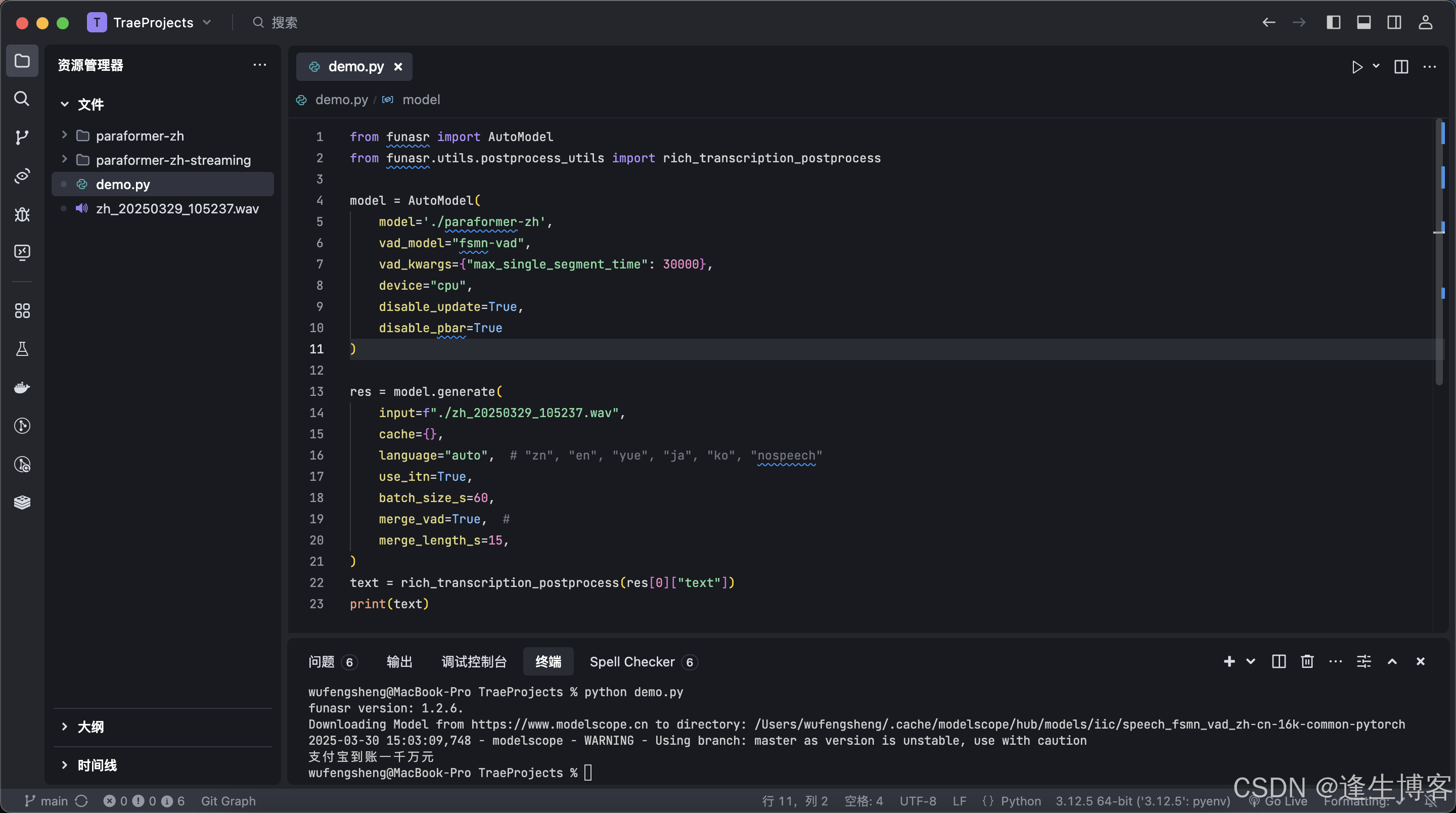
阿里 FunASR 开源中文语音识别大模型应用示例(准确率比faster-whisper高)
文章目录 Github官网简介模型安装非流式应用示例流式应用示例 Github https://github.com/modelscope/FunASR 官网 https://www.funasr.com/#/ 简介 FunASR是一个基础语音识别工具包,提供多种功能,包括语音识别(ASR)、语音端…...
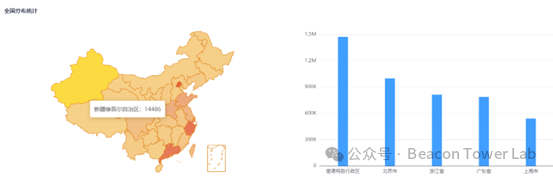
漏洞预警 | Windows 文件资源管理器欺骗漏洞(CVE-2025-24071、CVE-2025-24054)
1漏洞概述 漏洞类型 信息泄露 漏洞等级 高 漏洞编号 CVE-2025-24071、 CVE-2025-24054 漏洞评分 7.5 利用复杂度 中 影响版本 Windows三月更新前版本 利用方式 本地 POC/EXP 已公开 近日,微软发布windows操作系统更新修复漏洞,其中Windo…...
数组、ArrayList与链表:原理、源码及业务场景深度解析)
常见集合篇(二)数组、ArrayList与链表:原理、源码及业务场景深度解析
常见集合篇:数组、ArrayList与链表:原理、源码及业务场景深度解析 常见集合篇(二)数组、ArrayList与链表:原理、源码及业务场景深度解析1. 数组1.1 数组概述1.1.1 数组的定义与特点1.1.2 业务场景举例 1.2 寻址公式1.2…...

redis 缓存命中率降低,该如何解决?
命中率降低 Redis 缓存命中率降低,可能是由于多个因素导致的,比如缓存未命中、缓存污染、缓存淘汰过快等。针对不同情况,可以采取以下优化措施: 1. 分析缓存命中率下降的原因 在优化之前,先使用 Redis 监控工具 分析…...

LiteDB 数据存储与检索效率优化的最佳实践指导
一、引言 在当今数字化时代,数据处理和存储变得至关重要。对于小型项目或者嵌入式系统而言,需要一种轻量级、高效且易于使用的数据库解决方案。LiteDB 作为一款嵌入式的 NoSQL 数据库,因其零配置、易于集成等特点,受到了开发者的青睐。然而,若要充分发挥其性能优势,就需…...
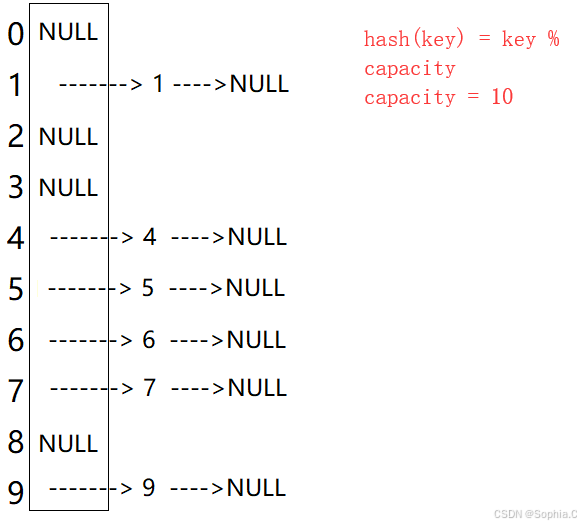
数据结构——Map和Set
1. 搜索树 1. 概念 ⼆叉搜索树⼜称⼆叉排序树,它可以是⼀棵空树,或者是具有以下性质的⼆叉树: • 若它的左⼦树不为空,则左⼦树上所有节点的值都⼩于根节点的值 • 若它的右⼦树不为空,则右⼦树上所有节点的值都⼤于根节点的值…...
树莓派配置音频)
树莓派超全系列文档--(18)树莓派配置音频
这里写目录标题 音频更改音频输出通过桌面音量控制专业音频设备配置文件 通过 raspi-config 文章来源: http://raspberry.dns8844.cn/documentation 原文网址 音频 Raspberry Pi OS 有多种音频输出模式: 默认情况下,Raspberry Pi OS 将音频…...

Flutter中实现拍照识题的功能
文章目录 **1. 功能拆解****2. 具体实现步骤****(1) 拍照或选择图片****(2) 图片预处理(可选)****(3) 文字识别(OCR)****(4) 数学公式识别 → LaTeX****方案1:Mathpix API(高精度,付费ÿ…...

装饰器模式:如何用Java打扮一个对象?
引言装饰器模式具体实例共有接口类具体被装饰类抽象装饰器类具体装饰器类 测试装饰器模式的实际应用Java I/O 体系游戏开发中的角色装备系统 总结 引言 在生活中,我们都知道一句话,“人靠衣装马靠鞍”,如果想要让自己在别人眼里看起来更加好…...

OpenCV 图形API(或称G-API)(1)
操作系统:ubuntu22.04 OpenCV版本:OpenCV4.9 IDE:Visual Studio Code 编程语言:C11 引言 OpenCV 图形API(或称G-API)是一个新的OpenCV模块,旨在使常规图像处理更快且更便携。通过引入一种新的基于图的执行…...
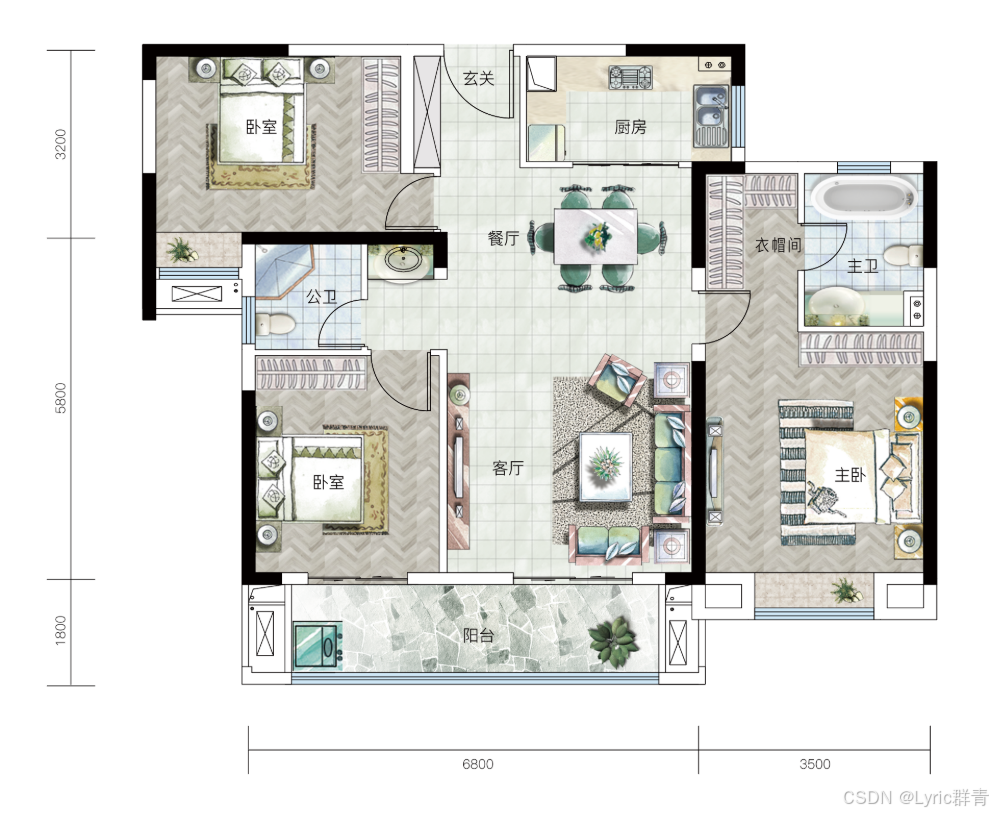
学以致用,基于OpenCV的公摊面积估算程序
由于很多户型图并没有标注各个房间或者走廊的面积,亦或比较模糊,且很多人并不具备迅速口算多个小数相加再做除法的能力,本帖通过程序粗略计算公摊比例。由于非专业人士,公摊面积涉及到很多建筑学的专业公式,因此本帖只…...
步骤,http和https协议)
爬虫:网络请求(通信)步骤,http和https协议
电脑(浏览器):www.baidu.com——url DNS服务器:IP地址标注服务器——1.1.38 DNS服务器返回IP地址给浏览器 浏览器拿到IP地址去访问服务器,返回响应 服务器返回给响应数据:html/css/js/jpg... html:文本 cs…...
d2025331
目录 一、删除有序数组中的重复项II 二、删除有序数组中的重复项 三、数字转罗马格式 一、删除有序数组中的重复项II 一下写过,挺舒服! 1、统计超出2的数量有多少,仅保留2个重复数字 2、有多少次就从后往前覆盖几次 public int removeDupl…...
QT6开发指南笔记(1)QT简介,安装
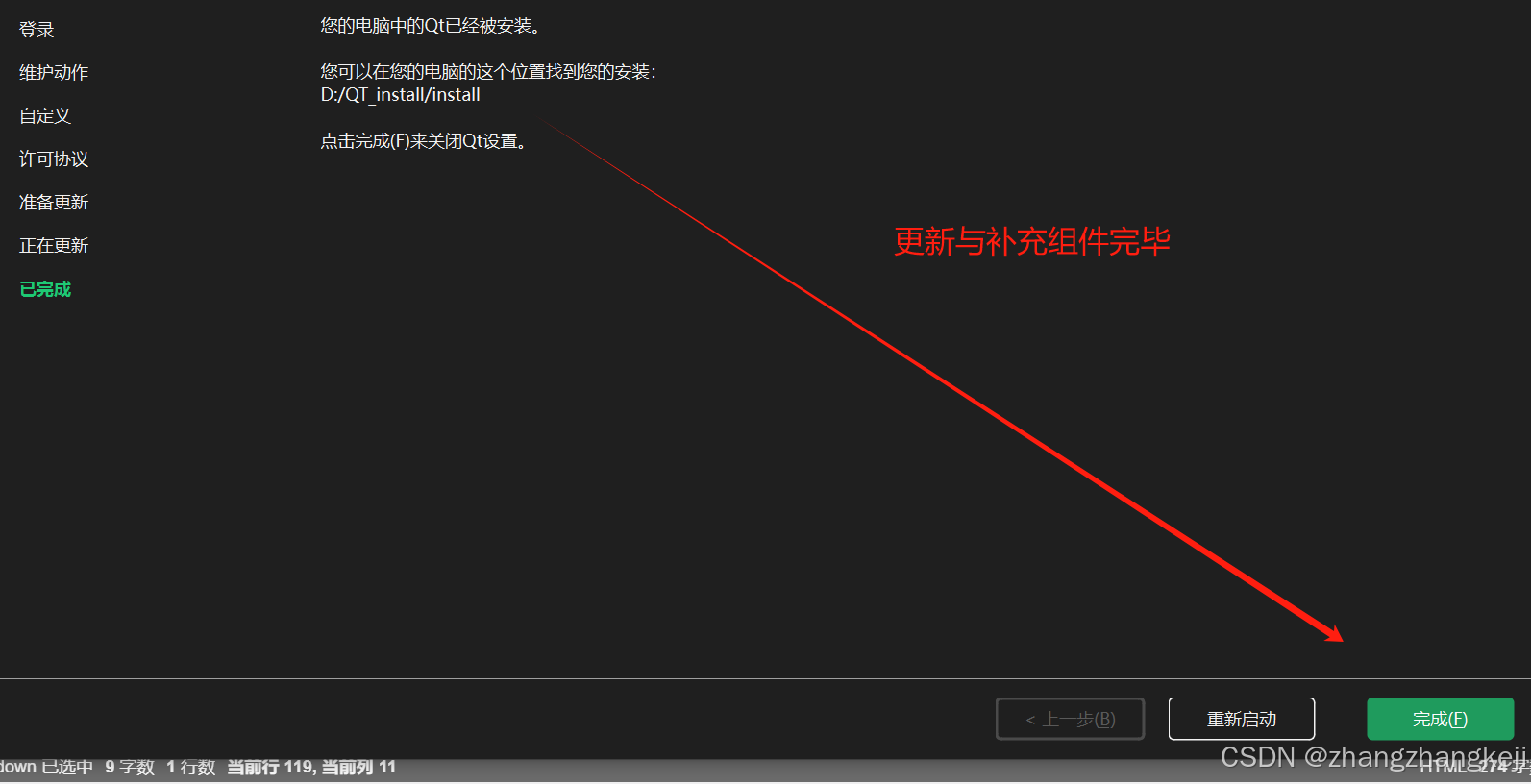
(1)刚刚结束了 C 的学习,谢谢阿西老师的教导,开始 QT 的学习,运用 C ,而非 QML 。 保持知识的连贯性。 QT 公司 : (2)接着介绍 QT 的安装: 提取到的…...
Redis BitMap 实现签到及连续签到统计
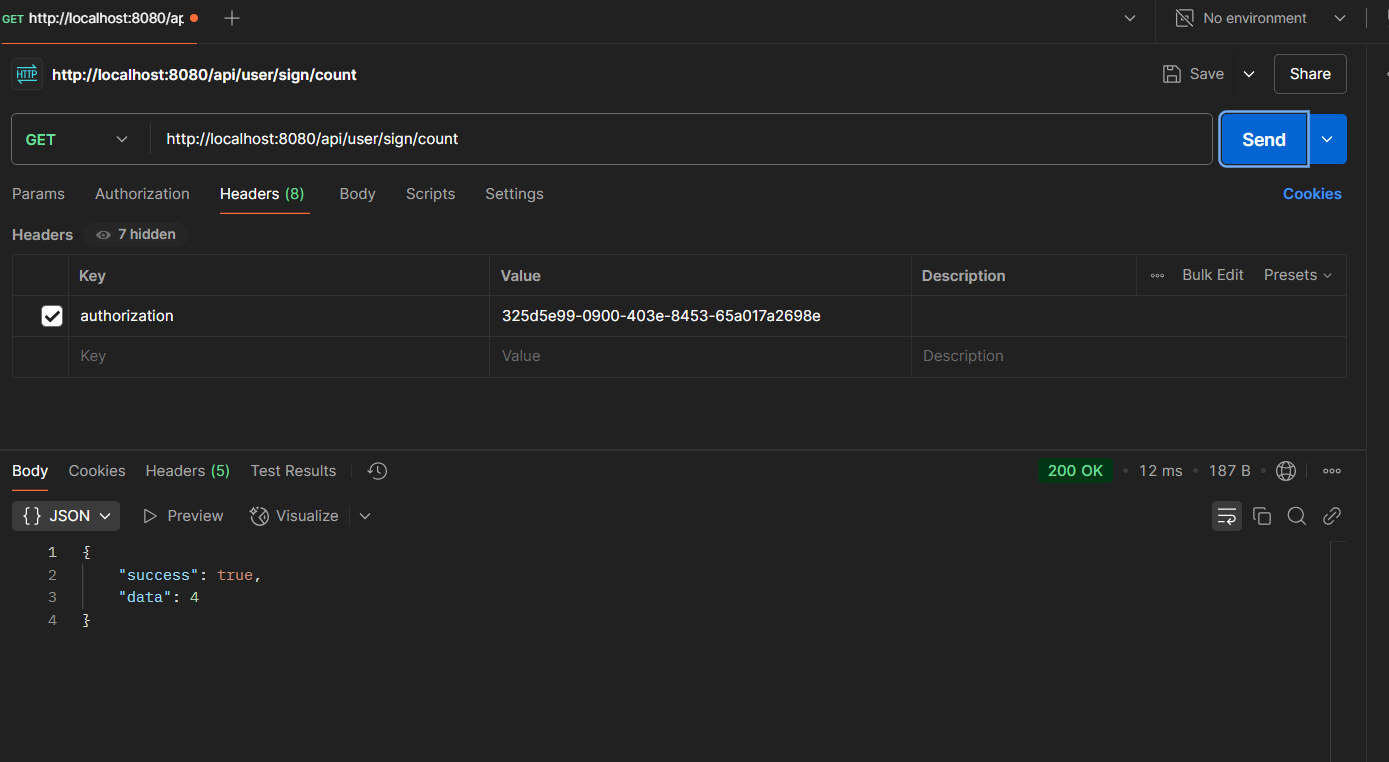
一、引言 用户签到功能是很多应用都离不开的一个板块,单词打开、QQ达人等等为我们所熟知,这项功能该如何实现呢,一些朋友可能想当然的觉得无非将每日的签到数据记录下来不就好了,不会去细想用谁记录,如何记录才合适。 …...

全面解析 Spring AOP 切入点表达式
全面解析 Spring AOP 切入点表达式 大家好,我是钢板兽! Spring AOP(面向切面编程)是我们日常开发中实现日志记录、权限控制、事务管理等功能的神器。而切入点表达式(Pointcut Expression)则是这个神器的“…...

去中心化稳定币机制解析与产品策略建议
去中心化稳定币机制解析与产品策略建议(以Maker/DAI为例) 一、核心机制对比:法币抵押型 vs. 加密货币抵押型 法币抵押型(如USDT) 技术逻辑:1:1美元储备托管于中心化机构(如银行)&…...
GO语言杂记(文章持续更新)
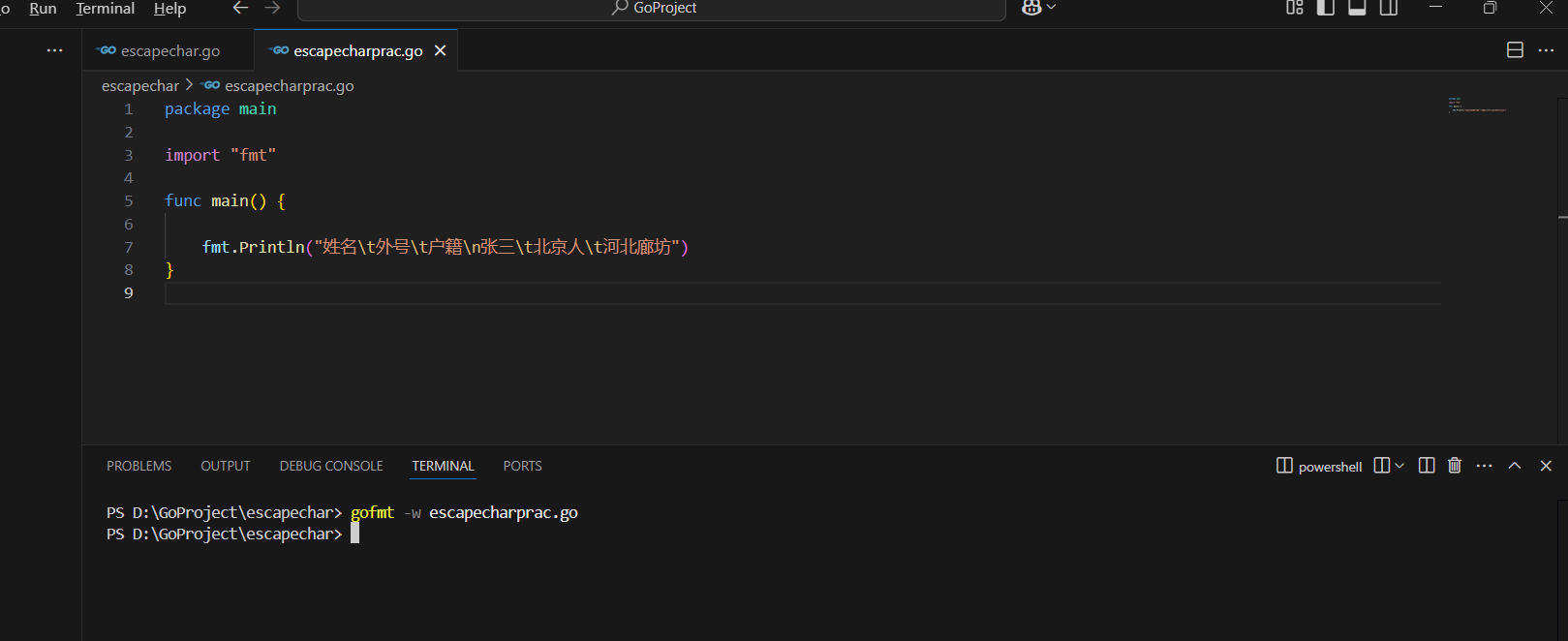
1、MAIN冲突 在一个文件夹下有两个go文件同时写了main函数,将会报错,main函数只能在main包中。 实则不然,有些环境下并不会报错。 2、gofmt命令---自动对齐 命令作用:将go文件代码自动缩进。 gofmt -w escapecharprac.go...

OS6.【Linux】基本指令入门(5)
目录 1.配置公网IP到XShell中 2.日志 定义和作用 3.一些指令 date %Y、%m、%d、%H、%M、%S、%X、%F %s 时间戳的特点 时间戳的转换 cal cal 年份 其他选项 ★find★ whereis grep 练习 -v选项 -n选项 -i选项 多文件查找 特定目录下查找 1.配置公网IP到XShe…...

Moo0 VideoResizer,简单高效压缩视频!
Moo0 VideoResizer 是一款免费、轻量级的视频压缩工具,支持通过调整文件大小、屏幕尺寸或比特率等方式实现高效视频压缩。其核心优势在于操作简单且无需破解,可直接下载安装使用。软件注重用户友好性,采用非破坏性压缩技术,所有…...

【开发问题记录】高德地图 Web 端开发详解:高德地图 API 最佳实践指南(安装、marker添加、逆向地理编码、实际业务案例实操)
文章目录 1、引入高德地图的准备工作2、高德地图 JS API 使用方式2.1 JS API Loader2.1.1 使用 script 标签加载loader2.1.2 NPM 安装loader 2.2 script 标签加载 JS API 脚本2.2.1 同步加载2.2.2 异步加载 3、在 vue3 项目中使用3.1 安装 js api loader3.2 在组件中使用 4、实…...

Unity 简单使用Addressables加载SpriteAtlas图集资源
思路很简单,传入图集名和资源名,利用Addressables提供的异步加载方式从ab包中加载。加载完成后存储进缓存字典里,以供后续使用。 添加引用计数,防止多个地方使用同一图集时,不会提前释放 using UnityEngine; using U…...

LangChain 结构化输出:用 Pydantic + PydanticOutputParser 驯服 LLM 的“自由发挥”
目录 一、Pydantic 二、PydanticOutputParser 1、为什么需要 PydanticOutputParser? 2、Pydantic和PydanticOutputParser核心区别 3、Pydantic的不足 (1)无法直接解析非结构化文本 (2)缺乏对 LLM 输出的适配性 …...

快速入手-基于Django-rest-framework的自身组件权限认证(九)
1、在对应的视图函数里增加认证(局部起作用,不全局生效) 导入类: from rest_framework.authentication import ( BasicAuthentication, SessionAuthentication, ) from rest_framework.permissions import IsAuthentica…...