
open3d教程 (三)点云的显示
官方文档位置: Visualization - Open3D 0.19.0 documentation https://www.open3d.org/docs/release/tutorial/visualization/visualization.html核心方法:
o3d.visualization.draw_geometries([几何对象列表])
import  open3d as o3dprint("Load a ply point cloud, print it, and render it")
sample_ply_data = o3d.data.PLYPointCloud()
pcd = o3d.io.read_point_cloud(sample_ply_data.path)
o3d.visualization.draw_geometries([pcd],zoom=0.3412,front=[0.4257, -0.2125, -0.8795],lookat=[2.6172, 2.0475, 1.532],up=[-0.0694, -0.9768, 0.2024])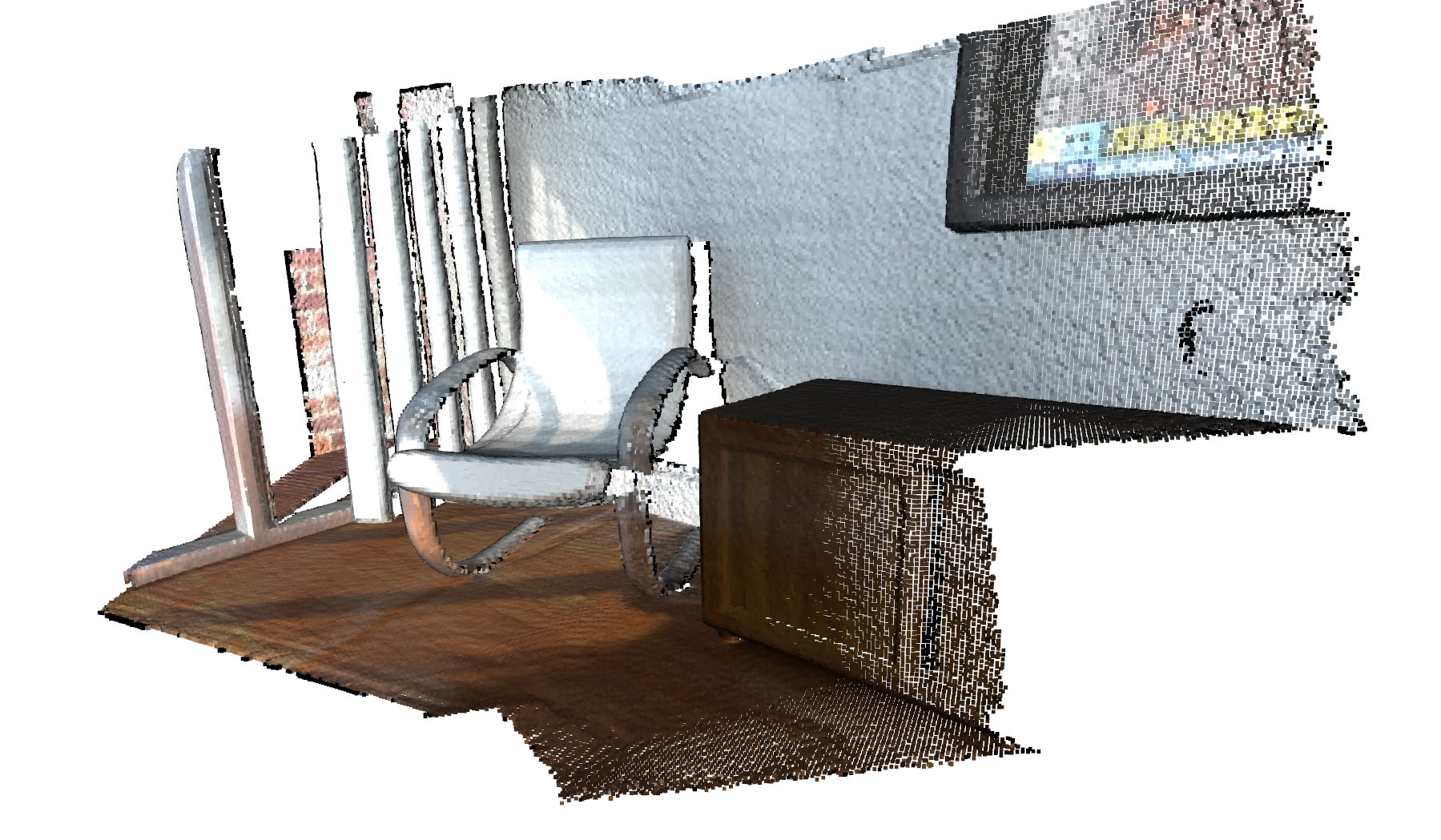
visualization窗体功能:
点击到窗口 按键盘 h 键

(1) 视图控制
| 操作 | 方法 |
|---|---|
| 旋转视图 | 按住鼠标左键拖动 |
| 平移视图 | 按住鼠标滚轮拖动 |
| 缩放视图 | 鼠标滚轮 |
| 重置视角 | 按 R 键 |
| 切换全屏 | 按 F 键 |
| 快捷键 | 功能 |
|---|---|
L | 切换点云渲染(点/线框/面) |
N | 显示/隐藏法线(需提前计算) |
C | 显示/隐藏颜色(如果数据包含颜色) |
S | 保存当前视角截图 |
添加几何元素
下面的代码使用 、 和 生成一个长方体、一个球体和一个圆柱体。长方体涂成红色,球体涂成蓝色,圆柱体涂成绿色。为所有网格计算法线以支持 Phong 着色(请参见可视化 3D 网格和表面法线估计)。我们甚至可以使用 创建一个坐标轴,其原点设置为 (-2, -2, -2)。
import  open3d as o3d
print("Let's define some primitives")
#创建立方体
mesh_box = o3d.geometry.TriangleMesh.create_box(width=1.0,height=1.0,depth=1.0)
#设置颜色
mesh_box.paint_uniform_color([0.9, 0.1, 0.1])
#创建球体
mesh_sphere = o3d.geometry.TriangleMesh.create_sphere(radius=1.0)
#设置颜色
mesh_sphere.paint_uniform_color([0.1, 0.1, 0.7])
#创建圆柱体
mesh_cylinder = o3d.geometry.TriangleMesh.create_cylinder(radius=0.3,height=4.0)
mesh_cylinder.paint_uniform_color([0.1, 0.9, 0.1])
#创建坐标轴
mesh_frame = o3d.geometry.TriangleMesh.create_coordinate_frame(size=0.6, origin=[-2, -2, -2])
print("We draw a few primitives using collection.")
o3d.visualization.draw_geometries([mesh_box, mesh_sphere, mesh_cylinder, mesh_frame])print("We draw a few primitives using + operator of mesh.")
o3d.visualization.draw_geometries([mesh_box + mesh_sphere + mesh_cylinder + mesh_frame])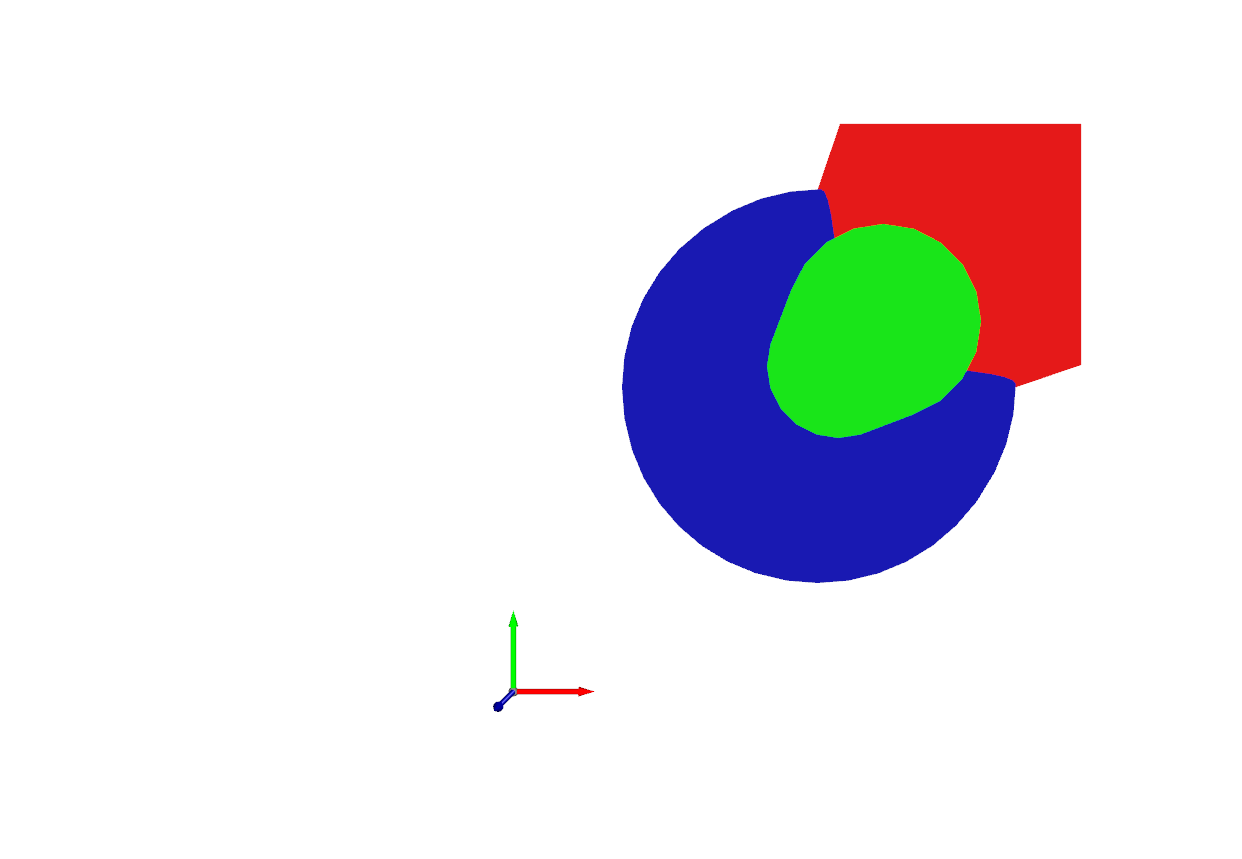
绘制线
Visualization - Open3D 0.19.0 documentationhttps://www.open3d.org/docs/release/tutorial/visualization/visualization.html#Draw-line-set
import open3d as o3d
print("Let's draw a box using o3d.geometry.LineSet.")
# 点坐标
points = [[0, 0, 0],[1, 0, 0],[0, 1, 0],[1, 1, 0],[0, 0, 1],[1, 0, 1],[0, 1, 1],[1, 1, 1],
]
# 线段索引  [0, 1] 表示0号点到1号点的线段
lines = [[0, 1],[0, 2],[1, 3],[2, 3],[4, 5],[4, 6],[5, 7],[6, 7],[0, 4],[1, 5],[2, 6],[3, 7],
]
colors = [[1, 0, 0] for i in range(len(lines))]
line_set = o3d.geometry.LineSet(points=o3d.utility.Vector3dVector(points), # 点坐标 需要转换为Vector3dVector  Vector3dVector 是一个关键的数据转换工具,# 用于将常见的数值数组(如 NumPy 数组或 Python 列表)转换为 Open3D 内部高效处理的 3D 向量格式 N×3lines=o3d.utility.Vector2iVector(lines),
)
line_set.colors = o3d.utility.Vector3dVector(colors)
o3d.visualization.draw_geometries([line_set])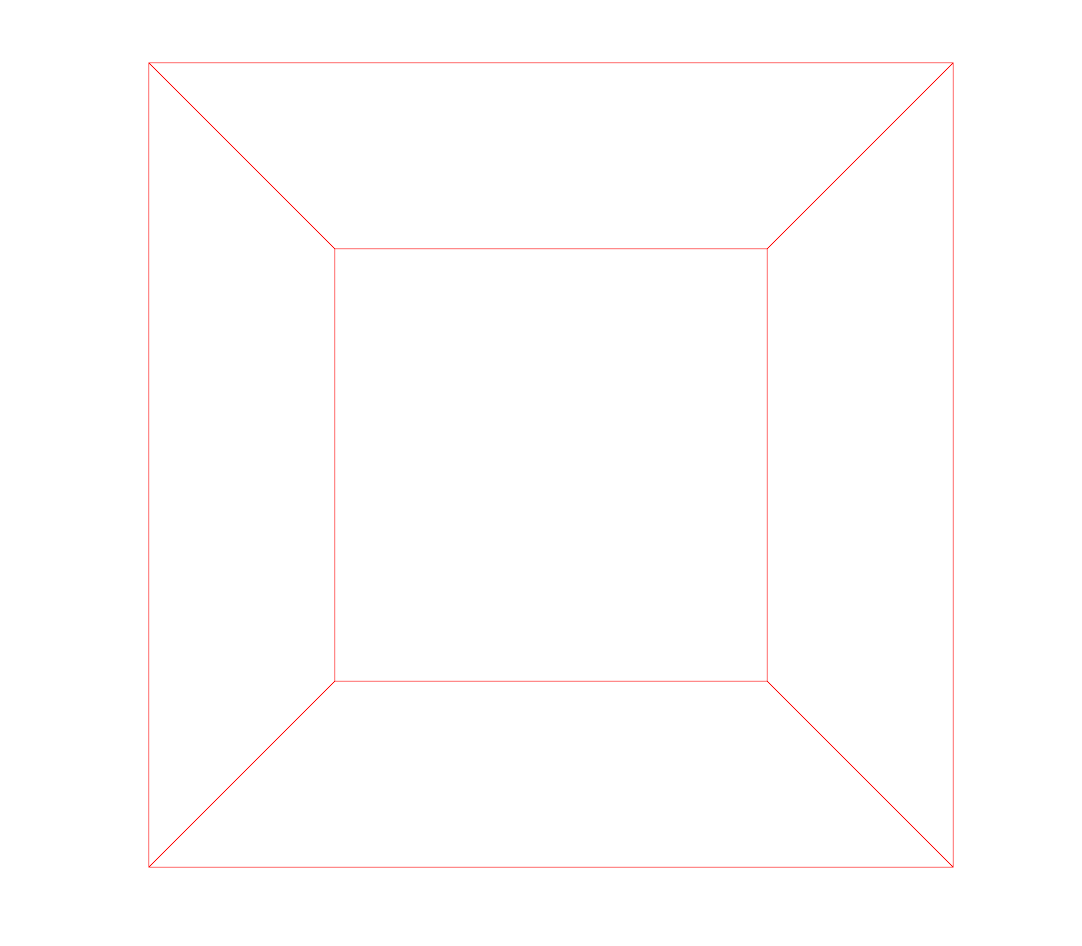
Vector2iVector 是一个用于处理 二维整数向量数据 的实用工具类,类似于 Vector3dVector,但专为 (N, 2) 形状的整数数据设计
Vector3dVector 是一个关键的数据转换工具,用于将常见的数值数组(如 NumPy 数组或 Python 列表)转换为 Open3D 内部高效处理的 3D 向量格式,主要功能:将 N×3 的数值数据(如点云坐标、法线、颜色)转换为 Open3D 几何体(如 PointCloud、TriangleMesh)可识别的内部数据结构。
自定义可视化 自定义创建功能
Customized visualization - Open3D 0.19.0 documentationhttps://www.open3d.org/docs/release/tutorial/visualization/customized_visualization.html#customized-visualization使点云旋转
import  open3d as o3d
def custom_draw_geometry_with_rotation(pcd):def rotate_view(vis):ctr = vis.get_view_control()ctr.rotate(10.0, 0.0)return Falseo3d.visualization.draw_geometries_with_animation_callback([pcd],rotate_view)sample_pcd_data = o3d.data.PCDPointCloud()
pcd = o3d.io.read_point_cloud(sample_pcd_data.path)
custom_draw_geometry_with_rotation(pcd)
https://www.open3d.org/docs/release/_images/rotate_small.gif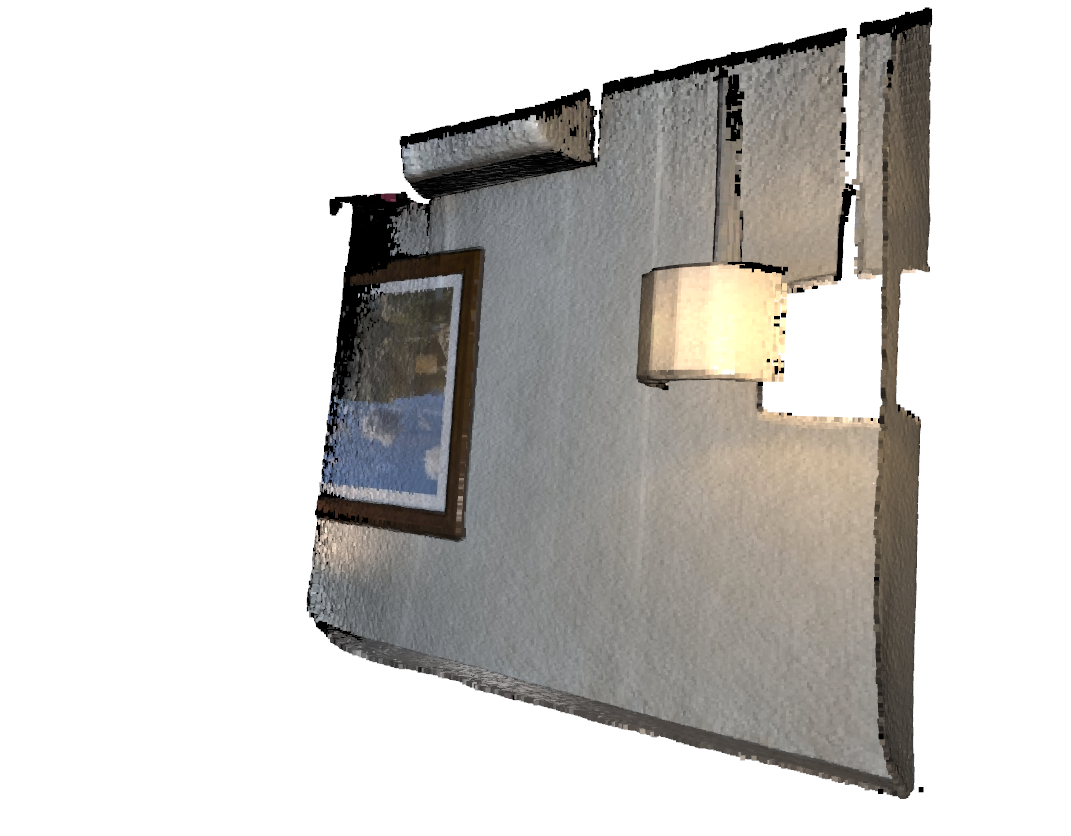
交互式可视化
Interactive visualization - Open3D 0.19.0 documentation
# examples/python/visualization/interactive_visualization.pyimport numpy as np
import copy
import open3d as o3ddef demo_crop_geometry():print("Demo for manual geometry cropping")print("1) Press 'Y' twice to align geometry with negative direction of y-axis")print("2) Press 'K' to lock screen and to switch to selection mode")print("3) Drag for rectangle selection,")print("   or use ctrl + left click for polygon selection")print("4) Press 'C' to get a selected geometry")print("5) Press 'S' to save the selected geometry")print("6) Press 'F' to switch to freeview mode")pcd_data = o3d.data.DemoICPPointClouds()pcd = o3d.io.read_point_cloud(pcd_data.paths[0])o3d.visualization.draw_geometries_with_editing([pcd])def draw_registration_result(source, target, transformation):source_temp = copy.deepcopy(source)target_temp = copy.deepcopy(target)source_temp.paint_uniform_color([1, 0.706, 0])target_temp.paint_uniform_color([0, 0.651, 0.929])source_temp.transform(transformation)o3d.visualization.draw_geometries([source_temp, target_temp])def prepare_data():pcd_data = o3d.data.DemoICPPointClouds()source = o3d.io.read_point_cloud(pcd_data.paths[0])target = o3d.io.read_point_cloud(pcd_data.paths[2])print("Visualization of two point clouds before manual alignment")draw_registration_result(source, target, np.identity(4))return source, targetdef pick_points(pcd):print("")print("1) Please pick at least three correspondences using [shift + left click]")print("   Press [shift + right click] to undo point picking")print("2) After picking points, press 'Q' to close the window")vis = o3d.visualization.VisualizerWithEditing()vis.create_window()vis.add_geometry(pcd)vis.run()  # user picks pointsvis.destroy_window()print("")return vis.get_picked_points()def register_via_correspondences(source, target, source_points, target_points):corr = np.zeros((len(source_points), 2))corr[:, 0] = source_pointscorr[:, 1] = target_points# estimate rough transformation using correspondencesprint("Compute a rough transform using the correspondences given by user")p2p = o3d.pipelines.registration.TransformationEstimationPointToPoint()trans_init = p2p.compute_transformation(source, target,o3d.utility.Vector2iVector(corr))# point-to-point ICP for refinementprint("Perform point-to-point ICP refinement")threshold = 0.03  # 3cm distance thresholdreg_p2p = o3d.pipelines.registration.registration_icp(source, target, threshold, trans_init,o3d.pipelines.registration.TransformationEstimationPointToPoint())draw_registration_result(source, target, reg_p2p.transformation)def demo_manual_registration():print("Demo for manual ICP")source, target = prepare_data()# pick points from two point clouds and builds correspondencessource_points = pick_points(source)target_points = pick_points(target)assert (len(source_points) >= 3 and len(target_points) >= 3)assert (len(source_points) == len(target_points))register_via_correspondences(source, target, source_points, target_points)print("")if __name__ == "__main__":demo_crop_geometry()demo_manual_registration()
draw_geometries_with_editing 默认绑定的功能 可以实现点云的剪切
以下是打印信息中提到的按键及其作用:
| 按键 | 功能 | 触发条件 |
|---|---|---|
| Y (按两次) | 将几何体对齐到 Y 轴负方向 | 必须在非锁定模式下 |
| K | 锁定屏幕并进入选择模式 | 任意时刻 |
| Ctrl + 左键 | 多边形选择模式 | 必须在选择模式下 |
| 拖动鼠标 | 矩形框选 | 必须在选择模式下 |
| C | 提取选中区域的几何体 | 必须在选择模式下有选中区域 |
| S | 保存当前几何体到 edited_model.ply | 任意时刻 |
| F | 退出选择模式,返回自由视角 | 必须在选择模式下 |
自定义按键绑定(高级用法)
如果需要覆盖默认行为或添加新功能,可以通过 注册回调函数 实现:
def custom_key_callback(vis):print("Custom key pressed!")return Falsevis = o3d.visualization.VisualizerWithEditing()
vis.create_window()
vis.register_key_callback(ord("Q"), custom_key_callback)  # 绑定Q键
vis.add_geometry(pcd)
vis.run()
Interactive visualization - Open3D 0.19.0 documentation
实现手动选点
核心代码
def pick_points(pcd):print("")print("1) Please pick at least three correspondences using [shift + left click]")print("   Press [shift + right click] to undo point picking")print("2) After picking points, press 'Q' to close the window")vis = o3d.visualization.VisualizerWithEditing()vis.create_window()vis.add_geometry(pcd)vis.run()  # user picks pointsvis.destroy_window()print("")return vis.get_picked_points()
进行点云配准
def register_via_correspondences(source, target, source_points, target_points):"""通过用户提供的对应点对进行点云粗配准 + ICP精配准参数:source (open3d.geometry.PointCloud): 待配准的源点云target (open3d.geometry.PointCloud): 目标点云source_points (list/np.array): 源点云中选取的对应点索引数组target_points (list/np.array): 目标点云中对应的点索引数组"""# 1. 构建对应点对矩阵 (N x 2)corr = np.zeros((len(source_points), 2)) # 初始化对应点对容器corr[:, 0] = source_points # 第一列填充源点云索引corr[:, 1] = target_points # 第二列填充目标点云索引# 2. 基于对应点对计算初始变换矩阵print("Compute a rough transform using the correspondences given by user")# 创建点对点变换估计器p2p = o3d.pipelines.registration.TransformationEstimationPointToPoint()# 计算初始变换矩阵(将source_points对齐到target_points)trans_init = p2p.compute_transformation(source, target,o3d.utility.Vector2iVector(corr) # 将对应点对转换为Open3D格式)# 3. 使用ICP进行精细配准print("Perform point-to-point ICP refinement")threshold = 0.03 # 3cm距离阈值,超过此距离的点对不参与计算reg_p2p = o3d.pipelines.registration.registration_icp(source, # 源点云target, # 目标点云threshold, # 最大对应点距离阈值trans_init, # 上一步计算的初始变换o3d.pipelines.registration.TransformationEstimationPointToPoint(), # 使用点对点ICP# 可选参数(未显式设置时使用默认值):# criteria = ICP迭代停止条件(默认最大迭代30次,相对变化1e-6)# estimation_method = 变换估计方法)# 4. 可视化配准结果draw_registration_result(source, target, reg_p2p.transformation)# 返回配准结果(包含变换矩阵、拟合度等信息)return reg_p2p典型使用场景:
# 示例:手动选取5对对应点进行配准
source_idx = [10, 20, 30, 40, 50]  # 源点云中选取的点索引
target_idx = [15, 25, 35, 45, 55]  # 目标点云中对应的点索引
result = register_via_correspondences(source_pcd, target_pcd, source_idx, target_idx)
print("Final transformation matrix:\n", result.transformation)
非阻塞窗口 不停止窗口 并更新窗口显示
import open3d as o3d
import numpy as npdef prepare_data():# 加载Open3D提供的示例点云数据(两帧扫描数据)pcd_data = o3d.data.DemoICPPointClouds()source_raw = o3d.io.read_point_cloud(pcd_data.paths[0]) # 源点云target_raw = o3d.io.read_point_cloud(pcd_data.paths[1]) # 目标点云# 体素下采样(降低计算量)source = source_raw.voxel_down_sample(voxel_size=0.02)target = target_raw.voxel_down_sample(voxel_size=0.02)# 对源点云施加初始变换(模拟初始位姿偏差)trans = [[0.862, 0.011, -0.507, 0.0], [-0.139, 0.967, -0.215, 0.7],[0.487, 0.255, 0.835, -1.4], [0.0, 0.0, 0.0, 1.0]] # 4x4变换矩阵source.transform(trans)# 对两个点云施加镜像翻转(使可视化效果更直观)flip_transform = [[1, 0, 0, 0], [0, -1, 0, 0], [0, 0, -1, 0], [0, 0, 0, 1]]source.transform(flip_transform)target.transform(flip_transform)return source, targetdef demo_non_blocking_visualization():# 设置日志级别为Debug(显示详细运行信息)o3d.utility.set_verbosity_level(o3d.utility.VerbosityLevel.Debug)# 加载数据source, target = prepare_data()# 创建可视化窗口并添加几何体vis = o3d.visualization.Visualizer()vis.create_window()vis.add_geometry(source) # 添加源点云(红色)vis.add_geometry(target) # 添加目标点云(蓝色)# ICP参数设置threshold = 0.05 # 距离阈值(5cm内视为对应点)icp_iteration = 100 # 总迭代次数save_image = False # 是否保存每帧截图# 迭代执行ICPfor i in range(icp_iteration):# 执行单次ICP迭代(max_iteration=1表示每步只迭代一次)reg_p2l = o3d.pipelines.registration.registration_icp(source, target, threshold, np.identity(4),o3d.pipelines.registration.TransformationEstimationPointToPlane(),o3d.pipelines.registration.ICPConvergenceCriteria(max_iteration=1))# 更新源点云位置source.transform(reg_p2l.transformation)# 刷新可视化vis.update_geometry(source) # 通知可视化器几何体已更新vis.poll_events() # 处理UI事件(如窗口缩放)vis.update_renderer() # 重绘场景# 可选:保存当前帧截图if save_image:vis.capture_screen_image("temp_%04d.jpg" % i)# 关闭窗口vis.destroy_window()o3d.utility.set_verbosity_level(o3d.utility.VerbosityLevel.Info) # 恢复日志级别if __name__ == '__main__':demo_non_blocking_visualization()关键点:
-
非阻塞可视化三要素:
-
update_geometry():标记需要更新的几何体 -
poll_events():处理用户交互事件 -
update_renderer():触发画面重绘
-
-
ICP配置:
-
TransformationEstimationPointToPlane:使用点到面ICP(比点到点更鲁棒) -
max_iteration=1:每次外部循环只做一次ICP迭代,实现逐步可视化
-
此脚本调用每次迭代。请注意,它通过 .这是从单个 ICP 迭代中检索轻微姿势更新的技巧。在 ICP 之后,源几何体会相应地变换。registration_icpICPConvergenceCriteria(max_iteration = 1)

相关文章:
open3d教程 (三)点云的显示
官方文档位置: Visualization - Open3D 0.19.0 documentationhttps://www.open3d.org/docs/release/tutorial/visualization/visualization.html核心方法: o3d.visualization.draw_geometries([几何对象列表]) import open3d as o3dprint("Load …...
根据模板将 Excel 明细数据生成 Txt 文档|邮件合并
在日常办公中,我们常常会遇到需要批量生成文档的任务。以往,若要将 Excel 中的每一条数据都转化为单独的文档,且文档部分内容依据 Excel 数据动态变化,手动操作不仅繁琐,还容易出错。现在,有一种便捷的方法…...
)
【学Rust写CAD】22 双圆径向渐变的结构体(two_circle_radial_gradient.rs)
源码 //two_circle_radial_gradient.rs //! 定义双圆径向渐变的结构体和相关功能/// 表示一个双圆径向渐变的源 /// /// 该结构体描述了两个圆之间的渐变,支持矩阵变换和颜色查找表优化 #[derive(Debug, Clone, PartialEq)] pub struct TwoCircleRadialGradientSou…...

LVGL Dropdown和Calendar详解
LVGL Dropdown和Calendar详解 一、Dropdown详解创建和初始化设置下拉框选项获取选项获取选中项文本:获取选中项索引:设置选中项: 事件处理其他功能和样式设置设置下拉按钮样式:设置下拉框方向:设置最大高度:…...
中的知识图谱)
AISEO (GEO )中的知识图谱
一、知识图谱在AI SEO中的概念与结构 1. 知识图谱是什么? 定义:知识图谱(Knowledge Graph)是一种以图结构组织的语义网络,由实体(Entity)、**关系(Relation)和属性&…...
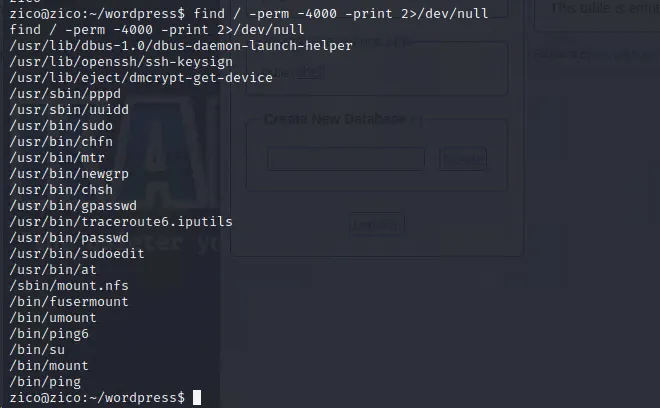
Vulnhub-zico2靶机打靶记录
本篇文章旨在为网络安全渗透测试靶机教学。通过阅读本文,读者将能够对渗透Vulnhub系列zico2靶机有一定的了解 一、信息收集阶段 靶机下载地址:https://download.vulnhub.com/zico/zico2.ova 因为靶机为本地部署虚拟机网段,查看dhcp地址池设…...
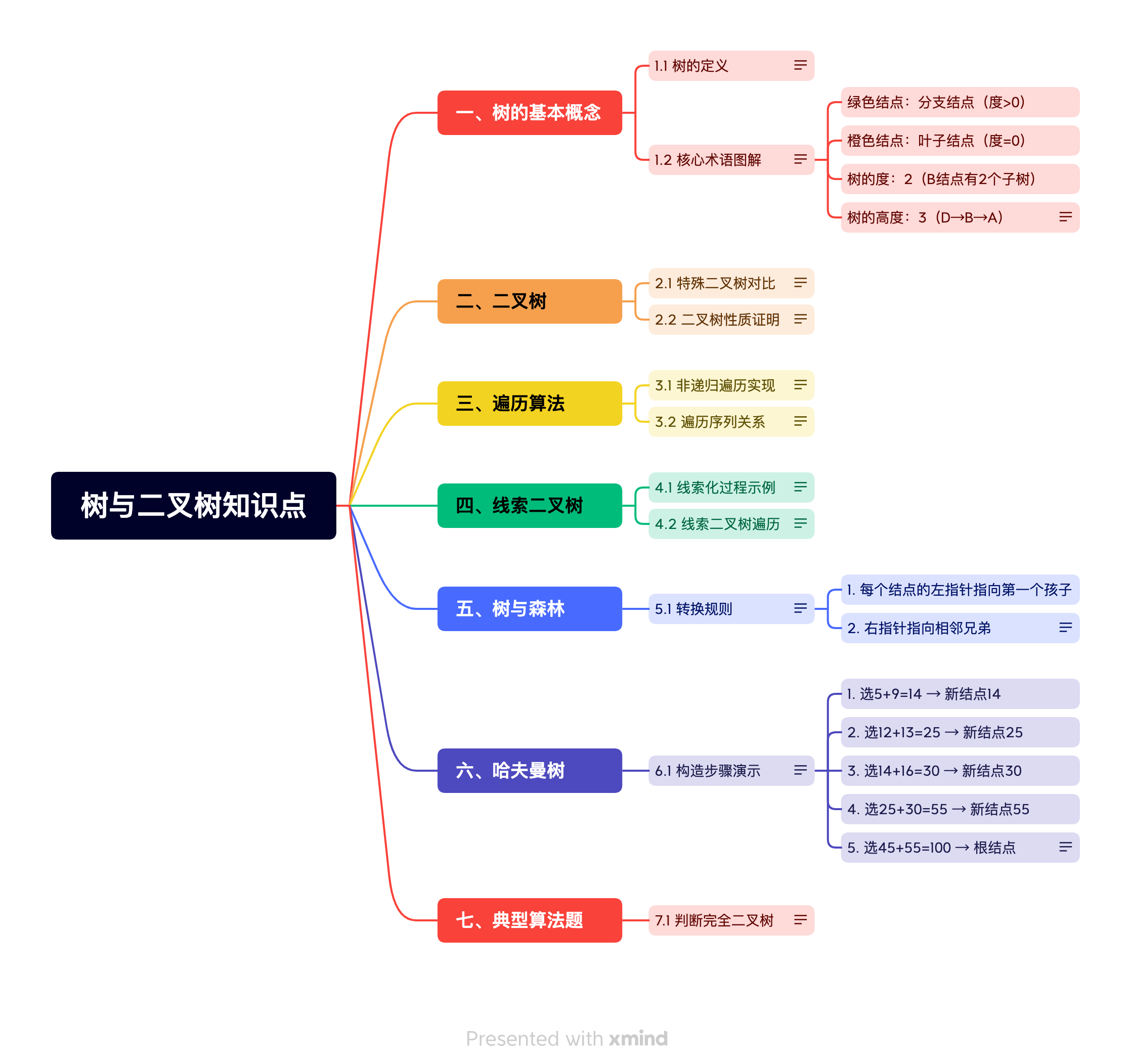
(041)05-01-自考数据结构(20331)树与二叉树大题总结
实际考试中,计算题约占40%,推理题约占30%,算法设计题约占30%。建议重点练习遍历序列相关的递归分治解法, 知识拓扑 知识点介绍 一、计算题类型与解法 1. 结点数量计算 题型示例: 已知一棵完全二叉树的第6层有8个叶子结点,求该二叉树最多有多少个结点? 解法步骤: 完…...

Python----机器学习(KNN:使用数学方法实现KNN)
一、原理 以下是K最近邻(K-Nearest Neighbors,简称KNN)算法的基本流程,用于对给定点进行分类预测。 1. 获得要预测的点 point_predict 。 2. 计算训练点集 point_set_train 中各点到要预测的点 表 l ist_L2_distance 。 3. 对 poi…...
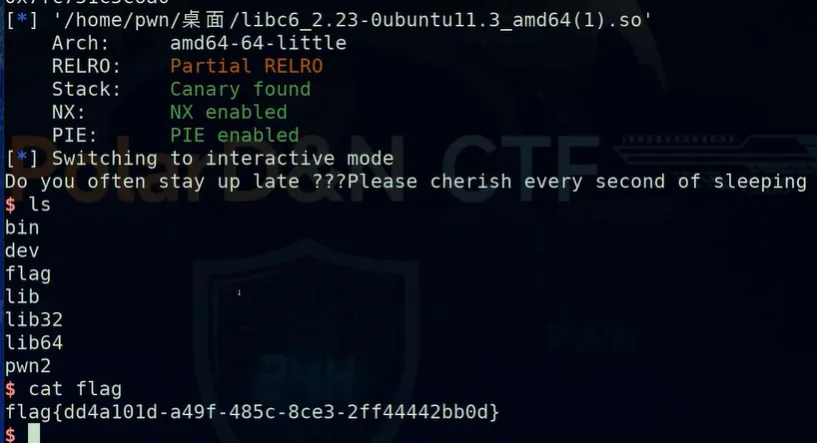
网络攻防快速入门笔记pwn | 02 栈溢出题型 | 2.2 ret2libc
上一篇:网络攻防快速入门笔记pwn | 02 栈溢出题型 | 2.1 ret2text和ret2shellcode 下一篇:网络攻防快速入门笔记pwn | 02 栈溢出题型 | 2.3 ret2syscall 欢迎关注~ ret2libc 一、 什么是ret2libc(一)ret2lib的概念(…...
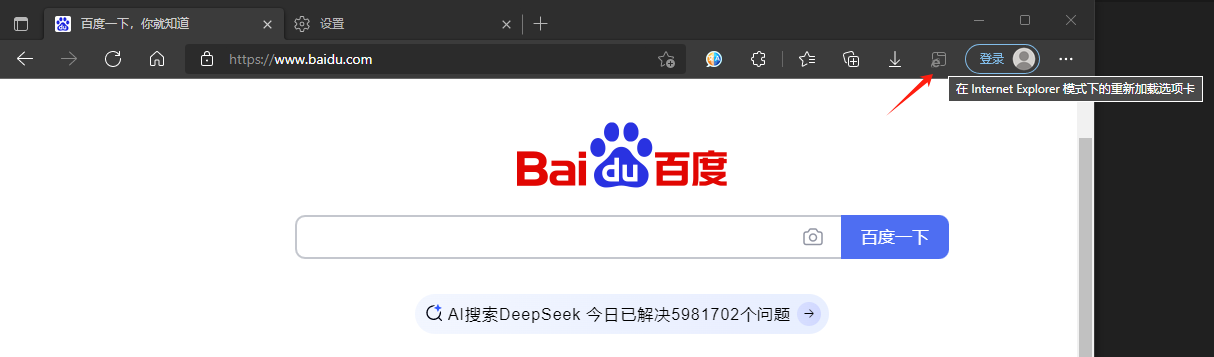
Edge浏览器快速开启IE模式
一些老旧的网站,仅支持Internet Explorer(IE)浏览器访问。 然而,出于安全性的考虑,可能会遇到限制IE浏览器使用的情况。 Microsoft Edge浏览器提供了兼容性配置,可以通过IE模式访问这些网站。 以下是两种…...
Babel、AST、ES6+、ES5、浏览器环境、Node.js环境的关系和处理流程)
技术长期主义:用本分思维重构JavaScript逆向知识体系(一)Babel、AST、ES6+、ES5、浏览器环境、Node.js环境的关系和处理流程
基础不牢,地动山摇,逆向越久,越发现基础的重要性,本系列,回顾js逆向基础,让自己的知识体系更加系统化。 以下是 Babel、AST、ES6、ES5、浏览器环境、Node.js环境 的关系和流程的详细说明及图表:…...

Oracle 数据库系统全面详解
Oracle 数据库是全球领先的关系型数据库管理系统(RDBMS),由 Oracle 公司开发。它为企业级应用提供了高性能、高可用性、安全性和可扩展性的数据管理解决方案。 目录 一、Oracle 数据库体系结构 1. 物理存储结构 主要组件: 存储层次: 2. …...

LeetCode 解题思路 29(Hot 100)
解题思路: 映射关系建立:创建一个哈希表存储数字到字母的映射。递归参数: 给定字符串 digits、结果集 result、当前路径 path、当前位置 start。递归过程: 当当前位置 start 等于 digits 长度时,说明已经遍历完 digi…...

使用Python解析PPT文件并生成JSON结构详解
引言 PowerPoint(PPT)文件的自动化处理是办公自动化和数据提取的常见需求。本文将介绍如何通过Python的python-pptx库,将PPT文件的样式、结构、文本内容等信息解析为标准化的JSON格式,为后续的自动化处理、数据迁移或样式复用提供…...
LabVIEW永磁同步电机性能测试系统
开发了一种基于LabVIEW的永磁同步电机(PMSM)性能测试系统的设计及应用。该系统针对新能源汽车使用的电机进行稳态性能测试,解决了传统测试方法成本高、效率低的问题,实现了测试自动化,提高了数据的准确性和客观性。 …...

MTK Camera 照片切视频Systrace拆解分析
和你一起终身学习,这里是程序员Android 经典好文推荐,通过阅读本文,您将收获以下知识点: 一、Systrace 拆解概览二、Systrace 阶段拆解详解 一、Systrace 拆解概览 MTK Camera 照片切换视频trace 拆解(非切换摄像头类) 照片切换视频模块trace…...
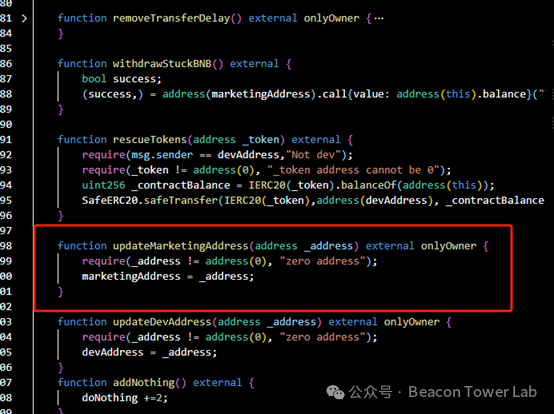
某合约任意提取BNB漏洞
1背景描述 合约是一个在满足特定条件时在区块链上执行代码的程序,各方以数字签署合同的方式准许并维护它的其运行。这些代码可以是向朋友汇款、买卖 NFT 虚拟商品等一系列复杂的内容。 存在漏洞的目标合约是一个结合Meme文化病毒式传播与去中心化金融(D…...

Linux_3.2
今天继续学习shell语法 shell类似一个面向过程的语言,要区分好面向过程和面向对象的语言的区别。 循环语句 for循环 for i in a 2 cc doecho $i done #输出a 2 ccfor file in `ls` doecho $file done #输出ls命令的输出for i in $(seq 1 10) doecho $i done #输出1-10,seq…...
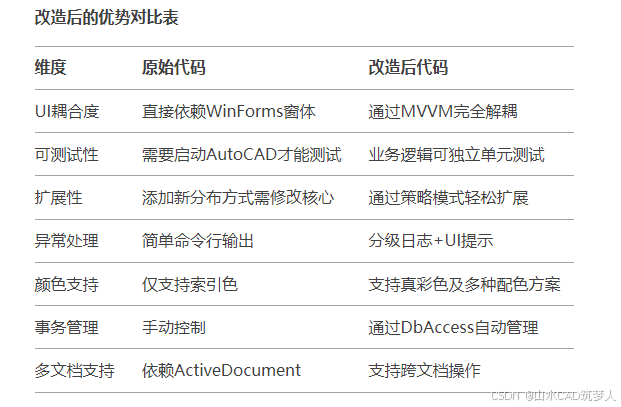
插件实现:分别通过winform和WPF界面输入操作CAD——CAD c#二次开发
效果如下图所示: 主程序 using Autodesk.AutoCAD.ApplicationServices; using Autodesk.AutoCAD.DatabaseServices; using Autodesk.AutoCAD.EditorInput; using Autodesk.AutoCAD.Geometry; using Autodesk.AutoCAD.Runtime; using System; using System.Windows…...
)
【学Rust写CAD】20 平铺模式结构体(spread.rs)
这个 Spread。rs文件定义了渐变超出定义区域时的扩展方式,通常用于处理渐变在边界之外的行为。 源码 //color/spread.rs #[derive(Debug, Clone, Copy)] pub struct Pad; // 空结构体,表示 Pad 模式#[derive(Debug, Clone, Copy)] pub struct Reflect…...

maya调整全局关节显示大小
请按以下步骤操作: 在 Maya 主菜单栏中,找到 Display (显示) 菜单。 在 Display 菜单下,找到 Animation (动画) 子菜单。 在 Animation 子菜单中,点击 Joint Size... (关节大小...)。 这时会弹出一个小窗口或者直接在界面上出现…...

白酒迈入3.0时代,珍酒李渡如何穿越周期高质增长?
当下,白酒行业仍处深度调整期,过往通过渠道拓展、硬广宣传等推动规模扩张、提升市场份额的模式,愈发难以为继。 行业迫切需要构建高质增长新模式,完成增长动能转换。中国酒业协会理事长宋书玉提出,白酒消费亟需进入品…...

HTTP代理:网页加速的隐形引擎
目录 引言:网页加载速度为何至关重要? 一、HTTP代理的核心加速原理 二、四大加速黑科技详解 三、实战场景性能对比 四、代理加速的隐藏代价 五、未来发展趋势 结语:智能代理的选型指南 引言:网页加载速度为何至关重要&#…...

人工智能-LangGraph+ChatUI+DeepSeek API搭建本地智能助手
人工智能-LangGraphChatUIDeepSeek API搭建本地智能助手 0 环境说明1 LangGraph2 Agent Chat UI 0 环境说明 环境项环境说明操作系统Windows11 专业版硬件信息联想拯救者Y9000PcondaAnancondaPython版本3.12NodeJs18.20.0 # 使用conda创建python环境 conda create -n langgra…...

3dmax批量转glb/gltf/fbx/osgb/stl/3ds/dae/obj/skp格式导出转换插件,无需一个个打开max,材质贴图在
3dmax批量转glb/gltf/fbx/osgb/stl/3ds/dae/obj/skp格式导出转换插件,无需一个个打开max,材质贴图在 3dmax批量转glb/gltf/fbx/osgb/stl/3ds/dae/obj/skp格式导出转换插件,无需一个个打开max,材质贴图在...

虚幻5入门
常用操作 运行时,调试相机,按~键,输入ToggleDebugCamera 。进入自由视角 常用节点 gate节点:用于控制该流程通不通,执不执行。Flip Flop节点:反转执行,一次A,一次B。Set Timer by…...

【解决】Edge浏览器硬件加速问题:无法滚动与卡顿的应对方法
Edge浏览器开启硬件加速后无法滚动屏幕,关闭后虽然可以滚动但出现卡顿,可能是由多种原因导致的。以下是一些可能的解决方法: 1. 检查显卡驱动 更新显卡驱动:确保显卡驱动是最新版本。过时的驱动可能会导致硬件加速功能不稳定。回…...
慧通测控:汽车RGB氛围灯功能测试介绍
在汽车内饰不断进化的当下,汽车 RGB 氛围灯已从曾经的小众配置,逐渐成为众多车主提升驾乘体验的热门选择。它宛如车内的 “魔法精灵”,凭借丰富的功能,为单调的车厢披上一层梦幻而温馨的色彩。今天,让我们深入探究汽车…...

QML Book 学习基础6(定位/布局元素)
目录 定位元素 Column Row Grid Flow 布局元素 1.元素填充它的⽗元素。 2.对齐 定位元素 Column Column (列)元素将它的⼦对象通过顶部对⻬的列⽅式进⾏排列。 spacing 属性⽤来设置每个元素之间的间隔⼤⼩ Row Row (⾏)元…...

【SpringCloud】LoadBalance-负载均衡
4. 负载均衡-LoadBalance 4.1 为什么需要负载均衡? 不知道各位心中有没有女神,通常来说一个女神就会有多个舔狗,那这些舔狗呢,就会心甘情愿的帮女神干活,假设女神小美现在有三个舔狗,小美喜欢让这三个舔狗…...