
用spring-webmvc包实现AI(Deepseek)事件流(SSE)推送
前后端: Spring Boot + Angular
spring-webmvc-5.2.2包
代码片段如下:
控制层:
@GetMapping(value = "/realtime/page/ai/sse", produces = MediaType.TEXT_EVENT_STREAM_VALUE)@ApiOperation(value = "获取告警记录进行AI分析")public SseEmitter getRealTimeAlarmAi(AlarmRecordQueryParam queryParam) {final DateTimeFormatter timeFormatter = DateTimeFormatter.ofPattern("yyyy-MM-dd HH:mm");IPage<AlarmRecord> page = alarmRecordService.findRealTimeByParam(queryParam);StringBuilder alarmInfo = new StringBuilder();try {// 根据状态设置前缀String prefix = queryParam.getStatus() == 1 ?"最近十条历史告警记录:" : "当前十条实时告警信息:";String emptyMessage = queryParam.getStatus() == 1 ?"暂无历史告警" : "当前无实时告警";if (page.getRecords() != null && !page.getRecords().isEmpty()) {alarmInfo.append(prefix);sseService.buildAlarmContent(page, alarmInfo, timeFormatter);} else {alarmInfo.append(emptyMessage);}sseService.validatePromptLength(alarmInfo, maxPromptLength);} catch (Exception e) {log.error("告警信息处理异常", e);}return sseService.createStreamConnection(alarmInfo.toString(), "告警");} @ApiOperation("查询图表数据用AI分析数据详情")@GetMapping("/chart/ai/sse")@OpLog(inputExpression = "开始时间:{#queryParam.startTime},结束时间:{#queryParam.endTime},图表ID:{#queryParam.chartId}",outputExpression = "{#code}")public SseEmitter chartAiSSEData(@Validated ChartDataQueryParam queryParam) throws Exception {String ChartAi = "报表";ChartInstance chart = Optional.ofNullable(chartService.getById(queryParam.getChartId())).orElseThrow(() -> new Exception("找不到:" + queryParam.getChartId() + "的图表定义"));List<ChartDeviceSensor> deviceSensors = ChartInstance.toChartDeviceSensorList(chart);String endTime = DataQueryParam.endTime(queryParam.getEndTime());DataQueryParam dataQueryParam = new DataQueryParam(queryParam.getStartTime(), endTime, deviceSensors);IChartDataService chartDataService = chartDataServiceManager.getInstance(chart.getChartTypeId());List dataList = chartDataService.getChartData(dataQueryParam);List<String> times = dataQueryParam.getDateType().getTimes(dataQueryParam.getStartTime(), dataQueryParam.getEndTime());ChartData chartData = new ChartData<>(chart.getId(), chart.getName(), chart.getChartFormat(), chart.getChartTypeId(), chart.getShowType(), chart.getCategoryId(), times, dataList);// 将 ChartData 转换为压缩字符串String csvData = ChartDataFormatter.formatChartData(chartData);log.info("当前请求字符长度:" + csvData.length());try {if (csvData.length() > maxPromptLength) {OpLogAspect.setCode(400); // 设置错误码throw new IllegalArgumentException("数据长度超过限制,最大允许长度:" + maxPromptLength);}OpLogAspect.setCode(200);return sseService.createStreamConnection(csvData,ChartAi);} catch (IllegalArgumentException e) {OpLogAspect.setCode(400); // 参数错误throw e;} catch (Exception e) {OpLogAspect.setCode(500); // 系统错误throw new RuntimeException("处理请求失败", e);}}业务层代码:
package com.keydak.project.core.chart.ai.service.impl;import cn.hutool.core.lang.UUID;
import com.alibaba.fastjson.JSON;
import com.alibaba.fastjson.JSONArray;
import com.alibaba.fastjson.JSONObject;
import com.baomidou.mybatisplus.core.metadata.IPage;
import com.fasterxml.jackson.core.JsonProcessingException;
import com.fasterxml.jackson.databind.ObjectMapper;
import com.keydak.project.core.alarm.data.vo.AlarmRecord;
import com.keydak.project.core.chart.ai.dto.KeydakAiConfigDTO;
import com.keydak.project.core.chart.ai.exception.BalanceException;
import com.keydak.project.core.chart.ai.service.SSEService;
import com.keydak.repository.core.enums.SystemGlobalConfigEnum;
import com.keydak.repository.core.service.ISystemGlobalConfigService;
import lombok.SneakyThrows;
import lombok.extern.slf4j.Slf4j;
import org.apache.commons.lang3.StringUtils;
import org.springframework.beans.factory.annotation.Autowired;
import org.springframework.stereotype.Service;
import org.springframework.web.servlet.mvc.method.annotation.SseEmitter;
import com.fasterxml.jackson.core.type.TypeReference;import javax.annotation.PostConstruct;
import javax.annotation.PreDestroy;
import java.io.*;
import java.net.HttpURLConnection;
import java.net.URL;
import java.nio.charset.StandardCharsets;
import java.time.format.DateTimeFormatter;
import java.util.*;
import java.util.concurrent.*;
import java.util.concurrent.atomic.AtomicInteger;/*** AI服务实现** @author xyt*/
@Service
@Slf4j
public class SSEServiceImpl implements SSEService {@Autowiredprivate ISystemGlobalConfigService systemGlobalConfigService;private final ObjectMapper objectMapper = new ObjectMapper();private RateLimiter rateLimiter;@PostConstructpublic void init() {try {// 初始化限流器时动态获取配置KeydakAiConfigDTO initialConfig = getConfig();rateLimiter = new RateLimiter(initialConfig.getRateLimit());} catch (Exception e) {throw new RuntimeException("初始化失败,无法获取Keydak AI配置", e);}}// 线程池配置private static final int CORE_POOL_SIZE = 5; // 核心线程数private static final int MAX_POOL_SIZE = 8; // 最大线程数private static final long KEEP_ALIVE_TIME = 30;  // 线程空闲时间private static final int QUEUE_CAPACITY = 30; //队列private final ExecutorService executor = new ThreadPoolExecutor(CORE_POOL_SIZE,MAX_POOL_SIZE,KEEP_ALIVE_TIME,TimeUnit.SECONDS,new LinkedBlockingQueue<>(QUEUE_CAPACITY),new ThreadPoolExecutor.AbortPolicy() // 使用 AbortPolicy 直接拒绝任务而不执行);/*** 刷新限流器配置*/@Overridepublic synchronized void refreshRateLimiter(Integer rate) {try {if (rateLimiter == null) {rateLimiter = new RateLimiter(rate);} else {rateLimiter.updateRate(rate);}log.info("限流器已更新,新速率限制: {}", rate);} catch (Exception e) {log.error("刷新限流器配置失败", e);}}@PreDestroypublic void destroy() {executor.shutdown();try {if (!executor.awaitTermination(60, TimeUnit.SECONDS)) {executor.shutdownNow();}} catch (InterruptedException e) {executor.shutdownNow();Thread.currentThread().interrupt();}}/*** 获取Keydak AI配置信息。** @return 返回Keydak AI配置信息的DTO对象*/private KeydakAiConfigDTO getConfig() throws Exception {KeydakAiConfigDTO config = systemGlobalConfigService.getTag(SystemGlobalConfigEnum.KEYDAK_AI_CONFIG,KeydakAiConfigDTO.class);if (config == null) {throw new Exception("Keydak AI配置不存在");}return config;}@Overridepublic SseEmitter createStreamConnection(String message, String aiType) {SseEmitter emitter = new SseEmitter(120_000L); // 2分钟超时try {KeydakAiConfigDTO config = getConfig();double balance = getBalance();log.info("当前余额: {} 元", balance);log.warn("当前可用令牌数: {}", rateLimiter.tokens.get());if (!rateLimiter.tryAcquire()) {log.warn("请求被限流 | 当前允许的QPS:{}", config.getRateLimit());handleRateLimitError(emitter);return emitter;}} catch (BalanceException e) {handleBalanceError(emitter, e.getMessage());return emitter;} catch (Exception e) {handleBalanceError(emitter, "系统错误: " + e.getMessage());return emitter;}// 保持原有事件监听emitter.onCompletion(() -> log.info("SSE连接完成"));emitter.onTimeout(() -> {log.warn("SSE连接超时");rateLimiter.refill(); // 超时请求返还令牌});emitter.onError(e -> log.error("SSE连接错误", e));// 保持原有线程池处理executor.execute(() -> {try {processSSEStream(message, aiType, emitter);} catch (Exception e) {emitter.completeWithError(e);}});return emitter;}/*** 新增限流错误处理方法** @param emitter 事件发射器* @throws IOException 如果发送失败*/private void handleRateLimitError(SseEmitter emitter) {try {Map<String, Object> error = new LinkedHashMap<>();error.put("error", "rate_limit_exceeded");error.put("message", "请求过于频繁,请稍后再试");error.put("timestamp", System.currentTimeMillis());emitter.send(SseEmitter.event().data(objectMapper.writeValueAsString(error)).name("rate-limit-error").reconnectTime(5000L));emitter.complete();} catch (IOException e) {log.error("发送限流错误失败", e);}}private void handleBalanceError(SseEmitter emitter, String errorMsg) {try {JSONObject error = new JSONObject();error.put("error", "balance_insufficient");error.put("message", errorMsg);emitter.send(SseEmitter.event().data(error.toJSONString()).name("balance-error"));emitter.complete();} catch (Exception e) {log.error("发送余额错误信息失败", e);}}private void processSSEStream(String message, String aiType, SseEmitter emitter) throws Exception {HttpURLConnection connection = null;try {connection = createConnection();String jsonBody = buildRequestBody(message, aiType);log.info("发送AI请求数据: {}", jsonBody); // 记录请求体sendRequestData(connection, jsonBody);validateResponse(connection);try (InputStream inputStream = connection.getInputStream();BufferedReader reader = new BufferedReader(new InputStreamReader(inputStream))) {String line;while ((line = reader.readLine()) != null) {if (Thread.currentThread().isInterrupted()) {throw new InterruptedException("处理被中断");}if (line.startsWith("data: ")) {String jsonData = line.substring(6).trim();log.debug("AI响应数据: {}", jsonData);if ("[DONE]".equals(jsonData)) {log.info("收到流结束标记");sendCompletionEvent(emitter);  // 发送完成事件break;  // 结束循环}try {processStreamData(emitter, jsonData);} catch (Exception e) {log.error("数据处理失败,终止连接", e);emitter.completeWithError(e);break;}}}}} catch (Exception e) {log.error("SSE处理发生异常", e);throw e;} finally {if (connection != null) connection.disconnect();}}private void processStreamData(SseEmitter emitter, String jsonData) throws Exception {try {Map<String, Object> apiResponse = objectMapper.readValue(jsonData,new TypeReference<Map<String, Object>>() {});List<Map<String, Object>> choices = (List<Map<String, Object>>) apiResponse.get("choices");if (choices == null || choices.isEmpty()) return;Map<String, Object> choice = choices.get(0);Map<String, Object> delta = (Map<String, Object>) choice.get("delta");Map<String, Object> chunk = new LinkedHashMap<>();chunk.put("timestamp", System.currentTimeMillis());chunk.put("messageId", UUID.randomUUID().toString());// 处理思考过程if (delta.containsKey("reasoning_content")) {String reasoning = (String) delta.get("reasoning_content");if (reasoning != null && !reasoning.trim().isEmpty()) {chunk.put("type", "reasoning");chunk.put("content", reasoning);sendChunk(emitter, chunk);}}// 处理正式回答if (delta.containsKey("content")) {String content = (String) delta.get("content");if (content != null) {chunk.put("type", "answer");chunk.put("content", content);sendChunk(emitter, chunk);}}} catch (JsonProcessingException e) {log.error("JSON解析失败 | 原始数据: {} | 错误: {}", jsonData, e.getMessage());throw new IOException("Failed to process stream data", e);} catch (ClassCastException e) {log.error("数据结构类型错误 | 原始数据: {} | 错误: {}", jsonData, e.getMessage());throw new IllegalStateException("Invalid data structure", e);} catch (Exception e) {log.error("处理数据块时发生未知错误 | 原始数据: {}", jsonData, e);throw e;}}private void sendChunk(SseEmitter emitter, Map<String, Object> chunk) throws IOException {String chunkJson = objectMapper.writeValueAsString(chunk);log.debug("发送数据块: {}", chunkJson);SseEmitter.SseEventBuilder event = SseEmitter.event().data(chunkJson).id(UUID.randomUUID().toString()).name("ai-message").reconnectTime(5000L);emitter.send(event);}private void sendCompletionEvent(SseEmitter emitter) {try {Map<String, Object> completionEvent = new LinkedHashMap<>();completionEvent.put("event", "done");completionEvent.put("timestamp", System.currentTimeMillis());completionEvent.put("messageId", UUID.randomUUID().toString());String eventJson = objectMapper.writeValueAsString(completionEvent);emitter.send(SseEmitter.event().data(eventJson).id("COMPLETION_EVENT").name("stream-end").reconnectTime(0L));  // 停止重连log.info("已发送流结束事件");} catch (IOException e) {log.error("发送完成事件失败", e);} finally {emitter.complete();log.info("SSE连接已关闭");}}private HttpURLConnection createConnection() throws Exception {KeydakAiConfigDTO config = getConfig();HttpURLConnection connection = (HttpURLConnection) new URL(config.getUrl()).openConnection();connection.setRequestMethod("POST");connection.setDoOutput(true);connection.setRequestProperty("Content-Type", "application/json");connection.setRequestProperty("Authorization", "Bearer " + config.getKey());connection.setRequestProperty("Accept", "text/event-stream");connection.setConnectTimeout(30_000);connection.setReadTimeout(120_000);return connection;}private void sendRequestData(HttpURLConnection connection, String jsonBody) throws Exception {try (OutputStream os = connection.getOutputStream()) {os.write(jsonBody.getBytes(StandardCharsets.UTF_8));os.flush();}}private void validateResponse(HttpURLConnection connection) throws Exception {if (connection.getResponseCode() != 200) {String errorMsg = readErrorStream(connection);throw new RuntimeException("API请求失败: " + connection.getResponseCode() + " - " + errorMsg);}}private String readErrorStream(HttpURLConnection connection) throws IOException {try (BufferedReader reader = new BufferedReader(new InputStreamReader(connection.getErrorStream(), StandardCharsets.UTF_8))) {StringBuilder response = new StringBuilder();String line;while ((line = reader.readLine()) != null) {response.append(line);}return response.toString();}}private String buildRequestBody(String userMessage, String aiType) throws IOException {KeydakAiConfigDTO config = null;try {config = getConfig();} catch (Exception e) {e.printStackTrace();}Map<String, Object> request = new HashMap<>();request.put("model", config.getModelType());request.put("stream", true);List<Map<String, String>> messages = new ArrayList<>();Map<String, String> message = new HashMap<>();message.put("role", "user");if ("报表".equals(aiType)) {//报表提问词message.put("content", buildPrompt(config.getPrompt(), userMessage));} else {//告警提问词message.put("content", buildPrompt(config.getPromptAlarm(), userMessage));}messages.add(message);request.put("messages", messages);return objectMapper.writeValueAsString(request);}private String buildPrompt(String basePrompt, String userMessage) {return String.format("%s\n%s\n", basePrompt, userMessage);}/*** 查询当前余额** @return 当前余额* @throws IOException 如果请求失败*/@Override@SneakyThrowspublic double getBalance() {HttpURLConnection connection = null;try {KeydakAiConfigDTO config = getConfig();URL url = new URL(config.getBalanceUrl());connection = (HttpURLConnection) url.openConnection();connection.setRequestMethod("GET");connection.setRequestProperty("Authorization", "Bearer " + config.getKey());connection.setConnectTimeout(5000);connection.setReadTimeout(5000);int responseCode = connection.getResponseCode();if (responseCode != 200) {String errorBody = readErrorStream(connection); // 复用已有的错误流读取方法throw new IOException("HTTP Error: " + responseCode + " - " + errorBody);}try (BufferedReader reader = new BufferedReader(new InputStreamReader(connection.getInputStream(), StandardCharsets.UTF_8))) {StringBuilder response = new StringBuilder();String line;while ((line = reader.readLine()) != null) {response.append(line);}JSONObject jsonObject = JSON.parseObject(response.toString());// 以下解析逻辑保持原样if (!jsonObject.containsKey("is_available") || !jsonObject.containsKey("balance_infos")) {throw new IOException("Invalid balance response format");}JSONArray balanceInfos = jsonObject.getJSONArray("balance_infos");if (jsonObject.getBoolean("is_available") && balanceInfos != null && !balanceInfos.isEmpty()) {JSONObject balanceInfo = balanceInfos.getJSONObject(0);if (!balanceInfo.containsKey("total_balance")) {throw new IOException("Missing total_balance field");}return balanceInfo.getDouble("total_balance");} else {throw new IOException("Balance information is not available");}}} finally {if (connection != null) {connection.disconnect();}}}/*** 限流器实现**/private static class RateLimiter {private volatile int capacity;private final AtomicInteger tokens;private volatile long lastRefillTime;private final Object lock = new Object();RateLimiter(int rate) {this.capacity = rate;this.tokens = new AtomicInteger(rate);this.lastRefillTime = System.currentTimeMillis();}public void refill() {synchronized (lock) {long now = System.currentTimeMillis();long elapsed = now - lastRefillTime;if (elapsed >= 1000) {tokens.set(capacity); // 直接重置为最大容量lastRefillTime = now;}}}public boolean tryAcquire() {synchronized (lock) {refill();if (tokens.get() > 0) {tokens.decrementAndGet();return true;}return false;}}public void updateRate(int newRate) {synchronized (lock) {this.capacity = newRate;tokens.set(Math.min(tokens.get(), newRate));lastRefillTime = System.currentTimeMillis();}}}/*** 告警内容构建方法**/@Overridepublic void buildAlarmContent(IPage<AlarmRecord> page,StringBuilder alarmInfo,DateTimeFormatter formatter) {page.getRecords().forEach(record -> {// 时间格式化(使用首次告警时间)String time = Optional.ofNullable(record.getFirstTime()).map(t -> t.format(formatter)).orElse("时间未知");// 设备名称空值处理String device = StringUtils.defaultString(record.getDeviceName(), "未知设备");// 状态/数值处理逻辑String state = resolveStateValue(record);// 告警描述处理String desc = StringUtils.defaultString(record.getContent(), "未知告警类型");// 按规范格式拼接alarmInfo.append(String.format("%s %s %s %s;", time, device, state, desc));});}/*** 状态值解析方法*/private String resolveStateValue(AlarmRecord record) {if (record.getValue() != null) {return record.getValue().stripTrailingZeros().toPlainString();}return record.getStatus() != null ?(record.getStatus() ? "1" : "0") : "状态未知";}/*** 长度校验方法**/@Overridepublic void validatePromptLength(StringBuilder content, int maxLength) {if (content.length() > maxLength) {throw new IllegalArgumentException("告警数据过长,请缩小查询范围");}}}
前端代码:
<div class="modal-area"><form name="formNg" novalidate><div class="modal-header"><h3 class="modal-title" style="color: #FFFFFF">AI分析</h3></div><div class="modal-body"><div class="form"><!-- 加载状态 - 修改为动态效果 --><div ng-if="connectionStatus === 'connecting'" class="loading"><div class="ai-thinking-container"><span>AI思考中</span><div class="ai-typing-indicator"><div class="typing-dot"></div><div class="typing-dot"></div><div class="typing-dot"></div></div></div></div><!-- 思考过程 --><div class="thinking-panel" ng-if="thinkingContent"><div class="thinking-header"><i class="fa fa-brain"></i> 思考过程<!-- 总用时显示(完成后保留) --><span ng-if="thinkingTime">({{thinkingTime}}秒)</span></div><div class="thinking-content"ng-bind-html="thinkingContent"scroll-to-bottom="thinkingContent"></div></div><!-- 正式回答 --><div class="answer-panel" ng-if="answerContent"><div class="answer-header"><i class="fa fa-comment"></i> 以下是AI的分析</div><div class="answer-content"ng-bind-html="answerContent"scroll-to-bottom="answerContent"></div></div><!-- 错误提示 --><div ng-if="connectionStatus === 'error'" class="alert alert-danger"><i class="fa fa-exclamation-triangle"></i> 连接异常,请尝试重新分析</div></div></div><div class="modal-footer"><button ng-click="retry()"class="btn btn-warning"ng-disabled="connectionStatus === 'connecting'"><i class="fa fa-redo"></i> 重新分析</button><button ng-click="cancel()" class="btn btn-danger"><i class="fa fa-times"></i> 关闭</button></div></form>
</div><style>.thinking-header span {margin-left: 5px;font-size: 0.9em;opacity: 0.8;color: #a0c4ff;}.modal-body {height: 6rem; /* 设置固定高度 */overflow-y: auto; /* 内容超出时显示滚动条 */padding: 15px;background: #1B448A; /* 背景改为蓝色 */border-radius: 4px;font-family: 'Consolas', monospace;color: #FFFFFF;}/* 思考过程样式 */.thinking-panel {margin-bottom: 20px;border-left: 3px solid #4a90e2;padding-left: 15px;}.thinking-header {color: #4a90e2;font-size: 16px;margin-bottom: 10px;}.thinking-content {background: rgba(255, 255, 255, 0.05);padding: 12px;border-radius: 4px;color: #e0e0e0;line-height: 1.6;}/* 正式回答样式 */.answer-panel {margin-top: 25px;border-top: 1px solid #00c85333;padding-top: 15px;}.answer-header {color: #00c853;font-size: 16px;margin-bottom: 10px;}.answer-content {background: rgba(255, 255, 255, 0.05);padding: 12px;border-radius: 4px;color: #ffffff;line-height: 1.6;}/* 图标样式 */.fa-brain {color: #4a90e2;margin-right: 8px;}.fa-comment {color: #00c853;margin-right: 8px;}/* 新的加载动画样式 */.loading {color: #FFF;text-align: left;padding: 15px;font-size: 16px;}.ai-thinking-container {display: flex;align-items: center;gap: 8px;}.ai-typing-indicator {display: flex;align-items: center;gap: 4px;height: 20px;}.typing-dot {width: 8px;height: 8px;background-color: #FFFFFF;border-radius: 50%;opacity: 0.4;animation: typing-animation 1.4s infinite ease-in-out;}.typing-dot:nth-child(1) {animation-delay: 0s;}.typing-dot:nth-child(2) {animation-delay: 0.2s;}.typing-dot:nth-child(3) {animation-delay: 0.4s;}@keyframes typing-animation {0%, 60%, 100% {transform: translateY(0);opacity: 0.4;}30% {transform: translateY(-5px);opacity: 1;}}
</style>
// 报表分析
UI.Controllers.controller("AiTipsCtrl", ["$scope", "$sce", "$uibModalInstance", "parent", "SSEService", "$timeout",function($scope, $sce, $uibModalInstance, parent, SSEService, $timeout) {// 状态管理$scope.connectionStatus = 'connecting'; // connecting | connected | error | completed$scope.thinkingContent = null;$scope.answerContent = null;$scope.thinkingTime = null; // 新增:思考时间变量$scope.startTime = null; // 新增:开始时间戳let eventSource = null;let thinkingBuffer = "";let answerBuffer = "";// 自动滚动指令$scope.scrollToBottom = function() {$timeout(() => {const container = document.querySelector('.modal-body');if (container) {container.scrollTop = container.scrollHeight + 120;}}, 50);};// 内容更新方法function processChunkData(data) {if (data.type === 'reasoning') {// 如果是第一条思考内容,记录开始时间if (!thinkingBuffer && !$scope.startTime) {$scope.startTime = new Date().getTime();}thinkingBuffer += data.content;$scope.thinkingContent = $sce.trustAsHtml(thinkingBuffer.replace(/\n/g, '<br/>').replace(/ {2}/g, ' '));// 更新思考时间updateThinkingTime();}else if (data.type === 'answer') {answerBuffer += data.content;$scope.answerContent = $sce.trustAsHtml(answerBuffer.replace(/\n/g, '<br/>').replace(/ {2}/g, ' '));}$scope.scrollToBottom();}function updateThinkingTime() {if ($scope.startTime) {const currentTime = new Date().getTime();$scope.thinkingTime = ((currentTime - $scope.startTime) / 1000).toFixed(1);}}// 初始化SSE连接function initSSE() {const url = '/data/chart/ai/sse?' + $.param(parent.queryParam);eventSource = new EventSource(url);eventSource.onopen = () => {$scope.$apply(() => {$scope.connectionStatus = 'connected';});};// 处理消息事件eventSource.addEventListener('ai-message', e => {$scope.$apply(() => {try {const data = JSON.parse(e.data);processChunkData(data);} catch (err) {console.error('消息解析错误:', err);$scope.answerContent = $sce.trustAsHtml('<div class="text-danger">数据格式错误</div>');}});});// 处理结束事件eventSource.addEventListener('stream-end', () => {$scope.$apply(() => {$scope.connectionStatus = 'completed';//最终更新一次思考时间updateThinkingTime();safeClose();});});// 错误处理eventSource.onerror = (err) => {$scope.$apply(() => {console.error('SSE连接错误:', err);$scope.connectionStatus = 'error';safeClose();});};}// 安全关闭连接function safeClose() {if (eventSource) {eventSource.close();eventSource = null;}}// 重新尝试$scope.retry = () => {safeClose();thinkingBuffer = "";answerBuffer = "";$scope.thinkingContent = null;$scope.answerContent = null;$scope.thinkingTime = null; //重置思考时间$scope.startTime = null; //重置开始时间$scope.connectionStatus = 'connecting';initSSE();};// 关闭模态框$scope.cancel = () => {safeClose();$uibModalInstance.dismiss();};// 初始化initSSE();// 清理$scope.$on('$destroy', () => {safeClose();});}
]);
// 告警分析
UI.Controllers.controller("AiAlarmTipsCtrl", ["$scope", "$sce", "$uibModalInstance", "parent", "SSEService", "$timeout",function($scope, $sce, $uibModalInstance, parent, SSEService, $timeout) {// 状态管理$scope.connectionStatus = 'connecting'; // connecting | connected | error | completed$scope.thinkingContent = null;$scope.answerContent = null;$scope.thinkingTime = null; // 新增:思考时间变量$scope.startTime = null; // 新增:开始时间戳let eventSource = null;let thinkingBuffer = "";let answerBuffer = "";// 自动滚动指令$scope.scrollToBottom = function() {$timeout(() => {const container = document.querySelector('.modal-body');if (container) {container.scrollTop = container.scrollHeight + 120;}}, 50);};// 内容更新方法function processChunkData(data) {if (data.type === 'reasoning') {// 如果是第一条思考内容,记录开始时间if (!thinkingBuffer && !$scope.startTime) {$scope.startTime = new Date().getTime();}thinkingBuffer += data.content;$scope.thinkingContent = $sce.trustAsHtml(thinkingBuffer.replace(/\n/g, '<br/>').replace(/ {2}/g, ' '));// 更新思考时间updateThinkingTime();}else if (data.type === 'answer') {answerBuffer += data.content;$scope.answerContent = $sce.trustAsHtml(answerBuffer.replace(/\n/g, '<br/>').replace(/ {2}/g, ' '));}$scope.scrollToBottom();}// 更新思考时间function updateThinkingTime() {if ($scope.startTime) {const currentTime = new Date().getTime();$scope.thinkingTime = ((currentTime - $scope.startTime) / 1000).toFixed(1);}}// 初始化SSE连接function initSSE() {const url = '/alarm/record/realtime/page/ai/sse?' + $.param(parent.queryParam);eventSource = new EventSource(url);eventSource.onopen = () => {$scope.$apply(() => {$scope.connectionStatus = 'connected';});};// 处理消息事件eventSource.addEventListener('ai-message', e => {$scope.$apply(() => {try {const data = JSON.parse(e.data);processChunkData(data);} catch (err) {console.error('消息解析错误:', err);$scope.answerContent = $sce.trustAsHtml('<div class="text-danger">数据格式错误</div>');}});});// 处理结束事件eventSource.addEventListener('stream-end', () => {$scope.$apply(() => {$scope.connectionStatus = 'completed';// 最终更新一次思考时间updateThinkingTime();safeClose();});});// 错误处理eventSource.onerror = (err) => {$scope.$apply(() => {console.error('SSE连接错误:', err);$scope.connectionStatus = 'error';safeClose();});};}// 安全关闭连接function safeClose() {if (eventSource) {eventSource.close();eventSource = null;}}// 重新尝试$scope.retry = () => {safeClose();thinkingBuffer = "";answerBuffer = "";$scope.thinkingContent = null;$scope.answerContent = null;$scope.thinkingTime = null; // 重置思考时间$scope.startTime = null; // 重置开始时间$scope.connectionStatus = 'connecting';initSSE();};// 关闭模态框$scope.cancel = () => {safeClose();$uibModalInstance.dismiss();};// 初始化initSSE();// 清理$scope.$on('$destroy', () => {safeClose();});}
]);showAiTips: function (resolve) {this.showDialog("Template/AiTips.html", "AiTipsCtrl", resolve, 600);},showAiAlarmTips: function (resolve) {this.showDialog("Template/AiAlarmTips.html", "AiAlarmTipsCtrl", resolve, 600);}数据库结构:
INSERT INTO `system_global_config`(`tag`, `key`, `value`, `description`) VALUES ('keydak_ai_config', 'balanceUrl', 'https://api.deepseek.com/user/balance', '余额查询');
INSERT INTO `system_global_config`(`tag`, `key`, `value`, `description`) VALUES ('keydak_ai_config', 'enable', 'true', '启用AI报表助手');
INSERT INTO `system_global_config`(`tag`, `key`, `value`, `description`) VALUES ('keydak_ai_config', 'key', '', 'API密钥');
INSERT INTO `system_global_config`(`tag`, `key`, `value`, `description`) VALUES ('keydak_ai_config', 'modelType', 'deepseek-reasoner', 'deepseek模型类型');
INSERT INTO `system_global_config`(`tag`, `key`, `value`, `description`) VALUES ('keydak_ai_config', 'prompt', '', 'AI提问词');
INSERT INTO `system_global_config`(`tag`, `key`, `value`, `description`) VALUES ('keydak_ai_config', 'promptAlarm', '', 'AI提问词');
INSERT INTO `system_global_config`(`tag`, `key`, `value`, `description`) VALUES ('keydak_ai_config', 'rateLimit', '3', '限制每秒多少次请求');
INSERT INTO `system_global_config`(`tag`, `key`, `value`, `description`) VALUES ('keydak_ai_config', 'url', 'https://api.deepseek.com/v1/chat/completions', 'API接口');
实体类(使用AES加密 密钥):
package com.keydak.project.core.chart.ai.dto;import lombok.AllArgsConstructor;
import lombok.Data;
import lombok.NoArgsConstructor;import javax.crypto.Cipher;
import javax.crypto.spec.SecretKeySpec;
import java.nio.charset.StandardCharsets;
import java.util.*;/*** AI配置信息** @author xyt*/
@Data
@AllArgsConstructor
@NoArgsConstructor
public class KeydakAiConfigDTO {private Boolean enable;/*** API_URL地址**/private String url;/*** 查询余额地址**/private String balanceUrl;/*** API密钥**/private String key;/*** 限流次数**/private Integer rateLimit;/*** AI提问词(报表)**/private String prompt;/*** AI提问词(告警)**/private String promptAlarm;/*** 模型类型**/private String modelType;private static final String SALT = ""; // 16 bytes for AES-128private static final String ALGORITHM = "AES/ECB/PKCS5Padding";public void validate() {List<String> missingFields = new ArrayList<>();if (url == null) missingFields.add("API_URL地址");if (balanceUrl == null) missingFields.add("查询余额地址");if (key == null) missingFields.add("API密钥");if (rateLimit == null) missingFields.add("限流次数");if (prompt == null) missingFields.add("AI提问词");if (!missingFields.isEmpty()) {throw new IllegalStateException("参数不能为空: " + String.join(", ", missingFields));}}/*** 判断密钥是否已经加密*/public boolean isEncryptedKey(String key) {try {// 尝试解密,如果能成功解密则认为已经是加密过的decryptKey(key);return true;} catch (Exception e) {return false;}}/*** 加密密钥**/public String encryptKey(String key) throws Exception {SecretKeySpec secretKey = new SecretKeySpec(SALT.getBytes(StandardCharsets.UTF_8), "AES");Cipher cipher = Cipher.getInstance(ALGORITHM);cipher.init(Cipher.ENCRYPT_MODE, secretKey);byte[] encryptedKey = cipher.doFinal(key.getBytes(StandardCharsets.UTF_8));return Base64.getEncoder().encodeToString(encryptedKey);}/*** 解密密钥*/public String decryptKey(String encryptedKey) throws Exception {SecretKeySpec secretKey = new SecretKeySpec(SALT.getBytes(StandardCharsets.UTF_8), "AES");Cipher cipher = Cipher.getInstance(ALGORITHM);cipher.init(Cipher.DECRYPT_MODE, secretKey);byte[] decryptedKey = cipher.doFinal(Base64.getDecoder().decode(encryptedKey));return new String(decryptedKey, StandardCharsets.UTF_8);}
}
相关文章:
事件流(SSE)推送)
用spring-webmvc包实现AI(Deepseek)事件流(SSE)推送
前后端: Spring Boot Angular spring-webmvc-5.2.2包 代码片段如下: 控制层: GetMapping(value "/realtime/page/ai/sse", produces MediaType.TEXT_EVENT_STREAM_VALUE)ApiOperation(value "获取告警记录进行AI分析…...

MusicMint ,AI音乐生成工具
MusicMint是什么 MusicMint 是一款强大的人工智能音乐创作工具,旨在帮助用户轻松制作个性化的音乐作品。借助先进的 AI 技术,用户只需输入简短的描述或选择心仪的音乐风格,便能迅速生成独特的歌曲。该平台支持多种音乐风格,包括流…...

嵌入式学习笔记——SPI协议
SPI协议详解 SPI协议概述SPI接口信号介绍SPI通信模式SPI的通信流程SPI的优缺点优点缺点 SPI在STM32上的实现SPI引脚配置SPI初始化代码(STM32F10x)SPI主设备发送和接收数据SPI从设备数据处理 总结 SPI协议概述 SPI(Serial Peripheral Interfa…...

网络编程—Socket套接字(UDP)
上篇文章: 网络编程—网络概念https://blog.csdn.net/sniper_fandc/article/details/146923380?fromshareblogdetail&sharetypeblogdetail&sharerId146923380&sharereferPC&sharesourcesniper_fandc&sharefromfrom_link 目录 1 概念 2 Soc…...
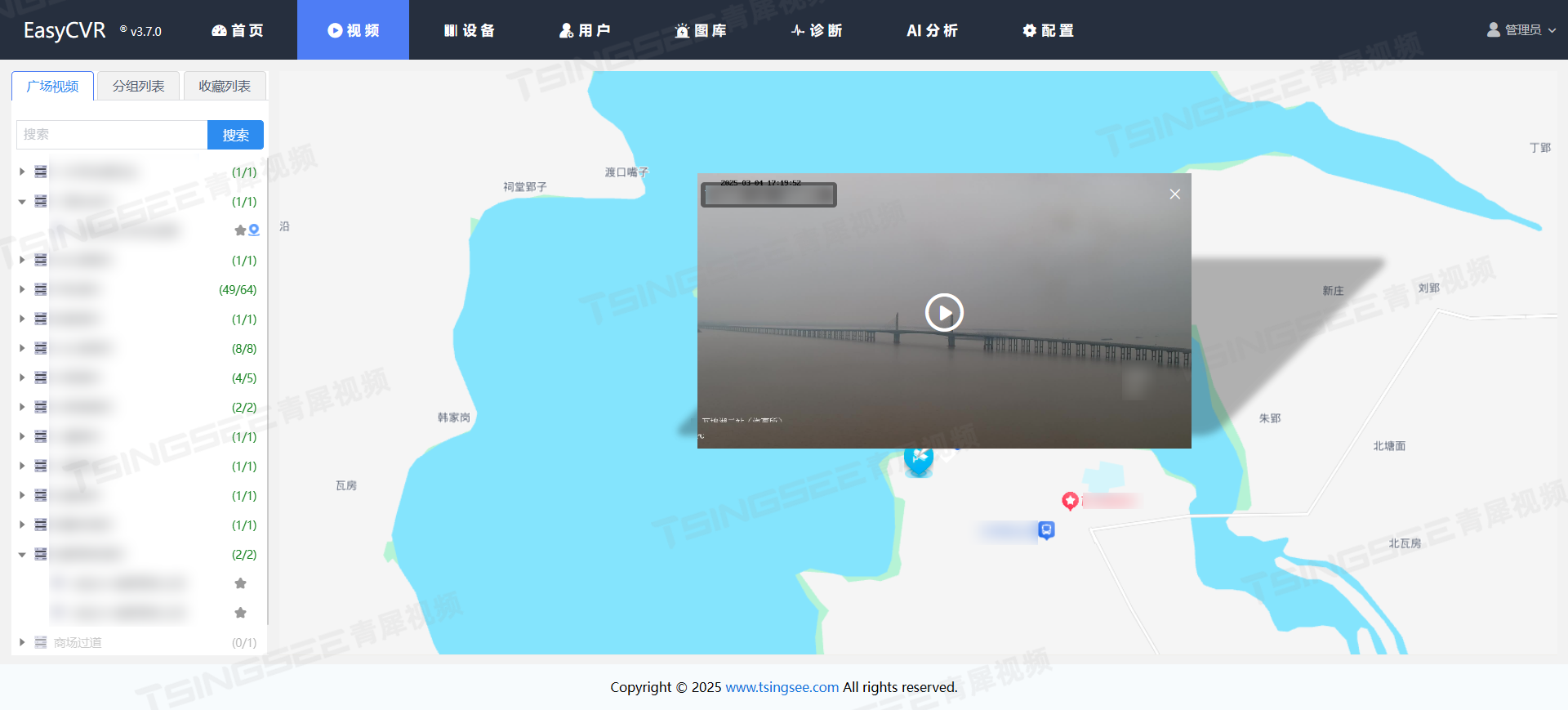
视频设备轨迹回放平台EasyCVR综合智能化,搭建运动场体育赛事直播方案
一、背景 随着5G技术的发展,体育赛事直播迎来了新的高峰。无论是NBA、西甲、英超、德甲、意甲、中超还是CBA等热门赛事,都是值得记录和回放的精彩瞬间。对于体育迷来说,选择观看的平台众多,但是作为运营者,搭建一套体…...
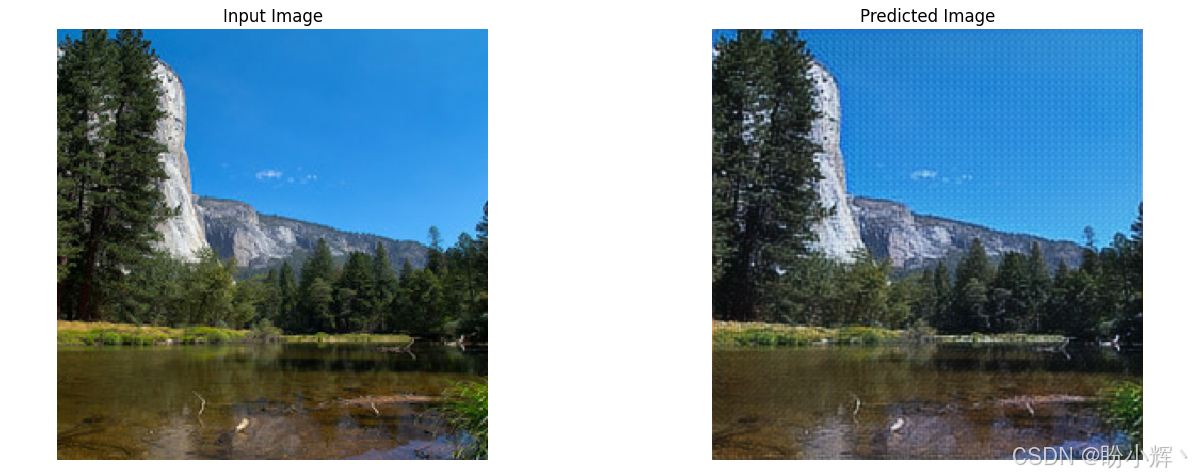
AIGC实战——CycleGAN详解与实现
AIGC实战——CycleGAN详解与实现 0. 前言1. CycleGAN 基本原理2. CycleGAN 模型分析3. 实现 CycleGAN小结系列链接 0. 前言 CycleGAN 是一种用于图像转换的生成对抗网络(Generative Adversarial Network, GAN),可以在不需要配对数据的情况下将一种风格的图像转换成…...
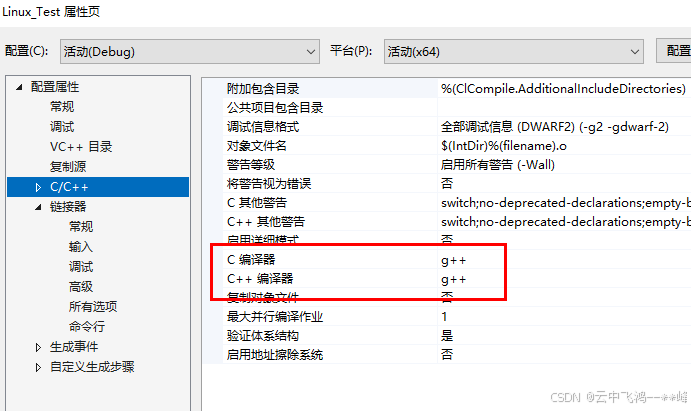
VS2022远程调试Linux程序
一、 1、VS2022安装参考 VS Studio2022安装教程(保姆级教程)_visual studio 2022-CSDN博客 注意:勾选的时候,要勾选下方的选项,才能调试Linux环境下运行的程序! 2、VS2022远程调试Linux程序测试 原文参…...

345-java人事档案管理系统的设计与实现
345-java人事档案管理系统的设计与实现 项目概述 本项目为基于Java语言的人事档案管理系统,旨在帮助企事业单位高效管理员工档案信息,实现档案的电子化、自动化管理。系统涵盖了员工信息的录入、查询、修改、删除等功能,同时具备权限控制和…...
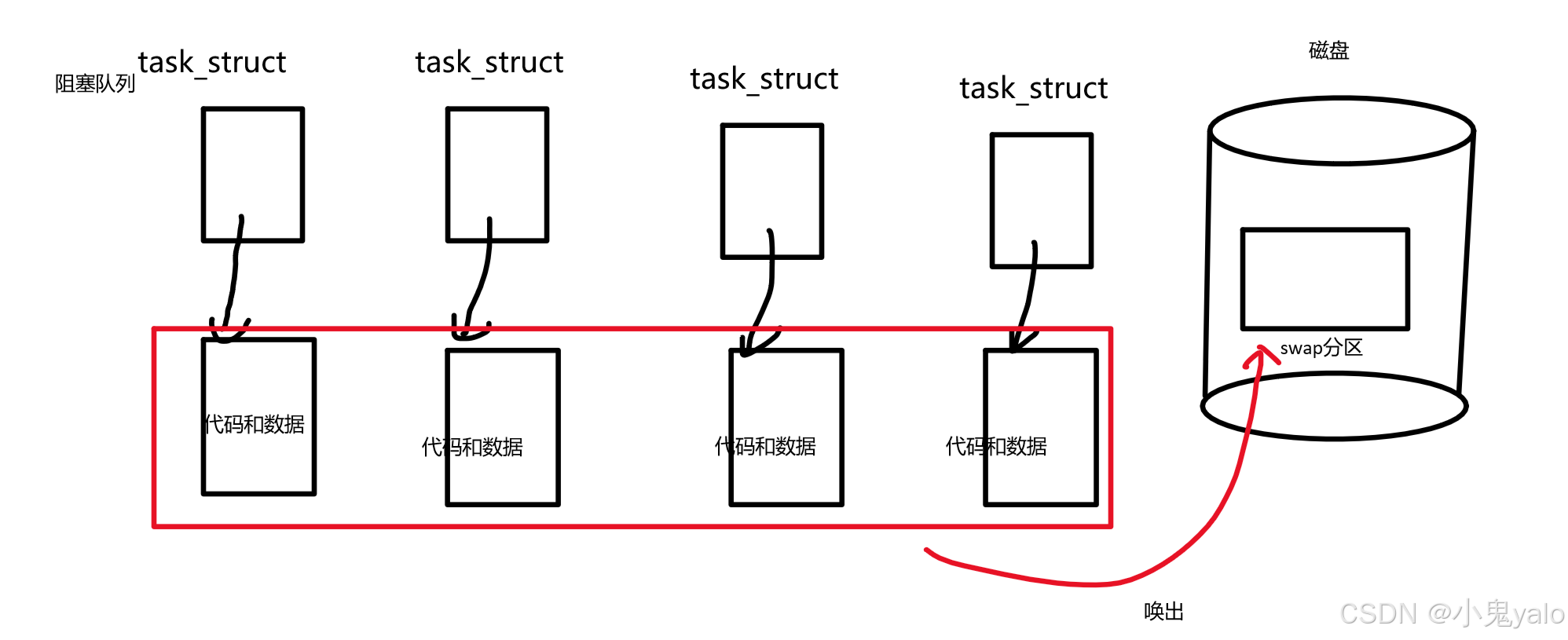
【Linux系统编程】进程概念,进程状态
目录 一,操作系统(Operator System) 1-1概念 1-2设计操作系统的目的 1-3核心功能 1-4系统调用和库函数概念 二,进程(Process) 2-1进程概念与基本操作 2-2task_struct结构体内容 2-3查看进程 2-4通…...

优选算法的妙思之流:分治——快排专题
专栏:算法的魔法世界 个人主页:手握风云 目录 一、快速排序 二、例题讲解 2.1. 颜色分类 2.2. 排序数组 2.3. 数组中的第K个最大元素 2.4. 库存管理 III 一、快速排序 分治,简单理解为“分而治之”,将一个大问题划分为若干个…...

# 实时人脸识别系统:基于 OpenCV 和 Python 的实现
实时人脸识别系统:基于 OpenCV 和 Python 的实现 在当今数字化时代,人脸识别技术已经广泛应用于各种场景,从手机解锁到安防监控,再到智能门禁系统。今天,我将通过一个完整的代码示例,详细讲解如何使用 Pyt…...

Mysql 中 ACID 背后的原理
在 MySQL 中,ACID 是事务处理的核心原则,用于保证数据库在执行事务时的可靠性、数据一致性和稳定性。ACID 是四个关键特性的首字母缩写,分别是:Atomicity(原子性)、Consistency(一致性ÿ…...

wx206基于ssm+vue+uniapp的优购电商小程序
开发语言:Java框架:ssmuniappJDK版本:JDK1.8服务器:tomcat7数据库:mysql 5.7(一定要5.7版本)数据库工具:Navicat11开发软件:eclipse/myeclipse/ideaMaven包:M…...
React编程高级主题:错误处理(Error Handling)
文章目录 **5.2 错误处理(Error Handling)概述****5.2.1 onErrorReturn / onErrorResume(错误回退)****1. onErrorReturn:提供默认值****2. onErrorResume:切换备用数据流** **5.2.2 retry / retryWhen&…...
ubuntu20.04升级成ubuntu22.04
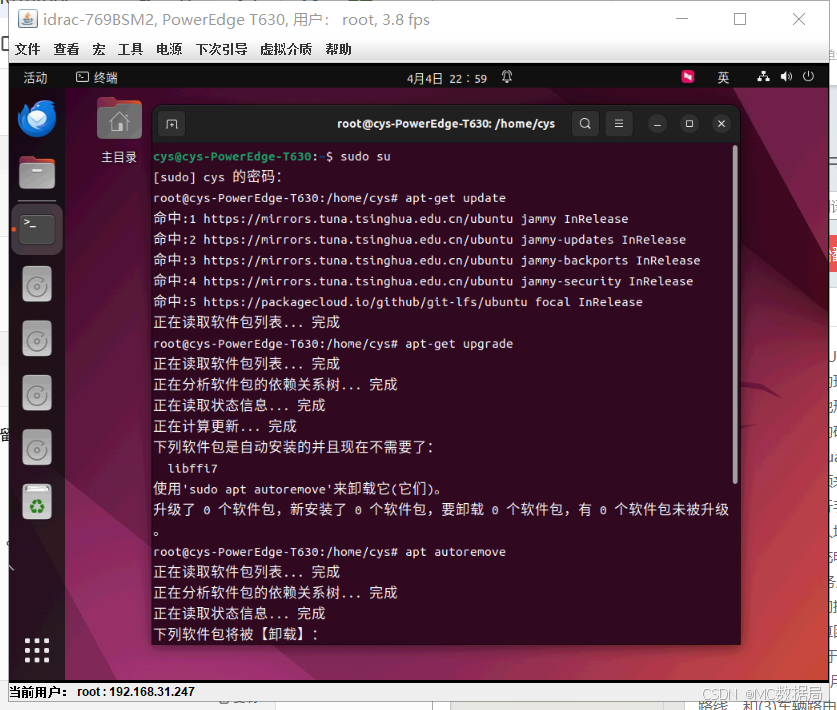
命令行 sudo do-release-upgrade 我是按提示输入y确认操作,也可以遇到配置文件冲突时建议选择N保留当前配置...

SpringCloud(25)——Stream介绍
1.场景描述 当我们的分布式系统建设到一定程度了,或者服务间是通过异步请求来通讯的,那么我们避免不了使用MQ来解决问题。 假如公司内部进行了业务合并或者整合,需要服务A和服务B通过MQ的方式进行消息传递,而服务A用的是RabbitMQ&…...
)
OrangePi5Plus开发板不能正确识别USB 3.0 设备 (绿联HUB和Camera)
1、先插好上电(可正确识别) 2、上电开机后插入USB 3.0 设备,报错如下,只能检测到USB2.0--480M,识别不到USB3.0-5Gbps,重新插拔也不行 Apr 4 21:30:00 orangepi5plus kernel: [ 423.575966] usb 5-1: re…...
centos8上实现lvs集群负载均衡dr模式
1.前言 个人备忘笔记,欢迎探讨。 centos8上实现lvs集群负载均衡nat模式 centos8上实现lvs集群负载均衡dr模式 之前写过一篇lvs-nat模式。实验起来相对顺利。dr模式最大特点是响应报文不经调度器,而是直接返回客户机。 dr模式分同网段和不同网段。同…...
uniapp如何接入星火大模型
写在前面:最近的ai是真的火啊,琢磨了一下,弄个uniappx的版本开发个东西玩一下,想了想不知道放啥内容,突然觉得deepseek可以接入,好家伙,一对接以后发现这是个付费的玩意,我穷&#x…...

三、FFmpeg学习笔记
FFmpeg是一个开源、跨平台的多媒体处理框架,能够实现音视频的录制、转换、剪辑、编码、解码、流媒体传输、过滤与后期处理等几乎所有常见的多媒体操作。其强大之处在于几乎支持所有的音视频格式、编解码器和封装格式,是业界公认的“瑞士军刀”。 FFmp…...

Linux常用基础命令应用
目录 一、文件与目录操作(12个核心命令) 1. pwd - 显示当前路径 2. ls - 查看目录内容 3. cd - 切换目录 4. mkdir - 创建目录 5. touch - 创建文件 6. cp - 复制文件/目录 7. mv - 移动…...

【python中级】关于Cython 的源代码pyx的说明
【python中级】关于Cython 的源代码pyx的说明 1.背景2.编译3.语法1.背景 Cython 是一个编程语言和工具链,用于将 Python 代码(或类 Python 的代码)编译成 C 语言,再进一步生成高性能的 Python 扩展模块(.so 或 .pyd 文件)。 在 Python 中,.pyx 文件是 Cython 的源代码文…...

第十八节课:Python编程基础复习
课程复习 前三周核心内容回顾 第一周:Python基本语法元素 基础语法:缩进、注释、变量命名、保留字数据类型:字符串、整数、浮点数、列表程序结构:赋值语句、分支语句(if)、函数输入输出:inpu…...
MySQL vs MSSQL 对比
在企业数据库管理系统中,MySQL 和 Microsoft SQL Server(MSSQL)是最受欢迎的两大选择。MySQL 是一款开源的关系型数据库管理系统(RDBMS),由 MySQL AB 开发,现归属于 Oracle 公司。而 MSSQL 是微…...

解决LeetCode“使括号有效的最少添加”问题
目录 问题描述 解题思路 复杂度分析 示例分析 暴力替换“不讲码德” 总结 问题描述 给定一个仅由 ( 和 ) 组成的字符串 s,我们需要通过添加最少数量的括号(( 或 ))使得字符串有效。有效字符串需满足: 空字符串是有效的。 …...
python基础-10-组织文件
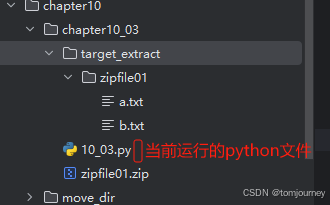
文章目录 【README】【10】组织文件(复制移动删除重命名)【10.1】shutil模块(shell工具)【10.1.1】复制文件和文件夹【10.1.1.1】复制文件夹及其下文件-shutil.copytree 【10.1.2】文件和文件夹的移动与重命名【10.1.3】永久删除文件和文件夹【10.1.4】用…...

ORA-09925 No space left on device 问题处理全过程记录
本篇文章关键字:linux、oracle、审计、ORA-09925 一、故障现像 朋友找到我说是他们备份软件上报错。 问题比较明显,ORA-09925,看起来就是空间不足导致的 二、问题分析过程 这里说一下逐步的分析思路,有个意外提前说一下就是我…...
多输入多输出 | Matlab实现BO-GRU贝叶斯优化门控循环单元多输入多输出预测
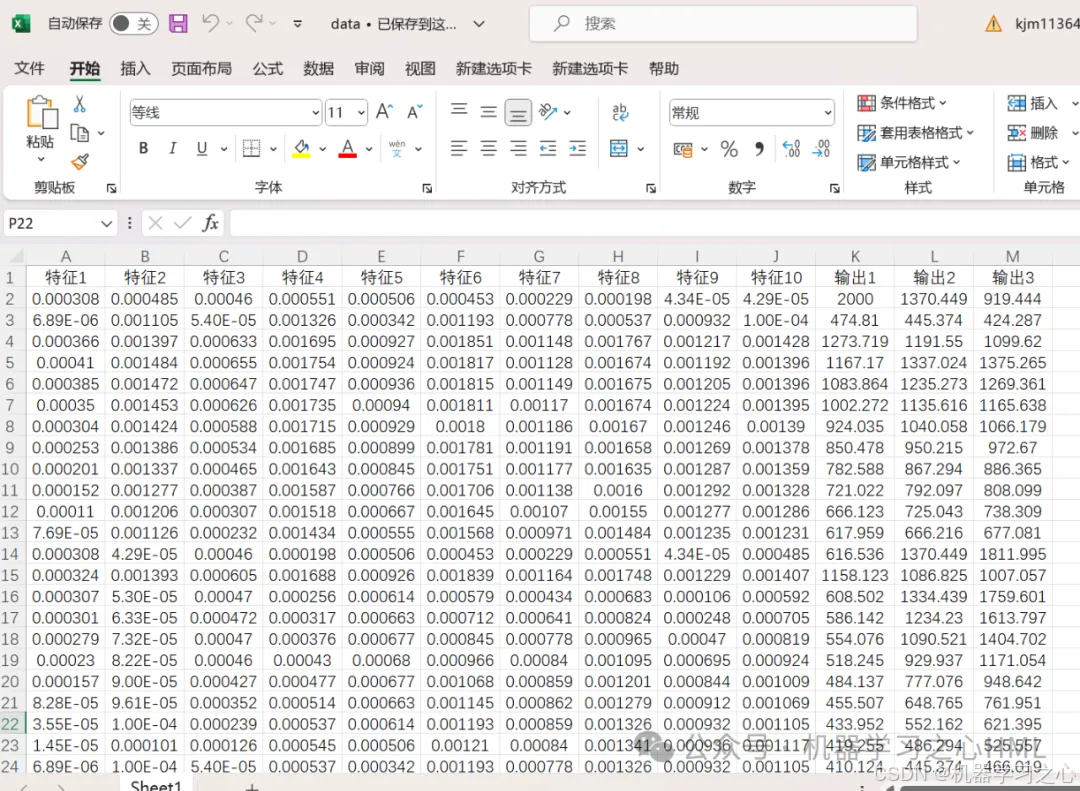
多输入多输出 | Matlab实现BO-GRU贝叶斯优化门控循环单元多输入多输出预测 目录 多输入多输出 | Matlab实现BO-GRU贝叶斯优化门控循环单元多输入多输出预测预测效果基本介绍程序设计参考资料 预测效果 基本介绍 Matlab实现BO-GRU贝叶斯优化门控循环单元多输入多输出预测&#…...
27信号和槽_自定义信号(2)
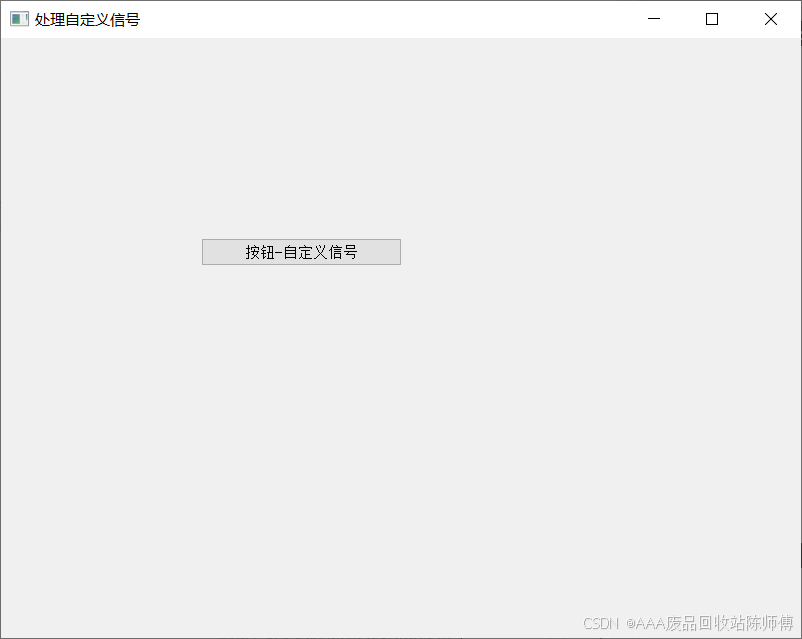
自定义信号和槽 绑定信号和槽 如何才能触发出自定义的信号呢?(上诉代码只是将信号和槽绑定在一起,但并没有触发信号) Qt 内置的信号,都不需要咱们手动通过代码来触发 用户在 GUI, 进行某些操作,就会自动触发对应信号.(发射信号的代码已经内置…...

人工智能在生物医药领域的应用地图:AIBC2025将于6月在上海召开!
人工智能在生物医药领域的应用地图:AIBC2025将于6月在上海召开! 近年来,人工智能在生物医药行业中的应用受到广泛关注。 2024年10月,2024诺贝尔化学奖被授予“计算蛋白质设计和蛋白质结构预测”,这为行业从业人员带来…...