
Flutter之页面布局二
目录:
- 1、列表布局
- 1.1、基础列表
- 1.2、水平滑动的列表
- 1.3、网格列表
- 1.3、不同列表项的列表
- 1.4、包含间隔的列表
- 1.6、长列表
- 2、滚动
- 2.1、浮动的顶栏
- 2.2、平衡错位滚动
1、列表布局
1.1、基础列表
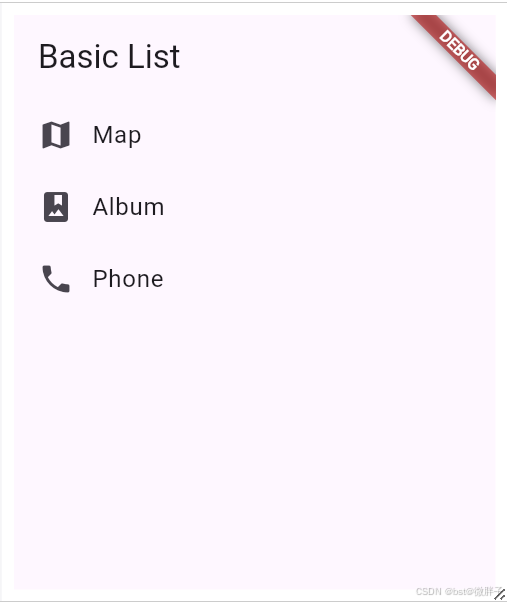
import 'package:flutter/material.dart';void main() => runApp(const MyApp());class MyApp extends StatelessWidget {const MyApp({super.key});Widget build(BuildContext context) {const title = 'Basic List';return MaterialApp(title: title,home: Scaffold(appBar: AppBar(title: const Text(title)),body: ListView(children: const <Widget>[ListTile(leading: Icon(Icons.map), title: Text('Map')),ListTile(leading: Icon(Icons.photo_album), title: Text('Album')),ListTile(leading: Icon(Icons.phone), title: Text('Phone')),],),),);}
}
1.2、水平滑动的列表
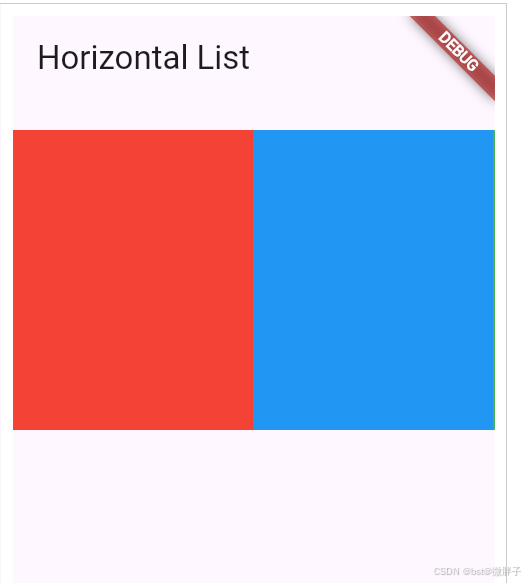
import 'package:flutter/material.dart';void main() => runApp(const MyApp());class MyApp extends StatelessWidget {const MyApp({super.key});Widget build(BuildContext context) {const title = 'Horizontal List';return MaterialApp(title: title,home: Scaffold(appBar: AppBar(title: const Text(title)),body: Container(margin: const EdgeInsets.symmetric(vertical: 20),height: 200,child: ListView(// This next line does the trick.scrollDirection: Axis.horizontal,children: <Widget>[Container(width: 160, color: Colors.red),Container(width: 160, color: Colors.blue),Container(width: 160, color: Colors.green),Container(width: 160, color: Colors.yellow),Container(width: 160, color: Colors.orange),],),),),);}
}1.3、网格列表

import 'package:flutter/material.dart';void main() {runApp(const MyApp());
}class MyApp extends StatelessWidget {const MyApp({super.key});Widget build(BuildContext context) {const title = 'Grid List';return MaterialApp(title: title,home: Scaffold(appBar: AppBar(title: const Text(title)),body: GridView.count(// Create a grid with 2 columns.// If you change the scrollDirection to horizontal,// this produces 2 rows.crossAxisCount: 2,// Generate 100 widgets that display their index in the list.children: List.generate(100, (index) {return Center(child: Text('Item $index',style: TextTheme.of(context).headlineSmall,),);}),),),);}
}
1.3、不同列表项的列表
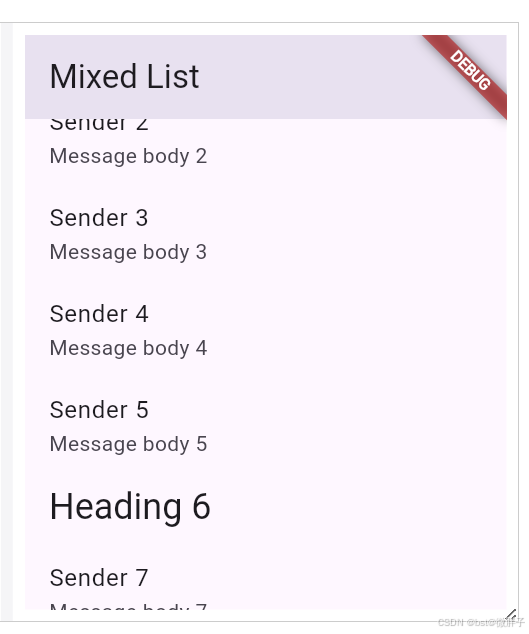
import 'package:flutter/material.dart';void main() {runApp(MyApp(items: List<ListItem>.generate(1000,(i) =>i % 6 == 0? HeadingItem('Heading $i'): MessageItem('Sender $i', 'Message body $i'),),),);
}class MyApp extends StatelessWidget {final List<ListItem> items;const MyApp({super.key, required this.items});Widget build(BuildContext context) {const title = 'Mixed List';return MaterialApp(title: title,home: Scaffold(appBar: AppBar(title: const Text(title)),body: ListView.builder(// Let the ListView know how many items it needs to build.itemCount: items.length,// Provide a builder function. This is where the magic happens.// Convert each item into a widget based on the type of item it is.itemBuilder: (context, index) {final item = items[index];return ListTile(title: item.buildTitle(context),subtitle: item.buildSubtitle(context),);},),),);}
}/// The base class for the different types of items the list can contain.
abstract class ListItem {/// The title line to show in a list item.Widget buildTitle(BuildContext context);/// The subtitle line, if any, to show in a list item.Widget buildSubtitle(BuildContext context);
}/// A ListItem that contains data to display a heading.
class HeadingItem implements ListItem {final String heading;HeadingItem(this.heading);Widget buildTitle(BuildContext context) {return Text(heading, style: Theme.of(context).textTheme.headlineSmall);}Widget buildSubtitle(BuildContext context) => const SizedBox.shrink();
}/// A ListItem that contains data to display a message.
class MessageItem implements ListItem {final String sender;final String body;MessageItem(this.sender, this.body);Widget buildTitle(BuildContext context) => Text(sender);Widget buildSubtitle(BuildContext context) => Text(body);
}
1.4、包含间隔的列表
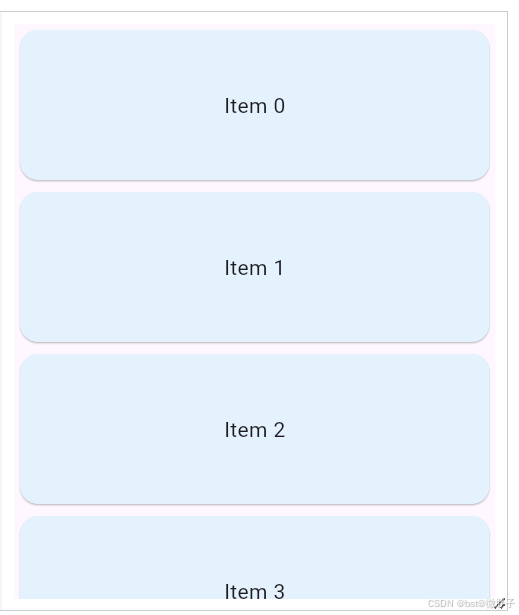
import 'package:flutter/material.dart';void main() => runApp(const SpacedItemsList());class SpacedItemsList extends StatelessWidget {const SpacedItemsList({super.key});Widget build(BuildContext context) {const items = 4;return MaterialApp(title: 'Flutter Demo',debugShowCheckedModeBanner: false,theme: ThemeData(colorScheme: ColorScheme.fromSeed(seedColor: Colors.deepPurple),cardTheme: CardTheme(color: Colors.blue.shade50),),home: Scaffold(body: LayoutBuilder(builder: (context, constraints) {return SingleChildScrollView(child: ConstrainedBox(constraints: BoxConstraints(minHeight: constraints.maxHeight),child: Column(mainAxisAlignment: MainAxisAlignment.spaceBetween,crossAxisAlignment: CrossAxisAlignment.stretch,children: List.generate(items,(index) => ItemWidget(text: 'Item $index'),),),),);},),),);}
}class ItemWidget extends StatelessWidget {const ItemWidget({super.key, required this.text});final String text;Widget build(BuildContext context) {return Card(child: SizedBox(height: 100, child: Center(child: Text(text))));}
}
1.6、长列表
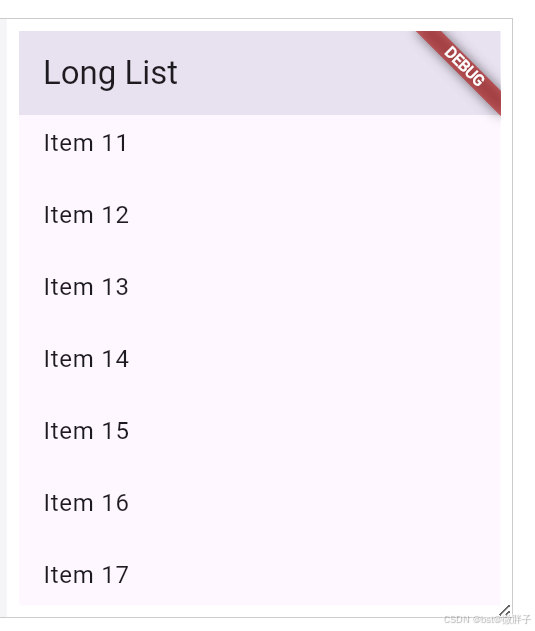
import 'package:flutter/material.dart';void main() {runApp(MyApp(items: List<String>.generate(10000, (i) => 'Item $i'),),);
}class MyApp extends StatelessWidget {final List<String> items;const MyApp({super.key, required this.items});Widget build(BuildContext context) {const title = 'Long List';return MaterialApp(title: title,home: Scaffold(appBar: AppBar(title: const Text(title)),body: ListView.builder(itemCount: items.length,prototypeItem: ListTile(title: Text(items.first)),itemBuilder: (context, index) {return ListTile(title: Text(items[index]));},),),);}
}
2、滚动
2.1、浮动的顶栏

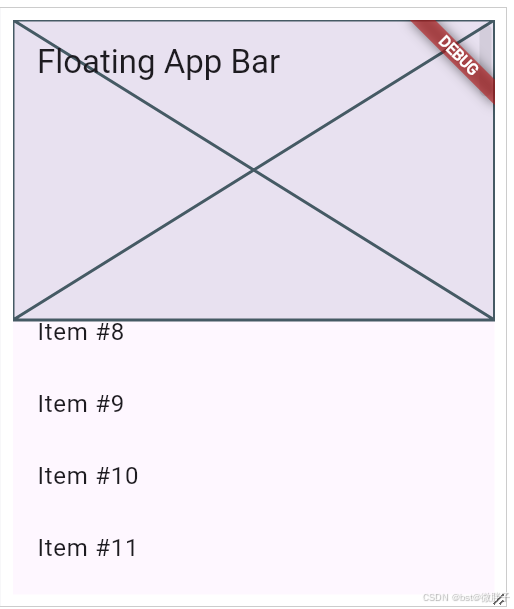
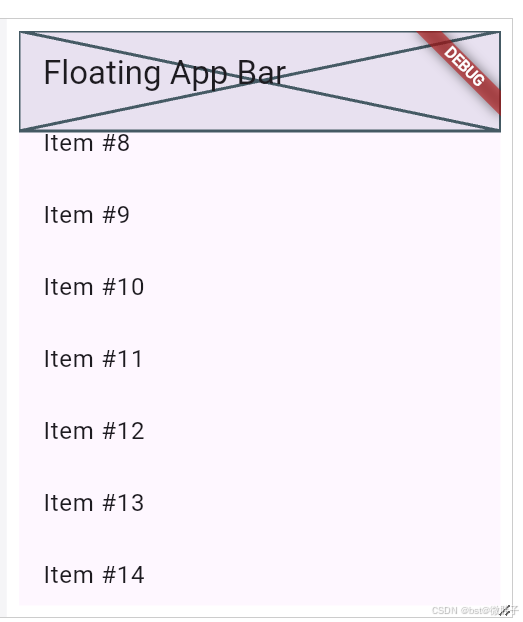
import 'package:flutter/material.dart';void main() => runApp(const MyApp());class MyApp extends StatelessWidget {const MyApp({super.key});Widget build(BuildContext context) {const title = 'Floating App Bar';return MaterialApp(title: title,home: Scaffold(// No appbar provided to the Scaffold, only a body with a// CustomScrollView.body: CustomScrollView(slivers: [// Add the app bar to the CustomScrollView.const SliverAppBar(// Provide a standard title.title: Text(title),// Allows the user to reveal the app bar if they begin scrolling// back up the list of items.floating: true,// Display a placeholder widget to visualize the shrinking size.flexibleSpace: Placeholder(),// Make the initial height of the SliverAppBar larger than normal.expandedHeight: 200,),// Next, create a SliverListSliverList(// Use a delegate to build items as they're scrolled on screen.delegate: SliverChildBuilderDelegate(// The builder function returns a ListTile with a title that// displays the index of the current item.(context, index) => ListTile(title: Text('Item #$index')),// Builds 1000 ListTileschildCount: 1000,),),],),),);}
}
2.2、平衡错位滚动
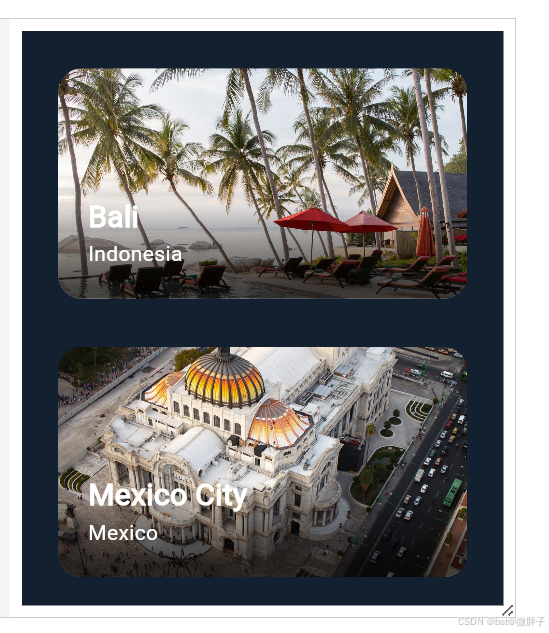
import 'package:flutter/material.dart';
import 'package:flutter/rendering.dart';const Color darkBlue = Color.fromARGB(255, 18, 32, 47);void main() {runApp(const MyApp());
}class MyApp extends StatelessWidget {const MyApp({super.key});Widget build(BuildContext context) {return MaterialApp(theme: ThemeData.dark().copyWith(scaffoldBackgroundColor: darkBlue),debugShowCheckedModeBanner: false,home: const Scaffold(body: Center(child: ExampleParallax())),);}
}class ExampleParallax extends StatelessWidget {const ExampleParallax({super.key});Widget build(BuildContext context) {return SingleChildScrollView(child: Column(children: [for (final location in locations)LocationListItem(imageUrl: location.imageUrl,name: location.name,country: location.place,),],),);}
}class LocationListItem extends StatelessWidget {LocationListItem({super.key,required this.imageUrl,required this.name,required this.country,});final String imageUrl;final String name;final String country;final GlobalKey _backgroundImageKey = GlobalKey();Widget build(BuildContext context) {return Padding(padding: const EdgeInsets.symmetric(horizontal: 24, vertical: 16),child: AspectRatio(aspectRatio: 16 / 9,child: ClipRRect(borderRadius: BorderRadius.circular(16),child: Stack(children: [_buildParallaxBackground(context),_buildGradient(),_buildTitleAndSubtitle(),],),),),);}Widget _buildParallaxBackground(BuildContext context) {return Flow(delegate: ParallaxFlowDelegate(scrollable: Scrollable.of(context),listItemContext: context,backgroundImageKey: _backgroundImageKey,),children: [Image.network(imageUrl, key: _backgroundImageKey, fit: BoxFit.cover),],);}Widget _buildGradient() {return Positioned.fill(child: DecoratedBox(decoration: BoxDecoration(gradient: LinearGradient(colors: [Colors.transparent, Colors.black.withValues(alpha: 0.7)],begin: Alignment.topCenter,end: Alignment.bottomCenter,stops: const [0.6, 0.95],),),),);}Widget _buildTitleAndSubtitle() {return Positioned(left: 20,bottom: 20,child: Column(mainAxisSize: MainAxisSize.min,crossAxisAlignment: CrossAxisAlignment.start,children: [Text(name,style: const TextStyle(color: Colors.white,fontSize: 20,fontWeight: FontWeight.bold,),),Text(country,style: const TextStyle(color: Colors.white, fontSize: 14),),],),);}
}class ParallaxFlowDelegate extends FlowDelegate {ParallaxFlowDelegate({required this.scrollable,required this.listItemContext,required this.backgroundImageKey,}) : super(repaint: scrollable.position);final ScrollableState scrollable;final BuildContext listItemContext;final GlobalKey backgroundImageKey;BoxConstraints getConstraintsForChild(int i, BoxConstraints constraints) {return BoxConstraints.tightFor(width: constraints.maxWidth);}void paintChildren(FlowPaintingContext context) {// Calculate the position of this list item within the viewport.final scrollableBox = scrollable.context.findRenderObject() as RenderBox;final listItemBox = listItemContext.findRenderObject() as RenderBox;final listItemOffset = listItemBox.localToGlobal(listItemBox.size.centerLeft(Offset.zero),ancestor: scrollableBox,);// Determine the percent position of this list item within the// scrollable area.final viewportDimension = scrollable.position.viewportDimension;final scrollFraction = (listItemOffset.dy / viewportDimension).clamp(0.0,1.0,);// Calculate the vertical alignment of the background// based on the scroll percent.final verticalAlignment = Alignment(0.0, scrollFraction * 2 - 1);// Convert the background alignment into a pixel offset for// painting purposes.final backgroundSize =(backgroundImageKey.currentContext!.findRenderObject() as RenderBox).size;final listItemSize = context.size;final childRect = verticalAlignment.inscribe(backgroundSize,Offset.zero & listItemSize,);// Paint the background.context.paintChild(0,transform:Transform.translate(offset: Offset(0.0, childRect.top)).transform,);}bool shouldRepaint(ParallaxFlowDelegate oldDelegate) {return scrollable != oldDelegate.scrollable ||listItemContext != oldDelegate.listItemContext ||backgroundImageKey != oldDelegate.backgroundImageKey;}}class Parallax extends SingleChildRenderObjectWidget {const Parallax({super.key, required Widget background}): super(child: background);RenderObject createRenderObject(BuildContext context) {return RenderParallax(scrollable: Scrollable.of(context));}void updateRenderObject(BuildContext context,covariant RenderParallax renderObject,) {renderObject.scrollable = Scrollable.of(context);}
}class ParallaxParentData extends ContainerBoxParentData<RenderBox> {}class RenderParallax extends RenderBoxwith RenderObjectWithChildMixin<RenderBox>, RenderProxyBoxMixin {RenderParallax({required ScrollableState scrollable}): _scrollable = scrollable;ScrollableState _scrollable;ScrollableState get scrollable => _scrollable;set scrollable(ScrollableState value) {if (value != _scrollable) {if (attached) {_scrollable.position.removeListener(markNeedsLayout);}_scrollable = value;if (attached) {_scrollable.position.addListener(markNeedsLayout);}}}void attach(covariant PipelineOwner owner) {super.attach(owner);_scrollable.position.addListener(markNeedsLayout);}void detach() {_scrollable.position.removeListener(markNeedsLayout);super.detach();}void setupParentData(covariant RenderObject child) {if (child.parentData is! ParallaxParentData) {child.parentData = ParallaxParentData();}}void performLayout() {size = constraints.biggest;// Force the background to take up all available width// and then scale its height based on the image's aspect ratio.final background = child!;final backgroundImageConstraints = BoxConstraints.tightFor(width: size.width,);background.layout(backgroundImageConstraints, parentUsesSize: true);// Set the background's local offset, which is zero.(background.parentData as ParallaxParentData).offset = Offset.zero;}void paint(PaintingContext context, Offset offset) {// Get the size of the scrollable area.final viewportDimension = scrollable.position.viewportDimension;// Calculate the global position of this list item.final scrollableBox = scrollable.context.findRenderObject() as RenderBox;final backgroundOffset = localToGlobal(size.centerLeft(Offset.zero),ancestor: scrollableBox,);// Determine the percent position of this list item within the// scrollable area.final scrollFraction = (backgroundOffset.dy / viewportDimension).clamp(0.0,1.0,);// Calculate the vertical alignment of the background// based on the scroll percent.final verticalAlignment = Alignment(0.0, scrollFraction * 2 - 1);// Convert the background alignment into a pixel offset for// painting purposes.final background = child!;final backgroundSize = background.size;final listItemSize = size;final childRect = verticalAlignment.inscribe(backgroundSize,Offset.zero & listItemSize,);// Paint the background.context.paintChild(background,(background.parentData as ParallaxParentData).offset +offset +Offset(0.0, childRect.top),);}
}class Location {const Location({required this.name,required this.place,required this.imageUrl,});final String name;final String place;final String imageUrl;
}const urlPrefix ='https://docs.flutter.dev/cookbook/img-files/effects/parallax';
const locations = [Location(name: 'Mount Rushmore',place: 'U.S.A',imageUrl: '$urlPrefix/01-mount-rushmore.jpg',),Location(name: 'Gardens By The Bay',place: 'Singapore',imageUrl: '$urlPrefix/02-singapore.jpg',),Location(name: 'Machu Picchu',place: 'Peru',imageUrl: '$urlPrefix/03-machu-picchu.jpg',),Location(name: 'Vitznau',place: 'Switzerland',imageUrl: '$urlPrefix/04-vitznau.jpg',),Location(name: 'Bali',place: 'Indonesia',imageUrl: '$urlPrefix/05-bali.jpg',),Location(name: 'Mexico City',place: 'Mexico',imageUrl: '$urlPrefix/06-mexico-city.jpg',),Location(name: 'Cairo', place: 'Egypt', imageUrl: '$urlPrefix/07-cairo.jpg'),
];
相关文章:
Flutter之页面布局二
目录: 1、列表布局1.1、基础列表1.2、水平滑动的列表1.3、网格列表1.3、不同列表项的列表1.4、包含间隔的列表1.6、长列表 2、滚动2.1、浮动的顶栏2.2、平衡错位滚动 1、列表布局 1.1、基础列表 import package:flutter/material.dart;void main() > runApp(con…...
RCE漏洞的小点总结
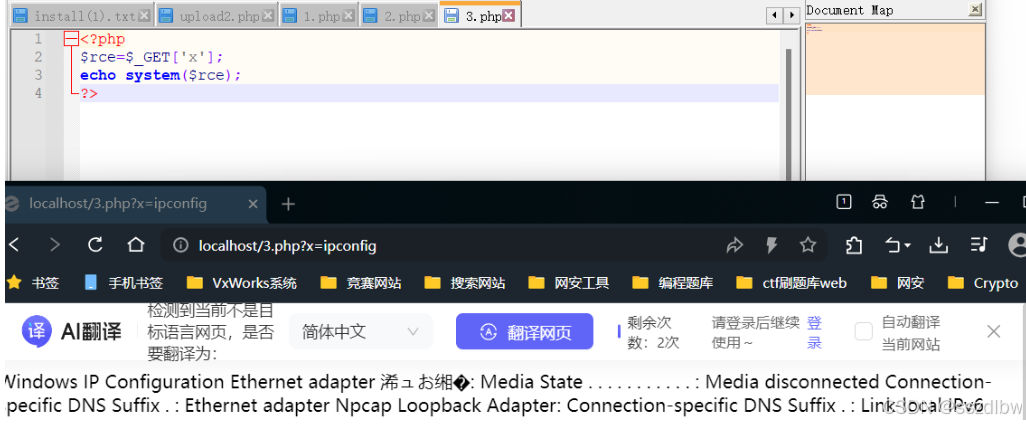
RCE简介与危害:包括远程代码执行和远程命令执行漏洞。 在很多web应用中,开发人员会使用一些函数,这些函数以一些字符串作为输入,功能是将输入的字符串当作代码或者命令来进行执行。当用户可以控制这些函数的输入时,就…...
责任链模式)
设计模式简述(十)责任链模式
责任链模式 描述基本使用使用 描述 如果一个请求要经过多个类似或相关处理器的处理。 可以考虑将这些处理器添加到一个链上,让请求逐个经过这些处理器进行处理。 通常,在一个业务场景下会对整个责任链进行初始化,确定这个链上有哪些Handler…...

主相机绑定小地图
资源初始化:在类中通过 property 装饰器定义主相机、小地图相机、小地图精灵等资源属性,便于在编辑器中赋值。在 start 方法里,当确认这些资源存在后,创建渲染纹理并设置其大小,将渲染纹理与小地图相机关联,…...

单片机实现多线程的方法汇总
在单片机上实现“多线程”的方法有几种,下面按照从简单到复杂、从轻量到系统性来列出常见的方案: 🧵 一、伪多线程(最轻量) 方法:主循环 状态机 / 定时器轮询 主循环中轮流调用各个任务的处理函数&#x…...
Java八股文-List集合
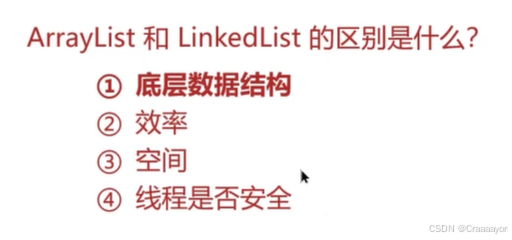
集合的底层是否加锁也就代表是否线程安全 (一)List集合 一、数组 array[1]是如何通过索引找到堆内存中对应的这块数据的呢? (1)数组如何获取其他元素的地址值 (2)为什么数组的索引是从0开始的,不可以从1开始吗 (3)操作数组的时间复杂度 ①查找 根据索引查询 未…...

快手Python开发面经及参考答案
目录 Python 的深浅拷贝有什么区别?请举例说明。 Python 函数声明中有三种类型的参数,分别说明它们的区别。 Python 中的迭代器是怎么使用的? Python2 和 Python3 之间的区别有哪些(例如 range 和 xrange 等方面)? Python 的线程同步问题是怎样的?详细讲解 GIL 的原…...

谈谈策略模式,策略模式的适用场景是什么?
一、什么是策略模式? 策略模式(Strategy Pattern)属于行为型设计模式。核心思路是将一组可替换的算法封装在独立的类中,使它们可以在运行时动态切换,同时使客户端代码与具体算法解耦。它包含三个…...
从零构建大语言模型全栈开发指南:第四部分:工程实践与部署-4.2.3行业案例:智能客服中的图文交互系统
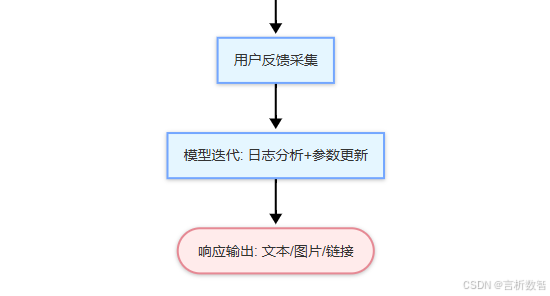
👉 点击关注不迷路 👉 点击关注不迷路 👉 点击关注不迷路 文章大纲 从零构建大语言模型全栈开发指南-第四部分:工程实践与部署4.2.3 行业案例:智能客服中的图文交互系统1. 图文交互系统的核心挑战与价值2. 系统架构设计2.1 分层架构2.2 Adapter技术应用3. 行业应用案例…...
华为IP(4)
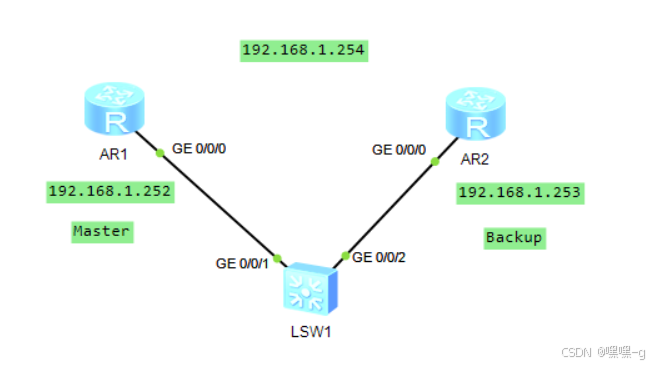
VRRP(虚拟路由冗余协议) 前言: 局域网中的用户终端通常采用配置一个默认网关的形式访问外部网络,如果默认网关设备发生故障,那么所有用户终端访问外部网络的流量将会中断。可以通过部署多个网关的方式来解决单点故障…...

计算机网络中科大 - 第1章 结构化笔记(详细解析)
博主主页 目录 **1. 计算机网络概述****1.1 计算机网络的定义****1.2 计算机网络的发展** **2. 计算机网络的组成与分类****2.1 计算机网络的组成****2.2 计算机网络的分类****按地理范围****按拓扑结构****按交换方式** **3. 计算机网络的性能指标****4. 计算机网络体系结构**…...

【神经网络】python实现神经网络(三)——正向学习的模拟演练
有了之前的经验(【神经网络】python实现神经网络(二)——正向推理的模拟演练),我们继续来介绍如何正向训练神经网络中的超参(包含权重以及偏置),本章大致的流程图如下: 一.损失函数 神经网络以某个指标为基准寻求最优权重参数,而这个指标即可称之为 “损失函数” 。(…...
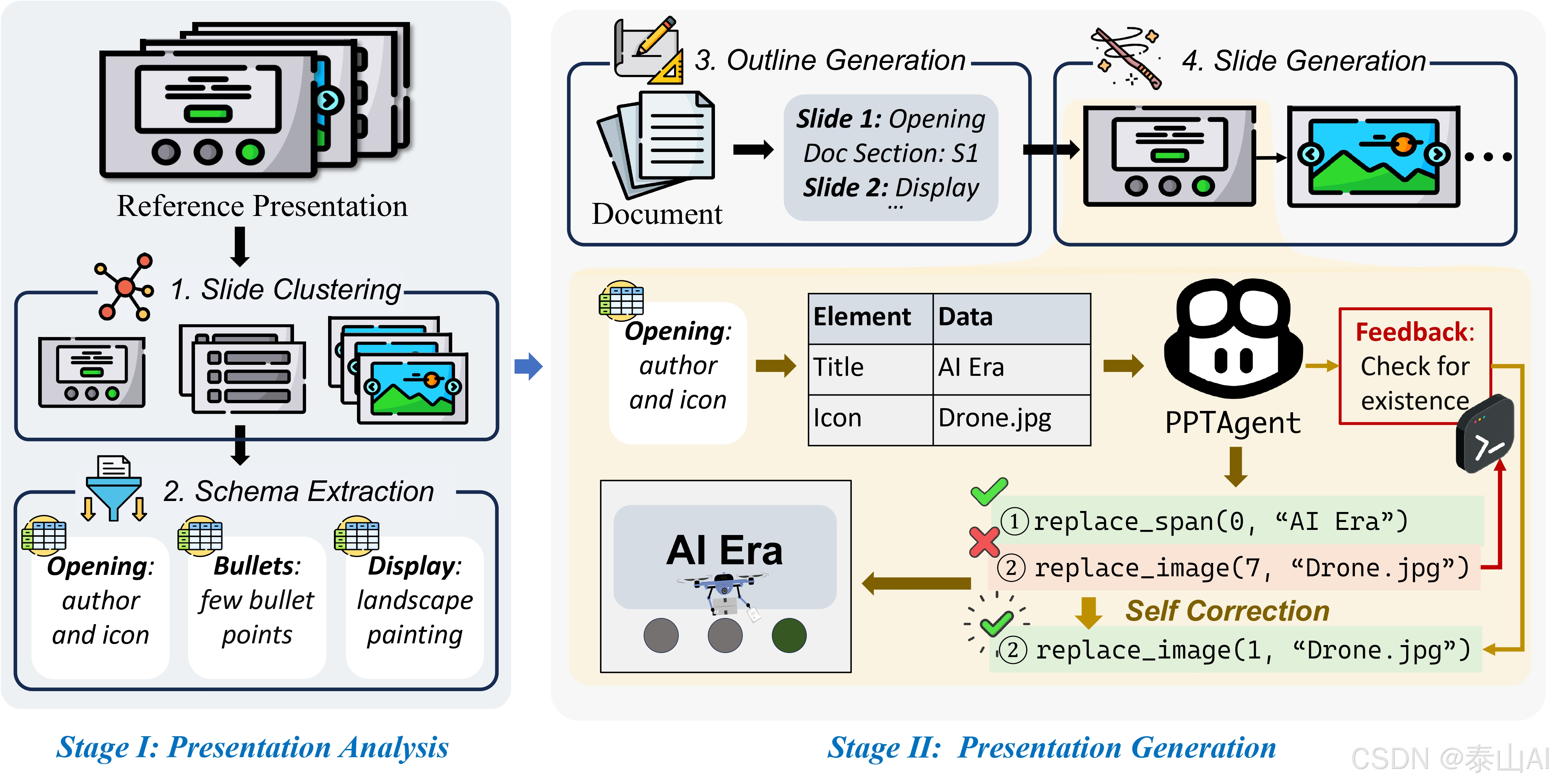
PPTAgent:一款开源免费生成和评估幻灯片的项目
这篇文章介绍一下PPTAgent,一个从文档自动生成演示文稿的创新系统。该系统从人类的展示创作方法中汲取灵感,采用两步流程来确保卓越的整体质量。此外,本文还介绍了PPTEval,这是一个综合评估框架,可以跨多个维度评估演示…...

配置管理:夯实软件开发与运维根基
配置管理是对系统配置信息进行管理的活动,以下从定义、目的、主要活动、实施流程等方面为你详细介绍: 一、定义 配置管理是通过技术或行政手段对软件产品及其开发过程和生命周期进行控制、规范的一系列措施。配置管理的目标是记录软件产品的演化过程&a…...
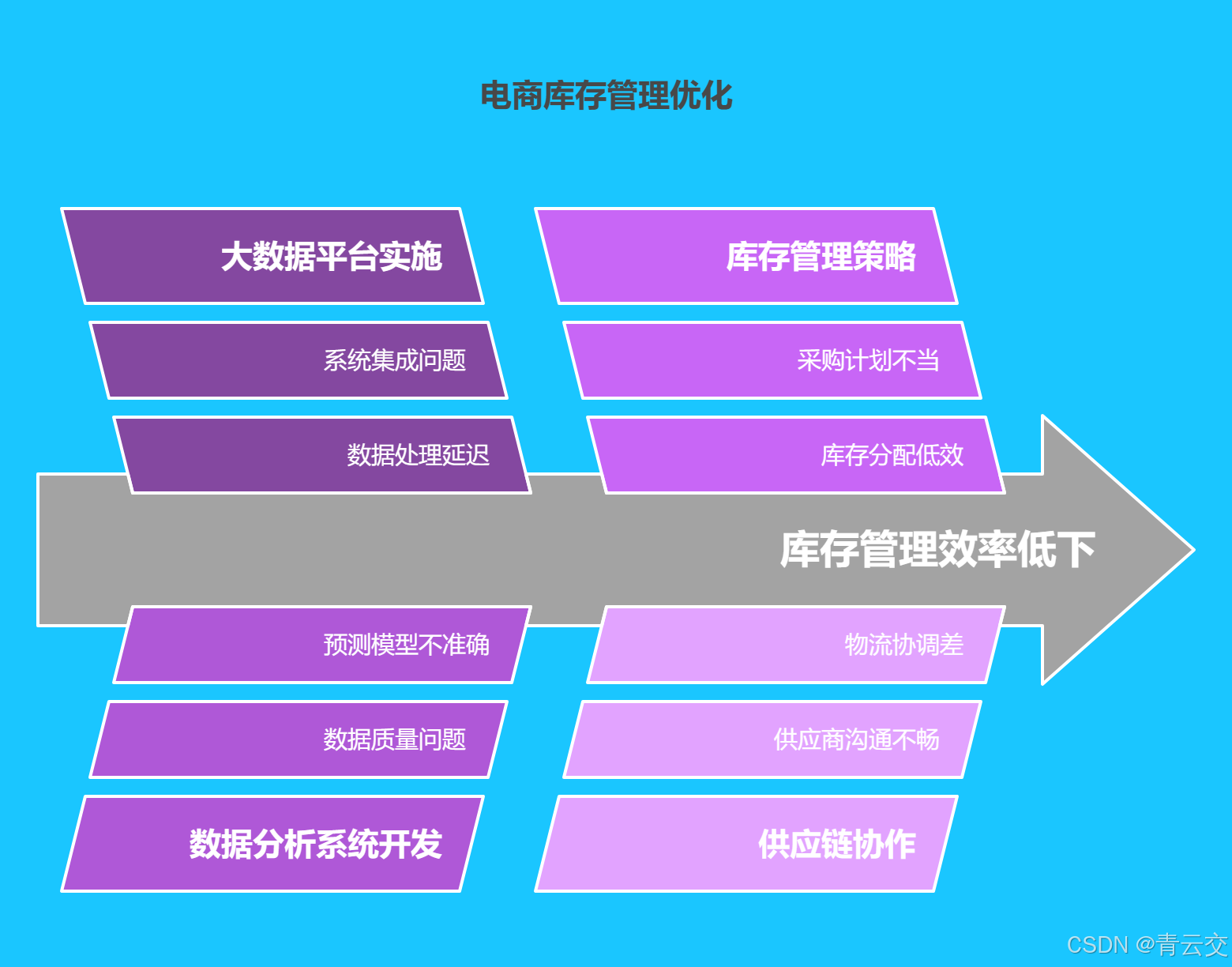
Java 大视界 -- Java 大数据在智能供应链库存优化与成本控制中的应用策略(172)
💖亲爱的朋友们,热烈欢迎来到 青云交的博客!能与诸位在此相逢,我倍感荣幸。在这飞速更迭的时代,我们都渴望一方心灵净土,而 我的博客 正是这样温暖的所在。这里为你呈上趣味与实用兼具的知识,也…...

Cocos Creator 进行 Web 发布后,目录结构解析
在使用 Cocos Creator 进行 Web 发布后,生成的目录结构通常包含以下内容,下面为你详细介绍: 1. index.html 这是 Web 项目的入口 HTML 文件,它会加载所需的 JavaScript 文件和资源,从而启动游戏或应用程序。示例代码…...

解决Spring Boot Test中的ByteBuddy类缺失问题
目录 解决Spring Boot Test中的ByteBuddy类缺失问题前奏问题描述问题解决第一步:移除ByteBuddy的特定版本号第二步:更新maven-surefire-plugin配置第三步:清理并重新构建项目 结语 解决Spring Boot Test中的ByteBuddy类缺失问题 前奏 今天&…...

Postman参数化设置如何设置?
在 Postman 里,参数化设置能让你用不同的数据多次运行同一个请求,这对测试不同输入时的 API 响应非常有用。下面为你详细介绍 Postman 参数化设置的方法。 1. 准备数据文件 Postman 支持 CSV 和 JSON 格式的数据文件。 CSV 文件 CSV 文件由逗号分隔的…...
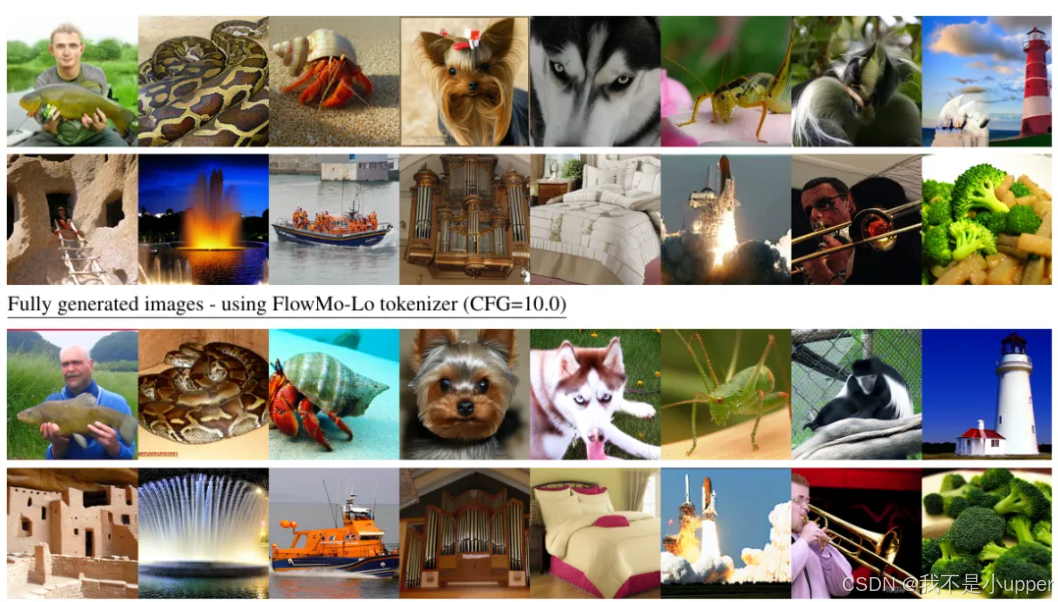
斯坦福大学李飞飞团队新突破!FlowMo 革新图像 Tokenizer
当我们悠然刷着手机,看到一张可爱猫咪的照片时,大脑会瞬间识别出「这是一只猫」,这一切不过是电光火石间的事儿。但在计算机的 “眼中”,情况却复杂得超乎想象。假设这是一张10001000像素的彩色照片,在计算机的世界里&…...

基于 Jackson 的 JSON 工具类实现解析与设计模式应用
一、项目背景与功能概览 在企业级开发中,JSON 序列化/反序列化是高频操作。本方案基于 Jackson 实现了一个双模式兼容(独立使用 Spring 整合)、安全可靠的 JSON 工具类,主要提供以下能力: ✅ 常用 JSON 转换方法✅ …...

87.在线程中优雅处理TryCatch返回 C#例子 WPF例子
在C#异步编程中,正确处理异常是确保程序稳定运行的关键。今天,我们通过一个实际的示例,展示如何在异步线程中使用try-catch块处理异常,并通过标志变量控制流程。同时,我们也会展示一个错误的示例,以便更好地…...

Vue + Axios + Mock.js 全链路实操:从封装到数据模拟的深度解析
一、项目架构深度设计 1.1 分层架构模式 采用经典的前端分层架构,实现高度可维护性: src/ ├─ api/ # 接口管理 │ └─ home.js # 模块化接口 ├─ mock/ # 模拟数据 │ ├─ index.js # Mock入口 │ └─ home.js # 首…...

博客文章:深入分析 PyMovie - 基于 Python和 MoviePy 的视频管理工具
这是一个使用 wxPython 构建界面、moviepy 处理视频的自定义 GUI 应用程序。该工具提供了视频播放、元数据提取、格式转换、视频裁剪和截图等功能。通过分析其设计和实现,我们将了解其工作原理、优点和潜在的改进空间。 C:\pythoncode\new\output\pymovieSample.py …...
)
Go基础一(Maps Functions 可变参数 闭包 递归 Range 指针 字符串和符文 结构体)
Maps 1.创建map make(map[键类型]值类型) 2.设置键值对 name[key]value; 3. name[key]获取键值 3.1 key不存在 则返回 0 4.len()方法 返回 map 上 键值对数量 len(name) 5.delete()方法 从map中删除 键值对 delete(name,key) 6.clear()方法 map中删除所有键值对 clear(name) 7…...

2025年渗透测试面试题总结-某 携程旅游-基础安全工程师(题目+回答)
网络安全领域各种资源,学习文档,以及工具分享、前沿信息分享、POC、EXP分享。不定期分享各种好玩的项目及好用的工具,欢迎关注。 目录 携程旅游-基础安全工程师 反序列化原理 核心原理 扩展分析 SQL注入本质 核心原理 扩展分析 SQL注…...

wireshak抓手机包 wifi手机抓包工具
移动端接口测试抓包工具指南 在做手机或移动端APP的接口测试时,获取完整的接口文档是关键。但如果没有文档,我们就需要使用专业的抓包工具来分析网络请求。本文将介绍两种常用的抓包方案:Fiddler和Sniff Master(抓包大师…...
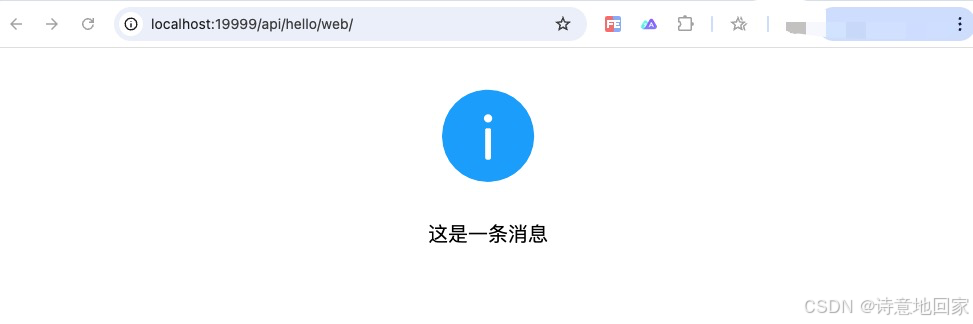
niuhe插件, 在 go 中渲染网页内容
思路 niuhe 插件生成的 go 代码是基于 github.com/ma-guo/niuhe 库进行组织管理的, niuhe 库 是对 go gin 库的一个封装,因此要显示网页, 可通过给 gin.Engine 指定 HTMLRender 来实现。 实现 HTMLRender 我们使用 gitee.com/cnmade/pongo2gin 实现 1. main.go …...

java基础知识面试题总结
Java基础知识面试题 1.重载和重写的区别 重载(Overload): 同一个类中,方法名相同,参数列表不同(个数、类型、顺序)。 class Calculator {// 方法1:两个int相加public int add…...
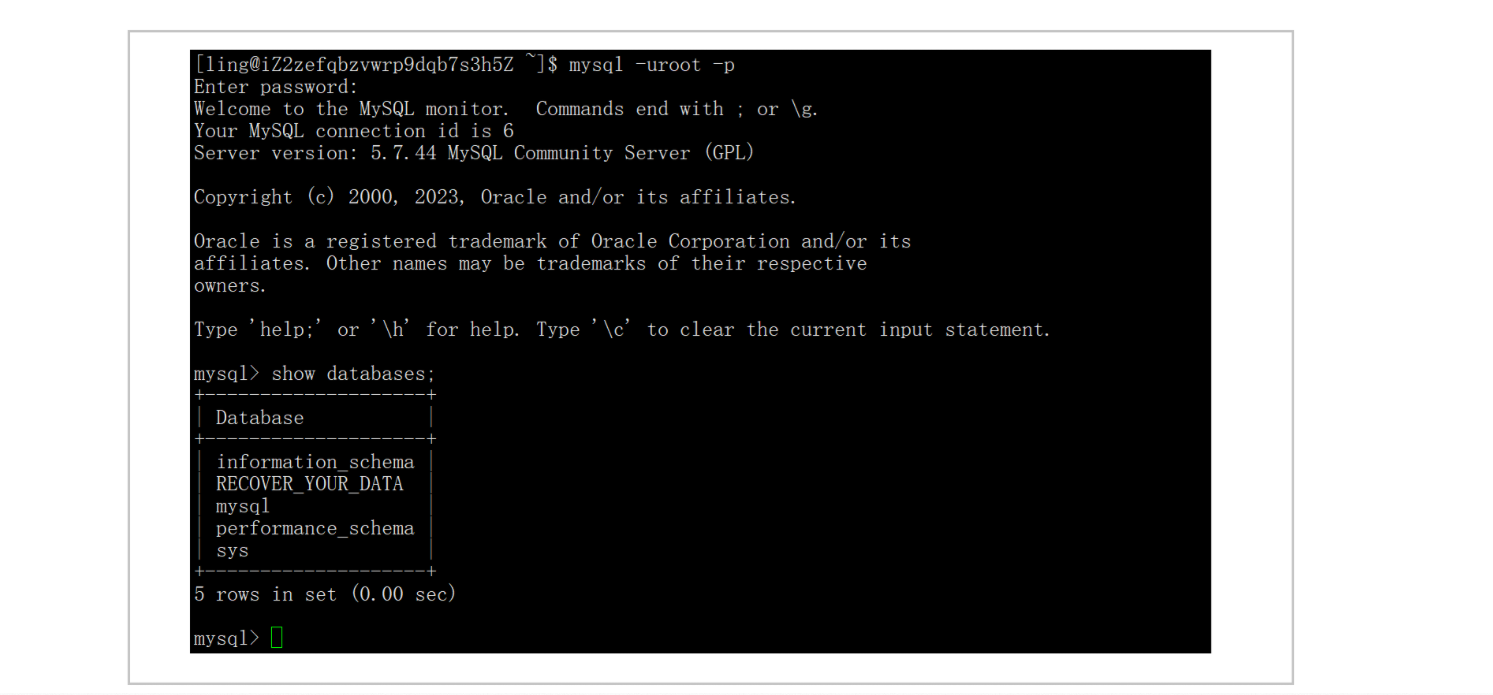
使用MySQL时出现 Ignoring query to other database 错误
Ignoring query to other database 错误 当在远程连接软件中输入MySQL命令出现该错误 导致错误原因是:登录mysql时账户名没有加上u 如果出现该错误,退出mysql,重新输入正确格式进入即可!...

MySQL介绍及使用
1. 安装、启动、配置 MySQL 1. 安装 MySQL 更新软件包索引 sudo apt update 安装 MySQL 服务器 sudo apt install mysql-server 安装过程中可能会提示你设置 root 用户密码。如果没有提示,可以跳过,后续可以手动设置。 2. 配置 MySQL 运行安全脚本…...