
Java获取终端设备信息工具类
- 在很多场景中需要获取到终端设备的一些硬件信息等,获取的字段如下:
返回参数
| 参数 | 含义 | 备注 |
|---|---|---|
| systemName | 系统名称 | |
| remoteIp | 公网ip | |
| localIp | 本地ip | 取IPV4 |
| mac | mac地址 | 去掉地址中的"-“或”:"进行记录 |
| cpuSerial | cpu序列号 | |
| hardSerial | 硬盘序列号 | |
| drive | 盘符 | C |
| fileSystem | 分区格式 | NTFS |
| partitionSize | 分区容量 | 119G |
| systemDisk | 系统盘卷标号 | |
| pcName | PC终端设备名称 | |
| pcSerial | PC终端设备序列号 | 仅Mac系统有,其余系统返回"null" |
public final class HardInfoUtils {private static final Logger LOGGER = LoggerFactory.getLogger(HardInfoUtils.class);/*** 获取系统名称-systemName** @return 系统名称*/public static String getSystemName() {return System.getProperty("os.name");}/*** 获取本地IP-localIp** @return 本机 IP 地址* @throws RuntimeException 如果无法获取 IP 地址*/public static String getLocalIp() {String os = System.getProperty("os.name").toLowerCase();try {if (os.contains("win")) {// Windows 系统:使用 WMI 查询 IP 地址return getWindowsLocalIp();} else if (os.contains("nix") || os.contains("nux") || os.contains("aix")) {// Linux 系统:使用 ifconfig 命令return getLinuxLocalIp();} else if (os.contains("mac")) {// MacOS 系统:使用 ifconfig 命令return getMacLocalIp();} else {throw new RuntimeException("Unsupported operating system: " + os);}} catch (Exception e) {throw new RuntimeException("Failed to get localIp", e);}}/*** 获取公网 IP** @return 公网 IP 地址,如果获取失败或格式不正确则返回 null*/public static String getRemoteIp() {String os = System.getProperty("os.name").toLowerCase();String command = "curl ifconfig.me";if (os.contains("win")) {return executeWindowsCommand(command, ip -> {if (ip != null && isValidIp(ip)) {return ip.trim();} else {LOGGER.error("IP format is incorrect or null: {}", ip);return null;}});} else {return executeCommandAndParseOutput(command, ip -> {if (ip != null && isValidIp(ip)) {return ip.trim();} else {LOGGER.error("IP format is incorrect or null: {}", ip);return null;}});}}/*** Windows 系统:获取本地 IP 地址** @return 本地 IP 地址*/private static String getWindowsLocalIp() {String command = "wmic nicconfig where IPEnabled=true get IPAddress";return executeWindowsCommand(command, line -> {if (line.contains(".")) {String[] parts = line.split(",");for (String part : parts) {part = part.replaceAll("[{}\"]", "").trim();if (isValidIp(part)) {return part;}}}return null;});}/*** 检查 IP 地址是否有效** @param ip IP 地址* @return 是否有效*/private static boolean isValidIp(String ip) {String ipv4Regex = "^((25[0-5]|2[0-4][0-9]|[01]?[0-9][0-9]?).){3}(25[0-5]|2[0-4][0-9]|[01]?[0-9][0-9]?)$";Pattern pattern = Pattern.compile(ipv4Regex);Matcher matcher = pattern.matcher(ip);return matcher.matches();}/*** Linux 系统:获取本地 IP 地址** @return 本地 IP 地址*/private static String getLinuxLocalIp() {String command ="ifconfig | grep -E 'flags=|inet |broadcast ' | grep -i RUNNING -A 1 | grep 'inet ' | grep -m 1 " +"'broadcast ' | awk '{print $2}'";return executeCommandAndParseOutput(command, line -> line);}/*** MacOS 系统:获取本地 IP 地址** @return 本地 IP 地址*/private static String getMacLocalIp() {String command ="ifconfig | grep -E 'flags=|inet |broadcast ' | grep -i RUNNING -A 1 | grep 'inet ' | grep -m 1 " +"'broadcast ' | awk '{print $2}'";return executeCommandAndParseOutput(command, line -> line);}/*** 执行 Windows 命令并解析输出** @param command 命令* @param outputProcessor 输出处理函数* @return 处理后的输出结果* @throws IOException IO 异常*/private static String executeWindowsCommand(String command, Function<String, String> outputProcessor) {try {Process process = Runtime.getRuntime().exec(command);try (BufferedReader reader = new BufferedReader(new InputStreamReader(process.getInputStream()))) {String line;while ((line = reader.readLine()) != null) {String result = outputProcessor.apply(line.trim());if (result != null) {return result;}}}} catch (IOException e) {throw new RuntimeException("Failed to execute command: " + command, e);}return null;}/*** Linux或MacOS下执行命令并解析输出** @param command 命令* @return 输出结果*/private static String executeCommandAndParseOutput(String command, Function<String, String> outputProcessor) {try {Process process = Runtime.getRuntime().exec(new String[]{"sh", "-c", command});try (BufferedReader reader = new BufferedReader(new InputStreamReader(process.getInputStream()))) {String line;while ((line = reader.readLine()) != null) {if (!line.trim().isEmpty()) {String out = outputProcessor.apply(line.trim());if (out != null) {return out;}}}}} catch (IOException e) {throw new RuntimeException("Failed to execute command: " + command, e);}return null;}/*** 获取本机 MAC 地址-mac** @return 本机 MAC 地址*/public static String getMac() {String os = System.getProperty("os.name").toLowerCase();try {if (os.contains("win")) {// Windows 系统:使用 WMI 查询 MAC 地址return formatMac(getWindowsMac());} else if (os.contains("nix") || os.contains("nux") || os.contains("aix")) {// Linux 系统:使用 ifconfig 命令return formatMac(getLinuxMac());} else if (os.contains("mac")) {// MacOS 系统:使用 ifconfig 命令return formatMac(getMacOSMac());} else {throw new RuntimeException("Unsupported operating system: " + os);}} catch (Exception e) {throw new RuntimeException("Failed to get MAC address", e);}}/*** 格式化 MAC 地址为无分隔符的形式** @param mac MAC 地址* @return 无分隔符的 MAC 地址*/private static String formatMac(String mac) {if (mac == null || mac.isEmpty()) {return "";}// 移除所有分隔符(如 ":", "-")return mac.replaceAll("[:\\-]", "");}/*** Windows 系统:获取 MAC 地址** @return MAC 地址*/private static String getWindowsMac() {// 筛选出物理适配器,并且是已启用的状态String command = "wmic nic where \"PhysicalAdapter=True and NetEnabled=True\" get MACAddress /format:value";return executeWindowsCommand(command, line -> {if (line.startsWith("MACAddress=") && line.length() > "MACAddress=".length()) {// 清除前缀String macAddress = line.substring("MACAddress=".length()).trim();return macAddress.replace(":", "-");}return null;});}/*** Linux 系统:获取 MAC 地址** @return MAC 地址*/private static String getLinuxMac() {String command ="ifconfig | grep -E 'flags=|inet |broadcast |ether ' | grep -i RUNNING -A 2 | grep -A 1 -E 'broadcast" +" " + "|inet ' | grep -m 1 'ether ' | awk '{print $2}'";return executeCommandAndParseOutput(command, line -> line);}/*** MacOS 系统:获取 MAC 地址** @return MAC 地址*/private static String getMacOSMac() {String command ="ifconfig | grep -E 'flags=|inet |broadcast |ether ' | grep -i RUNNING -A 2 | grep -B 1 -E 'broadcast" +" " + "|inet ' | grep -m 1 'ether ' | awk '{print $2}'";return executeCommandAndParseOutput(command, line -> line);}/*** 获取CPU序列号-cpuSerial** @return CPU 序列号*/public static String getCpuSerial() {String os = System.getProperty("os.name").toLowerCase();try {if (os.contains("win")) {// Windows 系统:使用 wmic 命令获取 CPU 序列号return getWindowsCpuSerial();} else if (os.contains("nix") || os.contains("nux") || os.contains("aix")) {// Linux 系统:使用 dmidecode 命令获取 CPU 序列号return getLinuxCpuSerial();} else if (os.contains("mac")) {// macOS 系统:使用 system_profiler 命令获取 CPU 序列号return getMacCpuSerial();} else {throw new UnsupportedOperationException("Unsupported operating system: " + os);}} catch (Exception e) {throw new RuntimeException("Failed to get cpuSerial", e);}}/*** Windows 系统:获取 CPU 序列号** @return CPU 序列号*/private static String getWindowsCpuSerial() {String command = "wmic cpu get ProcessorId";return executeWindowsCommand(command, line -> {if (!line.isEmpty() && !line.contains("ProcessorId")) {return line;}return null;});}/*** Linux 系统:获取 CPU 序列号** @return CPU 序列号*/private static String getLinuxCpuSerial() {String command = "dmidecode -t 4 | grep -m 1 ID | awk '{print $2$3$4$5$6$7$8$9}'";return executeCommandAndParseOutput(command, line -> {// 去掉所有空格String cpuSerial = line.replaceAll("\\s+", "");// 如果 CPU 序列号全为 0,则返回 nullif ("0000000000000000".equals(cpuSerial)) {return null;}return cpuSerial;});}/*** macOS 系统:获取 CPU 序列号** @return CPU 序列号*/private static String getMacCpuSerial() {String command = "system_profiler SPHardwareDataType | grep -m 1 'Serial Number' | awk '{print $4}'";return executeCommandAndParseOutput(command, line -> {// 去掉所有空格return line.trim().replaceAll("\\s+", "");});}/*** 获取硬盘序列号-hardSerial** @return 硬盘序列号*/public static String getHardSerial() {String os = System.getProperty("os.name").toLowerCase();try {if (os.contains("win")) {// Windows 系统return getWindowsHardSerial();} else if (os.contains("nix") || os.contains("nux") || os.contains("aix")) {// Linux 系统return getLinuxHardSerial();} else if (os.contains("mac")) {// macOS 系统return getMacHardSerial();} else {throw new UnsupportedOperationException("Unsupported operating system: " + os);}} catch (Exception e) {throw new RuntimeException("Failed to get hardSerial", e);}}/*** Windows 系统:获取硬盘序列号** @return 硬盘序列号,如:6479_A75B_B090_09E0*/private static String getWindowsHardSerial() {String command = "wmic diskdrive get serialnumber";return executeWindowsCommand(command, line -> {if (!line.trim().isEmpty() && !line.contains("SerialNumber")) {// 去掉末尾的点(如果存在)return line.trim().endsWith(".") ? line.trim().substring(0, line.length() - 1) : line.trim();}return null;});}/*** Linux 系统:获取硬盘序列号** @return 硬盘序列号,如:ac7b3398-162e-4775-b*/private static String getLinuxHardSerial() {// Linux amd 执行后:SERIAL=""String command ="lsblk -p -P -o NAME,SERIAL,UUID,TYPE,MOUNTPOINT | grep -i boot -B 1 | grep -i disk | awk '{print $2}'";return executeCommandAndParseOutput(command, line -> {String result = line.trim().replace("SERIAL=", "").replace("\"", "");// 去掉末尾的点(如果存在)if (result.endsWith(".")) {result = result.substring(0, result.length() - 1);}// 如果序列号为空,返回 nullreturn result.isEmpty() ? null : result;});}/*** macOS 系统:获取硬盘序列号** @return 硬盘序列号*/private static String getMacHardSerial() {String command = "system_profiler SPHardwareDataType | grep -m 1 'Hardware UUID' | awk '{print $3}'";return executeCommandAndParseOutput(command, line -> {String result = line.trim();// 去掉末尾的点(如果存在)if (result.endsWith(".")) {result = result.substring(0, result.length() - 1);}return result;});}/*** 获取系统盘盘符-drive** @return 系统盘盘符,如:C 或 /dev/sda1* @throws RuntimeException 获取失败时抛出异常*/public static String getDrive() {String os = System.getProperty("os.name").toLowerCase();try {if (os.contains("win")) {// Windows 系统return getWindowsDrive();} else if (os.contains("nix") || os.contains("nux") || os.contains("aix")) {// Linux 系统return getLinuxDrive();} else if (os.contains("mac")) {// macOS 系统return getMacDrive();} else {throw new UnsupportedOperationException("Unsupported operating system: " + os);}} catch (Exception e) {throw new RuntimeException("Failed to get drive", e);}}/*** Windows 系统:获取盘符** @return 盘符,如:C*/private static String getWindowsDrive() {// 获取系统盘盘符(如 C:)String systemDrive = System.getenv("SystemDrive");if (systemDrive == null || systemDrive.isEmpty()) {LOGGER.error("SystemDrive environment variable is empty");return null;}// 去掉冒号return systemDrive.replace(":", "");}/*** Linux 系统:获取盘符** @return 盘符,如:/dev/sda1*/private static String getLinuxDrive() {String command ="lsblk -p -P -o NAME,PARTUUID,FSTYPE,SIZE,UUID,TYPE,MOUNTPOINT | grep -E '/boot\"$' | grep -i part | " +"awk " + "'{print $1,$2,$3,$4}'";return executeCommandAndParseOutput(command, line -> {String[] split = line.split("\"");return split.length > 1 ? split[1] : null;});}/*** macOS 系统:获取盘符** @return 盘符*/private static String getMacDrive() {String command = "system_profiler SPSoftwareDataType | grep -m 1 'Boot Volume'";return executeCommandAndParseOutput(command, line -> {String[] split = line.split(": ");return split.length > 1 ? split[1] : null;});}/*** 获取系统盘分区格式-fileSystem** @return 系统盘分区格式,如:NTFS 或 xf4* @throws RuntimeException 如果无法获取分区格式*/public static String getFileSystem() {String os = System.getProperty("os.name").toLowerCase();try {if (os.contains("win")) {// Windows 系统return getWindowsFileSystem();} else if (os.contains("nix") || os.contains("nux") || os.contains("aix")) {// Linux 系统return getLinuxFileSystem();} else if (os.contains("mac")) {// macOS 系统return getMacFileSystem();} else {throw new UnsupportedOperationException("Unsupported operating system: " + os);}} catch (Exception e) {throw new RuntimeException("Failed to get fileSystem", e);}}/*** Windows 系统:获取分区格式** @return 分区格式,如:NTFS*/private static String getWindowsFileSystem() {// 获取系统盘盘符(如 C:)String systemDrive = System.getenv("SystemDrive");if (systemDrive == null || systemDrive.isEmpty()) {LOGGER.error("SystemDrive environment variable is empty");return null;}// 获取系统盘的分区信息String command = "wmic logicaldisk where deviceid='" + systemDrive + "' get filesystem";return executeWindowsCommand(command, line -> {if (!line.isEmpty() && !line.contains("FileSystem")) {return line;}return null;});}/*** Linux 系统:获取分区格式** @return 分区格式*/private static String getLinuxFileSystem() {String command ="lsblk -p -P -o NAME,PARTUUID,FSTYPE,SIZE,UUID,TYPE,MOUNTPOINT | grep -E '/boot\"$' | grep -i part | " +"awk " + "'{print $1,$2,$3,$4}'";return executeCommandAndParseOutput(command, line -> {String[] split = line.split("\"");return split.length > 5 ? split[5] : null;});}/*** macOS 系统:获取分区格式** @return 分区格式*/private static String getMacFileSystem() {String command = "system_profiler SPStorageDataType | grep -w -A 5 -B 1 'Mount Point: /'";return executeCommandAndParseOutput(command, line -> {String number = "";String[] lines = line.split("\n");for (String l : lines) {l = l.trim();if (l.startsWith("File System:")) {String[] split = l.split(" ");if (split.length > 2) {number = split[2];}}}return number.isEmpty() ? null : number;});}/*** 获取系统盘分区容量** @return 系统盘分区容量,如:119G* @throws RuntimeException 如果无法获取分区容量*/public static String getPartitionSize() {String os = System.getProperty("os.name").toLowerCase();try {if (os.contains("win")) {// Windows 系统return getWindowsPartitionSize();} else if (os.contains("nix") || os.contains("nux") || os.contains("aix")) {// Linux 系统return getLinuxPartitionSize();} else if (os.contains("mac")) {// macOS 系统return getMacPartitionSize();} else {throw new UnsupportedOperationException("Unsupported operating system: " + os);}} catch (Exception e) {throw new RuntimeException("Failed to get partition size", e);}}/*** Windows 系统:获取分区容量** @return 分区容量*/private static String getWindowsPartitionSize() {// 获取系统盘盘符(如 C:)String systemDrive = System.getenv("SystemDrive");if (systemDrive == null || systemDrive.isEmpty()) {LOGGER.error("SystemDrive environment variable is empty");return null;}// 获取系统盘的分区信息String command = "wmic logicaldisk where deviceid='" + systemDrive + "' get size";return executeWindowsCommand(command, line -> {if (!line.isEmpty() && !line.contains("Size")) {long sizeBytes = Long.parseLong(line);return (sizeBytes / 1024 / 1024 / 1024) + "G";}return null;});}/*** Linux 系统:获取分区容量** @return 分区容量*/private static String getLinuxPartitionSize() {String command ="lsblk -p -P -o NAME,PARTUUID,FSTYPE,SIZE,UUID,TYPE,MOUNTPOINT | grep -E '/boot\"$' | grep -i part | " +"awk " + "'{print $1,$2,$3,$4}'";return executeCommandAndParseOutput(command, output -> {String[] split = output.split("\"");return split.length > 7 ? split[7] : null;});}/*** macOS 系统:获取分区容量** @return 分区容量*/private static String getMacPartitionSize() {String command = "system_profiler SPStorageDataType | grep -w -A 5 -B 1 'Mount Point: /'";return executeCommandAndParseOutput(command, line -> {String size = "";String[] lines = line.split("\n");for (String l : lines) {l = l.trim();if (l.startsWith("Capacity:")) {String[] split = l.split(" ");if (split.length > 1) {size = split[1] + "G";}}}return size;});}/*** 获取系统盘卷标号-systemDisk** @return 系统盘卷标号*/public static String getSystemDisk() {String os = System.getProperty("os.name").toLowerCase();try {if (os.contains("win")) {// Windows 系统return getWindowsSystemDisk();} else if (os.contains("nix") || os.contains("nux") || os.contains("aix")) {// Linux 系统return getLinuxSystemDisk();} else if (os.contains("mac")) {// macOS 系统return getMacSystemDisk();} else {throw new UnsupportedOperationException("Unsupported operating system: " + os);}} catch (Exception e) {throw new RuntimeException("Failed to get systemDisk", e);}}/*** Windows 系统:获取系统盘卷标号** @return 系统盘卷标号,格式为 "XXXX-XXXX",如:8AD0-CC8B*/private static String getWindowsSystemDisk() {// 获取系统盘盘符(如 C:)String systemDrive = System.getenv("SystemDrive");if (systemDrive == null || systemDrive.isEmpty()) {LOGGER.error("SystemDrive environment variable is empty");return null;}// 获取系统盘的卷标号String command = "wmic logicaldisk where deviceid='" + systemDrive + "' get VolumeSerialNumber";return executeWindowsCommand(command, line -> {if (!line.isEmpty() && !line.contains("VolumeSerialNumber")) {if (line.length() == 8) {// 格式化为 XXXX-XXXXreturn line.substring(0, 4) + "-" + line.substring(4);}}return null;});}/*** Linux 系统:获取系统盘卷标号** @return 系统盘卷标号*/private static String getLinuxSystemDisk() {// 使用 lsblk 命令获取系统盘卷标号// Linux amd执行后:UUID="" LABEL=""String command ="lsblk -p -P -o NAME,UUID,LABEL,TYPE,MOUNTPOINT | grep -i boot -B 1 | grep -i disk | awk '{print $2," +"$3}'";return executeCommandAndParseOutput(command, line -> {String[] parts = line.trim().split("\"");if (parts.length >= 4) {// UUIDString uuid = parts[1];// LABELString label = parts[3];// 返回 UUID 或 LABELreturn !uuid.isEmpty() ? uuid : label;}return null;});}/*** macOS 系统:获取系统盘卷标号** @return 系统盘卷标号*/private static String getMacSystemDisk() {String command = "system_profiler SPStorageDataType | grep -w -A 5 -B 1 'Mount Point: /'";return executeCommandAndParseOutput(command, line -> {String number = "";String[] lines = line.split("\n");for (String l : lines) {l = l.trim();if (l.startsWith("Volume UUID:")) {String[] split = l.split(" ");if (split.length > 2) {number = split[2];}}}return number.isEmpty() ? null : number;});}/*** 获取PC终端设备名称-pcName** @return PC终端设备名称*/public static String getPcName() {String os = System.getProperty("os.name").toLowerCase();try {if (os.contains("win")) {// Windows 系统:使用 hostname 命令获取设备名称String command = "hostname";return executeWindowsCommand(command, line -> line.isEmpty() ? null : line);} else if (os.contains("nix") || os.contains("nux") || os.contains("aix")) {// Linux 系统:使用 hostname 命令获取设备名称return executeCommandAndParseOutput("hostname", line -> line);} else if (os.contains("mac")) {// MacOS 系统:使用 scutil 命令获取设备名称return executeCommandAndParseOutput("scutil --get ComputerName", line -> line);} else {throw new RuntimeException("Unsupported operating system: " + os);}} catch (Exception e) {throw new RuntimeException("Failed to get pcName.", e);}}/*** 获取PC终端设备序列号(仅 Mac 系统有,其他系统返回 "null")** @return PC 终端设备序列号,如果获取失败或非 Mac 系统则返回 "null"*/public static String getPcSerial() {String os = System.getProperty("os.name").toLowerCase();if (!os.contains("mac")) {// 非 Mac 系统直接返回 "null"return "null";}try {// MacOS 系统:使用 system_profiler 命令获取设备序列号String command = "system_profiler SPHardwareDataType | grep -m 1 'Provisioning UDID' | awk '{print $3}'";return executeCommandAndParseOutput(command, line -> line);} catch (Exception e) {throw new RuntimeException("Failed to get pcSerial on MacOS.", e);}}}- 测试下本地Windows
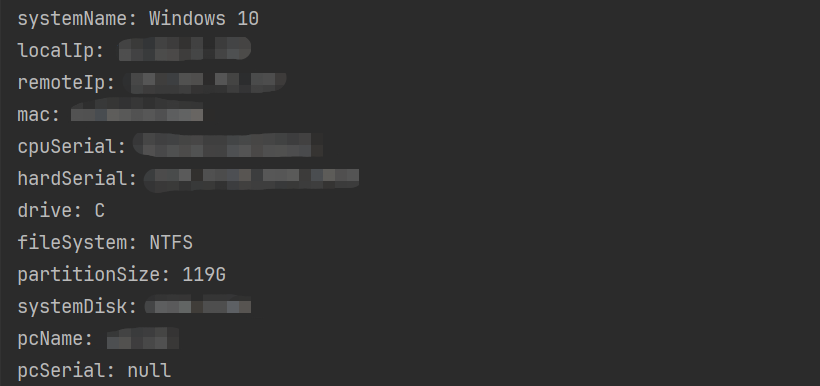
public class HardInfoUtilsTest {public static void main(String[] args) {System.out.println("systemName: " + HardInfoUtils.getSystemName());System.out.println("localIp: " + HardInfoUtils.getLocalIp());System.out.println("remoteIp: " + HardInfoUtils.getRemoteIp());System.out.println("mac: " + HardInfoUtils.getMac());System.out.println("cpuSerial: " + HardInfoUtils.getCpuSerial());System.out.println("hardSerial: " + HardInfoUtils.getHardSerial());System.out.println("drive: " + HardInfoUtils.getDrive());System.out.println("fileSystem: " + HardInfoUtils.getFileSystem());System.out.println("partitionSize: " + HardInfoUtils.getPartitionSize());System.out.println("systemDisk: " + HardInfoUtils.getSystemDisk());System.out.println("pcName: " + HardInfoUtils.getPcName());System.out.println("pcSerial: " + HardInfoUtils.getPcSerial());}}
相关文章:
Java获取终端设备信息工具类
在很多场景中需要获取到终端设备的一些硬件信息等,获取的字段如下: 返回参数 参数含义备注systemName系统名称remoteIp公网iplocalIp本地ip取IPV4macmac地址去掉地址中的"-“或”:"进行记录cpuSerialcpu序列号hardSerial硬盘序列号drive盘符…...
【Linux网络与网络编程】08.传输层协议 UDP
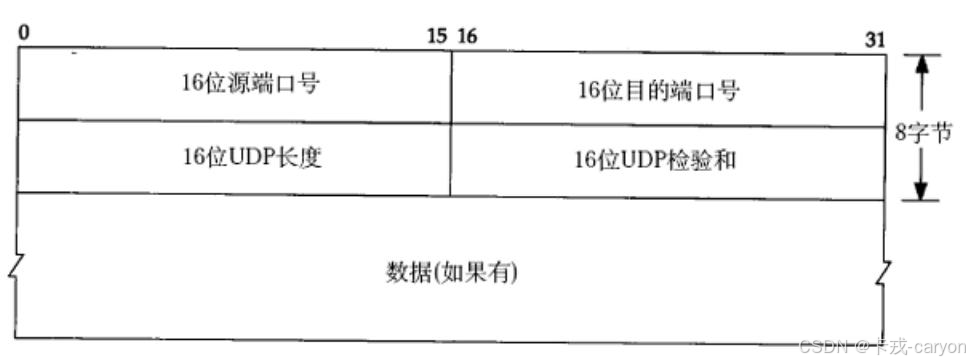
传输层协议负责将数据从发送端传输到接收端。 一、再谈端口号 端口号标识了一个主机上进行通信的不同的应用程序。在 TCP/IP 协议中,用 "源IP","源端口号","目的 IP","目的端口号"&…...
没音响没耳机,把台式电脑声音播放到手机上
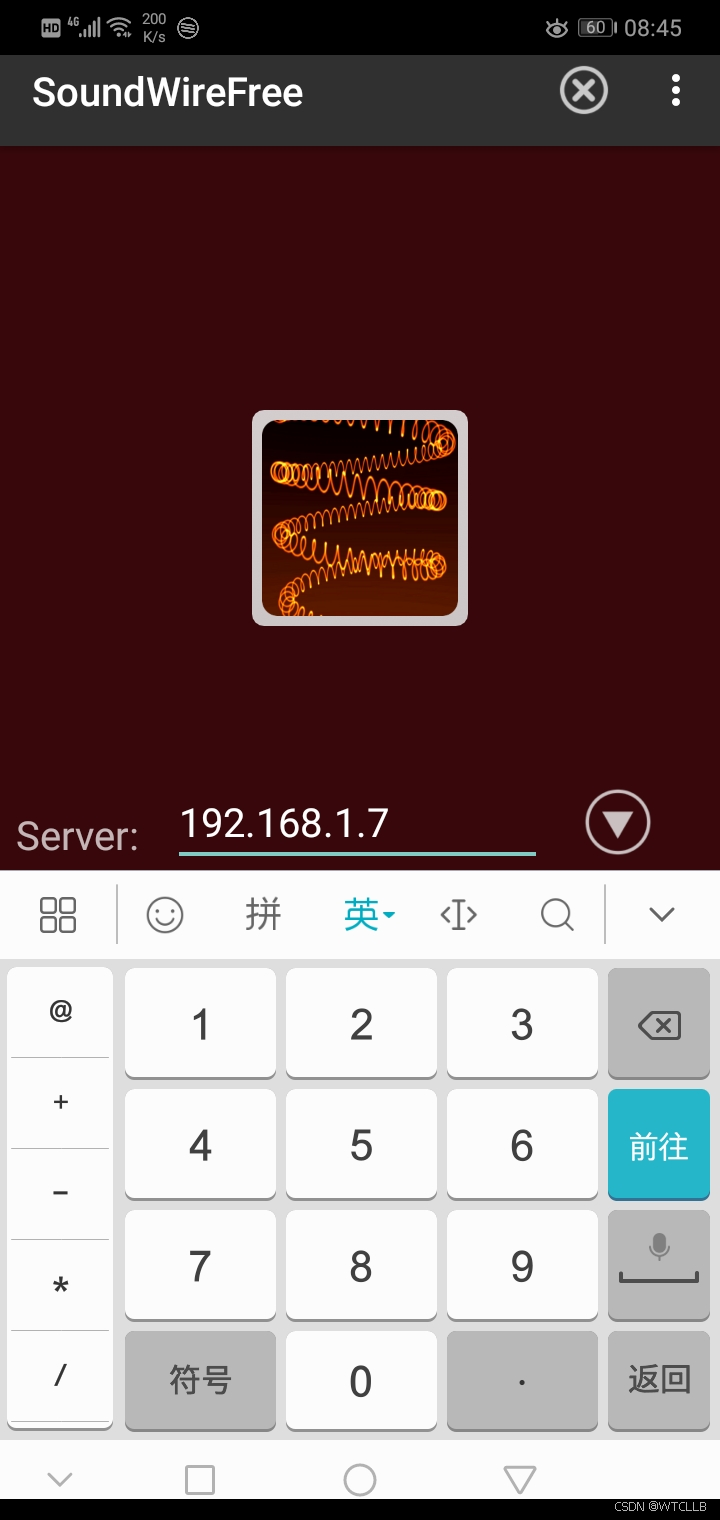
第一步,电脑端下载安装e2eSoft VSC虚拟声卡(安装完成后关闭,不要点击和设置) 第二步,电脑端下载安装(SoundWire Server)(安装完成后不要关闭,保持默认配置) 第…...
如何在Spring Boot中集成Dubbo?)
Dubbo(53)如何在Spring Boot中集成Dubbo?
在Spring Boot中集成Dubbo可以通过Spring Boot Starter来简化配置,以下是详细的步骤和相关代码示例。 1. 引入依赖 首先,在Spring Boot项目的 pom.xml 中添加Dubbo相关的依赖: <dependencies><!-- Spring Boot Starter --><…...
)
go学习记录(第一天)
%v,和%q是什么意思 %v —— 默认格式("value" 的缩写) 作用:按值的默认格式输出,适用于任何类型。 代码示例: fmt.Printf("%v\n", "Hello") // 输出: Hello fmt.Printf…...

XDocument和XmlDocument的区别及用法
因为这几天用到了不熟悉的xml统计数据,啃了网上的资料解决了问题,故总结下xml知识。 1.什么是XML?2.XDocument和XmlDocument的区别3.XDocument示例1示例2:示例3: 4.XmlDocument5.LINQ to XML6.XML序列化(Serialize)与反序列化(De…...

error: failed to run custom build command for `yeslogic-fontconfig-sys v6.0.0`
rust使用plotters时遇到编译错误。 一、错误 error: failed to run custom build command for yeslogic-fontconfig-sys v6.0.0 二、解决方法 我用的是opensuse,使用下面命令可以解决问题。 sudo zypper in fontconfig-devel...
Blender安装基础使用教程
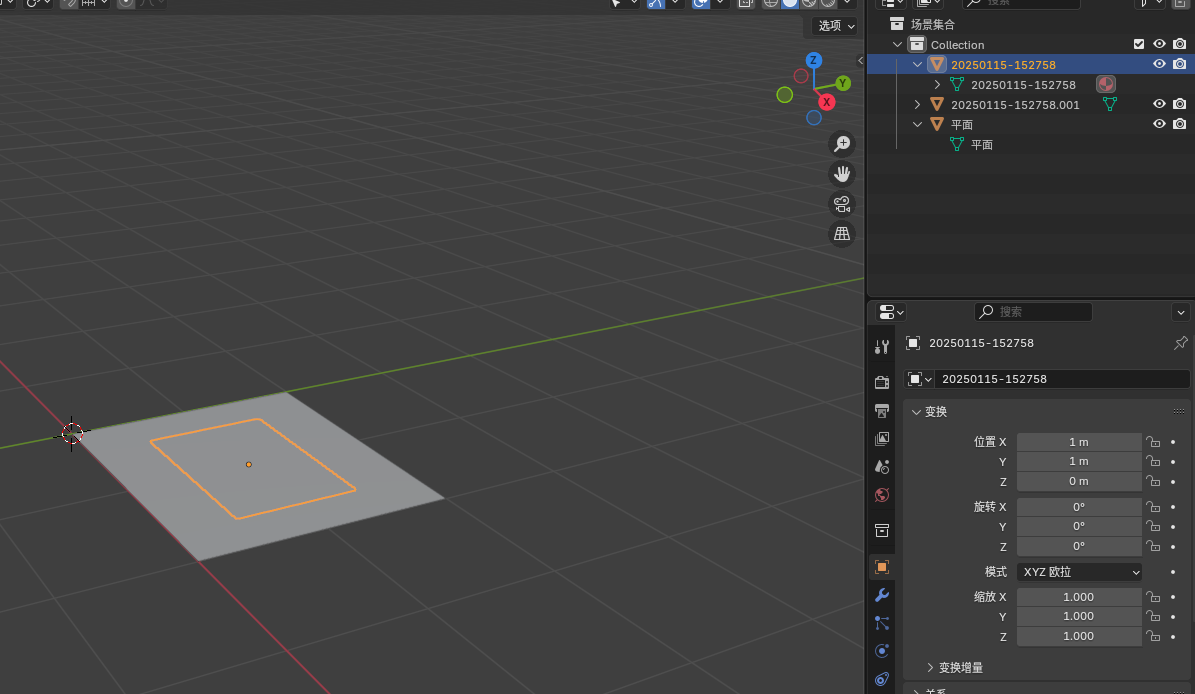
本博客记录安装Blender和基础使用,可以按如下操作来绘制标靶场景、道路标识牌等。 目录 1.安装Blender 2.创建面板资源 步骤 1: 设置 Blender 场景 步骤 2: 创建一个平面 步骤 3: 将 PDF 转换为图像 步骤 4-方法1: 添加材质并贴图 步骤4-方法2:创…...

GPT-4、Grok 3与Gemini 2.0 Pro:三大AI模型的语气、风格与能力深度对比
更新后的完整CSDN博客文章 以下是基于您的要求,包含修正后的幻觉率部分并保留原始信息的完整CSDN博客风格文章。幻觉率已调整为更符合逻辑的描述,其他部分保持不变。 GPT-4、Grok 3与Gemini 2.0 Pro:三大AI模型的语气、风格与能力深度对比 …...

【Git】从零开始使用git --- git 的基本使用
哪怕是野火焚烧,哪怕是冰霜覆盖, 依然是志向不改,依然是信念不衰。 --- 《悟空传》--- 从零开始使用git 了解 Gitgit创建本地仓库初步理解git结构版本回退 了解 Git 开发场景中,文档可能会经历若干版本的迭代。假如我们不进行…...

spring mvc 中 RestTemplate 全面详解及示例
RestTemplate 全面详解及示例 1. RestTemplate 简介 定义:Spring 提供的同步 HTTP 客户端,支持多种 HTTP 方法(GET/POST/PUT/DELETE 等),用于调用 RESTful API。核心特性: 支持请求头、请求体、URI 参数的…...

智能指针之设计模式1
本文探讨一下智能指针和GOF设计模式的关系,如果按照设计模式的背后思想来分析,可以发现围绕智能指针的设计和实现有设计模式的一些思想体现。当然,它们也不是严格意义上面向对象的设计模式,毕竟它们没有那么分明的类层次体系&…...
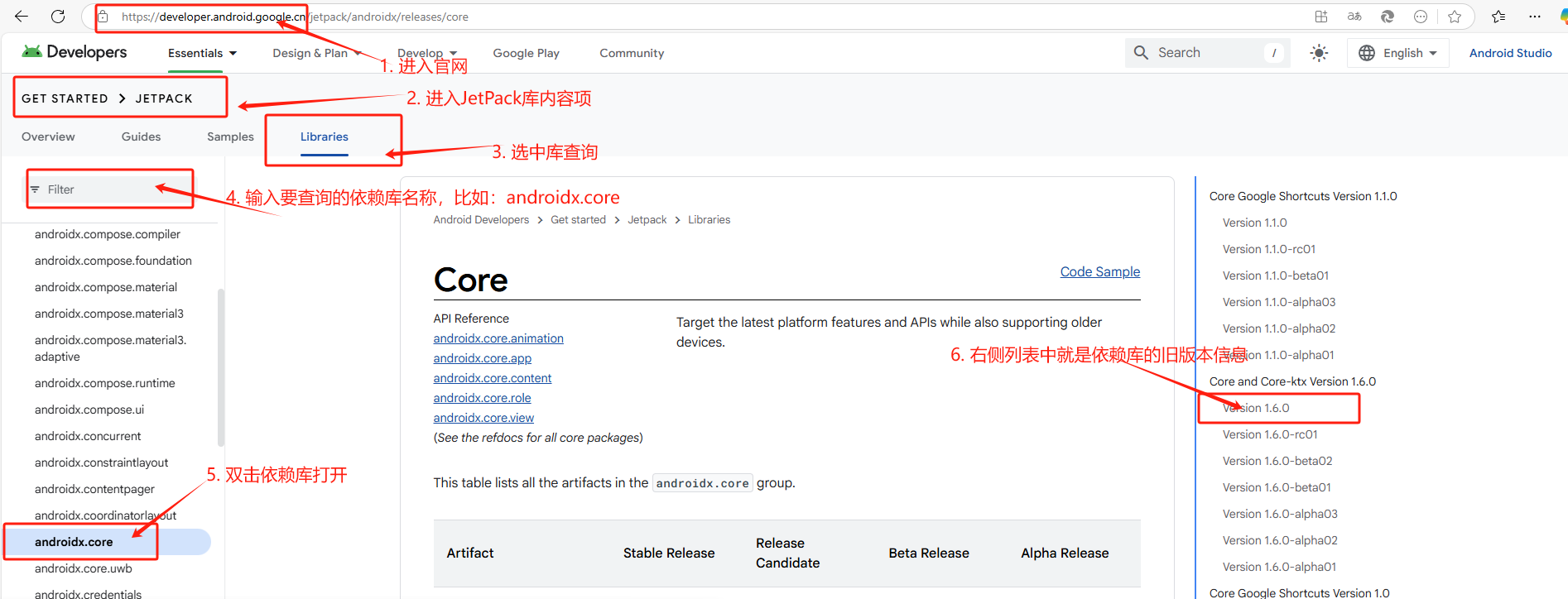
Android 中支持旧版 API 的方法(API 30)
Android 中最新依赖库的版本支持 API 31 及以上版本,若要支持 API30,则对应的依赖库的版本就需要使用旧版本。 可通过修改模块级 build.gradle 文件来进行适配。 1、android 标签的 targetSdk 和 compileSdk 版本号 根据实际目标设备的 android 版本来…...

[特殊字符] Hyperlane:Rust 高性能 HTTP 服务器库,开启 Web 服务新纪元!
🚀 Hyperlane:Rust 高性能 HTTP 服务器库,开启 Web 服务新纪元! 🌟 什么是 Hyperlane? Hyperlane 是一个基于 Rust 语言开发的轻量级、高性能 HTTP 服务器库,专为简化网络服务开发而设计。它支…...

【深拷贝、浅拷贝】golang函数参数传递,变量复制后,操作变量参数,是否影响原有数据?全面解析
Golang中深拷贝与浅拷贝的详细解析,以及变量复制、函数参数传递等场景下对新旧变量影响的总结: 一拷贝与浅拷贝的核心区别 1. 浅拷贝(Shallow Copy) • 定义:仅复制数据的顶层结构,对引用类型字段&#x…...
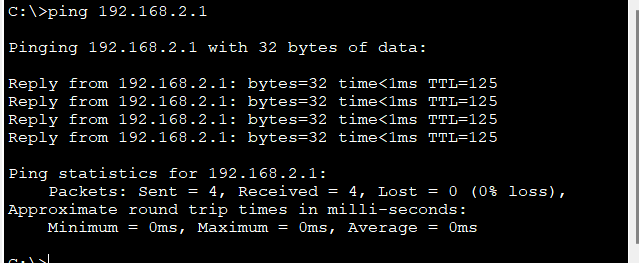
RIP V2路由协议配置实验CISCO
1.RIP V2简介: RIP V2(Routing Information Protocol Version 2)是 RIP 路由协议的第二版,属于距离矢量路由协议,主要用于中小型网络环境。相较于 RIP V1,RIP V2 在功能和性能上进行了多项改进,…...
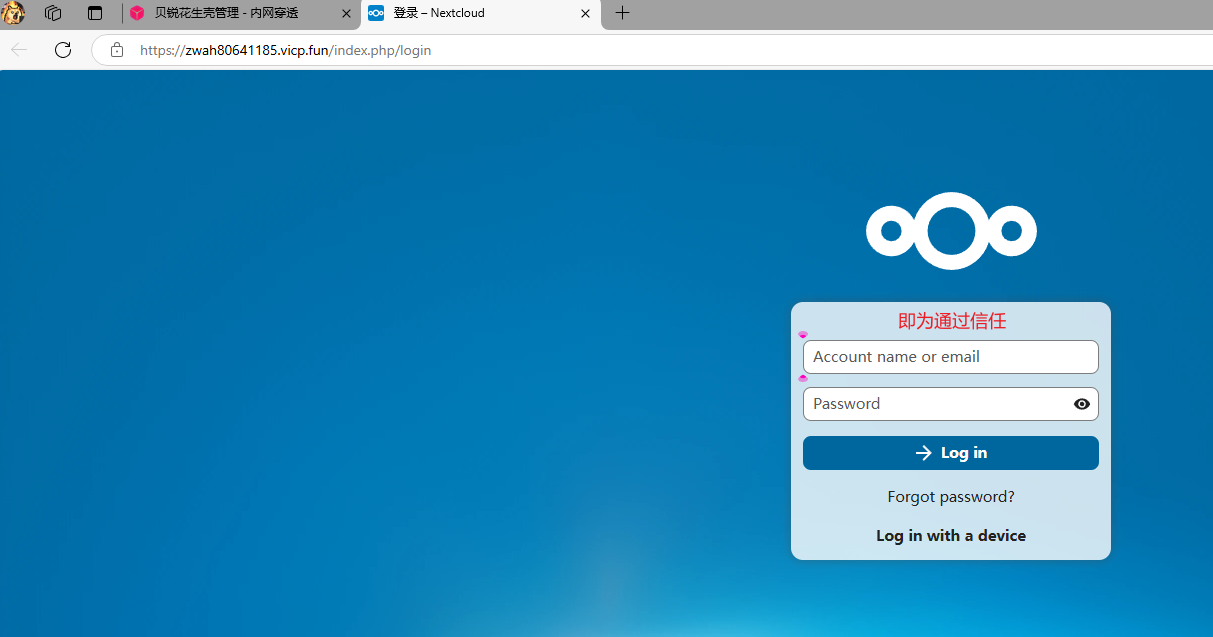
《LNMP架构+Nextcloud私有云超维部署:量子级安全与跨域穿透实战》
项目实战-使用LNMP搭建私有云存储 准备工作 恢复快照,关闭安全软件 [rootserver ~]# setenforce 0[rootserver ~]# systemctl stop firewalld搭建LNMP环境 [rootserver ~]# yum install nginx mariadb-server php* -y# 并开启nginx服务并设置开机自启 [r…...

STM32 HAL库 OLED驱动实现
一、概述 1.1 OLED 显示屏简介 OLED(Organic Light - Emitting Diode)即有机发光二极管,与传统的 LCD 显示屏相比,OLED 具有自发光、视角广、响应速度快、对比度高、功耗低等优点。在嵌入式系统中,OLED 显示屏常被用…...

Excel通过VBA脚本去除重复数据行并保存
一、方法1:使用字典动态去重并保存 适用场景:需要灵活控制去重逻辑(如保留最后一次出现的重复项)时 Sub 动态去重保存到新表()Dim srcSheet As Worksheet, destSheet As WorksheetDim dict As Object, lastRow As Long, i As LongDim key A…...

大模型Prompt提示词越狱相关知识
大模型Prompt提示词越狱相关知识 一、什么是Prompt提示词越狱? 什么是Prompt提示词 Prompt是指你向AI输入的内容,它直接指示AI该做什么任务或生成什么样的输出,简而言之, Prompt就是你与AI之间的“对话内容”,可…...
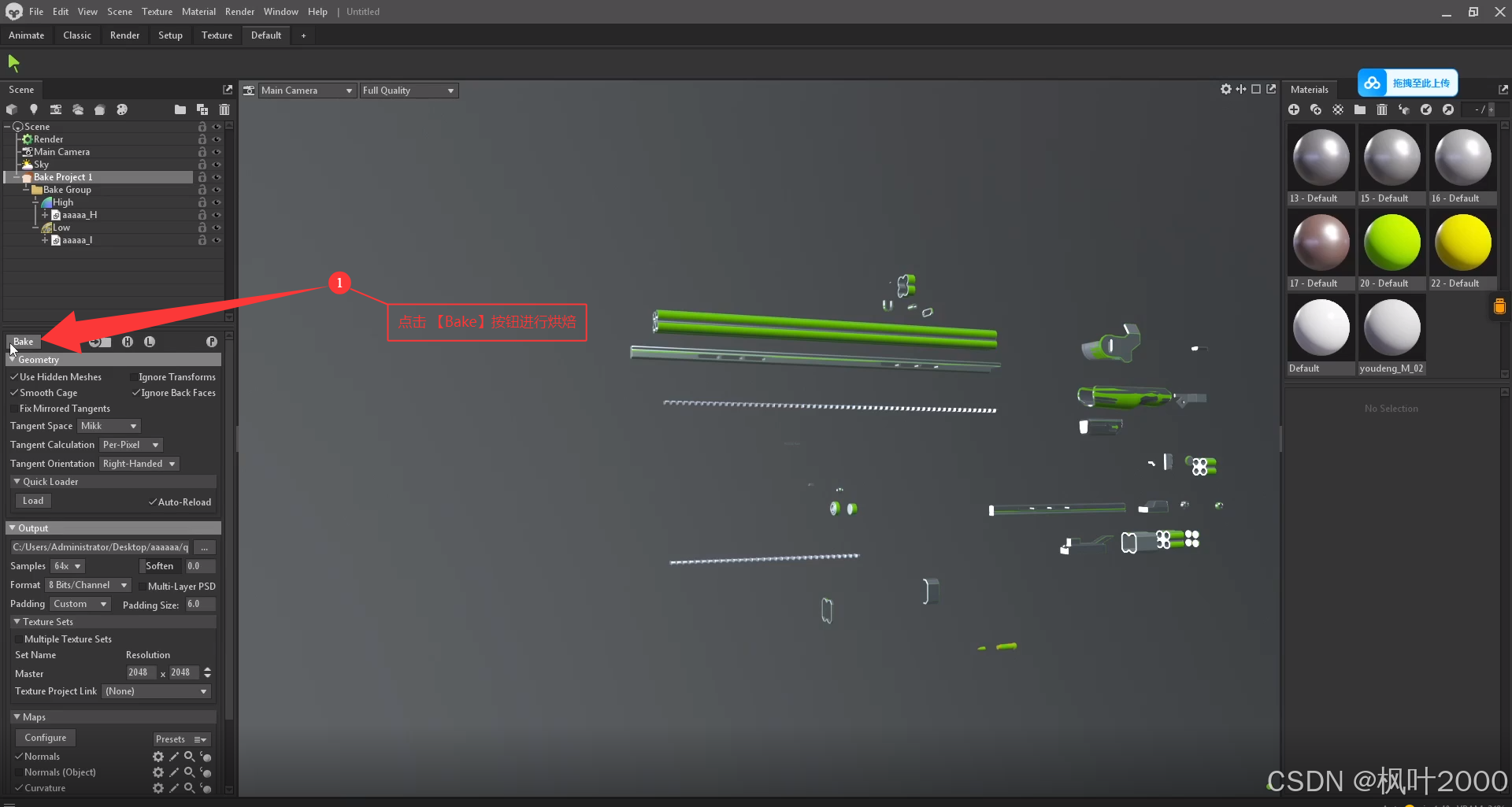
3DMAX笔记-UV知识点和烘焙步骤
1. 在展UV时,如何点击模型,就能选中所有这个模型的uv 2. 分多张UV时,不同的UV的可以设置为不同的颜色,然后可以通过颜色进行筛选。 3. 烘焙步骤 摆放完UV后,要另存为一份文件,留作备份 将模型部件全部分成…...
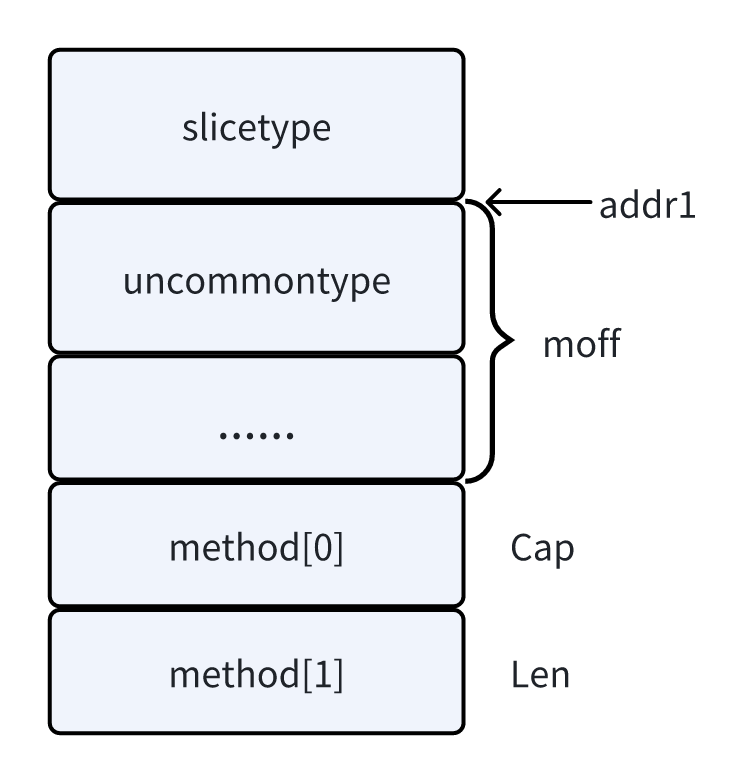
【新人系列】Golang 入门(十三):结构体 - 下
✍ 个人博客:https://blog.csdn.net/Newin2020?typeblog 📝 专栏地址:https://blog.csdn.net/newin2020/category_12898955.html 📣 专栏定位:为 0 基础刚入门 Golang 的小伙伴提供详细的讲解,也欢迎大佬们…...

Spring Boot 自定义商标(Logo)的完整示例及配置说明( banner.txt 文件和配置文件属性信息)
Spring Boot 自定义商标(Logo)的完整示例及配置说明 1. Spring Boot 商标(Banner)功能概述 Spring Boot 在启动时会显示一个 ASCII 艺术的商标 LOGO(默认为 Spring 的标志)。开发者可通过以下方式自定义&a…...

Ubuntu虚拟机Linux系统入门
目录 一、安装 Ubuntu Linux 20.04系统 1.1 安装前准备工作 1.1.1 镜像下载 1.1.2 创建新的虚拟机 二、编译内核源码 2.1 下载源码 2.2 指定编译工具 2.3 将根文件系统放到源码根目录 2.4 配置生成.config 2.5 编译 三、安装aarch64交叉编译工具 四、安装QEMU 五、…...
【蓝桥杯】2025省赛PythonB组复盘
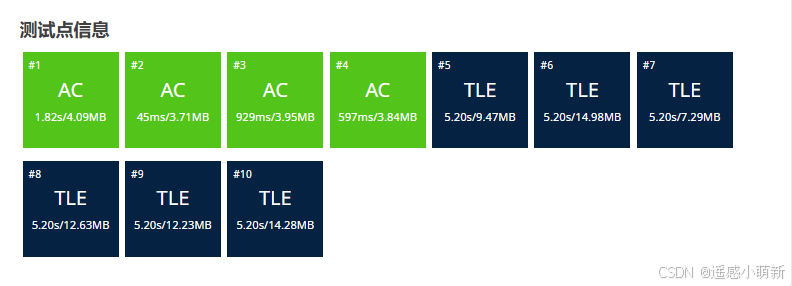
前言 昨天蓝桥杯python省赛B组比完,今天在洛谷上估了下分,省一没有意外的话应该是稳了。这篇博文是对省赛试题的复盘,所给代码是省赛提交的代码。PB省赛洛谷题单 试题 A: 攻击次数 思路 这题目前有歧义,一个回合到底是只有一个…...

深入解析区块链技术:原理、应用与未来展望
1 区块链技术原理 1.1 基本概念 区块链本质上是一个分布式账本,它由一系列按照时间顺序排列的数据块组成,每个数据块包含了一定时间内的交易信息。这些数据块通过密码学技术相互链接,形成一个不可篡改的链条。其核心特点包括去中心化、不可篡…...

Linux进程替换与自定义shell详解
引言 进程替换和shell编程是Linux系统中极其重要的概念,它们不仅是系统内部工作的基础机制,也是系统管理员和开发者必备的技能。本文将深入探讨Linux中的进程替换原理、系统调用实现以及如何创建自定义shell,帮助你全面理解这些重要概念并掌…...
【数据结构_4下篇】链表
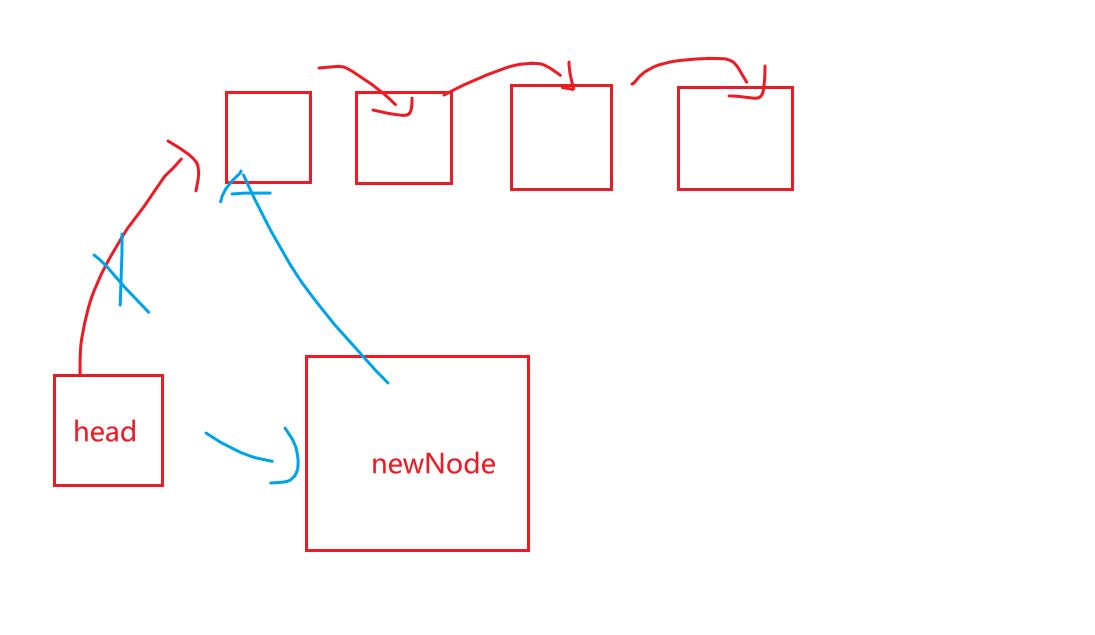
一、链表的概念 链表,不要求在连续的内存空间,链表是一个离散的结构。 链表的元素和元素之间,内存是不连续的,而且这些元素的空间之间也没有什么规律: 1.顺序上没有规律 2.内存空间上也没有规律 *如何知道链表中包…...

Mybatis的简单介绍
文章目录 MyBatis 简介 1. MyBatis 核心特点2. MyBatis 核心组件3. MyBatis 基本使用示例(1) 依赖引入(Maven)(2) 定义 Mapper 接口(3) 定义实体类(4) 在 Service 层调用 4. MyBatis 与 JPA/Hibernate 对比 MyBatis 简介 MyBatis 是一款优秀的 持久层框…...

JavaScript 性能优化实战:深入探讨 JavaScript 性能瓶颈,分享优化技巧与最佳实践
在当今 Web 应用日益复杂的时代,JavaScript 性能对于用户体验起着决定性作用。缓慢的脚本执行会导致页面加载延迟、交互卡顿,严重影响用户留存率。本文将深入剖析 JavaScript 性能瓶颈,并分享一系列实用的优化技巧与最佳实践,助你…...