
Node.js 数据库 事务 项目示例
1、参考:JavaScript语言的事务管理_js 函数 事务性-CSDN博客
或者百度搜索:Nodejs控制事务,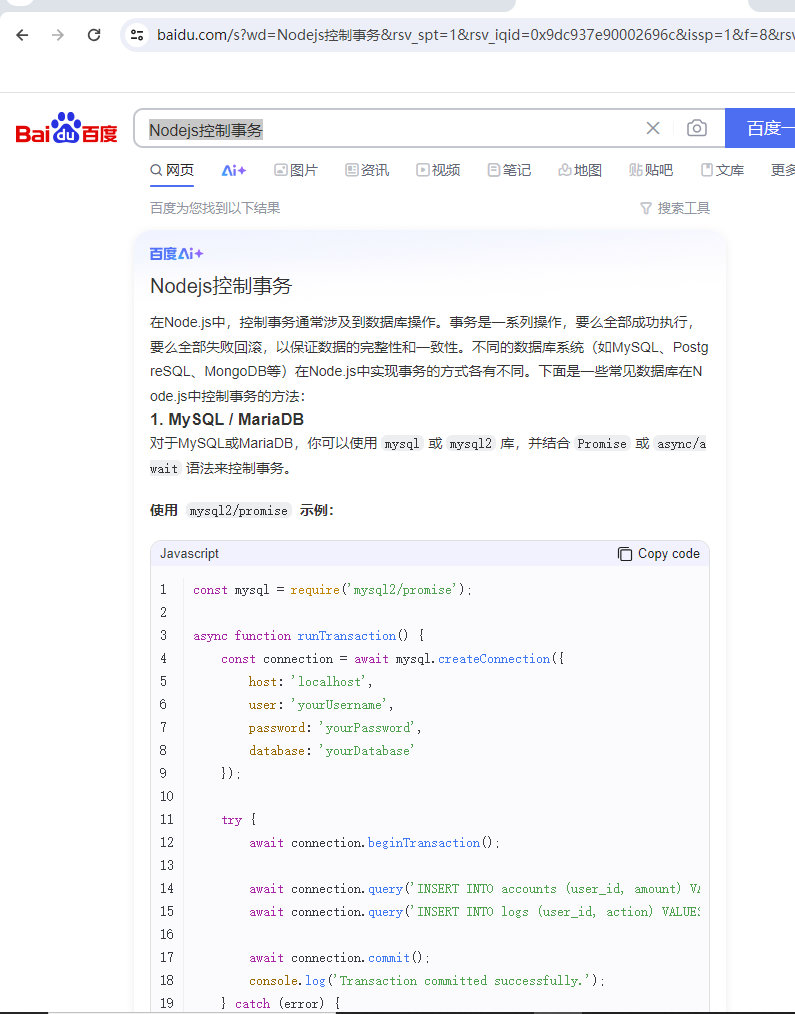
2、实践
2.1、对于MySQL或MariaDB,你可以使用mysql或mysql2库,并结合Promise或async/await语法来控制事务。
使用 mysql2/promise 示例:
const mysql = require('mysql2/promise');async function runTransaction() {const connection = await mysql.createConnection({host: 'localhost',user: 'root',password: '123456',database: 'test',});try {await connection.beginTransaction();await connection.query('INSERT INTO users (name, email) VALUES (?, ?)',["heming","yyyyyy"]);await connection.query('INSERT INTO users (name, email) VALUES (?, ?)',["jackson","john2@example.com"]);await connection.commit();console.log('Transaction committed successfully.');} catch (error) {await connection.rollback();console.error('Transaction failed:', error);} finally {await connection.end();}
}runTransaction().catch(console.error);当前表已有2条数据第一次运行该文件时,第二个用户的email是john@example.com,违反了唯一约束,报错如下:
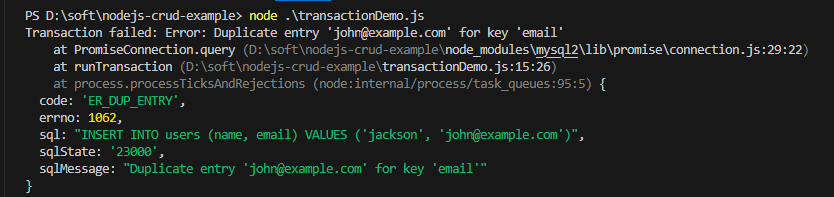
事务回滚,一条记录都没有插入成功。
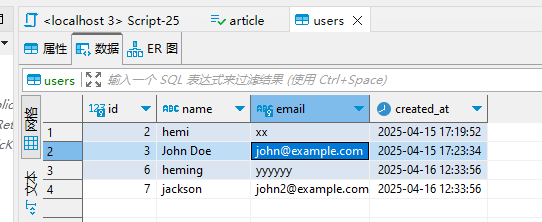
然后把第二个用户的email改成john2@example.com,成功了,

表多了2条记录
2.2、使用Sequelize进行事务管理
以下是一个使用Sequelize在Node.js中管理事务的示例:
// 同步模型并创建用户 sequelize.sync().then(() => { createUser(); }); ```
在上面的示例中,我们创建了一个包含用户信息的简单数据库,并通过Sequelize的事务管理来确保两个用户记录的原子性。如果创建用户的过程中发生任何错误,事务将回滚,不会对数据库造成不一致的影响。
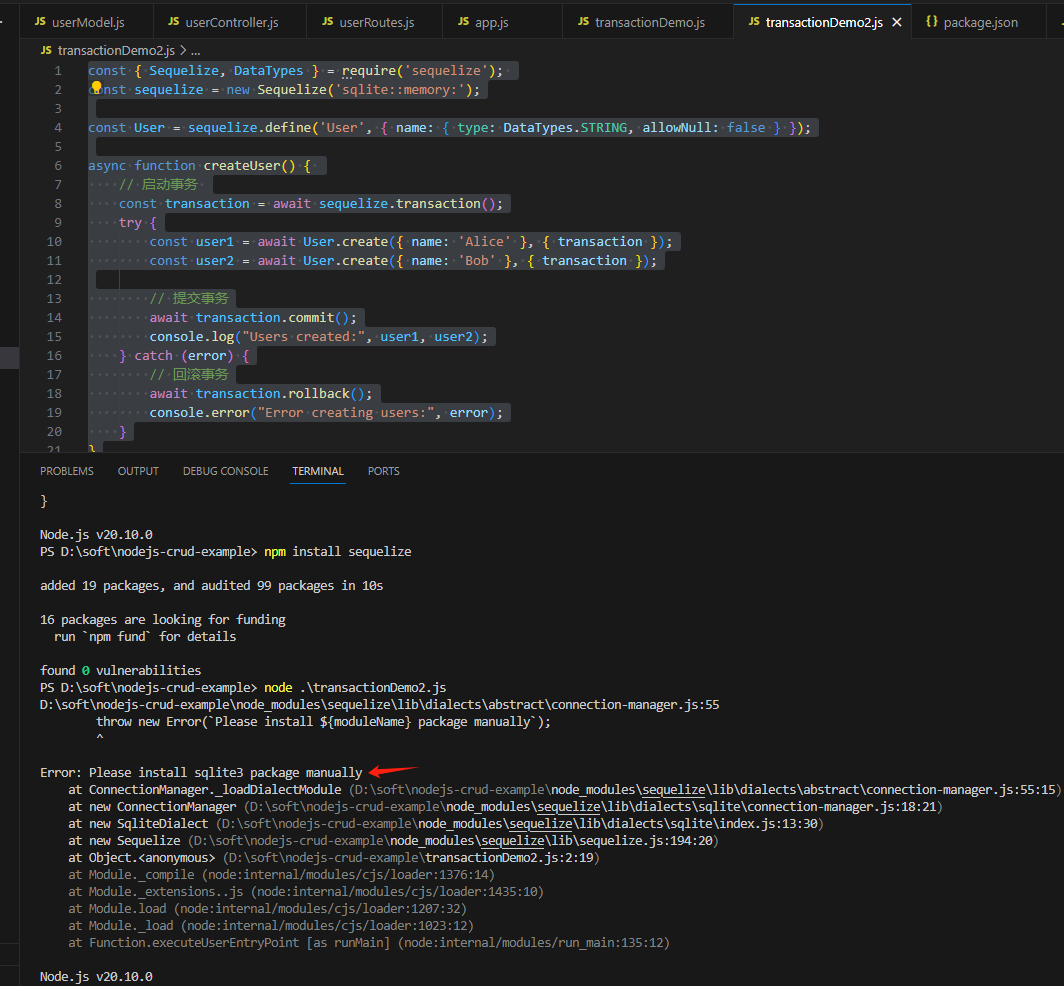
const { Sequelize, DataTypes } = require('sequelize');
const sequelize = new Sequelize('sqlite::memory:');const User = sequelize.define('User', { name: { type: DataTypes.STRING, allowNull: false } });async function createUser() { // 启动事务 const transaction = await sequelize.transaction();try {const user1 = await User.create({ name: 'Alice' }, { transaction });const user2 = await User.create({ name: 'Bob' }, { transaction });// 提交事务await transaction.commit();console.log("Users created:", user1, user2);} catch (error) {// 回滚事务await transaction.rollback();console.error("Error creating users:", error);}
}sequelize.sync().then(() => { createUser(); });
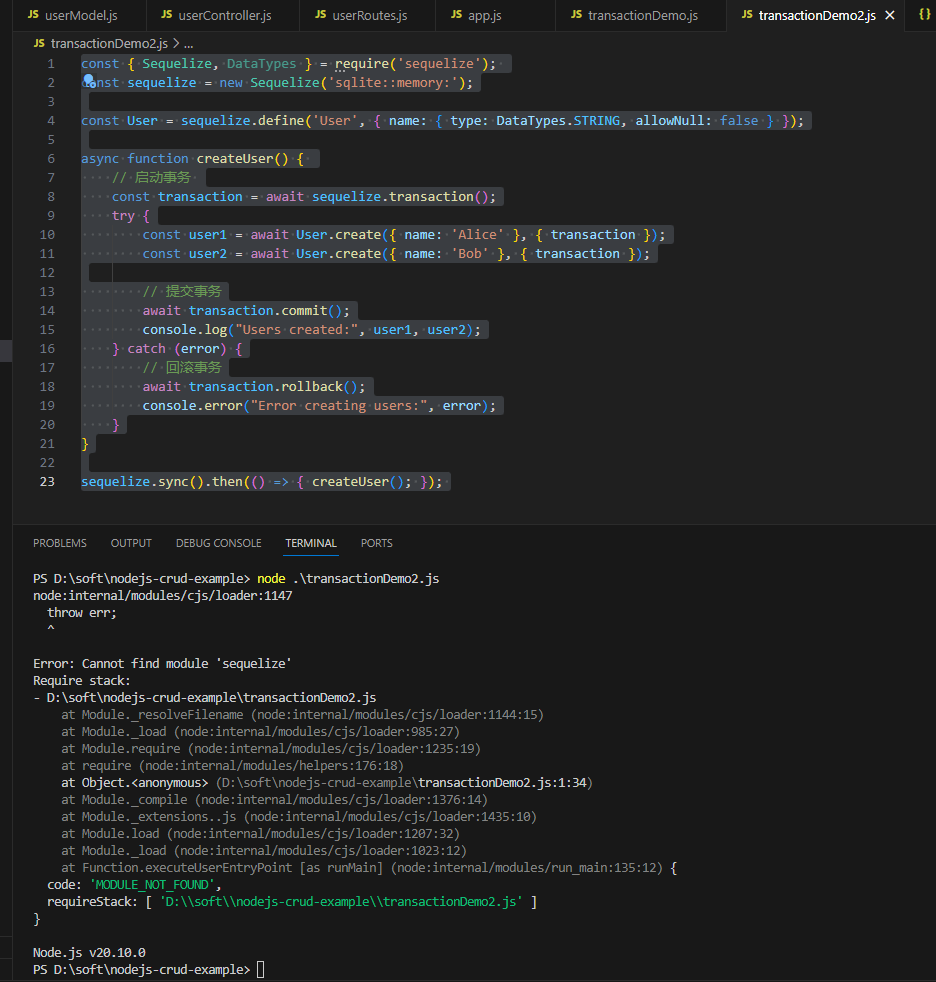
执行报错:
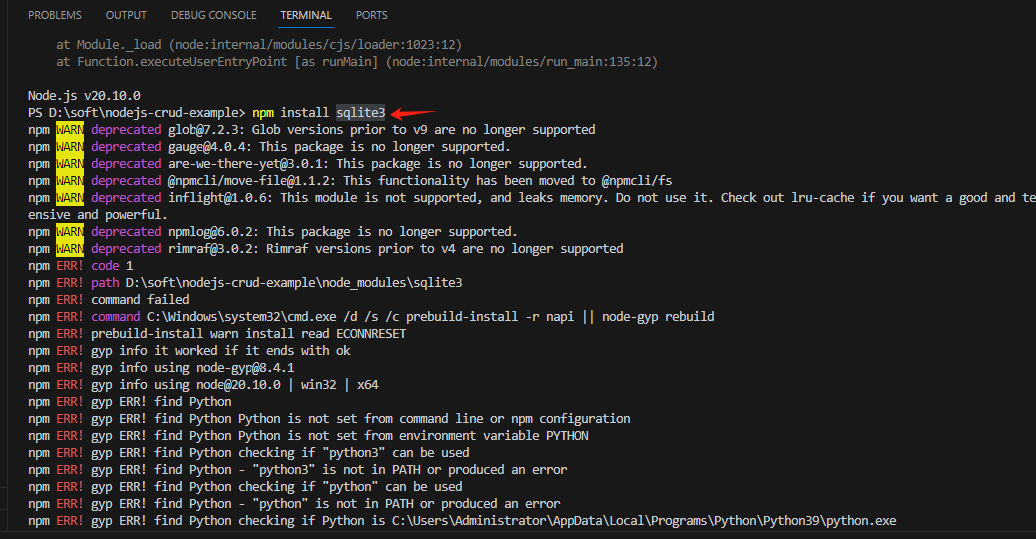
PS D:\soft\nodejs-crud-example> npm install sqlite3
npm WARN deprecated glob@7.2.3: Glob versions prior to v9 are no longer supported
npm WARN deprecated gauge@4.0.4: This package is no longer supported.
npm WARN deprecated are-we-there-yet@3.0.1: This package is no longer supported.
npm WARN deprecated @npmcli/move-file@1.1.2: This functionality has been moved to @npmcli/fs
npm WARN deprecated inflight@1.0.6: This module is not supported, and leaks memory. Do not use it. Check out lru-cache if you want a good and tested way to coalesce async requests by a key value, which is much more comprehensive and powerful.
npm WARN deprecated npmlog@6.0.2: This package is no longer supported.
npm WARN deprecated rimraf@3.0.2: Rimraf versions prior to v4 are no longer supported
npm ERR! code 1
npm ERR! path D:\soft\nodejs-crud-example\node_modules\sqlite3
npm ERR! command failed
npm ERR! command C:\Windows\system32\cmd.exe /d /s /c prebuild-install -r napi || node-gyp rebuild
npm ERR! prebuild-install warn install read ECONNRESET
npm ERR! gyp info it worked if it ends with ok
npm ERR! gyp info using node-gyp@8.4.1
npm ERR! gyp info using node@20.10.0 | win32 | x64
npm ERR! gyp ERR! find Python
npm ERR! gyp ERR! find Python Python is not set from command line or npm configuration
npm ERR! gyp ERR! find Python Python is not set from environment variable PYTHON
npm ERR! gyp ERR! find Python checking if "python3" can be used
npm ERR! gyp ERR! find Python - "python3" is not in PATH or produced an error
npm ERR! gyp ERR! find Python checking if "python" can be used
npm ERR! gyp ERR! find Python - "python" is not in PATH or produced an error
npm ERR! gyp ERR! find Python checking if Python is C:\Users\Administrator\AppData\Local\Programs\Python\Python39\python.exe
npm ERR! gyp ERR! find Python - "C:\Users\Administrator\AppData\Local\Programs\Python\Python39\python.exe" could not be run
npm ERR! gyp ERR! find Python checking if Python is C:\Program Files\Python39\python.exe
npm ERR! gyp ERR! find Python - "C:\Program Files\Python39\python.exe" could not be run
npm ERR! gyp ERR! find Python checking if Python is C:\Users\Administrator\AppData\Local\Programs\Python\Python39-32\python.exe
npm ERR! gyp ERR! find Python - "C:\Users\Administrator\AppData\Local\Programs\Python\Python39-32\python.exe" could not be run
npm ERR! gyp ERR! find Python checking if Python is C:\Program Files\Python39-32\python.exe
npm ERR! gyp ERR! find Python - "C:\Program Files\Python39-32\python.exe" could not be run
npm ERR! gyp ERR! find Python checking if Python is C:\Program Files (x86)\Python39-32\python.exe
npm ERR! gyp ERR! find Python - "C:\Program Files (x86)\Python39-32\python.exe" could not be run
npm ERR! gyp ERR! find Python checking if Python is C:\Users\Administrator\AppData\Local\Programs\Python\Python38\python.exe
npm ERR! gyp ERR! find Python - "C:\Users\Administrator\AppData\Local\Programs\Python\Python38\python.exe" could not be run
npm ERR! gyp ERR! find Python checking if Python is C:\Program Files\Python38\python.exe
npm ERR! gyp ERR! find Python - "C:\Program Files\Python38\python.exe" could not be run
npm ERR! gyp ERR! find Python checking if Python is C:\Users\Administrator\AppData\Local\Programs\Python\Python38-32\python.exe
npm ERR! gyp ERR! find Python - "C:\Users\Administrator\AppData\Local\Programs\Python\Python38-32\python.exe" could not be run
npm ERR! gyp ERR! find Python checking if Python is C:\Program Files\Python38-32\python.exe
npm ERR! gyp ERR! find Python - "C:\Program Files\Python38-32\python.exe" could not be run
npm ERR! gyp ERR! find Python checking if Python is C:\Program Files (x86)\Python38-32\python.exe
npm ERR! gyp ERR! find Python - "C:\Program Files (x86)\Python38-32\python.exe" could not be run
npm ERR! gyp ERR! find Python checking if Python is C:\Users\Administrator\AppData\Local\Programs\Python\Python37\python.exe
npm ERR! gyp ERR! find Python - "C:\Users\Administrator\AppData\Local\Programs\Python\Python37\python.exe" could not be run
npm ERR! gyp ERR! find Python checking if Python is C:\Program Files\Python37\python.exe
npm ERR! gyp ERR! find Python - "C:\Program Files\Python37\python.exe" could not be run
npm ERR! gyp ERR! find Python checking if Python is C:\Users\Administrator\AppData\Local\Programs\Python\Python37-32\python.exe
npm ERR! gyp ERR! find Python - "C:\Users\Administrator\AppData\Local\Programs\Python\Python37-32\python.exe" could not be run
npm ERR! gyp ERR! find Python checking if Python is C:\Program Files\Python37-32\python.exe
npm ERR! gyp ERR! find Python - "C:\Program Files\Python37-32\python.exe" could not be run
npm ERR! gyp ERR! find Python checking if Python is C:\Program Files (x86)\Python37-32\python.exe
npm ERR! gyp ERR! find Python - "C:\Program Files (x86)\Python37-32\python.exe" could not be run
npm ERR! gyp ERR! find Python checking if Python is C:\Users\Administrator\AppData\Local\Programs\Python\Python36\python.exe
npm ERR! gyp ERR! find Python - "C:\Users\Administrator\AppData\Local\Programs\Python\Python36\python.exe" could not be run
npm ERR! gyp ERR! find Python checking if Python is C:\Program Files\Python36\python.exe
npm ERR! gyp ERR! find Python - "C:\Program Files\Python36\python.exe" could not be run
npm ERR! gyp ERR! find Python checking if Python is C:\Users\Administrator\AppData\Local\Programs\Python\Python36-32\python.exe
npm ERR! gyp ERR! find Python - "C:\Users\Administrator\AppData\Local\Programs\Python\Python36-32\python.exe" could not be run
npm ERR! gyp ERR! find Python checking if Python is C:\Program Files\Python36-32\python.exe
npm ERR! gyp ERR! find Python - "C:\Program Files\Python36-32\python.exe" could not be run
npm ERR! gyp ERR! find Python checking if Python is C:\Program Files (x86)\Python36-32\python.exe
npm ERR! gyp ERR! find Python - "C:\Program Files (x86)\Python36-32\python.exe" could not be run
npm ERR! gyp ERR! find Python checking if the py launcher can be used to find Python 3
npm ERR! gyp ERR! find Python - "py.exe" is not in PATH or produced an error
npm ERR! gyp ERR! find Python
npm ERR! gyp ERR! find Python **********************************************************
npm ERR! gyp ERR! find Python You need to install the latest version of Python.
npm ERR! gyp ERR! find Python Node-gyp should be able to find and use Python. If not,
npm ERR! gyp ERR! find Python you can try one of the following options:
npm ERR! gyp ERR! find Python - Use the switch --python="C:\Path\To\python.exe"
npm ERR! gyp ERR! find Python   (accepted by both node-gyp and npm)
npm ERR! gyp ERR! find Python - Set the environment variable PYTHON
npm ERR! gyp ERR! find Python - Set the npm configuration variable python:
npm ERR! gyp ERR! find Python   npm config set python "C:\Path\To\python.exe"
npm ERR! gyp ERR! find Python For more information consult the documentation at:
npm ERR! gyp ERR! find Python https://github.com/nodejs/node-gyp#installation
npm ERR! gyp ERR! find Python **********************************************************
npm ERR! gyp ERR! find Python
npm ERR! gyp ERR! configure error
npm ERR! gyp ERR! stack Error: Could not find any Python installation to use
npm ERR! gyp ERR! stack     at PythonFinder.fail (D:\soft\nodejs-crud-example\node_modules\node-gyp\lib\find-python.js:330:47)
npm ERR! gyp ERR! stack     at PythonFinder.runChecks (D:\soft\nodejs-crud-example\node_modules\node-gyp\lib\find-python.js:159:21)
npm ERR! gyp ERR! stack     at PythonFinder.<anonymous> (D:\soft\nodejs-crud-example\node_modules\node-gyp\lib\find-python.js:228:18)
npm ERR! gyp ERR! stack     at PythonFinder.execFileCallback (D:\soft\nodejs-crud-example\node_modules\node-gyp\lib\find-python.js:294:16)
npm ERR! gyp ERR! stack     at exithandler (node:child_process:430:5)
npm ERR! gyp ERR! stack     at ChildProcess.errorhandler (node:child_process:442:5)
npm ERR! gyp ERR! stack     at ChildProcess.emit (node:events:514:28)
npm ERR! gyp ERR! stack     at ChildProcess._handle.onexit (node:internal/child_process:292:12)
npm ERR! gyp ERR! stack     at onErrorNT (node:internal/child_process:484:16)
npm ERR! gyp ERR! stack     at process.processTicksAndRejections (node:internal/process/task_queues:82:21)
npm ERR! gyp ERR! System Windows_NT 10.0.19045
npm ERR! gyp ERR! command "C:\\Program Files\\nodejs\\node.exe" "D:\\soft\\nodejs-crud-example\\node_modules\\node-gyp\\bin\\node-gyp.js" "rebuild"
npm ERR! gyp ERR! cwd D:\soft\nodejs-crud-example\node_modules\sqlite3
npm ERR! gyp ERR! node -v v20.10.0
npm ERR! gyp ERR! node-gyp -v v8.4.1
npm ERR! gyp ERR! not oknpm ERR! A complete log of this run can be found in: C:\Users\Administrator\AppData\Local\npm-cache\_logs\2025-04-16T05_40_43_878Z-debug-0.log
PS D:\soft\nodejs-crud-example>
相关文章:
Node.js 数据库 事务 项目示例
1、参考:JavaScript语言的事务管理_js 函数 事务性-CSDN博客 或者百度搜索:Nodejs控制事务, 2、实践 2.1、对于MySQL或MariaDB,你可以使用mysql或mysql2库,并结合Promise或async/await语法来控制事务。 使用 mysql2…...

Qt开发:QFileInfo详解
文章目录 一、QFileInfo 简介二、常用的构造函数三、常用函数的介绍和使用四、常用静态函数的介绍和使用五、完整代码示例 一、QFileInfo 简介 QFileInfo 提供了一个对象化的方式,用于访问文件系统中单个文件的信息。它可以接受: 文件名字符串ÿ…...

ubuntu1804服务器开启ftp,局域网共享特定文件给匿名用户
要在 Ubuntu 18.04 上设置一个 FTP 服务器,满足以下要求: 允许匿名登录(无需账号密码)。指定分享特定目录下的文件。只允许只读下载。 可以使用 vsftpd(Very Secure FTP Daemon)来实现。以下是详细步骤&a…...
蓝桥杯常考排序
1.逆序 Collections.reverseOrder() 方法对列表进行逆序排序。通过 Collections.sort() 方法配合 Collections.reverseOrder(),可以轻松实现从大到小的排序。 import java.util.ArrayList; // 导入 ArrayList 类,用于创建动态数组 import java.util.C…...
深度学习基础:从入门到理解核心概念
引言 近年来,深度学习(Deep Learning)已成为人工智能领域最热门的研究方向之一。从AlphaGo战胜人类围棋冠军,到ChatGPT等大型语言模型的惊艳表现,深度学习技术正在深刻改变我们的生活和工作方式。本文将系统介绍深度学习的基础知识࿰…...

科技项目验收测试报告有哪些作用?需要多长时间和费用?
在当今快速发展的科技环境中,科技项目的有效验收至关重要。对于公司、开发团队以及客户来说,科技项目验收测试报告更是一个不可缺少的一项重要环节。 科技项目验收测试报告是对一个项目在开发完成后所进行的一系列测试结果的总结。这份报告不仅用于证明…...
)
redis-事务(MULTI、EXEC、DISCARD、WATCH与lua脚本、包含lua脚本的简单介绍、乐观锁抢购案例的实现)
https://juejin.cn/post/6891158857708797959 首先Redis事务在实际的场景应用上也占着比较重要的地位,例如在秒杀场景中,我们就可以利用Redis事务中的watch命令监听key,实现乐观锁,保证不会出现冲突,也防止商品超卖。 …...

【Linux】su、su-、sudo、sudo -i、sudo su - 命令有什么区别?分别适用什么场景?
目录 su su- sudo sudo -i sudo su - /etc/sudoers su 该命令将启动非登录shell,即虽然以该用户身份启动shell,但使用的是原始用户的环境设置。普通用户账户运行 su 命令切换到另一用户账户,需提供要切换的账户的密码。root用户&…...
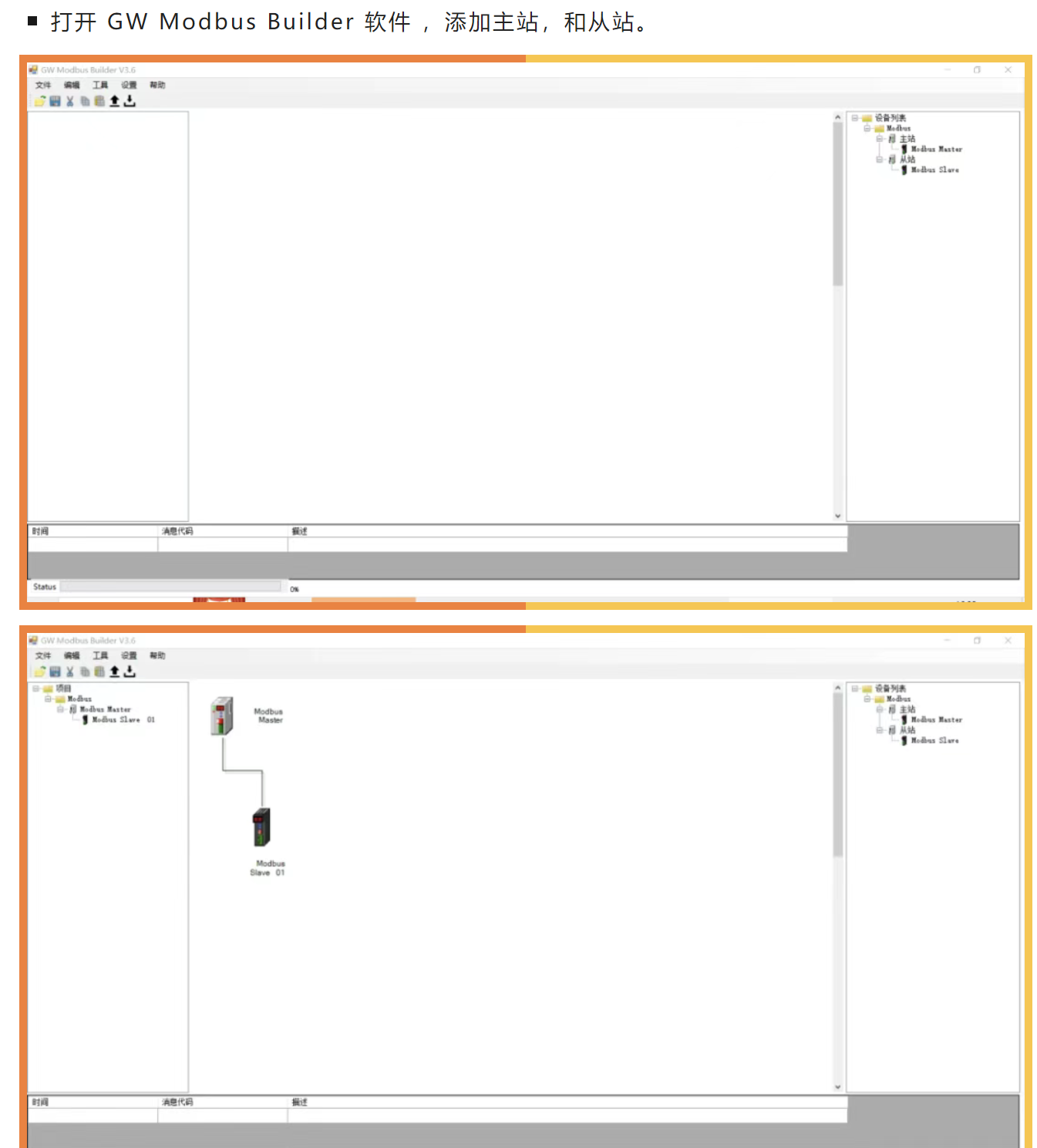
CCLinkIE转ModbusTCP借网关之力打破组态王与三菱PLC通讯隔阂
在某自动化生产线项目中,客户采用了三菱PLC作为现场控制核心,该PLC支持CCLinkIE现场总线协议。同时,客户希望使用组态王上位机软件进行生产过程的监控与管理,然而组态王上位机更擅长与ModbusTCP协议设备进行通讯。为了解决这一协议…...

MyBatis-Plus 通过 ID 更新数据为NULL总结
在使用 MyBatis-Plus 通过 ID 更新数据时,若需将字段值设为 null,可参考以下解决方案: 方法一:使用 TableField 注解 在实体类字段上添加注解,指定更新策略为忽略非空检查: public class User {TableFie…...

Linux网络编程第一课:深入浅出TCP/IP协议簇与网络寻址系统
知识点1【网络发展简史】 **网络节点:**路由器和交换机组成 交换机的作用:拓展网络接口 路由:网络通信路径 1、分组交换 分组的目的: 数据量大,不能一次型传输,只能分批次传输,这里的每一批…...

深入解析布尔注入:原理、实战与防御
目录 一、布尔注入的原理与核心逻辑 二、布尔注入的实战步骤 三、关键函数与绕过技巧 四、实战案例:获取数据库名称 五、防御策略与最佳实践 六、总结 一、布尔注入的原理与核心逻辑 布尔注入(Boolean-Based Blind SQL Injection)是一种…...
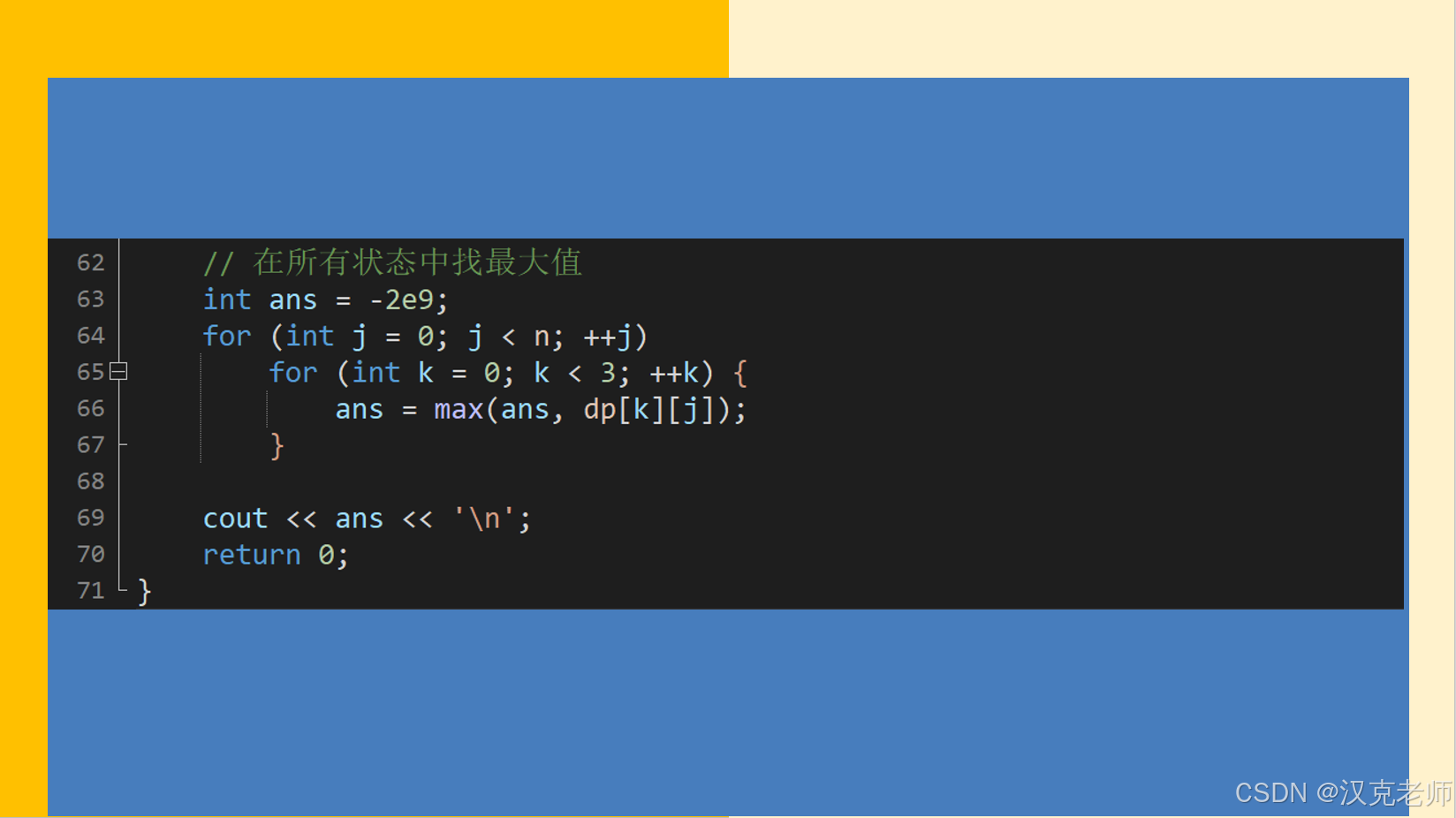
GESP2023年12月认证C++七级( 第三部分编程题(2)纸牌游戏)
参考程序: #include <iostream> #include <cstring> // for memset #include <vector> using namespace std;const int max_n 1005; int n; int a[max_n], b[max_n], c[max_n]; // a[]: 得分系数;b[]: 换牌惩罚;c[]: …...

不同的人机验证的机制
目录 Cloudflare Turnstile验证 reCAPTCHA V2 GeeTest CAPTCHA Arkose Labs 验证码(FunCaptcha) 图像(图片)验证码 亚马逊验证码 (AWS/WAF) Cloudflare Turnstile验证 Cloudflare Turnstile 验证码以隐形方式运行…...

HarmonyOS学习 实验九:@State和@Prop装饰器的使用方法
HarmonyOS应用开发:父子组件状态管理实验报告 引言 在HarmonyOS应用开发领域,组件之间的状态管理是一个至关重要的概念。通过有效的状态管理,我们可以确保应用的数据流动清晰、可预测,从而提升应用的稳定性和可维护性。本次实验…...

基于瑞芯微RK3562 四核 ARM Cortex-A53 + 单核 ARM Cortex-M0——Linux应用开发手册
前 言 本文主要介绍TL3562-MiniEVM评估板的AMP(Asymmetric Multi-processing)开发案例,适用开发环境如下: Windows开发环境:Windows 7 64bit、Windows 10 64bit Linux开发环境:VMware16.2.5、Ubuntu20.04.6 64bit U-Boot:U-Boot-2017.09 Kernel:Linux-5.10.209 Lin…...

Java c线程等待ab线程执行完再执行
1、LockSupport AtomicInteger LockSupport.park() 函数表示挂起当前线程LockSupport.unpark© 函数表示解除线程c的阻塞状态AtomicInteger.decrementAndGet() 函数表示将该变量减一,并返回当前变量值(线程安全的原子类) 2、CountDownL…...

ubuntu20.04 Android14编译环境配置
ubuntu 更新和必要安装 sudo apt update sudo apt install git sudo apt install python2-minimal sudo update-alternatives --install /usr/bin/python python /usr/bin/python2 1 sudo update-alternatives --install /usr/bin/python python /usr/bin/python3 2 sudo upda…...
)
优化 Dockerfile 性能之实践(Practice of Optimizing Dockerfile Performance)
优化 Dockerfile 性能之实践 构建 Docker 镜像时,Dockerfile 的性能会显著影响构建过程的效率。经过优化的 Dockerfile 可以缩短构建时间、最小化镜像大小并提高整体容器性能。在本文中,我们将探讨优化 Dockerfile 性能的最佳实践。 尽量减少层数 影响…...
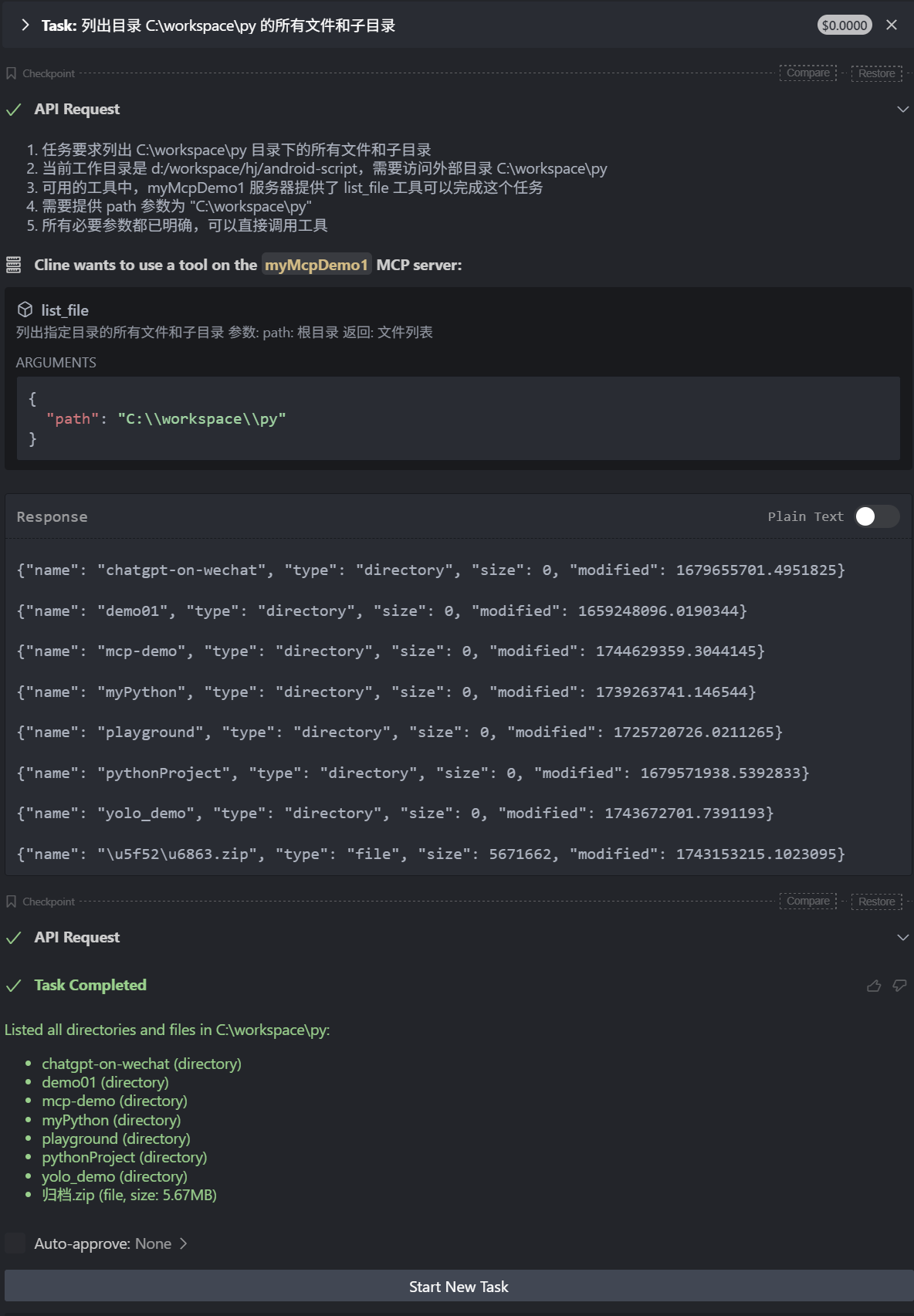
【Ai】MCP实战:手写 client 和 server [Python版本]
什么是mcp MCP 是一个开放协议,它为应用程序向 LLM 提供上下文的方式进行了标准化。你可以将 MCP 想象成 AI 应用程序的 USB-C 接口。就像 USB-C 为设备连接各种外设和配件提供了标准化的方式一样,MCP 为 AI 模型连接各种数据源和工具提供了标准化的接口…...

解决 AWS RDS MySQL mysqldump 导入sql SET @@GLOBAL 权限不足问题
在使用 mysqldump 导出数据库时,导出的 SQL 文件通常会包含一些 SET 语句,例如 SET MYSQLDUMP, SET SESSION, SET GLOBAL 等,这些语句用于设置会话或全局变量以确保数据一致性和兼容性。然而,在 AWS RDS MySQL 环境中,…...

Java与C在典型场景下的性能对比深度剖析
🎁个人主页:User_芊芊君子 🎉欢迎大家点赞👍评论📝收藏⭐文章 🔍系列专栏:AI 【前言】 在计算机编程领域,Java和C语言都是举足轻重的编程语言。Java以其跨平台性、自动内存管理和丰富…...
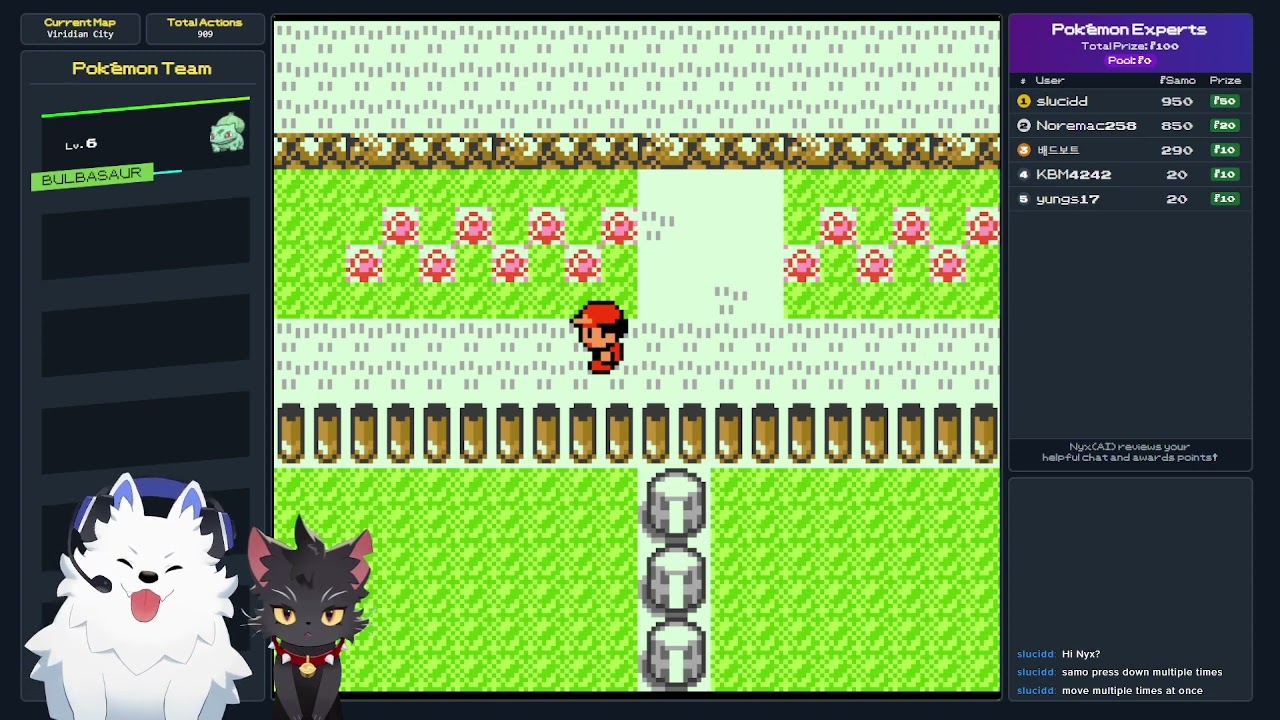
多智能体 AI 游戏框架(开源程序):竞争、发展、适应
一、软件介绍 文末提供程序和源码下载 SamoAI 在人类和 AI 之间创建了一个无缝的多代理叙事层,实现了跨多个平台的自然协作。通过一致的身份保留和情境记忆,它允许通过一系列行动随着时间的推移而演变的交互,就像人际关系一样。 二、核心概念…...

从 BI 与 SQL2API 的差异,看数据技术的多元发展路径
在数据驱动的商业世界里,商业智能(BI)与 SQL2API 如同两颗闪耀的星星,各自散发着独特的光芒。BI 早已在企业中广泛应用,成为数据分析领域的中流砥柱;而 SQL2API 作为新兴技术,虽潜力巨大&#x…...
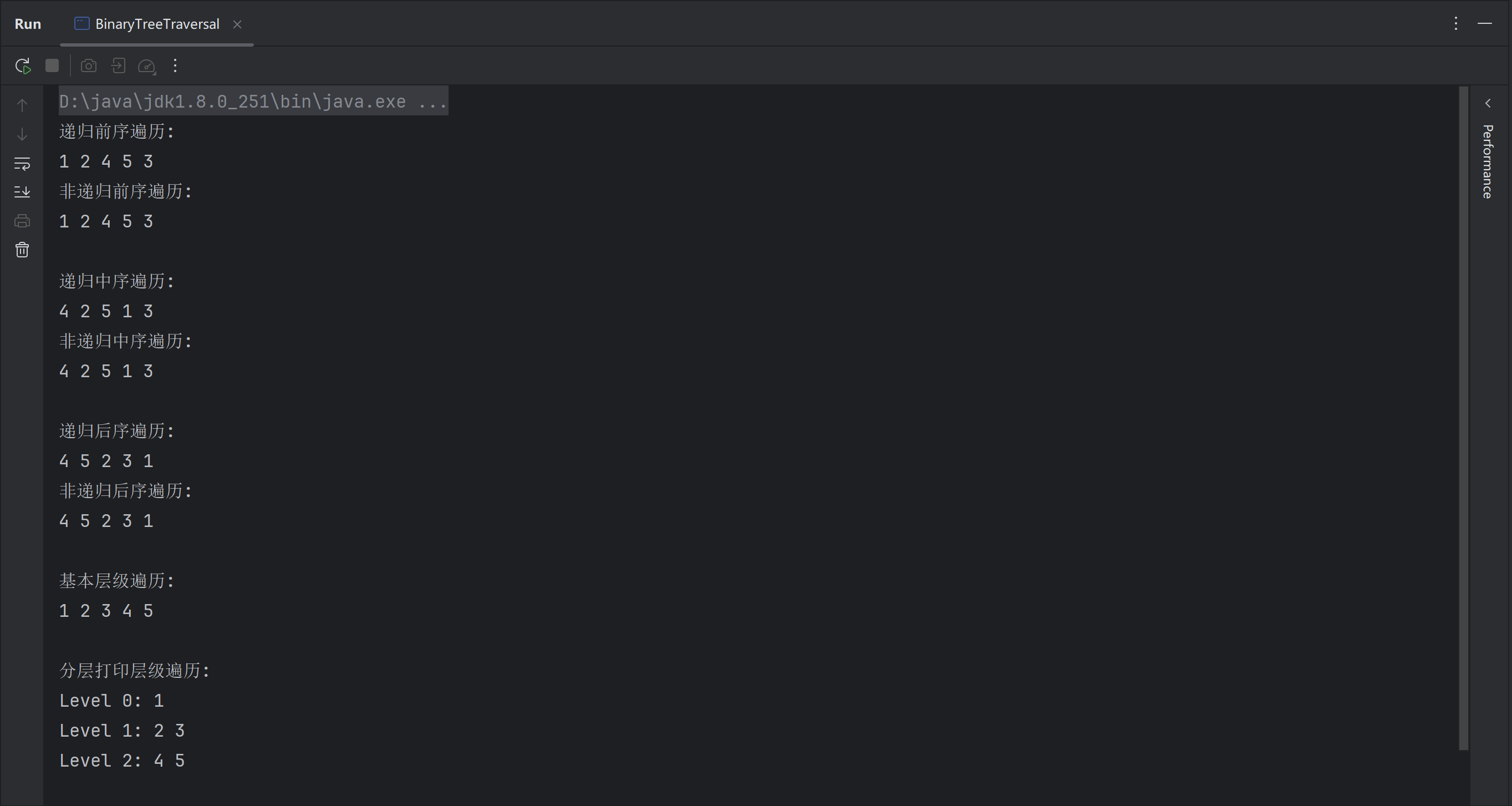
java实现二叉树的前序、中序、后序遍历(递归和非递归方式)以及层级遍历
java实现二叉树的前序、中序、后序遍历以及层级遍历 一、二叉树节点定义二、递归方式1.前序遍历2.中序遍历3.后序遍历 三、非递归方式1.前序遍历2.中序遍历3.后序遍历4.层级遍历5.分层打印 四、测试用例 一、二叉树节点定义 class TreeNode {int val;TreeNode left;TreeNode r…...
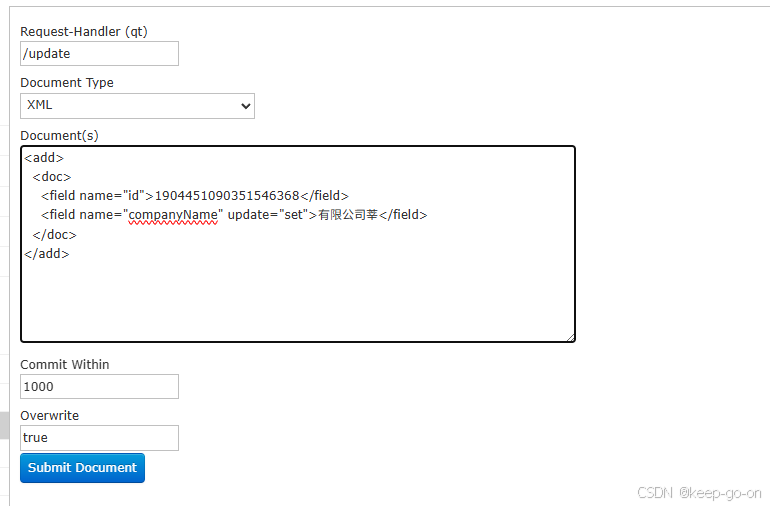
Solr admin 更新文档
<add><doc><field name"id">1904451090351546368</field><field name"companyName" update"set">测试科技有限公司</field></doc> </add>...

【Netty篇】EventLoopGroup 与 EventLoop 详解
目录 开场白:话说 Netty 江湖第一段:EventLoopGroup——“包工头”的角色第二段:EventLoop——“身怀绝技的工人”第三段:EventLoop 如何处理 I/O 事件、普通任务和定时任务第四段:Handler 执行中如何换人?…...

操作系统之shell实现(上)
🌟 各位看官好,我是maomi_9526! 🌍 种一棵树最好是十年前,其次是现在! 🚀 今天来学习C语言的相关知识。 👍 如果觉得这篇文章有帮助,欢迎您一键三连,分享给更…...
与广度优先搜索(BFS)(包含真题及解析))
考研数据结构之图的遍历:深度优先搜索(DFS)与广度优先搜索(BFS)(包含真题及解析)
考研数据结构之图的遍历:深度优先搜索(DFS)与广度优先搜索(BFS) 图的遍历是图论中的核心操作之一,主要包括深度优先搜索(DFS)和广度优先搜索(BFS)。本文将详…...

数据结构与算法——链表OJ题详解(2)
文章目录 一、前言二、OJ续享2.1相交链表2.2环形链表12.2环形链表2 三、总结 一、前言 哦了兄弟们,咱们上次在详解链表OJ题的时候,有一部分OJ题呢up并没有整理完,这一个星期呢,up也是在不断的学习并且沉淀着,也是终于…...