
用html+javascript打造公文一键排版系统15:一键删除所有空格
现在我们来实现一键删除所有空格的功能。
一、使用原有的代码来实现,测试效果并不理想
在这之前我们已经为String对象编写了一个使用正则表达式来删除所有空格的方法:
//功能:删除字符串中的所有空格
//记录:20230726创建
String.prototype.eliminateSpace = function()
{return this.replace(/\s*/g,"");
}
我们使用它构建了一个测试网页:
<!DOCTYPE HTML>
<HTML>
<head><meta http-equiv="Content-Type" content="text/html; charset=utf-8" /><meta name="Author" content="PurpleEndurer"><title>公文一键排版系统</title>
</head>
<body>
<fieldset style="width: 1100px;"><legend>实时编辑区</legend><iframe id="editor" width="1200px" height="400px" style="border: solid 1px;"></iframe>
</fieldset>
<P><input type="button" id="btnDelBlank" value="删除空格" onclick="edRichBody.innerText=delBlankText(edRichBody.innerText);" style="background:#9999cc; color:white; border-radius: 25px;" />
</p><p>调试信息</p>
<textarea id="taDbg" style="width: 1225px; height: 200px">调试信息</textarea><script>const edRich = document.getElementById("editor");
const taDbg = document.getElementById("taDbg");
var edRichDoc;
var edRichBody;if (typeof(edRich) != "undefined"){edRichDoc = edRich.contentWindow.document;edRichDoc.designMode = "on";edRichDoc.contentEditable = true;edRichBody = edRichDoc.body;edRichBody.innerHTML = '<p><a href="http://blog.csdn.net/purpleendurer">http://blog.csdn.net/purpleendurer</a></p><p></p><p style="font-family:方正小标宋简体;font-size:22pt; text-align:center; line-height:28pt;"><p align="center" style="text-align:center;text-indent:24.0pt;line-height:28.0pt"><span lang="EN-US" style="font-size:22.0pt;font-family:方正小标宋简体;mso-hansi-font-family:黑体;color:black">SQL</span><span style="font-size:22.0pt;font-family:方正小标宋简体;mso-hansi-font-family:黑体;color:black">注入基础<span lang="EN-US"><o:p></o:p></span></span></p><p style="text-indent:2em;">河池市××局、 市×× 局: </p><p style="text-indent:24.0pt;line-height:28.0pt;font-variant-ligatures: normal;font-variant-caps: normal;orphans: 2;text-align:start;widows: 2;-webkit-text-stroke-width: 0px;text-decoration-thickness: initial;text-decoration-style: initial;text-decoration-color: initial;word-spacing:0px"><span style="font-size:16.0pt;font-family:黑体;color:black">一、<span lang="EN-US">SQL</span>注入分类<span lang="EN-US"><o:p></o:p></span></span></p><p style="text-indent:24.0pt;line-height:28.0pt;font-variant-ligatures: normal;font-variant-caps: normal;orphans: 2;text-align:start;widows: 2;-webkit-text-stroke-width: 0px;text-decoration-thickness: initial;text-decoration-style: initial;text-decoration-color: initial;word-spacing:0px"><b><span style="font-size:16.0pt;font-family:楷体_GB2312;color:black">(一)什么是<span lang="EN-US">SQL</span>注入<span lang="EN-US">?<o:p></o:p></span></span></b></p><p style="text-indent:24.0pt;line-height:28.0pt;font-variant-ligatures: normal;font-variant-caps: normal;orphans: 2;text-align:start;widows: 2;-webkit-text-stroke-width: 0px;text-decoration-thickness: initial;text-decoration-style: initial;text-decoration-color: initial;word-spacing:0px"><span lang="EN-US" style="font-size:16.0pt;font-family:仿宋_GB2312;color:black">SLQ</span><span style="font-size:16.0pt;font-family:仿宋_GB2312;color:black">注入<span lang="EN-US">(</span>英文<span lang="EN-US">: Sqlinject)</span>:当<span lang="EN-US">web</span>应用向后台数据库传递<span lang="EN-US">SQL</span>语句进行数据库操作时,如果对用户输入的参数没有经过严格的过滤,那么用户可以构造特殊的<span lang="EN-US">sq1</span>语句,从而带入到数据库中执行,获取或修改数据库中的数据。<span lang="EN-US"><o:p></o:p></span></span></p><p style="text-indent:24.0pt;line-height:28.0pt;font-variant-ligatures: normal;font-variant-caps: normal;orphans: 2;text-align:start;widows: 2;-webkit-text-stroke-width: 0px;text-decoration-thickness: initial;text-decoration-style: initial;text-decoration-color: initial;word-spacing:0px"><span style="font-size:16.0pt;color:black"> 1.加强技术学习。一要<span lang="EN-US"><o:p></o:p></span></span></p><p style="text-indent:24.0pt;line-height:28.0pt;font-variant-ligatures: normal;font-variant-caps: normal;orphans: 2;text-align:start;widows: 2;-webkit-text-stroke-width: 0px;text-decoration-thickness: initial;text-decoration-style: initial;text-decoration-color: initial;word-spacing:0px"><span style="font-size:16.0pt;color:black"> 2.强化安全保障。一要。<span lang="EN-US"><o:p></o:p></span></span></p><p>附件:河池市××关于××××××××××××××××××××××××××××××××××××××××××××××××××的通知</p><p>附件:河池市××关于××的通知</p><p>附件:河池市××关于××的通知。</p><p>附件:1.河池市××关于××的通 知</p><p>附件:1.河池市××关于××××的通 知 </p><p>2.河池市××关于×× ××的通 知 </p><p>3.河池市××关于×× ××的通 知</p><p>测试1</p><p style="text-indent:24.0pt;line-height:28.0pt;font-variant-ligatures: normal;font-variant-caps: normal;orphans: 2;text-align:start;widows: 2;-webkit-text-stroke-width: 0px;text-decoration-thickness: initial;text-decoration-style: initial;text-decoration-color: initial;word-spacing:0px">河池市××××局</p><p>2023年7月22日</p><p>测试2</p><p>广西壮族自治区河池市××××局</p><p>2023年7月22日</p><p>测试3</p><p>河池市××局</p><p>2023年7月22日</p><p>测试4</p><p>河池市×局</p><p>2023年7月22日</p><p>附件</p><p>附件标题</p><p>附件:</p><p>附件标题</p><p>附 件</p><p>附件标题</p>';
}
else
{window.alert("undefined");
} //功能:删除字符串中的所有空格
//记录:20230726创建
String.prototype.eliminateSpace = function()
{return this.replace(/\s*/g,"");
}//功能:删除给字符串中的所有半角和全角空格
//输入:p=字符串
//输出:删除所有半角和全角空格后的字符串
//记录:20230804创建
function delBlankText(p)
{return p.eliminateSpace();//return p.eliminateBlank();
}//delBlankTextfunction showSrc()
{if (btnShowSrc.value=="显示源码"){edRichBody.innerText = edRichBody.innerHTML;//edRichBody.innerText = edRichBody.innerHTML.replace('</p>','</p>'+chr(10)); //edRichBody.innerText = edRichBody.innerText.replace('<\/p>','<\/p>'+chr(10)+chr(13)); btnShowSrc.value = "显示预览";btnShowSrc.style.background = "cyan";}else{edRichBody.innerHTML = edRichBody.innerText;//edRichBody.innerHTML = edRichBody.innerText.replace(chr(10)+chr(13),'');btnShowSrc.value = "显示源码";btnShowSrc.style.background = "yellow";}
}
</script>
</body>
</html> 其中通过点击“删除空格”按钮 ,来将edRichBody.innerText中的空格 删除:
<input type="button" id="btnDelBlank" value="删除空格" onclick="edRichBody.innerText=delBlankText(edRichBody.innerText);" style="background:#9999cc; color:white; border-radius: 25px;" />运行效果如下:
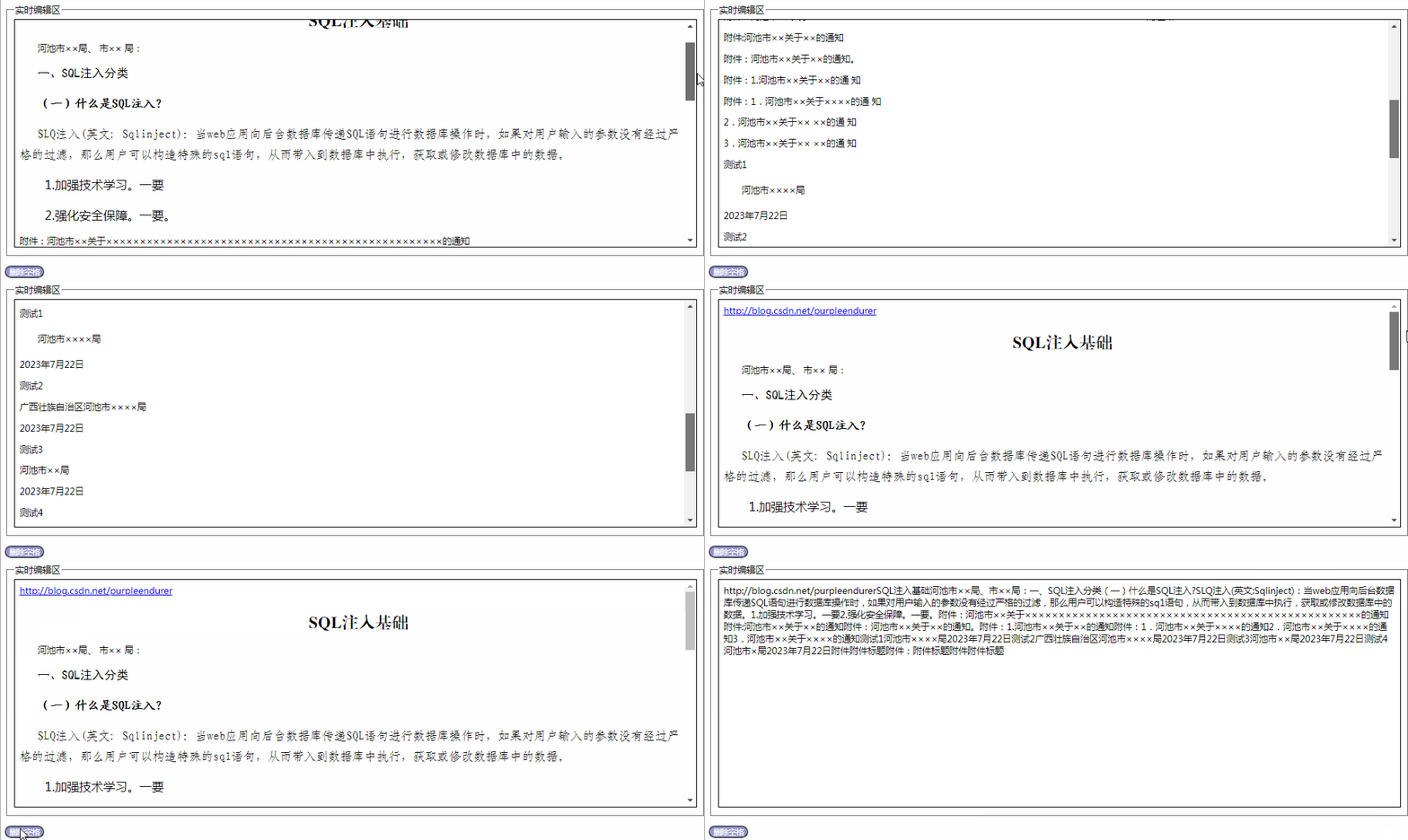
空格确实都去掉了,但多段文字变成一行文字,因为在正则表达式中,\s除了匹配空格,也匹配制表符和换行符。
二、从新出发构建新方法,删除全角、半角空格和制表符
那么我们需要再写一个删除半角空格、全角空格和制表符的方法 :
//功能:删除字符串中的所有半角和全角空格
//记录:20230805创建
String.prototype.eliminateBlank = function()
{return this.replace(/  \t/g,"");
}
再进行测试:
<!DOCTYPE HTML>
<HTML>
<head><meta http-equiv="Content-Type" content="text/html; charset=utf-8" /><meta name="Author" content="PurpleEndurer"><title>公文一键排版系统</title>
</head>
<body>
<fieldset style="width: 1100px;"><legend>实时编辑区</legend><iframe id="editor" width="1200px" height="400px" style="border: solid 1px;"></iframe>
</fieldset>
<P><input type="button" id="btnDelBlank" value="删除空格" onclick="edRichBody.innerText=delBlankText(edRichBody.innerText);" style="background:#9999cc; color:white; border-radius: 25px;" /><input type="button" id="btnShowSrc" value="显示源码" onclick="showSrc()" style="background:yellow; border-radius: 25px;" />
</p><p>调试信息</p>
<textarea id="taDbg" style="width: 1225px; height: 200px">调试信息</textarea><script>const edRich = document.getElementById("editor");
const taDbg = document.getElementById("taDbg");
var edRichDoc;
var edRichBody;if (typeof(edRich) != "undefined"){edRichDoc = edRich.contentWindow.document;edRichDoc.designMode = "on";edRichDoc.contentEditable = true;edRichBody = edRichDoc.body;edRichBody.innerHTML = '<p><a href="http://blog.csdn.net/purpleendurer">http://blog.csdn.net/purpleendurer</a></p><p></p><p style="font-family:方正小标宋简体;font-size:22pt; text-align:center; line-height:28pt;"><p align="center" style="text-align:center;text-indent:24.0pt;line-height:28.0pt"><span lang="EN-US" style="font-size:22.0pt;font-family:方正小标宋简体;mso-hansi-font-family:黑体;color:black">SQL</span><span style="font-size:22.0pt;font-family:方正小标宋简体;mso-hansi-font-family:黑体;color:black">注入基础<span lang="EN-US"><o:p></o:p></span></span></p><p style="text-indent:2em;">河池市××局、 市×× 局: </p><p style="text-indent:24.0pt;line-height:28.0pt;font-variant-ligatures: normal;font-variant-caps: normal;orphans: 2;text-align:start;widows: 2;-webkit-text-stroke-width: 0px;text-decoration-thickness: initial;text-decoration-style: initial;text-decoration-color: initial;word-spacing:0px"><span style="font-size:16.0pt;font-family:黑体;color:black">一、<span lang="EN-US">SQL</span>注入分类<span lang="EN-US"><o:p></o:p></span></span></p><p style="text-indent:24.0pt;line-height:28.0pt;font-variant-ligatures: normal;font-variant-caps: normal;orphans: 2;text-align:start;widows: 2;-webkit-text-stroke-width: 0px;text-decoration-thickness: initial;text-decoration-style: initial;text-decoration-color: initial;word-spacing:0px"><b><span style="font-size:16.0pt;font-family:楷体_GB2312;color:black">(一)什么是<span lang="EN-US">SQL</span>注入<span lang="EN-US">?<o:p></o:p></span></span></b></p><p style="text-indent:24.0pt;line-height:28.0pt;font-variant-ligatures: normal;font-variant-caps: normal;orphans: 2;text-align:start;widows: 2;-webkit-text-stroke-width: 0px;text-decoration-thickness: initial;text-decoration-style: initial;text-decoration-color: initial;word-spacing:0px"><span lang="EN-US" style="font-size:16.0pt;font-family:仿宋_GB2312;color:black">SLQ</span><span style="font-size:16.0pt;font-family:仿宋_GB2312;color:black">注入<span lang="EN-US">(</span>英文<span lang="EN-US">: Sqlinject)</span>:当<span lang="EN-US">web</span>应用向后台数据库传递<span lang="EN-US">SQL</span>语句进行数据库操作时,如果对用户输入的参数没有经过严格的过滤,那么用户可以构造特殊的<span lang="EN-US">sq1</span>语句,从而带入到数据库中执行,获取或修改数据库中的数据。<span lang="EN-US"><o:p></o:p></span></span></p><p style="text-indent:24.0pt;line-height:28.0pt;font-variant-ligatures: normal;font-variant-caps: normal;orphans: 2;text-align:start;widows: 2;-webkit-text-stroke-width: 0px;text-decoration-thickness: initial;text-decoration-style: initial;text-decoration-color: initial;word-spacing:0px"><span style="font-size:16.0pt;color:black"> 1.加强技术学习。一要<span lang="EN-US"><o:p></o:p></span></span></p><p style="text-indent:24.0pt;line-height:28.0pt;font-variant-ligatures: normal;font-variant-caps: normal;orphans: 2;text-align:start;widows: 2;-webkit-text-stroke-width: 0px;text-decoration-thickness: initial;text-decoration-style: initial;text-decoration-color: initial;word-spacing:0px"><span style="font-size:16.0pt;color:black"> 2.强化安全保障。一要。<span lang="EN-US"><o:p></o:p></span></span></p><p>附件:河池市××关于××××××××××××××××××××××××××××××××××××××××××××××××××的通知</p><p>附件:河池市××关于××的通知</p><p>附件:河池市××关于××的通知。</p><p>附件:1.河池市××关于××的通 知</p><p>附件:1.河池市××关于××××的通 知 </p><p>2.河池市××关于×× ××的通 知 </p><p>3.河池市××关于×× ××的通 知</p><p>测试1</p><p style="text-indent:24.0pt;line-height:28.0pt;font-variant-ligatures: normal;font-variant-caps: normal;orphans: 2;text-align:start;widows: 2;-webkit-text-stroke-width: 0px;text-decoration-thickness: initial;text-decoration-style: initial;text-decoration-color: initial;word-spacing:0px">河池市××××局</p><p>2023年7月22日</p><p>测试2</p><p>广西壮族自治区河池市××××局</p><p>2023年7月22日</p><p>测试3</p><p>河池市××局</p><p>2023年7月22日</p><p>测试4</p><p>河池市×局</p><p>2023年7月22日</p><p>附件</p><p>附件标题</p><p>附件:</p><p>附件标题</p><p>附 件</p><p>附件标题</p>';
}
else
{window.alert("undefined");
}//功能:删除字符串中的所有空格
//记录:20230726创建
//String.prototype.eliminateSpace = function()
//{
// return this.replace(/\s*/g,"");
//}//功能:删除字符串中的所有半角和全角空格
//记录:20230805创建
String.prototype.eliminateBlank = function()
{return this.replace(/ \t/g,"");
}//功能:删除给字符串中的所有半角和全角空格
//输入:p=字符串
//输出:删除所有半角和全角空格后的字符串
//记录:20230804创建
function delBlankText(p)
{//return p.eliminateSpace();return p.eliminateBlank();
}//delBlankTextfunction showSrc()
{if (btnShowSrc.value=="显示源码"){edRichBody.innerText = edRichBody.innerHTML;btnShowSrc.value = "显示预览";btnShowSrc.style.background = "cyan";}else{edRichBody.innerHTML = edRichBody.innerText;btnShowSrc.value = "显示源码";btnShowSrc.style.background = "yellow";}
}
</script>
</body>
</html> 代码运行效果如下:

测试发现半角、全角空格都被删除了,但HTML代码 代表的空格并没有被删除。
三、再写一个删除HTML代码 nbsp;代码的空格的方法
所以我们还要为String对象再写一个删除HTML代码 代表的空格的方法:
//功能:删除字符串中的
//记录:20230805创建
String.prototype.eliminateNbsp = function()
{return this.replace(/ /ig,"");
}
由于nbsp;是HTML的代码,所以要同时修改“删除空格”按钮 的功能代码:
<input type="button" id="btnDelBlank" value="删除空格" onclick="edRichBody.innerText=delBlankText(edRichBody.innerText);edRichBody.innerHTML=delBlankHTML(edRichBody.innerHTML)" style="background:#9999cc; color:white; border-radius: 25px;" />
完整的测试代码如下:
<!DOCTYPE HTML>
<HTML>
<head><meta http-equiv="Content-Type" content="text/html; charset=utf-8" /><meta name="Author" content="PurpleEndurer"><title>公文一键排版系统</title>
</head>
<body>
<fieldset style="width: 1100px;"><legend>实时编辑区</legend><iframe id="editor" width="1200px" height="400px" style="border: solid 1px;"></iframe>
</fieldset>
<P>
<!--<input type="button" id="btnDelBlank" value="删除空格" onclick="edRichBody.innerText=delBlankText(edRichBody.innerText);" style="background:#9999cc; color:white; border-radius: 25px;" />
//--><input type="button" id="btnDelBlank" value="删除空格" onclick="edRichBody.innerText=delBlankText(edRichBody.innerText);edRichBody.innerHTML=delBlankHTML(edRichBody.innerHTML)" style="background:#9999cc; color:white; border-radius: 25px;" /><input type="button" id="btnShowSrc" value="显示源码" onclick="showSrc()" style="background:yellow; border-radius: 25px;" />
</p><p>调试信息</p>
<textarea id="taDbg" style="width: 1225px; height: 200px">调试信息</textarea><script>const edRich = document.getElementById("editor");
const taDbg = document.getElementById("taDbg");
var edRichDoc;
var edRichBody;if (typeof(edRich) != "undefined"){edRichDoc = edRich.contentWindow.document;edRichDoc.designMode = "on";edRichDoc.contentEditable = true;edRichBody = edRichDoc.body;edRichBody.innerHTML = '<p><a href="http://blog.csdn.net/purpleendurer">http://blog.csdn.net/purpleendurer</a></p><p></p><p style="font-family:方正小标宋简体;font-size:22pt; text-align:center; line-height:28pt;"><p align="center" style="text-align:center;text-indent:24.0pt;line-height:28.0pt"><span lang="EN-US" style="font-size:22.0pt;font-family:方正小标宋简体;mso-hansi-font-family:黑体;color:black">SQL</span><span style="font-size:22.0pt;font-family:方正小标宋简体;mso-hansi-font-family:黑体;color:black">注入基础<span lang="EN-US"><o:p></o:p></span></span></p><p style="text-indent:2em;">河池市××局、 市×× 局: </p><p style="text-indent:24.0pt;line-height:28.0pt;font-variant-ligatures: normal;font-variant-caps: normal;orphans: 2;text-align:start;widows: 2;-webkit-text-stroke-width: 0px;text-decoration-thickness: initial;text-decoration-style: initial;text-decoration-color: initial;word-spacing:0px"><span style="font-size:16.0pt;font-family:黑体;color:black">一、<span lang="EN-US">SQL</span>注入分类<span lang="EN-US"><o:p></o:p></span></span></p><p style="text-indent:24.0pt;line-height:28.0pt;font-variant-ligatures: normal;font-variant-caps: normal;orphans: 2;text-align:start;widows: 2;-webkit-text-stroke-width: 0px;text-decoration-thickness: initial;text-decoration-style: initial;text-decoration-color: initial;word-spacing:0px"><b><span style="font-size:16.0pt;font-family:楷体_GB2312;color:black">(一)什么是<span lang="EN-US">SQL</span>注入<span lang="EN-US">?<o:p></o:p></span></span></b></p><p style="text-indent:24.0pt;line-height:28.0pt;font-variant-ligatures: normal;font-variant-caps: normal;orphans: 2;text-align:start;widows: 2;-webkit-text-stroke-width: 0px;text-decoration-thickness: initial;text-decoration-style: initial;text-decoration-color: initial;word-spacing:0px"><span lang="EN-US" style="font-size:16.0pt;font-family:仿宋_GB2312;color:black">SLQ</span><span style="font-size:16.0pt;font-family:仿宋_GB2312;color:black">注入<span lang="EN-US">(</span>英文<span lang="EN-US">: Sqlinject)</span>:当<span lang="EN-US">web</span>应用向后台数据库传递<span lang="EN-US">SQL</span>语句进行数据库操作时,如果对用户输入的参数没有经过严格的过滤,那么用户可以构造特殊的<span lang="EN-US">sq1</span>语句,从而带入到数据库中执行,获取或修改数据库中的数据。<span lang="EN-US"><o:p></o:p></span></span></p><p style="text-indent:24.0pt;line-height:28.0pt;font-variant-ligatures: normal;font-variant-caps: normal;orphans: 2;text-align:start;widows: 2;-webkit-text-stroke-width: 0px;text-decoration-thickness: initial;text-decoration-style: initial;text-decoration-color: initial;word-spacing:0px"><span style="font-size:16.0pt;color:black"> 1.加强技术学习。一要<span lang="EN-US"><o:p></o:p></span></span></p><p style="text-indent:24.0pt;line-height:28.0pt;font-variant-ligatures: normal;font-variant-caps: normal;orphans: 2;text-align:start;widows: 2;-webkit-text-stroke-width: 0px;text-decoration-thickness: initial;text-decoration-style: initial;text-decoration-color: initial;word-spacing:0px"><span style="font-size:16.0pt;color:black"> 2.强化安全保障。一要。<span lang="EN-US"><o:p></o:p></span></span></p><p>附件:河池市××关于××××××××××××××××××××××××××××××××××××××××××××××××××的通知</p><p>附件:河池市××关于××的通知</p><p>附件:河池市××关于××的通知。</p><p>附件:1.河池市××关于××的通 知</p><p>附件:1.河池市××关于××××的通 知 </p><p>2.河池市××关于×× ××的通 知 </p><p>3.河池市××关于×× ××的通 知</p><p>测试1</p><p style="text-indent:24.0pt;line-height:28.0pt;font-variant-ligatures: normal;font-variant-caps: normal;orphans: 2;text-align:start;widows: 2;-webkit-text-stroke-width: 0px;text-decoration-thickness: initial;text-decoration-style: initial;text-decoration-color: initial;word-spacing:0px">河池市××××局</p><p>2023年7月22日</p><p>测试2</p><p>广西壮族自治区河池市××××局</p><p>2023年7月22日</p><p>测试3</p><p>河池市××局</p><p>2023年7月22日</p><p>测试4</p><p>河池市×局</p><p>2023年7月22日</p><p>附件</p><p>附件标题</p><p>附件:</p><p>附件标题</p><p>附 件</p><p>附件标题</p>';
}
else
{window.alert("undefined");
}//功能:删除字符串中的所有空格
//记录:20230726创建
//String.prototype.eliminateSpace = function()
//{
// return this.replace(/\s*/g,"");
//}//功能:删除字符串中的所有半角和全角空格
//记录:20230805创建
String.prototype.eliminateBlank = function()
{return this.replace(/ \t/g,"");
}//功能:删除给字符串中的所有半角和全角空格
//输入:p=字符串
//输出:删除所有半角和全角空格后的字符串
//记录:20230805创建
function delBlankText(p)
{//return p.eliminateSpace();return p.eliminateBlank();
}//delBlankText//功能:删除字符串中的
//记录:20230805创建
String.prototype.eliminateNbsp = function()
{return this.replace(/ /ig,"");
}//功能:删除HTML字符串中的
//输入:p=字符串
//输出:删除所有 后的HTML字符串
//记录:20230804创建
function delBlankHTML(p)
{//alert(p);return p.eliminateNbsp();
}//delBlankTextfunction showSrc()
{if (btnShowSrc.value=="显示源码"){edRichBody.innerText = edRichBody.innerHTML;btnShowSrc.value = "显示预览";btnShowSrc.style.background = "cyan";}else{edRichBody.innerHTML = edRichBody.innerText;btnShowSrc.value = "显示源码";btnShowSrc.style.background = "yellow";}
}
</script>
</body>
</html> 代码运行的效果如下:
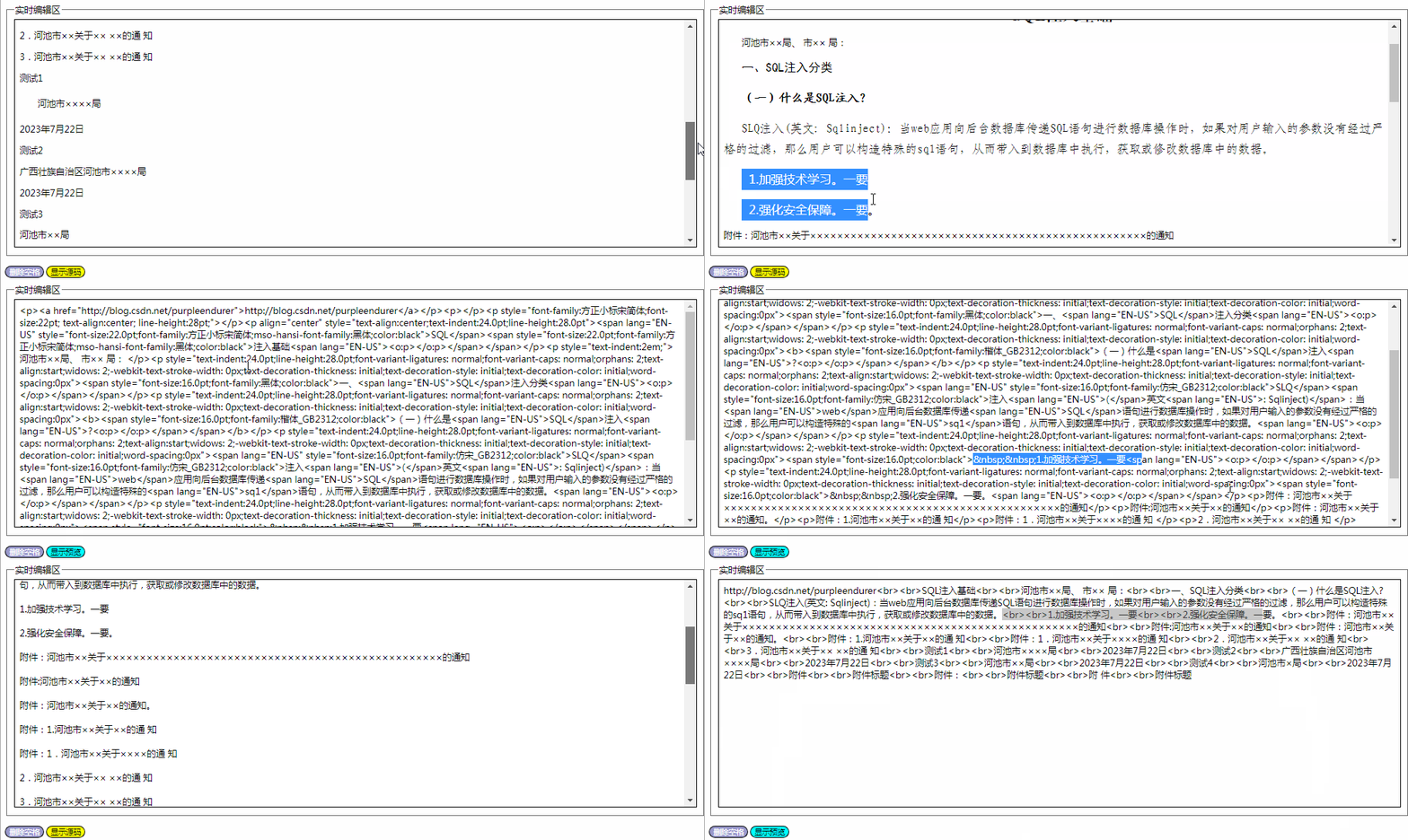
四、美中不足,待改进的地方
我们现在可以一键删除所有的半角和全角空格以及制表符了,但原有的一些排版格式,如字体大小、对齐方式也同时被删除了,能否在删除空格的同时保存原有排版格式呢?
相关文章:
用html+javascript打造公文一键排版系统15:一键删除所有空格
现在我们来实现一键删除所有空格的功能。 一、使用原有的代码来实现,测试效果并不理想 在这之前我们已经为String对象编写了一个使用正则表达式来删除所有空格的方法: //功能:删除字符串中的所有空格 //记录:20230726创建 Stri…...

苍穹外卖day12(完结撒花)——工作台+Spring_Apche_POI+导出运营数据Excel报表
工作台——需求分析与设计 产品原型 接口设计 工作台——代码导入 将提供的代码导入对应的位置。 工作台——功能测试 Apache POI_介绍 应用场景 Apache POI_入门案例 导入坐标 <!-- poi --><dependency><groupId>org.apache.poi</groupId><ar…...
)
SQL与NoSQL概念(详细介绍!!)
先搞清楚全称 SQL全称为Structured query language ,即结构化查询语言,可以把他理解为一门特殊的编程语言。 那么nosql是什么意思呢?这里的no并不仅是not,而是not only的意思,所以nosql全称应该是Not Only Structure…...

node debian 镜像 new Date 获取时间少 8 小时问题
问题 在 node debian 镜像中,用 (new Date()).getHours() 与系统时间(东 8 区)少了 8 小时 系统时间 $ node > (new Date()).getHours() 11容器中的时间 $ node > (new Date()).getHours() 3原 Dockerfile FROM node:20.5-bullsey…...
【N32L40X】学习笔记13-软件IIC读写EEPROM AT24C02
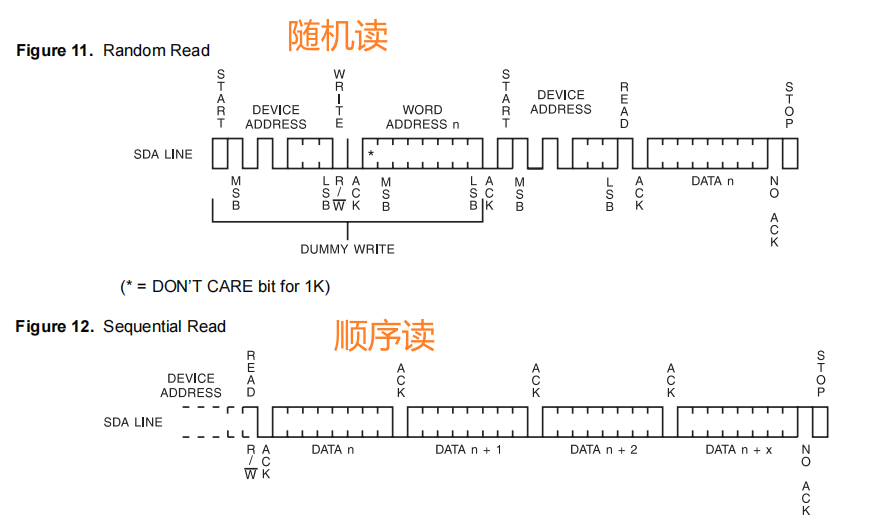
AT24C02 8个字节每页,累计32个页 通讯频率MAX 400K AT24C02大小 2K 芯片地址 对于at24c02 A2A1A0 这三个引脚没有使用 写时序 由于设备在写周期中不会产生ACK恢复,因此这可用于确定周期何时完成(此特性可用于最大限度地提高总线吞吐量)…...

JVM 调优
点击下方关注我,然后右上角点击...“设为星标”,就能第一时间收到更新推送啦~~~ JVM调优是一项重要的任务,可以提高Java应用程序的性能和稳定性。掌握JVM调优需要深入了解JVM的工作原理、参数和配置选项,以及历史JVM参数的调整和优…...
DP-GAN剩余代码
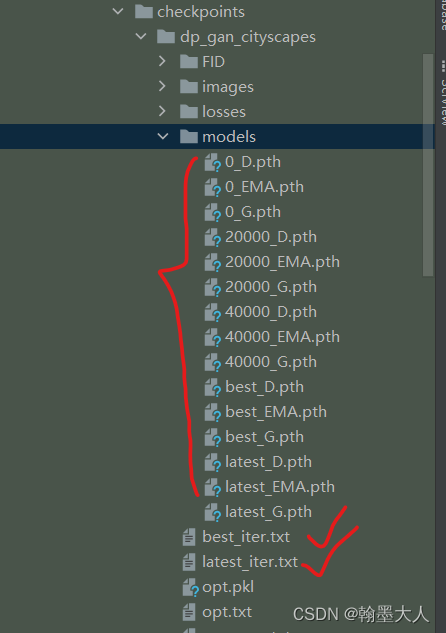
在前面计算完损失后,该进行更新: 1:netEMA是模型的生成器: 遍历生成器的state_dict,将每一个键对应的值乘以EMA_decay。 接着根据当前迭代步数计算num_upd,每1000,2500,10000代倍数就执行一次。 当num…...

在word的文本框内使用Endnote引用文献,如何保证引文编号按照上下文排序
问题 如下图所示,我在word中插入了一个文本框(为了插图),然后文本框内有引用,结果endnote自动将文本框内的引用优先排序,变成文献[1]了,而事实上应该是[31]。请问如何能让文本框内的排序也自动…...

SpringBoot项目上传至服务器
1.服务器安装JDK1.8 通过包管理器安装 2.服务器安装数据库 参考链接: CentOS 7 通过 yum 安装 MariaDB - 知乎 1. 安装之后没有密码,所以需要设置密码,使用下面的语句 set password for rootlocalhost password(111111); 2.在数据库中建…...

C++中实现多线程的三种方式
目录 1 背景2 方法 1 背景 力扣1116题 打印零和奇偶数。 2 方法 方法1:原子操作 class ZeroEvenOdd { private:int n;atomic<int> flag 0; public:ZeroEvenOdd(int n) {this->n n;}// printNumber(x) outputs "x", where x is an integer.…...

程序员副业指南:怎样实现年入10w+的目标?
大家好,这里是程序员晚枫,全网同名。 今天给大家分享一个大家都感兴趣的话题:程序员可以做什么副业,年入十万? 01 推荐 程序员可以从事以下副业,以获得一年收入10w: 兼职编程:可…...

excel 计算 分位值
_XLFN.QUARTILE.EXC(Result 1!G:G,2) 和 PERCENTILE 都可以用来计算一组数据的分位数,但是它们的计算方式略有不同。 _XLFN.QUARTILE.EXC(Result 1!G:G,2) 是 Excel 中的一个函数,在计算一个数据集的四分位数时使用。其中,第一个参数 Result…...
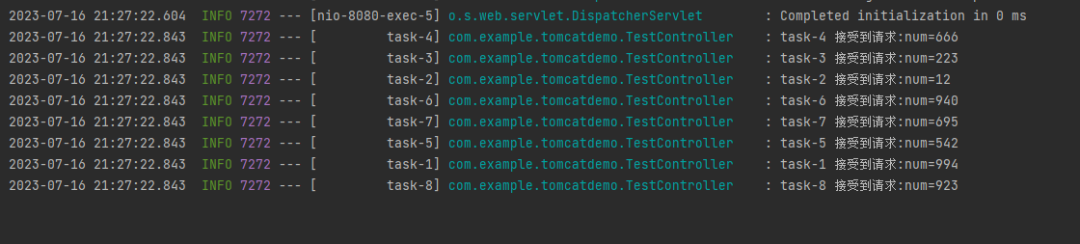
一个SpringBoot 项目能处理多少请求?
这篇文章带大家盘一个读者遇到的面试题哈。 根据读者转述,面试官的原问题就是:一个 SpringBoot 项目能同时处理多少请求? 不知道你听到这个问题之后的第一反应是什么。 我大概知道他要问的是哪个方向,但是对于这种只有一句话的…...
读取多行文本到数组 写入多行文本到文件)
Shell编程基础(十)读取多行文本到数组 写入多行文本到文件
读取多行文本到数组 & 写入多行文本到文件 读取多行文本到数组写入多行文本到文件 读取多行文本到数组 创建一个文本文件,内容如下 1 zhangsan 男 10 2 liis 女 12 3 wangwu 男 17读取这个文件中所有人的信息 #!/bin/bash while read u do echo $u done <…...

MyBatis学习笔记2
CRUD 1.namespace namespace中的包名要和mapper接口的包名一致! 2.select 选择查询语句 id:就是对应的namespace中的方法名; resultType:Sql语句执行的返回值! parameterType:参数类型 增删改必须提交事务&…...
spring总结
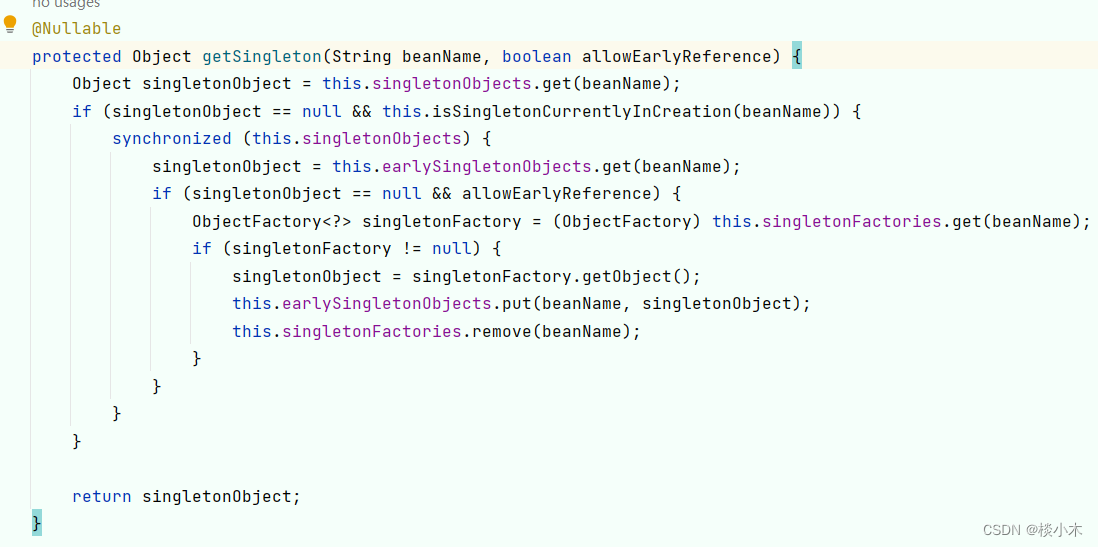
目录 什么是Spring? Spring的优缺点? 优点: 缺点: Spring IOC的理解 Spring AOP的理解 事务的边界为什么放在service层? Spring Bean的生命周期 什么是单例池?作用是什么? 单例Bean的优势 Bean…...

记录--说一说css的font-size: 0
这里给大家分享我在网上总结出来的一些知识,希望对大家有所帮助 平常我们说的font-size:0;就是设置字体大小为0对吧,但是它的用处不仅仅如此哦,它还可以消除子行内元素间额外多余的空白! 问题描述ÿ…...
)
Matlab实现支持向量机算法(附上多个完整仿真源码)
支持向量机是一种常见的机器学习算法,它可以用于分类和回归问题。在Matlab中使用支持向量机,可以方便地构建和训练模型,并进行预测和评估。本文将介绍Matlab支持向量机的基本原理以及一个简单的分类案例。 文章目录 1. 支持向量机的基本原理2…...
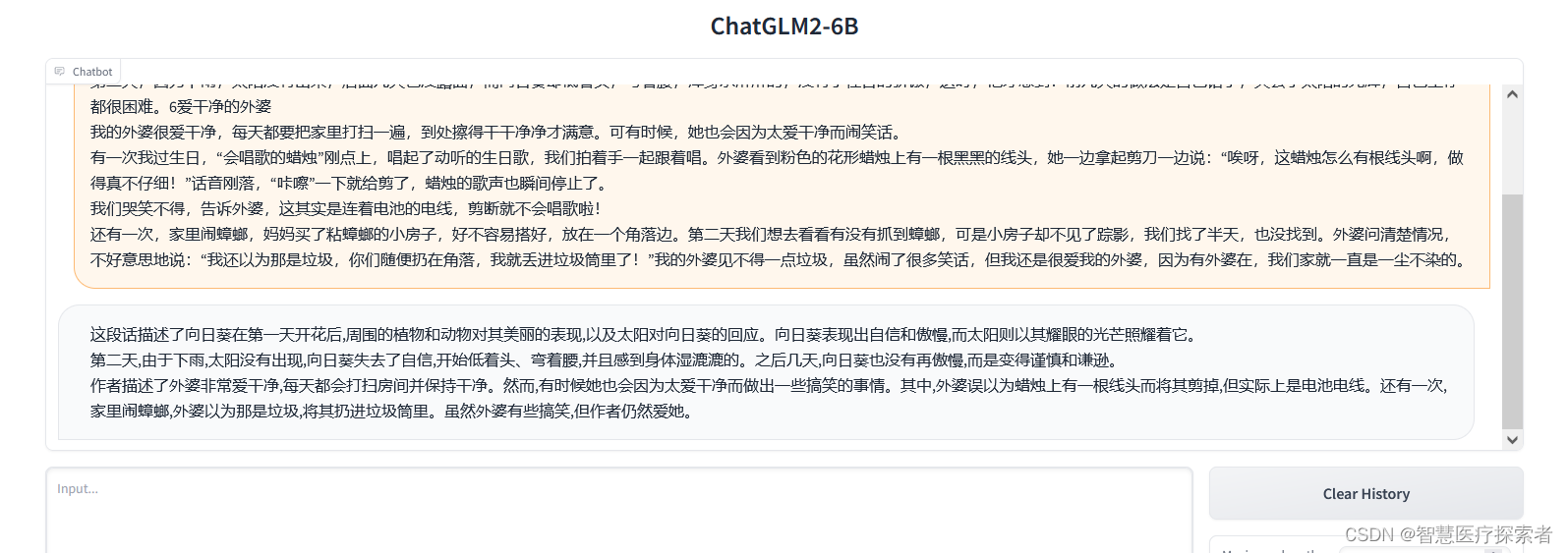
AIGC大模型ChatGLM2-6B:国产版chatgpt本地部署及体验
1 ChatGLM2-6B介绍 ChatGLM是清华技术成果转化的公司智谱AI研发的支持中英双语的对话机器人。ChatGLM基于GLM130B千亿基础模型训练,它具备多领域知识、代码能力、常识推理及运用能力;支持与用户通过自然语言对话进行交互,处理多种自然语言任务…...

DWC_ether_qos驱动软复位实战:解决网络丢包与DMA死锁
1. 项目概述:从一次诡异的网络丢包说起最近在调试一块基于某款主流SoC的工控板卡时,遇到了一个让人头疼的问题:设备在长时间高负载运行后,网络会间歇性地出现严重丢包,甚至完全断连。重启网络服务能暂时恢复࿰…...

从电路哲学到工程实践:无源与有源器件设计心法全解析
1. 从“人生如电路”到“玩电路设计,也可以这样有情怀”看到“人生如电路”这个比喻,很多电子爱好者或工程师都会心一笑。它把抽象的电子元件特性,巧妙地映射到我们每个人的学习、工作和生活状态上,确实挺有道理,也很有…...

告别SAP GUI!Notepad++配置ABAP语法高亮,离线查看代码更高效
告别SAP GUI!Notepad配置ABAP语法高亮,离线查看代码更高效 对于ABAP开发者而言,代码阅读和分析是日常工作中不可或缺的部分。然而,传统的SAP GUI环境并非总是最便捷的选择——无论是通勤途中、客户现场无系统访问权限,…...
)
别再傻傻分不清了!给硬件工程师的SI、PI、EMI关系速查手册(附高频PCB设计实例)
硬件工程师实战指南:SI、PI、EMI的三角关系与高频PCB设计避坑 当你第一次面对DDR4布线导致的EMI测试失败时,可能会陷入这样的困惑:明明是信号完整性问题,为什么整改方案却是调整电源层的去耦电容?这种看似跨领域的因果…...

探索ONVIF世界:轻松对接RTSP视频流的开源宝藏
探索ONVIF世界:轻松对接RTSP视频流的开源宝藏 【下载地址】ONVIF协议RTSP视频流与OnvifDeviceManager对接实现 本资源文件提供了一个成功实现ONVIF协议RTSP视频流与OnvifDeviceManager对接的代码示例。该示例对于希望实现ONVIF视频对接的开发者具有一定的参考价值 …...

【亲测免费】 使用S-Function函数实现离散PID控制器
使用S-Function函数实现离散PID控制器 【下载地址】使用S-Function函数实现离散PID控制器 本资源文件提供了使用S-Function函数实现离散PID控制器,并建立Simulink仿真模型的详细教程和代码。通过本资源,您将学习如何在Simulink中使用S-Function模块来实现…...

从0开始详解网络安全自学全流程!附对应的视频教程和学习笔记
从0开始详解网络安全自学全流程!附对应的视频教程和学习笔记 今天给大家梳理了从0开始详解网络安全自学全流程!对应的视频教程和学习笔记也都整理好了,大家去文末自取就行。 第一步:刑法 为什么学:划清合法与违法的红…...

声明式图表工具:提升技术文档绘制的自动化方案
声明式图表工具:提升技术文档绘制的自动化方案 【免费下载链接】drawio_mermaid_plugin Mermaid plugin for drawio desktop 项目地址: https://gitcode.com/gh_mirrors/dr/drawio_mermaid_plugin 本文旨在探讨基于文本驱动绘图的声明式图表生成方案在技术文…...

STC32G单片机开发实战:GPIO模式配置与寄存器详解
1. STC32G单片机GPIO基础认知 第一次拿到STC32G开发板时,我习惯性地想用STM32那套HAL库来操作GPIO,结果发现根本行不通。这就像拿着汽车钥匙去开保险箱,虽然都是"开锁",但机制完全不同。STC32G作为增强型8051架构单片机…...

XCOM2模组管理器终极指南:如何用AML替代原生启动器
XCOM2模组管理器终极指南:如何用AML替代原生启动器 【免费下载链接】xcom2-launcher The Alternative Mod Launcher (AML) is a replacement for the default game launchers from XCOM 2 and XCOM Chimera Squad. 项目地址: https://gitcode.com/gh_mirrors/xc/x…...