
【基础】Flink -- ProcessFunction
Flink -- ProcessFunction
- 处理函数概述
- 处理函数
- 基本处理函数 ProcessFunction
- 按键分区处理函数 KeyedProcessFunction
- 定时器与定时服务
- 基于处理时间的分区处理函数
- 基于事件时间的分区处理函数
- 窗口处理函数 ProcessWindowFunction
- 应用案例 -- Top N
处理函数概述
为了使代码拥有更强大的表现力和易用性,Flink 本身提供了多层 API 供我们选择,如下图所示。之前我们所学习的转换、聚合以及窗口函数等操作,都是基于 Flink 核心的 DataStream API 实现的。
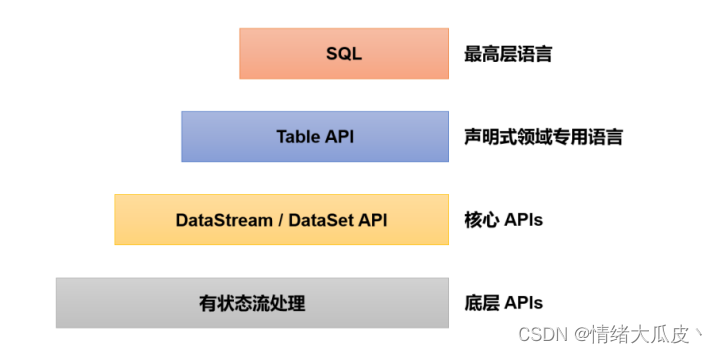
在更底层,Flink 允许我们可以不定义任何具体的算子,而是提炼出了一个统一的处理操作。在这个处理函数中,我们可以对数据进行更加灵活的定制化的处理,其不限定我们具体要做什么,因此在理论再说我们可以实现任何操作。
本文用到的实体类代码以及源算子代码如下:
实体类 Event
@Data
@AllArgsConstructor
@NoArgsConstructor
public class Event {public String user;public String url;public Long timestamp;}
源算子 EventSource
public class EventSource implements SourceFunction<Event> {private Boolean flag = true;String[] users = {"曹操", "刘备", "孙权", "诸葛亮"};String[] urls = {"/home", "/test?id=1", "/test?id=2", "/play/football", "/play/basketball"};@Overridepublic void run(SourceContext<Event> sourceContext) throws Exception {Random random = new Random();while (flag) {sourceContext.collect(new Event(users[random.nextInt(users.length)],urls[random.nextInt(urls.length)],Calendar.getInstance().getTimeInMillis()));Thread.sleep(1000);}}@Overridepublic void cancel() {flag = false;}
}
处理函数
Flink 提供了 8 个不同的处理函数:
-
ProcessFunction:最基本的处理函数,基于DataStream调用process()并将该处理函数作为参数传入; -
KeyedProcessFunction:对按键分区后的流的处理函数,基于KeyedStream调用process()并将该处理函数作为参数传入; -
ProcessWindowFunction:开窗操作之后的处理函数,也是全窗口函数的代表,基于WindowedStream调用process()并将该处理函数作为参数传入; -
ProcessAllWindowFunction:开窗操作之后的处理函数,基于AllWindowedStream调用process()并将该处理函数作为参数传入; -
CoProcessFunction:合并两条流之后的处理函数,基于ConnectedStreams调用process()并将该处理函数作为参数传入; -
ProcessJoinFunction:间接连接两条流之后的处理函数,基于IntervalJoined调用process()并将该处理函数作为参数传入; -
BroadcastProcessFunction:广播连接流处理函数,基于BroadcastConnectedStream调用process()并将该处理函数作为参数传入; -
KeyedBroadcastProcessFunction:基于按键分区的广播连接流的处理函数,基于BroadcastConnectedStream调用process()并将该处理函数作为参数传入;
基本处理函数 ProcessFunction
使用基本处理函数需要我们实例化抽象类ProcessFunction,其内部定义了两个抽象方法:
-
processElement():必须实现,用于处理元素。其传入的三个参数如下-
value:当前正在被处理的元素,类型与流中的数据类型一致;
-
ctx:内部抽象类,代表当前正在运行的上下文,可以获取当前时间戳,并提供了用于查询时间和注册定时器的“定时服务”,以及可以将数据发送到“侧输出流” 的方法
output(); -
out:用于返回输出数据;
-
-
onTimer():用于定义定时触发的操作,其同样需要传入三个参数-
timestamp:设定好的时间,在事件时间语义下即水位线;
-
ctx:运行上下文;
-
out:用于返回输出数据;
-
处理函数都是基于事件触发的。水位线就如同插入流中的一条数据一样。只不过处理真正的数据事件调用的是processElement()方法,而处理水位线事件调用的是onTimer()。
基本处理函数的基本使用代码如下:
public class ProcessFunctionDemo {public static void main(String[] args) throws Exception {// 1. 环境准备StreamExecutionEnvironment environment = StreamExecutionEnvironment.getExecutionEnvironment();environment.setRuntimeMode(RuntimeExecutionMode.AUTOMATIC);environment.setParallelism(1);// 2. 加载数据源并设置水位线environment// 2.1 加载数据源.addSource(new EventSource())// 2.2 获取时间戳、设置水位线.assignTimestampsAndWatermarks(WatermarkStrategy.<Event>forMonotonousTimestamps().withTimestampAssigner((SerializableTimestampAssigner<Event>) (event, l) -> event.timestamp))// 2.3 设置处理函数.process(new ProcessFunction<Event, String>() {@Overridepublic void processElement(Event event, ProcessFunction<Event, String>.Context context, Collector<String> collector) throws Exception {if ("曹操".equals(event.user)) {collector.collect(event.user + ">>>说曹操曹操到...");} else if ("刘备".equals(event.user)) {collector.collect(event.user + ">>>不可能,我二弟天下无敌!");} else {collector.collect("无关人等~");}System.out.println(longToDate(context.timerService().currentWatermark()));}})// 2.4 执行输出.print();// 3. 执行程序environment.execute();}/*** long类型转换成日期** @param lo 毫秒数* @return String yyyy-MM-dd HH:mm:ss*/public static Date longToDate(long lo) throws ParseException {SimpleDateFormat sd = new SimpleDateFormat("yyyy-MM-dd HH:mm:ss");//long转Datereturn new SimpleDateFormat("yyyy-MM-dd HH:mm:ss").parse(sd.format(new Date(lo)));}}
按键分区处理函数 KeyedProcessFunction
定时器与定时服务
定时器 Timer 是处理函数当中进行时间相关的操作的主要机制,在onTimer()方法中可以自定义定时器触发的逻辑。而定时器触发的前提是该定时器已经注册且当前已经到达了触发时间。定时器的注册通过上下文提供的定时服务 TimerService 实现。
定时服务与当前运行环境有关,上下文 context 提供了timerService()方法可以直接获取TimerService对象。TimerService类中定义了关于时间和定时器的基础服务接口,主要包含以下 6 个方法:
// 获取当前的处理时间
long currentProcessingTime();
// 获取当前的水位线(事件时间)
long currentWatermark();
// 注册处理时间定时器,当处理时间超过 time 时触发
void registerProcessingTimeTimer(long time);
// 注册事件时间定时器,当水位线超过 time 时触发
void registerEventTimeTimer(long time);
// 删除触发时间为 time 的处理时间定时器
void deleteProcessingTimeTimer(long time);
// 删除触发时间为 time 的事件时间定时器
void deleteEventTimeTimer(long time);
这些方法总体上可以分为两大类,根据定义的时间语义的不同,分为基于处理时间的和基于事件时间的。对应的操作主要有三个,即获取当前时间、注册定时器、删除定时器。
基于处理时间的分区处理函数
基本使用代码如下,详细步骤见代码注释:
public class ProcessingTimeTimerDemo {public static void main(String[] args) throws Exception {// 1. 环境准备StreamExecutionEnvironment environment = StreamExecutionEnvironment.getExecutionEnvironment();environment.setRuntimeMode(RuntimeExecutionMode.AUTOMATIC);environment.setParallelism(1);// 2. 加载数据源并设置水位线environment// 2.1 加载数据源.addSource(new EventSource())// 处理时间语义,不需要分配时间戳和 watermark// 2.2 按键分区,这里将所有数据分配到同一区// 使用定时器,必须基于 KeyedStream.keyBy(event -> true)// 2.3 设置按键分区处理函数.process(new KeyedProcessFunction<Boolean, Event, Object>() {@Overridepublic void processElement(Event event, KeyedProcessFunction<Boolean, Event, Object>.Context context, Collector<Object> collector) throws Exception {long currTs = context.timerService().currentProcessingTime();collector.collect("数据到达,到达时间>>>" + new Timestamp(currTs));// 注册一个 10 秒后的定时器context.timerService().registerProcessingTimeTimer(currTs + 10 * 1000L);}@Overridepublic void onTimer(long timestamp, KeyedProcessFunction<Boolean, Event, Object>.OnTimerContext ctx, Collector<Object> out) throws Exception {out.collect("定时器触发,触发时间>>>" + new Timestamp(timestamp));}})// 2.4 执行打印.print();// 3. 执行程序environment.execute();}}
基于事件时间的分区处理函数
基本使用代码如下,详细步骤见代码注释:
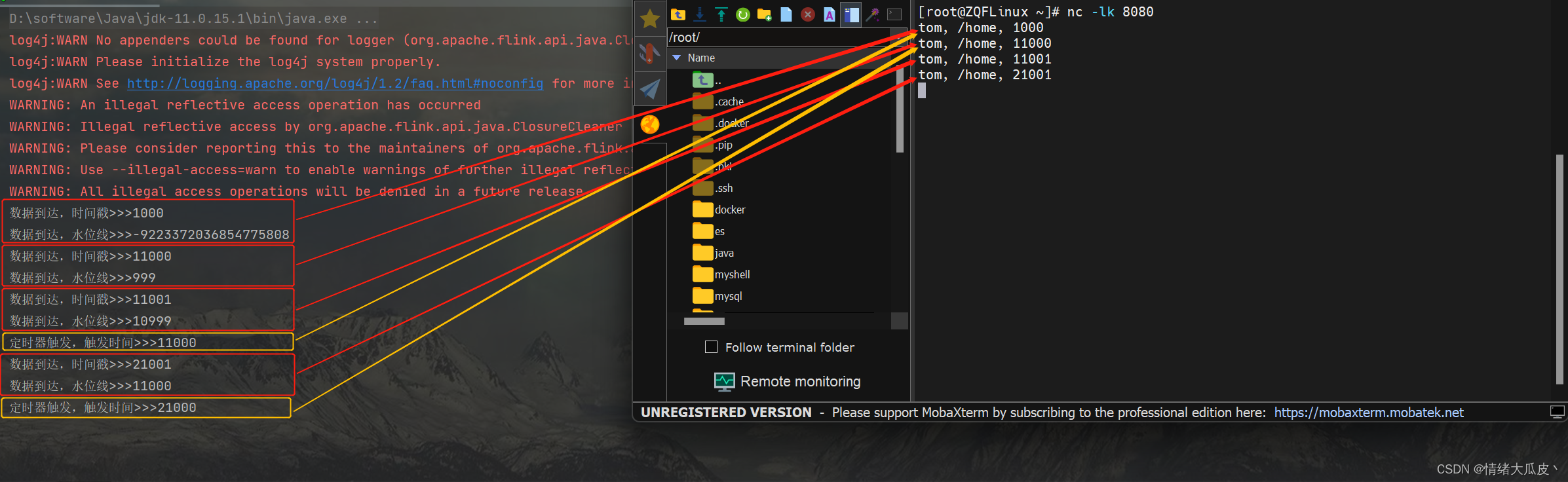
public class EventTimeTimerDemo {public static void main(String[] args) throws Exception {// 1. 环境准备StreamExecutionEnvironment environment = StreamExecutionEnvironment.getExecutionEnvironment();environment.setRuntimeMode(RuntimeExecutionMode.AUTOMATIC);environment.setParallelism(1);// 2. 加载数据源并设置水位线environment// 2.1 加载数据源.socketTextStream("XXX.XX.XX.XXX", 8080)// 2.2 对数据源进行简单处理,封装成对象.map(new MapFunction<String, Event>() {@Overridepublic Event map(String s) throws Exception {String[] split = s.split(",");return new Event(split[0].trim(),split[1].trim(),Long.valueOf(split[2].trim()));}})// 2.3 获取时间戳、设置水位线.assignTimestampsAndWatermarks(WatermarkStrategy.<Event>forMonotonousTimestamps().withTimestampAssigner((SerializableTimestampAssigner<Event>) (event, l) -> event.timestamp))// 2.4 设置按键分区处理函数.keyBy(event -> true)// 2.5 设置处理函数.process(new KeyedProcessFunction<Boolean, Event, String>() {@Overridepublic void processElement(Event event, KeyedProcessFunction<Boolean, Event, String>.Context context, Collector<String> collector) throws Exception {collector.collect("数据到达,时间戳>>>" + context.timestamp());collector.collect("数据到达,水位线>>>" + context.timerService().currentWatermark());// 注册一个 10 秒后的定时器context.timerService().registerEventTimeTimer(context.timestamp() + 10 * 1000L);}@Overridepublic void onTimer(long timestamp, KeyedProcessFunction<Boolean, Event, String>.OnTimerContext ctx, Collector<String> out) throws Exception {out.collect("定时器触发,触发时间>>>" + timestamp);}})// 2.6 执行打印.print();// 3. 执行程序environment.execute();}}
执行测试,对应数据的输出以及定时器对应的数据分别用红色和黄色标注
窗口处理函数 ProcessWindowFunction
关于窗口处理函数的使用,在之前的Flink – Time and Window已经介绍过其基本的使用方法,示例代码如下:
public class ProcessWindowDemo {public static void main(String[] args) throws Exception {// 1. 环境准备StreamExecutionEnvironment environment = StreamExecutionEnvironment.getExecutionEnvironment();environment.setRuntimeMode(RuntimeExecutionMode.AUTOMATIC);environment.setParallelism(1);// 2. 加载数据源并设置水位线SingleOutputStreamOperator<Event> stream = environment// 2.1 加载数据源.addSource(new EventSource())// 2.2 获取时间戳、设置水位线.assignTimestampsAndWatermarks(WatermarkStrategy.<Event>forBoundedOutOfOrderness(Duration.ZERO).withTimestampAssigner((SerializableTimestampAssigner<Event>) (event, l) -> event.timestamp));// 3. 数据处理及输出stream// 3.1 分区,将所有数据发送到一个分区进行统计.keyBy(item -> true)// 3.2 设置滚动事件时间窗口,窗口大小为 10s.window(TumblingEventTimeWindows.of(Time.seconds(5)))// 3.3 定义窗口函数处理规则.process(new CustomProcessWindow())// 3.4 输出结果.print();// 4. 执行程序environment.execute();}public static class CustomProcessWindow extends ProcessWindowFunction<Event, String, Boolean, TimeWindow> {/*** 窗口函数处理规则,窗口关闭时执行处理*/@Overridepublic void process(Boolean aBoolean, ProcessWindowFunction<Event, String, Boolean, TimeWindow>.Context context,Iterable<Event> iterable, Collector<String> collector) {// 创建用户统计SetHashSet<String> userSet = new HashSet<>();for (Event event: iterable) {userSet.add(event.user);}long start = context.window().getStart();long end = context.window().getEnd();// 定制输出内容collector.collect("窗口【" + new TimeStamp(start) + "~" + new TimeStamp(end)+ "】的独立访客数量为>>>" + userSet.size());}}}
ProcessWindowFunction继承了AbstractRichFunction抽象类,其存在 4 个类型参数,按顺序分别为:
-
IN:即数据流中窗口函数输入的数据类型; -
OUT:即窗口函数经过计算后输出的; -
KEY:即数据中分区键 key 的类型; -
W:即窗口的类型,一般使用TimeWindow;
使用过程中需要实现抽象方法process(),该方法也包含 4 个参数,按序分别为:
-
key:分区字段;
-
context:当前窗口计算的上下文;
-
elements:窗口收集到的所有元素的可迭代集合;
-
out:用于发送数据输出结果的收集器;
应用案例 – Top N
使用之前学习的各种方法可以实现对访问量 Top N 的 url 的计算,使用到的实体类 EventUrlCount 代码如下:
@Data
@NoArgsConstructor
@AllArgsConstructor
public class EventUrlCount {public String url;public Long count;public Long windowStart;public Long windowEnd;}
业务实现代码如下:
public class TopNDemo {public static void main(String[] args) throws Exception {// 1. 配置环境StreamExecutionEnvironment environment = StreamExecutionEnvironment.getExecutionEnvironment();environment.setParallelism(1);// 2. 数据处理environment// 2.1 添加数据源.addSource(new EventSource())// 2.2 设置水位线.assignTimestampsAndWatermarks(WatermarkStrategy.<Event>forMonotonousTimestamps().withTimestampAssigner(new SerializableTimestampAssigner<Event>() {@Overridepublic long extractTimestamp(Event event, long l) {return event.timestamp;}}))// 2.3 按照 url 进行分区,统计 10s 的时间窗口内各个 url 的访问量.keyBy(event -> event.url)// 2.4 设置滑动窗口.window(SlidingEventTimeWindows.of(Time.seconds(10), Time.seconds(5)))// 2.5 设置窗口处理逻辑.aggregate(new UrlCountAgg(), new UrlCountRes())// 2.6 按窗口结束时间进行分区,统计相同时间窗口各 url 的访问量.keyBy(eventUrlCount -> eventUrlCount.windowEnd)// 2.7 设置处理函数计算top n.process(new TopN(2))// 2.8 执行输出.print();// 3. 执行程序environment.execute();}/*** 自定义增量聚合*/public static class UrlCountAgg implements AggregateFunction<Event, Long, Long> {@Overridepublic Long createAccumulator() {return 0L;}@Overridepublic Long add(Event event, Long aLong) {return aLong + 1;}@Overridepublic Long getResult(Long aLong) {return aLong;}@Overridepublic Long merge(Long aLong, Long acc1) {return null;}}/*** 自定义全窗口函数*/public static class UrlCountRes extends ProcessWindowFunction<Long, EventUrlCount, String, TimeWindow> {@Overridepublic void process(String s, ProcessWindowFunction<Long, EventUrlCount, String, TimeWindow>.Context context,Iterable<Long> iterable, Collector<EventUrlCount> collector) throws Exception {collector.collect(new EventUrlCount(s,iterable.iterator().next(),context.window().getStart(),context.window().getEnd()));}}/*** 自定义处理函数,计算 top n*/public static class TopN extends KeyedProcessFunction<Long, EventUrlCount, String> {// 定义属性 nprivate final Integer n;// 定义状态列表private ListState<EventUrlCount> urlCountListState;public TopN(Integer n) {this.n = n;}@Overridepublic void open(Configuration parameters) throws Exception {// 从环境中获取状态列表urlCountListState = getRuntimeContext().getListState(new ListStateDescriptor<EventUrlCount>("event-url-count-list", Types.POJO(EventUrlCount.class)));}@Overridepublic void processElement(EventUrlCount eventUrlCount, KeyedProcessFunction<Long, EventUrlCount, String>.Context context,Collector<String> collector) throws Exception {// 将数据保存至状态列表urlCountListState.add(eventUrlCount);// 设置定时器,在窗口关闭 1s 后触发context.timerService().registerEventTimeTimer(context.getCurrentKey() + 1L);}@Overridepublic void onTimer(long timestamp, KeyedProcessFunction<Long, EventUrlCount, String>.OnTimerContext ctx, Collector<String> out) throws Exception {// 将数据从状态列表取出并放入 ArrayList,方便排序ArrayList<EventUrlCount> urlCountArrayList = new ArrayList<>();for (EventUrlCount eventUrlCount: urlCountListState.get()) {urlCountArrayList.add(eventUrlCount);}// 清空状态列表urlCountListState.clear();// 执行排序urlCountArrayList.sort(new Comparator<EventUrlCount>() {@Overridepublic int compare(EventUrlCount o1, EventUrlCount o2) {return o2.count.intValue() - o1.count.intValue();}});// 组装结果并输出StringBuilder result = new StringBuilder();result.append("========================================\n");result.append("窗口结束时间:").append(new Timestamp(timestamp - 1)).append("\n");for (int i = 0; i < this.n; i++) {EventUrlCount eventUrlCount = urlCountArrayList.get(i);String info = "No." + (i + 1) + " " + "url:" + eventUrlCount.url + " "+ "浏览量:" + eventUrlCount.count + "\n";result.append(info);}result.append("========================================\n");out.collect(result.toString());}}}
我们在上面的代码中使用ListState。在open()方法中初始化了列表状态变量,初始化的时候使用了ListStateDescriptor描述符,这个描述符用来告诉 Flink 列表状态变量的名字和类型。列表状态变量是单例,也就是说只会被实例化一次。这个列表状态变量的作用域是当前 key 所对应的逻辑分区。可以使用add()方法向列表状态变量中添加数据,使用get()方法读取列表状态变量中的所有元素。
相关文章:
【基础】Flink -- ProcessFunction
Flink -- ProcessFunction处理函数概述处理函数基本处理函数 ProcessFunction按键分区处理函数 KeyedProcessFunction定时器与定时服务基于处理时间的分区处理函数基于事件时间的分区处理函数窗口处理函数 ProcessWindowFunction应用案例 -- Top N处理函数概述 为了使代码拥有…...
JavaEE|网络编程基础与Socket套接字
文章目录一、为什么需要网络编程二、什么是网络编程三、网络编程中的基本概念1.发送端和接收端2.请求和响应3.客户端和服务端4.常见的客户端服务端模型四、Socket套接字概念及分类1.概念2.分类1)流套接字:使用传输层TCP协议2)数据报套接字&am…...

【SpringBoot】基础协议及邮件配置整合
一、名词概念解释 什么是POP3、SMTP和IMAP? 简单的说:POP3和IMAP是用来从服务器上下载邮件的。SMTP适用于发送或中转信件时找到下一个目的地。所以我们发送邮件应该使用SMTP协议。 POP3、SMTP和IMAP协议介绍 IMAP和POP3有什么区别?什么是免费…...
pytorch配置—什么是CUDA,什么是CUDNN、在配置pytorch虚拟环境中遇到的问题、在安装gpu—pytorch中遇到的问题
1.什么是CUDA,什么是CUDNN (1)什么是CUDA CUDA(ComputeUnified Device Architecture),是显卡厂商NVIDIA推出的运算平台。 CUDA是一种由NVIDIA推出的通用并行计算架构,该架构使GPU能够解决复杂的计算问题。 ࿰…...
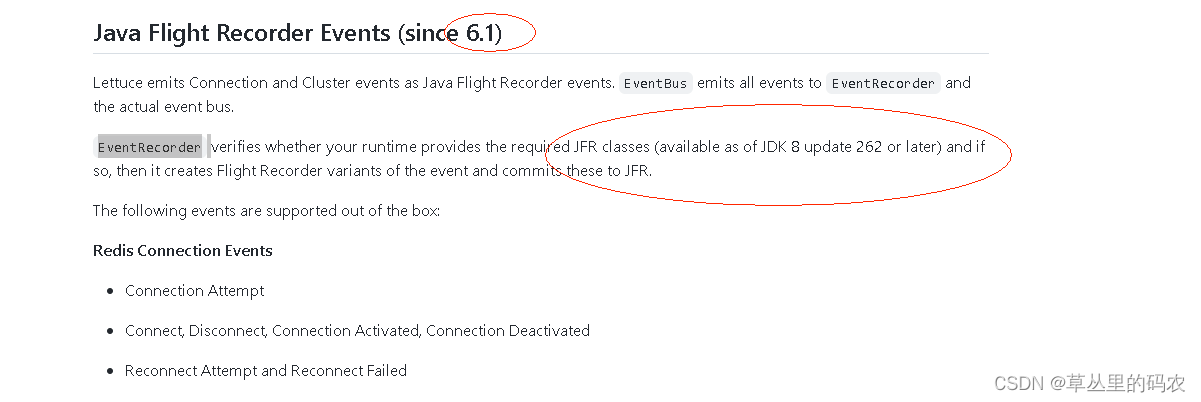
jfr引起的一次jvm异常记录
业务生产启动时,20个节点有1-2个节点因为jvm问题出现启动失败,k8s自动重启后正常。在测试环境2个节点下偶现 排查思路: 先拿到hs_err_pid的jvm错误文件找到当前线程和内部错误信息 hs_err_pid 文件分析 当前线程:lettuce的线程…...
Java智慧校园平台源码:SaaS模式智慧校园运营云平台源码
校班务管理:评价管理: 1.web端/教师端小程序编辑点评 多元化评价,捕捉学生闪光点全方位评价,自定义评价类型、 评价信息实时推送至家长、AI智能点评 班级报表一键导出,智能评测学生在校表现,老师、家长实…...
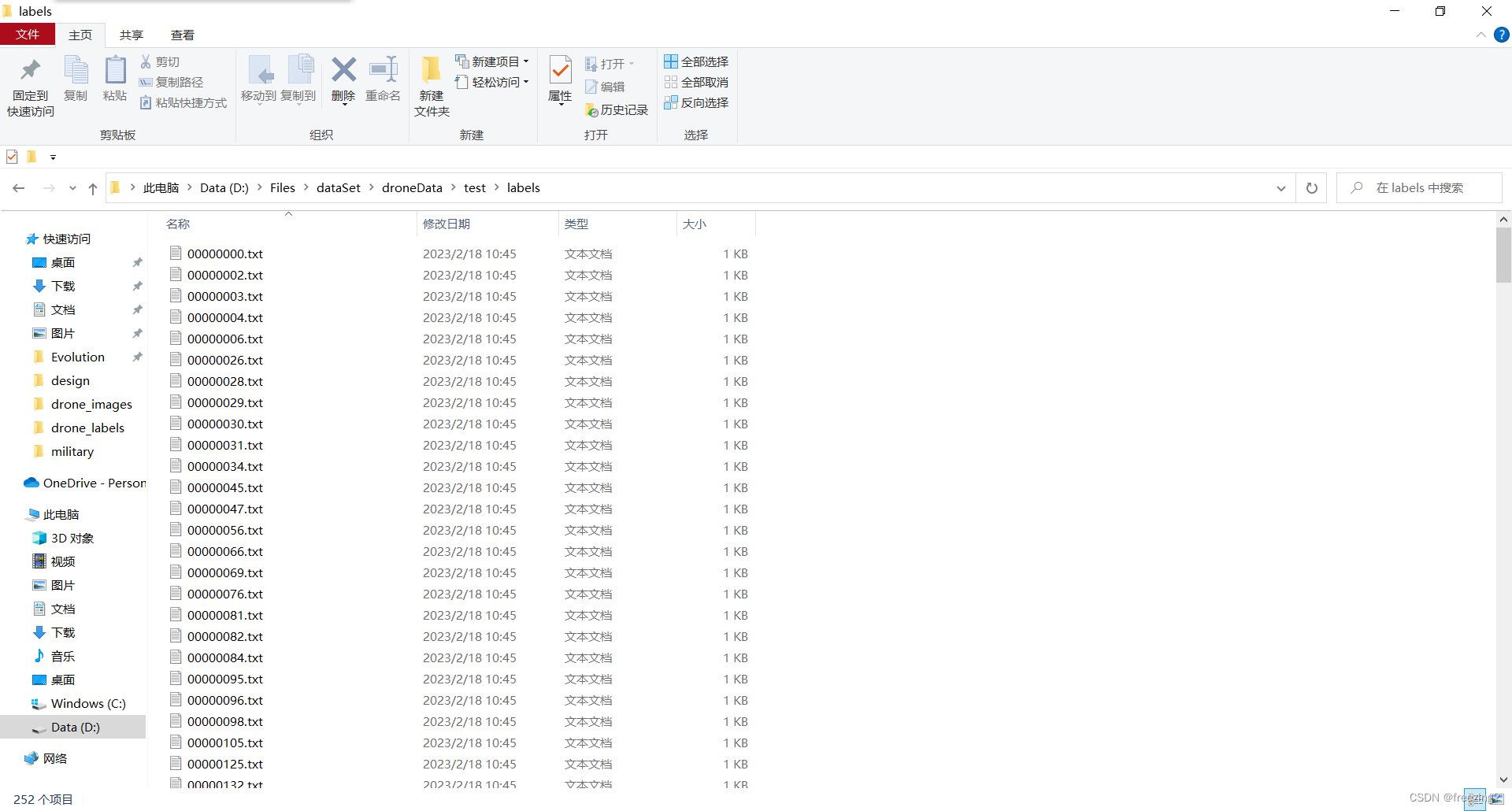
【yolov5】将标注好的数据集进行划分(附完整可运行python代码)
问题描述 准备使用yolov5训练自己的模型,自己将下载的开源数据集按照自己的要求重新标注了一下,然后现在对其进行划分。 问题分析 划分数据集主要的步骤就是,首先要将数据集打乱顺序,然后按照一定的比例将其分为训练集…...

es-05分词器
文章目录分词器1 normalization:文档规范化,提高召回率2 字符过滤器(character filter):分词之前的预处理,过滤无用字符3 令牌过滤器(token filter):停用词、时态转换、大小写转换、…...

已解决zipfile.BadZipFile: File is not a zip file
已解决Python openpyxl 读取Excel文件,抛出异常zipfile.BadZipFile: File is not a zip file的正确解决,亲测有效!!! 文章目录报错问题报错翻译报错原因解决方法联系博主免费帮忙解决报错报错问题 一个小伙伴遇到问题跑…...
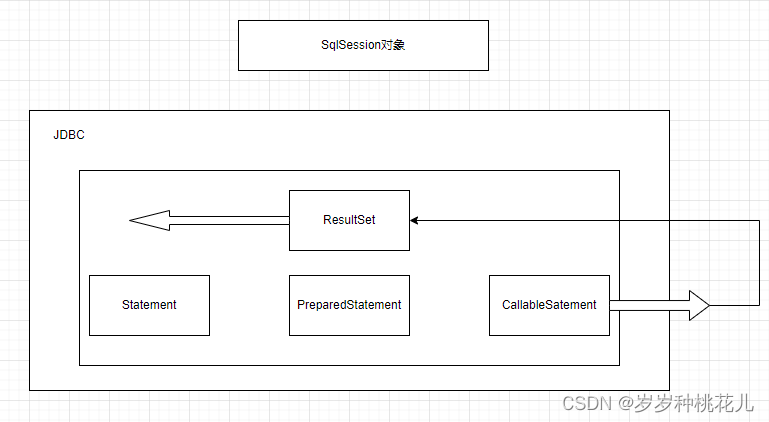
Mybatis源码分析:Mybatis的数据存储对象
前言:SQLSession是对JDBC的封装 一:SQLSession和JDBC的对照说明 左边是我们的客户端程序,右边是我们的MySQL数据仓,或者叫MySQL实例 Mybatis是对JDBC的封装,将JDBC封装成了一个核心的SQLSession对象 JDBC当中的核心对…...
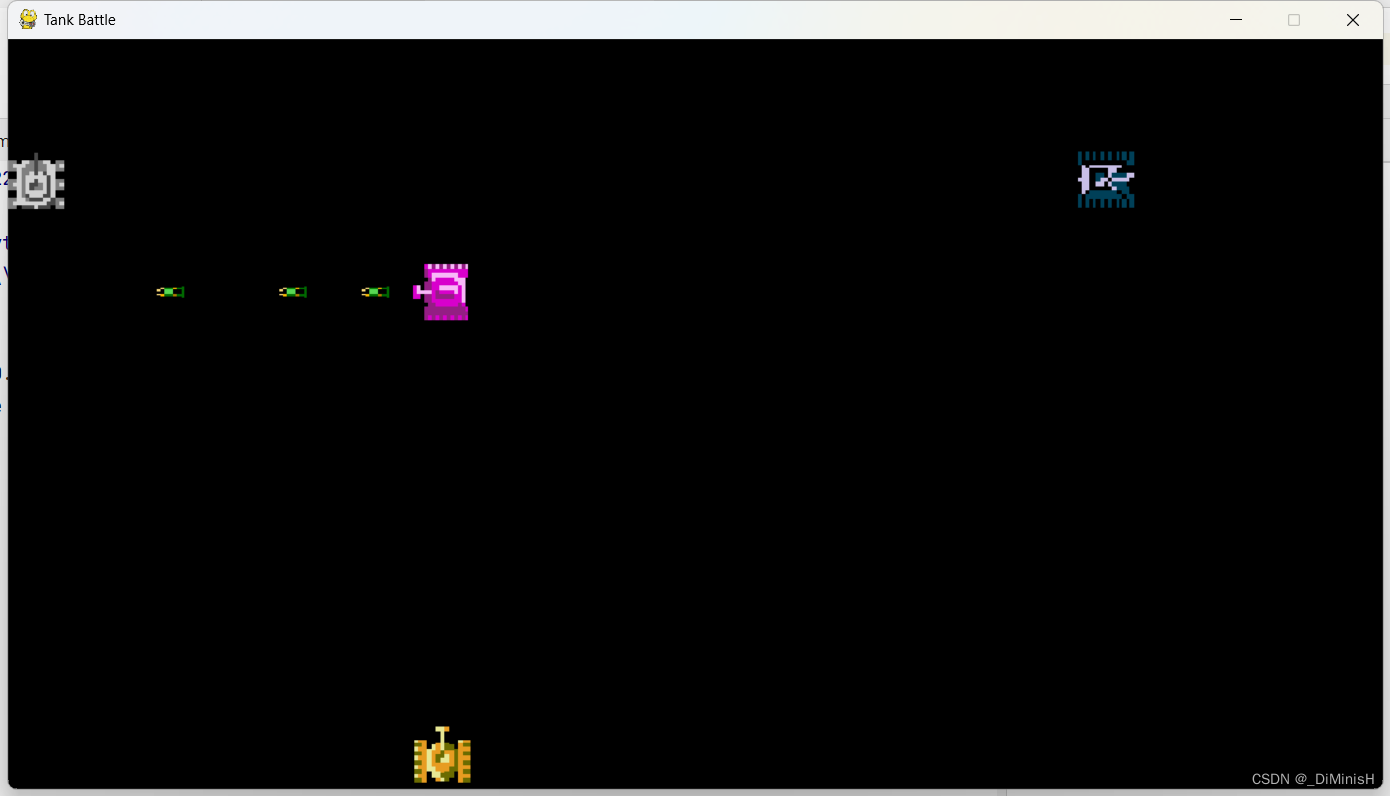
学习 Python 之 Pygame 开发坦克大战(二)
学习 Python 之 Pygame 开发坦克大战(二)坦克大战的需求开始编写坦克大战1. 搭建主类框架2. 获取窗口中的事件3. 创建基类4. 初始化我方坦克类5. 完善我方坦克的移动5. 完善我方坦克的显示6. 在主类中加入我方坦克并完成坦克移动7. 初始化子弹类8. 完善子…...

短视频时代是靠什么赚钱的,介绍常见的5种方式,简单明了
目前,短视频越来越火热,大家都知道做短视频可以赚钱,那么究竟是靠什么赚钱的,又有几个人知道呢?短视频创业有个人、有团队,怎么实现团队的生存和发展。 常见的几种变现方式有: 1、平台分成 各…...

关于CentOS维护的几条简单命令
1、检查/etc/passwd这个文件里面有没有异常用户名2、通过命令top查看是否有异常进程,按M键对进程进行排序3、通过命令netstat -lnpt,查看是否有异常端口号4、通过命令ll -a /proc/PID,查看异常进程执行文件所在位置5、通过命令kill -9 PID&am…...

PoW 、PoS , DPoS 算法
PoW 、PoS , DPoS 算法 在区块链领域,多采用 PoW 工作量证明算法、PoS 权益证明算法,以及 DPoS 代理权 益证明算法,以上三种是业界主流的共识算法,这些算法与经典分布式一致性算法不同的是 融入了经济学博弈的概念。 …...
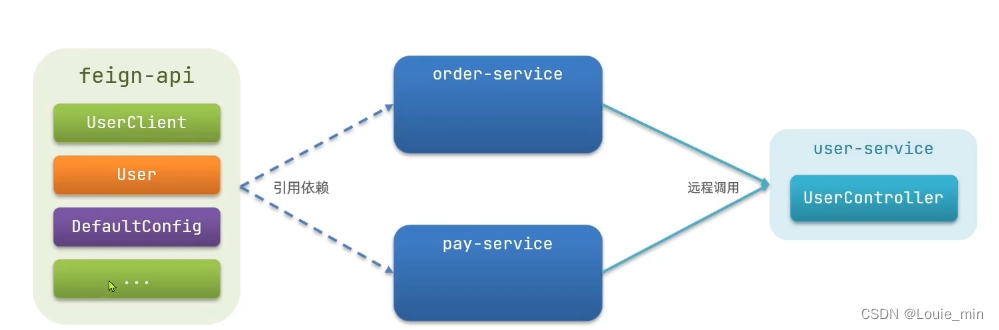
SpringCloud(PS)远程调用--Feign
远程调用RestTemplate远程调用RestTemplate方式调用存在的问题Http客户端Feign实现步骤自定义配置Feign优化Feign性能优化——连接池配置最佳实践RestTemplate远程调用 Bean // LoadBalancedpublic RestTemplate restTemplate(){return new RestTemplate();}Autowiredprivat…...

2023年全国最新二级建造师精选真题及答案1
百分百题库提供二级建造师考试试题、二建考试预测题、二级建造师考试真题、二建证考试题库等,提供在线做题刷题,在线模拟考试,助你考试轻松过关。 11.当事人未依照法律、行政法规规定办理租赁合同登记备案手续的,租赁合同…...
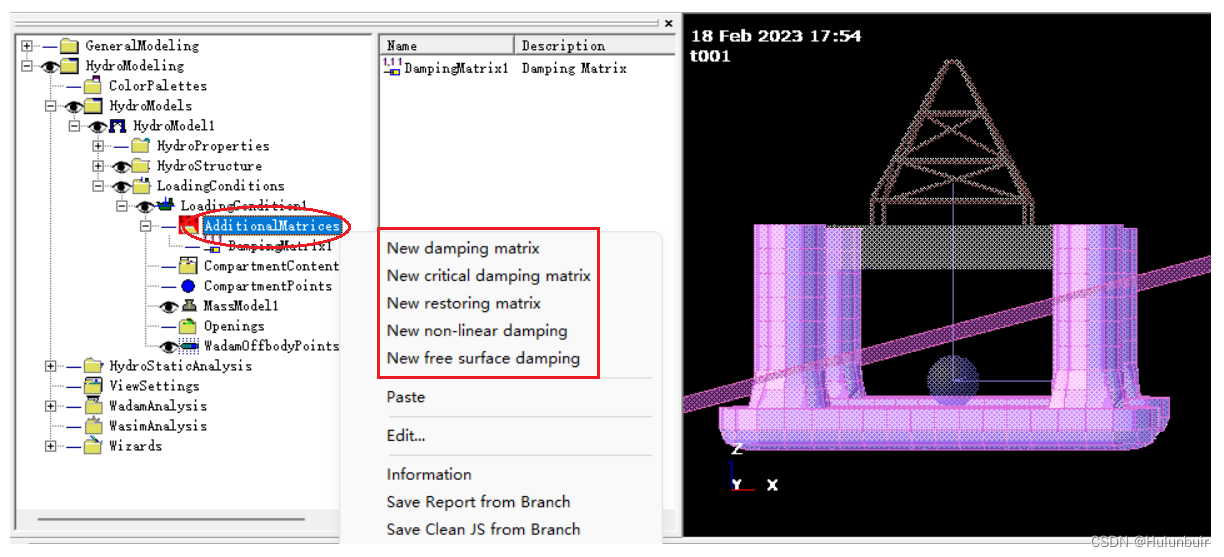
HydroD 实用教程(四)水动力模型
目 录一、前言二、Hydro Properties2.1 Compartment Properties2.2 Rudder and Thruster2.3 Wind Properties三、Hydro Structure3.1 Load Cross Sections四、Loading Conditions4.1 Mass Model4.2 Second Order Surface Model4.3 Wadam Offbody Points4.4 Additional Matrices…...
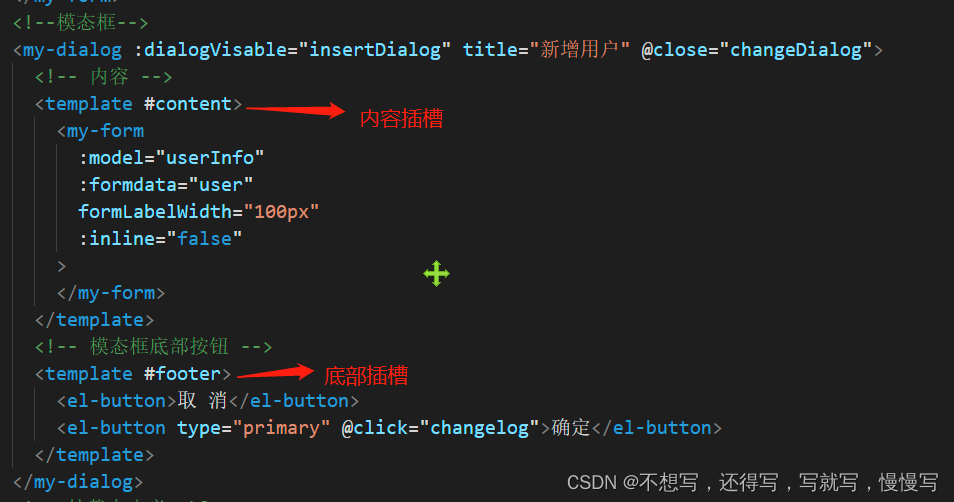
vue项目第七天
项目中模块操做业务使用ajax(需要使用接口认证)修改封装的findData发送ajax请求管理员列表内部搜索业务复用之前的findData 方法即可实现整个查询业务。实现退出业务在下拉菜单上添加事件以及属性。用户退出登录,二次登录系统菜单可能不存在的…...

拂晓·微信机器人
前言 本项目是基于千寻微信框架进行的功能开发,采用SpringBoot青云客机器人进行开发。 千寻初衷是想开源一个框架的写法,并不是为了用来运营,因此功能不全,所以使用和适配前请查看是否与自己需求匹配。 因此本文主要通过千寻客…...

React:Hooks工作机制
Hooks规则 React Hooks的使用,有两个规则: Hooks只能在函数组件中使用;不能在条件、循环或者嵌套函数中使用hook。确保每一次渲染中都按照同样的顺序被调用,import React, {useState } from "react"; export default function PersonalInfoComponent() {const […...

原神帧率解锁技术解析:三步突破60FPS限制的完整方案
原神帧率解锁技术解析:三步突破60FPS限制的完整方案 【免费下载链接】genshin-fps-unlock unlocks the 60 fps cap 项目地址: https://gitcode.com/gh_mirrors/ge/genshin-fps-unlock 你是否曾为《原神》PC版的60FPS限制感到困扰?当你的高性能显卡…...
)
ElevenLabs API实战速成:从零部署高保真语音克隆服务,5步完成企业级TTS集成(含实时情感控制代码)
更多请点击: https://intelliparadigm.com 第一章:ElevenLabs超写实语音生成教程 ElevenLabs 是当前业界领先的 AI 语音合成平台,其模型在语调自然度、情感表达力与跨语言一致性方面表现卓越。本章将指导你完成从 API 接入到高质量语音生成的…...

AI抠图的几种方法:从传统到智能,一文掌握所有工具和技巧
最近被问得最多的问题就是:"怎么快速给图片换个背景?"、"证件照怎么自己换底色?"、"商品图去背景用什么工具?"。说实话,随着AI技术的发展,抠图这件事已经从"需要Photos…...

观察Taotoken Token Plan套餐在长期项目中的成本控制效果
🚀 告别海外账号与网络限制!稳定直连全球优质大模型,限时半价接入中。 👉 点击领取海量免费额度 观察Taotoken Token Plan套餐在长期项目中的成本控制效果 对于需要长期、稳定调用大模型API的项目而言,成本的可预测性…...

从用户态到内核态:Linux Hook技术的全景实践与攻防解析
1. Linux Hook技术入门:从概念到实践 第一次接触Hook技术是在十年前的一个安全分析项目中,当时需要监控某个可疑进程的行为。那时候我才明白,原来Linux系统里藏着这么多可以"截胡"程序执行的秘密通道。简单来说,Hook技术…...

从仿真卡死到波形完美:手把手调试Verilog Testbench时钟的那些坑
从仿真卡死到波形完美:手把手调试Verilog Testbench时钟的那些坑 数字电路仿真中,时钟信号就像交响乐团的指挥棒,一个微小的节奏错误就可能导致整个系统失序。刚接触Verilog仿真的工程师们,往往会在时钟生成这个看似简单的环节栽跟…...
)
别再乱点JIRA后台了!手把手教你配置项目专属的创建/编辑界面(附避坑清单)
别再乱点JIRA后台了!手把手教你配置项目专属的创建/编辑界面(附避坑清单) 当团队开始使用JIRA管理敏捷开发流程时,默认的界面配置往往成为效率杀手。开发人员创建Bug时被无关字段干扰,产品经理填写用户故事时找不到必填…...

InferenceX:大模型高效推理引擎核心原理与生产部署实战
1. 项目概述:从模型训练到高效推理的最后一公里如果你在AI领域,特别是大模型应用开发上投入过精力,那么对“InferenceX”这个名字可能不会感到陌生。它不是一个全新的训练框架,也不是一个模型仓库,而是精准地瞄准了当前…...

Tempera风格在Midjourney中为何始终不达标?:资深提示工程专家拆解v6.1/v6.2渲染底层逻辑
更多请点击: https://intelliparadigm.com 第一章:Tempera风格在Midjourney中的定义性困境 Tempera(蛋彩画)作为一种古老绘画媒介,其细腻笔触、哑光质感与矿物颜料特有的微颗粒反光,在Midjourney等文本到图…...
)
Zynq/ZynqMP PL端以太网实战:手把手教你用GMII to RGMII IP和EMIO打通网络(附KSZ9031 PHY驱动修改)
Zynq/ZynqMP PL端以太网实战:从硬件配置到驱动适配全流程解析 在嵌入式系统开发中,以太网通信是许多项目的核心需求。当我们需要在Zynq或ZynqMP平台上实现PL端以太网功能时,往往会遇到硬件IP配置和PHY驱动适配两大挑战。本文将带你完整走通从…...