
Linux/Ubuntu 的日常升级和安全更新,如何操作?

我安装的是Ubuntu 20.04.6 LTS的Windows上Linux子系统版本,启动完成后显示:
 Welcome to Ubuntu 20.04.6 LTS (GNU/Linux 5.15.90.4-microsoft-standard-WSL2 x86_64)
* Documentation: https://help.ubuntu.com
* Management: https://landscape.canonical.com
* Support: https://ubuntu.com/advantage
System information as of Sun Aug 20 09:42:18 CST 2023
System load: 0.64 Processes: 132
Usage of /: 1.0% of 1006.85GB Users logged in: 0
Memory usage: 9% IPv4 address for eth0: 172.*.*.151
Swap usage: 0%
* Strictly confined Kubernetes makes edge and IoT secure. Learn how MicroK8s
just raised the bar for easy, resilient and secure K8s cluster deployment.
https://ubuntu.com/engage/secure-kubernetes-at-the-edge
Expanded Security Maintenance for Applications is not enabled.
1 update can be applied immediately.
To see these additional updates run: apt list --upgradable
8 additional security updates can be applied with ESM Apps.
Learn more about enabling ESM Apps service at https://ubuntu.com/esm
This message is shown once a day. To disable it please create the
/home/hann/.hushlogin file.
启动信息告知:有1个升级可以立即更新,另外ESM应用程序有8个额外的安全更新。
更新内容列表:
hann@HannYang:~$ apt list --upgradable
Listing... Done
cloud-init/focal-updates 23.2.2-0ubuntu0~20.04.1 all [upgradable from: 23.2.1-0ubuntu0~20.04.2]
N: There are 3 additional versions. Please use the '-a' switch to see them.
hann@HannYang:~$ apt list --upgradable -a
Listing... Done
cloud-init/focal-updates 23.2.2-0ubuntu0~20.04.1 all [upgradable from: 23.2.1-0ubuntu0~20.04.2]
cloud-init/now 23.2.1-0ubuntu0~20.04.2 all [installed,upgradable to: 23.2.2-0ubuntu0~20.04.1]
cloud-init/focal-security 23.1.2-0ubuntu0~20.04.2 all
cloud-init/focal 20.1-10-g71af48df-0ubuntu5 all
更新升级操作:
hann@HannYang:~$ sudo apt upgrade
[sudo] password for hann: ******
Reading package lists... Done
Building dependency tree
Reading state information... Done
Calculating upgrade... Done
Get more security updates through Ubuntu Pro with 'esm-apps' enabled:
exo-utils python2.7-minimal python2.7 libexo-2-0 libexo-common
libpython2.7-minimal libpython2.7-stdlib libexo-helpers
Learn more about Ubuntu Pro at https://ubuntu.com/pro
#
# You can verify the status of security fixes using the `pro fix` command.
# E.g., a recent Ruby vulnerability can be checked with: `pro fix USN-6219-1`
# For more detail see: https://ubuntu.com/security/notices/USN-6219-1
#
The following packages will be upgraded:
cloud-init
1 upgraded, 0 newly installed, 0 to remove and 0 not upgraded.
Need to get 532 kB of archives.
After this operation, 0 B of additional disk space will be used.
Do you want to continue? [Y/n] Y
Get:1 http://archive.ubuntu.com/ubuntu focal-updates/main amd64 cloud-init all 23.2.2-0ubuntu0~20.04.1 [532 kB]
Fetched 532 kB in 2s (226 kB/s)
Preconfiguring packages ...
(Reading database ... 156073 files and directories currently installed.)
Preparing to unpack .../cloud-init_23.2.2-0ubuntu0~20.04.1_all.deb ...
Unpacking cloud-init (23.2.2-0ubuntu0~20.04.1) over (23.2.1-0ubuntu0~20.04.2) ...
Setting up cloud-init (23.2.2-0ubuntu0~20.04.1) ...
Processing triggers for man-db (2.9.1-1) ...
Processing triggers for rsyslog (8.2001.0-1ubuntu1.3) ...
hann@HannYang:~$ sudo apt upgrade cloud-init/focal-updates cloud-init/now cloud-init/focal-security cloud-init/focal
Reading package lists... Done
Building dependency tree
Reading state information... Done
cloud-init is already the newest version (23.2.2-0ubuntu0~20.04.1).
Selected version '23.2.2-0ubuntu0~20.04.1' (Ubuntu:20.04/focal-updates [all]) for 'cloud-init'
Selected version '23.2.2-0ubuntu0~20.04.1' (Ubuntu:20.04/focal-updates [all]) for 'cloud-init'
Selected version '23.1.2-0ubuntu0~20.04.2' (Ubuntu:20.04/focal-security [all]) for 'cloud-init'
Selected version '23.2.2-0ubuntu0~20.04.1' (Ubuntu:20.04/focal-updates [all]) for 'cloud-init'
Calculating upgrade... Done
Get more security updates through Ubuntu Pro with 'esm-apps' enabled:
exo-utils python2.7-minimal python2.7 libexo-2-0 libexo-common
libpython2.7-minimal libpython2.7-stdlib libexo-helpers
Learn more about Ubuntu Pro at https://ubuntu.com/pro
#
# You can verify the status of security fixes using the `pro fix` command.
# E.g., a recent Ruby vulnerability can be checked with: `pro fix USN-6219-1`
# For more detail see: https://ubuntu.com/security/notices/USN-6219-1
#
0 upgraded, 0 newly installed, 0 to remove and 0 not upgraded.
hann@HannYang:~$ apt list --upgradable
Listing... Done
版本号查询:
hann@HannYang:~$ cat /etc/issue
Ubuntu 20.04.6 LTS \n \l
hann@HannYang:~$ uname -r
5.15.90.4-microsoft-standard-WSL2
本次操作仅为日常升级更新,Ubuntu版本及Linux内核版本都没有升级。

相关文章:
Linux/Ubuntu 的日常升级和安全更新,如何操作?
我安装的是Ubuntu 20.04.6 LTS的Windows上Linux子系统版本,启动完成后显示: Welcome to Ubuntu 20.04.6 LTS (GNU/Linux 5.15.90.4-microsoft-standard-WSL2 x86_64) * Documentation: https://help.ubuntu.com * Management: https://landscape.c…...

Linux自动挂载U盘
文章目录 UEDV规则文件挂在U盘规则,创建.ruiles将下放代码放入 UEDV规则文件 规则文件是 udev 里最重要的部分,默认是存放在 /etc/udev/rule.d/ 下。所有的规则文件必须以".rules" 为后缀名。 下面是一个简单的规则: KERNEL"…...

Edge浏览器免费使用GPT3.5
搜索sider,安装Sidebar插件 注册账号即可每天免费使用30次。 Sider: ChatGPT侧边栏,GPT-4, 联网, 绘图...

面试题--redis篇
一、Redis支持的数据类型? String (字符串) Hash (哈希) List (列表) Set (集合) zset (sorted set:有序集合) 1. String(字符串) 格式: set key value string 类型是二进制安全的,意思是 redis 的 string 可以包含任…...
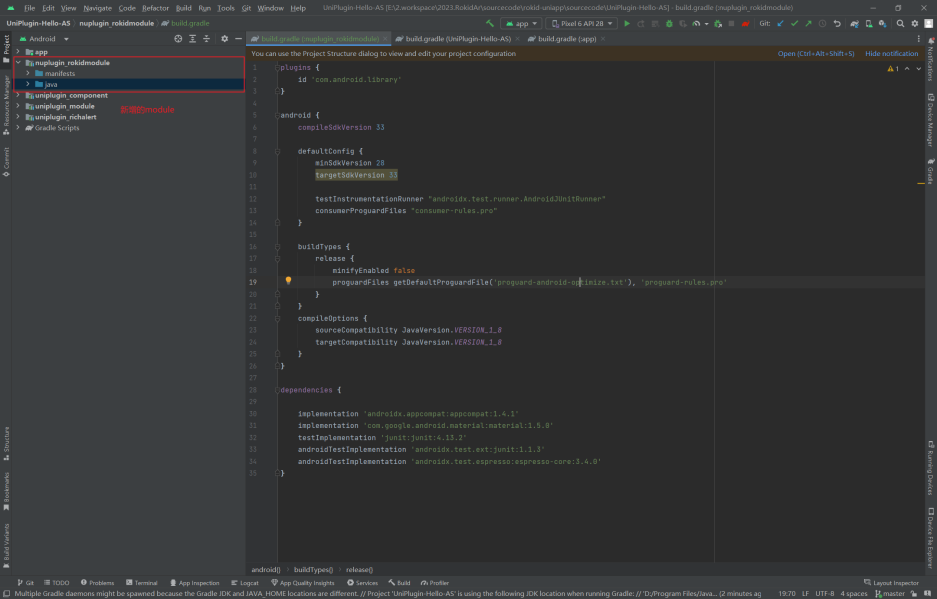
Android Studio 新建module报错:No signature of method
android平台uni原生插件开发过程中,使用Android Studio 新增 module 报错 选择app --> create new module ,填写相关信息 Android Studio 新建module报错: 原因:Android Studio 版本过高,新增了namespace&#x…...
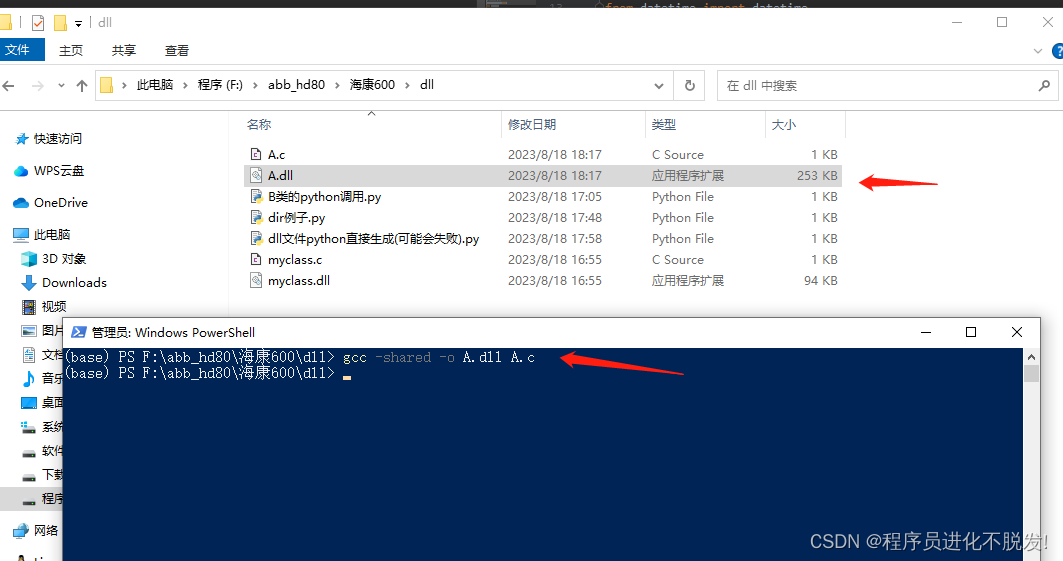
python使用dir()函数获取对象中可用的属性和方法(看不到python源码又想知道怎么调用,DLL调用分析,SDK二次开发技巧)
有时候调用一些SDK,但是人家又是封装成dll文件形式调用的,这时没法看源码,也不想看其对应的开发文档(尤其有些开发文档写得还很难懂,或者你从某个开源社区拿过来,就根本没找到开发文档)…...
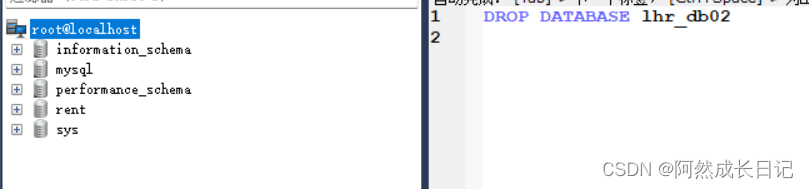
【MySQL系列】SQL语句入门(创建删除操作)、字符集和数据类型详解
💐 🌸 🌷 🍀 🌹 🌻 🌺 🍁 🍃 🍂 🌿 🍄🍝 🍛 🍤 📃个人主页 :阿然成长日记 …...
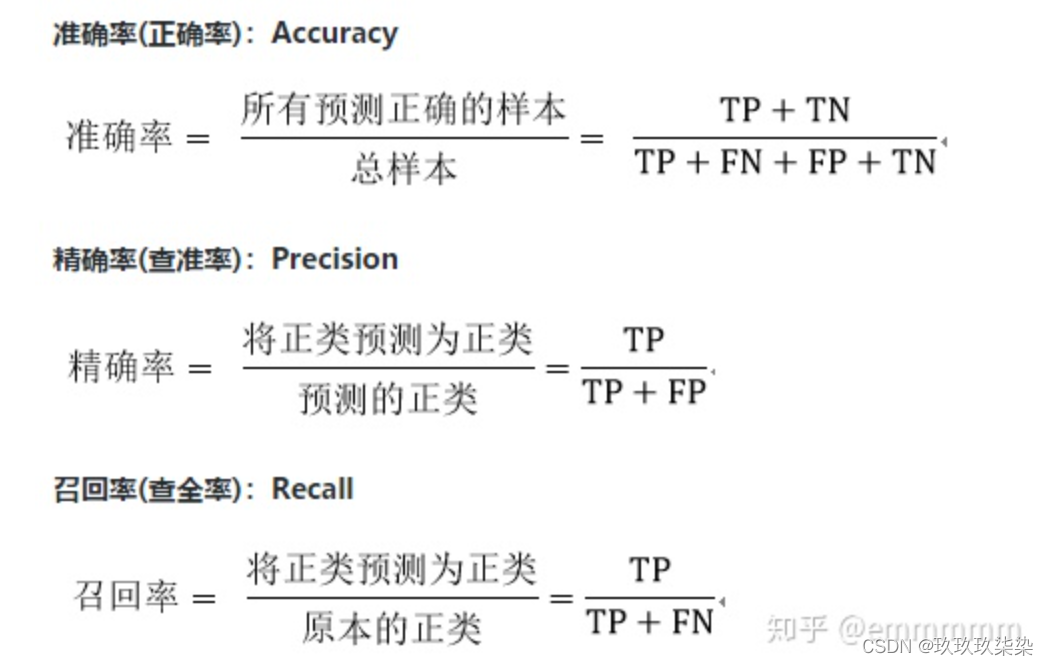
谈谈召回率(R值),准确率(P值)及F值
通俗解释机器学习中的召回率、精确率、准确率,一文让你一辈子忘不掉这两个词 赶时间的同学们看这里:提升精确率是为了不错报、提升召回率是为了不漏报 先说个题外话,暴击一下乱写博客的人,网络上很多地方分不清准确率和精确率&am…...
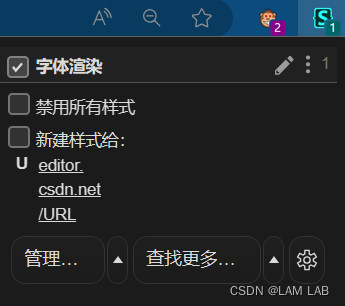
【脚本推荐】网页字体渲染插件
下图是三种网页字体增强的效果对比。 **SUM:**前面两个都是通过脚本运行,而最后一个是通过扩展插件;中间的脚本(字体渲染)效果是最好的,可惜输入框没有效果,也就意味着如果现在网页上写写学习笔…...

c++——c/c++中的static和const
C语言和c中的static关键字与const关键字 static: //改变存储区域,限制作用域 ①、改变存储区域: 在不同的上下文中,static 关键字可以用于改变变量或函数的存储区域。在函数内部,static 用于将局部变量的生存期从函数…...

解决git:‘remote-http‘ 不是一个 git 命令错误提示
Jenkins使用Maven构建工程时,设置Git源码管理时报错: Failed to connect to repository : Command “/usr/local/git/bin/git ls-remote -h – http://192.168.1.35/root/javademo.git HEAD” returned status code 128: stdout: stderr: git:…...
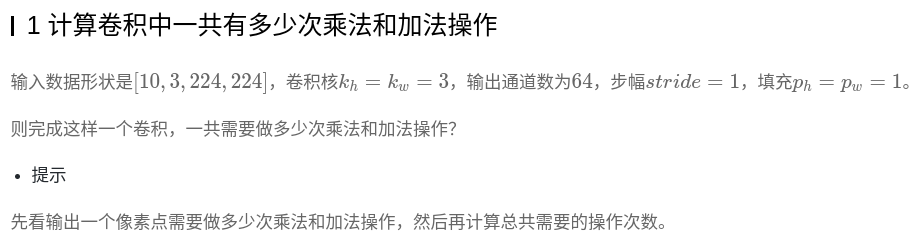
深度学习入门-3-计算机视觉-卷积神经网络
一、计算机视觉 1.概述 计算机视觉作为一门让机器学会如何去“看”的学科,具体的说,就是让机器去识别摄像机拍摄的图片或视频中的物体,检测出物体所在的位置,并对目标物体进行跟踪,从而理解并描述出图片或视频里的场…...

前端面试:【闭包】JavaScript世界的神秘法术
嘿,尊敬的代码探险家!欢迎来到JavaScript的奇妙世界,今天我们将探索一种神秘的魔法,那就是闭包。闭包,听起来像是一个古老的咒语,实际上,它是编程中的一个重要概念,让你能够创造出强…...

Ubuntu20 ctrl+alt+T无法打开终端
事情是这样的,某天改了下python版本,发现linux默认打开终端的快捷键ctrlaltT寄了,网上给出的都是修改快捷键不出意外肯定没用 但是幸好我们是会分析的,我看到,很多回答说新增一个快捷键运行的命令是gnome-terminal&…...
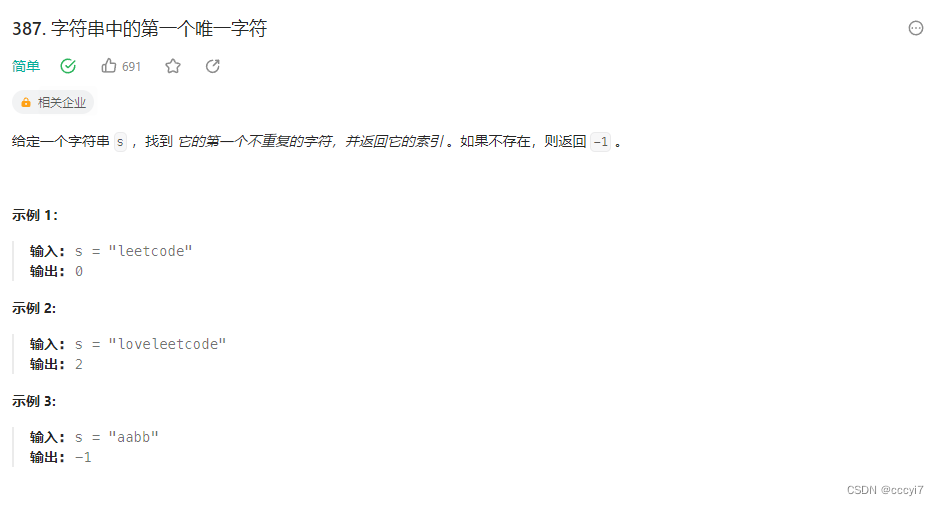
leetcode 387.字符串中第一个唯一字符
⭐️ 题目描述 🌟 leetcode链接:https://leetcode.cn/problems/first-unique-character-in-a-string/description/ 思路: 比较优的方式使用相对映射记录的方式。在 ASCII 表中小写字母 -97 就是 0 - 25。在依次从前遍历查找即可。需要注意的…...

【三次握手】TCP三次握手由入门到精通(完整版)
⬜⬜⬜ 🐰🟧🟨🟩🟦🟪(*^▽^*)欢迎光临 🟧🟨🟩🟦🟪🐰⬜⬜⬜ ✏️write in front✏️ 📝个人主页:陈丹宇jmu &am…...

Java 异步计算
CompletableFuture(可完成的Future) 一个可完成的Future,在我们调用他的get方法的时候,他会阻塞等待这个任务完成来获取他的结果。 当然也可以为这个任务注册一些回调,类似于完成时,出现异常时,…...
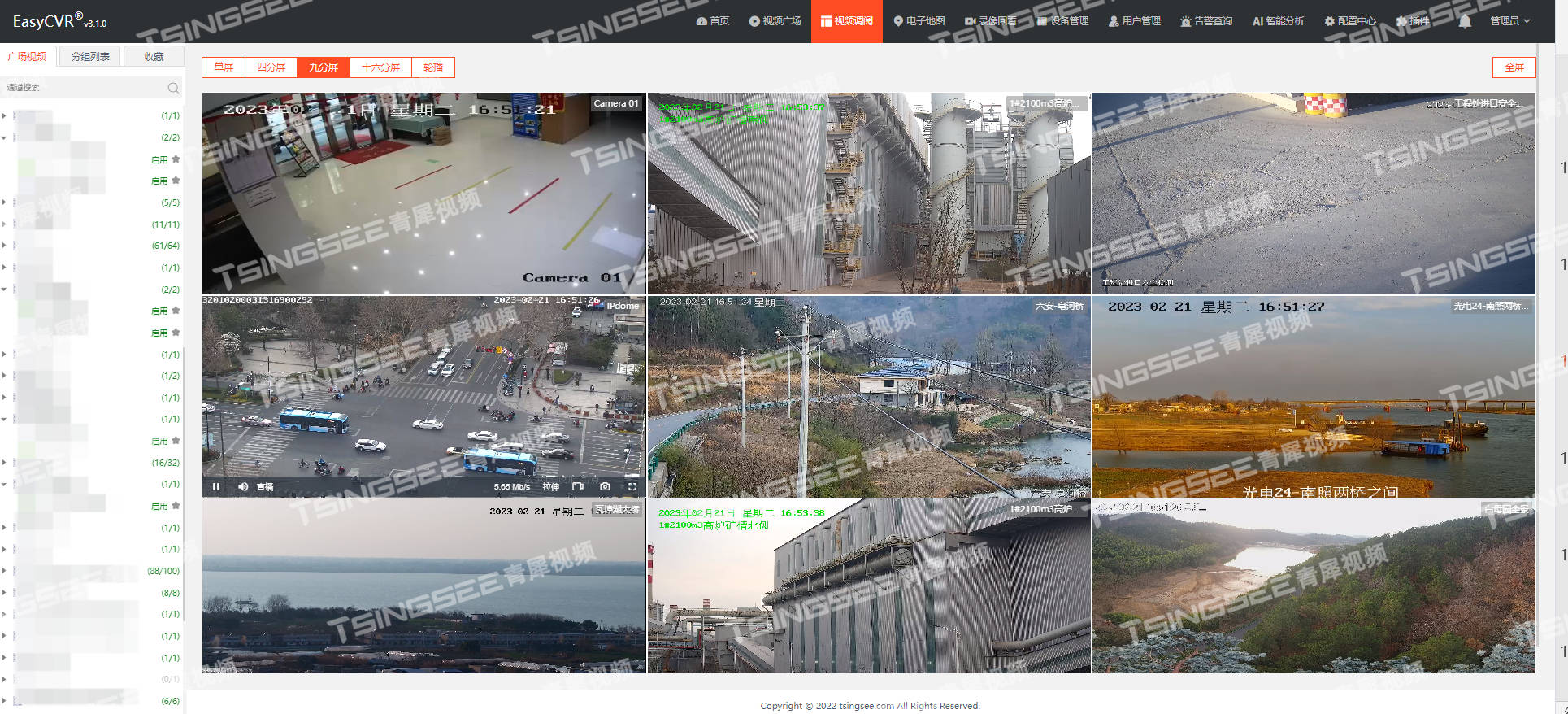
【FAQ】调用视频汇聚平台EasyCVR的iframe地址,视频无法播放的原因排查
有用户反馈,在调用iframe地址后嵌入用户自己的前端页面,视频无法播放并且要求登录。 安防监控视频汇聚平台EasyCVR基于云边端一体化架构,具有强大的数据接入、处理及分发能力,可提供视频监控直播、云端录像、视频云存储、视频集中…...

⛳ TCP 协议面试题
目录 ⛳ TCP 协议面试题🐾 一、为什么关闭连接的需要四次挥⼿,⽽建⽴连接却只要三次握⼿呢?🏭 二、为什么连接建⽴的时候是三次握⼿,可以改成两次握⼿吗?👣 三、为什么主动断开⽅在TIME-WAIT状态…...
)
C 语言的字符串函数 puts()
属于标准库 <stdio.h> 函数原型: int puts(const char *str) str – 这是要被写入的 C 字符串. 如果成功, 该函数返回一个非负值为字符串长度 (包括末尾的 \0), 如果发生错误则返回 EOF. 作用: puts() 函数只显示字符串, 把一个字符串写入到标准输出 stdout, 直到空…...

3个关键功能解析:USBToolBox如何简化macOS与Windows的USB端口映射难题
3个关键功能解析:USBToolBox如何简化macOS与Windows的USB端口映射难题 【免费下载链接】tool the USBToolBox tool 项目地址: https://gitcode.com/gh_mirrors/too/tool 在Hackintosh和跨平台开发领域,USB端口映射一直是个令人头疼的技术难题。US…...
)
用Python+OpenCV手把手实现Prewitt边缘检测(附完整代码与效果对比图)
用PythonOpenCV手把手实现Prewitt边缘检测(附完整代码与效果对比图) 边缘检测是计算机视觉中最基础也最关键的预处理步骤之一。想象一下,当你需要让计算机"看清"一张照片中的物体轮廓时,边缘检测算法就是它的"视觉…...

Hirschmann RS20-0800M4M4SDAE工业以太网交换机
Hirschmann RS20-0800M4M4SDAE 工业以太网交换机产品特点:端口配置:共8个端口,含6个RJ45电口和2个ST光纤接口。端口速率:所有端口均为100Mbps快速以太网。光纤类型:2个光纤端口为多模、ST接头。管理类型:二…...

服务器日志分析实战:用Python追踪HTTP 404错误并可视化异常频率
作为一名爬虫开发者或网站运维人员,服务器日志就像飞机的“黑匣子”——它记录了每个请求的来龙去脉。而404错误(页面未找到)尤其值得关注:它可能是用户输错了网址,可能是你爬虫的URL构造逻辑有漏洞,也可能是网站改版后旧的链接失效了。更严重的是,大量突然涌出的404请求…...
:支持Anthropic API兼容、流式响应、模型热切换与RBAC权限隔离)
Claude本地化部署终极方案(企业级容器化全栈手册):支持Anthropic API兼容、流式响应、模型热切换与RBAC权限隔离
更多请点击: https://codechina.net 第一章:Claude本地化部署的架构全景与企业级价值定位 Claude本地化部署并非简单地将模型权重下载后运行,而是一套融合推理引擎优化、安全沙箱隔离、API网关治理与可观测性集成的端到端架构体系。其核心目…...

电子商务设计师软考备战:特别篇 - 综合模拟与备考策略
1. 考试形式与内容结构1.1 考试基本信息考试科目与时间基础知识考试:上午9:00-11:30(150分钟)应用技术考试:下午2:00-4:30(150分钟)题型与分值分布上午考试(基础知识): -…...

解密高校教师必会的Gemini 3.1 Pro五大科研隐藏技能:从论文评估到创新点锁定
各位同仁好,我是七哥。一个在高校里从事人工智能相关领域研究,钻研用大模型AI实操的学术人。可以和七哥交流学术写作或Gemini、GPT、Claude等大模型学术实操相关问题,多多交流,相互成就,共同进步。 科研路上,有人发完顶刊顺利晋升,有人还在为创新点抓耳挠腮。 大多数教…...

基于SMD与贝壳的微型音频装置:从电路设计到嵌入式开发的完整实践
1. 项目概述:一个藏在贝壳里的声音世界你小时候有没有捡起一个海螺壳,把它贴在耳边,然后听到里面传来“呜呜”的海风声?那个瞬间,仿佛整个海洋都被装进了小小的贝壳里。今天这个项目,就是把那个童年的魔法&…...

LoRa物联网与动态基线算法在养殖体温监测中的实战应用
1. 项目概述:为什么我们需要一个智能体温监测系统?在规模化养殖场里干了十几年,我见过太多因为体温异常没被及时发现而导致的损失。一头育肥猪突然不吃食,等饲养员第二天巡栏发现时,可能已经高烧好几天,继发…...

网飞成立 AI 动画工作室,开启流媒体“原生 AI 制片时代”,中外布局逻辑有何不同?
1. Netflix“偷跑”在影视巨头关于 AIGC 的军备竞赛中,Netflix 再次加速。据外媒 TheVerge 报道,网飞于今年 3 月成立了名为 "INKubator" 的工作室,这是全球流媒体巨头中首个以生成式人工智能为核心的动画制作部门。此动作引发全球…...