
SpringMVC - 13 - SpringMVC执行流程
文章目录
- 1、SpringMVC常用组件
- 2、DispatcherServlet初始化过程
- a>初始化WebApplicationContext
- b>创建WebApplicationContext
- c>DispatcherServlet初始化策略
- 3、DispatcherServlet调用组件处理请求
- a>processRequest()
- b>doService()
- c>doDispatch()
- d>processDispatchResult()
- 4、SpringMVC的执行流程
1、SpringMVC常用组件
- DispatcherServlet:前端控制器,不需要工程师开发,由框架提供
作用:统一处理请求和响应,整个流程控制的中心,由它调用其它组件处理用户的请求
- HandlerMapping:处理器映射器,不需要工程师开发,由框架提供
作用:根据请求的url、method等信息查找Handler,即控制器方法
- Handler:处理器(也就是controller,控制器),需要工程师开发
作用:在DispatcherServlet的控制下Handler对具体的用户请求进行处理
- HandlerAdapter:处理器适配器,不需要工程师开发,由框架提供
作用:通过HandlerAdapter对处理器(控制器方法)进行执行,即用于调用控制器方法
- ViewResolver:视图解析器,不需要工程师开发,由框架提供
作用:进行视图解析,得到相应的视图,例如:ThymeleafView、InternalResourceView、RedirectView
- View:视图
作用:将模型数据通过页面展示给用户
2、DispatcherServlet初始化过程
DispatcherServlet 本质上是一个 Servlet,所以天然的遵循 Servlet 的生命周期。所以宏观上是 Servlet 生命周期来进行调度。
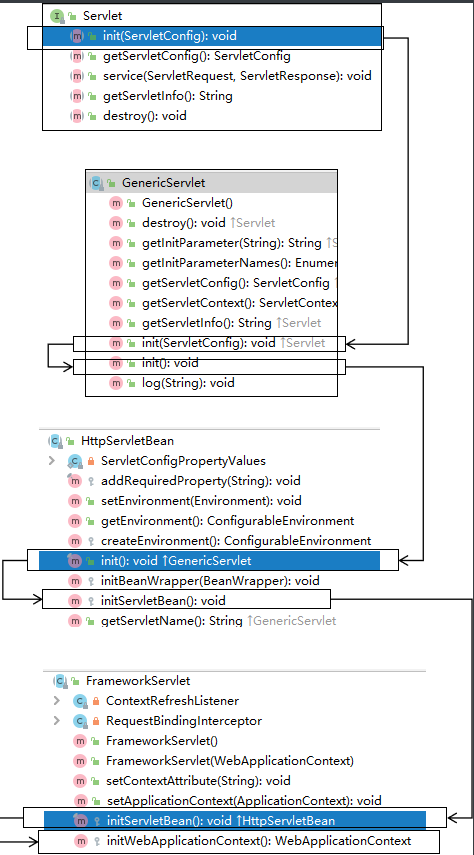
a>初始化WebApplicationContext
所在类:org.springframework.web.servlet.FrameworkServlet
protected WebApplicationContext initWebApplicationContext() {WebApplicationContext rootContext =WebApplicationContextUtils.getWebApplicationContext(getServletContext());WebApplicationContext wac = null;if (this.webApplicationContext != null) {// A context instance was injected at construction time -> use itwac = this.webApplicationContext;if (wac instanceof ConfigurableWebApplicationContext) {ConfigurableWebApplicationContext cwac = (ConfigurableWebApplicationContext) wac;if (!cwac.isActive()) {// The context has not yet been refreshed -> provide services such as// setting the parent context, setting the application context id, etcif (cwac.getParent() == null) {// The context instance was injected without an explicit parent -> set// the root application context (if any; may be null) as the parentcwac.setParent(rootContext);}configureAndRefreshWebApplicationContext(cwac);}}}if (wac == null) {// No context instance was injected at construction time -> see if one// has been registered in the servlet context. If one exists, it is assumed// that the parent context (if any) has already been set and that the// user has performed any initialization such as setting the context idwac = findWebApplicationContext();}if (wac == null) {// No context instance is defined for this servlet -> create a local one// 创建WebApplicationContextwac = createWebApplicationContext(rootContext);}if (!this.refreshEventReceived) {// Either the context is not a ConfigurableApplicationContext with refresh// support or the context injected at construction time had already been// refreshed -> trigger initial onRefresh manually here.synchronized (this.onRefreshMonitor) {// 刷新WebApplicationContextonRefresh(wac);}}if (this.publishContext) {// Publish the context as a servlet context attribute.// 将IOC容器在应用域共享String attrName = getServletContextAttributeName();getServletContext().setAttribute(attrName, wac);}return wac;
}
b>创建WebApplicationContext
所在类:org.springframework.web.servlet.FrameworkServlet
protected WebApplicationContext createWebApplicationContext(@Nullable ApplicationContext parent) {Class<?> contextClass = getContextClass();if (!ConfigurableWebApplicationContext.class.isAssignableFrom(contextClass)) {throw new ApplicationContextException("Fatal initialization error in servlet with name '" + getServletName() +"': custom WebApplicationContext class [" + contextClass.getName() +"] is not of type ConfigurableWebApplicationContext");}// 通过反射创建 IOC 容器对象ConfigurableWebApplicationContext wac =(ConfigurableWebApplicationContext) BeanUtils.instantiateClass(contextClass);wac.setEnvironment(getEnvironment());// 设置父容器wac.setParent(parent);String configLocation = getContextConfigLocation();if (configLocation != null) {wac.setConfigLocation(configLocation);}configureAndRefreshWebApplicationContext(wac);return wac;
}
c>DispatcherServlet初始化策略
FrameworkServlet创建WebApplicationContext后,刷新容器,调用onRefresh(wac),此方法在DispatcherServlet中进行了重写,调用了initStrategies(context)方法,初始化策略,即初始化DispatcherServlet的各个组件
所在类:org.springframework.web.servlet.DispatcherServlet
protected void initStrategies(ApplicationContext context) {initMultipartResolver(context);initLocaleResolver(context);initThemeResolver(context);initHandlerMappings(context);initHandlerAdapters(context);initHandlerExceptionResolvers(context);initRequestToViewNameTranslator(context);initViewResolvers(context);initFlashMapManager(context);
}
3、DispatcherServlet调用组件处理请求
a>processRequest()
FrameworkServlet重写HttpServlet中的service()和doXxx(),这些方法中调用了processRequest(request, response)
所在类:org.springframework.web.servlet.FrameworkServlet
protected final void processRequest(HttpServletRequest request, HttpServletResponse response)throws ServletException, IOException {long startTime = System.currentTimeMillis();Throwable failureCause = null;LocaleContext previousLocaleContext = LocaleContextHolder.getLocaleContext();LocaleContext localeContext = buildLocaleContext(request);RequestAttributes previousAttributes = RequestContextHolder.getRequestAttributes();ServletRequestAttributes requestAttributes = buildRequestAttributes(request, response, previousAttributes);WebAsyncManager asyncManager = WebAsyncUtils.getAsyncManager(request);asyncManager.registerCallableInterceptor(FrameworkServlet.class.getName(), new RequestBindingInterceptor());initContextHolders(request, localeContext, requestAttributes);try {// 执行服务,doService()是一个抽象方法,在DispatcherServlet中进行了重写doService(request, response);}catch (ServletException | IOException ex) {failureCause = ex;throw ex;}catch (Throwable ex) {failureCause = ex;throw new NestedServletException("Request processing failed", ex);}finally {resetContextHolders(request, previousLocaleContext, previousAttributes);if (requestAttributes != null) {requestAttributes.requestCompleted();}logResult(request, response, failureCause, asyncManager);publishRequestHandledEvent(request, response, startTime, failureCause);}
}
b>doService()
所在类:org.springframework.web.servlet.DispatcherServlet
@Override
protected void doService(HttpServletRequest request, HttpServletResponse response) throws Exception {logRequest(request);// Keep a snapshot of the request attributes in case of an include,// to be able to restore the original attributes after the include.Map<String, Object> attributesSnapshot = null;if (WebUtils.isIncludeRequest(request)) {attributesSnapshot = new HashMap<>();Enumeration<?> attrNames = request.getAttributeNames();while (attrNames.hasMoreElements()) {String attrName = (String) attrNames.nextElement();if (this.cleanupAfterInclude || attrName.startsWith(DEFAULT_STRATEGIES_PREFIX)) {attributesSnapshot.put(attrName, request.getAttribute(attrName));}}}// Make framework objects available to handlers and view objects.request.setAttribute(WEB_APPLICATION_CONTEXT_ATTRIBUTE, getWebApplicationContext());request.setAttribute(LOCALE_RESOLVER_ATTRIBUTE, this.localeResolver);request.setAttribute(THEME_RESOLVER_ATTRIBUTE, this.themeResolver);request.setAttribute(THEME_SOURCE_ATTRIBUTE, getThemeSource());if (this.flashMapManager != null) {FlashMap inputFlashMap = this.flashMapManager.retrieveAndUpdate(request, response);if (inputFlashMap != null) {request.setAttribute(INPUT_FLASH_MAP_ATTRIBUTE, Collections.unmodifiableMap(inputFlashMap));}request.setAttribute(OUTPUT_FLASH_MAP_ATTRIBUTE, new FlashMap());request.setAttribute(FLASH_MAP_MANAGER_ATTRIBUTE, this.flashMapManager);}RequestPath requestPath = null;if (this.parseRequestPath && !ServletRequestPathUtils.hasParsedRequestPath(request)) {requestPath = ServletRequestPathUtils.parseAndCache(request);}try {// 处理请求和响应doDispatch(request, response);}finally {if (!WebAsyncUtils.getAsyncManager(request).isConcurrentHandlingStarted()) {// Restore the original attribute snapshot, in case of an include.if (attributesSnapshot != null) {restoreAttributesAfterInclude(request, attributesSnapshot);}}if (requestPath != null) {ServletRequestPathUtils.clearParsedRequestPath(request);}}
}
c>doDispatch()
所在类:org.springframework.web.servlet.DispatcherServlet
protected void doDispatch(HttpServletRequest request, HttpServletResponse response) throws Exception {HttpServletRequest processedRequest = request;HandlerExecutionChain mappedHandler = null;boolean multipartRequestParsed = false;WebAsyncManager asyncManager = WebAsyncUtils.getAsyncManager(request);try {ModelAndView mv = null;Exception dispatchException = null;try {processedRequest = checkMultipart(request);multipartRequestParsed = (processedRequest != request);// Determine handler for the current request./*mappedHandler:调用链包含handler、interceptorList、interceptorIndexhandler:浏览器发送的请求所匹配的控制器方法interceptorList:处理控制器方法的所有拦截器集合interceptorIndex:拦截器索引,控制拦截器afterCompletion()的执行*/mappedHandler = getHandler(processedRequest);if (mappedHandler == null) {noHandlerFound(processedRequest, response);return;}// Determine handler adapter for the current request.// 通过控制器方法创建相应的处理器适配器,调用所对应的控制器方法HandlerAdapter ha = getHandlerAdapter(mappedHandler.getHandler());// Process last-modified header, if supported by the handler.String method = request.getMethod();boolean isGet = "GET".equals(method);if (isGet || "HEAD".equals(method)) {long lastModified = ha.getLastModified(request, mappedHandler.getHandler());if (new ServletWebRequest(request, response).checkNotModified(lastModified) && isGet) {return;}}// 调用拦截器的preHandle()if (!mappedHandler.applyPreHandle(processedRequest, response)) {return;}// Actually invoke the handler.// 由处理器适配器调用具体的控制器方法,最终获得ModelAndView对象mv = ha.handle(processedRequest, response, mappedHandler.getHandler());if (asyncManager.isConcurrentHandlingStarted()) {return;}applyDefaultViewName(processedRequest, mv);// 调用拦截器的postHandle()mappedHandler.applyPostHandle(processedRequest, response, mv);}catch (Exception ex) {dispatchException = ex;}catch (Throwable err) {// As of 4.3, we're processing Errors thrown from handler methods as well,// making them available for @ExceptionHandler methods and other scenarios.dispatchException = new NestedServletException("Handler dispatch failed", err);}// 后续处理:处理模型数据和渲染视图processDispatchResult(processedRequest, response, mappedHandler, mv, dispatchException);}catch (Exception ex) {triggerAfterCompletion(processedRequest, response, mappedHandler, ex);}catch (Throwable err) {triggerAfterCompletion(processedRequest, response, mappedHandler,new NestedServletException("Handler processing failed", err));}finally {if (asyncManager.isConcurrentHandlingStarted()) {// Instead of postHandle and afterCompletionif (mappedHandler != null) {mappedHandler.applyAfterConcurrentHandlingStarted(processedRequest, response);}}else {// Clean up any resources used by a multipart request.if (multipartRequestParsed) {cleanupMultipart(processedRequest);}}}
}
d>processDispatchResult()
private void processDispatchResult(HttpServletRequest request, HttpServletResponse response,@Nullable HandlerExecutionChain mappedHandler, @Nullable ModelAndView mv,@Nullable Exception exception) throws Exception {boolean errorView = false;if (exception != null) {if (exception instanceof ModelAndViewDefiningException) {logger.debug("ModelAndViewDefiningException encountered", exception);mv = ((ModelAndViewDefiningException) exception).getModelAndView();}else {Object handler = (mappedHandler != null ? mappedHandler.getHandler() : null);mv = processHandlerException(request, response, handler, exception);errorView = (mv != null);}}// Did the handler return a view to render?if (mv != null && !mv.wasCleared()) {// 处理模型数据和渲染视图render(mv, request, response);if (errorView) {WebUtils.clearErrorRequestAttributes(request);}}else {if (logger.isTraceEnabled()) {logger.trace("No view rendering, null ModelAndView returned.");}}if (WebAsyncUtils.getAsyncManager(request).isConcurrentHandlingStarted()) {// Concurrent handling started during a forwardreturn;}if (mappedHandler != null) {// Exception (if any) is already handled..// 调用拦截器的afterCompletion()mappedHandler.triggerAfterCompletion(request, response, null);}
}
4、SpringMVC的执行流程
-
用户向服务器发送请求,请求被SpringMVC 前端控制器 DispatcherServlet捕获。
-
DispatcherServlet对请求URL进行解析,得到请求资源标识符(URI),判断请求URI对应的映射:
a) 不存在
i. 再判断是否配置了mvc:default-servlet-handler
ii. 如果没配置,则控制台报映射查找不到,客户端展示404错误

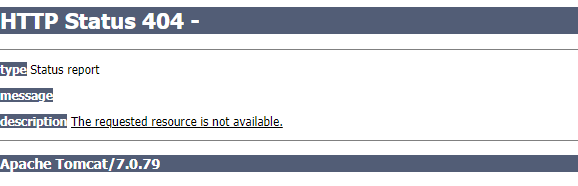

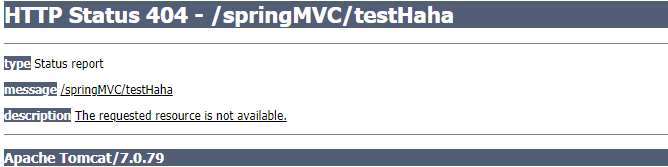
b) 存在则执行下面的流程
-
根据该URI,调用HandlerMapping获得该Handler配置的所有相关的对象(包括Handler对象以及Handler对象对应的拦截器),最后以HandlerExecutionChain执行链对象的形式返回。
-
DispatcherServlet 根据获得的Handler,选择一个合适的HandlerAdapter。
-
如果成功获得HandlerAdapter,此时将开始执行拦截器的preHandler(…)方法【正向】
-
提取Request中的模型数据,填充Handler入参,开始执行Handler(Controller)方法,处理请求。在填充Handler的入参过程中,根据你的配置,Spring将帮你做一些额外的工作:
a) HttpMessageConveter: 将请求消息(如Json、xml等数据)转换成一个对象,将对象转换为指定的响应信息
b) 数据转换:对请求消息进行数据转换。如String转换成Integer、Double等
c) 数据格式化:对请求消息进行数据格式化。 如将字符串转换成格式化数字或格式化日期等
d) 数据验证: 验证数据的有效性(长度、格式等),验证结果存储到BindingResult或Error中
-
Handler执行完成后,向DispatcherServlet 返回一个ModelAndView对象。
-
此时将开始执行拦截器的postHandle(…)方法【逆向】。
-
根据返回的ModelAndView(此时会判断是否存在异常:如果存在异常,则执行HandlerExceptionResolver进行异常处理)选择一个适合的ViewResolver进行视图解析,根据Model和View,来渲染视图。
-
渲染视图完毕执行拦截器的afterCompletion(…)方法【逆向】。
-
将渲染结果返回给客户端。
相关文章:
SpringMVC - 13 - SpringMVC执行流程
文章目录1、SpringMVC常用组件2、DispatcherServlet初始化过程a>初始化WebApplicationContextb>创建WebApplicationContextc>DispatcherServlet初始化策略3、DispatcherServlet调用组件处理请求a>processRequest()b>doService()c>doDispatch()d>processDi…...

6091: 斐波那契数列
描述一个斐波那契序列,F(0) 0, F(1) 1, F(n) F(n-1) F(n-2) (n>2),根据n的值,计算斐波那契数F(n)。输入输入数据的第一行为测试用例的个数t,接下来为t行,每行为一个整数n(2≤n≤40)。输出…...
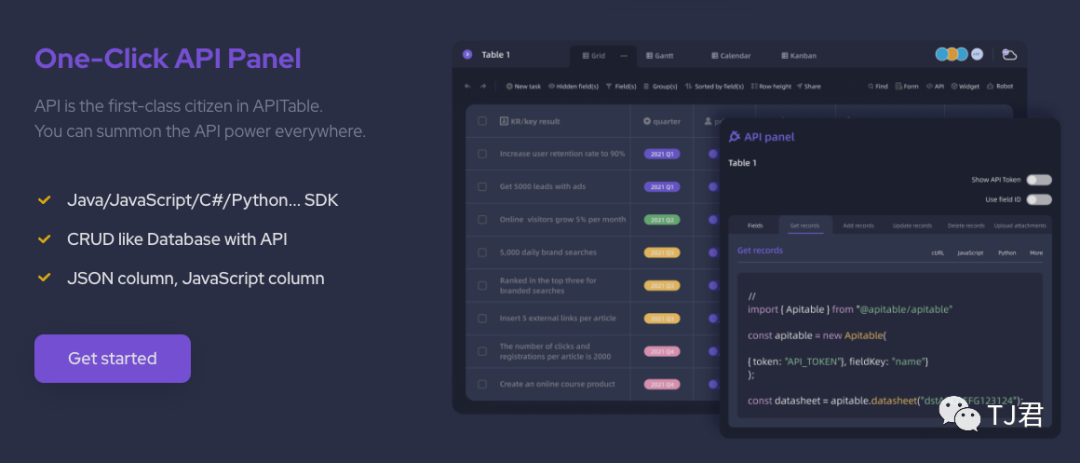
任何人均可上手的数据库与API搭建平台
编写API可能对于很多后端开发人员来说,并不是什么难事儿,但如果您主要从事前端功能,那么可能还是有一些门槛。 那么有没有工具可以帮助我们降低编写API的学习门槛和复杂度呢? 今天就来给大家推荐一个不错的开源工具:…...
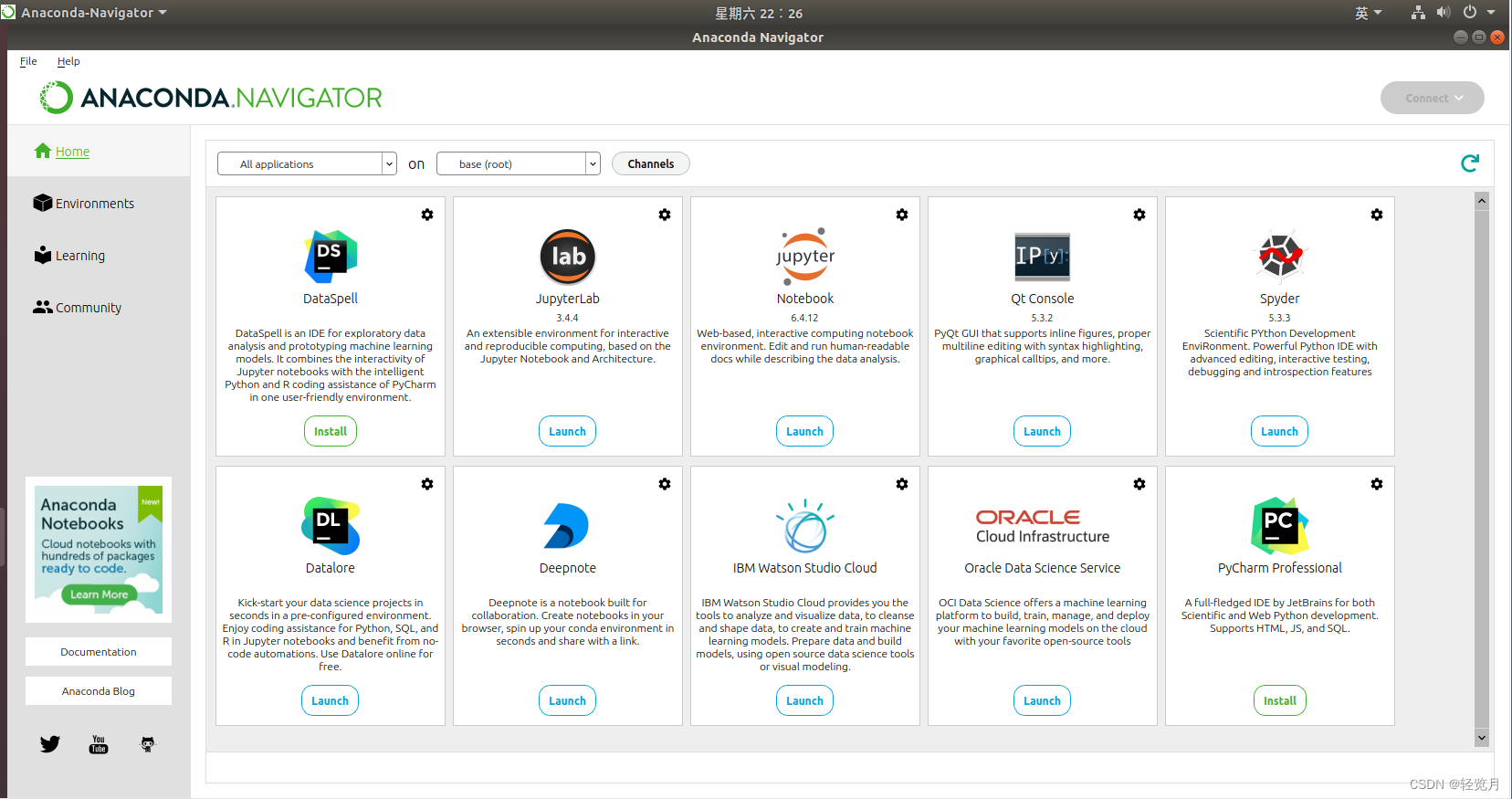
Ubuntu(虚拟机)的Anaconda 及使用
安装Anaconda 使用firefox打开Ananconda网址Anaconda | The Worlds Most Popular Data Science Platform 下载后有.sh文件: Anaconda3-2022.10-Linux-x86_64.sh 进入所在目录打开终端并输入 $ bash Anaconda3-2022.10-Linux-x86_64.sh 然后开始安装。 对于给…...
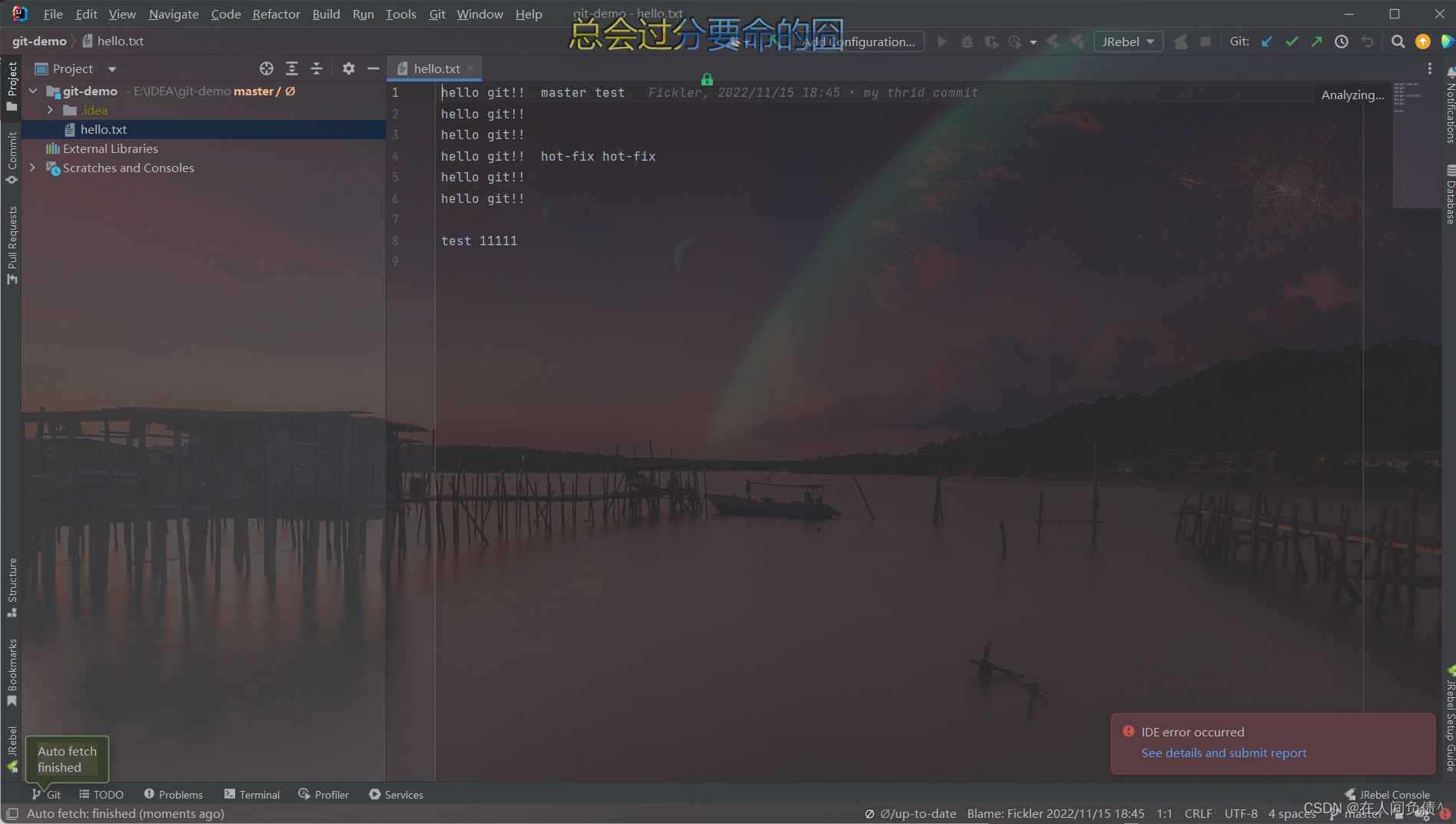
Git ---- IDEA集成 GitHub
Git ---- IDEA集成 GitHub1. 设置 GitHub 账号2. 分享工程到 GitHub3. push 推送本地库到远程库4. pull 拉取远程库到本地库5. clone 克隆远程库到本地1. 设置 GitHub 账号 新版的 IDEA 选择之后会自动登录,就不需要设置 token 了。 如果是老版的 IDEA 的话&…...

opencv提取结构化文本总结
扫描文件表格识别 1.识别结构 situation1 有明确表格结构 1.纠正表格偏移角度(获取最大轮廓,计算最小的矩形,变换坐标截取矩形) 获取面积最大轮廓 _, contours, HIERARCHY cv2.findContours(binary, cv2.RETR_EXTERNAL, cv2…...
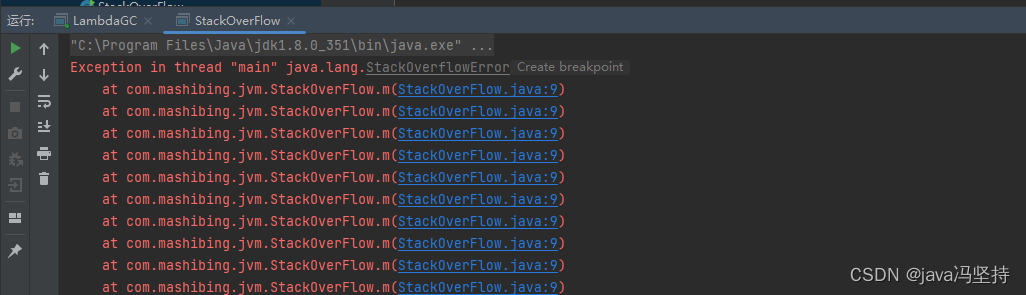
JVM知识体系学习八:OOM的案例(承接上篇博文,可以作为面试中的案例)
文章目录前言一、概述二、案例二三、案例:方法区内存溢出1、代码:LambdaGC.java2、元空间内存溢出日志3、分析4、疑问*****四、案例:直接内存溢出问题(少见)(尽量不说)五、案例:栈内存溢出问题1…...
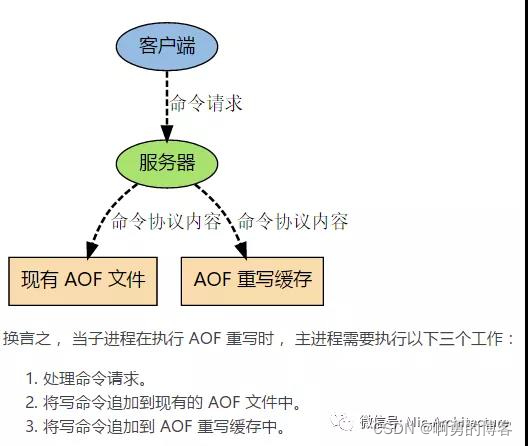
Redis的持久化方式
Redis支持两种方式的持久化,一种是RDB方式、另一种是AOF(append-only-file)方式,两种持久化方式可以单独使用其中一种,也可以将这两种方式结合使用。 •RDB:根据指定的规则“定时”将内存中的数据存储在硬…...

【unity游戏制作-mango的冒险】-4.场景二的镜头和法球特效跟随
👨💻个人主页:元宇宙-秩沅 hallo 欢迎 点赞👍 收藏⭐ 留言📝 加关注✅! 本文由 秩沅 原创 收录于专栏:unity游戏制作 ⭐mango的冒险场景二——镜头和法球特效跟随⭐ 文章目录⭐mango的冒险场景二——镜…...
handwrite-1
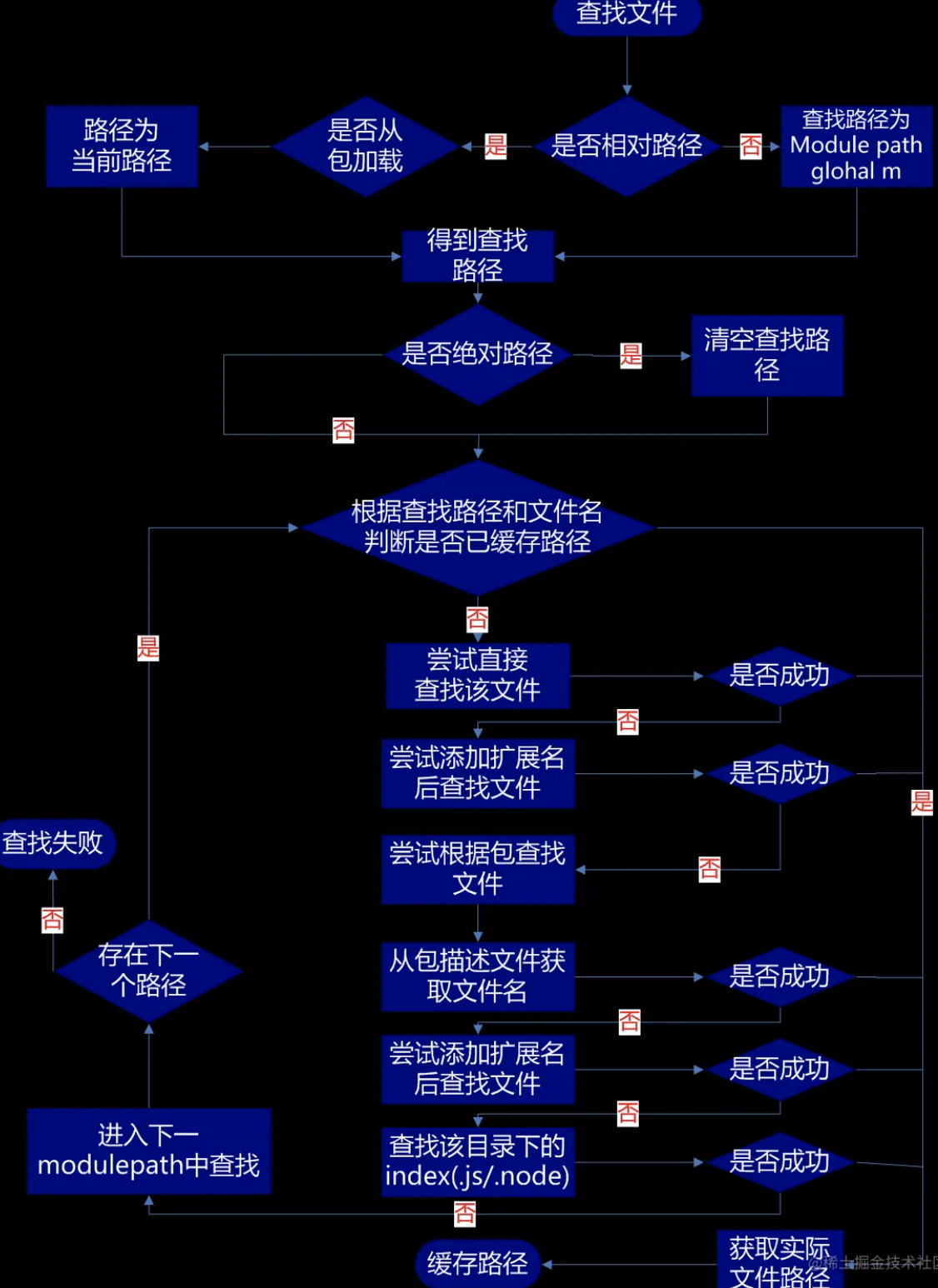
-------------------- 实现防抖函数(debounce) 防抖函数原理:把触发非常频繁的事件合并成一次去执行 在指定时间内只执行一次回调函数,如果在指定的时间内又触发了该事件,则回调函数的执行时间会基于此刻重新开始计算…...

【一天一门编程语言】Pascal 语言程序设计极简教程
Pascal 语言程序设计极简教程 用 markdown 格式输出答案。 不少于3000字。细分到2级目录。 文章目录 Pascal 语言程序设计极简教程一、Pascal简介1.1 Pascal历史1.2 Pascal的特点1.3 Pascal的应用二、Pascal语言程序设计2.1 Pascal编程环境2.2 Pascal的基本语法2.3 Pascal程序…...
【基础篇0】Linux下ANACONDA与TF-LITE环境配置
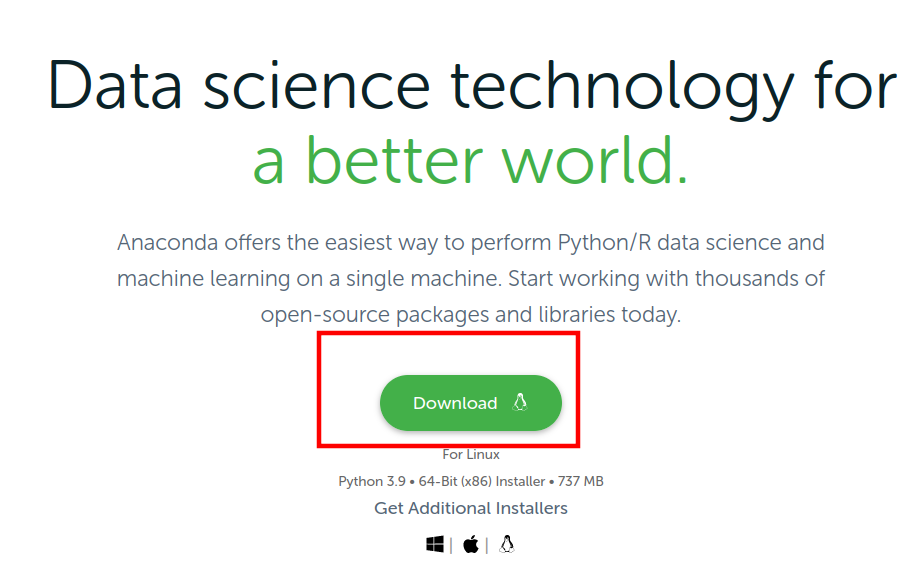
0 写在前面:一些摸索与总结 对于Linux系统,我发现不管是电脑x86的Ubuntu还是树莓派arm的raspberry系统,在系统安装完毕后,总是自带一个特定版本的python. 例如我的ubuntu22.04自带的python版本是3.10,而高版本的py…...
TCP协议原理二
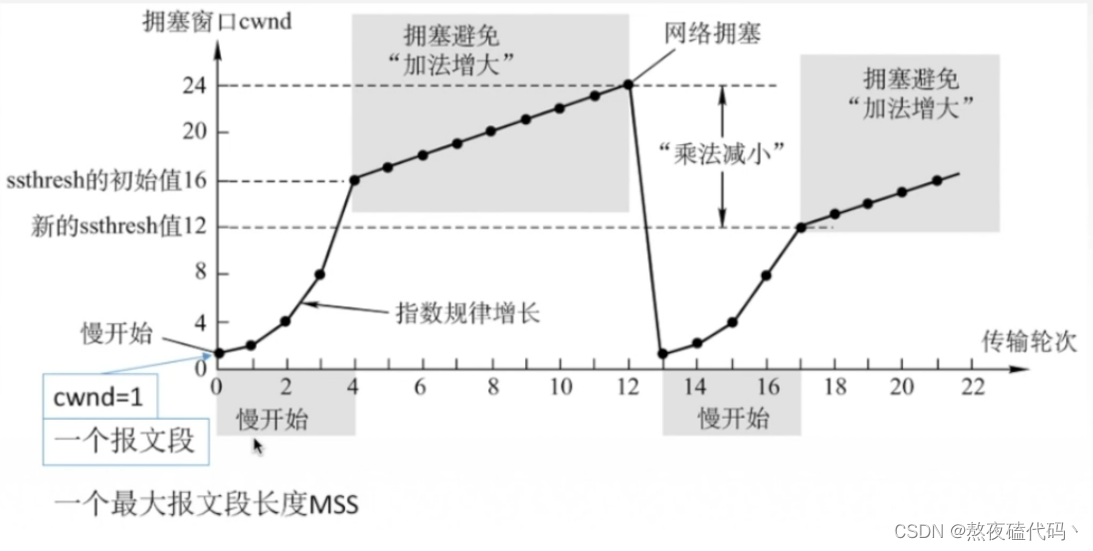
文章目录四、滑动窗口二、流量窗口三、拥塞控制四、滑动窗口 前面我们学习了 确认应答,超时重传,连接管理,这些机制都为我们TCP的可靠性提供了保证,当然在保证TCP的可靠性的同时,传输效率也受到了一定的影响ÿ…...
电子科技大学网络协议(TCP/IP作业答案)--网工(五次作业汇总)
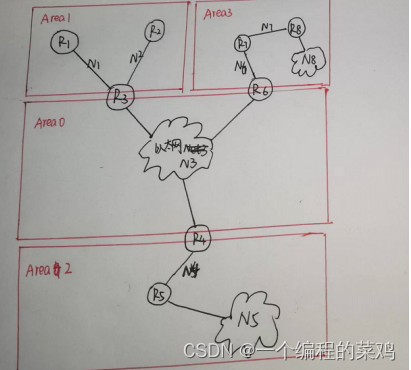
目录 作业1:OSI/RM、TCP/IP编址和底层网络技术 作业2:IP地址规划与路由选择 作业3:ARP、IP、ICMP 作业4:UDP、Routing Protocol 作业五 作业1:OSI/RM、TCP/IP编址和底层网络技术 物理地址属于OSI/RM的哪一层&…...

Kubernetes集群声明式文件YAML
一、YAML介绍 YAML 的意思是:仍是一种标记语言,但为了强调这种语言以数据做为中心,而不是以标记语言为重点。是一个可读性高,用来表达数据序列的格式。 二、基本语法 1.低版本缩进时不允许使用Tab键,只允许使用空格…...

为赋能,创共赢~ 〖TFS_CLUB社区〗-〖星荐官计划〗来袭~ 期待各位小伙伴的加入~
文章目录❤️🔥 TFS社区介绍❤️🔥 星荐官计划在直播结束之后,有几位小伙伴跟我说,想法是好的,但是会很难搞。试想一下如果真的是很容易做的事情,那岂不是人人都可以做?正因为难做ÿ…...

【华为OD机试模拟题】用 C++ 实现 - 水仙花数(2023.Q1)
最近更新的博客 【华为OD机试模拟题】用 C++ 实现 - 获得完美走位(2023.Q1) 文章目录 最近更新的博客使用说明水仙花数题目输入输出描述示例一输入输出说明示例二输入输出Code使用说明 参加华为od机试,一定要注意不要完全背诵代码,需要理解之后模仿写出,通过率才会高。…...

Windows作为操作系统的典型特征和主要功能
我是荔园微风,作为一名在IT界整整25年的老兵,今天我们来重新审视一下Windows这个我们熟悉的不能再熟悉的系统。我们每天都在用Windows操作系统,但是其实我们每天直接在打交道的并不是Windows操作系统的内核,而是Windows操作系统的…...
【Linux】-- 多线程安全
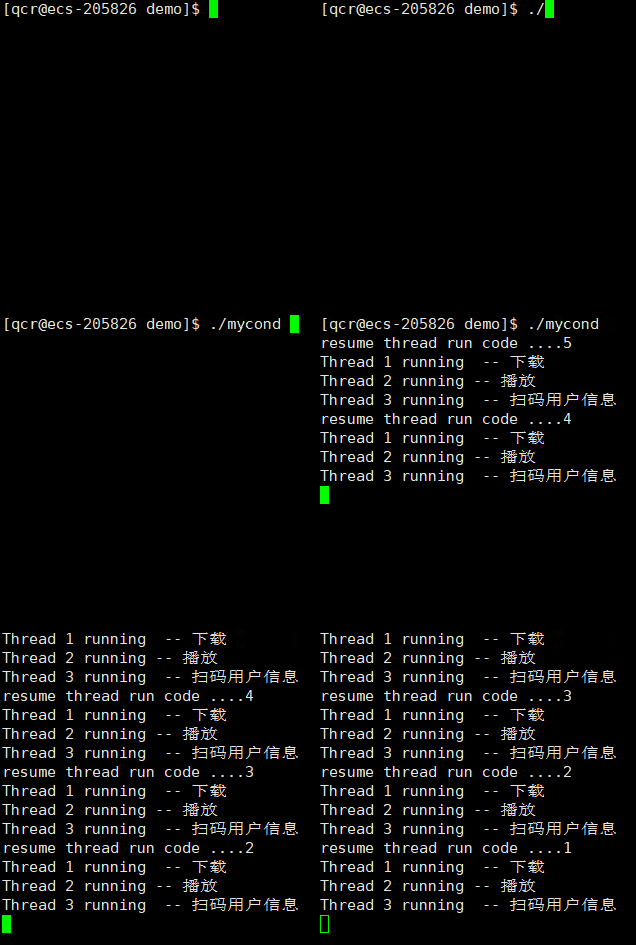
目录 进程互斥 计算 -> 时序问题 加锁保护 pthread_mutex_lock pthread_mutex_unlock 使用init与destory pthread_mutex_init phtread_mutex_destory 锁的实现原理 图 可重入VS线程安全 死锁 Linux线程同步 条件变量 系统调用 进程互斥 进程线程间的互斥相关…...
Unity Avatar Camera Controller 第一、第三人称相机控制
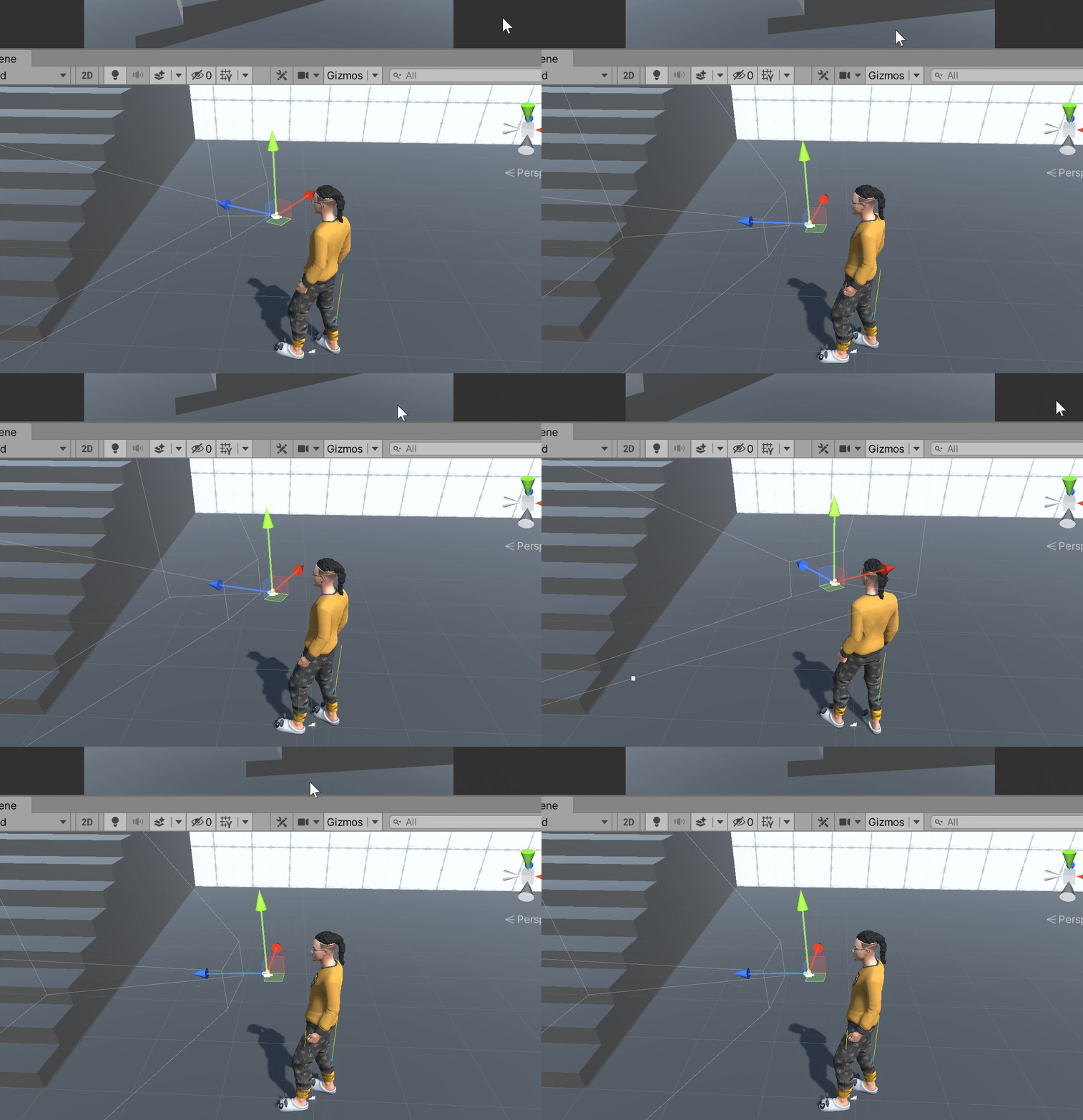
文章目录简介Variables实现Target PositionTarget RotationOthers简介 本文介绍如何实现用于Avatar角色的相机控制脚本,支持第一人称、第三人称以及两种模式之间的切换,工具已上传至SKFramework框架的Package Manager中: Variables Avatar&…...

智能手机相机光谱特性测量与多光谱成像技术
1. 智能手机相机光谱特性测量基础智能手机相机的光谱灵敏度函数(Spectral Sensitivity Function, SSF)和透射率函数是计算摄影领域的核心参数,它们决定了设备对光信号的响应特性。准确获取这些参数对色彩还原、光谱重建和白平衡校准等任务至关重要。1.1 光谱灵敏度函…...

浏览器 Profile 环境排查:Cookie、LocalStorage、网络出口与自动化任务配置清单
一、为什么浏览器环境经常“今天能用,明天失效”很多团队遇到登录状态丢失、页面配置异常、自动化任务失败时,会先怀疑网络、脚本或系统本身。但在实际项目里,问题经常不是单点故障,而是浏览器环境缺少稳定管理:对象常…...

SSE 基础知识
SSE 基础知识 一、概念定义 SSE 全称 Server-Sent Events,是基于HTTP协议的服务器单向数据推送技术。 建立一次长连接后,服务端可主动持续向前端推送数据,无需客户端反复轮询请求。 二、核心特点 单向通信:仅服务器 → 客户端发送…...

美团外卖mtgsig与waimai_sign双层签名逆向解析
1. 这不是“爬虫教程”,而是一份反向工程现场笔记你搜到这篇内容,大概率正卡在某个调试窗口前:抓包看到mtgsig和waimai_sign两个参数像两堵墙,无论怎么改请求头、换UA、清缓存,返回永远是{"code":403,"…...

神经网络与深度学习 第3周课程总结
深度学习视觉应用课程总结 一、常用计算机视觉数据集数据集名称发布方/年份规模图像规格类别数主要用途核心特点MNIST美国国家标准与技术研究院60k训练10k测试2828灰度图10类(0-9手写数字)入门级图像分类最经典的手写数字识别基准数据集Fashion-MNISTZalando(2017)60k训练10k测…...

从零构建FOC轮腿机器人:开源平衡机器人完整指南
从零构建FOC轮腿机器人:开源平衡机器人完整指南 【免费下载链接】foc-wheel-legged-robot Open source materials for a novel structured legged robot, including mechanical design, electronic design, algorithm simulation, and software development. | 一个…...

Unity塔防底层架构:ScriptableObject驱动的数据契约设计
1. 这不是“又一个塔防模板”,而是塔防开发的底层操作系统我第一次在Asset Store点开Tower Defense Toolkit 4(TDTK-4)的预览图时,下意识划走了——界面太“干净”了,没有炫酷的粒子特效演示,没有满屏飞舞的…...

具身智能的发展对人类社会的影响有哪些?
具身智能对人类社会影响一、经济产业层面产业重构:催生机器人、智能制造、自动驾驶新产业,重塑生产链条效率跃升:替代重复繁重劳作,工厂、农业、物流产能大幅提升就业结构变化:低端体力岗位缩减,运维、研发…...

eqMac终极指南:macOS系统级音频均衡器免费使用教程
eqMac终极指南:macOS系统级音频均衡器免费使用教程 【免费下载链接】eqMac macOS System-wide Audio Equalizer & Volume Mixer 🎧 项目地址: https://gitcode.com/gh_mirrors/eq/eqMac 你是否曾经觉得Mac电脑的音质不够理想?想要…...
)
保姆级教程:用Prometheus Operator在K8S里一键搞定监控全家桶(附Grafana仪表盘)
云原生监控革命:用Prometheus Operator构建K8S智能监控体系 当Kubernetes集群规模突破50个节点时,传统监控方案的维护成本会呈指数级增长。我曾亲眼见证一个电商团队在"黑五"大促期间,因为手动配置的Prometheus抓取规则失效&#x…...