
nginx安装lua、jwt模块,通过lua验证jwt实现蓝绿发布样例
文章目录
- 前言
- 一、基础组件下载
- 二、组件安装
- 1.luajit安装
- 2.lua-nginx-module安装
- 3.lua-resty-core安装
- 4.lua-resty-lrucache安装
- 5.ngx_devel_kit安装
- 6.nginx加载lua模块
- 7.lua-cjson安装
- 8.lua-resty-string安装
- 9.lua-resty-jwt安装
- 10.lua-resty-hmac安装
- 三、验证jwt中属性实现蓝绿发布样例
- 1.nginx配置修改
- 2.上传jwttoken.lua
- 结尾
前言
例如:随着人工智能的不断发展,机器学习这门技术也越来越重要,很多人都开启了学习机器学习,本文就介绍了机器学习的基础内容。
一、基础组件下载
- luajit2-2.1-20220411.tar.gz #luajit官网存在一定的坑,下载openresty的优化版本
https://github.com/openresty/luajit2/archive/refs/tags/v2.1-20220411.tar.gz - lua-nginx-module-0.10.22.tar.gz # 0.10.16 以后都需要 lua-resty-core和lua-resty-lrucache
https://github.com/openresty/lua-nginx-module/archive/refs/tags/v0.10.22.tar.gz - lua-resty-core-0.1.24.tar.gz [lua-nginx-module依赖]
https://github.com/openresty/lua-resty-core/archive/refs/tags/v0.1.24.tar.gz - lua-resty-lrucache-0.12.tar.gz [lua-nginx-module依赖]
https://github.com/openresty/lua-resty-lrucache/archive/refs/tags/v0.12.tar.gz - ngx_devel_kit-0.3.2.tar.gz
https://github.com/vision5/ngx_devel_kit/archive/refs/tags/v0.3.2.tar.gz - nginx-1.21.6.tar.gz
http://nginx.org/download/nginx-1.21.6.tar.gz - lua-cjson-2.1.0.9.tar.gz
https://github.com/openresty/lua-cjson/archive/refs/tags/2.1.0.9.tar.gz - lua-resty-string-0.15.tar.gz
https://github.com/SkyLothar/lua-resty-jwt/archive/refs/tags/v0.1.11.tar.gz - lua-resty-jwt-0.1.11.tar.gz
https://github.com/SkyLothar/lua-resty-jwt/archive/refs/tags/v0.1.11.tar.gz - lua-resty-hmac-0.06.tar.gz
https://github.com/SkyLothar/lua-resty-jwt/archive/refs/tags/v0.1.11.tar.gz
二、组件安装
1.luajit安装
编译
cd /opt/lua/
tar -zxvf v2.1-20210510.tar.gz
cd luajit2-2.1-20210510
make & make install
加载
ln -s /usr/local/lib/libluajit-5.1.so.2 /lib64/liblua-5.1.so.2
echo "/usr/local/lib" >> /etc/ld.so.conf
ldconfig
配置环境变量
vi /etc/profile
#增加下面内容
export LUAJIT_INC=/usr/local/include/luajit-2.1
export LUAJIT_LIB=/usr/local/lib
#立刻生效
source /etc/profile
2.lua-nginx-module安装
cd /opt/lua/
tar -zxvf lua-nginx-module-0.10.20.tar.gz
3.lua-resty-core安装
cd /opt/lua/
tar -zxvf lua-resty-core-0.1.22.tar.gz
cd lua-resty-core-0.1.22
make install PREFIX=/usr/local/lua_core
4.lua-resty-lrucache安装
cd /opt/lua/
tar -zxvf lua-resty-lrucache-0.10.tar.gz
cd lua-resty-lrucache-0.10
make install PREFIX=/usr/local/lua_core
5.ngx_devel_kit安装
cd /opt/lua/
tar -zxvf ngx_devel_kit-0.3.1.tar.gz
6.nginx加载lua模块
nginx安装可参考往期文章:nginx安装部署详细手册
./configure --prefix=/opt/nginx/nginx  --with-compat --with-file-aio --with-threads --with-http_addition_module --with-http_auth_request_module --with-http_dav_module --with-http_flv_module --with-http_gunzip_module --with-http_gzip_static_module --with-http_mp4_module --with-http_random_index_module --with-http_realip_module --with-http_secure_link_module --with-http_slice_module --with-openssl=/opt/openssl-1.1.1t --with-http_ssl_module --with-http_stub_status_module --with-http_sub_module --with-http_v2_module --with-mail --with-mail_ssl_module --with-stream --with-stream_realip_module --with-stream_ssl_module --with-stream_ssl_preread_module --with-cc-opt='-O2 -g -pipe -Wall -Wp,-D_FORTIFY_SOURCE=2 -fexceptions -fstack-protector-strong --param=ssp-buffer-size=4 -grecord-gcc-switches -m64 -mtune=generic -fPIC' --with-ld-opt='-Wl,-z,relro -Wl,-z,now -pie' --add-module=/opt/nginx/ngx_devel_kit-0.3.2 --add-module=/opt/nginx/lua-nginx-module-0.10.22
make -j2
make install
nginx.conf配置文件中,http模块增加包依赖
lua_package_path "/usr/local/lua_core/lib/lua/?.lua;;";
增加lua测试代码
location /hello { default_type 'text/plain'; content_by_lua 'ngx.say("hello, lua")';
}
检查配置
/opt/nginx/sbin/nginx -t
加载配置
/opt/nginx/sbin/nginx -s reload
访问192.168.19.110/hello,返回hello,lua,说明nginx集成lua成功
至此已经可以使用lua基本功能了,笔者因想使用lua实现jwt校验,所以后续还需要安装cjson和retry-http
7.lua-cjson安装
cd /opt/lua
tar -zxvf /lua-cjson-2.1.0.9.tar.gz
cd lua-cjson-2.1.0.9
修改Makefile,指定luajit
vi Makefile
将LUA_INCLUDE_DIR的值$(PREFIX)/include改为/usr/local/include/luajit-2.1
make && make install
cp cjson.so /usr/local/lib/lua/5.1/
chmod 755 /usr/local/lib/lua/5.1/cjson.so
8.lua-resty-string安装
cd /opt/lua/
tar -zxvf lua-resty-string-0.15.tar.gz
cd lua-resty-string-0.15
make install PREFIX=/usr/local/lua_core
9.lua-resty-jwt安装
cd /opt/lua/
tar -zxvf lua-resty-jwt-0.1.11.tar.gz
cp lua-resty-jwt-0.1.11/lib/resty/* /usr/local/lua_core/lib/lua/resty
10.lua-resty-hmac安装
cd /opt/lua/
tar -zxvf lua-resty-hmac-0.06.tar.gz
cp lua-resty-hmac-0.06/lib/resty/* /usr/local/lua_core/lib/lua/resty
至此,lua和jwt都集成完成,可以通过下面样例进行测试
nginx.conf配置文件中,http模块增加包依赖
lua_package_path "/usr/local/lua_core/lib/lua/?.lua;;";
增加lua测试代码
location /verify {default_type text/html;content_by_lua 'local cjson = require "cjson"local jwt = require "resty.jwt"local jwt_token = "eyJ0eXAiOiJKV1QiLCJhbGciOiJIUzI1NiJ9" ..".eyJmb28iOiJiYXIifQ" ..".VAoRL1IU0nOguxURF2ZcKR0SGKE1gCbqwyh8u2MLAyY"local jwt_obj = jwt:verify("lua-resty-jwt", jwt_token)ngx.say(cjson.encode(jwt_obj))';
}
三、验证jwt中属性实现蓝绿发布样例
1.nginx配置修改
nginx.conf增加demo路由,并依赖自己写的jwttoken.lua
#demo
location /sign {access_by_lua_block {local jwt = require "jwttoken"--type,value,redirectUrl(蓝绿类型,具体值,重定向地址)--1-按员工code蓝绿,2-按部门id蓝绿,3-按ip蓝绿jwt.auth("1","1001","http://www.baidu.com")ngx.say("hello world")}
}
2.上传jwttoken.lua
将jwttoken.lua放到nignx所在服务器的/usr/local/lua_core/lib/lua/目录下
代码如下:
-- nginx-jwt.lualocal cjson = require "cjson"
local jwt = require "resty.jwt"--your secret
local secret = "yoursecret"
--无需鉴权api清单
local no_need_token_api_list = {'/v1/login'}
local function ignore_url (val)for index, value in ipairs(no_need_token_api_list) doif (value == val) thenreturn trueendendreturn false
end--获取客户端ip
local function get_client_ip()local headers = ngx.req.get_headers()local ip = headers["X-REAL-IP"] or headers["X_FORWARDED_FOR"] or ngx.var.remote_addr or "0.0.0.0"return ip
endlocal M = {}function M.auth(type,value,redirectUrl)if ignore_url(ngx.var.request_uri) thenreturnelseend-- 根据ip判定蓝绿发布if(type == "3") thenlocal ip = get_client_ip()if(ip == value) thenngx.redirect(redirectUrl)elsereturnendend-- require Authorization request headerlocal auth_header = ngx.var.http_Authorizationif auth_header == nil thenngx.log(ngx.DEBUG, "No Authorization header")return--ngx.exit(ngx.HTTP_UNAUTHORIZED)end-- require Bearer tokenlocal _, _, token = string.find(auth_header, "Bearer%s+(.+)")if token == nil thenngx.log(ngx.DEBUG, "Missing token")return--ngx.exit(ngx.HTTP_UNAUTHORIZED)end--decode_base64和后端保持一致local jwt_obj = jwt:verify(ngx.decode_base64(secret), token)--if jwt_obj.verified == false then--    ngx.log(ngx.ERR, "Invalid token: ".. jwt_obj.reason)--    ngx.status = ngx.HTTP_UNAUTHORIZED--    ngx.say(cjson.encode(jwt_obj))--    ngx.header.content_type = "application/json; charset=utf-8"--    ngx.exit(ngx.HTTP_UNAUTHORIZED)--endif jwt_obj.payload ~= nil thenngx.log(ngx.DEBUG, cjson.encode(jwt_obj))-- 根据员工code判定蓝绿发布if(type == "1") thenif jwt_obj.payload.emplCode == value thenngx.redirect(redirectUrl)elsereturnend-- 根据部门id判定蓝绿发布elseif(type == "2") thenif jwt_obj.payload.departId == value thenngx.redirect(redirectUrl)elsereturnendendendendreturn M
完成后,重新加载nginx配置即可
加载配置
/opt/nginx/sbin/nginx -s reload
结尾
- 感谢大家的耐心阅读,如有建议请私信或评论留言。
- 如有收获,劳烦支持,关注、点赞、评论、收藏均可,博主会经常更新,与大家共同进步
相关文章:

nginx安装lua、jwt模块,通过lua验证jwt实现蓝绿发布样例
文章目录前言一、基础组件下载二、组件安装1.luajit安装2.lua-nginx-module安装3.lua-resty-core安装4.lua-resty-lrucache安装5.ngx_devel_kit安装6.nginx加载lua模块7.lua-cjson安装8.lua-resty-string安装9.lua-resty-jwt安装10.lua-resty-hmac安装三、验证jwt中属性实现蓝绿…...

【redis的几种数据结构及在Java里的应用案例】
Redis是一款高性能的key-value存储系统,支持多种数据结构,包括字符串、列表、哈希表、集合和有序集合等。下面是Redis的几种数据结构及在Java中的应用案例: string 字符串(String) 字符串是Redis中最基本的数据类型,用于存储字符…...

【mybatis】 01- mybatis快速入门
数据库创建(注意:最好先创建好数据库设置utf8再进行表创建) create database mybatis; use mybatis;drop table if exists tb_user;create table tb_user(id int primary key auto_increment,username varchar(20),password varchar(20),gender char(1),addr varch…...

【C语言每日一题】杨氏矩阵(源码以及改进源码)
【C语言每日一题】—— 杨氏矩阵😎😎😎 目录 💡前言🌞: 💛杨氏矩阵题目💛 💪 解题思路的分享💪 😊题目源码的分享😊 Ǵ…...

JavaScript 面向对象【快速掌握知识点】
目录 类和对象 属性和方法 继承 多态 封装 类和对象 类是用于定义对象的模板或蓝图;它包含对象的属性和方法,我们可以使用class关键字来定义类。 class Person {constructor(name, age) {this.name name;this.age age;}sayHello() {console.log(H…...
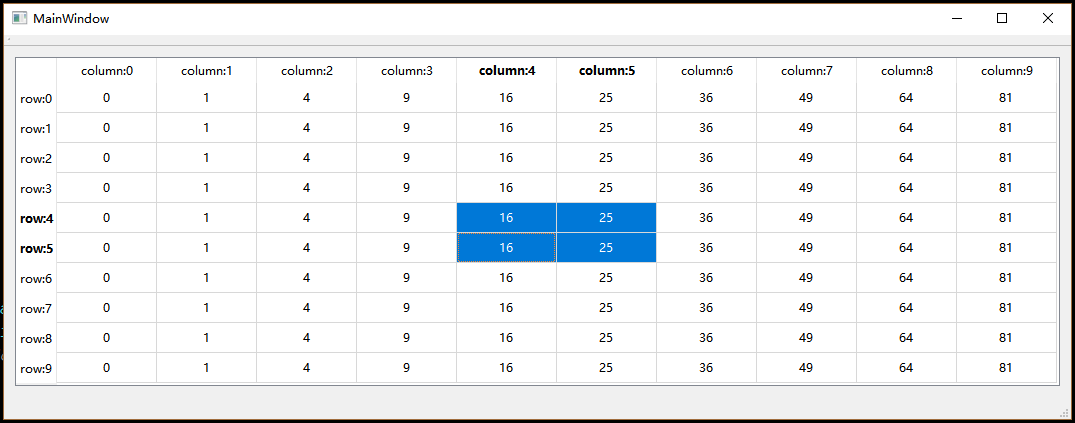
Qt——自定义Model
众所周知,Qt提供了一套Model/View框架供开发者使用,Model用来提供数据, View则用来提供视觉层的显示。实际上这是一套遵循MVC设计模式的GUI框架,因为Qt还提供了默认的Delegate作为Controller来作为控制器。 MVC的好处这里就不多说…...
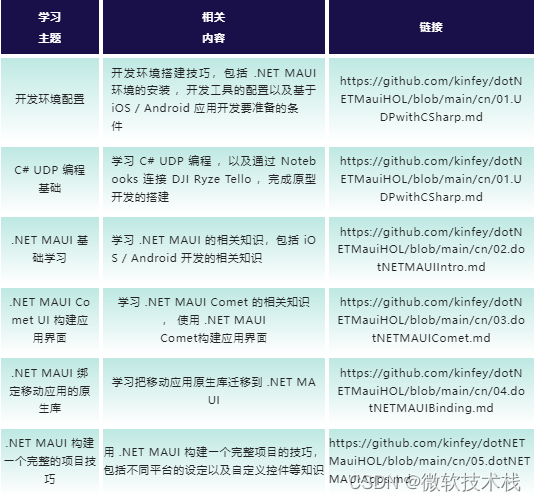
用 .NET 启动你的 DJI Ryze Tello 无人机
大疆的 DJI Ryze Tello 是入门级的无人机,不仅在 STEM 教育中有非常广泛的应用,也可以作为编程入门的首选。通过 UDP 协议调用 DJI Ryze Tello SDK 可以让 DJI Ryze Tello 无人机执行起飞,降落,转向以及不同的花式动作。本文将会通…...
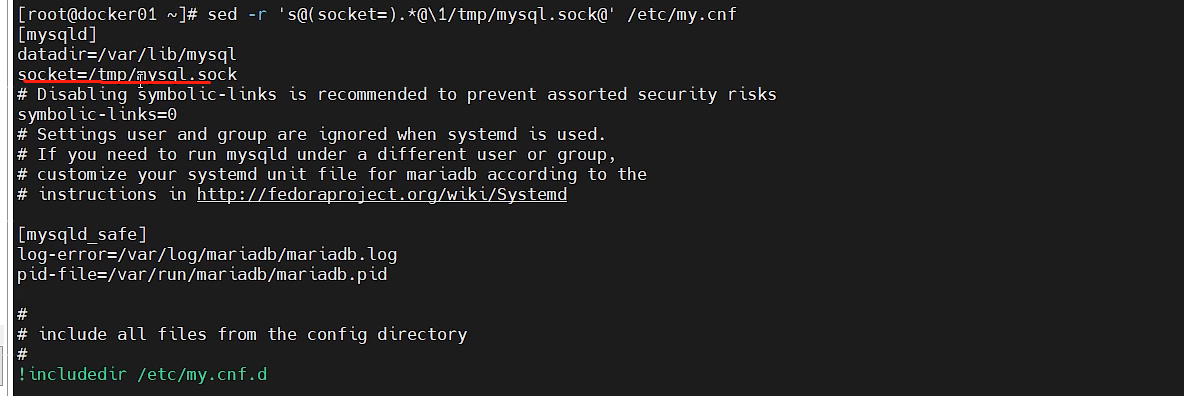
sed 功能详解
介绍sedsed是一种流编辑器,它一次处理一行内容,把当前处理的行存储在临时缓冲区中(buffer),称为"模式空间",接着sed命令处理缓冲区中的内容,处理完成后,把缓冲区的内容送往屏幕&#…...

整数二分思路详解
题目描述 给定一个按照升序排列的长度为n的整数数组,以及 q 个查询。 对于每个查询,返回一个元素k的起始位置和终止位置(位置从0开始计数)。 如果数组中不存在该元素,则返回“-1 -1”。 输入格式 第一行包含整数n和q&a…...
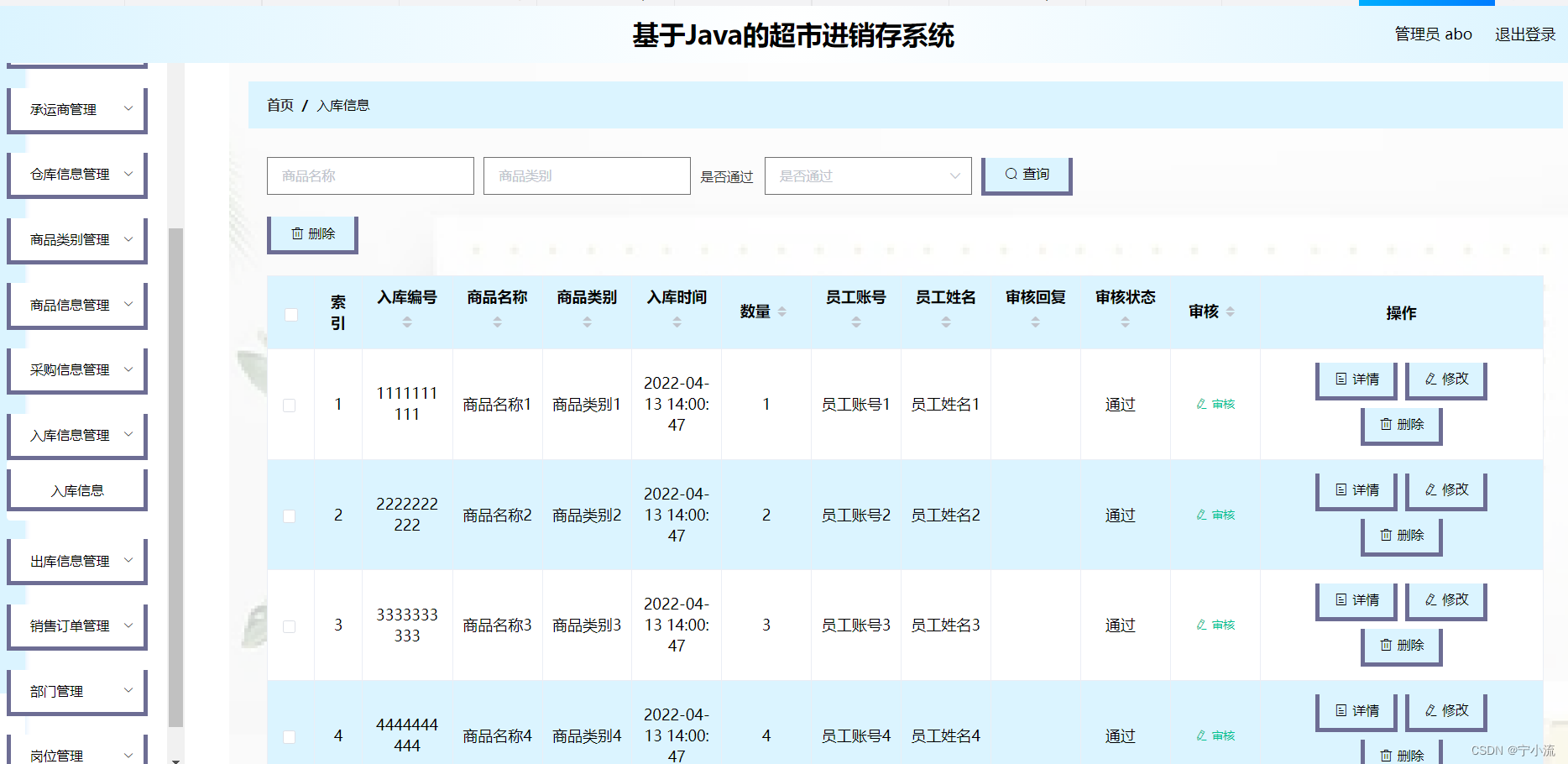
基于java的进销库存管理系统(Vue+Springboot+Mysql)前后端分离项目,附万字课设论文
1.3 系统实现的功能 本次设计任务是要设计一个超市进销存系统,通过这个系统能够满足超市进销存系统的管理及员工的超市进销存管理功能。系统的主要功能包括:首页、个人中心、员工管理、客户管理、供应商管理、承运商管理、仓库信息管理、商品类别管理、 …...

手动添加 Grub 启动项
1. 问题背景 自己的台式机上装了好几块硬盘,因为自己又菜又喜欢折腾,几乎每块上都有一个操作系统,其中两个 m.2 的硬盘上分别装着一个 windows11 和一个 Ubuntu20.04。但在另外一块机械硬盘中还装着更早的一个 Ubuntu18.04,我电脑…...
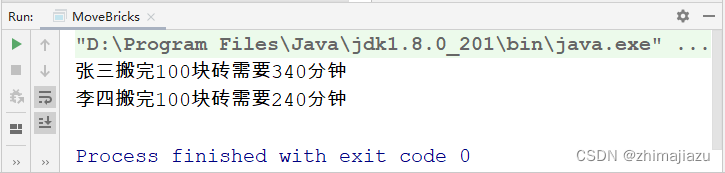
工人搬砖-课后程序(JAVA基础案例教程-黑马程序员编著-第八章-课后作业)
【案例8-4】 工人搬砖 【案例介绍】 1.任务描述 在某个工地,需要把100块砖搬运到二楼,现在有工人张三和李四,张三每次搬运3块砖,每趟需要10分钟,李四每次搬运5块砖,每趟需要12分钟。本案例要求编写程序分…...

深度学习中backbone、head、neck等概念
1.backbone 翻译为主干网络的意思,既然说是主干网络,就代表其是网络的一部分。这个主干网络大多时候指的是提取特征的网络,其作用就是提取图片中的信息,供后面的网络使用。这些网络经常使用的是ResNet VGG等,而不是我…...

华为OD机试用Python实现 -【Linux 发行版的数量】(2023-Q1 新题)
华为OD机试题 华为OD机试300题大纲Linux 发行版的数量题目描述输入描述输出描述说明示例一输入输出说明Python 代码实现代码编写逻辑华为OD机试300题大纲 参加华为od机试,一定要注意不要完全背诵代码,需要理解之后模仿写出,通过率才会高。 华为 OD 清单查看地址:blog.csd…...

Http报文解析
http通信流程浏览器->已监听的web服务器->read->write->close http请求报文: a.请求方法: POST GET DELETE HEAD OPTIONS PUT TRACE b.请求地址: /xxx/yyy/zzz c.报文协议: HTTP/1.1 d.请求报文头: Accept Referer Accept-Language Content-Type Host Content-Len…...
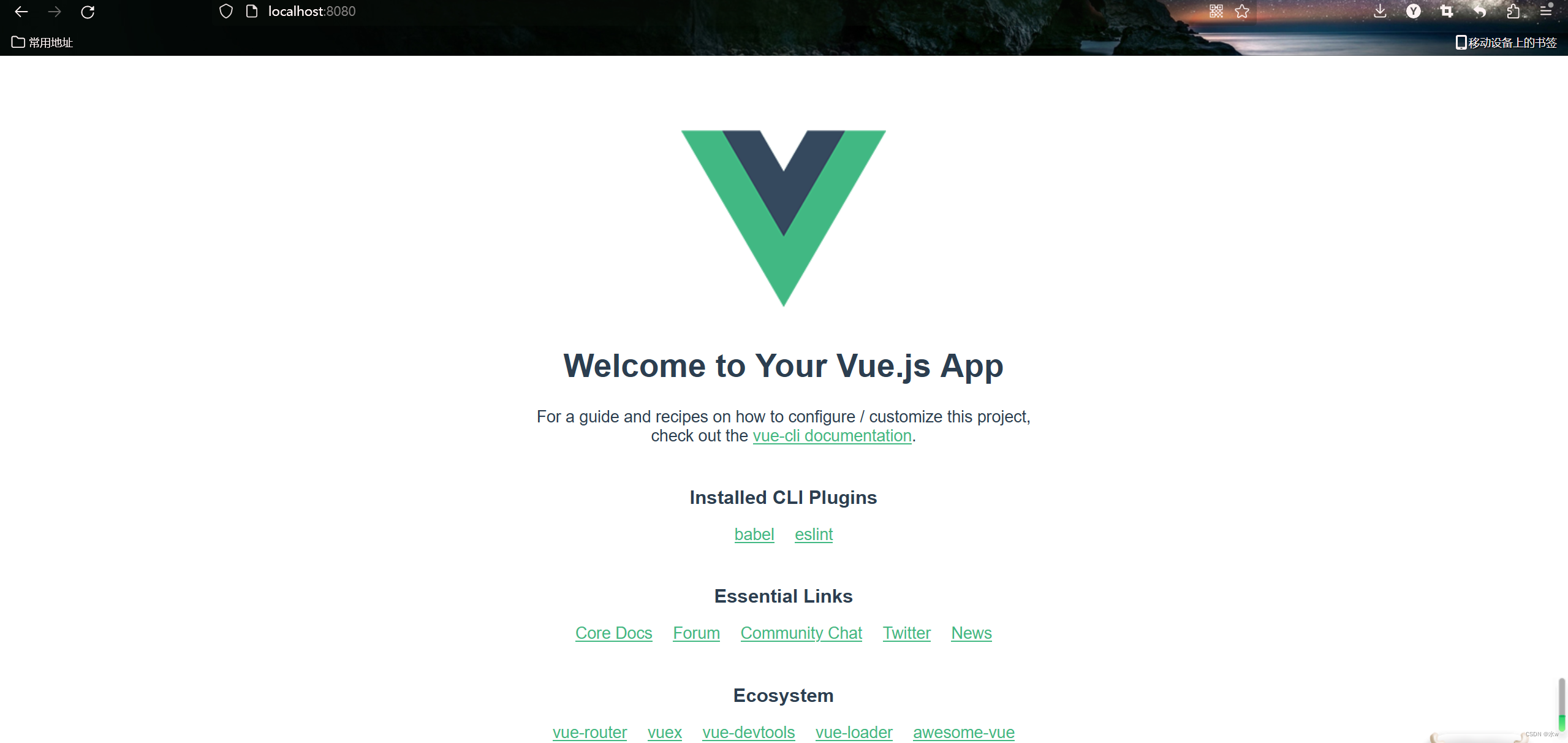
Vue下载安装步骤的详细教程(亲测有效) 2 安装与创建默认项目
上篇请移步到Vue下载安装步骤的详细教程(亲测有效) 1_水w的博客-CSDN博客 上一篇博文已经对Node.js的安装与配置进行了详细介绍。 另外:文中项目存放的路径及项目名称可根据自身实际情况进行更改。 目录 三、Vue安装配置 1、搭建Vue脚手架 2、通过NPM安装Vue …...

TIA博途Wincc中自定义配方画面的具体方法示例
TIA博途Wincc中自定义配方画面的具体方法示例 前面和大家分享了通过TIA博途自带的配方视图组态配方功能的具体方法,具体内容可参考以下链接中的内容: TIA PORTAL wincc中配方recipe组态及配方视图的使用方法 但是,使用配方视图的时候感觉不是很方便,同时一部分使用人员也感…...

Java反射系列--方法大全
原文网址:Java反射系列--方法大全_IT利刃出鞘的博客-CSDN博客 简介 本文介绍Java反射相关的方法。 Class相关方法 方法 说明 getName() 返回String形式的该类的名称。 newInstance() 根据某个Class对象产生其对应类的实例,它调用的是此类的默认构…...

LeetCode 169. 多数元素
LeetCode 169. 多数元素 难度:easy\color{Green}{easy}easy 题目描述 给定一个大小为 nnn 的数组 numsnumsnums ,返回其中的多数元素。多数元素是指在数组中出现次数 大于 ⌊n/2⌋⌊ n/2 ⌋⌊n/2⌋ 的元素。 你可以假设数组是非空的,并且给…...

来了,metaIPC1.0
metaRTC推出metaIPC正式版1.0,基于metaRTC6.0最新版二次开发,metaIPC是为嵌入式/摄像头量身打造的webRTC版IPC Camera,可安装在国内大多数Soc芯片上,如在君正/瑞芯微/MSTAR/海思等等已经有多个成熟产品应用。 New Feature 支持M…...

告别第三方工具:手把手教你打造微软官方WinPE系统维护盘
1. 为什么你需要一个官方WinPE维护盘? 每次电脑系统崩溃时,你是不是也在各大论坛疯狂搜索"如何重装系统"?市面上确实有很多第三方PE工具,比如老毛桃、微PE之类的,用起来确实方便。但作为一个在IT行业摸爬滚…...

MobileClaw:为OpenClaw AI Agent打造移动优先的聊天界面
1. 项目概述:为本地AI Agent打造一款移动优先的聊天界面 如果你和我一样,热衷于在本地运行大型语言模型,并且对OpenClaw这类AI Agent框架的强大能力着迷,那你一定也遇到过和我一样的烦恼:在手机上查看和管理Agent对话…...

Visual C++运行库一键修复:3分钟解决Windows软件启动失败的终极方案
Visual C运行库一键修复:3分钟解决Windows软件启动失败的终极方案 【免费下载链接】vcredist AIO Repack for latest Microsoft Visual C Redistributable Runtimes 项目地址: https://gitcode.com/gh_mirrors/vc/vcredist 你是否曾经兴奋地双击一个游戏或专…...

基于Rust的高效远程桌面方案:从协议优化到部署实践
1. 项目概述:远程桌面连接的另一条路如果你和我一样,经常需要在Windows电脑上操作远在另一张桌子上的Mac,或者反过来,那么“远程桌面”这个需求就再熟悉不过了。市面上有VNC、微软的RDP,还有各种第三方工具,…...

桌面3D扫描技术解析:从结构光原理到实战避坑指南
1. 从工业殿堂到桌面工坊:3D扫描的平民化浪潮 几年前,如果你跟人提起3D扫描,脑海里浮现的画面多半是电影特效工作室里,演员身上贴满标记点,被一圈昂贵的专业相机环绕;或者是汽车制造车间里,巨大…...
ANLI计算结果才准确)
避开这3个坑,你的夜间灯光数据(NPP/VIIRS)ANLI计算结果才准确
避开这3个坑,你的夜间灯光数据(NPP/VIIRS)ANLI计算结果才准确 深夜的城市灯光如同流动的星河,而NPP/VIIRS卫星捕捉的这些光点正成为区域经济研究的"新货币"。但当我第一次用ArcGIS计算昆明各区县的平均灯光指数&#x…...
)
别再踩坑了!Ubuntu 20.04下用Docker一键编译OLLVM 4.0(附完整Dockerfile)
基于Docker的OLLVM 4.0高效编译指南:Ubuntu 20.04最佳实践 在移动安全与逆向工程领域,OLLVM作为代码混淆的黄金标准工具链,其环境搭建一直是开发者面临的痛点。传统源码编译方式需要处理复杂的依赖关系、版本冲突和系统污染风险,而…...

终极指南:如何利用boardgame.io事件驱动架构实现游戏逻辑完美解耦
终极指南:如何利用boardgame.io事件驱动架构实现游戏逻辑完美解耦 【免费下载链接】boardgame.io State Management and Multiplayer Networking for Turn-Based Games 项目地址: https://gitcode.com/gh_mirrors/bo/boardgame.io boardgame.io是一个专为回合…...

Windows系统移植macOS光标主题:设计原理与安装实践
1. 项目概述:为Windows系统移植macOS光标主题如果你和我一样,长期在Windows和macOS双系统或双设备间切换工作,一定会对两者截然不同的光标设计有深刻的感受。macOS的光标以其简洁、圆润的线条和恰到好处的动画反馈,在视觉体验和操…...

初创公司技术选型时为何应考虑 Taotoken 这类大模型聚合平台
🚀 告别海外账号与网络限制!稳定直连全球优质大模型,限时半价接入中。 👉 点击领取海量免费额度 初创公司技术选型时为何应考虑 Taotoken 这类大模型聚合平台 对于初创公司而言,技术栈的早期选择往往决定了未来数年的…...