
gin相关操作--一起学习921190764
gin官方文档
https://gin-gonic.com/docs/quickstart/
1. 安装
go get -u github.com/gin-gonic/gin
https://github.com/gin-gonic/gin
简单入门
package mainimport ("github.com/gin-gonic/gin""net/http"
)func pong(c *gin.Context) {//c.JSON(http.StatusOK, gin.H{//	"message": "pong",//})//第二种c.JSON(http.StatusOK, map[string]string{"message": "pong",})
}
func main() {//实例化一个gin的server对象r := gin.Default()r.GET("/ping", pong)r.Run(":8084") // listen and serve on 0.0.0.0:8080 (for windows "localhost:8080")
}
//restful 的开发中router.GET("/someGet", getting)router.POST("/somePost", posting)router.PUT("/somePut", putting)router.DELETE("/someDelete", deleting)router.PATCH("/somePatch", patching)router.HEAD("/someHead", head)router.OPTIONS("/someOptions", options)
1. 路由分组
func main() {
router := gin.Default()
// Simple group: v1
v1 := router.Group("/v1")
{v1.POST("/login", loginEndpoint)v1.POST("/submit", submitEndpoint)v1.POST("/read", readEndpoint)
}
// Simple group: v2
v2 := router.Group("/v2")
{v2.POST("/login", loginEndpoint)v2.POST("/submit", submitEndpoint)v2.POST("/read", readEndpoint)
}
router.Run(":8082")
}
2. 带参数的url
package main
import (
"github.com/gin-gonic/gin"
"net/http"
)
func main() {r := gin.Default()r.GET("/ping", func(c *gin.Context) {c.JSON(200, gin.H{"message": "pong",})})r.GET("/user/:name/:action/", func(c *gin.Context) {name := c.Param("name")action := c.Param("action")c.String(http.StatusOK, "%s is %s", name, action)})r.GET("/user/:name/*action", func(c *gin.Context) {name := c.Param("name")action := c.Param("action")c.String(http.StatusOK, "%s is %s", name, action)})r.Run(":8082")
}
案例源码
package mainimport ("github.com/gin-gonic/gin""net/http"
)func main() {router := gin.Default()goodsGroup := router.Group("/goods")//不需要依附于任何函数体{goodsGroup.GET("/list", goodsList)//goodsGroup.GET("/1", goodsDetail) //获取商品id为1的详细信息//带参的url//goodsGroup.GET("/:id/:action", goodsDetail) //获取商品id为1的详细信息goodsGroup.GET("/:id/*action", goodsDetail) //获取商品id为1的详细信息 带*就会把id后面全部的路径全部取出来goodsGroup.POST("/add", createGoods)}router.Run(":8082")
}func createGoods(context *gin.Context) {}func goodsDetail(context *gin.Context) {id := context.Param("id")action := context.Param("action")context.JSON(http.StatusOK, gin.H{"id":     id,"action": action,})
}func goodsList(context *gin.Context) {context.JSON(http.StatusOK, gin.H{"name": "goodlist",})
}
3. 获取路由分组的参数
package main
import "github.com/gin-gonic/gin"
type Person struct {ID string `uri:"id" binding:"required,uuid"`Name string `uri:"name" binding:"required"`
}
func main() {route := gin.Default()route.GET("/:name/:id", func(c *gin.Context) {var person Personif err := c.ShouldBindUri(&person); err != nil {c.JSON(400, gin.H{"msg": err})return}c.JSON(200, gin.H{"name": person.Name, "uuid": person.ID})})route.Run(":8088")
}
案例代码
package mainimport ("github.com/gin-gonic/gin""net/http"
)// Person 这是来约束参数是什么类型
type Person struct {//Id   string `uri:"id" binding:"required,uuid"` //这里必须是uuid http://127.0.0.1:8083/bobby/6e4e2015-a5c2-9279-42a6-6b70478276bcId   int    `uri:"id" binding:"required"`Name string `uri:"name" binding:"required"`
}func main() {router := gin.Default()router.GET("/:name/:id", func(context *gin.Context) {var person Personif err := context.ShouldBindUri(&person); err != nil {context.Status(404)}context.JSON(http.StatusOK, gin.H{"name": person.Name,"id":   person.Id,})})router.Run(":8083")
}
1. 获取get参数
func main() {
router := gin.Default()
// 匹配的url格式: /welcome?firstname=Jane&lastname=Doe
router.GET("/welcome", func(c *gin.Context) {firstname := c.DefaultQuery("firstname", "Guest")lastname := c.Query("lastname") // 是 c.Request.URL.Query().Get("lastnamec.String(http.StatusOK, "Hello %s %s", firstname, lastname)})router.Run(":8080")
}
2. 获取post参数
func main() {router := gin.Default()router.POST("/form_post", func(c *gin.Context) {message := c.PostForm("message")nick := c.DefaultPostForm("nick", "anonymous") // 此⽅法可以设置默认值c.JSON(200, gin.H{"status": "posted","message": message,"nick": nick,})})router.Run(":8080")
}
3. get、post混合
POST /post?id=1234&page=1 HTTP/1.1
Content-Type: application/x-www-form-urlencoded
name=manu&message=this_is_great
func main() {router := gin.Default()router.POST("/post", func(c *gin.Context) {id := c.Query("id")page := c.DefaultQuery("page", "0")name := c.PostForm("name")message := c.PostForm("message")fmt.Printf("id: %s; page: %s; name: %s; message: %s", id, page, name, mes})router.Run(":8080")
}
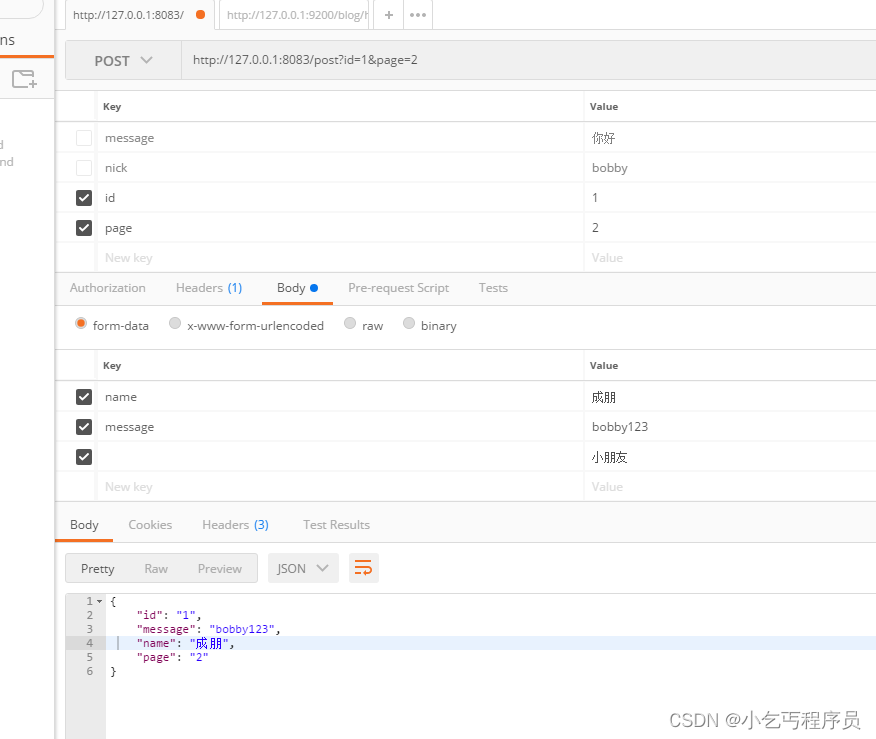
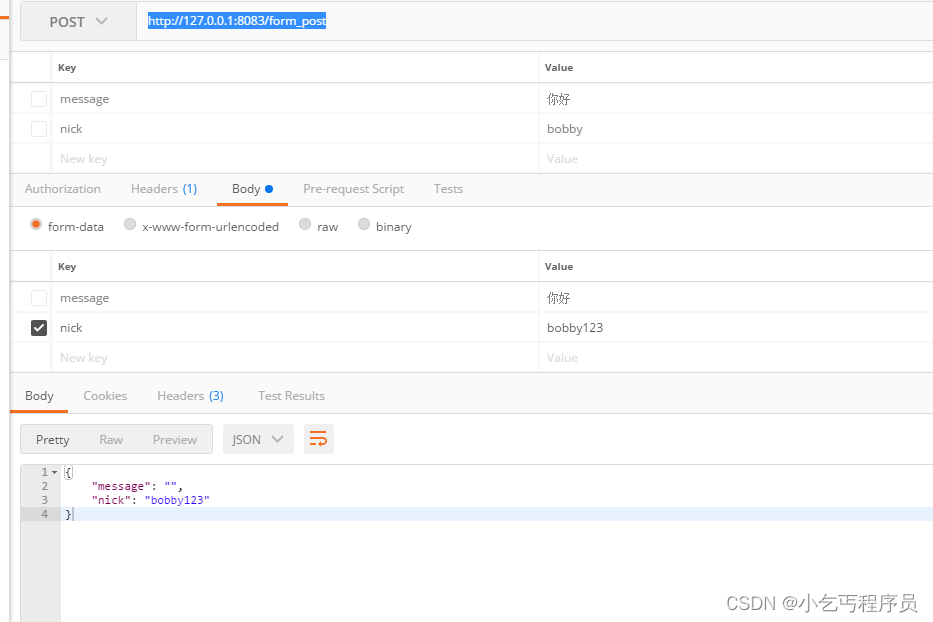
案例源码
package mainimport ("github.com/gin-gonic/gin""net/http"
)func main() {router := gin.Default()//GET请求获取参数router.GET("/welcome", welcome)//POST获取参数router.POST("/form_post", formPost)//get和post请求混合使用router.POST("/post", getPost)router.Run(":8083")
}func getPost(context *gin.Context) {id := context.Query("id")page := context.DefaultQuery("page", "0")name := context.PostForm("name")message := context.DefaultPostForm("message", "信息")context.JSON(http.StatusOK, gin.H{"id":      id,"page":    page,"name":    name,"message": message,})
}// http://127.0.0.1:8083/form_post 然后在body写入参数
func formPost(context *gin.Context) {message := context.PostForm("message")nick := context.DefaultPostForm("nick", "anonymous")context.JSON(http.StatusOK, gin.H{"message": message,"nick":    nick,})
}// http://127.0.0.1:8083/welcome
// 如果什么都不写取默认值 为bobby 和chengpeng
// http://127.0.0.1:8083/welcome?firstname=chengpeng2&lastname=llAS
// 如果这种写法 得到的就是chengpeng2 和llAS
func welcome(context *gin.Context) {firstName := context.DefaultQuery("firstname", "bobby")lastName := context.DefaultQuery("lastname", "chengpeng")context.JSON(http.StatusOK, gin.H{"first_name": firstName,"last_name":  lastName,})
}
1. 输出json和protobuf
新建user.proto文件
syntax = "proto3";
option go_package = ".;proto";
message Teacher {string name = 1;repeated string course = 2;
}
protoc --go_out=. --go-grpc_out=. .\user.proto
package main
import (
"github.com/gin-gonic/gin"
"net/http"
"start/gin_t/proto"
)
func main() {r := gin.Default()// gin.H is a shortcut for map[string]interface{}r.GET("/someJSON", func(c *gin.Context) {c.JSON(http.StatusOK, gin.H{"message": "hey", "status": http.StatusOK})})r.GET("/moreJSON", func(c *gin.Context) {// You also can use a structvar msg struct {Name string `json:"user"` //转义Message stringNumber int}msg.Name = "Lena"msg.Message = "hey"msg.Number = 123// Note that msg.Name becomes "user" in the JSON// Will output : {"user": "Lena", "Message": "hey", "Number": 123}c.JSON(http.StatusOK, msg)})r.GET("/someProtoBuf", func(c *gin.Context) {courses := []string{"python", "django", "go"}data:&proto.Teacher{Name: "bobby",Course: courses,}// Note that data becomes binary data in the response// Will output protoexample.Test protobuf serialized datac.ProtoBuf(http.StatusOK, data)})// Listen and serve on 0.0.0.0:8080r.Run(":8083")
}
2. PureJSON
通常情况下,JSON会将特殊的HTML字符替换为对应的unicode字符,比如 < 替换为 \u003c ,如果想原样输出html,则使用PureJSON
func main() {r := gin.Default()// Serves unicode entitiesr.GET("/json", func(c *gin.Context) {c.JSON(200, gin.H{"html": "<b>Hello, world!</b>",})})// Serves literal charactersr.GET("/purejson", func(c *gin.Context) {c.PureJSON(200, gin.H{"html": "<b>Hello, world!</b>",})})// listen and serve on 0.0.0.0:8080r.Run(":8080")
}
源码案例
package mainimport (proto1 "GormStart/gin_start/ch05/proto""github.com/gin-gonic/gin""net/http"
)func main() {router := gin.Default()//JSONrouter.GET("/moreJSON", moreJSON)//protorouter.GET("/someProtoBuf", returnProto)router.Run(":8083")
}func returnProto(context *gin.Context) {course := []string{"python", "go", "微服务"}user := &proto1.Teacher{Name:   "bobby",Course: course,}context.ProtoBuf(http.StatusOK, user)}//	{
//	   "user": "bobby",
//	   "Message": "这是测试一个json",
//	   "Number": 20
//	}
//
// http://127.0.0.1:8083/moreJSON
func moreJSON(context *gin.Context) {var msg struct {Name    string `json:"user"`Message stringNumber  int}msg.Name = "bobby"msg.Message = "这是测试一个json"msg.Number = 20context.JSON(http.StatusOK, msg)
}
客户端反解码
package mainimport (proto1 "GormStart/gin_start/ch05/proto""fmt""google.golang.org/protobuf/proto""io/ioutil""net/http"
)func main() {resp, _ := http.Get("http://127.0.0.1:8083/someProtoBuf")bytes, _ := ioutil.ReadAll(resp.Body)var res proto1.Teacher_ = proto.Unmarshal(bytes, &res)fmt.Println(res.Name, res.Course)
}
1. 表单的基本验证
若要将请求主体绑定到结构体中,请使用模型绑定,目前支持JSON、XML、YAML和标准表单值(foo=bar&boo=baz)的绑定。
Gin使用 go-playground/validator和https://github.com/go-playground/validator 验证参数,查看完整文档(https://pkg.go.dev/github.com/go-playground/validator/v10)。
需要在绑定的字段上设置tag,比如,绑定格式为json,需要这样设置 json:“fieldname” 。此外,Gin还提供了两套绑定方法:
Must bind
- Methods - Bind , BindJSON , BindXML , BindQuery , BindYAML
Behavior - 这些方法底层使用 MustBindWith ,如果存在绑定错误,请求将被以下指令中c.AbortWithError(400,err).SetType(ErrorTypeBind) ,响应状态代码会被设置为400,请求头 Content-Type 被设置为 text/plain;charset=utf-8 。注意,如果你试图在此之后设置响应代码,将会发出一个警告 [GIN-debug] [WARNING] Headers were already written. Wanted to override status code 400 with 422 ,如果你希望更好地控制行为,请使用 ShouldBind 相关的方法
Should bind
- Methods - ShouldBind(动态决定JSON,XML等等) , ShouldBindJSON , ShouldBindXML ,ShouldBindQuery , ShouldBi ndYAML
- Behavior - 这些方法底层使用 ShouldBindWith ,如果存在绑定错误,则返回错误,开发人员 可以正确处理请求和错误。
当我们使用绑定方法时,Gin会根据Content-Type推断出使用哪种绑定器,如果你确定你绑定的是什么,你可以使用 MustBindWith 或者 BindingWith 。
你还可以给字段指定特定规则的修饰符,如果一个字段用 binding:“required” 修饰,并且在绑定时该字段的值为空,那么将返回一个错误。
validator支持中文==>国际化
go语言实现翻译解释器
"github.com/gin-gonic/gin/binding"
"github.com/go-playground/locales/en"
"github.com/go-playground/locales/zh"
ut "github.com/go-playground/universal-translator"
"github.com/go-playground/validator/v10"
en_translations "github.com/go-playground/validator/v10/translations/en"
zh_translations "github.com/go-playground/validator/v10/translations/zh"var trans ut.Translator// InitTrans 翻译
func InitTrans(locale string) (err error) {//修改gin框架中的validator引擎属性,实现定制//Engine返回为StructValidator实现提供动力的底层验证器引擎。if v, ok := binding.Validator.Engine().(*validator.Validate); ok {zhT := zh.New() //中文翻译器enT := en.New() //英文翻译器// 第一个参数是备用(fallback)的语言环境  // 后面的参数是应该支持的语言环境(支持多个)uni := ut.New(enT, zhT, enT) //后面可以重复放// locale 通常取决于 http 请求头的 'Accept-Language'//根据参数取翻译器实例// 也可以使用 uni.FindTranslator(...) 传入多个locale进行查找trans, ok = uni.GetTranslator(locale) //拿到Translatorif !ok {return fmt.Errorf("uni.GetTranslator(%s)", locale)}// 注册翻译器switch locale {case "en":en_translations.RegisterDefaultTranslations(v, trans) //使用英文的注册器case "zh":zh_translations.RegisterDefaultTranslations(v, trans) //使用中文注册器default:en_translations.RegisterDefaultTranslations(v, trans)}return}return
}
案例整体源码
package mainimport ("fmt""github.com/gin-gonic/gin""github.com/gin-gonic/gin/binding""github.com/go-playground/locales/en""github.com/go-playground/locales/zh"ut "github.com/go-playground/universal-translator""github.com/go-playground/validator/v10"en_translations "github.com/go-playground/validator/v10/translations/en"zh_translations "github.com/go-playground/validator/v10/translations/zh""net/http""reflect""strings"
)// LoginForm 绑定为json
type LoginForm struct {//form json xmlUser     string `form:"user" json:"user" xml:"user" binding:"required,min=3,max=10"` //required必填最短长度Password string `form:"password" json:"password" xml:"password" binding:"required"`
}// SignUpForm 注册
type SignUpForm struct {Age        uint8  `json:"age" binding:"gte=1,lte=130"`Name       string `json:"name" binding:"required,min=3"`Email      string `json:"email" binding:"required,email"` //email是否是合法的格式Password   string `json:"password" binding:"required"`RePassword string `json:"re_password" binding:"required,eqfield=Password"` //跨字段验证 eqfield指定上面的字段和它相等
}var trans ut.Translator// InitTrans 翻译
func InitTrans(locale string) (err error) {//修改gin框架中的validator引擎属性,实现定制//Engine返回为StructValidator实现提供动力的底层验证器引擎。if v, ok := binding.Validator.Engine().(*validator.Validate); ok {//注册一个获取json的tag的自定义方法v.RegisterTagNameFunc(func(field reflect.StructField) string {//name1 := strings.SplitN(field.Tag.Get("json"), ",", 2)//fmt.Println("chengpeng", name1)//a := field.Tag.Get("form")//fmt.Println("chengpeng", a)name := strings.SplitN(field.Tag.Get("json"), ",", 2)[0]if name == "_" {return ""}return name})zhT := zh.New() //中文翻译器enT := en.New() //英文翻译器// 第一个参数是备用(fallback)的语言环境  // 后面的参数是应该支持的语言环境(支持多个)uni := ut.New(enT, zhT, enT) //后面可以重复放// locale 通常取决于 http 请求头的 'Accept-Language'//根据参数取翻译器实例// 也可以使用 uni.FindTranslator(...) 传入多个locale进行查找trans, ok = uni.GetTranslator(locale) //拿到Translatorif !ok {return fmt.Errorf("uni.GetTranslator(%s)", locale)}// 注册翻译器switch locale {case "en":en_translations.RegisterDefaultTranslations(v, trans) //使用英文的注册器case "zh":zh_translations.RegisterDefaultTranslations(v, trans) //使用中文注册器default:en_translations.RegisterDefaultTranslations(v, trans)}return}return
}//	"msg": {	"LoginForm.user": "user长度必须至少为3个字符" }
//
// 去掉LoginForm
func removeTopStruct(fileds map[string]string) map[string]string {rsp := map[string]string{}for filed, err := range fileds {//要查找的字符串.的位置strings.Index(filed, ".")rsp[filed[strings.Index(filed, ".")+1:]] = err}return rsp
}func main() {err := InitTrans("zh")if err != nil {fmt.Println("获取翻译器错误")return}router := gin.Default()router.POST("/loginJSON", func(context *gin.Context) {var loginForm LoginForm//你应该这样 获取参数err := context.ShouldBind(&loginForm)if err != nil {errs, ok := err.(validator.ValidationErrors) //转换为FieldErrorif !ok {context.JSON(http.StatusOK, gin.H{"msg": err.Error(),})}//fmt.Println(err.Error())context.JSON(http.StatusBadRequest, gin.H{//"msg": err.Error(),//"msg": errs.Translate(trans),"msg": removeTopStruct(errs.Translate(trans)),})return}context.JSON(http.StatusOK, gin.H{"msg": "登录成功",})})router.POST("/signup", func(context *gin.Context) {var signUpForm SignUpForm//你应该这样 获取参数err := context.ShouldBind(&signUpForm)if err != nil {errs, ok := err.(validator.ValidationErrors) //转换为FieldError//不能转换成功if !ok {context.JSON(http.StatusOK, gin.H{"msg": err.Error(),})}context.JSON(http.StatusBadRequest, gin.H{//"msg": err.Error(),//"msg": errs.Translate(trans),"msg": removeTopStruct(errs.Translate(trans)),})return}context.JSON(http.StatusOK, gin.H{"msg": "注册成功",})})_ = router.Run(":8083")}
中间件==>自定义gin中间件
是一类能够为一种或多种应用程序合作互通、资源共享,同时还能够为该应用程序提供相关的服务的软件。中间件是一类软件统称,而非一种软件;中间件不仅仅实现互连,还要实现应用之间的互操作。
中间件与操作系统和数据库共同构成基础软件三大支柱,是一种应用于分布式系统的基础软件,位于应用与操作系统、数据库之间,为上层应用软件提供开发、运行和集成的平台。中间件解决了异构网络环境下软件互联和互操作等共性问题,并提供标准接口、协议,为应用软件间共享资源提供了可复用的“标准件”。
package mainimport ("fmt""github.com/gin-gonic/gin""net/http""time"
)// MyLogger 自定义中间件
func MyLogger() gin.HandlerFunc {return func(context *gin.Context) {now := time.Now()// 设置变量到Context的key中,可以通过Get()取context.Set("example", "123456")//让原本该执行的逻辑继续执行context.Next()//把开始的时间给我去计算时长end := time.Since(now)//拿到状态信息   // 中间件执行完后续的一些事情status := context.Writer.Status()//[GIN-debug] Listening and serving HTTP on :8083//耗时:%!V(time.Duration=610500)//状态 200fmt.Printf("耗时:%V\n", end)fmt.Println("状态", status)}
}func main() {router := gin.Default()router.Use(MyLogger())router.GET("/ping", func(context *gin.Context) {context.JSON(http.StatusOK, gin.H{"message": "pong",})})router.Run(":8083")
}//func main() {
//	//engine.Use(Logger(), Recovery()) 默认使用这两个中间件
//	//router := gin.Default()
//	router := gin.New()
//	//使用logger中间件和recovery(恢复)中间件 全局使用
//	router.Use(gin.Logger(), gin.Recovery())
//
//	//某一组url 这样配置这个中间件只有这样开始的时候,这个url才会影响
//	authrized := router.Group("/goods")
//	authrized.Use(AuthRequired)
//
//}
//
 AuthRequired 中间件
//func AuthRequired(context *gin.Context) {
//
//}
终止中间件后续的逻辑的执行
//如果你想不执行后面的逻辑
context.Abort()
为什么连return都阻止不了后续逻辑的执行?
那是因为Use或者GET等等里面有一个HandlersChain的切片(type HandlersChain []HandlerFunc)添加到切片中去,如果使用return只是返回这个函数,并不会结束全部的接口。使用Next函数,index只是跳转到下个函数里面,如果使用Abort他会把index放到切片最后,那么全部都会结束。
案例源码
package mainimport ("fmt""github.com/gin-gonic/gin""net/http""time"
)// MyLogger 自定义中间件
func MyLogger() gin.HandlerFunc {return func(context *gin.Context) {now := time.Now()// 设置变量到Context的key中,可以通过Get()取context.Set("example", "123456")//让原本该执行的逻辑继续执行context.Next()//把开始的时间给我去计算时长end := time.Since(now)//拿到状态信息   // 中间件执行完后续的一些事情status := context.Writer.Status()fmt.Printf("耗时:%V\n", end)fmt.Println("状态", status)}
}func TokenRequired() gin.HandlerFunc {return func(context *gin.Context) {var token string//token放到了Header里面for k, v := range context.Request.Header {if k == "X-Token" {token = v[0]fmt.Println("chengpeng", token)} else {fmt.Println(k, v)}//fmt.Println(k, v, token)}if token != "bobby" {context.JSON(http.StatusUnauthorized, gin.H{"msg": "未登录",})//return结束不了//return//如果你想不执行后面的逻辑context.Abort()}context.Next()}
}func main() {router := gin.Default()//router.Use(MyLogger())router.Use(TokenRequired())router.GET("/ping", func(context *gin.Context) {context.JSON(http.StatusOK, gin.H{"message": "pong",})})router.Run(":8083")
}//func main() {
//	//engine.Use(Logger(), Recovery()) 默认使用这两个中间件
//	//router := gin.Default()
//	router := gin.New()
//	//使用logger中间件和recovery(恢复)中间件 全局使用
//	router.Use(gin.Logger(), gin.Recovery())
//
//	//某一组url 这样配置这个中间件只有这样开始的时候,这个url才会影响
//	authrized := router.Group("/goods")
//	authrized.Use(AuthRequired)
//
//}
//
 AuthRequired 中间件
//func AuthRequired(context *gin.Context) {
//
//}
gin返回html
官方地址:https://golang.org/pkg/html/template/
翻 译 : https://colobu.com/2019/11/05/Golang-Templates-Cheatsheet/#if/else_%E8%AF%AD%E5%8F%A5
1. 设置静态文件路径
package main
import ("net/http""github.com/gin-gonic/gin"
)
func main() {// 创建⼀个默认的路由引擎r := gin.Default()// 配置模板r.LoadHTMLGlob("templates/**/*")//router.LoadHTMLFiles("templates/template1.html", "templates/template2.html// 配置静态⽂件夹路径 第⼀个参数是api,第⼆个是⽂件夹路径r.StaticFS("/static", http.Dir("./static"))// GET:请求⽅式;/hello:请求的路径// 当客户端以GET⽅法请求/hello路径时,会执⾏后⾯的匿名函数r.GET("/posts/index", func(c *gin.Context) {// c.JSON:返回JSON格式的数据c.HTML(http.StatusOK, "posts/index.tmpl", gin.H{"title": "posts/index",})})r.GET("gets/login", func(c *gin.Context) {c.HTML(http.StatusOK, "posts/login.tmpl", gin.H{"title": "gets/login",})})// 启动HTTP服务,默认在0.0.0.0:8080启动服务r.Run()
}
2. index.html内容
<html><h1>{{ .title }}</h1>
</html>
3. templates/posts/index.tmpl
{{ define "posts/index.tmpl" }}
<html><h1>{{ .title }}
</h1>
<p>Using posts/index.tmpl</p>
</html>
{{ end }}
4. templates/users/index.tmpl
{{ define "users/index.tmpl" }}
<html><h1>{{ .title }}
</h1>
<p>Using users/index.tmpl</p>
</html>
{{ end }}
案例源码
{{define "goods/list.html"}}<!DOCTYPE html><html lang="en"><head><meta charset="UTF-8"><title>商品名称</title></head><body><h1>商品列表页</h1></body></html>
{{end}}
{{define "users/list.html"}}<!DOCTYPE html><html lang="en"><head><meta charset="UTF-8"><title>用户列表页</title></head><body><h1>用户列表页</h1></body></html>
{{end}}<!DOCTYPE html>
<html lang="en">
<head><meta charset="UTF-8"><title>Title</title>
</head>
<body>{{.name}}
</body>
</html>
<!DOCTYPE html>
<html lang="en">
<head><meta charset="UTF-8"><title>Title</title>
</head>
<body><h1>{{.title}}</h1>
</body>
</html>
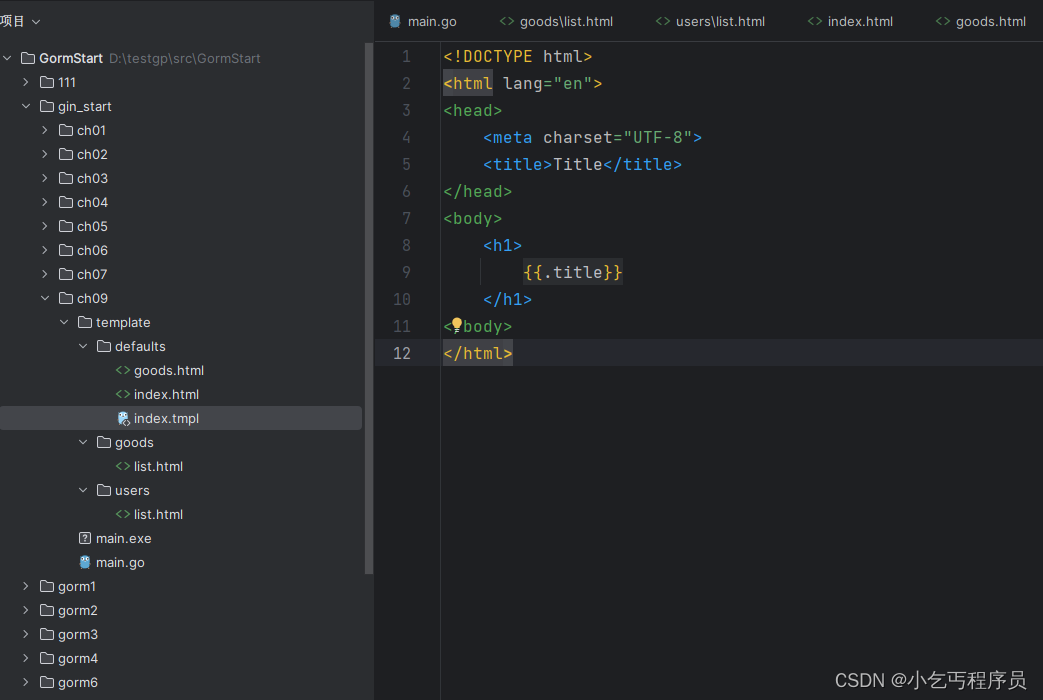
优雅退出: https://gin-gonic.com/zh-cn/docs/examples/graceful-restart-or-stop/
package mainimport ("fmt""github.com/gin-gonic/gin""net/http""os""os/signal""syscall"
)func main() {//优雅退出,当我们关闭程序的时候,应该做的后续处理//微服务 启动之前或者启动之后会做一件事,将当前的服务的ip地址和端口号注册到注册中心//我们当前的服务停止了以后并没有告知注册中心router := gin.Default()router.GET("/", func(context *gin.Context) {context.JSON(http.StatusOK, gin.H{"msg": "pong",})})go func() {router.Run(":8083") //启动以后会一直停在这里}()//如果想要接收到信号 kill -9 强杀命令quit := make(chan os.Signal)signal.Notify(quit, syscall.SIGINT, syscall.SIGTERM)<-quit//处理后续的逻辑fmt.Println("关闭server中...")fmt.Println("注销服务...")
}
设置静态文件
router.Static("/static", "./static")
相关文章:
gin相关操作--一起学习921190764
gin官方文档 https://gin-gonic.com/docs/quickstart/1. 安装 go get -u github.com/gin-gonic/ginhttps://github.com/gin-gonic/gin简单入门 package mainimport ("github.com/gin-gonic/gin""net/http" )func pong(c *gin.Context) {//c.JSON(http.S…...

Linux查看开机启动的服务
在Linux系统中,可以使用不同的命令和工具来查看开机启动的服务。以下是一些常用的方法: systemctl 命令: 使用 systemctl 命令可以查看系统中所有正在运行的服务以及它们的状态。 systemctl list-units --typeservice若要查看某个特定服务的…...
微信小程序如何使用scss,less
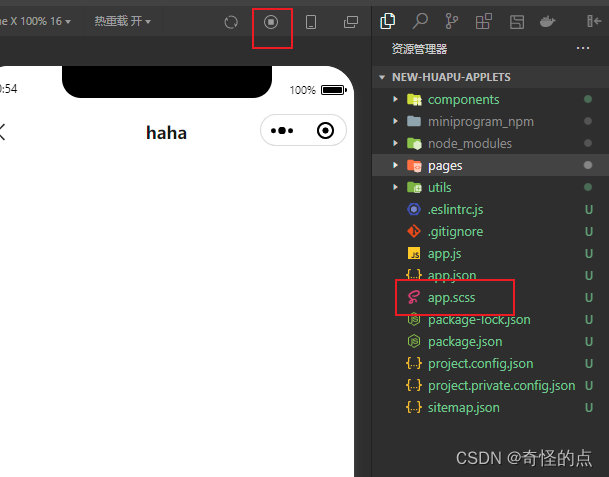
搜到很多都是先VSCode安装好…插件…。这都是很久之前的方法了,所以想写这篇文章 一、修改project.config.json配置文件 "setting": {"useCompilerPlugins": ["sass"]},二、然后就可以删除 .wxss 文件了,就用 .scss 文件…...
2024东北师范大学计算机考研分析
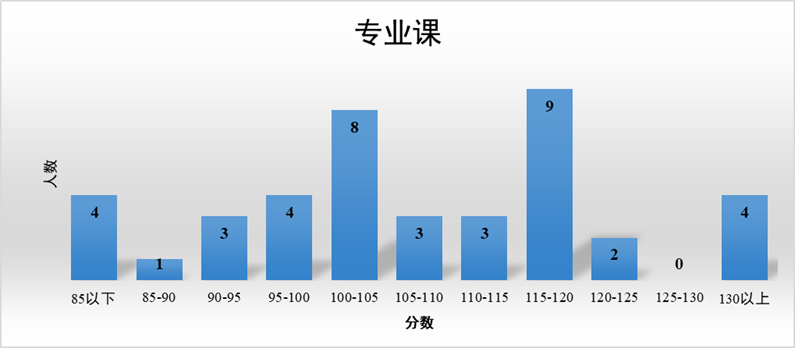
24计算机考研|上岸指南 东北师范大学 信息科学与技术学院位于长春净月国家高新技术产业开发区,毗邻风光秀美的净月潭国家森林公园。 信息科学与技术学院由原“计算机科学与信息技术学院”和“信息与软件工程学院”于2017年根据学校事业发展需要整合形成。学院设有…...

MFC中窗口居中显示
MFC中窗口居中显示 对于一个窗体,可以使用其CenterWindow方法将其居中,CenterWindow方法有一个参数,通过其指定居中操作相对应的父窗口。 CenterWindow方法的原型如下: void CenterWindow(CWnd* pAlternateOwner NULL);如果要…...

Ajax基础(应用场景|jquery实现Ajax|注意事项|Ajax发送json数据|Ajax携带文件数据)
文章目录 一、Ajax简介二、基于jquery实现Ajax三、使用Ajax注意的问题1.Ajax不要与form表单同时提交2.后端响应格式问题3、使用了Ajax作为请求后的注意事项 四、前后端数据传输的编码格式(content-Type)1.urlencoded2.formdata3.application/json 五、Ajax携带文件数据六、Ajax…...
Kubernetes(k8s)之Pod详解
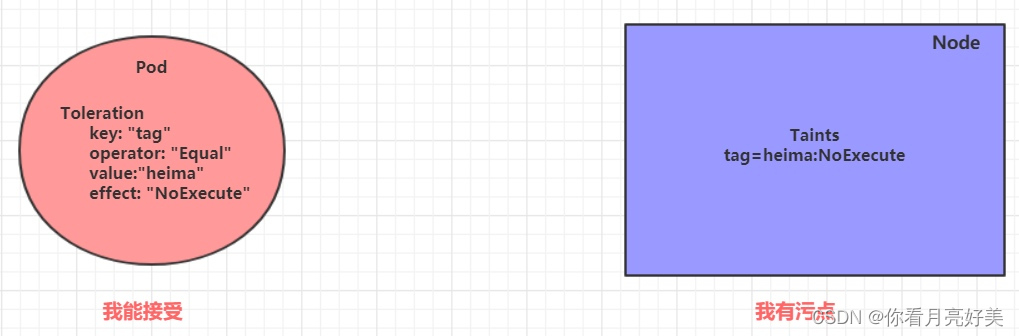
文章目录 Kubernetes之Pod详解一、Pod介绍pod结构pod定义 二、Pod配置pod基本配置镜像拉取策略启动命令环境变量端口设置资源配额 三、Pod生命周期创建和终止初始化容器钩子函数容器探测重启策略 四、Pod调度定向调度NodeNameNodeSelector 亲和性调度NodeAffinityPodAffinityPo…...
redis非关系型数据库(缓存型数据库)——中间件
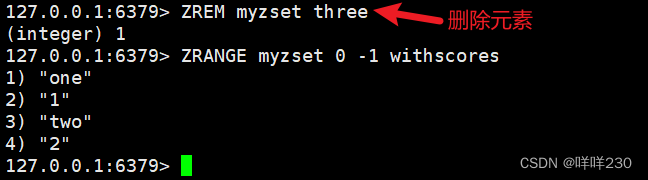
【重点】redis为什么这么快?(应届) ①redis是纯内存结构,避免磁盘I/O的耗时 ②redis核心模块是一个单进程,减少线程切换和回收线程资源时间 ③redis采用的是I/O的多路复用机制(每一个执行线路可以同时完…...

Android 9.0 隐藏设置显示中自动调节亮度
Android 9.0 隐藏设置显示中自动调节亮度 最近收到邮件需求提到想要隐藏设置显示中的自动调节亮度,具体修改参照如下: /vendor/mediatek/proprietary/packages/apps/MtkSettings/res/xml/display_settings.xml - <Preference<!--Preferencea…...

2020年计网408
第33题 下图描述的协议要素是( )。I. 语法 II. 语义 III. 时序 A. 仅 I B. 仅 II C. 仅 III D. I、II 和 III 本题考察网络协议三要素的相关知识。 网络协议的三要素分别是语法、语义、同步(时序)。语法:定义收发双…...

手把手教你编写LoadRunner脚本
编写 LoadRunner 脚本需要熟悉脚本语言、业务场景、参数化技术、断言和事务等基础知识。 在实际编写时,可以根据具体测试需求,结合实际情况进行合理的配置和调整。 基本步骤 创建脚本 在 LoadRunner 的 Controller 模块中,创建一个新的测…...

2311rust,到74版本更新
1.66.0稳定版 显式判定有字段的枚举 即使有字段,带整数表示的枚举现在也可用显式判定器. #[repr(u8)] enum Foo {A(u8),B(i8),C(bool) 42, }跨语言边界传递值时,在两个语言中匹配枚举表示时,显式判定器非常有用.如 #[repr(u8)] enum Bar {A,B,C 42,D, }这里保证Bar枚举有…...
Web项目从Tomcat迁移到TongWeb
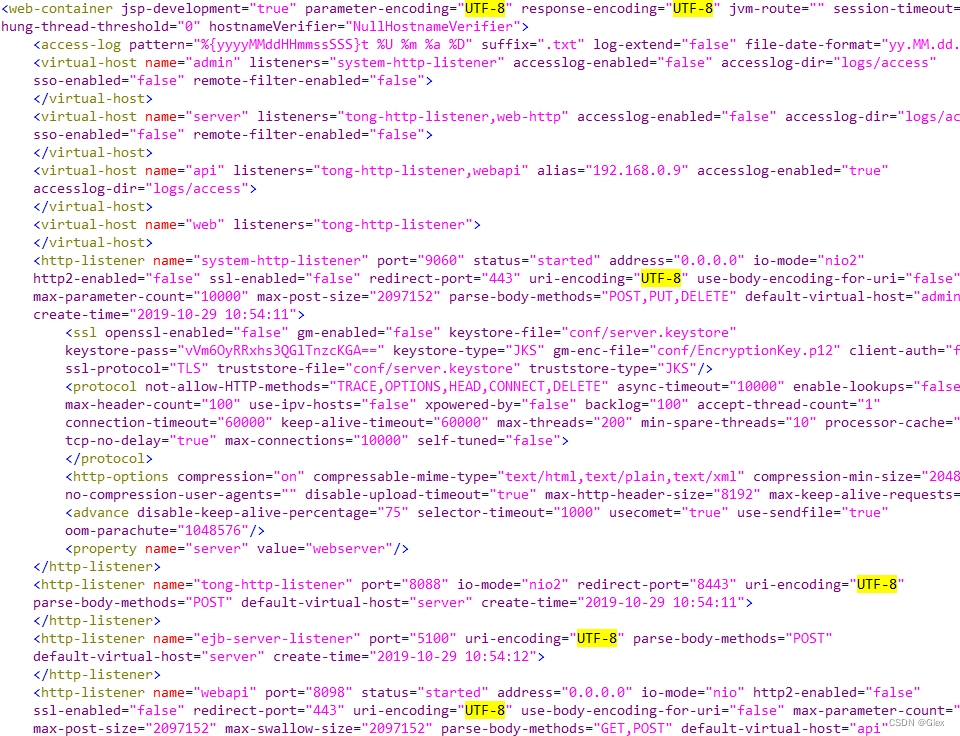
注意事项 1. 使用JNDI方式获取数据源: ①在TongWeb创建JDBC连接池; ②修改Web项目数据源配置. #spring.datasource.urljdbc:mysql://127.0.0.1:3306/demo #spring.datasource.usernametest #spring.datasource.passwordspring.datasource.jndi-namedemo2. 修…...
Polygon Miden VM架构总览
1. 计算类型 Programs程序有2种类型: 1)Circuit电路:即,程序即电路。将程序转换为电路。2)Virtual machine虚拟机:即,程序为电路的输入。【Miden VM属于此类型】 2. 何为ZK virtual machine…...

ultralytics yolov8 实例分割 训练自有数据集
参考: https://docs.ultralytics.com/datasets/segment/coco/ http://www.bryh.cn/a/613333.html 1、数据下载与转换yolo格式 1)数据集下载: 参考:https://universe.roboflow.com/naumov-igor-segmentation/car-segmetarion 下载的是coco格式,需要转换 2)coco2yolo t…...
linux之进程地址空间
文章目录 1.进程地址空间回顾1.1进程地址空间划分1.2验证进程地址空间划分1.简单划分2.完整划分 2.初探进程地址空间2.1初看现象2.2Makefile的简便写法 3.进程地址空间详解3.1地址空间是什么?3.2地址空间的设计/由来3.3空间区域划分3.4如何理解地址空间?3.5解释3.2的…...

Cloud微服务
当我们谈论“云微服务”时,通常是指基于云计算和微服务架构的应用程序开发和部署模型。以下是关于云微服务的一些详细信息: 微服务架构: 微服务架构是一种软件设计和开发模式,将应用程序划分为一组小型、独立的服务单元。每个服…...
BLIP-2:冻结现有视觉模型和大语言模型的预训练模型
Li J, Li D, Savarese S, et al. Blip-2: Bootstrapping language-image pre-training with frozen image encoders and large language models[J]. arXiv preprint arXiv:2301.12597, 2023. BLIP-2,是 BLIP 系列的第二篇,同样出自 Salesforce 公司&…...
PyQt(学习笔记)
学习资料来源: PyQt快速入门——b站王铭东老师 PyQt官网的所有模块 C具体实现的官方文档 PyQt(学习笔记) PyCharm环境准备运行第一个程序QPushButtonQLabelQLineEdit调整窗口大小、位置、图标布局信号与槽PyQt引入多线程 PyCharm环境准备 新…...
)
策略模式应用(内窥镜项目播放不同种类的视频)
新旧代码对比 策略模式 基本概念 策略模式是一种行为设计模式,它定义了一系列算法,将每个算法封装起来,并且使它们可以互相替换。策略模式允许客户端选择算法的具体实现,而不必改变客户端的代码。这样,客户端代码就…...

如何高效使用智能屏幕翻译工具:创新实时翻译解决方案完整指南
如何高效使用智能屏幕翻译工具:创新实时翻译解决方案完整指南 【免费下载链接】Translumo Advanced real-time screen translator for games, hardcoded subtitles in videos, static text and etc. 项目地址: https://gitcode.com/gh_mirrors/tr/Translumo …...

构建个人技能仓库:用Git管理技术能力与知识资产
1. 项目概述:一个技能仓库的诞生与价值 在技术社区里,我们经常看到各种以“awesome-xxx”命名的仓库,它们汇集了某个领域的精选资源、工具和教程。但今天我想聊一个不太一样,却可能对每个开发者职业生涯都至关重要的项目ÿ…...

DR. KERNEL:基于强化学习的GPU内核智能优化方案
1. 项目背景与核心价值DR. KERNEL这个项目名称本身就很有意思——它把"医生"和"内核"两个看似不相关的概念结合在一起,暗示着这个工具能够像医生诊断病情一样,对计算内核进行智能化的优化治疗。作为在GPU高性能计算领域摸爬滚打多年…...

告别终端启动:在Ubuntu上为Pycharm创建桌面快捷方式的两种方法
告别终端启动:在Ubuntu上为Pycharm创建桌面快捷方式的两种方法 每次打开Pycharm都要在终端输入./pycharm.sh,这种操作方式对于习惯了Windows或macOS图形化操作的用户来说,确实显得有些原始和低效。作为一个长期在Ubuntu上使用Pycharm进行Pyth…...

如何用Blender 3MF插件实现专业3D打印工作流:完整指南
如何用Blender 3MF插件实现专业3D打印工作流:完整指南 【免费下载链接】Blender3mfFormat Blender add-on to import/export 3MF files 项目地址: https://gitcode.com/gh_mirrors/bl/Blender3mfFormat 想在Blender中无缝处理3D打印文件吗?Blende…...

3分钟掌握输入法词库转换:深蓝词库转换工具完全指南
3分钟掌握输入法词库转换:深蓝词库转换工具完全指南 【免费下载链接】imewlconverter ”深蓝词库转换“ 一款开源免费的输入法词库转换程序 项目地址: https://gitcode.com/gh_mirrors/im/imewlconverter 你是否曾在更换电脑或输入法时,为无法迁移…...

抖音无水印视频下载完整指南:2种简单方法快速保存高清内容
抖音无水印视频下载完整指南:2种简单方法快速保存高清内容 【免费下载链接】douyin_downloader 抖音短视频无水印下载 win编译版本下载:https://www.lanzous.com/i9za5od 项目地址: https://gitcode.com/gh_mirrors/dou/douyin_downloader 想要保…...

大语言模型如何重塑现代编程工作流
1. 大语言模型如何重塑代码编写方式 第一次看到Copilot自动补全整段Python代码时,我盯着屏幕愣了三分钟。那是个再普通不过的周三下午,我正在写一个数据清洗脚本,刚输入完函数定义,AI就流畅地补全了包括pandas操作、异常处理和日志…...

在视频剪辑工作流中集成Taotoken大模型辅助创意与脚本撰写
在视频剪辑工作流中集成Taotoken大模型辅助创意与脚本撰写 1. 视频创作中的常见痛点 视频剪辑师与自媒体团队在内容生产过程中常面临两个核心挑战:创意构思阶段的灵感枯竭和脚本撰写阶段的效率瓶颈。传统工作流中,团队需要投入大量时间进行头脑风暴和反…...

逆向工程Claude代码生成:从黑盒测试到高效提示工程实战
1. 项目概述:一次对Claude代码生成能力的深度逆向工程最近在GitHub上看到一个挺有意思的项目,叫“how-claude-code-works”。光看标题,你可能会觉得这又是一个分析AI代码生成原理的学术研究。但点进去之后,我发现它的视角非常独特…...