
C# Onnx PP-Vehicle 车辆分析(包含:车辆检测,识别车型和车辆颜色)
目录
效果
模型信息
mot_ppyoloe_s_36e_ppvehicle.onnx
vehicle_attribute_model.onnx
项目
代码
下载
其他
C# Onnx PP-Vehicle 车辆分析(包含:车辆检测,识别车型和车辆颜色)
效果
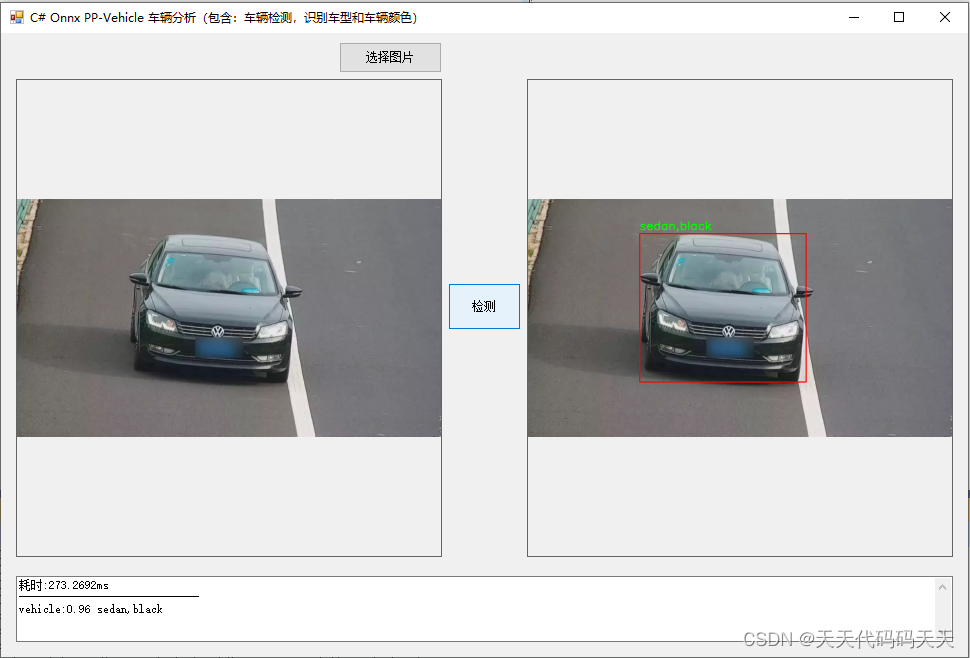
模型信息
mot_ppyoloe_s_36e_ppvehicle.onnx
Inputs
-------------------------
name:image
tensor:Float[-1, 3, 640, 640]
name:scale_factor
tensor:Float[-1, 2]
---------------------------------------------------------------
Outputs
-------------------------
name:multiclass_nms3_0.tmp_0
tensor:Float[-1, 6]
name:multiclass_nms3_0.tmp_2
tensor:Int32[1]
---------------------------------------------------------------
vehicle_attribute_model.onnx
Inputs
-------------------------
name:x
tensor:Float[-1, 3, 192, 256]
---------------------------------------------------------------
Outputs
-------------------------
name:sigmoid_2.tmp_0
tensor:Float[-1, 19]
---------------------------------------------------------------
项目
VS2022
.net framework 4.8
OpenCvSharp 4.8
Microsoft.ML.OnnxRuntime 1.16.2
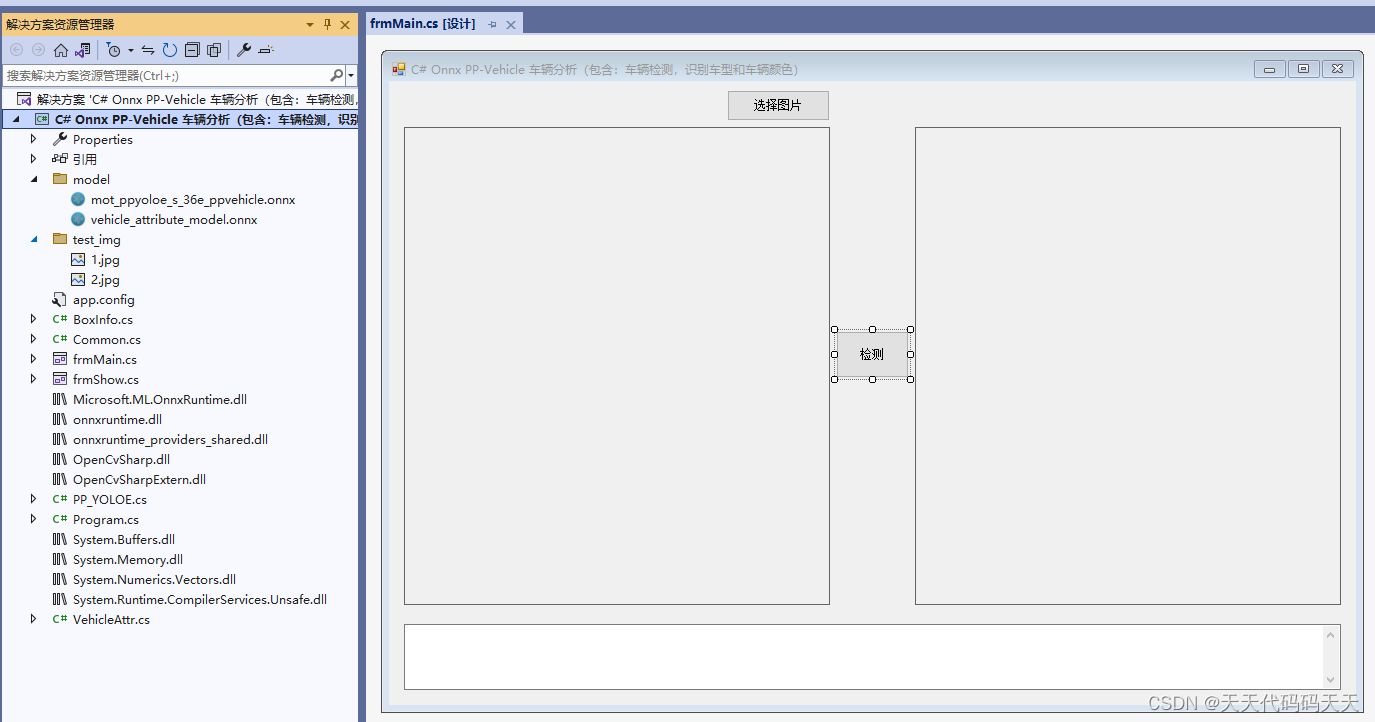
代码
using OpenCvSharp;
using System;
using System.Collections.Generic;
using System.Windows.Forms;
using System.Drawing;
using System.Text;
namespace Onnx_Demo
{
public partial class frmMain : Form
{
public frmMain()
{
InitializeComponent();
}
string fileFilter = "*.*|*.bmp;*.jpg;*.jpeg;*.tiff;*.tiff;*.png";
string image_path = "";
DateTime dt1 = DateTime.Now;
DateTime dt2 = DateTime.Now;
Mat image;
PP_YOLOE pp_yoloe;
VehicleAttr vehicleAttr;
StringBuilder sb = new StringBuilder();
private void button1_Click(object sender, EventArgs e)
{
OpenFileDialog ofd = new OpenFileDialog();
ofd.Filter = fileFilter;
if (ofd.ShowDialog() != DialogResult.OK) return;
pictureBox1.Image = null;
pictureBox2.Image = null;
textBox1.Text = "";
image_path = ofd.FileName;
pictureBox1.Image = new System.Drawing.Bitmap(image_path);
image = new Mat(image_path);
}
private void Form1_Load(object sender, EventArgs e)
{
pp_yoloe = new PP_YOLOE("model/mot_ppyoloe_s_36e_ppvehicle.onnx", 0.6f);
vehicleAttr = new VehicleAttr("model/vehicle_attribute_model.onnx");
image_path = "test_img/1.jpg";
pictureBox1.Image = new Bitmap(image_path);
}
private unsafe void button2_Click(object sender, EventArgs e)
{
if (image_path == "")
{
return;
}
textBox1.Text = "检测中,请稍等……";
pictureBox2.Image = null;
sb.Clear();
System.Windows.Forms.Application.DoEvents();
image = new Mat(image_path);
dt1 = DateTime.Now;
List<BoxInfo> ltBoxInfo = pp_yoloe.Detect(image);
dt2 = DateTime.Now;
Mat result_image = image.Clone();
//pp_yoloe.DrawPred(result_image, ltBoxInfo);
sb.AppendLine("耗时:" + (dt2 - dt1).TotalMilliseconds + "ms");
sb.AppendLine("------------------------------");
for (int n = 0; n < ltBoxInfo.Count; n++)
{
Rect rect = new Rect();
rect.X = (int)ltBoxInfo[n].xmin;
rect.Y = (int)ltBoxInfo[n].ymin;
rect.Width = (int)(ltBoxInfo[n].xmax - ltBoxInfo[n].xmin);
rect.Height = (int)(ltBoxInfo[n].ymax - ltBoxInfo[n].ymin);
Mat crop_img = new Mat(image, rect);
string color_res_str = "color:";
string type_res_str = "type:";
vehicleAttr.Detect(crop_img, out color_res_str, out type_res_str);
Cv2.Rectangle(result_image, new OpenCvSharp.Point(ltBoxInfo[n].xmin, ltBoxInfo[n].ymin), new OpenCvSharp.Point(ltBoxInfo[n].xmax, ltBoxInfo[n].ymax), new Scalar(0, 0, 255), 2);
Cv2.PutText(result_image
, type_res_str + "," + color_res_str
, new OpenCvSharp.Point(ltBoxInfo[n].xmin, ltBoxInfo[n].ymin - 10)
, HersheyFonts.HersheySimplex
, 1
, new Scalar(0, 255, 0)
, 2);
sb.AppendLine("vehicle:" + ltBoxInfo[n].score.ToString("0.00") + " " + type_res_str + "," + color_res_str);
}
if (pictureBox2.Image != null)
{
pictureBox2.Image.Dispose();
}
pictureBox2.Image = new System.Drawing.Bitmap(result_image.ToMemoryStream());
textBox1.Text = sb.ToString();
}
private void pictureBox2_DoubleClick(object sender, EventArgs e)
{
Common.ShowNormalImg(pictureBox2.Image);
}
private void pictureBox1_DoubleClick(object sender, EventArgs e)
{
Common.ShowNormalImg(pictureBox1.Image);
}
}
}
using OpenCvSharp;
using System;
using System.Collections.Generic;
using System.Windows.Forms;
using System.Drawing;
using System.Text;namespace Onnx_Demo
{public partial class frmMain : Form{public frmMain(){InitializeComponent();}string fileFilter = "*.*|*.bmp;*.jpg;*.jpeg;*.tiff;*.tiff;*.png";string image_path = "";DateTime dt1 = DateTime.Now;DateTime dt2 = DateTime.Now;Mat image;PP_YOLOE pp_yoloe;VehicleAttr vehicleAttr;StringBuilder sb = new StringBuilder();private void button1_Click(object sender, EventArgs e){OpenFileDialog ofd = new OpenFileDialog();ofd.Filter = fileFilter;if (ofd.ShowDialog() != DialogResult.OK) return;pictureBox1.Image = null;pictureBox2.Image = null;textBox1.Text = "";image_path = ofd.FileName;pictureBox1.Image = new System.Drawing.Bitmap(image_path);image = new Mat(image_path);}private void Form1_Load(object sender, EventArgs e){pp_yoloe = new PP_YOLOE("model/mot_ppyoloe_s_36e_ppvehicle.onnx", 0.6f);vehicleAttr = new VehicleAttr("model/vehicle_attribute_model.onnx");image_path = "test_img/1.jpg";pictureBox1.Image = new Bitmap(image_path);}private unsafe void button2_Click(object sender, EventArgs e){if (image_path == ""){return;}textBox1.Text = "检测中,请稍等……";pictureBox2.Image = null;sb.Clear();System.Windows.Forms.Application.DoEvents();image = new Mat(image_path);dt1 = DateTime.Now;List<BoxInfo> ltBoxInfo = pp_yoloe.Detect(image);dt2 = DateTime.Now;Mat result_image = image.Clone();//pp_yoloe.DrawPred(result_image, ltBoxInfo);sb.AppendLine("耗时:" + (dt2 - dt1).TotalMilliseconds + "ms");sb.AppendLine("------------------------------");for (int n = 0; n < ltBoxInfo.Count; n++){Rect rect = new Rect();rect.X = (int)ltBoxInfo[n].xmin;rect.Y = (int)ltBoxInfo[n].ymin;rect.Width = (int)(ltBoxInfo[n].xmax - ltBoxInfo[n].xmin);rect.Height = (int)(ltBoxInfo[n].ymax - ltBoxInfo[n].ymin);Mat crop_img = new Mat(image, rect);string color_res_str = "color:";string type_res_str = "type:";vehicleAttr.Detect(crop_img, out color_res_str, out type_res_str);Cv2.Rectangle(result_image, new OpenCvSharp.Point(ltBoxInfo[n].xmin, ltBoxInfo[n].ymin), new OpenCvSharp.Point(ltBoxInfo[n].xmax, ltBoxInfo[n].ymax), new Scalar(0, 0, 255), 2);Cv2.PutText(result_image, type_res_str + "," + color_res_str, new OpenCvSharp.Point(ltBoxInfo[n].xmin, ltBoxInfo[n].ymin - 10), HersheyFonts.HersheySimplex, 1, new Scalar(0, 255, 0), 2);sb.AppendLine("vehicle:" + ltBoxInfo[n].score.ToString("0.00") + " " + type_res_str + "," + color_res_str);}if (pictureBox2.Image != null){pictureBox2.Image.Dispose();}pictureBox2.Image = new System.Drawing.Bitmap(result_image.ToMemoryStream());textBox1.Text = sb.ToString();}private void pictureBox2_DoubleClick(object sender, EventArgs e){Common.ShowNormalImg(pictureBox2.Image);}private void pictureBox1_DoubleClick(object sender, EventArgs e){Common.ShowNormalImg(pictureBox1.Image);}}
}
下载
源码下载
其他
C# PaddleOCR 车牌识别参考 https://lw112190.blog.csdn.net/article/details/131010997
相关文章:
C# Onnx PP-Vehicle 车辆分析(包含:车辆检测,识别车型和车辆颜色)
目录 效果 模型信息 mot_ppyoloe_s_36e_ppvehicle.onnx vehicle_attribute_model.onnx 项目 代码 下载 其他 C# Onnx PP-Vehicle 车辆分析(包含:车辆检测,识别车型和车辆颜色) 效果 模型信息 mot_ppyoloe_s_36e_ppvehi…...

OpenGL之Mesa3D编译for Ubuntu20.04(三十六)
简介: CSDN博客专家,专注Android/Linux系统,分享多mic语音方案、音视频、编解码等技术,与大家一起成长! 优质专栏:Audio工程师进阶系列【原创干货持续更新中……】🚀 人生格言: 人生从来没有捷径,只有行动才是治疗恐惧和懒惰的唯一良药. 更多原创,欢迎关注:Android…...
ubuntu22.04 arrch64版操作系统编译zlmediakit
脚本 系统没有cmake,需要通过apt先进行下载,下面的脚本已经包含了 # 安装依赖 gcc-c.x86_64 这个不加的话会有问题 sudo yum -y install gcc gcc-c libssl-dev libsdl-dev libavcodec-dev libavutil-dev ffmpeg git openssl-devel gcc-c.x86_64 cm…...
Course1-Week1:机器学习简介
Course1-Week1:机器学习简介 文章目录 Course1-Week1:机器学习简介1. 课程简介1.1 课程大纲1.2 Optional Lab的使用 (Jupyter Notebooks)1.3 欢迎参加《机器学习》课程 2. 机器学习简介2.1 机器学习定义2.2 有监督学习2.3 无监督学习 3. 线性回归模型3.1…...

这19个JS代码技巧,后悔没有早点看到
在实际工作中,开发者常面临一些需巧妙编程解决的挑战。有时几行代码就能迎刃而解。本文整理了一系列实用代码片段,助您轻松处理URL、DOM操作、事件处理、日期处理以及用户偏好设置等常见问题。 这些精选代码片段均源自“30 seconds of code”——一个卓…...
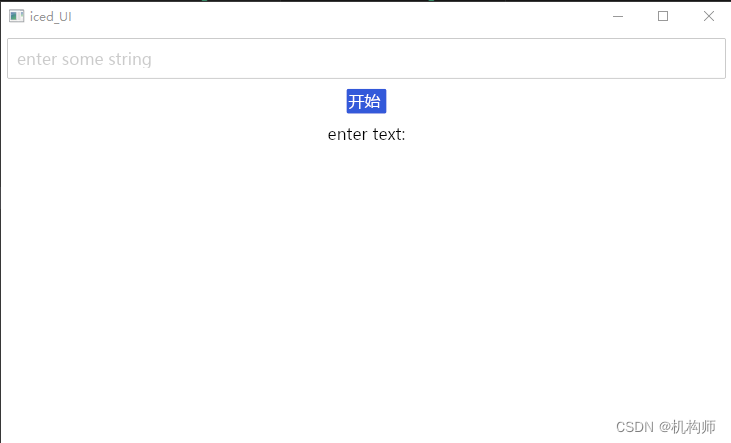
Rust UI开发(一):使用iced构建UI时,如何在界面显示中文字符
注:此文适合于对rust有一些了解的朋友 iced是一个跨平台的GUI库,用于为rust语言程序构建UI界面。 iced的基本逻辑是: UI交互产生消息message,message传递给后台的update,在这个函数中编写逻辑,然后通过…...
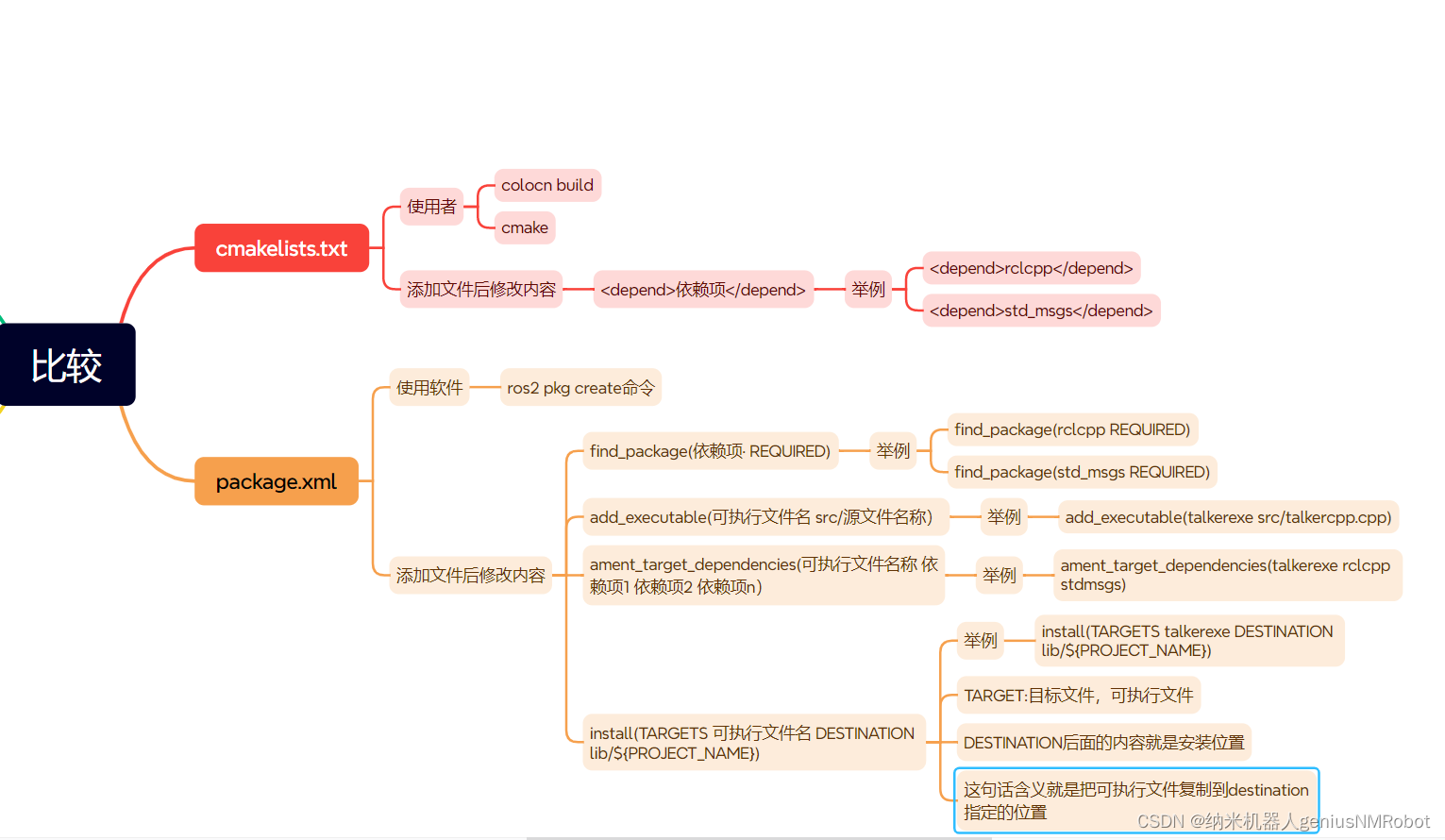
ros2文件package.xml与cmakelists.txt比较
每次在ros2里面添加文件以后,都要修改packages.xml,与cmakelists.txt文件。...

vue3使用element plus树形选择器懒加载回显失败问题。
vue3使用element plus树形选择器懒加载回显时树形数据还未加载完成,回显时显示的的绑定值,不是要显示的名称。 解决1:不使用懒加载,一次性将数据返回完成 解决2:编辑回显时,拿到要显示的中文强制修改显示…...
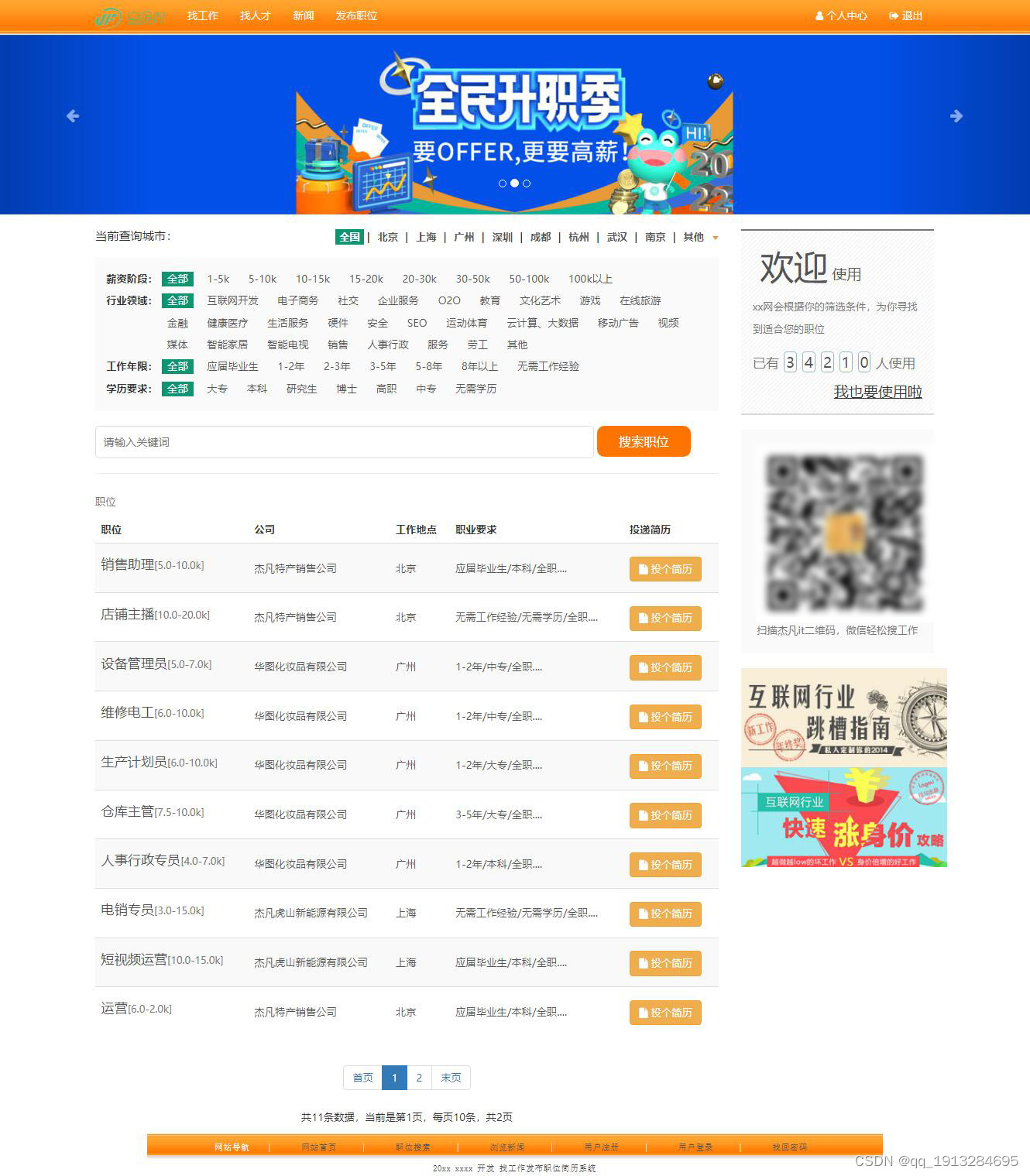
Java基于springoot开发的企业招聘求职网站
演示视频: https://www.bilibili.com/video/BV1xw411n7Tu/?share_sourcecopy_web&vd_source11344bb73ef9b33550b8202d07ae139b 技术:springootmysqlvuejsbootstrappoi制作word模板 主要功能:求职者可以注册发布简历,选择简…...

数据结构 / 顺序表 / 顺序表概述和结构体定义
1. 顺序表概述 顺序表:线性表的顺序存储称为顺序表逻辑结构:线性结构(一对一)存储结构:顺序存储(使用一段连续的存储空间存储类型相同的数据元素)顺序表:逻辑相邻,物理也相邻顺序表是借助于数组实现,但是不…...
js最新随机字符串,进制数随机字符串,更优秀的随机字符串方式,你绝对没用过的随机字符串方式,可控制位数!
js最新随机字符串,进制数随机字符串,更优秀的随机字符串方式,你绝对没用过的随机字符串方式,可控制位数! 函数封装和传参 首先我们,要封装这样一个函数,首先要确定,传入哪些参数。…...
提供增强的安全性)
通过内存标记扩展(MTE)提供增强的安全性
目录 一、内存安全BUG导致的安全漏洞 二、检测和修复内存安全漏洞的难点 三、MTE如何应对这一挑战...
深入理解main方法-Java
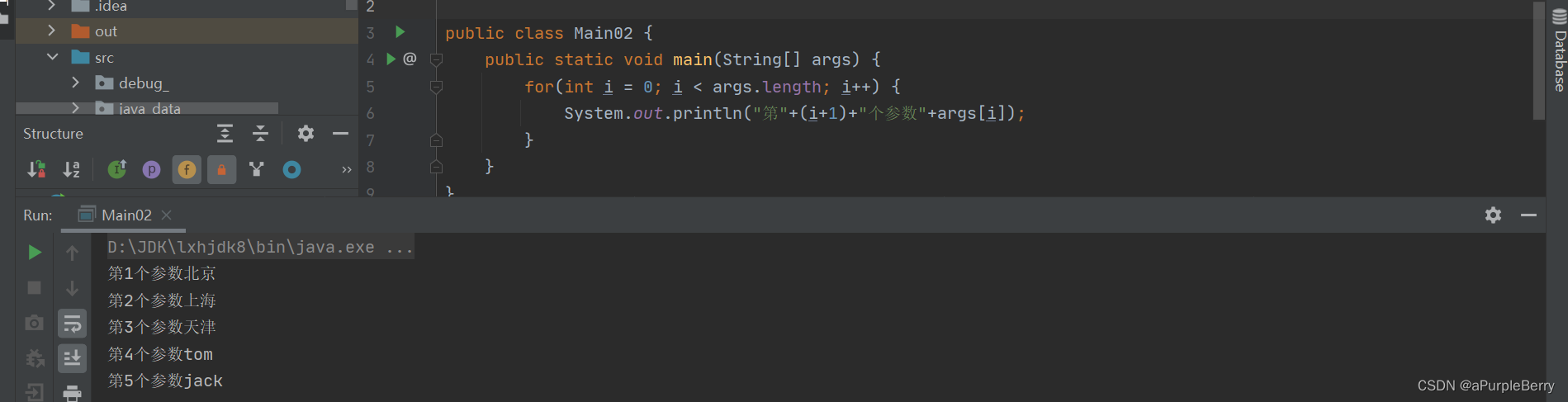
深入理解main方法-Java 一、语法说明二、特别说明三、动态传值 一、语法说明 public static void main(String[] args)main方法是虚拟机调用的java虚拟机需要调用类的main()方法,所以该方法的访问权限必须是publicjava虚拟机在执行main()方法时不必创建对象&#x…...
C#开发的OpenRA游戏之属性SelectionDecorations(10)
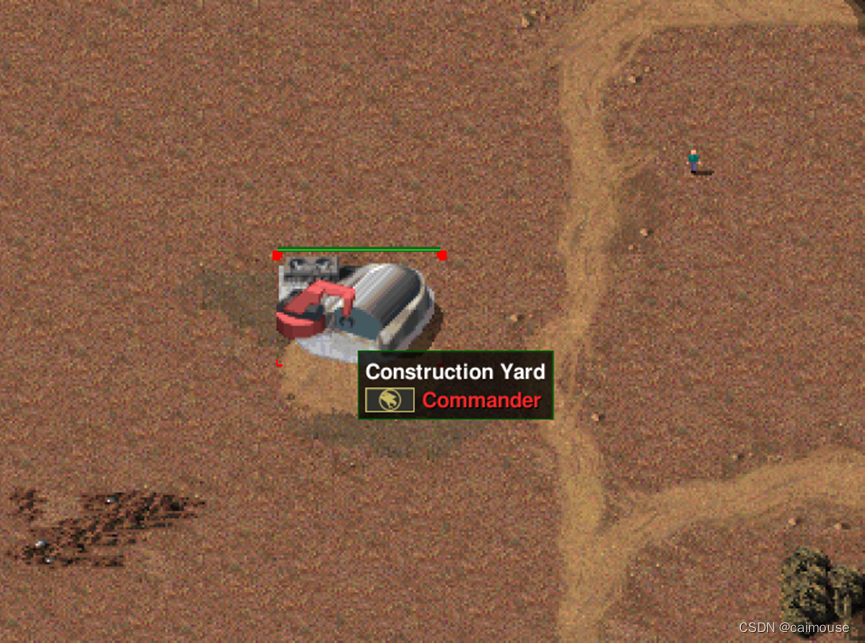
C#开发的OpenRA游戏之属性SelectionDecorations(10) 前面分析了选择属性,继续分析前面的内容,不过这里不再是选择,而是选择相关的属性。 当用玩家选择地图上一个物品,或者士兵,或者坦克时,就会在周边画上一些指示标记,并且有一个状态条。 通过上图,可以看到建筑物周…...

【机器学习】迁移学习
迁移学习:给定一个有标记的源域和一个无标记的目标域。这两个领域的数据分布不同。迁移学习的目的就是要借助源域的知识,来学习目标域的知识(标签)。或是指基于源域数据和目标域数据、源任务和目标任务之间的相似性,利用在源领域中学习到的知…...
ubuntu 安装 jetbrains-toolbox
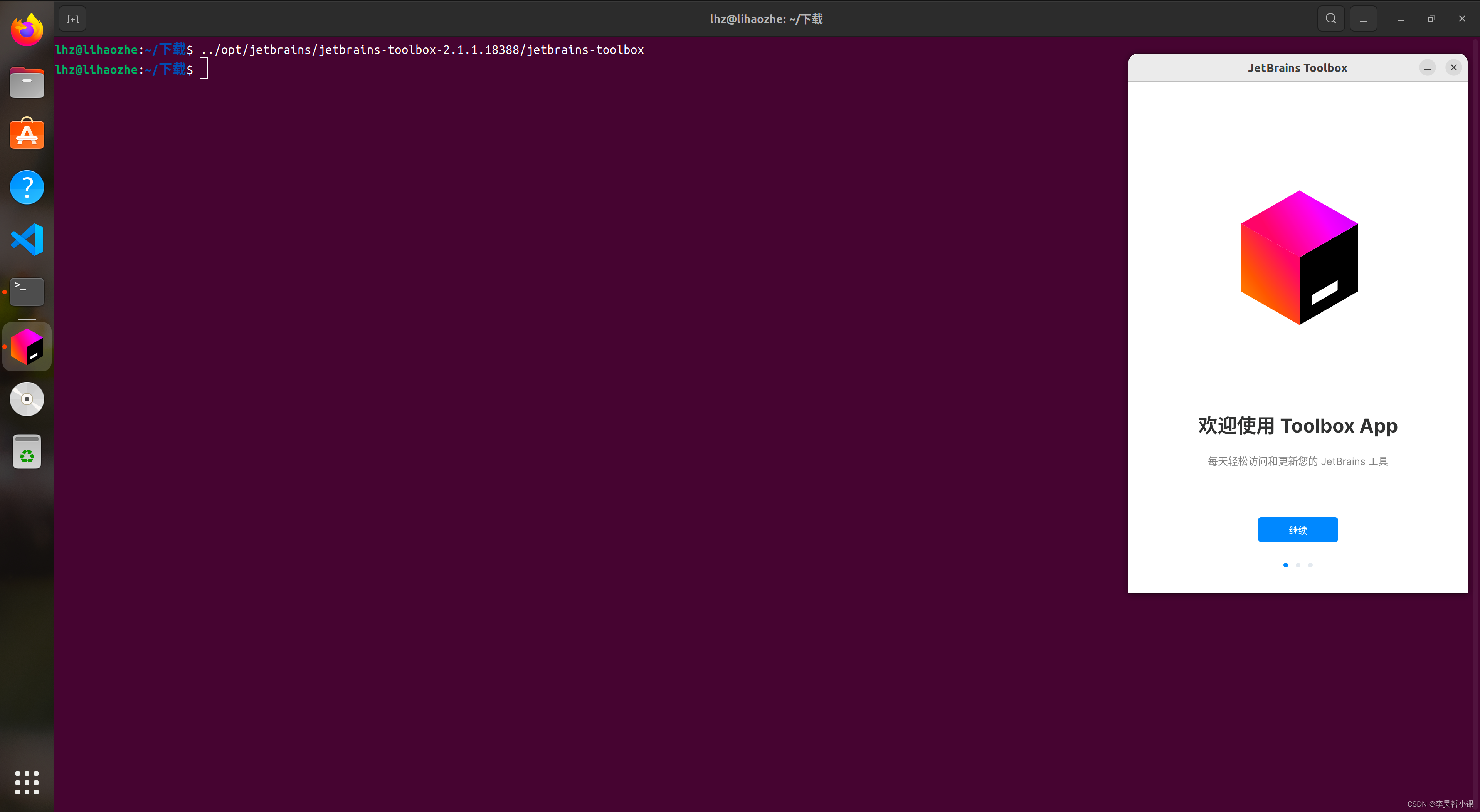
ubuntu 安装 jetbrains-toolbox 官网下载 jetbrains-toolbox jetbrains 官网 jetbrains 官网:https://www.jetbrains.com/ jetbrains-toolbox 官网下载页面 在下载页面点击 Download 安装 jetbrains-toolbox 解压 jetbrains-toolbox 安装包 到指定目录 本案例将…...

5.一维数组——输入一行字符,统计其中各个大写字母出现的次数。
文章目录 前言一、题目描述 二、题目分析 三、解题 程序运行代码 四、举一反三一、题目描述 二、题目分析 三、解题 程序运行代码 前言 本系列为一维数组编程题,点滴成长,一起逆袭。 一、题目描述 输入一行字符,统计其中各个大写字母出现的…...
FreeImage 编译安装
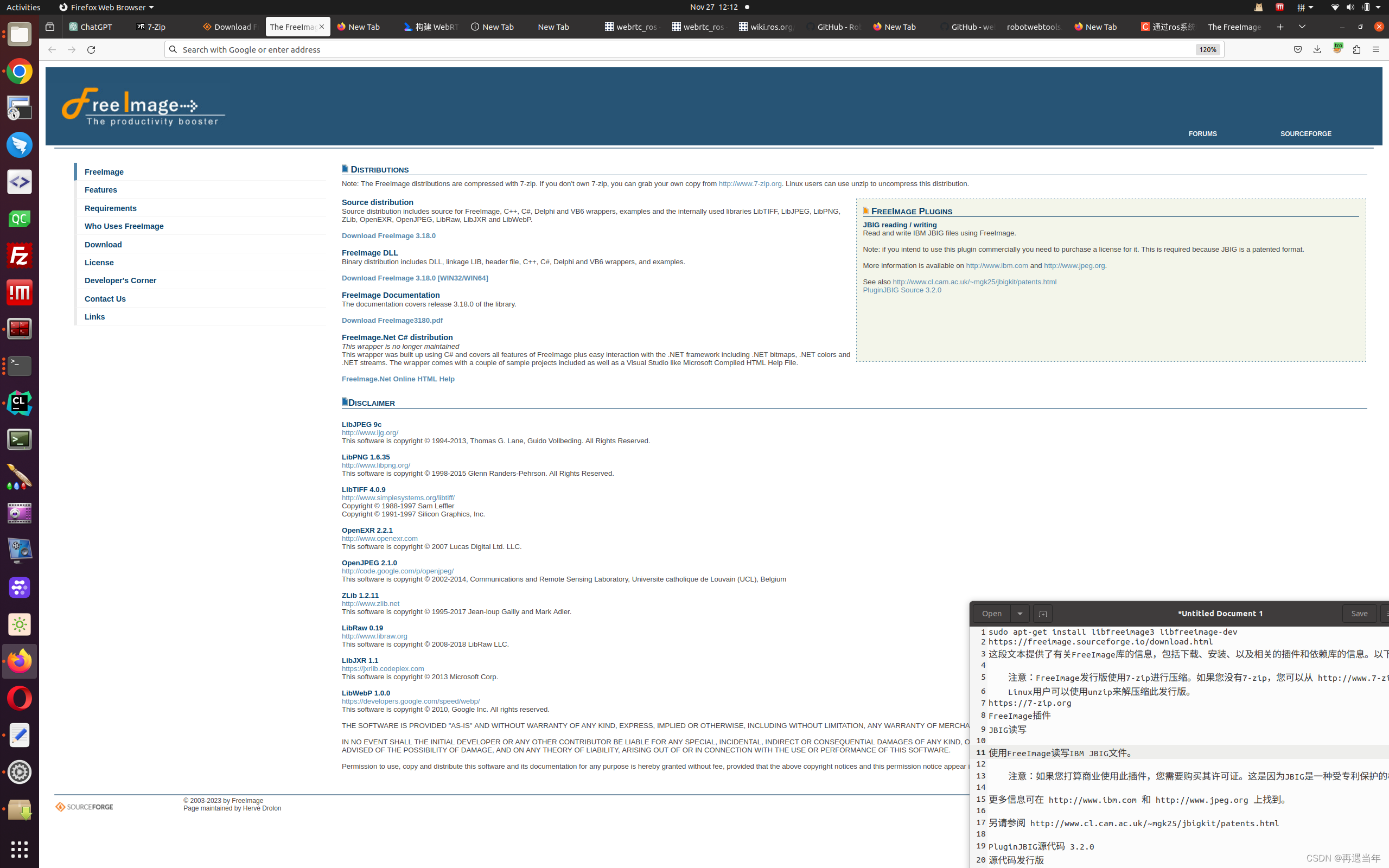
FreeImage下载: The FreeImage Project 点击第6行: Download FreeImage 3.18.0 或: wget http://downloads.sourceforge.net/freeimage/FreeImage3170.zip #解压 unzip FreeImage3170.zip -d freeImage 编译FreeImage源代码可能需要遵循…...

编程开发的 词汇
函数命名相关词汇: Strategy 策略 concrete 具体的 Context 上下文 execute 执行 handler 操作者 target 代理对象 proxy 代理 request 请求 iterator 迭代器 handle 方法处理 notify 通知 update 更新 remove 移除,清除 reset 重置 com…...
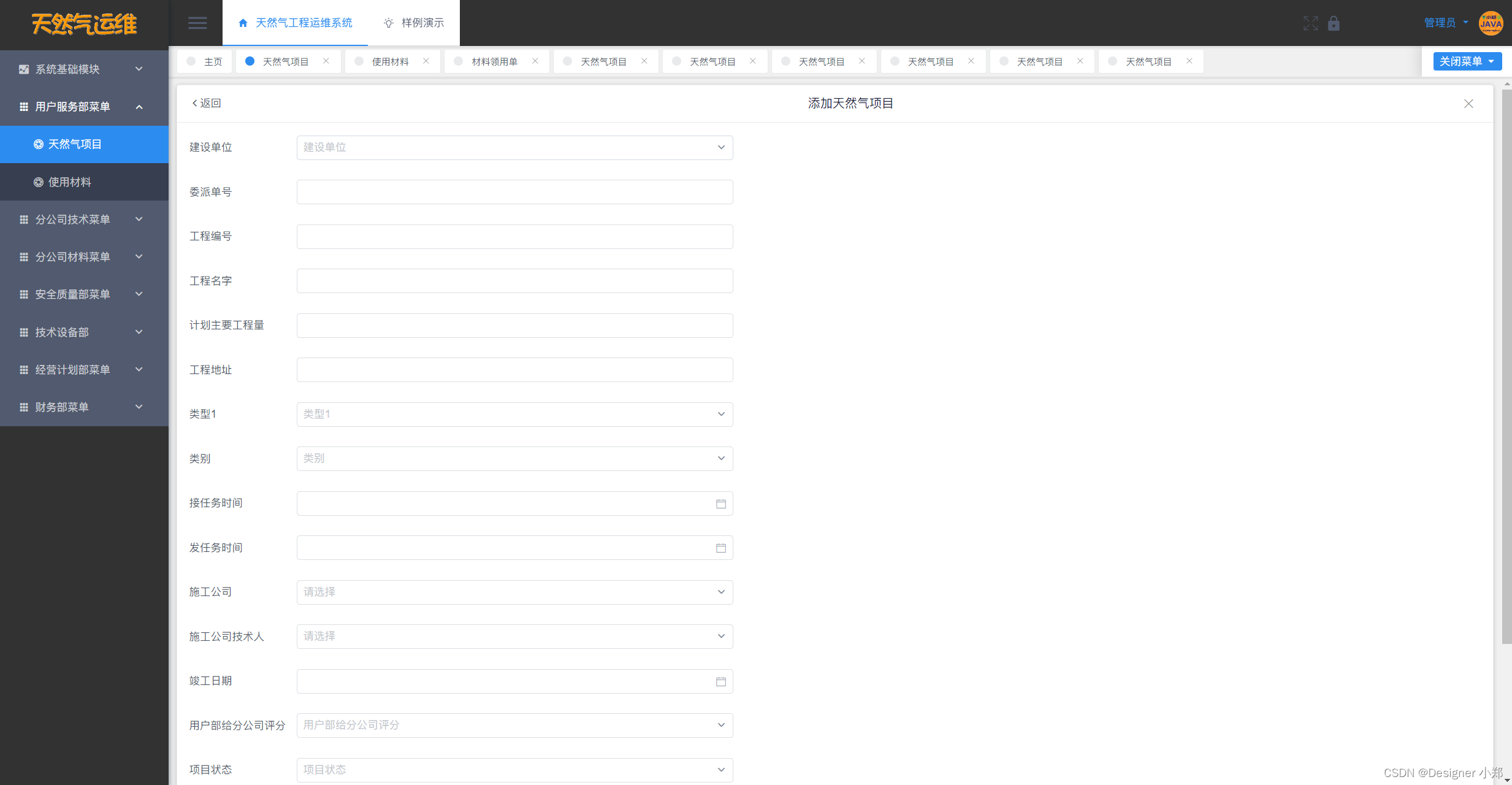
【开源】基于JAVA的天然气工程运维系统
项目编号: S 022 ,文末获取源码。 \color{red}{项目编号:S022,文末获取源码。} 项目编号:S022,文末获取源码。 目录 一、摘要1.1 项目介绍1.2 项目录屏 二、功能模块2.1 系统角色分类2.2 核心功能2.2.1 流程…...

OpenClaw语音交互:百川2-13B量化模型+Whisper实现语音控制
OpenClaw语音交互:百川2-13B量化模型Whisper实现语音控制 1. 为什么需要本地语音助手? 去年冬天的一个深夜,我正在整理项目文档时突然冒出一个想法:如果能用语音直接操控电脑完成文件整理、代码执行这些重复操作,至少…...

Win11Debloat终极指南:5分钟让你的Windows系统飞起来!
Win11Debloat终极指南:5分钟让你的Windows系统飞起来! 【免费下载链接】Win11Debloat A simple, lightweight PowerShell script that allows you to remove pre-installed apps, disable telemetry, as well as perform various other changes to declu…...
)
Blazor组件生态生死线,2026年淘汰清单曝光:17个高危NuGet包+5个即将废弃API(含迁移路径图谱)
第一章:Blazor组件生态生死线:2026年淘汰预警全景图Blazor 组件生态正站在结构性分化的临界点。微软官方已明确将 .NET 8 的长期支持(LTS)周期定为至 2026 年 11 月,而所有基于 .NET 6/7 构建的第三方组件库若未完成向…...

一个命令救命:GitHub 爆火项目 thefuck,真把我笑服了
最近刷短视频的时候,被一个终端操作狠狠戳中了笑点:你是不是也经历过这种时刻——git pul回车。报错。然后你盯着屏幕沉默两秒,默默改成:git pull再回车。……如果你每天都在终端里“手滑 → 报错 → 重输”,那这个在 …...

KKS-HF Patch 完整解决方案:优化《Koikatsu Sunshine》游戏体验指南
KKS-HF Patch 完整解决方案:优化《Koikatsu Sunshine》游戏体验指南 【免费下载链接】KKS-HF_Patch Automatically translate, uncensor and update Koikatsu Sunshine! 项目地址: https://gitcode.com/gh_mirrors/kk/KKS-HF_Patch KKS-HF Patch 是针对《Koi…...

微服务为什么会走到 RPC,以及 gRPC 到底解决了什么
大多数 gRPC 文章都从 .proto、代码生成、四种调用模式开始讲,读完之后你通常知道“怎么写”,但不一定真的明白“为什么会有这套东西”。 而工程里真正棘手的,恰恰不是语法,而是当系统从单体走向微服务之后,原来那些理…...

WRKFLW终极指南:10分钟学会本地运行GitHub Actions工作流
WRKFLW终极指南:10分钟学会本地运行GitHub Actions工作流 【免费下载链接】wrkflw Validate and Run GitHub Actions locally. 项目地址: https://gitcode.com/gh_mirrors/wr/wrkflw 想要在本地验证和运行GitHub Actions工作流吗?WRKFLW是你的终极…...

Qwen3.5-9B-AWQ-4bit图文问答进阶:结合上下文的多图对比分析方法
Qwen3.5-9B-AWQ-4bit图文问答进阶:结合上下文的多图对比分析方法 1. 多图对比分析的价值与应用场景 在日常工作和生活中,我们经常需要比较和分析多张图片之间的异同。传统的人工对比方法耗时耗力,而借助Qwen3.5-9B-AWQ-4bit这样的多模态模型…...

SGLang-v0.5.6应用:快速搭建智能客服对话系统
SGLang-v0.5.6应用:快速搭建智能客服对话系统 1. 引言 在当今企业数字化转型浪潮中,智能客服系统已成为提升服务效率和用户体验的关键工具。传统客服系统面临人力成本高、响应速度慢、服务时间受限等痛点,而基于大语言模型的智能客服解决方…...

从5V电源到485通信:一个工业级PT100温度变送器的全链路DIY搭建实录
从5V电源到485通信:一个工业级PT100温度变送器的全链路DIY搭建实录 在工业自动化领域,温度监测的可靠性和精度往往直接关系到生产安全与质量控制。传统温度变送器虽然成熟稳定,但对于需要定制化功能或特殊安装环境的场景,自主搭建…...