
基于SSM的数学竞赛网站设计与实现
末尾获取源码
开发语言:Java
Java开发工具:JDK1.8
后端框架:SSM
前端:Vue
数据库:MySQL5.7和Navicat管理工具结合
服务器:Tomcat8.5
开发软件:IDEA / Eclipse
是否Maven项目:是
目录
一、项目简介
二、系统功能
三、系统项目截图
用户信息管理
教师信息管理
错题信息管理
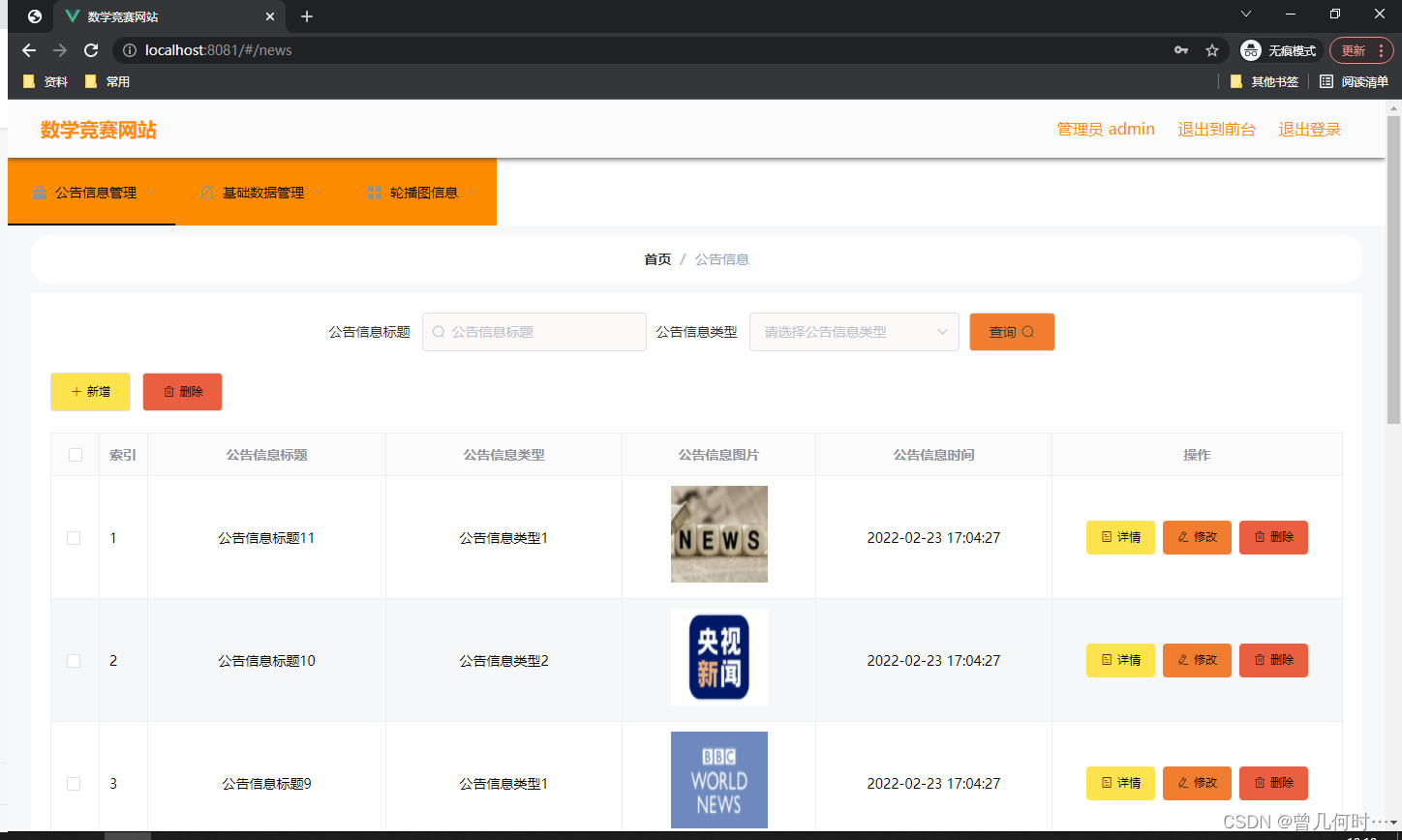
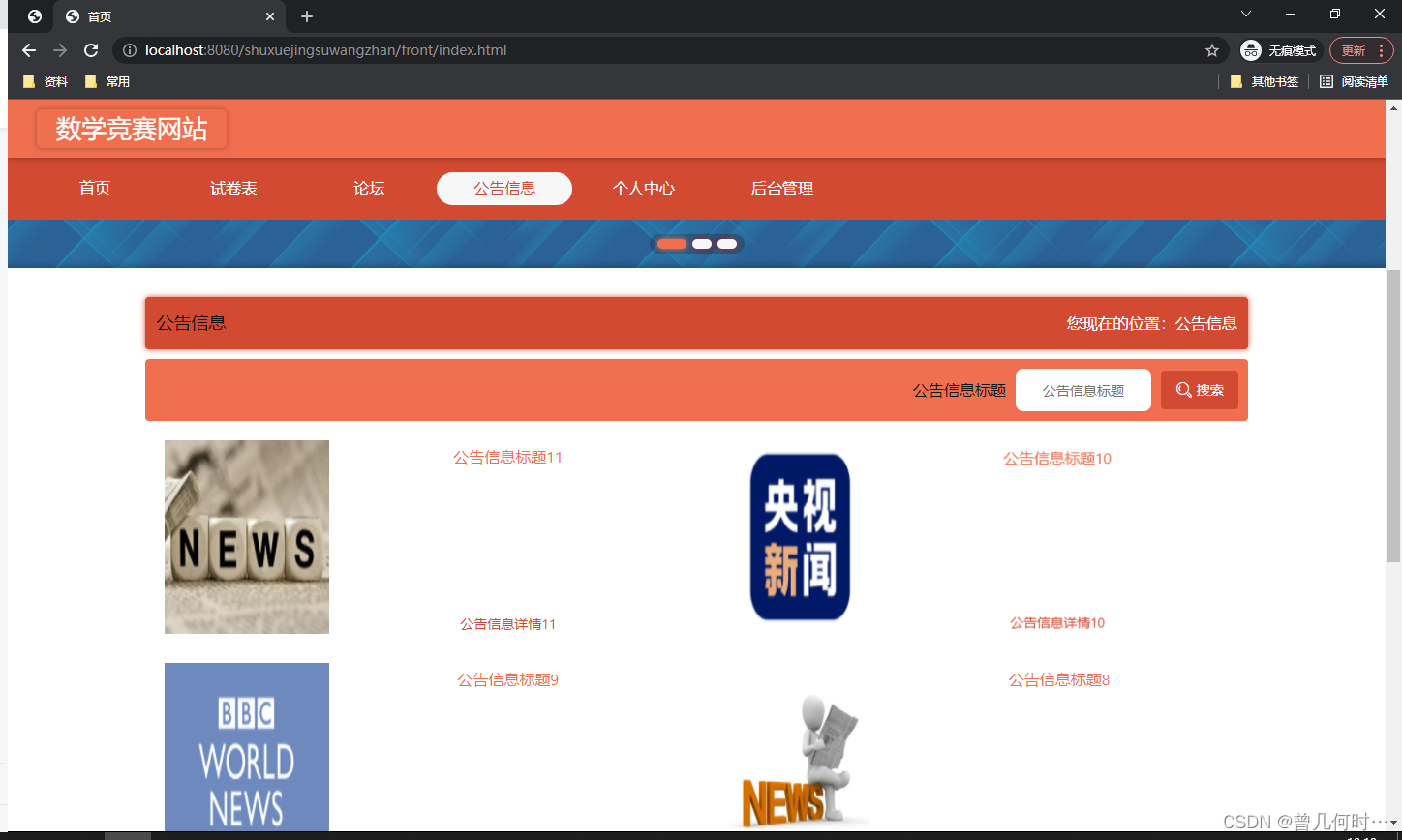
公告信息管理
四、核心代码
登录相关
文件上传
封装
一、项目简介
传统办法管理信息首先需要花费的时间比较多,其次数据出错率比较高,而且对错误的数据进行更改也比较困难,最后,检索数据费事费力。因此,在计算机上安装数学竞赛网站软件来发挥其高效地信息处理的作用,可以规范信息管理流程,让管理工作可以系统化和程序化,同时,数学竞赛网站的有效运用可以帮助管理人员准确快速地处理信息。
数学竞赛网站在对开发工具的选择上也很慎重,为了便于开发实现,选择的开发工具为Eclipse,选择的数据库工具为Mysql。以此搭建开发环境实现数学竞赛网站的功能。其中管理员管理用户,新闻公告。
数学竞赛网站是一款运用软件开发技术设计实现的应用系统,在信息处理上可以达到快速的目的,不管是针对数据添加,数据维护和统计,以及数据查询等处理要求,数学竞赛网站都可以轻松应对。
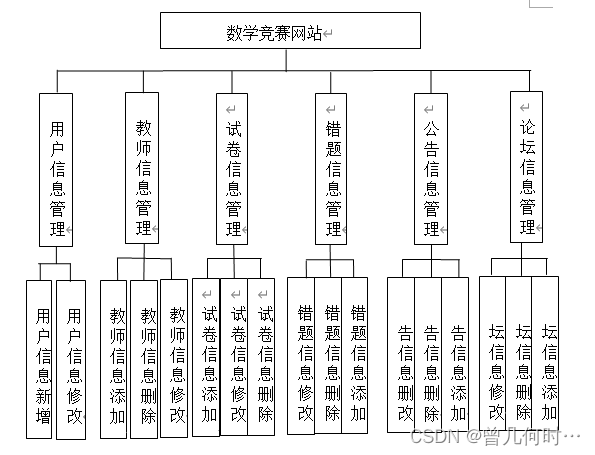
二、系统功能
三、系统项目截图
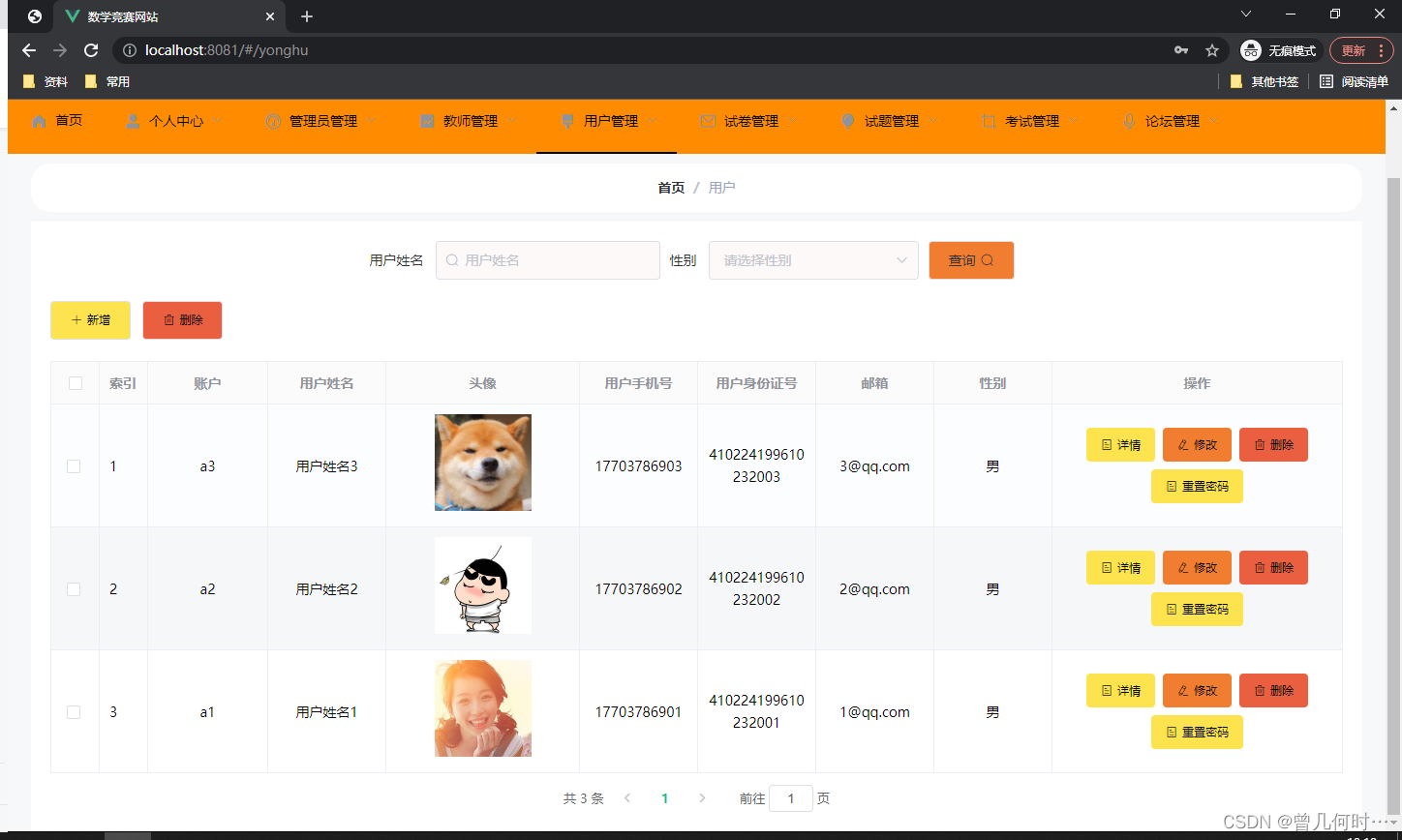
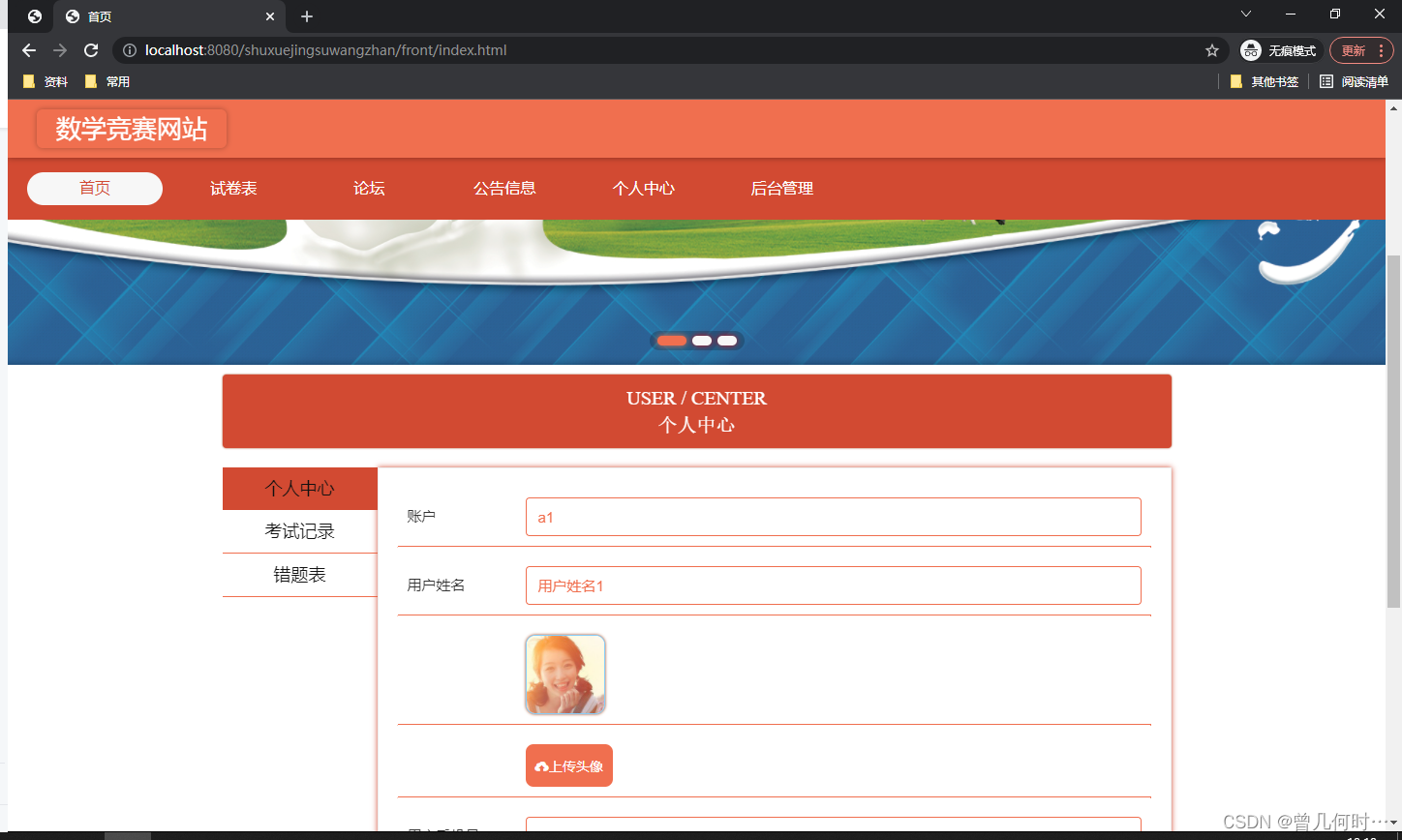
用户信息管理
此页面提供给管理员的功能有:用户信息的查询管理,可以删除用户信息、修改用户信息、新增用户信息,还进行了对用户名称的模糊查询的条件
教师信息管理
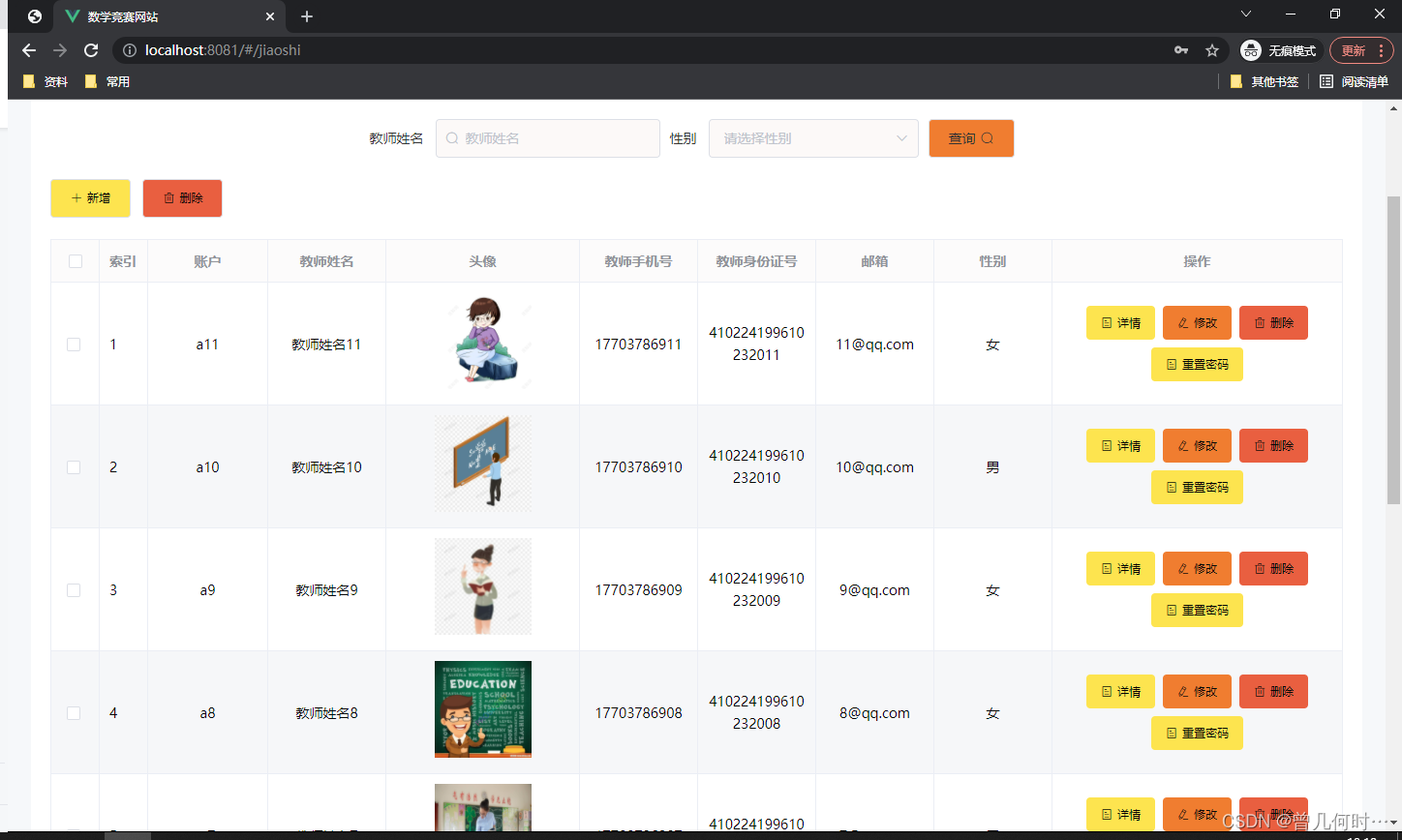
此页面提供给管理员的功能有:查看已发布的教师信息数据,修改教师信息,教师信息作废,即可删除,还进行了对教师信息名称的模糊查询 教师信息信息的类型查询等等一些条件。
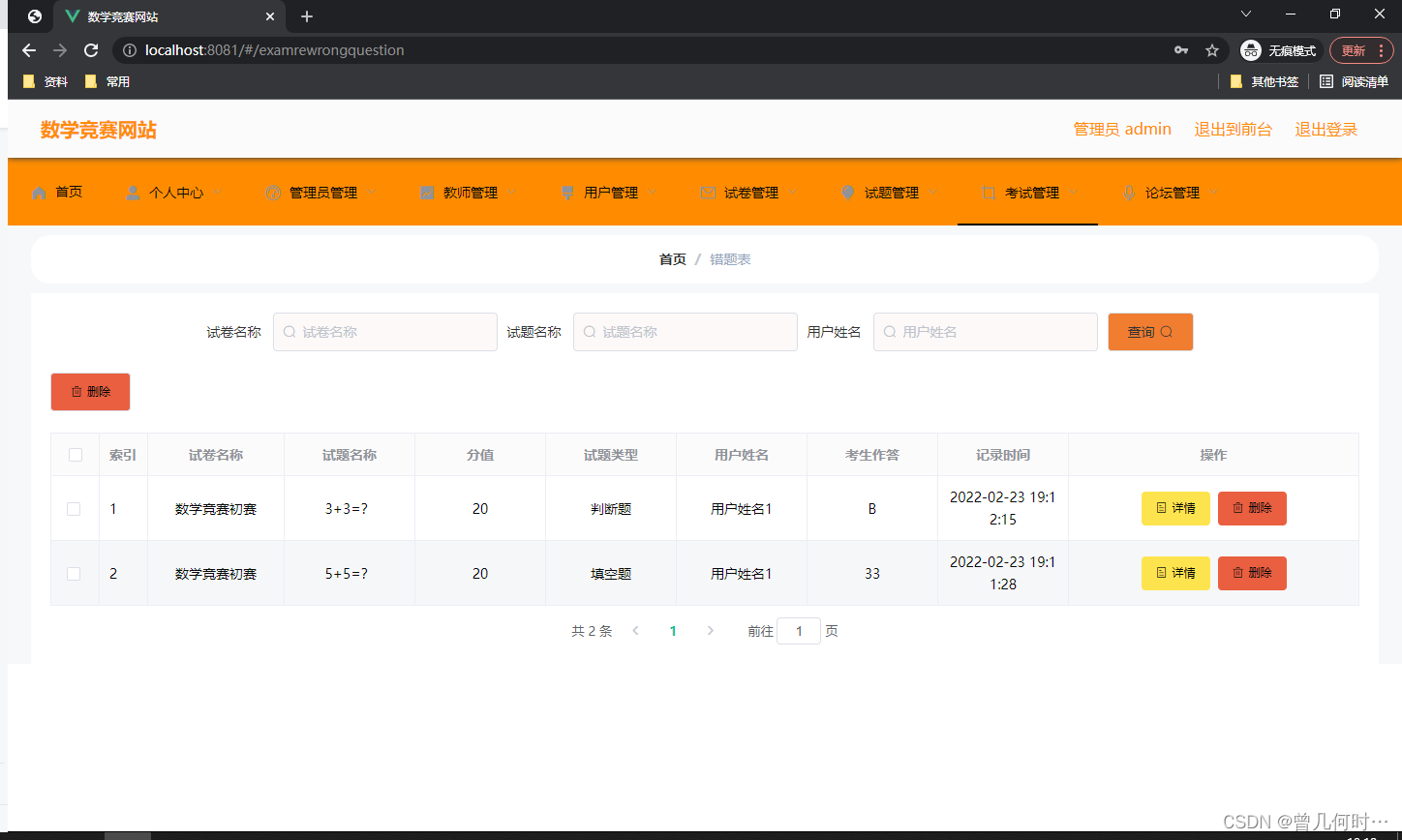
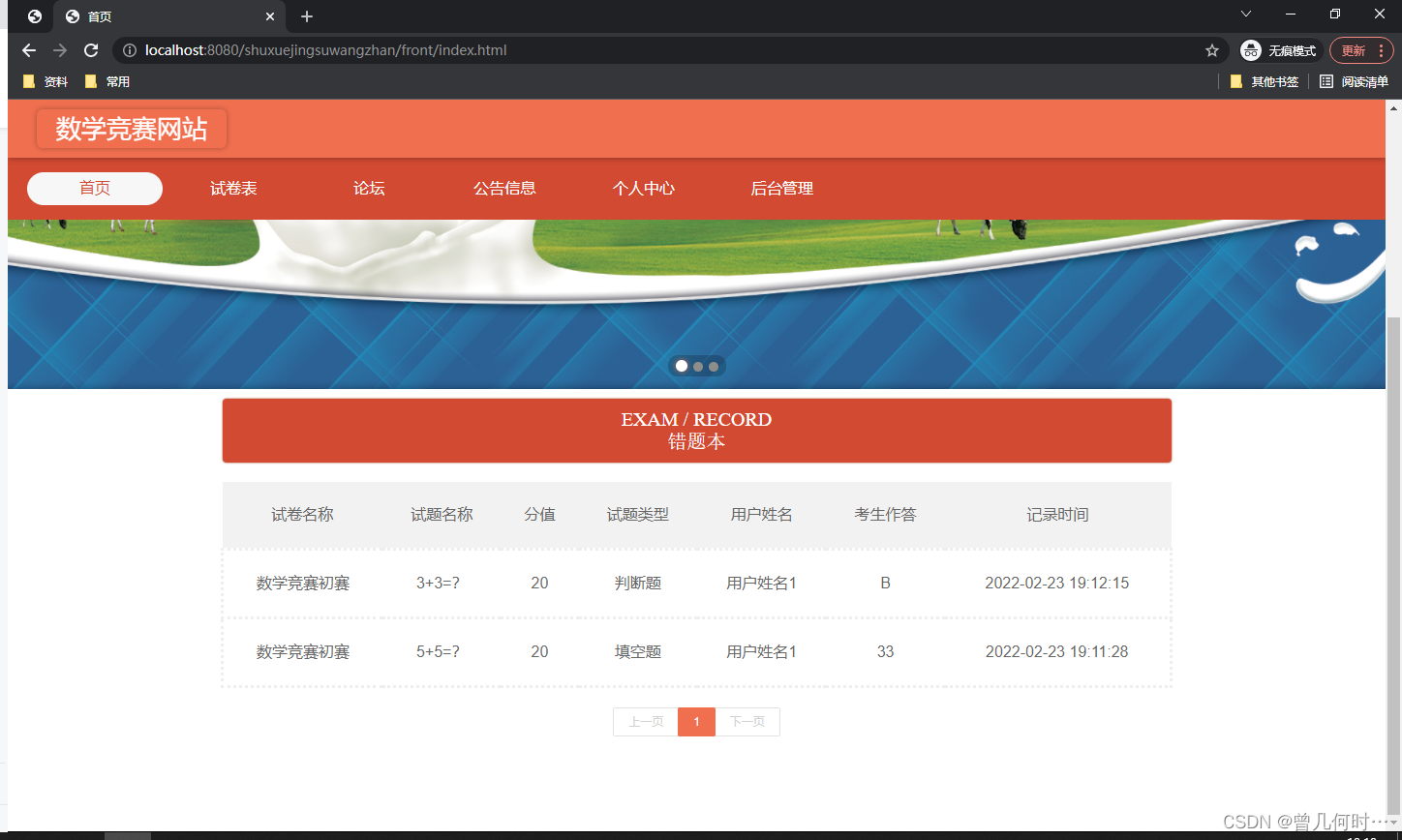
错题信息管理
此页面提供给管理员的功能有:根据错题信息进行条件查询,还可以对错题信息进行新增、修改、查询操作等等。
公告信息管理
此页面提供给管理员的功能有:根据公告信息进行新增、修改、查询操作等等。
四、核心代码
登录相关
package com.controller;import java.util.Arrays;
import java.util.Calendar;
import java.util.Date;
import java.util.Map;import javax.servlet.http.HttpServletRequest;import org.springframework.beans.factory.annotation.Autowired;
import org.springframework.stereotype.Controller;
import org.springframework.web.bind.annotation.GetMapping;
import org.springframework.web.bind.annotation.PathVariable;
import org.springframework.web.bind.annotation.PostMapping;
import org.springframework.web.bind.annotation.RequestBody;
import org.springframework.web.bind.annotation.RequestMapping;
import org.springframework.web.bind.annotation.RequestParam;
import org.springframework.web.bind.annotation.ResponseBody;
import org.springframework.web.bind.annotation.RestController;import com.annotation.IgnoreAuth;
import com.baomidou.mybatisplus.mapper.EntityWrapper;
import com.entity.TokenEntity;
import com.entity.UserEntity;
import com.service.TokenService;
import com.service.UserService;
import com.utils.CommonUtil;
import com.utils.MD5Util;
import com.utils.MPUtil;
import com.utils.PageUtils;
import com.utils.R;
import com.utils.ValidatorUtils;/*** 登录相关*/
@RequestMapping("users")
@RestController
public class UserController{@Autowiredprivate UserService userService;@Autowiredprivate TokenService tokenService;/*** 登录*/@IgnoreAuth@PostMapping(value = "/login")public R login(String username, String password, String captcha, HttpServletRequest request) {UserEntity user = userService.selectOne(new EntityWrapper<UserEntity>().eq("username", username));if(user==null || !user.getPassword().equals(password)) {return R.error("账号或密码不正确");}String token = tokenService.generateToken(user.getId(),username, "users", user.getRole());return R.ok().put("token", token);}/*** 注册*/@IgnoreAuth@PostMapping(value = "/register")public R register(@RequestBody UserEntity user){
//    	ValidatorUtils.validateEntity(user);if(userService.selectOne(new EntityWrapper<UserEntity>().eq("username", user.getUsername())) !=null) {return R.error("用户已存在");}userService.insert(user);return R.ok();}/*** 退出*/@GetMapping(value = "logout")public R logout(HttpServletRequest request) {request.getSession().invalidate();return R.ok("退出成功");}/*** 密码重置*/@IgnoreAuth@RequestMapping(value = "/resetPass")public R resetPass(String username, HttpServletRequest request){UserEntity user = userService.selectOne(new EntityWrapper<UserEntity>().eq("username", username));if(user==null) {return R.error("账号不存在");}user.setPassword("123456");userService.update(user,null);return R.ok("密码已重置为:123456");}/*** 列表*/@RequestMapping("/page")public R page(@RequestParam Map<String, Object> params,UserEntity user){EntityWrapper<UserEntity> ew = new EntityWrapper<UserEntity>();PageUtils page = userService.queryPage(params, MPUtil.sort(MPUtil.between(MPUtil.allLike(ew, user), params), params));return R.ok().put("data", page);}/*** 列表*/@RequestMapping("/list")public R list( UserEntity user){EntityWrapper<UserEntity> ew = new EntityWrapper<UserEntity>();ew.allEq(MPUtil.allEQMapPre( user, "user")); return R.ok().put("data", userService.selectListView(ew));}/*** 信息*/@RequestMapping("/info/{id}")public R info(@PathVariable("id") String id){UserEntity user = userService.selectById(id);return R.ok().put("data", user);}/*** 获取用户的session用户信息*/@RequestMapping("/session")public R getCurrUser(HttpServletRequest request){Long id = (Long)request.getSession().getAttribute("userId");UserEntity user = userService.selectById(id);return R.ok().put("data", user);}/*** 保存*/@PostMapping("/save")public R save(@RequestBody UserEntity user){
//    	ValidatorUtils.validateEntity(user);if(userService.selectOne(new EntityWrapper<UserEntity>().eq("username", user.getUsername())) !=null) {return R.error("用户已存在");}userService.insert(user);return R.ok();}/*** 修改*/@RequestMapping("/update")public R update(@RequestBody UserEntity user){
//        ValidatorUtils.validateEntity(user);userService.updateById(user);//全部更新return R.ok();}/*** 删除*/@RequestMapping("/delete")public R delete(@RequestBody Long[] ids){userService.deleteBatchIds(Arrays.asList(ids));return R.ok();}
}
文件上传
package com.controller;import java.io.File;
import java.io.FileNotFoundException;
import java.io.IOException;
import java.util.Arrays;
import java.util.Date;
import java.util.HashMap;
import java.util.List;
import java.util.Map;
import java.util.Random;
import java.util.UUID;import org.apache.commons.io.FileUtils;
import org.apache.commons.lang3.StringUtils;
import org.springframework.beans.factory.annotation.Autowired;
import org.springframework.http.HttpHeaders;
import org.springframework.http.HttpStatus;
import org.springframework.http.MediaType;
import org.springframework.http.ResponseEntity;
import org.springframework.util.ResourceUtils;
import org.springframework.web.bind.annotation.PathVariable;
import org.springframework.web.bind.annotation.RequestBody;
import org.springframework.web.bind.annotation.RequestMapping;
import org.springframework.web.bind.annotation.RequestParam;
import org.springframework.web.bind.annotation.RestController;
import org.springframework.web.multipart.MultipartFile;import com.annotation.IgnoreAuth;
import com.baomidou.mybatisplus.mapper.EntityWrapper;
import com.entity.ConfigEntity;
import com.entity.EIException;
import com.service.ConfigService;
import com.utils.R;/*** 上传文件映射表*/
@RestController
@RequestMapping("file")
@SuppressWarnings({"unchecked","rawtypes"})
public class FileController{@Autowiredprivate ConfigService configService;/*** 上传文件*/@RequestMapping("/upload")public R upload(@RequestParam("file") MultipartFile file,String type) throws Exception {if (file.isEmpty()) {throw new EIException("上传文件不能为空");}String fileExt = file.getOriginalFilename().substring(file.getOriginalFilename().lastIndexOf(".")+1);File path = new File(ResourceUtils.getURL("classpath:static").getPath());if(!path.exists()) {path = new File("");}File upload = new File(path.getAbsolutePath(),"/upload/");if(!upload.exists()) {upload.mkdirs();}String fileName = new Date().getTime()+"."+fileExt;File dest = new File(upload.getAbsolutePath()+"/"+fileName);file.transferTo(dest);FileUtils.copyFile(dest, new File("C:\\Users\\Desktop\\jiadian\\springbootl7own\\src\\main\\resources\\static\\upload"+"/"+fileName));if(StringUtils.isNotBlank(type) && type.equals("1")) {ConfigEntity configEntity = configService.selectOne(new EntityWrapper<ConfigEntity>().eq("name", "faceFile"));if(configEntity==null) {configEntity = new ConfigEntity();configEntity.setName("faceFile");configEntity.setValue(fileName);} else {configEntity.setValue(fileName);}configService.insertOrUpdate(configEntity);}return R.ok().put("file", fileName);}/*** 下载文件*/@IgnoreAuth@RequestMapping("/download")public ResponseEntity<byte[]> download(@RequestParam String fileName) {try {File path = new File(ResourceUtils.getURL("classpath:static").getPath());if(!path.exists()) {path = new File("");}File upload = new File(path.getAbsolutePath(),"/upload/");if(!upload.exists()) {upload.mkdirs();}File file = new File(upload.getAbsolutePath()+"/"+fileName);if(file.exists()){/*if(!fileService.canRead(file, SessionManager.getSessionUser())){getResponse().sendError(403);}*/HttpHeaders headers = new HttpHeaders();headers.setContentType(MediaType.APPLICATION_OCTET_STREAM);    headers.setContentDispositionFormData("attachment", fileName);    return new ResponseEntity<byte[]>(FileUtils.readFileToByteArray(file),headers, HttpStatus.CREATED);}} catch (IOException e) {e.printStackTrace();}return new ResponseEntity<byte[]>(HttpStatus.INTERNAL_SERVER_ERROR);}}
封装
package com.utils;import java.util.HashMap;
import java.util.Map;/*** 返回数据*/
public class R extends HashMap<String, Object> {private static final long serialVersionUID = 1L;public R() {put("code", 0);}public static R error() {return error(500, "未知异常,请联系管理员");}public static R error(String msg) {return error(500, msg);}public static R error(int code, String msg) {R r = new R();r.put("code", code);r.put("msg", msg);return r;}public static R ok(String msg) {R r = new R();r.put("msg", msg);return r;}public static R ok(Map<String, Object> map) {R r = new R();r.putAll(map);return r;}public static R ok() {return new R();}public R put(String key, Object value) {super.put(key, value);return this;}
}
相关文章:
基于SSM的数学竞赛网站设计与实现
末尾获取源码 开发语言:Java Java开发工具:JDK1.8 后端框架:SSM 前端:Vue 数据库:MySQL5.7和Navicat管理工具结合 服务器:Tomcat8.5 开发软件:IDEA / Eclipse 是否Maven项目:是 目录…...
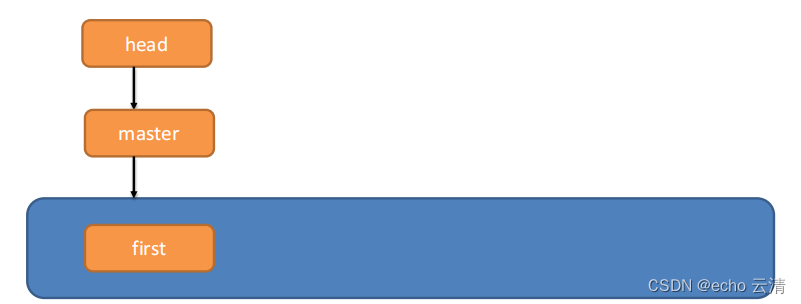
01-使用Git操作本地库,如初始化本地库,提交工作区文件到暂存区和本地库,查看版本信息,版本切换命令等
Git的使用 概述 Git是一个分布式版本控制工具, 通常用来管理项目中的源代码文件(Java类、xml文件、html页面等)进行管理,在软件开发过程中被广泛使用 Git可以记录文件修改的历史记录并形成备份从而实现代码回溯, 版本切换, 多人协作, 远程备份的功能Git具有廉价的本地库,方便…...
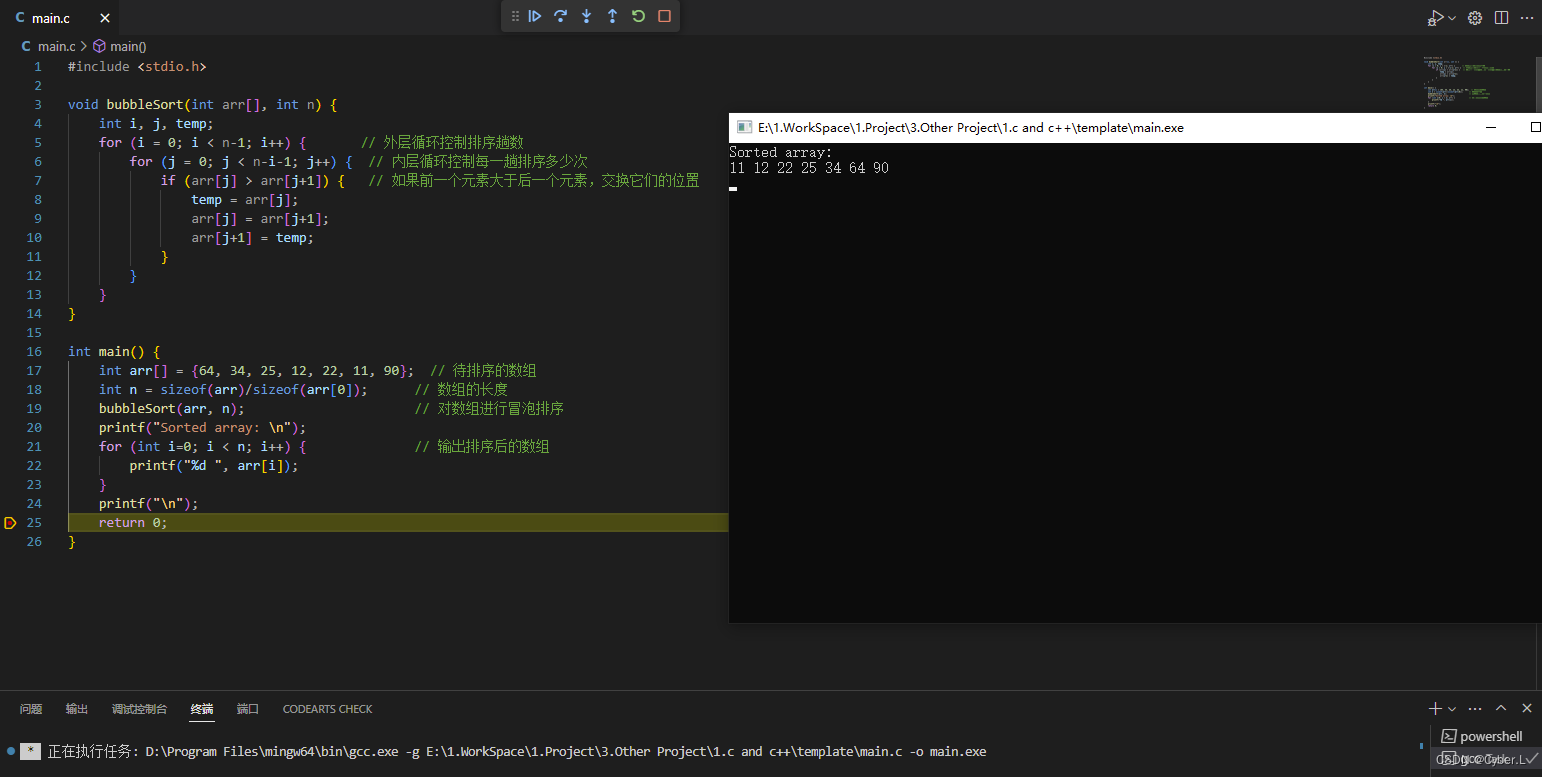
排序算法介绍(二)冒泡排序
0. 简介 冒泡排序(Bubble Sort)是一种简单的排序算法。它重复地遍历要排序的数列,一次比较两个元素,如果他们的顺序错误就把他们交换过来。遍历数列的工作是重复地进行直到没有再需要交换,也就是说该数列已经排…...

搜索引擎高级用法总结: 谷歌、百度、必应
搜索引擎高级用法总结: 谷歌、百度、必应 google search 基本搜索 逻辑与:and逻辑或: or逻辑非: -完整匹配:“关键词”通配符:* ?高级搜索 intext:后台登录 将只返回正文中包含 后台登录 的网页 intitle intitle:后台登录 将只返回标题中包含 后台登录 的网页,intitle…...

com.intellij.openapi.application.ApplicationListener使用
一般监听期通过如下代码生效 <applicationListeners> <!-- <listener class"com.itheima.taunt.MyApplicationListener"--> <!-- topic"com.intellij.openapi.application.ApplicationListener"…...

常见js hook脚本
一.js hook 过无限debugger var _constructor constructor; Function.prototype.constructor function(s) {if (s "debugger") {console.log(s);return null;}return _constructor(s); }//去除无限debugger Function.prototype.__constructor_back Function.pro…...

Java——SpringLayout弹簧布局
import java.awt.*;import javax.swing.*;public class a {public static void main(String[] args) {new a();}public a() {JFrame JF new JFrame("弹簧布局");// 创建JFrame窗口//设置JPanel的布局管理器为SpringLayoutJPanel JP new JPanel(new SpringLayout())…...
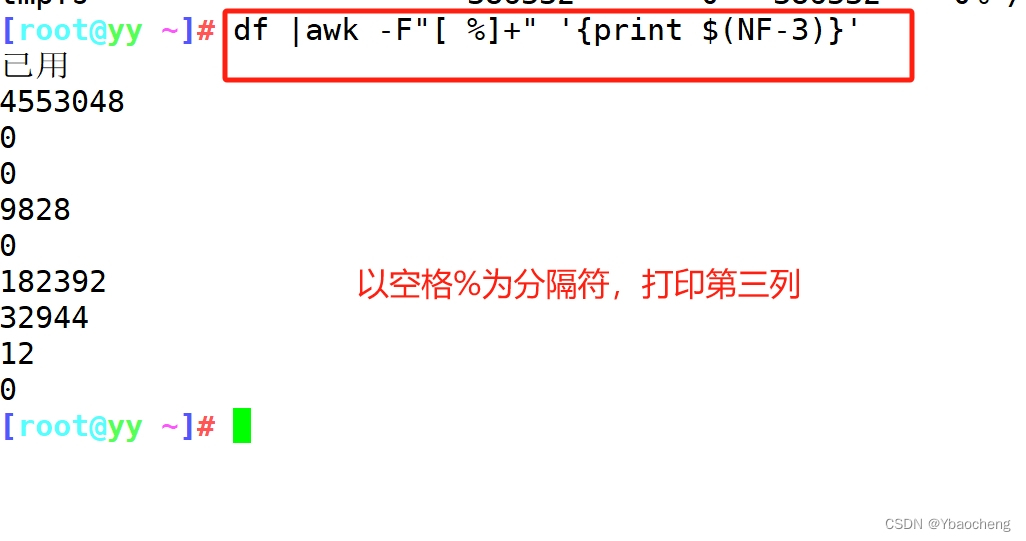
正则表达式及文本三剑客grep sed awk
目录 正则表达式 1.元字符 2.表示次数 3.位置锚定 4.分组或其他 grep sed 语法: 常用选项 脚本格式 例: 查找11点56到12点10的日志 修改文件,找到文件并给其后缀加上er 提取IP地址 提取版本号 提取文件权限 awk 工作原理&…...

python爬虫之创建属于自己的ip代理池
在后续需求数据量比较大的情况下,自建一个ip代理池可以帮助我们获得更多的数据。 下面我来介绍一下整个过程 1.找到目标代理网站 https://www.dailiservers.com/go/webshare https://proxyscrape.com/ https://spys.one/ https://free-proxy-list.net/ http://fr…...

又添三位“信伙伴”,亚信安慧AntDB数据库与南京一鸣、广东鸿数、北京数见完成兼容互认
近日,亚信安慧AntDB数据库与南京一鸣科技有限公司(简称:南京一鸣)学生工作管理与服务平台软件、广东鸿数科技有限公司(简称:广东鸿数)隐私数据保护系统V5.0、北京数见科技有限公司(简…...
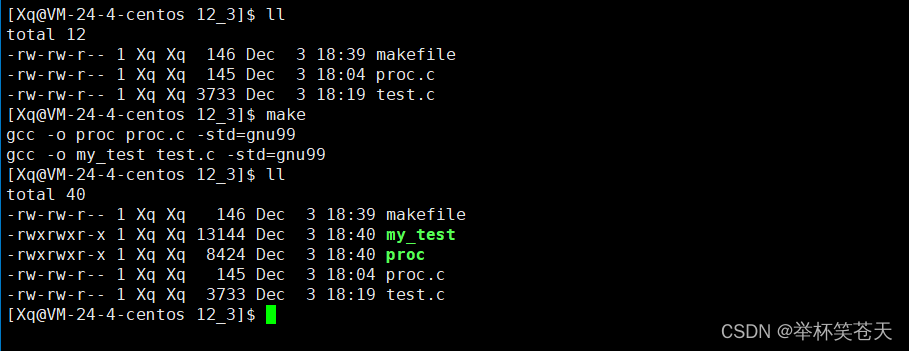
Linux --- 进程控制
目录 1. 进程创建 1.1. 内核数据结构的处理 1.2. 代码的处理 1.3. 数据的处理: 方案一:fork创建子进程的时候,直接对数据进行拷贝处理,让父子进程各自私有一份 方案二:写实拷贝(copy on write) 1.4. fork常规用…...
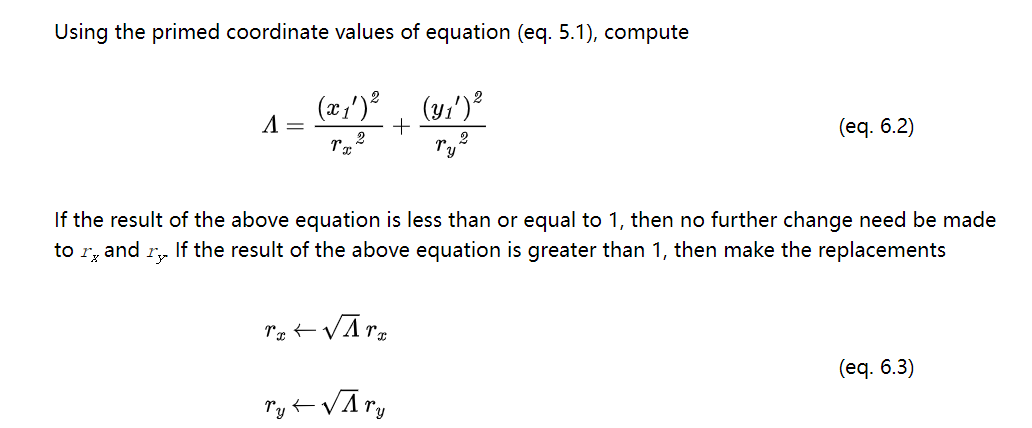
SVG-椭圆弧-参数转换-计算公式-标准解读
文章目录 1.简介2.基本参数2.1.椭圆的表达2.2.参数变换2.3.注意事项 3.参考资料4.总结 1.简介 为了与其他路径段表示法保持一致, SVG 路径中的圆弧是根据曲线上的起点和终点定义的。椭圆弧的这种端点参数化。优点是它允许与其它路径一致的语法,其中所有…...

利用 LD_PRELOAD劫持动态链接库,绕过 disable_function
目录 LD_PRELOAD 简介 程序的链接 动态链接库的搜索路径搜索的先后顺序: 利用LD_PRELOAD 简单的劫持 执行id命令 反弹shell 引申至 PHP 绕过disable_function 方法1:使用蚁剑的扩展工具绕过disable_function 方法2:利用 mail 函数…...
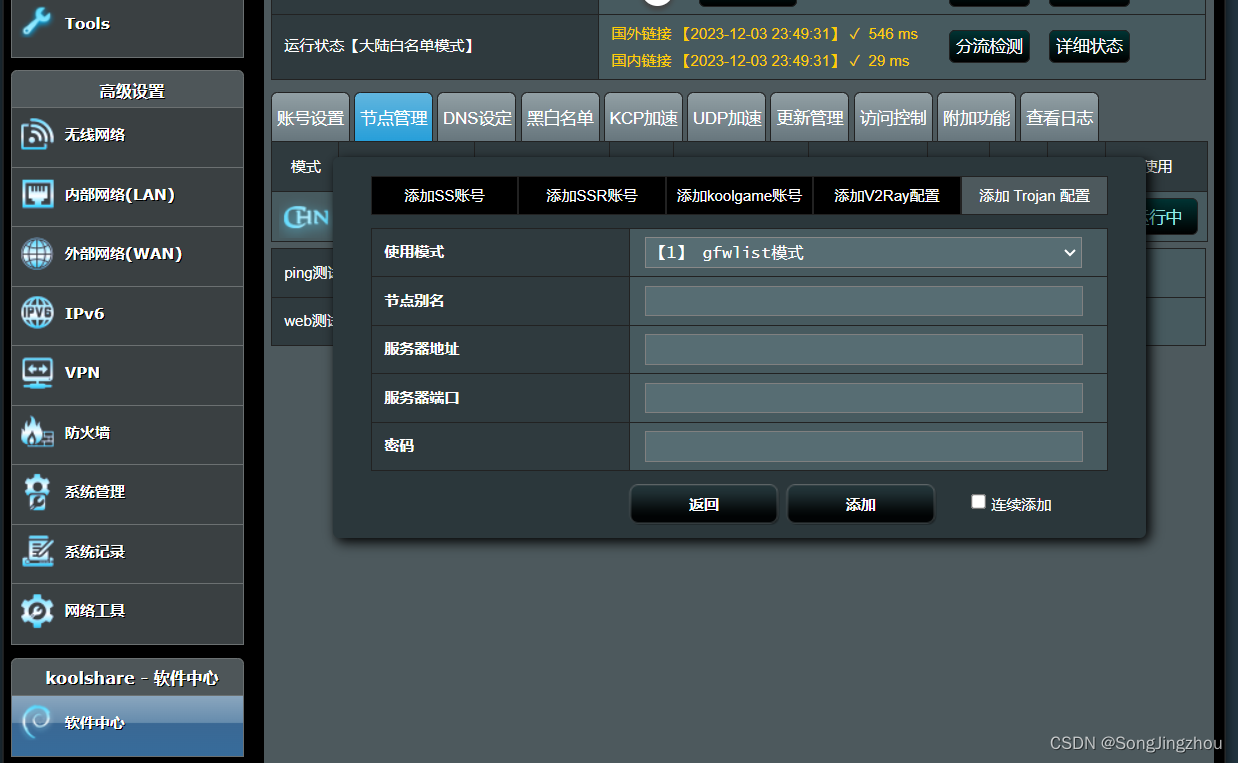
网件R8500 trojan
一 将路由器刷机成改版梅林 路由器首页的Firmware:380.70_0-X7.9.1是梅林改版 380.xx 梅林原版固件 380.xx_x 梅林改版固件 必须是改版梅林才支持trojan,所以要确保是梅林改版固件 点击上传文件,选择下载好的改版固件,固件地址下载传送门…...

实现校园网开机自启动部署
❤️博客主页: iknow181🔥系列专栏: Python、JavaSE、JavaWeb、CCNP🎉欢迎大家点赞👍收藏⭐评论✍ 目录 一.准备工作 1、IDE安装 2、安装Selenium 1.介绍 2.下载 3、安装pywifi 1.介绍 2.下载 4、下载浏览器驱…...
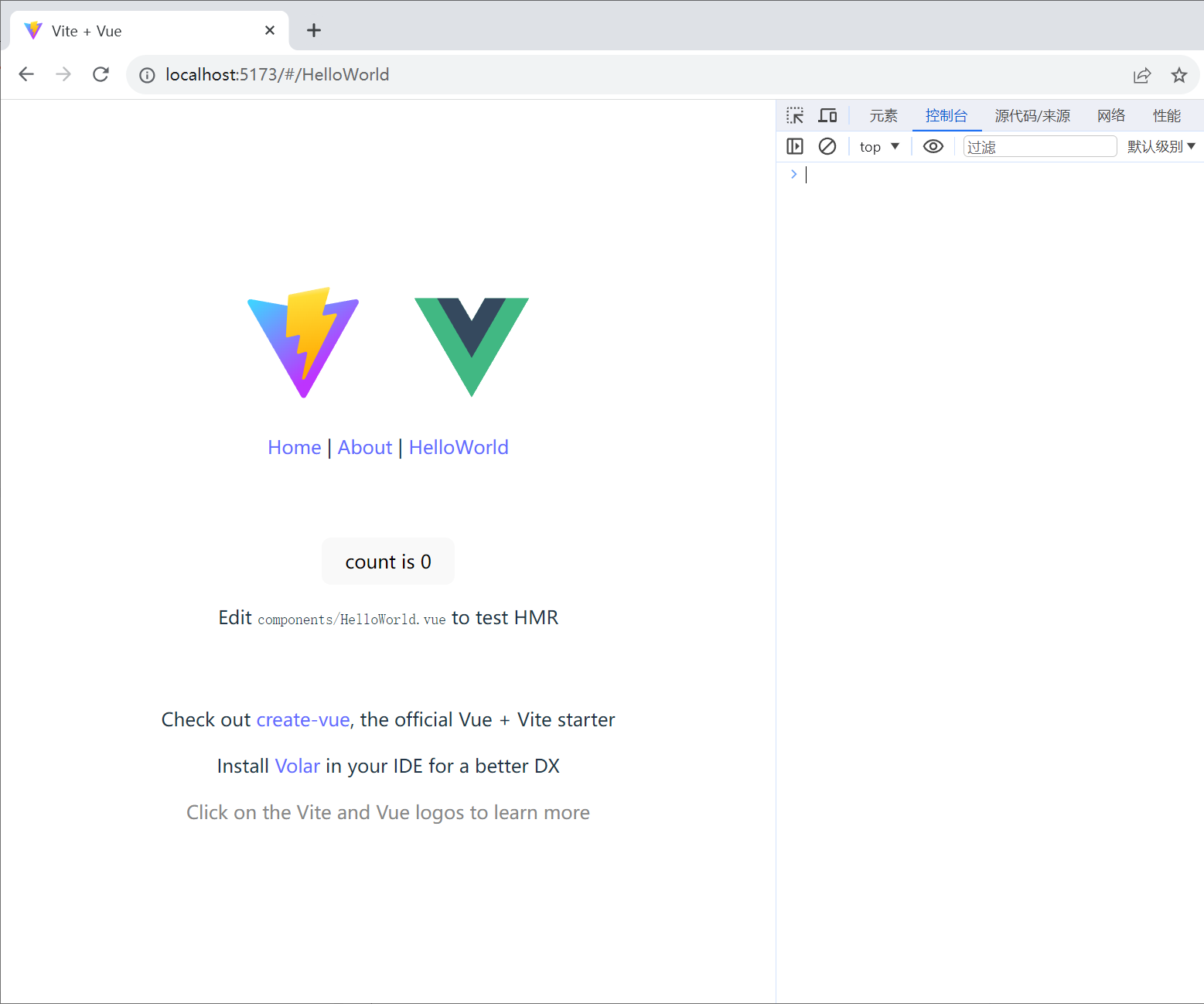
pycharm 创建vue并实现简易路由功能
使用pycharm创建vue项目时,选择vite来创建vue。为什么使用vite?因为vite是专门针对vue开发的打包框架,以前使用vue-cli来创建vue项目,就是使用的webpack来进行打包的,现在有了vite,就尽量使用vite来创建vue…...
视频的一些最新资源和案例)
2023年关于爬取Bilibili(B站)视频的一些最新资源和案例
2023年关于爬取Bilibili(B站)视频的一些最新资源和案例: Python爬取B站视频教程 :在Bilibili上发布了一个全面的Python教程系列,其中包括了专门关于爬取B站视频的部分。这个系列似乎涵盖了从基础到人工智能等Python主…...
HyperBDR云容灾v4.10.1发布,划重点:支持UCloud云平台自动化容灾+新增可灵活定义的备份策略
版本更新 HyperBDR云容灾v4.10.1版本来啦! 此次更新为大家带来了多个新功能,下面让我们来看看具体是哪些吧~ 01 策略管理新功能: 多时间段限速功能: 更加灵活的多个时间段限速选择,可以在创建策略时为不同的时间段设…...

第四十一篇,一次matlab与spdlog的合作
做了一次matlab解析spdlog日志文件并动态绘制行车轨迹的尝试,大获成功。 spdlog的存储,数据头有固定格式如下: 日志类型一个字符空格[日期时间]空格[日志内容tag]空格日志内容 有了固定的格式,做解析就好办了。 (日…...

【苍穹外卖】——第一天
第一天学习目标: 本系列只是对于学习苍穹外卖的一个学习总结和问题记录,学习的话还是照着黑马的视频学习 对内容有一个整体把握 搭建项目环境 对一些基础的名词理解 了解nginx反向代理和负载均衡 能使用Swagger测试后端接口 学习内容: pojo分…...

Windows Defender终极移除指南:高效卸载13项核心服务完整教程
Windows Defender终极移除指南:高效卸载13项核心服务完整教程 【免费下载链接】windows-defender-remover A tool which is uses to remove Windows Defender in Windows 8.x, Windows 10 (every version) and Windows 11. 项目地址: https://gitcode.com/gh_mirr…...

高效跨平台游戏模组下载:WorkshopDL完全指南
高效跨平台游戏模组下载:WorkshopDL完全指南 【免费下载链接】WorkshopDL WorkshopDL - The Best Steam Workshop Downloader 项目地址: https://gitcode.com/gh_mirrors/wo/WorkshopDL 你是否在Epic Games Store、GOG或其他非Steam平台购买了游戏࿰…...

CircuitPython Web Workflow实战:无线开发Yoto Mini与I2C硬件验证
1. 项目概述与核心价值如果你玩过像树莓派Pico或者ESP32这类微控制器,肯定对“插拔-编程-调试”这个循环不陌生。每次改几行代码,就得拔下USB线,重新上电,然后盯着串口监视器看输出。这个过程在项目初期调试硬件时,尤其…...

SVG与CSS变量驱动的自动化品牌视觉生成技术实践
1. 项目概述:一分钟品牌塑造的实践宝库在品牌营销和创意设计领域,一个常见的痛点是如何快速、高效地生成高质量的视觉品牌资产。无论是初创公司需要一个临时的Logo,还是内容创作者想为新的系列视频设计一个统一的片头,传统的品牌设…...

云原生安全工具:保护云原生环境
云原生安全工具:保护云原生环境 一、云原生安全工具概述 1.1 云原生安全工具的定义 云原生安全工具是指专为云原生环境设计的安全工具和解决方案。它们用于保护容器、Kubernetes集群、微服务和Serverless应用的安全。 1.2 云原生安全工具的价值 安全防护:…...

基于Go的轻量级自托管IM系统OpenWhisp部署与架构解析
1. 项目概述:一个开源的即时通讯解决方案最近在折腾一个内部协作工具,需要集成一个轻量级的即时通讯模块。市面上成熟的方案不少,但要么是SaaS服务,数据不在自己手里,心里不踏实;要么是像Rocket.Chat、Matt…...
)
告别闪烁屏!瑞芯微RK3399开发板Debian系统烧写保姆级教程(含DriverAssistant v5.1.1 + AndroidTool v2.69)
RK3399开发板Debian系统烧写实战:从屏幕闪烁到完美显示的终极解决方案 当你在RK3399开发板上成功烧写Debian系统后,最期待的莫过于看到系统稳定运行的画面。然而,不少开发者却遭遇了屏幕闪烁的困扰——这个问题看似简单,背后却隐藏…...
)
Cesium动态泛光效果实战:手把手教你用d3kit插件打造炫酷城市光效(附完整代码)
Cesium动态泛光效果实战:手把手教你用d3kit插件打造炫酷城市光效(附完整代码) 当夜幕降临,城市天际线被霓虹灯勾勒出流动的轮廓,这种视觉冲击力正是现代三维可视化项目的灵魂所在。本文将带你用d3kit这个轻量级插件&am…...

VirtualBox虚拟机中搭建VxWorks 5.5开发调试环境全攻略
1. 项目概述与核心思路最近在折腾一个老项目,需要在一个特定的嵌入式实时操作系统环境下进行调试和验证。这个系统就是VxWorks,一个在工业控制、航空航天等领域有着深厚积累的RTOS。手头没有现成的硬件板卡,搭建一套物理开发环境又费时费力&a…...

使用taotoken聚合api后模型响应延迟的实际体感观察
🚀 告别海外账号与网络限制!稳定直连全球优质大模型,限时半价接入中。 👉 点击领取海量免费额度 使用taotoken聚合api后模型响应延迟的实际体感观察 作为一名日常需要调用多种大模型API的开发者,将多个供应商的API接入…...