
【python】python-socketio+firecamp使用踩坑指南
server.py:
import eventlet
import asyncioeventlet.monkey_patch()import socketio
import eventlet.wsgisio = socketio.Server(async_mode='eventlet', cors_allowed_origins='*')  # 指明在evenlet模式下@sio.event
def connect(sid, environ):print(f"connect, sid={sid}, environ={environ}")@sio.event
def disconnect(sid):print('disconnect ', sid)@sio.on('hello')
def hello(sid, data):print('server receive:', data)print("-----")sio.emit('world', {'data': 'world' + data})app = socketio.Middleware(sio)
eventlet.wsgi.server(eventlet.listen(('127.0.0.1', 9000)), app)
client.py
import socketiosio = socketio.Client()@sio.on('connect')
def on_connect():print("client connect")@sio.on('world')
def world(data):print('client receive:', data)sio.connect('http://127.0.0.1:9000')
sio.emit("hello", {"data": "hello"})
print('client send hello success')
server端代码运行成功之后,再运行client端代码,通过log可以看两端通信正常;
server
D:\softwsss/demo2/server.py
(5104) wsgi starting up on http://127.0.0.1:9000
client
D:\software_install\Anaconda3\python.exe D:/python/office_txt/axera/demo2/client.py
client connect
client send hello success
client receive: {'data': 'world'}
server端日志更新
(5104) accepted ('127.0.0.1', 5615)
server receive: {'data': 'hello'}
现在我们用接口调试工具firecamp代替客户端对服务端进行请求操作;
出师不利,刚开始连接就遇到了这么一个报错

detail:
(13392) accepted ('127.0.0.1', 4824)
The client is using an unsupported version of the Socket.IO or Engine.IO protocols (further occurrences of this error will be logged with level INFO)
127.0.0.1 - - [19/Nov/2022 17:25:56] "GET /socket.io/?EIO=3&transport=polling&t=OIFDNAH HTTP/1.1" 400 219 0.001000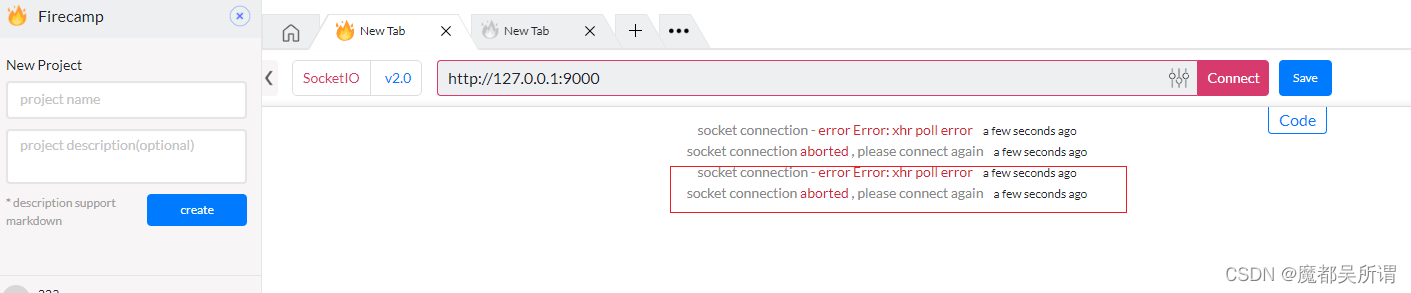
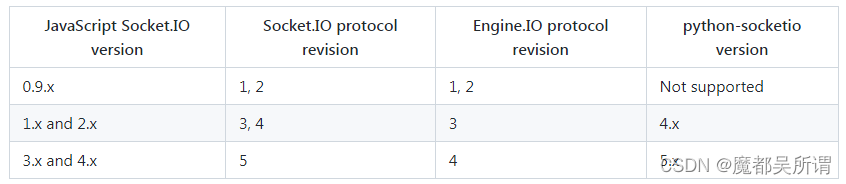
查看下第三方包的安装版本,主要焦点集中在python-engineio 与python-socketio
pip list
python-engineio                    4.3.4
python-socketio                    5.7.2
官方作者给的各版本对应的关系:
refs:
https://pypi.org/project/python-socketio/
更新版本:
安装:
pip install python-socketio==4.6.0
python-engineio                    4.3.4
python-socketio                    4.6.0
查询python-engineio所有版本
pip index versions python-engineio --trusted-host pypi.mirrors.ustc.edu.cnWARNING: pip index is currently an experimental command. It may be removed/changed in a future release without prio
r warning.
python-engineio (4.3.4)
Available versions: 4.3.4, 4.3.3, 4.3.2, 4.3.1, 4.3.0, 4.2.1, 4.2.0, 4.1.0, 4.0.1, 4.0.0, 3.14.2, 3.14.1, 3.14.0, 3
.13.2, 3.13.1, 3.13.0, 3.12.1, 3.12.0, 3.11.2, 3.11.1, 3.11.0, 3.10.0, 3.9.3, 3.9.2, 3.9.1, 3.9.0, 3.8.2.post1, 3.8
.2, 3.8.1, 3.8.0, 3.7.0, 3.6.0, 3.5.2, 3.5.1, 3.5.0, 3.4.4, 3.4.3, 3.4.2, 3.4.1, 3.4.0, 3.3.2, 3.3.1, 3.3.0, 3.2.3,3.2.2, 3.2.1, 3.2.0, 3.1.2, 3.1.1, 3.1.0, 3.0.0, 2.3.2, 2.3.1, 2.3.0, 2.2.0, 2.1.1, 2.1.0, 2.0.4, 2.0.3, 2.0.2, 2.
0.1, 2.0.0, 1.7.0, 1.6.1, 1.6.0, 1.5.4, 1.5.3, 1.5.2, 1.5.1, 1.5.0, 1.4.0, 1.3.2, 1.3.1, 1.3.0, 1.2.4, 1.2.3, 1.2.2
, 1.2.1, 1.2.0, 1.1.2, 1.1.1, 1.1.0, 1.0.4, 1.0.3, 1.0.2, 1.0.1, 1.0.0, 0.9.2, 0.9.1, 0.9.0, 0.8.8, 0.8.7, 0.8.6, 0
.8.5, 0.8.4, 0.8.3, 0.8.2, 0.8.1, 0.8.0, 0.7.2, 0.7.1, 0.7.0, 0.6.9, 0.6.8, 0.6.7, 0.6.6, 0.6.5, 0.6.4, 0.6.3, 0.6.
2, 0.6.1, 0.6.0, 0.5.1, 0.5.0, 0.4.0, 0.3.1, 0.3.0, 0.2.0, 0.1.0INSTALLED: 4.3.4LATEST:    4.3.4
pip install python-engineio==3.14.0
一开始想找3.6.0版本安装,竟然有个报错,至少支持3.13.0,索性就安装3.14.0这个版本了;
安装时的报错:
ERROR: pip's dependency resolver does not currently take into account all the packages that are installed. This beh
aviour is the source of the following dependency conflicts.
python-socketio 4.6.0 requires python-engineio>=3.13.0, but you have python-engineio 3.6.0 which is incompatible.
Successfully installed python-engineio-3.6.0
安装成功log:
pip install python-engineio==3.14
Looking in indexes: http://pypi.mirrors.ustc.edu.cn/simple/
Collecting python-engineio==3.14Downloading https://mirrors.bfsu.edu.cn/pypi/web/packages/4c/93/0dbe3e3e43a19c9a0279dde66e15889013682f896187ca777
551de8cc7be/python_engineio-3.14.0-py2.py3-none-any.whl (51 kB)---------------------------------------- 51.7/51.7 KB 531.5 kB/s eta 0:00:00
Requirement already satisfied: six>=1.9.0 in d:\software_install\anaconda3\lib\site-packages (from python-engineio=
=3.14) (1.11.0)
Installing collected packages: python-engineioAttempting uninstall: python-engineioFound existing installation: python-engineio 3.6.0Uninstalling python-engineio-3.6.0:Successfully uninstalled python-engineio-3.6.0
Successfully installed python-engineio-3.14.0
最终两个包的版本就是:
python-engineio                   3.14.0
python-socketio                    4.6.0
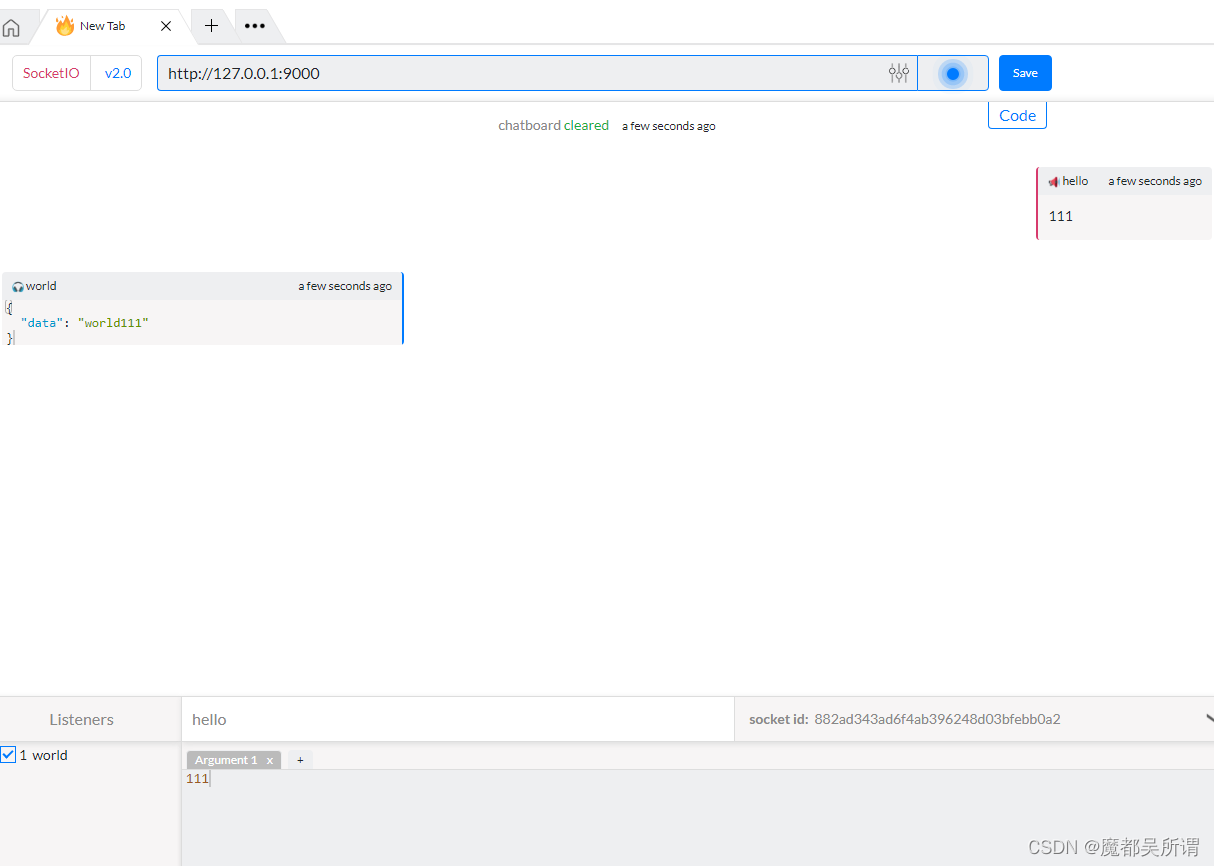
开启服务端,现在开始尝试用firecamp连接 http://127.0.0.1:9000
就可以正常开启了
firecap也可以正常连接了

此时也可以与服务端进行正常的通信了
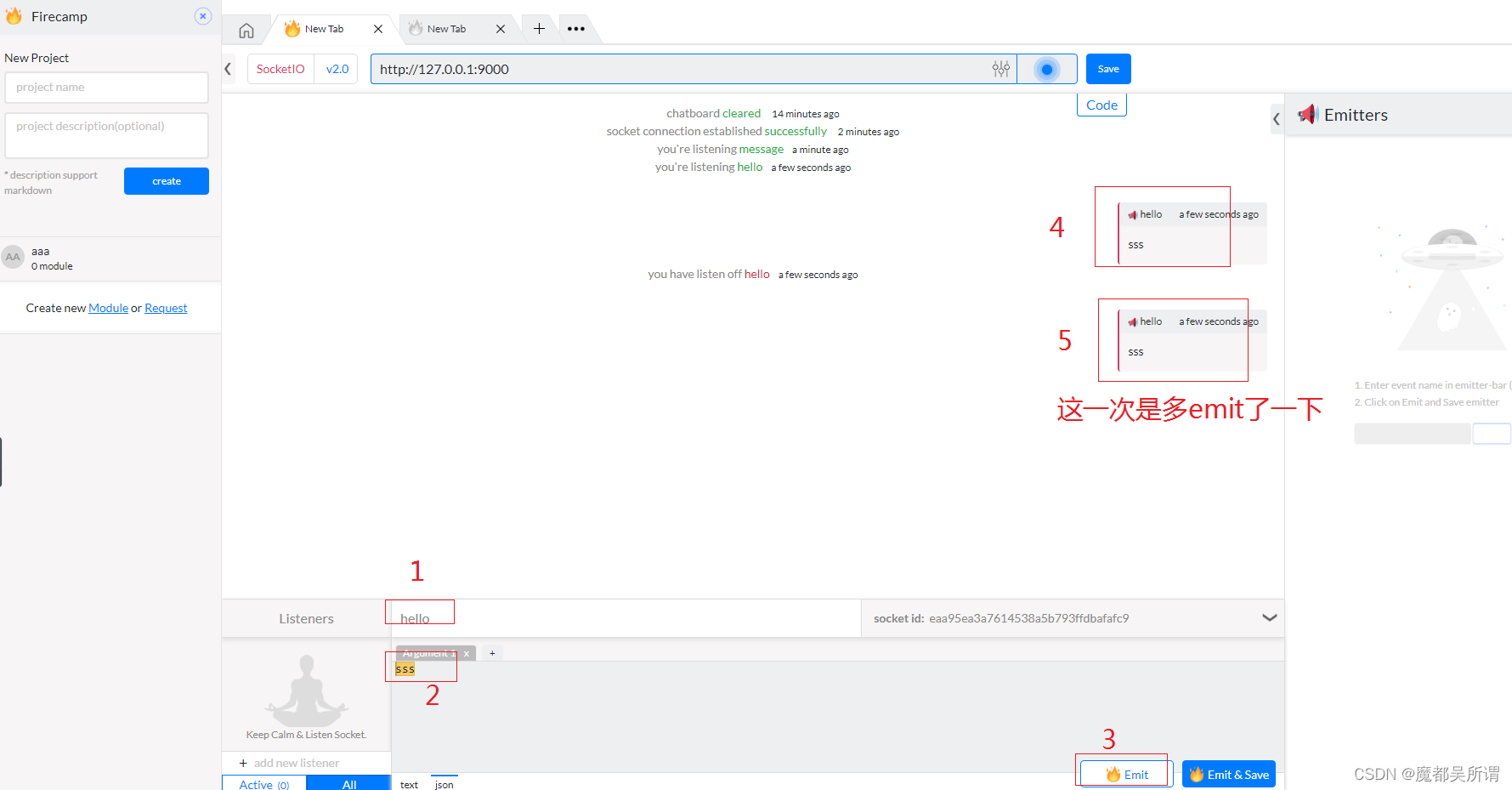
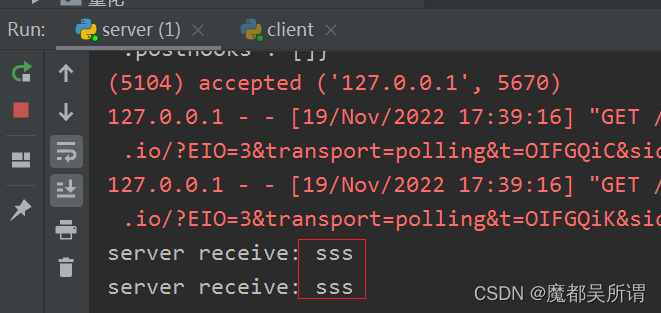
服务端收到了两次客户端发来的data
server与firecamp通信正常:
fastapi+python-socketio
# -- coding:utf-8 --import socketio
from fastapi import FastAPIsio = socketio.AsyncServer(async_mode="asgi", cors_allowed_origins="*", logger=True, engineio_logger=True
)
app = FastAPI(debug=True)
app_socketio = socketio.ASGIApp(sio)
app.mount(path="/", app=app_socketio)@sio.event
async def connect(sid, environ):print('connect ', sid)await sio.emit("Server", {'data': "Connect", 'count': 0})@sio.on('message')
async def my_message(sid, data):print('message ', data)await sio.emit("message", {'data': "message" + data})@sio.event
async def disconnect(sid):print('disconnect ', sid)@sio.event
async def error(sid):print('error ', sid)@app.get("/ss")
async def root():return {"message": "Hello World"}if __name__ == '__main__':import uvicornimport osname_app = os.path.splitext(os.path.basename(__file__))[0]uvicorn.run(app=f"{name_app}:app", host="127.0.0.1", port=5008, reload=True, debug=True)
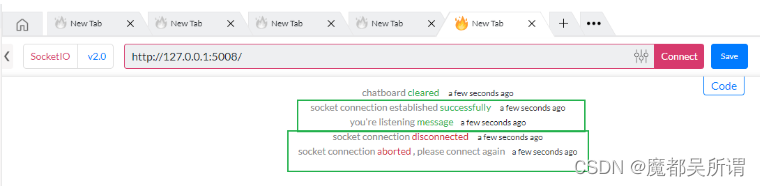
firecamp端:
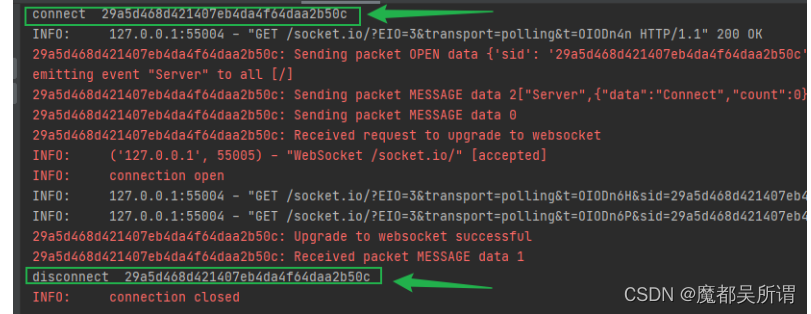
服务端:
先mark一下,在这里走了不少的弯路,悟性太差,还需加油~~~~
相关文章:
【python】python-socketio+firecamp使用踩坑指南
server.py: import eventlet import asyncioeventlet.monkey_patch()import socketio import eventlet.wsgisio socketio.Server(async_modeeventlet, cors_allowed_origins*) # 指明在evenlet模式下sio.event def connect(sid, environ):print(f"connect, sid{sid}, e…...
【OJ比赛日历】快周末了,不来一场比赛吗? #03.04-03.10 #12场
CompHub 实时聚合多平台的数据类(Kaggle、天池…)和OJ类(Leetcode、牛客…)比赛。本账号同时会推送最新的比赛消息,欢迎关注!更多比赛信息见 CompHub主页 或 点击文末阅读原文以下信息仅供参考,以比赛官网为准目录2023-03-04&…...

C++11:继承
目录 继承的基本概念 继承方式 基类和派生类对象赋值转换/切片 继承中的作用域 派生类的四个成员函数: 构造函数 拷贝构造函数 赋值重载 析构函数 静态成员 继承与友元 多继承 菱形继承 多继承的指针偏移问题 组合 继承的基本概念 继承出现的契机是某一…...
【蓝桥杯试题】递归实现排列型枚举
💃🏼 本人简介:男 👶🏼 年龄:18 🤞 作者:那就叫我亮亮叭 📕 专栏:蓝桥杯试题 文章目录1. 题目描述2. 代码展示法一:dfs法二:next_perm…...

入职字节测试岗外包一个月,我离职了...
有一种打工人的羡慕,叫做“大厂”。真是年少不知大厂香,错把青春插稻秧。但是,在深圳有一群比大厂员工更庞大的群体,他们顶着大厂的“名”,做着大厂的工作,还可以享受大厂的伙食,却没有大厂的“…...

weak学习入门-01
作用:集中在特征提取、算法选择和参数调优上 本篇几乎是汇总了大佬的参考 官网https://www.cs.waikato.ac.nz/ml/weka 大佬的入门教程:初试weka数据挖掘 - 加拿大小哥哥 - 博客园 (cnblogs.com) 参考书:数据挖掘实用机器学习技术(原书第2版)...

线程池中shutdown()和shutdownNow()方法的区别
线程池中shutdown()和shutdownNow()方法的区别 一般情况下,当我们频繁的使用线程的时候,为了节约资源快速响应需求,我们都会考虑使用线程池,线程池使用完毕都会想着关闭,关闭的时候一般情况下会用到shutdown和shutdow…...
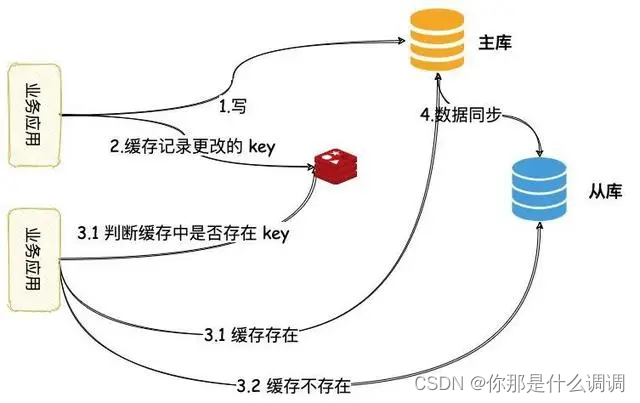
高可用/性能
文章目录1.数据库系统架构发展(1)单库架构(2)主备架构(3)主从架构2.主从复制主从同步配置主从复制模式(1)异步复制(2)半同步复制(3)全…...

PriorityQueues优先队列
优先队列优先队列(priority queue)是计算机科学中的一类抽象数据类型。优先队列中的每个元素都有各自的优先级,优先级最高的元素最先得到服务;优先级相同的元素按照其在优先队列中的顺序得到服务。优先队列通常使用“堆”…...

arm 堆栈
先转一篇 stm32 堆和栈(stm32 Heap & Stack)【worldsing笔记】_stm32堆栈_slj_win的博客-CSDN博客 关于堆和栈已经是程序员的一个月经话题,大部分有是基于os层来聊的。 那么,在赤裸裸的单片机下的堆和栈是什么样的分布呢?以下是网摘&…...

leetcode-面试题 05.02. Binary Number to String LCCI
Description Given a real number between 0 and 1 (e.g., 0.72) that is passed in as a double, print the binary representation. If the number cannot be represented accurately in binary with at most 32 characters, print “ERROR”. Example1: Input: 0.625Outpu…...

C语言函数阐述
C 函数 函数是一组一起执行一个任务的语句。每个 C 程序都至少有一个函数,即主函数 main() ,所有简单的程序都可以定义其他额外的函数。 您可以把代码划分到不同的函数中。如何划分代码到不同的函数中是由您来决定的,但在逻辑上,…...
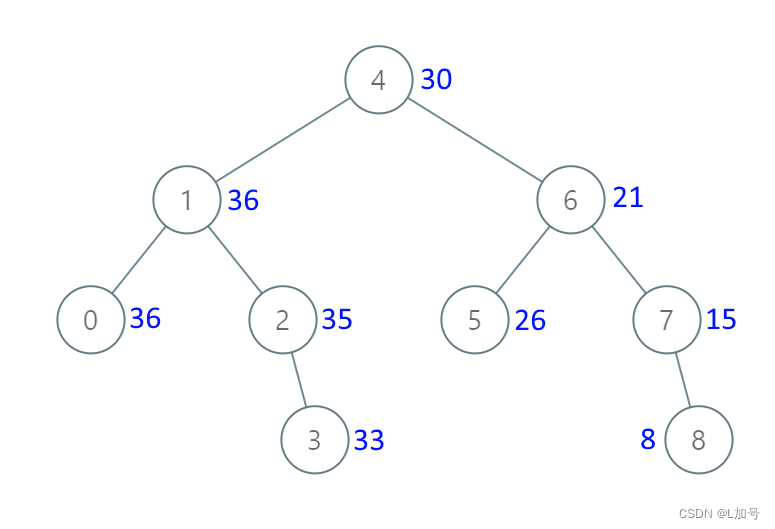
二叉树——把二叉搜索树转换为累加树
538. 把二叉搜索树转换为累加树 链接 给出二叉 搜索 树的根节点,该树的节点值各不相同,请你将其转换为累加树(Greater Sum Tree),使每个节点 node 的新值等于原树中大于或等于 node.val 的值之和。 提醒一下…...
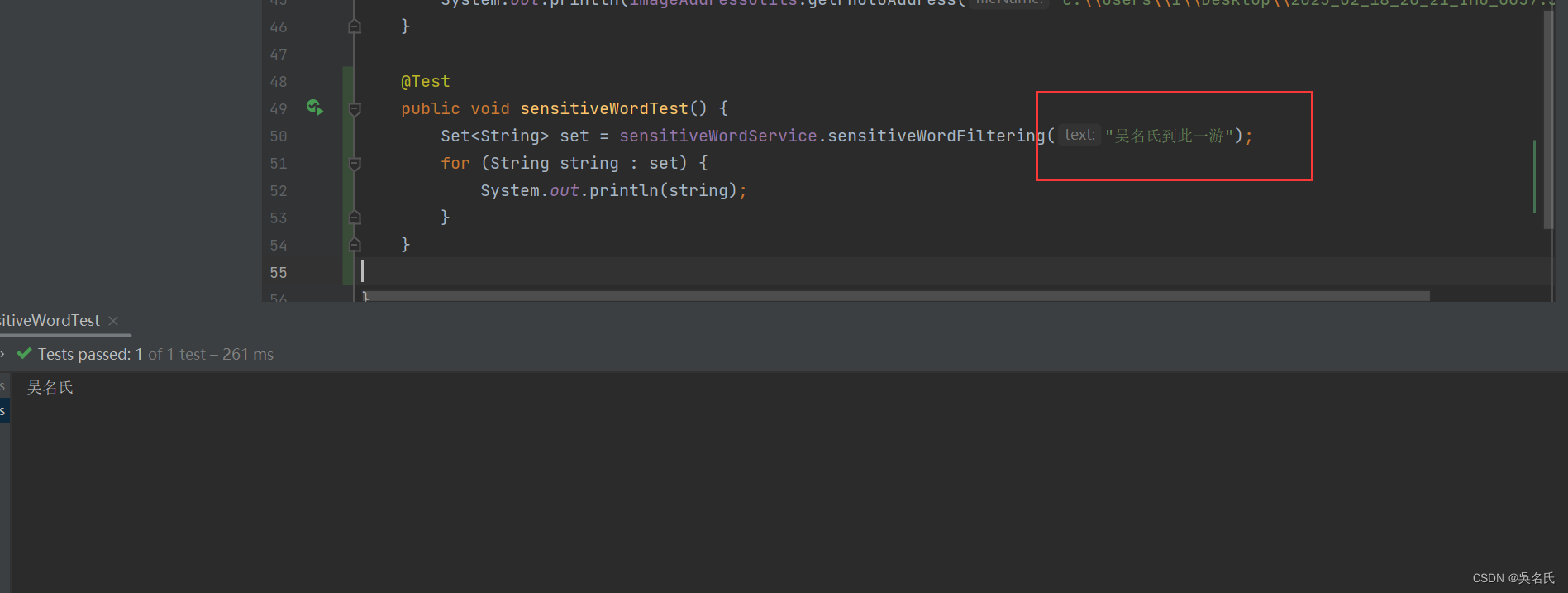
Java使用DFA算法实现敏感词过滤
1 前言敏感词过滤就是你在项目中输入某些字(比如输入xxoo相关的文字时)时要能检测出来,很多项目中都会有一个敏感词管理模块,在敏感词管理模块中你可以加入敏感词,然后根据加入的敏感词去过滤输入内容中的敏感词并进行…...
-外挂 - 配置文件说明(.men文件/.rtb文件/.trb文件))
UG NX二次开发(C#)-外挂 - 配置文件说明(.men文件/.rtb文件/.trb文件)
文章目录 1、前言2、UG NX菜单说明2.1UG NX的Ribbon样式说明2.2 UG NX的Ribbon配置文件3、外挂的加载配置文件说明3.1 创建配置文件夹3.2 填写.men文件3.2 填写.rtb文件3.2 填写.tbr文件4、将外挂加载到UG NX菜单中5、重启UG NX,就可以实现外挂加载了。1、前言 UG NX二次开发…...

Web3中文|日本元宇宙经济“狂飙”
2月27日,三菱、富士通和其它科技公司发布关于建立“日本元宇宙经济区”的协议,表示将联手从角色扮演游戏的角度创建开放的元宇宙基础设施,以推动日本的Web3战略。据了解,日本一直在努力将Web3技术纳入其国家议程,去年1…...
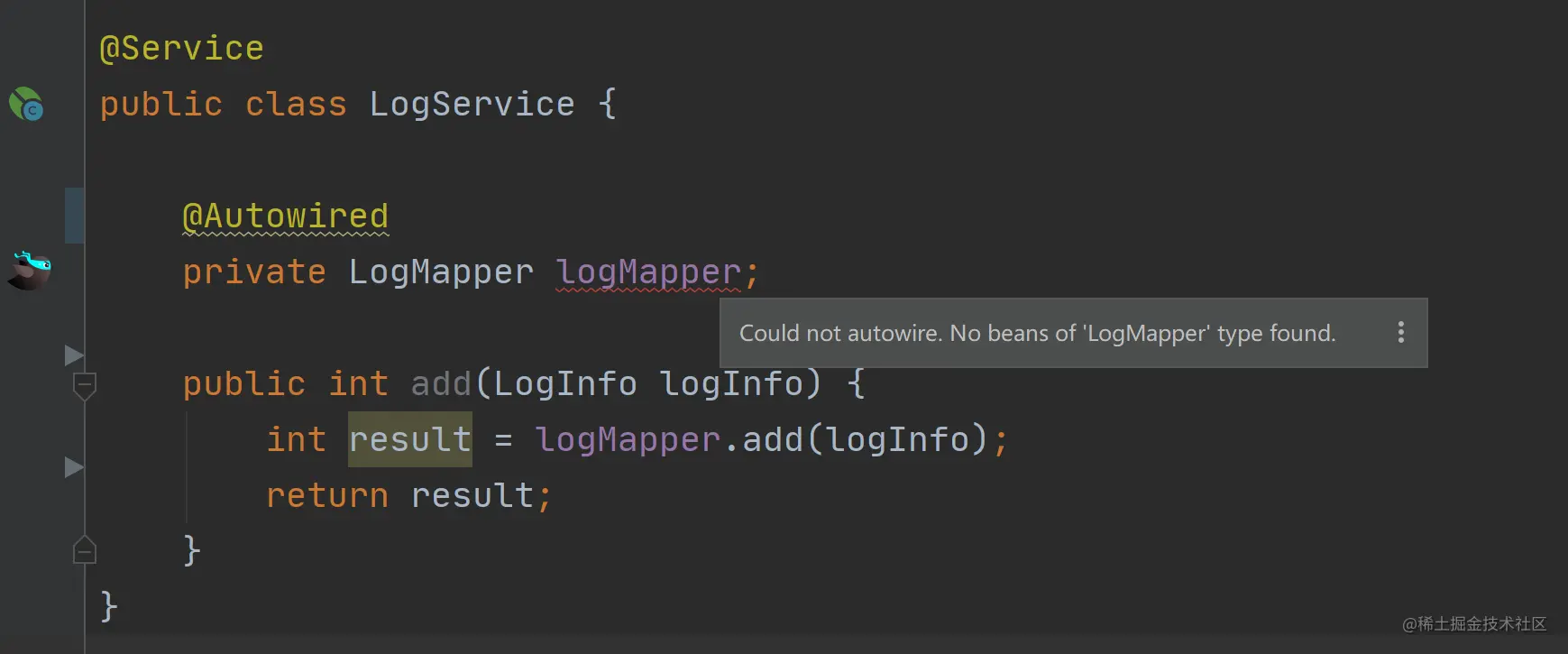
@Autowired和@Resource到底有什么区别
Autowired 和 Resource 都是 Spring/Spring Boot 项目中,用来进行依赖注入的注解。它们都提供了将依赖对象注入到当前对象的功能,但二者却有众多不同,并且这也是常见的面试题之一,所以我们今天就来盘它。 Autowired 和 Resource 的…...

2023年最新阿里云服务器价格表出炉(精准收费标准及配置价格表)
阿里云在全球率先宣布了基于 Intel Ice Lake 处理器的第七代云服务器ECS,性能提升的同时降低了报价,性价比更高了。进入2023年阿里云服务器价格依然是大家关心的问题,事实上阿里云服务器租用价格和最新收费标准都可以通过官方云服务器计算器来…...

ElasticSearch - SpringBoot整合ES实现文档的增删改操作
文章目录1. ElasticSearch和kibana的安装和配置2. SpringBoot 项目环境搭建3. 创建索引4. 索引文档5. 更新文档6. 删除文档https://www.elastic.co/guide/en/elasticsearch/reference/current/search-your-data.htmlhttps://www.elastic.co/guide/cn/elasticsearch/guide/curre…...
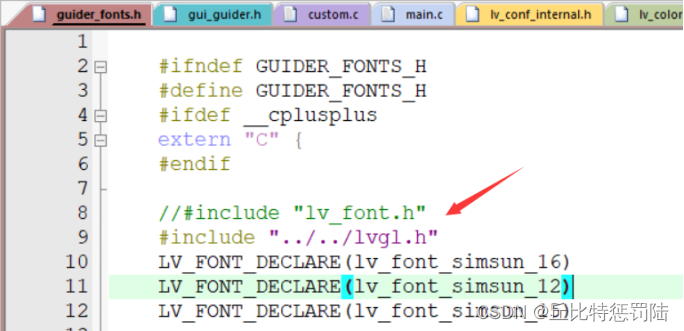
嵌入式 LVGL移植到STM32F4
目录 LVGL简介 1、特点 2、LVGL的硬件要求 3、相关网站 4、LVGL源码下载 5、LVGL移植要求 5.1 移植过程-添加源码 2、更改接口文件 3、显示实现 4、添加外部中文字体的方法 5、编译下载后有几种情况 6、调用显示 6、GUI-Guider使用 6.1 安装软件 6.2 使用…...
)
课题框架设计:认知流形的拓扑缺陷与精神病理学映射(世毫九实验室原创课题)
课题框架设计:认知流形的拓扑缺陷与精神病理学映射(世毫九实验室原创课题) 作者:方见华 单位:世毫九实验室 摘要与核心观点 本课题基于世毫九实验室原创认知几何学框架及GLZ认知拓扑互补理论支撑,核心假设为…...

软考 系统架构设计师之考试感悟5
接前一篇文章:软考 系统架构设计师之考试感悟4 今天(2026年05月23日),本人第五次参加了软考系统架构设计师的考试。一晃距离上次考试已经半年多了,感觉就像昨天一样。记得上一次考试结束后,直接去什刹海的南门涮肉和高中的兄弟们聚会,当天很嗨皮,一切仿佛刚刚过去一样。…...

量子机器学习优化:无陷阱损失函数景观的理论与实践
1. 项目概述与核心价值在量子计算领域,无论是进行量子模拟、量子态制备还是实现量子优化算法,我们最终都需要通过调整一组可控参数,让一个参数化的量子电路(或称量子神经网络)的输出逼近某个目标。这个过程,…...

LangGraph多智能体能力路由:动态专家选择与负载均衡
LangGraph多智能体能力路由:动态专家选择与负载均衡一、引言 钩子 你是否遇到过这种情况: 当你构建了一个由多个大模型或专业Agent组成的“超级团队”——有的精通数学推理、有的擅长代码生成、有的是情感分析小能手、还有的能写长篇技术文档——却发现整…...

Seurat分析避坑指南:从PBMC3K实战出发,详解`resolution`、`dims`参数怎么调,结果才靠谱
Seurat单细胞分析实战:如何科学调整resolution与dims参数获得理想分群第一次看到自己单细胞数据的UMAP图时,那种兴奋感至今难忘。但随之而来的困惑也同样深刻——为什么我的细胞分群看起来总是不太对?要么是密密麻麻挤在一起分不开࿰…...

Java并发工具类CountDownLatch与CyclicBarrier
前言 在现代软件开发中,Java并发工具类CountDownLatch与CyclicBarrier是一个非常重要的技术点。本文将从原理到实践,带你深入理解这一技术,并通过完整的代码示例帮助你快速掌握核心知识点。 核心概念 基本原理 Java并发工具类CountDownLatch与…...

机器学习如何重塑材料研发:从数据孤岛到智能设计平台
1. 项目概述:当材料研发遇上机器学习材料,这个听起来有点“硬核”的领域,其实是我们身边一切科技产品的基石。从手机屏幕的玻璃,到电动汽车的电池,再到航天飞机的隔热瓦,每一次性能的微小提升,背…...
)
别再花钱买网盘了!手把手教你在Windows服务器上免费搭建个人版Filebrowser(附端口映射与防火墙配置)
零成本打造私有云盘:Windows服务器部署Filebrowser全指南你是否厌倦了付费网盘的限速和隐私风险?一台闲置的Windows服务器就能变身功能完备的私有云存储系统。本文将带你从零开始,用开源的Filebrowser构建完全自主控制的文件管理平台…...

AI翻译准确率99.9%,专业翻译岗位反而增加了——这说明了什么
有一组数据很有意思:AI翻译的准确率已经能到99.9%,速度快,成本低,理论上完全具备替代人工翻译的能力。但实际情况是,专业翻译岗位的需求这几年不降反升。这背后的逻辑,对理解芯片工程师的核心价值也很有启发…...

免费开源AMD Ryzen调试工具:释放硬件潜能的全方位指南
免费开源AMD Ryzen调试工具:释放硬件潜能的全方位指南 【免费下载链接】SMUDebugTool A dedicated tool to help write/read various parameters of Ryzen-based systems, such as manual overclock, SMU, PCI, CPUID, MSR and Power Table. 项目地址: https://gi…...