
.net框架和c#程序设计第三次测试
目录
一、测试要求
二、实现效果
三、实现代码
一、测试要求
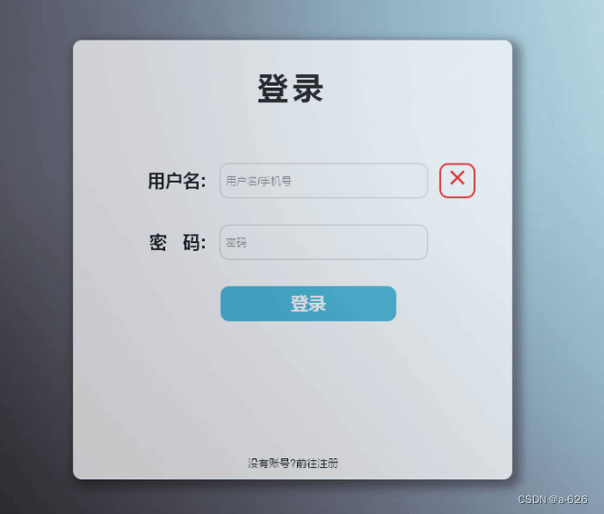
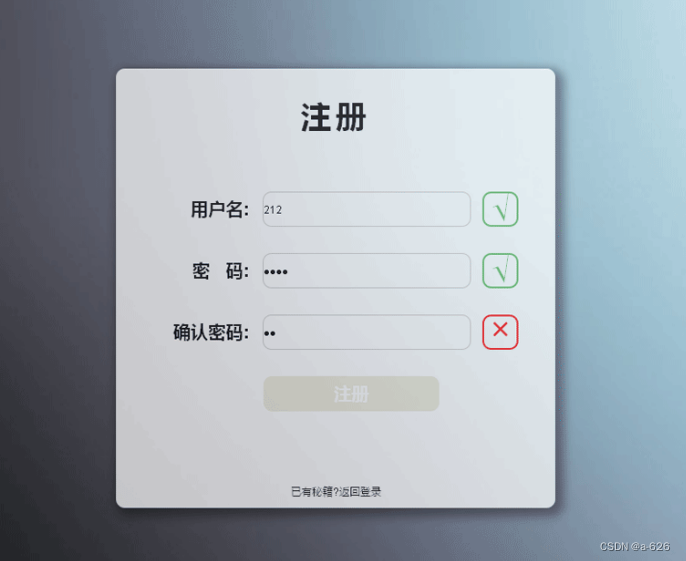
二、实现效果
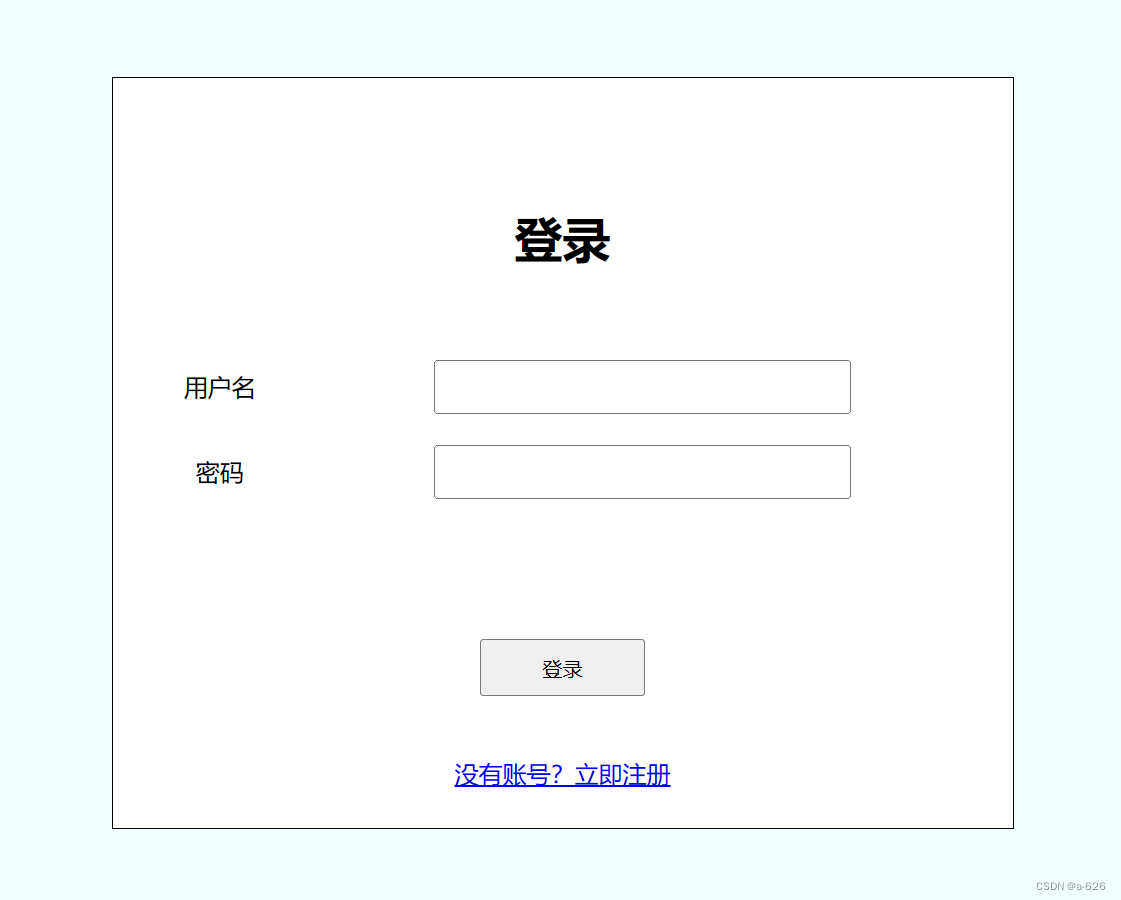
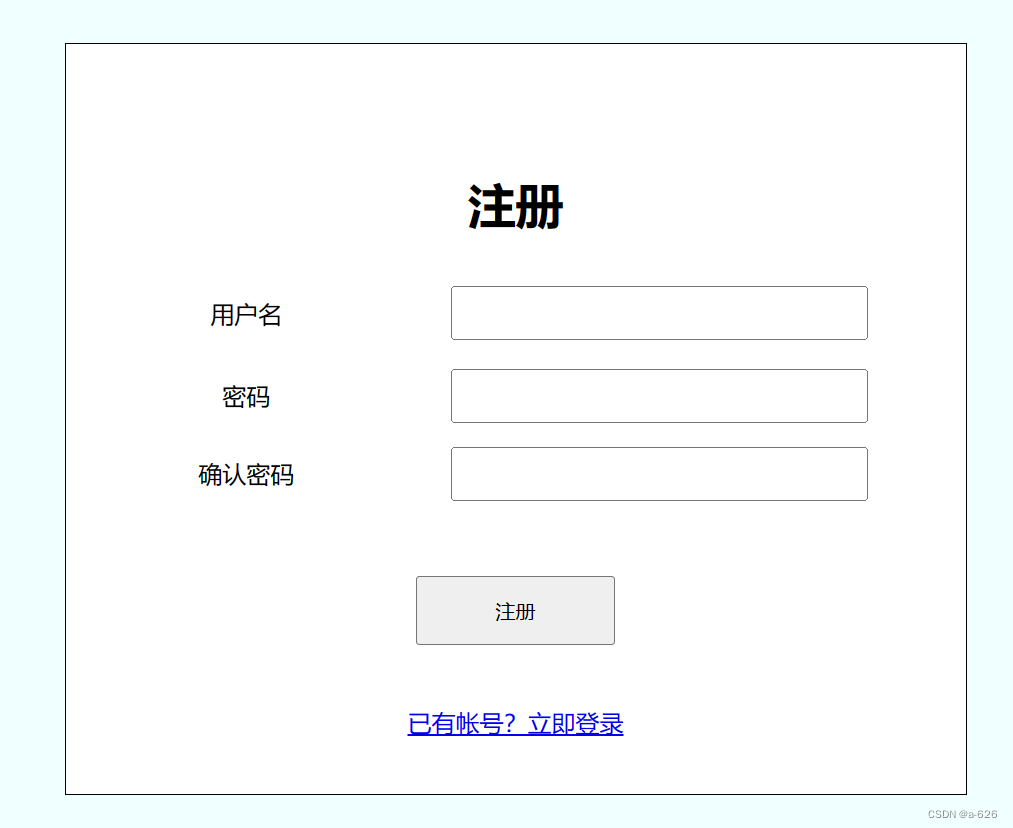
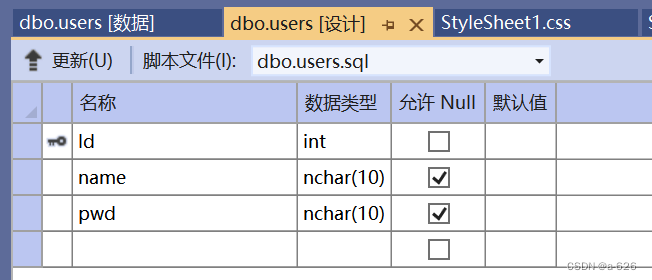
数据库中的内容:
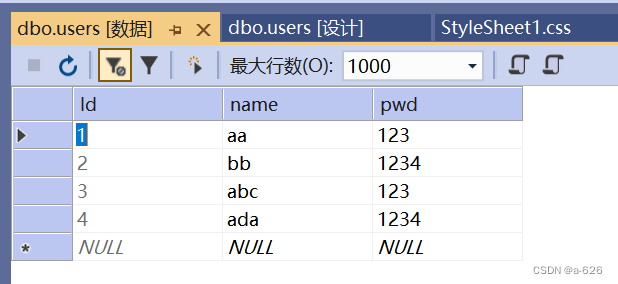
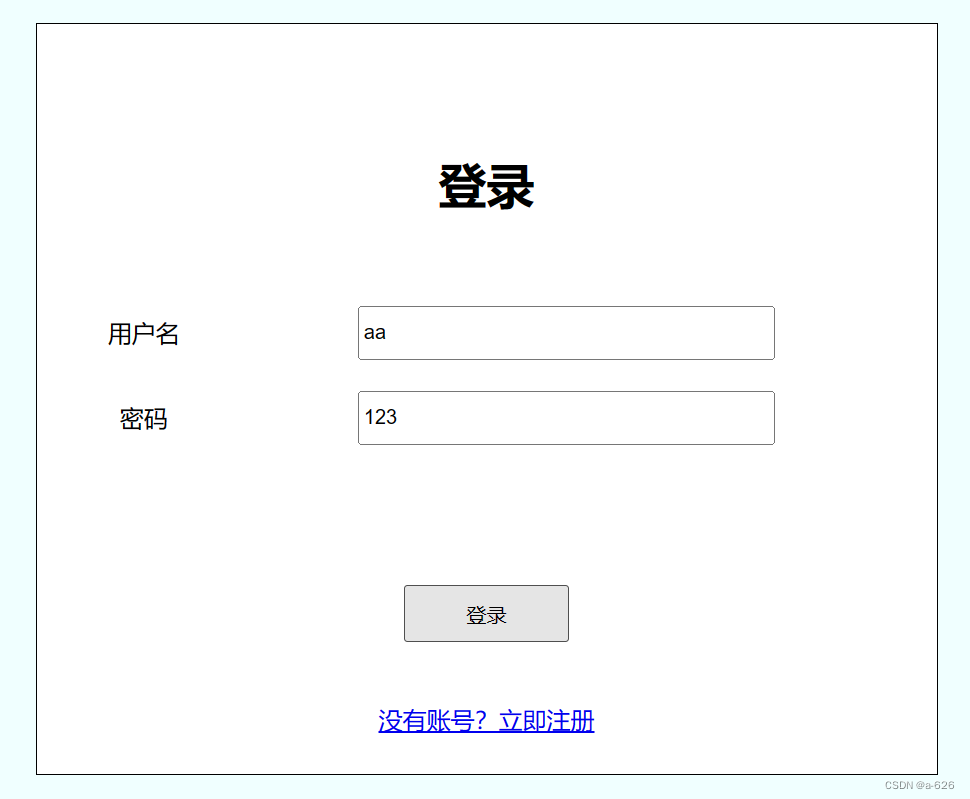
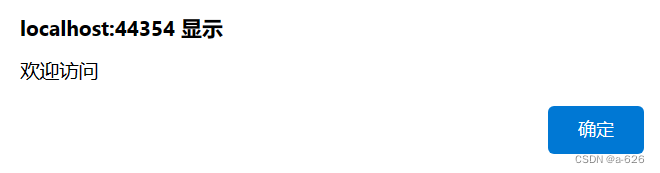
使用数据库中的账号登录:
若不是数据库中的内容: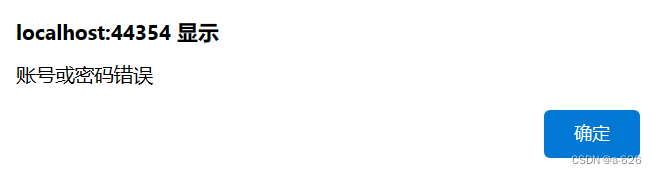
三、实现代码
login.aspx文件:
<%@ Page Language="C#" AutoEventWireup="true" CodeBehind="login.aspx.cs" Inherits="WebApplication2.login" %><!DOCTYPE html><html xmlns="http://www.w3.org/1999/xhtml">
<head runat="server">
<meta http-equiv="Content-Type" content="text/html; charset=utf-8"/><title></title><link rel="stylesheet" href="StyleSheet1.css"/><style type="text/css">.auto-style1 {width: 97%;height: 115px;}.auto-style2 {width: 137px;}.auto-style3 {height: 33px;}</style></head>
<body><form id="form1" runat="server"><div><br /><br /><div id="login"><h1> </h1><h1 class="auto-style3">登录</h1><p> </p><table class="auto-style1"><tr><td class="auto-style2">用户名</td><td><asp:TextBox ID="TextBox1" runat="server" CssClass="txt"></asp:TextBox><asp:RequiredFieldValidator ID="RequiredFieldValidator1" runat="server" ControlToValidate="TextBox1" ErrorMessage="×" ForeColor="Red"></asp:RequiredFieldValidator></td></tr><tr><td class="auto-style2">密码</td><td><asp:TextBox ID="TextBox2" runat="server" CssClass="txt"></asp:TextBox><asp:RequiredFieldValidator ID="RequiredFieldValidator2" runat="server" ControlToValidate="TextBox2" ErrorMessage="×" ForeColor="Red"></asp:RequiredFieldValidator></td></tr></table><br /><br /><br /><br /><asp:Button ID="Button3" runat="server" Height="38px" OnClick="Button3_Click" Text="登录" Width="110px" /><br /><br /><br /><asp:LinkButton ID="LinkButton1" runat="server" OnClick="LinkButton1_Click">没有账号?立即注册</asp:LinkButton></div></div></form>
</body>
</html>
login.aspx.cs文件:
using System;
using System.Collections.Generic;
using System.Linq;
using System.Web;
using System.Web.UI;
using System.Web.UI.WebControls;
using System.Data;
using System.Data.SqlClient;
using System.Configuration;namespace WebApplication2
{public partial class login : System.Web.UI.Page{string sqlconn = ConfigurationManager.ConnectionStrings["userConnString"].ToString();//建立connection链接对象,这里最好设置成全局变量,否则后面每次都得新建SqlConnection myconnection = new SqlConnection();protected void Page_Load(object sender, EventArgs e){UnobtrusiveValidationMode = UnobtrusiveValidationMode.None;myconnection.ConnectionString = sqlconn;//Label1.Text = myconnection.State.ToString();}//protected void Button1_Click(object sender, EventArgs e)//{//    myconnection.Open();//    Label1.Text = myconnection.State.ToString();//}//protected void Button2_Click(object sender, EventArgs e)//{//    myconnection.Close();//    Label1.Text = myconnection.State.ToString();//}protected void LinkButton1_Click(object sender, EventArgs e){Response.Redirect("zhuce.aspx");}protected void Button3_Click(object sender, EventArgs e){myconnection.Open();string name = TextBox1.Text;string pwd = TextBox2.Text;string sqlcmd = "select * from users where name='" + name + "'and pwd='" + pwd + "'";SqlCommand mycommand = new SqlCommand(sqlcmd, myconnection);SqlDataReader myreader = mycommand.ExecuteReader();myreader.Read();if (myreader.HasRows){Response.Write("<script>alert('欢迎访问');</script>");}else{Response.Write("<script>alert('账号或密码错误');</script>");}myreader.Close();myconnection.Close();}}
}
stylesheet1.css文件
body {background-color:azure;
}
#login{width:600px;height:550px;border:1px solid black;background-color:white;margin:50px auto;text-align:center;
}
#login table{text-align:center;
}.txt{height:30px;width:270px;
}
register.aspx文件(zhuce.aspx)
<%@ Page Language="C#" AutoEventWireup="true" CodeBehind="zhuce.aspx.cs" Inherits="WebApplication2.zhuce" %><!DOCTYPE html><html xmlns="http://www.w3.org/1999/xhtml">
<head runat="server">
<meta http-equiv="Content-Type" content="text/html; charset=utf-8"/><title></title><link href="StyleSheet2.css" rel="stylesheet"/><style type="text/css">.auto-style1 {width: 95%;height: 164px;}.auto-style2 {height: 54px;}.auto-style3 {height: 54px;width: 235px;}.auto-style4 {width: 235px;}</style>
</head>
<body><form id="form1" runat="server"><div id="zhuce"><h1> </h1><h1>注册</h1><table class="auto-style1"><tr><td class="auto-style3">用户名</td><td class="auto-style2"><asp:TextBox ID="TextBox1" runat="server" CssClass="txt1"></asp:TextBox><asp:RequiredFieldValidator ID="RequiredFieldValidator1" runat="server" ControlToValidate="TextBox1" ErrorMessage="×" ForeColor="Red"></asp:RequiredFieldValidator></td></tr><tr><td class="auto-style4">密码</td><td><asp:TextBox ID="TextBox2" runat="server" CssClass="txt1"></asp:TextBox><asp:RequiredFieldValidator ID="RequiredFieldValidator2" runat="server" ControlToValidate="TextBox2" ErrorMessage="×" ForeColor="#FF3300"></asp:RequiredFieldValidator></td></tr><tr><td class="auto-style4">确认密码</td><td><asp:TextBox ID="TextBox3" runat="server" CssClass="txt1"></asp:TextBox><asp:CompareValidator ID="CompareValidator1" runat="server" ControlToCompare="TextBox2" ControlToValidate="TextBox3" ErrorMessage="×" ForeColor="Red"></asp:CompareValidator></td></tr></table><br /><br /><asp:Button ID="Button1" runat="server" Height="46px" OnClick="Button1_Click" Text="注册" Width="133px" /><br /><br /><br /><asp:LinkButton ID="LinkButton1" runat="server" OnClick="LinkButton1_Click">已有帐号?立即登录</asp:LinkButton><br /><br /><br /><br /><br /><br /></div></form>
</body>
</html>
register.aspx.cs文件(zhuce.aspx.cs)
using System;
using System.Collections.Generic;
using System.Linq;
using System.Web;
using System.Web.UI;
using System.Web.UI.WebControls;
using System.Data;
using System.Data.SqlClient;
using System.Configuration;namespace WebApplication2
{public partial class zhuce : System.Web.UI.Page{string sqlconn = ConfigurationManager.ConnectionStrings["userConnString"].ToString();//建立connection链接对象,这里最好设置成全局变量,否则后面每次都得新建SqlConnection myconnection = new SqlConnection();protected void Page_Load(object sender, EventArgs e){UnobtrusiveValidationMode = UnobtrusiveValidationMode.None;myconnection.ConnectionString = sqlconn;//Label1.Text = myconnection.State.ToString();}protected void LinkButton1_Click(object sender, EventArgs e){Response.Redirect("login.aspx");}protected void Button1_Click(object sender, EventArgs e){myconnection.ConnectionString = sqlconn;myconnection.Open();string name = TextBox1.Text;string pwd = TextBox3.Text;string sqlcmd = "insert into users(name,pwd) values ('" + name + "','" + pwd + "')";SqlCommand mycommand = new SqlCommand(sqlcmd, myconnection);mycommand.ExecuteNonQuery();Response.Write("<script>alert('添加成功');</script>");myconnection.Close();}//protected void Button2_Click(object sender, EventArgs e)//{//    myconnection.Open();//    Label1.Text = myconnection.State.ToString();//}//protected void Button3_Click(object sender, EventArgs e)//{//    myconnection.Close();//    Label1.Text = myconnection.State.ToString();//}}
}
stylesheet2.css文件
body {background-color:azure;
}
#zhuce {width: 600px;height: 550px;border: 1px solid black;background-color: white;margin: 30px auto;text-align: center;
}
.txt1 {height: 30px;width: 270px;
}
这次的测试我觉得我完成的也是可以的,首先通过配置参数将网页与数据库进行了相连,然后使用一个label和两个button(一个是打开数据库,一个是关闭数据库)来验证配置参数的正确性,验证完成之后,按照题目的要求,设置相应的格式。
后面有时间的话再完善一下。
相关文章:
.net框架和c#程序设计第三次测试
目录 一、测试要求 二、实现效果 三、实现代码 一、测试要求 二、实现效果 数据库中的内容: 使用数据库中的账号登录: 若不是数据库中的内容: 三、实现代码 login.aspx文件: <% Page Language"C#" AutoEventW…...
架构师系列-搜索引擎ElasticSearch(五)- 索引设计
索引创建后,要非常谨慎,创建不好后面会出现各种问题。 索引设计的重要性 索引创建后,索引分片只能通过_split和_shrink 接口对其进行成倍的增加和缩减。 ES的数据是通过_routing分配到各个分片上的,所以本质上不推荐区改变索引的…...

kafka ----修改log4j、jmx、jvm参数等
1、修改log4j 日志路径 在kafka-run-class.sh文件中修改如下配置,将 LOG_DIR变量指定为自己想要存储的路径 # Log directory to use if [ "x$LOG_DIR" "x" ]; thenLOG_DIR"$base_dir/logs" fi2、修改jmx参数 在kafka-run-class.s…...
Python 全栈 Web 应用模板:成熟架构,急速开发 | 开源日报 No.223
tiangolo/full-stack-fastapi-template Stars: 15.6k License: MIT full-stack-fastapi-template 是一个现代化的全栈 Web 应用模板。 使用 FastAPI 构建 Python 后端 API。使用 SQLModel 进行 Python SQL 数据库交互(ORM)。Pydantic 用于数据验证和设…...
STM32之DHT11温湿度传感器
目录 一 DHT11温湿度传感器简介 1.1 传感器特点 1.2 传感器特性 1.3 传感器引脚说明 二 测量原理及方法 2.1 典型应用电路 2.2 单线制串行简介 2.2.1 串行接口 (单线双向) 2.2.2 数据示例 2.3 通信时序 三 单片机简介 3.1 STM32F103C8T6最小系统板 四 接线说明 …...

paddle ocr
paddle安装教程,git clone xxxgit https://blog.csdn.net/Castlehe/article/details/117356343 只有paddle 1.x 的教程:https://github.com/PaddlePaddle/PaddleOCR/blob/static/doc/doc_en/quickstart_en.md 报错是因为安装的是paddle 2.x而教程只给了…...
Xcode 15.0 新 #Preview 预览让 SwiftUI 界面调试更加悠然自得
概览 从 Xcode 15 开始,苹果推出了新的 #Preview 宏预览机制,它无论从语法还是灵活性上都远远超过之前的预览方式。#Preview 不但可以实时预览 SwiftUI 视图,而且对 UIKit 的界面预览也是信手拈来。 想学习新 #Preview 预览的一些超实用调试…...
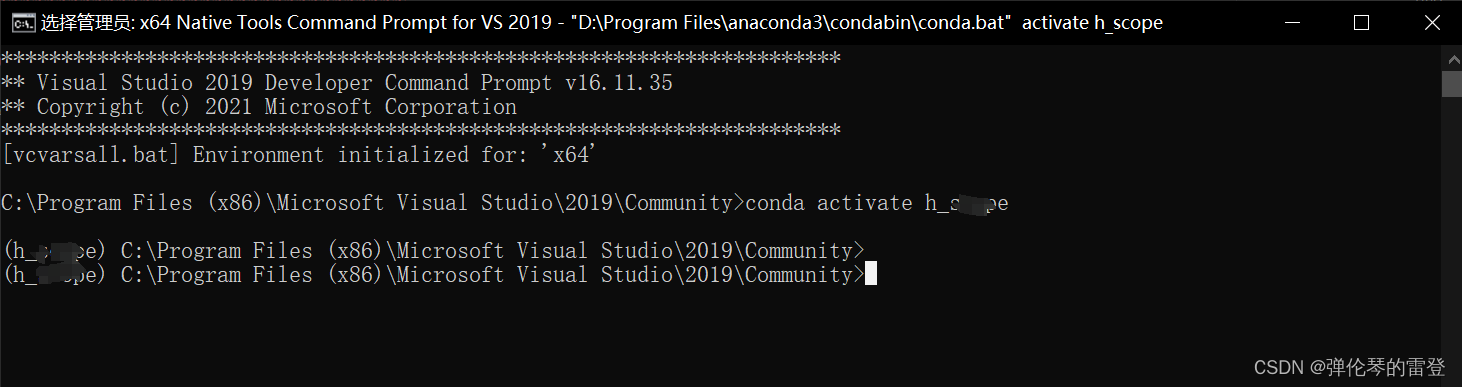
【VS2019】x64 Native Tools Command Prompt for Vs 2019使用conda命令进入环境
【VS2019】x64 Native Tools Command Prompt for Vs 2019使用conda命令进入环境 安装完VS2019后,打开终端x64 Native Tools Command Prompt for Vs 2019,直接运行conda会出现‘conda’ 不是内部或外部命令,也不是可运行的程序 原因分析&am…...

网络篇09 | 运输层 udp
网络篇09 | 运输层 udp 01 简介UDP 是面向报文的 02 报文协议 01 简介 UDP 只在 IP 的数据报服务之上增加了一些功能:复用和分用、差错检测 UDP 的主要特点:无连接。发送数据之前不需要建立连接。 使用尽最大努力交付。即不保证可靠交付。 面向报文。…...
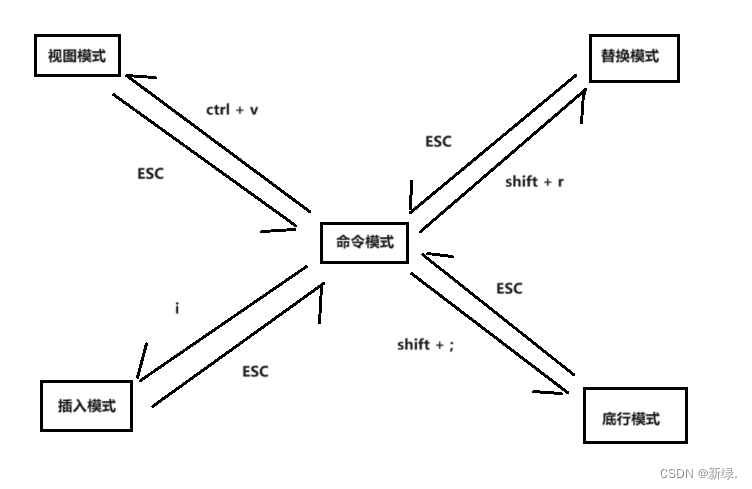
vim相关指令
vim的各种模式及其转换关系图 vim 默认处于命令模式!!! 模式之间转换的指令 除【命令模式】之外,其它模式要切换到【命令模式】,只需要无脑 ESC 即可!!! [ 命令模式 ] 切换至 [ 插…...
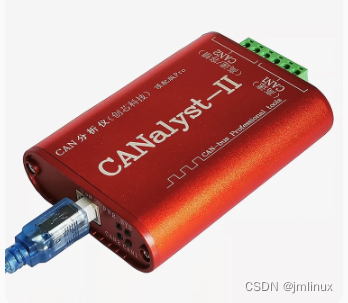
STM32常见调试工具介绍
STM32的常见调试工具主要包括ST-LINK、USB转TTL、USB转485以及USB转CAN。这些工具在嵌入式系统开发、调试以及通信中发挥着重要的作用。 1.ST-LINK: ST-LINK是STMicroelectronics公司专为其STM32系列微控制器开发的调试和编程工具。既能仿真也能将编译好的程序下载…...

简历上写熟悉Linux下常用命令?直接寄
大家写简历技术栈时,都觉得越多越好,其中一条,熟悉Linux下常用命令?其实开发中Linux不是必备考点,除了运维,真正用的多的仅仅cd ls mkdir等,但当面试官问到上面命令时,是不是就傻眼了…...

【设计模式】4、prototype 原型模式
四、prototype 原型模式 https://refactoringguru.cn/design-patterns/prototype 如果希望 复制对象, 可使用 “prototype 模式” 如果 “待复制的对象” 是 interface 而不是 class, 或者如果 class 有 private 变量时. 无法知道 "待复制的对象"的细节, 则需要其…...
ES6 关于Class类的继承 extends(2024-04-10)
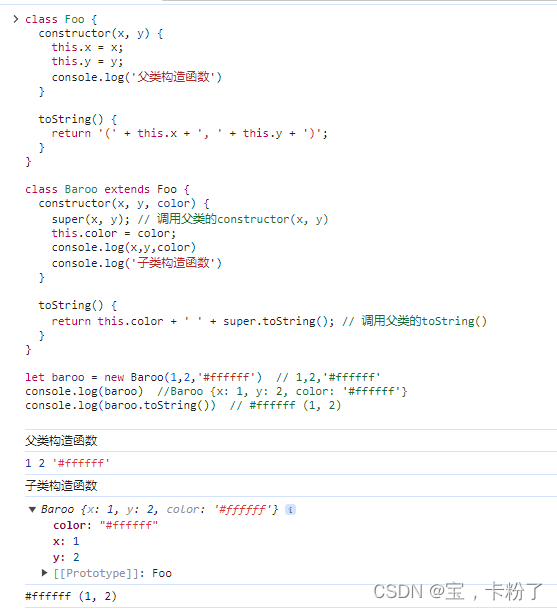
1、简介 类Class 可以通过extends关键字实现继承,让子类继承父类的属性和方法。extends 的写法比 ES5 的原型链继承,要清晰和方便很多。 class Foo {constructor(x, y) {this.x x;this.y y;console.log(父类构造函数)}toString() {return ( this.x …...
边缘计算【智能+安全检测】系列教程--使用OpenCV+GStreamer实现真正的硬解码,完全消除马赛克
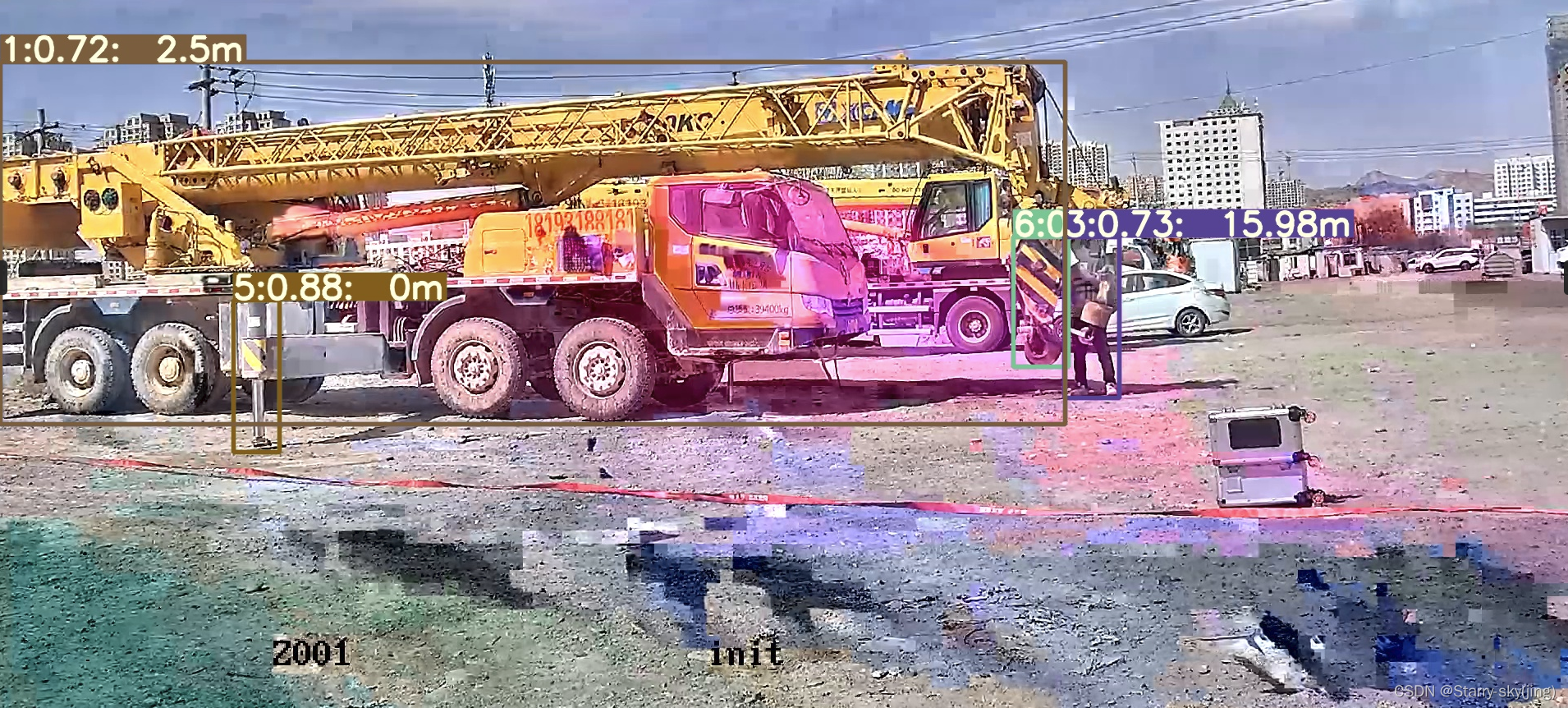
通过现有博客的GST_URL = "rtspsrc location=rtsp://admin:abcd1234@192.168.1.64:554/h264/ch01/main/av_stream latency=150 ! rtph264depay ! avdec_h264 ! videorate ! videoconvert ! appsink sync=false" GStreamer的解码方式解码,大多情况应该存在上图马赛克…...

Anaconda在Ubuntu下的安装与简单使用
一、参考资料 ubuntu16.04下安装&配置anacondatensorflow新手教程 二、安装Anaconda 下载 Miniconda镜像1 or Miniconda镜像2 # 下载 wget Miniconda3-py39_4.10.3-Linux-x86_64.sh# 安装 bash Miniconda3-py39_4.10.3-Linux-x86_64.sh一路yes 安装过程中的选项 Do you …...

网络编程【InetAddress , TCP 、UDP 、HTTP 案例】
day38上 网络编程 InetAddress 理解:表示主机类 一个域名 对应 多个IP地址 public static void main(String[] args) throws UnknownHostException {//获取本机的IP地址 // InetAddress localHost InetAddress.getLocalHost(); // System.out.println(localHos…...
软考中级工程师网络技术第二节网络体系结构
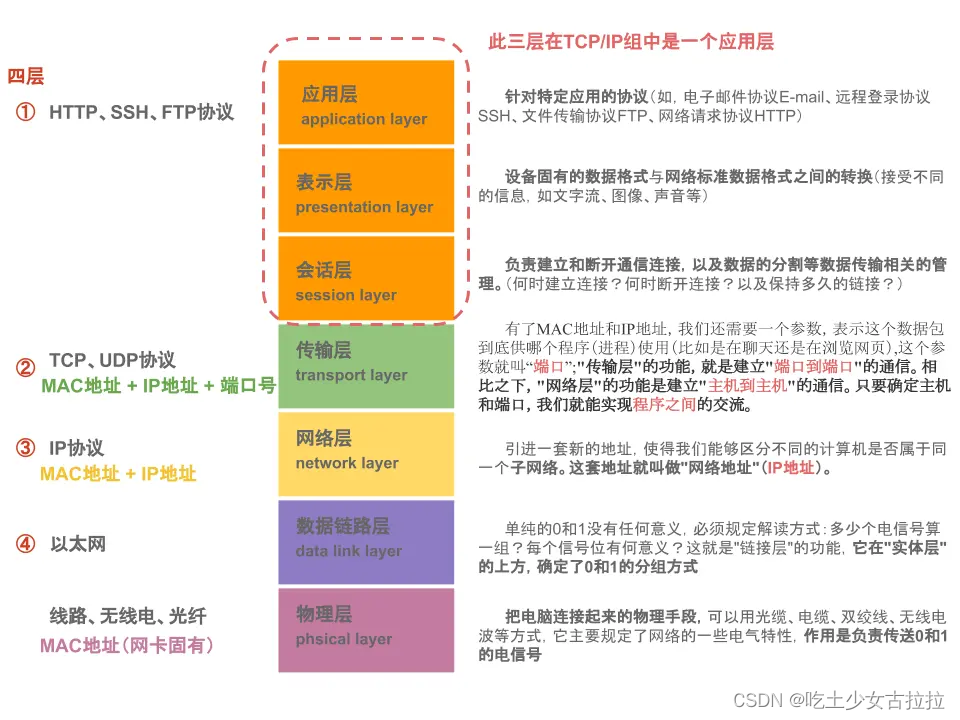
OSPF将路由器连接的物理网络划分为以下4种类型,以太网属于(25),X.25分组交换网属于(非广播多址网络NBMA)。 A 点对点网络 B 广播多址网络 C 点到多点网络 D 非广播多址网络 试题答案 正确答案: …...
Mac 软件清单
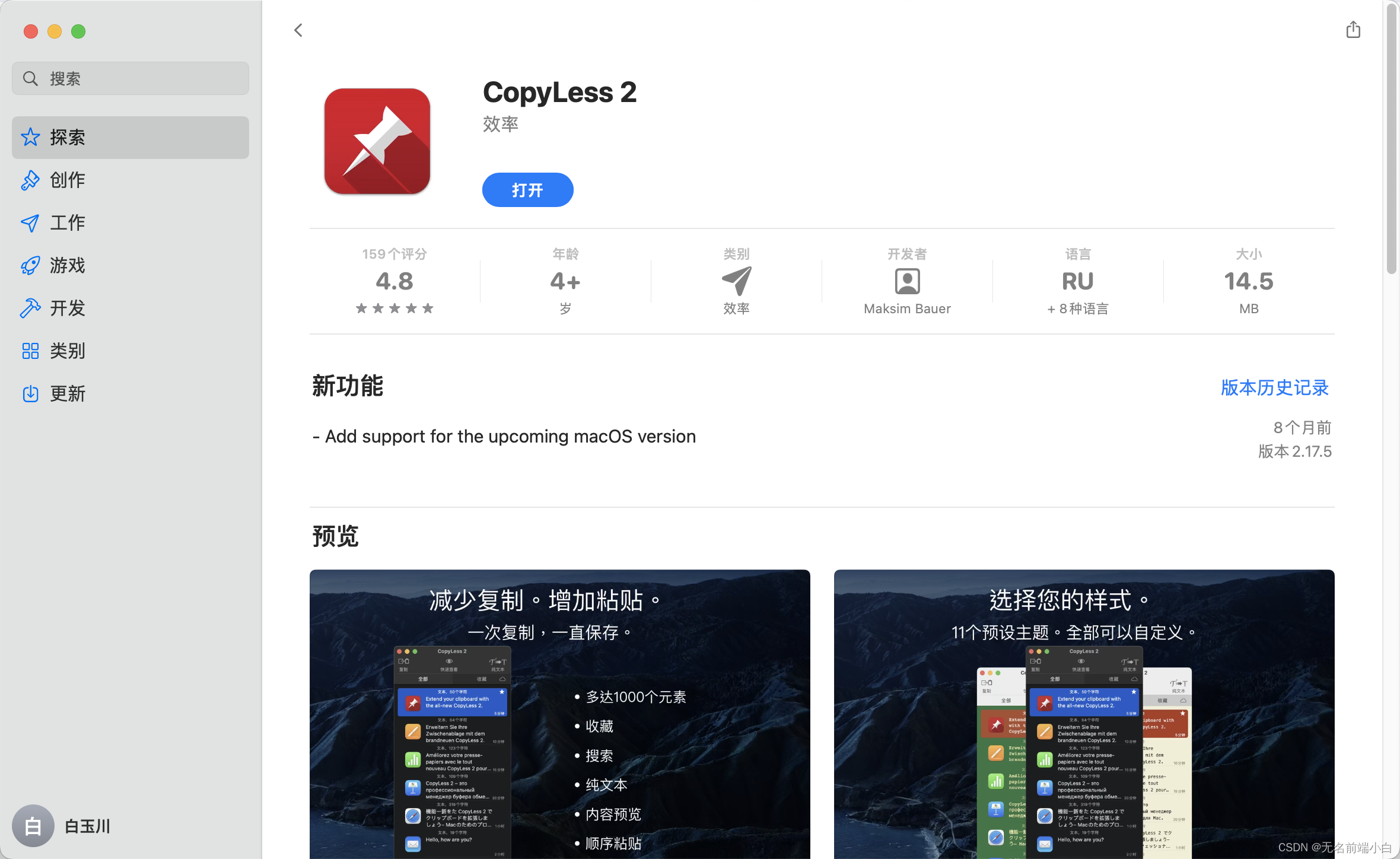
~自留备用~ Macbook用了几年之后, 512G的内置硬盘有些紧张了, 这几天总是提示空间不足, 就重装了下系统, 重装之后竟然不记得有些软件的名字和下载链接, 特此记录 Office 办公套件 直接从微软官网下载Office 安装包https://officecdnmac.microsoft.com/pr/C1297A47-86C4-4C1F…...
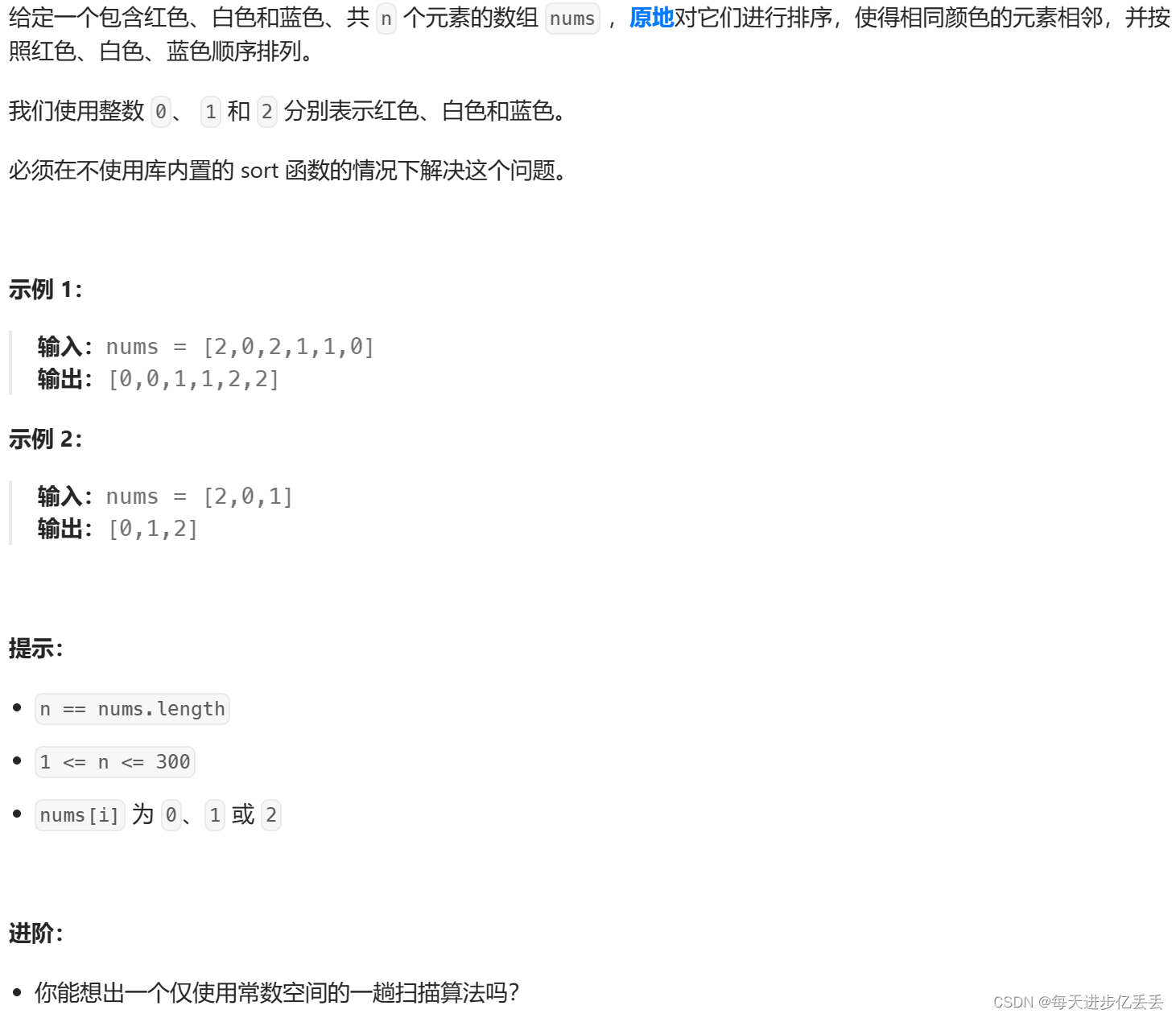
【Leetcode每日一题】 分治 - 颜色分类(难度⭐⭐)(57)
1. 题目解析 题目链接:75. 颜色分类 这个问题的理解其实相当简单,只需看一下示例,基本就能明白其含义了。 2.算法原理 算法思路解析 本算法采用三指针法,将数组划分为三个区域,分别用于存放值为0、1和2的元素。通过…...

告别龟速下载!用阿里云Maven仓库和离线驱动包,5分钟搞定DBeaver所有JDBC驱动配置
极速配置DBeaver JDBC驱动的双轨方案:阿里云Maven加速与离线整合包实战 每次打开DBeaver准备连接数据库时,看着进度条缓慢爬升的驱动下载界面,你是否也感到焦虑?特别是在紧急排查生产环境问题的关键时刻,这种等待简直让…...

[具身智能-680]:ROS2 可视化与调试工具与示例
按日常开发必用分类,每条可直接复制运行,新手也能马上上手。一、3D 可视化工具1. rviz2(核心 3D 可视化)功能查看:机器人模型、激光雷达、点云、地图、TF 坐标、导航路径、相机图像、机械臂、代价地图等。启动bash运行…...

用Godot 4.0复刻街霸3D名场面:从Blender绑定到动画状态机的完整实战
用Godot 4.0复刻街霸3D名场面:从Blender绑定到动画状态机的完整实战 街机厅里那些经典格斗游戏的3D重制总能勾起玩家的情怀,而今天我们将用Godot 4.0完整复刻《街霸》中隆的招牌必杀技——从Blender的骨骼绑定到Godot动画状态机的全流程实现。这不是简单…...

BIOS里找不到SSD硬盘?Win10启动失败?可能是ESP引导分区‘隐身’了,手把手教你用PE盘和DiskGenius把它找回来
BIOS里找不到SSD硬盘?Win10启动失败?可能是ESP引导分区‘隐身’了 最近遇到一个奇怪的故障:明明SSD硬盘在PE系统里能正常识别,但BIOS启动项里却死活找不到它。系统反复提示"reboot and select proper boot device"&…...

硬件工程师实战指南:工业物联网安全、无线充电与TSN网络设计解析
1. 项目概述:一场面向硬件工程师的线上技术盛宴最近在整理行业资料时,翻到了EE Times几年前发布的一个“即将到来的线上技术活动”汇总页面。虽然发布时间是2018年,但里面提到的几个技术主题——工业物联网安全、硬件身份认证、工业以太网演进…...

手把手复现1G通话:用Python模拟FM调制、FSK信令与FDMA多用户通信
手把手复现1G通话:用Python模拟FM调制、FSK信令与FDMA多用户通信 在移动通信的演进史中,1G系统如同数字时代的罗塞塔石碑,用模拟信号承载了人类首次无线对话的自由。今天我们将穿越回1983年摩托罗拉DynaTAC 8000X面世的年代,用Py…...

TQVaultAE:泰坦之旅终极仓库管理与装备锻造指南
TQVaultAE:泰坦之旅终极仓库管理与装备锻造指南 【免费下载链接】TQVaultAE Extra bank space for Titan Quest Anniversary Edition 项目地址: https://gitcode.com/gh_mirrors/tq/TQVaultAE 你是否曾经在《泰坦之旅》中因为背包爆满而不得不丢弃心爱的传奇…...

【AI原生多任务学习实战白皮书】:SITS 2026官方未公开的5大优化范式与3类典型失效场景复盘
更多请点击: https://intelliparadigm.com 第一章:AI原生多任务学习:SITS 2026多目标优化实战技巧 在 SITS 2026 挑战赛中,AI 原生多任务学习(MTL)不再仅依赖共享特征表示,而是通过任务感知梯…...

售价99美元小工具Cricut Joy 2,功能实用但新手引导待改进!
产品初印象这款售价99美元的小工具并不完美,但它的功能和应用程序提供的模板正是用户所需要的。照顾他人、自我批评以及心理健康方面的困扰,让用户很难再像过去那样摆弄和涂鸦,然而Cricut Joy 2却让人心动不已。当有创作的心情时,…...

基于Athena-Public框架的LLM全栈应用开发实践与架构解析
1. 项目概述与核心价值 最近在梳理一些开源项目时,发现了一个名为“Athena-Public”的仓库,作者是winstonkoh87。这个项目名听起来就很有意思,Athena(雅典娜)是智慧女神,一个公开的“智慧”项目,…...