
Mybatis入门——语法详解:基础使用、增删改查、起别名、解决问题、注释、动态查询,从入门到进阶
文章目录
- 1.基础使用
- 1.添加依赖
- 2.在resouces文件下新建xml文件db.properties
- 3.在resouces文件下新建xml文件mybatis-config-xml
- 4.创建一个MybatisUtils工具类
- 5.创建xml文件XxxMapper.xml映射dao层接口
- 6.添加日志
- 5.测试
- 2.增删改查
- 1.select
- 2.delete
- 3.update
- 4.insert
- 5.模糊查询
- 6.分页查询
- 3.起别名
- 3.1具体的某个文件
- 3.2给包名起别名
- 3.3用注解起别名
- 4.解决实体属性名与数据库列名不一致问题
- 1.建一个resultMap标签
- 2.引用
- 5.使用注解
- 5.1在接口上写注解
- 5.2进行绑定
- 6.association和collection
- 6.1一对多
- 6.2多对一
- 7.动态查询
- 7.1模糊查询if标签
- 7.2更新数据set标签
- 7.3Forech
- 8.二级缓存
- 8.1在mybatis-config.xml中开启全局缓存
- 8.1添加局部缓存,在xxMapper.xml中添加
1.基础使用
1.添加依赖
<dependency><groupId>mysql</groupId><artifactId>mysql-connector-java</artifactId><version>8.0.18</version></dependency><dependency><groupId>junit</groupId><artifactId>junit</artifactId><version>4.12</version></dependency><!-- https://mvnrepository.com/artifact/org.mybatis/mybatis --><dependency><groupId>org.mybatis</groupId><artifactId>mybatis</artifactId><version>3.4.6</version></dependency>
<build>
<resources><resource><directory>src/main/resources</directory><includes><include>**/*.properties</include><include>**/*.xml</include></includes><filtering>false</filtering></resource><resource><directory>src/main/java</directory><includes><include>**/*.properties</include><include>**/*.xml</include></includes><filtering>false</filtering></resource>
</resources>
</build>
2.在resouces文件下新建xml文件db.properties
写配置文件
driver=com.mysql.cj.jdbc.Driver
url=jdbc:mysql://localhost:3306/mybatis?serverTimezone=Asia/Shanghai&useSSL=true&useUnicode=true&characterEncoding=utf-8
username=root
password=DRsXT5ZJ6Oi55LPQ
3.在resouces文件下新建xml文件mybatis-config-xml
<?xml version="1.0" encoding="UTF-8" ?>
<!DOCTYPE configurationPUBLIC "-//mybatis.org//DTD Config 3.0//EN""http://mybatis.org/dtd/mybatis-3-config.dtd">
<configuration><properties resource="db.properties"/><environments default="development"><environment id="development"><transactionManager type="JDBC"/><dataSource type="POOLED"><property name="driver" value="${driver}"/><property name="url" value="${url}"/><property name="username" value="${username}"/><property name="password" value="${password}"/></dataSource></environment></environments><mappers><mapper resource="com/tuzhi/dao/UserMapper.xml"/></mappers>
</configuration>
4.创建一个MybatisUtils工具类
public class MybatisUtils {private static SqlSessionFactory sqlSessionFactory;static {String resource = "org/mybatis/example/mybatis-config.xml";InputStream inputStream = null;try {inputStream = Resources.getResourceAsStream(resource);} catch (IOException e) {e.printStackTrace();}sqlSessionFactory = new SqlSessionFactoryBuilder().build(inputStream);}public SqlSession getSqlSession() {return sqlSessionFactory.openSession();}
}
5.创建xml文件XxxMapper.xml映射dao层接口
<?xml version="1.0" encoding="UTF-8" ?>
<!DOCTYPE mapperPUBLIC "-//mybatis.org//DTD Mapper 3.0//EN""http://mybatis.org/dtd/mybatis-3-mapper.dtd">
<!--映射dao层接口-->
<mapper namespace="com.tuzhi.dao.UserDao">
<!--    映射接口里面的方法--><select id="getUserList" resultType="com.tuzhi.pojo.User">select * from user</select>
</mapper>
6.添加日志
<settings><setting name="logImpl" value="LOG4J"/><!-- 是否开启驼峰命名自动映射,即从经典数据库列名 A_COLUMN 映射到经典 Java 属性名 aColumn。--><setting name="mapUnderscoreToCamelCase" value="true"/><!-- 开启全局缓存--><setting name="cacheEnabled" value="true"/></settings>
5.测试
@Testpublic void test() {SqlSession sqlSession = MybatisUtils.getSqlSession();UserDao userDao = sqlSession.getMapper(UserDao.class);List<User> userList = userDao.getUserList();for (User user : userList) {System.out.println(user);}sqlSession.close();}
2.增删改查
1.select
<select id="getUserById" resultType="com.tuzhi.pojo.User" parameterType="int">select * from user where id = #{id}</select>
2.delete
<delete id="deleteUser" parameterType="com.tuzhi.pojo.User">deletefrom USERwhere id = #{id};</delete>
3.update
<update id="updateUser" parameterType="com.tuzhi.pojo.User">update USERset name = #{name},pwd = #{pwd}where id = #{id};</update>
4.insert
<insert id="addUser" parameterType="com.tuzhi.pojo.User">insert into USER (id,name ,pwd)values (#{id},#{name},#{pwd});</insert>
5.模糊查询
<select id="getUserListLike" resultType="com.tuzhi.pojo.User">select * from user where name like concat('%',#{name},'%')</select>
6.分页查询
<!-- 分页查询--><select id="getUserLimit" parameterType="map" resultMap="userResultMap">select * from user limit #{startIndex},#{pageSize}</select>
3.起别名
3.1具体的某个文件
<typeAliases><typeAlias alias="Author" type="domain.blog.Author"/><typeAlias alias="Blog" type="domain.blog.Blog"/><typeAlias alias="Comment" type="domain.blog.Comment"/><typeAlias alias="Post" type="domain.blog.Post"/><typeAlias alias="Section" type="domain.blog.Section"/><typeAlias alias="Tag" type="domain.blog.Tag"/>
</typeAliases>
3.2给包名起别名
<typeAliases><package name="domain.blog"/>
</typeAliases>
注,用别名的时候直接用文件名,全小写
3.3用注解起别名
@Alias("author")
注,直接在类上注解
4.解决实体属性名与数据库列名不一致问题
1.建一个resultMap标签
<resultMap id="userResultMap" type="User">//property实体类里的,column数据库里的<id property="id" column="user_id" /><result property="username" column="user_name"/><result property="password" column="hashed_password"/>
</resultMap>
2.引用
然后在引用它的语句中设置 resultMap 属性就行了(注意我们去掉了 resultType 属性)。比如:
<select id="selectUsers" resultMap="userResultMap">select user_id, user_name, hashed_passwordfrom some_tablewhere id = #{id}
</select>
5.使用注解
5.1在接口上写注解
public interface UserMapper {//    使用注解@Select("select * from user")List<User> getUserListAnnotate();
}
5.2进行绑定
<mappers><mapper class="com.tuzhi.dao.UserMapper"/>
</mappers>
6.association和collection
association用于对象,关联
collection用于集合
6.1一对多
-
实体类
@Data
@AllArgsConstructor
@NoArgsConstructor
public class Student {private int id;private String name;private Teacher teacher;
}
@Data @AllArgsConstructor @NoArgsConstructor public class Teacher {private int id;private String name; } -
第一种查询
<!-- 第一种多对一查询--> <select id="getUserList1" resultMap="studentTeacher1">select * from student </select> <resultMap id="studentTeacher1" type="Student"><association property="teacher" column="tid" select="getTeacherListById"/> </resultMap> <select id="getTeacherListById" resultType="Teacher">select * from teacher where id = #{tid} </select> -
第二种查询
<!--    第二种多对一查询-->
<select id="getUserList2" resultMap="studentTeacher2">select s.id sid,s.name sname,t.id tid,t.name tnamefrom student s,teacher twhere s.tid = t.id
</select>
<resultMap id="studentTeacher2" type="Student"><result property="id" column="sid"/><result property="name" column="sname"/><association property="teacher" javaType="Teacher"><result property="id" column="tid"/><result property="name" column="tname"/></association>
</resultMap>
6.2多对一
-
实体类
@Data
@AllArgsConstructor
@NoArgsConstructor
public class Student {private int id;private String name;
}
@Data @AllArgsConstructor @NoArgsConstructor public class Teacher {private int id;private String name;private List<Student> student; } -
第一种查询
<!-- 第一种查询--><select id="getTeacherListById1" resultMap="teacherStudent1">select t.id id,t.name tname,s.id sid,s.name sname,s.tid tidfrom teacher t,student swhere t.id=s.tid</select><resultMap id="teacherStudent1" type="Teacher"><result property="id" column="id"/><result property="name" column="tname"/><collection property="student" ofType="Student"><result property="id" column="sid"/><result property="name" column="sname"/></collection></resultMap> -
第二种查询
<!-- 第二种查询--><select id="getTeacherListById2" resultMap="teacherStudent2">select * from teacher where id = #{id}</select><resultMap id="teacherStudent2" type="Teacher"><collection property="student" javaType="Arraylist" ofType="Student" column="id" select="getStudentList"/></resultMap><select id="getStudentList" resultType="Student">select * from student where tid = #{id}</select>
7.动态查询
7.1模糊查询if标签
- 接口
//查询
List<Blog> getBlogIf(Map map);
- if
<!--    动态sql模糊查询-->
<select id="getBlogIf" parameterType="map" resultType="blog">select * from blog<where><if test="title != null">and title like concat('%',#{title},'%')</if><if test="author != null">and author like concat('%',#{author}.'%')</if></where></select>
7.2更新数据set标签
-
接口
-
set标签
<!--    动态更新数据-->
<update id="updateBlog" parameterType="Blog">update blog<set><if test="title != null">title = #{title},</if><if test="author != null">author = #{author},</if><if test="views != null">views = #{views},</if></set>where id = #{id}
</update>
7.3Forech
-
forech
<select id="queryForeach" parameterType="map" resultType="Blog">select * from blog<where><foreach collection="ids" item="id" open="and (" separator="or" close=")">id = #{id}</foreach></where> </select> -
测试
@Test
public void queryForech() {SqlSession sqlSession = MybatisUtils.getSqlSession();BlogMapper mapper = sqlSession.getMapper(BlogMapper.class);ArrayList arrayList = new ArrayList();arrayList.add(1);arrayList.add(2);HashMap hashMap = new HashMap();hashMap.put("ids",arrayList);mapper.queryForeach(hashMap);sqlSession.close();
}
8.二级缓存
8.1在mybatis-config.xml中开启全局缓存
<setting name="cacheEnabled" value="true"/>
8.1添加局部缓存,在xxMapper.xml中添加
<cacheeviction="FIFO"flushInterval="60000"size="512"readOnly="true"/>
相关文章:

Mybatis入门——语法详解:基础使用、增删改查、起别名、解决问题、注释、动态查询,从入门到进阶
文章目录 1.基础使用1.添加依赖2.在resouces文件下新建xml文件db.properties3.在resouces文件下新建xml文件mybatis-config-xml4.创建一个MybatisUtils工具类5.创建xml文件XxxMapper.xml映射dao层接口6.添加日志5.测试 2.增删改查1.select2.delete3.update4.insert5.模糊查询6.…...

仓库选址问题【数学规划的应用(含代码)】阿里达院MindOpt
本文主要讲述使用MindOpt工具优化仓库选址的数学规划问题。 视频讲解👈👈👈👈👈👈👈👈👈 一、案例场景 仓库选址问题在现代物流和供应链管理中具有重要的应用。因为仓库…...
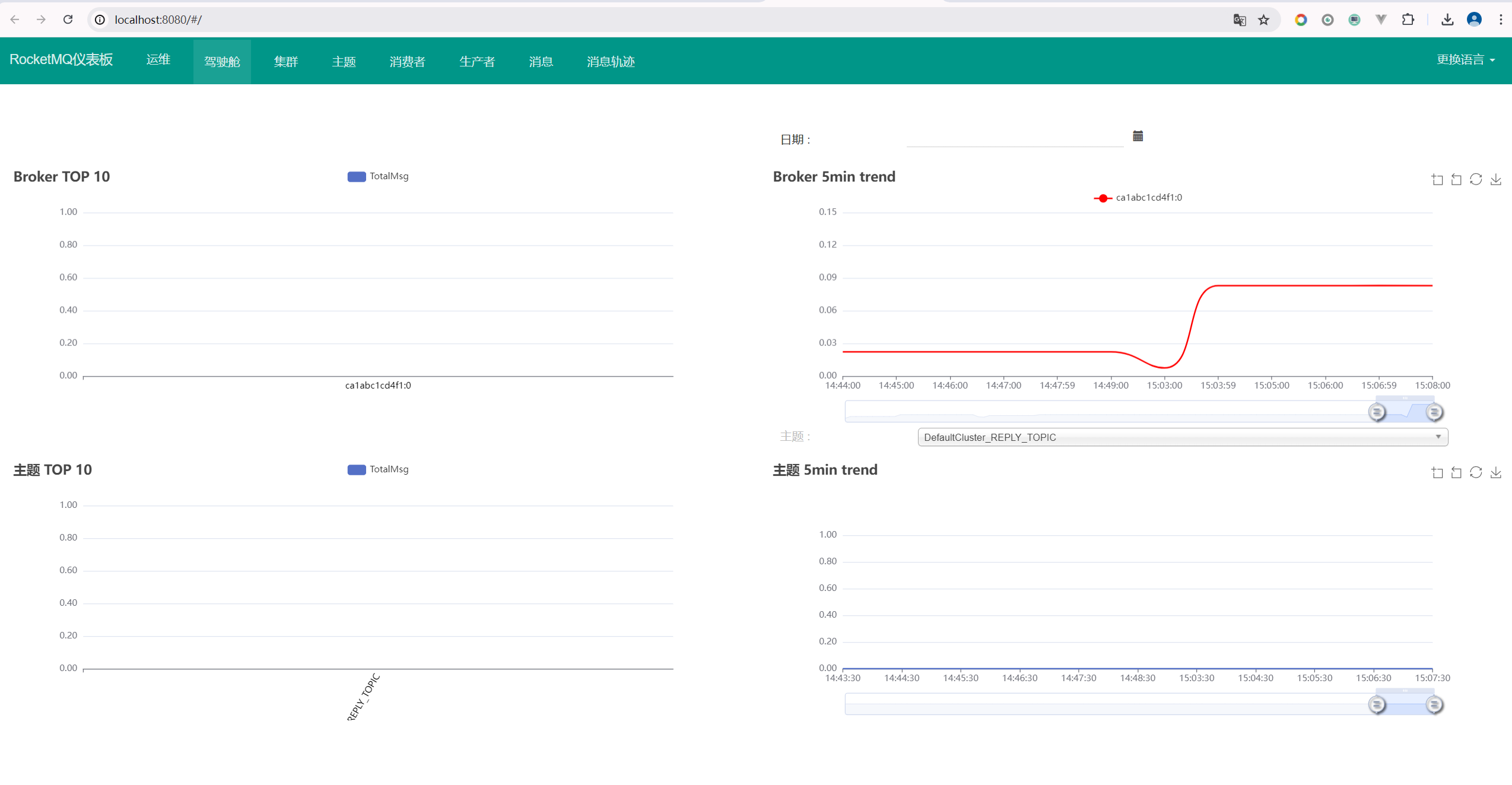
Docker Compose 一键快速部署 RocketMQ
Apache RocketMQ是一个开源的分布式消息中间件系统,最初由阿里巴巴开发并贡献给Apache软件基金会。RocketMQ提供了高性能、高可靠性、高扩展性和低延迟的消息传递服务,适用于构建大规模分布式系统中的消息通信和数据同步。 RocketMQ支持多种消息模型&am…...
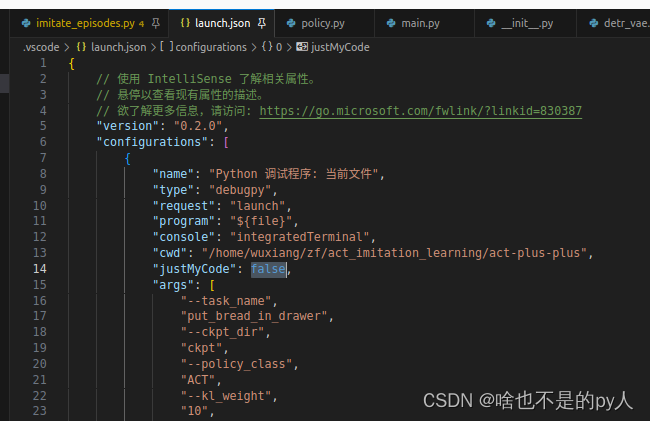
Vscode lanuch.json
Intro 使用launch.json 能够方便的运行需要传很多参数的代码文件 如下: import math import argparse # 1、导入argpase包def parse_args():parse argparse.ArgumentParser(descriptionCalculate cylinder volume) # 2、创建参数对象parse.add_argument(--rad…...

Golang开发:构建支持并发的网络爬虫
Golang开发:构建支持并发的网络爬虫 随着互联网的快速发展,获取网络数据成为了许多应用场景中的关键需求。网络爬虫作为一种自动化获取网络数据的工具,也因此迅速崛起。而为了应对日益庞大的网络数据,开发支持并发的爬虫成为了必…...

2024年跨境电商关键数据统计:市场规模将达到1.976万亿美元
预计2024年跨境电商消费市场规模将达到1.976万亿美元,占全球网上销售总额的31.2%。这一数据无疑展示了跨境电商市场的巨大潜力和迅猛增长趋势。 全球跨境电商的现状与未来 现状 2023年,全球跨境电商市场规模预计达到1.56万亿美元,占全球电子…...

联想至像M3070DNA打印机加粉及清零方法
基本参数: 产品类型:黑白激光多功能商用一体机(打印/复印/扫描) 网络功能:支持有线网络打印 最大处理幅面:A4 双面功能:自动 打印速度:30页/分钟(高速激光打印&…...

通过nginx去除 api url前缀 并保持后面剩余的url不变向后台请求
如 我前台浏览器向后台请求的接口是 http://127.0.0.1:5099/api/sample/sample/getbuttonlist 实际的请求接口传向 http://192.168.3.71:5099/sample/sample/getbuttonlist 方法是向config中加入下面这样一个server server {listen 5099;location /api/ {rewrite ^/a…...

AI技术在现代社会中的广泛应用及其影响
目录 前言: 一、AI技术在医疗领域的应用 二、AI技术在教育领域的应用 三、AI技术在工业领域的应用 四、AI技术在金融领域的应用 五、AI技术在生活领域的应用 前言: 随着科技的不断发展,人工智能(AI)技术逐渐成为人…...

VBA 批量变换文件名
1. 页面布局 在“main”Sheet中按照下面的格式编辑。 2. 实现代码 Private wsMain As Worksheet Private intIdx As LongPrivate Sub getExcelBookList(strPath As String)Dim fso As ObjectDim objFile As ObjectDim objFolder As ObjectSet fso = CreateObject("Scrip…...

OpenHarmony 5.0 纯血鸿蒙系统
OpenHarmony-v5.0-Beta1 版本已于 2024-06-20 发布。 OpenHarmony 5.0 Beta1 版本标准系统能力持续完善,ArkUI 完善了组件通过 C API 调用的能力;应用框架细化了生命周期管理能力,完善了应用拉起、跳转的能力;分布式软总线连接能力…...
)
计算机网络地址划分A-E(自学)
1、网络地址组成 (1)物理地址MAC(Media Access Control Address) 网卡生产商分配,全球唯一,48/64位二进制 (2)逻辑地址IP(Internet Protocol) 网络层地址,用于在不同网…...

js导入导出
好久没有学习新的知识点了,今天开始学一下前端的知识点。直接在vscode里面编写,然后从基本的前端知识开始。 JS的导入导出 <!DOCTYPE html> <html lang"en"><head><meta charset"UTF-8"><meta name"…...
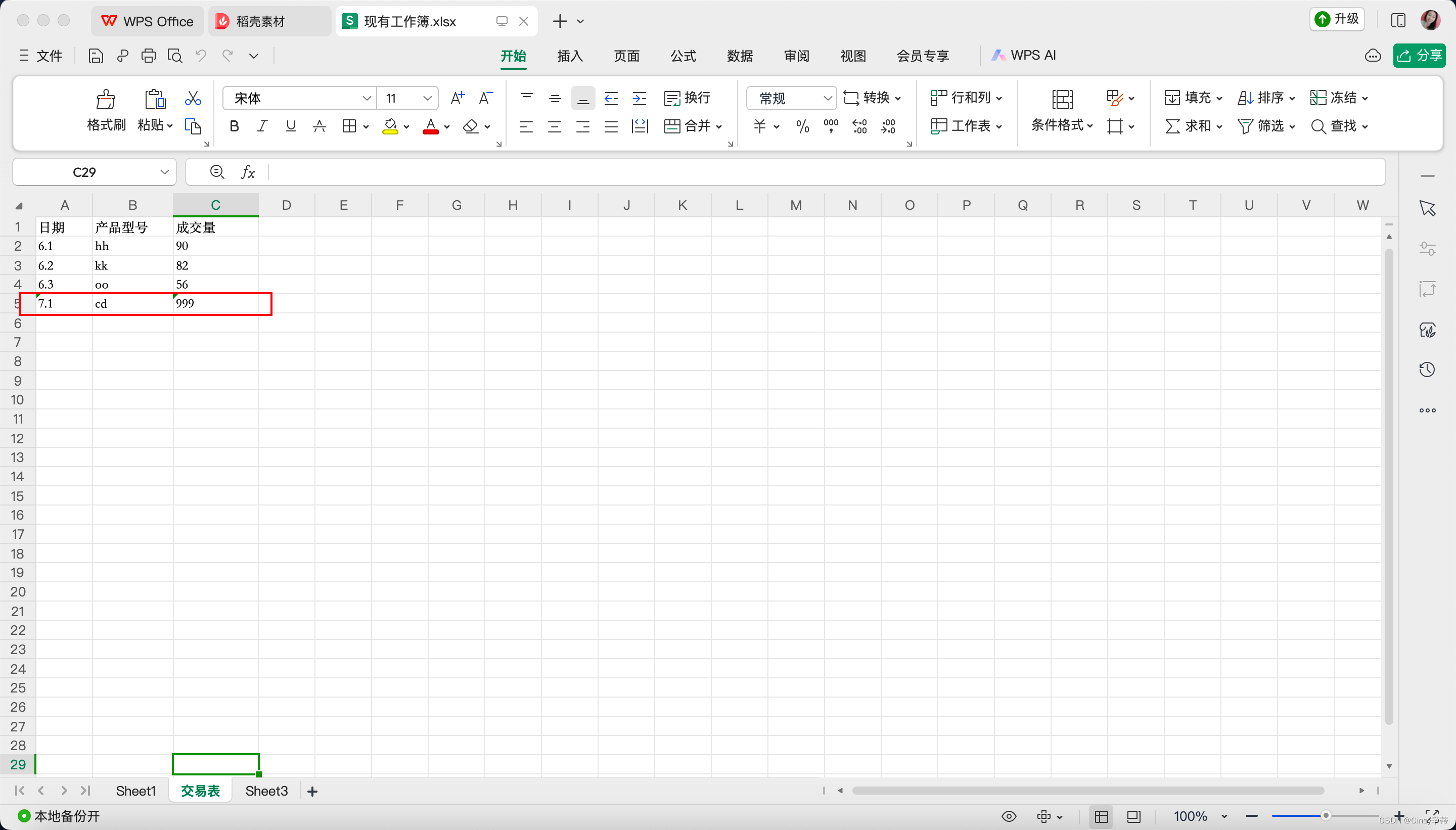
python办公自动化之excel
用到的库:openpyxl 实现效果:读取单元格的值,写入单元格 代码: import openpyxl # 打开现有工作簿 workbookopenpyxl.load_workbook(现有工作簿.xlsx) # 选择一个工作表 sheetworkbook[交易表] # 读取单元格的值 cell_valueshe…...

生命在于学习——Python人工智能原理(2.5.1)
五、Python的类与继承 5.1 Python面向对象编程 在现实世界中存在各种不同形态的事物,这些事物之间存在各种各样的联系。在程序中使用对象来映射现实中的事物,使用对象之间的关系描述事物之间的联系,这种思想用在编程中就是面向对象编程。 …...
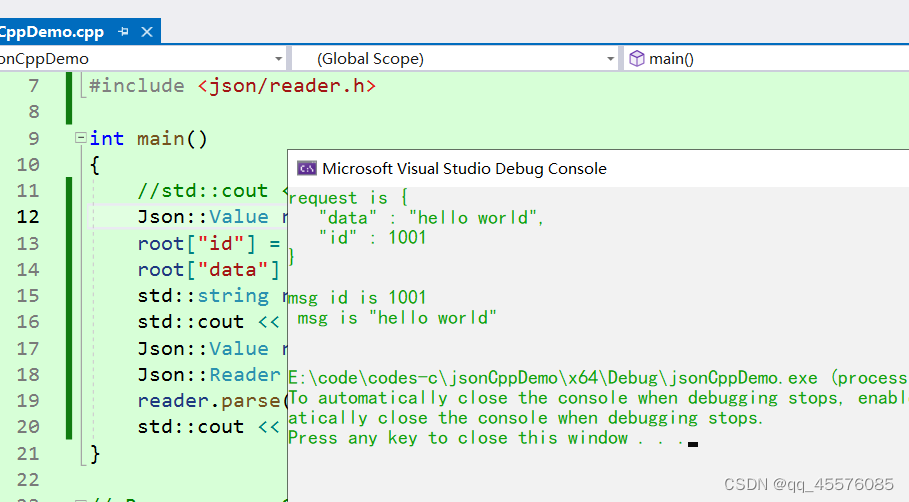
visual studio 2022配置和使用jsoncpp
下载 jsoncpp下载位置: GitHub - open-source-parsers/jsoncpp: A C library for interacting with JSON. 编译库 1、下载完成之后解压 2、在解压文件的makefiles文件下有个vs71,在vs71中有visual studio项目,不过这里的项目是visual stud…...

Spring Boot中的动态数据源切换
Spring Boot中的动态数据源切换 大家好,我是免费搭建查券返利机器人省钱赚佣金就用微赚淘客系统3.0的小编,也是冬天不穿秋裤,天冷也要风度的程序猿!今天,我们将探讨如何在Spring Boot中实现动态数据源切换的技术。动态…...

npm error code EUNSUPPORTEDPROTOCOL 解决
更换包管理工具 npm i -g pnpm pnpm install pnpm run dev 参考 https://blog.csdn.net/qq_42592823/article/details/137541827...
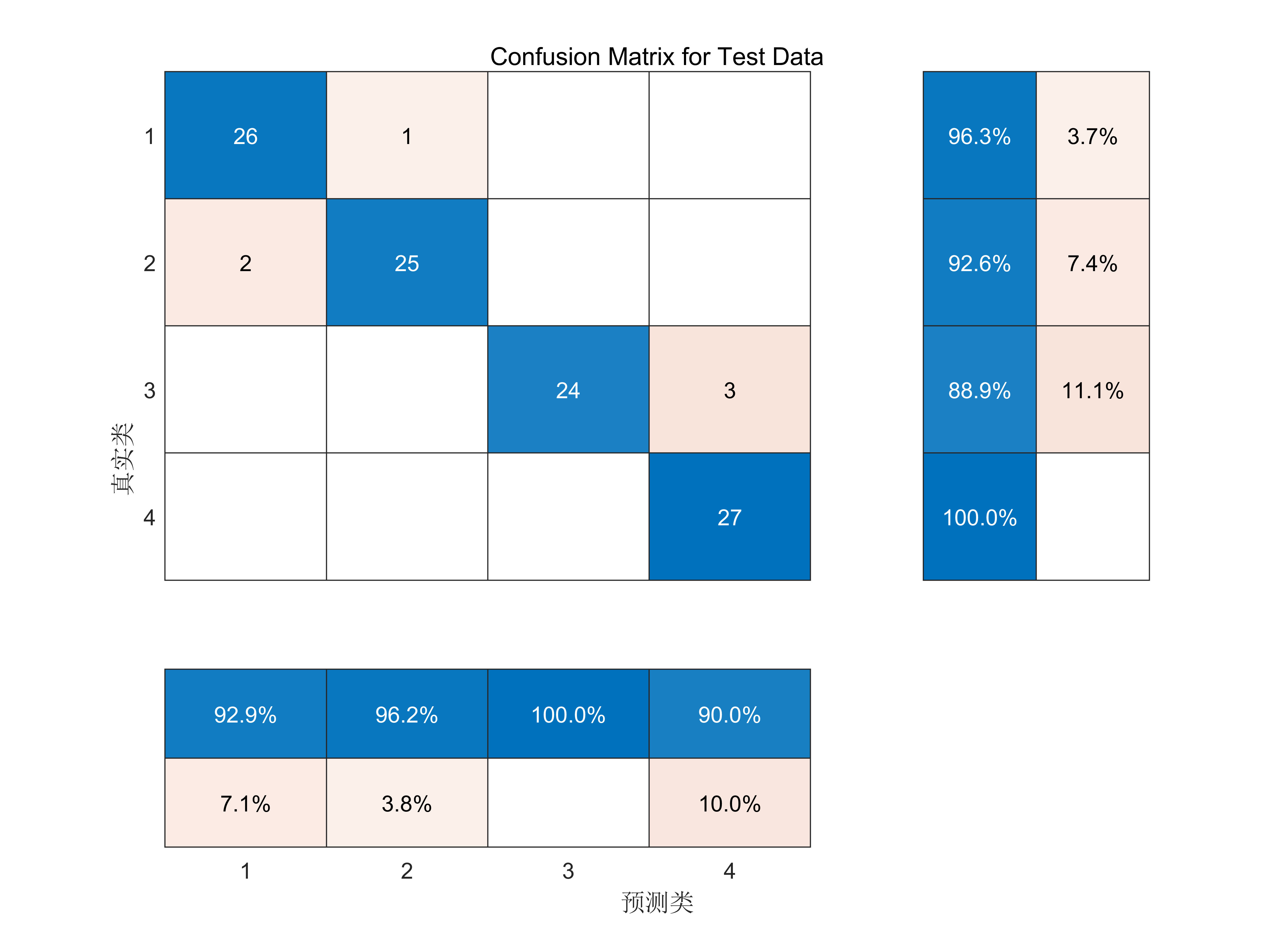
基于改进天鹰优化算法(IAO)优化支持向量机(SVM)数据分类预测(IAO-SVM)
改进天鹰优化算法(IAO)见:【智能优化算法】改进的AO算法(IAO)-CSDN博客 支持向量机(SVM)数据分类预测:基于支持向量机(SVM)的数据分类预测-CSDN博客 代码原理 基于改进天鹰优化算法(IAO)优化支持向量机(SVM…...

【数学建模】—【Python库】—【Numpy】—【学习】
目录 编辑 1. NumPy安装 2. ndarray对象 1. 创建ndarray 1.从列表或元组创建: 2.使用内置函数创建: 2. ndarray属性 3. 数组运算 1. 基本运算 2. 数学函数 3.统计函数 4. 数组索引与切片 1. 一维数组索引与切片 2.多维数组索引与切片 5.…...

企业级长文档AI落地避坑指南,从PDF解析失真到语义断裂修复——Claude 2026六大隐性能力详解
更多请点击: https://intelliparadigm.com 第一章:PDF解析失真问题的根源与本质诊断 PDF 文件虽为“便携式文档格式”,但其内部结构高度异构——文本可能嵌入在图形路径中、字体被子集化或完全缺失、字符编码映射断裂,甚至存在跨…...

告别龟速下载!实测对比Axel、Aria2、mwget三大神器,教你选对多线程工具
三大命令行下载神器深度横评:Axel、Aria2与mwget的性能对决 当你在终端里反复输入wget或curl命令,盯着缓慢增长的进度条时,是否想过还有更高效的解决方案?本文将带你深入探索Axel、Aria2和mwget这三款命令行下载加速工具ÿ…...

数据中心机架内互连新范式:为何PCIe正取代以太网与InfiniBand?
1. 数据中心互连的十字路口:为什么是PCIe?在数据中心这个庞大而精密的数字世界里,服务器、存储和网络设备之间的“对话”效率,直接决定了整个系统的性能上限。过去十几年,我们习惯了用以太网(Ethernet&…...

一键获取国家中小学智慧教育平台电子课本:开源解析工具完全指南
一键获取国家中小学智慧教育平台电子课本:开源解析工具完全指南 【免费下载链接】tchMaterial-parser 国家中小学智慧教育平台 电子课本下载工具,帮助您从智慧教育平台中获取电子课本的 PDF 文件网址并进行下载,让您更方便地获取课本内容。 …...

AI技能包实战:用cc-skills打造专业级AI编程助手
1. 项目概述:为你的AI助手装上“专业工具箱”如果你和我一样,每天都在和Claude、Cursor、Copilot这类AI编程助手打交道,那你肯定遇到过这样的场景:想让AI帮你写一篇符合公司技术博客规范的PR稿,或者生成一段精准的Prom…...

在Windows上安装Android应用:APK Installer让跨平台操作变得简单
在Windows上安装Android应用:APK Installer让跨平台操作变得简单 【免费下载链接】APK-Installer An Android Application Installer for Windows 项目地址: https://gitcode.com/GitHub_Trending/ap/APK-Installer 你是否想过在Windows电脑上直接运行Androi…...

基于Claude API的智能代理框架:从架构设计到实战应用
1. 项目概述:一个面向Claude API的智能代理框架最近在折腾AI应用开发,特别是围绕Anthropic的Claude模型构建自动化工作流时,发现了一个挺有意思的开源项目——CLAUDGENCY。这个项目由开发者Aviralx77创建,本质上是一个专门为Claud…...

从DEM到glTF:打造跨平台三维地形模型的完整工作流
1. 为什么需要从DEM到glTF的三维地形工作流 三维地形模型在游戏开发、虚拟现实、城市规划等领域有着广泛应用。传统的工作流程往往存在平台兼容性差、数据转换复杂等问题。glTF作为"3D界的JPEG",已经成为跨平台三维模型交换的事实标准。将数字高程模型&am…...

管理幅度怎样设置才合理?
https://mp.weixin.qq.com/s/aoUgKUmsOUyC7wWOONMIIw...

三步实现iOS虚拟定位:无需越狱的终极免费方案
三步实现iOS虚拟定位:无需越狱的终极免费方案 【免费下载链接】iFakeLocation Simulate locations on iOS devices on Windows, Mac and Ubuntu. 项目地址: https://gitcode.com/gh_mirrors/if/iFakeLocation iFakeLocation是一个专业级的iOS虚拟定位工具&am…...