
Ubuntu(20.04 LTS)更换镜像源
此换镜像源方法只适用x86_64架构的系统,其他架构的系统参考ubuntu-ports的方法
1、备份文件
sudo mv /etc/apt/sources.list /etc/apt/sources.list.bk

2、创建新文件
sudo vi /etc/apt/sources.list
根据自己系统版本选择下面对应的镜像源添加到新文件中(记得保存再退出)

版本代号可用lsb_release -a 查看

ubuntu 14.04 LTS (trusty) (EOL)
# 默认注释了源码镜像以提高 apt update 速度,如有需要可自行取消注释
deb https://mirrors.tuna.tsinghua.edu.cn/ubuntu/ trusty main restricted universe multiverse
# deb-src https://mirrors.tuna.tsinghua.edu.cn/ubuntu/ trusty main restricted universe multiverse
deb https://mirrors.tuna.tsinghua.edu.cn/ubuntu/ trusty-updates main restricted universe multiverse
# deb-src https://mirrors.tuna.tsinghua.edu.cn/ubuntu/ trusty-updates main restricted universe multiverse
deb https://mirrors.tuna.tsinghua.edu.cn/ubuntu/ trusty-backports main restricted universe multiverse
# deb-src https://mirrors.tuna.tsinghua.edu.cn/ubuntu/ trusty-backports main restricted universe multiverse# 以下安全更新软件源包含了官方源与镜像站配置,如有需要可自行修改注释切换
deb http://security.ubuntu.com/ubuntu/ trusty-security main restricted universe multiverse
# deb-src http://security.ubuntu.com/ubuntu/ trusty-security main restricted universe multiverse# 预发布软件源,不建议启用
# deb https://mirrors.tuna.tsinghua.edu.cn/ubuntu/ trusty-proposed main restricted universe multiverse
# # deb-src https://mirrors.tuna.tsinghua.edu.cn/ubuntu/ trusty-proposed main restricted universe multiverse
ubuntu 16.04 LTS (xenial) (EOL)
# 默认注释了源码镜像以提高 apt update 速度,如有需要可自行取消注释
deb https://mirrors.tuna.tsinghua.edu.cn/ubuntu/ xenial main restricted universe multiverse
# deb-src https://mirrors.tuna.tsinghua.edu.cn/ubuntu/ xenial main restricted universe multiverse
deb https://mirrors.tuna.tsinghua.edu.cn/ubuntu/ xenial-updates main restricted universe multiverse
# deb-src https://mirrors.tuna.tsinghua.edu.cn/ubuntu/ xenial-updates main restricted universe multiverse
deb https://mirrors.tuna.tsinghua.edu.cn/ubuntu/ xenial-backports main restricted universe multiverse
# deb-src https://mirrors.tuna.tsinghua.edu.cn/ubuntu/ xenial-backports main restricted universe multiverse# 以下安全更新软件源包含了官方源与镜像站配置,如有需要可自行修改注释切换
deb http://security.ubuntu.com/ubuntu/ xenial-security main restricted universe multiverse
# deb-src http://security.ubuntu.com/ubuntu/ xenial-security main restricted universe multiverse# 预发布软件源,不建议启用
# deb https://mirrors.tuna.tsinghua.edu.cn/ubuntu/ xenial-proposed main restricted universe multiverse
# # deb-src https://mirrors.tuna.tsinghua.edu.cn/ubuntu/ xenial-proposed main restricted universe multiverse
ubuntu 18.04 LTS (bionic)
# 默认注释了源码镜像以提高 apt update 速度,如有需要可自行取消注释
deb https://mirrors.tuna.tsinghua.edu.cn/ubuntu/ bionic main restricted universe multiverse
# deb-src https://mirrors.tuna.tsinghua.edu.cn/ubuntu/ bionic main restricted universe multiverse
deb https://mirrors.tuna.tsinghua.edu.cn/ubuntu/ bionic-updates main restricted universe multiverse
# deb-src https://mirrors.tuna.tsinghua.edu.cn/ubuntu/ bionic-updates main restricted universe multiverse
deb https://mirrors.tuna.tsinghua.edu.cn/ubuntu/ bionic-backports main restricted universe multiverse
# deb-src https://mirrors.tuna.tsinghua.edu.cn/ubuntu/ bionic-backports main restricted universe multiverse# 以下安全更新软件源包含了官方源与镜像站配置,如有需要可自行修改注释切换
deb http://security.ubuntu.com/ubuntu/ bionic-security main restricted universe multiverse
# deb-src http://security.ubuntu.com/ubuntu/ bionic-security main restricted universe multiverse# 预发布软件源,不建议启用
# deb https://mirrors.tuna.tsinghua.edu.cn/ubuntu/ bionic-proposed main restricted universe multiverse
# # deb-src https://mirrors.tuna.tsinghua.edu.cn/ubuntu/ bionic-proposed main restricted universe multiverse
ubuntu 20.04 LTS (focal)
# 默认注释了源码镜像以提高 apt update 速度,如有需要可自行取消注释
deb https://mirrors.tuna.tsinghua.edu.cn/ubuntu/ focal main restricted universe multiverse
# deb-src https://mirrors.tuna.tsinghua.edu.cn/ubuntu/ focal main restricted universe multiverse
deb https://mirrors.tuna.tsinghua.edu.cn/ubuntu/ focal-updates main restricted universe multiverse
# deb-src https://mirrors.tuna.tsinghua.edu.cn/ubuntu/ focal-updates main restricted universe multiverse
deb https://mirrors.tuna.tsinghua.edu.cn/ubuntu/ focal-backports main restricted universe multiverse
# deb-src https://mirrors.tuna.tsinghua.edu.cn/ubuntu/ focal-backports main restricted universe multiverse# 以下安全更新软件源包含了官方源与镜像站配置,如有需要可自行修改注释切换
deb http://security.ubuntu.com/ubuntu/ focal-security main restricted universe multiverse
# deb-src http://security.ubuntu.com/ubuntu/ focal-security main restricted universe multiverse# 预发布软件源,不建议启用
# deb https://mirrors.tuna.tsinghua.edu.cn/ubuntu/ focal-proposed main restricted universe multiverse
# # deb-src https://mirrors.tuna.tsinghua.edu.cn/ubuntu/ focal-proposed main restricted universe multiverse
ubuntu 22.04 LTS (jammy)
# 默认注释了源码镜像以提高 apt update 速度,如有需要可自行取消注释
deb https://mirrors.tuna.tsinghua.edu.cn/ubuntu/ jammy main restricted universe multiverse
# deb-src https://mirrors.tuna.tsinghua.edu.cn/ubuntu/ jammy main restricted universe multiverse
deb https://mirrors.tuna.tsinghua.edu.cn/ubuntu/ jammy-updates main restricted universe multiverse
# deb-src https://mirrors.tuna.tsinghua.edu.cn/ubuntu/ jammy-updates main restricted universe multiverse
deb https://mirrors.tuna.tsinghua.edu.cn/ubuntu/ jammy-backports main restricted universe multiverse
# deb-src https://mirrors.tuna.tsinghua.edu.cn/ubuntu/ jammy-backports main restricted universe multiverse# 以下安全更新软件源包含了官方源与镜像站配置,如有需要可自行修改注释切换
deb http://security.ubuntu.com/ubuntu/ jammy-security main restricted universe multiverse
# deb-src http://security.ubuntu.com/ubuntu/ jammy-security main restricted universe multiverse# 预发布软件源,不建议启用
# deb https://mirrors.tuna.tsinghua.edu.cn/ubuntu/ jammy-proposed main restricted universe multiverse
# # deb-src https://mirrors.tuna.tsinghua.edu.cn/ubuntu/ jammy-proposed main restricted universe multiverse
ubuntu 23.04 (lunar)
# 默认注释了源码镜像以提高 apt update 速度,如有需要可自行取消注释
deb https://mirrors.tuna.tsinghua.edu.cn/ubuntu/ lunar main restricted universe multiverse
# deb-src https://mirrors.tuna.tsinghua.edu.cn/ubuntu/ lunar main restricted universe multiverse
deb https://mirrors.tuna.tsinghua.edu.cn/ubuntu/ lunar-updates main restricted universe multiverse
# deb-src https://mirrors.tuna.tsinghua.edu.cn/ubuntu/ lunar-updates main restricted universe multiverse
deb https://mirrors.tuna.tsinghua.edu.cn/ubuntu/ lunar-backports main restricted universe multiverse
# deb-src https://mirrors.tuna.tsinghua.edu.cn/ubuntu/ lunar-backports main restricted universe multiverse# 以下安全更新软件源包含了官方源与镜像站配置,如有需要可自行修改注释切换
deb http://security.ubuntu.com/ubuntu/ lunar-security main restricted universe multiverse
# deb-src http://security.ubuntu.com/ubuntu/ lunar-security main restricted universe multiverse# 预发布软件源,不建议启用
# deb https://mirrors.tuna.tsinghua.edu.cn/ubuntu/ lunar-proposed main restricted universe multiverse
# # deb-src https://mirrors.tuna.tsinghua.edu.cn/ubuntu/ lunar-proposed main restricted universe multiverse
ubuntu 23.10 (mantic)
# 默认注释了源码镜像以提高 apt update 速度,如有需要可自行取消注释
deb https://mirrors.tuna.tsinghua.edu.cn/ubuntu/ mantic main restricted universe multiverse
# deb-src https://mirrors.tuna.tsinghua.edu.cn/ubuntu/ mantic main restricted universe multiverse
deb https://mirrors.tuna.tsinghua.edu.cn/ubuntu/ mantic-updates main restricted universe multiverse
# deb-src https://mirrors.tuna.tsinghua.edu.cn/ubuntu/ mantic-updates main restricted universe multiverse
deb https://mirrors.tuna.tsinghua.edu.cn/ubuntu/ mantic-backports main restricted universe multiverse
# deb-src https://mirrors.tuna.tsinghua.edu.cn/ubuntu/ mantic-backports main restricted universe multiverse# 以下安全更新软件源包含了官方源与镜像站配置,如有需要可自行修改注释切换
deb http://security.ubuntu.com/ubuntu/ mantic-security main restricted universe multiverse
# deb-src http://security.ubuntu.com/ubuntu/ mantic-security main restricted universe multiverse# 预发布软件源,不建议启用
# deb https://mirrors.tuna.tsinghua.edu.cn/ubuntu/ mantic-proposed main restricted universe multiverse
# # deb-src https://mirrors.tuna.tsinghua.edu.cn/ubuntu/ mantic-proposed main restricted universe multiverse
ubuntu 24.04 (noble)
# 默认注释了源码镜像以提高 apt update 速度,如有需要可自行取消注释
deb https://mirrors.tuna.tsinghua.edu.cn/ubuntu/ noble main restricted universe multiverse
# deb-src https://mirrors.tuna.tsinghua.edu.cn/ubuntu/ noble main restricted universe multiverse
deb https://mirrors.tuna.tsinghua.edu.cn/ubuntu/ noble-updates main restricted universe multiverse
# deb-src https://mirrors.tuna.tsinghua.edu.cn/ubuntu/ noble-updates main restricted universe multiverse
deb https://mirrors.tuna.tsinghua.edu.cn/ubuntu/ noble-backports main restricted universe multiverse
# deb-src https://mirrors.tuna.tsinghua.edu.cn/ubuntu/ noble-backports main restricted universe multiverse# 以下安全更新软件源包含了官方源与镜像站配置,如有需要可自行修改注释切换
deb http://security.ubuntu.com/ubuntu/ noble-security main restricted universe multiverse
# deb-src http://security.ubuntu.com/ubuntu/ noble-security main restricted universe multiverse# 预发布软件源,不建议启用
# deb https://mirrors.tuna.tsinghua.edu.cn/ubuntu/ noble-proposed main restricted universe multiverse
# # deb-src https://mirrors.tuna.tsinghua.edu.cn/ubuntu/ noble-proposed main restricted universe multiverse
其他镜像源:
阿里云
中科大源
3、更新软件包及系统
sudo apt-get update
sudo apt-get upgrade -y
参考文档点这里
相关文章:
Ubuntu(20.04 LTS)更换镜像源
此换镜像源方法只适用x86_64架构的系统,其他架构的系统参考ubuntu-ports的方法 1、备份文件 sudo mv /etc/apt/sources.list /etc/apt/sources.list.bk2、创建新文件 sudo vi /etc/apt/sources.list根据自己系统版本选择下面对应的镜像源添加到新文件中…...

golang使用 copier对象复制时进行类型转化
问题描述 在后端我们经常会在 entity 和 view 之间进行复制转换为可以发送给前端的数据 比如 time 对象在下送的时候,我们希望能显示经过格式化过的目标字符串格式,这里我们可以使用自定义的 converter,主要是定义 src 和 dst 类型…...

英特尔18A制程技术分析解读
#### 引言 尽管第二季度净亏损16亿美元以及大规模裁员计划引发了一些担忧,英特尔还是在8月6日宣布了其下一代18A制程技术取得重大里程碑的消息,并计划在2025年开始生产。 #### 技术进展 - **里程碑**:英特尔表示,这一里程碑是在…...

【百度面试算法题】2024-08-02
部门项目实际上也涉及到多种语言,有没有意愿去学习其他语言?你是如何利用数据结构来做技术的/项目中是如何解决高并发的?(没听懂问题…就直接开始介绍项目了…后来被打断说不进行发散了,开始问八股)说一下单…...

OSPF基础
目录 一、路由分类 1.直连路由 2.非直连路由 二、OSPF概述 1.什么是OSPF 2.OSPF的特点 3.OSPF的区域划分 1.划分区域的意义 2.区域的划分 三、OSPF 消息数据包 1.数据包的类型 2.Hello包 2.DBD包 3.LSR包 4.LSU 5.LSACK 四、OSPF 邻居状态机制 1.邻居关…...

leetcode 958.二叉树的完全性检验
1.题目要求: 给你一棵二叉树的根节点 root ,请你判断这棵树是否是一棵 完全二叉树 。在一棵 完全二叉树 中,除了最后一层外,所有层都被完全填满,并且最后一层中的所有节点都尽可能靠左。最后一层(第 h 层)…...

Spring 中请求作用域的数据存储在 ThreadLocal 中还是 Spring 容器中?
微信中阅读,欢迎👏👏👏关注公众号:CodeFit 。 创作不易,如果你觉得这篇文章对您有帮助,请不要忘了 点赞、分享 和 关注,为我的 持续创作 提供 动力! 最近看到一个有趣的问题,Request Scope(请求作用域) 的数据是存储在 ThreadLocal 中,还是 Spring 容器中? 事…...
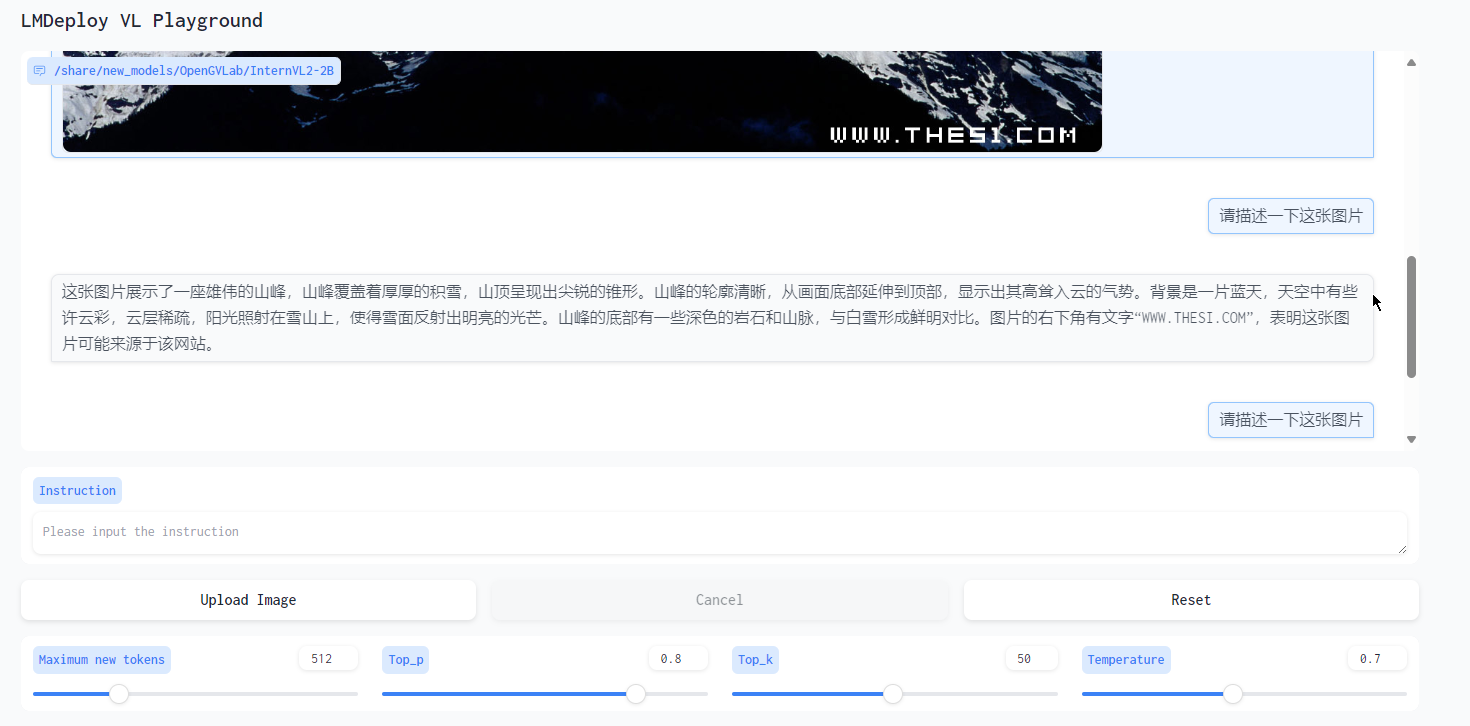
基础岛 - 8G显存验证书生·浦语大模型的Demo
因为以前用过LMDeploy,所以本章的内容相对熟悉。 另外,因为教程写的很详细保姆级,所以大多数情况直接复制执行命令即可。开发机的创建略过。 总体验证结论: LMDeploy的模型加载有点慢,但推理速度快,符合预…...

Jangow靶机攻略
搭建jangow靶机环境https://download.vulnhub.com/jangow/jangow-01-1.0.1.ova 虚拟机载入镜像文件 1.扫描目标主机地址 2.打开靶机环境 3.输入id查看回显位置 4.编辑一句话木马注入echo <?php eval($_POST[cmd]);?> > test.php 5.接下来查看文件输入ls 6.使用工具…...

Vue项目通过宝塔部署之后,页面刷新后浏览器404页面
目录 报错 解决方法 报错 将vue项目在宝塔上部署, 当项目挂载到服务器上去,进行浏览器的访问,是能正常访问的,可是当我们在浏览器上进行刷新之后,浏览器会给我们返回一个404的页面。 解决方法 (1&#…...

Java一一一简易图书管理系统
Java一一一简易图书管理系统 1. 需求分析 功能需求: 添加图书删除图书更新图书信息查询图书列出所有图书 2. 设计 实体类:Book业务逻辑类:LibraryManager 3. 实现 3.1 Book类 public class Book {private String id;private String t…...

Ubuntu配置carla docker环境
前言: 本文只在以下设备成功运行, 其他设备不保证能成功, 可以参考在自己设备进行配置 环境 ubuntu 20.04carla 0.9.15gpu 3060(notebook) 安装显卡驱动&nvidia-container-toolkit 显卡驱动 安装完成系统后直接在’软件和更新->附加驱动’直接选择470(proprietary…...

超越sd3!比肩Midjourney-v6?AI绘画大模型FLUX1.0详细评测与本地部署方法(附安装文件)
FLUX.1模型是什么? FLUX模型是一个开源的AI图像生成模型,由黑森林工作室研发。 堪比sd3以及Midjourney-v6 背景/backdrop 黑森林工作室(Black Forest Labs)由前Stability AI核心成员团队成立,专注于开发高级生成式…...

帆软填报报表单元格根据其它单元格内容决定另外的单元格可筛选什么值
效果图: 方法有三种: 方法一: 添加链接描述...

一键浪漫的回忆:微软开源的修复工具!!【送源码】
项目介绍 “Bringing-Old-Photos-Back-to-Life”是一款由微软开发的创新软件解决方案,它利用人工智能技术来修复和增强老旧照片的质量。这款工具可以解决老旧照片中常见的问题,如褪色、低分辨率以及物理损坏(如划痕和撕裂)。通过采…...

力扣-240.搜索二维矩阵(2)
刷力扣热题–第二十七天:240.搜索二维矩阵(2) 新手第二十七天 奋战敲代码,持之以恒,见证成长 1.题目简介 2.题目解答 这道题的想法就是,整体遍历,在遇到比target还大的,就停止这行的遍历,然后转过去继续遍历下一行,如果有一行的开头大于target,直接返回…...

Python推导式和生成器表达式
Python推导式 Python推导式是一种可以从一个数据序列构建另一个新的数据序列的结构体。 除了列表推导式 (list comprehension) 以外,还有字典(dict)、集合(set)推导式。它们的语法格式如下: # 列表:使用方括号 [expression for item in it…...

比较支持向量机、AdaBoost、逻辑斯谛回归模型的学习策略与算法
(1)支持向量机:SVM 是一种监督学习算法,用于分类和回归任务。 学习策略:间隔最大化 算法:最大间隔法、软间隔算法。 参数学习:参数学习过程是要最小化目标函数,通常通过优化算法(如SMO&#x…...

Android顶部标题栏自定义,添加按钮
1. 先写一个标题栏的layout, 放在工程的res/layout下,如下: <?xml version"1.0" encoding"utf-8"?> <RelativeLayout xmlns:android"http://schemas.android.com/apk/res/android"android:layout_width"match_par…...

Spring Boot 整合 Dubbo3 + Nacos 2.4.0【进阶】+ 踩坑记录
上一篇文章中,Spring Boot 整合 Dubbo3 Nacos 2.4.0 进行了简单的集成使用,此文简单进阶并记录踩坑日常; Nacos 2.4.0 增加鉴权的配置Nacos 2.4.0 配置 MySQLNacos2.4.0 的热更新Dubbo3 自动负载Dubbo3 的重试和超时机制踩坑记录 一、Nacos…...

5分钟搞定!B站视频下载神器BilibiliDown完整使用指南
5分钟搞定!B站视频下载神器BilibiliDown完整使用指南 【免费下载链接】BilibiliDown (GUI-多平台支持) B站 哔哩哔哩 视频下载器。支持稍后再看、收藏夹、UP主视频批量下载|Bilibili Video Downloader 😳 项目地址: https://gitcode.com/gh_mirrors/bi…...

Android Topeka数据模型设计终极指南:Quiz、Category与Player类深度解析
Android Topeka数据模型设计终极指南:Quiz、Category与Player类深度解析 【免费下载链接】topeka A fun to play quiz that showcases material design on Android 项目地址: https://gitcode.com/gh_mirrors/to/topeka Topeka是一款基于Material Design的An…...

基于单细胞测序技术的细胞通讯分析方法及其应用
一、细胞通讯与单细胞测序技术的研究意义多细胞生物由不同类型的细胞构成一个开放的社会。在这一社会中,单个细胞之间必须协调其行为,因此建立有效的通讯联络机制至关重要。细胞通讯是指一个细胞发出的信息通过介质传递至另一个细胞,并引发相…...

窗口尺寸控制器:突破系统限制的窗口调整方案
窗口尺寸控制器:突破系统限制的窗口调整方案 【免费下载链接】WindowResizer 一个可以强制调整应用程序窗口大小的工具 项目地址: https://gitcode.com/gh_mirrors/wi/WindowResizer 痛点解析:窗口尺寸控制的三大技术困境 场景一:高分…...

Snipe-IT容器化部署全攻略:构建企业级IT资产管理系统
Snipe-IT容器化部署全攻略:构建企业级IT资产管理系统 【免费下载链接】snipe-it A free open source IT asset/license management system 项目地址: https://gitcode.com/GitHub_Trending/sn/snipe-it Snipe-IT是一款开源的企业级IT资产与许可证管理系统&am…...

3个强力优化方案:FramePack让AI视频创作者实现高效高质量视频生成
3个强力优化方案:FramePack让AI视频创作者实现高效高质量视频生成 【免费下载链接】FramePack Lets make video diffusion practical! 项目地址: https://gitcode.com/gh_mirrors/fr/FramePack 在AI视频创作领域,创作者常常面临效率与质量难以兼顾…...

北大团队改造DeepSeek注意力,速度快四倍还不丢精度
听雨 发自 凹非寺量子位 | 公众号 QbitAI就在大家都急头白脸地等待DeepSeek-V4的时候,冷不丁一篇新论文引起了网友们的注意——提出新稀疏注意力机制HISA(分层索引稀疏注意力),突破64K上下文的索引瓶颈,相比DeepSeek正…...

GHelper:重新定义华硕设备的性能控制体验 | 从技术原理到实战应用的深度解析
GHelper:重新定义华硕设备的性能控制体验 | 从技术原理到实战应用的深度解析 【免费下载链接】g-helper Lightweight, open-source control tool for ASUS laptops and ROG Ally. Manage performance modes, fans, GPU, battery, and RGB lighting across Zephyrus,…...

Omni-Vision Sanctuary 算法优化:LSTM时序网络在视频分析中的应用
Omni-Vision Sanctuary 算法优化:LSTM时序网络在视频分析中的应用 1. 引言:视频分析中的时序挑战 视频数据与静态图像最大的区别在于时间维度。传统计算机视觉方法在处理连续帧时,往往将每一帧视为独立图像进行分析,忽略了帧与帧…...

3个维度解析Helix Toolkit:跨平台3D渲染框架的技术突破与商业价值
3个维度解析Helix Toolkit:跨平台3D渲染框架的技术突破与商业价值 【免费下载链接】helix-toolkit Helix Toolkit is a collection of 3D components for .NET. 项目地址: https://gitcode.com/gh_mirrors/he/helix-toolkit Helix Toolkit是一套功能完备的.N…...