
JS手写防抖和节流函数(超详细版整理)
1、什么是防抖和节流
防抖(debounce):每次触发定时器后,取消上一个定时器,然后重新触发定时器。防抖一般用于用户未知行为的优化,比如搜索框输入弹窗提示,因为用户接下来要输入的内容都是未知的,所以每次用户输入就弹窗是没有意义的,需要等到用户输入完毕后再进行弹窗提示。
节流(throttle):每次触发定时器后,直到这个定时器结束之前无法再次触发。一般用于可预知的用户行为的优化,比如为scroll事件的回调函数添加定时器。
2、使用场景
防抖在连续的事件,只需触发一次回调的场景有:
1.搜索框搜索输入。只需用户最后一次输入完,再发送请求
2.手机号、邮箱验证输入检测
3.窗口大小resize。只需窗口调整完成后,计算窗口大小。防止重复渲染。
节流在间隔一段时间执行一次回调的场景有:
1.滚动加载,加载更多或滚到底部监听
2.搜索框,搜索联想功能
3、手写防抖函数
1、函数初版
1.接收什么参数?
参数1: 回调函数
参数2: 延迟时间
function mydebounce(fn, delay){
}
2.返回什么
最终返回结果是要绑定对应的 监听事件,所以一定是个新函数
function mydebounce(fun, delay) {
const _debounce = () => {
}
return _debounce
}
3.内部怎么实现
可以在 _debounce 函数中开启一个定时器,定时器的延迟时间就是 参数delay
每次开启定时器时,都需要将上一次的定时器取消掉
function mydebounce(fn, delay){// 1. 创建一个变量,记录上一次定时器let timer = null// 2. 触发事件时执行函数const _debounce = () => {// 2.1 取消上一次的定时器,(第一次执行时,timer应该为null)if(timer) clearTimeout(timer)// 2.2 延迟执行传入fn的回调timer = setTimeout(() => {fn()// 2.3 函数执行完成后,需要将timer重置timer = null},delay)}return _debounce
}
以上,一个基本的防抖函数就实现了
对其进行测试
<!DOCTYPE html>
<html lang="en">
<head><meta charset="UTF-8"><meta http-equiv="X-UA-Compatible" content="IE=edge"><meta name="viewport" content="width=device-width, initial-scale=1.0"><title>Document</title>
</head>
<body><input type="text"><script src="./防抖.js"></script><script>const inputDOM = document.querySelector("input")let counter = 1;function searchChange(){console.log(`第${counter++}次请求`,this.value,this);}inputDOM.oninput = mydebounce(searchChange,500)</script>
</body>
</html>
在上面的测试中,当我们持续在input框中输入数据时,控制台只会每隔500ms进行输出
2、优化
虽然上面实现了基本的防抖函数,但是我们会发现代码中this的指向是window,而window没有value值,所以无法知道事件的调用者
A. 优化this
function mydebounce(fn, delay){let timer = null// 1. 箭头函数不绑定this,修改为普通函数const _debounce = function(){if(timer) clearTimeout(timer)timer = setTimeout(() => {// 2. 使用显示绑定apply方法fn.apply(this)timer = null},delay)}return _debounce
}
B.优化参数
在事件监听的函数,是有可能传入一些参数的,例如 event等
function mydebounce(fn, delay){let timer = null// 1. 接收可能传入的参数const _debounce = function(...args){if(timer) clearTimeout(timer)timer = setTimeout(() => {// 2. 将参数传给fnfn.apply(this,args)timer = null},delay)}return _debounce
}
测试:
<script>const inputDOM = document.querySelector("input")let counter = 1;function searchChange(event){console.log(`第${counter++}次请求`,this.value, event);}inputDOM.oninput = mydebounce(searchChange,500)</script>
C.优化增加取消操作
为什么要增加取消操作呢?
例如,用户在表单输入的过程中,返回了上一层页面或关闭了页面,就意味着这次延迟的网络请求没必要继续发生了,所以可以增加一个可取消发送请求的功能
function mydebounce(fn, delay){let timer = nullconst _debounce = function(...args){if(timer) clearTimeout(timer)timer = setTimeout(() => {fn.apply(this,args)timer = null},delay)}// 给_debounce添加一个取消函数_debounce.cancel = function(){if(timer) clearTimeout(timer)}return _debounce
}
测试:
<body><input type="text"><button>取消</button><script src="./防抖.js"></script><script>const inputDOM = document.querySelector("input")const btn = document.querySelector("button")let counter = 1;function searchChange(event){console.log(`第${counter++}次请求`,this.value, event);}const debounceFn= mydebounce(searchChange,500)inputDOM.oninput = debounceFnbtn.onclick = function(){debounceFn.cancel()}</script>
</body>
D.优化增加立即执行
有些场景需要第一次输入时,立即执行,后续的输入再使用防抖
// 1.设置第三个参数,控制是否需要首次立即执行
function mydebounce(fn, delay, immediate = false){let timer = null// 2. 定义变量,用于记录状态let isInvoke = falseconst _debounce = function(...args){if(timer) clearTimeout(timer)// 3.第一次执行不需要延迟if(!isInvoke && immediate){fn.apply(this,args)isInvoke = truereturn}timer = setTimeout(() => {fn.apply(this,args)timer = null// 4.重置isInvokeisInvoke = false},delay)}_debounce.cancel = function(){if(timer) clearTimeout(timer)// 取消也需要重置timer = nullisInvoke = false}return _debounce
}
测试:
<body><input type="text"><button>取消</button><script src="./防抖.js"></script><script>const inputDOM = document.querySelector("input")const btn = document.querySelector("button")let counter = 1;function searchChange(){console.log(`第${counter++}次请求`,this.value);}const debounceFn= mydebounce(searchChange,1000,true)inputDOM.oninput = debounceFnbtn.onclick = function(){debounceFn.cancel()}</script>
</body>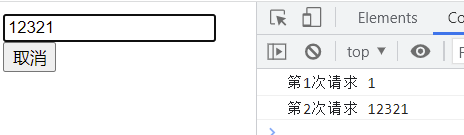
总结
基本函数
function mydebounce(fn, delay){let timer = nullconst _debounce = function(...args){if(timer) clearTimeout(timer)timer = setTimeout(() => {fn.apply(this,args)timer = null},delay)}return _debounce
}
考虑取消和立即执行的应用场景
function mydebounce(fn, delay, immediate = false){let timer = nulllet isInvoke = falseconst _debounce = function(...args){if(timer) clearTimeout(timer)if(!isInvoke && immediate){fn.apply(this,args)isInvoke = truereturn}timer = setTimeout(() => {fn.apply(this,args)timer = nullisInvoke = false},delay)}_debounce.cancel = function(){if(timer) clearTimeout(timer)timer = nullisInvoke = false}return _debounce
}
3、手写节流函数
函数初版
需要接受参数
参数1:要执行的回调函数
参数2:要执行的间隔时间
function myThrottle(fn, interval){
}
返回值
返回值为一个新的函数
function myThrottle(fn, interval){
const _throttle = function(){
}
return _throttle
}
内部实现
如果要实现节流函数,利用定时器不太方便管理,可以用时间戳获取当前时间nowTime
参数 : 开始时间 StartTime 和 等待时间waitTime,间隔时间 interval
waitTIme = interval - (nowTime - startTime)
得到等待时间waitTime,对其进行判断,如果小于等于0,则可以执行回调函数fn
开始时间可以初始化为0,第一次执行时,waitTime一定是负值(因为nowTime很大),所以第一次执行节流函数,一定会立即执行
function myThrottle(fn, interval){// 1. 定义变量,保存开始时间let startTime = 0const _throttle = function(){// 2. 获取当前时间const nowTime = new Date().getTime()// 3. 计算需要等待的时间const waitTime = interval - (nowTime - startTime)// 4.当等待时间小于等于0,执行回调if(waitTime <= 0){fn()// 并让开始时间 重新赋值为 当前时间startTime = nowTime}}return _throttle
}
测试:
<body><input type="text"><script src="./节流.js"></script><script>const input1 = document.querySelector("input")let counter = 1;function searchChange(){console.log(`第${counter++}次请求`,this.value);}input1.oninput = myThrottle(searchChange,500)</script>
</body>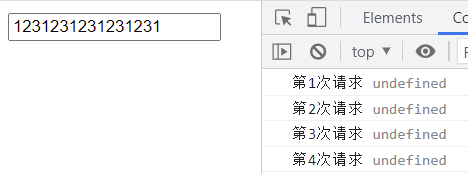
2.优化
同样的,首先是对this指向和参数的优化
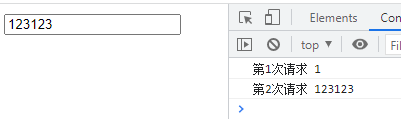
A.优化this指向和参数
function myThrottle(fn, interval){let startTime = 0const _throttle = function(...args){const nowTime = new Date().getTime()const waitTime = interval - (nowTime - startTime)if(waitTime <= 0){fn.apply(this,args)startTime = nowTime}}return _throttle
}
B.优化控制立即执行
上面的代码中,第一次执行 肯定是 立即执行的,因为waitTime第一次必为负数,但有时需要控制 第一次不要立即执行
// 1. 设置第三个参数控制是否立即执行
function myThrottle(fn, interval, immediate = true){let startTime = 0const _throttle = function(...args){const nowTime = new Date().getTime()// 2. 控制是否立即执行if(!immediate && startTime === 0){startTime = nowTime}const waitTime = interval - (nowTime - startTime)if(waitTime <= 0){fn.apply(this,args)startTime = nowTime}}return _throttle
}
测试:
<script>const input1 = document.querySelector("input")let counter = 1;function searchChange(){console.log(`第${counter++}次请求`,this.value);}input1.oninput = myThrottle(searchChange,1000,false)</script>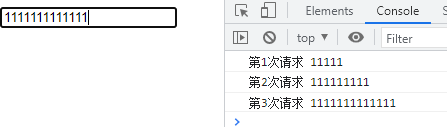
总结
基本函数
function myThrottle(fn, interval){let startTime = 0const _throttle = function(...args){const nowTime = new Date().getTime()const waitTime = interval - (nowTime - startTime)if(waitTime <= 0){fn.apply(this,args)startTime = nowTime}}return _throttle
}
考虑是否立即执行
function myThrottle(fn, interval, immediate = true){let startTime = 0const _throttle = function(...args){const nowTime = new Date().getTime()if(!immediate && startTime === 0){startTime = nowTime}const waitTime = interval - (nowTime - startTime)if(waitTime <= 0){fn.apply(this,args)startTime = nowTime}}return _throttle
}
参考:https://blog.csdn.net/m0_71485750/article/details/125581466
相关文章:
JS手写防抖和节流函数(超详细版整理)
1、什么是防抖和节流防抖(debounce):每次触发定时器后,取消上一个定时器,然后重新触发定时器。防抖一般用于用户未知行为的优化,比如搜索框输入弹窗提示,因为用户接下来要输入的内容都是未知的&…...
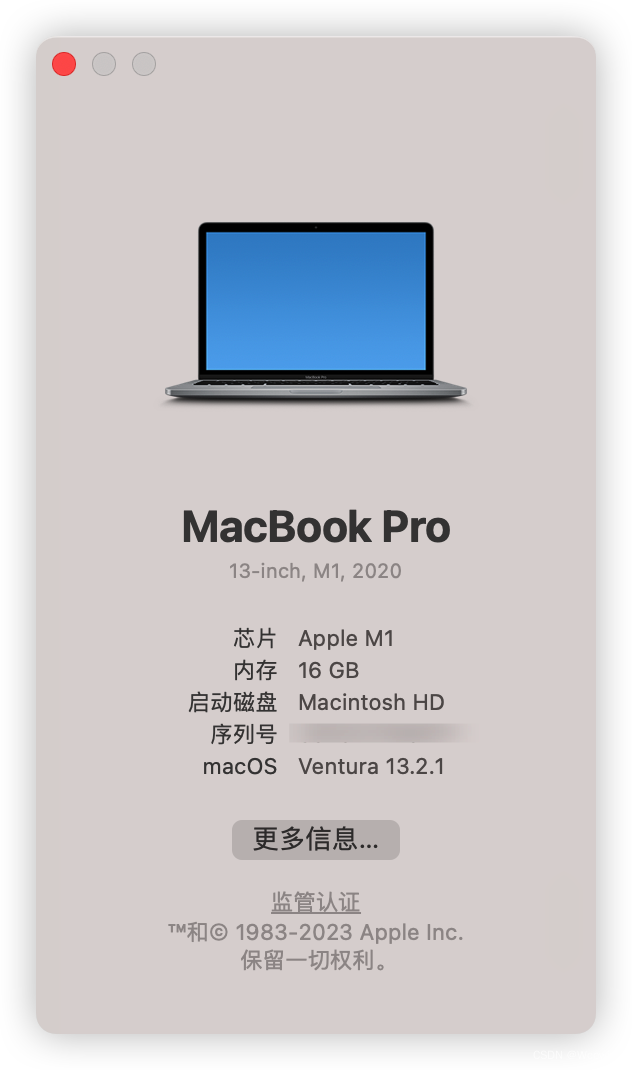
我的Macbook pro使用体验
刚拿到Mac那一刻,第一眼很惊艳,不经眼前一亮,心想:这是一件艺术品,太好看了吧 而后再体验全新的Macos 系统,身为多年的win用户说实话一时间还是难以接受 1.从未见过的访达,不习惯的右键 2. …...
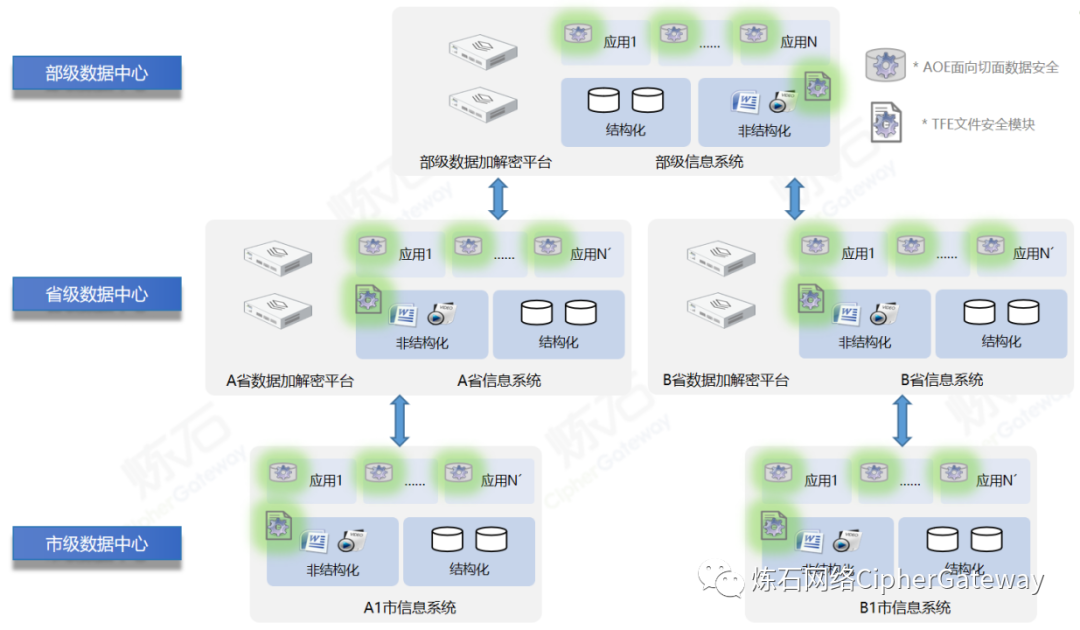
炼石入选“首届工业和信息化领域商用密码应用峰会”典型方案
2023年3月22日-23日,浙江省经济和信息化厅、浙江省通信管理局、浙江省密码管理局、工业和信息化部商用密码应用产业促进联盟联合举办的“首届工业和信息化领域商用密码应用峰会”(以下简称峰会)在浙江杭州成功举办,旨在深入推进工…...
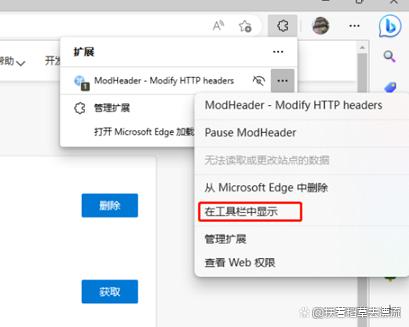
使用new bing chat成功了
步骤一:在扩展商店搜索并安装modheader 打开浏览器; 点击右上角的三个点图标,选择“更多工具” -> “扩展程序”; 在扩展程序页面上方的搜索框中输入“modheader”,然后点击“搜索商店”; 在搜索结果中找到“ModHeader”扩展程序,点击“添加至”按钮,然后再点击“添…...
Golang每日一练(leetDay0019)
目录 55. 跳跃游戏 Jump Game 🌟🌟 56. 合并区间 Mmerge Intervals 🌟🌟 57. 插入区间 Insert Interval 🌟🌟 🌟 每日一练刷题专栏 🌟 Golang每日一练 专栏 Python每日一练…...

记录一次性能测试遇到的问题
零、压测指标问题 压测指标,一定要需求方定 啊,谁提压测需求,谁来定压测指标。 如果需求方,对压测指标没有概念,研发和测试,可以把历史压测指标、生产数据导出来给需求方看,引导他们来定指标&…...
C++运算符重载基础教程
所谓重载,就是赋予新的含义。函数重载(Function Overloading)可以让一个函数名有多种功能,在不同情况下进行不同的操作。运算符重载(Operator Overloading)也是一个道理,同一个运算符可以有不同…...

Git命令总结
全局配置 git config --global user.name ‘你的名字’ git config --global user.email ‘你的邮箱’ 当前仓库配置 git config --local user.name ‘你的名字’ git config --local user.email ‘你的邮箱’ 查看 global 配置 git config --global --list 查看当前仓库…...

【车载以太网】BCM89572A0BCFBG、BCM89559GB0BCFBG、BCM89559GA0BCFBG具有安全启动和安全通信功能
BCM89572A0BCFBG 设备是Broadcom第六代完全集成的L2多层开关解决方案,支持车载网络应用的汽车认证(AEC-Q100)和温度等级。BCM8956X系列产品为汽车行业提高了具有多种一流功能的交换机的标准,例如802.1AE MACsec等集成安全功能,增加了主机连接…...

Lighttpd入门教程
Lighttpd入门教程概述入门教程安装配置静态文件服务动态文件服务虚拟主机SSL启动服务器日志模块总结lighthttpd使用场景和原理使用场景原理概述 Lighttpd(也称为轻量级HTTP服务器)是一款快速、灵活、轻量级的Web服务器,旨在提供高性能和低资…...
Springboot 多线程分批切割处理 大数据量List集合 ,实用示例
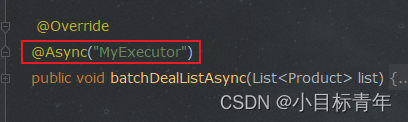
前言 哲学提问镇贴: 不了解异步怎么使用的看官, 可阅: SpringBoot 最简单的使用异步线程案例 Async_小目标青年的博客-CSDN博客 Springboot Async异步扩展使用 结合 CompletableFuture_小目标青年的博客-CSDN博客 想了解更多关于批量list处…...

SQLMAP工具基础使用
本文用的是kali自带的sqlmap工具 我们通过常用命令来理解sqlmap的基本使用 目录 检测注入 获取敏感信息 获取表 获取表的字段 获取数据 --technique 使用指定的注入方式 使用基于时间的延时注入 支持多种注入检测 默认是全部 注入时使用随机的 HTTP User-Agent 设置超时时间 读…...
初学多线程爬虫
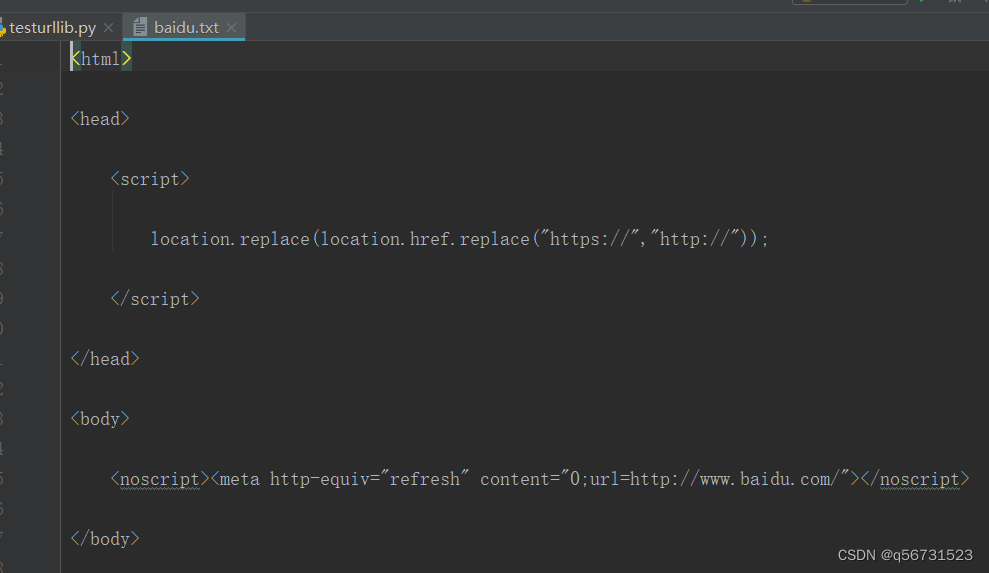
多线程在爬虫中应用非常广泛,对于中大型项目来说很有必要,今天我将以初学者的姿态来完成一个简单的多线程爬虫程序。 1、如何认识多线程 计算机完成一项或多项任务,往往可以存在很高的并行度:若是多核处理器则天然的可以同时处理…...

python-实验报告-3
1、编写程序,用户输入一个五位整数,输出其千位和十位数字之和。 num int(input()) # 12345 s1 (num//1000)%10 s2 (num//10)%10sum s1 s2 print(sum)心得: 首先,程序通过 input() 函数获取用户输入的整数,保存在…...

00_托管网站在Tor网络上_Ubuntu主机
title: 托管网站在Tor网络上 urlname: 00_托管网站在Tor网络上_Ubuntu主机 date: 2017-04-24 03:03:03 tags: 小技巧 categories: [小技巧] 托管网站在Tor网络上(Ubuntu主机)https://www.t00ls.net/thread-44040-1-1.html 大部分人接触Tor网络是由Tor …...

个人练习-Leetcode-659. Split Array into Consecutive Subsequences
题目链接:https://leetcode.cn/problems/split-array-into-consecutive-subsequences/ 题目大意:给出一个非递减数列nums[],判断其是否能被分割成若干个满足以下条件的子列: 长度大于等于3元素严格递增且只相差1 子列的含义是&…...

OTA升级差分包签名
制作差分包时添加-k <key_path>参数 ./build/tools/releasetools/ota_from_target_files -k <key_path> -i old.zip new.zip update.zip<key_path>如何取值?查看ProjectConfig.mk 如果MTK_SIGNATURE_CUSTOMIZATIONyes并且MTK_INTERNALno…...

使用Buildroot制作根文件系统
寒暄几句 学习了uboot、内核、busybox根文件系统,想着做一个音频播放器。最后发现好像busybox好像没有带aplay架构,这就很麻烦需要自己移植。为了简便我就找大佬沟通了一下,大佬推荐了Buildroot工具来制作根文件系统。 平台 开发板&#x…...
Java_Spring:5. 基于注解的 IOC 配置
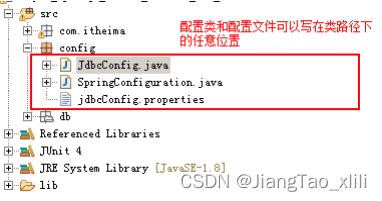
目录 1 环境搭建 1.1 第一步:拷贝必备 jar 包到工程的 lib 目录。 1.2 第二步:使用Component 注解配置管理的资源 1.3 第三步:创建 spring 的 xml 配置文件并开启对注解的支持 2 常用注解 2.1 用于创建对象的注解 2.1.1 Component 2.1…...

Git下的.gitignore文件
.gitignore .gitignore是一个文件,这个文件用来指定哪些文件提交到 git 管理,也就是 git commit 不会提交这些文件 .gitignore文件的语法 注释 "#" 表示注释 # 注释 忽略指定文件/文件夹 直接写入文件或文件夹名即可,指定文…...
快速重建你的3D场景(附Ubuntu 22.04+PyTorch 2.0配置))
告别漫长等待:用EDGS(3DGS优化版)快速重建你的3D场景(附Ubuntu 22.04+PyTorch 2.0配置)
极速三维重建实战:EDGS技术解析与Ubuntu高效配置指南 当传统3D高斯喷溅技术(3DGS)还在以小时为单位计算训练时间时,EDGS已经将这一过程压缩到令人惊讶的分钟级。这就像从绿皮火车换乘复兴号高铁的体验升级——不仅速度更快&#x…...

物理引擎核心原理拆解:GJK算法如何用Support函数取代SAT检测
物理引擎核心原理拆解:GJK算法如何用Support函数取代SAT检测 在实时物理模拟的世界里,碰撞检测算法的效率直接决定了虚拟世界的真实感与流畅度。当两个刚体在三维空间中高速运动时,传统分离轴定理(SAT)需要检测多达15组…...

Phi-4-mini-reasoning实操手册:针对数学题优化的token长度设置技巧
Phi-4-mini-reasoning实操手册:针对数学题优化的token长度设置技巧 1. 模型特点与适用场景 Phi-4-mini-reasoning是一个专为推理任务优化的文本生成模型,特别适合处理需要多步分析的数学题和逻辑题。与通用聊天模型不同,它被设计为直接输出…...
)
PyTorch 2.8 实战案例:快速训练一个图像分类模型(附代码)
PyTorch 2.8 实战案例:快速训练一个图像分类模型(附代码) 1. 引言 图像分类是计算机视觉领域最基础也最实用的任务之一。无论是识别猫狗照片、检测医学影像,还是分析卫星图像,都需要可靠的分类模型作为基础。本文将带…...

苹果设备激活锁终极解锁指南:5步免费绕开iOS 15-16的iCloud限制
苹果设备激活锁终极解锁指南:5步免费绕开iOS 15-16的iCloud限制 【免费下载链接】applera1n icloud bypass for ios 15-16 项目地址: https://gitcode.com/gh_mirrors/ap/applera1n 还在为忘记Apple ID密码而无法使用自己的iPhone或iPad而烦恼吗?…...

xiaomusic启动故障终极解决指南:设备认证配置与开源智能家居集成方案
xiaomusic启动故障终极解决指南:设备认证配置与开源智能家居集成方案 【免费下载链接】xiaomusic 使用小爱音箱播放音乐,音乐使用 yt-dlp 下载。 项目地址: https://gitcode.com/GitHub_Trending/xia/xiaomusic 问题定位:识别xiaomusi…...

什么时候Agent能自己写skill?从极客视角看AI智能体自主进化与实在Agent落地实践
关于人工智能智能体(AI Agent)何时能够自主编写技能(Skill)这一课题,根据2026年4月1日的最新科技前沿动态分析,我们正处于从“人工定义技能”向“智能体自主生成与进化技能”跨越的关键转折点。当前的行业共…...

哈工大深圳LaTeX论文模板:5分钟搞定专业学位论文排版的终极方案
哈工大深圳LaTeX论文模板:5分钟搞定专业学位论文排版的终极方案 【免费下载链接】hitszthesis A dissertation template for Harbin Institute of Technology, ShenZhen (HITSZ), including bachelor, master and doctor dissertations. 项目地址: https://gitcod…...

跨设备追番终极指南:3步配置Kazumi WebDAV数据同步
跨设备追番终极指南:3步配置Kazumi WebDAV数据同步 【免费下载链接】Kazumi 基于自定义规则的番剧采集APP,支持流媒体在线观看,支持弹幕,支持实时超分辨率。 项目地址: https://gitcode.com/gh_mirrors/ka/Kazumi 还在为手…...

MySQL数据库基础聚合函数
聚合函数...