
[ffmpeg] 音视频编码
本文主要梳理 ffmpeg 中音视频编码的常用函数
API调用
常用 API
const AVCodec *avcodec_find_encoder(enum AVCodecID id);
AVCodecContext *avcodec_alloc_context3(const AVCodec *codec);
void avcodec_free_context(AVCodecContext **avctx);
int avcodec_open2(AVCodecContext *avctx, const AVCodec *codec, AVDictionary **options);
int avcodec_close(AVCodecContext *avctx);
int avcodec_send_frame(AVCodecContext *avctx, const AVFrame *frame);
int avcodec_receive_packet(AVCodecContext *avctx, AVPacket *avpkt);
class
static const AVClass av_codec_context_class = {.class_name              = "AVCodecContext",.item_name               = context_to_name,.option                  = avcodec_options,.version                 = LIBAVUTIL_VERSION_INT,.log_level_offset_offset = offsetof(AVCodecContext, log_level_offset),.child_next              = codec_child_next,.child_class_iterate     = codec_child_class_iterate,.category                = AV_CLASS_CATEGORY_ENCODER,.get_category            = get_category,
};
初始化和销毁
avcodec_find_encoder 找到编码器
avcodec_alloc_context3 创建 context 结构体
视频:设置编码器参数,码率,宽高,时间基,帧率,GOP,视频格式,编码器ID
avcodec_open2 打开编码器
avcodec_close 关闭编码器
avcodec_free_context 销毁上下文
编码
avcodec_send_frame
avcodec_receive_packet
avcodec_receive_packet 传出来的 packet 使用结束需要调用 av_packet_unref 让 packet 的引用计数减一,不然会有内存泄漏
demo
m_vc = avcodec_alloc_context3(codec);
m_vc->bit_rate = m_vBitrate;
m_vc->width = m_outWidth;
m_vc->height = m_outHeight;
// 时间基数
m_vc->time_base = { 1, m_outFPS };
m_vc->framerate = { m_outFPS, 1 };m_vc->gop_size = 50;
m_vc->max_b_frames = 0;m_vc->pix_fmt = AV_PIX_FMT_YUV420P;
m_vc->codec_id = AV_CODEC_ID_H264;
av_opt_set(m_vc->priv_data, "preset", "superfast", 0);
m_vc->flags |= AV_CODEC_FLAG_GLOBAL_HEADER;int ret = avcodec_open2(m_vc, codec, NULL);
ret = avcodec_send_frame(m_vc, m_yuv);
p = av_packet_alloc();
ret = avcodec_receive_packet(m_vc, p);
if (ret != 0 || p->size <= 0)
{av_packet_free(&p);return NULL;
}
//xxx
av_packet_unref(p);if (m_vc)
{avcodec_close(m_vc);avcodec_free_context(&m_vc);
}
其他
codec.h 所有API
const AVCodec *av_codec_iterate(void **opaque);
const AVCodec *avcodec_find_decoder(enum AVCodecID id);
const AVCodec *avcodec_find_decoder_by_name(const char *name);
const AVCodec *avcodec_find_encoder(enum AVCodecID id);
const AVCodec *avcodec_find_encoder_by_name(const char *name);
int av_codec_is_encoder(const AVCodec *codec);
int av_codec_is_decoder(const AVCodec *codec);
const char *av_get_profile_name(const AVCodec *codec, int profile);
const AVCodecHWConfig *avcodec_get_hw_config(const AVCodec *codec, int index);
avcodec.h 所有API
unsigned avcodec_version(void);
const char *avcodec_configuration(void);
const char *avcodec_license(void);
AVCodecContext *avcodec_alloc_context3(const AVCodec *codec);
void avcodec_free_context(AVCodecContext **avctx);
const AVClass *avcodec_get_class(void);
const AVClass *avcodec_get_frame_class(void);
const AVClass *avcodec_get_subtitle_rect_class(void);
int avcodec_parameters_from_context(AVCodecParameters *par, const AVCodecContext *codec);
int avcodec_parameters_to_context(AVCodecContext *codec, const AVCodecParameters *par);
int avcodec_open2(AVCodecContext *avctx, const AVCodec *codec, AVDictionary **options);
int avcodec_close(AVCodecContext *avctx);
void avsubtitle_free(AVSubtitle *sub);
int avcodec_default_get_buffer2(AVCodecContext *s, AVFrame *frame, int flags);
int avcodec_default_get_encode_buffer(AVCodecContext *s, AVPacket *pkt, int flags);
void avcodec_align_dimensions(AVCodecContext *s, int *width, int *height);
void avcodec_align_dimensions2(AVCodecContext *s, int *width, int *height, int linesize_align[AV_NUM_DATA_POINTERS]);
int avcodec_enum_to_chroma_pos(int *xpos, int *ypos, enum AVChromaLocation pos);
enum AVChromaLocation avcodec_chroma_pos_to_enum(int xpos, int ypos);
int avcodec_decode_subtitle2(AVCodecContext *avctx, AVSubtitle *sub, int *got_sub_ptr, AVPacket *avpkt);
int avcodec_send_packet(AVCodecContext *avctx, const AVPacket *avpkt);
int avcodec_receive_frame(AVCodecContext *avctx, AVFrame *frame);
int avcodec_send_frame(AVCodecContext *avctx, const AVFrame *frame);
int avcodec_receive_packet(AVCodecContext *avctx, AVPacket *avpkt);
int avcodec_get_hw_frames_parameters(AVCodecContext *avctx, AVBufferRef *device_ref, enum AVPixelFormat hw_pix_fmt, AVBufferRef **out_frames_ref);
const AVCodecParser *av_parser_iterate(void **opaque);
AVCodecParserContext *av_parser_init(int codec_id);
int av_parser_parse2(AVCodecParserContext *s, AVCodecContext *avctx, uint8_t **poutbuf, int *poutbuf_size, const uint8_t *buf, int buf_size, int64_t pts, int64_t dts, int64_t pos);
void av_parser_close(AVCodecParserContext *s);
int avcodec_encode_subtitle(AVCodecContext *avctx, uint8_t *buf, int buf_size, const AVSubtitle *sub);
unsigned int avcodec_pix_fmt_to_codec_tag(enum AVPixelFormat pix_fmt);
enum AVPixelFormat avcodec_find_best_pix_fmt_of_list(const enum AVPixelFormat *pix_fmt_list, enum AVPixelFormat src_pix_fmt, int has_alpha, int *loss_ptr);
enum AVPixelFormat avcodec_default_get_format(struct AVCodecContext *s, const enum AVPixelFormat * fmt);
void avcodec_string(char *buf, int buf_size, AVCodecContext *enc, int encode);
int avcodec_default_execute(AVCodecContext *c, int (*func)(AVCodecContext *c2, void *arg2),void *arg, int *ret, int count, int size);
int avcodec_default_execute2(AVCodecContext *c, int (*func)(AVCodecContext *c2, void *arg2, int, int),void *arg, int *ret, int count);
int avcodec_fill_audio_frame(AVFrame *frame, int nb_channels, enum AVSampleFormat sample_fmt, const uint8_t *buf, int buf_size, int align);
void avcodec_flush_buffers(AVCodecContext *avctx);
int av_get_audio_frame_duration(AVCodecContext *avctx, int frame_bytes);
void av_fast_padded_malloc(void *ptr, unsigned int *size, size_t min_size);
void av_fast_padded_mallocz(void *ptr, unsigned int *size, size_t min_size);
int avcodec_is_open(AVCodecContext *s);
相关文章:

[ffmpeg] 音视频编码
本文主要梳理 ffmpeg 中音视频编码的常用函数 API调用 常用 API const AVCodec *avcodec_find_encoder(enum AVCodecID id); AVCodecContext *avcodec_alloc_context3(const AVCodec *codec); void avcodec_free_context(AVCodecContext **avctx); int avcodec_open2(AVCode…...
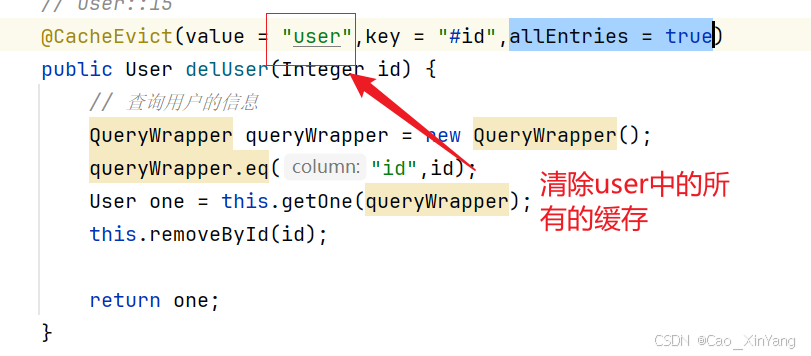
springboot+redis+缓存
整合 添加依赖 <dependency><groupId>org.springframework.boot</groupId><artifactId>spring-boot-starter-data-redis</artifactId> </dependency> 连接redis,配置yml文件 主机 端口号 数据库是哪一个 密码 配置类 p…...

关于http的206状态码和416状态码的意义、断点续传以及CORS使用Access-Control-Allow-Origin来允许跨域请求
一、关于http的206状态码和416状态码的意义及断点续传 HTTP 2xx范围内的状态码表明客户端发送的请求已经被服务器接受并且被成功处理了,HTTP/1.1 206状态码表示客户端通过发送范围请求头Range抓取到了资源的部分数据,一般用来解决大文件下载问题,一般CDN…...
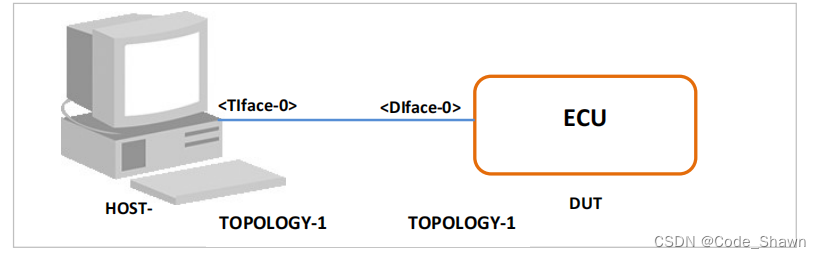
SOMEIP_ETS_114: SD_Entries_Length_wrong_combined
测试目的: 验证DUT能够拒绝一个包含两个正确条目但条目数组长度不正确的SubscribeEventgroup消息,并以SubscribeEventgroupNAck作为响应。 描述 本测试用例旨在确保DUT遵循SOME/IP协议,当接收到一个条目数组长度与实际条目数量不匹配的Sub…...

SQL:DATEDIFF函数
DATEDIFF函数是用于计算两个日期之间的时间间隔的函数,它在不同的编程语言和数据库系统中都有广泛的应用。以下是对DATEDIFF函数的详细解析: 一、函数用途 DATEDIFF函数的主要用途是计算两个日期之间的时间间隔,这个间隔可以是年、季度、月…...

MATLAB 可视化基础:绘图命令与应用
目录 1. 绘制子图1.1基本绘图命令1.2. 使用 subplot 函数1.3. 绘图类型 2.MATLAB 可视化进阶(以下代码均居于以上代码的数据定义上实现)2.1. 极坐标图2.3. 隐函数的绘制 3.总结 在数据分析和科学计算中,数据可视化是理解和解释结果的关键工具。今天,我将…...

掌握 Python 异常处理的实战技巧:从基础到高级应用20240918
掌握 Python 异常处理的实战技巧:从基础到高级应用 引言 在 Python 编程中,异常处理是保障代码稳健性和可靠性的关键要素之一。无论是在网络请求、资源访问,还是复杂的业务逻辑中,异常处理都不可或缺。本文将从 Python 异常的基…...

One API 部署与配置指南
技术文档:One API 部署与配置指南 概述 One API 是一个多功能的 API 管理平台,支持自定义设置、用户管理、多种登录注册方式、主题切换等。本文档提供了详细的部署和配置指南,帮助用户快速搭建和使用 One API。 部署 基于 Docker 部署 D…...

国密起步7:BouncyCastle使用SM4自定义格式加解密C#版
初级代码游戏的专栏介绍与文章目录-CSDN博客 我的github:codetoys,所有代码都将会位于ctfc库中。已经放入库中我会指出在库中的位置。 这些代码大部分以Linux为目标但部分代码是纯C的,可以在任何平台上使用。 github源码指引的指引-CSDN博…...

Qt优秀开源项目之二十三:QSimpleUpdater
QSimpleUpdater是开源的自动升级模块,用于检测、下载和安装更新。 github地址:https://github.com/alex-spataru/QSimpleUpdater QSimpleUpdater目前Star不多(911个),但已在很多开源项目看到其身影,比如Not…...

使用 Nmap 进行 SSL/TLS 加密套件枚举
1. Nmap 简介 Nmap(Network Mapper)是一个开源的网络探测和安全审计工具。它广泛用于扫描网络并发现设备、端口及服务,同时也支持多种脚本来进行更高级的安全扫描。Nmap 的 -sV 参数可以用于探测开放端口上的服务及版本信息,配合…...

探索 Python 的火焰:Fire 库的神秘力量
文章目录 🔥 探索 Python 的火焰:Fire 库的神秘力量第一部分:背景介绍第二部分:Fire 库是什么?第三部分:如何安装 Fire?第四部分:简单库函数使用方法第五部分:场景应用第…...

【Day14-单例设计模式动态代理】
单例设计模式 什么是设计模式(Design pattern) ? 一个问题通常有n种解法,其中肯定有一种解法是最优的,这个最优的解法被人总结出来了,称之为设计模式。设计模式有20多种,对应20多种软件开发中会遇到的问题…...

代码随想录训练营Day7 | 454.四数相加II | 383. 赎金信 | 15. 三数之和 | 18. 四数之和
代码随想录 (programmercarl.com) Leetcode 454. 四数相加 II 题目描述 给定四个包含整数的数组列表 A , B , C , D ,计算有多少个元组 (i, j, k, l) ,使得 A[i] B[j] C[k] D[l] 0。 为了使问题简单化,所有的 A, B, C, D 具有相同的长度 N&#…...

C++和OpenGL实现3D游戏编程【目录】
欢迎来到zhooyu的专栏。 个人主页:【zhooyu】 文章专栏:【OpenGL实现3D游戏编程】 贝塞尔曲面演示: 贝塞尔曲面演示zhooyu 本专栏内容: 我们从游戏的角度出发,用C去了解一下游戏中的功能都是怎么实现的。这一切还是要…...

03-Mac系统PyCharm主题设置
目录 1. 打开PyCharm窗口 2. Mac左上角点击PyCharm,点击Settings 3. 点击第一项Appearance& Behavior 4. 点击Appearance 5. 找到Theme进行设置 1. 打开PyCharm窗口 2. Mac左上角点击PyCharm,点击Settings 3. 点击第一项Appearance& Behavi…...

Java并发的四大定律
每一个进入 Java 并发世界的人,都会不可避免地面临一系列问题:线程安全、并发控制、锁,以及共享资源。这些概念复杂又抽象,往往让人无从下手。幸运的是,业界早已总结出一些法则,这些法则为我们处理并发问题…...
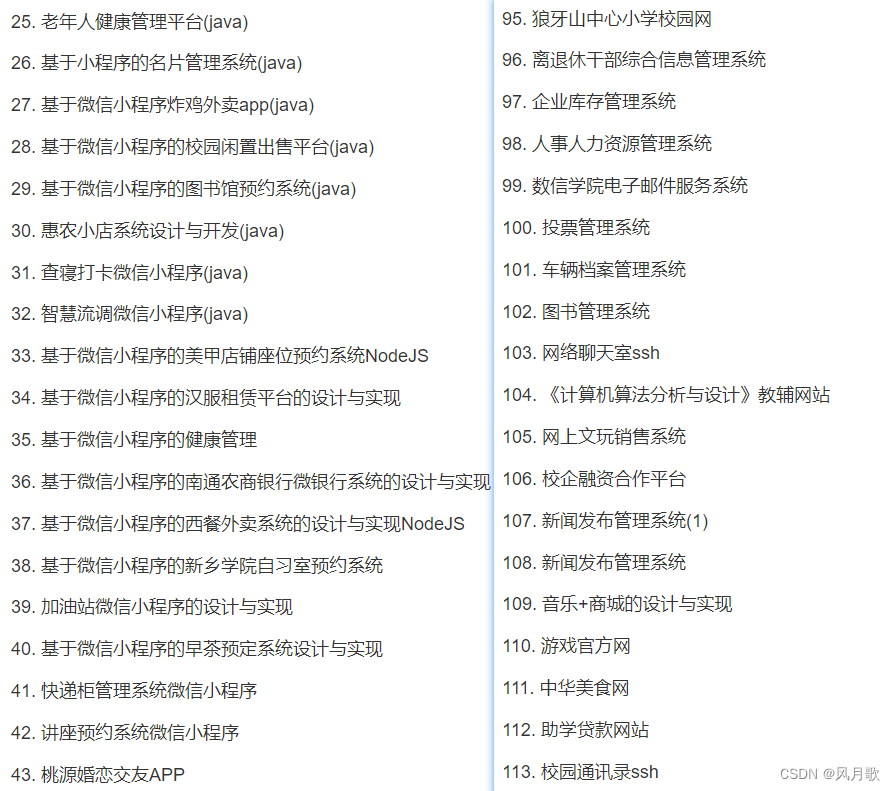
java项目之基于springboot的贸易行业crm系统(源码+文档)
风定落花生,歌声逐流水,大家好我是风歌,混迹在java圈的辛苦码农。今天要和大家聊的是一款基于springboot的基于springboot的贸易行业crm系统。项目源码以及部署相关请联系风歌,文末附上联系信息 。 项目简介: 基于sp…...

General OCR Theory: Towards OCR-2.0 via a Unified End-to-end Model
摘要 传统的OCR系统(OCR-1.0)越来越无法满足人们对智能处理人造光学字符的需求。在本文中,我们将所有人造光学信号(例如,普通文本、数学/分子公式、表格、图表、乐谱,甚至是几何形状)统称为“字…...

二十种编程语言庆祝中秋节
二十种编程语言庆祝中秋节 文章目录 二十种编程语言庆祝中秋节中秋快乐!家人们 🥳一 Python二 C三 C四 Java五 C#六 Perl七 Go八 Asp九 PHP十 JavaScript十一 JavaScript HTML十二 Visual Basic十三 早期 VB十四 Visual C十五 Delphi十六 Shell十七 Cobo…...

CANN-昇腾NPU-RAG推理-检索增强生成怎么部署
RAG(Retrieval-Augmented Generation)是 LLM 知识库的组合:先检索相关文档,再让 LLM 基于文档回答。昇腾NPU 上部署 RAG 需要两个组件:Embedding 模型(做向量检索)和 LLM(做生成&am…...

销售怎么通过各种方法获取电话号码
第一种就是那个用爬虫电话号码,然后再打电话给客户。第二种是在别人的挪车电话看车挪车电话,然后再打电话找客户。第三就是。扫楼一顿顿的扫,第四就是这个那种商店,一个个的去问陌拜地推一个个的问店子要不要贷款,去问…...
:这份内部测试SOP已被3家头部科技公司紧急采购)
DeepSeek-R1补全能力封测倒计时(仅剩72小时开放API灰度权限):这份内部测试SOP已被3家头部科技公司紧急采购
更多请点击: https://intelliparadigm.com 第一章:DeepSeek-R1代码补全能力封测全景概览 DeepSeek-R1 是深度求索(DeepSeek)推出的高性能开源推理模型,在代码补全场景中展现出显著的上下文理解力与多语言泛化能力。本…...

3步解锁专业级MMD创作:Blender插件如何重塑二次元动画工作流
3步解锁专业级MMD创作:Blender插件如何重塑二次元动画工作流 【免费下载链接】blender_mmd_tools MMD Tools is a blender addon for importing/exporting Models and Motions of MikuMikuDance. 项目地址: https://gitcode.com/gh_mirrors/bl/blender_mmd_tools …...

Unity发行版DLL调试实战:DnSpy无源码IL级断点指南
1. 这不是“反编译”,而是Unity游戏开发者的日常调试手段你有没有遇到过这样的情况:接手一个Unity发行版游戏,想快速验证某个功能逻辑是否按预期执行,或者排查一个偶发的崩溃,但手头只有打包后的Assembly-CSharp.dll&a…...

2026年LLM推理加速全景:量化、投机解码与KV Cache工程实战
大语言模型推理速度慢、成本高,是阻碍AI大规模落地的核心障碍之一。一个7B参数的模型,在标准配置下每秒只能生成约30个token,对于需要实时响应的应用来说几乎无法接受。但2026年,一系列推理加速技术的成熟,让这一局面发…...

转行网络安全运维:从0到1的可落地指南
转行网络安全运维:从0到1的可落地指南 一、 「3个核心技能:从零起步也能会」 网上学习资料多到爆炸,不用纠结“哪个最好”,记住一句话:**能学会、能上手的就是好的**!不管是免费视频还是付费课,…...

电信运营商每月处理海量工单,如何不再出错?基于AI Agent的端到端自动化解决方案
在2026年的电信行业,海量工单处理已不再仅仅是效率问题,而是合规与生存的底线。随着2026年5月20日《电信和互联网服务 基础电信企业网上营业厅服务规范》国家标准的正式实施,监管层对“信息透明、流程闭环、计费精准”的要求达到了前所未有的…...

Burp Suite拦截与替换机制深度解析:从协议层到规则链
1. 这不是“点开就能用”的功能,而是你和目标系统之间的一道可编程闸门很多人第一次在Burp Suite里点开Proxy → Intercept,看到HTTP请求被拦下来,兴奋地改个User-Agent、删个Cookie就点Forward,以为自己已经掌握了“拦截与替换”…...

为什么鸿蒙 App 最终都会走向状态驱动?
子玥酱 (掘金 / 知乎 / CSDN / 简书 同名) 大家好,我是 子玥酱,一名长期深耕在一线的前端程序媛 👩💻。曾就职于多家知名互联网大厂,目前在某国企负责前端软件研发相关工作,主要聚…...