
【OAI】OAI5G核心网VPP-UPF网元分析
文章目录
- VPP_UPF_CONFIG_GENERATION.md
- VPP UPF Configuration Generation
- Environment variables
- Interfaces
- Interface Configuration Examples
- Central UPF
- A-UPF
- I-UPF
- UL CL
- FEATURE_SET.md
- VPP_UPG_CLI
- 参考文献
VPP_UPF_CONFIG_GENERATION.md
VPP UPF Configuration Generation
这个文章比较关键
VPP_UPF_CONFIG_GENERATION.md
init.conf
startup_debug.conf
upf_profile.json
create_configuration.py
The VPP-UPF configuration for different UPF deployment options (A-UPF, I-UPF, ULCL) are not compatible with each other.
The example described in VPP_UPF_CONFIG shows a central UPF node with one N3 and one N6
interface.
To ease the deployment, the UPF configuration can be auto-generated using the create_configuration.py script. It is
located in scripts/upf_conf/create_configuration.py. If you choose to use the official OAI docker images (from v1.5.0), this script is
executed upon start of the containers.
It takes three positional arguments:
usage: create_configuration.py[-h][--rename]init_pathprofile_pathstartup_path
The init_path is the path to the init file that will be generated. A json file is written to the profile_path which
contains the UPF profile which is sent to the NRF.
The startup_path requires an existing VPP startup_debug.conf file with placeholders (@value@). These will be
overwritten with the corresponding environment variables.
If you choose to rename using the --rename option, the host interfaces are renamed from e.g. eth1 to n6-3.
Which interface is renamed depends on the configured subnet.
Environment variables
The UPF configuration is built entirely from environment variables. There are static variables, which always have to be
present:
| Environment Variable | Description | Used in |
|---|---|---|
| NAME | Used to build the UPF FQDN | init.conf, profile.json |
| MNC | Used to build the UPF FQDN | init.conf, profile.json |
| MCC | Used to build the UPF FQDN | init.conf, profile.json |
| REALM | Used to build the UPF FQDN | init.conf, profile.json |
| VPP_MAIN_CORE | Which CPU core ID to use for the main thread | startup_debug.conf |
| VPP_CORE_WORKER | Which CPU core ID to use for the worker thread * | startup_debug.conf |
| SNSSAI_SD | SD from the SNSSAI | profile.json |
| SNSSAI_SST | SST from the SNSSAI | profile.json |
| DNN | DNN | profile.json |
| VPP_PLUGIN_PATH | Path where the UPG VPP plugin is installed | startup_debug.conf |
* This config from VPP allows to configure more than one worker thread, e.g. 1-4, but it is not recommended in the
VPP-UPF, as there are race conditions.
The UPF FQDN is built as follows:
<name>.node.5gcn.mnc<mnc>.mcc<mcc>.<realm>
The NAME variable is translated to lower-case.
Then, there are support features which you also have to configure:
| Environment Variable | Description |
|---|---|
| REGISTER_NRF | If the UPF should register to NRF |
| NRF_IP_ADDR | The NRF IP address |
| NRF_PORT | The NRF Port |
| HTTP_VERSION | HTTP version towards NRF (1/2) |
Apart from this global configuration, you can dynamically configure your interfaces.
The syntax to configure an interface is as follows:
IF_<Index>_<Value>
Each interface can have multiple values, whereas the index describes the interface.
The following values are available:
| Value | Description | Mandatory |
|---|---|---|
| IP | IP address of the interface** | yes |
| TYPE | Either N3, N4, N6 or N9 | yes |
| NWI | Network Instance of the interface | yes (not for N4) |
| DNAI | Data Network Access Identifier | no |
| IP_REMOTE | Next hop IP, optional when using --rename | yes/no |
** Should belong to subnet of existing host interface
An example of a UPF configuration is as follows (see also the docker-compose file):
- IF_1_IP=192.168.70.201
- IF_1_TYPE=N4
- IF_2_IP=192.168.72.201
- IF_2_TYPE=N3
- IF_2_NWI=access.oai.org
- IF_3_IP=192.168.73.201
- IF_3_TYPE=N6
- IF_3_IP_REMOTE=192.168.73.135 # EXT-DN IP Address
- IF_3_NWI=internet.oai.org
- NAME=VPP-UPF
- MNC=95
- MCC=208
- REALM=3gppnetwork.org
- VPP_MAIN_CORE=0
- VPP_CORE_WORKER=1
- VPP_PLUGIN_PATH=/usr/lib/x86_64-linux-gnu/vpp_plugins/ # Ubntu18.04
- SNSSAI_SD=123
- SNSSAI_SST=222
- DNN=default
- REGISTER_NRF=yes
- NRF_IP_ADDR=192.168.70.130
- NRF_PORT=80
- HTTP_VERSION=1
Interfaces
We use veth pairs to configure the UPF interfaces. Each UPF interface (e.g. N3) has a host interface IP and the IP address
used for signaling. You need one subnet for each UPF interface. In a typical deployment, you need at least three subnets:
- Signaling (N4)
- Access (N3)
- Core/Internet (N6).
The IP value should belong to the same subnet as the host interface, but must not be the same.
The IP_REMOTE value also needs to be in the same subnet and is used to setup the routes accordingly.
When you use the --rename option, the IP_REMOTE is automatically calculated from the subnet from the IP value.
The remote IP is always the first host in the subnet, e.g. for the IP 192.168.70.201 in the subnet 192.168.70.0/24,
the remote IP is 192.168.70.1.
The value you provide overrides the default value. When you do not rename the interfaces, you need to manually specify
the remote IP address.
Interface Configuration Examples
The dynamic creation allows you to configure different UPF types.
Central UPF
This UPF has one N3, one N4 and one N6 interface:
- IF_1_IP=192.168.70.201
- IF_1_TYPE=N4
- IF_2_IP=192.168.72.201
- IF_2_TYPE=N3
- IF_2_NWI=access.oai.org
- IF_3_IP=192.168.73.201
- IF_3_TYPE=N6
- IF_3_NWI=internet.oai.org
A-UPF
This UPF has one N9, one N4 and one N6 interface:
- IF_1_IP=192.168.70.202
- IF_1_TYPE=N4
- IF_2_IP=192.168.74.202
- IF_2_TYPE=N9
- IF_2_NWI=iupf.node.5gcn.mnc98.mcc208.3gppnetwork.org
- IF_2_DNAI=iupf
- IF_3_IP=192.168.75.202
- IF_3_TYPE=N6
- IF_3_NWI=internet.oai.org
- IF_3_DNAI=internet
When you want to use multiple UPFs which should be chained or form a graph, you need to ensure that the NWI of the
configuration matches the FQDN of the other UPF. In this case, IUPF should have the following FQDN config:
- NAME=IUPF
- MNC=98
- MCC=208
- REALM=3gppnetwork.org
I-UPF
This UPF has one N3, one N4 and one N9 interface:
- IF_1_IP=192.168.70.203
- IF_1_TYPE=N4
- IF_2_IP=192.168.72.203
- IF_2_TYPE=N3
- IF_2_NWI=access.oai.org
- IF_2_DNAI=access
- IF_3_IP=192.168.74.203
- IF_3_TYPE=N9
- IF_3_NWI=aupf.node.5gcn.mnc98.mcc208.3gppnetwork.org
- IF_3_DNAI=aupf
As you can see, the N9 interface is in the same subnet as the N9 interface of the I-UPF example. This means
that the SMF will create an edge between these two nodes (as long as the FQDN/NWI configuration matches).
Also, the DNAI is configured for these examples to enable SMF in selecting a specific UPF for a PDU session.
UL CL
This UPF has one N3, one N4 and two N9 interfaces:
- IF_1_IP=192.168.70.204
- IF_1_TYPE=N4
- IF_2_IP=192.168.72.204
- IF_2_TYPE=N3
- IF_2_NWI=access.oai.org
- IF_2_DNAI=access
- IF_3_IP=192.168.74.204
- IF_3_TYPE=N9
- IF_3_NWI=aupf1.node.5gcn.mnc98.mcc208.3gppnetwork.org
- IF_3_DNAI=aupf1
- IF_4_IP=192.168.76.204
- IF_3_TYPE=N9
- IF_3_NWI=aupf2.node.5gcn.mnc98.mcc208.3gppnetwork.org
- IF_4_DNAI=aupf2
FEATURE_SET.md
FEATURE_SET.md
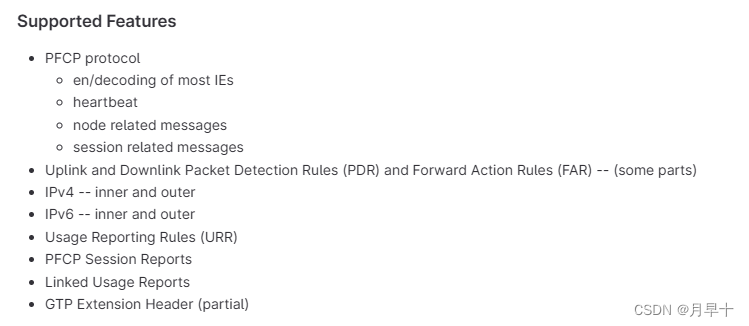
VPP_UPG_CLI
VPP-UPF 可以进行的一些操作
$ docker exec -it vpp-upf ./bin/vppctl show upf helpadf show upf adf commandsapplication show upf application <name>applications show upf applications [verbose]association show upf associationbihash show upf bihash <v4-tunnel-by-key | v6-tunnel-by-key | qer-by-id | peer-index-by-ip> [detail|verbose]flows show upf flowsflow show upf flow commandsgtpu show upf gtpu commandsnode-id show upf node-idnwi show upf nwipfcp show upf pfcp commandspolicy show upf policyproxy show upf proxysession show upf sessionspecification show upf specification commandstdf show upf tdf commands- Show PFCP session at UPF
$ docker exec -it vpp-upf ./bin/vppctl show upf session
CP F-SEID: 0x0000000000000001 (1) @ 192.168.70.133
UP F-SEID: 0x0000000000000001 (1) @ 192.168.70.202PFCP Association: 0TEID assignment per choose ID
PDR: 1 @ 0x7f6cef01cd00Precedence: 0PDI:Fields: 0000000dSource Interface: AccessNetwork Instance: access.oai.orgLocal F-TEID: 218138074 (0x0d0085da)IPv4: 192.168.72.202UE IP address (source):IPv4 address: 12.1.1.2SDF Filter [1]:permit out ip from any to assigned Outer Header Removal: GTP-U/UDP/IPv4FAR Id: 1URR Ids: [1] @ 0x7f6ceefde850QER Ids: [] @ 0x0
PDR: 2 @ 0x7f6cef01cd80Precedence: 0PDI:Fields: 0000000cSource Interface: CoreNetwork Instance: core.oai.orgUE IP address (destination):IPv4 address: 12.1.1.2SDF Filter [1]:permit out ip from any to assigned Outer Header Removal: noFAR Id: 2URR Ids: [1] @ 0x7f6ceefde8e0QER Ids: [] @ 0x0
FAR: 1Apply Action: 00000002 == [FORWARD]Forward:Network Instance: core.oai.orgDestination Interface: 1
FAR: 2Apply Action: 00000002 == [FORWARD]Forward:Network Instance: access.oai.orgDestination Interface: 0Outer Header Creation: [GTP-U/UDP/IPv4],TEID:9acb0442,IP:192.168.72.141
URR: 1Measurement Method: 0002 == [VOLUME]Reporting Triggers: 0001 == [PERIODIC REPORTING]Status: 0 == []Start Time: 2022/09/02 07:29:30:476vTime of First Usage:       0.0000 vTime of Last Usage:        0.0000 VolumeUp:    Measured:                    0, Theshold:                    0, Pkts:          0Consumed:                    0, Quota:                       0Down:  Measured:                    0, Theshold:                    0, Pkts:          0Consumed:                    0, Quota:                       0Total: Measured:                    0, Theshold:                    0, Pkts:          0Consumed:                    0, Quota:                       0Measurement Period:                   10 secs @ 2022/09/02 07:29:40:476, in     5.597 secs, handle 0x00000c01
参考文献
参考文献1:OAI 基础核心网部署:oai-cn5g-fed/docs/DEPLOY_SA5G_BASIC_DEPLOYMENT.md
参考文献2:oai-cn5g-upf-vpp
参考文献3:UPD_DEPLOY_HELP
参考文献4:vpp-upf-docs
相关文章:
【OAI】OAI5G核心网VPP-UPF网元分析
文章目录 VPP_UPF_CONFIG_GENERATION.mdVPP UPF Configuration GenerationEnvironment variablesInterfacesInterface Configuration ExamplesCentral UPFA-UPFI-UPFUL CL FEATURE_SET.mdVPP_UPG_CLI参考文献 VPP_UPF_CONFIG_GENERATION.md VPP UPF Configuration Generation …...

【上进小菜猪】使用Ambari提高Hadoop集群管理和开发效率:提高大数据应用部署和管理效率的利器
📬📬我是上进小菜猪,沈工大软件工程专业,爱好敲代码,持续输出干货,欢迎关注。 介绍 Hadoop是一种开源的分布式处理框架,用于在一组低成本硬件的集群上存储和处理大规模数据集。Ambari是一种基…...
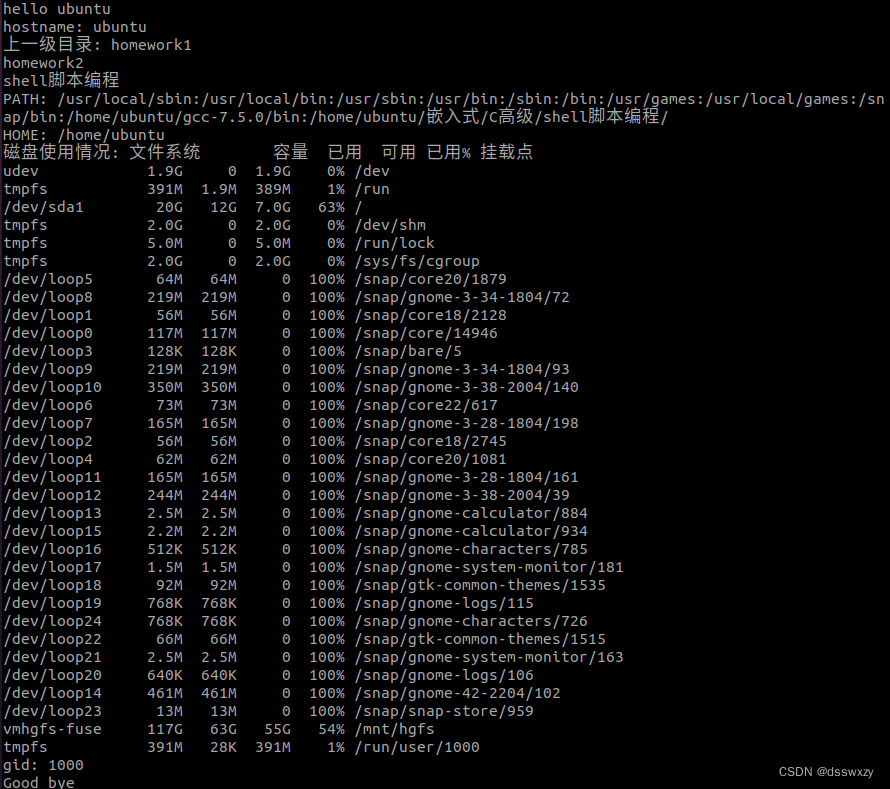
Day3--C高级3
一.编写一个名为myfirstshell.sh的脚本,它包括以下内容。 1、包含一段注释,列出您的姓名、脚本的名称和编写这个脚本的目的 2、和当前用户说“hello 用户名” 3、显示您的机器名 hostname 4、显示上一级目录中的所有文件的列表 5、显示变量PATH和HO…...

第9章 CURD操作与MemoryCache缓存的强制清理的实现
1 重构 Data.Repository<TEntity> using Core.Caching; using Core.Domain; using Core.Events; using Microsoft.EntityFrameworkCore; namespace Data { ///<typeparam name"TEntity">泛型类型实例(这里特指:1个指定实体的类型实例)。</typepa…...
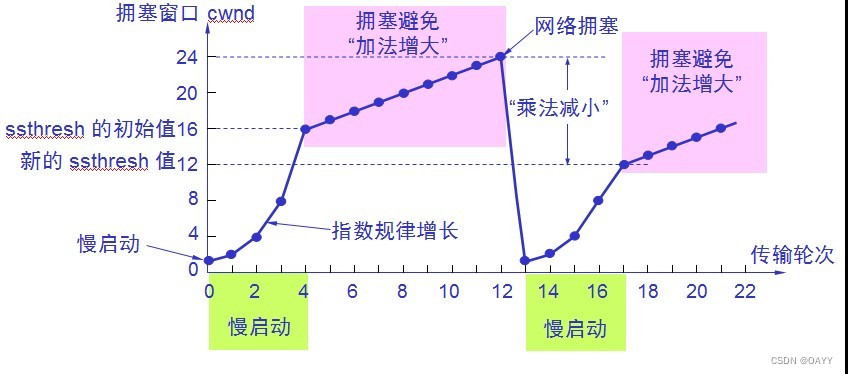
TCP 协议特性详解
TCP 协议特性总结 TCP协议特点TCP协议段格式TCP原理确认应答(安全机制)超时重传(安全机制)连接管理(安全机制)(面试高频题)三次握手四次挥手 滑动窗口(效率机制)流量控制(…...

电子招投标采购系统源码:采购过程更规范,更透明
满足采购业务全程数字化, 实现供应商管理、采购需求、全网寻源、全网比价、电子招 投标、合同订单执行的全过程管理。 电子招标采购,是指在网上寻源和采购产品和服务的过程。对于企业和企业主来说,这是个既省钱又能提高供应链效率的有效方法…...

一篇了解智慧网关
智慧网关是指基于互联网技术的智能网关,能够连接不同的物联网设备和传感器,实现数据采集、信息传递、远程控制、通信管理等功能。作为物联网架构中的核心设备之一,智慧网关在智能家居、智慧城市、智能制造、智能交通、智能农业等领域得到了广…...

自学软件测试,从10K到40K的技术路线,也就是这些东西...
如果有一天我从梦中醒来时,发现自己的几年自动化测试工程师经验被抹掉,重新回到了一个小白的状态。我想要重新自学自动化测试,然后找到一份自己满意的测试工作,我想大概只需要6个月的时间就够了,如果比较顺利的话&…...

Qt libqrencode二维码——QtWidgets
前言 之前写过二维码的程序,但是在U盘上,没带,又重新找的网上资料写的。 网上二维码的生成,大多用到是第三方库libqrencode,这也一样: 效果图 本来是个动图的,都被和谐了,所以换成截图&…...

KDZD绝缘子表面电导盐密度测试仪
一、简介 智能电导盐密测试仪,也称为直读式等值盐密度测试仪,专为测试智能电导盐密度而设计。系统内置智能电导盐密度计算公式,读数直观。 人机交互采用真彩TFT液晶屏,操作简单,测试参数和结果一目了然。仪器自带微型打…...

如何降低电动汽车软件的开发成本和风险?
大多数的汽车制造商无法从销售电动汽车(EV)中获得利润,但计划快速进入市场的电动汽车初创公司是无法承担这样的损失的。 由于飙升的电池价格、高昂的组件成本和低迷的销量削弱了盈利能力,电动汽车初创公司必须将视线转到软件开发…...
使用pytest和allure框架实现自动化测试报告优化
目录 -x出现一条测试用例失败就退出测试 生成测试报告json pytest: 需要安装pytest和pytest-html(生成html测试报告) pip install pytest 和 pip install pytest-html 命名规则 Pytest单元测试中的类名和方法名必须是以test开头,执行中只能找到test开头…...

chatGPT免费站点分享
下面的应该都能用,试试吧... ChatGPT是一种人工智能聊天机器人,能够生成虚拟语言和交互回复。使用ChatGPT,您可以与机器人进行真实的交互,让机器人根据您提出的问题或请求来生成回复。但是,在使用ChatGPT时࿰…...

【计算机网络】已知一个/27网络中有一个地址是 167.199.170.82,问这个网络的网络掩码,网络前缀长度和网络后缀长度是多少?网络前缀是多少?
目录 题: 1. 网络掩码 2.网络前缀长度 3.网络前缀 4.网络后缀长度 题: 已知一个/27网络中有一个地址是 167.199.170.82, 问这个网络的网络掩码,网络前缀长度和网络后缀长度是多少?网络前缀是多少? 1.…...

Java8 - Stream
介绍 Java8中有两大最为重要的改变。第一个是 Lambda 表达式; 另外一个则是 Stream API(java.util.stream.*)。Stream是 Java8中处理集合的关键抽象概念,它可以指定你希望对集合进行的操作,可以执行非常复杂的查找、过滤和映射数据等操作。使用 Stream …...
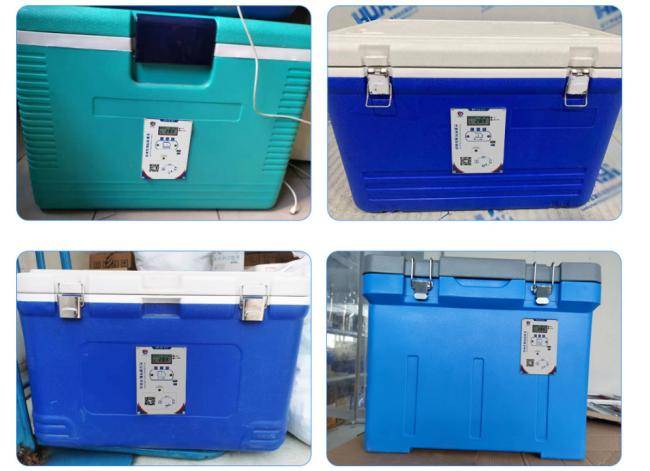
什么样的冷链保温箱,既环保又实用?
冷链物流运输已经应用在了很多行业中,作为冷链物流运输中的重要设备——冷链保温箱,起到了举足轻重的作用。如果选择不当,选到了劣质产品,尤其是化学行业或者食品行业,就有可能造成试剂失效或者是影响粮食食品安全问题…...
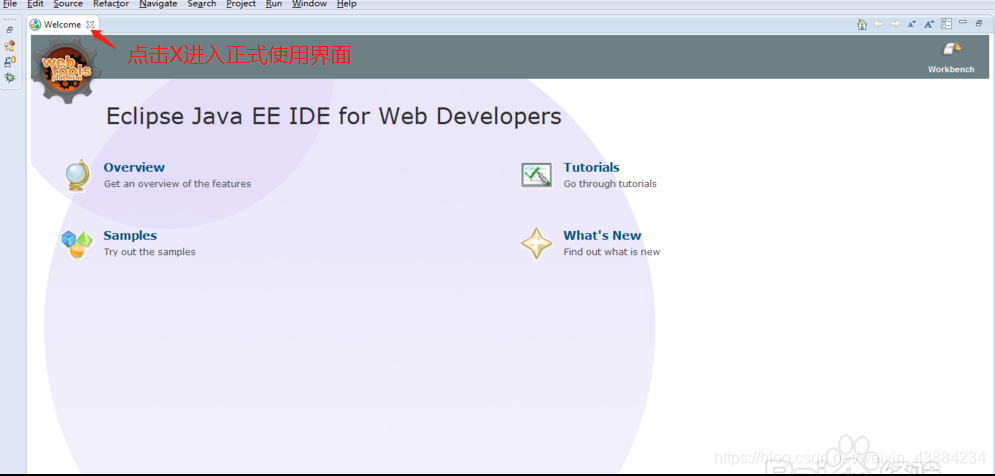
Eclipse的介绍与安装
Eclipse简介 Eclipse 是一个开放源代码的,基于 Java 的可扩展开发平台。Eclipse官方版是一个集成开发环境(IDE),可以通过安装不同的插件实现对其它计算机语言编辑开发,如C、Php、Python等等。 Eclipse的下载 下载时需要访问网址 http://…...
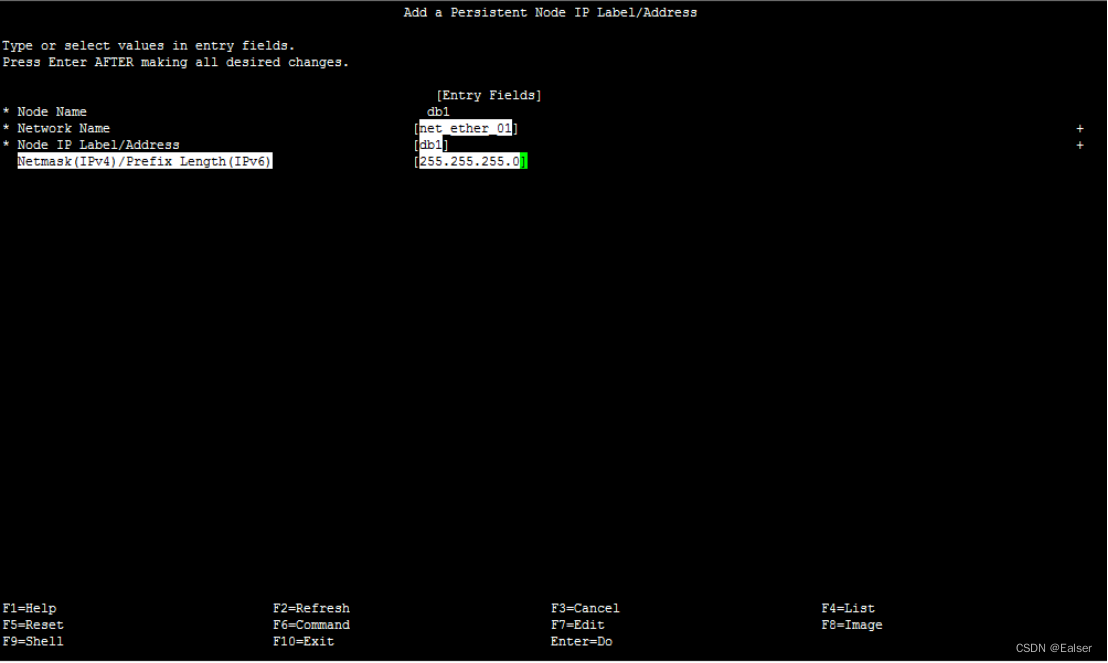
<IBM AIX> 《AIX中HA的网卡IP确认方法》
《HA网卡确认方法》 1 HA IP地址类型2HA IP地址设置原则3 HA网卡日常查看方法3.1 查看hosts文件3.2 查看网卡和IP 4 通过命令方式直接查看5 直接查看HA配置4 HA网卡SMIT查看方法(暂不完整)4.1 根据hosts文件确认IP对应的别名4.2 根据serviceIP确认Persis…...
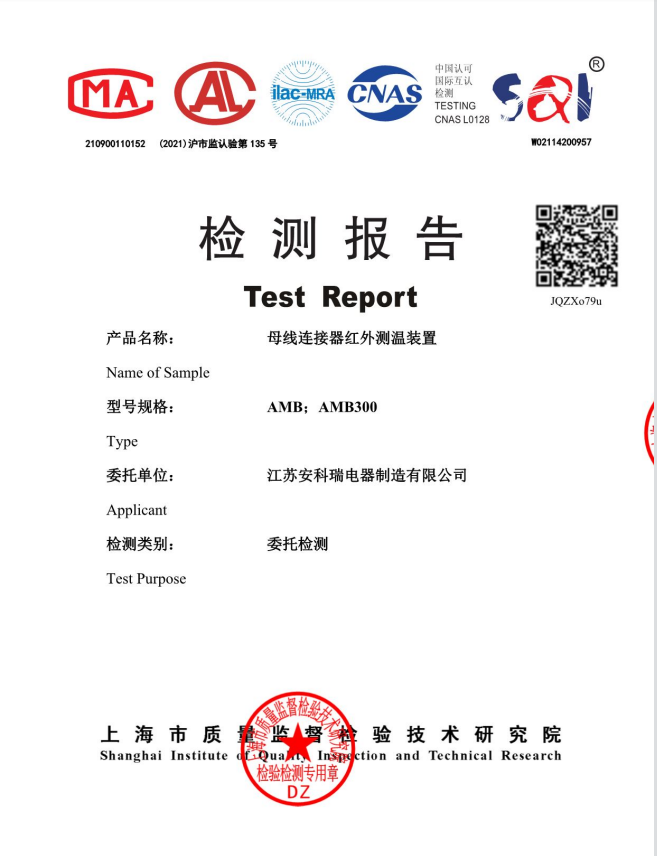
AMB300系列母线槽红外测温解决方案某锂电厂房项目案例分享
安科瑞 耿敏花 一、 行业背景 近年来,在国家政策引导与技术革新驱动的双重作用下,锂电产业保持快速增长态势,产业规模持续扩大,同时新能源产业工厂锂电池生产线对于电的依赖性很高,因而对供电设备的可靠性提出…...

go语言学习——4
文章目录 Map Map map是一种特殊的数据结构:一种元素对pair的无序集合,pair的一个元素是key,对应一个value,这种结构也称为“关联数组或字典”引用类型 map声明 var map1 map[keytype] valuetype var map1 map[string] intmap可以…...

VMware ESXi 9.1.0.0集成NVME+网卡驱动版发布|新特性+驱动集成+部署升级+FAQ全指南
一、ESXi 9.1.0.0 正式版核心新特性 VMware ESXi 9.1.0.0(2026 年 5 月发布)是 vSphere 9.1 核心组件,聚焦硬件兼容扩展、性能跃升、安全加固、运维简化四大方向,重点强化 NVMe 存储与网卡生态适配,以下为关键更新&am…...

pan-baidu-download:百度网盘多线程下载加速器架构解析与性能优化指南
pan-baidu-download:百度网盘多线程下载加速器架构解析与性能优化指南 【免费下载链接】pan-baidu-download 百度网盘下载脚本 项目地址: https://gitcode.com/gh_mirrors/pa/pan-baidu-download pan-baidu-download是一款基于Python开发的百度网盘命令行下载…...

电信运营商每月处理海量工单,如何不再出错?基于AI Agent的端到端自动化解决方案
在2026年的电信行业,海量工单处理已不再仅仅是效率问题,而是合规与生存的底线。随着2026年5月20日《电信和互联网服务 基础电信企业网上营业厅服务规范》国家标准的正式实施,监管层对“信息透明、流程闭环、计费精准”的要求达到了前所未有的…...

因果推断与机器学习融合:量化分析社会运动中镇压与抗议的动态关系
1. 项目概述:当数据科学遇见社会运动如果你研究过社会运动,尤其是那些看似突然爆发、席卷全国的抗议浪潮,你可能会被一个核心问题困扰:国家机器的镇压,究竟是浇灭火焰的冷水,还是火上浇油的催化剂ÿ…...

机器学习与深度学习在社交媒体心理健康检测中的权衡与选择
1. 项目概述:当AI遇见心灵,社交媒体心理健康检测的技术十字路口在社交媒体成为我们数字生活延伸的今天,海量的文本数据无意中记录着用户的情感波动与心理状态。作为一名长期混迹于数据科学和自然语言处理(NLP)一线的从…...

JMeter实现RSA签名验签全流程实战
1. 为什么RSA加密接口测试总卡在“连通但失败”这一步? 你有没有遇到过这种情况:接口文档写得清清楚楚,Postman里填好URL、Header、Body,一发请求——返回 {"code":4001,"msg":"签名验证失败"} …...

哪款台灯护眼效果最好孩子用?实测口碑爆款护眼灯品牌,买前必看
哪款台灯护眼效果最好孩子用?作为家长,最揪心的就是孩子的视力问题。有数据显示,现在孩子近视率越来越高,小学就有不少戴眼镜的,中学更是过半,看着实在让人担心。 孩子每天低头写作业、看书,灯光…...
:openclaw agent 如何触发一次 Agent 运行?)
OpenClaw 源码解析(六):openclaw agent 如何触发一次 Agent 运行?
1. 本期要解决的问题 前几期我们已经从项目整体结构、CLI 命令体系、配置加载、Gateway 运行机制等角度理解了 OpenClaw 的基础框架。到了这一期,可以进一步进入 OpenClaw 最核心的使用动作:用户在终端中执行一条 openclaw agent --message "...&q…...

云厂商认证的价值变迁:从AWS到阿里云,哪个含金量更高?
当测试工程师开始关注云认证过去十年,软件测试领域的认证风向悄然生变。十年前,测试工程师手中的王牌是ISTQB(国际软件测试资格委员会)基础级或高级证书,这份全球通用的“测试护照”足以敲开大多数企业的大门。然而&am…...

Codex适配国产信创环境安装部署与技术适配全解析
随着国家信创产业持续落地推进,党政、金融、能源、工业等关键行业全面开启信息技术软硬件国产化替代工作。基于自主可控、安全可信的核心需求,传统国外架构软硬件体系逐步被国产操作系统、国产芯片硬件替代。Codex作为主流的智能代码辅助、自动化开发工具…...