
JS 时间格式大全(含大量示例)
在 JS 中,处理时间和日期是常见的需求。无论是展示当前时间、格式化日期字符串,还是进行时间计算,JavaScript 都提供了丰富的 API 来满足这些需求。本文将详细介绍如何使用 JavaScript 生成各种时间格式,从基础到高级,涵盖常见的场景。内容比较多,请大家搭配目录食用。
基础时间获取
1.1 获取当前时间
JavaScript 提供了 Date 对象来处理日期和时间。要获取当前时间,只需创建一个 Date 对象即可:
const now = new Date();
console.log(now); // 输出当前时间的完整日期和时间
1.2 获取时间戳
时间戳表示从 1970 年 1 月 1 日 00:00:00 UTC 到当前时间的毫秒数。可以使用 getTime() 方法或 Date.now() 来获取时间戳:
const timestamp1 = new Date().getTime();
const timestamp2 = Date.now();
console.log(timestamp1, timestamp2); // 输出当前时间的时间戳
时间格式化
2.1 使用 toLocaleString() 格式化时间
toLocaleString() 方法可以根据本地化设置格式化日期和时间:
const now = new Date();
console.log(now.toLocaleString()); // 输出本地化的日期和时间
console.log(now.toLocaleDateString()); // 输出本地化的日期
console.log(now.toLocaleTimeString()); // 输出本地化的时间
2.2 自定义格式化
如果需要更灵活的格式化,可以手动拼接日期和时间的各个部分:
const now = new Date();
const year = now.getFullYear();
const month = String(now.getMonth() + 1).padStart(2, '0'); // 月份从0开始,需要加1
const day = String(now.getDate()).padStart(2, '0');
const hours = String(now.getHours()).padStart(2, '0');
const minutes = String(now.getMinutes()).padStart(2, '0');
const seconds = String(now.getSeconds()).padStart(2, '0');const formattedDate = `${year}-${month}-${day}`;
const formattedTime = `${hours}:${minutes}:${seconds}`;
const formattedDateTime = `${formattedDate} ${formattedTime}`;console.log(formattedDate); // 输出格式化的日期,如 "2023-10-05"
console.log(formattedTime); // 输出格式化的时间,如 "14:30:45"
console.log(formattedDateTime); // 输出格式化的日期和时间,如 "2023-10-05 14:30:45"
2.3 使用 Intl.DateTimeFormat 进行高级格式化
Intl.DateTimeFormat 对象提供了更强大的本地化日期和时间格式化功能:
const now = new Date();
const formatter = new Intl.DateTimeFormat('zh-CN', {year: 'numeric',month: '2-digit',day: '2-digit',hour: '2-digit',minute: '2-digit',second: '2-digit',hour12: false // 使用24小时制
});console.log(formatter.format(now)); // 输出格式化的日期和时间,如 "2023/10/05 14:30:45"
时间计算
3.1 时间加减
可以通过修改 Date 对象的各个部分来进行时间加减:
const now = new Date();
now.setHours(now.getHours() + 1); // 当前时间加1小时
now.setDate(now.getDate() + 7); // 当前日期加7天
console.log(now);
3.2 计算时间差
可以通过时间戳来计算两个时间点之间的差值:
const start = new Date('2023-10-01T00:00:00');
const end = new Date('2023-10-05T12:00:00');
const diffInMilliseconds = end - start; // 时间差,单位为毫秒
const diffInSeconds = diffInMilliseconds / 1000;
const diffInMinutes = diffInSeconds / 60;
const diffInHours = diffInMinutes / 60;
const diffInDays = diffInHours / 24;console.log(diffInDays); // 输出时间差,如 "4.5" 天
时区处理
4.1 获取当前时区
可以使用 Intl.DateTimeFormat 获取当前时区:
const timeZone = Intl.DateTimeFormat().resolvedOptions().timeZone;
console.log(timeZone); // 输出当前时区,如 "Asia/Shanghai"
4.2 转换时区
可以使用 toLocaleString() 或 Intl.DateTimeFormat 来转换时区:
const now = new Date();
const options = {timeZone: 'America/New_York',year: 'numeric',month: '2-digit',day: '2-digit',hour: '2-digit',minute: '2-digit',second: '2-digit',hour12: false
};const formatter = new Intl.DateTimeFormat('en-US', options);
console.log(formatter.format(now)); // 输出纽约时间,如 "10/05/2023 02:30:45"
第三方库推荐
虽然 JavaScript 原生的 Date 对象已经足够强大,但在处理复杂的日期和时间操作时,使用第三方库可以更加方便。以下是几个常用的日期处理库:
- Moment.js: 功能强大,但体积较大,推荐使用其替代品。
- Day.js: Moment.js 的轻量级替代品,API 兼容,体积小。
- date-fns: 模块化设计,按需引入,功能丰富。
// 使用 Day.js 格式化时间
const dayjs = require('dayjs');
console.log(dayjs().format('YYYY-MM-DD HH:mm:ss')); // 输出格式化的日期和时间
常用的格式示例
1. 基础时间格式
const now = new Date();// 完整日期和时间
console.log(now.toString()); // "Thu Oct 05 2023 14:30:45 GMT+0800 (China Standard Time)"// ISO 格式
console.log(now.toISOString()); // "2023-10-05T06:30:45.000Z"// 本地日期和时间
console.log(now.toLocaleString()); // "2023/10/5 14:30:45" (根据本地化设置)// 本地日期
console.log(now.toLocaleDateString()); // "2023/10/5"// 本地时间
console.log(now.toLocaleTimeString()); // "14:30:45"
2. 自定义格式化
const now = new Date();
const year = now.getFullYear();
const month = String(now.getMonth() + 1).padStart(2, '0');
const day = String(now.getDate()).padStart(2, '0');
const hours = String(now.getHours()).padStart(2, '0');
const minutes = String(now.getMinutes()).padStart(2, '0');
const seconds = String(now.getSeconds()).padStart(2, '0');// 年-月-日
console.log(`${year}-${month}-${day}`); // "2023-10-05"// 时:分:秒
console.log(`${hours}:${minutes}:${seconds}`); // "14:30:45"// 年/月/日 时:分:秒
console.log(`${year}/${month}/${day} ${hours}:${minutes}:${seconds}`); // "2023/10/05 14:30:45"// 月/日/年
console.log(`${month}/${day}/${year}`); // "10/05/2023"// 日-月-年
console.log(`${day}-${month}-${year}`); // "05-10-2023"
3. 相对时间
const now = new Date();
const past = new Date(now - 5 * 60 * 1000); // 5分钟前
const future = new Date(now + 2 * 24 * 60 * 60 * 1000); // 2天后// 相对时间计算
function formatRelativeTime(date) {const diff = Math.round((date - now) / 1000); // 时间差(秒)if (diff < 60) return `${diff}秒${diff > 0 ? '后' : '前'}`;if (diff < 3600) return `${Math.floor(diff / 60)}分钟${diff > 0 ? '后' : '前'}`;if (diff < 86400) return `${Math.floor(diff / 3600)}小时${diff > 0 ? '后' : '前'}`;return `${Math.floor(diff / 86400)}天${diff > 0 ? '后' : '前'}`;
}console.log(formatRelativeTime(past)); // "5分钟前"
console.log(formatRelativeTime(future)); // "2天后"
4. 时间拼接
const now = new Date();
const year = now.getFullYear();
const month = String(now.getMonth() + 1).padStart(2, '0');
const day = String(now.getDate()).padStart(2, '0');
const hours = String(now.getHours()).padStart(2, '0');
const minutes = String(now.getMinutes()).padStart(2, '0');
const seconds = String(now.getSeconds()).padStart(2, '0');// 拼接成文件名格式
console.log(`log_${year}${month}${day}_${hours}${minutes}${seconds}.txt`); // "log_20231005_143045.txt"// 拼接成日志格式
console.log(`[${year}-${month}-${day} ${hours}:${minutes}:${seconds}] INFO: Hello World`); // "[2023-10-05 14:30:45] INFO: Hello World"
5. 时区转换
const now = new Date();// 转换为纽约时间
console.log(now.toLocaleString('en-US', { timeZone: 'America/New_York' })); // "10/5/2023, 2:30:45 AM"// 转换为东京时间
console.log(now.toLocaleString('ja-JP', { timeZone: 'Asia/Tokyo' })); // "2023/10/5 15:30:45"
6. 时间戳格式化
const timestamp = Date.now();// 时间戳转日期
const date = new Date(timestamp);
console.log(date.toLocaleString()); // "2023/10/5 14:30:45"// 时间戳转自定义格式
const formattedDate = `${date.getFullYear()}-${String(date.getMonth() + 1).padStart(2, '0')}-${String(date.getDate()).padStart(2, '0')}`;
console.log(formattedDate); // "2023-10-05"
7. 高级格式化(Intl.DateTimeFormat)
const now = new Date();// 中文格式
console.log(new Intl.DateTimeFormat('zh-CN', { dateStyle: 'full', timeStyle: 'long' }).format(now)); // "2023年10月5日星期四 14:30:45 GMT+8"// 英文格式
console.log(new Intl.DateTimeFormat('en-US', { dateStyle: 'medium', timeStyle: 'short' }).format(now)); // "Oct 5, 2023, 2:30 PM"// 自定义格式
console.log(new Intl.DateTimeFormat('en-US', {year: 'numeric',month: 'short',day: '2-digit',hour: '2-digit',minute: '2-digit',second: '2-digit',hour12: true
}).format(now)); // "Oct 05, 2023, 02:30:45 PM"
8. 时间差计算
const start = new Date('2023-10-01T00:00:00');
const end = new Date('2023-10-05T12:00:00');// 计算时间差(毫秒)
const diff = end - start;// 转换为天、小时、分钟、秒
const days = Math.floor(diff / (1000 * 60 * 60 * 24));
const hours = Math.floor((diff % (1000 * 60 * 60 * 24)) / (1000 * 60 * 60));
const minutes = Math.floor((diff % (1000 * 60 * 60)) / (1000 * 60));
const seconds = Math.floor((diff % (1000 * 60)) / 1000);console.log(`${days}天 ${hours}小时 ${minutes}分钟 ${seconds}秒`); // "4天 12小时 0分钟 0秒"
9. 使用第三方库(Day.js)
const dayjs = require('dayjs');// 格式化
console.log(dayjs().format('YYYY-MM-DD HH:mm:ss')); // "2023-10-05 14:30:45"// 相对时间
console.log(dayjs().from(dayjs('2023-10-01'))); // "4天前"// 时间差
console.log(dayjs('2023-10-05').diff(dayjs('2023-10-01'), 'day')); // 4
10. 其他格式
const now = new Date();// 12小时制
console.log(now.toLocaleString('en-US', { hour12: true })); // "10/5/2023, 2:30:45 PM"// 24小时制
console.log(now.toLocaleString('en-US', { hour12: false })); // "10/5/2023, 14:30:45"// 仅日期(短格式)
console.log(now.toLocaleDateString('en-US', { dateStyle: 'short' })); // "10/5/23"// 仅时间(短格式)
console.log(now.toLocaleTimeString('en-US', { timeStyle: 'short' })); // "2:30 PM"
总结
JavaScript 提供了丰富的 API 来处理日期和时间,从基础的 Date 对象到高级的 Intl.DateTimeFormat,可以满足大多数场景的需求。通过本文的介绍,你应该能够掌握如何使用 JavaScript 生成各种时间格式,并进行时间计算和时区转换。对于更复杂的需求,可以考虑使用第三方库来简化操作。
希望本文对你有所帮助,祝你在处理时间格式时游刃有余!
相关文章:
)
JS 时间格式大全(含大量示例)
在 JS 中,处理时间和日期是常见的需求。无论是展示当前时间、格式化日期字符串,还是进行时间计算,JavaScript 都提供了丰富的 API 来满足这些需求。本文将详细介绍如何使用 JavaScript 生成各种时间格式,从基础到高级,…...

HarmonyOS简介:应用开发的机遇、挑战和趋势
问题 更多的智能设备并没有带来更好的全场景体验 连接步骤复杂数据难以互通生态无法共享能力难以协同 主要挑战 针对不同设备上的不同操作系统,重复开发,维护多套版本 多种语言栈,对人员技能要求高 多种开发框架,不同的编程…...
)
区间选点(贪心)
给定 NN 个闭区间 [ai,bi][ai,bi],请你在数轴上选择尽量少的点,使得每个区间内至少包含一个选出的点。 输出选择的点的最小数量。 位于区间端点上的点也算作区间内。 输入格式 第一行包含整数 NN,表示区间数。 接下来 NN 行,…...

深度学习|表示学习|卷积神经网络|输出维度公式|15
如是我闻: 在卷积和池化操作中,计算输出维度的公式是关键,它们分别可以帮助我们计算卷积操作和池化操作后的输出大小。下面分别总结公式,并结合解释它们的意义: 1. 卷积操作的输出维度公式 当我们对输入图像进行卷积时…...
Edge-TTS在广电系统中的语音合成技术的创新应用
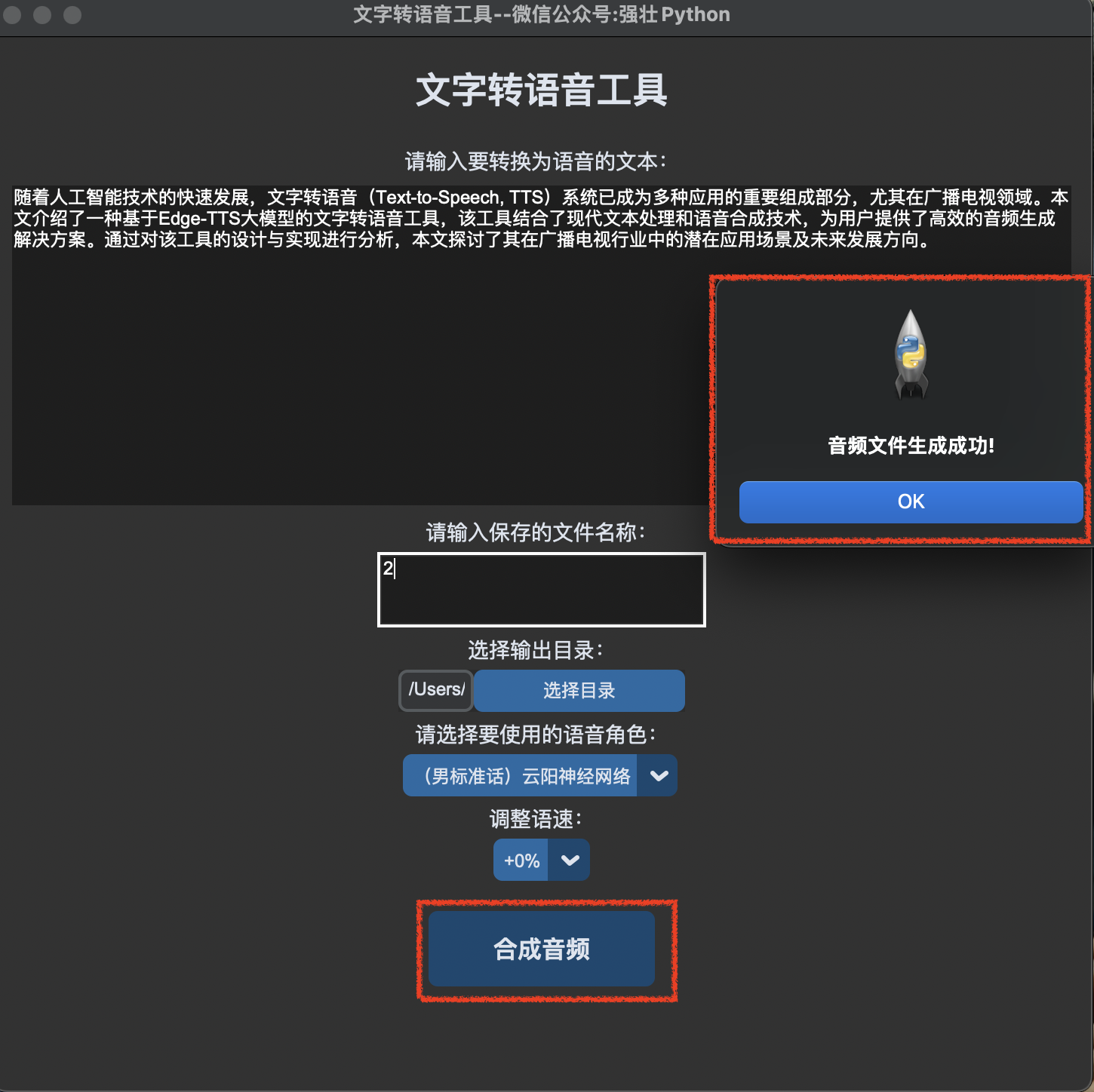
Edge-TTS在广电系统中的语音合成技术的创新应用 作者:本人是一名县级融媒体中心的工程师,多年来一直坚持学习、提升自己。喜欢Python编程、人工智能、网络安全等多领域的技术。 摘要 随着人工智能技术的快速发展,文字转语音(Te…...

2025课题推荐——USBL与DVL数据融合的实时定位系统
准确的定位技术是现代海洋探测、海洋工程和水下机器人操作的基础。超短基线(USBL)和多普勒速度计(DVL)是常用的水下定位技术,但单一技术难以应对复杂环境。因此,USBL与DVL的数据融合以构建实时定位系统&…...

RK3588平台开发系列讲解(ARM篇)ARM64底层中断处理
文章目录 一、异常级别二、异常分类2.1、同步异常2.2、异步异常三、中断向量表沉淀、分享、成长,让自己和他人都能有所收获!😄 一、异常级别 ARM64处理器确实定义了4个异常级别(Exception Levels, EL),分别是EL0到EL3。这些级别用于管理处理器的特权级别和权限,级别越高…...

MyBatis最佳实践:提升数据库交互效率的秘密武器
第一章:框架的概述: MyBatis 框架的概述: MyBatis 是一个优秀的基于 Java 的持久框架,内部对 JDBC 做了封装,使开发者只需要关注 SQL 语句,而不关注 JDBC 的代码,使开发变得更加的简单MyBatis 通…...
Three.js实战项目02:vue3+three.js实现汽车展厅项目
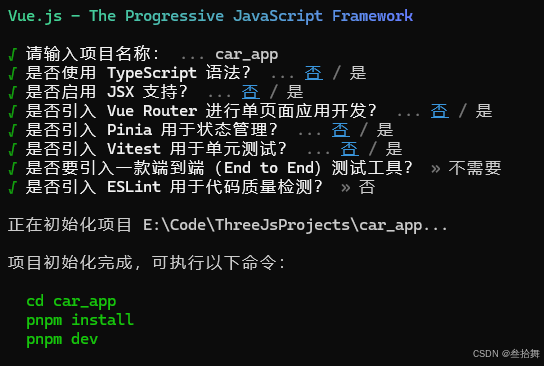
文章目录 实战项目02项目预览项目创建初始化项目模型加载与展厅灯光加载汽车模型设置灯光材质设置完整项目下载实战项目02 项目预览 完整项目效果: 项目创建 创建项目: pnpm create vue安装包: pnpm add three@0.153.0 pnpm add gsap初始化项目 修改App.js代码&#x…...

CPP-存储区域
CPP支持手动开辟和释放内存,所以对于内存的理解非常重要! 在C中,内存存储通常可以大致分为几个区域,这些区域根据存储的数据类型、生命周期和作用域来划分。这些区域主要包括: 代码区(Code Segment/Text S…...

1月27(信息差)
🌍喜大普奔,适用于 VS Code 的 GitHub Copilot 全新免费版本正式推出,GitHub 全球开发者突破1.5亿 🎄Kimi深夜炸场:满血版多模态o1级推理模型!OpenAI外全球首次!Jim Fan:同天两款国…...

开发环境搭建-3:配置 nodejs 开发环境 (fnm+ node + pnpm)
在 WSL 环境中配置:WSL2 (2.3.26.0) Oracle Linux 8.7 官方镜像 node 官网:https://nodejs.org/zh-cn/download 点击【下载】,选择想要的 node 版本、操作系统、node 版本管理器、npm包管理器 根据下面代码提示依次执行对应代码即可 基本概…...

深入理解Pytest中的Setup和Teardown
关注开源优测不迷路 大数据测试过程、策略及挑战 测试框架原理,构建成功的基石 在自动化测试工作之前,你应该知道的10条建议 在自动化测试中,重要的不是工具 对于简单程序而言,使用 Pytest 运行测试直截了当。然而,当你…...

一个局域网通过NAT访问另一个地址重叠的局域网(IP方式访问)
正文共:1335 字 7 图,预估阅读时间:4 分钟 现在,我们已经可以通过调整两台设备的组合配置(地址重叠时,用户如何通过NAT访问对端IP网络?)或仅调整一台设备的配置(仅操作一…...

MongoDB中常用的几种高可用技术方案及优缺点
MongoDB 的高可用性方案主要依赖于其内置的 副本集 (Replica Set) 和 Sharding 机制。下面是一些常见的高可用性技术方案: 1. 副本集 (Replica Set) 副本集是 MongoDB 提供的主要高可用性解决方案,确保数据在多个节点之间的冗余存储和自动故障恢复。副…...

DeepSeek学术题目选择效果怎么样?
论文选题 一篇出色的论文背后,必定有一个“智慧的选题”在撑腰。选题足够好文章就能顺利登上高水平期刊;选题不行再精彩的写作也只能“当花瓶”。然而许多宝子们常常忽视这个环节,把大量时间花在写作上,选题时却像抓阄一样随便挑一…...

Lesson 119 A true story
Lesson 119 A true story 词汇 story n. 故事,传记,小说,楼层storey 搭配:tell a story 讲故事,说谎 true story 真实的故事 the second floor 二楼 例句:我猜他正在说谎。 I guess he…...

正反转电路梯形图
1、正转联锁控制。按下正转按钮SB1→梯形图程序中的正转触点X000闭合→线圈Y000得电→Y000自锁触点闭合,Y000联锁触点断开,Y0端子与COM端子间的内部硬触点闭合→Y000自锁触点闭合,使线圈Y000在X000触点断开后仍可得电。 Y000联锁触点断开&…...

Java并发学习:进程与线程的区别
进程的基本原理 一个进程是一个程序的一次启动和执行,是操作系统程序装入内存,给程序分配必要的系统资源,并且开始运行程序的指令。 同一个程序可以多次启动,对应多个进程,例如同一个浏览器打开多次。 一个进程由程…...
)
解锁罗技键盘新技能:轻松锁定功能键(罗技K580)
在使用罗技键盘的过程中,你是否曾因 F11、F12 功能键的默认设置与实际需求不符而感到困扰? 别担心,今天就为大家分享一个简单实用的小技巧 —— 锁定罗技键盘的 F11、F12 功能键,让你的操作更加得心应手! 通常情况下…...

分布式微服务系统架构第88集:kafka集群
使用集 群最大的好处是可以跨服务器进行负载均衡,再则就是可以使用复制功能来避免因单点故 障造成的数据丢失。在维护 Kafka 或底层系统时,使用集群可以确保为客户端提供高可用 性。 需要多少个broker 一个 Kafka 集群需要多少个 broker 取决于以下几个因…...
)
ESP32-S3模组上跑通esp32-camera(33)
接前一篇文章:ESP32-S3模组上跑通esp32-camera(32) 一、OV5640初始化 2. 相机初始化及图像传感器配置 上一回开始解析camera_probe函数的第8段即最后一段代码,本回继续解析该段代码。为了便于理解和回顾,再次贴出camera_probe函数源码,在components/esp32-camera/drive…...

一次端口监听正常,tcpdump无法监听到指定端口报文问题分析
tcpdump命令: sudo tcpdump -i ens2f0 port 6471 -XXnnvvv 下面是各个部分的详细解释: 1.tcpdump: 这是用于捕获和分析网络数据包的命令行工具。 2.-i ens2f0: 指定监听的网络接口。ens2f0 表示本地网卡),即计算机该指定网络接口捕…...

高可用集群故障之join
本文记录了在部署高可用的k8s集群时,遇到的一个故障及其解决方法。 集群环境 描述:三主三从,eth0为外网网卡,eth1为内网网卡,内网互通。 需求:eth0只负责访问外网,eth1作为集群间的通信。 主…...

uniapp版本升级
1.样式 登录进到首页,弹出更新提示框,且不可以关闭,侧边返回直接退出! 有关代码: <uv-popup ref"popupUpdate" round"8" :close-on-click-overlay"false"><view style"…...

Ubuntu 20.04 x64下 编译安装ffmpeg
试验的ffmpeg版本 4.1.3 本文使用的config命令 ./configure --prefixhost --enable-shared --disable-static --disable-doc --enable-postproc --enable-gpl --enable-swscale --enable-nonfree --enable-libfdk-aac --enable-decoderh264 --enable-libx265 --enable-libx…...

【Web开发】一步一步详细分析使用Bolt.new生成的简单的VUE项目
https://bolt.new/ 这是一个bolt.new生成的Vue小项目,让我们来一步一步了解其架构,学习Vue开发,并美化它。 框架: Vue 3: 用于构建用户界面。 TypeScript: 提供类型安全和更好的开发体验。 Vite: 用于快速构建和开发 主界面如下:…...

SpringBoot源码解析(八):Bean工厂接口体系
SpringBoot源码系列文章 SpringBoot源码解析(一):SpringApplication构造方法 SpringBoot源码解析(二):引导上下文DefaultBootstrapContext SpringBoot源码解析(三):启动开始阶段 SpringBoot源码解析(四):解析应用参数args Sp…...

在ubuntu下一键安装 Open WebUI
该脚本用于自动化安装 Open WebUI,并支持以下功能: 可选跳过 Ollama 安装:通过 --no-ollama 参数跳过 Ollama 的安装。自动清理旧目录:如果安装目录 (~/open-webui) 已存在,脚本会自动删除旧目录并重新安装。完整的依…...

Flutter子页面向父组件传递数据方法
在 Flutter 中,如果父组件需要调用子组件的方法,可以通过以下几种方式实现。以下是常见的几种方法: 方法 1:使用 GlobalKey 和 State 调用子组件方法 这是最直接的方式,通过 GlobalKey 获取子组件的 State,…...