
定制Centos镜像(一)
环境准备:
一台最小化安装的干净的系统,这里使用Centos7.9,一个Centos镜像,镜像也使用Centos7.9的。
[root@localhost ~]# cat /etc/system-release
CentOS Linux release 7.9.2009 (Core)
[root@localhost ~]# rpm -qa | wc -l
306
[root@localhost ~]# du -sh CentOS-7-x86_64-DVD-2009.iso
4.4G    CentOS-7-x86_64-DVD-2009.iso
[root@localhost ~]# ls
anaconda-ks.cfg  CentOS-7-x86_64-DVD-2009.iso
-
将CentOS-7-x86_64-DVD-2009.iso挂在,并复制到新的目录中
挂载前,确保挂在点是一个空目录
[root@localhost ~]# mount -o loop CentOS-7-x86_64-DVD-2009.iso /mnt mount: /dev/loop0 is write-protected, mounting read-only [root@localhost ~]# cp -rp /mnt Centos-install [root@localhost ~]# ls anaconda-ks.cfg CentOS-7-x86_64-DVD-2009.iso Centos-install -
获取最小化安装的所有的包,清空Centos-install中Packages,repodata目录
[root@localhost ~]# rpm -qa > install.txt
[root@localhost ~]# rm -rf Centos-install/{Packages,repodata}/*
实验uefi引导安装会比bios安装多一些包,由于我本地环境使用的是bios安装,所以rpm -qa安装的包里面会少那些包,所以需要重新写入到 install.txt 文件中,以便把包放到 Centos-install/Packages/中
[root@192 ~]# ls /mnt/Packages/ | egrep ‘dosfstools|efibootmgr|efivar-libs|grub2-efi-x64|mokutil|shim-x64’
dosfstools-3.0.20-10.el7.x86_64.rpm
efibootmgr-17-2.el7.x86_64.rpm
efivar-libs-36-12.el7.x86_64.rpm
grub2-efi-x64-2.02-0.86.el7.centos.x86_64.rpm
mokutil-15-8.el7.x86_64.rpm
shim-x64-15-8.el7.x86_64.rpm
[root@192 ~]# echo “dosfstools-3.0.20-10.el7.x86_64
efibootmgr-17-2.el7.x86_64
efivar-libs-36-12.el7.x86_64
grub2-efi-x64-2.02-0.86.el7.centos.x86_64
mokutil-15-8.el7.x86_64
shim-x64-15-8.el7.x86_64” >> install.txt -
根据install.txt文件中的包,从 /mnt 复制到 Centos-install/Packages/
安装 createrepo 工具:
yum -y install createrepo -y[root@localhost ~]# awk '{ print $0 }' install.txt | xargs -i cp /mnt/Packages/{}.rpm Centos-install/Packages/ [root@localhost ~]# ls Centos-install/Packages/ | wc -l 312 -
从
/mnt/repodata中将*-comps.xml复制到Centos-install/repodata/comps.xml,并重新生成软件包组信息的 Yum 软件仓库元数据。下载 createrepo 命令:
yum -y install createrepo
在使用 createrepo -g 如果需要指定时comps.xml文件时必须使用 绝对路径,如果comps.xml文件在当前目录下就不用指定路径。[root@localhost ~]# cp /mnt/repodata/*-comps.xml Centos-install/repodata/comps.xml [root@localhost ~]# ls Centos-install/repodata/ comps.xml [root@localhost ~]# createrepo -g /root/Centos-install/repodata/comps.xml ./Centos-install [root@localhost ~]# ls Centos-install/repodata/ 02b45f1cc69b21bf60d81c3fa1d6d7eb5aaa199d1d5f8f3b95e0dfba03db5f4a-other.xml.gz 0cc929b79a939ad31e0b1d149acfaec55983e818ed245826478b181469161412-primary.sqlite.bz2 467105b47343286ebebc4d4019c162b4d8810c7479221acb162b5e53c9640b92-primary.xml.gz 9e702e7199868a3272a66aad7784bc31693aa03931b9c470ce894bdcbaa69da1-filelists.sqlite.bz2 a4e2b46586aa556c3b6f814dad5b16db5a669984d66b68e873586cd7c7253301-comps.xml.gz cca56f3cffa18f1e52302dbfcf2f0250a94c8a37acd8347ed6317cb52c8369dc-comps.xml d67ef1422af3b7925046da4e083b1f8a583a698b5a910ab246aefadb4a40c4ea-filelists.xml.gz fbeecdbfda867a1415e997673f8ed0773152d6dee49f0fc35f7eaa721e46bede-other.sqlite.bz2 repomd.xml -
创建ks文件
bios 和 uefi 的ks文件的区别就在与 bios 没有 efi 分区。
5.1.1. 创建bios引导的ks文件。
我的 root 密码是 adm@123 ,使用 openssl passwd -1 “yourpasswd” 生成你的密码
将ks文件放到Centos-install/isolinux,放到哪里都可以 / 目录在Centos-install[root@localhost ~]# cat Centos-install/isolinux/bios.cfg #version=DEVEL # System authorization information auth --enableshadow --passalgo=sha512 # Use CDROM installation media cdrom # Use graphical install graphical # Run the Setup Agent on first boot firstboot --enable ignoredisk --only-use=sda # Keyboard layouts keyboard --vckeymap=us --xlayouts='us' # System language lang en_US.UTF-8# Network information network --bootproto=dhcp --device=ens33 --onboot=off --ipv6=auto --no-activate network --hostname=localhost.localdomain# Root password rootpw --iscrypted $6$RtMoOaOfFr8GOMd1$hKlvaWqJD8Ch32drhZVOB2NYFl/zhSsNvj8p1Urvoi8DPpfAFejz06wZ5gKfdoPVhUFZNvOMF/MlUkEXT5L5S. # System services services --enabled="chronyd" # System timezone timezone America/New_York --isUtc # System bootloader configuration bootloader --append=" crashkernel=auto" --location=mbr --boot-drive=sda # Partition clearing information clearpart --all --drives=sda # Disk partitioning information part /boot --fstype="ext4" --ondisk=sda --size=200 part / --fstype="xfs" --ondisk=sda --grow %packages @^minimal @core chrony kexec-tools%end%addon com_redhat_kdump --enable --reserve-mb='auto'%end%anaconda pwpolicy root --minlen=6 --minquality=1 --notstrict --nochanges --notempty pwpolicy user --minlen=6 --minquality=1 --notstrict --nochanges --emptyok pwpolicy luks --minlen=6 --minquality=1 --notstrict --nochanges --notempty %endfirewall --disable selinux --disable reboot5.1.2. 创建uefi引导的ks文件
将ks文件放到
Centos-install/EFI/BOOT,放到哪里都可以 / 目录在Centos-install
相比与 bios ks文件,uefi ks文件 多了一个 uefi分区 :
part /boot/efi --fstype="efi" --ondisk=sda --size=200 --fsoptions="umask=0077,shortname=winnt"[root@192 ~]# cat Centos-install/EFI/BOOT/uefi.cfg #version=DEVEL # System authorization information auth --enableshadow --passalgo=sha512 # Use CDROM installation media cdrom # Use graphical install graphical # Run the Setup Agent on first boot firstboot --enable ignoredisk --only-use=sda # Keyboard layouts keyboard --vckeymap=us --xlayouts='us' # System language lang en_US.UTF-8# Network information network --bootproto=dhcp --device=ens33 --onboot=off --ipv6=auto --no-activate network --hostname=localhost.localdomain# Root password rootpw --iscrypted $6$RtMoOaOfFr8GOMd1$hKlvaWqJD8Ch32drhZVOB2NYFl/zhSsNvj8p1Urvoi8DPpfAFejz06wZ5gKfdoPVhUFZNvOMF/MlUkEXT5L5S. # System services services --enabled="chronyd" # System timezone timezone America/New_York --isUtc # System bootloader configuration bootloader --append=" crashkernel=auto" --location=mbr --boot-drive=sda # Partition clearing information clearpart --all --drives=sda # Disk partitioning information part /boot --fstype="ext4" --ondisk=sda --size=200 part /boot/efi --fstype="efi" --ondisk=sda --size=200 --fsoptions="umask=0077,shortname=winnt" part / --fstype="xfs" --ondisk=sda --grow %packages @^minimal @core chrony kexec-tools%end%addon com_redhat_kdump --enable --reserve-mb='auto'%end%anaconda pwpolicy root --minlen=6 --minquality=1 --notstrict --nochanges --notempty pwpolicy user --minlen=6 --minquality=1 --notstrict --nochanges --emptyok pwpolicy luks --minlen=6 --minquality=1 --notstrict --nochanges --notempty %endfirewall --disable selinux --disable reboot -
修改引导文件
显示安装 DVD 卷名称:
yum -y install genisoimage
[root@192 ~]# isoinfo -d -i CentOS-7-x86_64-DVD-2009.iso | grep “Volume id” | sed -e ‘s/Volume id: //’ -e ‘s/ /\x20/g’
CentOS\x207\x20x86_646.1. 修改bios引导文件
[root@192 ~]# cat Centos-install/isolinux/isolinux.cfg
default linux
prompt 1
timeout 3display boot.msglabel linuxmenu label ^Audo install Centos7.9 systemmenu defaultkernel vmlinuzappend initrd=initrd.img inst.stage2=hd:LABEL=CentOS\x207\x20x86_64 inst.ks=hd:LABEL=CentOS\x207\x20x86_64:/isolinux/bios.cfg  quiet
6.2. 修改uefi引导文件
[root@192 ~]# cat Centos-install/EFI/BOOT/grub.cfg[root@192 ~]# cat Centos-install/EFI/BOOT/grub.cfg set default=0 set timeout=3echo -e "\nWelcome to the Centos 7.9 installer!\n\n"menuentry 'Auto install Centos7.9 system' {linuxefi /images/pxeboot/vmlinuz inst.stage2=hd:LABEL=CentOS\x207\x20x86_64 inst.ks=hd:LABEL=CentOS\x207\x20x86_64:/EFI/BOOT/uefi.cfg quietinitrdefi /images/pxeboot/initrd.img } -
创建自定义的iso镜像
CentOS 7 x86_64就是将之前的DVD 卷名称CentOS\x207\x20x86_64将\x20 替换为空格
安装mkisofs:yum -y install genisoimage[root@192 ~]# cd Centos-install/ [root@192 Centos-install]# mkisofs -untranslated-filenames -volid "CentOS 7 x86_64" -J -joliet-long -rational-rock -translation-table -input-charset utf-8 -b isolinux/isolinux.bin -c isolinux/boot.cat -no-emul-boot -boot-load-size 4 -boot-info-table -eltorito-alt-boot -e images/efiboot.img -no-emul-boot -o /root/Centos-build-20250127.iso -graft-points /root/Centos-install Warning: creating filesystem that does not conform to ISO-9660. Size of boot image is 4 sectors -> No emulation Size of boot image is 17600 sectors -> No emulation1.02% done, estimate finish Mon Jan 27 07:26:09 20252.05% done, estimate finish Mon Jan 27 07:26:09 20253.07% done, estimate finish Mon Jan 27 07:26:09 20254.10% done, estimate finish Mon Jan 27 07:26:09 2025 ... ...97.24% done, estimate finish Mon Jan 27 07:26:13 202598.26% done, estimate finish Mon Jan 27 07:26:13 202599.28% done, estimate finish Mon Jan 27 07:26:13 2025 Total translation table size: 87138 Total rockridge attributes bytes: 38415 Total directory bytes: 71680 Path table size(bytes): 140 Max brk space used 6d000 488518 extents written (954 MB) -
使用创建好的
Centos-build-20250127.iso镜像测试bios和uefi引导安装
此处忽略自行测试。
redhat 官网自定义镜像安装手册:
https://docs.redhat.com/zh-cn/documentation/red_hat_enterprise_linux/7/html/installation_guide/sect-simple-install-kickstart#sect-simple-install-kickstart
相关文章:
)
定制Centos镜像(一)
环境准备: 一台最小化安装的干净的系统,这里使用Centos7.9,一个Centos镜像,镜像也使用Centos7.9的。 [rootlocalhost ~]# cat /etc/system-release CentOS Linux release 7.9.2009 (Core) [rootlocalhost ~]# rpm -qa | wc -l 306 [rootloca…...

C语言------数组思维导图
...

TensorFlow实现逻辑回归模型
逻辑回归是一种经典的分类算法,广泛应用于二分类问题。本文将介绍如何使用TensorFlow框架实现逻辑回归模型,并通过动态绘制决策边界和损失曲线来直观地观察模型的训练过程。 数据准备 首先,我们准备两类数据点,分别表示两个不同…...

《十七》浏览器基础
浏览器:是安装在电脑里面的一个软件,能够将页面内容渲染出来呈现给用户查看,并让用户与网页进行交互。 常见的主流浏览器: 常见的主流浏览器有:Chrome、Safari、Firefox、Opera、Edge 等。 输入 URL,浏览…...

Windows 靶机常见服务、端口及枚举工具与方法全解析:SMB、LDAP、NFS、RDP、WinRM、DNS
在渗透测试中,Windows 靶机通常会运行多种服务,每种服务都有其默认端口和常见的枚举工具及方法。以下是 Windows 靶机常见的服务、端口、枚举工具和方法的详细说明: 1. SMB(Server Message Block) 端口 445/TCP&…...

IME关于输入法横屏全屏显示问题-Android14
IME关于输入法横屏全屏显示问题-Android14 1、输入法全屏模式updateFullscreenMode1.1 全屏模式判断1.2 全屏模式布局设置 2、应用侧关闭输入法全屏模式2.1 调用输入法的应用设置flag2.2 继承InputMethodService.java的输入法应用覆盖onEvaluateFullscreenMode方法 InputMethod…...

网络安全 | F5-Attack Signatures-Set详解
关注:CodingTechWork 创建和分配攻击签名集 可以通过两种方式创建攻击签名集:使用过滤器或手动选择要包含的签名。 基于过滤器的签名集仅基于在签名过滤器中定义的标准。基于过滤器的签名集的优点在于,可以专注于定义用户感兴趣的攻击签名…...

STranslate 中文绿色版即时翻译/ OCR 工具 v1.3.1.120
STranslate 是一款功能强大且用户友好的翻译工具,它支持多种语言的即时翻译,提供丰富的翻译功能和便捷的使用体验。STranslate 特别适合需要频繁进行多语言交流的个人用户、商务人士和翻译工作者。 软件功能 1. 即时翻译: 文本翻译ÿ…...

基于微信小程序的助农扶贫系统设计与实现(LW+源码+讲解)
专注于大学生项目实战开发,讲解,毕业答疑辅导,欢迎高校老师/同行前辈交流合作✌。 技术范围:SpringBoot、Vue、SSM、HLMT、小程序、Jsp、PHP、Nodejs、Python、爬虫、数据可视化、安卓app、大数据、物联网、机器学习等设计与开发。 主要内容:…...

我谈区域偏心率
偏心率的数学定义 禹晶、肖创柏、廖庆敏《数字图像处理(面向新工科的电工电子信息基础课程系列教材)》P312 区域的拟合椭圆看这里。 Rafael Gonzalez的二阶中心矩的表达不说人话。 我认为半长轴和半短轴不等于特征值,而是特征值的根号。…...

关于低代码技术架构的思考
我们经常会看到很多低代码系统的技术架构图,而且经常看不懂。是因为技术架构图没有画好,还是因为技术不够先进,有时候往往都不是。 比如下图: 一个开发者,看到的视角往往都是技术层面,你给用户讲React18、M…...

若依路由配置教程
1. 路由配置文件 2. 配置内容介绍 { path: "/tool/gen-edit", component: Layout, //在路由下,引用组件的名称,在页面中包括这个组件的内容(页面框架内容) hidden: true, //此页面的内容,在左边的菜单中不用显示。 …...

基于ESP8266的多功能环境监测与反馈系统开发指南
项目概述 本系统集成了物联网开发板、高精度时钟模块、环境传感器和可视化显示模块,构建了一个智能环境监测与反馈装置。通过ESP8266 NodeMCU作为核心控制器,结合DS3231实时时钟、DHT11温湿度传感器、光敏电阻和OLED显示屏,实现了环境参数的…...

【Elasticsearch】doc_values 可以用于查询操作
确实,doc values 可以用于查询操作,尽管它们的主要用途是支持排序、聚合和脚本中的字段访问。在某些情况下,Elasticsearch 也会利用 doc values 来执行特定类型的查询。以下是关于 doc values 在查询操作中的使用及其影响的详细解释ÿ…...

HTML5 Web Worker 的使用与实践
引言 在现代 Web 开发中,用户体验是至关重要的。如果页面在执行复杂计算或处理大量数据时变得卡顿或无响应,用户很可能会流失。HTML5 引入了 Web Worker,它允许我们在后台运行 JavaScript 代码,从而避免阻塞主线程,保…...
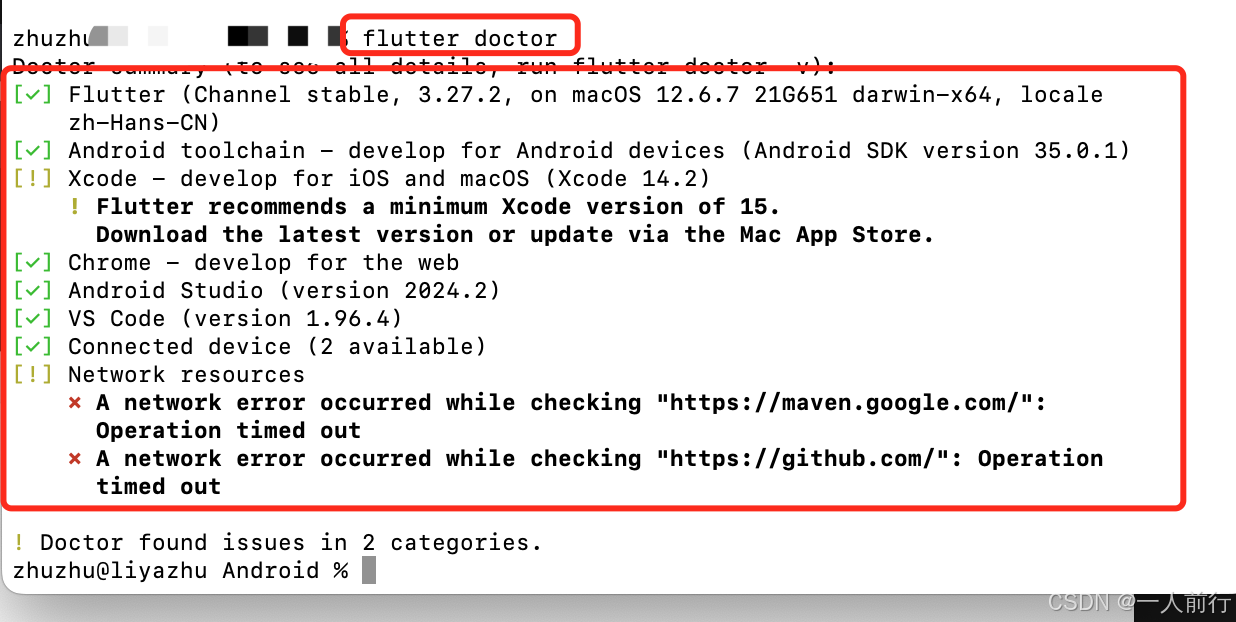
flutter_学习记录_00_环境搭建
1.参考文档 Mac端Flutter的环境配置看这一篇就够了 flutter的中文官方文档 2. 本人环境搭建的背景 本人的电脑的是Mac的,iOS开发,所以iOS开发环境本身是可用的;外加Mac电脑本身就会配置Java的环境。所以,后面剩下的就是&#x…...

自助设备系统设置——对接POS支付
输入管理员密码 一、录入POS网关信息 填写网关信息后保存,重新启动软件...

Calibre(阅读转换)-官方开源中文版[完整的电子图书馆系统,包括图书馆管理,格式转换,新闻,材料转换为电子书]
Calibre(阅读&转换)-官方开源中文版 链接:https://pan.xunlei.com/s/VOHbKYUwd3ASVXTi2Ok1vkK3A1?pwd92ny#...
)
2748. 美丽下标对的数目(Beautiful Pairs)
2748. 美丽下标对的数目(Beautiful Pairs) 题目分析 给定一个整数数组 nums,我们需要找出其中符合条件的“美丽下标对”。美丽下标对是指,数组中的某一对数字 nums[i] 和 nums[j](其中 0 ≤ i < j < nums.leng…...

【unity游戏开发之InputSystem——06】PlayerInputManager组件实现本地多屏的游戏(基于unity6开发介绍)
文章目录 PlayerInputManager 简介1、PlayerInputManager 的作用2、主要功能一、PlayerInputManager组件参数1、Notification Behavior 通知行为2、Join Behavior:玩家加入的行为3、Player Prefab 玩家预制件4、Joining Enabled By Default 默认启用加入5、Limit Number Of Pl…...

算法刷题Day29:BM67 不同路径的数目(一)
题目链接 描述 解题思路: 二维dp数组初始化。 dp[i][0] 1, dp[0][j] 1 。因为到达第一行第一列的每个格子只能有一条路。状态转移 dp[i][j] dp[i-1][j] dp[i][j-1] 代码: class Solution: def uniquePaths(self , m: int, n: int) -> int: #…...

c语言网 1130数字母
原题 题目描述 输入一个字符串,数出其中的字母的个数. 输入格式 一个字符串,不包含空格(长度小于100) 输出格式 字符串中的字母的个数 样例输入 复制 124lfdk54AIEJ92854&%$GJ 样例输出 复制 10 #include<iostream> #include<cc…...

UG二开UF-常用方法
1,带有星号的TAG用法 UF_OPER_ask_cutter_group(tag_t oper,tag_t * group) 2.使用string头文件 #include <afxwin.h> tag_t dj NULL; UF_OPER_ask_cutter_group(objects[0],&dj);//查询指定操作所在的刀具组tag 2࿰…...

美国本科申请文书PS写作中的注意事项
在完成了introduction之后,便可进入到main body的写作之中。美国本科申请文书PS的写作不同于学术论文写作,要求你提出论点进行论证之类。PS更多的注重对你自己的经历或者motivation的介绍和描述。而这一描述过程只能通过对你自己的过往的经历的展现才能体…...

内存泄漏的通用排查方法
本文聊一聊如何系统性地分析查找内存泄漏的具体方法,但不会具体到哪种语言和具体业务代码逻辑中,而是会从 Linux 系统上通用的一些分析方法来入手。这样,不论你使用什么开发语言,不论你在开发什么,它总能给你提供一些帮…...

【Python】第五弹---深入理解函数:从基础到进阶的全面解析
✨个人主页: 熬夜学编程的小林 💗系列专栏: 【C语言详解】 【数据结构详解】【C详解】【Linux系统编程】【MySQL】【Python】 目录 1、函数 1.1、函数是什么 1.2、语法格式 1.3、函数参数 1.4、函数返回值 1.5、变量作用域 1.6、函数…...

读书笔记--分布式服务架构对比及优势
本篇是在上一篇的基础上,主要对共享服务平台建设所依赖的分布式服务架构进行学习,主要记录和思考如下,供大家学习参考。随着企业各业务数字化转型工作的推进,之前在传统的单一系统(或单体应用)模式中&#…...
关于WPF中ComboBox文本查询功能
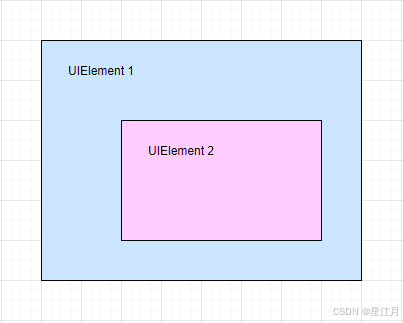
一种方法是使用事件(包括MVVM的绑定) <ComboBox TextBoxBase.TextChanged"ComboBox_TextChanged" /> 然而运行时就会发现,这个事件在疯狂的触发,很频繁 在实际应用中,如果关联查询数据库࿰…...

解析“in the wild”——编程和生活中的俚语妙用
解析“in the wild”——编程和生活中的俚语妙用 看下面的技术文章中遇到 in the wild这个词,想要研究一下,遂产生此文。 Are there ever pointers to pointers to pointers? There is an old programming joke which says you can rate C programmers…...
)
蓝桥杯练习日常|c/c++竞赛常用库函数(下)
书接上回......蓝桥杯算法日常|c\c常用竞赛函数总结备用-CSDN博客 目录 书接上回......https://blog.csdn.net/weixin_47011416/article/details/145290017 1、二分查找 2、lower_bound uper_bound 3、memset() 函数原型 参数说明 返回值 常见用…...