
[ Spring ] Spring Boot Mybatis++ 2025
文章目录
- Structure
- MyBatis++ Controller Abilities
- Configure Plugins and Repositories
- Apply Plugins and Add Dependencies
- MyBatis++ Spring Properties
- MyBatis++ Application
- MyBatis++ Beans
- MyBatis++ Mapper
- MyBatis++ Query Builder
Structure
this blog introduce 3 ways using mybatis
-
based on annotationed SQL and Query interfaces : suppored by MyBatis framework
-
based on Query Wrapper : supported by MyBatis Plus framework
MyBatis Plus provides a easier way to dynamically set condition and updated fields
-
base on Query Condition : combined MyBatis Plus and Kotlin, so called MyBatis++
MyBatis++ provides a more easier way to build complicated conditions
and supports update values through an Example bean
MyBatis++ Controller Abilities
this controller present multiple ways to do CURD with MyBatis++
you can choose your favorite ones or those match your current project most comfortably
package x.spring.hello.controllerimport org.springframework.beans.factory.annotation.Autowired
import org.springframework.web.bind.annotation.GetMapping
import org.springframework.web.bind.annotation.RestController
import x.kotlin.commons.serialize.JSON.toJson
import x.kotlin.commons.serialize.JSON.toJsonOrNull
import x.kotlin.commons.string.UUID
import x.spring.hello.model.User
import x.spring.hello.model.UserExample
import x.spring.hello.repository.UserMapper
import x.spring.hello.mybatis.*@RestController
class UserController {@Autowiredprivate lateinit var userMapper: UserMapper@GetMapping("/01")fun selectAll(): String {val userList = userMapper.selectAll()return userList.toJson()}@GetMapping("/02")fun selectByName(): String {val user = userMapper.selectUserByName("Jimmy")return user.toJsonOrNull().orEmpty()}@GetMapping("/03")fun selectByCondition(): String {val condition = condition { it.eq(User::name, "Jimmy") }val users = userMapper.selectList(condition.build())return users.toJson()}@GetMapping("/04")fun insert(): String {val user = User()user.name = UUID.short()userMapper.insert(user)return user.toJson()}@GetMapping("/05")fun insertOrUpdate(): String {val user = User()user.id = "1"user.name = UUID.short()userMapper.insertOrUpdate(user)return user.toJson()}@GetMapping("/06")fun updateByCondition(): String {val cond1 = condition { it.isNotNull(User::id) }val cond2 = condition { it.eq(User::name, "Jimmy") }val cond3 = condition { it.gt(User::age, 15) }val cond4 = condition {it.set(User::name, "Jimmy")it.set(User::age, 18)}val condition = cond1 and cond2 and cond3 attributes cond4val count = userMapper.update(condition.build())return count.toJson()}@GetMapping("/07")fun updateByEntityAndCondition(): String {val entity = User()entity.name = "Updated"entity.age = 36val cond1 = condition { it.isNotNull(User::id) }val cond2 = condition { it.like(User::name, "Jimmy") }val cond3 = condition { it.gt(User::age, 35) }val condition = cond1 and (cond2 or cond3)val count = userMapper.update(entity, condition.build())return count.toJson()}@GetMapping("/08")fun updateByExampleAndCondition(): String {val example = UserExample()example.age = 18val cond1 = condition { it.isNotNull(User::id) }val cond2 = condition { it.like(User::name, "Jimmy") }val cond3 = condition { it.gt(User::age, 35) }val condition = cond1 and (cond2 or cond3) values exampleval count = userMapper.update(condition.build())return count.toJson()}@GetMapping("/09")fun selectCrossTables(): String {val userRoles = userMapper.selectUserRole()return userRoles.toJson()}
}
Configure Plugins and Repositories
pluginManagement {repositories {gradlePluginPortal()google()mavenCentral()}
}dependencyResolutionManagement {repositoriesMode = RepositoriesMode.PREFER_SETTINGSrepositories {gradlePluginPortal()google()mavenCentral()}
}buildscript {repositories {gradlePluginPortal()google()mavenCentral()}
}plugins {id("org.jetbrains.kotlin.jvm") version "2.0.21" apply falseid("org.jetbrains.kotlin.kapt") version "2.0.21" apply falseid("org.jetbrains.kotlin.plugin.spring") version "2.0.21" apply falseid("org.springframework.boot") version "3.4.1" apply false
}include("spring-mybatis")
Apply Plugins and Add Dependencies
plugins {id("org.jetbrains.kotlin.jvm")id("org.jetbrains.kotlin.kapt")id("org.jetbrains.kotlin.plugin.spring")id("org.springframework.boot")
}java {toolchain {languageVersion = JavaLanguageVersion.of(17)}
}dependencies {val springBootVersion = "3.4.1"val springCloudVersion = "4.2.0"val springCloudAlibabaVersion = "2023.0.3.2"// commonsapi("io.github.hellogoogle2000:kotlin-commons:1.0.19")// kotlinapi("org.jetbrains.kotlin:kotlin-reflect:2.0.21")// springapi("org.springframework.boot:spring-boot-starter:$springBootVersion")api("org.springframework.boot:spring-boot-starter-web:$springBootVersion")api("org.springframework.cloud:spring-cloud-starter-bootstrap:$springCloudVersion")// mybatisapi("link.thingscloud:quick-spring-boot-starter-mybatis-plus:2025.01.22")
}
MyBatis++ Spring Properties
# service
server.port=10003
spring.application.name=mybatis
spring.profiles.active=dev
spring.devtools.add-properties=false
# mybatis
spring.datasource.username=root
spring.datasource.password=123456789
spring.datasource.url=jdbc:mysql://localhost:3306/dev?characterEncoding=utf-8&serverTimezone=UTC
MyBatis++ Application
package x.spring.helloimport org.mybatis.spring.annotation.MapperScan
import org.springframework.boot.autoconfigure.SpringBootApplication
import org.springframework.boot.runApplication@SpringBootApplication
@MapperScan(basePackages = ["x.spring.hello.repository"])
class MybatisApplicationfun main(args: Array<String>) {runApplication<MybatisApplication>(*args)
}
MyBatis++ Beans
package x.spring.hello.modelimport com.baomidou.mybatisplus.annotation.IdType
import com.baomidou.mybatisplus.annotation.TableIdclass User {@TableId(type = IdType.ASSIGN_UUID)var id = ""var name = ""var age = 0
}
package x.spring.hello.modelclass UserExample {var id: String? = nullvar name: String? = nullvar age: Int? = null
}
package x.spring.hello.modelclass UserRoleQueryResult {var name = ""var role = ""
}
MyBatis++ Mapper
mapper sometimes called interface, service or repository in other projects
package x.spring.hello.repositoryimport link.thingscloud.quick.mybatisplus.base.BaseMapper
import org.apache.ibatis.annotations.Select
import x.spring.hello.model.User
import x.spring.hello.model.UserRoleQueryResultinterface UserMapper : BaseMapper<User> {@Select("select * from user")fun selectAll(): MutableList<User>@Select("select * from user where name = #{name}")fun selectUserByName(name: String): User?@Select("""select user.name as name,role.name as role from user left join roleon user.roleId = role.id""")fun selectUserRole(): List<UserRoleQueryResult>
}
MyBatis++ Query Builder
this is the core component to build query condition and examples
difference between entity and example is :
entity will update all field, while example only update non-null fields
package x.spring.hello.mybatisimport com.baomidou.mybatisplus.extension.kotlin.KtUpdateWrapper
import kotlin.reflect.KClass
import kotlin.reflect.KProperty1
import kotlin.reflect.full.memberPropertiesfun interface ConditionConfigurator<T : Any> {fun configure(wrapper: KtUpdateWrapper<T>)
}data class QueryCondition<T : Any>(val configurator: ConditionConfigurator<T>
)inline fun <reified T : Any> QueryCondition<T>.build(): KtUpdateWrapper<T> {val wrapper = KtUpdateWrapper(T::class.java)configurator.configure(wrapper)return wrapper
}inline fun <reified T : Any> condition(configurator: ConditionConfigurator<T>): QueryCondition<T> {return QueryCondition(configurator)
}infix fun <T : Any> QueryCondition<T>.and(other: QueryCondition<T>): QueryCondition<T> {val configurator = ConditionConfigurator {configurator.configure(it)it.and { other.configurator.configure(it) }}return QueryCondition(configurator)
}infix fun <T : Any> QueryCondition<T>.or(other: QueryCondition<T>): QueryCondition<T> {val configurator = ConditionConfigurator {configurator.configure(it)it.or { other.configurator.configure(it) }}return QueryCondition(configurator)
}infix fun <T : Any> QueryCondition<T>.not(other: QueryCondition<T>): QueryCondition<T> {val configurator = ConditionConfigurator {configurator.configure(it)it.not { other.configurator.configure(it) }}return QueryCondition(configurator)
}infix fun <T : Any> QueryCondition<T>.attributes(other: QueryCondition<T>): QueryCondition<T> {val configurator = ConditionConfigurator {configurator.configure(it)other.configurator.configure(it)}return QueryCondition(configurator)
}inline infix fun <reified T : Any, reified S : Any> QueryCondition<T>.values(example: S): QueryCondition<T> {val configurator = ConditionConfigurator { wrapper ->configurator.configure(wrapper)val properties = S::class.memberPropertiesproperties.forEach { propertyS ->val value = propertyS.get(example)value.takeIf { it != null } ?: return@forEachval property = T::class.findPropertyByName(propertyS.name)property.takeIf { it != null } ?: return@forEachwrapper.set(property, value)}}return QueryCondition(configurator)
}inline fun <reified T : Any> KClass<T>.findPropertyByName(name: String): KProperty1<T, *>? {return memberProperties.firstOrNull { it.name == name }
}
相关文章:

[ Spring ] Spring Boot Mybatis++ 2025
文章目录 StructureMyBatis Controller AbilitiesConfigure Plugins and RepositoriesApply Plugins and Add DependenciesMyBatis Spring PropertiesMyBatis ApplicationMyBatis BeansMyBatis MapperMyBatis Query Builder Structure this blog introduce 3 ways using mybat…...

【力扣题解】922. 按奇偶排序数组 II
😊博主目前也在学习,有错误欢迎指正😊 🌈保持热爱 奔赴星海🌈 文章目录 一、题目1、题目描述2、基础框架3、原题链接 二、解题报告1、思路分析2、代码详解 三、本题知识 一、题目 1、题目描述 给定一个非负整数数组 n…...

HTML5教程之标签(2)
HTML5 <b> 标签 实例 在HTML5中,你可以使用<b>标签来对某些文本实现加粗的效果,请参考下述的示例: <p>这是一个普通的文本- <b>这是一个加粗文本</b>。</p> 尝试一下 浏览器支持 所有主流浏览器都支…...

Verilog基础(一):基础元素
verilog基础 我先说,看了肯定会忘,但是重要的是这个过程,我们知道了概念,知道了以后在哪里查询。语法都是术,通用的概念是术。所以如果你有相关的软件编程经验,那么其实开启这个学习之旅,你会感受到熟悉,也会感受到别致。 入门 - 如何开始 欢迎来到二进制的世界,数字…...

Vue 图片引用方式详解:静态资源与动态路径访问
目录 前言1. 引用 public/ 目录2. assets/ 目录3. 远程服务器4. Vue Router 动态访问5. 总结6. 扩展(图片不显示) 前言 🤟 找工作,来万码优才:👉 #小程序://万码优才/r6rqmzDaXpYkJZF 在 Vue 开发中&#x…...

Qt网络相关
“ 所有生而孤独的人,葆有的天真 ” 为了⽀持跨平台, QT对⽹络编程的 API 也进⾏了重新封装。本章会上手一套基于QT的网络通信编写。 UDP Socket 在使用Qt进行网络编程前,需要在Qt项目中的.pro文件里添加对应的网络模块( network ). QT core gui net…...

深入剖析 HTML5 新特性:语义化标签和表单控件完全指南
系列文章目录 01-从零开始学 HTML:构建网页的基本框架与技巧 02-HTML常见文本标签解析:从基础到进阶的全面指南 03-HTML从入门到精通:链接与图像标签全解析 04-HTML 列表标签全解析:无序与有序列表的深度应用 05-HTML表格标签全面…...

使用 Axios 获取用户数据并渲染——个人信息设置
目录 1. HTML 部分(前端页面结构) HTML 结构解析: 2. JavaScript 部分(信息渲染逻辑) JavaScript 解析: 3. 完整流程 4. 总结 5. 适用场景 本文将介绍如何通过 Axios 从服务器获取用户信息࿰…...

生成式AI安全最佳实践 - 抵御OWASP Top 10攻击 (上)
今天小李哥将开启全新的技术分享系列,为大家介绍生成式AI的安全解决方案设计方法和最佳实践。近年来,生成式 AI 安全市场正迅速发展。据 IDC 预测,到 2025 年全球 AI 安全解决方案市场规模将突破 200 亿美元,年复合增长率超过 30%…...

pytorch基于FastText实现词嵌入
FastText 是 Facebook AI Research 提出的 改进版 Word2Vec,可以: ✅ 利用 n-grams 处理未登录词 比 Word2Vec 更快、更准确 适用于中文等形态丰富的语言 完整的 PyTorch FastText 代码(基于中文语料),包含࿱…...

Docker技术相关学习三
一、Docker镜像仓库管理 1.docker仓库:用于存储和分发docker镜像的集中式存储库,开发者可以将自己创建的镜像推送到仓库中也可以从仓库中拉取所需要的镜像。 2.docker仓库: 公有仓库(docker hub):任何人都可…...
在Mac mini M4上部署DeepSeek R1本地大模型
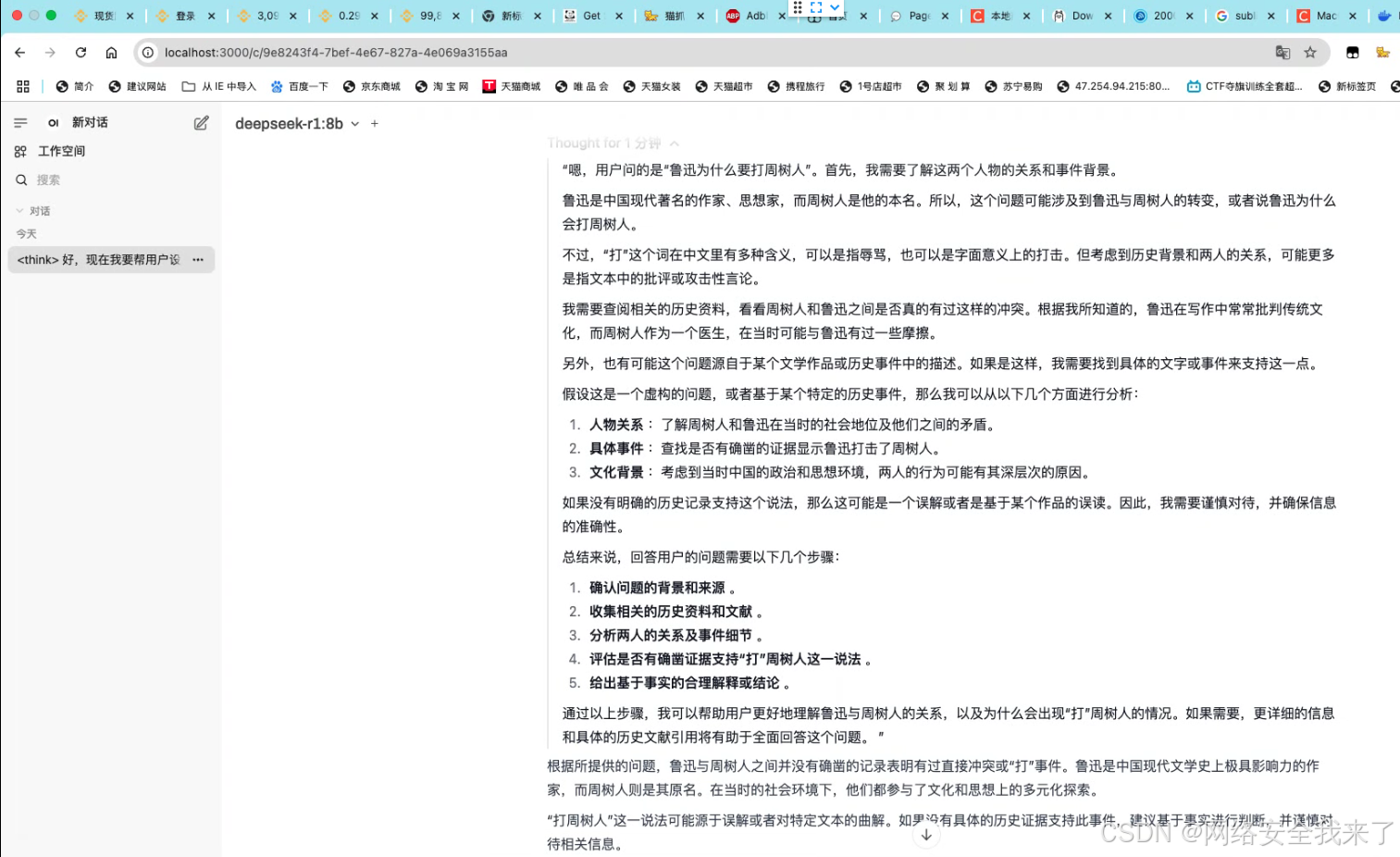
在Mac mini M4上部署DeepSeek R1本地大模型 安装ollama 本地部署,我们可以通过Ollama来进行安装 Ollama 官方版:【点击前往】 Web UI 控制端【点击安装】 如何在MacOS上更换Ollama的模型位置 默认安装时,OLLAMA_MODELS 位置在"~/.o…...

实战:利用百度站长平台加速网站收录
本文转自:百万收录网 原文链接:https://www.baiwanshoulu.com/33.html 利用百度站长平台加速网站收录是一个实战性很强的过程,以下是一些具体的步骤和策略: 一、了解百度站长平台 百度站长平台是百度为网站管理员提供的一系列工…...

2025蓝桥杯JAVA编程题练习Day2
1.大衣构造字符串 问题描述 已知对于一个由小写字母构成的字符串,每次操作可以选择一个索引,将该索引处的字符用三个相同的字符副本替换。 现有一长度为 NN 的字符串 UU,请帮助大衣构造一个最小长度的字符串 SS,使得经过任意次…...

SQL进阶实战技巧:如何分析浏览到下单各步骤转化率及流失用户数?
目录 0 问题描述 1 数据准备 2 问题分析 3 问题拓展 3.1 跳出率计算...

3. k8s二进制集群之负载均衡器高可用部署
Haproxy 和 Keepalived安装Haproxy配置文件准备Keepalived配置及健康检查启动Haproxy & Keepalived服务继续上一篇文章《K8S集群架构及主机准备》,下面介绍负载均衡器搭建过程 Haproxy 和 Keepalived安装 在负载均衡器两个主机上安装即可 apt install haproxy keepalived…...

Python 网络爬虫实战:从基础到高级爬取技术
📝个人主页🌹:一ge科研小菜鸡-CSDN博客 🌹🌹期待您的关注 🌹🌹 1. 引言 网络爬虫(Web Scraping)是一种自动化技术,利用程序从网页中提取数据,广泛…...

python学opencv|读取图像(五十四)使用cv2.blur()函数实现图像像素均值处理
【1】引言 前序学习进程中,对图像的操作均基于各个像素点上的BGR值不同而展开。 对于彩色图像,每个像素点上的BGR值为三个整数,因为是三通道图像;对于灰度图像,各个像素上的BGR值是一个整数,因为这是单通…...
控件【QT】
文章目录 控件QWidgetenabledgeometrysetGeometry qrcwindowOpacityQPixmapfonttoolTipfocusPolicystyleSheetQPushButtonRadio ButtionCheck Box显示类控件QProgressBarcalendarWidget 控件 Qt中已经提供了很多内置的控件了(按钮,文本框,单选按钮,复选按钮,下拉框…...

NOTEPAD++编写abap
参考下面三个链接 Notepad ABAP代码高亮显示_notepad代码高亮颜色-CSDN博客 百度安全验证 ABAP Syntax Highlighting in Notepad Part 2 - SAP Community 最后XML文件看看你可以自己增加些新语法的高亮显示...

STM32 串口发送与接收
接线图 代码配置 根据上一章发送的代码配置,在GPIO配置的基础上需要再配置PA10引脚做RX接收,引脚模式可以选择浮空输入或者上拉输入,在USART配置串口模式里加上RX模式。 配置中断 //配置中断 USART_ITConfig(USART1, USART_IT_RXNE, ENABLE…...

【Unity2D 2022:UI】创建滚动视图
一、创建Scroll View游戏对象 在Canvas画布下新建Scroll View游戏对象 二、为Content游戏对象添加Grid Layout Group(网格布局组)组件 选中Content游戏物体,点击Add Competent添加组件,搜索Grid Layout Group组件 三、调整Grid La…...

Python sider-ai-api库 — 访问Claude、llama、ChatGPT、gemini、o1等大模型API
目前国内少有调用ChatGPT、Claude、Gemini等国外大模型API的库。 Python库sider_ai_api 提供了调用这些大模型的一个完整解决方案, 使得开发者能调用 sider.ai 的API,实现大模型的访问。 Sider是谷歌浏览器和Edge的插件,能调用ChatGPT、Clau…...

CSS Display属性完全指南
CSS Display属性完全指南 引言核心概念常用display值详解1. block(块级元素)2. inline(行内元素)3. inline-block(行内块级元素)4. flex(弹性布局)5. grid(网格布局&…...

密云生活的初体验
【】在《岁末随笔之碎碎念》里,我通告了自己搬新家的事情。乙巳年开始,我慢慢与大家分享自己买房装修以及在新家的居住体验等情况。 跳过买房装修的内容,今天先说说这三个月的生活体验。 【白河】 潮白河是海河水系五大河之一,贯穿…...

Leetcode - 周赛434
目录 一、3432. 统计元素和差值为偶数的分区方案二、3433. 统计用户被提及情况三、3434. 子数组操作后的最大频率四、3435. 最短公共超序列的字母出现频率 一、3432. 统计元素和差值为偶数的分区方案 题目链接 本题可以直接模拟,这里再介绍一个数学做法࿰…...

C32.【C++ Cont】静态实现双向链表及STL库的list
目录 1.知识回顾 2.静态实现演示图 3.静态实现代码 1.初始双向链表 2.头插 3.遍历链表 4.查找某个值 4.任意位置之后插入元素 5.任意位置之前插入元素 6.删除任意位置的元素 4.STL库的list 1.知识回顾 96.【C语言】数据结构之双向链表的初始化,尾插,打印和尾删 97.【C…...

记录一次-Rancher通过UI-Create Custom- RKE2的BUG
一、下游集群 当你的下游集群使用Mysql外部数据库时,会报错: **他会检查ETCD。 但因为用的是Mysql外部数据库,这个就太奇怪了,而且这个检测不过,集群是咩办法被管理的。 二、如果不选择etcd,就选择控制面。 在rke2-…...

使用mockttp库模拟HTTP服务器和客户端进行单元测试
简介 mockttp 是一个用于在 Node.js 中模拟 HTTP 服务器和客户端的库。它可以帮助我们进行单元测试和集成测试,而不需要实际发送 HTTP 请求。 安装 npm install mockttp types/mockttp模拟http服务测试 首先导入并创建一个本地服务器实例 import { getLocal } …...

51单片机入门_05_LED闪烁(常用的延时方法:软件延时、定时器延时;while循环;unsigned char 可以表示的数字是0~255)
本篇介绍编程实现LED灯闪烁,需要学到一些新的C语言知识。由于单片机执行的速度是非常快的,如果不进行延时的话,人眼是无法识别(停留时间要大于20ms)出LED灯是否在闪烁所以需要学习如何实现软件延时。另外IO口与一个字节位的数据对应关系。 文…...