
CSS3+动画
浏览器内核以及其前缀
css标准中各个属性都要经历从草案到推荐的过程,css3中的属性进展都不一样,浏览器厂商在标准尚未明确的情况下提前支持会有风险,浏览器厂商对新属性的支持情况也不同,所有会加厂商前缀加以区分。如果某个属性已经从草案变为了或接近的推荐方案,并且厂商已经完全实现了推荐属性,那就不用加厂商前缀。如border-radius已经很成熟了,不用加前缀。
根据不同的浏览器内核,css前缀会有不同。最基本的浏览器内核有如下四种。
(1)Gecko内核:前缀-moz。火狐浏览器。
(2)Webkit内核:前缀-webkit。chrome、safari。
(3)Trident内核:前缀-ms-。IE。
(4)Presto内核:前缀-o-。opera。
box-shadow
box-shadow:阴影1,阴影2,…
box-shadow:0px 0px 0px 0px #fff inset,0px 0px 0px 0px #fff inset;
box-shadow:水平偏移 垂直偏移 模糊度 阴影大小 颜色 内侧阴影

变换 transform2D
transform 2D函数:translate(x,y)-移动、scale-缩放、rotate-旋转、skew-扭曲
matrix(a,b,c,d,e,f)-矩阵变换
参数a和d:控制元素的缩放。
参数b和c:控制元素的倾斜或斜切。
参数e和f:控制元素的平移。
格式:transform 函数
transform-origin:指定rotate旋转的中心点位置/scale缩放的基点/skew(默认是图形中心点)。
transform-origin:center;
transform-origin:top left;
transform-origin:50px 50px;
transform-origin:bottom right 60px;
变换 transform3D
transform 3D函数:
translate3d(x,y,z)、translateX(x)、translateY(Y)、translateZ(z);
scale3d(x,y,z)、scaleX(x)、scaleY(Y)、scaleZ(z);
rotate3d(x,y,z)、rotateX(x)、rotateY(Y)、rotateZ(z);
格式:transfrom 3d函数
perspective:透视:视角距离:视角离显示屏的距离。
perspectice-origin:视角位置。
过渡 transition
格式:transition:property duration timing-function delay
transition:all 0.3s linear 1s;
缓动函数timing-function:缓动函数有三类:
(1)贝塞尔缓动函数:cubic-bezier(x1,y1,x2,y2)。下面是四个预定义的贝塞尔函数。

(2)线性缓动函数:linear(<point-list>)

(3)阶跃缓动函数:steps(<number-of-steps>,<direction>)

动画 animation
通过关键帧控制动画,关键帧之间的过渡效果。
animation属性
@keyframes 规定动画,用于指定关键帧。。
animation 所有动画属性的简写属性。
animation-name 规定 @keyframes 动画的名称。
animation-duration 规定动画完成一个周期所花费的秒或毫秒。默认是 0。
animation-timing-function 规定动画的速度曲线。默认是 “ease”。
animation-fill-mode 规定当动画不播放时(当动画完成时,或当动画有一个延迟未开始播放时),要应用到元素的样式。
animation-delay 规定动画何时开始。默认是 0。
animation-iteration-count 规定动画被播放的次数。默认是 1。infinite无限循环。
animation-direction 规定动画是否在下一周期逆向地播放。默认是 “normal”。alternate先执行一遍动画,然后再反向执行一遍动画。
animation-play-state 规定动画是否正在运行或暂停。默认是 “running”。
动画案例
小球弹跳动画
.boll{width:500px;height:500px;background:#29d1d1;border-radius:50%; animation:bounce 1s linear infinite;
}
@keyframes bounce{0%{transform:translateY(0%);}50%{transform:translateY(25%);}100%{transform:translateY(0%);}
}
文字渐变动画效果
.text-animation{width:140px;height:70px;font-size:90px;font-weight:bold;line-height:50px;background:linear-gradient(-45deg,#ee7752,#e73c7e,#23a6d5,#23d5ab);color:transparent;background-clip:text; animation: gradient 2.5s ease infinite alternate;background-position:0% 100%;background-size:400% 400%;
}
@keyframes gradient{0%{background-position:0% 100%;} 100%{background-position:100% 100%;}
}
地图图标动画

<!DOCTYPE html>
<html lang="en"><head><meta charset="UTF-8"><meta name="viewport" content="width=device-width, initial-scale=1.0"><title>Document</title>
</head><body><div class="content"><div class="pos"></div><div class="pos-bottom"></div></div></body>
<style>body {background-color: #0b3061;overflow: hidden;}.content {width: 100%;height: 100vh;display: flex;flex-direction: column;align-items: center;justify-content: center;}.pos {width: 100px;height: 100px;background-color: #0c5db9;border-radius: 50% 50% 50% 0;transform: rotate(-45deg);animation-name: bounce;animation-duration: 1s;animation-timing-function: ease;animation-fill-mode: both;}.pos::after {content: '';display: inline-block;width: 50px;height: 50px;border-radius: 50%;background-color: #fff;position: relative;top: 25%;left: 25%;}.pos-bottom { width: 50px;height: 50px;background-color: rgba(0, 0, 0, 0.2);border-radius: 50%; transform: rotateX(55deg);  z-index: -1; }.pos-bottom::after {content: '';display: inline-block;width: 100px;height: 100px;background-color: transparent; border-radius: 50%;transform: rotateX(30deg); position: relative;bottom: 50%;right: 50%;box-shadow: 0px 0px 2px 5px rgba(255, 255, 255, 0.5);animation-name: pulsate;animation-duration: 1s;animation-iteration-count: infinite;animation-timing-function: ease-in-out;animation-delay: 1.1s; opacity: 0;}@keyframes bounce {0% {opacity: 0;filter: alpha(opacity=0);transform: translateY(-1000px) rotate(-45deg);}60% {opacity: 1;filter: none;transform: translateY(30px) rotate(-45deg);}100% { transform: translateY(0px) rotate(-45deg);}}@keyframes pulsate {0% { transform: scale(0.2);opacity: 0;} 50% { opacity: 1;}100% {transform: scale(1); opacity: 0;}}
</style></html>
背景混合动效

<!DOCTYPE html>
<html lang="en"><head><meta charset="UTF-8"><meta name="viewport" content="width=device-width, initial-scale=1.0"><title>Document</title>
</head><body><div class="container"><div class="card"><div class="bg-1"></div><div class="bg-2"></div><div class="icon-box"></div></div><div class="card"><div class="bg-1"></div><div class="bg-2"></div><div class="icon-box"></div></div><div class="card"><div class="bg-1"></div><div class="bg-2"></div><div class="icon-box"></div></div></div></body>
<style>:root {--color: rgb(61, 98, 112);--color-bg-1: #33adff;--color-bg-2: #ff2af4;}body {background: linear-gradient(45deg, rgba(42, 199, 219, 0.973), rgba(255, 122, 151, 0.5));width: 100vw;height: 100vh;display: flex;flex-direction: row;justify-content: center;align-items: center;overflow: hidden;}.container {width: 95vw;max-width: 600px;display: flex;flex-wrap: wrap;text-align: center;position: relative;}.card {flex: auto;min-width: calc(33% - 2vw);margin: 0 1vw calc(1vw + 50px) 1vw;position: relative;cursor: pointer;border: 1px solid #fff;}.card:hover .bg-1,.card:hover .bg-2 {display: block;}.card::after {content: '';float: left;padding-top: 100%;}.icon-box{position: absolute;width: 85%;height: 85%;border-radius: 50%;background-color: #fff;margin: 8%;}.bg-1,.bg-2{position: absolute;width: 85%;height: 85%;border-radius: 50%;   opacity: 1;mix-blend-mode: multiply;display: none;}.bg-1{background-color: var(--color-bg-1); animation: move 1.8s linear infinite  ;}.bg-2{background-color: var(--color-bg-2);    animation: move 1.2s linear infinite  ;}@keyframes move {0%{top:8%;left:0%;}25%{top:0%;left:8%;}50%{top: 8%;left: 16%;}70%{top: 16%;left: 8%;} 100%{top: 8%;left: 0%;}}
</style></html>
渐变动态边框
- 1、通过背景旋转rotate得到

<!DOCTYPE html>
<html lang="en"><head><meta charset="UTF-8"><meta name="viewport" content="width=device-width, initial-scale=1.0"><title>Document</title>
</head><body><div class="container"><div class="box"><h2>CSS</h2></div><div class="box"><h2>Border</h2></div><div class="box"><h2>Animation</h2></div></div>
</body>
<style>body {padding: 0;margin: 0;}.container {width: 100%;height: 100vh;display: flex;justify-content: space-between;align-items: center;background-color: #0e1538;}.box {width: 300px;height: 400px;margin: 30px;border-radius: 20px;background-color: rgba(0, 0, 0, .5);position: relative;display: flex;align-items: center;justify-content: center;color: #fff;box-shadow: 0 0 10px #000;overflow: hidden; h2{z-index: 1;}}.box::before {content: '';position: absolute;width: 150px;height: 140%;background: linear-gradient(#00ccff,#d400d4);box-shadow: 0 0 20px #999;animation: animate 4s linear infinite; }.box::after{content: '';position: absolute;inset: 4px;background-color: #0e1538;border-radius: 16px;}@keyframes animate {0%{transform: rotate(0deg);}100%{transform: rotate(360deg);}}
</style></html>
- 2、动态渐变边框:放大背景,修改背景位置 可以得到图片各位置的图像。
background-size: 200% 100%;
background-position: 0 0;//看到左边部分的渐变
background-position: 100% 0;//看到右边部分的渐变

<!DOCTYPE html>
<html lang="en"><head><meta charset="UTF-8"><meta name="viewport" content="width=device-width, initial-scale=1.0"><title>Document</title>
</head><body><div class="container"><div class="input"><input class="input-inner" type="text" placeholder="Enter your name"></input></div></div>
</body>
<style>body {padding: 0;margin: 0;}.container {width: 100%;height: 100vh;overflow: hidden;display: flex;justify-content: center;align-items: center;background-color: #000;}.input {position: relative;}.input::before {content: '';position: absolute;width: 100%;height: 100%;border-radius: 5px;background: linear-gradient(to right, yellow, green, #00ccff, #d400d4);/* 横向放大2倍,可视区域只能看到两个颜色的渐变 */background-size: 200% 100%;animation: input-border 2s ease-in-out infinite;animation-direction: alternate-reverse;}.input-inner {position: relative;display: inline-block;margin: 10px;width: 400px;height: 50px;z-index: 1;}@keyframes input-border {0% {background-position: 0 0;}100% {background-position: 100% 0;}}
</style></html>
文本变形动画
文本变形 :filter contrast() blur()
animation-delay 负数 提前执行:动画提前执行,重叠在页面上的元素 希望他们一次出现,可以设置提前执行。这样在元素还没有显示在页面上时就开始执行动画。
元素居中:
left: 50%;top: 50%;//相对父元素的偏移transform: translate(-50%, -50%);//相对自身往反方向偏移一半就居住中了

<!DOCTYPE html>
<html lang="en"><head><meta charset="UTF-8"><meta name="viewport" content="width=device-width, initial-scale=1.0"><title>Document</title>
</head><body><div class="morphing"><div class="word">word</div><div class="word">morphing</div><div class="word">with</div><div class="word">pure</div><div class="word">CSS</div><div class="word">is</div><div class="word">greet!!</div></div>
</body>
<style>body {padding: 0;margin: 0;}.morphing {width: 100%;height: 100vh; background:  #000;color: #fff;position: relative;/*  contrast(25) 和 动画中的 blur 配合使用,可以达到 圆角的效果 */filter: contrast(25) blur(1px);}.word {font-size: 120px;position: absolute;/*居中*/left: 50%;top: 50%;transform: translate(-50%, -50%);animation: word 16s ease-in-out infinite; /* 可以设置为0,让延迟为正数 *//*opacity: 0;animation: word 14s ease infinite; */}/* animation-delay 负数 提前执行 */.word:nth-child(1)  {animation-delay: -16s;}.word:nth-child(2) {animation-delay: -14s;} .word:nth-child(3) {animation-delay: -12s;} .word:nth-child(4) {animation-delay: -10s;} .word:nth-child(5) {animation-delay: -8s;} .word:nth-child(6) {animation-delay: -6s;}.word:nth-child(7) {animation-delay: -4s;}  /* .word:nth-child(1)  {animation-delay: 1s;}.word:nth-child(2) {animation-delay: 3s;} .word:nth-child(3) {animation-delay: 5s;} .word:nth-child(4) {animation-delay: 7s;} .word:nth-child(5) {animation-delay: 9s;} .word:nth-child(6) {animation-delay: 11s;}.word:nth-child(7) {animation-delay: 13s;}   */@keyframes word {0%,5%,100% {opacity: 1;filter: blur(0px);}20%,80% {opacity: 0;filter: blur(1em);}}
</style></html>
平面移动动画
transform: translateX:从屏幕左边移到右边

<!DOCTYPE html>
<html lang="en"><head><meta charset="UTF-8"><meta name="viewport" content="width=device-width, initial-scale=1.0"><title>Document</title>
</head><body><div class="container"><div class="plane plane-1"><i></i></div><div class="plane plane-2"><i></i></div></div>
</body>
<style>body {padding: 0;margin: 0;}.container {width: 100%;height: 100vh;overflow: hidden;position: relative;}.container::after {content: '';position: absolute;width: 100%;height: 100%;background-image: linear-gradient(360deg, #b7bca4 26.23%, #3d94b2 87.3%);top: 0;left: 0;opacity: 0.4;}.plane {position: absolute;left: 0;width: 100%;z-index: 1;transform: rotate(-10deg);}.plane i {background-image: url("./plane.png");background-repeat: no-repeat;background-position: right center;background-size: contain;position: absolute;right: 0;transition: all 0.4s ease-out; animation: motion linear infinite;  }.plane-1 {top: 90px;}.plane-1 i {width: 1171px;height: 67px;animation-duration: 50s;animation-delay: -10s;}.plane-2 {top: 200px;}.plane-2 i {width: 500px;height: 47px;animation-duration: 60s;animation-delay: -5s;}@keyframes motion{0%{opacity: 1;transform: translateX(-120vw);}100%{/* opacity: 0; */transform: translateX(0);}/* 97%{ opacity: 1;}98%{ opacity: 0;} *//* 100%{ opacity: 0;transform: translateX(calc(0% + 100px));} */}
</style></html>
鼠标光标动画

<!DOCTYPE html>
<html lang="en"><head><meta charset="UTF-8"><meta name="viewport" content="width=device-width, initial-scale=1.0"><title>Document</title>
</head><body><div class="container"><div class="box box-1">Sphere</div><div class="box box-2">Circle Outline</div><div class="box box-3">Circle Pin</div><div class="box box-4">Circle Color Gradient</div><div id="circle"></div></div>
</body>
<script>let circle = document.getElementById("circle");const circleStyle = circle.style;document.addEventListener("mousemove", (e) => {window.requestAnimationFrame(() => {circleStyle.left = `${e.clientX - circle.offsetWidth / 2}px`;circleStyle.top = `${e.clientY - circle.offsetHeight / 2}px`; })  })</script>
<style>body {padding: 0;margin: 0;cursor: none;}.container {width: 100%;height: 100vh;padding: 100px;box-sizing: border-box;overflow: hidden;position: relative;background-color: #359095;}#circle {width: 30px;height: 30px;border-radius: 50%;background-color: #fff;pointer-events: none;position: absolute;transition: background ease-in 10ms ,box-shadow ease-in 150ms,transform ease-in 150ms;transform: translate3d(0,0,0);}.box {width: 70%;height: 25%;margin: 0 auto;display: flex;align-items: center;justify-content: center;}.box-1 {background-color: #e8edf3; }.box-1:hover ~ #circle{background-color: #e6cf8b;box-shadow: 0 0 0 0 transparent,inset 0em -0.3em 0.4em 0.2em #ca9e03a6;}.box-2 {background-color: #e6cf8b;}.box-2:hover ~ #circle{background-color: transparent;border: 3px solid #b56969; }.box-3 {background-color: #b56969;}.box-3:hover ~ #circle{background-color: pink; transform: scale(0.5);}.box-4 {background-color: #1d1f31;color: #fff;}.box-4:hover ~ #circle{background-image: linear-gradient(to top, #fbc2eb, #a6c1ee); }
</style></html>
相关文章:
CSS3+动画
浏览器内核以及其前缀 css标准中各个属性都要经历从草案到推荐的过程,css3中的属性进展都不一样,浏览器厂商在标准尚未明确的情况下提前支持会有风险,浏览器厂商对新属性的支持情况也不同,所有会加厂商前缀加以区分。如果某个属性…...

C++ list介绍
文章目录 1. list简介2. list的实现框架2.1 链表结点2.2 链表迭代器2.3 链表 3. list迭代器及反向迭代器设计3.1 list迭代器3.2 list反向迭代器3.3 list迭代器失效 4. list与vector比较 1. list简介 list,即链表。 链表的种类有很多,是否带头结点&#…...

Java - 在Linux系统上使用OpenCV和Tesseract
系统环境 确保Linux系统安装了cmake构建工具,以及java和ant(这两者如果没有,可能会影响到后面编译opencv生成.so和.jar文件)。 sudo apt-get update sudo apt-get install build-essential sudo apt install cmake build-essen…...

自有服务与软件包
—— 小 峰 编 程 目录 编辑 一、自有服务概述 二、systemctl管理服务命令 1、显示服务 2、查看启动和停止服务 3、服务持久化 三、常用自有服务(ntp,firewalld,crond) 1、ntp时间同步服务 1)NTP同步服务器原理 2)到哪里去找NPT服务…...
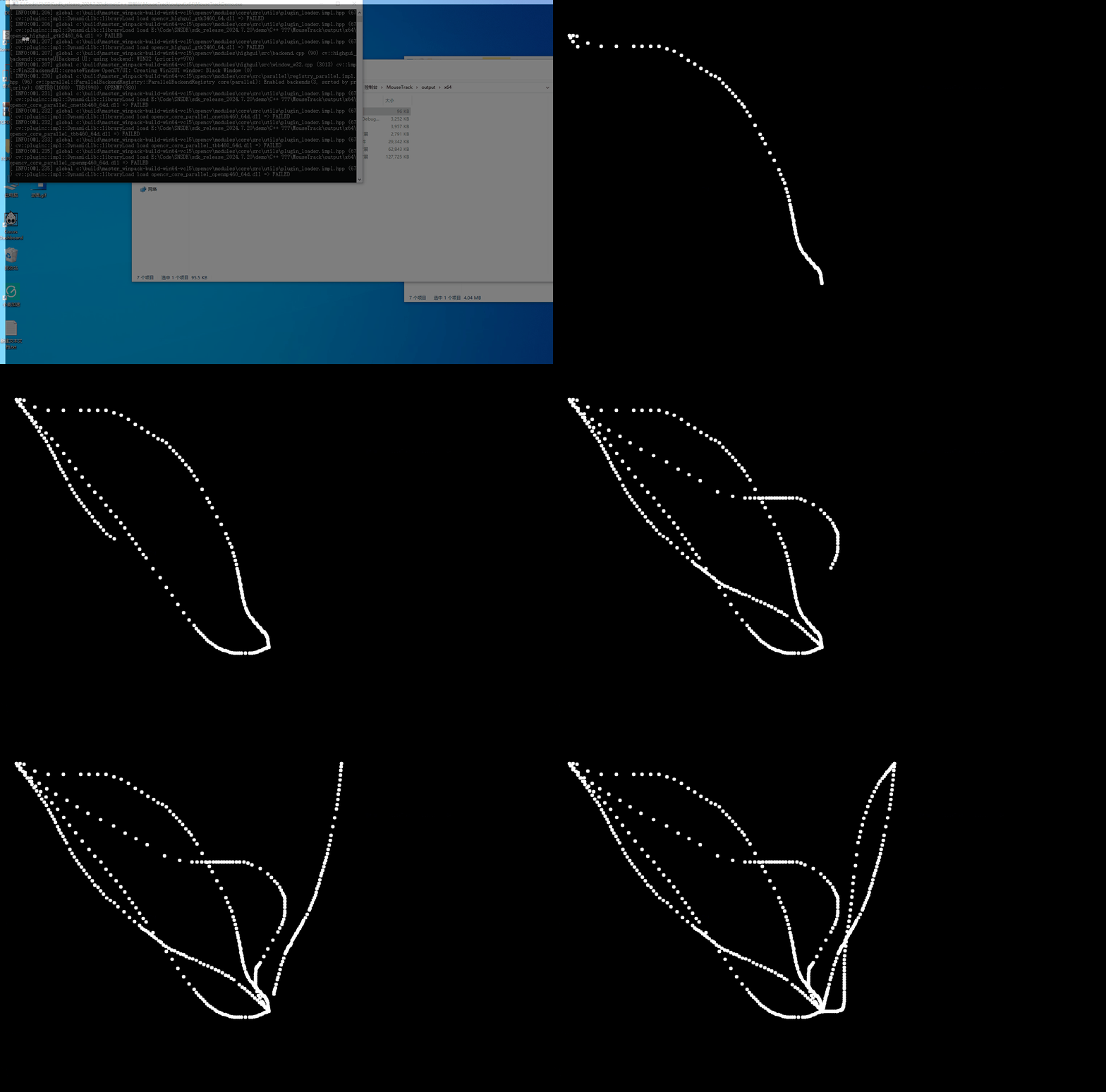
Python 鼠标轨迹 - 防止游戏检测
一.简介 鼠标轨迹算法是一种模拟人类鼠标操作的程序,它能够模拟出自然而真实的鼠标移动路径。 鼠标轨迹算法的底层实现采用C/C语言,原因在于C/C提供了高性能的执行能力和直接访问操作系统底层资源的能力。 鼠标轨迹算法具有以下优势: 模拟…...

BootstrapBlazor Table组件 使用的注入 数据服务 实现类:使用 EF Core
一、使用示例:UsersManager.razor 注:TLog 相关内容参见 .NET 9.0 的 Blazor Web App 项目、Bootstrap Blazor 组件库、自定义日志 TLog 使用备忘-CSDN博客 page "/Log/TLogManager"<Table TItem"TLogEntity" DataService&qu…...

chrome-mojo C++ Bindings API
概述 Mojo C 绑定 API 利用C 系统 API提供一组更自然的原语,用于通过 Mojo 消息管道进行通信。结合从Mojom IDL 和绑定生成器生成的代码,用户可以轻松地跨任意进程内和进程间边界连接接口客户端和实现。 本文档通过示例代码片段提供了绑定 API 用法的详…...

git如何把多个commit合成一个
在 Git 中,如果你想把多个提交(commit)合并成一个,可以使用 git rebase 或 git reset 来完成。下面是两种常用方法: 方法一:使用 git rebase(推荐) git rebase 是合并多个提交为一…...

java: framework from BLL、DAL、IDAL、MODEL、Factory using oracle
oracel 21c sql: -- 创建 School 表 CREATE TABLE School (SchoolId CHAR(5) NOT NULL,SchoolName NVARCHAR2(500) NOT NULL,SchoolTelNo VARCHAR2(8) NULL,PRIMARY KEY (SchoolId) );CREATE OR REPLACE PROCEDURE addschool(p_school_id IN CHAR,p_school_name IN NVARCHAR2,p…...

RPA与深度学习结合
什么是RPA RPA即机器人流程自动化(Robotic Process Automation),它是一种利用软件机器人模拟人类在计算机上的操作,按照预设的规则自动执行一系列重复性、规律性任务的技术。这些任务可以包括数据录入、文件处理、报表生成、系统…...

Ubuntu22.04部署deepseek大模型
Ollama 官方版 Ollama 官方版: https://ollama.com/ 若你的显卡是在Linux上面 可以使用如下命令安装 curl -fsSL https://ollama.com/install.sh | shollama命令查看 rootheyu-virtual-machine:~# ollama -h Large language model runnerUsage:ollama [flags]ollama [comman…...

如何设置Jsoup请求头模拟浏览器访问?
在使用 Jsoup 进行网络爬虫开发时,设置请求头以模拟浏览器访问是非常重要的。这不仅可以帮助我们更好地伪装爬虫,避免被目标网站识别,还可以确保请求的合法性。以下是如何设置 Jsoup 请求头以模拟浏览器访问的详细步骤和示例代码。 1. 设置请…...

JVM 类加载子系统在干什么?
JVM 类加载子系统是什么? 类加载子系统(Class Loader Subsystem)是 JVM 负责 加载、链接和初始化 .class 文件的组件。它的主要作用是将字节码文件加载进 JVM 并准备执行。 类加载器(ClassLoader)是 字节码的搬运工&…...

Redis数据库(二):Redis 常用的五种数据结构
Redis 能够做到高性能的原因主要有两个,一是它本身是内存型数据库,二是采用了多种适用于不同场景的底层数据结构。 Redis 常用的数据结构支持字符串、列表、哈希表、集合和有序集合。实现这些数据结构的底层数据结构有 6 种,分别是简单动态字…...
)
《量化绿皮书》Chapter 3 Calculus and Linear Algebra 微积分与线性代数(二)
《A Practical Guide To Quantitative Finance Interviews》,被称为量化绿皮书,是经典的量化求职刷题书籍之一,包含以下七章: Chapter 1 General Principles 通用技巧 Chapter 2 Brain Teasers 脑筋急转弯 Chapter 3 Calculus and…...
网络安全溯源 思路 网络安全原理
网络安全背景 网络就是实现不同主机之间的通讯。网络出现之初利用TCP/IP协议簇的相关协议概念,已经满足了互连两台主机之间可以进行通讯的目的,虽然看似简简单单几句话,就描述了网络概念与网络出现的目的,但是为了真正实现两台主机…...

BS架构(笔记整理)
楔子.基本概念 1.在网络架构中: 服务器通常是集中式计算资源,负责处理和存储数据;客户机是请求这些服务的终端设备,可能是个人电脑或移动设备;浏览器则是客户机上用来与服务器交互的工具,负责展示网页内容…...

06排序 + 查找(D2_查找(D2_刷题练习))
目录 1. 二分查找-I 1.1 题目描述 1.2 解题思路 方法:二分法(推荐使用) 2. 二维数组中的查找 2.1 题目描述 2.2 解题思路 方法一:二分查找(推荐使用) 3. 寻找峰值 3.1 题目描述 3.2 解题思路 方…...

客户端渲染和服务端渲染
二者本质的区别:是在哪完成了 HTML 的拼接,服务端渲染是在服务端拼接,客户端渲染是在客户端拼接。 服务端渲染的优缺点 优点 SEO 友好,服务端渲染更有利于爬虫爬取信息。 更快的首屏渲染,因为 HTML 已经在服务端生…...

C++ 设计模式 - 访问者模式
一:概述 访问者模式将作用于对象层次结构的操作封装为一个对象,并使其能够在不修改对象层次结构的情况下定义新的操作。 《设计模式:可复用面向对象软件的基础》一书中的访问者模式因两个原因而具有传奇色彩:一是因为它的复杂性&a…...

海云安开发者智能助手(D10)全面接入DeepSeek,赋能开发者安全高效编码新范式
海云安正式宣布完成与DeepSeek(深度求索)的深度技术融合,旗下核心产品D10开发者智能助手全面接入DeepSeek R1模型。此次合作标志着海云安在"AI驱动开发安全"领域实现重要突破。数据显示,通过DeepSeek R1模型的优化与蒸馏…...

服务器绑定 127.0.0.1 和 0.0.0.0 的区别
前言 IP 地址实际上并不是分配给计算机的,而是分配给网卡的,因此当计算机上存在多块网卡时,每一块网卡都会有自己的 IP 地址。 绑定 127.0.0.1 是绑定到 lookback 这个虚拟的本地回环接口,该接口只处理本机上的数据,…...

ML.NET库学习005:基于机器学习的客户细分实现与解析
文章目录 ML.NET库学习005:基于机器学习的客户细分实现与解析项目主要目的和原理目的原理 项目概述实现的主要功能主要流程步骤使用的主要函数方法关键技术 主要功能和步骤功能详细解读详细步骤解析 数据集及其处理步骤数据集处理步骤关键处理步骤原理1. 数据清洗与…...

分布式id探索
一、为什么要使用分布式id? 随着数据量增加,数据需要进行水平拆分,但表自增id无法满足唯一性; 二、分布式id的特点 1唯一性 2 趋势递增、单调递增(数据库中存放的数据结构数据从小到大有序排列)࿰…...
技术解析与总结)
互联网协议套件中的服务类型(RFC 1349)技术解析与总结
1. 背景与核心目标 RFC 1349 是对 IP 协议头部 服务类型(Type of Service, TOS)字段语义的更新与澄清文档,发布于 1992 年。其主要目标包括: 重新定义 TOS 字段的用途:明确 TOS 字段的语义,解决历史标准中的…...

java-初识List
List: List 是一个接口,属于 java.util 包,用于表示有序的元素集合。List 允许存储重复元素,并且可以通过索引访问元素。它是 Java 集合框架(Java Collections Framework)的一部分 特点: 有序…...

【Linux系统】—— 简易进度条的实现
【Linux系统】—— 简易进度条的实现 1 回车和换行2 缓冲区3 进度条的准备代码4 第一版进度条5 第二版进度条 1 回车和换行 先问大家一个问题:回车换行是什么,或者说回车和换行是同一个概念吗? 可能大家对回车换行有一定的误解࿰…...

一文学会:用DeepSeek R1/V3 + AnythingLLM + Ollama 打造本地化部署的个人/企业知识库,无须担心数据上传云端的泄露问题
文章目录 前言一、AnythingLLM 简介&基础应用1.主要特性2.下载与安装3.配置 LLM 提供商4.AnythingLLM 工作区&对话 二、AnythingLLM 进阶应用:知识增强使用三、AnythingLLM 的 API 访问四、小结1.聊天模式2.本地存储&向量数据库 前言 如果你不知道Olla…...

开源身份和访问管理方案之keycloak(一)快速入门
文章目录 什么是IAM什么是keycloakKeycloak 的功能 核心概念client管理 OpenID Connect 客户端 Client Scoperealm roleAssigning role mappings分配角色映射Using default roles使用默认角色Role scope mappings角色范围映射 UsersGroupssessionsEventsKeycloak Policy创建策略…...

C++STL(六)——list模拟
目录 本次所需实现的三个类一、结点类的模拟实现构造函数 二、迭代器类的模拟实现为什么有迭代器类迭代器类的模板参数说明构造函数运算符的重载- -运算符的重载和!运算符的重载*运算符的重载->运算符的重载引入模板第二个和第三个参数 三、list的模拟实现3.1 默认成员函数构…...