
DeepSeek 助力 Vue 开发:打造丝滑的日期选择器(Date Picker),未使用第三方插件
前言:哈喽,大家好,今天给大家分享一篇文章!并提供具体代码帮助大家深入理解,彻底掌握!创作不易,如果能帮助到大家或者给大家一些灵感和启发,欢迎收藏+关注哦 💕



目录
- DeepSeek 助力 Vue 开发:打造丝滑的日期选择器(Date Picker),未使用第三方插件
- 📚前言
- 📚进入安装好的DeepSeek
- 📚页面效果
- 📚指令输入
- **属性(Props)**
- **事件(Events)**
- 📘组件代码,src\components\DatePicker\DatePicker.vue
- 📘调用 src\views\DatePickerView.vue
- 📚代码测试
- 📚测试代码正常跑通,附其他基本代码
- 📘编写路由 src\router\index.js
- 📘编写展示入口 src\App.vue
- 📚页面效果
- 📚自己部署 DeepSeek 安装地址
- 📚相关文章
📚📗📕📘📖🕮💡📝🗂️✍️🛠️💻🚀🎉🏗️🌐🖼️🔗📊👉🔖⚠️🌟🔐⬇️·正文开始⬇️·🎥😊🎓📩😺🌈🤝🤖📜📋🔍✅🧰❓📄📢📈 🙋0️⃣1️⃣2️⃣3️⃣4️⃣5️⃣6️⃣7️⃣8️⃣9️⃣🔟🆗*️⃣#️⃣
DeepSeek 助力 Vue 开发:打造丝滑的日期选择器(Date Picker),未使用第三方插件
📚前言
苏商银行同样在积极应用 DeepSeek。应用 DeepSeek VL2 多模态模型处理非标材料,如表格、影像资料、文档图片等识别,提升信贷材料综合识别准确率至 97%,并将 DeepSeek R1 推理模型集成到自主研发的 “开发助手”,使核心系统迭代周期缩短 30%。此外,苏商银行将 DeepSeek 的蒸馏技术应用于信贷风控、反欺诈等 20 多个场景,使尽调报告生成效率提升 40%,欺诈风险标签准确率提升 35% 。
这些应用案例表明,DeepSeek 在金融领域的智能合同质检、信贷风控、自动化估值对账等场景中,能够通过对海量金融数据的挖掘与分析,实现金融语义理解准确率与业务效率的双突破,重塑金融服务模式。
📚进入安装好的DeepSeek
0基础3步部署自己的DeepSeek安装步骤
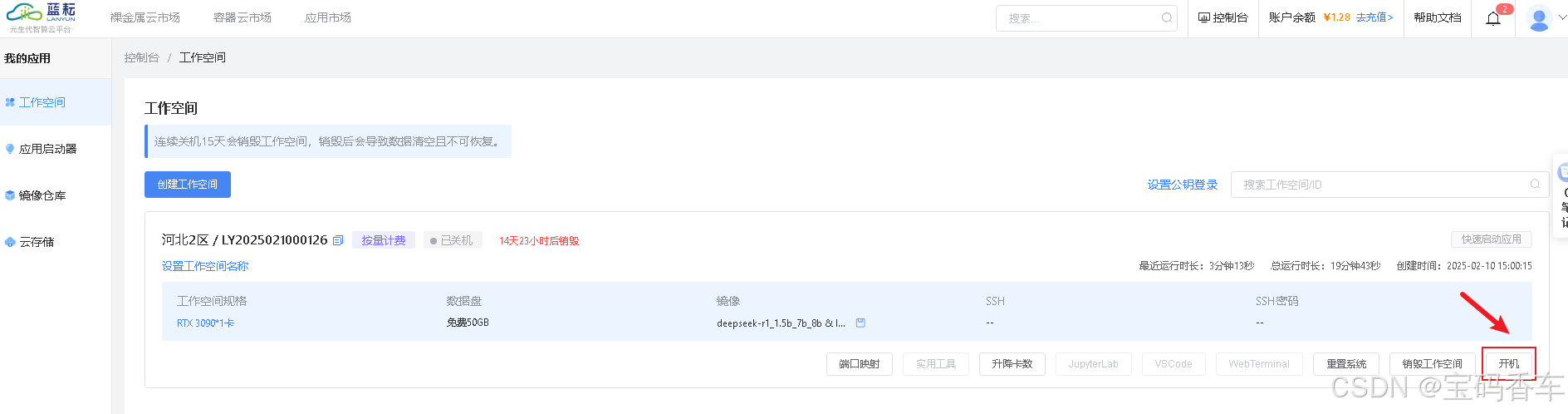
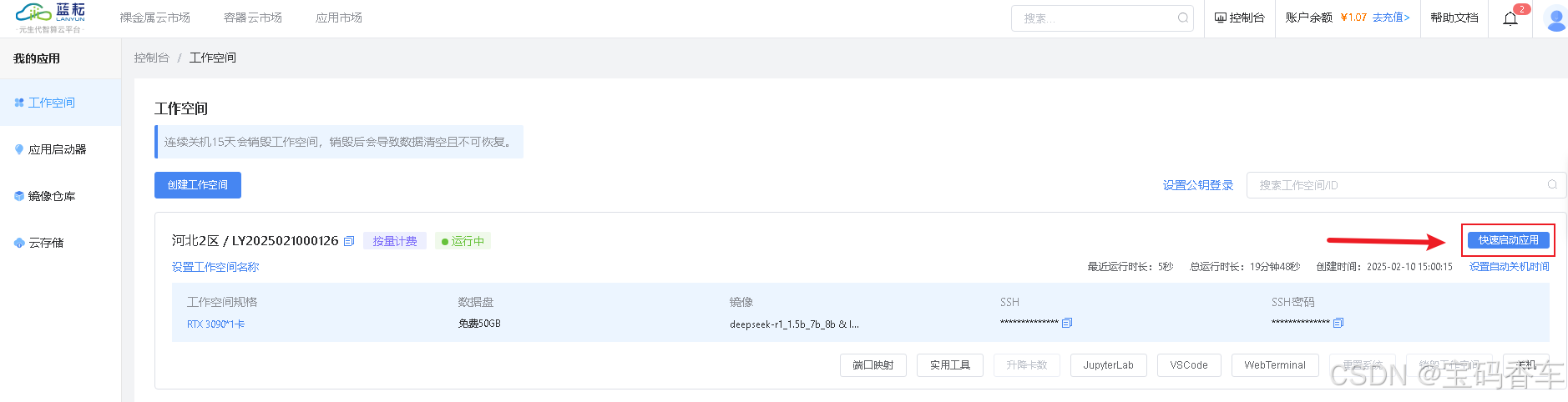
打开搭建好的DeepSeek应用。
进入应用。
📚页面效果

📚指令输入
已经创建好了一个基于Vue3的组合式API的项目(Composition API),并能正常运行起来,请帮我用 Vue3的组合式API(Composition API) 生成一个 日期选择器(Date Picker) 的功能组件,所有代码都保存在components/DatePicker 下的文件夹中。功能组件的script标签中只有setup属性,使用普通 JavaScript 实现,不使用TypeScript。
功能要有,如下属性:
属性(Props)
-
modelValue
- 类型:
Date | Date[] | null - 默认值:
null - 说明:绑定的日期值(支持
v-model,范围选择时为数组)。
- 类型:
-
minDate
- 类型:
Date | null - 默认值:
null - 说明:最小可选日期,早于此日期的选项被禁用。
- 类型:
-
maxDate
- 类型:
Date | null - 默认值:
null - 说明:最大可选日期,晚于此日期的选项被禁用。
- 类型:
-
format
- 类型:
string - 默认值:
'YYYY-MM-DD' - 说明:日期显示格式(如
YYYY-MM-DD、MM/DD/YYYY)。
- 类型:
-
disabled
- 类型:
boolean - 默认值:
false - 说明:是否禁用组件。
- 类型:
-
placeholder
- 类型:
string - 默认值:
'请选择日期' - 说明:输入框占位符文本。
- 类型:
-
firstDayOfWeek
- 类型:
number(0-6,0=周日) - 默认值:
1(周一) - 说明:周起始日。
- 类型:
-
showWeekNumbers
- 类型:
boolean - 默认值:
false - 说明:是否显示周数。
- 类型:
-
isRange
- 类型:
boolean - 默认值:
false - 说明:是否为范围选择模式(
modelValue为Date[])。
- 类型:
-
locale
- 类型:
string | object - 默认值:
'en' - 说明:本地化配置(语言、月份名等)。
- 类型:
-
isInline
- 类型:
boolean - 默认值:
false - 说明:是否内联显示日历面板(无需点击输入框)。
- 类型:
-
className
- 类型:
string - 默认值:
'' - 说明:自定义容器类名。
- 类型:
-
showConfirmButton
- 类型:
boolean - 默认值:
true - 说明:是否显示确认按钮。
- 类型:
-
confirmText
- 类型:
string - 默认值:
'确认' - 说明:确认按钮文本。
- 类型:
-
disableDate
- 类型:
(date: Date) => boolean - 默认值:
() => false - 说明:动态禁用日期(返回
true表示禁用)。
- 类型:
事件(Events)
-
update:modelValue
- 参数:
Date | Date[] | null - 说明:选中日期变化时触发(用于
v-model同步)。
- 参数:
-
change
- 参数:
{ value: Date | Date[] | null, isValid: boolean } - 说明:日期变化时触发,附带有效性校验。
- 参数:
-
confirm
- 参数:
Date | Date[] | null - 说明:点击确认按钮时触发。
- 参数:
-
open
- 参数:无
- 说明:日历面板打开时触发。
-
close
- 参数:无
- 说明:日历面板关闭时触发。
-
invalid
- 参数:
{ reason: string } - 说明:用户输入或选择无效日期时触发。
- 参数:
你有更好的建议也可以添加,要注明。组件定义好后给出3个及以上的调用示例。
下面是现有目录
vueAndDeepseek/
├── src/ # 源代码目录
│ ├── assets/ # 静态资源
│ │ ├── base.css
│ │ ├── main.css
│ │ └── logo.svg
│ ├── components/ # 组件目录
│ │ ├── HelloWorld.vue
│ │ ├── TheWelcome.vue
│ │ ├── WelcomeItem.vue
│ │ ├── Progress/
│ │ │ └── Progress.vue
│ │ ├── Accordion/
│ │ ├── BackToTop/
│ │ ├── Card/
│ │ ├── InfiniteScroll/
│ │ ├── Notification/
│ │ ├── Timeline/
│ │ ├── Switch/
│ │ ├── Tabs/
│ │ ├── Sidebar/
│ │ ├── Breadcrumbs/
│ │ ├── MasonryLayout/
│ │ ├── Rating/
│ │ ├── DatePicker/
│ │ └── icons/
│ ├── router/ # 路由配置
│ │ └── index.js
│ ├── stores/ # Pinia 状态管理
│ │ └── counter.js
│ ├── views/ # 页面组件
│ │ ├── ProgressView.vue
│ │ ├── TabsView.vue
│ │ ├── SwitchView.vue
│ │ ├── TimelineView.vue
│ │ ├── NotificationView.vue
│ │ ├── CardView.vue
│ │ ├── InfiniteScrollView.vue
│ │ ├── BackToTopView.vue
│ │ ├── AccordionView.vue
│ │ ├── SidebarView.vue
│ │ ├── BreadcrumbsView.vue
│ │ ├── MasonryLayoutView.vue
│ │ ├── RatingView.vue
│ │ ├── DatePickerView.vue
│ │ └── AboutView.vue
│ ├── App.vue # 根组件
│ └── main.js # 应用入口
├── public/ # 公共资源目录
├── index.html # HTML 模板
├── package.json # 项目配置
├── vite.config.js # Vite 配置
└── node_modules/ # 依赖包目录
📘组件代码,src\components\DatePicker\DatePicker.vue
<script setup>
import { ref, computed, watch } from 'vue'// Props 定义
const props = defineProps({modelValue: {type: [Date, Array, null],default: null},minDate: {type: Date,default: null},maxDate: {type: Date,default: null},format: {type: String,default: 'YYYY-MM-DD'},disabled: {type: Boolean,default: false},placeholder: {type: String,default: '请选择日期'},firstDayOfWeek: {type: Number,default: 1},showWeekNumbers: {type: Boolean,default: false},isRange: {type: Boolean,default: false},locale: {type: [String, Object],default: 'zh-CN'},isInline: {type: Boolean,default: false},className: {type: String,default: ''},showConfirmButton: {type: Boolean,default: true},confirmText: {type: String,default: '确认'},disableDate: {type: Function,default: () => false}
})const emit = defineEmits(['update:modelValue', 'change', 'confirm', 'open', 'close', 'invalid'])// 初始化状态
const currentDate = ref(new Date())
const selectedDate = ref(props.isRange ? [] : null)
const isOpen = ref(props.isInline)// 格式化单个日期
const formatSingleDate = (date) => {if (!(date instanceof Date) || isNaN(date.getTime())) return ''const year = date.getFullYear()const month = String(date.getMonth() + 1).padStart(2, '0')const day = String(date.getDate()).padStart(2, '0')return props.format.replace('YYYY', year).replace('MM', month).replace('DD', day)
}// 格式化显示日期
const formattedDate = computed(() => {if (!selectedDate.value) return ''if (Array.isArray(selectedDate.value)) {return selectedDate.value.map(date => date instanceof Date ? formatSingleDate(date) : '').filter(Boolean).join(' - ')}return formatSingleDate(selectedDate.value)
})// 日历数据
const calendarDays = computed(() => {const year = currentDate.value.getFullYear()const month = currentDate.value.getMonth()const firstDay = new Date(year, month, 1)const lastDay = new Date(year, month + 1, 0)const days = []const firstDayOfWeek = firstDay.getDay()const prevMonthDays = (firstDayOfWeek - props.firstDayOfWeek + 7) % 7// 上月日期for (let i = prevMonthDays; i > 0; i--) {const date = new Date(year, month, 1 - i)days.push({date,isCurrentMonth: false,isDisabled: isDateDisabled(date)})}// 当月日期for (let i = 1; i <= lastDay.getDate(); i++) {const date = new Date(year, month, i)days.push({date,isCurrentMonth: true,isDisabled: isDateDisabled(date)})}// 下月日期const remainingDays = 42 - days.lengthfor (let i = 1; i <= remainingDays; i++) {const date = new Date(year, month + 1, i)days.push({date,isCurrentMonth: false,isDisabled: isDateDisabled(date)})}return days
})// 星期标题
const weekDays = computed(() => {const days = ['日', '一', '二', '三', '四', '五', '六']return [...days.slice(props.firstDayOfWeek), ...days.slice(0, props.firstDayOfWeek)]
})// 判断日期是否禁用
const isDateDisabled = (date) => {if (!(date instanceof Date)) return trueif (props.minDate && date < props.minDate) return trueif (props.maxDate && date > props.maxDate) return truereturn props.disableDate(date)
}// 选择日期
const selectDate = (day) => {if (!day.date || day.isDisabled) {emit('invalid', { reason: 'date disabled' })return}const newDate = new Date(day.date)if (props.isRange) {if (!Array.isArray(selectedDate.value)) {selectedDate.value = []}if (selectedDate.value.length === 0 || selectedDate.value.length === 2) {selectedDate.value = [newDate]} else {selectedDate.value = [selectedDate.value[0], newDate].sort((a, b) => a - b)}} else {selectedDate.value = newDate}emit('update:modelValue', selectedDate.value)emit('change', { value: selectedDate.value, isValid: true })
}// 切换月份
const changeMonth = (delta) => {currentDate.value = new Date(currentDate.value.getFullYear(),currentDate.value.getMonth() + delta,1)
}// 确认选择
const confirm = () => {emit('confirm', selectedDate.value)isOpen.value = falseemit('close')
}// 切换日历显示
const toggleCalendar = () => {if (props.disabled) returnisOpen.value = !isOpen.valueemit(isOpen.value ? 'open' : 'close')
}// 监听数据变化
watch(() => props.modelValue, (newVal) => {if (props.isRange) {selectedDate.value = Array.isArray(newVal) ? newVal.map(d => d instanceof Date ? new Date(d) : null): []} else {selectedDate.value = newVal instanceof Date ? new Date(newVal) : null}
}, { immediate: true })
</script><template><div :class="['date-picker', className]"><inputtype="text":placeholder="placeholder":value="formattedDate"@click="toggleCalendar"readonly:disabled="disabled"/><div v-if="isOpen || isInline" class="calendar"><div class="calendar-header"><button @click="changeMonth(-1)"><</button><span>{{ currentDate.getFullYear() }}年 {{ currentDate.getMonth() + 1 }}月</span><button @click="changeMonth(1)">></button></div><div class="calendar-weeks"><div v-for="day in weekDays" :key="day" class="week-day">{{ day }}</div></div><div class="calendar-days"><divv-for="day in calendarDays":key="day.date.getTime()":class="['calendar-day',{'is-current-month': day.isCurrentMonth,'is-disabled': day.isDisabled,'is-selected': selectedDate && (Array.isArray(selectedDate) ? selectedDate.some(d => d && d.getTime() === day.date.getTime()): selectedDate.getTime() === day.date.getTime())}]"@click="selectDate(day)">{{ day.date.getDate() }}</div></div><div v-if="showConfirmButton" class="calendar-footer"><button @click="confirm">{{ confirmText }}</button></div></div></div>
</template><style scoped>
.date-picker {display: inline-block;position: relative;
}input {padding: 8px;border: 1px solid #dcdfe6;border-radius: 4px;width: 200px;cursor: pointer;
}.calendar {position: absolute;top: 100%;left: 0;margin-top: 5px;background: white;border: 1px solid #dcdfe6;border-radius: 4px;box-shadow: 0 2px 12px 0 rgba(0, 0, 0, 0.1);z-index: 1000;
}.calendar-header {display: flex;justify-content: space-between;align-items: center;padding: 8px;border-bottom: 1px solid #ebeef5;
}.calendar-weeks {display: grid;grid-template-columns: repeat(7, 1fr);text-align: center;border-bottom: 1px solid #ebeef5;
}.week-day {padding: 8px;color: #606266;
}.calendar-days {display: grid;grid-template-columns: repeat(7, 1fr);gap: 2px;padding: 8px;
}.calendar-day {padding: 8px;text-align: center;cursor: pointer;color: #606266;
}.calendar-day:hover:not(.is-disabled) {background-color: #f5f7fa;
}.is-current-month {color: #303133;
}.is-selected {background-color: #409eff;color: white;
}.is-disabled {color: #c0c4cc;cursor: not-allowed;background-color: #f5f7fa;
}.calendar-footer {padding: 8px;text-align: right;border-top: 1px solid #ebeef5;
}button {padding: 6px 12px;background: #409eff;border: none;border-radius: 4px;color: white;cursor: pointer;
}button:hover {background: #66b1ff;
}.is-inline {position: static;margin-top: 0;
}
</style>
📘调用 src\views\DatePickerView.vue
<script setup>
import { ref } from 'vue'
import DatePicker from '../components/DatePicker/DatePicker.vue'// 初始化状态
const basicDate = ref(null)
const rangeDate = ref(null)
const disabledDate = ref(null)
const customDate = ref(null)
const inlineDate = ref(null)
const limitedDate = ref(null)// 日期范围
const minDate = new Date('2024-01-01')
const maxDate = new Date('2024-12-31')// 格式化函数
const formatDate = (date) => {if (!date) return '未选择'if (Array.isArray(date)) {if (!date.length) return '未选择'return date.map(d => {if (!d) return ''return d instanceof Date ? d.toLocaleDateString('zh-CN', {year: 'numeric',month: '2-digit',day: '2-digit'}) : ''}).filter(Boolean).join(' - ')}return date instanceof Date ? date.toLocaleDateString('zh-CN', {year: 'numeric',month: '2-digit',day: '2-digit'}) : '未选择'
}// 禁用周末
const isWeekend = (date) => {if (!(date instanceof Date)) return falseconst day = date.getDay()return day === 0 || day === 6
}// 事件处理
const handleChange = ({ value, isValid }) => {console.log('日期变化:', formatDate(value), '是否有效:', isValid)
}const handleConfirm = (date) => {alert(`确认选择:${formatDate(date)}`)
}
</script><template><div class="datepicker-demo"><!-- 基础示例 --><section class="demo-block"><h3>基础用法</h3><DatePickerv-model="basicDate"placeholder="请选择日期"@change="handleChange"/><div class="demo-value">选中值: {{ formatDate(basicDate) }}</div></section><!-- 日期范围选择 --><section class="demo-block"><h3>日期范围</h3><DatePickerv-model="rangeDate":is-range="true"placeholder="请选择日期范围"@change="handleChange"/><div class="demo-value">选中值: {{ formatDate(rangeDate) }}</div></section><!-- 禁用周末 --><section class="demo-block"><h3>禁用周末</h3><DatePickerv-model="disabledDate":disable-date="isWeekend"placeholder="请选择工作日"@change="handleChange"/><div class="demo-value">选中值: {{ formatDate(disabledDate) }}</div></section><!-- 自定义格式 --><section class="demo-block"><h3>自定义格式</h3><DatePickerv-model="customDate"format="MM/DD/YYYY"placeholder="月/日/年"@change="handleChange"/><div class="demo-value">选中值: {{ formatDate(customDate) }}</div></section><!-- 设置日期范围 --><section class="demo-block" style=""><h3>限制可选日期范围</h3><DatePickerv-model="limitedDate":min-date="minDate":max-date="maxDate"placeholder="选择2024年日期"@change="handleChange"@confirm="handleConfirm"/><div class="demo-value">选中值: {{ formatDate(limitedDate) }}</div></section><!-- 内联显示 --><section class="demo-block1"><h3>内联显示</h3><DatePickerv-model="inlineDate":is-inline="true"@change="handleChange"/><div class="demo-value">选中值: {{ formatDate(inlineDate) }}</div></section></div>
</template><style scoped>
.datepicker-demo {padding: 20px;max-width: 800px;margin: 0 auto;
}.demo-block {margin-bottom: 30px;padding: 20px;border: 1px solid #ebeef5;border-radius: 4px;background-color: #fff;box-shadow: 0 2px 4px rgba(0, 0, 0, 0.05);
}.demo-block1{margin-top: 300px;
}
h3 {margin-bottom: 15px;font-size: 18px;color: #333;font-weight: 500;
}.demo-value {margin-top: 10px;padding: 10px;background: #f5f7fa;border-radius: 4px;font-size: 14px;color: #666;border: 1px solid #e4e7ed;
}
</style>
📚代码测试
正常
📚测试代码正常跑通,附其他基本代码
- 添加路由
- 页面展示入口
📘编写路由 src\router\index.js
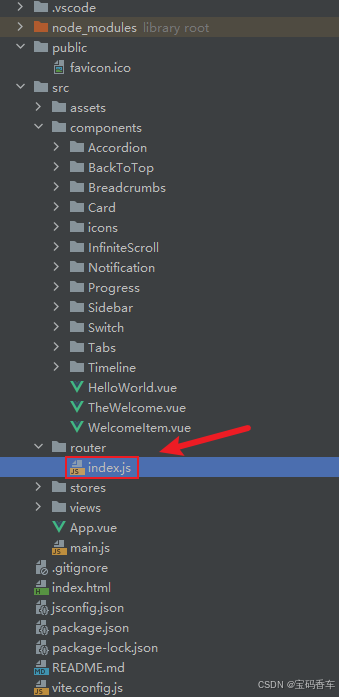
import { createRouter, createWebHistory } from 'vue-router'const router = createRouter({history: createWebHistory(import.meta.env.BASE_URL),routes: [{path: '/',name: 'progress',component:  () => import('../views/ProgressView.vue'),},{path: '/tabs',name: 'tabs',// route level code-splitting// this generates a separate chunk (About.[hash].js) for this route// which is lazy-loaded when the route is visited.// 标签页(Tabs)component: () => import('../views/TabsView.vue'),},{path: '/accordion',name: 'accordion',// 折叠面板(Accordion)component: () => import('../views/AccordionView.vue'),},{path: '/timeline',name: 'timeline',// 时间线(Timeline)component: () => import('../views/TimelineView.vue'),},{path: '/backToTop',name: 'backToTop',component: () => import('../views/BackToTopView.vue')},{path: '/notification',name: 'notification',component: () => import('../views/NotificationView.vue')},{path: '/card',name: 'card',component: () => import('../views/CardView.vue')},{path: '/infiniteScroll',name: 'infiniteScroll',component: () => import('../views/InfiniteScrollView.vue')},{path: '/switch',name: 'switch',component: () => import('../views/SwitchView.vue')},{path: '/sidebar',name: 'sidebar',component: () => import('../views/SidebarView.vue')},{path: '/breadcrumbs',name: 'breadcrumbs',component: () => import('../views/BreadcrumbsView.vue')},{path: '/masonryLayout',name: 'masonryLayout',component: () => import('../views/masonryLayoutView.vue')},{path: '/rating',name: 'rating',component: () => import('../views/RatingView.vue')},{path: '/datePicker',name: 'datePicker',component: () => import('../views/DatePickerView.vue')}],
})export default router
📘编写展示入口 src\App.vue
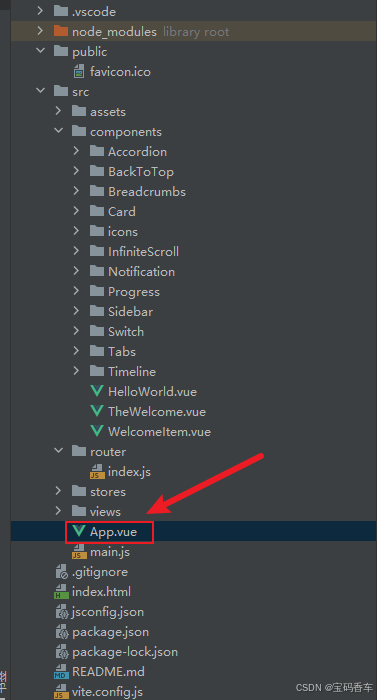
<script setup>
import { RouterLink, RouterView } from 'vue-router'
import HelloWorld from './components/HelloWorld.vue'
</script><template><header><img alt="Vue logo" class="logo" src="@/assets/logo.svg" width="125" height="125" /><div class="wrapper"><HelloWorld msg="You did it!" /><nav><RouterLink to="/">Progress</RouterLink><RouterLink to="/tabs">Tabs</RouterLink><RouterLink to="/accordion">Accordion</RouterLink><RouterLink to="/timeline">Timeline</RouterLink><RouterLink to="/backToTop">BackToTop</RouterLink><RouterLink to="/notification">Notification</RouterLink><RouterLink to="/card">Card</RouterLink><RouterLink to="/infiniteScroll">InfiniteScroll</RouterLink><RouterLink to="/switch">Switch</RouterLink><RouterLink to="/sidebar">Sidebar</RouterLink><RouterLink to="/breadcrumbs">Breadcrumbs</RouterLink><RouterLink to="/masonryLayout">MasonryLayout</RouterLink><RouterLink to="/rating">Rating</RouterLink><RouterLink to="/datePicker">DatePicker</RouterLink></nav></div></header><RouterView />
</template><style scoped>
header {line-height: 1.5;max-height: 100vh;
}.logo {display: block;margin: 0 auto 2rem;
}nav {width: 100%;font-size: 12px;text-align: center;margin-top: 2rem;
}nav a.router-link-exact-active {color: var(--color-text);
}nav a.router-link-exact-active:hover {background-color: transparent;
}nav a {display: inline-block;padding: 0 1rem;border-left: 1px solid var(--color-border);
}nav a:first-of-type {border: 0;
}@media (min-width: 1024px) {header {display: flex;place-items: center;padding-right: calc(var(--section-gap) / 2);}.logo {margin: 0 2rem 0 0;}header .wrapper {display: flex;place-items: flex-start;flex-wrap: wrap;}nav {text-align: left;margin-left: -1rem;font-size: 1rem;padding: 1rem 0;margin-top: 1rem;}
}
</style>
📚页面效果
📚自己部署 DeepSeek 安装地址
蓝耘元生代智算云平台地址:https://cloud.lanyun.net/#/registerPage?promoterCode=07100c37a0
📚相关文章
-
0基础3步部署自己的DeepSeek安装步骤
-
DeepSeek 助力 Vue 开发:打造丝滑的步骤条(Step bar)
-
DeepSeek 助力 Vue 开发:打造丝滑的进度条(Progress Bar)
-
自己部署 DeepSeek 助力 Vue 开发:打造丝滑的标签页(Tabs)
-
自己部署 DeepSeek 助力 Vue 开发:打造丝滑的折叠面板(Accordion)
-
自己部署 DeepSeek 助力 Vue 开发:打造丝滑的时间线(Timeline )
-
DeepSeek 助力 Vue 开发:打造丝滑的返回顶部按钮(Back to Top)
-
DeepSeek 助力 Vue 开发:打造丝滑的通知栏(Notification Bar)
-
DeepSeek 助力 Vue 开发:打造丝滑的卡片(Card)
-
DeepSeek 助力 Vue 开发:打造丝滑的无限滚动(Infinite Scroll)
-
DeepSeek 助力 Vue 开发:打造丝滑的开关切换(Switch)
-
DeepSeek 助力 Vue 开发:打造丝滑的侧边栏(Sidebar)
-
DeepSeek 助力 Vue 开发:打造丝滑的面包屑导航(Breadcrumbs)
-
DeepSeek 助力 Vue 开发:打造丝滑的瀑布流布局(Masonry Layout)
-
DeepSeek 助力 Vue 开发:打造丝滑的评分组件(Rating)
到此这篇文章就介绍到这了,更多精彩内容请关注本人以前的文章或继续浏览下面的文章,创作不易,如果能帮助到大家,希望大家多多支持宝码香车~💕,若转载本文,一定注明本文链接。

更多专栏订阅推荐:
👍 html+css+js 绚丽效果
💕 vue
✈️ Electron
⭐️ js
📝 字符串
✍️ 时间对象(Date())操作
相关文章:
DeepSeek 助力 Vue 开发:打造丝滑的日期选择器(Date Picker),未使用第三方插件
前言:哈喽,大家好,今天给大家分享一篇文章!并提供具体代码帮助大家深入理解,彻底掌握!创作不易,如果能帮助到大家或者给大家一些灵感和启发,欢迎收藏关注哦 💕 目录 Deep…...

Python编程中,async/await/asyncio分别是干啥的?
在Python异步编程中,async、await和asyncio是三个核心概念。它们共同构成了Python处理高并发I/O密集型任务的解决方案。本文将通过代码实例解析它们的作用和用法。 一、异步编程基础 1.1 同步 vs 异步 同步编程:代码按顺序执行,遇到I/O操作(如网络请求、文件读写)时会阻塞…...

Kafka偏移量管理全攻略:从基础概念到高级操作实战
#作者:猎人 文章目录 前言:概念剖析kafka的两种位移消费位移消息的位移位移的提交自动提交手动提交 1、使用--to-earliest重置消费组消费指定topic进度2、使用--to-offset重置消费offset3、使用--to-datetime策略指定时间重置offset4、使用--to-current…...

一周学会Flask3 Python Web开发-Debug模式开启
锋哥原创的Flask3 Python Web开发 Flask3视频教程: 2025版 Flask3 Python web开发 视频教程(无废话版) 玩命更新中~_哔哩哔哩_bilibili 默认情况,项目开发是普通模式,也就是你修改了代码,必须重启项目,新代码才生效&…...

单例模式、构造函数、左值右值
拷贝构造函数 简单的说就是——用一个对象构造另外一个对象 class Myclass {public:int d0;Myclass(int d_){d d_}; //常用的构造函数Myclass(Myclass c) //拷贝构造函数{d c.d;} }; //对比 class Myclass {public:int d0;Myclass(int d_){d d_}; //常用的构造函数Myclass…...

java练习(28)
ps:练习来自力扣 给定一个二叉树,判断它是否是平衡二叉树 // 定义二叉树节点类 class TreeNode {int val;TreeNode left;TreeNode right;TreeNode() {}TreeNode(int val) { this.val val; }TreeNode(int val, TreeNode left, TreeNode right) {this.va…...

【信息学奥赛一本通 C++题解】1285:最大上升子序列和
信息学奥赛一本通(C版)在线评测系统 基础算法 第一节 动态规划的基本模型 1285:最大上升子序列和 “最大上升子序列和”问题课堂讲解 1. 理解题意 同学们,想象我们有一串数字,就像一串彩色的珠子,每个珠子…...

深入了解 CSS 常用的样式
在网页开发中,CSS(层叠样式表)起着至关重要的作用,它可以让我们的网页变得更加美观和易于阅读。除了一些特定场景下的 CSS 样式,还有许多其他常用的 CSS 样式,下面就让我们一起来详细了解一下。 一、文本相…...

Web安全|渗透测试|网络安全
基础入门(P1-P5) p1概念名词 1.1域名 什么是域名? 域名:是由一串用点分隔的名字组成的Internet上某一台计算机或计算机组的名称,用于在数据传输时对计算机的定位标识(有时也指地理位置)。 什么是二级域名多级域名&am…...
OpenHarmony 系统性能优化——默认关闭全局动画
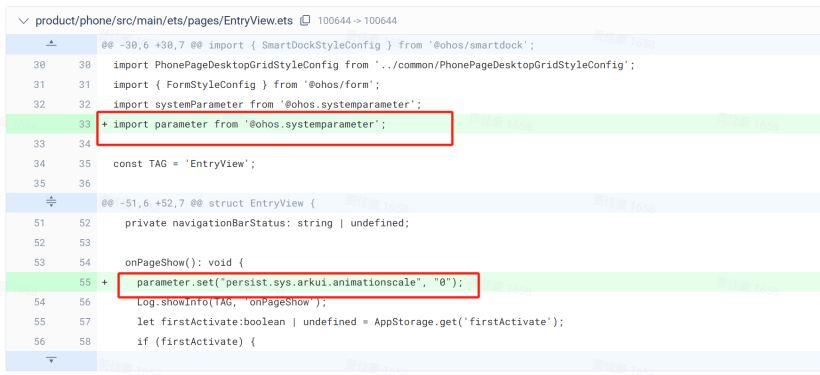
笔者最近发现,关闭OpenHarmony全局动画,系统UI的响应速度会极大的提升 1.全局动画的开关由系统属性persist.sys.arkui.animationscale来控制,默认为1。也就是 动画缩放 1x 2.如果让persist.sys.arkui.animationscale默认为0,也就是关闭的状态…...

C 程序多线程拆分文件
C 程序多线程拆分文件 在C语言中,实现多线程来拆分文件通常需要借助多线程库,比如 POSIX 线程库(pthread)或者 Windows 的线程库(CreateThread 或类似的函数)。下面我将分别展示在 Linux 和 Windows 环境下…...

【Linux】Ubuntu Linux 系统——Python集成开发环境
ℹ️大家好,我是练小杰,今天周四了,明天就周五了,再坚持坚持又能休息了!!😆 本文是有关Linux 操作系统中Python集成开发环境基础知识,后续将添加更多相关知识噢,谢谢各位…...

数据库加密全解析:从传输到存储的安全实践
title: 数据库加密全解析:从传输到存储的安全实践 date: 2025/2/17 updated: 2025/2/17 author: cmdragon excerpt: 数据加密是数据库安全的最后一道物理防线。传输层SSL/TLS配置、存储加密技术及加密函数实战应用,覆盖MySQL、PostgreSQL、Oracle等主流数据库的20+生产级加密…...

【Prometheus】prometheus结合domain_exporter实现域名监控
✨✨ 欢迎大家来到景天科技苑✨✨ 🎈🎈 养成好习惯,先赞后看哦~🎈🎈 🏆 作者简介:景天科技苑 🏆《头衔》:大厂架构师,华为云开发者社区专家博主,阿里云开发者社区专家博主,CSDN全栈领域优质创作者,掘金优秀博主,51CTO博客专家等。 🏆《博客》:Python全…...

计算机专业知识【软件开发中的常用图表:E - R图、HIPO、DFD、N - S、PAD详解】
在软件开发过程中,有许多种图表工具被用于不同阶段的设计和分析,帮助开发者更清晰地理解系统结构、数据流程和算法逻辑。下面将详细介绍E - R图、HIPO图、DFD图、N - S图和PAD图,包括它们的样子和用途。 一、E - R图(实体 - 联系…...

机器学习_13 决策树知识总结
决策树是一种直观且强大的机器学习算法,广泛应用于分类和回归任务。它通过树状结构的决策规则来建模数据,易于理解和解释。今天,我们就来深入探讨决策树的原理、实现和应用。 一、决策树的基本概念 1.1 决策树的工作原理 决策树是一种基于…...

Linux 命令行编辑快捷键
初学者在Linux命令窗口(终端)敲命令时,肯定觉得通过输入一串一串的字符的方式来控制计算是效率很低。 但是Linux命令解释器(Shell)是有很多快捷键的,熟练掌握可以极大的提高操作效率。 下面列出最常用的快捷…...

智能马达保护器:为工业电机安全运行保驾护航
在工业生产中,电动机作为核心动力设备,其稳定运行直接关系到生产效率与安全性。然而,复杂的工况环境、频繁启停和突发负载变化,常导致电机面临过载、缺相、短路等故障风险。安科瑞智能马达保护器凭借其智能化、高精度、多功能的设…...

-bash:/usr/bin/rm: Argument list too long 解决办法
问题概述 小文件日志太多导致无法使用rm命令,因为命令行参数列表的长度超过了系统允许的最大值。 需要删除/tmp目录下的所有文件,文件数量比较多。 ls -lt /tmp | wc -l 5682452 解决方法如下: 使用find -exec 遍历,然后执行删…...

深度集成DeepSeek大模型:WebSocket流式聊天实现
目录 5分钟快速接入DeepSeek大模型:WebSocket实时聊天指南创建应用开发后端代码 (Python/Node.js)结语 5分钟快速接入DeepSeek大模型:WebSocket实时聊天指南 创建应用 访问DeepSeek官网 前往 DeepSeek官网。如果还没有账号,需要先注册一个。…...

Python函数的函数名250217
函数名其实就是一个变量,这个变量就是代指函数而已函数也可以被哈希,所以函数名也可以当作集合中的元素,也可作为字典的key值 # 将函数作为字典中的值,可以避免写大量的if...else语句 def fun1():return 123 def fun2():return 4…...

QT基础二、信号和槽
一、什么是信号和槽? 1、简述 在Qt框架中,信号和槽(Signals and Slots) 是一种用于对象间通信的机制。它是一种非常强大且灵活的设计模式,广泛应用于事件驱动编程中。信号和槽机制允许对象之间以松耦合的方式进行交互…...

MongoDB between ... and ... 操作
个人博客地址:MongoDB between ... and ... 操作 | 一张假钞的真实世界 MongoDB中类似SQL的between and操作可以采用如下语法: db.collection.find( { field: { $gt: value1, $lt: value2 } } );...

C++虚函数:解锁多态的“动态密码
C虚函数:解锁多态的“动态密码” 开篇小故事:遥控器的“智能按钮” 假设你有一个万能遥控器,上面只有一个“开关”按钮: 按下时,电视会开机,空调会制冷,电灯会亮起。同一个按钮,却…...
【深度学习】计算机视觉(CV)-目标检测-Faster R-CNN —— 高精度目标检测算法
1.什么是 Faster R-CNN? Faster R-CNN(Region-based Convolutional Neural Network) 是 目标检测(Object Detection) 领域的一种 双阶段(Two-Stage) 深度学习方法,由 Ross Girshick…...

Blazor-父子组件传递任意参数
在我们从父组件传参数给子组件时,可以通过子组件定义的[Parameter]特性的公开属性进行传值,但是当我们需要传递多个值的时候,就需要通过[Parameter]特性定义多个属性,有没有更简便的方式? 我们可以使用定义 IDictionar…...
【原创】vue-element-admin-plus完成编辑页面中嵌套列表功能
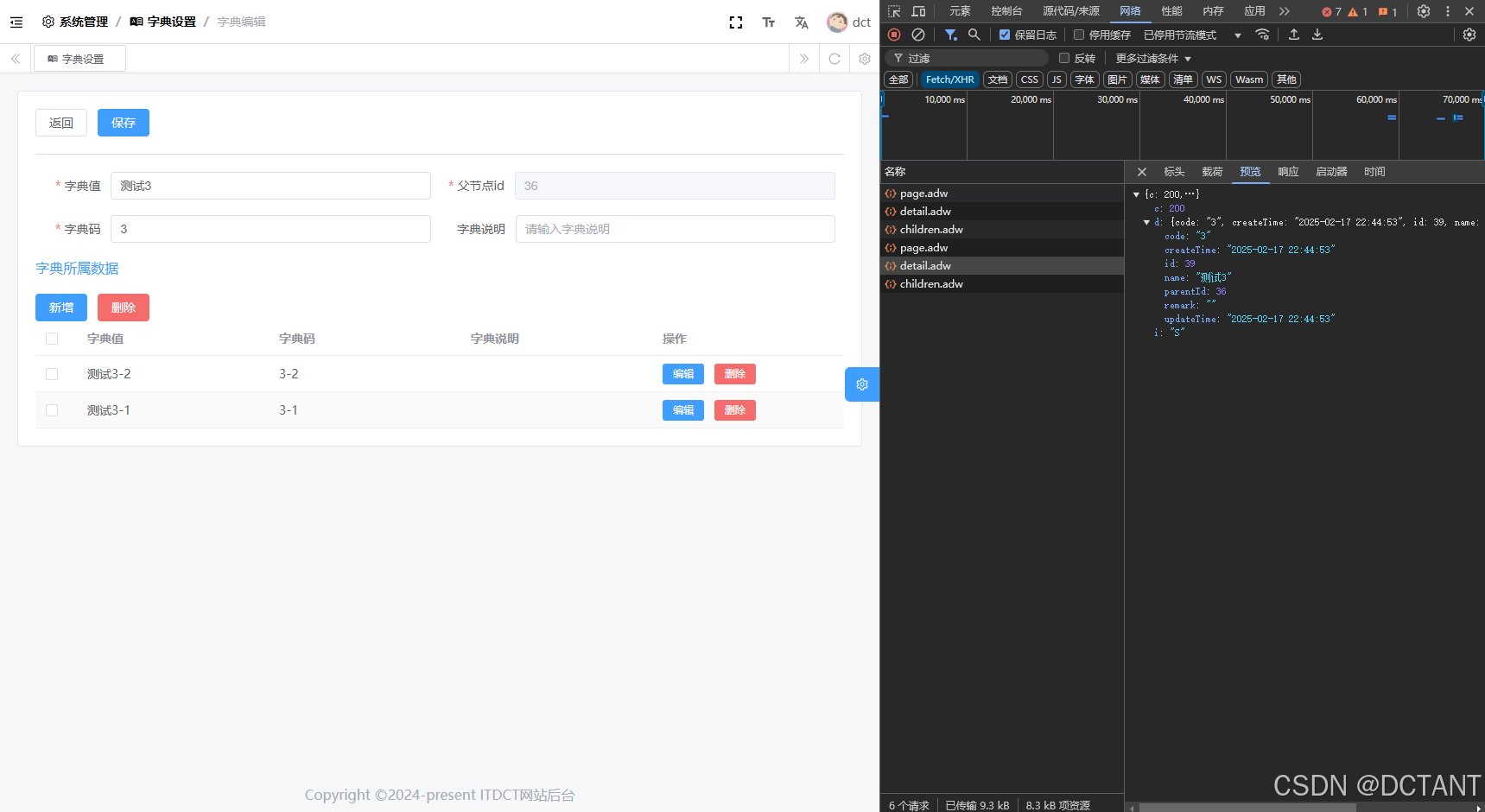
前言 vue-element-admin-plus对于复杂业务的支持程度确实不怎么样,我这里就遇到了编辑页面中还要嵌套列表的真实案例,比如字典,主字典嵌套子信息,类似于一个树状结构。目前vue-element-admin-plus给出的例子是无法满足这个需求的…...
-目标检测-DETR(DEtection TRansformer)—— 基于 Transformer 的端到端目标检测)
【深度学习】计算机视觉(CV)-目标检测-DETR(DEtection TRansformer)—— 基于 Transformer 的端到端目标检测
1.什么是 DETR? DETR(DEtection TRansformer) 是 Facebook AI(FAIR)于 2020 年提出的 端到端目标检测算法,它基于 Transformer 架构,消除了 Faster R-CNN、YOLO 等方法中的 候选框(…...

DeepSeek教unity------MessagePack-02
内置支持类型: 对象序列化 MessagePack for C# 可以序列化你自己定义的公共类或结构体类型。默认情况下,可序列化的类型必须用 [MessagePackObject] 属性进行注解,成员需要用 [Key] 属性进行注解。键可以是索引(整数)…...

【达梦数据库】disql工具参数绑定
前言 在达梦数据库的使用过程中尽管管理工具很好用,但是命令行工具还是有着得天独厚的优势,但是在参数绑定方面就没有管理工具做的更加完美,现在就汇总下disql 工具参数绑定的常用几种方式 disql 参数绑定 使用 ? select * from v$dm_in…...