
TS语言自定义脚手架
初始化
- 新建文件夹
- 初始化命令
npm init -ytsc --initnpm i @types/nodenpm i typescript# 处理别名npm i -D tsc-alias
-y 表示选项都为yes
安装ts相关依赖

新建相关文件
-
bin 文件夹
-
src文件夹
-
commands 文件夹 (命令
-
utils 文件夹 (封装方法)
- index.ts文件
export * from "./chalk"
- index.ts文件
-
index.ts 文件
#! /usr/bin/env node
console.log('hello gaogao')
#! /usr/bin/env node
前后不可有空格
#!用于指定脚本的解释程序,开发npm包这个指令一定要加
-
-
.gitignore 文件
#basicnode_modulepackage-lock.json#buildbin
- .npmrc 文件
registry=https://mirrors.huaweicloud.com/repository/npm
TS配置
建【tsconfig.json】
{"compilerOptions": {"target": "ES6","module": "commonjs","outDir": "./bin", // 输出地址 相对路径"baseUrl": "./","strict": true,"moduleResolution": "node","esModuleInterop": true,"skipLibCheck": true,"forceConsistentCasingInFileNames": true,"resolveJsonModule": true,"paths":{"@":["src"],"@utils":["utils"],}},"include": ["./src","src/**/*.ts","src/**/*.d.ts"]
}
修改【package.json】
bin:执行的文件或命令
scripts-build 处理ts文件
{"name": "gaogao-cli","version": "1.0.0","description": "","main": "index.js","scripts": {"test": "echo \"Error: no test specified\" && exit 1","build": "tsc && tsc-alias"},"bin": {"gaogao": "/bin/src/index.js"},"keywords": [],"author": "","license": "ISC","dependencies": {"@types/figlet": "^1.7.0","@types/fs-extra": "^11.0.4","@types/inquirer": "^9.0.7","@types/log-symbols": "^3.0.0","@types/node": "^22.13.2","@types/shelljs": "^0.8.15","chalk": "^4.0.0","commander": "^9.0.0","download-git-repo": "^3.0.2","figlet": "^1.8.0","fs-extra": "^10.0.1","inquirer": "^8.2.1","loading-cli": "^1.1.2","log-symbols": "^4.1.0","ora": "^5.4.1","shelljs": "^0.8.5","table": "^6.9.0","typescript": "^5.7.3"},"devDependencies": {"tsc-alias": "^1.8.10"}
}
测试
ts语言需要先build
npm run build
build后bin文件夹下自动新增index.js文件
验证修改是否生效都需要build

cnpm link
gaogao

安装相关工具
安装固定版本,有些版本会有bug
commander
https://www.npmjs.com/package/commander
- 处理控制台命令工具
- 解析用户输入时一些参数
- 例如 create 就是利用此工具做解析辅助
cnpm i commander@9.0.0
import {program} from 'commander'
import Pack from "../package.json"
program.version(Pack.version, "-v, --version");
program.parse(process.argv)//nodejs提供的属性

封装常用命令
- commands文件夹下
新建create文件夹文件
import commandCreate from'./create'
// create见 create命令目录
const commands:any = {'create <project-name>':{description:'create a project',option:[{cmd:'-f,--force',msg:'overwrite target directory if it exists'}],action:commandCreate}
}export default commands
import { Command } from "commander";
import Commands from "@commands";
//index.ts
Object.keys(Commands).forEach((command:any) => {const current:any = program.command(command);if (Commands[command].option && Commands[command].option.length) {let options = current.optionCommands[command].option.forEach((item: { cmd: string; msg: any }) => {current.option(item.cmd, item.msg || "");});}current.action(Commands[command].action);
});
chalk 美化工具
- 该模块用于添加颜色和样式到控制台输出
效果见【figlet】
import chalk from 'chalk'
console.log("\r\n" + chalk.greenBright.bold('hello gaogao-cli'))
封装字体处理
import chalk from 'chalk';
export const Cblue= (text:string) =>chalk.blue(text)
export const Cred= (text:string) =>chalk.red(text)
export const Cgreen= (text:string) =>chalk.green(text)
figlet
https://www.npmjs.com/package/figlet
- 该模块用于生成ASCII艺术字
具体字体可以去figlet官网查看
cnpm i figlet@1.5.2 @types/figlet
import chalk from 'chalk'
import figlet from 'figlet'
program.name("gaogao").description("gaogao-cli").usage("<command> [options]")// 用在内置的帮助信息之后输出自定义的额外信息.on("--help", () => {console.log("\r\n" + chalk.greenBright.bold(figlet.textSync("gaogao-cli", {font: "Standard",horizontalLayout: "default",verticalLayout: "default",width: 100,whitespaceBreak: true,})))console.log(`\r\n Run ${chalk.cyanBright(`gaogao-cli <command> --help`)} for detailed usage of given command.`)});

inquirer -命令行交互工具
https://www.npmjs.com/package/inquirer
- 该模块用于实现交互式命令行界面
- 例如vue询问是否单元测试
cnpm i inquirer@8.2.1 @types/inquirer

封装inquirer
- lib文件夹下`新建interactive.ts `文件
import inquirer from 'inquirer';/*** @param {string} message 询问提示语句* @returns {Object} 根据name属性获取用户输入的值{confirm: y/n}*/
export const inquirerConfirm = async (message:string): Promise<object> => {const answer = await inquirer.prompt({type: "confirm",name: "confirm",message,});return answer;
}/*** * @param {string} name 询问事项* @param {string} message 询问提示语句* @param {Array} choices 选择模板列表,默认读取对象的name属性* @returns {Object} 根据name属性获取用户输入的值{请选择项目模板: xxxxxx}*/
export const inquirerChoose = async (name:string,message:string, choices:Array<any>): Promise<any> => {const answer = await inquirer.prompt({type: 'list',name,message,choices,});return answer;
}/*** @param {Array} messages  询问提示语句数组* @returns {Object} 结果对象*/
export const inquirerInputs = async (messages: Array<any>): Promise<object> => {const questions = messages.map(msg => {return {name: msg.name,type: "input",message: msg.message,}})const answers = await inquirer.prompt(questions);return answers
}
loading-cli
https://www.npmjs.com/package/loading-cli
- utils 下
新建loading文件 在这里插入代码片
//loading.ts
import loading, { Options, Loading } from "loading-cli";class Load {load: null | Loading;constructor() {this.load = null;}/*** @Descripttion: 开始loading状态* @msg: * @param {Options} options* @return {*}*/  start  (options: Options | string) {if(!this.load){typeof options==='object'&&!options.frames&&(options.frames=['<','<','^','>','>','_','_'])this.load = loading(options).start()}else{this.load.start(options as string)}};stop () {this.load && this.load.stop();};succeed(text='success') {this.load && this.load.succeed(text);};warn(text: string) {this.load && this.load.warn(text);};info (text: string){this.load && this.load.info(text);};
}export default new Load();
// index.tsprogram.command("loading").description("View all available templates").action(() => {loading.start({color: "red",text: "begin",});setTimeout(() => {loading.warn("警告");setTimeout(() => {loading.info("提示");setTimeout(() => {loading.stop();}, 2000);}, 2000);}, 2000);})

fs
https://url.nodejs.cn/api/fs.html
- 该模块用于对文件系统进行更强大的操作。
cnpm i fs-extra.0.1 /fs-extra
封装文件处理方法
import fs from "fs";import { Cred } from "./chalk";export const readDir = (path: string): Promise<any> =>new Promise((res, rej) => {fs.readdir(path, (err) => {if (!err) res(true);res(false)});});export const mkdir = (path: string): Promise<any> =>new Promise((res, rej) => {fs.mkdir(path, (err) => {if (!err) res("");rej(`${Cred("Can not mak dir")} ${typeof err === "string" ? err : JSON.stringify(err)}`);});});export const rm = (path: string): Promise<any> =>new Promise((res, rej) => {fs.rm(path,{ recursive: true}, (err) => {if (!err) res("");rej(`${Cred("Can not remove dir:"+ path)} ${typeof err === "string" ? err : JSON.stringify(err)}`);});});
其他常用工具
# 安装ora模块,该模块用于显示动画加载效果。
cnpm i ora@5.4.1
# 安装download-git-repo模块,该模块用于下载并提取Github/Git(template本地)仓库中的文件。
cnpm i download-git-repo@3.0.2
# 安装handlebars模块,该模块用于处理模板文件。
cnpm i handlebars@4.7.6
# 安装log-symbols模块,该模块用于在控制台输出不同类型的日志符号(√或×)。
cnpm i log-symbols@4.1.0
# 安装axios模块,该模块用于发起HTTP请求。
cnpm i axios@0.26.1
# 安装gitee-repo模块,该模块用于从Gitee仓库中下载模板文件。
cnpm i gitee-repo@0.0.2
# 命令行界面表格内容显示
cnpm i table
# 基于nodejs的shell命令工具
cnpm i shelljs @types/shelljs
# 在控制台输出不同类型的日志符号(√或×)
cnpm i log-symbols@4.1.0 @types/log-symbols
配置模版文件
- lib文件夹下
新建constants.ts文件
//constants.ts
/*** 项目模板列表*/
export const templates = [{name: "vue-template",value: "direct:https://gitee.com/账号/vue-template.git",desc: "基于vite的自定义vue项目模板",},
];/*** 项目信息*/
export const messages = [{name: "name",message: "请输入项目名称:",},{name: "description",message: "请输入项目描述:",},
];
//index.ts
import { table } from 'table';import { templates } from '../lib/constants'// 查看模板列表
program
.command("ls")
.description("View all available templates")
.action(() => {const data = templates.map(item => [chalk.greenBright(item.name), chalk.white(item.value), chalk.white(item.desc)]);data.unshift([chalk.white("Template name"), chalk.white("Template address"), chalk.white("Template description")]);console.log(table(data));
})
gaogao ls

create命令
create
- commands文件夹下
新建create文件夹文件

import fs from "fs-extra";
import ora from "ora";
import inquirer from "inquirer";
import path from "path";
import { exec } from "child_process";
import {readDir,mkdir,rm,Cred,readFile,copyFolder,loading,inquirerChoose
} from "@utils";
import { TempLatesRepo, TempLatesName, templates } from "../../constant/repo";
export default async function (projectName: any, options: any) {const cwd = process.cwd();const targetDirectory = path.join(cwd, projectName);if (fs.existsSync(targetDirectory)) {if (options.force) {// 存在force配置项,直接覆盖await fs.remove(targetDirectory);} else {// 不存在force配置    项,询问是否覆盖let { isOverwrite } = await inquirerChoose("isOverwrite","Target directory exists,Please choose an action.",[{name: "Overwrite",value: true,},{name: "Cancel",value: false,},]);if (!isOverwrite) {console.log("Cancel");return;} else {loading.start(`Removing ${projectName},please wait a minute`);await fs.remove(targetDirectory);loading.stop();}}}const spinner = ora("Creating a project......").start();try {await mkdir(targetDirectory);const TemplatePath = `${process.cwd()}/${TempLatesName}`;if (await readDir(TemplatePath)) {spinner.fail(Cred(`${TempLatesName} is existed!Please remove it`));process.abort();}spinner.stop()//下载模版git//TempLatesRepo  模版git地址exec(`git clone ${TempLatesRepo}`, async (err) => {if(err){spinner.fail(Cred("can not clone this repo,please try again later!"));spinner.fail(Cred(typeof err === "string" ? err : JSON.stringify(err)));process.abort();}const project =await readFile( `${TemplatePath}/project.json`)//读取模版工程中project.json文件。存放模版listconst question = [{type: "list",message: "Please select a project template:",name: "template",choices: JSON.parse(project),// string[]},];const { template } = await inquirer.prompt(question);const newPath = targetDirectory;const oldPath = TemplatePath + "/" + template;loading.start("Template generation...");await copyFolder(oldPath, newPath);// 删除克隆模板await rm(TemplatePath);loading.stop()});} catch (err) {console.log(Cred("Project creation failure"));spinner.fail(Cred(typeof err === "string" ? err : JSON.stringify(err)));process.abort();}
}
- 创建项目

- 选择模版

相关文章:
TS语言自定义脚手架
初始化 新建文件夹初始化命令 npm init -ytsc --initnpm i types/nodenpm i typescript# 处理别名npm i -D tsc-alias -y 表示选项都为yes 安装ts相关依赖 新建相关文件 bin 文件夹 src文件夹 commands 文件夹 (命令 utils 文件夹 (封装方法) index.t…...
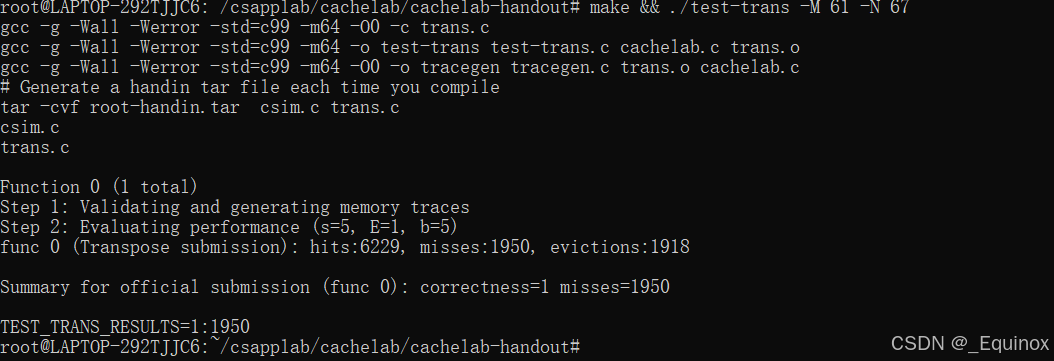
lab4 CSAPP:Cachelab
写在前面 最简单的一集 实验室分为两个部分。在A部分中,实现一个缓存模拟器。在B部分中,编写一个矩阵针对高速缓存性能优化的转置功能。 感觉是比较经典的问题,之前在体系结构的课程中接触过,终于能通过lab实操一下了。 实验目…...

VScode C语言学习开发环境;运行提示“#Include错误,无法打开源文件stdio.h”
C/C环境配置 参考: VS Code 配置 C/C 编程运行环境(保姆级教程)_vscode配置c环境-CSDN博客 基本步骤 - 安装MinGW-W64,其包含 GCC 编译器:bin目录添加到环境变量;CMD 中输入gcc --version或where gcc验证…...

雷龙CS SD NAND(贴片式TF卡)测评体验
声明:非广告,为用户体验文章 前段时间偶然获得了雷龙出品的贴片式 TF 卡芯片及转接板,到手的是两片贴片式 nand 芯片搭配一个转接板,其中有一片官方已经焊接好了,从外观来看,正面和背面设计布局合理&#x…...

伯克利 CS61A 课堂笔记 11 —— Mutability
本系列为加州伯克利大学著名 Python 基础课程 CS61A 的课堂笔记整理,全英文内容,文末附词汇解释。 目录 01 Objects 02 Example: Strings Ⅰ Representing Strings: the ASCII Standard Ⅱ Representing Strings: the Unicode Standard 03 Mutatio…...
之一数据准备)
从零开始构建一个小型字符级语言模型的详细教程(基于Transformer架构)之一数据准备
最近特别火的DeepSeek,是一个大语言模型,那一个模型是如何构建起来的呢?DeepSeek基于Transformer架构,接下来我们也从零开始构建一个基于Transformer架构的小型语言模型,并说明构建的详细步骤及内部组件说明。我们以构建一个字符级语言模型(Char-Level LM)为例,目标是通…...

云原生DevOps:Zadig架构设计与企业实践分析
在云原生时代,随着微服务架构和容器技术的广泛应用,软件交付模式正经历着深刻的变革。DevOps作为一种文化、运动和实践,正逐渐成为企业快速交付高质量软件的关键。本文将探讨在云原生背景下,DevOps工程架构的设计与实践࿰…...

UMLS数据下载及访问
UMLS数据申请 这个直接在官网上申请即可,记得把地址填全,基本都会拿到lisence。 UMLS数据访问 UMLS的数据访问分为网页访问,API访问以及数据下载后的本地访问,网页访问,API访问按照官网的指示即可,这里主…...

DEX-EE三指灵巧手:扩展AI与机器人研究的边界
DEX-EE三指灵巧手,由Shadow Robot与Google DeepMind合作开发,以其先进技术和设计,正在引领AI与机器人研究的新趋势。其高精度传感器和灵活的机械手指,能够捕捉复杂的环境数据,为强化学习实验提供了可靠支持。 Shadow R…...

在ubuntu上用Python的openpyxl模块操作Excel的案例
文章目录 安装模块读取Excel数据库取数匹配数据和更新Excel数据 在Ubuntu系统的环境下基本职能借助Python的openpyxl模块实现对Excel数据的操作。 安装模块 本次需要用到的模块需要提前安装(如果没有的话) pip3 install openpyxl pip3 install pymysql在操作前,需…...

【STM32】外部时钟|红外反射光电开关
1.外部时钟 单片机如何对外部触发进行计数?先看一下内部时钟,内部时钟是接在APB1和APB2时钟线上的,APB1,APB2来自stm32单片机内部的脉冲信号,也叫内部时钟。我们用来定时。同样我们可以把外部的信号接入单片机,来对其…...

深入了解 DevOps 基础架构:可追溯性的关键作用
在当今竞争激烈的软件环境中,快速交付强大的应用程序至关重要。尽管如此,在不影响质量的情况下保持速度可能是一项艰巨的任务,这就是 DevOps 中的可追溯性发挥作用的地方。通过提供软件开发生命周期 (SDLC) 的透明视图…...

Django+Vue3全栈开发实战:从零搭建博客系统
文章目录 1. 开发环境准备2. 创建Django项目与配置3. 设计数据模型与API4. 使用DRF创建RESTful API5. 创建Vue3项目与配置6. 前端页面开发与组件设计7. 前后端交互与Axios集成8. 项目优化与调试9. 部署上线10. 总结与扩展10.1 项目总结10.1.1 技术栈回顾10.1.2 项目亮点 10.2 扩…...

深度学习之图像回归(一)
前言 图像回归任务主要是理解一个最简单的深度学习相关项目的结构,整体的思路,数据集的处理,模型的训练过程和优化处理。 因为深度学习的项目思路是差不多的,主要的区别是对于数据集的处理阶段,之后模型训练有一些小…...

使用vue-office报错TypeError: ft.createElementVNode is not a function
支持多种文件(.docx、.xlsx、.xls、.pdf、.pptx)预览的vue组件库,支持vue2/3。也支持非Vue框架的预览。 不支持.doc、.ppt(2003年及以前的版本) 官网:https://www.npmjs.com/package/vue-office/excel?activeTabreadme 官方有实…...

《深度揭秘:DeepSeek如何解锁自然语言处理密码》
在人工智能蓬勃发展的当下,自然语言处理(NLP)成为了连接人类与机器的关键桥梁。作为该领域的佼佼者,DeepSeek以其卓越的语义理解和生成能力,备受瞩目。今天,就让我们深入探寻DeepSeek在自然语言处理中实现语…...

解决 Mac 只显示文件大小,不显示目录大小
前言 在使用 mac 的时候总是只显示文件的大小,不显示文件夹的大小,为了解决问题可以开启“计算文件夹”。 步骤 1.进入访达 2.工具栏点击“显示”选项,点击 “查看显示选项” 3.勾选 显示“资源库"文件夹 和 计算所有大小 或者点击…...

从零开始学习PX4源码9(部署px4源码到gitee)
目录 文章目录 目录摘要1.gitee上创建仓库1.1 gitee上创建仓库PX4代码仓库1.2 gitee上创建子仓库2.固件在gitee部署过程2.1下载固件到本地2.2切换本地分支2.3修改.gitmodules内容2.4同步子模块仓库地址2.5同步子模块仓库地址更新(下载)子模块3.一级子模块和二级子模块的映射关…...

遗传算法与深度学习实战系列,自动调优深度神经网络和机器学习的超参数
遗传算法与深度学习实战系列文章 目录 进化深度学习生命模拟及其应用生命模拟与进化论遗传算法中常用遗传算子遗传算法框架DEAPDEAP框架初体验使用遗传算法解决N皇后问题使用遗传算法解决旅行商问题使用遗传算法重建图像遗传编程详解与实现粒子群优化详解与实现协同进化详解与…...
】爬虫时代,数据安全的坚盾与隐私保护的密锁)
【Python爬虫(28)】爬虫时代,数据安全的坚盾与隐私保护的密锁
【Python爬虫】专栏简介:本专栏是 Python 爬虫领域的集大成之作,共 100 章节。从 Python 基础语法、爬虫入门知识讲起,深入探讨反爬虫、多线程、分布式等进阶技术。以大量实例为支撑,覆盖网页、图片、音频等各类数据爬取ÿ…...

分布式光纤声波振动技术在钻井泄漏检测中的应用
在石油天然气的钻井作业中,及时发现并定位泄漏点对于保障开采安全、降低环境污染以及避免经济损失至关重要。传统的泄漏检测方法往往存在局限性,而分布式光纤声波振动技术凭借其独特的优势,正逐渐成为钻井过程中寻找泄漏的有力工具。 技术原理…...

2025年AI数字人大模型+智能家居HA引领未来(开源项目名称:AI Sphere Butler)
介绍 开源项目计划:AI Sphere Butler 打造全方位服务用户生活的AI全能管家——代号**“小粒”**(管家名称可以随意自定义) GitHub地址:https://github.com/latiaoge/AI-Sphere-Butler 项目名称:AI Sphere Butler&…...

UGUI RectTransform的SizeDelta属性
根据已知内容,SizeDelta offsetMax - offsetMin 1.锚点聚拢情况下 输出 那么此时SizeDelta就是UI元素的长宽大小 2. 锚点分散时 引用自此篇文章中的描述 揭秘!anchoredPosition的几何意义! SizeDelta offsetMax - offsetMin (rectMax…...

三甲医院网络架构与安全建设实战
一、设计目标 实现医疗业务网/卫生专网/互联网三网隔离 满足等保2.0三级合规要求 保障PACS影像系统低时延传输 实现医疗物联网统一接入管控 二、全网拓扑架构 三、网络分区与安全设计 IP/VLAN规划表 核心业务配置(华为CE6865) interface 100G…...

Ubuntu 防火墙ufw详解
ufw(Uncomplicated Firewall)是 Ubuntu 中一个简单易用的防火墙管理工具,基于 iptables,旨在简化防火墙配置。以下是 ufw 的详细说明和使用方法: 1. 安装 ufw 在大多数 Ubuntu 系统中,ufw 已经预装。如果没…...

机器学习笔记——常用损失函数
大家好,这里是好评笔记,公主号:Goodnote,专栏文章私信限时Free。本笔记介绍机器学习中常见的损失函数和代价函数,各函数的使用场景。 热门专栏 机器学习 机器学习笔记合集 深度学习 深度学习笔记合集 文章目录 热门…...

计算机网络:应用层 —— 动态主机配置协议 DHCP
文章目录 什么是 DHCP?DHCP 的产生背景DHCP 的工作过程工作流程地址分配机制 DHCP 中继代理总结 什么是 DHCP? 动态主机配置协议(DHCP,Dynamic Host Configuration Protocol)是一种网络管理协议,用于自动分…...

23种设计模式 - 解释器模式
模式定义 解释器模式(Interpreter Pattern)是一种行为型设计模式,用于为特定语言(如数控系统的G代码)定义文法规则,并构建解释器来解析和执行该语言的语句。它通过将语法规则分解为多个类,实现…...
)
C++中string常用方法操作指南(后续补充)
文章目录 1. 定义和初始化字符串2. 字符串的基本操作2.1 获取字符串长度2.2 检查字符串是否为空2.3 访问字符串中的字符 3. 输入字符串4. 常用的字符串操作4.1 截取子字符串4.2 查找子字符串4.3 替换字符串4.4 插入字符串4.5 删除字符串 5. 字符串的排序6. 字符串与数值的转换6…...

遥感与GIS在滑坡、泥石流风险普查中的实践技术应用
原文>>> 遥感与GIS在滑坡、泥石流风险普查中的实践技术应用 我国是地质灾害多发国家,地质灾害的发生无论是对于地质环境还是人类生命财产的安全都会带来较大的威胁,因此需要开展地质灾害风险普查。利用遥感(RS)技术进行地…...