
halcon机器视觉深度学习对象检测,物体检测
目录
- 效果图
- 操作步骤
- 软件版本
- halcon参考代码
- 本地函数 get_distinct_colors()
- 本地函数 make_neighboring_colors_distinguishable()
效果图


操作步骤
首先要在Deep Learning Tool工具里面把图片打上标注文本,
然后训练模型,导出模型文件
这个是模型
model_训练-250215-111516_opt.hdl
模型配置参数
model_训练-250215-111516_opt_dl_preprocess_params.hdict
软件版本
- 使用的版本 halcon 23.11
- Deep Learning Tool-24.05.1
halcon参考代码
*
* Inference can be done on a GPU or CPU.
* See the respective system requirements in the Installation Guide.
* If possible a GPU is used in this example.
* In case you explicitly wish to run this example on the CPU,
* choose the CPU device instead.
query_available_dl_devices (['runtime', 'runtime'], ['gpu', 'cpu'], DLDeviceHandles)
if (|DLDeviceHandles| == 0)throw ('No supported device found to continue this example.')
endif
* Due to the filter used in query_available_dl_devices, the first device is a GPU, if available.
*第一个设备是 GPU(如果可用)
DLDevice := DLDeviceHandles[0]
* * *************************************************
* **   设置推理路径和参数   ***
* *************************************************
*
* 我们将对示例图像进行推理。
* 在实际应用程序中,新传入的图像(不用于训练或评估)
* 将在此处使用。
*
* 在此示例中,我们从 file 中读取图像。* 用我训练的图片
ImageDir :=  'G:/机器视觉_测试项目/家具目标检测/images - 副本'*
* Set the paths of the retrained model and the corresponding preprocessing parameters.
* Example data folder containing the outputs of the previous example series.
ExampleDataDir := 'detect_pills_data'* Use the pretrained model and preprocessing parameters shipping with HALCON.*使用 HALCON 附带的预训练模型和预处理参数。*PreprocessParamFileName := 'detect_pills_preprocess_param.hdict'* RetrainedModelFileName := 'detect_pills.hdl'*whl 测试我自己训练的模型和参数,图片配置dir1223:='G:/机器视觉_测试项目/家具目标检测/'imgConfigHdict:='model_训练-250215-111516_opt_dl_preprocess_params.hdict'PreprocessParamFileName:= dir1223+imgConfigHdict*识别模型* RetrainedModelFileName := dir1223+ 'best_model.hdl'RetrainedModelFileName :=dir1223+ 'model_训练-250215-111516_opt.hdl'*
* Batch Size used during inference.推理批次大小
BatchSizeInference := 1
*
* Postprocessing parameters for the detection model.检测模型的后处理参数。
MinConfidence := 0.6
MaxOverlap := 0.2
MaxOverlapClassAgnostic := 0.7
*
* ********************
* **   推理   ***
* ********************
*
* Check if all necessary files exist.
*check_data_availability (ExampleDataDir, PreprocessParamFileName, RetrainedModelFileName, UsePretrainedModel)
*
*  读取重新训练的模型。
read_dl_model (RetrainedModelFileName, DLModelHandle)
*
* Set the batch size. 设置批处理大小。
set_dl_model_param (DLModelHandle, 'batch_size', BatchSizeInference)
*
* Initialize the model for inference.初始化模型以进行推理。
set_dl_model_param (DLModelHandle, 'device', DLDevice)
*
* Set postprocessing parameters for model.设置模型的后处理参数。
set_dl_model_param (DLModelHandle, 'min_confidence', MinConfidence)
set_dl_model_param (DLModelHandle, 'max_overlap', MaxOverlap)
set_dl_model_param (DLModelHandle, 'max_overlap_class_agnostic', MaxOverlapClassAgnostic)
*
* Get the parameters used for preprocessing.获取用于预处理的参数。
read_dict (PreprocessParamFileName, [], [], DLPreprocessParam)
* * 使用显示所需的数据集参数创建字典。
DLDataInfo := dict{}
get_dl_model_param (DLModelHandle, 'class_names', ClassNames)* 目标对象,标签名称
DLDataInfo.class_names := ClassNames
get_dl_model_param (DLModelHandle, 'class_ids', ClassIDs)
DLDataInfo.class_ids := ClassIDs
* 设置可视化的通用参数。
GenParam := dict{scale_windows: 1.2,display_labels:true}*读取目录里面的若干图片文件list_files (ImageDir, ['files' ], ImageFiles)*获取图片尺寸,whl测试read_image(img1,ImageFiles[0])        get_image_size (img1, Width, Height)* dev_open_window (1, 1, Width, Height, 'black', WindowID1)dev_open_window (1, 1, 900, 900*Height/(Width*1.0), 'black', WindowID1)*视频文件读取*grab_image_from_video()* open_framegrabber()* 读取视频帧
*grab_image_start([])
*grab_image(Image)
*grab_image_stop([])*
* 以 BatchSizeInference 大小批量循环访问所有图像以进行推理
for BatchIndex := 0 to floor(|ImageFiles| / real(BatchSizeInference)) - 1 by 1* * Get the paths to the images of the batch.Batch := ImageFiles[BatchIndex * BatchSizeInference:(BatchIndex + 1) * BatchSizeInference - 1]* 读取图片read_image (ImageBatch, Batch)* * Generate the DLSampleBatch.gen_dl_samples_from_images (ImageBatch, DLSampleBatch)* * Preprocess the DLSampleBatch.preprocess_dl_samples (DLSampleBatch, DLPreprocessParam)* * 在 DLSampleBatch 上应用 DL 模型。apply_dl_model (DLModelHandle, DLSampleBatch, [], DLResultBatch)* * Postprocessing and visualization.后处理和可视化* Loop over each sample in the batch.循环处理批次中的每个样品for SampleIndex := 0 to BatchSizeInference - 1 by 1* * Get sample and according results.获取样本和相应的结果。DLSample := DLSampleBatch[SampleIndex]DLResult := DLResultBatch[SampleIndex]* *whl测试
KeysForDisplay:='bbox_result'* * 显示检测结果.* dev_display_dl_data (DLSample, DLResult, DLDataInfo, 'bbox_result', GenParam, WindowHandleDict)*whl测试,ocr_detection_score_map_character*
* This procedure displays the content of the provided DLSample and/or DLResult
* depending on the input string KeysForDisplay.
* DLDatasetInfo is a dictionary containing the information about the dataset.
* The visualization can be adapted with GenParam.
*
* ** Set the default values: ***
Params := dict{}
*
* Define the screen width when a new window row is started.
Params.threshold_width := 1024
* Since potentially a lot of windows are opened,
* scale the windows consistently.
Params.scale_windows := 0.8
* Set a font and a font size.
Params.font := 'mono'
Params.font_size := 14
*
Params.line_width := 2
Params.map_transparency := 'cc'
Params.map_color_bar_width := 140
*
* Define parameter values specifically for 3d_gripping_point_detection
Params.gripping_point_color := '#00FF0099'
Params.gripping_point_size := 6
Params.region_color := '#FF000040'
Params.gripping_point_map_color := '#83000080'
Params.gripping_point_background_color := '#00007F80'
*
* Define parameter values specifically for anomaly detection
* and Global Context Anomaly Detection.
Params.anomaly_region_threshold := -1
Params.anomaly_classification_threshold := -1
Params.anomaly_region_label_color := '#40e0d0'
Params.anomaly_color_transparency := '40'
Params.anomaly_region_result_color := '#ff0000c0'
*
* Define segmentation-specific parameter values.
Params.segmentation_max_weight := 0
Params.segmentation_draw := 'fill'
Params.segmentation_transparency := 'aa'
Params.segmentation_exclude_class_ids := []
*
* Define bounding box-specific parameter values.
Params.bbox_label_color := '#000000' + '99'
Params.bbox_display_confidence := 1
Params.bbox_text_color := '#eeeeee'
*
* By default, display a description on the bottom.
Params.display_bottom_desc := true
*
* By default, show a legend with class IDs.
Params.display_legend := true
*
* By default, show the anomaly ground truth regions.
Params.display_ground_truth_anomaly_regions := true
*
* By default, show class IDs and color frames for classification ground truth/results.
Params.display_classification_ids := true
Params.display_classification_color_frame := true
*
* By default, show class labels for detection ground truth/results.
Params.display_labels := true
*
* By default, show direction of the ground truth/results instances for detection with instance_type 'rectangle2'.
Params.display_direction := true
*
* By default, use color scheme 'Jet' for the heatmap display.
Params.heatmap_color_scheme := 'jet'
* ** Set user-defined values: ***
*
* Overwrite default values by given generic parameters.
if (GenParam != [])get_dict_param (GenParam, 'keys', [], GenParamNames)for ParamIndex := 0 to |GenParamNames| - 1 by 1GenParamName := GenParamNames[ParamIndex]get_dict_param (Params, 'key_exists', GenParamName, KeyExists)if (not KeyExists)throw ('Unknown generic parameter: ' + GenParamName + '.')endifParams.[GenParamName] := GenParam.[GenParamName]endfor
endif
*
if (|DLSample| > 1 or |DLResult| > 1)throw ('Only a single dictionary for DLSample and DLResult is allowed')
endif
*
* Get the dictionary keys.
get_dict_param (DLSample, 'keys', [], SampleKeys)
if (DLResult != [])get_dict_param (DLResult, 'keys', [], ResultKeys)
endif
*
* Get image ID if it is available.
get_dict_param (DLSample, 'key_exists', 'image_id', ImageIDExists)
if (ImageIDExists)get_dict_tuple (DLSample, 'image_id', ImageID)ImageIDString := 'image ID ' + ImageIDImageIDStringBraces := '(image ID ' + ImageID + ')'ImageIDStringCapital := 'Image ID ' + ImageID
elseImageIDString := ''ImageIDStringBraces := ImageIDStringImageIDStringCapital := ImageIDString
endif
* AdditionalGreenClassNames := []
KeyIndex := 0* whl添加if*
* Check if DLDatasetInfo is valid.* whl添加
DLDatasetInfo:=DLDataInfo* Check if DLDatasetInfo contains necessary keys.ClassKeys := ['class_names', 'class_ids']get_handle_param (DLDatasetInfo, 'key_exists', ClassKeys, ClassKeysExist)if (min(ClassKeysExist) == 0)* In that case we expect that the class names and ids are never used.elseget_handle_param (DLDatasetInfo, 'keys', [], DLDatasetInfoKeys)for Index := 0 to |ClassKeys| - 1 by 1if (find_first(DLDatasetInfoKeys,ClassKeys[Index]) == -1)throw ('Key ' + ClassKeys[Index] + ' is missing in DLDatasetInfo.')endifendfor* * Get the general dataset information, if available.get_handle_tuple (DLDatasetInfo, 'class_names', ClassNames)get_handle_tuple (DLDatasetInfo, 'class_ids', ClassIDs)* * 为类定义不同的颜色*   get_dl_class_colors (ClassNames, AdditionalGreenClassNames, Colors)* 函数get_dl_class_colors 替代者,开始* Define distinct colors for the classes.
NumColors := |ClassNames|
* Get distinct colors without randomness makes neighboring colors look very similar.
* We use a workaround to get deterministic colors where subsequent colors are distinguishable.
get_distinct_colors (NumColors, false, 0, 200, ColorsRainbow)tuple_inverse (ColorsRainbow, ColorsRainbow)
make_neighboring_colors_distinguishable (ColorsRainbow, Colors)
* If a class 'OK','ok', 'good' or 'GOOD' or a class specified in AdditionalGreenClassNames is present set this class to green.
* Only the first occurrence found is set to a green shade.
tuple_union (['good', 'GOOD', 'ok', 'OK'], AdditionalGreenClassNames, ClassNamesGood)
for IndexFind := 0 to |ClassNamesGood| - 1 by 1GoodIdx := find_first(ClassNames,ClassNamesGood[IndexFind])if (GoodIdx != -1 and |ClassNames| <= 8)* If number of classes is <= 8, swap color with a green color.CurrentColor := Colors[GoodIdx]GreenIdx := floor(|ClassNames| / 2.0)* Set to pure green.Colors[GoodIdx] := '#00ff00'* Write original color to a green entry.Colors[GreenIdx] := CurrentColorbreakelseif (GoodIdx != -1 and |ClassNames| > 8)* If number of classes is larger than 8, set the respective color to green.Colors[GoodIdx] := '#00ff00'breakendif
endfor
* 函数get_dl_class_colors 替代者,结束endif*
* ** Set window parameters: ***
* *
* ** Display the data: ***
*
* Display data dictionaries.
KeyIndex := 0*while (KeyIndex < |KeysForDisplay|)* * if (KeysForDisplay[KeyIndex] == 'bbox_result' or KeysForDisplay[KeyIndex] == 'ocr_detection_result')* * Result bounding boxes on image.图像上的结果边界框。get_dl_sample_image (Image, SampleKeys, DLSample, 'image')* get_dl_sample_image (ImageBatch, SampleKeys, DLSample, 'image')* * Get or open next window.训练时的图片宽高get_image_size (Image, WidthImage, HeightImage)* get_next_window (Params.font, Params.font_size, Params.display_bottom_desc, WidthImage, HeightImage, 0, Params.scale_windows, Params.threshold_width, PrevWindowCoordinates, WindowHandleDict, KeysForDisplay[KeyIndex], CurrentWindowHandle, WindowImageRatio, PrevWindowCoordinates)*原始代码,whl测试注释,训练时的压缩后图片* dev_display (Image)*whl添加,获取窗口尺寸* get_window_extents(WindowID1,Row,Column,Window_Width,Window_Height)*图片原图本身尺寸,非训练设置压缩的图片尺寸get_image_size (ImageBatch, WidthBig, HeightBig)*whl添加,比值*应该先把训练时图片的原始框点转换图片本身尺寸时的坐标就可以了imgRate:=1imgHeightBeiWidth:=1if(1)*宽度,乘以1.0转为小数,可以让除得到小数结果imgRate:=WidthBig/(WidthImage*1.0)* 高度占宽度的比值imgHeightBeiWidth:=HeightBig/(HeightImage*1.0)endif*whl 添加,显示原图片* 调整图像尺寸* zoom_image_size(ImageBatch,imgZoom,800,800*HeightBig/(WidthBig*1.0),'constant')* zoom_image_size(ImageBatch,imgZoom,800,800*HeightBig/(WidthBig*1.0),'constant')dev_clear_window()*whl 添加,显示原图片 dev_display(ImageBatch)*让窗口适应图片的尺寸,窗口跟图片一样大*   dev_resize_window_fit_image (ImageBatch, 0, 0, -1, -1)* dev_re* dev_open_window_fit_image (ImageBatch, 0, 0, -1, -1, WindowID1)*dev_resize_window_fit_size (0, 0, -1, -1, -1, -1)*full_domain(ImageBatch,ImageBatch)* dev_set_window(WindowID1)* dev_set_part*whl 添加测试WindowImageRatio:=1CurrentWindowHandle:=WindowID1*目标对象分类文本* className:=DLResult.bbox_class_name*显示目标对象框 *dev_display_result_detection (DLResult, ResultKeys, Params.line_width, ClassIDs, TextConf, Colors, Params.bbox_label_color, WindowImageRatio, 'top', Params.bbox_text_color, Params.display_labels, DisplayDirectionTemp, CurrentWindowHandle, BboxClassIndex)*dev_display_result_detection (DLResult, ResultKeys, Params.line_width, ClassIDs, TextConf, Colors, Params.bbox_label_color, WindowImageRatio, 'top', Params.bbox_text_color, Params.display_labels, DisplayDirectionTemp, CurrentWindowHandle, BboxClassIndex)*目标文本显示set_display_font (WindowID1, 12, 'mono', 'false', 'false')  *提取函数,显示目标对象框,识别分类文本,开始
InstanceType := ''
MaskExists := false
if (find(ResultKeys,'bbox_row1') != -1)   *进这个get_dict_tuple (DLResult, 'bbox_row1', BboxRow1)get_dict_tuple (DLResult, 'bbox_col1', BboxCol1)get_dict_tuple (DLResult, 'bbox_row2', BboxRow2)get_dict_tuple (DLResult, 'bbox_col2', BboxCol2)InstanceType := 'rectangle1'*1进入,0不进入if(1)     *whl 添加,乘以系数*高度BboxRow1:=BboxRow1*imgHeightBeiWidth        BboxRow2:=BboxRow2*imgHeightBeiWidth*宽度BboxCol1:=BboxCol1*imgRateBboxCol2:=BboxCol2*imgRate*whl 添加,重置为1imgRate:=1endifelseif (find(ResultKeys,'bbox_phi') != -1)get_dict_tuple (DLResult, 'bbox_row', BboxRow)get_dict_tuple (DLResult, 'bbox_col', BboxCol)get_dict_tuple (DLResult, 'bbox_length1', BboxLength1)get_dict_tuple (DLResult, 'bbox_length2', BboxLength2)get_dict_tuple (DLResult, 'bbox_phi', BboxPhi)get_dict_tuple (DLResult, 'bbox_class_id', BboxClasses)InstanceType := 'rectangle2'
elsethrow ('Result bounding box data could not be found in DLResult.')
endif
if (find(ResultKeys,'mask') != -1)get_dict_object (InstanceMask, DLResult, 'mask')MaskExists := true
endif
if (InstanceType != 'rectangle1' and InstanceType != 'rectangle2' and not MaskExists)throw ('Result bounding box or mask data could not be found in DLSample.')
endif*whl注释
get_dict_tuple (DLResult, 'bbox_class_id', BboxClasses)* whl 添加,显示检测对象名称*whl添加
ShowLabels:=true
ShowDirection:=true
TextColor:='#eeeeee'TextConf:=''if (|BboxClasses| > 0)* * Get text and text size for correct positioning of result class IDs.if (ShowLabels)Text := BboxClasses + TextConfget_string_extents (CurrentWindowHandle, Text, Ascent, Descent, _, _)TextOffset := (Ascent + Descent) / WindowImageRatioendif* * Generate bounding box XLDs.if (InstanceType == 'rectangle1')tuple_gen_const (|BboxRow1|, 0.0, BboxPhi)*画目标框线,乘以 imgRategen_rectangle2_contour_xld (BboxRectangle, 0.5 * (BboxRow1 + BboxRow2), 0.5 * (BboxCol1 + BboxCol2), BboxPhi, 0.5 * (BboxCol2 - BboxCol1), 0.5 * (BboxRow2 - BboxRow1))* gen_rectangle2_contour_xld (BboxRectangle, 0.5 * (BboxRow1  + BboxRow2)*imgRate, 0.5 * (BboxCol1 + BboxCol2)*imgRate, BboxPhi, 0.5 * (BboxCol2 - BboxCol1)*imgRate, 0.5 * (BboxRow2 - BboxRow1)*imgRate)if (ShowLabels)LabelRowTop := BboxRow1LabelRowBottom := BboxRow2 - TextOffsetLabelCol := BboxCol1endifelseif (InstanceType == 'rectangle2')gen_rectangle2_contour_xld (BboxRectangle, BboxRow, BboxCol, BboxPhi, BboxLength1, BboxLength2)if (ShowLabels)LabelRowTop := BboxRow - TextOffsetLabelRowBottom := BboxRowLabelCol := BboxColendifif (ShowDirection)if (ShowDirection == -1)ArrowSizeFactorLength := 0.4ArrowSizeFactorHead := 0.2MaxLengthArrow := 20HalfLengthArrow := min2(MaxLengthArrow,BboxLength1 * ArrowSizeFactorLength)ArrowBaseRow := BboxRow - (BboxLength1 - HalfLengthArrow) * sin(BboxPhi)ArrowBaseCol := BboxCol + (BboxLength1 - HalfLengthArrow) * cos(BboxPhi)ArrowHeadRow := BboxRow - (BboxLength1 + HalfLengthArrow) * sin(BboxPhi)ArrowHeadCol := BboxCol + (BboxLength1 + HalfLengthArrow) * cos(BboxPhi)ArrowHeadSize := min2(MaxLengthArrow,min2(BboxLength1,BboxLength2)) * ArrowSizeFactorHeadelseArrowHeadSize := 20.0ArrowBaseRow := BboxRowArrowBaseCol := BboxColArrowHeadRow := BboxRow - (BboxLength1 + ArrowHeadSize) * sin(BboxPhi)ArrowHeadCol := BboxCol + (BboxLength1 + ArrowHeadSize) * cos(BboxPhi)endifgen_arrow_contour_xld (OrientationArrows, ArrowBaseRow, ArrowBaseCol, ArrowHeadRow, ArrowHeadCol, ArrowHeadSize, ArrowHeadSize)endifelseif (MaskExists)area_center (InstanceMask, _, MaskRow, MaskCol)LabelRowTop := MaskRow - TextOffsetLabelRowBottom := MaskRowLabelCol := MaskColelsethrow ('Unknown instance_type: ' + InstanceType)endif* get_contour_style (CurrentWindowHandle, ContourStyle)dev_set_contour_style ('stroke')get_line_style (CurrentWindowHandle, Style)*whl添加LineWidthBbox:=1LineWidths := [LineWidthBbox + 2,LineWidthBbox]dev_set_line_width (LineWidthBbox)* * Collect ClassIDs of the bounding boxes.tuple_gen_const (|BboxClasses|, 0, BboxClassIndices)* * Draw bounding boxes.for IndexBbox := 0 to |BboxClasses| - 1 by 1ClassID := find(ClassIDs,BboxClasses[IndexBbox])BboxClassIndices[IndexBbox] := ClassID* First draw in black to make the class-color visible.CurrentColors := ['black',Colors[ClassID]]if (MaskExists)select_obj (InstanceMask, MaskSelected, IndexBbox + 1)dev_set_draw ('fill')dev_set_color (Colors[ClassID] + '80')dev_display (MaskSelected)dev_set_draw ('margin')endiffor IndexStyle := 0 to |CurrentColors| - 1 by 1dev_set_color (CurrentColors[IndexStyle])dev_set_line_width (LineWidths[IndexStyle])if (InstanceType != '')select_obj (BboxRectangle, RectangleSelected, IndexBbox + 1)dev_display (RectangleSelected)if (InstanceType == 'rectangle2' and ShowDirection)select_obj (OrientationArrows, ArrowSelected, IndexBbox + 1)dev_display (ArrowSelected)endifendifendforendfor* * Draw text of bounding boxes.if (ShowLabels)* For better visibility the text is displayed after all bounding boxes are drawn.* Get text and text size for correct positioning of result class IDs.* Text := BboxClasses + TextConf*whl 对象文本*bbox_class_name标签,bbox_confidence置信度得分whlObjectClassName:=DLResult.bbox_class_name*四舍五入,保留10位小数tuple_string(DLResult.bbox_confidence, '.10f', StringConfidence)     *截取字符串tuple_substr (StringConfidence, 0, 3, Substring)Text :=whlObjectClassName+ Substring* Select text color.if (TextColor == '')TextColorClasses := Colors[BboxClassIndices]elsetuple_gen_const (|BboxClassIndices|, TextColor, TextColorClasses)endif* Select correct position of the text.LabelRow := LabelRowTop*whl注释
*         if (TextPositionRow == 'bottom')*     LabelRow := LabelRowBottom* endif*whl添加,标签字体背景色BoxLabelColor:='#00000099'  * BoxLabelColor:='#05E600'* Display text.显示对象标签文本         dev_disp_text (Text, 'image', LabelRow, LabelCol, TextColorClasses, ['box_color', 'shadow', 'border_radius'], [BoxLabelColor,'false', 0])endif* dev_set_contour_style (ContourStyle)set_line_style (CurrentWindowHandle, Style)
else* Do nothing if no results are present.BboxClassIndices := []
endif*显示目标对象框,识别分类文本,结束*whl 注释,不执行if代码里面的代码endif* KeyIndex := KeyIndex + 1
*endwhile      * whl测试,目标框显示,结束             *whl注释* WindowHandles := WindowHandleDict.bbox_result* dev_set_window (WindowHandles[0])* set_display_font (WindowHandles[0], 16, 'mono', 'true', 'false')* whl测试* set_display_font (WindowID1, 16, 'mono', 'true', 'false')*whl注释,不显示绿色的检测文本列表*  dev_disp_text (Text, 'window', 'top', 'left', TextColor, ['box_color', 'shadow'], [TextBoxColor,'false'])set_display_font (WindowID1, 16, 'mono', 'true', 'false')  * dev_disp_text ('Press Run (F5) to continue', 'window', 'bottom', 'right', 'black', [], [])* 拆分字符串,图片路径     tuple_split(Batch,'\\',fileWordArr)Wordlength:=|fileWordArr|*取最后一个字符串fileShortName:=fileWordArr[Wordlength-1]*显示文件名dev_disp_text (fileShortName, 'window', 'bottom', 'left', 'magenta', [], [])*将窗口保存为本地图片文件* dump_window(WindowID1,'png','G:/机器视觉_测试项目/家具目标检测/videoImages/2')stop ()endfor
endfor
*
* Close windows used for visualization.关闭用于可视化的窗口
*dev_close_window_dict (WindowHandleDict)
*
*
set_display_font (WindowID1, 24, 'mono', 'true', 'false')       dev_disp_text ('程序结束', 'window', 'bottom', 'right', 'green', ['box_color'], [ 'blue'])
本地函数 get_distinct_colors()
*
* We get distinct color-values first in HLS color-space.
* Assumes hue [0, EndColor), lightness [0, 1), saturation [0, 1).
*
* Parameter checks.
* NumColors.
if (NumColors < 1)throw ('NumColors should be at least 1')
endif
if (not is_int(NumColors))throw ('NumColors should be of type int')
endif
if (|NumColors| != 1)throw ('NumColors should have length 1')
endif
* Random.
if (Random != 0 and Random != 1)tuple_is_string (Random, IsString)if (IsString)Random := Random == 'true' or 'false'elsethrow ('Random should be either true or false')endif
endif
* StartColor.
if (|StartColor| != 1)throw ('StartColor should have length 1')
endif
if (StartColor < 0 or StartColor > 255)throw ('StartColor should be in the range [0, 255]')
endif
if (not is_int(StartColor))throw ('StartColor should be of type int')
endif
* EndColor.
if (|EndColor| != 1)throw ('EndColor should have length 1')
endif
if (EndColor < 0 or EndColor > 255)throw ('EndColor should be in the range [0, 255]')
endif
if (not is_int(EndColor))throw ('EndColor should be of type int')
endif
*
* Color generation.
if (StartColor > EndColor)EndColor := EndColor + 255
endif
if (NumColors != 1)Hue := (StartColor + int((EndColor - StartColor) * real([0:NumColors - 1]) / real(NumColors - 1))) % 255
elseHue := mean([StartColor,EndColor])
endif
if (Random)Hue := Hue[sort_index(rand(NumColors))]Lightness := int((5.0 + rand(NumColors)) * 255.0 / 10.0)Saturation := int((9.0 + rand(NumColors)) * 255.0 / 10.0)
elseLightness := int(gen_tuple_const(NumColors,0.55) * 255.0)Saturation := int(gen_tuple_const(NumColors,0.95) * 255.0)
endif
*
* Write colors to a 3-channel image in order to transform easier.
gen_image_const (HLSImageH, 'byte', 1, NumColors)
gen_image_const (HLSImageL, 'byte', 1, NumColors)
gen_image_const (HLSImageS, 'byte', 1, NumColors)
get_region_points (HLSImageH, Rows, Columns)
set_grayval (HLSImageH, Rows, Columns, Hue)
set_grayval (HLSImageL, Rows, Columns, Lightness)
set_grayval (HLSImageS, Rows, Columns, Saturation)
*
* Convert from HLS to RGB.
trans_to_rgb (HLSImageH, HLSImageL, HLSImageS, ImageR, ImageG, ImageB, 'hls')
*
* Get RGB-values and transform to Hex.
get_grayval (ImageR, Rows, Columns, Red)
get_grayval (ImageG, Rows, Columns, Green)
get_grayval (ImageB, Rows, Columns, Blue)
Colors := '#' + Red$'02x' + Green$'02x' + Blue$'02x'
return ()
*
本地函数 make_neighboring_colors_distinguishable()
*
* Shuffle the input colors in a deterministic way
* to make adjacent colors more distinguishable.
* Neighboring colors from the input are distributed to every NumChunks
* position in the output.
* Depending on the number of colors, increase NumChunks.
NumColors := |ColorsRainbow|
if (NumColors >= 8)NumChunks := 3if (NumColors >= 40)NumChunks := 6elseif (NumColors >= 20)NumChunks := 4endifColors := gen_tuple_const(NumColors,-1)* Check if the Number of Colors is dividable by NumChunks.NumLeftOver := NumColors % NumChunksColorsPerChunk := int(NumColors / NumChunks)StartIdx := 0for S := 0 to NumChunks - 1 by 1EndIdx := StartIdx + ColorsPerChunk - 1if (S < NumLeftOver)EndIdx := EndIdx + 1endifIdxsLeft := [S:NumChunks:NumColors - 1]IdxsRight := [StartIdx:EndIdx]Colors[S:NumChunks:NumColors - 1] := ColorsRainbow[StartIdx:EndIdx]StartIdx := EndIdx + 1endfor
elseColors := ColorsRainbow
endif
return ()
相关文章:
halcon机器视觉深度学习对象检测,物体检测
目录 效果图操作步骤软件版本halcon参考代码本地函数 get_distinct_colors()本地函数 make_neighboring_colors_distinguishable() 效果图 操作步骤 首先要在Deep Learning Tool工具里面把图片打上标注文本, 然后训练模型,导出模型文件 这个是模型 mod…...

【分布式数据一致性算法】Gossip协议详解
在分布式系统中,多个节点同时提供服务时,数据一致性是核心挑战。在多个节点中,若其中一个节点的数据发生了修改,其他节点的数据都要进行同步。 一种比较简单粗暴的方法就是 集中式发散消息,简单来说就是一个主节点同时…...

蓝桥杯笔记——递归递推
递归 0. 函数的概念 我们从基础讲起,先了解函数的概念,然后逐步引入递归,帮助同学们更好地理解递归的思想和实现方式。 函数是程序设计中的一个基本概念,简单来说,它是一段封装好的代码,可以在程序中多次…...

Vue 3 + Vite 项目中配置代理解决开发环境中跨域请求问题
在 Vue 3 Vite 项目中,配置代理是解决开发环境中跨域请求问题的常见方法。通过在 Vite 的配置文件中设置代理,可以将前端请求转发到后端服务器,从而避免浏览器的同源策略限制。 1. 创建 Vue 3 Vite 项目 首先,确保你已经安装了…...

【复现DeepSeek-R1之Open R1实战】系列7:GRPO原理介绍、训练流程和源码深度解析
【复现DeepSeek-R1之Open R1实战】系列博文链接: 【复现DeepSeek-R1之Open R1实战】系列1:跑通SFT(一步步操作,手把手教学) 【复现DeepSeek-R1之Open R1实战】系列2:没有卡也能训模型!Colab跑Op…...
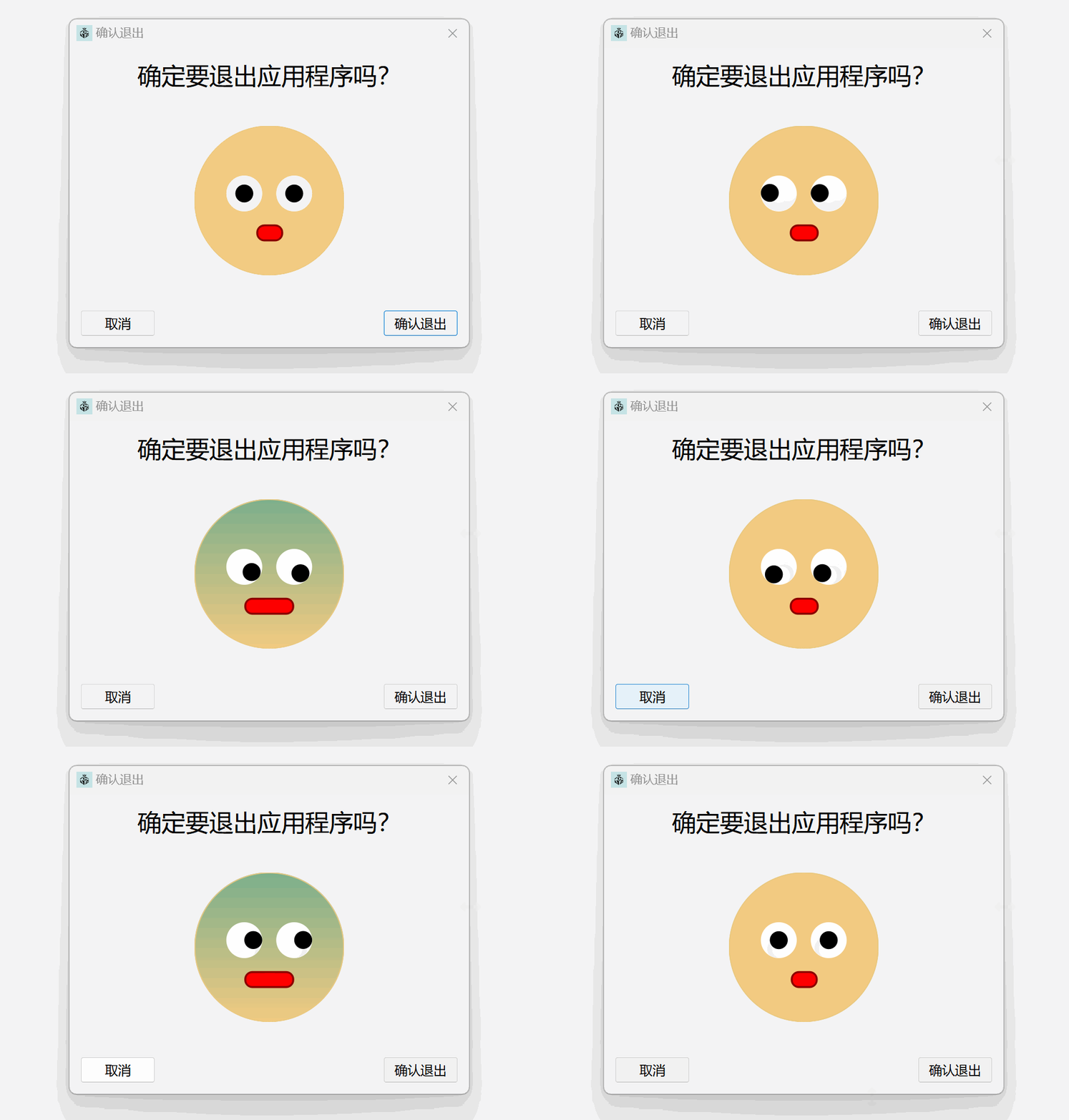
【Qt】可爱的窗口关闭确认弹窗实现
文章目录 实现思路界面构建交互逻辑实现颜色渐变处理圆形部件绘制 代码在主窗口的构造函数中创建弹窗实例ExitConfirmDialog 类代码ColorCircleWidget 类代码 今天在Qt实现了这样一个可互动的窗口(上图由于录屏工具限制没有录制到鼠标) 实现…...

服务器通过 ollama 运行deepseek r1
1、服务器环境简介 56核 CPU64G 内存无显卡已安装 Ollama 2、下载模型与配置 正常可以通过 ollama pull 或 ollama run 命令直接下载,但通常会遇到连接超时、找不到网址等总理。因此,可以使用国内的模型站进行下载,在这里使用魔塔查找模型…...
计算机毕业设计SpringBoot+Vue.jst网上购物商城系统(源码+LW文档+PPT+讲解)
温馨提示:文末有 CSDN 平台官方提供的学长联系方式的名片! 温馨提示:文末有 CSDN 平台官方提供的学长联系方式的名片! 温馨提示:文末有 CSDN 平台官方提供的学长联系方式的名片! 作者简介:Java领…...

自制操作系统前置知识汇编学习
今天要做什么? 为了更好的理解书中内容,需要学习下进制分析和汇编。 汇编语言其实应该叫叫机器指令符号化语言,目前的汇编语言是学习操作系统的基础。 一:触发器 电路触发器的锁存命令默认是断开的,是控制电路触发器…...

Unity制作游戏——前期准备:Unity2023和VS2022下载和安装配置——附安装包
1.Unity2023的下载和安装配置 (1)Unity官网下载地址(国际如果进不去,进国内的官网,下面以国内官网流程为例子) unity中国官网:Unity中国官网 - 实时内容开发平台 | 3D、2D、VR & AR可视化 …...

深度学习(5)-卷积神经网络
我们将深入理解卷积神经网络的原理,以及它为什么在计算机视觉任务上如此成功。我们先来看一个简单的卷积神经网络示例,它用干对 MNIST数字进行分类。这个任务在第2章用密集连接网络做过,当时的测试精度约为 97.8%。虽然这个卷积神经网络很简单…...

LeetCodehot 力扣热题100 课程表
题目背景 这个问题要求我们判断是否可以完成所有课程的学习。每门课程可能依赖其他课程作为前置课程,构成了一个有向图。我们需要确定是否存在环,若存在环,说明课程之间互相依赖,无法完成所有课程;如果不存在环&#x…...

彻底卸载kubeadm安装的k8s集群
目录 一、删除资源 二、停止k8s服务 三、重置集群 四、卸载k8s安装包 五、清理残留文件和目录 六、删除k8s相关镜像 七、重启服务器 一、删除资源 # 删除集群中的所有资源,包括 Pod、Deployment、Service,任意节点执行 kubectl delete --all pod…...

【HarmonyOS Next】拒绝权限二次申请授权处理
【HarmonyOS Next】拒绝权限二次申请授权处理 一、问题背景: 在鸿蒙系统中,对于用户权限的申请,会有三种用户选择方式: 1.单次使用允许 2.使用应用期间(长时)允许 3.不允许 当用户选择不允许后࿰…...
)
便携式动平衡仪Qt应用层详细设计方案(基于Qt Widgets)
便携式动平衡仪Qt应用层详细设计方案(基于Qt Widgets) 版本:1.0 日期:2023年10月 一、系统概述 1.1 功能需求 开机流程:长按电源键启动,全屏显示商标动画(快闪3~4次)。主界面&…...

2 20 数据开发面试题汇总
下面是我在实习中协助面试 然后在牛客上挑选了一些完整的面试问题借助豆包完成的面经答案思路汇总 滴滴数据研发日常实习 一面 数据仓库认识维度建模之外还有哪些建模,有什么区别项目中数据仓库分了哪几层,为什么要分层Hadoop架构,你这些组…...

跟着李沐老师学习深度学习(十四)
注意力机制(Attention) 引入 心理学角度 动物需要在复杂环境下有效关注值得注意的点心理学框架:人类根据随意线索和不随意线索选择注意力 注意力机制 之前所涉及到的卷积、全连接、池化层都只考虑不随意线索而注意力机制则显示的考虑随意…...

Websocket——心跳检测
1. 前言:为什么需要心跳机制? 在现代的实时网络应用中,保持客户端和服务端的连接稳定性是非常重要的。尤其是在长时间的网络连接中,存在一些异常情况,导致服务端无法及时感知到客户端的断开,可能造成不必要…...

基于YOLO11深度学习的半导体芯片缺陷检测系统【python源码+Pyqt5界面+数据集+训练代码】
《------往期经典推荐------》 一、AI应用软件开发实战专栏【链接】 项目名称项目名称1.【人脸识别与管理系统开发】2.【车牌识别与自动收费管理系统开发】3.【手势识别系统开发】4.【人脸面部活体检测系统开发】5.【图片风格快速迁移软件开发】6.【人脸表表情识别系统】7.【…...

Spring Boot3.x集成Flowable7.x(一)Spring Boot集成与设计、部署、发起、完成简单流程
一、Flowable简介 Flowable 是一个轻量级、开源的业务流程管理(BPM)和工作流引擎,旨在帮助开发者和企业实现业务流程的自动化。它支持 BPMN 2.0 标准,适用于各种规模的企业和项目。Flowable 的核心功能包括流程定义、流程执行、任…...

Dify 工作流分类器技巧
在使用 Dify 工作流中的分类器(如问题分类器,Question Classifier)时,想要实现高效且准确的分类,可以遵循以下技巧和最佳实践。这些建议基于 Dify 的工作流功能,帮助你更好地设计和优化分类过程:…...

网络安全-openssl工具
OpenSSl是一个开源项目,包括密码库和SSL/TLS工具集。它已是在安全领域的事实标准,并且拥有比较长的历史,现在几乎所有的服务器软件和很多客户端都在使用openssl,其中基于命令行的工具是进行加密、证书管理以及测试最常用到的软件。…...

【Web开发】PythonAnyWhere免费部署Django项目
PythonAnyWhere免费部署Django项目 文章目录 PythonAnyWhere免费部署Django项目将项目上传到GitHub从GitHub下载Django项目创建Web应用配置静态文件将项目上传到GitHub 打开项目,输入以下命令,生成Django项目依赖包。pip list --format=freeze > requirements.txt打开Git …...

Spring Boot 多模块怎么统一管理
在 Spring Boot 中,多模块项目是一种常见的架构模式,尤其适用于构建大型、复杂的应用程序。将应用程序拆分成多个模块可以提高代码的可维护性、可重用性和团队协作效率。然而,多模块项目也带来了一些管理上的挑战,例如依赖版本管理…...

视频的分片上传
分片上传需求分析: 项目中很多地方需要上传视频,如果视频很大,上传到服务器需要很多时间 ,这个时候体验就会很差。所以需要前端实现分片上传的功能。 要实现分片上传,需要对视频进行分割,分割成不同的大小…...

Moonshot AI 新突破:MoBA 为大语言模型长文本处理提效论文速读
前言 在自然语言处理领域,随着大语言模型(LLMs)不断拓展其阅读、理解和生成文本的能力,如何高效处理长文本成为一项关键挑战。近日,Moonshot AI Research 联合清华大学、浙江大学的研究人员提出了一种创新方法 —— 混…...

Deepseek首页实现 HTML
人工智能与未来:机遇与挑战 引言 在过去的几十年里,人工智能(AI)技术取得了突飞猛进的发展。从语音助手到自动驾驶汽车,AI 正在深刻地改变我们的生活方式、工作方式以及社会结构。然而,随着 AI 技术的普及…...

AI革命下的多元生态:DeepSeek、ChatGPT、XAI、文心一言与通义千问的行业渗透与场景重构
前言 人工智能技术的爆发式发展催生了多样化的AI模型生态,从通用对话到垂直领域应用,从数据挖掘到创意生成,各模型凭借其独特的技术优势与场景适配性,正在重塑全球产业格局。本文将以DeepSeek、ChatGPT、XAI(可解释人…...

VS2022配置FFMPEG库基础教程
1 简介 1.1 起源与发展历程 FFmpeg诞生于2000年,由法国工程师Fabrice Bellard主导开发,其名称源自"Fast Forward MPEG",初期定位为多媒体编解码工具。2004年后由Michael Niedermayer接任维护,逐步发展成为包含音视频采…...

kafka基本知识
什么是 Kafka? Apache Kafka 是一个开源的分布式流处理平台,最初由 LinkedIn 开发,后来成为 Apache 软件基金会的一部分。Kafka 主要用于构建实时数据管道和流处理应用程序。它能够高效地处理大量的数据流,广泛应用于日志收集、数…...