
vue+dhtmlx-gantt 实现甘特图-快速入门【甘特图】
文章目录
- 一、前言
- 二、使用说明
- 2.1 引入依赖
- 2.2 引入组件
- 2.3 引入dhtmlx-gantt
- 2.4 甘特图数据配置
- 2.5 初始化配置
- 三、代码示例
- 3.1 Vue2完整示例
- 3.2 Vue3 完整示例
- 四、效果图
一、前言
dhtmlxGantt 是一款功能强大的甘特图组件,支持 Vue 3 集成。它提供了丰富的功能,适合复杂的项目管理需求。

特点
- 支持拖放操作
- 多种视图模式(天、周、月、年)
- 数据导出功能(PDF、PNG、Excel)
- 任务依赖关系管理
使用场景
适合需要高度定制化和复杂功能的企业级项目管理工具。
资源
- GitHub: dhtmlxGantt
- 文档: dhtmlxGantt 文档
二、使用说明
2.1 引入依赖
npm install dhtmlx-gantt
2.2 引入组件
<template><div><div ref="gantt" style="height:500px;" /></div>
</template>
2.3 引入dhtmlx-gantt
import gantt from 'dhtmlx-gantt'
import 'dhtmlx-gantt/codebase/dhtmlxgantt.css'
2.4 甘特图数据配置
- 父级时间是根据子级
start_date以及duration自动计算 progress:完成度的最大值为1open:是否展开文件parent:父级idstart_date:开始时间(日月年)text:左边数据展示文件名称(可以自定义添加展示字段,在后面列配置项可以配置)
📢注意: 数据格式类似于树形组件,子级需要父级的
id
tasks: {data: [// {// id: 11,// text: 'Project #1',// // type: gantt.config.types.project,// progress: 0.5,//完成度// open: true,//默认打开// number: '20240227',//显示字段// },// {// toolTipsTxt: '任务#101-001',// id: 12,//任务id// text: '任务#1',//任务名称// start_date: '03-04-2022',//开始时间 日月年// duration: '5',//任务时常// parent: '11',//父级id// progress: 1,//完成度// open: true,//默认打开// },// {// id: 13,// text: '任务#2',// start_date: '03-04-2022',// // type: gantt.config.types.project,// parent: '11',// progress: 0.255,// open: true,// },// {// id: 14,// text: '任务#3',// start_date: '01-04-2022',// duration: '6',// parent: '11',// progress: 0.8,// open: true,// },// {// id: 15,// text: '任务#4',// // type: gantt.config.types.project,// parent: '11',// progress: 0.2,// open: true,// },// {// id: 16,// text: 'Final milestone',// start_date: '15-04-2022',// // type: gantt.config.types.milestone,// parent: '11',// progress: 0,// open: true,// },// {// id: 17,// text: '任务#2.1',// start_date: '03-04-2022',// duration: '2',// parent: '13',// progress: 1,// open: true,// },// {// id: 18,// text: '任务#2.2',// start_date: '06-04-2022',// duration: '3',// parent: '13',// progress: 0.8,// open: true,// },// {// id: 19,// text: '任务#2.3',// start_date: '10-04-2022',// duration: '4',// parent: '13',// progress: 0.2,// open: true,// },// {// id: 20,// text: '任务#2.4',// start_date: '10-04-2022',// duration: '4',// parent: '13',// progress: 0,// open: true,// },// {// id: 21,// text: '任务#4.1',// start_date: '03-04-2022',// duration: '4',// parent: '15',// progress: 0.5,// open: true,// },// {// id: 22,// text: '任务#4.2',// start_date: '03-04-2022',// duration: '4',// parent: '15',// progress: 0.1,// open: true,// },// {// id: 23,// text: 'Mediate milestone',// start_date: '14-04-2022',// // type: gantt.config.types.milestone,// parent: '15',// progress: 0,// open: true,// },],
tasks 中 link 连线配置
tasks: {// #字段解释// 格式 id:数据id // source:开始链接的项目id ----为tasks.data中数据的id// target:要链接项目的id ----为tasks.data中数据的id// type: 0--进行-开始 `尾部链接头部` // 1--开始-开始 `头部链接头部`// 2--进行-进行 `尾部链接尾部`// 3--开始-进行 `头部链接尾部`// 任务之间连接links: [{ id: '10', source: '11', target: '12', type: '1' },{ id: '11', source: '11', target: '13', type: '1' },{ id: '12', source: '11', target: '14', type: '1' },{ id: '13', source: '11', target: '15', type: '1' },{ id: '14', source: '23', target: '16', type: '0' },{ id: '15', source: '13', target: '17', type: '1' },{ id: '16', source: '17', target: '18', type: '0' },{ id: '17', source: '18', target: '19', type: '0' },{ id: '18', source: '19', target: '20', type: '0' },{ id: '19', source: '15', target: '21', type: '2' },{ id: '20', source: '15', target: '22', type: '2' },{ id: '21', source: '15', target: '23', type: '0' },],},
2.5 初始化配置
弹窗汉化
gantt.locale.labels = {dhx_cal_today_button: "今天",day_tab: "日",week_tab: "周",month_tab: "月",new_event: "新建日程",icon_save: "保存",icon_cancel: "关闭",icon_details: "详细",icon_edit: "编辑",icon_delete: "删除",confirm_closing: "请确认是否撤销修改!", //Your changes will be lost, are your sure?confirm_deleting: "是否删除计划?",section_description: "描述:",section_time: "时间范围:",section_type: "类型:",section_text: "计划名称:",section_test: "测试:",section_projectClass: "项目类型:",taskProjectType_0: "项目任务",taskProjectType_1: "普通任务",section_head: "负责人:",section_priority: '优先级:',taskProgress: '任务状态',taskProgress_0: "未开始",taskProgress_1: "进行中",taskProgress_2: "已完成",taskProgress_3: "已延期",taskProgress_4: "搁置中",section_template: 'Details',/* grid columns */column_text: "计划名称",column_start_date: "开始时间",column_duration: "持续时间",column_add: "",column_priority: "难度",/* link confirmation */link: "关联",confirm_link_deleting: "将被删除",message_ok: '确定',message_cancel: '取消',link_start: " (开始)",link_end: " (结束)",type_task: "任务",type_project: "项目",type_milestone: "里程碑",minutes: "分钟",hours: "小时",days: "天",weeks: "周",months: "月",years: "年"}

清空旧数据
gantt.clearAll(); // 清空旧数据
📢注意:其中值得一提的就是更新数据,需要清空旧数
初始化数据
// 初始化init() {// 格式化日期gantt.locale.date = {month_full: ["1月", "2月", "3月", "4月", "5月", "6月", "7月", "8月", "9月", "10月", "11月", "12月"],month_short: ["1月", "2月", "3月", "4月", "5月", "6月", "7月", "8月", "9月", "10月", "11月", "12月"],day_full: ["星期日", "星期一", "星期二", "星期三", "星期四", "星期五", "星期六"],day_short: ["星期日", "星期一", "星期二", "星期三", "星期四", "星期五", "星期六"]}console.log(gantt);//自适应甘特图的尺寸大小, 使得在不出现滚动条的情况下, 显示全部任务gantt.config.autosize = true//只读模式gantt.config.readonly = false//是否显示左侧树表格gantt.config.show_grid = true// //表格列设置gantt.config.columns = [{ name: 'text', label: '阶段名字', tree: true, width: '150', align: 'center', },// { name: 'number', label: '工单号', tree: false, width: '120', align: 'center', },{name: 'duration',label: '工时',align: 'center',template: function (obj) {return obj.duration + '天'},},/*{name:"start_date", label:"开始时间", align: "center" },{name:"end_date", label:"结束时间", align: "center" },*/]// 自动延长时间刻度gantt.config.fit_tasks = true// 允许拖放gantt.config.drag_project = true// 定义时间格式gantt.config.scales = [{ unit: 'month', step: 1, date: ' %Y,%F' },{ unit: 'day', step: 1, date: ' %D ,%j' },]// //当task的长度改变时,自动调整图表坐标轴区间用于适配task的长度gantt.config.fit_tasks = true// 添加弹窗属性gantt.config.lightbox.sections = [{name: 'description',height: 70,map_to: 'text',type: 'textarea',focus: true,},{ name: 'type', type: 'typeselect', map_to: 'type' },{ name: 'time', type: 'duration', map_to: 'auto' },];console.log(this.tasks.data, '检查任务数据'); // 检查任务数据// 初始化gantt.init(this.$refs.gantt)/* *******重点******* */gantt.clearAll(); // 清空旧数据/* ****************** */// 数据解析gantt.parse(this.tasks)},
更新数据
loadData(arg) {if (!this.url.list) {this.$message.error("请设置url.list属性!")return}//加载数据 若传入参数1则加载第一页的内容let params = {planId: this.planId,}this.loading = true;this.tasks.data = []getAction(this.url.list, params).then((res) => {if (res.success) {console.log(res, '甘特图数据');res.result.forEach(obj => {obj.open = false})this.tasks.data = res.resultthis.init()}if (res.code === 510) {this.$message.warning(res.message)}this.loading = false;})},
三、代码示例
3.1 Vue2完整示例
<template><div><div ref="gantt" style="height:500px;" /></div>
</template><script>
import gantt from 'dhtmlx-gantt'
import 'dhtmlx-gantt/codebase/dhtmlxgantt.css'
import { JeecgListMixin } from '@/mixins/JeecgListMixin'
import { getAction, putAction } from '@/api/manage'
export default {props: {planId: {type: String,required: true,}},// mixins: [JeecgListMixin],data() {return {// 甘特图配置tasks: {data: [//     {//         id: 11,//         text: 'Project #1',//         // type: gantt.config.types.project,//         progress: 0.5,//完成度//         open: true,//默认打开//         number: '20240227',//显示字段//     },//     {//         toolTipsTxt: '任务#101-001',//         id: 12,//任务id//         text: '任务#1',//任务名称//         start_date: '03-04-2022',//开始时间 日月年//         duration: '5',//任务时常//         parent: '11',//父级id//         progress: 1,//完成度//         open: true,//默认打开//     },//     {//         id: 13,//         text: '任务#2',//         start_date: '03-04-2022',//         // type: gantt.config.types.project,//         parent: '11',//         progress: 0.255,//         open: true,//     },//     {//         id: 14,//         text: '任务#3',//         start_date: '01-04-2022',//         duration: '6',//         parent: '11',//         progress: 0.8,//         open: true,//     },//     {//         id: 15,//         text: '任务#4',//         // type: gantt.config.types.project,//         parent: '11',//         progress: 0.2,//         open: true,//     },//     {//         id: 16,//         text: 'Final milestone',//         start_date: '15-04-2022',//         // type: gantt.config.types.milestone,//         parent: '11',//         progress: 0,//         open: true,//     },//     {//         id: 17,//         text: '任务#2.1',//         start_date: '03-04-2022',//         duration: '2',//         parent: '13',//         progress: 1,//         open: true,//     },//     {//         id: 18,//         text: '任务#2.2',//         start_date: '06-04-2022',//         duration: '3',//         parent: '13',//         progress: 0.8,//         open: true,//     },//     {//         id: 19,//         text: '任务#2.3',//         start_date: '10-04-2022',//         duration: '4',//         parent: '13',//         progress: 0.2,//         open: true,//     },//     {//         id: 20,//         text: '任务#2.4',//         start_date: '10-04-2022',//         duration: '4',//         parent: '13',//         progress: 0,//         open: true,//     },//     {//         id: 21,//         text: '任务#4.1',//         start_date: '03-04-2022',//         duration: '4',//         parent: '15',//         progress: 0.5,//         open: true,//     },//     {//         id: 22,//         text: '任务#4.2',//         start_date: '03-04-2022',//         duration: '4',//         parent: '15',//         progress: 0.1,//         open: true,//     },//     {//         id: 23,//         text: 'Mediate milestone',//         start_date: '14-04-2022',//         // type: gantt.config.types.milestone,//         parent: '15',//         progress: 0,//         open: true,//     },],// #字段解释// 格式 id:数据id   //     source:开始链接的项目id  ----为tasks.data中数据的id//     target:要链接项目的id  ----为tasks.data中数据的id//     type: 0--进行-开始  `尾部链接头部`  //           1--开始-开始  `头部链接头部`//           2--进行-进行  `尾部链接尾部`//           3--开始-进行  `头部链接尾部`// 任务之间连接links: [{ id: '10', source: '11', target: '12', type: '1' },{ id: '11', source: '11', target: '13', type: '1' },{ id: '12', source: '11', target: '14', type: '1' },{ id: '13', source: '11', target: '15', type: '1' },{ id: '14', source: '23', target: '16', type: '0' },{ id: '15', source: '13', target: '17', type: '1' },{ id: '16', source: '17', target: '18', type: '0' },{ id: '17', source: '18', target: '19', type: '0' },{ id: '18', source: '19', target: '20', type: '0' },{ id: '19', source: '15', target: '21', type: '2' },{ id: '20', source: '15', target: '22', type: '2' },{ id: '21', source: '15', target: '23', type: '0' },],},url: {list: "/projectManage/projectPlan/queryProjectPlanGTT",// delete: "/projectManage/projectModule/delete",// deleteBatch: "/projectManage/projectModule/deleteBatch",// exportXlsUrl: "/projectManage/projectModule/exportXls",// importExcelUrl: "/projectManage/projectModule/importExcel",// budgetExportXlsUrl: "/projectManage/projectModule/budgetExportXls",// budgetImportUrl: "/projectManage/projectModule/budgetImportExcel",},}},watch: {},created() {console.log(this.planId, '参数');},mounted() {this.loadData();},methods: {// 初始化init() {// 格式化日期gantt.locale.date = {month_full: ["1月", "2月", "3月", "4月", "5月", "6月", "7月", "8月", "9月", "10月", "11月", "12月"],month_short: ["1月", "2月", "3月", "4月", "5月", "6月", "7月", "8月", "9月", "10月", "11月", "12月"],day_full: ["星期日", "星期一", "星期二", "星期三", "星期四", "星期五", "星期六"],day_short: ["星期日", "星期一", "星期二", "星期三", "星期四", "星期五", "星期六"]}gantt.locale.labels = {dhx_cal_today_button: "今天",day_tab: "日",week_tab: "周",month_tab: "月",new_event: "新建日程",icon_save: "保存",icon_cancel: "关闭",icon_details: "详细",icon_edit: "编辑",icon_delete: "删除",confirm_closing: "请确认是否撤销修改!", //Your changes will be lost, are your sure?confirm_deleting: "是否删除计划?",section_description: "描述:",section_time: "时间范围:",section_type: "类型:",section_text: "计划名称:",section_test: "测试:",section_projectClass: "项目类型:",taskProjectType_0: "项目任务",taskProjectType_1: "普通任务",section_head: "负责人:",section_priority: '优先级:',taskProgress: '任务状态',taskProgress_0: "未开始",taskProgress_1: "进行中",taskProgress_2: "已完成",taskProgress_3: "已延期",taskProgress_4: "搁置中",section_template: 'Details',/* grid columns */column_text: "计划名称",column_start_date: "开始时间",column_duration: "持续时间",column_add: "",column_priority: "难度",/* link confirmation */link: "关联",confirm_link_deleting: "将被删除",message_ok: '确定',message_cancel: '取消',link_start: " (开始)",link_end: " (结束)",type_task: "任务",type_project: "项目",type_milestone: "里程碑",minutes: "分钟",hours: "小时",days: "天",weeks: "周",months: "月",years: "年"}console.log(gantt);//自适应甘特图的尺寸大小, 使得在不出现滚动条的情况下, 显示全部任务gantt.config.autosize = true//只读模式gantt.config.readonly = false//是否显示左侧树表格gantt.config.show_grid = true// //表格列设置gantt.config.columns = [{ name: 'text', label: '阶段名字', tree: true, width: '150', align: 'center', },// { name: 'number', label: '工单号', tree: false, width: '120', align: 'center', },{name: 'duration',label: '工时',align: 'center',template: function (obj) {return obj.duration + '天'},},/*{name:"start_date", label:"开始时间", align: "center" },{name:"end_date",   label:"结束时间",   align: "center" },*/]// 自动延长时间刻度gantt.config.fit_tasks = true// 允许拖放gantt.config.drag_project = true// 定义时间格式gantt.config.scales = [{ unit: 'month', step: 1, date: ' %Y,%F' },{ unit: 'day', step: 1, date: ' %D ,%j' },]// //当task的长度改变时,自动调整图表坐标轴区间用于适配task的长度gantt.config.fit_tasks = true// 添加弹窗属性gantt.config.lightbox.sections = [{name: 'description',height: 70,map_to: 'text',type: 'textarea',focus: true,},{ name: 'type', type: 'typeselect', map_to: 'type' },{ name: 'time', type: 'duration', map_to: 'auto' },];console.log(this.tasks.data, '检查任务数据'); // 检查任务数据// 初始化gantt.init(this.$refs.gantt)/* *******重点******* */gantt.clearAll(); // 清空旧数据/* ****************** */// 数据解析gantt.parse(this.tasks)},loadData(arg) {if (!this.url.list) {this.$message.error("请设置url.list属性!")return}//加载数据 若传入参数1则加载第一页的内容let params = {planId: this.planId,}this.loading = true;this.tasks.data = []getAction(this.url.list, params).then((res) => {if (res.success) {console.log(res, '甘特图数据');res.result.forEach(obj => {obj.open = false})this.tasks.data = res.resultthis.init()}if (res.code === 510) {this.$message.warning(res.message)}this.loading = false;})},},
}
</script><style lang="less" scoped>
.firstLevelTask {border: none;.gantt_task_content {// font-weight: bold;font-size: 13px;}
}.secondLevelTask {border: none;
}.thirdLevelTask {border: 2px solid #da645d;color: #da645d;background: #da645d;
}.milestone-default {border: none;background: rgba(0, 0, 0, 0.45);
}.milestone-unfinished {border: none;background: #5692f0;
}.milestone-finished {border: none;background: #84bd54;
}.milestone-canceled {border: none;background: #da645d;
}html,
body {margin: 0px;padding: 0px;height: 100%;overflow: hidden;
}.container {height: 900px;.left-container {height: 100%;}
}.left-container {height: 600px;
}.gantt_scale_line {border-top: 0;
}.weekend {//background:#f4f7f4!important;color: #000000 !important;
}.gantt_selected .weekend {background: #f7eb91 !important;
}.gantt_task_content {text-align: left;padding-left: 10px;
}//上面任务条样式
.gantt_task_scale {height: 45px !important;
}.gantt_task .gantt_task_scale .gantt_scale_cell {line-height: 30px !important;height: 28px !important;
}
</style>
3.2 Vue3 完整示例
<template><div style="height: 100%; background-color: white"><div ref="ganttRef" style="width: 100%; height: 600px"></div></div>
</template><script setup name="gantt-widget">
import { ref, reactive, onMounted } from 'vue'
import { gantt } from 'dhtmlx-gantt'
import 'dhtmlx-gantt/codebase/dhtmlxgantt.css'
import { formatDate } from '@/utils/util.js'import { defineProps } from 'vue'
const props = defineProps({widgetObj: {type: Object,required: true,},
})const ganttRef = ref()
const tasks = ref({})//动态加载数据
const fetchData = () => {tasks.value = tasks.value = {tasks: [{id: 10,text: 'RFQ&项目启动',type: 'project',progress: 0.1,open: true,person: '张三',},{id: 12,text: '产品需求 #1.0.1',start_date: '02-01-2025',duration: 3,parent: 10,progress: 1,person: '张三',},{id: 13,text: '产品数据 #1.0.2',start_date: '05-01-2025',duration: 3,parent: 10,progress: 0.8,person: '张三',},{id: 14,text: '环境数据 #1.0.3',start_date: '08-01-2025',duration: 3,parent: 10,progress: 0,person: '张三',},{id: 15,text: '项目评估指令 #1.1',start_date: '11-01-2025',duration: 3,parent: 10,progress: 0,person: '张三',},{id: 16,text: '成立项目小组 #1.2.1',start_date: '12-01-2025',duration: 2,parent: 10,progress: 0,person: '张三',},{id: 17,text: '可行性评估 #1.2.2',start_date: '13-01-2025',duration: 3,parent: 10,progress: 0,person: '张三',},{id: 18,text: '输入评审 #1.2.3',start_date: '14-01-2025',duration: 2,parent: 10,progress: 0,person: '张三',},{id: 19,text: '初始产品方案 #1.2.4',start_date: '16-01-2025',duration: 2,parent: 10,progress: 0,person: '张三',},{id: 20,text: '产品设计&开发',type: 'project',progress: 0,person: '张三',open: false,},{id: 21,text: '设计输入信息管理#3.0.1',start_date: '18-01-2025',duration: 2,parent: 20,progress: 0,person: '张三',},{id: 22,text: '产品设计过往教训展开 #3.0.2',start_date: '20-01-2025',duration: 2,parent: 20,progress: 0,person: '张三',},{id: 23,text: '产品设计进度管理 #3.0.3',start_date: '22-01-2025',duration: 2,parent: 20,progress: 0,person: '张三',},{id: 24,text: '产品设计方案 #3.0.4',start_date: '24-01-2025',duration: 2,parent: 20,progress: 0,person: '张三',},{id: 25,text: '产品特殊特性识别 #3.0.5',start_date: '26-01-2025',duration: 2,parent: 20,progress: 0,person: '张三',},{id: 26,text: '产品设计方案评审 #3.0.6',start_date: '28-01-2025',duration: 2,parent: 20,progress: 0,person: '张三',},{id: 30,text: '过程设计&开发',type: 'project',progress: 0,person: '张三',open: false,},{id: 31,text: '场地规划 #5.0.1',start_date: '28-02-2025',duration: 3,parent: 30,progress: 0,person: '张三',},{id: 32,text: '场地评审 #5.0.2',start_date: '28-02-2025',duration: 3,parent: 30,progress: 0,person: '张三',},{id: 33,text: '过程检验标准 #5.0.3',start_date: '29-02-2025',duration: 3,parent: 30,progress: 0,person: '张三',},{id: 40,text: '产品&过程验证',type: 'project',open: false,progress: 0,person: '张三',},{id: 41,text: '量具重复再现性分析 #6.0.1',start_date: '29-02-2025',duration: 3,parent: 40,progress: 0,person: '张三',},{id: 42,text: '检具使用验收 #6.0.2',start_date: '01-03-2025',duration: 3,parent: 40,progress: 0,person: '张三',},{id: 43,text: '工装-厂外预验收 #6.1.1',start_date: '02-03-2025',duration: 3,parent: 40,progress: 0,person: '张三',},{id: 44,text: '设备-厂外预验收 #6.2.1',start_date: '03-03-2025',duration: 3,parent: 40,progress: 0,person: '张三',},{id: 45,text: '模具-厂外预验收 #6.3.1',start_date: '04-03-2025',duration: 3,parent: 40,progress: 0,person: '张三',},{id: 50,text: '过程验证',type: 'project',open: false,progress: 0,person: '张三',},{id: 51,text: '小批量试生产总结 #7.0.1',start_date: '28-04-2025',duration: 3,parent: 50,progress: 0,person: '张三',},{id: 52,text: '产品尺寸记录 #7.0.2',start_date: '29-04-2025',duration: 3,parent: 50,progress: 0,person: '张三',},{id: 52,text: '过程能力研究 #7.0.3',start_date: '30-04-2025',duration: 3,parent: 50,progress: 0,person: '张三',},{id: 60,text: '反馈,纠正和改进',type: 'project',open: false,progress: 0,person: '张三',},{id: 61,text: '模工检移交 #8.0.1',start_date: '28-05-2025',duration: 3,parent: 60,progress: 0,person: '张三',},{id: 62,text: '项目移交会议 #8.0.2',start_date: '29-05-2025',duration: 3,parent: 60,progress: 0,person: '张三',},{id: 63,text: '取得量产交付计划 #8.1.1',start_date: '30-05-2025',duration: 3,parent: 60,progress: 0,person: '张三',},],links: [{ id: 10, source: 12, target: 13, type: 1 },{ id: 11, source: 13, target: 14, type: 1 },{ id: 12, source: 14, target: 15, type: 1 },],}
}//初始化配置
const initGantt = () => {gantt.plugins({ tooltip: true, quick_info: true })// 汉化窗口gantt.locale.labels = {dhx_cal_today_button: '今天',day_tab: '日',week_tab: '周',month_tab: '月',new_event: '新建日程',icon_save: '保存',icon_cancel: '关闭',icon_details: '详细',icon_edit: '编辑',icon_delete: '删除',confirm_closing: '请确认是否撤销修改!', //Your changes will be lost, are your sure?confirm_deleting: '是否删除计划?',section_description: '描述:',section_time: '时间范围:',section_type: '类型:',section_text: '计划名称:',section_test: '测试:',section_projectClass: '项目类型:',taskProjectType_0: '项目任务',taskProjectType_1: '普通任务',section_head: '负责人:',section_priority: '优先级:',taskProgress: '任务状态',taskProgress_0: '未开始',taskProgress_1: '进行中',taskProgress_2: '已完成',taskProgress_3: '已延期',taskProgress_4: '搁置中',section_template: 'Details',/* grid columns */column_text: '计划名称',column_start_date: '开始时间',column_duration: '持续时间',column_add: '',column_priority: '难度',/* link confirmation */link: '关联',confirm_link_deleting: '将被删除',message_ok: '确定',message_cancel: '取消',link_start: ' (开始)',link_end: ' (结束)',type_task: '任务',type_project: '项目',type_milestone: '里程碑',minutes: '分钟',hours: '小时',days: '天',weeks: '周',months: '月',years: '年',}// 格式化日期gantt.locale.date = {month_full: ['1月','2月','3月','4月','5月','6月','7月','8月','9月','10月','11月','12月',],month_short: ['1月','2月','3月','4月','5月','6月','7月','8月','9月','10月','11月','12月',],day_full: ['星期日','星期一','星期二','星期三','星期四','星期五','星期六',],day_short: ['星期日','星期一','星期二','星期三','星期四','星期五','星期六',],}// 当task的长度改变时,自动调整图表坐标轴区间用于适配task的长度gantt.config.fit_tasks = true// 允许拖放gantt.config.drag_project = true// 定义时间格式gantt.config.scales = [{ unit: 'month', step: 1, date: '%F, %Y' },{ unit: 'day', step: 1, date: '%j, %D' },]// gantt.config.scale_height = 80// gantt.config.row_height = 60// gantt.config.bar_height = 40gantt.i18n.setLocale('cn')// gantt.config.autosize = true// gantt.config.readonly = truegantt.config.show_grid = truegantt.config.show_task_tooltips = truegantt.config.show_progress = truegantt.config.branches = {open: 'open',closed: 'closed',}gantt.templates.tooltip_text = (start, end, task) => `<div><div>任务:${task.text}</div><div>开始时间:${formatDate(task.start_date, '{y}-{m}-{d}')}</div><div>结束时间:${formatDate(task.end_date, '{y}-{m}-{d}')}</div><div>进度:${task.progress * 100}%</div></div>`gantt.config.columns = [{name: 'text',label: '任务名称',width: '250',tree: true,align: 'left',},{ name: 'start_date', label: '起始时间', width: '100', align: 'center' },{ name: 'duration', label: '持续时间', width: '80', align: 'center' },{name: 'progress',label: '进度',width: '100',align: 'center',template: function (obj) {return obj.progress * 100 + '%'},},{ name: 'person', label: '负责人', width: '80', align: 'center' },]gantt.config.lightbox_zindex = 10000// 添加弹窗属性gantt.config.lightbox.sections = [{name: 'description',height: 70,map_to: 'text',type: 'textarea',focus: true,},{ name: 'type', type: 'typeselect', map_to: 'type' },{ name: 'time', type: 'duration', map_to: 'auto' },]// 初始化gantt.init(ganttRef.value)// 清空旧数据gantt.clearAll()// 数据解析gantt.parse(tasks.value)
}onMounted(() => {fetchData()initGantt()
})
</script><style lang="scss" scoped>
.gantt_cal_light {z-index: 9999 !important;
}
.gantt_cal_cover {z-index: 10000 !important;
}
</style>
四、效果图

相关文章:
vue+dhtmlx-gantt 实现甘特图-快速入门【甘特图】
文章目录 一、前言二、使用说明2.1 引入依赖2.2 引入组件2.3 引入dhtmlx-gantt2.4 甘特图数据配置2.5 初始化配置 三、代码示例3.1 Vue2完整示例3.2 Vue3 完整示例 四、效果图 一、前言 dhtmlxGantt 是一款功能强大的甘特图组件,支持 Vue 3 集成。它提供了丰富的功…...

音视频入门基础:RTP专题(16)——RTP封装音频时,音频的有效载荷结构
一、引言 《RFC 3640》和《RFC 6416》分别定义了两种对MPEG-4流的RTP封包方式,这两个文档都可以从RFC官网下载: RFC Editor 本文主要对《RFC 3640》中的音频打包方式进行简介。《RFC 3640》总共有43页,本文下面所说的“页数”是指在pdf阅读…...

通领科技冲刺北交所
高质量增长奔赴产业新征程 日前,通领科技已正式启动在北交所的 IPO 进程,期望借助资本市场的力量,加速技术升级,推动全球化战略布局。这一举措不仅展现了中国汽车零部件企业的强大实力,也预示着行业转型升级的新突破。…...

超分之DeSRA
Desra: detect and delete the artifacts of gan-based real-world super-resolution models.DeSRA:检测并消除基于GAN的真实世界超分辨率模型中的伪影Xie L, Wang X, Chen X, et al.arXiv preprint arXiv:2307.02457, 2023. 摘要 背景: GAN-SR模型虽然…...

Ubuntu用户安装cpolar内网穿透
前言 Cpolar作为一款体积小巧却功能强大的内网穿透软件,不仅能够在多种环境和应用场景中发挥巨大作用,还能适应多种操作系统,应用最为广泛的Windows、Mac OS系统自不必多说,稍显小众的Linux、树莓派、群辉等也在起支持之列&#…...

小程序事件系统 —— 33 事件传参 - data-*自定义数据
事件传参:在触发事件时,将一些数据作为参数传递给事件处理函数的过程,就是事件传参; 在微信小程序中,我们经常会在组件上添加一些自定义数据,然后在事件处理函数中获取这些自定义数据,从而完成…...

【Java学习】包装类
面向对象系列九 包装类变量 一、装箱 1.实例化包装对象 2.静态缓存池 3.写法 二、拆箱 包装类变量 每个基本数据类型都有对应的基本类型的包装类变量,将基本数据类型通过对应的包装类对象载入着进入到类与对象面向对象体系 一、装箱 Integer.valueOf(int) —…...

中国自动化领域零部件研究报告
一、引言 1.1 研究背景与目的 随着科技的飞速发展,自动化技术已成为推动各行业转型升级的关键力量。中国自动化领域零部件行业在近年来取得了显著进展,市场规模持续扩大,技术水平不断提升。在政策支持与市场需求的双重驱动下,中…...

Neo4j 数据库备份
将包括系统数据库在内的所有数据库的最近备份存储在一个安全的位置是非常重要的。这确保了在发生数据丢失或损坏时,能够迅速恢复数据库到最近的状态,减少可能的业务影响。对于不同的数据库环境(开发、测试或生产),根据…...

【每日学点HarmonyOS Next知识】span问题、组件标识属性、属性动画回调、图文混排、相对布局问题
1、HarmonyOS 如果有两个span 第一个span放的是中文 第二个span超长 这时候 Ellipsis会展示异常? 如果有两个span 第一个span放的是中文 第二个span超长 这时候 Ellipsis会展示异常 设置断行规则.wordBreak(WordBreak.BREAK_ALL)即可。 参考连接:http…...

MySQL数据集成:高效数据同步与监控
MySQL数据集成案例分享:user-钉钉部门树-名称刷新 在企业信息系统中,数据的高效流动和准确同步是确保业务连续性和决策支持的重要环节。本文将聚焦于一个具体的系统对接集成案例——将MySQL中的数据集成到另一个MySQL数据库中,方案名称为“u…...

时序数据库TimescaleDB基本操作示例
好的!以下是使用 TimescaleDB 的 Java 示例(基于 JDBC,因为 TimescaleDB 是 PostgreSQL 的扩展,官方未提供独立的 Java SDK): 1. 添加依赖(Maven) <dependency><groupId&g…...
【VBA】WPS/PPT设置标题字体
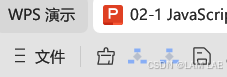
通过VBA,配合左上角的快速访问工具栏,实现自动化调整 选中文本框的 字体位置、大小、颜色。 配合quicker更加便捷 Sub DisableAutoWrapAndFormat()Dim shp As Shape 检查是否选中了一个形状(文本框)If ActiveWindow.Selection.Typ…...

Python Flask 和数据库系统交互
Python Flask 和数据库系统交互 Python Flask 和数据库系统交互 Python Flask 和数据库系统交互 全栈网页应用程序需要结构化数据的持久性,因此使用数据库的知识和经验是网页开发的先决条件。Python 和Flask 可以与大多数SQL或无SQL数据库系统集成。Python本身附带…...

Qt:事件
目录 处理事件 鼠标事件 键盘事件 定时器事件 窗口事件 虽然 Qt 是跨平台的 C 开发框架,Qt 的很多能力其实是操作系统提供的 只不过 Qt 封装了系统的 API 事件 前面学习过信号槽: 用户进行的各种操作,就可能会产生出信号,可以…...

3个 Vue Scoped 的核心原理
大家好,我是大澈!一个喜欢结交朋友、喜欢编程技术和科技前沿的老程序员👨🏻💻,关注我,科技未来或许我能帮到你! 先用一句话概括 Vue Scoped 的核心原理:Vue 的 scoped…...

物联网IoT系列之MQTT协议基础知识
文章目录 物联网IoT系列之MQTT协议基础知识物联网IoT是什么?什么是MQTT?为什么说MQTT是适用于物联网的协议?MQTT工作原理核心组件核心机制 MQTT工作流程1. 建立连接2. 发布和订阅3. 消息确认4. 断开连接 MQTT工作流程图MQTT在物联网中的应用 …...
--前端可视化开发)
工程化与框架系列(26)--前端可视化开发
前端可视化开发 📊 引言 前端可视化是现代Web应用中不可或缺的一部分,它能够以直观的方式展示复杂的数据和信息。本文将深入探讨前端可视化开发的关键技术和最佳实践,包括图表绘制、数据处理、动画效果等方面。 可视化技术概述 前端可视化…...

ubuntu 20.04 C++ 源码编译 cuda版本 opencv4.5.0
前提条件是安装好了cuda和cudnn 点击下载: opencv_contrib4.5.0 opencv 4.5.0 解压重命名后 进入opencv目录,创建build目录 “CUDA_ARCH_BIN ?” 这里要根据显卡查询一下,我的cuda是11,显卡1650,所以是7.5 查询方法1࿱…...

2025-03-07 学习记录--C/C++-PTA 习题8-5 使用函数实现字符串部分复制
合抱之木,生于毫末;九层之台,起于累土;千里之行,始于足下。💪🏻 一、题目描述 ⭐️ 二、代码(C语言)⭐️ #include <stdio.h> #define MAXN 20void strmcpy( char…...

【星云 Orbit•STM32F4】13. 探索定时器:基本定时器
【星云 Orbit•STM32F4】13. 探索定时器:基本定时器 七律 定时器 芯片之心精巧藏, 定时精准度量长。 初学莫畏千般难, 动手方知妙用强。 为读者提供完整代码,但不提供代码文件,也别做“三键”工程师。唯有自己动手&…...

江科大51单片机笔记【10】蜂鸣器(上)
一、蜂鸣器 1.原理 蜂鸣器是一种将电信号转换为声音信号的器件,常同来产生设备的按键音、报警音等提示信号蜂鸣器按驱动方式可分为有源蜂鸣器和无源蜂鸣器(外观基本一样)有源蜂鸣器:内部自带振荡源,将正负极接上直流…...

最新版本WebContext构造函数-避坑
import org.thymeleaf.context.IWebContext; import org.thymeleaf.context.WebContext; 当你想把页面信息全部获取出来存到redis缓存中使用时,SpringWebContext在Spring5中报错 SpringWebContext ctx new SpringWebContext(request, response,request.getServlet…...

Java基础系列:深入解析Object类与面向对象编程核心机制
目录 一、Object类:万物之源的方法解析 1. 核心方法全景图 2. 关键方法深度剖析 2.1 equals与hashCode的契约关系 2.2 clone方法的三重陷阱 2.3 finalize方法的死亡警告 二、面向对象三大支柱解析 1. 封装(Encapsulation)安全防线 2…...

Spring Boot API 项目中 HAProxy 与 Nginx 的选择与实践
在开发 Spring Boot 构建的 RESTful API 项目时,负载均衡和反向代理是提升性能与可用性的关键环节。HAProxy 和 Nginx 作为两种流行的工具,经常被用于流量分发,但它们各有侧重。究竟哪一个更适合你的 Spring Boot API 项目?本文将…...

C++ 数据结构详解及学习规划
C++数据结构详解及学习规划 一、C++常用数据结构详解与示例 以下是C++中核心数据结构的分类及具体实现示例: 1. 线性数据结构 a. 数组(Array) • 定义:存储固定大小、同类型元素的连续内存结构。 • 特点:快速随机访问(O(1)),但插入/删除效率低(O(n))。 • 应用场…...

Spring Boot启动流程及源码实现深度解析
Spring Boot启动流程及源码实现深度解析 一、启动流程概述 Spring Boot的启动流程围绕SpringApplication类展开,核心流程可分为以下几个阶段: 初始化阶段:推断应用类型,加载ApplicationContextInitializer和ApplicationListene…...

2025 开发AI软件的应用场景和优势
在人工智能技术持续突破的今天,AI软件开发已从实验室走向千行百业的核心战场。本文深入剖析医疗影像诊断、智能制造预测性维护、金融风控决策链等六大落地场景,揭示AI如何通过算法重构业务流程——某三甲医院通过病理AI系统将诊断效率提升4倍,…...

忘记dedecms后台超级管理员账号和密码的解决方案
解决方案: 方案一、数据库修改: 1、前提是您能登录到数据库后台,登录MySQL数据库管理工具(如phpMyAdmin) 2、打开数据库中的 dede_admin 表,找到管理员记录,将 pwd 字段的值改成 f297a57a5a7…...
Kubernetes中的 iptables 规则介绍
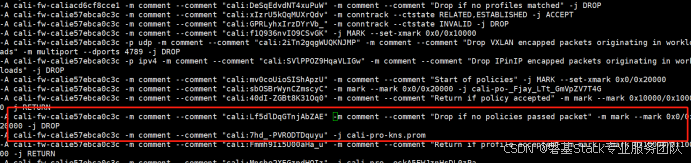
#作者:邓伟 文章目录 一、Kubernetes 网络模型概述二、iptables 基础知识三、Kubernetes 中的 iptables 应用四、查看和调试 iptables 规则五、总结 在 Kubernetes 集群中,iptables 是一个核心组件, 用于实现服务发现和网络策略。iptables 通…...