
【React】基础版React + Redux实现教程,自定义redux库,Redux Toolkit教程
本项目是一个在react中,使用 redux 管理状态的基础版实现教程,用简单的案例练习redux的使用,旨在帮助学习 redux 的状态管理机制,包括 store、action、reducer、dispatch 等核心概念。
项目地址:https://github.com/YvetW/redux-mini-demo
注:项目中包含多个版本的代码,有助于理解redux,运行前请先选择需要的版本,修改目录名为src。

版本:
- React v19
- Redux v5
- React-Redux v9
- TypeScript
- Vite
1. 初始化项目
使用 Vite 创建 React+TypeScript 项目:
npm create vite@latest my-app -- --template react-ts
cd my-app
npm install
主要目录结构
my-app/
├── src/
│   ├── redux/
│   │   ├── action-types.ts  # 定义 Action Types
│   │   ├── actions.ts       # 定义 Actions
│   │   ├── reducers.ts      # 定义 Reducers
│   │   ├── store.ts         # 创建 Store
│   ├── App.tsx              # 组件主入口
│   ├── main.tsx             # 入口文件,渲染 App
│   ├── index.css            # 样式文件
├── package.json             # 依赖管理
├── tsconfig.json            # TypeScript 配置
└── vite.config.ts           # Vite 配置
2. 在 React 组件中使用 Redux
本版本不使用 react-redux 或 @reduxjs/toolkit,而是直接使用 Redux 的原生 createStore API(已过时,但有助于理解 Redux 的核心概念)。
2.1 创建 Action Types (action-types.ts)
- 在 Redux 中,所有的
action都应有一个唯一的type,定义type常量。 - 例如:
INCREMENT、DECREMENT、ADD_MESSAGE。
export const INCREMENT = 'increment'
export const DECREMENT = 'decrement'
export const ADD_MESSAGE = 'add_message'
2.2 创建 Reducers (reducers.ts)
- Redux 需要使用
reducers函数处理state变化。 - 创建两个
reducer:count和messages。 - 根据不同
action类型更新state,返回新的state。
import {combineReducers} from 'redux';
import {ADD_MESSAGE, DECREMENT, INCREMENT} from './action-types.ts';
import {Action} from './actions.ts';// 管理count
const initCount: number = 0;function count(state: number = initCount, action: Action): number {console.log('count', state, action);switch (action.type) {case INCREMENT:return state + action.data;case DECREMENT:return state - action.data;default:return state;}
}// 管理messages
const initMessages: string[] = [];function messages(state: string[] = initMessages, action: Action): string[] {console.log('messages', state, action);switch (action.type) {case ADD_MESSAGE:return [action.data, ...state]default:return state;}
}export default combineReducers({count, messages});// 整体state状态结构: {count: 2, messages: ['xx', 'xxx']}
2.3 创建 Actions (actions.ts)
- Actions 是 Redux store 唯一的数据来源。
- 创建
increment、decrement和addMessageaction。
import {INCREMENT, DECREMENT, ADD_MESSAGE} from './action-types.ts';// 定义 CountAction 的类型
interface CountAction {type: typeof INCREMENT | typeof DECREMENT;data: number;
}// 定义 MessageAction 的类型
interface MessageAction {type: typeof ADD_MESSAGE;  // 只有 ADD_MESSAGE 类型data: string;  // data 是一个字符串
}// 联合类型
export type Action = CountAction | MessageAction;export const increment = (number: number): CountAction => ({type: INCREMENT, data: number});export const decrement = (number: number): CountAction => ({type: DECREMENT, data: number});export const add_message = (message: string): MessageAction => ({type: ADD_MESSAGE, data: message});
2.4 创建 Store (store.ts)
- 通过
createStore(rootReducer)创建 Reduxstore,集中管理应用状态。
import { createStore } from 'redux';
import reducers from './reducers'; // 包含多个reducer的reducerexport default createStore(reducers)
2.5 在 App.tsx 中使用 store
- 通过
props.store.getState()获取state,控制组件渲染。 - 通过
props.store.dispatch(action)触发状态更新。
import {useState} from 'react';
import {Store} from 'redux';
import {Action, increment, decrement, add_message} from './redux/actions.ts';// 为 App 组件定义一个 Props 类型,这个类型包含 store
interface AppProps {store: Store<{count: number;messages: string[];}, Action>;
}function App({store}: AppProps) {const [selectedValue, setSelectedValue] = useState<number>(1);const [message, setMessage] = useState<string>('');const count = store.getState().count;const messages = store.getState().messages;function handleIncrement() {store.dispatch(increment(selectedValue));}function handleDecrement() {store.dispatch(decrement(selectedValue));}// 奇数增加function handleIncrementIfOdd() {// setCount 是异步的,如果 Redux 状态更新了,count 可能不会立即反映出来,直接从 store.getState() 读取最新的 countif (store.getState().count % 2 === 1) {store.dispatch(increment(selectedValue));}}// 异步增加function handleIncrementIfAsync() {setTimeout(() => {store.dispatch(increment(selectedValue));}, 1000);}function handleAdd() {if (message.trim()) {store.dispatch(add_message(message));setMessage('');}}return (<div className="App"><div className="count">click <span>{count}</span> times</div><selectid="number" value={selectedValue}// <option> 的 value 默认是字符串类型(即使它是一个数字),这里强制转换为数字onChange={event => setSelectedValue(Number(event.target.value))}>{[1, 2, 3, 4, 5].map((item) => (<option value={item} key={item}>{item}</option>))}</select><button onClick={handleIncrement}>+</button><button onClick={handleDecrement}>-</button><button onClick={handleIncrementIfOdd}>increment if odd</button><button onClick={handleIncrementIfAsync}>increment async</button><hr /><inputtype="text"value={message}onChange={event => setMessage(event.target.value)}/><button onClick={handleAdd}>add text</button><ul>{messages.map((msg, index) => (<li key={index}>{msg}</li>))}</ul></div>);
}export default App;
2.6 在 main.tsx 中订阅 Store 并触发渲染
createRoot()挂载App组件。- 通过
store.subscribe()监听state变化,每次dispatch触发state变更时重新渲染App。 - React 18 及以上使用
createRoot()进行渲染,注意避免重复createRoot()调用。
import {StrictMode} from 'react';
import {createRoot} from 'react-dom/client';
import './index.scss';
import App from './App';
import store from './redux/store.ts';const root = createRoot(document.getElementById('root')!); // 只调用一次 createRoot()// root.render() 负责后续更新
function render() {root.render(<StrictMode><App store={store} /></StrictMode>,);
}// 初次渲染
render();// 订阅 store,state 变化时触发 render
store.subscribe(render);
3. 自定义 redux 库
自己定义一个简易的 redux 库,主要针对 createStore 和 combineReducers 的核心概念,帮助理解redux的原理。
简单来说,createStore 用来创建存储和管理应用状态的对象,而 combineReducers 用来将多个子 reducer 合并成一个单一的 reducer。
注:完整版请看项目代码。
3.1 createStore
- 作用:用于创建一个 Redux Store,负责管理应用的状态。
- 接收的参数:
reducer:根 reducer,决定如何根据action更新state。- 可选的
preloadedState:初始化时的状态。
- 返回的
store对象包含:dispatch:分发action,会触发reducer调用,返回一个新的state,调用所有绑定的listenergetState:得到内部管理的state对象subscribe:监听state的变化,并在状态变化时触发回调。
export function createStore<S, A extends Action>(rootReducer: Reducer<S, A>): Store<S> {// 内部state,第一次调用reducer得到初始状态并保存let state: S;// 内部保存n个listener的数组const listeners: (() => void)[] = [];// 初始调用reducer得到初始state值state = rootReducer(undefined, {type: '@mini-redux'} as A);// 得到内部管理的state对象function getState() {return state;}// 分发action,会触发reducer调用,返回一个新的state,调用所有绑定的listenerfunction dispatch(action: Action) {// 调用reducer,得到一个新的state,保存state = rootReducer(state, action as A);// 调用listeners中所有的监视回调函数listeners.forEach(listener => listener());}// 订阅state变化,产生新的状态,也就是dispatch时才执行function subscribe(listener: () => void) {listeners.push(listener); // 将listener加入到订阅列表// 返回一个取消订阅的函数(main.ts 通常不需要手动取消,只执行一次,store.subscribe(render) 只执行一次,不会不断创建新的 listener,所以 不会造成内存泄漏。)return () => {const index = listeners.indexOf(listener);if (index >= 0) {listeners.splice(index, 1);}};}// 返回一个store对象return {getState, dispatch, subscribe};
}
3.2 combineReducers
- 作用:将多个子 reducer 组合成一个根 reducer。
- 接收的参数:
reducers:一个对象,其中包含多个子 reducer,每个子 reducer 负责管理state的一部分。
- 这个函数返回一个新的 reducer,能够根据
action调用每个子 reducer,更新对应的state部分。
// 接收一个包含多个reducer函数的对象,返回一个新的reducer函数
export function combineReducers<S, A extends Action>(reducers: { [K in keyof S]: Reducer<S[K], A> }
) {return function (state: Partial<S> = {} as S, action: A): S { // 这个 rootReducer 函数会传给 createStore()return Object.keys(reducers).reduce((newState, key) => {// 确保类型安全:key 是 S 类型的有效键newState[key as keyof S] = reducers[key as keyof S](state[key as keyof S], action)return newState}, {} as S)};
}
4. react-redux
react-redux 是一个官方推荐的 React 库,它将 Redux 状态管理与 React 组件结合起来,帮助你更方便地在 React 应用中使用 Redux。
4.1 Provider
Provider 是一个 React 组件,它的作用是将 Redux store 传递给整个应用。它让组件树中的所有组件都能访问到 Redux store,因此,Provider 通常包裹在应用的最外层。
const root = createRoot(document.getElementById('root')!);root.render(<StrictMode><Provider store={store}><App /></Provider></StrictMode>
);
store是你通过createStore创建的 Redux store。Provider会将 Redux store 传递给组件树中的所有组件。
4.2 useSelector 和 useDispatch Hook
在旧版 react-redux 中,使用 connect() 高阶组件(HOC)将 Redux 状态和 dispatch 方法注入到组件中。
在 React-Redux v7.1 及以上版本中,使用 React Hooks 来代替 connect,使函数组件可以直接访问 Redux 状态和 dispatch 方法,使得代码更加简洁:
useSelector:让你从 Redux store 中获取状态数据。useDispatch:让你获取dispatch方法并用于派发action。
示例:
const count = useSelector((state: RootState) => state.count);const messages = useSelector((state: RootState) => state.messages);const dispatch = useDispatch<AppDispatch>();function handleIncrement() {dispatch(increment(selectedValue));}
5. redux-toolkit
将前面的redux版本更新为redux-toolkit版本。
5.1 安装 Redux Toolkit
npm install @reduxjs/toolkit
5.2 替换 createStore 为 configureStore
import { configureStore } from '@reduxjs/toolkit';
import counterReducer from './counterSlice';
import messagesReducer from './messagesSlice';const store = configureStore({reducer: {counter: counterReducer,messages: messagesReducer}
});export default store;
export type RootState = ReturnType<typeof store.getState>;
export type AppDispatch = typeof store.dispatch;
configureStore自动启用 Redux DevTools,不需要额外配置。reducer现在是一个对象,每个状态片段(slice)有自己的 reducer。
5.3 使用 createSlice 替换 reducers
在 Redux Toolkit(RTK)中,通常会在 redux 目录下创建一个 slices 目录(或 features 目录)来存放 slice 文件,如下所示:
/src├── /redux│ ├── /slices│ │ ├── counterSlice.ts│ │ ├── messagesSlice.ts│ ├── store.ts│ ├── hooks.ts
import { createSlice, PayloadAction } from '@reduxjs/toolkit';const initialState = { value: 0 };const counterSlice = createSlice({name: 'counter',initialState,reducers: {increment: (state, action: PayloadAction<number>) => {state.value += action.payload;},decrement: (state, action: PayloadAction<number>) => {state.value -= action.payload;}}
});export const { increment, decrement } = counterSlice.actions;
export default counterSlice.reducer;
createSlice自动生成action和reducer,不再需要手写switch-case逻辑。- 直接修改
state,RTK 内部使用Immer处理不可变性。 PayloadAction<number>取代Action里的data。
5.4 替换 actions.ts
RTK 版不需要手写 actions,可以直接从 slice 里导出:
import { increment, decrement } from './counterSlice';// 直接在组件中 dispatch
dispatch(increment(1));
5.5 useSelector 和 useDispatch
import { useSelector, useDispatch } from 'react-redux';
import { RootState, AppDispatch } from '../redux/store';
import { increment, decrement } from '../redux/counterSlice';const dispatch = useDispatch<AppDispatch>(); // 需要类型标注
const count = useSelector((state: RootState) => state.counter.value);
dispatch(increment(1));
useDispatch<AppDispatch>()让dispatch知道Redux Toolkit的thunk类型。
5.6 处理异步逻辑
以前 Redux 需要 redux-thunk:
export const incrementAsync = (amount: number) => {return (dispatch: Dispatch<Action>) => {setTimeout(() => {dispatch(increment(amount));}, 1000);};
};
RTK 版使用 createAsyncThunk:
import { createAsyncThunk } from '@reduxjs/toolkit';export const incrementAsync = createAsyncThunk('counter/incrementAsync', // action typeasync (value: number) => {// 模拟异步操作return new Promise<number>((resolve) => {setTimeout(() => {resolve(value);}, 1000);});}
);
在 slice 里处理异步:
import { createSlice } from '@reduxjs/toolkit';
import { incrementAsync } from './counterThunk';const counterSlice = createSlice({name: 'counter',initialState: { count: 0 },reducers: {increment: (state, action) => { state.count += action.payload; },decrement: (state, action) => { state.count -= action.payload; }},extraReducers: (builder) => {builder.addCase(incrementAsync.pending, (state) => {// 在异步请求开始时可以做一些状态管理// 比如:可以设置 loading 状态}).addCase(incrementAsync.fulfilled, (state, action) => {state.count += action.payload;}).addCase(incrementAsync.rejected, (state, action) => {// 可以在这里处理错误});},
});export const { increment, decrement } = counterSlice.actions;
export default counterSlice.reducer;
在组件中你需要使用 dispatch 来派发 incrementAsync 而不是 increment:
// 直接派发异步增加function handleIncrementIfAsync() {dispatch(incrementAsync(selectedValue));}
5.7 迁移 combineReducers
以前 Redux 需要 combineReducers,RTK 版直接传 reducer 对象,configureStore 自动调用 combineReducers,不需要手写。
import { configureStore } from '@reduxjs/toolkit';
import counterReducer from './counterSlice';
import messagesReducer from './messagesSlice';const store = configureStore({reducer: {counter: counterReducer,messages: messagesReducer}
});export default store;
总结
- 用
configureStore代替createStore,自动组合 reducers。 - 用
createSlice代替reducers.ts,不需要switch-case。 - 不需要手写
actions.ts,直接用slice.actions。 - 异步逻辑用
createAsyncThunk代替redux-thunk。 - 自动启用 Redux DevTools 和
immer,代码更简洁。
码字不易,欢迎点赞收藏关注!感恩比心~
相关文章:
【React】基础版React + Redux实现教程,自定义redux库,Redux Toolkit教程
本项目是一个在react中,使用 redux 管理状态的基础版实现教程,用简单的案例练习redux的使用,旨在帮助学习 redux 的状态管理机制,包括 store、action、reducer、dispatch 等核心概念。 项目地址:https://github.com/Yv…...
23种设计模式-适配器(Adapter)设计模式
适配器设计模式 🚩什么是适配器设计模式?🚩适配器设计模式的特点🚩适配器设计模式的结构🚩适配器设计模式的优缺点🚩适配器设计模式的Java实现🚩代码总结🚩总结 🚩什么是…...

debug 笔记:llama 3.2 部署bug 之cutlassF: no kernel found to launch!
1 问题描述 按照官方的写法 import torch from transformers import pipeline import os os.environ["HF_TOKEN"] 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 model_id "meta-llama/Llama-3.2-3B"pipe pipeline("text-generation", modelmode…...

TCP的长连接和短连接,以及它们分别适用于什么场合
TCP长连接与短连接详解 一、核心概念对比 特性长连接(Persistent Connection)短连接(Short-lived Connection)连接生命周期一次建立后长期保持,多次数据交互复用同一连接每次数据交互均需新建连接,完成后…...

【操作系统】(五)操作系统引导(Boot)
视频参考:王道计算机2.了解计算机的启动过程和主引导扇区,让你的计算机从这里起飞吧_哔哩哔哩_bilibili 操作系统引导(Boot)就是在开机的时候,如何让操作系统运行起来? 主存分成RAM小部分ROM,其中ROM里面存放的是BIOS(…...

蓝桥与力扣刷题(蓝桥 山)
题目:这天小明正在学数数。 他突然发现有些止整数的形状像一挫 “山”, 比㓚 123565321、145541123565321、145541, 它 们左右对称 (回文) 且数位上的数字先单调不减, 后单调不增。 小朋数了衣久也没有数完, 他惒让你告诉他在区间 [2022,2022222022] 中有 多少个数…...

211数学专业大三想转码C++方向,目前在学算法,没系统学习计算机专业课,要先定方向吗?
今天给大家分享的是一位粉丝的提问,211数学专业大三想转码C方向,目前在学算法,没系统学习计算机专业课,要先定方向吗? 接下来把粉丝的具体提问和我的回复分享给大家,希望也能给一些类似情况的小伙伴一些启…...

场馆预约小程序的设计与实现
摘 要 时代在进步,人们对日常生活质量的要求不再受限于衣食住行。现代人不仅想要一个健康的身体,还想拥有一身宛如黄金比例的身材。但是人们平常除了上下班和上下学的时间,其余空余时间寥寥无几,所以我们需要用体育场馆预约来节省…...

黑苹果及OpenCore Legacy Patcher
黑苹果及OpenCore Legacy Patcher OpenCoreUnable to resolve dependencies, error code 71 OpenCore Unable to resolve dependencies, error code 71 黑苹果升级后打补丁不成功,比如提示以下错误,可参考官方文档进行修复。 Open TerminalType sudo …...

记一个阿里云CDN域名配置不当引起服务鉴权失效问题
背景:公司最近需要通过不同的域名提供给不同角色的用户使用,在阿里云上新增了多个域名,新域名与原域名指向的是一样的服务器地址。 问题现象:用户使用新域名登录后,返回的不是该用户的身份信息,不管是哪个…...
Pytorch学习笔记(十二)Learning PyTorch - NLP from Scratch
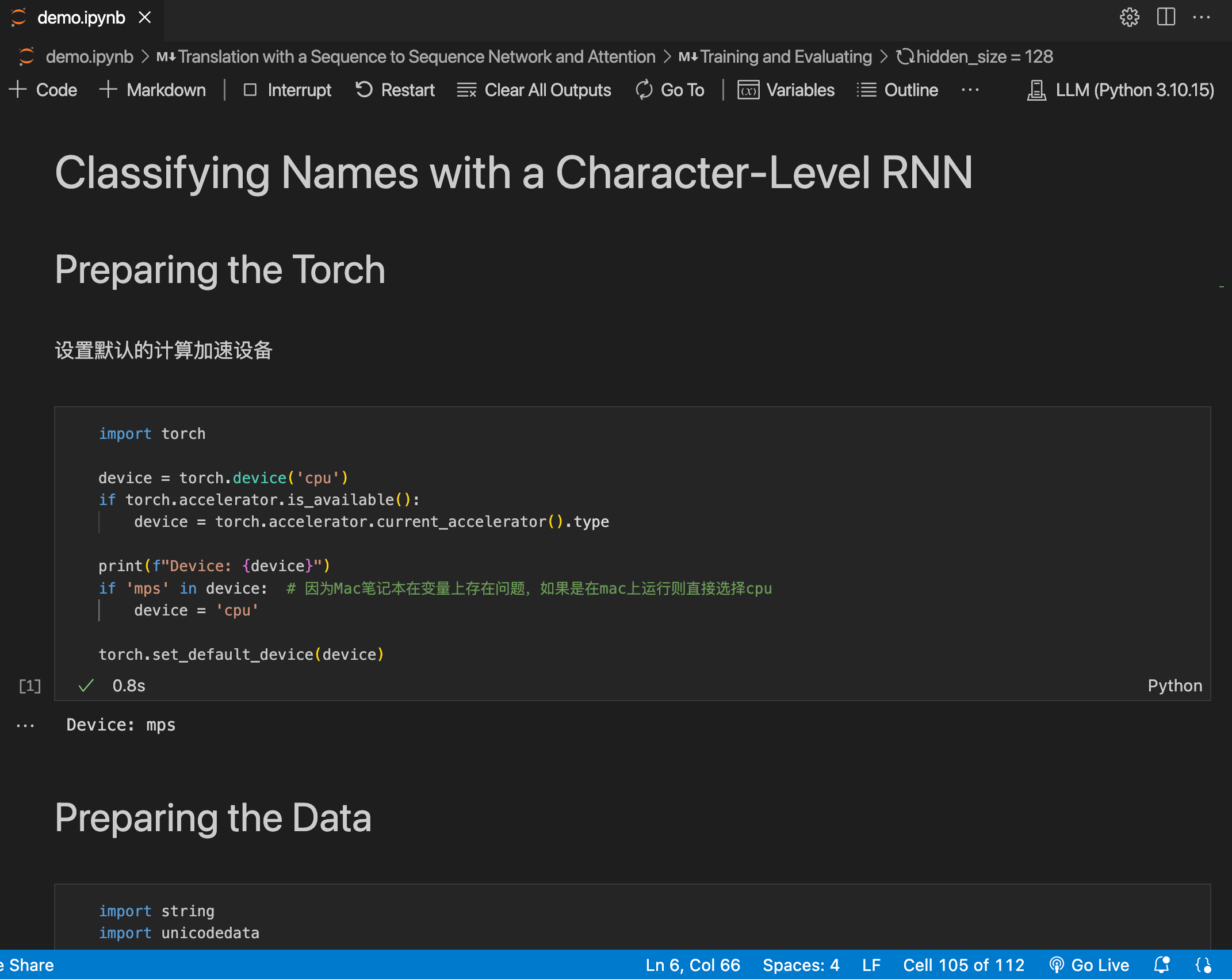
这篇博客瞄准的是 pytorch 官方教程中 Learning PyTorch 章节的 NLP from Scratch 部分。 官网链接:https://pytorch.org/tutorials/intermediate/nlp_from_scratch_index.html 完整网盘链接: https://pan.baidu.com/s/1L9PVZ-KRDGVER-AJnXOvlQ?pwdaa2m 提取码: …...

遗传算法优化支持向量机分类是一种将遗传算法与支持向量机相结合的方法
遗传算法优化支持向量机分类是一种将遗传算法与支持向量机相结合的方法,旨在提高支持向量机的分类性能。以下是其相关内容的详细介绍: 支持向量机(SVM) 原理:SVM是一种基于统计学习理论的机器学习方法,其…...

Axure项目实战:智慧运输平台后台管理端-母版、登录(文本框高级交互)
亲爱的小伙伴,在您浏览之前,烦请关注一下,在此深表感谢! 课程主题:智慧运输平台后台管理端 主要内容:母版、登录页制作 应用场景:母版、登录、注册、密码找回 案例展示: 案例视频…...

时序数据库 InfluxDB(一)
时序数据库 InfluxDB(一) 数据库种类有很多,比如传统的关系型数据库 RDBMS( 如 MySQL ),NoSQL 数据库( 如 MongoDB ),Key-Value 类型( 如 redis )…...

java开发环境本地全套
文章目录 1、jdk下载安装1.1、下载地址:1.2、安装1.3、验证 2、maven下载安装2.1、下载地址2.2、安装2.3、验证 3、git下载。3.1、下载地址 4、ideal下载5、dbeaver下载 1、jdk下载安装 1.1、下载地址: https://www.oracle.com/java/technologies/down…...
)
优化 K8s负载平衡之方法(Method for Optimizing K8s Load Balancing)
优化 K8s 负载平衡的 11 种方法 优化 Kubernetes 中的负载平衡对于保持应用程序的高可用性、可扩展性和性能至关重要。有效的负载平衡可确保流量在 Pod 之间高效分配,防止任何单个 Pod 成为瓶颈并确保无缝的用户体验。本指南探讨了优化 Kubernetes 负载平衡的 11 种…...

华为配置篇-ISIS基础实验
ISIS 一、简述二、常用命令总结三、实验 一、简述 一、基本定义与历史背景 IS-IS(Intermediate System to Intermediate System,中间系统到中间系统)是一种链路状态路由协议,最初由ISO设计用于OSI(开放系统互联&#…...
多线程连接慢问题)
QTcpSocket(客户端实现)多线程连接慢问题
20250325记录 环境 Qt5.14.2 64位 msvc编译 在多线程环境下,使用QTcpSocket实现客户端,发现在少部分电脑上,连接时间过长,定时器检查套接字状态时,发现连接处于QAbstractSocket::ConnectingState状态。 //声明为一…...

【深度学习】【目标检测】【OnnxRuntime】【C++】YOLOV3模型部署
【深度学习】【目标检测】【OnnxRuntime】【C】YOLOV3模型部署 提示:博主取舍了很多大佬的博文并亲测有效,分享笔记邀大家共同学习讨论 文章目录 【深度学习】【目标检测】【OnnxRuntime】【C】YOLOV3模型部署前言Windows平台搭建依赖环境模型转换--pytorch转onnxONNXRuntime推…...

【力扣hot100题】(008)找到字符串中所有字母异位词
我果然还是太菜了(点烟)。 一开始想法是构建map,记录每个字母出现的位置,后来想了好久滑动窗口该怎么移动。 后来看了答案才明白滑动窗口是固定的啊啊啊,每次向右滑就两指针同时右移就行。 好简单……为什么我做了这…...

【计科】从操作系统到虚拟化技术(进程调度,内存映射,设备IO,文件、网络管理)
【计科】操作系统基础与虚拟化技术拓展的关系(进程调度,内存映射,设备IO,文件、网络管理) 文章目录 1、进程管理与调度机制(计算)2、内存管理与双重映射3、设备管理与IO机制4、文件管理5、网络与…...

ECharts各类炫酷图表/3D柱形图
一、前言 最近鸡米花实现了各类的炫酷的图表,有3D柱形图、双边柱形图以及异形柱形图,好了,直接上图: 二、效果图 一个个来吧,下面就是代码啦,注意,一下图表展示的宽高均为800px*300px 三、异形横…...

系统与网络安全------网络应用基础(6)
资料整理于网络资料、书本资料、AI,仅供个人学习参考。 Win10系统安装 安装Win10系统 安装准备 Windows10系统的安装光盘 虚拟机可采用ISO文件,windows_10_professional_x64_2024.iso Windows10系统的硬件要求 CPU处理器:1.0Ghz或更快 …...

【区块链安全 | 第七篇】EVM概念详解
文章目录 1. EVM 概述以太坊虚拟机(Ethereum Virtual Machine,EVM)的作用EVM 如何执行智能合约账户类型 2. EVM 体系结构栈(Stack)内存(Memory)存储(Storage)Gas 机制 3.…...

Android设计模式之单例模式
一、定义:确保一个类只有一个实例,并且自动实例化,并向整个系统提供这个实例。 二、使用场景:避免重复创建对象,过多消耗系统资源。 三、使用方式 3.1饿汉式:类加载时立即初始化,线程安全&…...

清晰易懂的Trae实现为AI编程从安装到实战开发ToDoList
一、Trae简介与核心优势 Trae是字节跳动推出的国内首个AI原生集成开发环境(AI IDE),它不同于传统的代码编辑器或AI插件,而是将AI能力深度集成到整个开发流程中,实现"人与AI协同编程"的全新体验。作为一款真…...

基于杜鹃鸟鲶鱼优化(Cuckoo Catfish Optimizer,CCO)算法的多个无人机协同路径规划(可以自定义无人机数量及起始点),MATLAB代码
一、杜鹃鸟鲶鱼优化算法 杜鹃鸟鲶鱼优化(Cuckoo Catfish Optimizer,CCO)算法模拟了杜鹃鸟鲶鱼的搜索、捕食和寄生慈鲷行为。该算法的早期迭代侧重于执行多维包络搜索策略和压缩空间策略,并结合辅助搜索策略来有效限制慈鳔的逃逸空…...

16个气象数据可视化网站整理分享
好的!以下是关于“16个气象数据可视化网站整理分享”的软文: 16个气象数据可视化网站整理分享 气象数据可视化已成为现代气象研究、决策支持以及公众天气服务的重要组成部分。从天气预报到气候变化监测,全球许多气象数据可视化平台为专业人士…...

word光标一直闪的解决办法
在选项里,打开首选项,(如果打不开,可以新建一个word也许就可以,实在不行只能靠眼疾手快,趁他还没闪赶紧点) 选COM加载项,在里面取消勾选MicrosoftOfficePLUS...

⑥ ACG-系统管理
上网管理行为是指对员工在工作时间内使用公司网络的行为进行管理和监督。在企业中,系统管理是实施上网管理行为的重要方式之一。系统管理包括以下几个方面: 1. 访问控制:通过设置网络访问权限,对员工访问特定网站或使用特定应用程…...