
Apache httpclient okhttp
学习链接
okhttp github
okhttp官方使用文档
SpringBoot 整合okHttp okhttp3用法
Java中常用的HTTP客户端库:OkHttp和HttpClient(包含请求示例代码)
深入浅出 OkHttp 源码解析及应用实践
httpcomponents-client github
apache httpclient文档
apache httpclient文档详细使用
log4j日志官方文档
【Java基础】- HttpURLConnection详解
java使用httpclient 、HttpURLConnection 发送第三方请求 使用详解、总结。HttpClient 的使用
Java 中的 HTTP 客户端库OkHttp、Apache HttpClient和HttpUrlConnection
文章目录
- 学习链接
- Apache HttpClient
- HttpComponents概述
- 特点
- httpcomponents-client
- 项目代码
- 文档资料
- 0、HTTP编程入门
- 1、快速入门httpclient
- 2、使用教程
- 3、代码示例
- 4、日志说明
- log4j的配置说明
- 快速入门
- pom.xml
- log4j2.xml
- QuickStart01
- QuickStart02
- QuickStart03
- 示例代码
- 响应处理
- 手动连接释放
- httpclient的配置
- 请求中止
- 客户端鉴权
- 代理请求
- 代理鉴权
- 块编码流式传输请求实体
Apache HttpClient
HttpComponents概述
HttpCore是一组低级HTTP传输组件,可用于以最小的占用空间构建自定义客户端和服务器端HTTP服务。HttpCore支持两种输入/输出模型:基于经典Java输入/输出的阻塞输入/输出模型和基于JavaNIO的非阻塞、事件驱动输入/输出模型。
特点
- 基于标准,纯Java,HTTP版本1.0和1.1的实现
- 在可扩展的OO框架中完全实现所有HTTP方法(GET、POST、PUT、DELETE、HEAD、OPTIONS和TRACE)。
- 支持安全超文本传输协议(HTTP over SSL)加密。
- 通过HTTP代理的透明连接。
- 隧道安全超文本传输协议连接通过HTTP代理,通过CONNECT方法。
- 基本,摘要,NTLMv1,NTLMv2,NTLM2会话,SNPNEGO,Kerberos协议鉴权方案。
- 自定义鉴权方案的插件机制。
- 可插拔安全插座工厂,更易于使用第三方解决方案
- 支持在多线程应用程序中使用的连接管理。支持设置最大总连接数以及每个主机的最大连接数。检测并关闭过时的连接。
- 自动Cookie处理读取Set-Cookie:从服务器的标头,并在适当的时候将它们发送回Cookie表头。
- 自定义cookie策略的插件机制。
- 请求输出流以避免通过直接流式传输到套接字到服务器来缓冲任何内容体。
- 响应输入流通过直接从套接字流式传输到服务器来有效地读取响应正文。
- 在HTTP/1.0中使用KeepAlive和在HTTP/1.1中使用持久连接
- 直接访问服务器发送的响应代码和标头。
- 设置连接超时的能力。
- 支持HTTP/1.1响应缓存。
- 源代码在Apache许可下免费提供。
httpcomponents-client
项目代码
apache httpcomponents-client - github,项目有4.5.x和5.4.x分支。稳定版建议使用4.5.14。
文档资料
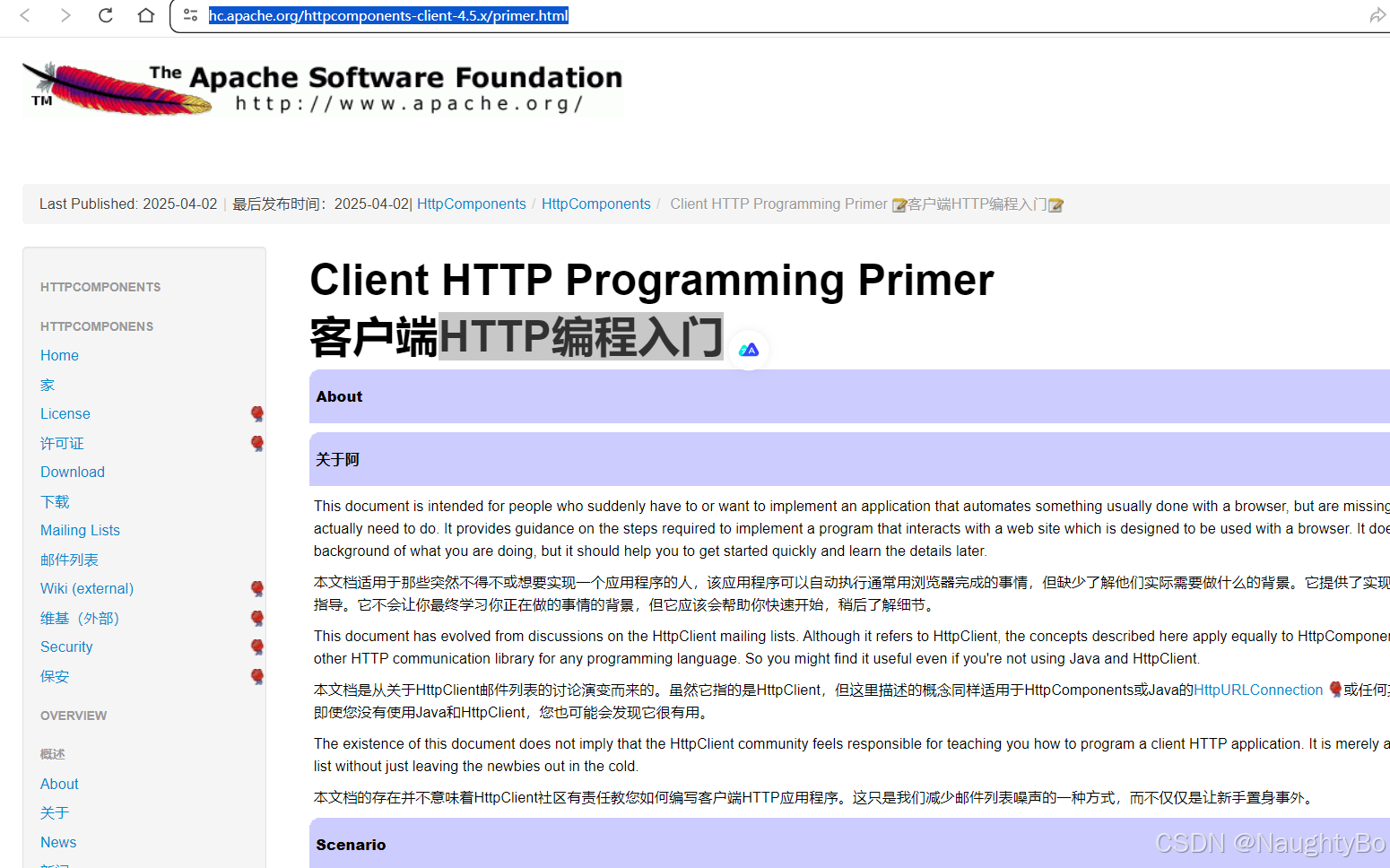
0、HTTP编程入门
https://hc.apache.org/httpcomponents-client-4.5.x/primer.html
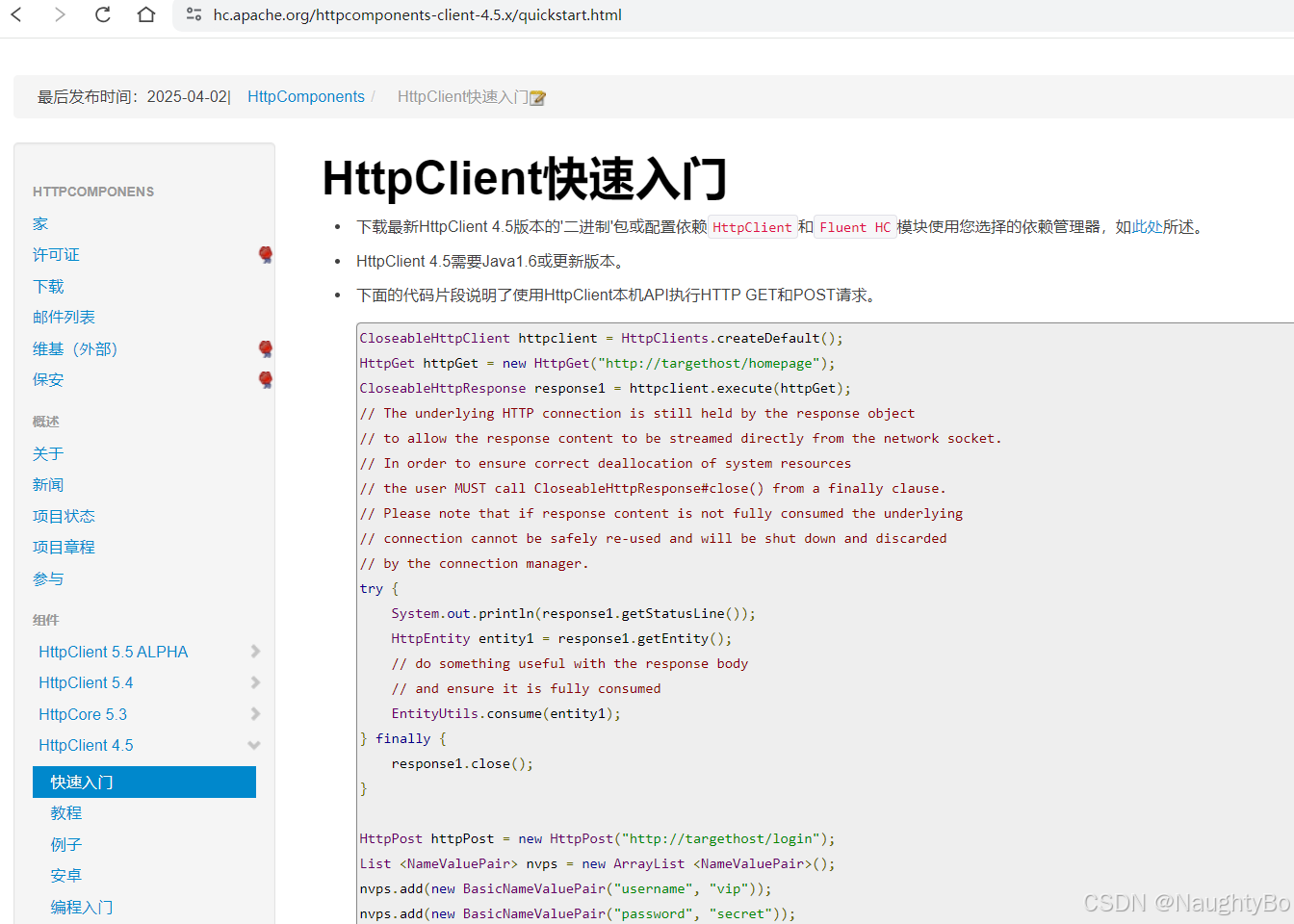
1、快速入门httpclient
https://hc.apache.org/httpcomponents-client-4.5.x/quickstart.html
2、使用教程
https://hc.apache.org/httpcomponents-client-4.5.x/current/tutorial/html/

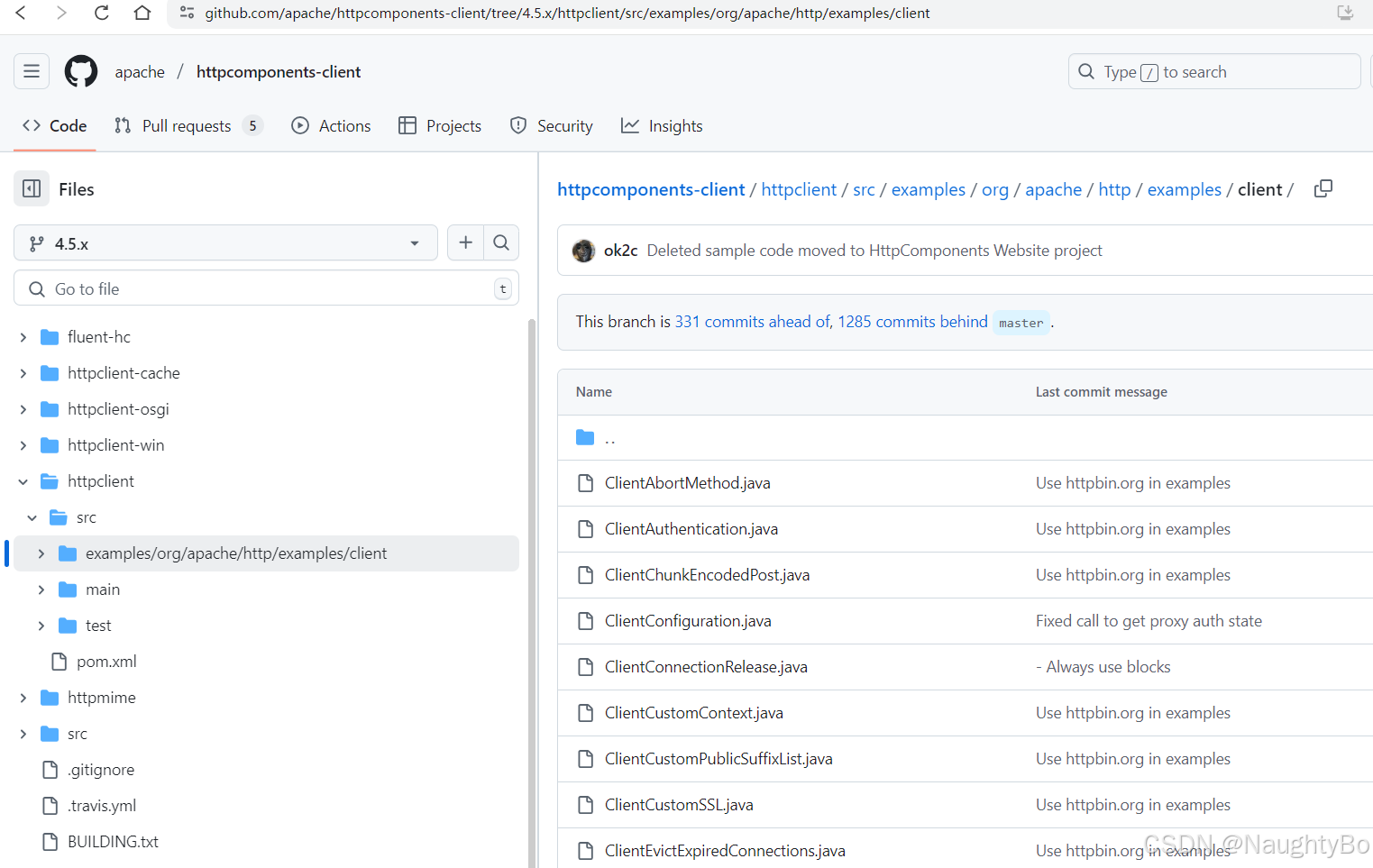
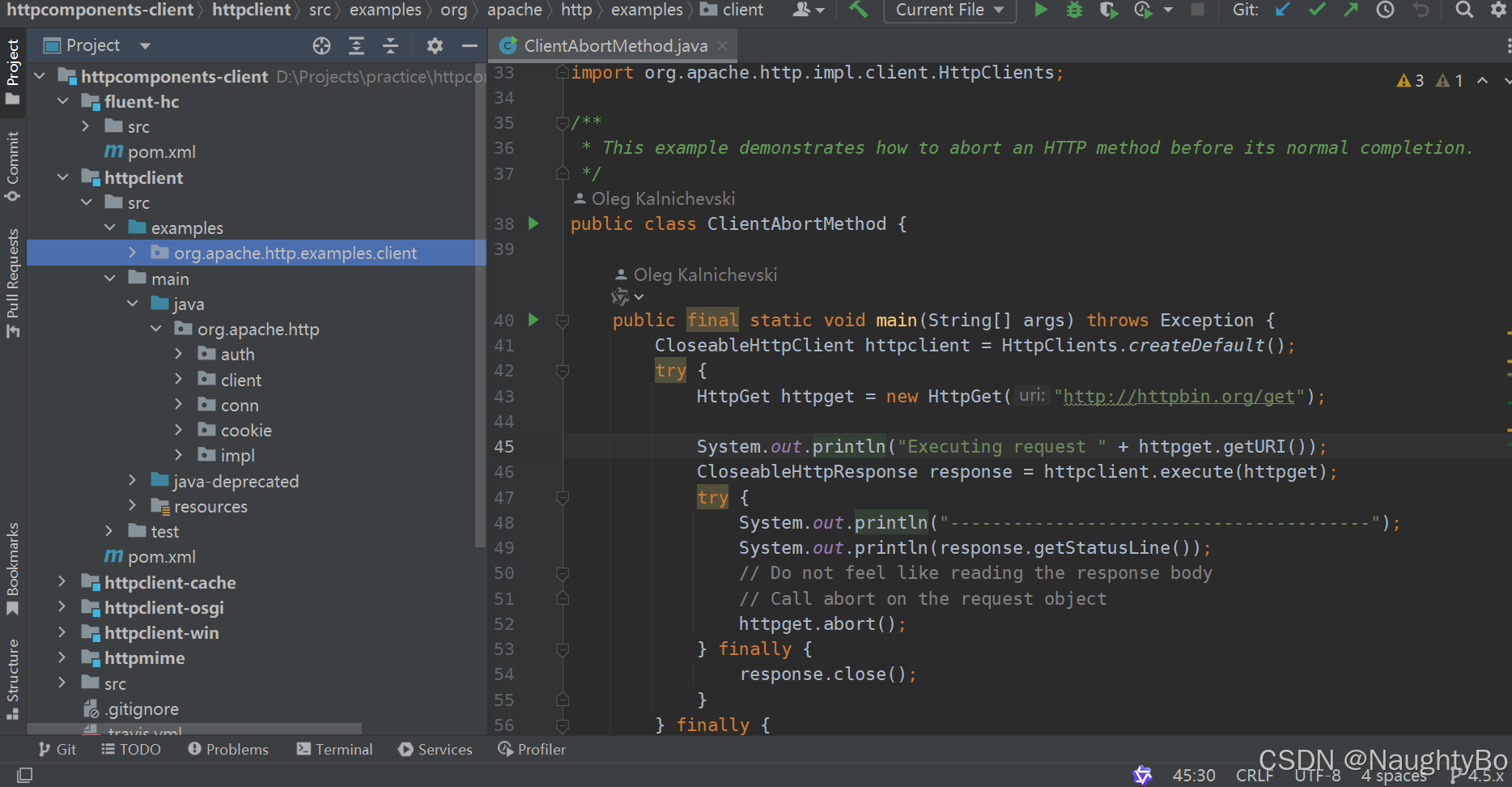
3、代码示例
https://github.com/apache/httpcomponents-client/tree/4.5.x/httpclient/src/examples/org/apache/http/examples/client - 这里面包括丰富的示例,覆盖一些更复杂使用场景
4、日志说明
https://hc.apache.org/httpcomponents-client-4.5.x/logging.html
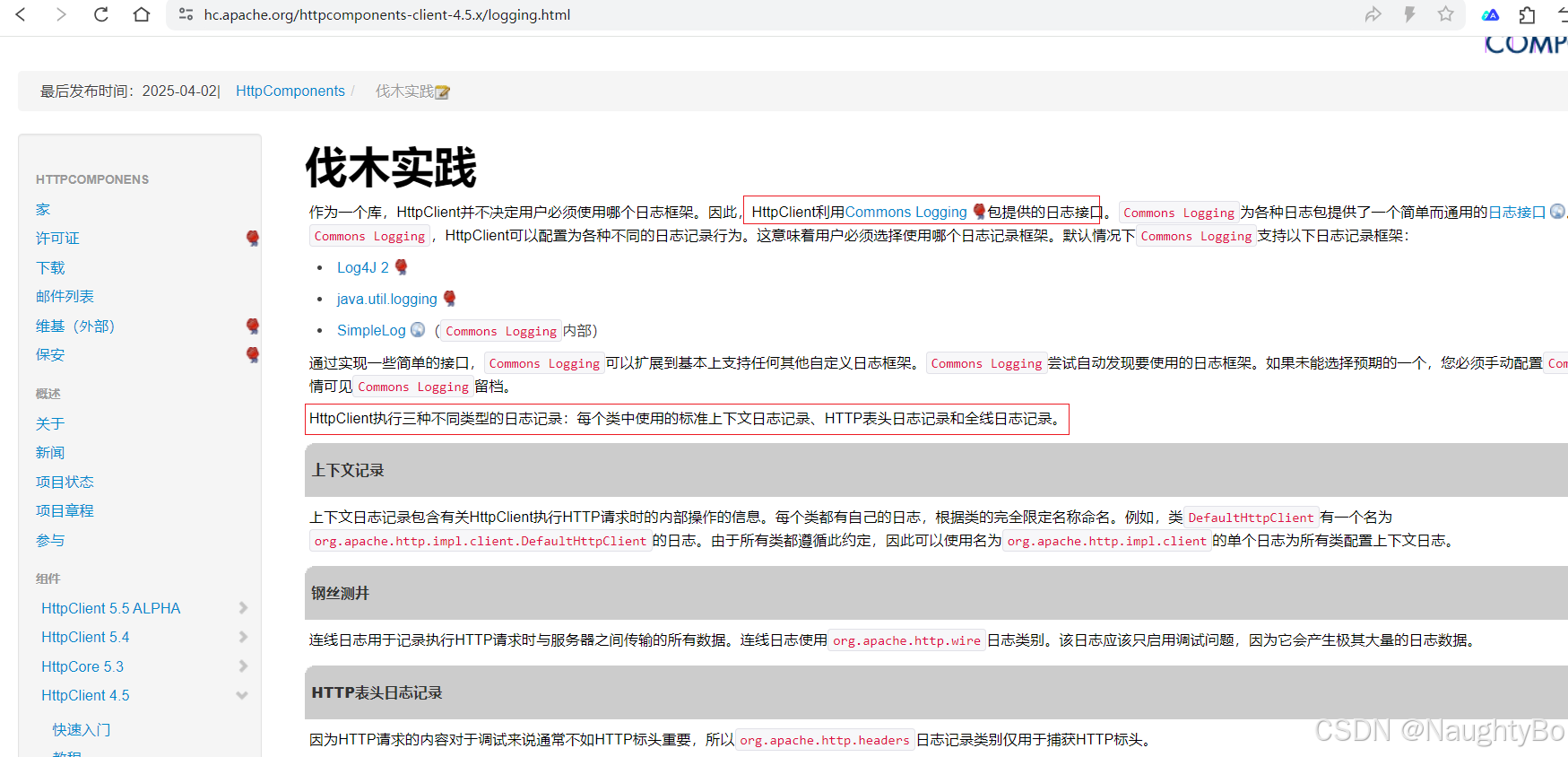
HttpClient利用Commons Logging包提供的日志接口。默认情况下Commons Logging支持以下日志记录框架:
-
Log4J 2
-
java.util.logging
-
SimpleLog(Commons Logging内部)
HttpClient执行三种不同类型的日志记录:每个类中使用的标准上下文日志记录、HTTP表头日志记录和全线日志记录。
- 上下文日志记录包含有关HttpClient
执行HTTP请求时的内部操作的信息。每个类都有自己的日志,根据类的完全限定名称命名。例如,类DefaultHttpClient有一个名为org.apache.http.impl.client.DefaultHttpClient的日志。由于所有类都遵循此约定,因此可以使用名为org.apache.http.impl.client的单个日志为所有类配置上下文日志 - 连线日志用于记录执行HTTP请求时与服务器之间传输的所有数据。
连线日志使用org.apache.http.wire日志类别。该日志应该只启用调试问题,因为它会产生极其大量的日志数据。 - 因为HTTP请求的内容对于调试来说通常不如HTTP标头重要,所以org.apache.http.headers日志记录类别仅用于捕获HTTP标头。
log4j的配置说明
因为使用的版本是httpclient-4.5.14版本,它默认使用的是 apache的commons-logging来记录日志的(即JCL),现在要使用log4j来作为日志实现,需要先排除掉httpclient引入的commons-logging依赖,然后引入jcl-over-slf4j桥接器,桥接器的作用是取代commons-logging依赖(因为httpclient中使用的类名是无法更改的,桥接器的作用就是使用和commons-logging同样的包名和类名,来个偷梁换柱的效果,这样就可以修改日志的实现了),然后再引入log4j-core、log4j-slf4j-impl将日志实现绑定到log4j上
httpclient官网有关日志配置的说明,以及 log4j官网文档说明
快速入门
pom.xml
<?xml version="1.0" encoding="UTF-8"?>
<project xmlns="http://maven.apache.org/POM/4.0.0"xmlns:xsi="http://www.w3.org/2001/XMLSchema-instance"xsi:schemaLocation="http://maven.apache.org/POM/4.0.0 http://maven.apache.org/xsd/maven-4.0.0.xsd"><modelVersion>4.0.0</modelVersion><groupId>com.zzhua</groupId><artifactId>demo-http</artifactId><version>1.0-SNAPSHOT</version><properties><maven.compiler.source>8</maven.compiler.source><maven.compiler.target>8</maven.compiler.target><project.build.sourceEncoding>UTF-8</project.build.sourceEncoding></properties><dependencies><dependency><groupId>org.apache.httpcomponents</groupId><artifactId>httpclient</artifactId><version>4.5.14</version><exclusions><exclusion><groupId>commons-logging</groupId><artifactId>commons-logging</artifactId></exclusion></exclusions></dependency><dependency><groupId>org.apache.httpcomponents</groupId><artifactId>fluent-hc</artifactId><version>4.5.14</version></dependency><!-- JCL 转 SLF4J 桥接 --><dependency><groupId>org.slf4j</groupId><artifactId>jcl-over-slf4j</artifactId><version>1.7.36</version></dependency><!-- Log4j2 核心和SLF4J绑定 --><dependency><groupId>org.apache.logging.log4j</groupId><artifactId>log4j-core</artifactId><version>2.17.1</version></dependency><dependency><groupId>org.apache.logging.log4j</groupId><artifactId>log4j-slf4j-impl</artifactId><version>2.17.1</version></dependency></dependencies></project>
log4j2.xml
<?xml version="1.0" encoding="UTF-8"?>
<Configuration><Appenders><Console name="Console"><PatternLayout pattern="%d %-5level [%logger] %msg%n%xThrowable" /></Console></Appenders><Loggers><Logger name="org.apache.http" level="DEBUG"><AppenderRef ref="Console"/></Logger><Logger name="org.apache.http.wire" level="DEBUG"><AppenderRef ref="Console"/></Logger><Root level="INFO"><AppenderRef ref="Console" /></Root></Loggers></Configuration>
QuickStart01
public class QuickStart01 {public static void main(String[] args) throws IOException {CloseableHttpClient httpclient = HttpClients.createDefault();HttpGet httpGet = new HttpGet("https://www.solargod.cn/api/articles/pageListArticles?current=1&size=5");CloseableHttpResponse response1 = httpclient.execute(httpGet);// 底层HTTP连接仍由响应对象持有,以便直接从网络套接字流式传输响应内容。// 为确保正确释放系统资源,用户必须在finally代码块中调用CloseableHttpResponse#close()方法。// 需特别注意:若未完整消费响应内容,底层连接将无法安全复用,最终会被连接管理器强制关闭并废弃。try {System.out.println(response1.getStatusLine());HttpEntity entity1 = response1.getEntity();// 拿到响应体后, 可以使用它// 需要确保响应体被消费完,否则底层连接将无法安全复用。// EntityUtils.consume(entity1);System.out.println(EntityUtils.toString(entity1, Charsets.UTF_8));} finally {response1.close();}}}
QuickStart02
import org.apache.commons.codec.Charsets;
import org.apache.http.HttpEntity;
import org.apache.http.NameValuePair;
import org.apache.http.client.entity.UrlEncodedFormEntity;
import org.apache.http.client.methods.CloseableHttpResponse;
import org.apache.http.client.methods.HttpPost;
import org.apache.http.impl.client.CloseableHttpClient;
import org.apache.http.impl.client.HttpClients;
import org.apache.http.message.BasicNameValuePair;
import org.apache.http.util.EntityUtils;import java.io.IOException;
import java.util.ArrayList;
import java.util.List;public class QuickStart02 {public static void main(String[] args) throws IOException {CloseableHttpClient httpclient = HttpClients.createDefault();HttpPost httpPost = new HttpPost("http://127.0.0.1:8080/test01");List<NameValuePair> nvps = new ArrayList<NameValuePair>();nvps.add(new BasicNameValuePair("username", "vip"));nvps.add(new BasicNameValuePair("password", "secret"));// 提交表单httpPost.setEntity(new UrlEncodedFormEntity(nvps));CloseableHttpResponse response2 = httpclient.execute(httpPost);try {// HTTP/1.1 200System.out.println(response2.getStatusLine());HttpEntity entity2 = response2.getEntity();// 拿到响应体后, 可以使用它// 需要确保响应体被消费完,否则底层连接将无法安全复用。// EntityUtils.consume(entity2);System.out.println(EntityUtils.toString(entity2, Charsets.UTF_8));} finally {response2.close();}}}
QuickStart03
流式调用风格,需要引入fluent-hc依赖。
import org.apache.commons.codec.Charsets;
import org.apache.http.client.fluent.Content;
import org.apache.http.client.fluent.Form;
import org.apache.http.client.fluent.Request;import java.io.IOException;public class QuickStart03 {public static void main(String[] args) throws IOException {Content content1 = Request.Get("https://www.solargod.cn/api/articles/pageListArticles?current=1&size=5").execute().returnContent();System.out.println(content1.asString(Charsets.UTF_8));Content content2 = Request.Post("http://127.0.0.1:8080/test01").bodyForm(Form.form().add("username", "vip").add("password", "secret").build()).execute().returnContent();System.out.println(content2.asString());}}
示例代码
响应处理
此示例演示了如何使用响应处理程序处理HTTP响应。这是执行HTTP请求和处理HTTP响应的推荐方法。这种方法使调用方能够专注于消化HTTP响应的过程,并将系统资源释放的任务委托给HttpClient。HTTP响应处理程序的使用保证了在所有情况下底层HTTP连接都会自动释放回连接管理器。
/*** This example demonstrates the use of the {@link ResponseHandler} to simplify* the process of processing the HTTP response and releasing associated resources.*/
public class ClientWithResponseHandler {public final static void main(String[] args) throws Exception {CloseableHttpClient httpclient = HttpClients.createDefault();try {HttpGet httpget = new HttpGet("http://httpbin.org/");System.out.println("Executing request " + httpget.getRequestLine());// Create a custom response handlerResponseHandler<String> responseHandler = new ResponseHandler<String>() {@Overridepublic String handleResponse(final HttpResponse response) throws ClientProtocolException, IOException {int status = response.getStatusLine().getStatusCode();if (status >= 200 && status < 300) {HttpEntity entity = response.getEntity();return entity != null ? EntityUtils.toString(entity) : null;} else {throw new ClientProtocolException("Unexpected response status: " + status);}}};String responseBody = httpclient.execute(httpget, responseHandler);System.out.println("----------------------------------------");System.out.println(responseBody);} finally {httpclient.close();}}}
手动连接释放
/*** This example demonstrates the recommended way of using API to make sure* the underlying connection gets released back to the connection manager.*/
public class ClientConnectionRelease {public final static void main(String[] args) throws Exception {CloseableHttpClient httpclient = HttpClients.createDefault();try {HttpGet httpget = new HttpGet("http://httpbin.org/get");System.out.println("Executing request " + httpget.getRequestLine());CloseableHttpResponse response = httpclient.execute(httpget);try {System.out.println("----------------------------------------");System.out.println(response.getStatusLine());// Get hold of the response entityHttpEntity entity = response.getEntity();// If the response does not enclose an entity, there is no need// to bother about connection releaseif (entity != null) {InputStream inStream = entity.getContent();try {inStream.read();// do something useful with the response} catch (IOException ex) {// In case of an IOException the connection will be released// back to the connection manager automaticallythrow ex;} finally {// 关闭输入流 会触发连接释放// Closing the input stream will trigger connection releaseinStream.close();}}} finally {response.close();}} finally {httpclient.close();}}}
httpclient的配置
此示例演示如何自定义和配置HTTP请求执行和连接管理的最常见方面。
/*** This example demonstrates how to customize and configure the most common aspects* of HTTP request execution and connection management.*/
public class ClientConfiguration {public final static void main(String[] args) throws Exception {// 使用自定义的消息解析器/写入器,来定制 HTTP 消息从数据流中解析及写入的方式。HttpMessageParserFactory<HttpResponse> responseParserFactory = new DefaultHttpResponseParserFactory() {@Overridepublic HttpMessageParser<HttpResponse> create(SessionInputBuffer buffer, MessageConstraints constraints) {LineParser lineParser = new BasicLineParser() {@Overridepublic Header parseHeader(final CharArrayBuffer buffer) {try {return super.parseHeader(buffer);} catch (ParseException ex) {return new BasicHeader(buffer.toString(), null);}}};return new DefaultHttpResponseParser(buffer, lineParser, DefaultHttpResponseFactory.INSTANCE, constraints) {@Overrideprotected boolean reject(final CharArrayBuffer line, int count) {// try to ignore all garbage preceding a status line infinitelyreturn false;}};}};HttpMessageWriterFactory<HttpRequest> requestWriterFactory = new DefaultHttpRequestWriterFactory();// 使用自定义的连接工厂来定制 HTTP 出站连接 的初始化过程。// 除了标准的连接配置参数外,HTTP 连接工厂还可以定义 消息解析器/写入器 的例程,供各个连接使用。// (这里指的是可以通过自定义 ConnectionFactory 来灵活控制 HTTP 连接的建立方式,并指定底层的数据解析和写入逻辑,从而适应特殊协议或优化网络通信。)HttpConnectionFactory<HttpRoute, ManagedHttpClientConnection> connFactory = new ManagedHttpClientConnectionFactory(requestWriterFactory, responseParserFactory);// 客户端 HTTP 连接对象在完全初始化后,可绑定至任意网络套接字。// 网络套接字的初始化过程(包括连接远程地址和绑定本地地址)均由 连接套接字工厂 控制。// (该机制允许通过自定义 ConnectionSocketFactory 灵活管理底层套接字的创建、连接和绑定行为,从而支持代理、隧道或特殊网络环境下的 HTTP 通信。)// 安全连接的 SSL 上下文 既可根据系统默认配置创建,也可基于应用程序的特定属性进行定制。// (这意味着开发者可以选择依赖操作系统/Java 默认的 SSL/TLS 设置,或通过自定义密钥库、信任库及协议参数等,灵活配置 HTTPS 的安全策略。)SSLContext sslcontext = SSLContexts.createSystemDefault();// 为支持的协议方案(如 http/https)创建一个自定义连接套接字工厂的注册表。// (技术说明:该机制允许针对不同协议(如 HTTP、HTTPS 或其他自定义协议)注册对应的 ConnectionSocketFactory 实现,从而在建立连接时动态选择底层套接字的创建和管理逻辑,例如支持代理、自定义 TLS 配置或网络隧道等场景。)Registry<ConnectionSocketFactory> socketFactoryRegistry = RegistryBuilder.<ConnectionSocketFactory>create().register("http", PlainConnectionSocketFactory.INSTANCE).register("https", new SSLConnectionSocketFactory(sslcontext)).build();// 使用自定义 DNS 解析器 以覆盖系统的默认 DNS 解析机制。// (技术说明:通过自定义 DnsResolver 实现,可以接管 HTTP 客户端的域名解析过程,支持硬编码映射、智能路由、故障规避或特殊网络环境下的 DNS 定制需求。)DnsResolver dnsResolver = new SystemDefaultDnsResolver() {@Overridepublic InetAddress[] resolve(final String host) throws UnknownHostException {if (host.equalsIgnoreCase("myhost")) {return new InetAddress[] { InetAddress.getByAddress(new byte[] {127, 0, 0, 1}) };} else {return super.resolve(host);}}};// 创建带有自定义配置的 连接管理器。// (技术说明:通过自定义 HttpClientConnectionManager(如 PoolingHttpClientConnectionManager 或 BasicHttpClientConnectionManager),//           可灵活控制 HTTP 连接的 生命周期、池化策略、超时设置 等核心参数,以满足高并发、长连接或特殊网络环境的需求。)PoolingHttpClientConnectionManager connManager = new PoolingHttpClientConnectionManager(socketFactoryRegistry, connFactory, dnsResolver);// 创建 Socket 配置// (技术说明:通过自定义 SocketConfig 可精细控制底层套接字的行为,适用于所有由连接管理器创建的 HTTP 连接。//           关键配置项包括:超时控制、性能调优、网络容错)SocketConfig socketConfig = SocketConfig.custom().setTcpNoDelay(true).build();// 配置连接管理器,使其 默认全局应用 Socket 配置,或 针对特定主机 单独设置。connManager.setDefaultSocketConfig(socketConfig);connManager.setSocketConfig(new HttpHost("somehost", 80), socketConfig);// 在 1 秒空闲时间 后验证连接的有效性connManager.setValidateAfterInactivity(1000);// 配置消息约束(Message Constraints)// 消息约束用于控制 HTTP 请求/响应 的解析行为,防止恶意或错误格式的数据导致资源耗尽(如过大的 Headers、过长的行或无效的结构)。MessageConstraints messageConstraints = MessageConstraints.custom().setMaxHeaderCount(200).setMaxLineLength(2000).build();// 创建连接配置(Connection Configuration)// 连接配置用于精细控制 HTTP 连接的底层行为,包括超时、缓冲区、Keep-Alive、SSL/TLS 等。ConnectionConfig connectionConfig = ConnectionConfig.custom().setMalformedInputAction(CodingErrorAction.IGNORE).setUnmappableInputAction(CodingErrorAction.IGNORE).setCharset(Consts.UTF_8).setMessageConstraints(messageConstraints).build();// 配置连接管理器:全局默认 vs 特定主机的连接设置// 可以通过 HttpClientConnectionManager 为所有连接设置 全局默认配置,或针对 特定主机 进行精细化调整。connManager.setDefaultConnectionConfig(connectionConfig);connManager.setConnectionConfig(new HttpHost("somehost", 80), ConnectionConfig.DEFAULT);// 配置连接池的最大连接数限制(全局 & 单路由)// 用于控制 HTTP 连接池 中持久化连接的最大数量,防止资源耗尽,适用于高并发场景。connManager.setMaxTotal(100);connManager.setDefaultMaxPerRoute(10);connManager.setMaxPerRoute(new HttpRoute(new HttpHost("somehost", 80)), 20);// 使用自定义 Cookie 存储(Custom Cookie Store)// 允许覆盖默认的 Cookie 管理策略,适用于需要 持久化 Cookie、跨会话共享 Cookie 或自定义 Cookie 逻辑 的场景。CookieStore cookieStore = new BasicCookieStore();// 使用自定义凭证提供器(Custom Credentials Provider)CredentialsProvider credentialsProvider = new BasicCredentialsProvider();// 创建全局请求配置(Global Request Configuration)// 用于定义所有 HTTP 请求的默认行为,如超时、代理、重定向策略等。适用于统一管理请求级参数。RequestConfig defaultRequestConfig = RequestConfig.custom().setCookieSpec(CookieSpecs.DEFAULT).setExpectContinueEnabled(true).setTargetPreferredAuthSchemes(Arrays.asList(AuthSchemes.NTLM, AuthSchemes.DIGEST)).setProxyPreferredAuthSchemes(Arrays.asList(AuthSchemes.BASIC)).build();// 创建自定义配置的 HttpClient// - 连接池管理(最大连接数、路由限制)// - 请求配置(超时、代理、重定向)// - SSL 安全策略(自定义证书/信任库)// - 自定义组件(DNS 解析器、Cookie 存储、凭证提供器等)CloseableHttpClient httpclient = HttpClients.custom().setConnectionManager(connManager).setDefaultCookieStore(cookieStore).setDefaultCredentialsProvider(credentialsProvider).setProxy(new HttpHost("myproxy", 8080)).setDefaultRequestConfig(defaultRequestConfig).build();try {HttpGet httpget = new HttpGet("http://httpbin.org/get");// 请求级配置覆盖(Request-Level Configuration Override)// 允许在 单个 HTTP 请求 中覆盖全局配置,优先级高于客户端默认设置。// 适用于需要动态调整参数的场景(如特定请求的超时、代理或认证)。RequestConfig requestConfig = RequestConfig.copy(defaultRequestConfig).setSocketTimeout(5000).setConnectTimeout(5000).setConnectionRequestTimeout(5000).setProxy(new HttpHost("myotherproxy", 8080)).build();httpget.setConfig(requestConfig);// 本地化定制执行上下文(Execution Context)// 允许在 单个请求的上下文 中覆盖或扩展全局配置,实现请求级别的个性化设置(如动态路由、自定义状态管理)。HttpClientContext context = HttpClientContext.create();// 设置再本地化执行上下文的属性比设置再客户端级别的优先级高context.setCookieStore(cookieStore);context.setCredentialsProvider(credentialsProvider);System.out.println("executing request " + httpget.getURI());CloseableHttpResponse response = httpclient.execute(httpget, context);try {System.out.println("----------------------------------------");System.out.println(response.getStatusLine());System.out.println(EntityUtils.toString(response.getEntity()));System.out.println("----------------------------------------");// 请求执行后检查上下文状态// Once the request has been executed the local context can// be used to examine updated state and various objects affected// by the request execution.// Last executed requestcontext.getRequest();// Execution routecontext.getHttpRoute();// Target auth statecontext.getTargetAuthState();// Proxy auth statecontext.getProxyAuthState();// Cookie origincontext.getCookieOrigin();// Cookie spec usedcontext.getCookieSpec();// User security tokencontext.getUserToken();} finally {response.close();}} finally {httpclient.close();}}}
请求中止
此示例演示如何在HTTP请求正常完成之前中止该请求。
/*** This example demonstrates how to abort an HTTP method before its normal completion.*/
public class ClientAbortMethod {public final static void main(String[] args) throws Exception {CloseableHttpClient httpclient = HttpClients.createDefault();try {HttpGet httpget = new HttpGet("http://localhost:8080/test02?time=5000");System.out.println("Executing request " + httpget.getURI());CloseableHttpResponse response = httpclient.execute(httpget);try {System.out.println("----------------------------------------");System.out.println(response.getStatusLine());// 如果不打算读取响应正文,则对请求对象调用abort方法// Do not feel like reading the response body// Call abort on the request objecthttpget.abort();} finally {response.close();}} finally {httpclient.close();}}}
客户端鉴权
下面示例就是basic认证
/*** A simple example that uses HttpClient to execute an HTTP request against* a target site that requires user authentication.*/
public class ClientAuthentication {public static void main(String[] args) throws Exception {CredentialsProvider credsProvider = new BasicCredentialsProvider();credsProvider.setCredentials(new AuthScope("httpbin.org", 80),new UsernamePasswordCredentials("user", "passwd"));CloseableHttpClient httpclient = HttpClients.custom().setDefaultCredentialsProvider(credsProvider).build();try {HttpGet httpget = new HttpGet("http://httpbin.org/basic-auth/user/passwd");System.out.println("Executing request " + httpget.getRequestLine());CloseableHttpResponse response = httpclient.execute(httpget);try {System.out.println("----------------------------------------");System.out.println(response.getStatusLine());System.out.println(EntityUtils.toString(response.getEntity()));} finally {response.close();}} finally {httpclient.close();}}
}
代理请求
演示如何通过代理发送HTTP请求。
这段代码通过本地 8080 端口的代理服务器,向 https://httpbin.org 发送一个 GET 请求,并打印响应内容。httpbin.org 是一个用于测试 HTTP 请求和响应的服务。
/*** How to send a request via proxy.** @since 4.0*/
public class ClientExecuteProxy {public static void main(String[] args)throws Exception {CloseableHttpClient httpclient = HttpClients.createDefault();try {HttpHost target = new HttpHost("httpbin.org", 443, "https");HttpHost proxy = new HttpHost("127.0.0.1", 8080, "http");RequestConfig config = RequestConfig.custom().setProxy(proxy).build();HttpGet request = new HttpGet("/");request.setConfig(config);System.out.println("Executing request " + request.getRequestLine() + " to " + target + " via " + proxy);CloseableHttpResponse response = httpclient.execute(target, request);try {System.out.println("----------------------------------------");System.out.println(response.getStatusLine());System.out.println(EntityUtils.toString(response.getEntity()));} finally {response.close();}} finally {httpclient.close();}}}
代理鉴权
一个简单的示例显示了通过身份验证代理隧道的安全连接上执行HTTP请求。
/*** A simple example that uses HttpClient to execute an HTTP request* over a secure connection tunneled through an authenticating proxy.*/
public class ClientProxyAuthentication {public static void main(String[] args) throws Exception {CredentialsProvider credsProvider = new BasicCredentialsProvider();credsProvider.setCredentials(new AuthScope("localhost", 8888),new UsernamePasswordCredentials("squid", "squid"));credsProvider.setCredentials(new AuthScope("httpbin.org", 80),new UsernamePasswordCredentials("user", "passwd"));CloseableHttpClient httpclient = HttpClients.custom().setDefaultCredentialsProvider(credsProvider).build();try {HttpHost target = new HttpHost("httpbin.org", 80, "http");HttpHost proxy = new HttpHost("localhost", 8888);RequestConfig config = RequestConfig.custom().setProxy(proxy).build();HttpGet httpget = new HttpGet("/basic-auth/user/passwd");httpget.setConfig(config);System.out.println("Executing request " + httpget.getRequestLine() + " to " + target + " via " + proxy);CloseableHttpResponse response = httpclient.execute(target, httpget);try {System.out.println("----------------------------------------");System.out.println(response.getStatusLine());System.out.println(EntityUtils.toString(response.getEntity()));} finally {response.close();}} finally {httpclient.close();}}
}
块编码流式传输请求实体
此示例显示如何使用块编码流式传输请求实体。
/*** Example how to use unbuffered chunk-encoded POST request.*/
public class ClientChunkEncodedPost {public static void main(String[] args) throws Exception {CloseableHttpClient httpclient = HttpClients.createDefault();try {// HttpPost httppost = new HttpPost("http://httpbin.org/post");HttpPost httppost = new HttpPost("http://127.0.0.1:8080/test03");File file = new File("C:\\Users\\zzhua195\\Desktop\\新建文本文档.txt");// 在这里,使用FileEntity类可能更合适,// 但这里用的是更通用的InputStreamEntity,以展示从任意数据源流式传输数据的能力。InputStreamEntity reqEntity = new InputStreamEntity(new FileInputStream(file), -1, ContentType.APPLICATION_OCTET_STREAM);reqEntity.setChunked(true);// FileEntity reqEntity = new FileEntity(file, "binary/octet-stream");httppost.setEntity(reqEntity);System.out.println("Executing request: " + httppost.getRequestLine());CloseableHttpResponse response = httpclient.execute(httppost);try {System.out.println("----------------------------------------");System.out.println(response.getStatusLine());System.out.println(EntityUtils.toString(response.getEntity()));} finally {response.close();}} finally {httpclient.close();}}}
可以这样收到传输的数据(比如,传的是个文本)
@RequestMapping("test03")
public Object test03(HttpServletRequest request) throws Exception {StringBuilder out = new StringBuilder();InputStreamReader reader = new InputStreamReader(request.getInputStream(), StandardCharsets.UTF_8);char[] buffer = new char[4 * 1024];int bytesRead = -1;while ((bytesRead = reader.read(buffer)) != -1) {out.append(buffer, 0, bytesRead);}return out.toString();
}
相关文章:
Apache httpclient okhttp
学习链接 okhttp github okhttp官方使用文档 SpringBoot 整合okHttp okhttp3用法 Java中常用的HTTP客户端库:OkHttp和HttpClient(包含请求示例代码) 深入浅出 OkHttp 源码解析及应用实践 httpcomponents-client github apache httpclie…...

SQL Server 2022 读写分离问题整合
跟着热点整理一下遇到过的SQL Server的问题,这篇来聊聊读写分离遇到的和听说过的问题。 一、读写分离实现方法 1. 原生高可用方案 1.1 Always On 可用性组(推荐方案) 配置步骤: -- 1. 启用Always On功能 USE [master] GO ALT…...
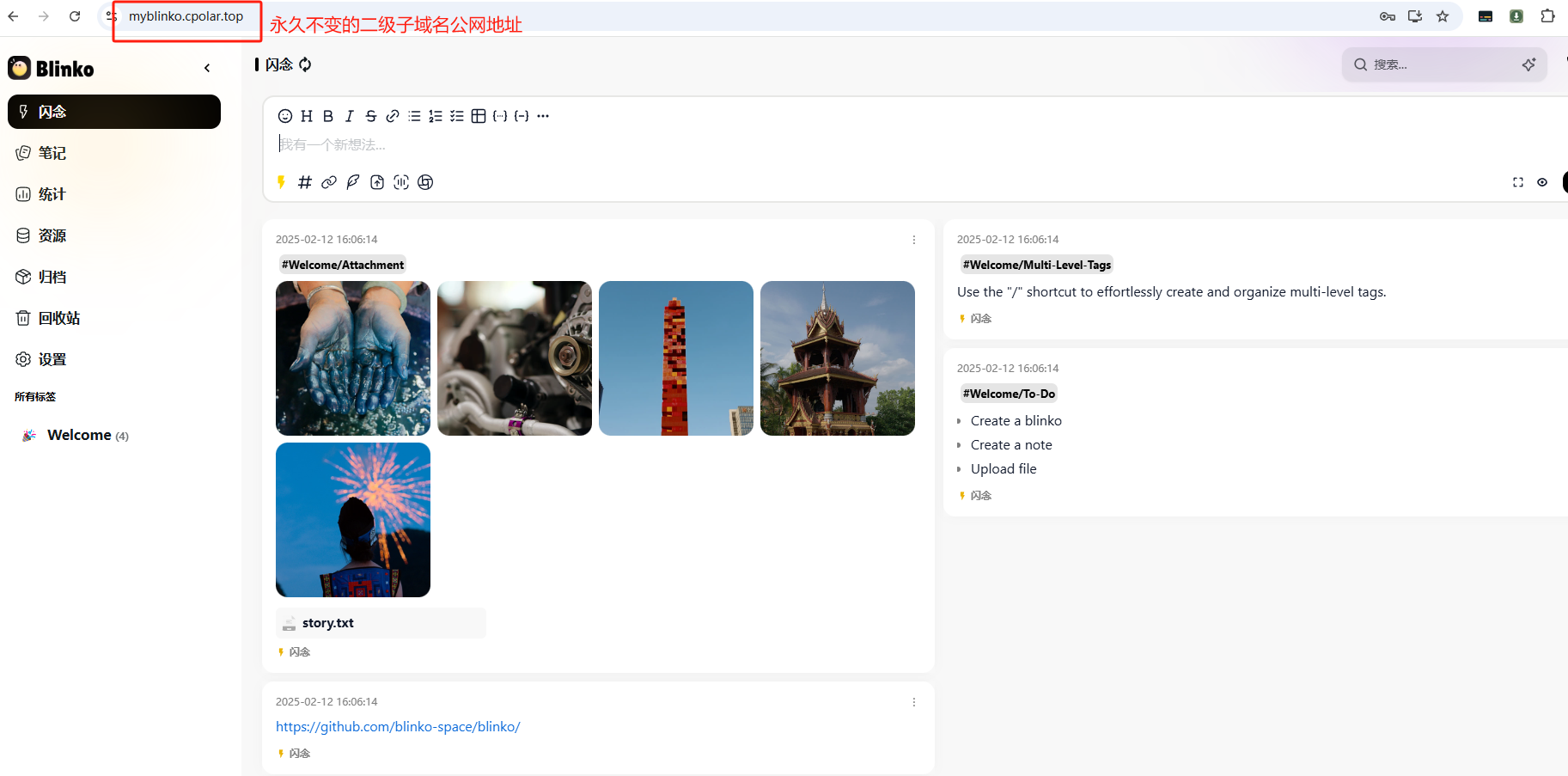
Docker部署Blinko:打造你的个性化AI笔记助手与随时随地访问
文章目录 前言1. Docker Compose一键安装2. 简单使用演示3. 安装cpolar内网穿透4. 配置公网地址5. 配置固定公网地址 前言 嘿,小伙伴们,是不是觉得市面上那些单调乏味的笔记应用让人提不起劲?今天,我要给大家安利一个超炫酷的开源…...

Python Cookbook-5.2 不区分大小写对字符串列表排序
任务 你想对一个字符串列表排序,并忽略掉大小写信息。举个例子,你想要小写的a排在大写的 B 前面。默认的情况下,字符串比较是大小写敏感的(比如所有的大写字符排在小写字符之前)。 解决方案 采用 decorate-sort-undecorate(DSU)用法既快又…...

安全业务的manus时代即将到来
“(人)把业务流程任务化,把任务工具化,再把工具服务化,剩下的交给智能体。” 一、自动化与智能化浪潮下的安全业务变革 近期,笔者着迷于模型上下文协议(Model Context Protocol,简称MCP),这项技术所带来的变革性力量令人惊叹。在对多个技术案例进行实践的过程中,笔者…...
:DMP与DSP对接及数据统计原理剖析)
程序化广告行业(55/89):DMP与DSP对接及数据统计原理剖析
程序化广告行业(55/89):DMP与DSP对接及数据统计原理剖析 大家好呀!在数字化营销的大趋势下,程序化广告已经成为众多企业实现精准营销的关键手段。上一篇博客我们一起学习了程序化广告中的人群标签和Look Alike原理等知…...
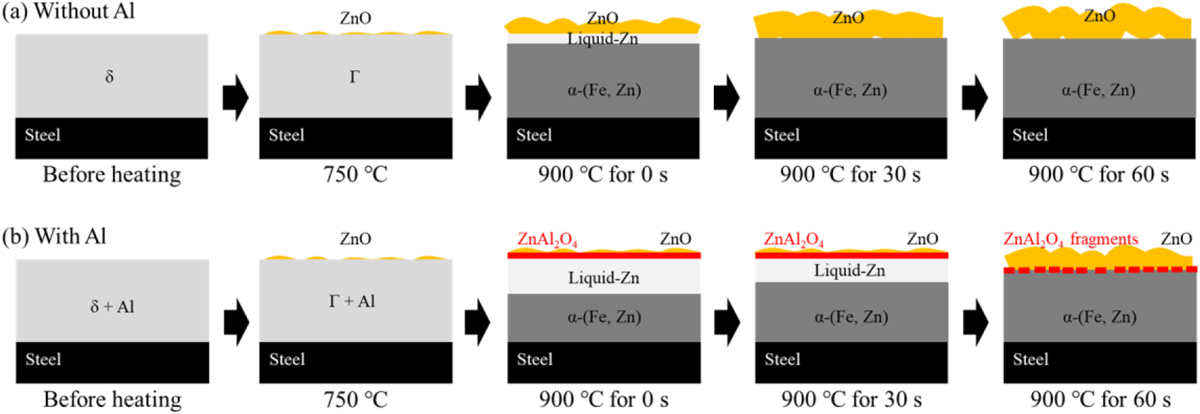
【文献研究】铝对热冲压加热过程中锌氧化的影响
在热冲压过程中,镀锌铁板和镀锌板等镀锌钢板表面发生Zn氧化。为了阐明镀锌层中的Al对Zn氧化的影响,本研究研究了镀锌钢板上添加和不添加Al时形成的ZnO量。发现添加铝后ZnO量减少。对添加铝的镀锌钢板的显微组织分析表明,添加的Al在热冲压后Zn…...
Win11本地从零开始部署dify全流程
1.安装wsl和打开Hyper-V功能(前置准备) 这个是为了支持我们的Docker Desktop运行。 1.1.安装wsl 使用管理员身份运行命令行。 如果显示 “无法与服务器建立连接就执行“,表示没有安装wsl,如果更新成功,那就不用执行…...

从代码学习深度学习 - RNN PyTorch版
文章目录 前言一、数据预处理二、辅助训练工具函数三、绘图工具函数四、模型定义五、模型训练与预测六、实例化模型并训练训练结果可视化总结前言 循环神经网络(RNN)是深度学习中处理序列数据的重要模型,尤其在自然语言处理和时间序列分析中有着广泛应用。本篇博客将通过一…...
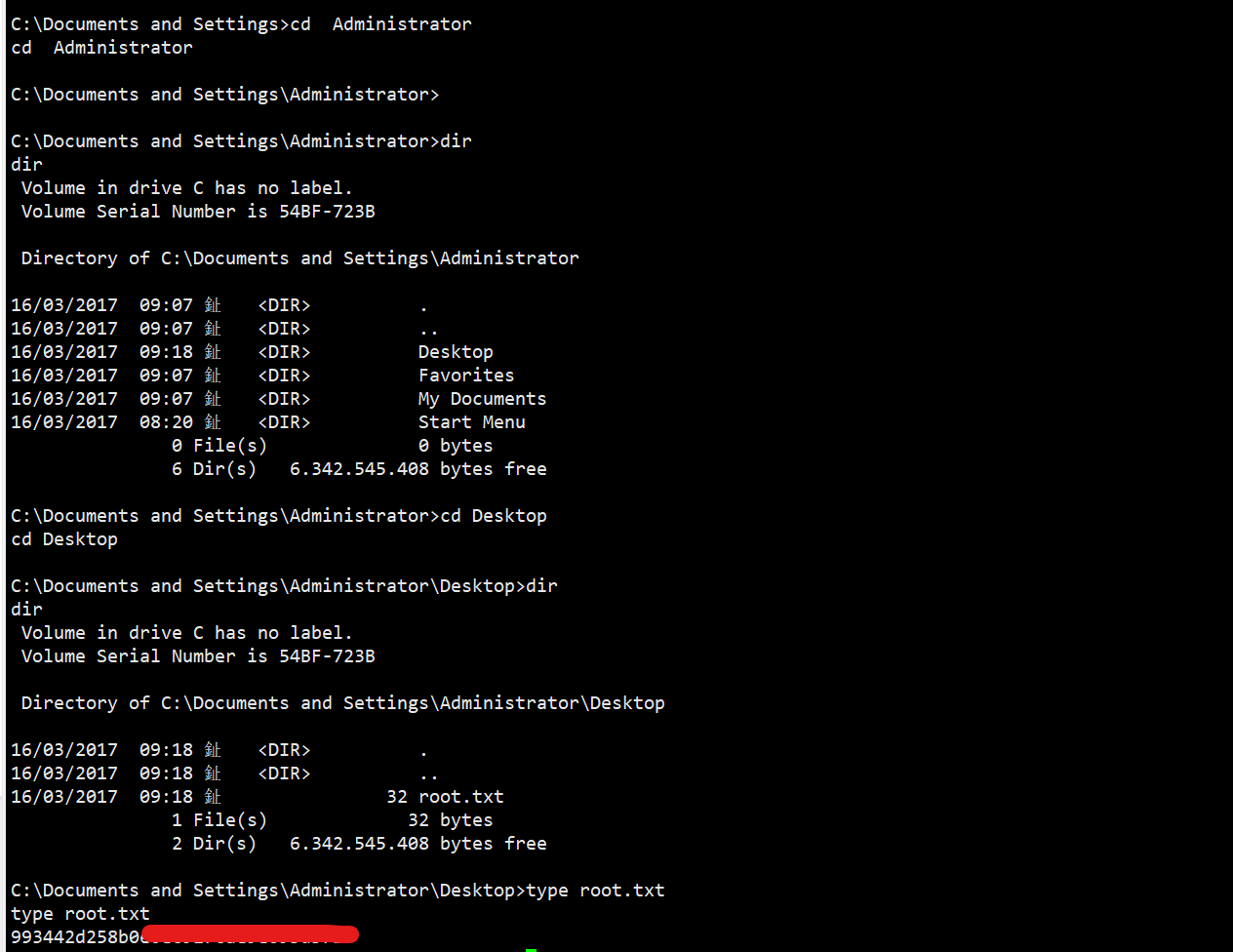
【HTB】Windwos-easy-Legacy靶机渗透
靶机介绍,一台很简单的WIndows靶机入门 知识点 msfconsole利用 SMB历史漏洞利用 WIndows命令使用,type查看命令 目录标题 一、信息收集二、边界突破三、权限提升 一、信息收集 靶机ip:10.10.10.4攻击机ip:10.10.16.26 扫描TC…...

蓝桥杯真题———k倍区间
题目如下 代码如下 记录余数 cnt[0] 1 的初始化是为了处理 空前缀和 说明...

LeetCode 891 -- 贡献度思想
题目描述 子序列宽度之和 思路 ref 代码 相似题 子数组范围和 acwing...

无人机等非合作目标公开数据集2025.4.3
一.无人机遥感数据概述 1.1 定义与特点 在遥感技术的不断发展中,无人机遥感数据作为一种新兴的数据源,正逐渐崭露头角。它是通过无人驾驶飞行器(UAV)搭载各种传感器获取的地理空间信息,具有 覆盖范围大、综合精度高、…...

机器视觉--python基础语法
Python基础语法 1. Python标识符 在 Python 里,标识符由字母、数字、下划线组成。 在 Python 中,所有标识符可以包括英文、数字以及下划线(_),但不能以数字开头。 Python 中的标识符是区分大小写的。 以下划线开头的标识符是有特殊意义的…...
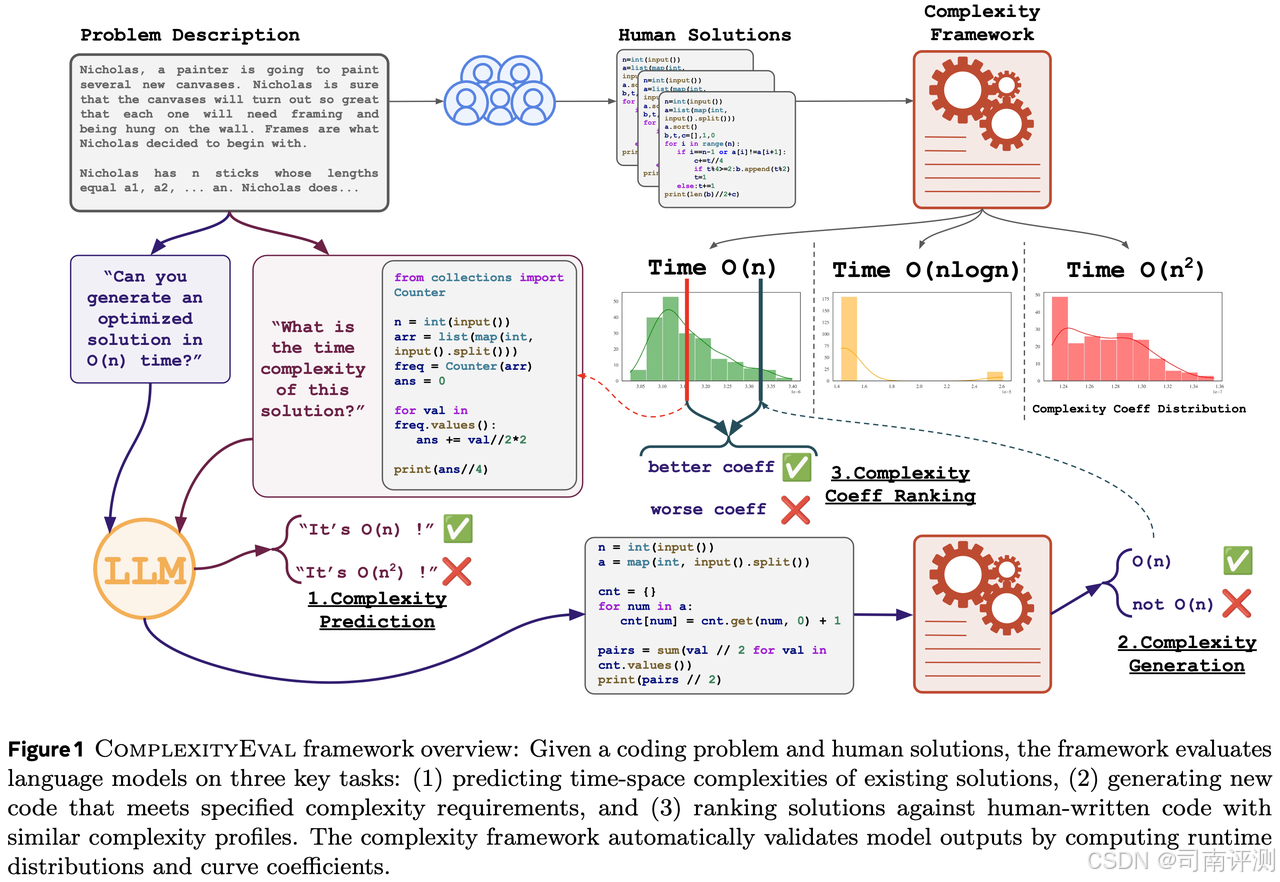
司南评测集社区 3 月上新一览!
司南评测集社区 CompassHub 作为司南评测体系的重要组成部分,旨在打创新性的基准测试资源导航社区,提供丰富、及时、专业的评测集信息,帮助研究人员和行业人士快速搜索和使用评测集。 2025 年 3 月,司南评测集社区新收录了一批评…...
介绍及操作手册)
TrollStore(巨魔商店)介绍及操作手册
TrollStore(巨魔商店)介绍及操作手册 一、TrollStore 简介 TrollStore 是一款针对 iOS 设备开发的第三方应用安装工具,它允许用户在不越狱设备的情况下,安装和使用未经过苹果官方 App Store 审核的应用程序。该工具利用了 iOS 系…...

SSE与Streamable HTTP的区别:协议与技术实现的深度对比
引言 在现代Web开发中,实时数据传输是许多应用的核心需求,从聊天应用到股票市场更新,从游戏服务器到AI模型通信。为了满足这一需求,各种技术应运而生,其中Server-Sent Events (SSE)和Streamable HTTP是两种重要的实时…...

android 之简述屏幕分辨率、屏幕密度、屏幕最小宽度
一、屏幕分辨率 屏幕分辨率是指屏幕显示的像素数量,通常以水平像素数乘以垂直像素数表示,例如 1920x1080。它直接影响屏幕的显示效果,包括图像的清晰度和细节。不同的设备可能有不同的屏幕分辨率。 1、常见的屏幕分辨率 标准分辨率&#x…...

mac环境中Nginx安装使用 反向代理
安装 如没有Homebrew 先安装Homebrew 国内镜像: /bin/zsh -c "$(curl -fsSL https://gitee.com/cunkai/HomebrewCN/raw/master/Homebrew.sh)" 安装成功后安装nginx: brew install nginx 启动nginx: nginx 或者 brew services st…...

2025年3月个人工作生活总结
本文为 2025年3月工作生活总结。 研发编码 一个curl下载失败问题的记录 问题: 某程序,指定IP和账户密码配置,再使用curl库连接sftp服务器,下载文件。在CentOS系统正常,但在某国产操作系统中失败,需要用命…...
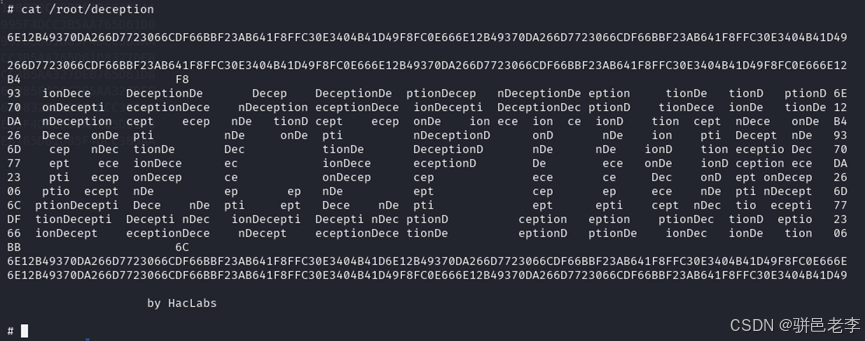
实战打靶集锦-36-Deception
文章目录 1. 主机发现2. 端口扫描3. 服务枚举4. 服务探查5. 系统提权6. 写在最后 靶机地址:https://download.vulnhub.com/haclabs/Deception.ova 1. 主机发现 目前只知道目标靶机在192.168.56.xx网段,通过如下的命令,看看这个网段上在线的主…...

前端开发技术演进与就业现实:顺应时代方能不被淘汰-优雅草卓伊凡
前端开发技术演进与就业现实:顺应时代方能不被淘汰-优雅草卓伊凡 在技术浪潮汹涌的当下,常有人发问:“学习CSS、HTML、JS以后可以干什么?”对此,卓伊凡可以明确地给出答案:单纯学习这些过于基础的Web前端开…...
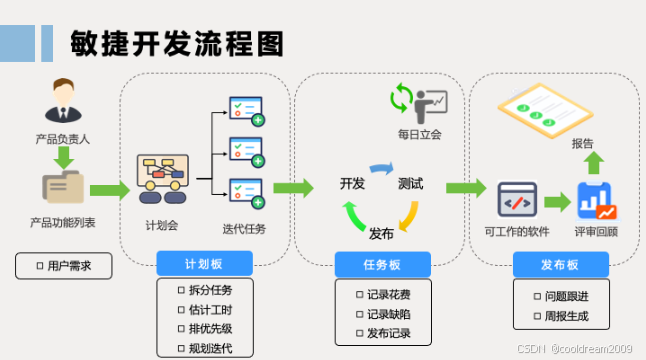
敏捷开发:以人为本的高效开发模式
目录 前言1. 什么是敏捷开发?1.1 敏捷开发的核心理念1.2 敏捷开发的优势 2. 敏捷宣言:四大核心价值观2.1 个体和交互胜过工具和过程2.2 可工作的软件胜过大量的文档2.3 客户合作胜过合同谈判2.4 响应变化胜过遵循计划 3. 敏捷开发的实践3.1 Scrum&#x…...

HarmonyOS 基础组件和基础布局的介绍
1. HarmonyOS 基础组件 1.1 Text 文本组件 Text(this.message)//文本内容.width(200).height(50).margin({ top: 20, left: 20 }).fontSize(30)//字体大小.maxLines(1)// 最大行数.textOverflow({ overflow: TextOverflow.Ellipsis })// 超出显示....fontColor(Color.Black).…...
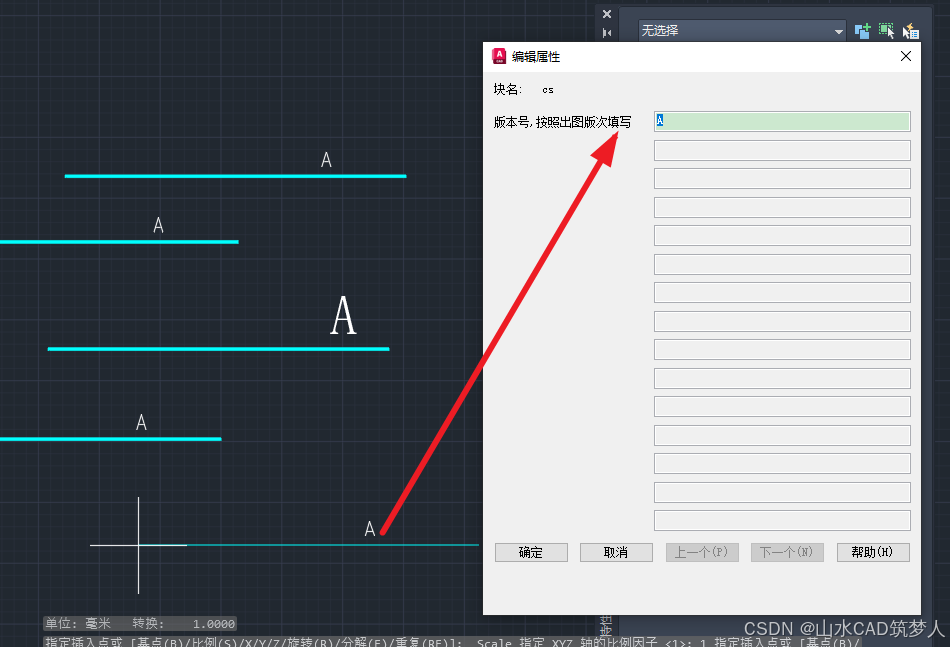
CAD插入属性块 弹窗提示输入属性值——CAD知识讲堂
插入属性块时,有时会遇到不弹窗输入属性值的情况,解决方案如下: 最好关闭块编辑器并保存,插入属性块即可弹窗。...

Redis 主要能够用来做什么
Redis(Remote Dictionary Server)是一种基于内存的键值存储数据库,它的性能极高,广泛应用于各种高并发场景。以下是 Redis 常见的用途: 1. 缓存(Cache) 作用:存储热点数据…...

MySQL GROUP BY 和 HAVING 子句中 ‘Unknown column‘ 错误的深入解析
在使用 MySQL 进行数据分析和报表生成时,GROUP BY 和 HAVING 子句是非常强大的工具。然而,很多开发者在使用它们时会遇到一个常见的错误:"Unknown column column_name in having clause"。本文将深入解析这个错误的原因,…...
Sentinel实战(三)、流控规则之流控效果及流控小结
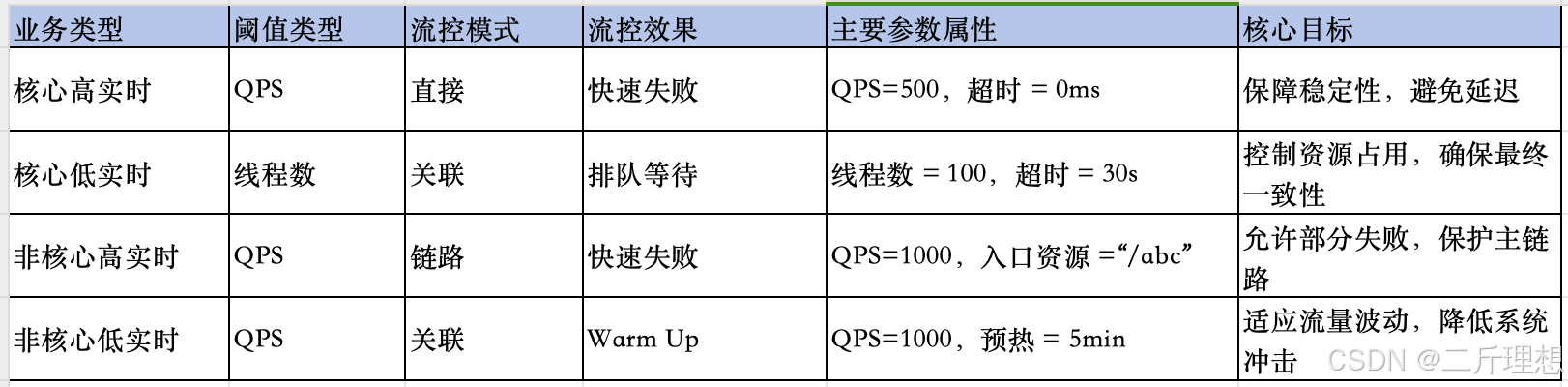
spring cloud Alibaba-Sentinel实战(三)、流控效果流控小结 一、流控规则:流控效果一)、流控效果:预热1、概念含义2、案例流控规则设置测试结果 二)、流控效果:排队等待1、概念含义2、案例流控规…...

JavaScrip——DOM编程
一、DOM元素创建与属性操作 1. 元素创建与插入 // 创建新元素 const newDiv document.createElement(div); newDiv.textContent "动态创建的内容";// 插入到容器末尾 document.body.appendChild(newDiv);// 在指定元素前插入 existingElement.before(newDiv);// …...

表单的前端数据流向
在CRM项目中,会涉及很多张表单。每张表单的前端代码都会放在一个单独的文件夹中。这个文件夹下包含三个文件,分别是: index.js(以下称为 index):负责组件的渲染和交互逻辑。model.js(以下称为 …...