
WPF 登录页面
效果
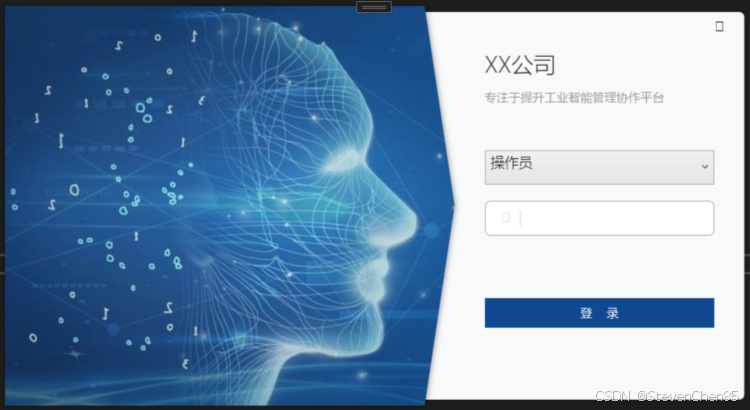
项目结构
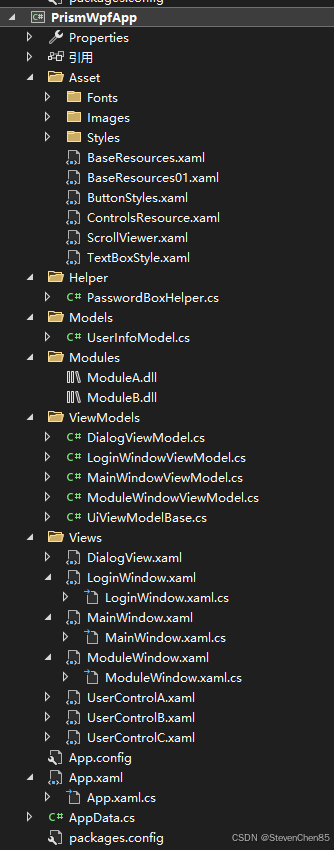
LoginWindow.xaml
<Window x:Class="PrismWpfApp.Views.LoginWindow"xmlns="http://schemas.microsoft.com/winfx/2006/xaml/presentation"xmlns:x="http://schemas.microsoft.com/winfx/2006/xaml"xmlns:d="http://schemas.microsoft.com/expression/blend/2008"xmlns:mc="http://schemas.openxmlformats.org/markup-compatibility/2006"xmlns:local="clr-namespace:PrismWpfApp.ViewModels"xmlns:helper="clr-namespace:PrismWpfApp.Helper"xmlns:prism="http://prismlibrary.com/"prism:ViewModelLocator.AutoWireViewModel="True"mc:Ignorable="d"Background="Transparent" FontFamily="Microsoft YaHei" FontWeight="ExtraLight" ResizeMode="NoResize"WindowStyle="None" AllowsTransparency="True" WindowStartupLocation="CenterScreen"SizeToContent="WidthAndHeight"Title="{Binding Title}" Name="win" ><Window.Resources><ControlTemplate TargetType="Button" x:Key="CloseButtonTemplate"><Grid Background="Transparent" Name="back"><TextBlock Text="" FontFamily="{DynamicResource iconfont}" VerticalAlignment="Center" HorizontalAlignment="Center"FontSize="14"/></Grid><ControlTemplate.Triggers><Trigger Property="IsMouseOver" Value="True"><Setter Property="Background" Value="#DDD" TargetName="back"/></Trigger></ControlTemplate.Triggers></ControlTemplate><Style TargetType="TextBox" x:Key="UsernameTextBoxStyle"><Setter Property="Template"><Setter.Value><ControlTemplate TargetType="{x:Type TextBox}"><Border x:Name="border" BorderBrush="{TemplateBinding BorderBrush}" BorderThickness="{TemplateBinding BorderThickness}" Background="{TemplateBinding Background}" SnapsToDevicePixels="True"CornerRadius="5"><Grid><Grid.ColumnDefinitions><ColumnDefinition Width="40"/><ColumnDefinition/></Grid.ColumnDefinitions><Border BorderBrush="#DDD" BorderThickness="0,0,1,0" Margin="0,8,5,8"/><TextBlock Text="请输入用户名" Grid.Column="1" VerticalAlignment="Center" Foreground="#BBB"Name="markText" Visibility="Collapsed" FontSize="12" Margin="2,0"/><TextBlock Text=""FontFamily="{DynamicResource iconfont}" FontSize="14" VerticalAlignment="Center" HorizontalAlignment="Center"Foreground="#DDD"/><ScrollViewer x:Name="PART_ContentHost" Focusable="false"HorizontalScrollBarVisibility="Hidden" VerticalScrollBarVisibility="Hidden"Grid.Column="1"VerticalAlignment="Center" MinHeight="20"/></Grid></Border><ControlTemplate.Triggers><Trigger Property="IsEnabled" Value="false"><Setter Property="Opacity" TargetName="border" Value="0.56"/></Trigger><Trigger Property="IsMouseOver" Value="true"><Setter Property="BorderBrush" TargetName="border" Value="#FF7EB4EA"/></Trigger><Trigger Property="IsKeyboardFocused" Value="true"><Setter Property="BorderBrush" TargetName="border" Value="#FF569DE5"/></Trigger><DataTrigger Binding="{Binding Path=Text,RelativeSource={RelativeSource Mode=Self}}" Value=""><Setter Property="Visibility" TargetName="markText" Value="Visible"/></DataTrigger></ControlTemplate.Triggers></ControlTemplate></Setter.Value></Setter></Style><Style x:Key="PasswordBoxStyle" TargetType="{x:Type PasswordBox}"><Setter Property="Template"><Setter.Value><ControlTemplate TargetType="{x:Type PasswordBox}"><Border x:Name="border" BorderBrush="{TemplateBinding BorderBrush}" BorderThickness="{TemplateBinding BorderThickness}" Background="{TemplateBinding Background}" SnapsToDevicePixels="True"CornerRadius="5"><Grid><Grid.ColumnDefinitions><ColumnDefinition Width="40"/><ColumnDefinition/></Grid.ColumnDefinitions><Border BorderBrush="#DDD" BorderThickness="0,0,1,0" Margin="0,8,5,8"/><TextBlock Text="请输入密码" Grid.Column="1" VerticalAlignment="Center" Foreground="#BBB"Name="markText" Visibility="Collapsed" FontSize="12" Margin="2,0"/><TextBlock Text="" FontFamily="{StaticResource iconfont}" FontSize="14" VerticalAlignment="Center" HorizontalAlignment="Center"Foreground="#DDD"/><ScrollViewer x:Name="PART_ContentHost" Focusable="false"HorizontalScrollBarVisibility="Hidden" VerticalScrollBarVisibility="Hidden"Grid.Column="1"VerticalAlignment="Center" MinHeight="20"/></Grid></Border><ControlTemplate.Triggers><Trigger Property="IsEnabled" Value="false"><Setter Property="Opacity" TargetName="border" Value="0.56"/></Trigger><Trigger Property="IsMouseOver" Value="true"><Setter Property="BorderBrush" TargetName="border" Value="#FF7EB4EA"/></Trigger><Trigger Property="IsKeyboardFocused" Value="true"><Setter Property="BorderBrush" TargetName="border" Value="#FF569DE5"/></Trigger><DataTrigger Binding="{Binding Path=UserModel.Password}" Value=""><Setter Property="Visibility" TargetName="markText" Value="Visible"/></DataTrigger></ControlTemplate.Triggers></ControlTemplate></Setter.Value></Setter><Style.Triggers><MultiTrigger><MultiTrigger.Conditions><Condition Property="IsInactiveSelectionHighlightEnabled" Value="true"/><Condition Property="IsSelectionActive" Value="false"/></MultiTrigger.Conditions><Setter Property="SelectionBrush" Value="{DynamicResource {x:Static SystemColors.InactiveSelectionHighlightBrushKey}}"/></MultiTrigger></Style.Triggers></Style></Window.Resources><Window.Triggers><EventTrigger RoutedEvent="Window.Loaded"><BeginStoryboard><Storyboard><DoubleAnimation Duration="0:0:0.5" To="0" Storyboard.TargetName="tt"Storyboard.TargetProperty="X"/></Storyboard></BeginStoryboard></EventTrigger></Window.Triggers><Grid Width="740" Margin="5" Background="Transparent" MouseLeftButtonDown="Grid_MouseLeftButtonDown" ><Border Background="#F7F9FA" Margin="0,6" HorizontalAlignment="Right" Width="330" BorderBrush="#DDD" BorderThickness="0"CornerRadius="0,5,5,0"><Border.Effect><DropShadowEffect Color="Black" ShadowDepth="0" Direction="0" BlurRadius="10" Opacity="0.2"/></Border.Effect><Border.RenderTransform><TranslateTransform X="-350" x:Name="tt"/></Border.RenderTransform><Grid HorizontalAlignment="Right" Width="230" Margin="30,30,30,10"><Grid.RowDefinitions><RowDefinition Height="100"/><RowDefinition/><RowDefinition/><RowDefinition/><RowDefinition Height="60"/><RowDefinition Height="auto" MinHeight="40"/></Grid.RowDefinitions><StackPanel VerticalAlignment="Center" Margin="0,0,0,30"><TextBlock Text="XX公司" Foreground="#333" FontSize="22"/><TextBlock Text="专注于提升工业智能管理协作平台" FontSize="12" Foreground="#888" Margin="0,10,0,0"/></StackPanel><ComboBox Grid.Row="1" Height="35" Margin="0,8" FontSize="14"ItemsSource="{Binding DataList}"DisplayMemberPath="Name"SelectedValuePath="Id"SelectedItem="{Binding SelectUser, Mode=TwoWay}"/><PasswordBox Grid.Row="2" Height="35" Margin="0,8" Style="{StaticResource PasswordBoxStyle}"helper:PasswordBoxHelper.Attach="true"helper:PasswordBoxHelper.Password="{Binding SelectUser.Password,Mode=TwoWay,UpdateSourceTrigger=PropertyChanged}"FontSize="14"/><!--<PasswordBox Grid.Row="2" Height="35" Margin="0,8" Style="{StaticResource PasswordBoxStyle}"FontSize="14"/>--><Button Content="登 录" Background="#FF104991" Foreground="White" Grid.Row="4" Height="30" Margin="0,8" BorderThickness="0" VerticalAlignment="Top"Command="{Binding LoginCommand}" CommandParameter="{Binding Path=.,RelativeSource={RelativeSource AncestorType=Window}}"/><!--<Button Content="登 录" Background="#FF104991" Foreground="White" Grid.Row="4" Height="30" Margin="0,8" BorderThickness="0" VerticalAlignment="Top"Command="{Binding LoginCommand}" CommandParameter="{Binding ElementName=win}"/>--><!--关闭按钮--><Button VerticalAlignment="Top" HorizontalAlignment="Right" Content="X" Margin="0,-30,-25,0"Template="{StaticResource CloseButtonTemplate}" Width="40" Height="30"Command="{Binding CloseCommand}" CommandParameter="{Binding Path=.,RelativeSource={RelativeSource AncestorType=Window}}"/> <TextBlock Text="{Binding ErrorMsg}" Foreground="Red" TextWrapping="Wrap" Grid.Row="10"TextAlignment="Center"/></Grid></Border><!--图片--><Polygon Points="0 0,420 0,450 200 420 400 0 400" HorizontalAlignment="Left"><Polygon.Fill><!--Viewbox 设置图片显示的位置--><ImageBrush ImageSource="pack://application:,,,/PrismWpfApp;component/Asset/Images/login_image.jpg" Stretch="UniformToFill" Viewbox="0,0,1.4,1"></ImageBrush></Polygon.Fill><Polygon.Effect><!--设置阴影 ShadowDepth 设置偏移量10--><DropShadowEffect Color="Black" ShadowDepth="0" Direction="0" BlurRadius="10" Opacity="0.5"/></Polygon.Effect></Polygon><Polygon Points="0 0,420,0,450 200 420 400 0 400" Opacity="0.2" StrokeThickness="0" Stroke="White" HorizontalAlignment="Left"><Polygon.Fill><RadialGradientBrush><GradientStop Color="#22FFFFFF" Offset="0"/><GradientStop Color="#FF1B283C" Offset="1"/><GradientStop Color="#C6555F6E" Offset="0.617"/></RadialGradientBrush></Polygon.Fill></Polygon></Grid>
</Window>
LoginWindowViewModel
using Prism.Commands;
using PrismWpfApp.Models;
using System;
using System.Collections.Generic;
using System.Collections.ObjectModel;
using System.Linq;
using System.Text;
using System.Threading.Tasks;
using System.Windows;namespace PrismWpfApp.ViewModels
{public class LoginWindowViewModel : UiViewModelBase{public LoginWindowViewModel(){this.Title = "登录";DataList.Clear();var user1 = new UserInfoModel(){Id = 1,Name = "操作员",Password = ""};DataList.Add(user1);SelectUser = user1;DataList.Add(new UserInfoModel(){Id = 2,Name = "工程师",Password = ""});DataList.Add(new UserInfoModel(){Id = 1,Name = "管理员",Password = ""});}public List<UserInfoModel> DataList { get; set; } = new List<UserInfoModel>();//选择的用户private UserInfoModel _selectUser;/// <summary>/// 选择的用户/// </summary>public UserInfoModel SelectUser{get{return _selectUser;}set{SetProperty(ref _selectUser, value);}}//public string UserName { get; set; } = "admin";//public string Password { get; set; } = "123456";private string _errorMsg;public string ErrorMsg{get{return _errorMsg;}set{_errorMsg = value;SetProperty(ref _errorMsg, value);}}/// <summary>/// 登录命令/// </summary>public DelegateCommand<Window> LoginCommand{get { return new DelegateCommand<Window>((arg) =>{var a = SelectUser;//var b = Password;//执行登录验证arg.DialogResult = true;});}}}
}
Asset

相关文章:
WPF 登录页面
效果 项目结构 LoginWindow.xaml <Window x:Class"PrismWpfApp.Views.LoginWindow"xmlns"http://schemas.microsoft.com/winfx/2006/xaml/presentation"xmlns:x"http://schemas.microsoft.com/winfx/2006/xaml"xmlns:d"http://schemas.…...

【数学建模】动态规划算法(Dynamic Programming,简称DP)详解与应用
动态规划算法详解与应用 文章目录 动态规划算法详解与应用引言动态规划的基本概念动态规划的设计步骤经典动态规划问题1. 斐波那契数列2. 背包问题3. 最长公共子序列(LCS) 动态规划的优化技巧动态规划的应用领域总结 引言 动态规划(Dynamic Programming,简称DP)是一…...

leetcode-代码随想录-链表-移除链表元素
题目 链接:203. 移除链表元素 - 力扣(LeetCode) 给你一个链表的头节点 head 和一个整数 val ,请你删除链表中所有满足 Node.val val 的节点,并返回 新的头节点 。 输入:head [1,2,6,3,4,5,6], val 6 …...

低成本训练垂直领域文娱大模型的技术路径
标题:低成本训练垂直领域文娱大模型的技术路径 内容:1.摘要 在文娱产业快速发展且对智能化需求日益增长的背景下,为降低垂直领域文娱大模型的训练成本,本研究旨在探索低成本训练的有效技术路径。采用对现有开源模型进行微调、利用轻量化模型架构以及优化…...

Spring Boot 3.4.3 基于 Caffeine 实现本地缓存
在现代企业级应用中,缓存是提升系统性能和响应速度的关键技术。通过减少数据库查询或复杂计算的频率,缓存可以显著优化用户体验。Spring Boot 3.4.3 提供了强大的缓存抽象支持,而 Caffeine 作为一款高性能的本地缓存库,因其优异的吞吐量和灵活的配置,成为许多开发者的首选…...

手机为电脑提供移动互联网络的3种方式
写作目的 在当今数字化时代,电脑已成为人们日常工作和生活中不可或缺的工具,而网络连接更是其核心功能之一。无论是处理工作任务、进行在线学习、还是享受娱乐资源,稳定的网络环境都是保障这些活动顺利开展的关键。然而,在实际使用过程中,电脑网络驱动故障时有发生,这可…...

论文阅读Diffusion Autoencoders: Toward a Meaningful and Decodable Representation
原文框架图: 官方代码: https://github.com/phizaz/diffae/blob/master/interpolate.ipynb 主要想记录一下模型的推理过程 : %load_ext autoreload %autoreload 2 from templates import * device cuda:1 conf ffhq256_autoenc() # pri…...

Python集合(五)
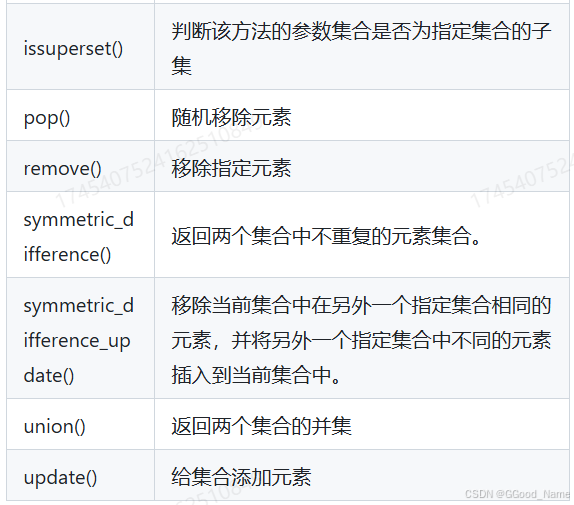
集合一: 跟字典一样,最大的特性就是唯一性,集合中的所有的元素都是独一无二的,并且还是无序的 创建集合 第一种: 第二种:集合推导式: 第三种:使用类型构造器: 集合是无…...
ISIS多区域配置
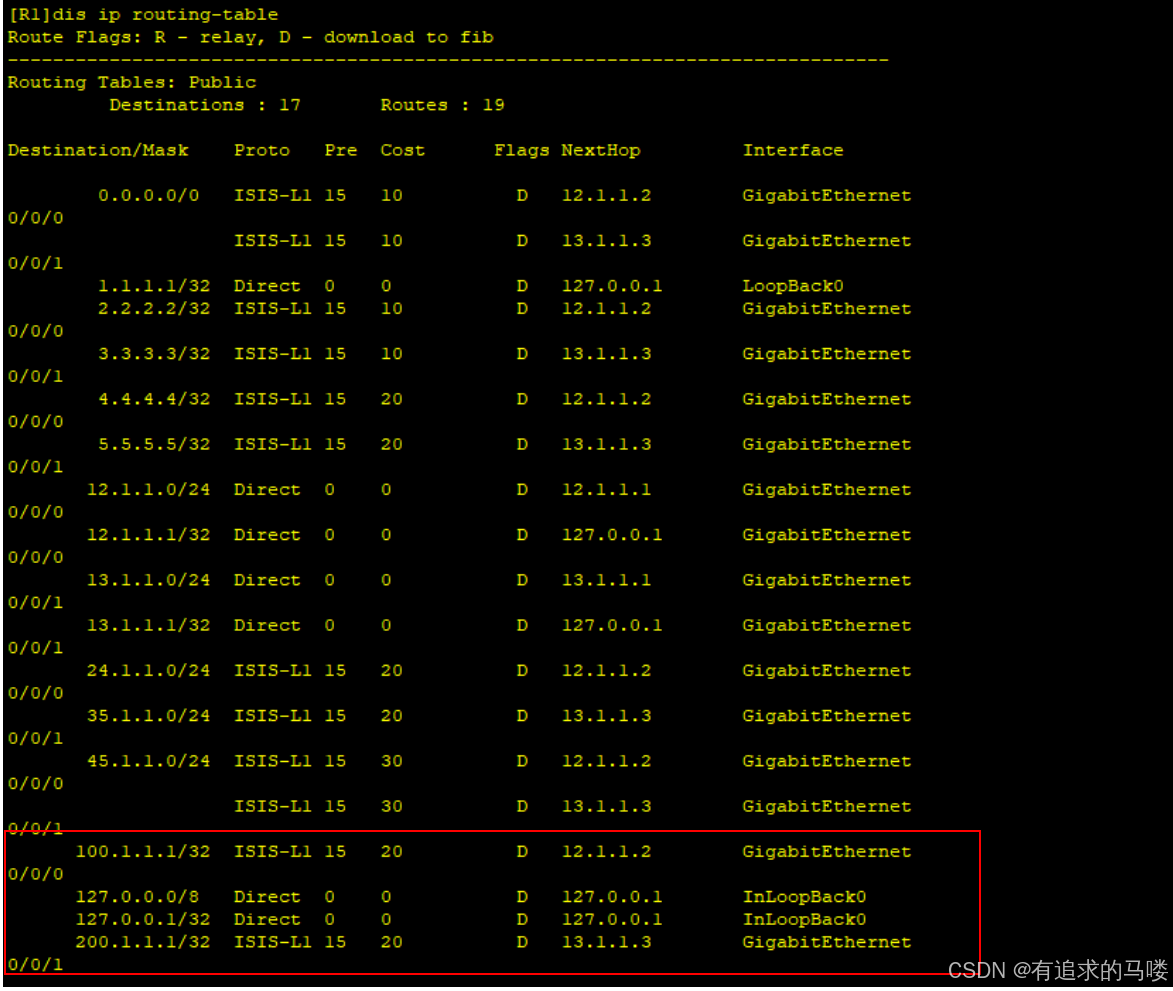
一、什么是ISIS多区域 ISIS(Intermediate System to Intermediate System)多区域是指网络被划分为多个逻辑区域(Areas),不同区域之间通过特定的ISIS路由器(Level-1-2)进行路由交互。多区域设计提…...
2025-04-04 Unity 网络基础5——TCP分包与黏包
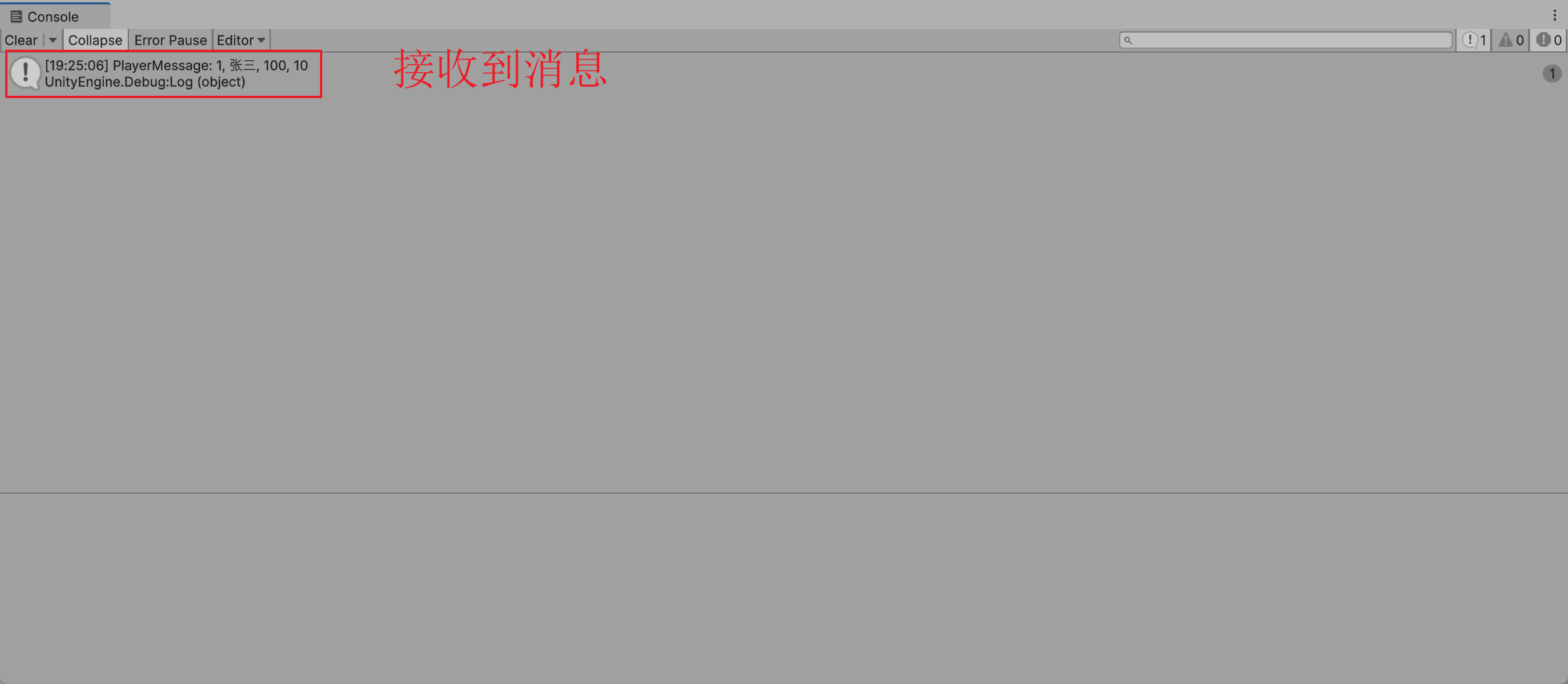
文章目录 1 分包与黏包2 解决方案2.1 数据接口2.2 定义消息2.3 NetManager2.4 分包、黏包处理 3 测试3.1 服务端3.2 客户端3.3 直接发送3.4 黏包发送3.5 分包发送3.6 分包、黏包发送3.7 其他 1 分包与黏包 分包、黏包指在网络通信中由于各种因素(网络环境、API …...

Leetcode——150. 逆波兰表达式求值
题解一 思路 和上一期1047. 删除字符串中的所有相邻重复项没差太多,基本思想都一样,就是读取输入的数据,如果是运算符,就进行相应的运算,然后把运算结果压栈。 代码 class Solution {public int evalRPN(String[] …...
)
【Node】一文掌握 Express 的详细用法(Express 备忘速查)
文章目录 入门Hello Worldexpress -hexpress()RouterApplicationRequest属性方法 Response属性方法 示例RouterResponseRequestres.end()res.json([body])app.allapp.deleteapp.disable(name)app.disabled(name)app.engine(ext, callback)app.listen([port[, host[, backlog]]]…...
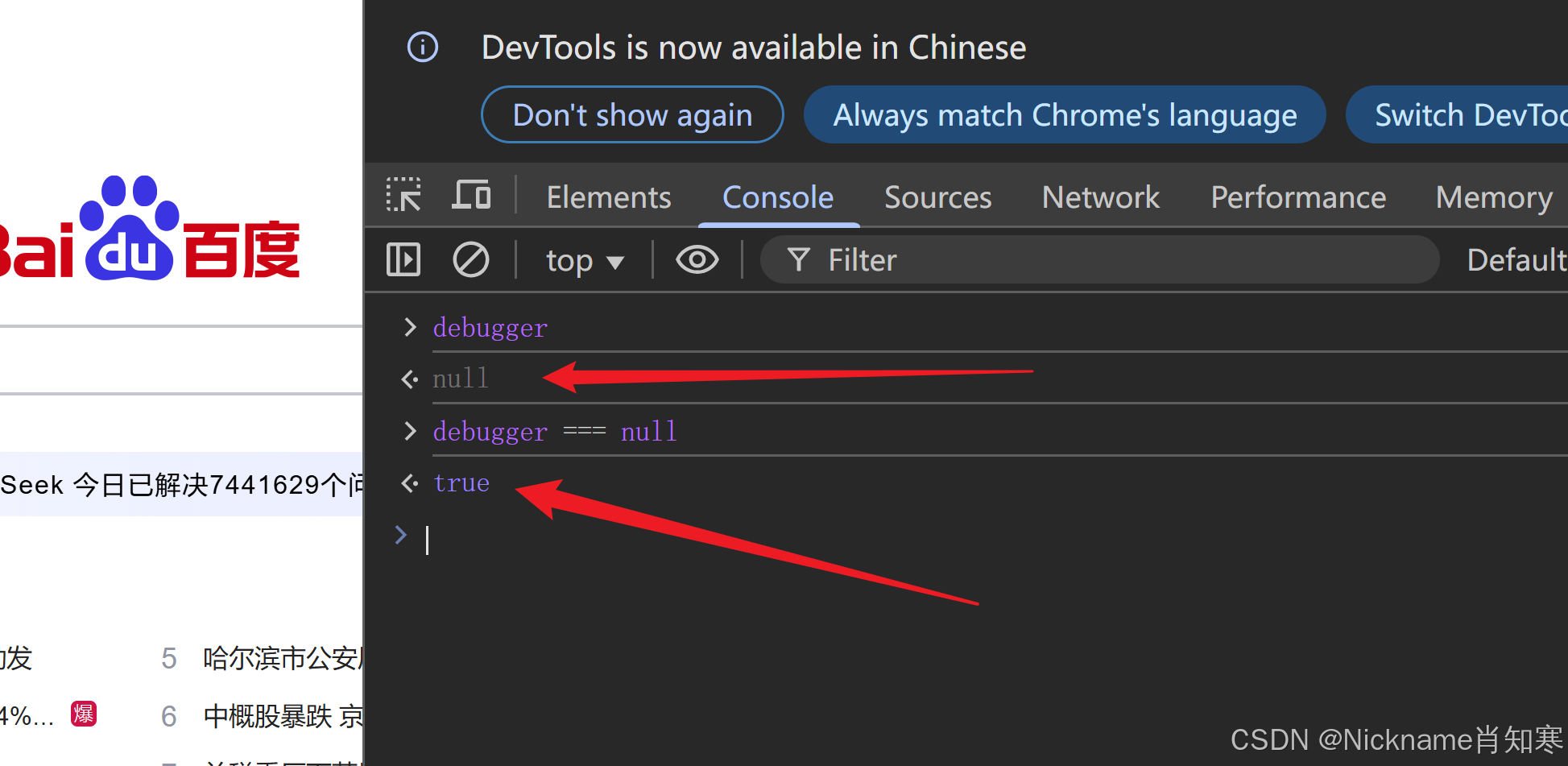
chromium魔改——绕过无限debugger反调试
在进行以下操作之前,请确保已完成之前文章中提到的 源码拉取及编译 部分。 如果已顺利完成相关配置,即可继续执行后续操作。 在浏览器中实现“无限 debugger”的反调试技术是一种常见的手段,用于防止他人通过开发者工具对网页进行调试或逆向…...

Spring 核心技术解析【纯干货版】- XVI:Spring 网络模块 Spring-WebMvc 模块精讲
在现代 Web 开发中,高效、稳定、可扩展的框架至关重要。Spring WebMvc 作为 Spring Framework 的核心模块之一,为开发人员提供了强大的 MVC 体系支持,使得 Web 应用的构建更加便捷和规范。无论是传统的 JSP 视图渲染,还是基于 RES…...

【GPT入门】第33课 从应用场景出发,区分 TavilyAnswer 和 TavilySearchResults,代码实战
【GPT入门】第33课 从应用场景出发,区分 TavilyAnswer 和 TavilySearchResults,代码实战 1. 区别应用场景 2. 代码使用3.代码执行效果 在langchain_community.tools.tavily_search中,TavilyAnswer和TavilySearchResults有以下区别和应用场景&…...
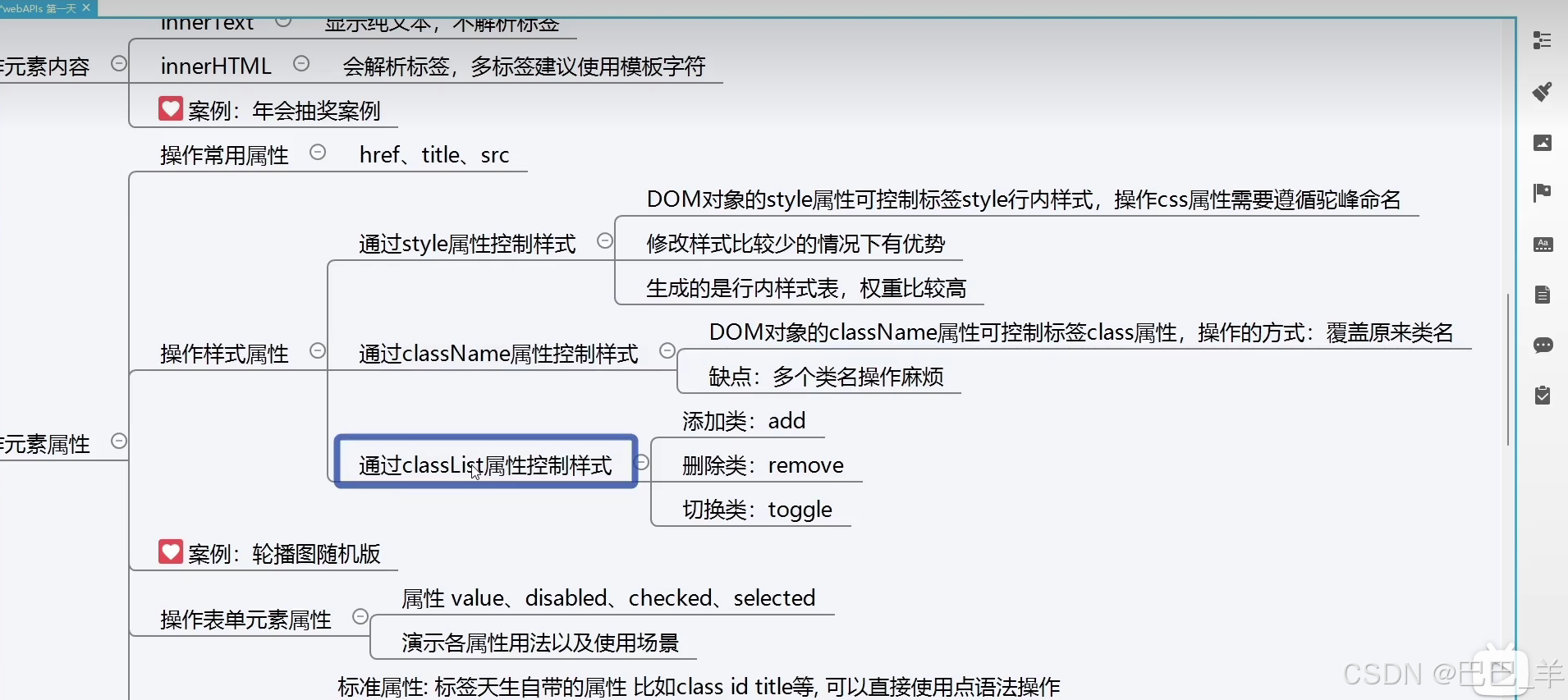
JS dom修改元素的style样式属性
1通过样式属性修改 第三种 toggle有就删除 没就加上...
灭火器离位检测:智能视觉守护安全
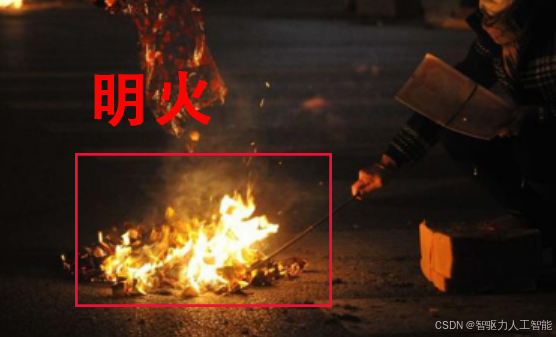
利用视觉分析实现明火检测:技术、功能与应用 一、背景 清明节期间,兰州市连续发生多起因祭祖烧纸引发山火的警情,如七里河区魏岭乡赵某某等人上坟烧纸未妥善处理烛火引燃杂草,导致3人烧伤;七里河区彭家坪石板山村村民…...
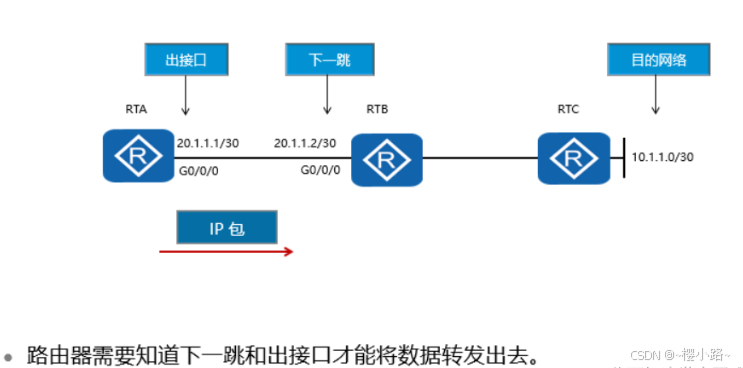
网络:华为数通HCIA学习:IP路由基础
华为HCIA学习 IP路由基础路由协议或路由种类以及对应路由的优先级按工作区域分类:按工作机制及算法分类:路由的优先级路由器选择最优路由的顺序是什么? 前言自治系统LAN和广播域路由选路IP路由表路由度量建立路由表最长匹配原则路由器转发数据包总结 IP…...

多线程开发中List的使用
由于ArrayList在多线程高并发情况下是不安全的,因此要慎用,那么此时如果涉及到集合操作,应该怎么选: 方案一:Vector: 特点:通过给所有方法都用 synchronized 修饰从而保证线程安全, 缺点&…...
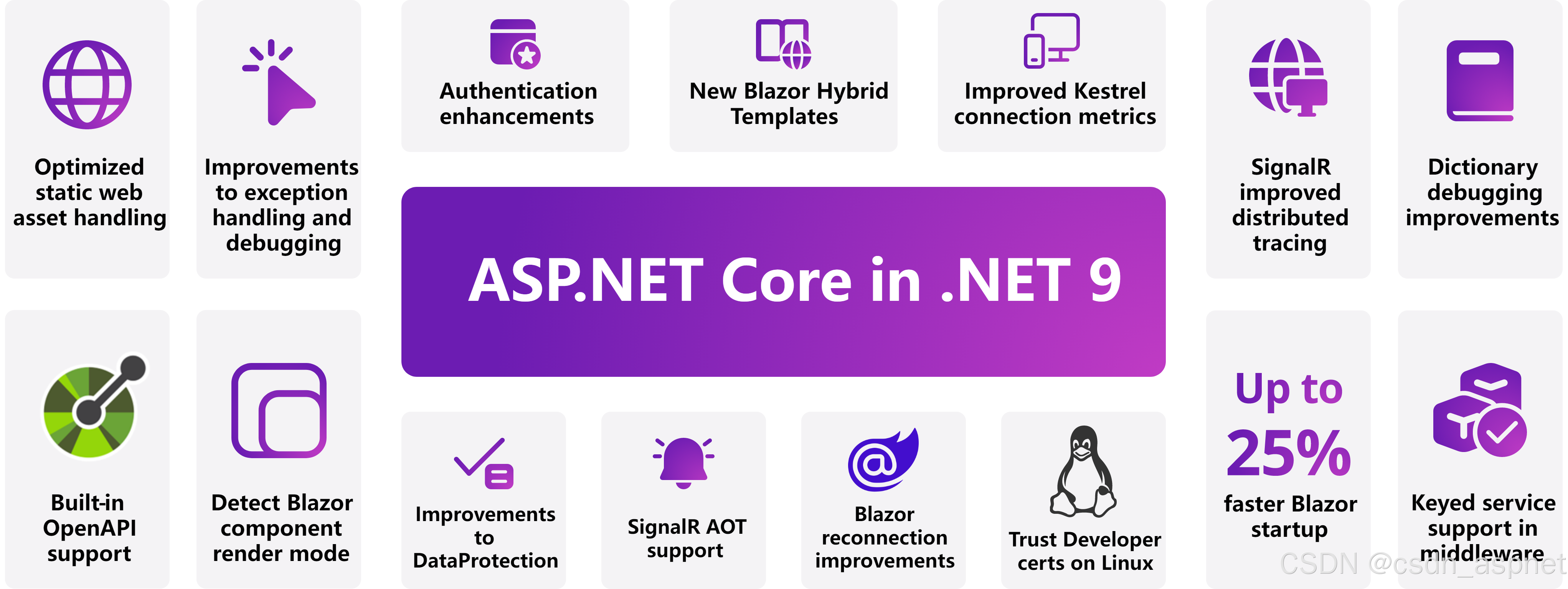
使用 .NET 9 和 Azure 构建云原生应用程序:有什么新功能?
随着 .NET 9 推出一系列以云为中心的增强功能,开发人员拥有比以往更多的工具来在 Azure 上创建可扩展、高性能的云原生应用程序。让我们深入了解 .NET 9 中的一些出色功能,这些功能使构建、部署和优化云应用程序变得更加容易,并附有示例以帮助…...
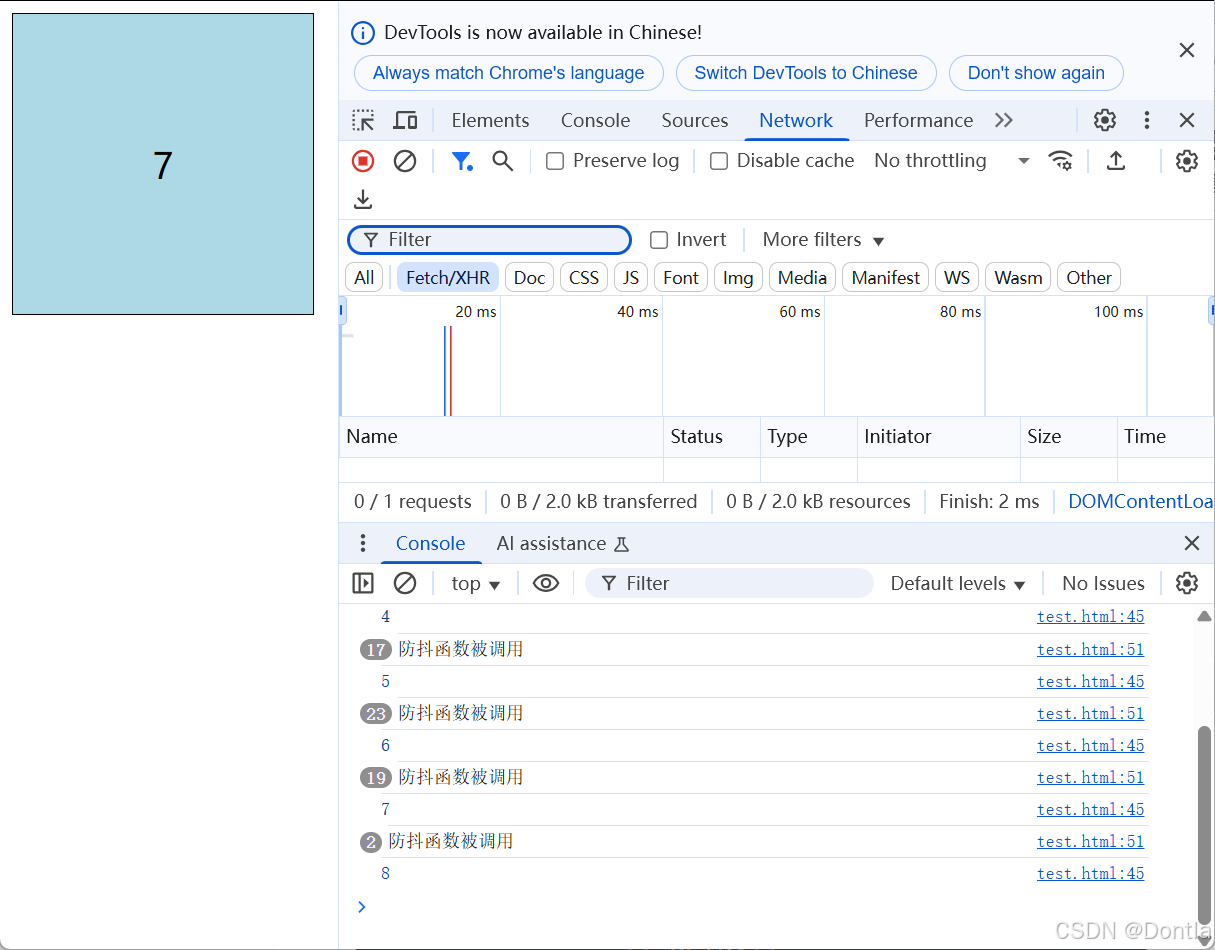
前端页面鼠标移动监控(鼠标运动、鼠标监控)鼠标防抖处理、mousemove、debounce()、事件停止触发、超时触发
文章目录 代码使用lodashjs库debounce函数做防抖处理(只有鼠标移动停止并超过一定时间,才会触发)手写防抖函数写法1写法2(注意addEventListener监听函数的第二个参数接收的是一个函数,需要构造一个匿名返回函数&#x…...

开源守护,智护童年——幼儿园未成年行为与安全智能监控系统
在孩子成长的每一步,安全始终是第一位的。幼儿园作为孩子们探索世界的起点,其安全管理的重要性不言而喻。然而,哭闹、打闹、意外跌倒,甚至外部隐患如陌生人逗留、内部管理疏漏等问题,常常让传统人工监控捉襟见肘。家长…...
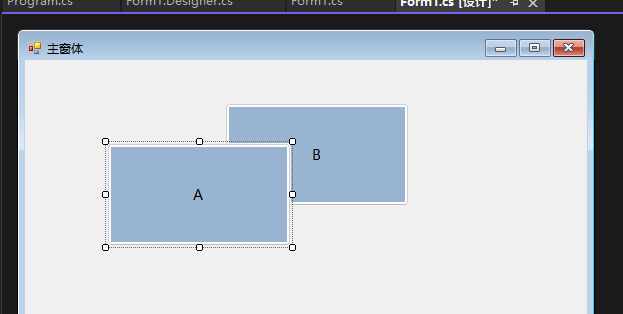
WinForm真入门(5)——控件的基类Control
控件的基类–Control 用于 Windows 窗体应用程序的控件都派生自 Control类并继承了许多通用成员,这些成员都是平时使用控件的过程最常用到的。无论要学习哪个控件的使用,都离不开这些基本成员,尤其是一些公共属性。由于 Conlrol 类规范了控件的基本特征…...
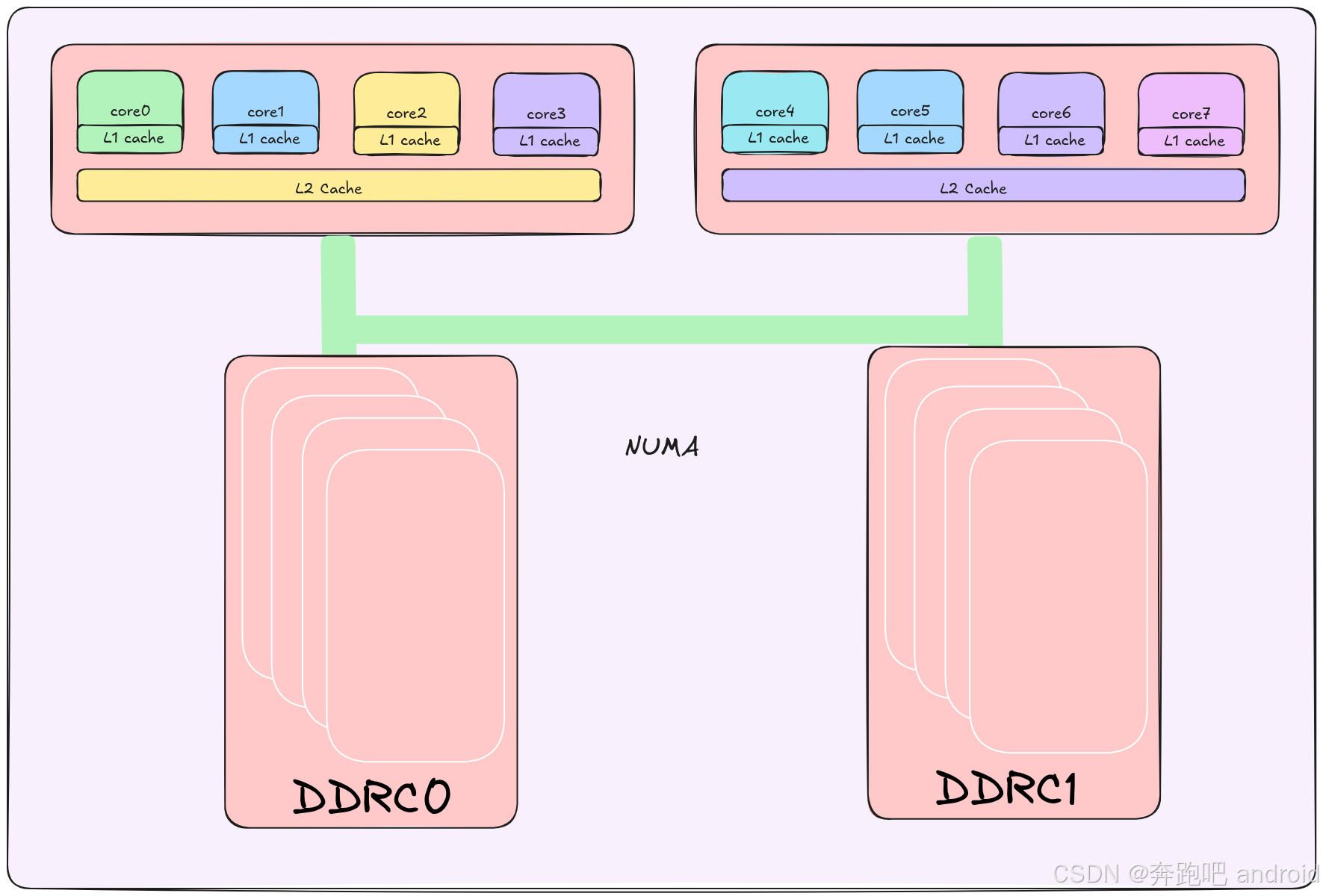
《Linux内存管理:实验驱动的深度探索》【附录】【实验环境搭建 4】【Qemu 如何模拟numa架构】
我们在学习 linux 内核时,会涉及到很多 numa 的知识,那我们该如何在 qemu 中模拟这种情况,来配合我们的学习呢? 我们该如何模拟 如下的 numa 架构 Qemu 模拟 NUMA 架构 -M virt,gic-version3,virtualizationon,typevirt \ -cp…...
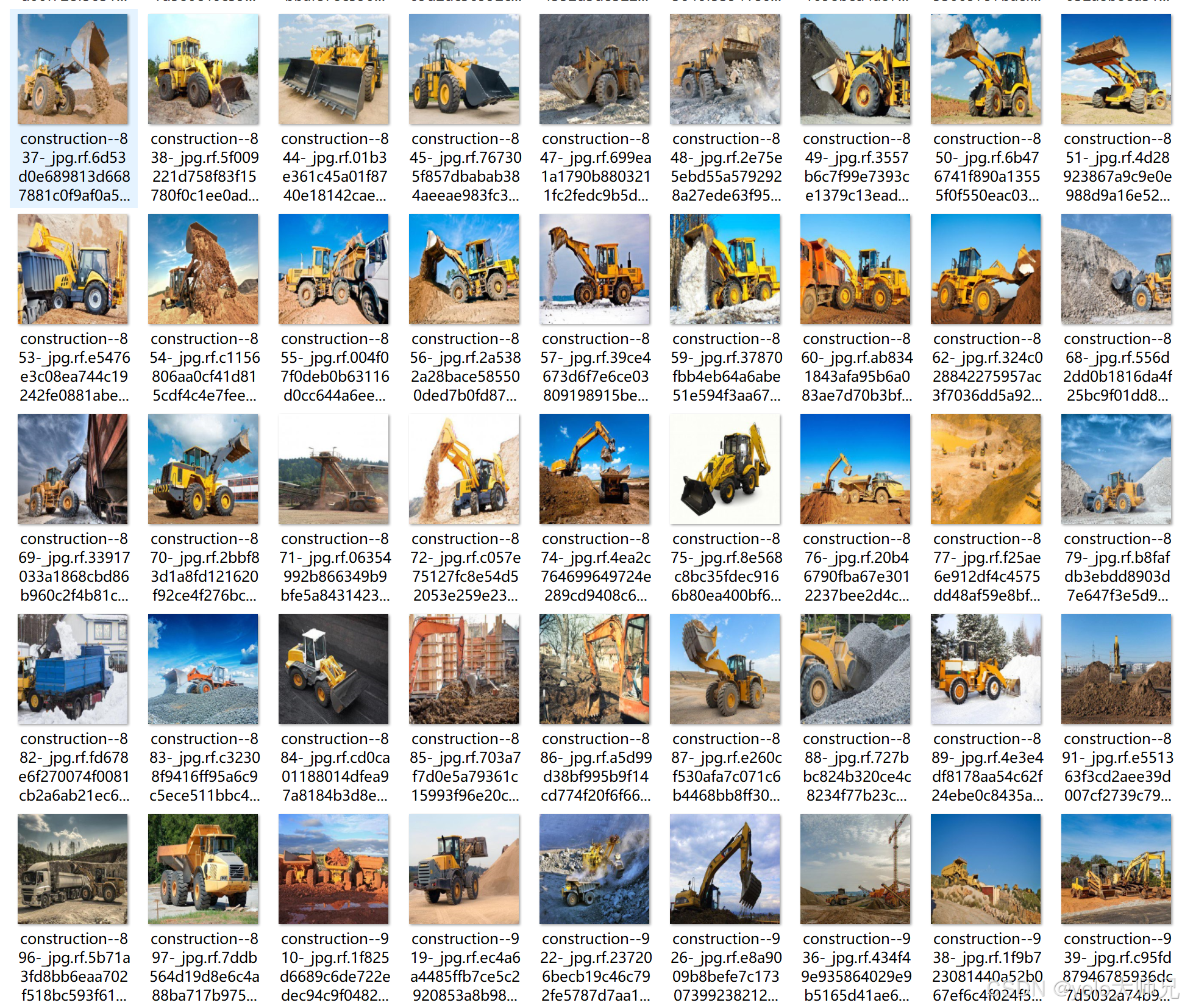
【YOLO系列(V5-V12)通用数据集-工程用车检测数据集】
YOLO格式的工程车检测数据集,适用于YOLOv5-v11所有版本,可以用于本科毕设、发paper、做课设等等,有需要的在这里获取: 【YOLO系列(V5-V12)通用数据集-工程用车检测数据集】 【工程车类型检测数据集】共2655…...
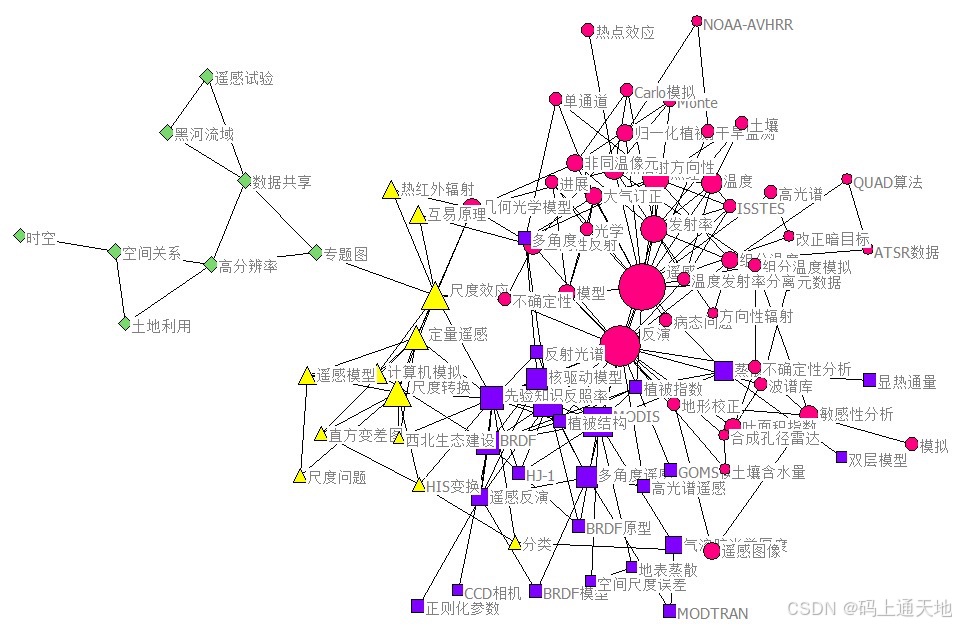
卫星智能化健康管理#卫星工程系列
伴随我国航天业飞速发展,积累了大量的卫星试验数据,如何从海量、多源、多模态的卫星试验数据中挖掘分析出内部规律和潜在价值,构建卫星装备系统的全生命周期试验数据知识体系显得尤为迫切。卫星故障传统的诊断方法局限在门限层面,…...

【面试篇】Mysql
1. 请介绍一下 MySQL 常见的存储引擎(如 InnoDB、MyISAM),它们的特点分别是什么?在什么场景下适合使用 InnoDB,什么场景下适合使用 MyISAM? InnoDB: 特点:支持事务,具有…...

Neo4j操作数据库(Cypher语法)
Neo4j数据库操作语法 使用的数据库版本 (终端查询) >neo4j --version 2025.03.0批量上传数据 UNWIND [{name: Alice, age: 30},{name: Bob, age: 25} ] AS person CREATE (p:Person) SET p.name = person.name, p.age = person.age RETURN p;查询结点总数 MATCH (n) RETU…...

当AI开始“思考“:大语言模型的文字认知三部曲
引言:从《黑客帝国》说起 1999年上映的科幻经典《黑客帝国》描绘了一个令人震撼的未来图景——人类生活在一个由人工智能构造的数字矩阵中。当我们观察现代大型语言模型的工作原理时,竟发现与这个虚构世界有着惊人的相似:人们正在用矩阵以及矩…...
[GN] Python3基本数据类型 -- 与C的差异
文章目录 前言Python3的基本数据类型6个标准的数据类型NumbersStringListtupleSetsDictionaries Python运算符逻辑 运算符成员运算符身份运算符 Python3 数字Python3 序列序列切片序列相加序列相乘序列相关内置函数 Python3 列表访问列表的值更新列表删除列表元素拼接列表嵌套列…...