
Dify 生成提示词的 Prompt
Dify 生成提示词的 Prompt
- **第1次提示词**
- **第2次提示词**
- **第3次提示词**
- 总结
Dify 生成提示词是,会和LLM进行3次交互,下面是和LLM进行交互是的Prompt。
以下是每次提示词的概要、目标总结以及原始Prompt:
第1次提示词
概要:
请求创建一个高质量的中译英助手提示词模板,要求模板结构清晰,包含变量、指令、示例等部分,并使用XML格式输出。
目标:
- 根据任务描述(中译英助手)创建结构化的提示词模板。
- 使用
{{变量}}格式定义变量名(仅包含字母、数字和下划线)。 - 包含清晰的指令(用
<instructions>标签),说明如何完成任务,并避免输出XML标签。 - 提供相关示例(用
<example>标签)。 - 输出语言与任务描述一致(中文)。
- 最终输出为XML格式,以
<instruction>开头。
原始 Prompt:
user\n\nHere is a task description for which I would like you to create a high-quality prompt template for:\n
<task_description>\n
你是一个中译英 的助手\n
</task_description>\n
Based on task description, please create a well-structured prompt template that another AI could use to consistently complete the task. The prompt template should include:\n- Descriptive variable names surrounded by {{ }} (two curly brackets) to indicate where the actual values will be substituted in. Choose variable names that clearly indicate the type of value expected. Variable names have to be composed of number, english alphabets and underline and nothing else. \n
- Clear instructions for the AI that will be using this prompt, demarcated with <instructions> tags. The instructions should provide step-by-step directions on how to complete the task using the input variables. Also Specifies in the instructions that the output should not contain any xml tag. \n
- Relevant examples if needed to clarify the task further, demarcated with <example> tags. Do not use curly brackets any other than in <instruction> section. \n
- Any other relevant sections demarcated with appropriate XML tags like <input>, <output>, etc.\n
- Use the same language as task description. \n
- Output in ```xml ```and start with <instruction>\n
Please generate the full prompt template and output only the prompt template.\n
第2次提示词
概要:
从输入文本中提取变量名(格式为{{变量}}),并输出为JSON列表格式。若无变量则返回空列表。
目标:
- 从输入文本中提取所有
{{变量}}格式的变量名。 - 变量名需符合规范(仅字母、数字、下划线)。
- 输出为严格JSON列表格式(如
["variable_1", "variable_2"])。 - 若无变量则返回空列表
[]。 - 禁止输出XML标签或其他内容。
- 输入文本是一个XML格式的中译英助手模板,需从中提取变量名(如
{{chinese_text}}和{{english_translation}})。
原始 Prompt:
user\n\nI need to extract the following information from the input text. The <information to be extracted> tag specifies the \'type\', \'description\' and \'required\' of the information to be extracted. \n
<information to be extracted>\n
variables name bounded two double curly brackets. Variable name has to be composed of number, english alphabets and underline and nothing else. \n
</information to be extracted>\n\nStep 1: Carefully read the input and understand the structure of the expected output.\n
Step 2: Extract relevant parameters from the provided text based on the name and description of object. \n
Step 3: Structure the extracted parameters to JSON object as specified in <structure>.\n
Step 4: Ensure that the list of variable_names is properly formatted and valid. The output should not contain any XML tags. Output an empty list if there is no valid variable name in input text. \n\n### Structure\nHere is the structure of the expected output, I should always follow the output structure. \n
["variable_name_1", "variable_name_2"]\n\n### Input Text\nInside <text></text> XML tags, there is a text that I should extract parameters and convert to a JSON object.\n
<text>\n
```xml\n
<instruction>\n
你是一个中译英的助手。请将以下中文文本翻译成英文。\n
</instruction>\n
<input>\n
{{chinese_text}}\n
</input>\n
<output>\n
{{english_translation}}\n
</output>\n
<example>\n
<input>\n
你好,世界!\n
</input>
\n<output>\n
Hello, world!\n
</output>\n
</example>\n
<example>\n
<input>\n
这是一个测试句子。\n
</input>\n<output>\n
This is a test sentence.\n
</output>\n
</example>\n
```\n
</text>\n\n### Answer\n
I should always output a valid list. Output nothing other than the list of variable_name. Output an empty list if there is no variable name in input text.\n
第3次提示词
概要:
根据任务描述(中译英助手)生成聊天机器人的开场白,要求符合助手角色,语气友好且语言与用户输入一致。
目标:
- 从变量
你是一个中译英的助手推断助手的角色和语气(如专业或友好)。 - 生成连贯、吸引人的开场白,明确说明助手功能。
- 语言需与用户输入一致(中文输入用中文,英文输入用英文)。
- 禁止输出XML标签。
- 示例输入为任务描述(中译英模板),需生成类似示例输出的欢迎语(如“欢迎!我是中译英助手,可帮您翻译中文文本……”)。
原始 Prompt:
user\n\n<instruction>\n
Step 1: Identify the purpose of the chatbot from the variable 你是一个中译英的助手 and infer chatbot's tone  (e.g., friendly, professional, etc.) to add personality traits. \n
Step 2: Create a coherent and engaging opening statement.\n
Step 3: Ensure the output is welcoming and clearly explains what the chatbot is designed to do. Do not include any XML tags in the output.\n
Please use the same language as the user's input language. If user uses chinese then generate opening statement in chinese,  if user uses english then generate opening statement in english. \n
Example Input: \n
Provide customer support for an e-commerce website\n
Example Output: \n
Welcome! I'm here to assist you with any questions or issues you might have with your shopping experience. Whether you're looking for product information, need help with your order, or have any other inquiries, feel free to ask. I'm friendly, helpful, and ready to support you in any way I can.\n
<Task>\n
Here is the task description: ```xml\n
<instruction>\n
你是一个中译英的助手。请将以下中文文本翻译成英文。\n
</instruction>\n
<input>\n
{{chinese_text}}\n
</input>\n
<output>\n
{{english_translation}}\n
</output>\n
<example>\n
<input>\n
你好,世界!\n
</input>\n
<output>\n
Hello, world!\n
</output>\n
</example>\n
<example>\n
<input>\n
这是一个测试句子。\n
</input>\n
<output>\n
This is a test sentence.\n
</output>\n
</example>\n
```\n\nYou just need to generate the output\n
总结
- 第1次:创建结构化提示词模板(XML格式)。
- 第2次:从文本中提取变量名(JSON列表格式)。
- 第3次:生成角色适配的开场白(自然语言)。
共同点:均围绕“中译英助手”任务,强调格式规范(无XML标签、变量命名规则等)。
相关文章:

Dify 生成提示词的 Prompt
Dify 生成提示词的 Prompt **第1次提示词****第2次提示词****第3次提示词**总结 Dify 生成提示词是,会和LLM进行3次交互,下面是和LLM进行交互是的Prompt。 以下是每次提示词的概要、目标总结以及原始Prompt: 第1次提示词 概要: …...

ocr python库
ocr python库 上手Git、Gitee和Github!watt toolkit...

【学生管理系统升级版】
学生管理系统升级版 需求分析:注册功能:登录功能:验证码规则:忘记密码: 实操:系统主页面注册功能登录功能忘记密码效果演示 需求 为学生管理系统书写一个登陆、注册、忘记密码的功能。 只有用户登录成功之后&…...

HTTP:二.URI及相关术语
HTTP相关技术和术语 WEB开发语言 **http:**Hyper Text Transfer Protocol 应用层协议,默认端口: 80/tcp WEB前端开发语言: htmlcssjavascripthtml Hyper Text Markup Language 超文本标记语言,编程语言,主要负责实现页面的结构 范例:html 语言 <html> <h…...
Web3 的云基础设施正在成型,Polkadot 2.0 用三项技术改写“上链成本”
在Web3基础设施内卷加剧的今天,“如何以更低成本、更大灵活性部署一条高性能应用链”正成为开发者们最关心的问题。而刚刚走出“技术慢热”误区的Polkadot,正在用一套名为 Polkadot 2.0 的架构升级方案,重新定义这一问题的解法。 这套升级最…...

【12】RUST智能指针
文章目录 智能指针Box<T>Rc<T>Weak<T>方法 Arc<T>RefCell<T>方法Ref<T>和RefMut<T> 常见使用方式 智能指针 Box<T> 数据存储在堆上只能有一个所有者 Rc<T> 单线程,引用计数不可变需要主要避免循环引用 …...

机器学习——ROC曲线、PR曲线
一、ROC曲线简介 1.1 ROC曲线的构成 1.横轴(假正率,FPR): 表示负样本被错误分类为正的比例(越小越好) 2.纵轴(真正率,TPR,即召回率): 表示正样…...

Unity AssetBundle依赖树可视化分析工具开发指南
一、需求分析与技术选型 1.1 需求背景 在Unity项目开发中,AssetBundle依赖关系管理是性能优化的关键。当项目资源量达到GB级别时,依赖树深度可能超过10层,容易导致: 资源重复打包(平均冗余率可达15%-30%)…...

WebStorm中使用live-server插件
文章目录 1. 前提条件1.1 已安装Node1.1.1 淘宝的镜像1.2 安装live-server1.3 安装WebStorm2. Windows配置hosts3. WebStorm配置live-server3.1 WebStorm创建3.2 启动 live-server1. 前提条件 1.1 已安装Node Windows PowerShell 版权所有(C) Microsoft Corporation。保留所…...
)
RTP Payload Format for H.264 Vide(1)
摘要:: 本备忘录描述了一种用于 ITU-T H.264 视频编码标准(与 ISO/IEC 国际标准 14496-10 技术上相同)的 RTP 负载格式,但不包括可伸缩视频编码(SVC)扩展和多视角视频编码(MVC&#…...
我为女儿开发了一个游戏网站
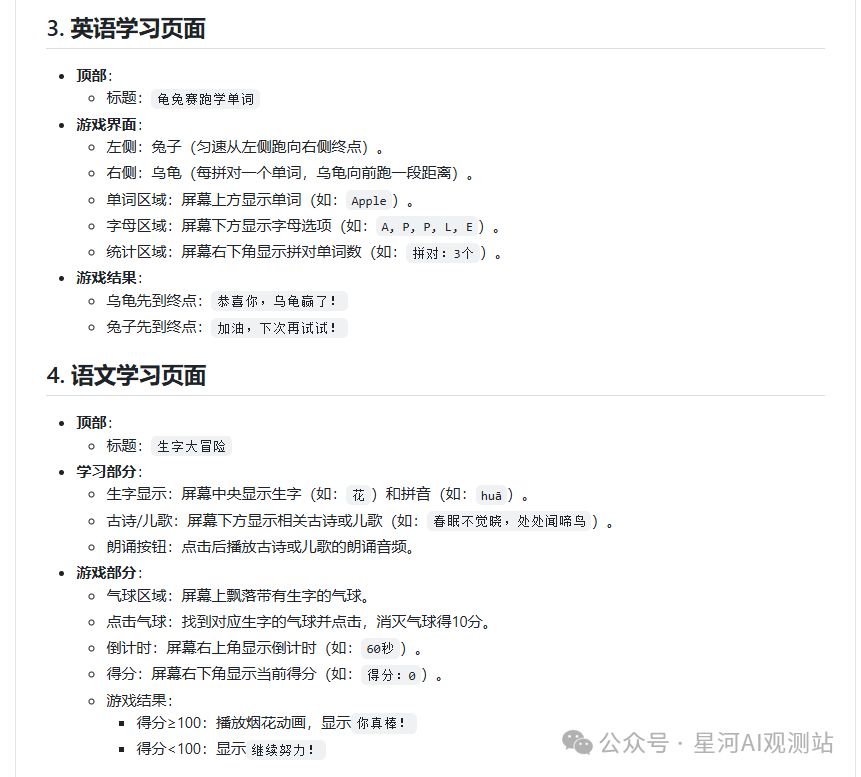
大家好,我是星河。 自从协助妻子为女儿开发了算数射击游戏后,星河就一直有个想法:为女儿打造一个专属的学习游戏网站。之前的射击游戏虽然有趣,但缺乏难度分级,无法根据女儿的学习进度灵活调整。而且,仅仅…...
【Spring Cloud Netflix】GateWay服务网关
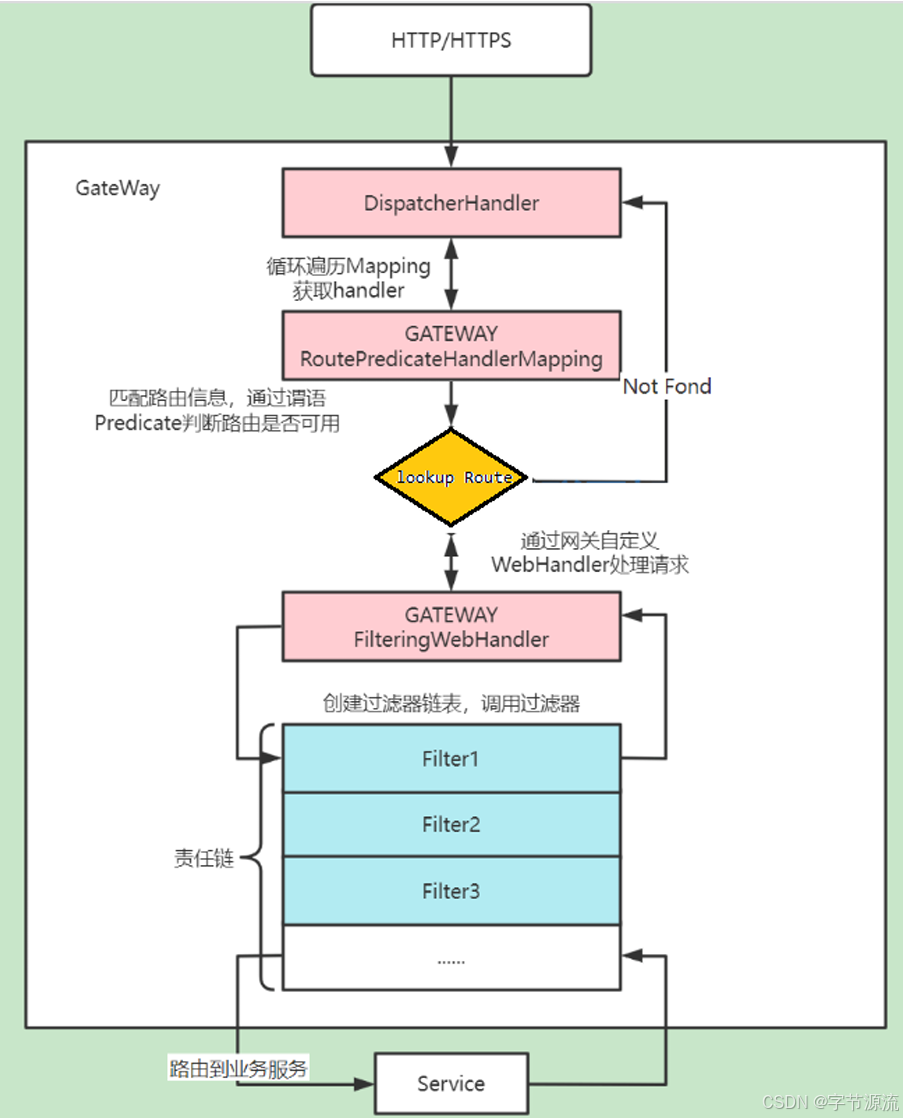
1.基本概述 GateWay用于在微服务架构中提供统一的入口点,对请求进行路由,过滤和处理。它就像是整个微服务系统的大门,所有外部请求都要通过它才能访问到后端的各个微服务。 2.核心概念 2.1路由(Route) 路由是Spring Cloud gateWay中最基本…...
Docker部署Jenkins服务
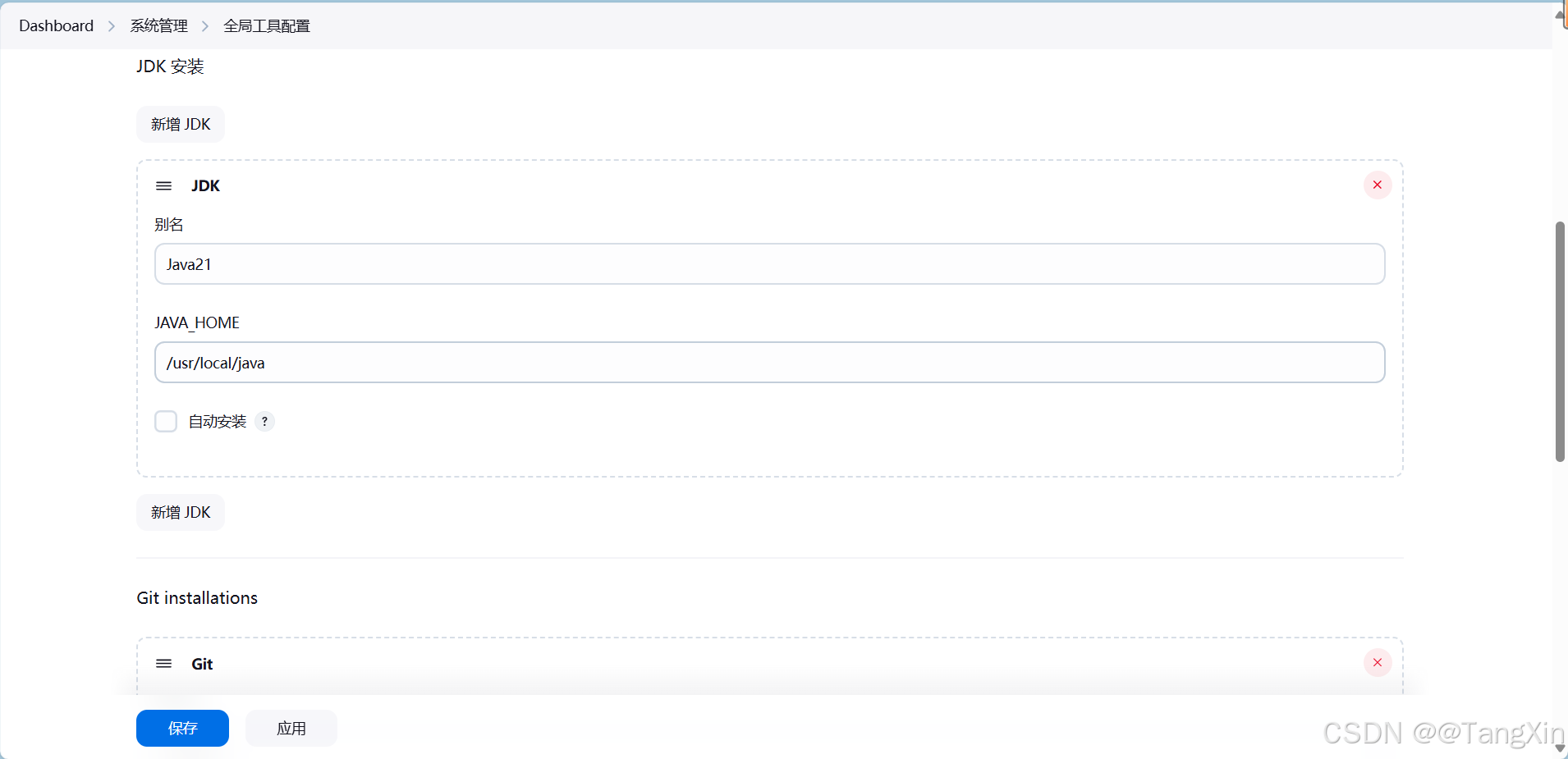
文章目录 1.下载Jenkins服务2.部署Java21(可选)2.1 安装Java21 3.Maven3.9.9安装4.启动Jenkins5.初始化Jenkins5.1 入门5.2 安装推荐的插件5.3 创建第一个管理员用户5.4 实例配置5.5 Jenkins已就绪5.6 开始使用Jenkins5.7 重启Jenkins 6.配置Jenkins6.1 …...

[ctfshow web入门] web40
信息收集 怎么一下子多这么多过滤啊,我以为跳过了好几题 这又能eval了,但是连$也不能用了 不能用. * ?,所以打不出fla*或者fla?????了 不能用/,构造不出日志注入和伪协议包含 仔细观察,禁的是中文的括号&#x…...

蓝桥杯c ++笔记(含算法 贪心+动态规划+dp+进制转化+便利等)
蓝桥杯 #include <iostream> #include <vector> #include <algorithm> #include <string> using namespace std; //常使用的头文件动态规划 小蓝在黑板上连续写下从 11 到 20232023 之间所有的整数,得到了一个数字序列: S12345…...

UE5 Windows游戏窗口置顶
参考资料:UE5 UE4 项目设置全局置顶_ue4运行设置置顶-CSDN博客 修改完build.cs后,关掉重新生成解决方案。(不然可能编译报错,在这卡了半个小时) 不知道怎么用C的,可以用这个 Topmost - Keep Editor/Game w…...
Qt问题之 告别软件因系统默认中文输入法导致错误退出的烦恼
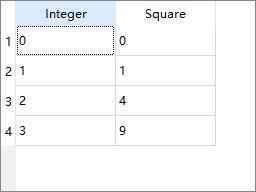
1. 问题 使用Qt进行研发时,遇到一个问题,当在系统默认输入法中文(英文输入法或者搜狗就不会触发闪退)的情况下,选中QTableWidget控件(QTableWidgetItem有焦点,但是不双击)ÿ…...

力扣热题100刷题day62|283.移动零、39.组合总和、94.二叉树的中序遍历
1.283.移动零——双指针 快慢两个指针,慢指针指向新数组,快指针遍历旧数组,寻找非0元素,找到后,交换快慢指针所指向元素; 因为快指针已经遍历过,所以交换前慢指针处的元素都是0; …...

API 请求失败时的处理方法
在使用 Python 爬虫调用 API 时,请求失败是一个常见的问题。这可能是由于网络问题、API 限制、服务器错误或其他原因导致的。为了确保爬虫的稳定性和可靠性,我们需要合理地处理这些失败的请求。以下是一些有效的处理方法: 1. 捕获异常 使用…...

【MySQL | 八、 事务管理】
文章目录 什么是事务?事务的特性:事务的意义事务的提交查看事务提交方式事务的自动提交事务的手动提交开始事务执行SQL操作事务操作提交事务示例: 事务的隔离级别并发访问的基本概念并发事务的典型问题对ACID特性的影响查看和设置隔离属性各个…...

AlDente Pro for Mac电脑 充电限制保护工具
AlDente Pro for Mac电脑 充电限制保护工具 一、介绍 AlDente Pro for Mac,是一款充电限制保护工具,是可以限制最大充电百分比来保护电池的工具。锂离子和聚合物电池(如 MacBook 中的电池)在40% 至 80% 之…...
算法训练之动态规划(一)
♥♥♥~~~~~~欢迎光临知星小度博客空间~~~~~~♥♥♥ ♥♥♥零星地变得优秀~也能拼凑出星河~♥♥♥ ♥♥♥我们一起努力成为更好的自己~♥♥♥ ♥♥♥如果这一篇博客对你有帮助~别忘了点赞分享哦~♥♥♥ ♥♥♥如果有什么问题可以评论区留言或者私信我哦~♥♥♥ ✨✨✨✨✨✨ 个…...
Navicat连接远程PostGreSQL失败
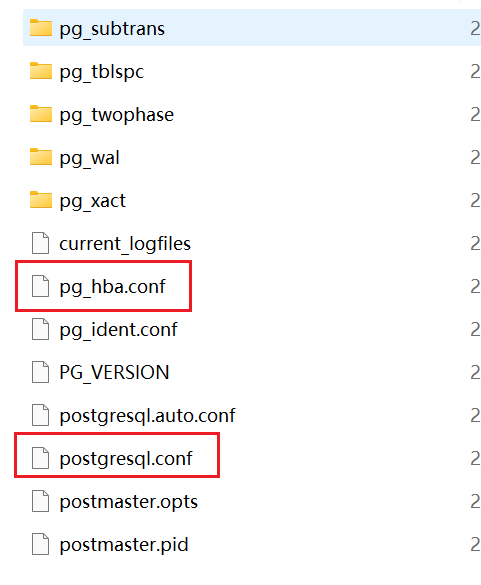
问题描述 使用本地Navicat连接Windows远程服务器上部署的PostGreSQL数据库时,出现以下错误: 解决方案 出现以上报错信息,是因为PostGreSQL数据库服务尚未设置允许客户端建立远程连接。可做如下配置, 1. 找到PostGreSQL数据库安装目录下的data子文件夹,重点关注:postgres…...
)
漏洞扫描系统docker版本更新(2025.4.10)
一、github地址 https://github.com/huan-cdm/info_scan本人一直维护的一个项目,持续更新中,感兴趣的小伙伴帮忙点点星 二、docker版本更新 1. 账号密码:nginx/web/mysql:admin/123456 2. 创建docker自定义网络,使容…...
新一代达梦官方管理工具SQLark:可视化建表操作指南
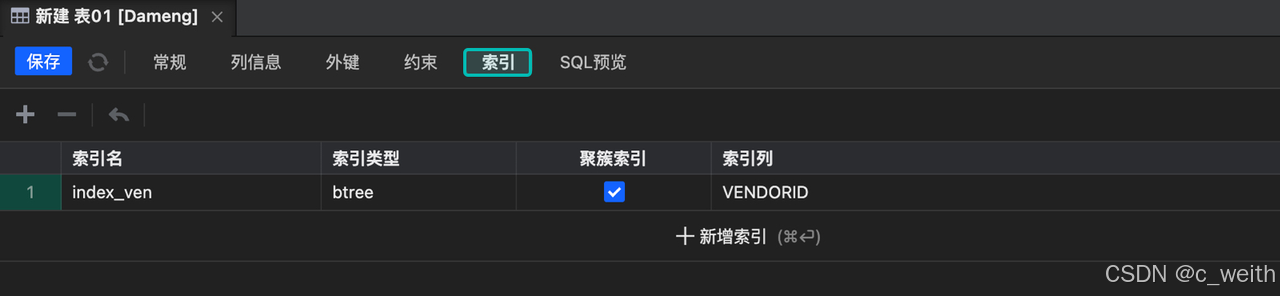
在数据库管理工作中,新建表是一项基础且频繁的操作。SQLark 的可视化建表功能为我们提供了一种高效、便捷且丝滑流畅的建表新体验。一起来了解下吧。 SQLark 官方下载链接:www.sqlark.com 新建表作为常见的功能,相比其他管理工具,…...

什么是EXR透视贴图 ?
EXR透视贴图是一种基于 OpenEXR 格式的高动态范围(HDR)图像技术,主要用于3D建模、渲染和视觉特效领域。它通过高精度图像数据和透视映射功能,为场景创建逼真的光影效果和空间深度。 技术原理 高动态范围(HDR…...

音频转文本:如何识别音频成文字
Python脚本:MP4转MP3并语音识别为中文 以下是一个完整的Python脚本,可以将MP4视频转换为MP3音频,然后使用语音识别模型将音频转换为中文文本。 准备工作 首先需要安装必要的库: pip install moviepy pydub SpeechRecognition openai-whisper完整脚本 import os from m…...
每日一题(小白)数组娱乐篇21
由于题意可知我们是要将对应的数字转换为英文,我们要考虑两点一个是进制的转换,也就是类似于我们的十进制一到9就多一位,这里的进制就是Z进制也就是27进制一旦到26下一位则进位;另一方面要考虑数字的转换也就是1~26对应A~Z。解决上…...
LINUX的使用(1)-挂载云硬盘
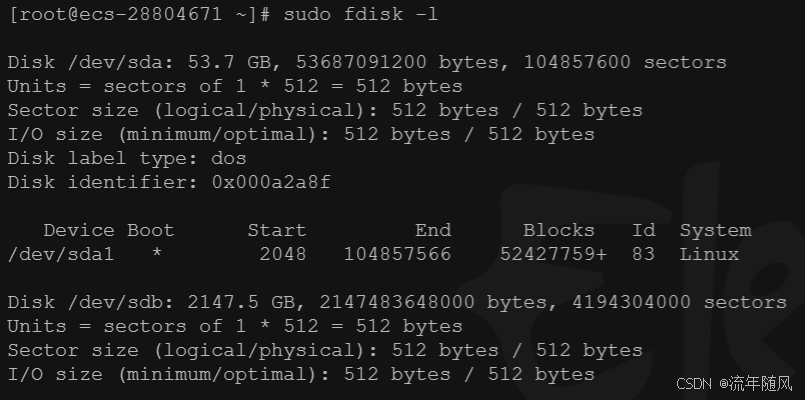
1.磁盘的挂载: 这个输出是来自 fdisk 或类似的工具,它展示了两块磁盘的分区信息。让我们逐个分析: 第一块磁盘 /dev/sda: 磁盘大小: 53.7 GB (约 53687091200 字节),总共有 104857600 个扇区。扇区单位: 每个扇区大小为 512 字节…...
GPT-4o-image模型:开启AI图片编辑新时代
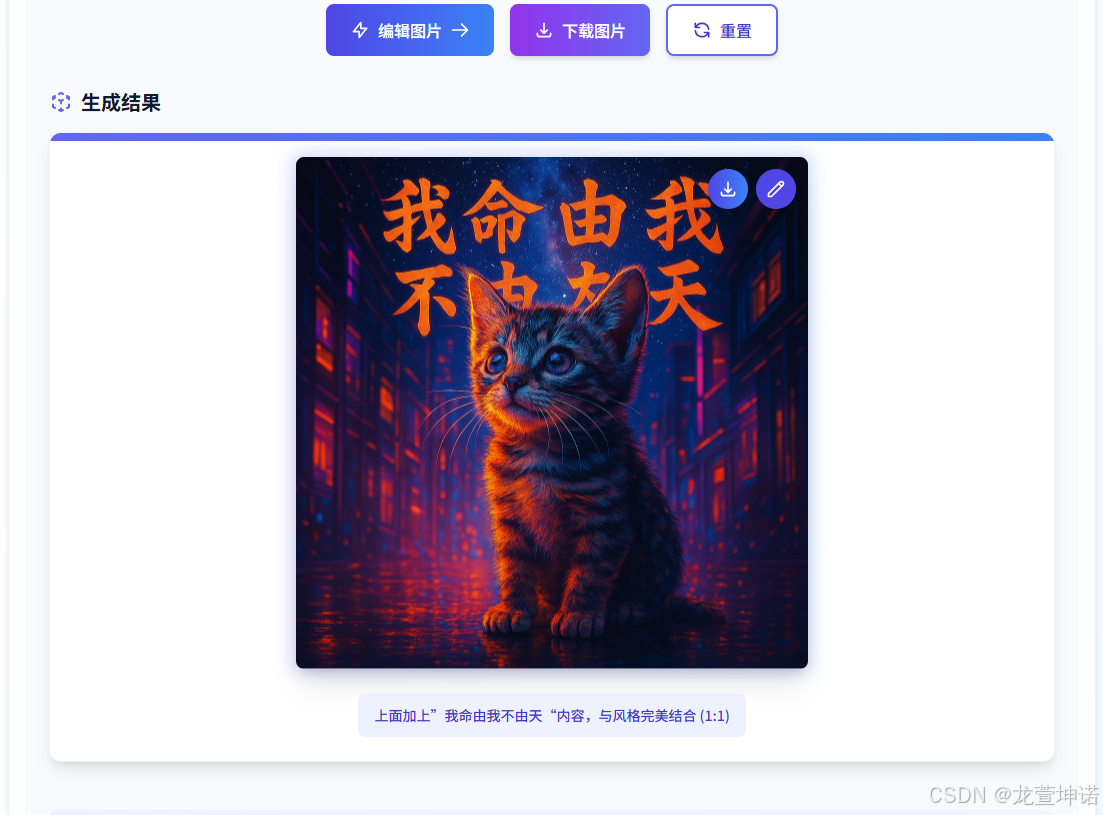
在生成式AI技术爆发式迭代的今天,智创聚合API率先突破多模态创作边界,正式发布集成GPT-4o-image模型的创作平台,以“文生图-图生图-循环编辑”三位一体的技术矩阵,重新定义数字内容生产流程。生成图像效率较传统工具提升300%&…...