
基于ImGui+FFmpeg实现播放器
基于ImGui+FFmpeg实现播放器
演示:
ImGui播放器
继续研究FFmpeg,之前做了一个SDL的播放器,发现SDL的可视化UI界面的功能稍微差了点,所以今天我们换了一个新的工具,也就是ImGui。
ImGui官方文档:https://github.com/ocornut/imgui
接下来讲解一下播放器的主要功能,以及实现的方案
播放页面
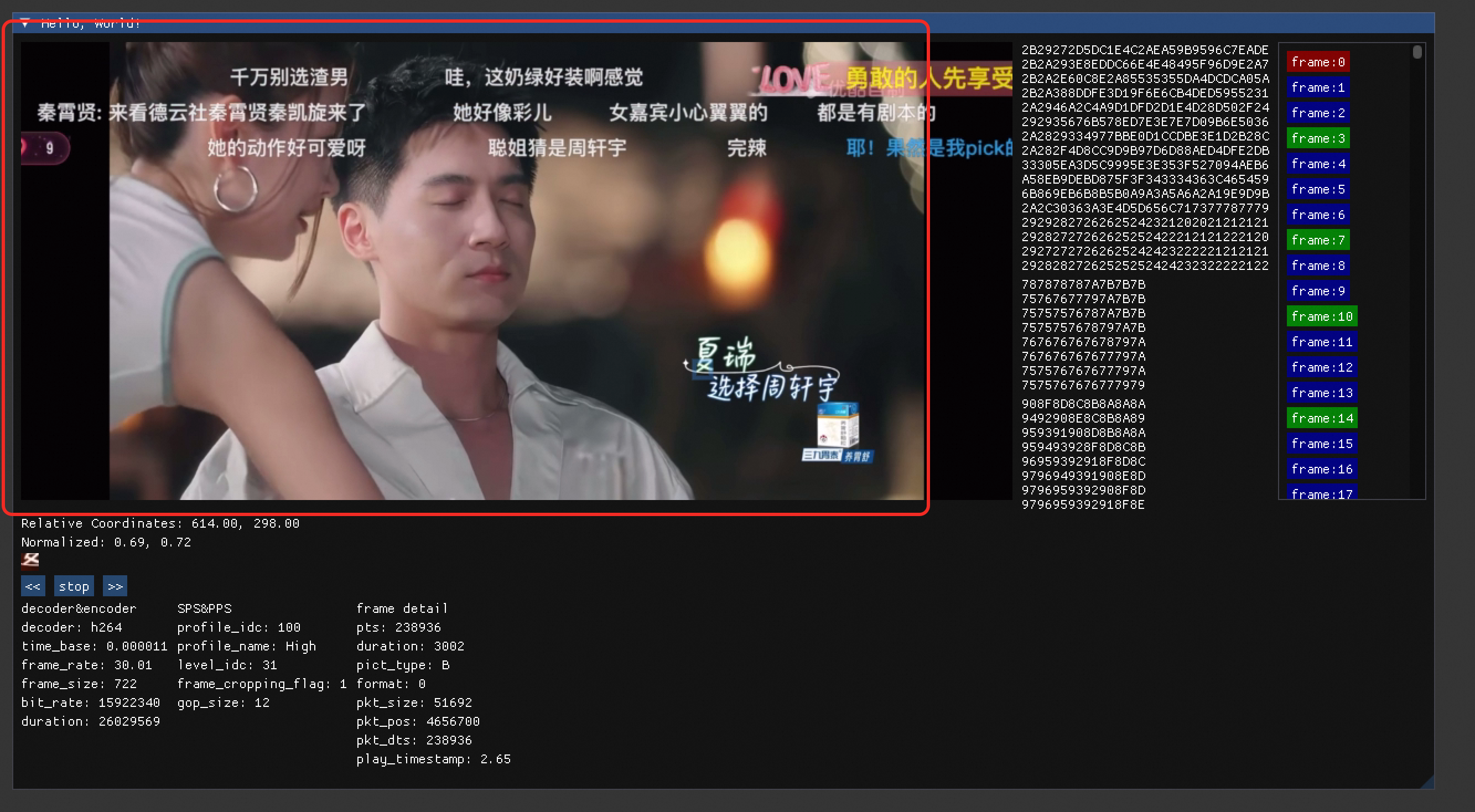
播放页面是基于OpenGL渲染,ImGui实现UI界面完成的。
实现流程如下:
- FFmpeg解析视频文件,将每一帧写入数组中
- 根据帧率计算每一帧的播放时间
- 循环渲染每一帧
frame = frame_vector.at(current_index).frame;
render_image(frame);
ImGui::Image((ImTextureID)(intptr_t)texture_ids[0],ImVec2(codec_ctx->width, codec_ctx->height));
暂停/快进功能
暂停和快进功能相对比较简单
定义一个 is_pause变量控制视频播放
定义一个 delay变量控制播放速度
/**播放线程*/
int play_thread(void* arg) {for (;;) {while (!is_pause && current_index < frame_vector.size()) {SDL_Delay((Uint32) delay);current_index ++;// 从头播放if (current_index == frame_vector.size() -1) {current_index = 0;}}}return 1;
}
帧解析
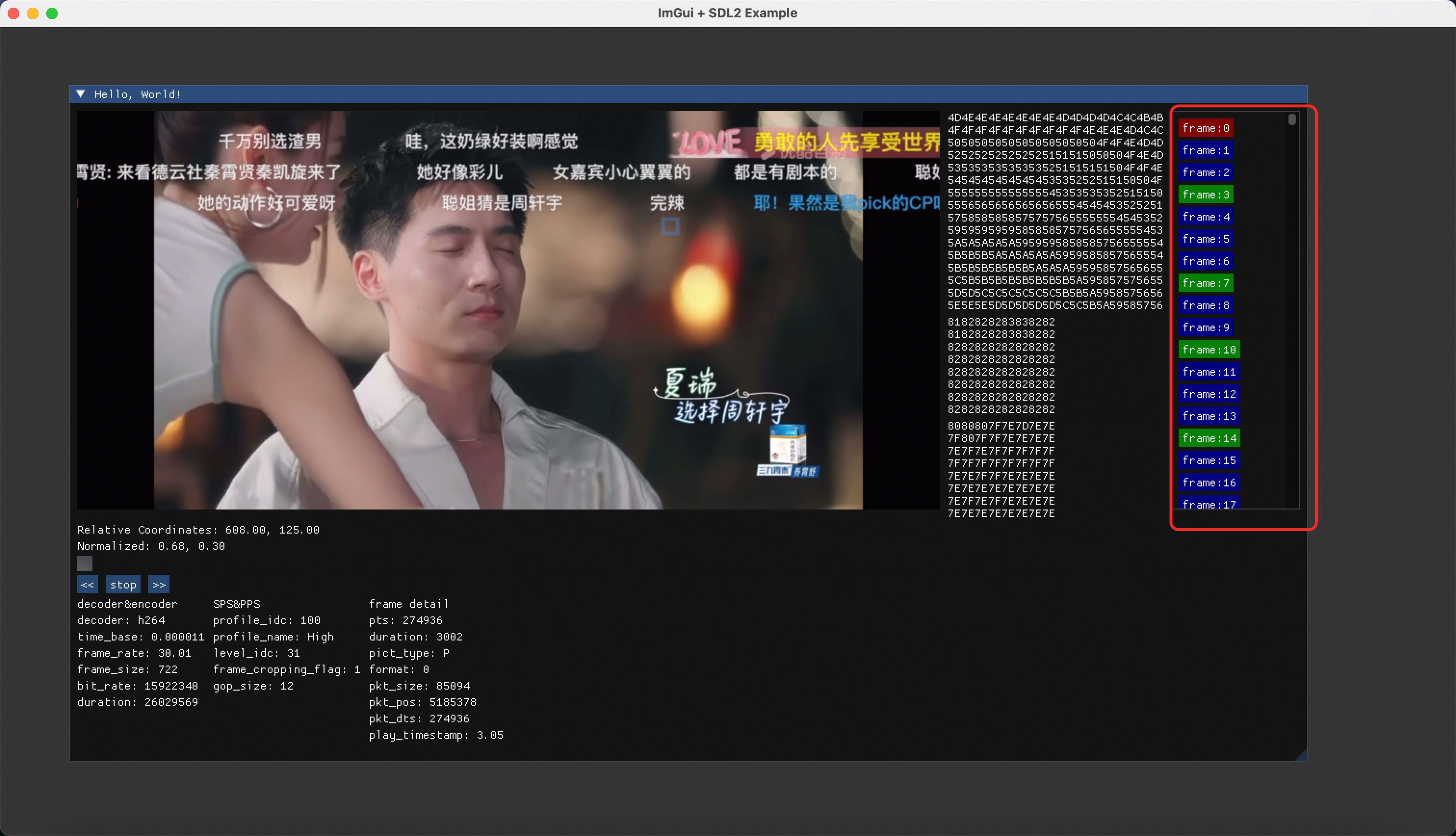
帧解析就是将数组中的每一帧展示出来,程序对帧的类型进行了区分,使用不同的颜色来区分 I帧,P帧,B帧。
ImGui::BeginGroup();
ImGui::BeginChild("ScrollArea", ImVec2(0, codec_ctx->height), true, ImGuiWindowFlags_HorizontalScrollbar);
for(int i=0;i<frame_vector.size();i++) {if (frame_vector.at(i).frame->pict_type == AV_PICTURE_TYPE_I) {ImGui::PushStyleColor(ImGuiCol_Button, ImVec4(0.5f, 0.0f, 0.0f, 1.0f));}else if (frame_vector.at(i).frame->pict_type == AV_PICTURE_TYPE_P) {ImGui::PushStyleColor(ImGuiCol_Button, ImVec4(0.0f, 0.5f, 0.0f, 1.0f));}else {ImGui::PushStyleColor(ImGuiCol_Button, ImVec4(0.0f, 0.0f, 0.5f, 1.0f));}if (ImGui::Button(get_frame_title(i))) {current_index = i;}// 恢复样式ImGui::PopStyleColor();
}
ImGui::EndChild();
ImGui::EndGroup();
宏块解析

根据鼠标的位置,找到对应的宏块 16*16,必将对应的字节打印出来,方便我们进行逐个宏块的分析。
源代码
//
//  main.cpp
//  analyser
//
//  Created by chenhuaiyi on 2025/4/3.
//#include <SDL.h>
#include "imgui.h"                      // ImGui核心
#include "imgui_impl_sdl2.h"             // SDL2后端
#include "imgui_impl_opengl3.h"         // OpenGL渲染器
#include "iostream"
#include "glew.h"
#include <vector>
#include "string.h"
#include <iomanip> // 包含格式控制函数
#include <cstdint>// ffmpeg
extern "C" {
#include "libavcodec/avcodec.h"
#include "libswresample/swresample.h"
#include "libavformat/avformat.h"
#include "libswscale/swscale.h"
#include "libavutil/imgutils.h"
#include "libavutil/time.h"
#include "libavutil/channel_layout.h"
#include "libavutil/log.h"
}#define Y_SIZE 256
#define U_SIZE 64
#define V_SIZE 64typedef struct Frame {AVFrame* 			frame;int64_t  			pts;		// pts 播放相关int64_t				duration;	// durationAVPictureType 		pict_type;	// 帧类型
}Frame;/**单个宏块的定义 16*16 个字节y 256 byteu 64 bytev 64 byte*/
typedef struct MircoBlock{uint8_t y[Y_SIZE];uint8_t u[U_SIZE];uint8_t v[V_SIZE];
} MircoBlock;// 窗口尺寸
const int WIDTH = 1600;
const int HEIGHT = 1200;GLuint texture_ids[2];std::vector<Frame> frame_vector;
int current_index = 0;const char* file = "//Users/chenhuaiyi/workspace/ffmpeg/files/恋爱_重编码.mp4";
AVFormatContext* format_ctx = avformat_alloc_context();
int video_stream = -1;
const AVCodec* 		codec = NULL;
AVCodecContext*		codec_ctx;
double				delay; 			// 延迟单位ms
int					is_pause = 0;char* get_frame_title(int num) {// 为最大整数长度(含符号和结束符)分配空间char buffer[32];// 将整数写入缓冲区snprintf(buffer, sizeof(buffer), "frame:%d", num);// 复制到动态内存char* str = strdup(buffer);return str;
}/**获取当前帧的时间戳*/
double getCurrentTimeStamp() {AVFrame* frame = frame_vector.at(current_index).frame;double tag = av_q2d(format_ctx->streams[video_stream]->time_base);return frame->pts * tag;
}/**播放线程*/
int play_thread(void* arg) {for (;;) {while (!is_pause && current_index < frame_vector.size()) {SDL_Delay((Uint32) delay);current_index ++;// 从头播放if (current_index == frame_vector.size() -1) {current_index = 0;}}}return 1;
}/**宏块渲染*/
void render_block(float x, float y, AVFrame* frame, uint8_t* src[]) {src[0] = static_cast<uint8_t*>(av_malloc(Y_SIZE));src[1] = static_cast<uint8_t*>(av_malloc(U_SIZE));src[2] = static_cast<uint8_t*>(av_malloc(V_SIZE));int x_int = static_cast<int>(x);int y_int = static_cast<int>(y);// 计算当前坐标是哪个宏块int block_x = x / 16;int block_y = y / 16;int cb_block_x = block_x / 2;int cb_block_y = block_y / 2;// yuint8_t* y_start = frame->data[0] +(block_y * 16) * frame->linesize[0] +  // 行偏移(block_x * 16);                        // 列偏移for (int row = 0; row < 16; row++) {const uint8_t* src_row = y_start + row * frame->linesize[0];std::memcpy(src[0] + (row * 16), src_row, 16);}// === 提取 Cb 分量 ===uint8_t* cb_start = frame->data[1] +(cb_block_y * 8) * frame->linesize[1] +  // 行偏移(cb_block_x * 8);                        // 列偏移for (int row = 0; row < 8; row++) {const uint8_t* src_row = cb_start + row * frame->linesize[1];std::memcpy(src[1] + (row * 8), src_row, 8);}// === 提取 Cr 分量 ===uint8_t* cr_start = frame->data[2] +(cb_block_y * 8) * frame->linesize[2] +  // 行偏移(cb_block_x * 8);                        // 列偏移for (int row = 0; row < 8; row++) {const uint8_t* src_row = cr_start + row * frame->linesize[2];std::memcpy(src[2] + (row * 8), src_row, 8);}// 渲染当前宏块到图像struct SwsContext*	sws_ctx;sws_ctx = sws_getContext(16,16,AV_PIX_FMT_YUV420P,16,16,AV_PIX_FMT_RGBA,SWS_BILINEAR,NULL, NULL, NULL);/**初始数据分配*/int linesize[3] = {16, 8, 8};AVFrame* frame2 = av_frame_alloc();frame2->width = 16;frame2->height = 16;frame2->format = AV_PIX_FMT_RGBA;av_frame_get_buffer(frame2, 0);sws_scale(sws_ctx,(uint8_t const **)src,linesize,0,frame2->height,frame2->data,frame2->linesize);sws_freeContext(sws_ctx);glBindTexture(GL_TEXTURE_2D, texture_ids[1]);glTexImage2D(GL_TEXTURE_2D,0,GL_RGBA,16,16,0,GL_RGBA,GL_UNSIGNED_BYTE,frame2->data[0]);av_free(frame2);
}/**帧渲染*/
void render_image(AVFrame* frame) {AVFrame* frame2 = av_frame_alloc();struct SwsContext*	sws_ctx;sws_ctx = sws_getContext(frame->width,frame->height,(AVPixelFormat)frame->format,frame->width,frame->height,AV_PIX_FMT_RGBA,SWS_BILINEAR,NULL, NULL, NULL);if (sws_ctx == NULL) {av_log(NULL, AV_LOG_ERROR, "sws context init error\n");return;}frame2->width = frame->width;frame2->height = frame->height;frame2->format = AV_PIX_FMT_RGBA;av_frame_get_buffer(frame2, 0);sws_scale(sws_ctx,(uint8_t const **)frame->data,frame->linesize,0,frame2->height,frame2->data,frame2->linesize);sws_freeContext(sws_ctx);glBindTexture(GL_TEXTURE_2D, texture_ids[0]);glTexImage2D(GL_TEXTURE_2D,0,GL_RGBA,frame2->width,frame2->height,0,GL_RGBA,GL_UNSIGNED_BYTE,frame2->data[0]);av_free(frame2);}int main(int argc, char* argv[]) {int ret = -1;ret = avformat_open_input(&format_ctx, file, NULL, NULL);if (ret < 0) {av_log(NULL, AV_LOG_ERROR, "Format open error: %s\n", av_err2str(ret));return -1;}if (avformat_find_stream_info(format_ctx, NULL) < 0) {printf("文件探测流信息失败");}video_stream = av_find_best_stream(format_ctx, AVMEDIA_TYPE_VIDEO, -1, -1, &codec, 0);if (video_stream == -1) {av_log(NULL, AV_LOG_ERROR, "do not find video stream\n");return -1;}codec = avcodec_find_decoder(format_ctx->streams[video_stream]->codecpar->codec_id);if (codec == NULL) {av_log(NULL, AV_LOG_ERROR, "do not find encoder\n");return -1;}codec_ctx = avcodec_alloc_context3(codec);ret = avcodec_parameters_to_context(codec_ctx, format_ctx->streams[video_stream]->codecpar);if (ret < 0) {av_log(NULL, AV_LOG_ERROR, "codec context init error: %s\n", av_err2str(ret));return -1;}ret = avcodec_open2(codec_ctx, codec, NULL);if (ret < 0) {av_log(NULL, AV_LOG_ERROR, "encoder open error: %s\n", av_err2str(ret));return -1;}AVFrame* frame = av_frame_alloc();AVPacket packet;while (!av_read_frame(format_ctx, &packet)) {if (packet.stream_index == video_stream) {ret = avcodec_send_packet(codec_ctx, &packet);if (ret < 0) {av_log(NULL, AV_LOG_ERROR, "packet send error: %s\n", av_err2str(ret));}while (!avcodec_receive_frame(codec_ctx, frame)) {struct Frame frame_node;AVFrame* cpy_frame = av_frame_alloc();cpy_frame->width = codec_ctx->width;cpy_frame->height = codec_ctx->height;cpy_frame->format = codec_ctx->pix_fmt;av_frame_get_buffer(cpy_frame, 0);ret = av_frame_copy_props(cpy_frame, frame);ret = av_frame_copy(cpy_frame, frame);if (ret < 0) {av_log(NULL, AV_LOG_ERROR, "frame copy error:%s\n", av_err2str(ret));}frame_node.frame = cpy_frame;frame_node.duration = frame->duration;frame_node.pts = frame->pts;frame_node.pict_type = frame->pict_type;frame_vector.push_back(frame_node);}}av_packet_unref(&packet);}// 1. 初始化SDLif (SDL_Init(SDL_INIT_VIDEO | SDL_INIT_AUDIO | SDL_INIT_TIMER) != 0) {SDL_Log("SDL Initialization Failed! %s", SDL_GetError());return -1;}// 2. 创建窗口SDL_Window* window = SDL_CreateWindow("ImGui + SDL2 Example",SDL_WINDOWPOS_CENTERED, SDL_WINDOWPOS_CENTERED,WIDTH, HEIGHT,SDL_WINDOW_OPENGL | SDL_WINDOW_RESIZABLE);if (!window) {SDL_Log("Window Creation Failed! %s", SDL_GetError());return -1;}// 3. 创建OpenGL上下文SDL_GLContext gl_context = SDL_GL_CreateContext(window);if (!gl_context) {SDL_Log("OpenGL Context Creation Failed! %s", SDL_GetError());return -1;}// 4. 初始化ImGuiIMGUI_CHECKVERSION();ImGui::CreateContext();ImGuiIO& io = ImGui::GetIO();io.ConfigFlags |= ImGuiConfigFlags_NavEnableKeyboard;// 5. 设置ImGui风格和主题ImGui::StyleColorsDark();// 6. 初始化 ImGui的SDL和OpenGL后端ImGui_ImplSDL2_InitForOpenGL(window, gl_context);ImGui_ImplOpenGL3_Init("#version 120"); // 根据OpenGL版本调整// 初始化纹理glGenTextures(1, texture_ids);for (int i=0; i<2; i++) {glBindTexture(GL_TEXTURE_2D, texture_ids[i]);glTexParameteri(GL_TEXTURE_2D, GL_TEXTURE_MIN_FILTER, GL_LINEAR);glTexParameteri(GL_TEXTURE_2D, GL_TEXTURE_MAG_FILTER, GL_LINEAR);}// 计算每一帧的延迟delay =  1/av_q2d(format_ctx->streams[video_stream]->avg_frame_rate)*1000;SDL_CreateThread(play_thread, "play_thread", NULL);// 7. 主循环bool is_running = true;while (is_running) {SDL_Event event;while (SDL_PollEvent(&event)) {ImGui_ImplSDL2_ProcessEvent(&event);if (event.type == SDL_QUIT)is_running = false;if (event.type == SDL_KEYDOWN) {}}// 开始 ImGui帧ImGui_ImplOpenGL3_NewFrame();ImGui_ImplSDL2_NewFrame();ImGui::NewFrame();// ---------------// 在此处编写UI逻辑:ImGui::Begin("Hello, World!");           // 开始窗口ImGui::BeginGroup();frame = frame_vector.at(current_index).frame;render_image(frame);ImGui::Image((ImTextureID)(intptr_t)texture_ids[0],ImVec2(codec_ctx->width, codec_ctx->height));// 获取 Image 的矩形区域ImVec2 img_min = ImGui::GetItemRectMin(); // 左上角坐标(全局坐标)ImVec2 img_max = ImGui::GetItemRectMax(); // 右下角坐标(全局坐标)ImVec2 mouse_global = ImGui::GetMousePos();if (ImGui::IsItemHovered()) {// 计算局部坐标ImVec2 local_mouse = ImVec2(mouse_global.x - img_min.x,mouse_global.y - img_min.y);// 显示坐标(归一化到纹理比例)float normalized_x = local_mouse.x / codec_ctx->width;float normalized_y = local_mouse.y / codec_ctx->height;uint8_t* src[3];render_block(local_mouse.x, local_mouse.y, frame, src);// 打印YUV数据ImGui::SameLine();ImGui::BeginGroup();std::string y_str;for (int i=0; i<16; i++) {for (int j=0; j<16; j++) {char buffer[3];snprintf(buffer, sizeof(buffer), "%02X", *(src[0] + i*16+j));y_str += buffer;}y_str.append("\n");}ImGui::Text(y_str.c_str());std::string u_str;for (int i=0; i<8; i++) {for (int j=0; j<8; j++) {char buffer[3];snprintf(buffer, sizeof(buffer), "%02X", *(src[1] + i*8+j));u_str += buffer;}u_str.append("\n");}ImGui::Text(u_str.c_str());std::string v_str;for (int i=0; i<8; i++) {for (int j=0; j<8; j++) {char buffer[3];snprintf(buffer, sizeof(buffer), "%02X", *(src[2] + i*8+j));v_str += buffer;}v_str.append("\n");}ImGui::Text(v_str.c_str());for (int i=0; i<3; i++) {av_free(src[i]);}ImGui::EndGroup();ImGui::Text("Relative Coordinates: %.2f, %.2f", local_mouse.x, local_mouse.y);ImGui::Text("Normalized: %.2f, %.2f", normalized_x, normalized_y);ImGui::Image((ImTextureID)(intptr_t)texture_ids[1],ImVec2(16, 16));// 鼠标宏块显示int block_x = local_mouse.x / 16;int block_y = local_mouse.y / 16;ImVec2 rect_min(img_min.x + block_x * 16, img_min.y + block_y * 16);ImVec2 rect_max(rect_min.x + 16, rect_min.y + 16);ImGui::GetWindowDrawList()->AddRect(rect_min,rect_max,ImGui::GetColorU32(ImGuiCol_Header), // 红色0.0f,0,4.0f // 线宽);}ImGui::BeginGroup();if (ImGui::Button("<<")) {delay*=2;}ImGui::SameLine();if (ImGui::Button("stop")) {is_pause = !is_pause;}ImGui::SameLine();if (ImGui::Button(">>")) {delay/=2;}ImGui::EndGroup();ImGui::BeginGroup();ImGui::Text("decoder&encoder");ImGui::Text("decoder: %s", codec->name);ImGui::Text("time_base: %f", av_q2d(format_ctx->streams[video_stream]->time_base));ImGui::Text("frame_rate: %.2f", av_q2d(format_ctx->streams[video_stream]->avg_frame_rate));ImGui::Text("frame_size: %lld", format_ctx->streams[video_stream]->nb_frames);ImGui::Text("bit_rate: %lld", codec_ctx->bit_rate);ImGui::Text("duration: %lld", format_ctx->duration);ImGui::EndGroup();ImGui::SameLine();ImGui::BeginGroup();ImGui::Text("SPS&PPS");ImGui::Text("profile_idc: %d", codec_ctx->profile);ImGui::Text("profile_name: %s", av_get_profile_name(codec, codec_ctx->profile));ImGui::Text("level_idc: %d", codec_ctx->level);ImGui::Text("frame_cropping_flag: %d", codec_ctx->apply_cropping);ImGui::Text("gop_size: %d", codec_ctx->gop_size);ImGui::EndGroup();ImGui::SameLine();ImGui::BeginGroup();ImGui::Text("frame detail");ImGui::Text("pts: %lld", frame->pts);ImGui::Text("duration: %lld", frame->duration);ImGui::Text("pict_type: %c", av_get_picture_type_char(frame->pict_type));ImGui::Text("format: %d", frame->format);ImGui::Text("pkt_size: %d", frame->pkt_size);ImGui::Text("pkt_pos: %d", frame->pkt_pos);ImGui::Text("pkt_dts: %lld", frame->pkt_dts);ImGui::Text("play_timestamp: %.2f", getCurrentTimeStamp());ImGui::EndGroup();ImGui::SameLine();ImGui::EndGroup();ImGui::SameLine();ImGui::BeginGroup();ImGui::BeginChild("ScrollArea", ImVec2(0, codec_ctx->height), true, ImGuiWindowFlags_HorizontalScrollbar);for(int i=0;i<frame_vector.size();i++) {if (frame_vector.at(i).frame->pict_type == AV_PICTURE_TYPE_I) {ImGui::PushStyleColor(ImGuiCol_Button, ImVec4(0.5f, 0.0f, 0.0f, 1.0f));}else if (frame_vector.at(i).frame->pict_type == AV_PICTURE_TYPE_P) {ImGui::PushStyleColor(ImGuiCol_Button, ImVec4(0.0f, 0.5f, 0.0f, 1.0f));}else {ImGui::PushStyleColor(ImGuiCol_Button, ImVec4(0.0f, 0.0f, 0.5f, 1.0f));}if (ImGui::Button(get_frame_title(i))) {current_index = i;}// 恢复样式ImGui::PopStyleColor();}ImGui::EndChild();ImGui::EndGroup();ImGui::End();// ---------------// 渲染ImGui::Render();glViewport(0, 0, WIDTH, HEIGHT);glClearColor(0.2f, 0.2f, 0.2f, 1.0f);glClear(GL_COLOR_BUFFER_BIT);ImGui_ImplOpenGL3_RenderDrawData(ImGui::GetDrawData());// 切换缓冲区SDL_GL_SwapWindow(window);}// 8. 清理和退出av_packet_unref(&packet);for(Frame f : frame_vector) {av_free(f.frame);}avcodec_free_context(&codec_ctx);avformat_free_context(format_ctx);ImGui_ImplOpenGL3_Shutdown();ImGui_ImplSDL2_Shutdown();ImGui::DestroyContext();SDL_GL_DeleteContext(gl_context);SDL_DestroyWindow(window);SDL_Quit();return 0;
}
相关文章:
基于ImGui+FFmpeg实现播放器
基于ImGuiFFmpeg实现播放器 演示: ImGui播放器 继续研究FFmpeg,之前做了一个SDL的播放器,发现SDL的可视化UI界面的功能稍微差了点,所以今天我们换了一个新的工具,也就是ImGui。 ImGui官方文档:https://g…...

python的web框架flask(hello,world版)
问题 最近需要基于一个开源项目进行二次开发,但是,现在的我主修java,从来没有接触过python的web开发。所以,我现在需要学习一下flask的hello,world。 python版本选择 通过这个Python版本状态页面Status of Python v…...

Java面试39-Zookeeper中的Watch机制的原理
Zookeeper是一个分布式协调组件,为分布式架构下的多个应用组件提供了顺序访问控制能力。它的数据存储采用了类似于文件系统的树形结构,以节点的方式来管理存储在Zookeeper上的数据。 Zookeeper提供了一个Watch机制,可以让客户端感知到Zooke…...

同时打开多个Microchip MPLAB X IDE
0.引用 Microchip 32位MCU CAN驱动图文教程-附源码 - 哔哩哔哩 https://bbs.21ic.com/icview-3391426-1-1.html https://bbs.21ic.com/icview-3393632-1-1.html 1.前言 工作中接触到使用Microchip 的 MPLAB X IDE 开发工具,使用的MCU是Microchip SAMD21J18A MCU…...
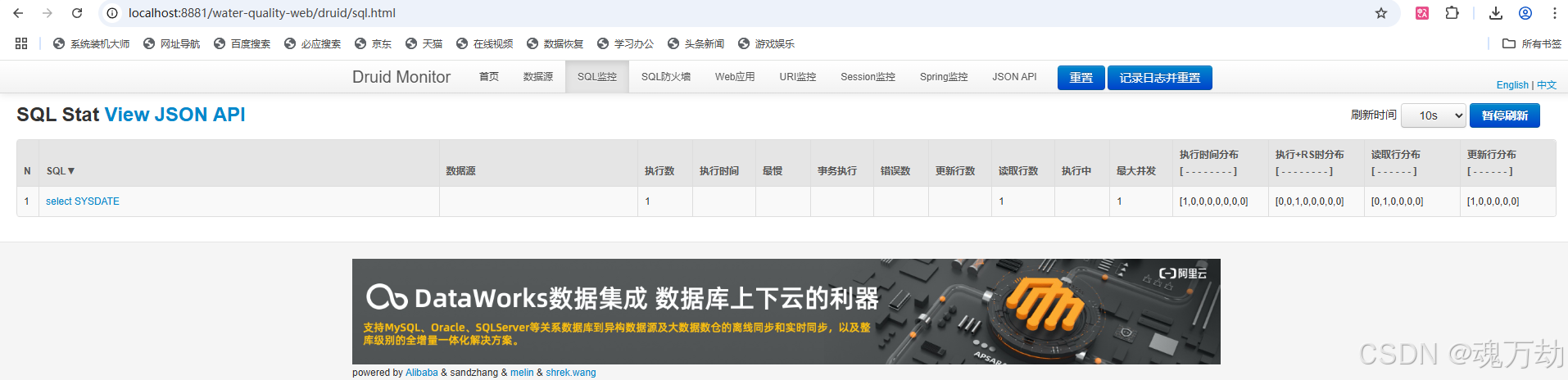
达梦数据库使用druid提示:dbType not support : dm
简单处理: 移除wall即可 (但是用druid那都希望能用上它的功能的,不然为什么不用其他没带检查的jdbc呢。) 中等复杂处理: druid 是阿里开源的项目,所以去github上找对应版本的源码下载:https:/…...
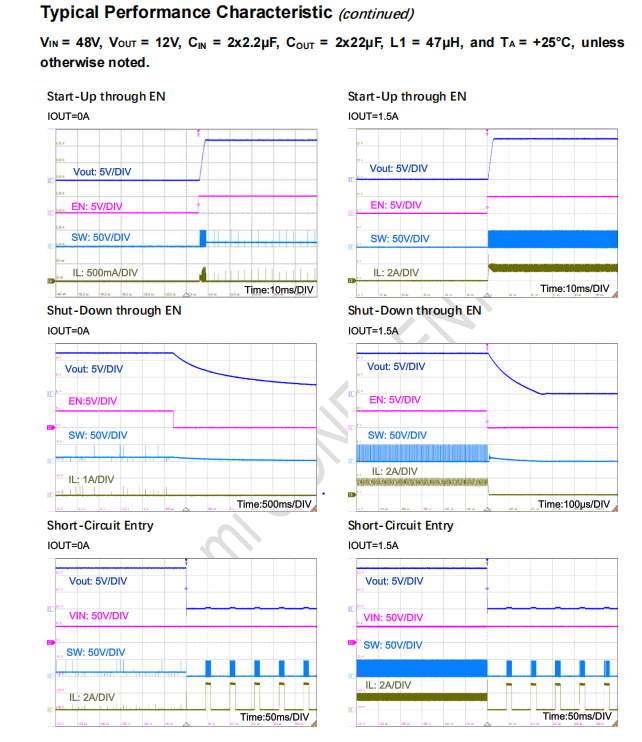
[定位器]晶艺LA1823,4.5V~100V, 3.5A,替换MP9487,MP9486A,启烨科技
Features 4.5V to 100V Wide Input Range 3.5A Typical Peak Current Limit Integrated 500mΩ low resistance high side power MOS. Constant On Time Control with Constant Switching Frequency. 180μA Low Quiescent Current 150kHz/240kHz/420kHz Swi…...

难度偏低,25西电人工智能学院821、833、834考研录取情况
1、人工智能学院各个方向 2、人工智能学院近三年复试分数线对比 学长、学姐分析 由表可看出: 1、智能院25年院线相对于24年院线 全部专业下降比较多,其中控制科学与工程下降20分,计算机科学与技术下降20分,计算机技术[专硕]下降…...
使用ZYNQ芯片和LVGL框架实现用户高刷新UI设计系列教程(第七讲)
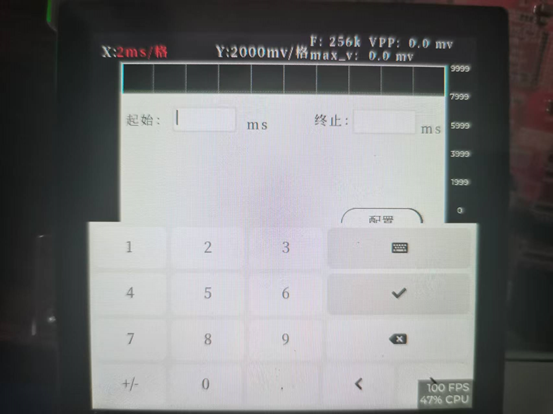
这一期来讲解与文本框配套使用的键盘,以及键盘如何在项目中开启。 打开GUI_guider软件平台,在左上角点开工程选项,在该栏目的最下方点击系统设置。 随后在系统设置界面中点击项目选项,选择显示键盘。 在该界面中可以设置键盘文字…...

【C#知识点详解】List<T>储存结构详解
今天来介绍一下List内部的存储结构,话不多说直接开始。 内部数据 List内部采用了连续数组的方式存储数据,其中包含了三个重要的成员变量,示例如下: // 用于存储数据的数组 internal T[] _items; // 列表中实际包含数据的数量 int…...

设计模式:代理模式 - 控制访问与增强功能的艺术
一、为什么使用代理模式? 在开发中,你是否遇到过以下问题: • 某些功能调用需要权限校验,但不希望修改核心逻辑? • 某些对象的创建开销过高,希望延迟加载以优化性能? • 在不改变原始类的情…...

C++二分查找
一、模板①:向下取整(mid (l r) >> 1) while (l < r) {int mid l r >> 1; // 等价于 (l r) / 2(向下取整)if (check(mid)) r mid; // 保留左半区else l mid 1; // 舍弃左半区 } 适用场…...

一个Linux/Java乱码问题的解决
公司有个项目采用的是spring-boot启动方式,以前上线正常,前几天重新上线后,突然发现上传的文件名中文乱码了。我了解了一下具体情况,以前是正常的,而且测试环境也都是正常的,就是生产环境本次上线后突发从页…...

【Java设计模式】第11章 装饰者模式讲解
11.1 装饰者模式讲解 定义:动态扩展对象功能,替代继承。类型:结构型模式适用场景: 运行时动态添加功能避免类爆炸(如多层装饰)优点: 比继承更灵活符合开闭原则缺点: 增加类/对象数量调试复杂度高11.2 装饰者模式 Coding // 抽象组件 public abstract class BatterCake…...
通过AWS EKS 生成并部署容器化应用
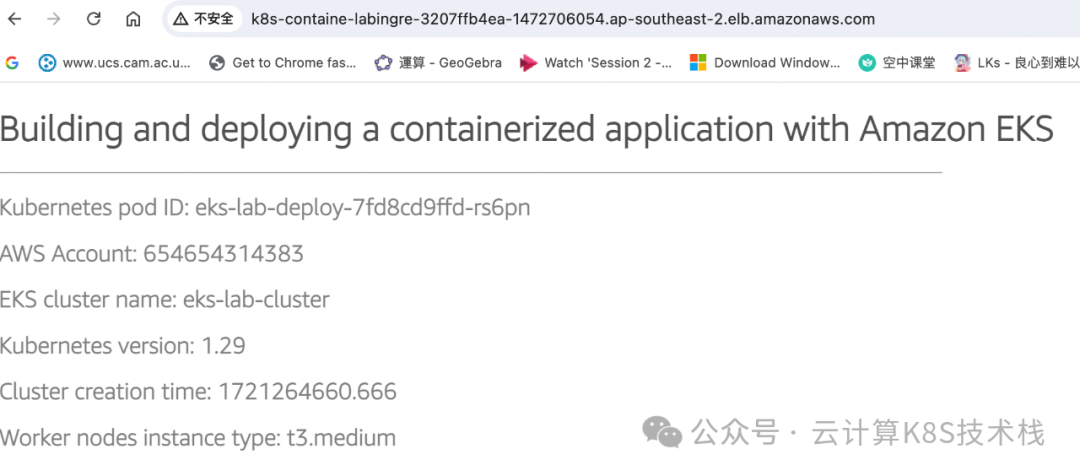
今天给大家分享一个实战例子,如何在EKS上创建容器化应用并通过ALB来发布。先介绍一下几个基本概念: IAM, OpenID Connect (OIDC) 2014 年,AWS Identity and Access Management 增加了使用 OpenID Connect (OIDC) 的联合身份支持。此功能允许…...
nginx入门,部署静态资源,反向代理,负载均衡使用
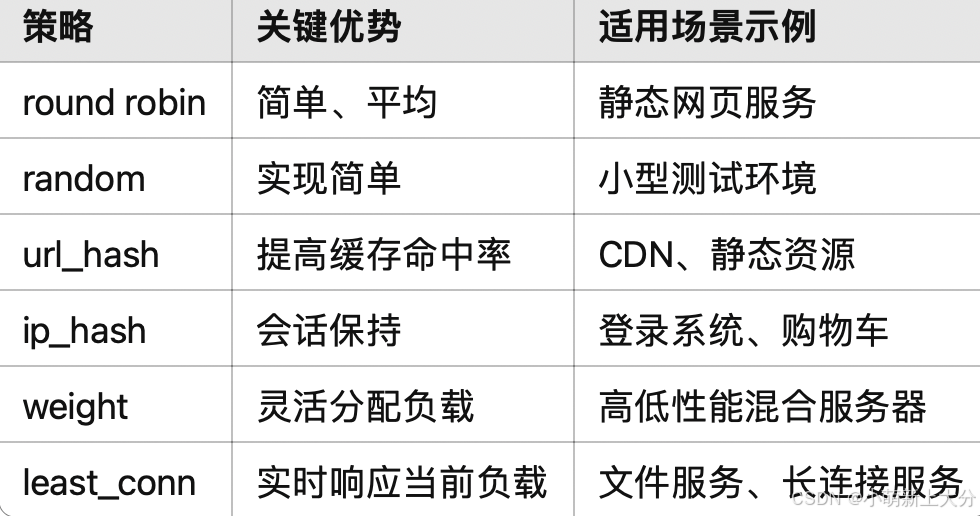
Nginx在linux上部署静态资源 概念介绍 Nginx可以作为静态web服务器来部署静态资源。这里所说的静态资源是指在服务端真实存在,并且能够直接展示的一些文件,比如常见的html页面、css文件、js文件、图片、视频等资源。 相对于Tomcat,Nginx处理…...
智膳优选 | AI赋能的智慧食堂管理专家 —— 基于飞书多维表格和扣子(Coze)的智能解决方案
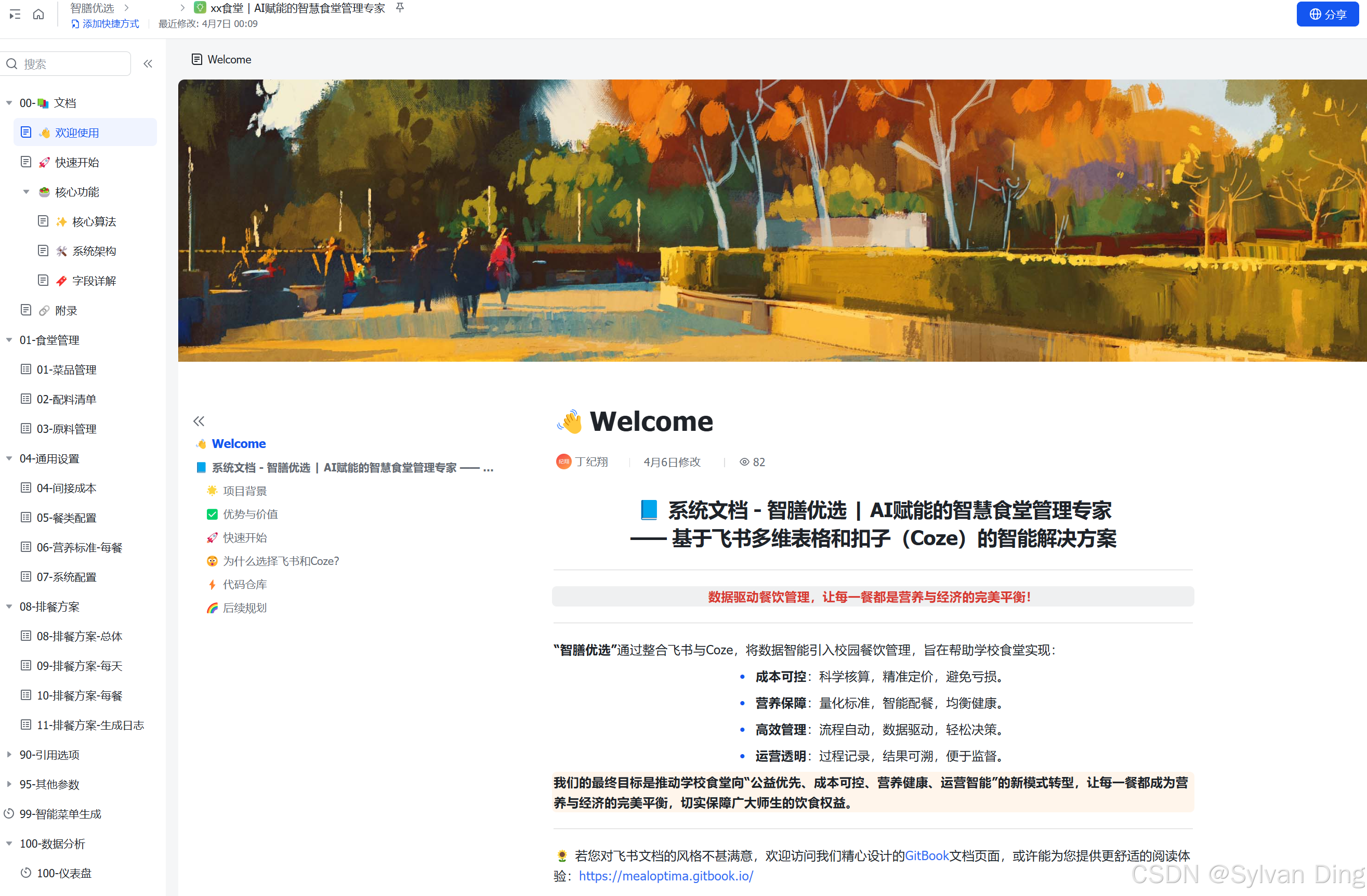
智膳优选 | AI赋能的智慧食堂管理专家 基于飞书多维表格和扣子(Coze)的智能解决方案 数据驱动餐饮管理,让每一餐都是营养与经济的完美平衡! “智膳优选”通过整合飞书与Coze,将数据智能引入校园餐饮管理࿰…...

深入解析 MySQL 中的日期时间函数:DATE_FORMAT 与时间查询优化、DATE_ADD、CONCAT
深入解析 MySQL 中的日期时间函数:DATE_FORMAT 与时间查询优化 在数据库管理和应用开发中,日期和时间的处理是不可或缺的一部分。MySQL 提供了多种日期和时间函数来满足不同的需求,其中DATE_FORMAT函数以其强大的日期格式化能力,…...
最新的es版本忘记密码,重置密码
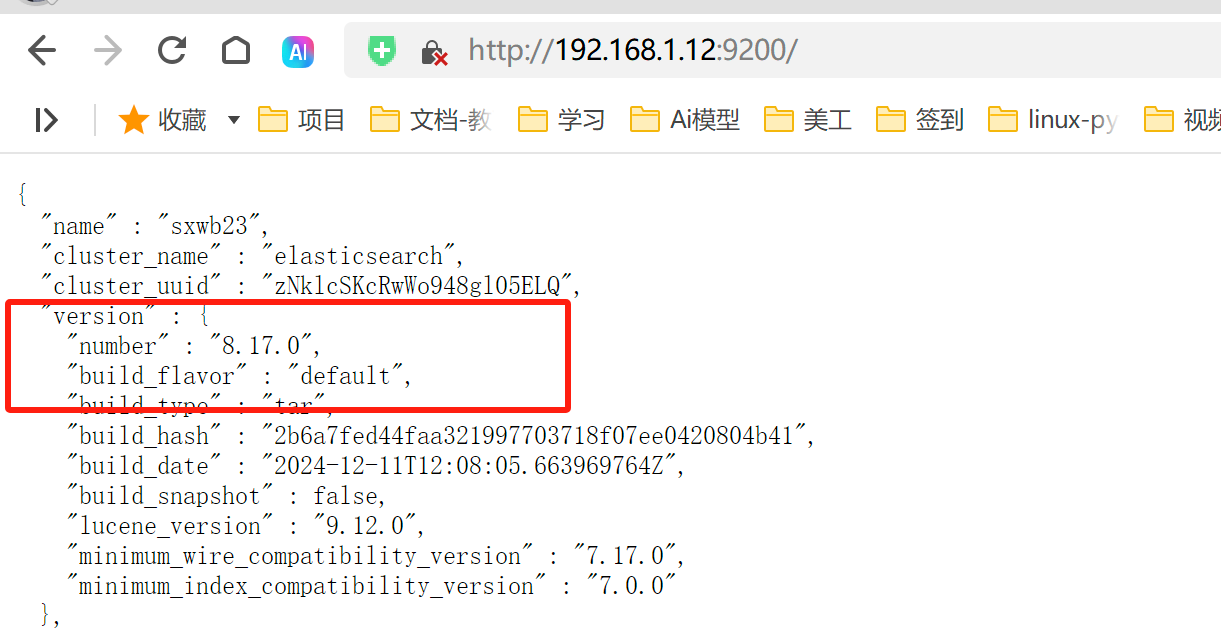
刚刚安装了最新的es版本,就忘了密码,怎么重置密码呢? 一、进入es的斌目录 #进入es文件/bin 目录 ./elasticsearch-reset-password -u elastic 二 、输入对应的密码 然后再次访问 我的是去掉了ssl的访问 三、如果报错:解决 [main] WARN...
Compose Multiplatform+Kotlin Multiplatfrom 第五弹跨平台 截图
截图功能 Compose MultiplatformKotlin Multiplatfrom下实现桌面端的截图功能,起码搞了两星期,最后终于做出来了,操作都很流畅,截取的文件大小也正常,可参考支持讨论! 功能效果 代码实现 //在jvmMain下创…...

Elasticearch数据流向
Elasticearch数据流向 数据流向图 --- config: layout: elk look: classic theme: mc --- flowchart LR subgraph s1["图例"] direction TB W["写入流程"] R["读取流程"] end A["Logstash Pipeline"] -- 写入请求 --> B["Elas…...
在docker里装rocketmq-console
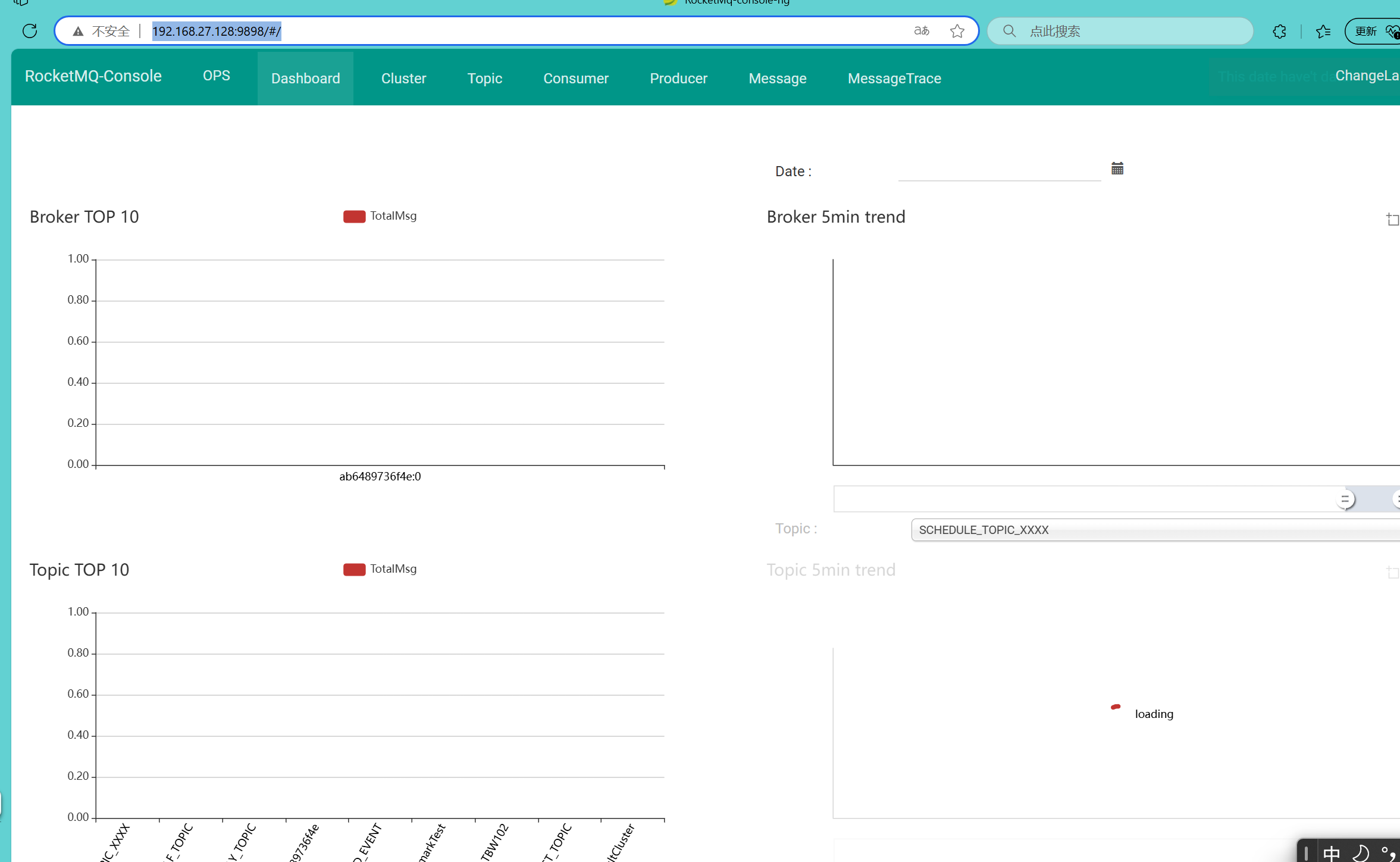
首先要到github下载(这个一般是需要你有梯子) GitHub - apache/rocketmq-externals at release-rocketmq-console-1.0.0 如果没有梯子,用下面这个百度网盘链接下 http://链接: https://pan.baidu.com/s/1x8WQVmaOBjTjss-3g01UPQ 提取码: fu…...
使用Python写入JSON、XML和YAML数据到Excel文件
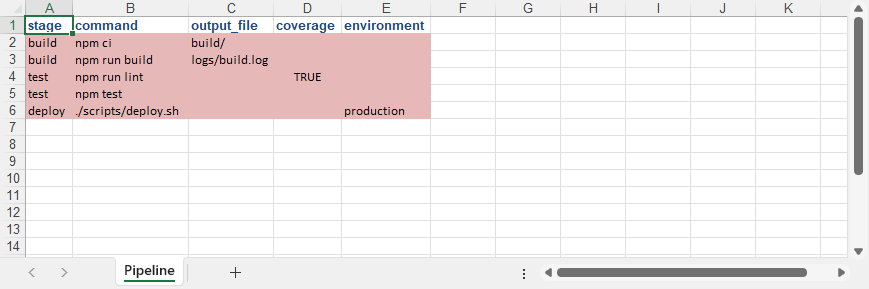
在当今数据驱动的技术生态中,JSON、XML和YAML作为主流结构化数据格式,因其层次化表达能力和跨平台兼容性,已成为系统间数据交换的通用载体。然而,当需要将这类半结构化数据转化为具备直观可视化、动态计算和协作共享特性的载体时&…...

从零开始构建智能聊天机器人:Rasa与ChatGPT API实战教程
引言:AI对话系统的时代机遇 在数字化转型浪潮中,聊天机器人已成为连接用户与服务的关键纽带。无论是客服系统中的724小时即时响应,还是智能家居中的语音交互,聊天机器人正在重塑人机交互方式。本文将通过详细教程,手把…...

编码常见的 3类 23种设计模式——学习笔记
一、创建型(用于方便创建实例) 1. 单例模式 优点: 确保系统中只有一个实例存在,避免多个实例导致的资源冲突或数据不一致问题。例如,数据库连接池、线程池等全局资源管理器适合用单例实现。 减少频繁创建和销毁对象的开销,尤其适…...

# 实时人脸性别与年龄识别:基于OpenCV与深度学习模型的实现
实时人脸性别与年龄识别:基于OpenCV与深度学习模型的实现 在当今数字化时代,计算机视觉技术正以前所未有的速度改变着我们的生活与工作方式。其中,人脸检测与分析作为计算机视觉领域的重要分支,已广泛应用于安防监控、智能交互、…...
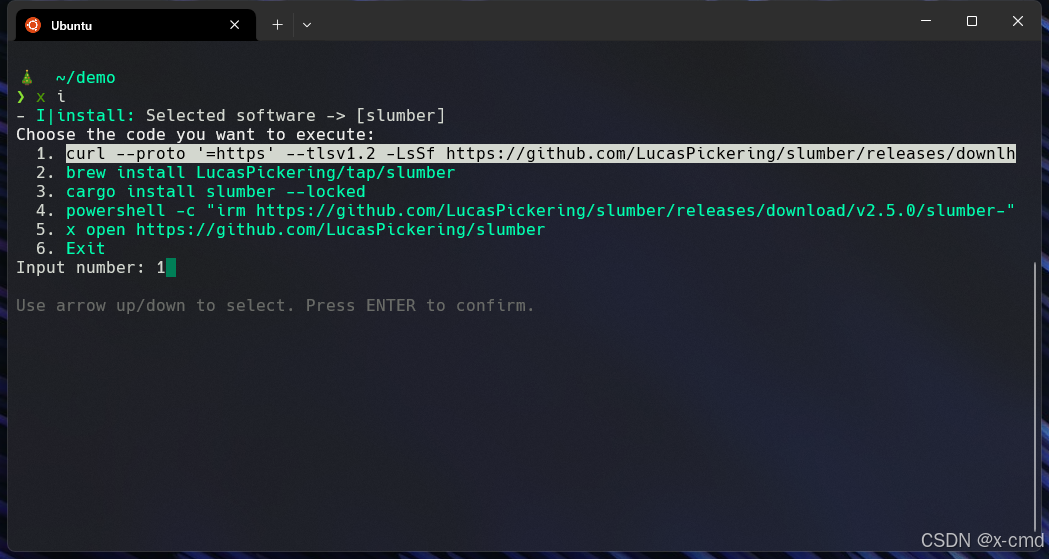
x-cmd install | Slumber - 告别繁琐,拥抱高效的终端 HTTP 客户端
目录 核心优势,一览无遗安装应用场景,无限可能示例告别 GUI,拥抱终端 还在为调试 API 接口,发送 HTTP 请求而苦恼吗?还在各种 GUI 工具之间切换,只为了发送一个简单的请求吗?现在,有…...
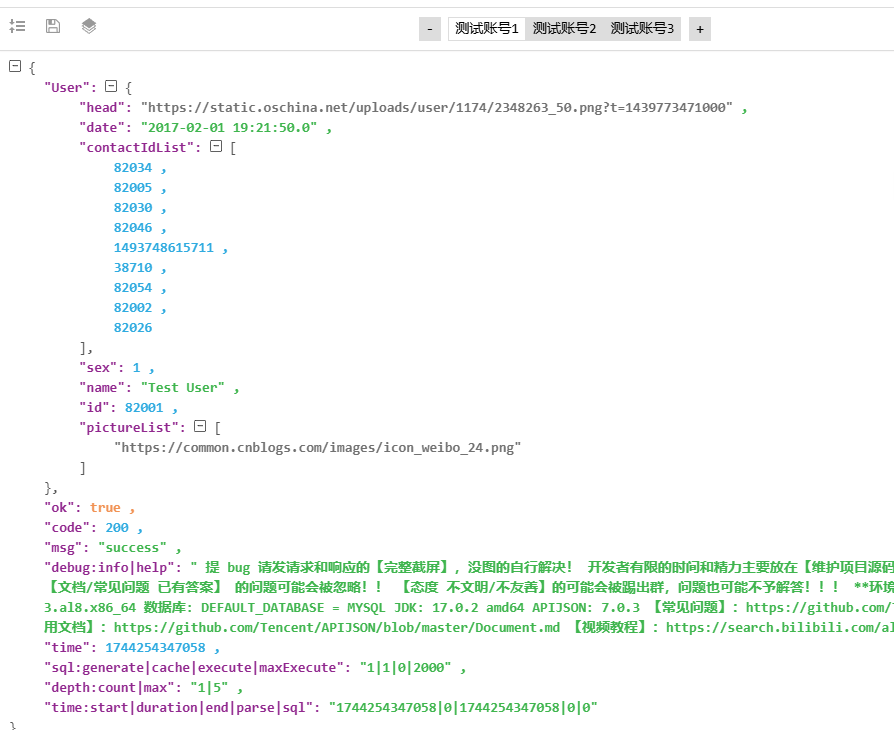
apijson 快速上手
apijson是强大的工具,简化了CRUD的操作,只要有数据库表,就能自动生成RESTFUL接口。但初次上手也是摸索了很长时间,尤其是部署与使用上,这里尝试以初学者角度来说下: 一、好处 1、对于简单的应用ÿ…...
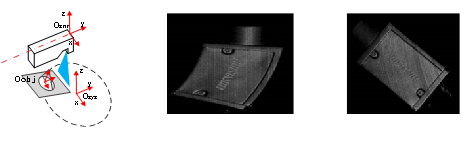
3D激光轮廓仪知识整理
文章目录 1.原理和应用场景1.1 相机原理1.1.1 测量原理1.1.2 相机激光器1.1.3 沙姆镜头1.1.4 相机标定1.1.5 中心线提取 1.2 应用场景1.2.1 测量相关应用1.2.2 缺陷检测相关应用 2.相机参数介绍及选型介绍2.1 成像原理2.2 原始图成像2.3 生成轮廓图2.4 相机规格参数2.4.1 单轮廓…...

Stable Diffusion+Pyqt5: 实现图像生成与管理界面(带保存 + 历史记录 + 删除功能)——我的实验记录(结尾附系统效果图)
目录 🧠 前言 🧾 我的需求 🔧 实现过程(按功能一步步来) 🚶♂️ Step 1:基本图像生成界面 🗃️ Step 2:保存图片并显示历史记录 📏 Step 3:…...
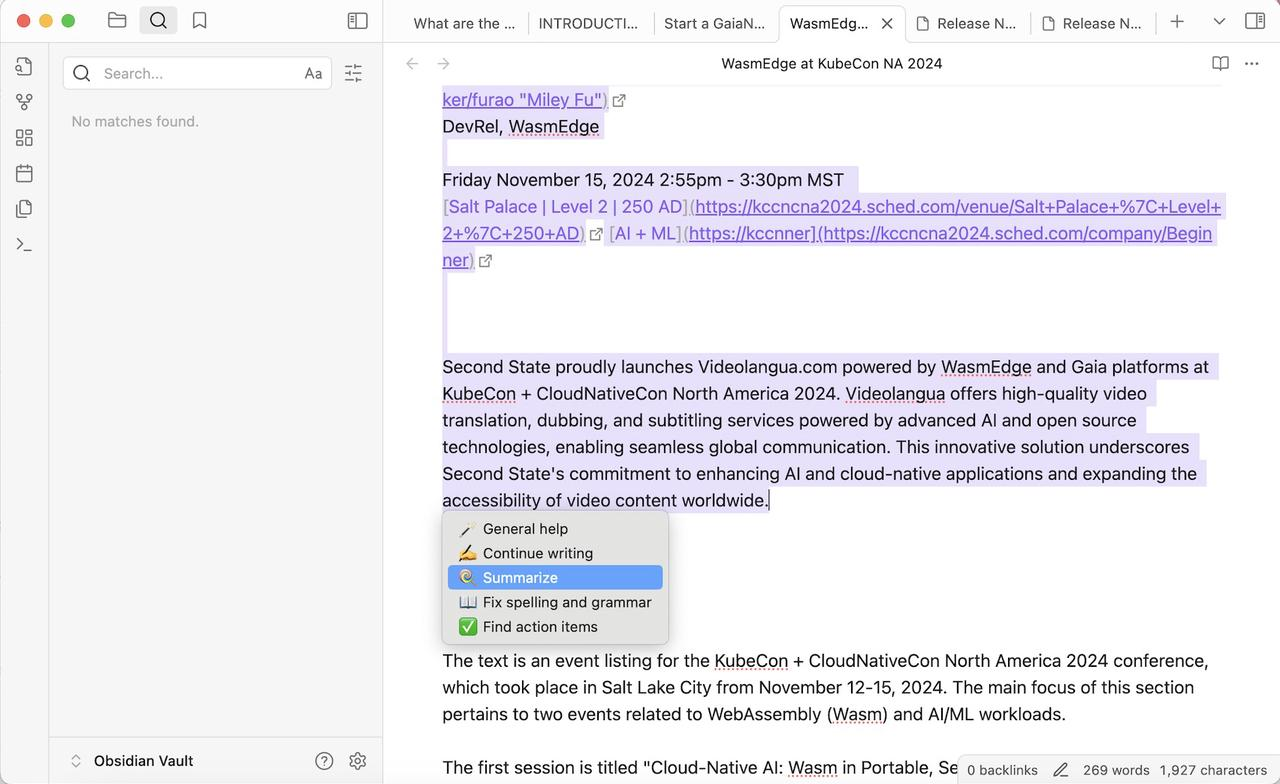
使用WasmEdge将InternLM集成到Obsidian,打造本地智能笔记助手
本文来自社区投稿,作者Miley Fu,WasmEdge Runtime 创始成员。 本文将介绍如何通过 WasmEdge 将书生浦语(InternLM)大模型部署在本地,并与 Obsidian 笔记软件集成,从而在笔记软件中直接利用大模型实现文本总…...