
dolphinscheduler创建文件夹显示存储未启用的问题--已解决
只要修改api-server/comf/common.properties和standalone-server/conf/common.properties里面的内容就可以了,应为你要靠standalone-server这个服务启动dolphinscheduler-web,其他就算怎么改你重启dolphinscheduler的时候系统也不会识别新的common.properties导致修改之后没反应
因为dolphinscheduler的储存在 /dolphinscheduler ,所以创建一个文件夹,指定权限和权限组
创建一个文件夹
指定权限指定用户组
mkdir /dolphinscheduler
chmod 777 /dolphinscheduler
chown dolphinscheduler:dolphinscheduler /dolphinscheduler
api-server/comf/common.properties和standalone-server/conf/common.properties文件的修改内容如下:
修改配置文件
vim standalone-server/conf/common.properties
vim api-server/comf/common.properties
修改的内容
data.basedir.path=/tmp/dolphinscheduler
resource.storage.type=HDFS
resource.storage.upload.base.path=/dolphinscheduler
resource.hdfs.fs.defaultFS=file:///
原文件内容
#
# Licensed to the Apache Software Foundation (ASF) under one or more
# contributor license agreements.  See the NOTICE file distributed with
# this work for additional information regarding copyright ownership.
# The ASF licenses this file to You under the Apache License, Version 2.0
# (the "License"); you may not use this file except in compliance with
# the License.  You may obtain a copy of the License at
#
#     http://www.apache.org/licenses/LICENSE-2.0
#
# Unless required by applicable law or agreed to in writing, software
# distributed under the License is distributed on an "AS IS" BASIS,
# WITHOUT WARRANTIES OR CONDITIONS OF ANY KIND, either express or implied.
# See the License for the specific language governing permissions and
# limitations under the License.
## user data local directory path, please make sure the directory exists and have read write permissions
data.basedir.path=/tmp/dolphinscheduler# resource view suffixs
#resource.view.suffixs=txt,log,sh,bat,conf,cfg,py,java,sql,xml,hql,properties,json,yml,yaml,ini,js# resource storage type: HDFS, S3, OSS, NONE
resource.storage.type=HDFS
# resource store on HDFS/S3 path, resource file will store to this base path, self configuration, please make sure the directory exists on hdfs and have read write permissions. "/dolphinscheduler" is recommended
resource.storage.upload.base.path=/dolphinscheduler# The AWS access key. if resource.storage.type=S3 or use EMR-Task, This configuration is required
resource.aws.access.key.id=minioadmin
# The AWS secret access key. if resource.storage.type=S3 or use EMR-Task, This configuration is required
resource.aws.secret.access.key=minioadmin
# The AWS Region to use. if resource.storage.type=S3 or use EMR-Task, This configuration is required
resource.aws.region=cn-north-1
# The name of the bucket. You need to create them by yourself. Otherwise, the system cannot start. All buckets in Amazon S3 share a single namespace; ensure the bucket is given a unique name.
resource.aws.s3.bucket.name=dolphinscheduler
# You need to set this parameter when private cloud s3. If S3 uses public cloud, you only need to set resource.aws.region or set to the endpoint of a public cloud such as S3.cn-north-1.amazonaws.com.cn
resource.aws.s3.endpoint=http://localhost:9000# alibaba cloud access key id, required if you set resource.storage.type=OSS
resource.alibaba.cloud.access.key.id=<your-access-key-id>
# alibaba cloud access key secret, required if you set resource.storage.type=OSS
resource.alibaba.cloud.access.key.secret=<your-access-key-secret>
# alibaba cloud region, required if you set resource.storage.type=OSS
resource.alibaba.cloud.region=cn-hangzhou
# oss bucket name, required if you set resource.storage.type=OSS
resource.alibaba.cloud.oss.bucket.name=dolphinscheduler
# oss bucket endpoint, required if you set resource.storage.type=OSS
resource.alibaba.cloud.oss.endpoint=https://oss-cn-hangzhou.aliyuncs.com# if resource.storage.type=HDFS, the user must have the permission to create directories under the HDFS root path
resource.hdfs.root.user=hdfs
# if resource.storage.type=S3, the value like: s3a://dolphinscheduler; if resource.storage.type=HDFS and namenode HA is enabled, you need to copy core-site.xml and hdfs-site.xml to conf dir
resource.hdfs.fs.defaultFS=file:///# whether to startup kerberos
hadoop.security.authentication.startup.state=false# java.security.krb5.conf path
java.security.krb5.conf.path=/opt/krb5.conf# login user from keytab username
login.user.keytab.username=hdfs-mycluster@ESZ.COM# login user from keytab path
login.user.keytab.path=/opt/hdfs.headless.keytab# kerberos expire time, the unit is hour
kerberos.expire.time=2# resourcemanager port, the default value is 8088 if not specified
resource.manager.httpaddress.port=8088
# if resourcemanager HA is enabled, please set the HA IPs; if resourcemanager is single, keep this value empty
yarn.resourcemanager.ha.rm.ids=192.168.xx.xx,192.168.xx.xx
# if resourcemanager HA is enabled or not use resourcemanager, please keep the default value; If resourcemanager is single, you only need to replace ds1 to actual resourcemanager hostname
yarn.application.status.address=http://ds1:%s/ws/v1/cluster/apps/%s
# job history status url when application number threshold is reached(default 10000, maybe it was set to 1000)
yarn.job.history.status.address=http://ds1:19888/ws/v1/history/mapreduce/jobs/%s# datasource encryption enable
datasource.encryption.enable=false# datasource encryption salt
datasource.encryption.salt=!@#$%^&*# data quality option
data-quality.jar.name=dolphinscheduler-data-quality-dev-SNAPSHOT.jar#data-quality.error.output.path=/tmp/data-quality-error-data# Network IP gets priority, default inner outer# Whether hive SQL is executed in the same session
support.hive.oneSession=false# use sudo or not, if set true, executing user is tenant user and deploy user needs sudo permissions; if set false, executing user is the deploy user and doesn't need sudo permissions
sudo.enable=true
setTaskDirToTenant.enable=false# network interface preferred like eth0, default: empty
#dolphin.scheduler.network.interface.preferred=# network IP gets priority, default: inner outer
#dolphin.scheduler.network.priority.strategy=default# system env path
#dolphinscheduler.env.path=dolphinscheduler_env.sh# development state
development.state=false# rpc port
alert.rpc.port=50052# set path of conda.sh
conda.path=/opt/anaconda3/etc/profile.d/conda.sh# Task resource limit state
task.resource.limit.state=false# mlflow task plugin preset repository
ml.mlflow.preset_repository=https://github.com/apache/dolphinscheduler-mlflow
# mlflow task plugin preset repository version
ml.mlflow.preset_repository_version="main"
相关文章:

dolphinscheduler创建文件夹显示存储未启用的问题--已解决
只要修改api-server/comf/common.properties和standalone-server/conf/common.properties里面的内容就可以了,应为你要靠standalone-server这个服务启动dolphinscheduler-web,其他就算怎么改你重启dolphinscheduler的时候系统也不会识别新的common.prope…...

C++线段树详解与实现技巧
📚 C++线段树详解与实现技巧 线段树(Segment Tree)是一种高效处理 区间查询 和 区间更新 的数据结构,时间复杂度为 O(log n)。本文结合代码实例,详解其核心原理与实现细节。 🌳 线段树结构特点 完全二叉树:使用数组存储,父子节点关系通过下标计算。区间划分:每个节…...
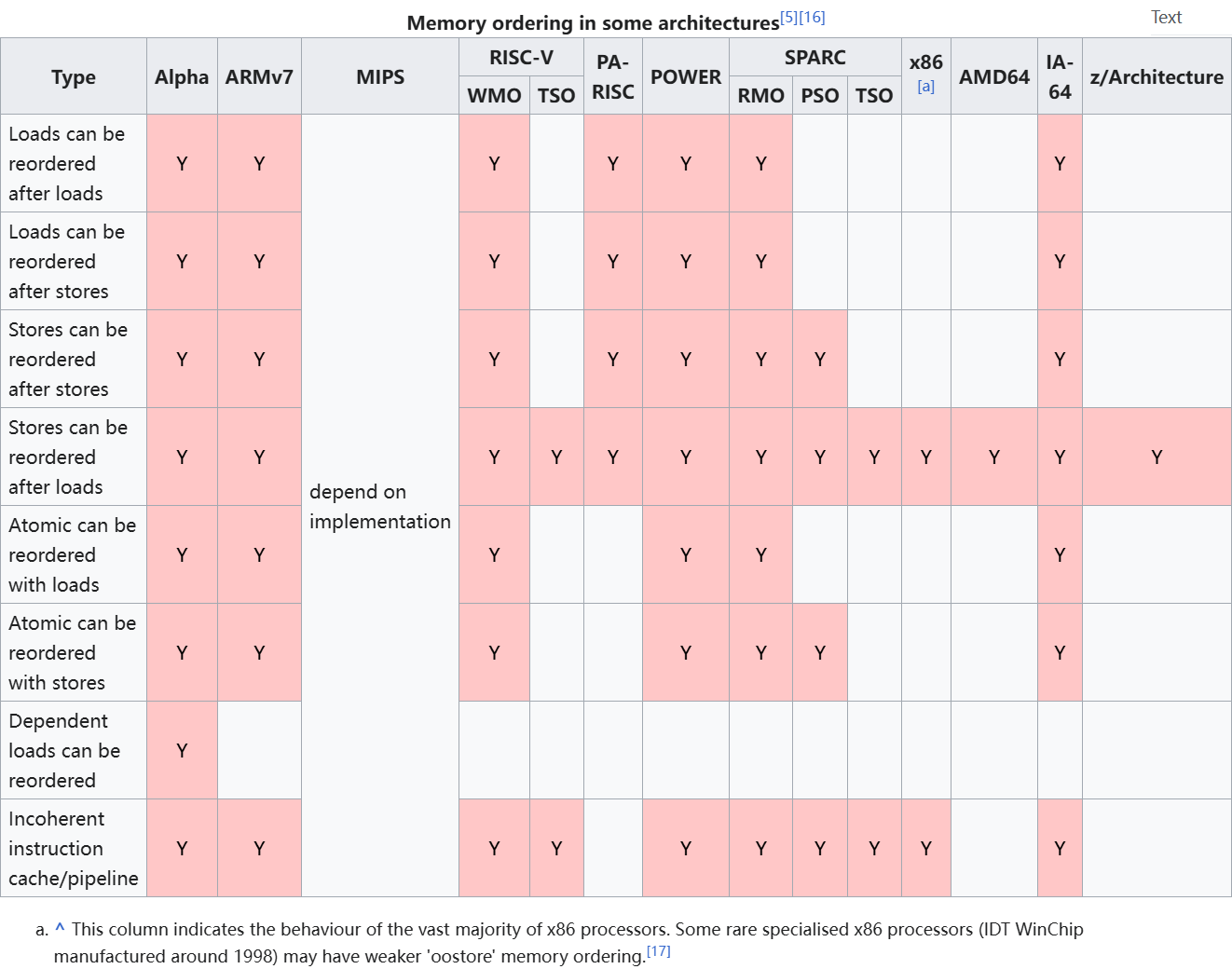
聊一聊原子操作和弱内存序
1、原子操作概念 在并发编程中,原子操作(Atomic Operation)是实现线程安全的基础机制之一。从宏观上看,原子操作是“不可中断”的单元,但若深入微观层面,其本质是由底层处理器提供的一组特殊指令来保证其原…...

VIRT, RES,SHR之间的关系
VIRT、RES 和 SHR 是进程内存使用的三个关键指标,它们之间的关系反映了进程的内存分配和使用情况。以下是它们的定义和关系: VIRT(虚拟内存):表示进程分配的虚拟内存总量,包括所有代码、数据、共享库、堆栈…...
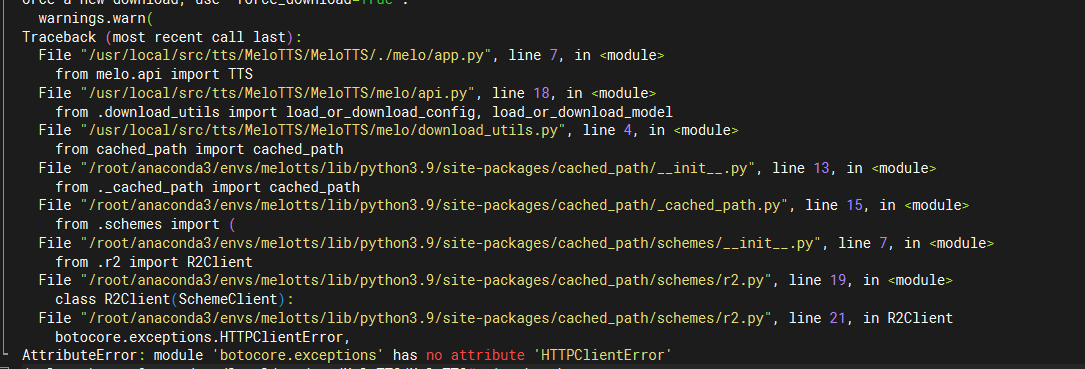
Ubuntu中部署MeloTTS
0. 环境 ubuntu server 22.04 cuda version 12.4 python version 3.9 1. 安装python依赖 git clone https://github.com/myshell-ai/MeloTTS.git cd MeloTTS注意不是执行 pip install melotts 如果国内服务器无法从github中下载源码,那么可以把github改为gitc…...

2024年React最新高频面试题及核心考点解析,涵盖基础、进阶和新特性,助你高效备战
以下是2024年React最新高频面试题及核心考点解析,涵盖基础、进阶和新特性,助你高效备战: 一、基础篇 React虚拟DOM原理及Diff算法优化策略 • 必考点:虚拟DOM树对比(同级比较、Key的作用、组件类型判断) •…...
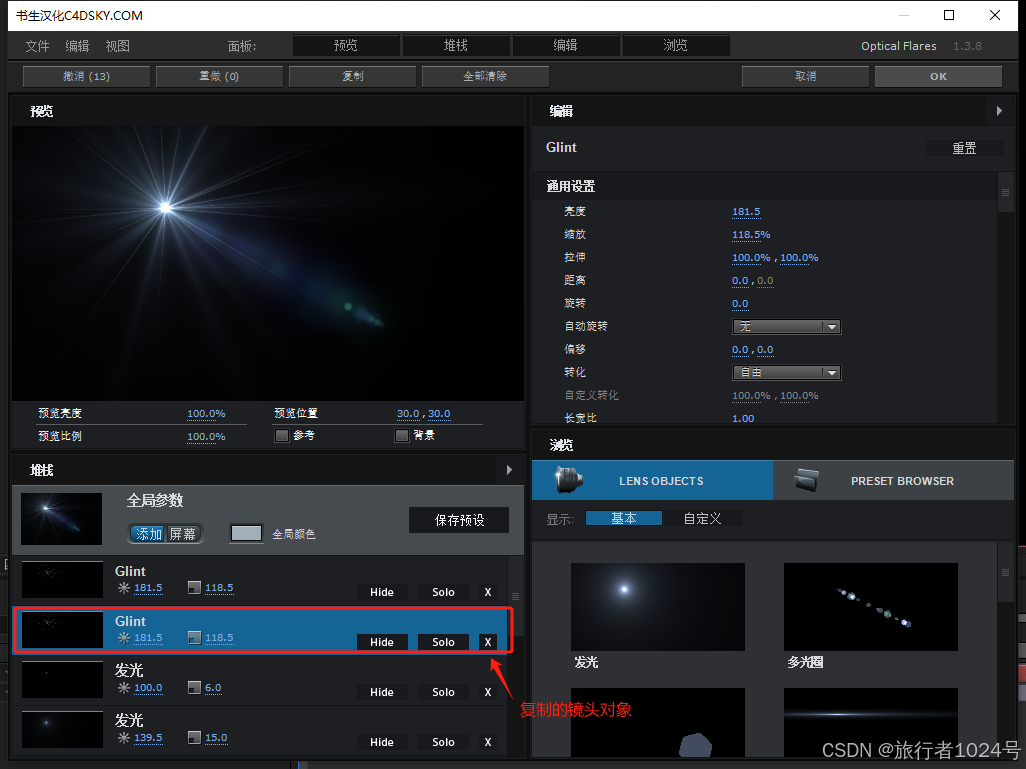
Adobe After Effects的插件--------Optical Flares之Options概述
Optical Flares插件的Options是对整个效果的组装和设置。点击该按钮会弹出一个组装室弹窗。 Options组装室就是对每个【镜头对象】进行加工处理,再将其组装在一起,拼凑成完整的光效。 接下来是我对组装室的探索: 面板 面板中有预览、堆栈、编辑和浏览按钮,其作用是调节窗…...
)
深入解读 React 纯组件(PureComponent)
什么是纯组件? React 的纯组件(PureComponent)是 React.Component 的一个变体,它通过浅比较(shallow comparison)props 和 state 来自动实现 shouldComponentUpdate() 方法,从而优化性能。 核心特点 1. 自动浅比较: PureCompon…...

微信小程序事件详解
微信小程序中的事件绑定是实现交互功能的核心机制之一。通过事件绑定,开发者可以监听用户的操作行为(如点击、输入、滑动等),并根据需要执行相应的逻辑处理。 以下是关于微信小程序事件绑定的详细说明: 一、事件绑定的…...
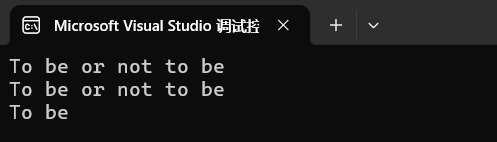
字符串与相应函数(上)
字符串处理函数分类 求字符串长度:strlen长度不受限制的字符串函数:strcpy,strcat,strcmp长度受限制的字符串函数:strncpy,strncat,strncmp字符串查找:strstr,strtok错误信息报告:strerror字符操作,内存操作函数&…...
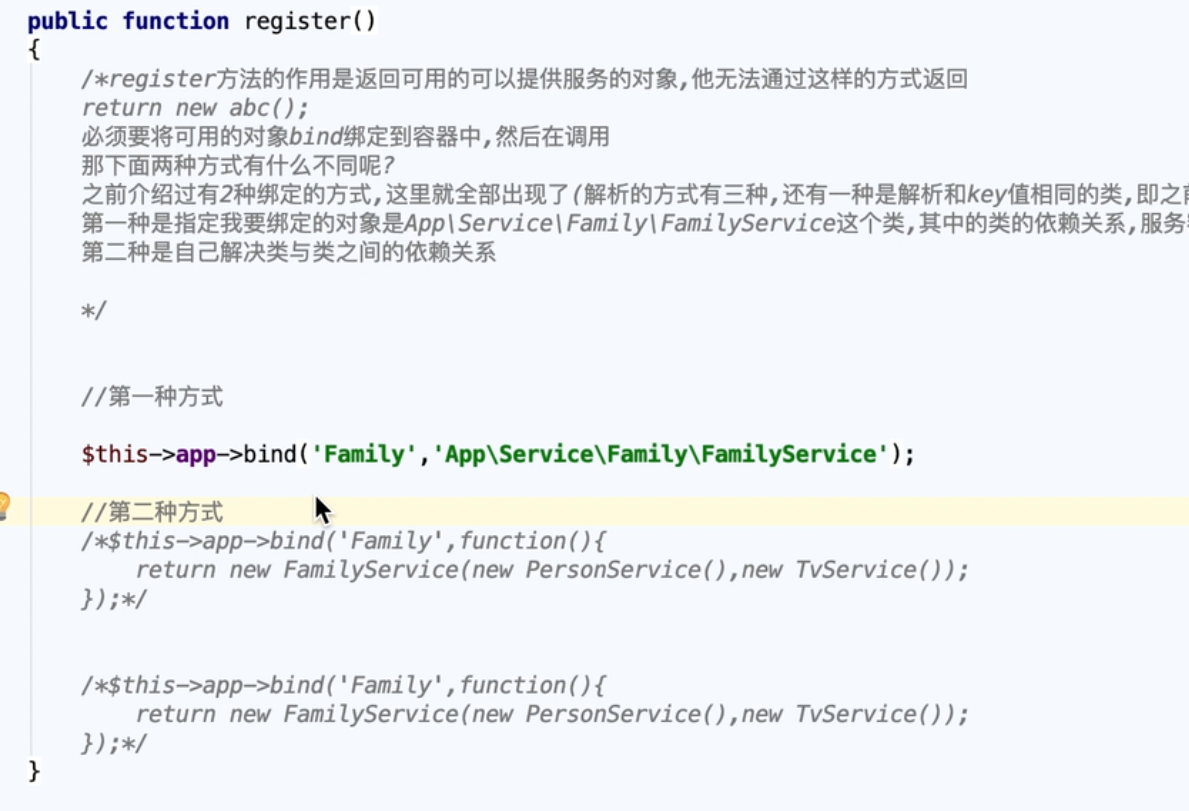
Laravel源码进阶
Laravel源码进阶 版本 laravel5.8 生成服务容器 public index.php //compose必要操作 require __DIR__./../vendor/autoload.php; //容器文件 $app require_once __DIR__./../bootstrap/app.php;-bootstrap/app.php //初始化容器 构造函数中执行这个几个方法 //$this->…...

镜舟科技亮相 2025 中国移动云智算大会,展示数据湖仓一体创新方案
4月10-11日,2025 中国移动云智算大会在苏州金鸡湖国际会议中心成功举办。大会以“由云向智,共绘算网新生态”为主题,汇聚了众多行业领袖与技术专家,共同探讨了算力网络与人工智能的深度融合与未来发展趋势。 作为中国领先的企业级…...
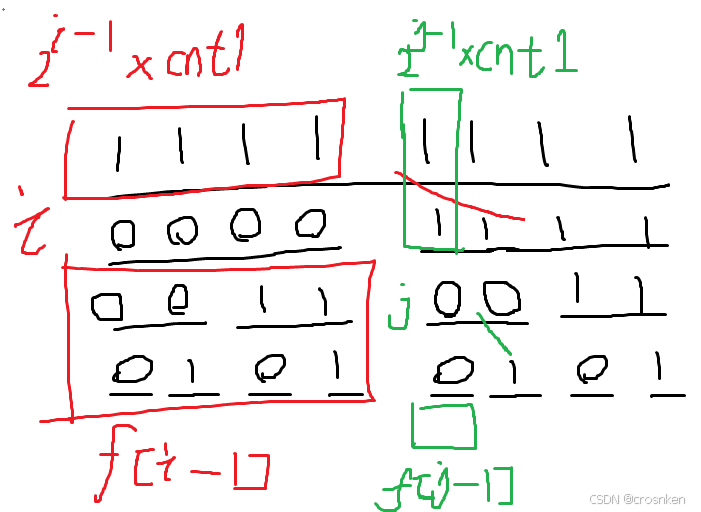
2025蓝桥杯省赛C/C++研究生组游记
前言 至少半年没写算法题了,手生了不少,由于python写太多导致行末老是忘记打分号,printf老是忘记写f,for和if的括号也老是忘写,差点连&&和||都忘记了。 题目都是回忆版本,可能有不准确的地方。 …...
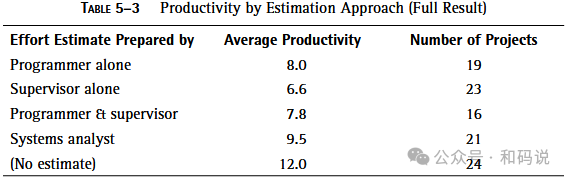
重读《人件》Peopleware -(6)Ⅰ管理人力资源Ⅴ-帕金森定律重探 Parkinson’s Law Revisited
1954年,英国作家C. Northcote Parkinson引入了一个概念:工作会膨胀以填满分配给它的时间,这个概念现在被熟知为帕金森定律。如果你不知道很少有管理者接受过任何管理培训的话,你可能会以为他们都参加过一个关于帕金森定律及其影响…...

Linux-内核驱动-led
登记设备号(后面可以动态分配) 自己定义内核函数 登记设备名字和功能 exit和init在内核启动自动执行 这样定义直接操作物理地址 ioctl 定义了设备文件的各种操作,并准备将其注册到内核中。 代码中声明了一个cdev结构体变量cdev,这…...

记录一次因ASM磁盘组空间不足,导致MAP进程无法启动
生产中 ADG 库出现告警,检查发现 map 进程异常: 检查 alter 日志,出现: ORA-19504:failed to create file "DATAC1/casarch/2_162186_1067953047.arc" ORA-17502:ksfdcre:4 Failed to create file ... ORA-15041:diskgroup "DATAC1" space exhausted OR…...

可能存在特殊情况,比如控制台显示有延迟、缓冲问题等影响了显示顺序。
从控制台输出看,正常逻辑应是先执行 System.out.println(" 未处理异常演示 "); 输出对应文本,再因 arr 为 null 访问 length 触发 NullPointerException 输出异常信息。可能存在特殊情况,比如控制台显示有延迟、缓冲问题等影响…...

使用DaemonSet部署集群守护进程集
使用DaemonSet部署集群守护进程集 文章目录 使用DaemonSet部署集群守护进程集[toc]一、使用DaemonSet部署日志收集守护进程集二、管理DaemonSet部署的集群守护进程集1.对DaemonSet执行滚动更新操作2.对DaemonSet执行回滚操作3.删除DaemonSet 一、使用DaemonSet部署日志收集守护…...
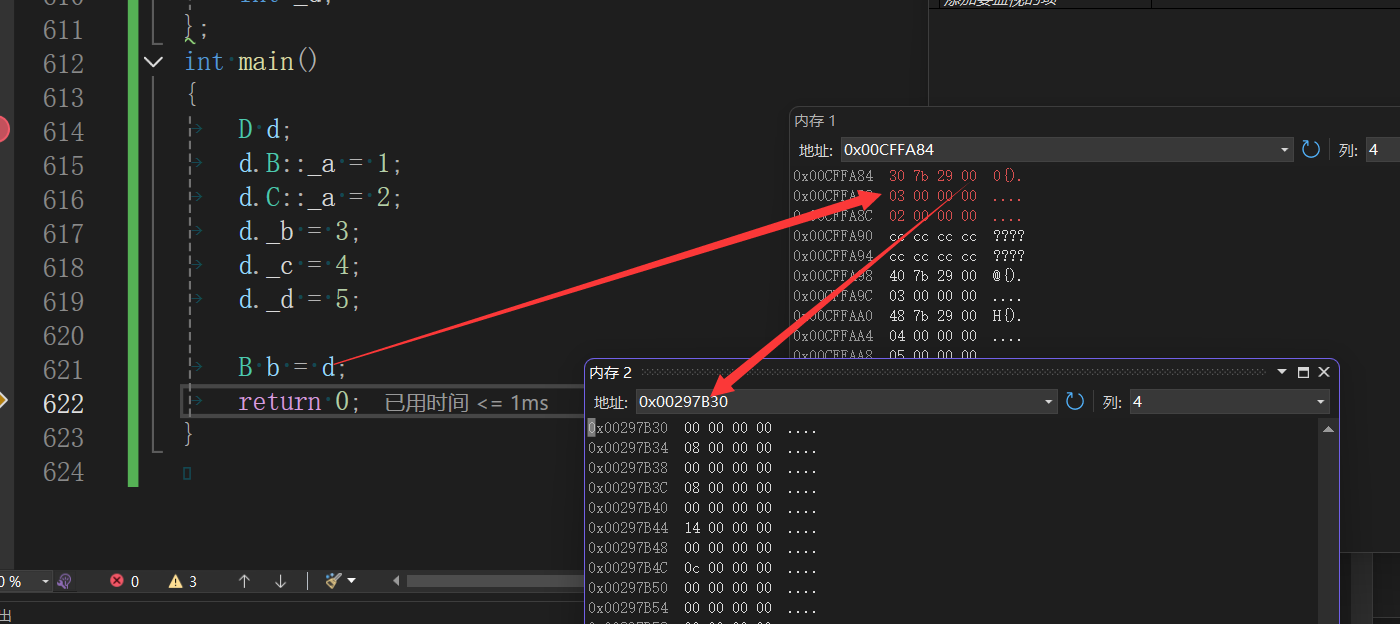
c++中继承方面的知识点
继承的概念及定义 继承的概念 继承(inheritance)机制是面向对象程序设计使代码可以复用的最重要的手段,它允许程序员在保 持原有类特性的基础上进行扩展,增加功能,这样产生新的类,称派生类。继承呈现了面向对象 程序设计的层次结…...
PyTorch 学习笔记
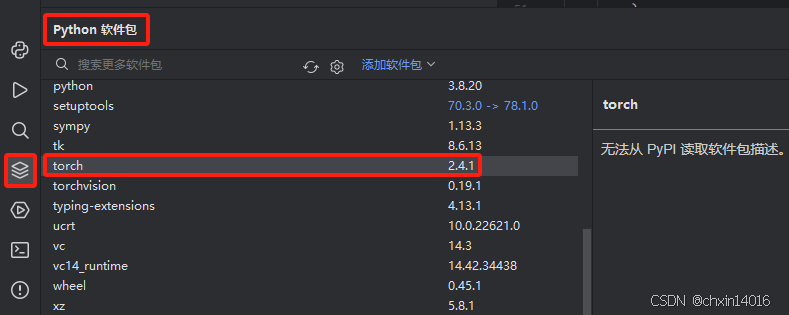
环境:python3.8 PyTorch2.4.1cpu PyCharm 参考链接: 快速入门 — PyTorch 教程 2.6.0cu124 文档 PyTorch 文档 — PyTorch 2.4 文档 快速入门 导入库 import torch from torch import nn from torch.utils.data import DataLoader from torchvision …...
Spring AI 结构化输出详解
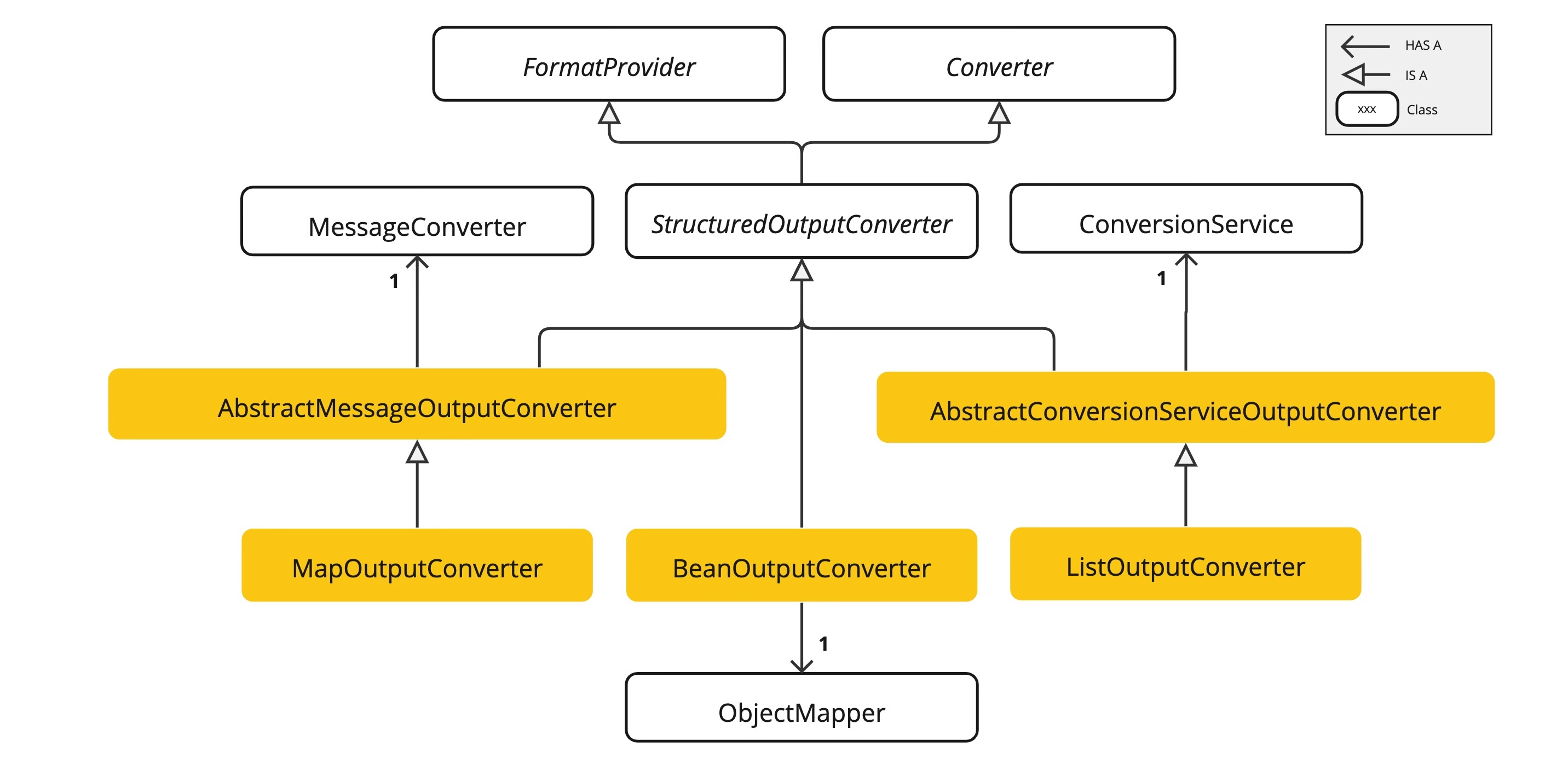
一、Spring AI 结构化输出的定义与核心概念 Spring AI 提供了一种强大的功能,允许开发者将大型语言模型(LLM)的输出从字符串转换为结构化格式,如 JSON、XML 或 Java 对象。这种结构化输出能力对于依赖可靠解析输出值的下游应用程…...

spring security oauth2.0的四种模式
OAuth 2.0 定义了 4 种授权模式(Grant Type),用于不同场景下的令牌获取。以下是每种模式的详细说明、适用场景和对比: 一、授权码模式(Authorization Code Grant) 适用场景 • Web 应用(有后端…...
从零开始的C++编程 2(类和对象下)
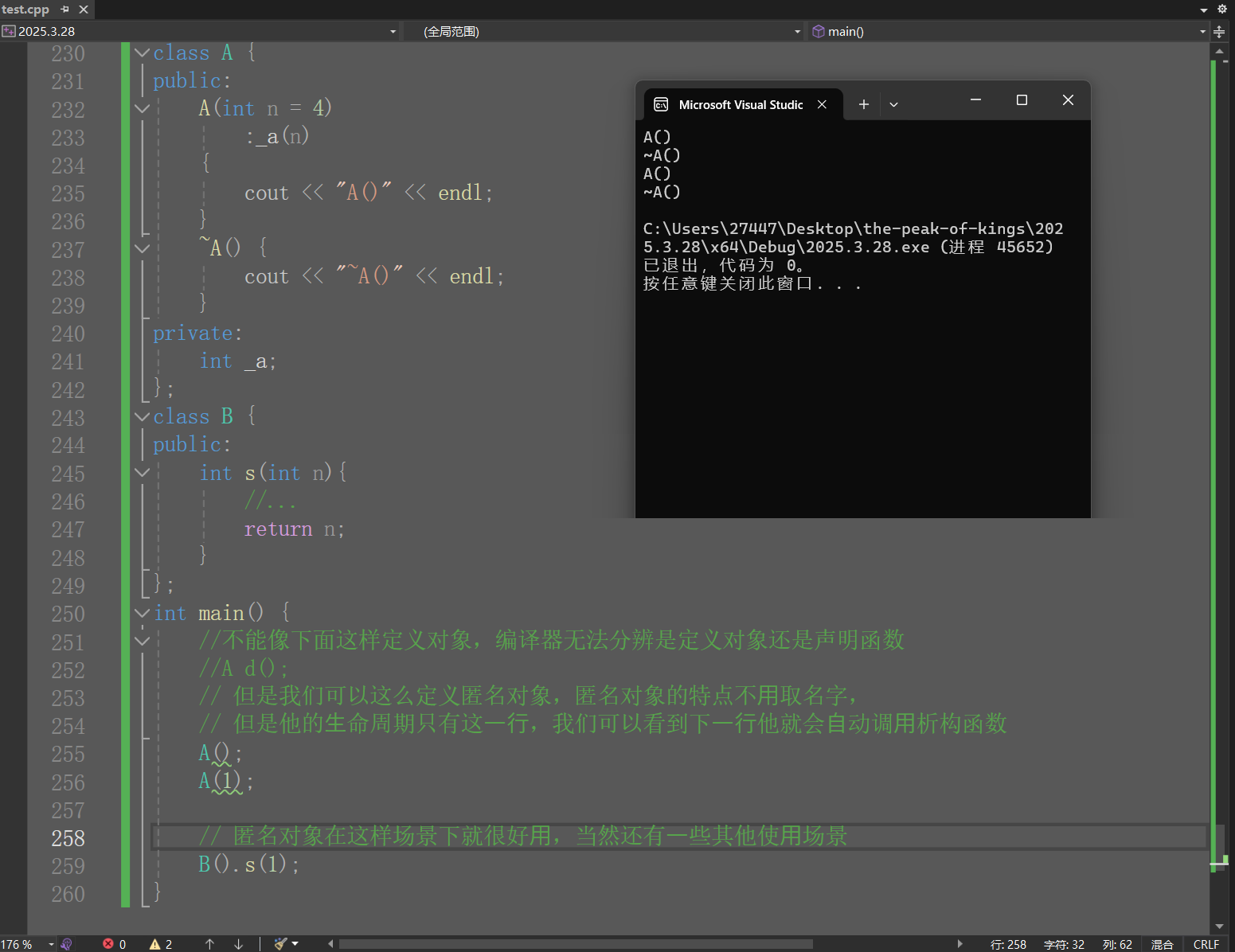
目录 1.构造函数初始化列表 2.类型转换 3.static成员 4.友元 5.内部类 6.匿名对象 1.构造函数初始化列表 ①之前我们实现构造函数时,初始化成员变量主要使⽤函数体内赋值,构造函数初始化还有⼀种⽅式,就是初始化列表,初始化…...

Vue 项目中 package.json 文件的深度解析
Vue 项目中 package.json 文件的深度解析 在 Vue 项目中,package.json 文件是项目配置的核心,它管理着项目的依赖关系、脚本命令、版本信息等重要内容。正确理解和配置 package.json 文件,对于项目的开发、构建、测试和部署都至关重要。本文…...

将三维非平面点集拆分为平面面片的MATLAB实现
将三维非平面点集拆分为平面面片的MATLAB实现 要将三维空间中不在同一平面上的点集拆分为多个平面面片,可以采用以下几种方法: 1. 三角剖分法 (Delaunay Triangulation) 最简单的方法是将点集进行三角剖分,因为三个点总是共面的࿱…...
AI结合VBA提升EXCEL办公效率尝试
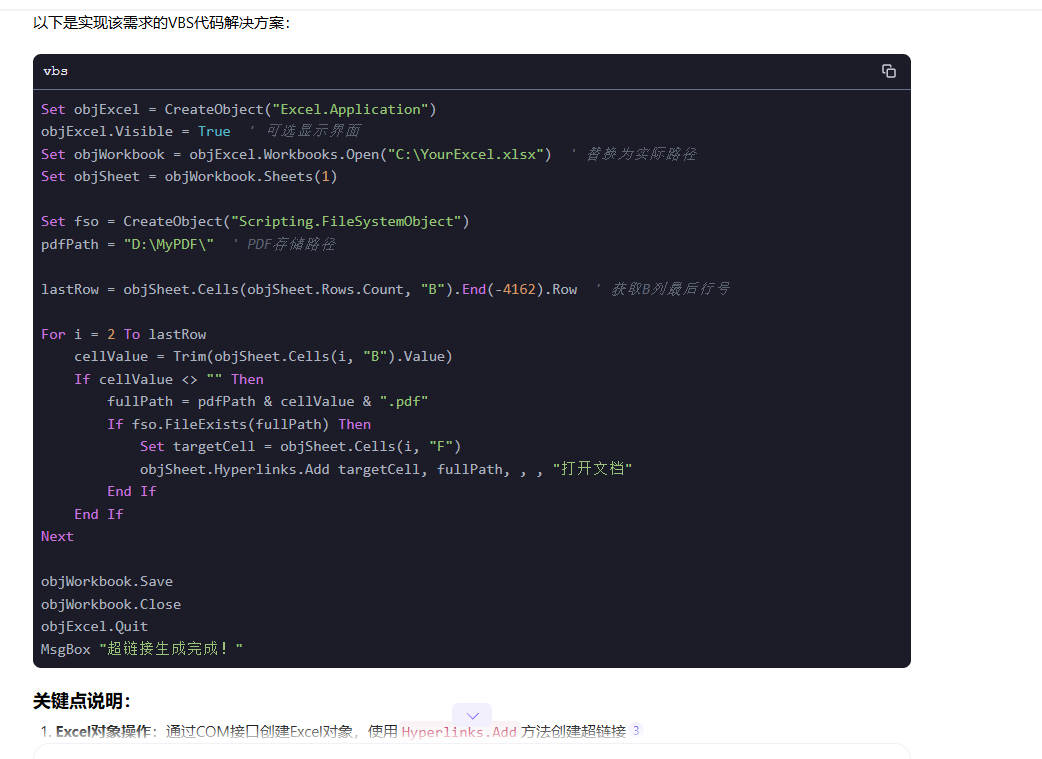
文章目录 前言一、开始VBA编程二、主要代码三、添加到所有EXCEL四、运行效果五、AI扩展 前言 EXCEL右击菜单添加一个选项,点击执行自己逻辑的功能。 然后让DeepSeek帮我把我的想法生成VBA代码 一、开始VBA编程 我的excel主菜单没有’开发工具‘ 选项,…...

基于单片机的电梯智能识别电动车阻车系统设计与实现
标题:基于单片机的电梯智能识别电动车阻车系统设计与实现 内容:1.摘要 随着电动车在日常生活中的普及,将电动车带入电梯带来的安全隐患日益凸显,如引发火灾等。本研究的目的是设计并实现一种基于单片机的电梯智能识别电动车阻车系统。方法上,…...

Python快速入门指南:从零开始掌握Python编程
文章目录 前言一、Python环境搭建🥏1.1 安装Python1.2 验证安装1.3 选择开发工具 二、Python基础语法📖2.1 第一个Python程序2.2 变量与数据类型2.3 基本运算 三、Python流程控制🌈3.1 条件语句3.2 循环结构 四、Python数据结构🎋…...
Java——数据类型与变量
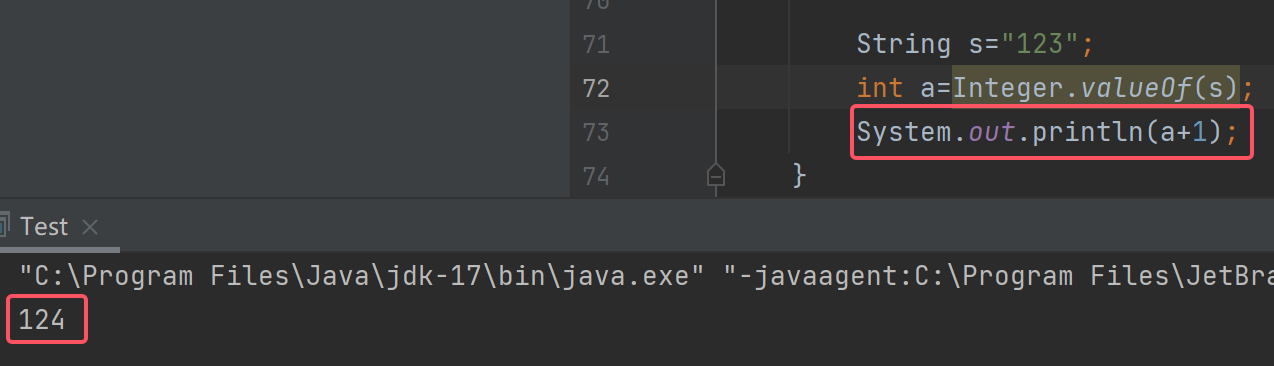
文章目录 字面常量Java数据类型变量定义变量的方式整形变量长整型变量短整型变量字节型变量浮点型变量双精度浮点型单精度浮点型 字符型变量布尔型变量 类型转换自动类型转换(隐式)强制类型转换(显式) 类型提升byte与byte的运算 字…...
9. C++STL详解vector的使用以及模拟实现
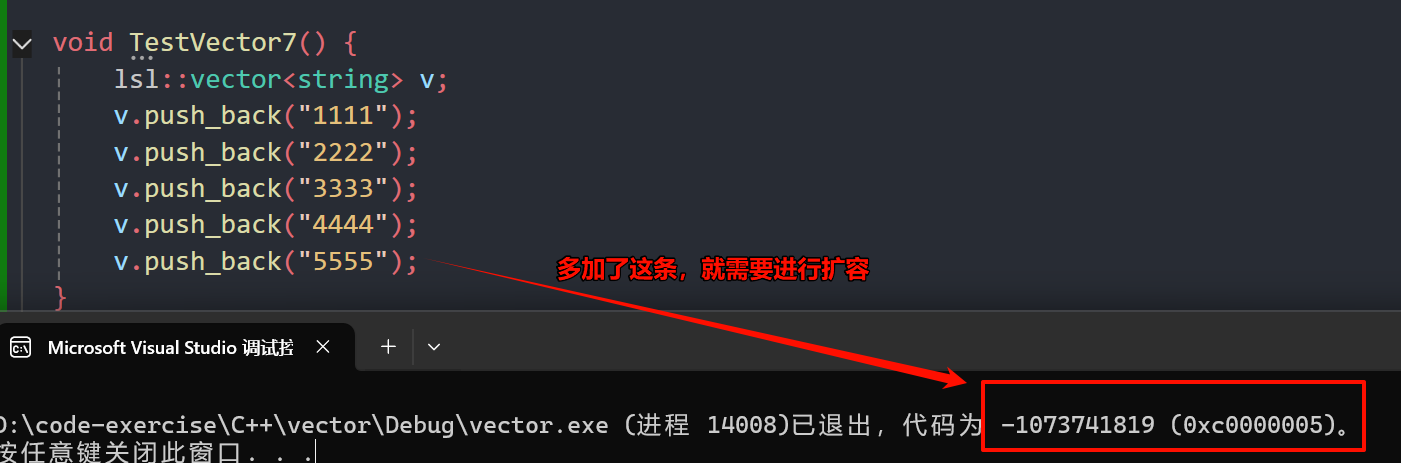
文章目录 一、vector的使用介绍1.1 vector的定义1.2 vector iterator 的使用1.3 vector 增删查改二、vector 迭代器失效问题会引起其底层空间改变的操作,都有可能是迭代器失效,比如:resize、reserve、insert、assign、push_back等。指定位置元…...