
k230学习笔记-疑难点(1)
1.出现boot failed with exit code 19:
需要将k230开发板的btoot0拨到ON
2.出现boot failed with exit code 13:
说明k230开发板的固件烧录已经丢失,需要重新烧录
*** 注意重新烧录时需要将btoot0重新拨到OFF,才会弹出加载固件需要的通用串行总线,Ganaan Creative K230 USB Boot Device ***
3.
ubuntu@ubuntu2004:~/k230_sdk/src/big/rt-smart/userapps$ scons --directory=04_rtt_shm_at
scons: Entering directory `/home/ubuntu/k230_sdk/src/big/rt-smart/userapps/04_rtt_shm_at'
scons: Reading SConscript files ...
scons: done reading SConscript files.
scons: Building targets ...
scons: building associated VariantDir targets: build/rtt_shm_at
CC build/rtt_shm_at/main.o
sh: 1: riscv64-unknown-linux-musl-gcc: not found
scons: *** [build/rtt_shm_at/main.o] Error 127
scons: building terminated because of errors.
ubuntu@ubuntu2004:~/k230_sdk/src/big/rt-smart/userapps$ scons --directory=04_rtt_shm_get
scons: Entering directory `/home/ubuntu/k230_sdk/src/big/rt-smart/userapps/04_rtt_shm_get'
scons: Reading SConscript files ...
scons: done reading SConscript files.
scons: Building targets ...
scons: building associated VariantDir targets: build/rtt_shm_get
CC build/rtt_shm_get/main.o
sh: 1: riscv64-unknown-linux-musl-gcc: not found
scons: *** [build/rtt_shm_get/main.o] Error 127
scons: building terminated because of errors.
总的来说,需要重新编译一下:
打开终端,切换到cd k230_sdk
make prepare_toolchain
为什么呢,在/home/ubuntu/k230_sdk/Makefile文件下第109-120,162行出现。
随后在vscode的终端中
存在/home/ubuntu/k230_sdk/src/big/rt-smart/smart-env.sh文件第42行存在我们需要的东西
{
"riscv64")
export RTT_CC=gcc
export RTT_EXEC_PATH=$(pwd)/../../../toolchain/
riscv64-linux-musleabi_for_x86_64-pc-linux-gnu/bin
export RTT_CC_PREFIX=riscv64-unknown-linux-musl-
export RTT_SDK_BUILD_DIR=build
export MPP_SRC_DIR=$(pwd)/../mpp
export CDK_SRC_DIR=$(pwd)/../../common/cdk
cp userapps/configs/def_config_riscv64 userapps/.config
;;
}
使用命令
Source smart-env.sh riscv64
***注意,一定要在/home/ubuntu/k230_sdk/src/big/rt-smart这个文件下的终端,不然不管。
即可
source smart-env.sh riscv64 是一个命令,用于在当前的 shell 会话中加载一个名为 smart-env.sh 的脚本,并传递参数 riscv64 给它。这个命令通常用于配置环境变量或设置工具链,以便在开发过程中使用特定的工具链(如 RISC-V 工具链)
静态链接与动态链接:elf文件与out文件
通过gcc hello.c产生的a.out文件
ubuntu@ubuntu2004:~/k230_sdk/src/big/rt-smart/userapps/hello$ file a.out
a.out: ELF 64-bit LSB shared object, x86-64, version 1 (SYSV), dynamically linked, interpreter /lib64/ld-linux-x86-64.so.2, BuildID[sha1]=f0f27aaa6abdda45fd053b2fcbab5873609801dd, for GNU/Linux 3.2.0, not stripped
ubuntu@ubuntu2004:~/k230_sdk/src/big/rt-smart/userapps/hello$ ls -a ./
. .. a.out build cconfig.h hello.c hello.elf SConscript .sconsign.dblite SConstruct
ubuntu@ubuntu2004:~/k230_sdk/src/big/rt-smart/userapps/hello$ ld -al ./
ld: unrecognized option '-al'
ld: use the --help option for usage information
ubuntu@ubuntu2004:~/k230_sdk/src/big/rt-smart/userapps/hello$ ls -al ./
total 340
drwxrwxr-x 3 ubuntu ubuntu 4096 Apr 16 05:21 .
drwxrwxr-x 22 ubuntu ubuntu 4096 Apr 15 03:29 ..
-rwxrwxr-x 1 ubuntu ubuntu 16672 Apr 16 05:21 a.out
drwxrwxr-x 3 ubuntu ubuntu 4096 Apr 15 04:12 build
-rw-rw-r-- 1 ubuntu ubuntu 352 Apr 16 02:34 cconfig.h
-rw-rw-r-- 1 ubuntu ubuntu 111 Apr 15 04:11 hello.c
-rwxrwxr-x 1 ubuntu ubuntu 294312 Apr 15 04:12 hello.elf
-rw-rw-r-- 1 ubuntu ubuntu 266 Apr 14 22:48 SConscript
-rw-rw-r-- 1 ubuntu ubuntu 3921 Apr 16 02:34 .sconsign.dblite
-rw-rw-r-- 1 ubuntu ubuntu 181 Apr 14 22:48 SConstruct
静态:
ubuntu@ubuntu2004:~/k230_sdk/src/big/rt-smart/userapps/hello$ file hello.elf
hello.elf: ELF 64-bit LSB executable, UCB RISC-V, version 1 (SYSV), statically linked, with debug_info, not stripped
ubuntu@ubuntu2004:~/k230_sdk/src/big/rt-smart/userapps/hello$
readelf -a hello.elf
产生很多信息,以至于我的终端被爆掉了,逐渐静态编译包含很多无用信息。。。
0
.................1703: 000000020000b308 48 FUNC GLOBAL DEFAULT 1 close
1704: 0000000200012010 0 NOTYPE GLOBAL DEFAULT 8 __got_start__
1705: 0000000200009822 268 FUNC GLOBAL DEFAULT 1 vfprintf
1706: 000000020000c040 156 FUNC GLOBAL HIDDEN 1 __stpncpy
1707: 0000000200012ea8 8 OBJECT GLOBAL DEFAULT 16 __progname_full
1708: 0000000200007608 48 FUNC GLOBAL DEFAULT 1 free
No version information found in this file.
Attribute Section: riscv
File Attributes
Tag_RISCV_stack_align: 16-bytes
Tag_RISCV_arch: "rv64i2p1_m2p0_a2p1_f2p2_d2p2_c2p0_v1p0_zicsr2p0_zve32f1p0_zve32x1p0_zve64d1p0_zve64f1p0_zve64x1p0_zvl128b1p0_zvl32b1p0_zvl64b1p0"
Tag_RISCV_priv_spec: 1
Tag_RISCV_priv_spec_minor: 11
ubuntu@ubuntu2004:~/k230_sdk/src/big/rt-smart/userapps/hello$
4.
msh />mount
filesystem device mountpoint
---------- ------ ----------
devfs (NULL) /dev
procfs (NULL) /proc
rom (NULL) /
tmp (NULL) /dev/shm
share (NULL) /sharefs
什么意思呢?
1. 什么是 mount 命令?
mount 是一个命令,用来查看或管理文件系统的挂载情况。简单来说,它会告诉你系统中有哪些文件系统被挂载到了哪些位置。文件系统就像是一个“存储规则”,它决定了数据如何被组织和访问。
2. 输出的每一列是什么意思?
mount 命令的输出有三列:
filesystem(文件系统):这是文件系统的类型,比如 devfs、procfs 等。
device(设备):这是文件系统所在的设备或资源。如果显示 (NULL),说明这个文件系统没有具体的硬件设备,而是虚拟的。
mountpoint(挂载点):这是文件系统被挂载到的具体位置,比如 /dev、/proc 等。
3. 逐条解释输出内容
根据你的输出:
复制
filesystem device mountpoint
---------- ------ ----------
devfs (NULL) /dev
procfs (NULL) /proc
rom (NULL) /
tmp (NULL) /dev/shm
share (NULL) /sharefs
第一条:devfs
filesystem:devfs 是设备文件系统。
device:(NULL),说明这是一个虚拟的文件系统,没有具体的硬件设备。
mountpoint:/dev,这是设备文件的挂载点。所有设备(比如键盘、鼠标、串口等)都会在这个目录下以文件的形式出现,方便程序访问。
简单理解:/dev 是一个特殊的目录,里面存放了所有设备的文件。
第二条:procfs
filesystem:procfs 是进程文件系统。
device:(NULL),同样是一个虚拟文件系统。
mountpoint:/proc,这是进程信息的挂载点。系统会把运行中的进程信息(比如进程 ID、内存占用等)以文件的形式放在这个目录下。
简单理解:/proc 是一个特殊的目录,里面存放了系统和进程的运行信息。
第三条:rom
filesystem:rom 是只读存储文件系统。
device:(NULL),说明这是一个虚拟文件系统。
mountpoint:/,这是根目录,也就是整个文件系统的起点。
简单理解:/ 是系统的根目录,所有文件和目录的组织都从这里开始。
第四条:tmp
filesystem:tmp 是临时文件系统。
device:(NULL),虚拟文件系统。
mountpoint:/dev/shm,这是共享内存的挂载点。程序可以在这个目录下创建临时文件,这些文件会存储在内存中,断电后会消失。
简单理解:/dev/shm 是一个临时存储区域,用来存放程序的临时数据。
第五条:share
filesystem:share 是共享文件系统。
device:(NULL),虚拟文件系统。
mountpoint:/sharefs,这是一个共享目录,可能用于设备之间的数据共享。
简单理解:/sharefs 是一个共享目录,不同程序或设备可以通过它交换数据。
4. 总结
这个 mount 命令的输出,实际上是在告诉你 RT-Thread 系统中有哪些文件系统被挂载到了哪些位置。这些文件系统有些是虚拟的(比如 devfs、procfs),有些是实际的存储(比如 rom 和 share)。它们共同组成了系统的文件结构,方便程序访问设备、进程信息、临时数据等。
- 考虑链接点:
考察一下他们的不同:
buntu@ubuntu2004:~/k230_sdk/src/big/rt-smart/userapps/hello$ gcc hello.c -0 hello__gcc: error: hello__: No such file or directory
gcc: error: unrecognized command line option ‘-0’
ubuntu@ubuntu2004:~/k230_sdk/src/big/rt-smart/userapps/hello$ gcc hello.c -o hello__
ubuntu@ubuntu2004:~/k230_sdk/src/big/rt-smart/userapps/hello$ ./hello
bash: ./hello: No such file or directory
ubuntu@ubuntu2004:~/k230_sdk/src/big/rt-smart/userapps/hello$ ./hello__
Hello World!
ubuntu@ubuntu2004:~/k230_sdk/src/big/rt-smart/userapps/hello$ riscv64-unknown-linux-musl-gcc hello.c -o hello.elf -static
/* hello.elf文件是通过scons编译的,嗯up主的补救之路,通过修改SConstruct文件 */
ubuntu@ubuntu2004:~/k230_sdk/src/big/rt-smart/userapps/hello$ file hello_back.elf
hello_back.elf: ELF 64-bit LSB executable, UCB RISC-V, version 1 (SYSV), statically linked, with debug_info, not stripped
/* 通过 riscv64-unknown-linux-musl-gcc hello.c -o hello.elf -static 编译*/
ubuntu@ubuntu2004:~/k230_sdk/src/big/rt-smart/userapps/hello$ file hello.elf
hello.elf: ELF 64-bit LSB executable, UCB RISC-V, version 1 (SYSV), statically linked, not stripped
很明显少了with debug_info文件,scons编译与riscv64-unknown-linux-musl-gcc hello.c -o hello.elf -static 编译。
但通过这样,就又有了
ubuntu@ubuntu2004:~/k230_sdk/src/big/rt-smart/userapps/hello$ riscv64-unknown-linux-musl-gcc hello.c -o hello.elf -static -g
ubuntu@ubuntu2004:~/k230_sdk/src/big/rt-smart/userapps/hello$ file hello.elf
hello.elf: ELF 64-bit LSB executable, UCB RISC-V, version 1 (SYSV), statically linked, with debug_info, not stripped
哈哈哈,多么有趣。
但是就算文件都一样了,依旧无法再小核里使用哦,其中脚本语言涉及很多东西很复杂,我也不懂。
会报这个错误:
msh />/sharefs/hello.elf
[E/LWP] lwp load faild, -1
[E/LWP] lwp load ret = -1
/sharefs/hello.elf: command not found.
**** 注意这个hello.elf文件是通过riscv64-unknown-linux-musl-gcc hello.c -o hello.elf -static -g
编译的 ****
其中的差异到底是什么呢?
显然重点是这个:
通过scons编译:
编译命令:
riscv64-unknown-linux-musl-gcc -o build/hello_back/hello.o -c -mcmodel=medany -march=rv64imafdcv -mabi=lp64d -Werror -Wall -O0 -g -gdwarf-2 -n --static -DHAVE_CCONFIG_H -I/home/ubuntu/k230_sdk/src/big/rt-smart/userapps -I. -I/home/ubuntu/k230_sdk/src/big/rt-smart/userapps/sdk/rt-thread/include -I/home/ubuntu/k230_sdk/src/big/rt-smart/userapps/sdk/rt-thread/components/dfs -I/home/ubuntu/k230_sdk/src/big/rt-smart/userapps/sdk/rt-thread/components/drivers -I/home/ubuntu/k230_sdk/src/big/rt-smart/userapps/sdk/rt-thread/components/finsh -I/home/ubuntu/k230_sdk/src/big/rt-smart/userapps/sdk/rt-thread/components/net hello.c
链接命令:
riscv64-unknown-linux-musl-gcc -o hello_back.elf -mcmodel=medany -march=rv64imafdcv -mabi=lp64d -T ../linker_scripts/riscv64/link.lds -Lsdk/rt-thread/lib -Wl,--whole-archive -lrtthread -Wl,--no-whole-archive -n --static build/hello_back/hello.o -L/home/ubuntu/k230_sdk/src/big/rt-smart/userapps/sdk/lib/risc-v/rv64 -L/home/ubuntu/k230_sdk/src/big/rt-smart/userapps/sdk/rt-thread/lib/risc-v/rv64 -Wl,--start-group -lrtthread -Wl,--end-group
编译命令:
工具:riscv64-unknown-linux-musl-gcc(RISC-V 架构的 GCC 编译器)。
目标文件:build/hello_back/hello.o。
选项:
-c:编译源文件,不进行链接。
-mcmodel=medany:指定内存模型。
-march=rv64imafdcv:指定目标架构(RISC-V 64 位)。
-mabi=lp64d:指定 ABI(应用程序二进制接口)。
-Werror:将警告视为错误。
-Wall:启用所有警告。
-O0:禁用优化。
-g:生成调试信息。
-gdwarf-2:使用 DWARF 2 格式的调试信息。
-n:生成紧凑的代码。
--static:静态链接。
-DHAVE_CCONFIG_H:定义宏 HAVE_CCONFIG_H。
包含路径:
-I:指定头文件的搜索路径。
链接命令:
工具:riscv64-unknown-linux-musl-gcc。
目标文件:hello_back.elf。
选项:
-T ../linker_scripts/riscv64/link.lds:指定链接脚本。
-Lsdk/rt-thread/lib:指定库文件的搜索路径。
-Wl,--whole-archive:链接整个库。
-lrtthread:链接 RT-Thread 库。
-Wl,--no-whole-archive:停止链接整个库。
-n:生成紧凑的代码。
--static:静态链接。
库路径:
-L/home/ubuntu/k230_sdk/src/big/rt-smart/userapps/sdk/lib/risc-v/rv64:库文件路径。
-L/home/ubuntu/k230_sdk/src/big/rt-smart/userapps/sdk/rt-thread/lib/risc-v/rv64:RT-Thread 库路径。
库组:
-Wl,--start-group 和 -Wl,--end-group:指定库的分组链接。
ubuntu@ubuntu2004:~/k230_sdk/src/big/rt-smart/userapps$ scons --directory=hello --verbose
scons: Entering directory `/home/ubuntu/k230_sdk/src/big/rt-smart/userapps/hello'
scons: Reading SConscript files ...
scons: done reading SConscript files.
scons: Building targets ...
scons: building associated VariantDir targets: build/hello_back
riscv64-unknown-linux-musl-gcc -o build/hello_back/hello.o -c -mcmodel=medany -march=rv64imafdcv -mabi=lp64d -Werror -Wall -O0 -g -gdwarf-2 -n --static -DHAVE_CCONFIG_H -I/home/ubuntu/k230_sdk/src/big/rt-smart/userapps -I. -I/home/ubuntu/k230_sdk/src/big/rt-smart/userapps/sdk/rt-thread/include -I/home/ubuntu/k230_sdk/src/big/rt-smart/userapps/sdk/rt-thread/components/dfs -I/home/ubuntu/k230_sdk/src/big/rt-smart/userapps/sdk/rt-thread/components/drivers -I/home/ubuntu/k230_sdk/src/big/rt-smart/userapps/sdk/rt-thread/components/finsh -I/home/ubuntu/k230_sdk/src/big/rt-smart/userapps/sdk/rt-thread/components/net hello.c
riscv64-unknown-linux-musl-gcc -o hello_back.elf -mcmodel=medany -march=rv64imafdcv -mabi=lp64d -T ../linker_scripts/riscv64/link.lds -Lsdk/rt-thread/lib -Wl,--whole-archive -lrtthread -Wl,--no-whole-archive -n --static build/hello_back/hello.o -L/home/ubuntu/k230_sdk/src/big/rt-smart/userapps/sdk/lib/risc-v/rv64 -L/home/ubuntu/k230_sdk/src/big/rt-smart/userapps/sdk/rt-thread/lib/risc-v/rv64 -Wl,--start-group -lrtthread -Wl,--end-group
/home/ubuntu/k230_sdk/toolchain/riscv64-linux-musleabi_for_x86_64-pc-linux-gnu/bin/../lib/gcc/riscv64-unknown-linux-musl/12.0.1/../../../../riscv64-unknown-linux-musl/bin/ld: warning: hello_back.elf has a LOAD segment with RWX permissions
scons: done building targets.
我们在改善一下,使用这个命令怎么样?riscv64-unknown-linux-musl-gcc hello.c -o hello.elf -static -g -mcmodel=medany -march=rv64imafdcv -mabi=lp64d
依旧无用:小核报错
msh />/sharefs/hello.elf[E/LWP] lwp load faild, -1
[E/LWP] lwp load ret = -1
/sharefs/hello.elf: command not found.
继续探讨:
/* riscv64-unknown-linux-musl-gcc hello.c -o hello.elf -static -g -mcmodel=medany -march=rv64imafdcv -mabi=lp64d编译 */
ubuntu@ubuntu2004:~/k230_sdk/src/big/rt-smart/userapps/hello$ readelf -h hello.elf
ELF Header:
Magic: 7f 45 4c 46 02 01 01 00 00 00 00 00 00 00 00 00
Class: ELF64
Data: 2's complement, little endian
Version: 1 (current)
OS/ABI: UNIX - System V
ABI Version: 0
Type: EXEC (Executable file)
Machine: RISC-V
Version: 0x1
Entry point address: 0x0
Start of program headers: 64 (bytes into file)
Start of section headers: 70712 (bytes into file)
Flags: 0x5, RVC, double-float ABI
Size of this header: 64 (bytes)
Size of program headers: 56 (bytes)
Number of program headers: 5
Size of section headers: 64 (bytes)
Number of section headers: 23
Section header string table index: 22
/* 这个是scons编译的 */
ubuntu@ubuntu2004:~/k230_sdk/src/big/rt-smart/userapps/hello$ readelf -h hello_back.elf
ELF Header:
Magic: 7f 45 4c 46 02 01 01 00 00 00 00 00 00 00 00 00
Class: ELF64
Data: 2's complement, little endian
Version: 1 (current)
OS/ABI: UNIX - System V
ABI Version: 0
Type: EXEC (Executable file)
Machine: RISC-V
Version: 0x1
Entry point address: 0x200000000
Start of program headers: 64 (bytes into file)
Start of section headers: 290664 (bytes into file)
Flags: 0x5, RVC, double-float ABI
Size of this header: 64 (bytes)
Size of program headers: 56 (bytes)
Number of program headers: 3
Size of section headers: 64 (bytes)
Number of section headers: 57
Section header string table index: 56
readelf: Error: Section 8 has invalid sh_entsize of 0000000000000008
readelf: Error: (Using the expected size of 24 for the rest of this dump)
- 报错提醒
ubuntu@ubuntu2004:~/k230_sdk/src/big/rt-smart/userapps$ scons --directory=hello --verbose
scons: Entering directory `/home/ubuntu/k230_sdk/src/big/rt-smart/userapps/hello'
scons: Reading SConscript files ...
scons: done reading SConscript files.
scons: Building targets ...
scons: building associated VariantDir targets: build/hello_back
scons: `.' is up to date.
scons: done building targets.
从你的输出信息来看,SCons 构建工具成功运行了,并且没有生成新的目标文件,因为目标文件已经是“最新状态”(up to date)
解决方法
ubuntu@ubuntu2004:~/k230_sdk/src/big/rt-smart/userapps$ scons --directory=hello -c
scons: Entering directory `/home/ubuntu/k230_sdk/src/big/rt-smart/userapps/hello'
scons: Reading SConscript files ...
scons: done reading SConscript files.
scons: Cleaning targets ...
Removed build/hello_back/hello.o
Removed hello_back.elf
scons: done cleaning targets.
RT-Thread ELF 文件对比分析
1. 入口地址
- hello.elf:
- 入口地址:0x0
- 解释:入口地址为 0x0,通常表示程序的入口点未正确设置,或是一个默认值。
- hello_back.elf:
- 入口地址:0x200000000
- 解释:入口地址为 0x200000000,表明程序的入口点被正确设置为一个合理的内存地址。
2. 程序头部数量
- hello.elf:
- 程序头部数量:5
- 解释:包含 5 个程序头部,通常表示有更多的加载段(如代码段、数据段等)。
- hello_back.elf:
- 程序头部数量:3
- 解释:包含 3 个程序头部,表明加载段较少,可能是由于链接脚本或构建工具的优化。
3. 节头部数量
- hello.elf:
- 节头部数量:23
- 解释:包含 23 个节头部,表示节(如 .text、.data、.bss 等)较少。
- hello_back.elf:
- 节头部数量:57
- 解释:包含 57 个节头部,表明节较多,可能是由于链接脚本或构建工具生成了更多的调试信息或元数据。
4. 节头部字符串表索引
- hello.elf:
- 节头部字符串表索引:22
- 解释:节名称字符串表的位置为索引 22。
- hello_back.elf:
- 节头部字符串表索引:56
- 解释:节名称字符串表的位置为索引 56。
5. readelf 错误
- hello_back.elf:
- 错误信息:
readelf: Error: Section 8 has invalid sh_entsize of 0000000000000008
readelf: Error: (Using the expected size of 24 for the rest of this dump)
- 解释:某个节头部的 sh_entsize 字段值无效(0x8),readelf 工具无法正确解析该节的大小。这可能是由于链接脚本或构建工具的问题,导致生成的 ELF 文件不符合规范。
总结
- hello.elf 是通过手动编译生成的,入口地址为 0x0,程序头部和节头部数量较少。
- hello_back.elf 是通过 SCons 构建工具生成的,入口地址为 0x200000000,程序头部和节头部数量较多,但存在 readelf 解析错误。
建议
1. 检查链接脚本:
- 确保链接脚本(如 link.lds)正确设置了入口地址和段布局。
- 修复 sh_entsize 错误,确保生成的 ELF 文件符合规范。
2. 使用构建工具:
- 使用 SCons 或其他构建工具可以简化构建过程,并减少手动编译时的错误。
通过补充编译链接-T /home/ubuntu/k230_sdk/src/big/rt-smart/userapps/linker_scripts/riscv64/link.lds
可以产生合适的Entry point address
ubuntu@ubuntu2004:~/k230_sdk/src/big/rt-smart/userapps/hello$ riscv64-unknown-linux-musl-gcc hello.c -o hello.elf -static -g -mcmodel=medany -march=rv64imafdcv -mabi=lp64d -T /home/ubuntu/k230_sdk/src/big/rt-smart/userapps/linker_scripts/riscv64/link.lds
ubuntu@ubuntu2004:~/k230_sdk/src/big/rt-smart/userapps/hello$ readelf -h hello.elf
ELF Header:
Magic: 7f 45 4c 46 02 01 01 00 00 00 00 00 00 00 00 00
Class: ELF64
Data: 2's complement, little endian
Version: 1 (current)
OS/ABI: UNIX - System V
ABI Version: 0
Type: EXEC (Executable file)
Machine: RISC-V
Version: 0x1
Entry point address: 0x200000000
Start of program headers: 64 (bytes into file)
Start of section headers: 75296 (bytes into file)
Flags: 0x5, RVC, double-float ABI
Size of this header: 64 (bytes)
Size of program headers: 56 (bytes)
Number of program headers: 4
Size of section headers: 64 (bytes)
Number of section headers: 31
Section header string table index: 30
终于,完美解决了,哈哈,实在有趣。
msh />./sharefs/hello.elf
Hello World!
可认为是一个有意义的探索。
7.
如果端口缺失,OpenMV Cam USB COM Port (COM11),这需要在这个网站下载。
https://openmv.io/pages/download,就解决了
相关文章:
)
k230学习笔记-疑难点(1)
1.出现boot failed with exit code 19: 需要将k230开发板的btoot0拨到ON 2.出现boot failed with exit code 13: 说明k230开发板的固件烧录已经丢失,需要重新烧录 *** 注意重新烧录时需要将btoot0重新拨到OFF,才会弹出加载固件需要的通用串行总线&…...
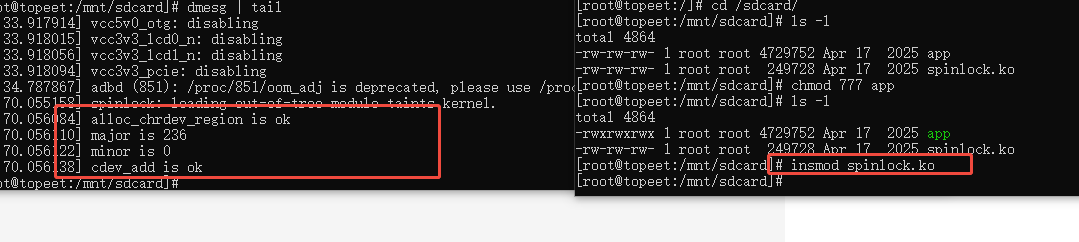
驱动-自旋锁
前面原子操作进行了讲解, 并使用原子整形操作对并发与竞争实验进行了改进,但是原子操作只能对整形变量或者位进行保护, 而对于结构体或者其他类型的共享资源, 原子操作就力不从心了, 这时候就轮到自旋锁的出场了。 两个…...
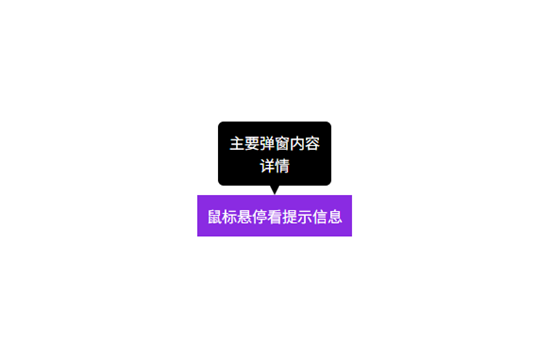
10.(vue3.x+vite)div实现tooltip功能(css实现)
1:效果截图 2:代码实现 <template><div><div class="tooltip" style="margin-top: 20%; margin-left: 20%; background-color: blueviolet; color: white;...

使WebSocket 稳定可靠,需要考虑的方向
文章目录 1. 连接管理2. 心跳检测3. 重连机制4. 消息队列5. 错误处理6. 资源管理7. 安全性8. 状态同步 示例代码1. 添加依赖2. WebSocket 客户端实现代码注释功能标注3. 安卓端使用MainActivity.java布局文件(activity_main.xml) 4. 后端(Fla…...
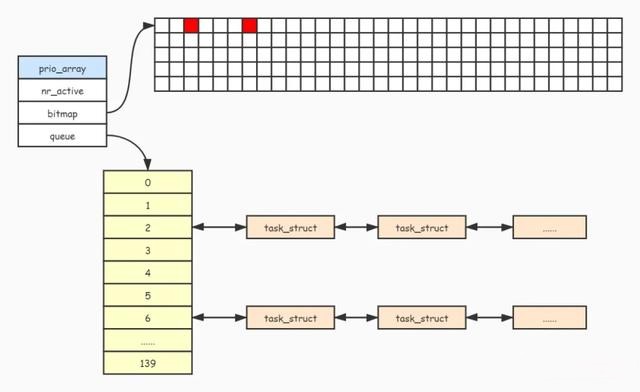
Linux:进程:进程调度
进程在CPU上运行具有以下特性: 竞争、独⽴、并⾏、并发 竞争性:系统进程数⽬众多,⽽CPU资源很少甚至只有一个,所以进程之间是具有竞争属性的。为 了⾼效完成任务,更合理竞争相关资源,便具有了优先级 独⽴性: 为了避…...
Stable Diffusion 图像生成 GUI 应用:图像缩放等五个优化——SD界面学习记录
本篇续前面Stable DiffusionPyqt5实现图像生成和管理界面,链接如下: Stable DiffusionPyqt5: 实现图像生成与管理界面(带保存 历史记录 删除功能)——我的实验记录(结尾附系统效果图)-CSDN博客…...

职坐标解码互联网行业转型发展新动能
当前,互联网行业正以前所未有的速度重塑全球产业格局。工信部最新数据显示,我国互联网企业营收连续三年保持双位数增长,其中百强企业在人工智能、物联网等领域的投入强度同比提升40%,展现出强劲的技术引领力。与此同时,…...
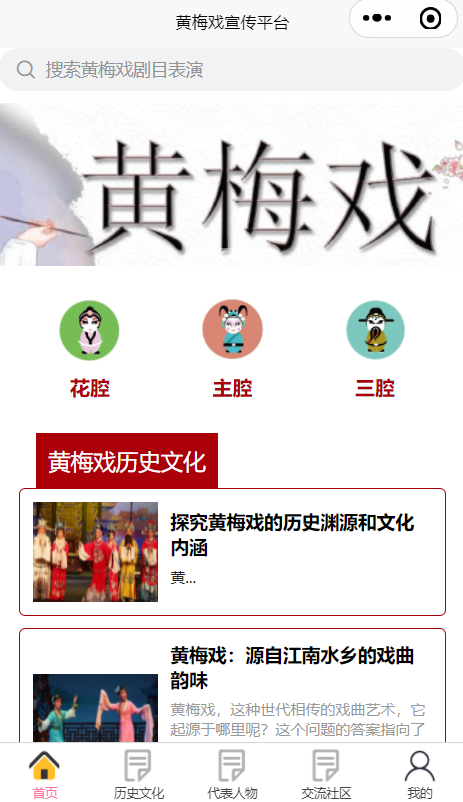
【含文档+PPT+源码】基于微信小程序的非遗文化黄梅戏宣传平台的设计与实现
课程目标: 教你从零开始部署运行项目,学习环境搭建、项目导入及部署,含项目源码、文档、数据库、软件等资料 课程简介: 本课程演示的是一款基于微信小程序的非遗文化黄梅戏宣传平台的设计与实现,主要针对计算机相关…...
Causal Attention的底层原理
Causal Attention Transformer的Decoder中最显著的结构是Casual Attention。 通过本篇文章,你将学会 Casual Attention的机制原理 Casual Attention在TensorFlow中的实现原理 如何快速地保存并打印TensorFlow中模型已经训练好的参数 如何实现Transformer的Dec…...

深入理解类:ArkTS面向对象编程的核心概念
# 深入理解类:ArkTS面向对象编程的核心概念 在编程世界里,面向对象编程(OOP)是一种强大的编程范式,而类则是OOP的核心构建块。在ArkTS语言中,类的设计和使用对于构建复杂、可维护的应用程序至关重要。今天…...

AI 驱动下的后端开发架构革命:从智能协同体系
AI 驱动下的后端开发架构革命:从智能协同体系 一、引言:AI 重构后端开发范式 在 2025 年的企业级技术演进中,人工智能正从辅助工具升级为核心架构要素。根据 Gartner《2025 智能技术栈成熟度报告》,传统 "人力编码 硬规则…...

vue3 Ts axios 封装
vue3 Ts axios 封装 axios的封装 import axios, { AxiosError, AxiosInstance, InternalAxiosRequestConfig, AxiosResponse, AxiosRequestConfig, AxiosHeaders } from axios import qs from qs import { config } from ./config import { ElMessage } from element-plus// …...
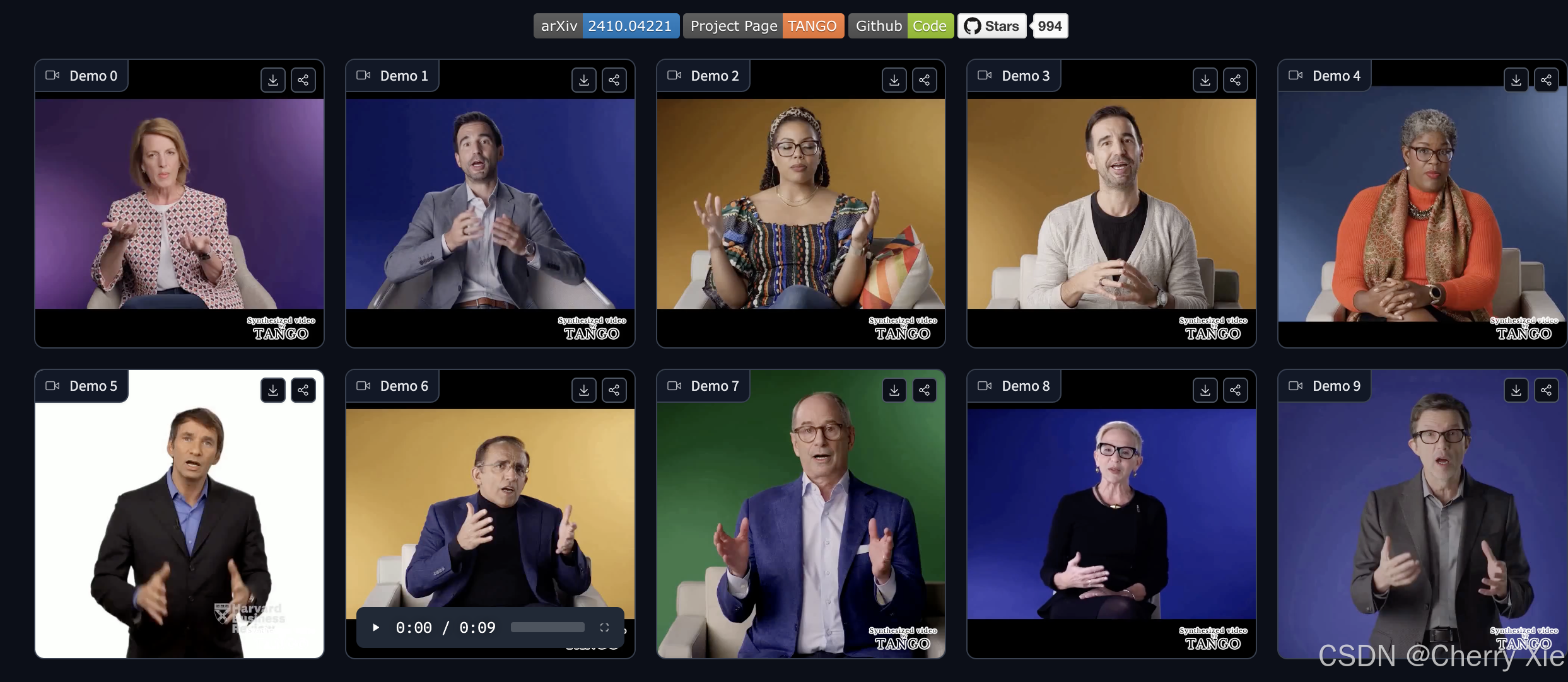
CyberAgentAILab 开源数字人项目TANGO,heygen的开源版来了~
简介 TANGO 是 CyberAgentAILab 开源的一项前沿研究成果,其初衷在于探索高效生成模型在实际应用场景中的表现。项目诞生于 CyberAgent 在整合创意与人工智能的实践中,旨在为数字内容生成、交互和实时渲染等领域提供一个高性能、模块化、可扩展的解决方案…...
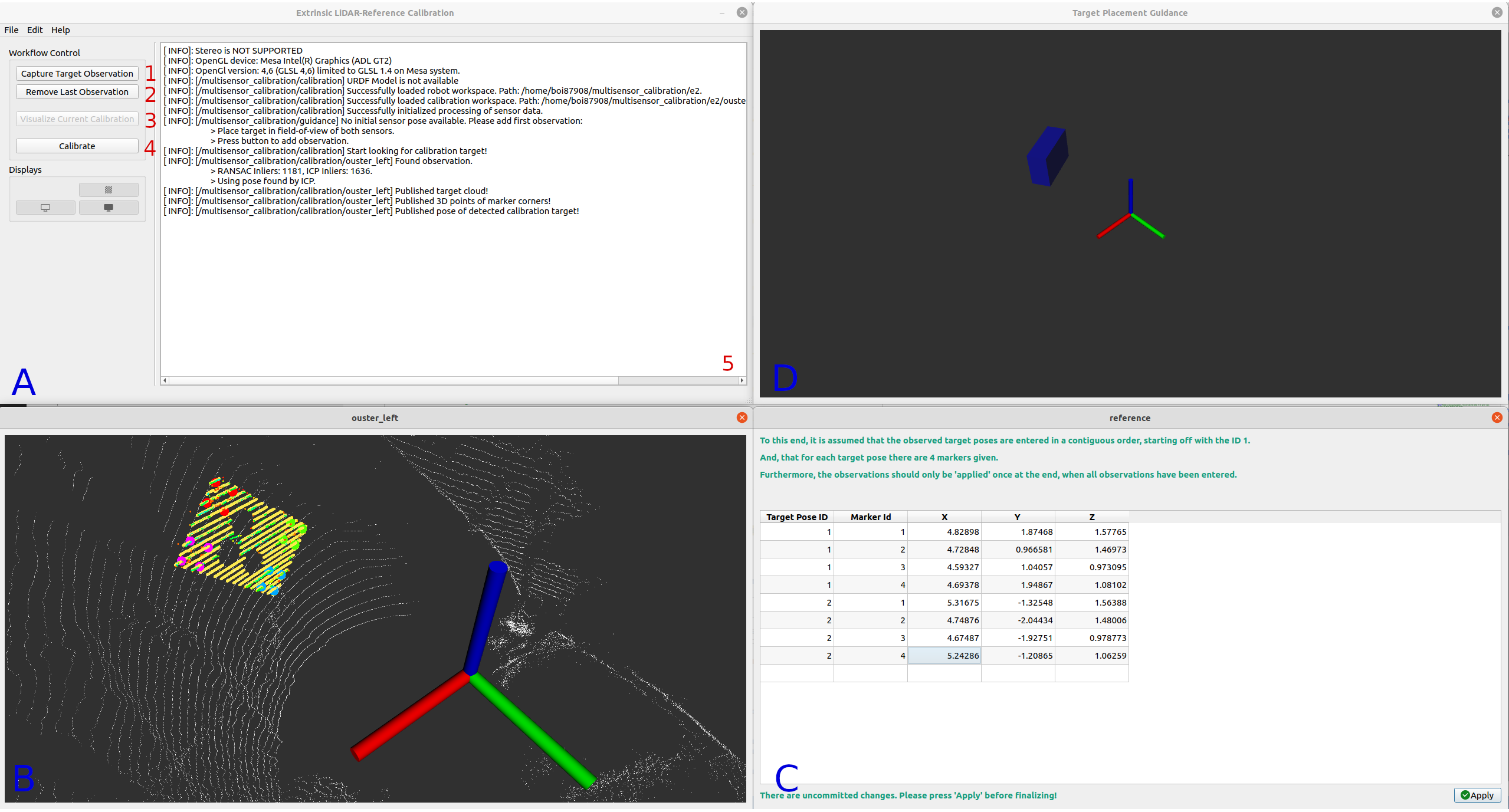
ROS ROS2 机器人深度相机激光雷达多传感器标定工具箱入门教程(一)
系列文章目录 目录 系列文章目录 前言 一、安装 1.1 ROS 2 官方软件包 二、教程 2.1 标定配置器 2.1.1 机器人选项 2.1.2.1 外参相机-激光雷达标定 2.1.2.2 外参激光雷达-激光雷达标定 2.1.2.3 外参相机参照标定 2.1.2.4 外参激光雷达-参考标定 2.2 外参照相机-激…...
:ながら 一边。。一边)
日语学习-日语知识点小记-构建基础-JLPT-N4阶段(6):ながら 一边。。一边
日语学习-日语知识点小记-构建基础-JLPT-N4阶段(6):ながら 一边。。一边 1、前言(1)情况说明(2)工程师的信仰 2、知识点(1)ながら1)一边。。一边2࿰…...

从EOF到REOF:如何用旋转经验正交函数提升时空数据分析精度?
目录 1. 基本概念与原理2. 应用场景3. 与传统EOF的区别4. 技术实现5. 其他领域中的“REOF”参考资料 REOF 的输入是多个地区在不同时间的气候数据(如温度或降雨量),它的作用是通过旋转计算找出这些数据中最主要的变化规律,输出则是…...
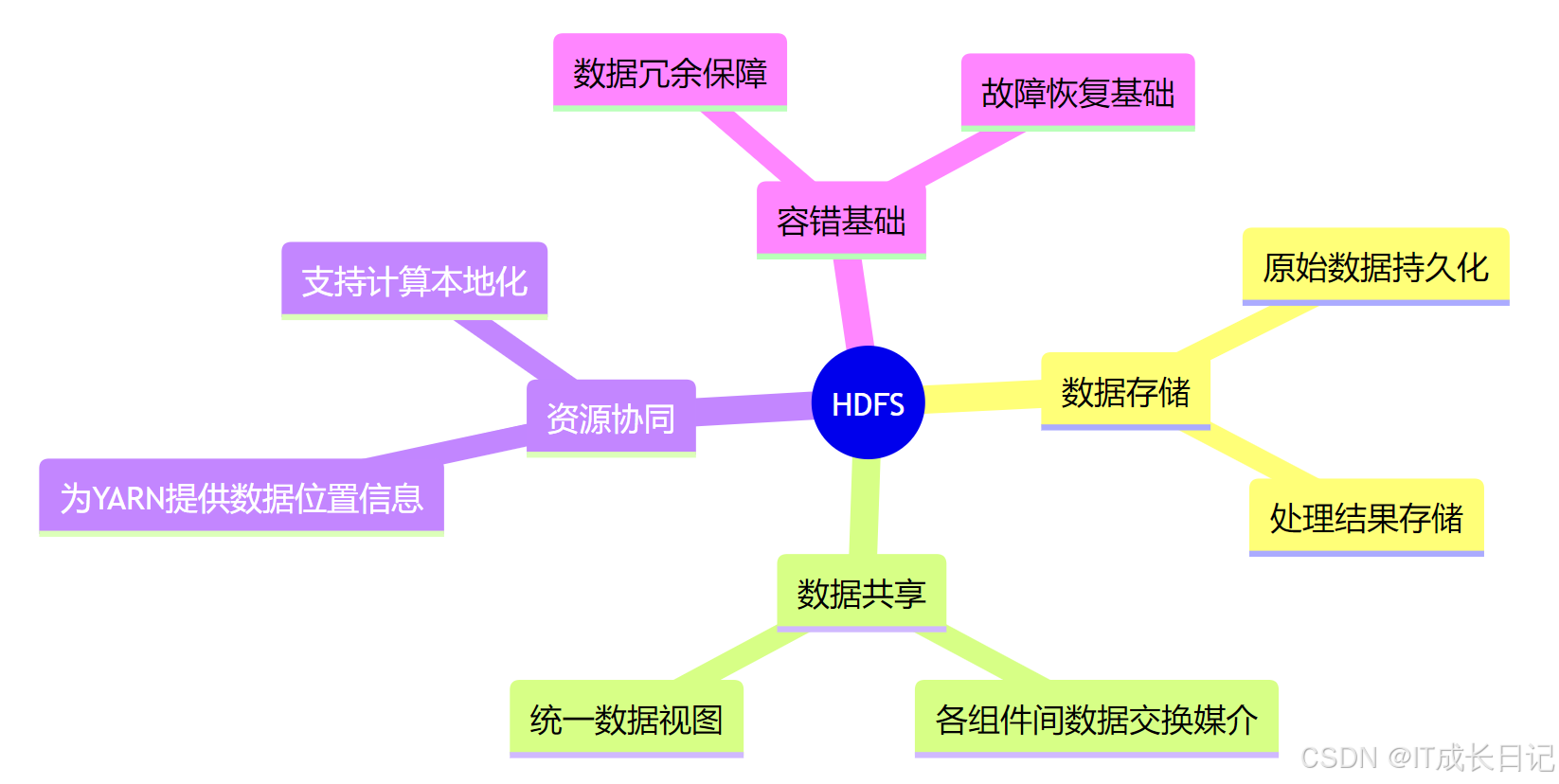
【HDFS入门】HDFS与Hadoop生态的深度集成:与YARN、MapReduce和Hive的协同工作原理
目录 引言 1 HDFS核心架构回顾 2 HDFS与YARN的集成 3 HDFS与MapReduce的协同 4 HDFS与Hive的集成 4.1 Hive架构与HDFS交互 4.2 Hive数据组织 4.3 Hive查询执行流程 5 HDFS在生态系统中的核心作用 6 性能优化实践 7 总结 引言 在大数据领域,Hadoop生态系统…...
用 AI 十天开发小程序:探秘 “幸运塔塔屋” 之 “解惑指南书” 功能
在当今软件开发领域,AI 技术正以前所未有的速度改变着我们的开发方式。我仅用十天时间,借助 AI 成功开发出 “幸运塔塔屋” 小程序,其中 “解惑指南书” 功能别具一格。今天,就为大家详细剖析这个功能从构思到落地的全过程。 十天…...
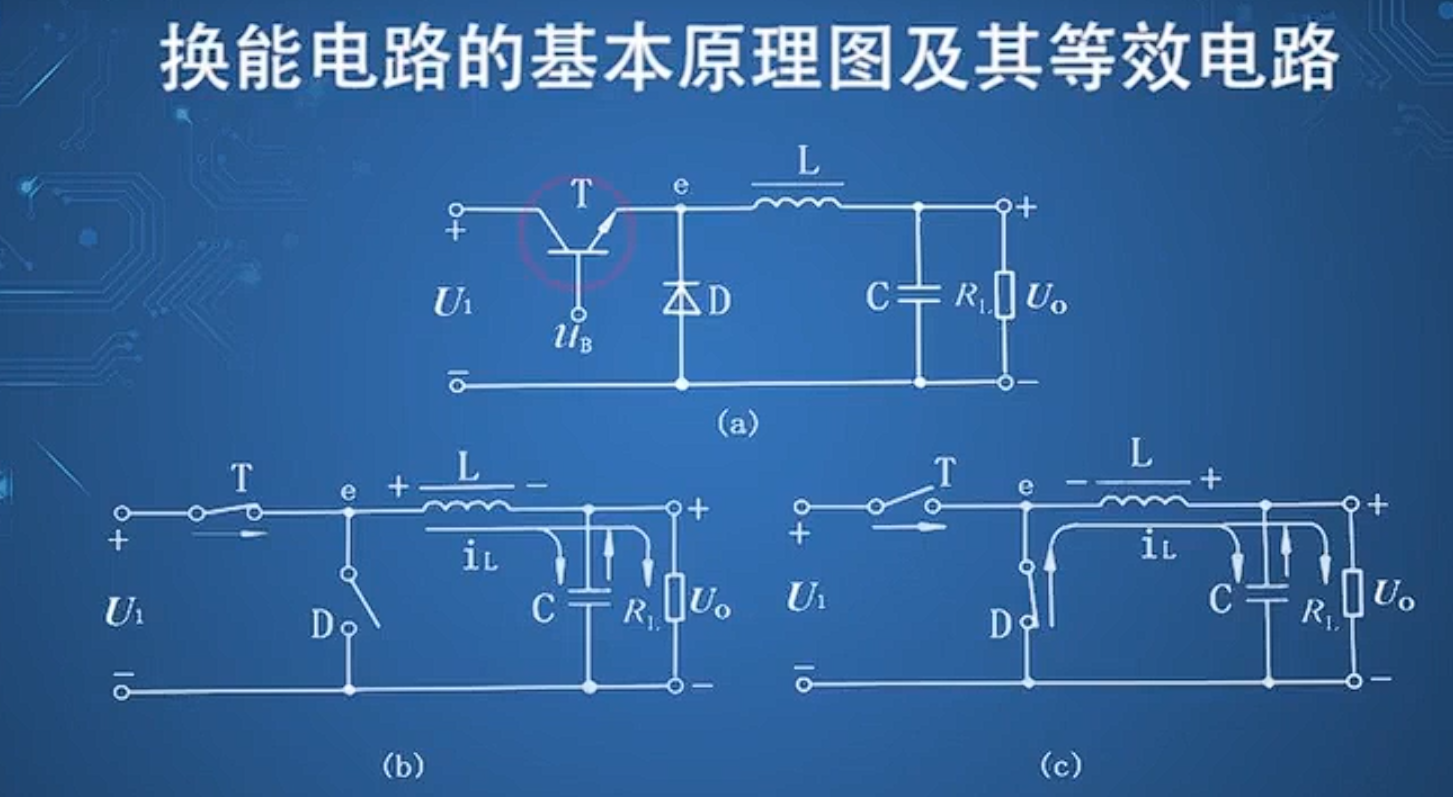
直流电源基本原理
整流电路 在构建整流电路时,要选择合适参数的二极管 If是二极管能够通过电流的能力,也是最大整流的平均电流。 还要考虑二极管的反向截至电压。 脉动系数电压交流幅值/直流平均电压(越小越好) 三相整流电路优点: …...

osu ai 论文笔记 DQN
e https://theses.liacs.nl/pdf/2019-2020-SteeJvander.pdf Creating an AI for the Rhytm Game osu! 20年的论文 用监督学习训练移动模型100首歌能达到95准确率 点击模型用DQN两千首歌65准确率 V抖用的居然不是强化学习? 5,6星打96准确度还是有的东西的 这是5.…...

MapReduce实验:分析和编写WordCount程序(对文本进行查重)
实验环境:已经部署好的Hadoop环境 Hadoop安装、配置与管理_centos hadoop安装-CSDN博客 实验目的:对输入文件统计单词频率 实验过程: 1、准备文件 test.txt文件,它是你需要准备的原始数据文件,存放在你的 Linux 系…...

Windows Acrobat Pro DC-v2025.001.20435-x64-CN-Portable便携版
Windows Acrobat Pro 链接:https://pan.xunlei.com/s/VOO1nMjQ1Qf53dyISGne0c_9A1?pwdsfgn# Acrobat Pro 2024 专业增强版特色 ● 创建和编辑 PDF 文件:可以将各种类型的文档转换为 PDF 格式,并进行编辑和修改。 ● 合并和拆分 PDF&#…...

二十、FTP云盘
1、服务端 #include <stdio.h> #include <string.h> #include <stdlib.h> #include <sys/types.h> #include <unistd.h> #include <sys/types.h> /* See NOTES */ #include <sys/socket.h> #include <netinet/in.h>…...

【4】k8s集群管理系列--harbor镜像仓库本地化搭建
一、harbor基本概念 Harbor是一个由VMware开源的企业级Docker镜像仓库解决方案,旨在解决企业在容器化应用部署中的痛点,提供镜像存储、管理、安全和分发的全生命周期管理。Harbor扩展了Docker Registry,增加了企业级功能,如…...

Oracle 12.1.0.2补丁安装全流程
第一步,先进行备份 tar -cvf u01.tar /u01 第二步,更新OPatch工具包 根据补丁包中readme信息汇总提示的信息,下载对应版本的OPatch工具包,本次下载的版本为: p6880880_122010_Linux-x86-64.zip opatch版本为最新的…...

【AAOS】【源码分析】Car UX Restrictions
AAOS UX的核心理念:安全驾驶是驾驶员的首要责任。汽车制造商和应用程序开发人员的所有设计都必须反映这一优先事项。 AAOS平台允许设备制造商(OEM)对不同驾驶状态下的限制进行定制。 驾驶员分心指南 只有符合Driver Distraction Guidelines的应用才可以在驾驶过程中运行。…...

解读《人工智能指数报告 2025》:洞察 AI 发展新态势
美国斯坦福大学 “以人为本人工智能研究院”(HAI)近日发布的第八版《人工智能指数报告》(AI Index Report 2025)备受全球瞩目。自 2017 年首次发布以来,该报告一直为政策制定者、研究人员、企业高管和公众提供准确、严…...
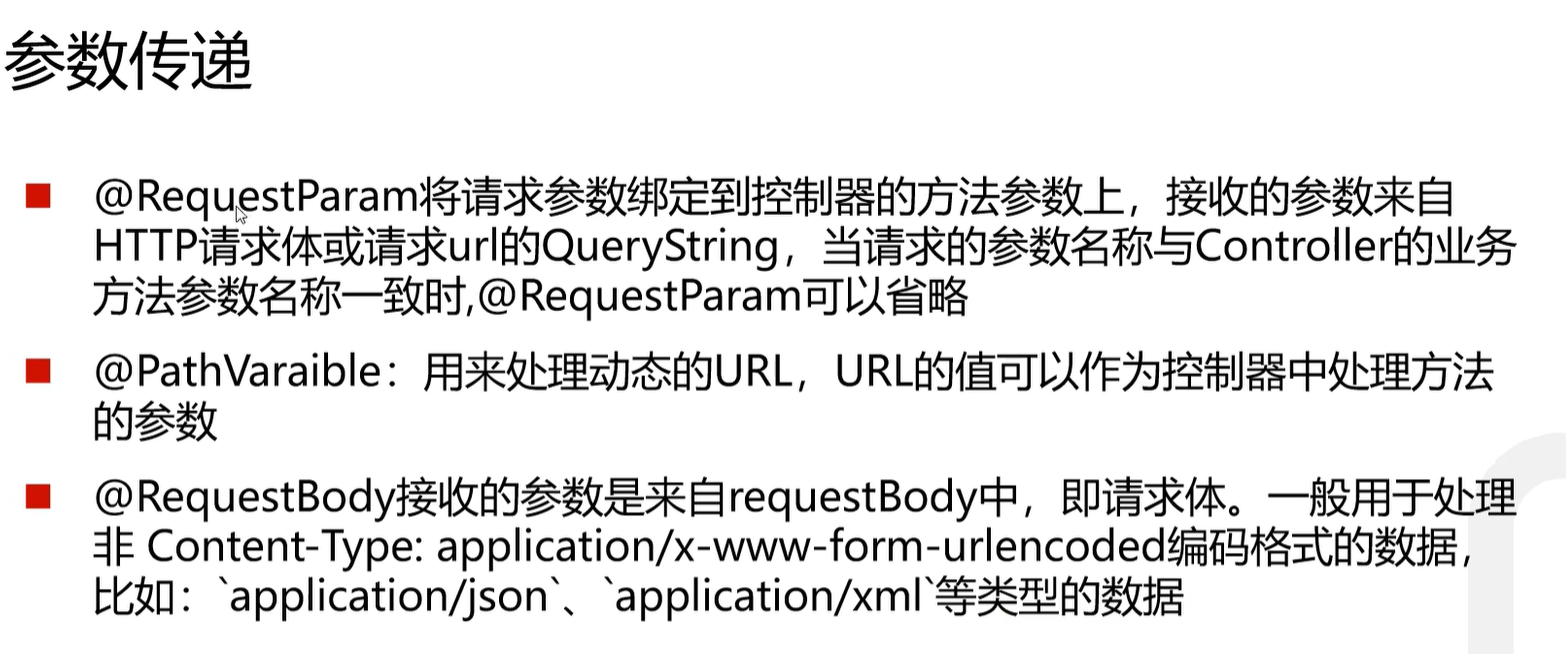
【SpringBoot+Vue自学笔记】003 SpringBoot Controll
跟着这位老师学习的:https://www.bilibili.com/video/BV1nV4y1s7ZN?vd_sourceaf46ae3e8740f44ad87ced5536fc1a45 这段话的意思其实是:Spring Boot 简化了传统 Web 项目的搭建流程,让你少折腾配置,直接开搞业务逻辑。 ὒ…...

探索Web3平台的数据安全和保护机制
在数字化时代,Web3 平台以其去中心化、透明性和用户主权等特点,正逐渐成为互联网技术的新宠。然而,随着数据价值的日益凸显,Web3 平台的数据安全和保护机制变得尤为重要。本文将深入探讨 Web3 平台的数据安全和保护机制࿰…...

基于ssh密钥访问远程Linux
1、在本地机器上生成密钥对(默认保存在 ~/.ssh/) ssh-keygen -t ed25519 或使用 RSA(兼容性更好): ssh-keygen -t rsa -b 4096 2、 将公钥上传到远程主机 方法一:使用 ssh-copy-id ssh-copy-id -i ~/.ssh/id_ed25519.pub us…...