
GoogleCodeUtil.java
Google动态验证码实现 GoogleCodeUtil.java
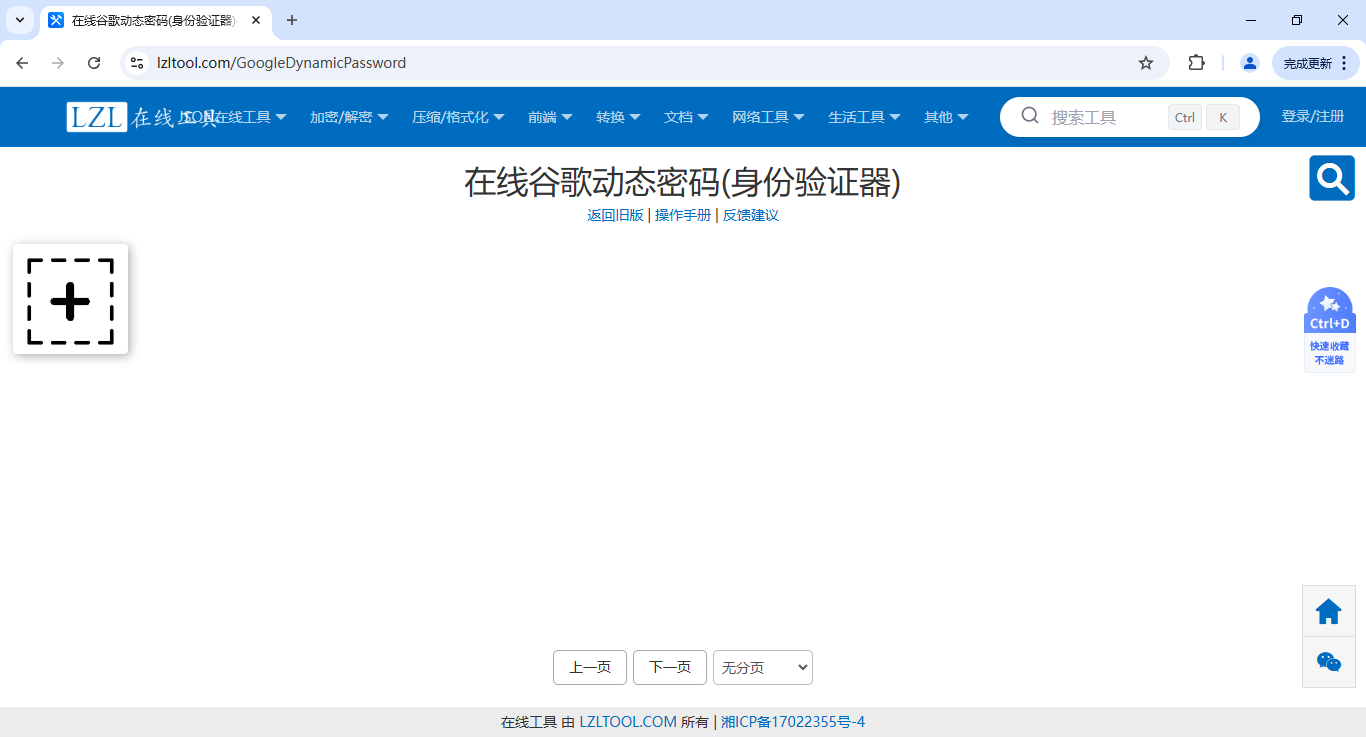
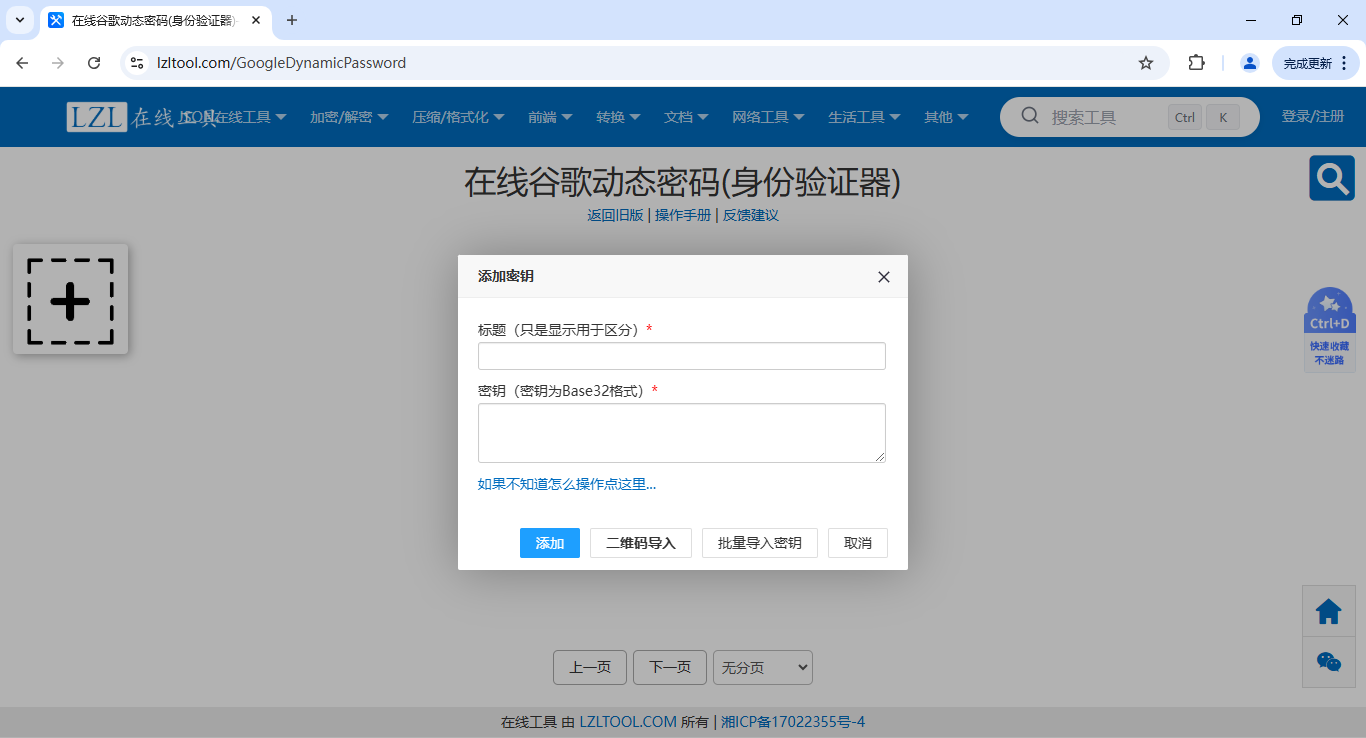
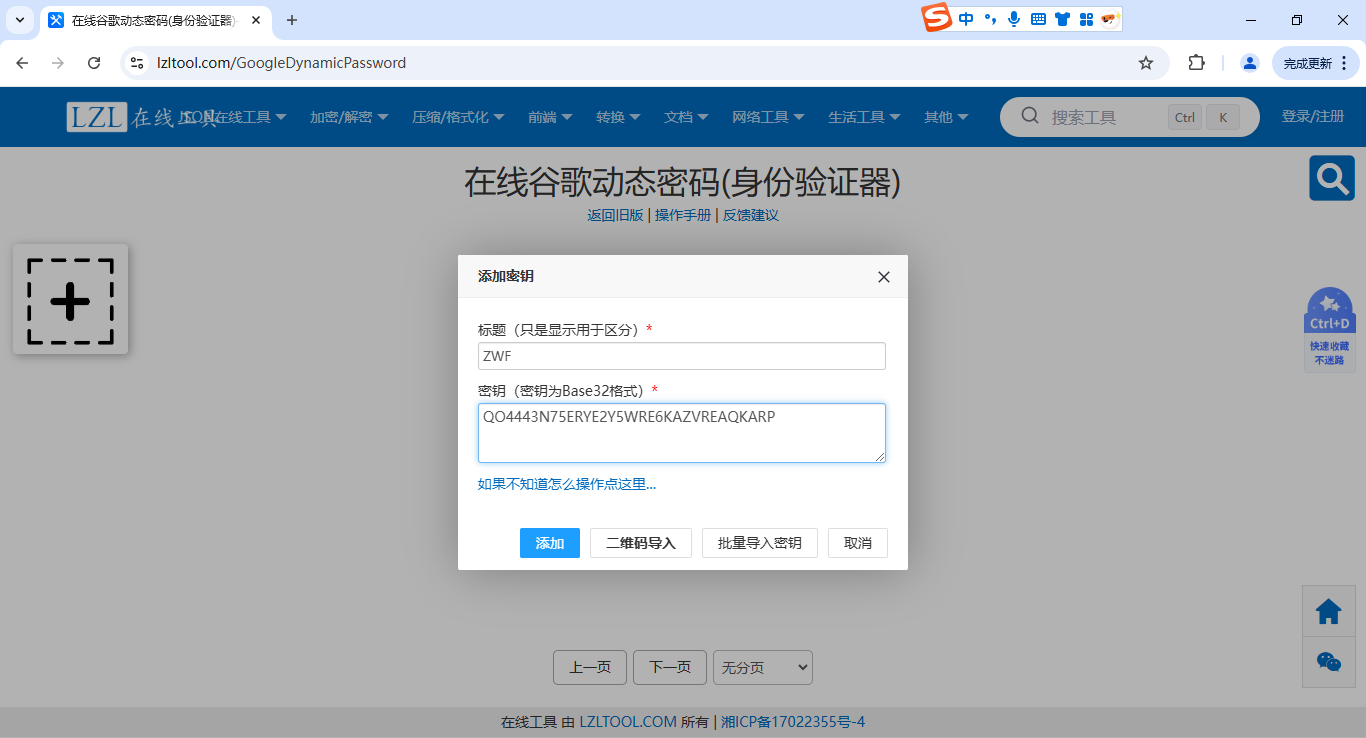
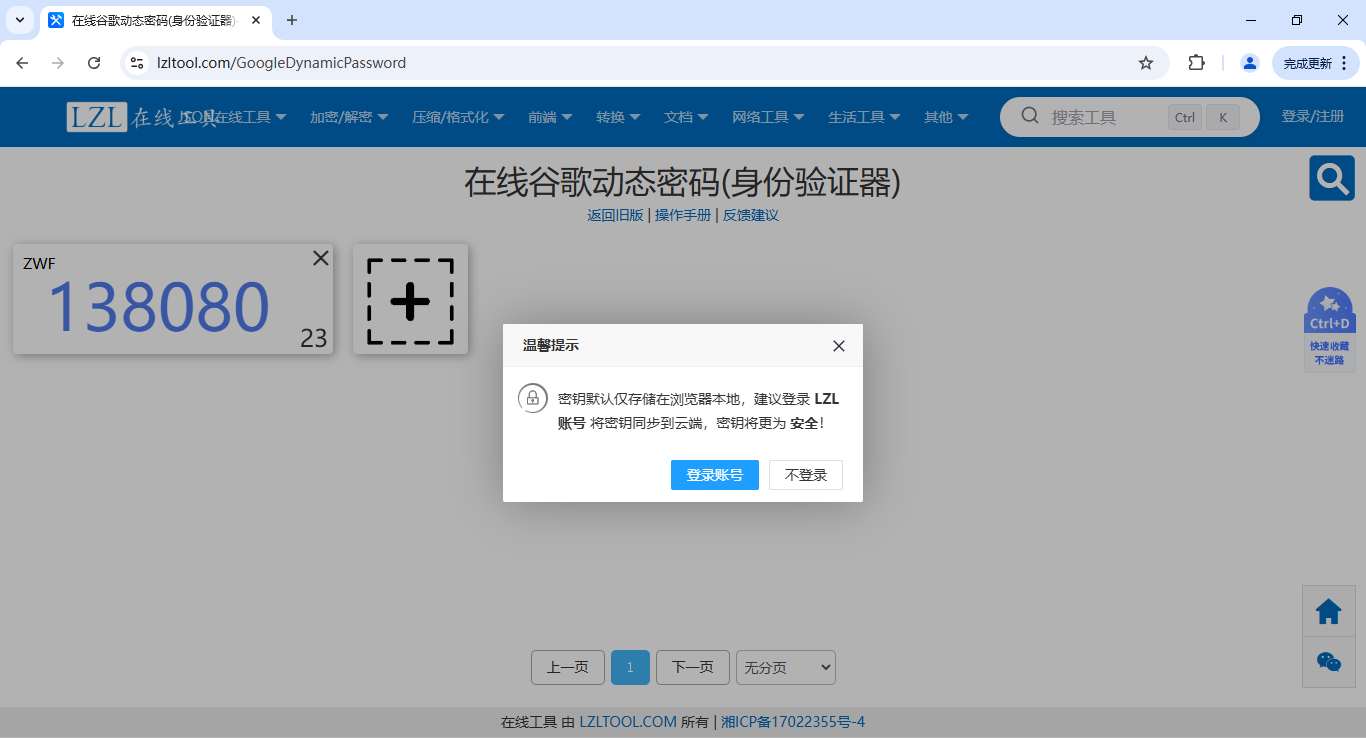
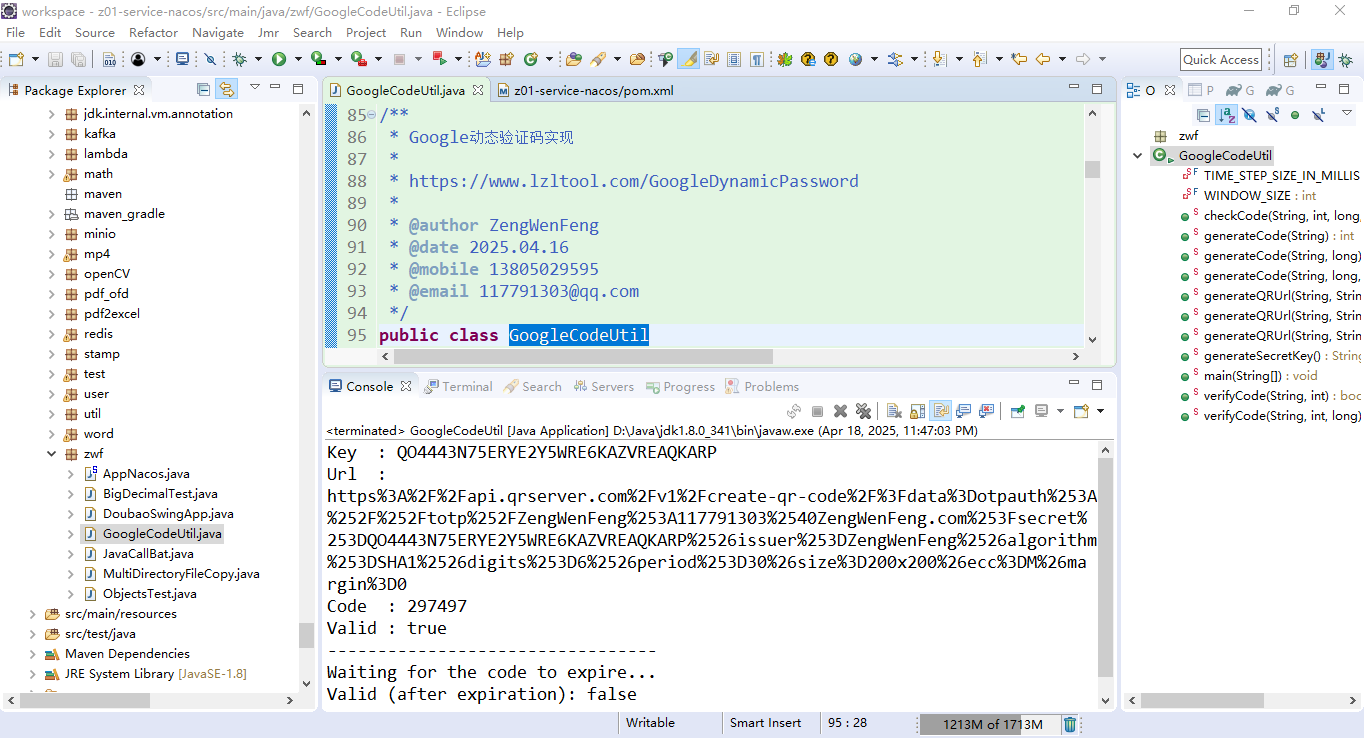
package zwf;import java.io.UnsupportedEncodingException;
import java.net.URLEncoder;
import java.nio.charset.StandardCharsets;
import java.security.SecureRandom;/**
https://mvnrepository.com/artifact/commons-codec/commons-codec/1.18.0<!-- https://mvnrepository.com/artifact/commons-codec/commons-codec -->
<dependency><groupId>commons-codec</groupId><artifactId>commons-codec</artifactId><version>1.18.0</version>
</dependency>*/
import org.apache.commons.codec.binary.Base32;/**
https://mvnrepository.com/artifact/com.warrenstrange/googleauth/1.5.0<!-- https://mvnrepository.com/artifact/com.warrenstrange/googleauth -->
<dependency><groupId>com.warrenstrange</groupId><artifactId>googleauth</artifactId><version>1.5.0</version>
</dependency>*/
import com.warrenstrange.googleauth.GoogleAuthenticator;
import com.warrenstrange.googleauth.GoogleAuthenticatorConfig;
import com.warrenstrange.googleauth.GoogleAuthenticatorKey;
import com.warrenstrange.googleauth.GoogleAuthenticatorQRGenerator;/**
Exception in thread "main" java.lang.NoClassDefFoundError: org/apache/http/client/utils/URIBuilderat com.warrenstrange.googleauth.GoogleAuthenticatorQRGenerator.getOtpAuthTotpURL(GoogleAuthenticatorQRGenerator.java:168)at com.warrenstrange.googleauth.GoogleAuthenticatorQRGenerator.getOtpAuthURL(GoogleAuthenticatorQRGenerator.java:143)at zwf.GoogleAuthenticatorUtil.generateQRUrl(GoogleAuthenticatorUtil.java:92)at zwf.GoogleAuthenticatorUtil.main(GoogleAuthenticatorUtil.java:163)
Caused by: java.lang.ClassNotFoundException: org.apache.http.client.utils.URIBuilderat java.net.URLClassLoader.findClass(Unknown Source)at java.lang.ClassLoader.loadClass(Unknown Source)at sun.misc.Launcher$AppClassLoader.loadClass(Unknown Source)at java.lang.ClassLoader.loadClass(Unknown Source)... 4 morehttps://mvnrepository.com/artifact/org.apache.httpcomponents/httpclient/4.5.13<!-- https://mvnrepository.com/artifact/org.apache.httpcomponents/httpclient -->
<dependency><groupId>org.apache.httpcomponents</groupId><artifactId>httpclient</artifactId><version>4.5.13</version>
</dependency>*//**
Exception in thread "main" java.lang.NoClassDefFoundError: org/apache/http/message/ParserCursorat org.apache.http.client.utils.URLEncodedUtils.splitSegments(URLEncodedUtils.java:320)at org.apache.http.client.utils.URLEncodedUtils.splitPathSegments(URLEncodedUtils.java:348)at org.apache.http.client.utils.URIBuilder.setPath(URIBuilder.java:293)at com.warrenstrange.googleauth.GoogleAuthenticatorQRGenerator.getOtpAuthTotpURL(GoogleAuthenticatorQRGenerator.java:171)at com.warrenstrange.googleauth.GoogleAuthenticatorQRGenerator.getOtpAuthURL(GoogleAuthenticatorQRGenerator.java:143)at zwf.GoogleAuthenticatorUtil.generateQRUrl(GoogleAuthenticatorUtil.java:108)at zwf.GoogleAuthenticatorUtil.main(GoogleAuthenticatorUtil.java:179)
Caused by: java.lang.ClassNotFoundException: org.apache.http.message.ParserCursorat java.net.URLClassLoader.findClass(Unknown Source)at java.lang.ClassLoader.loadClass(Unknown Source)at sun.misc.Launcher$AppClassLoader.loadClass(Unknown Source)at java.lang.ClassLoader.loadClass(Unknown Source)... 7 morehttps://mvnrepository.com/artifact/org.apache.httpcomponents/httpcore/4.4.15
<!-- https://mvnrepository.com/artifact/org.apache.httpcomponents/httpcore -->
<dependency><groupId>org.apache.httpcomponents</groupId><artifactId>httpcore</artifactId><version>4.4.15</version>
</dependency>*//*** Google动态验证码实现* * https://www.lzltool.com/GoogleDynamicPassword* * @author ZengWenFeng* @date 2025.04.16* @mobile 13805029595* @email 117791303@qq.com*/
public class GoogleCodeUtil
{/*** 动态密码的有效期,默认30秒, 30 * 1000 = 10秒* * @author ZengWenFeng* @date 2025.04.16* @mobile 13805029595* @email 117791303@qq.com* @return*/private static final long TIME_STEP_SIZE_IN_MILLIS = 30 * 1000;/*** 允许的时间窗口时间步长,默认1* * @author ZengWenFeng* @date 2025.04.16* @mobile 13805029595* @email 117791303@qq.com* @return*/private static final int WINDOW_SIZE = 1;/*** 生成一个随机的 Base32 编码的密钥* * @author ZengWenFeng* @date 2025.04.16* @mobile 13805029595* @email 117791303@qq.com* @return 生成的 Base32 编码的密钥*/public static String generateSecretKey(){// 创建一个安全的随机数生成器SecureRandom random = new SecureRandom();// 生成一个长度为 20 的字节数组byte[] bytes = new byte[20];// 用随机数填充字节数组random.nextBytes(bytes);// 创建一个 Base32 编码器Base32 base32 = new Base32();// 将字节数组编码为 Base32 字符串并返回return base32.encodeToString(bytes);}/*** 根据密钥生成一个可供 Google Authenticator 扫描的二维码链接* * https://api.qrserver.com/v1/create-qr-code/?data=otpauth://totp/YourAppName:user@example.com?secret=YOUR_SECRET_KEY&issuer=YourAppName* * url转义* :     %3A* //    %2F%2F* @     %40* ?     %3F* =     %3D* &     %26* * @author ZengWenFeng* @date 2025.04.16* @mobile 13805029595* @email 117791303@qq.com* @param secretKey            用于生成二维码链接的密钥* @param appName              应用程序的名称* @param email                用户的邮箱地址* @param timeStepSizeInMillis 动态密码的时间步长(毫秒)* @param windowSize           允许的时间窗口时间步长* @return 生成的二维码链接*/public static String generateQRUrl(String secretKey, String appName, String email, long timeStepSizeInMillis,int windowSize){// 构建 GoogleAuthenticator 的配置对象,设置时间步长GoogleAuthenticatorConfig config = new GoogleAuthenticatorConfig.GoogleAuthenticatorConfigBuilder().setTimeStepSizeInMillis(timeStepSizeInMillis).setWindowSize(windowSize) // 设置允许的时间窗口为 1 个时间步长.build();// 根据配置创建 GoogleAuthenticator 实例@SuppressWarnings("unused")GoogleAuthenticator gAuth = new GoogleAuthenticator(config);// 根据密钥创建一个 GoogleAuthenticatorKey 对象GoogleAuthenticatorKey key = new GoogleAuthenticatorKey.Builder(secretKey).build();// 生成一个可供 Google Authenticator 扫描的二维码链接,其中包含应用名称和用户邮箱信息String url = GoogleAuthenticatorQRGenerator.getOtpAuthURL(appName, email, key);// 对 URL 进行编码try{return URLEncoder.encode(url, StandardCharsets.UTF_8.name());}catch (UnsupportedEncodingException e){// 这里可以考虑记录日志,目前简单打印异常信息System.err.println("URL 编码时出现异常: " + e.getMessage());// 返回 null 表示生成失败,调用者可以根据返回值进行相应处理return null;}}/*** 根据密钥生成一个可供 Google Authenticator 扫描的二维码链接* * @author ZengWenFeng* @date 2025.04.16* @mobile 13805029595* @email 117791303@qq.com* @param secretKey            用于生成二维码链接的密钥* @param appName              应用程序的名称* @param email                用户的邮箱地址* @param timeStepSizeInMillis 动态密码的时间步长(毫秒)* @return 生成的二维码链接*/public static String generateQRUrl(String secretKey, String appName, String email, long timeStepSizeInMillis){// 生成一个可供 Google Authenticator 扫描的二维码链接,其中包含应用名称和用户邮箱信息return generateQRUrl(secretKey, appName, email, timeStepSizeInMillis, WINDOW_SIZE);}/*** 根据密钥生成一个可供 Google Authenticator 扫描的二维码链接* * @author ZengWenFeng* @date 2025.04.16* @mobile 13805029595* @email 117791303@qq.com* @param secretKey 用于生成二维码链接的密钥* @param appName   应用程序的名称* @param email     用户的邮箱地址* @return 生成的二维码链接*/public static String generateQRUrl(String secretKey, String appName, String email){// 生成一个可供 Google Authenticator 扫描的二维码链接,其中包含应用名称和用户邮箱信息return generateQRUrl(secretKey, appName, email, TIME_STEP_SIZE_IN_MILLIS, WINDOW_SIZE);}/*** 根据密钥生成当前时间对应的一次性动态密码* * @author ZengWenFeng* @date 2025.04.16* @mobile 13805029595* @email 117791303@qq.com* @param secretKey            用于生成动态密码的密钥* @param timeStepSizeInMillis 动态密码的时间步长(毫秒)* @param windowSize           允许的时间窗口时间步长* @return 当前时间对应的一次性动态密码*/public static int generateCode(String secretKey, long timeStepSizeInMillis, int windowSize){// 构建 GoogleAuthenticator 的配置对象,设置时间步长GoogleAuthenticatorConfig config = new GoogleAuthenticatorConfig.GoogleAuthenticatorConfigBuilder().setTimeStepSizeInMillis(timeStepSizeInMillis).setWindowSize(windowSize) // 设置允许的时间窗口为 1 个时间步长.build();// 根据配置创建 GoogleAuthenticator 实例GoogleAuthenticator gAuth = new GoogleAuthenticator(config);// 利用密钥生成当前时间对应的一次性动态密码return gAuth.getTotpPassword(secretKey);}/*** 根据密钥生成当前时间对应的一次性动态密码* * @author ZengWenFeng* @date 2025.04.16* @mobile 13805029595* @email 117791303@qq.com* @param secretKey            用于生成动态密码的密钥* @param timeStepSizeInMillis 动态密码的时间步长(毫秒)* @return 当前时间对应的一次性动态密码*/public static int generateCode(String secretKey, long timeStepSizeInMillis){// 利用密钥生成当前时间对应的一次性动态密码return generateCode(secretKey, timeStepSizeInMillis, WINDOW_SIZE);}/*** 根据密钥生成当前时间对应的一次性动态密码* * @author ZengWenFeng* @date 2025.04.16* @mobile 13805029595* @email 117791303@qq.com* @param secretKey 用于生成动态密码的密钥* @return 当前时间对应的一次性动态密码*/public static int generateCode(String secretKey){// 利用密钥生成当前时间对应的一次性动态密码return generateCode(secretKey, TIME_STEP_SIZE_IN_MILLIS, WINDOW_SIZE);}/*** 验证输入的动态密码是否与根据密钥生成的密码匹配* * @author ZengWenFeng* @date 2025.04.16* @mobile 13805029595* @email 117791303@qq.com* @param secretKey            用于验证的密钥* @param code                 待验证的动态密码* @param timeStepSizeInMillis 动态密码的时间步长(毫秒)* @param windowSize           允许的时间窗口时间步长* @return 若验证通过返回 true,否则返回 false*/public static boolean checkCode(String secretKey, int code, long timeStepSizeInMillis, int windowSize){// 构建 GoogleAuthenticator 的配置对象,设置时间步长GoogleAuthenticatorConfig config = new GoogleAuthenticatorConfig.GoogleAuthenticatorConfigBuilder().setTimeStepSizeInMillis(timeStepSizeInMillis).setWindowSize(windowSize) // 设置允许的时间窗口为 1 个时间步长.build();// 根据配置创建 GoogleAuthenticator 实例GoogleAuthenticator gAuth = new GoogleAuthenticator(config);// 验证输入的动态密码是否与根据密钥生成的密码匹配return gAuth.authorize(secretKey, code);}/*** 验证输入的动态密码是否与根据密钥生成的密码匹配* * @author ZengWenFeng* @date 2025.04.16* @mobile 13805029595* @email 117791303@qq.com* @param secretKey            用于验证的密钥* @param code                 待验证的动态密码* @param timeStepSizeInMillis 动态密码的时间步长(毫秒)* @return 若验证通过返回 true,否则返回 false*/public static boolean verifyCode(String secretKey, int code, long timeStepSizeInMillis){// 验证输入的动态密码是否与根据密钥生成的密码匹配return checkCode(secretKey, code, timeStepSizeInMillis, WINDOW_SIZE);}/*** 验证输入的动态密码是否与根据密钥生成的密码匹配* * @author ZengWenFeng* @date 2025.04.16* @mobile 13805029595* @email 117791303@qq.com* @param secretKey 用于验证的密钥* @param code      待验证的动态密码* @return 若验证通过返回 true,否则返回 false*/public static boolean verifyCode(String secretKey, int code){// 验证输入的动态密码是否与根据密钥生成的密码匹配return checkCode(secretKey, code, TIME_STEP_SIZE_IN_MILLIS, WINDOW_SIZE);}/*** 程序入口,用于测试动态密码生成和验证功能* * @author ZengWenFeng* @date 2025.04.16* @mobile 13805029595* @email 117791303@qq.com* @param args 命令行参数*/public static void main(String[] args){//// 生成一个用于生成动态密码的密钥String secretKey = generateSecretKey();System.out.println("Key  : " + secretKey);String appName = "ZengWenFeng";String userEmail = "117791303@ZengWenFeng.com";// 根据生成的密钥生成一个可供 Google Authenticator 扫描的二维码链接String qrCodeUrl = generateQRUrl(secretKey, appName, userEmail, TIME_STEP_SIZE_IN_MILLIS, WINDOW_SIZE);System.out.println("Url  : " + qrCodeUrl);// 利用生成的密钥生成当前时间对应的一次性动态密码int code = generateCode(secretKey, TIME_STEP_SIZE_IN_MILLIS, WINDOW_SIZE);System.out.println("Code  : " + code);// 验证生成的动态密码是否有效boolean isValid = checkCode(secretKey, code, TIME_STEP_SIZE_IN_MILLIS, WINDOW_SIZE);System.out.println("Valid : " + isValid);/*Secret Key: SRT5EAIQICUOWEI7QVPQ2DQ4JMQUTV67 QR Code URL:https://api.qrserver.com/v1/create-qr-code/?data=otpauth%3A%2F%2Ftotp%2FZengWenFeng%3A117791303%40ZengWenFeng.com%3Fsecret%3DSRT5EAIQICUOWEI7QVPQ2DQ4JMQUTV67%26issuer%3DZengWenFeng%26algorithm%3DSHA1%26digits%3D6%26period%3D30&size=200x200&ecc=M&margin=0 Current Code: 883702   Is Valid Code: true*/try{// 等待超过有效期,这里设置为 TIME_STEP_SIZE_IN_MILLIS + 1毫秒System.out.println("---------------------------------");System.out.println("Waiting for the code to expire...");Thread.sleep(TIME_STEP_SIZE_IN_MILLIS + 1);}catch (InterruptedException e){e.printStackTrace();}// 再次验证过期的动态密码boolean isExpiredValid = checkCode(secretKey, code, TIME_STEP_SIZE_IN_MILLIS, WINDOW_SIZE);System.out.println("Valid (after expiration): " + isExpiredValid);}
}
相关文章:
GoogleCodeUtil.java
Google动态验证码实现 GoogleCodeUtil.java package zwf;import java.io.UnsupportedEncodingException; import java.net.URLEncoder; import java.nio.charset.StandardCharsets; import java.security.SecureRandom;/** https://mvnrepository.com/artifact/commons-codec/…...

Maven 简介(图文)
Maven 简介 Maven 是一个Java 项目管理和构建的工具。可以定义项目结构、项目依赖,并使用统一的方式进行自动化构建,是Java 项目不可缺少的工具。 Maven 的作用 提供标准化的项目结构:以前不同的开发工具创建的项目结构是不一样的…...

JESD204B标准及其在高速AD采集系统中的应用详解
一、JESD204B协议的本质与核心价值 JESD204B是由JEDEC制定的第三代高速串行接口标准(2011年发布),专为解决高速ADC/DAC与FPGA/ASIC间数据传输瓶颈而设计。其核心突破体现在: 速率革命性提升 支持每通道最高12.5Gbps(通…...

天梯赛数据结构合集
1.集合操作:PTA | 程序设计类实验辅助教学平台 主要是注意set的取交集操作,AC代码: #include<bits/stdc.h> using namespace std; int n,m,k; set<int> a[60]; int main(){cin>>n;for(int i1;i<n;i){cin>>m;for…...
2025Github介绍与注册(有图片讲解,保姆级)
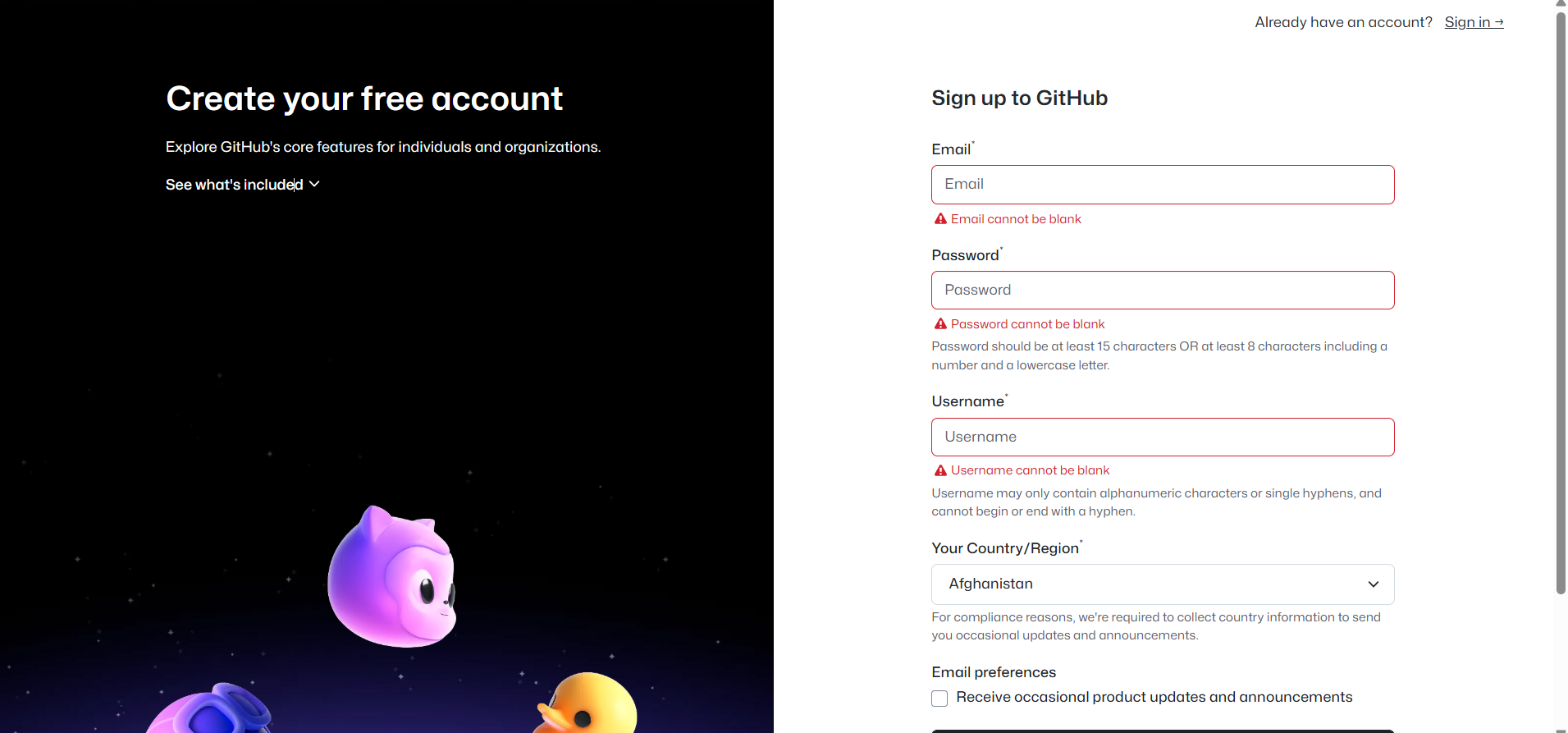
为什么要注册Github账号 利于团队协作,特别是打比赛的队友 版本控制强大,代码安全 开源项目多,方便个人模仿或抄袭 方便托管,形成自动化工具链 教育福利,教育参与者暂时免费 讲解完了优势,下面讲注册 Gith…...
与重排(Reflow)的性能优化策略)
决战浏览器渲染:减少重绘(Repaint)与重排(Reflow)的性能优化策略
在现代Web开发中,流畅的用户体验是衡量应用质量的关键指标之一。用户与界面的每一次交互,背后都牵动着浏览器复杂而精密的渲染过程。当这个过程不够高效时,用户就会感受到卡顿、延迟,甚至页面“掉帧”。在众多影响渲染性能的因素中…...

好数对的数目
题目描述 给你一个整数数组 nums。 如果一组数字 (i, j) 满足 nums[i] nums[j] 且 i < j,就可以认为这是一组 好数对。 返回 好数对 的数目。 示例 示例 1: 输入:nums [1,2,3,1,1,3] 输出:4 解释: 有 4 组好…...

C++ STL编程-vector概念、对象创建
vector 概念:是常见的一种容器,被称为“柔性数组”。 在vector中,front()是数组中的第一个元素,back()是数组的最后一个元素。begin()是是指向第一个元素,end()是指向back()的后一个元素 vector的对象创建࿰…...

RUI电视桌面中文版:下载安装教程及桌面固件包获取全攻略
在智能电视的使用过程中,一款出色的桌面系统能极大提升用户体验,RUI电视桌面中文版就是这样一个不错的选择。下面为大家详细介绍RUI电视桌面中文版的下载安装教程以及桌面固件包的获取方法。 一、桌面固件包获取 首先是获取桌面固件包。可以通过RUI官方…...
OpenAI 34页最佳构建Agent实践
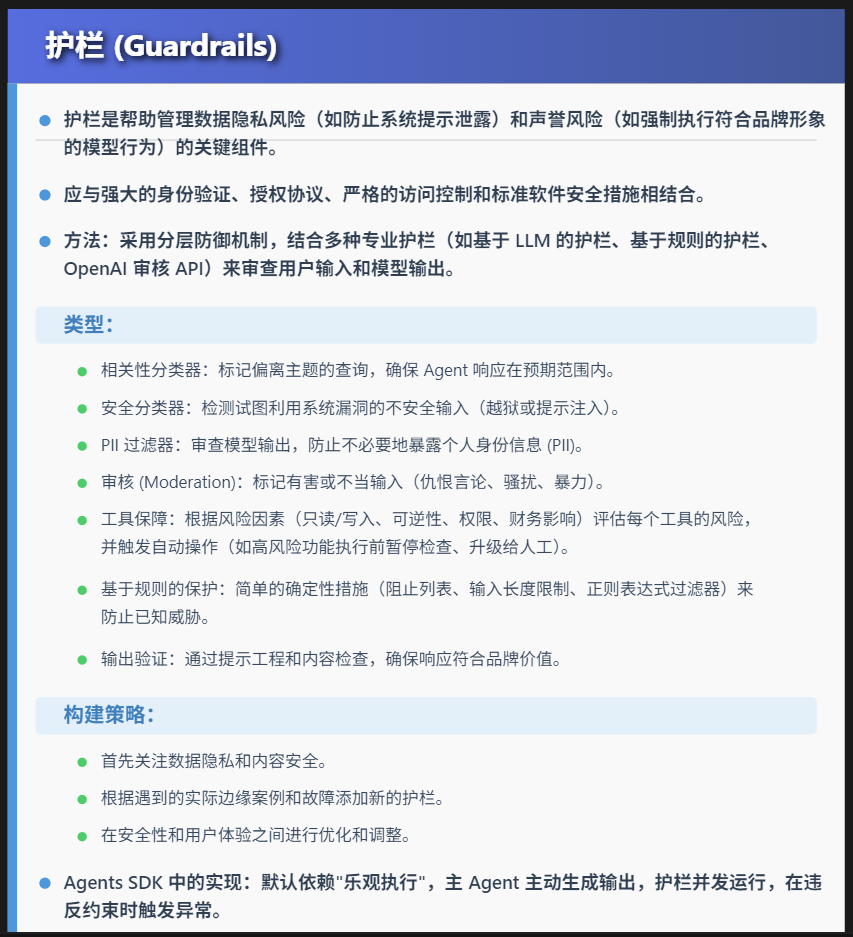
penAI发布O4,也发布34页最佳构建Agent实践,值得阅读。 什么是Agent? 传统软件使用户能够简化和自动化工作流程,而代理能够以高度独立的方式代表用户执行相同的工作流程。 代理是能够独立地代表您完成任务的系统。 工作流程是必…...

HOOPS Exchange 与HOOPS Communicator集成:打造工业3D可视化新标杆!
一、概述 在工业3D开发、BIM建筑、数字孪生和仿真分析等高端应用场景中,数据格式复杂、模型体量庞大、实时交互体验要求高,一直是困扰开发者的难题。Tech Soft 3D旗下的HOOPS Exchange和HOOPS Communicator,正是解决这类问题的黄金搭档。二者…...
C#进阶学习(六)单向链表和双向链表,循环链表(下)循环链表
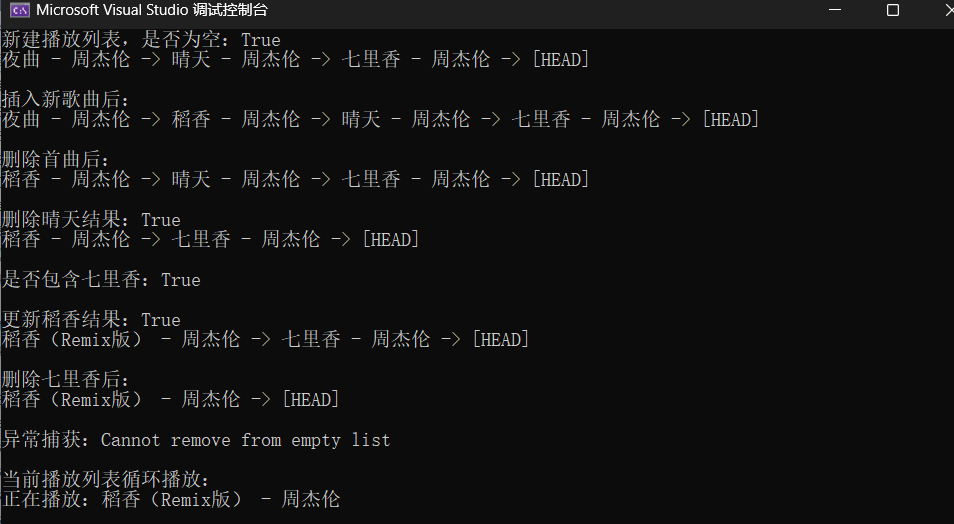
目录 📊 链表三剑客:特性全景对比表 一、循环链表节点类 二、循环链表的整体设计框架 三、循环列表中的重要方法: (1)头插法,在头结点前面插入新的节点 (2)尾插法实现插入元素…...
)
后端程序员工作复盘(一)
1、工作不是为了解决问题,而是为了生活目标。 2、不能当救火队员,要提前预防问题的产生、避免问题的出现。 3、后端表设计和接口设计,要考虑到扩展性,要灵活。无论页面如何变动,后端的改动量都最小,要以不…...

禅道部署进阶指南:从搭建到高可用,全程打怪升级!
禅道在生产环境中的更专业部署方案,包括 Linux 服务器部署、Docker 安装方案、性能优化、安全建议和常见企业级集成方式,适合团队使用或对稳定性、安全性有较高要求的项目。 ✅ 一、企业级部署方案(适合 Linux 环境) 🖥 环境要求 操作系统:CentOS 7+/Ubuntu 18+(推荐)…...
)
文章记单词 | 第36篇(六级)
一,单词释义 wit [wɪt] n. 智慧;才智;机智;风趣的人dreadful [ˈdredfl] adj. 糟糕透顶的;可怕的;令人畏惧的innocent [ˈɪnəsnt] adj. 无辜的;天真无邪的;无罪的;无…...
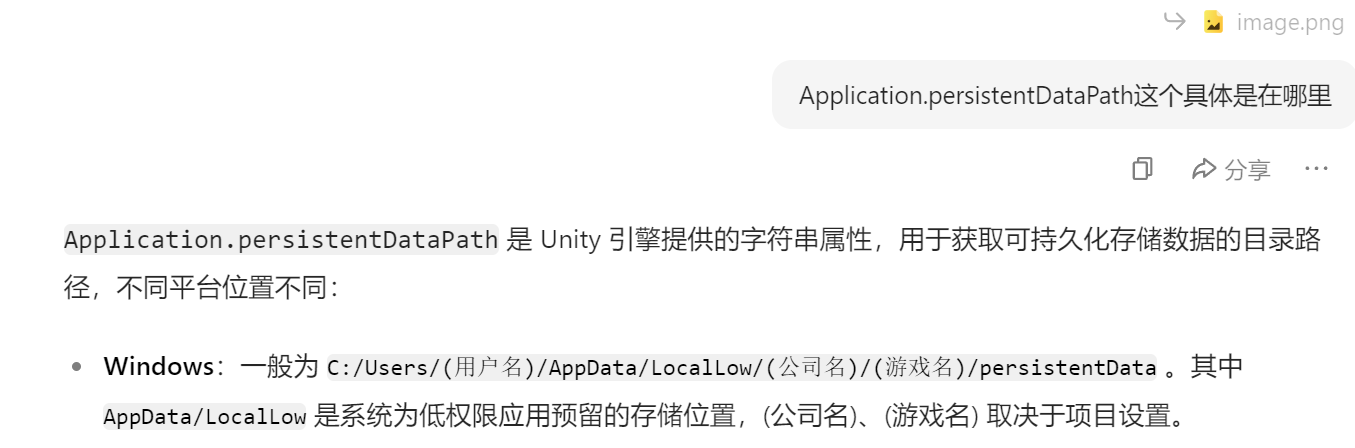
Unity使用Newtonsoft.Json本地化存档
我是标题 1.依赖包2.原理:3.代码4.可用优化5.数据加密 1.依赖包 Newtonsoft请在PacakgeManager处下载。 参考:打工人小棋 2.原理: 把要存储的对象数据等使用JsonConvert.SerializeObject(object T)进行序列化为字符串,并且通过…...
)
Java研学-MybatisPlus(一)
一 概述 MyBatis-Plus(简称 MP)是一款基于 MyBatis 的增强工具,旨在简化开发、提高效率。它在保留 MyBatis 所有特性的基础上,提供了丰富的功能,减少了大量模板代码的编写。 1 核心特性: ① 无侵入增强&am…...
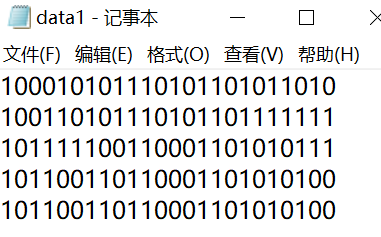
2025年03月中国电子学会青少年软件编程(Python)等级考试试卷(六级)真题
青少年软件编程(Python)等级考试试卷(六级) 分数:100 题数:38 答案解析:https://blog.csdn.net/qq_33897084/article/details/147341458 一、单选题(共25题,共50分) 1. 在tkinter的…...

OpenVINO怎么用
目录 OpenVINO 简介 主要组件 安装 OpenVINO 使用 OpenVINO 的基本步骤 OpenVINO 简介 OpenVINO(Open Visual Inference and Neural Network Optimization)是英特尔推出的一个开源工具包,旨在帮助开发者在英特尔硬件平台上高效部署深度学…...

欧拉服务器操作系统安装MySQL
1. 安装MySQL服务器 1. 更新仓库缓存 sudo dnf makecache2. 安装MySQL sudo dnf install mysql-server2. 初始化数据库 sudo mysqld --initialize --usermysql3. 启动数据库服务 # 启动服务 sudo systemctl start mysqld# 设置开机自启 sudo systemctl enable mysql…...

【零基础】基于 MATLAB + Gurobi + YALMIP 的优化建模与求解全流程指南
MATLAB Gurobi YALMIP 综合优化教程(进阶) 本教程系统介绍如何在 MATLAB 环境中使用 YALMIP 建模,并通过 Gurobi 求解器高效求解线性、整数及非线性优化问题。适用于工程、运营研究、能源系统等领域的高级优化建模需求。 一、工具概览 1.…...
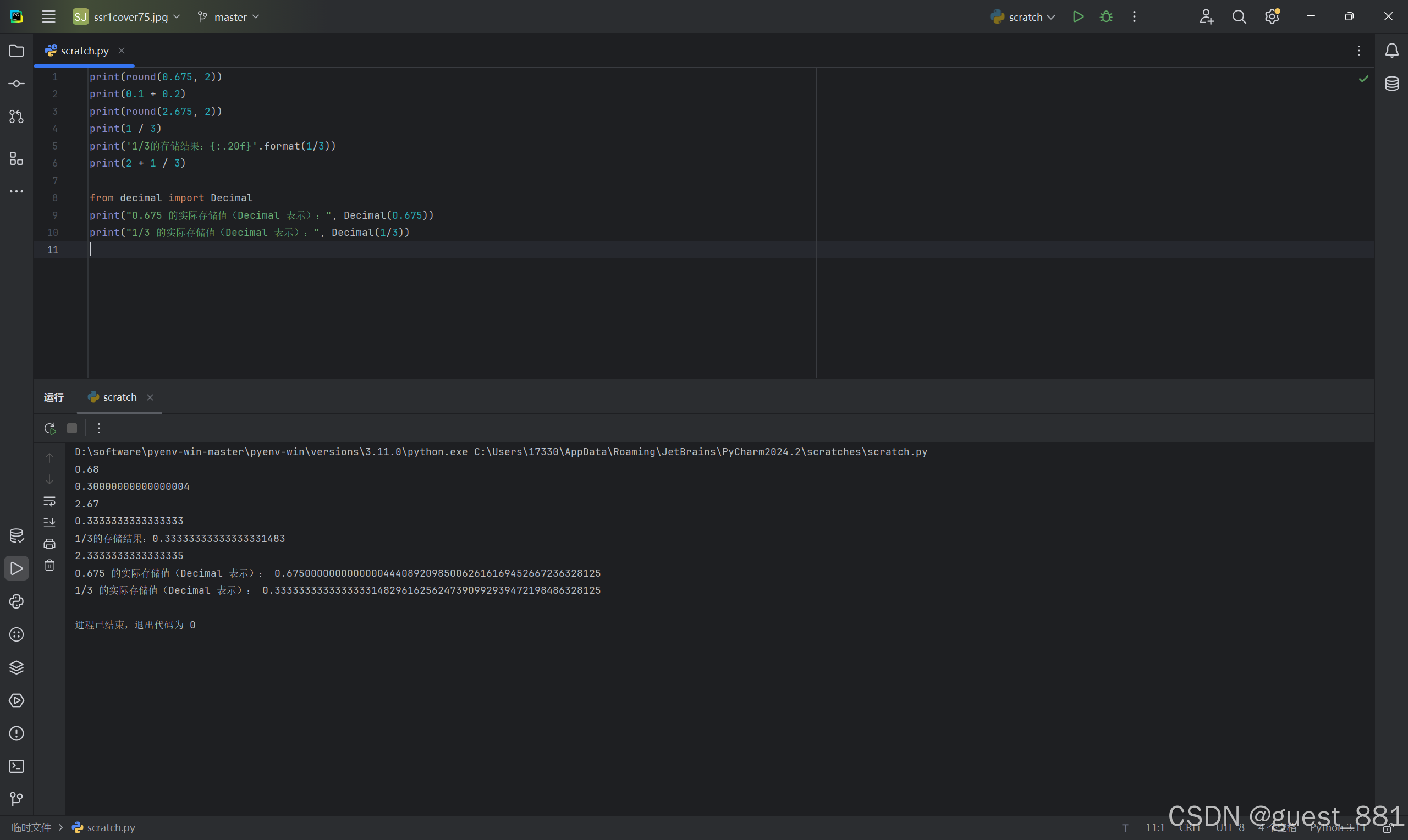
Python 浮点数运算之谜:深入解析round(0.675, 2)等输出异常
一、问题背景:当浮点数运算遇见 “反直觉” 结果 在 Python 开发中,以下代码输出常让开发者困惑: print(round(0.675, 2)) # 预期0.67,实际0.68||预期0.68,实际0.67 print(0.1 0.2) # 预期0.3&…...

【C#】Html转Pdf,Spire和iTextSharp结合,.net framework 4.8
🌹欢迎来到《小5讲堂》🌹 🌹这是《C#》系列文章,每篇文章将以博主理解的角度展开讲解。🌹 🌹温馨提示:博主能力有限,理解水平有限,若有不对之处望指正!&#…...
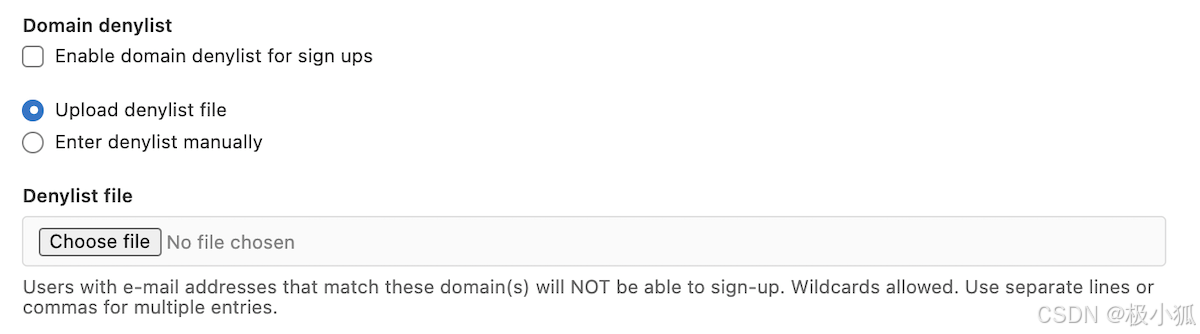
极狐GitLab 注册限制如何设置?
极狐GitLab 是 GitLab 在中国的发行版,关于中文参考文档和资料有: 极狐GitLab 中文文档极狐GitLab 中文论坛极狐GitLab 官网 注册限制 (BASIC SELF) 您可以对注册实施以下限制: 禁用新注册。新注册需要管理员批准。需要用户电子邮件确认。…...
利用大模型实现地理领域文档中英文自动化翻译
一、 背景描述 在跨国性企业日常经营过程中,经常会遇到专业性较强的文档翻译的需求,例如法律文书、商务合同、技术文档等;以往遇到此类场景,企业内部往往需要指派专人投入数小时甚至数天来整理和翻译,效率低下&#x…...

SGFormer:卫星-地面融合 3D 语义场景补全
论文介绍 题目:SGFormer: Satellite-Ground Fusion for 3D Semantic Scene Completion 会议:IEEE / CVF Computer Vision and Pattern Recognition Conference 论文:https://www.arxiv.org/abs/2503.16825 代码:https://githu…...
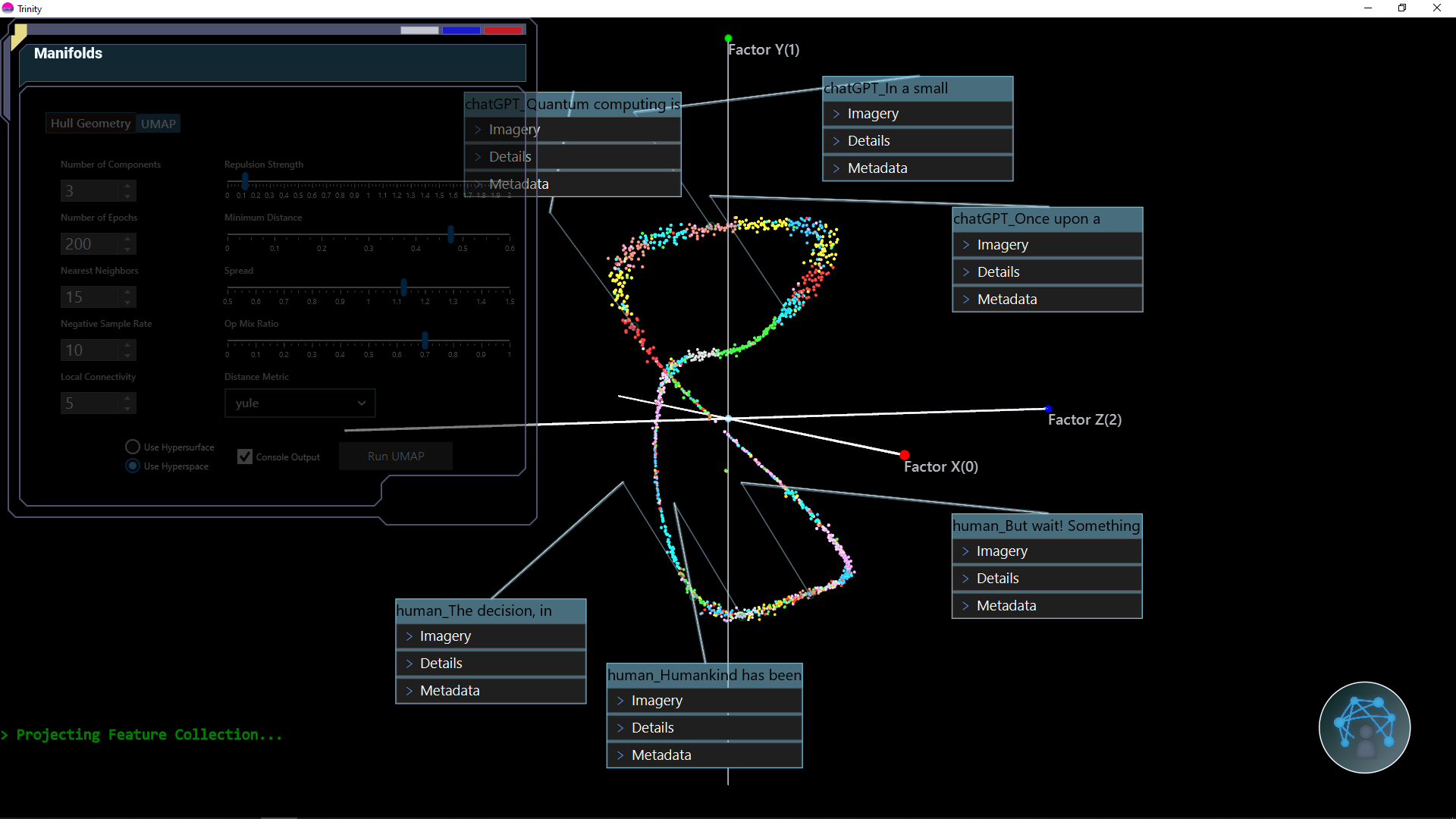
Trinity三位一体开源程序是可解释的 AI 分析工具和 3D 可视化
一、软件介绍 文末提供源码和程序下载学习 Trinity三位一体开源程序是可解释的 AI 分析工具和 3D 可视化。Trinity 提供性能分析和 XAI 工具,非常适合深度学习系统或其他执行复杂分类或解码的模型。 二、软件作用和特征 Trinity 通过结合具有超维感知能力的不同交…...

城市街拍暗色电影胶片风格Lr调色教程,手机滤镜PS+Lightroom预设下载!
调色介绍 城市街拍暗色电影胶片风格 Lr 调色,是借助 Adobe Lightroom 软件,为城市街拍的人像或场景照片赋予独特视觉风格的后期处理方式。旨在模拟电影胶片质感,营造出充满故事感与艺术感的暗色氛围,让照片仿佛截取于某部充满张力…...
】家政平台数据生命线:备份与恢复策略全解析)
【家政平台开发(55)】家政平台数据生命线:备份与恢复策略全解析
本【家政平台开发】专栏聚焦家政平台从 0 到 1 的全流程打造。从前期需求分析,剖析家政行业现状、挖掘用户需求与梳理功能要点,到系统设计阶段的架构选型、数据库构建,再到开发阶段各模块逐一实现。涵盖移动与 PC 端设计、接口开发及性能优化,测试阶段多维度保障平台质量,…...
加密和解密(大语言模型)
看到很多对matlab的p文件加密方案感兴趣的。网络上技术资料比较少,所以,我让大语言模型提供一些概论性质的东西,转发出来自娱自乐。期望了解p文件加密的复杂度,而不是一定要尝试挑战加密算法。 但根据大语言模型提供的材料&#…...