
学习笔记: Mach-O 文件
“结构决定性质,性质决定用途”。如果不了解结构,是很难真正理解的。
通过一个示例的可执行文件了解Mach-O文件的结构
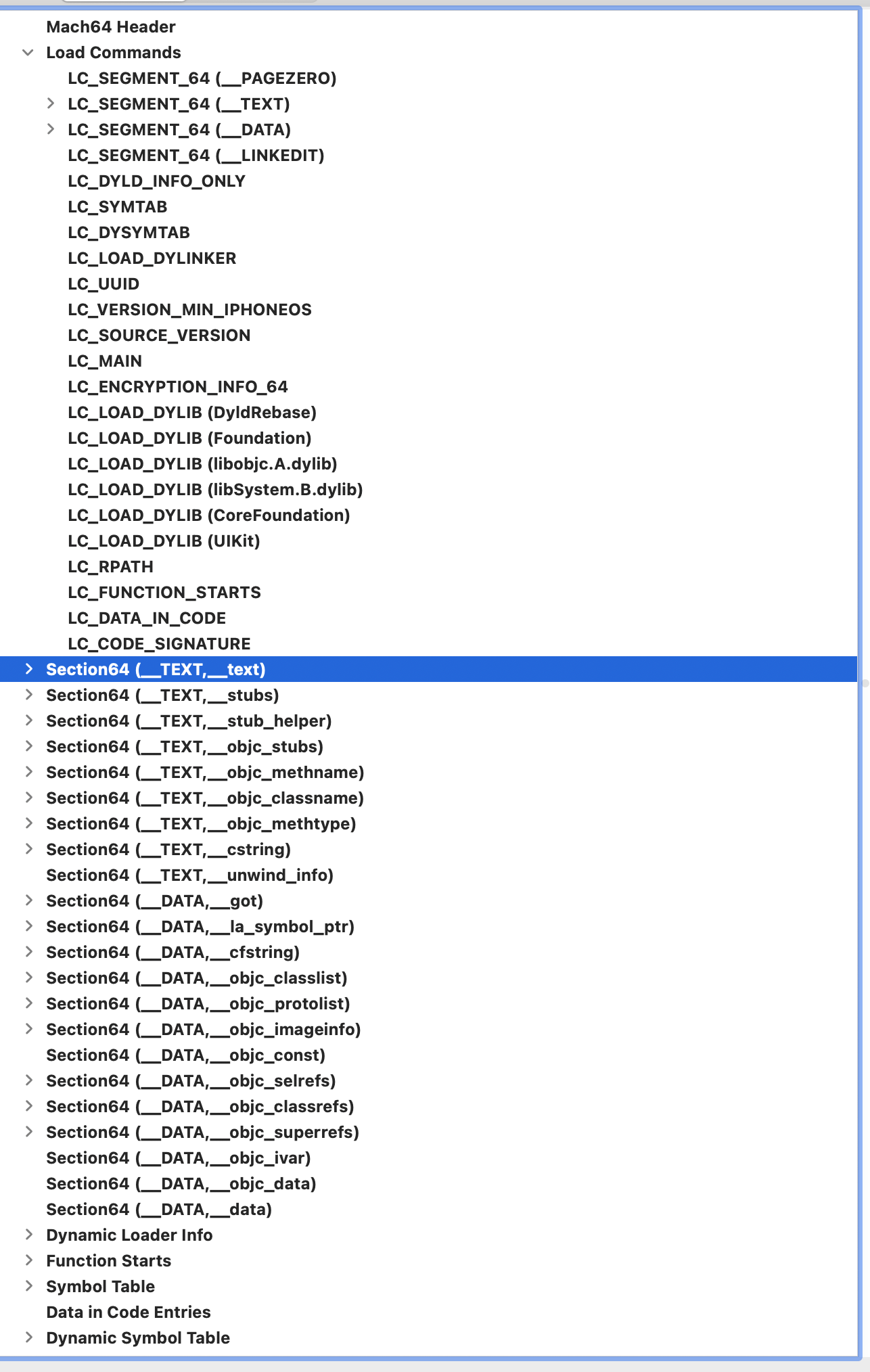
Mach-O基本结构
- Header: :文件类型、目标架构类型等
- Load Commands:描述文件在虚拟内存中的逻辑结构、布局
- Data: 在Load commands中定义的Segment的数据
Header
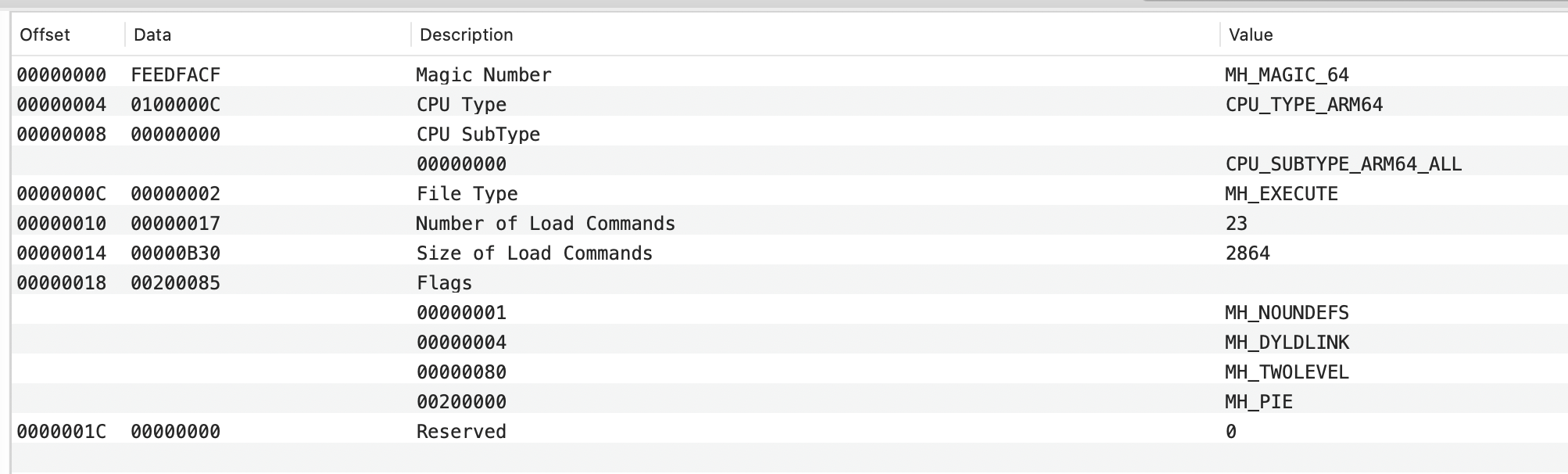
Header的结构定义在loader.h
/** The 64-bit mach header appears at the very beginning of object files for* 64-bit architectures.*/
struct mach_header_64 {// 魔数:64位的mach-o有两个取值// #define MH_MAGIC_64 0xfeedfacf -- 小端:Intel// #define MH_CIGAM_64 0xcffaedfe -- 大端:以前macOS在PowerPC安装uint32_t	magic;		/* mach magic number identifier */// cpu类型// 在machine.h中定义// 例子中的显示的cpu的Value是:CPU_TYPE_ARM,根据下面的定义 0x0000000C | 0x01000000 = 0x0100000C// #define CPU_ARCH_ABI64          0x01000000      /* 64 bit ABI */// #define CPU_TYPE_ARM            ((cpu_type_t) 12)// #define CPU_TYPE_ARM64 (CPU_TYPE_ARM | CPU_ARCH_ABI64)int32_t		cputype;	/* cpu specifier *//**  ARM64 subtypes*  ARM64的具体类型*  例子中的显示的值是0,即CPU_SUBTYPE_ARM64_ALL*/// #define CPU_SUBTYPE_ARM64_ALL           ((cpu_subtype_t) 0)// #define CPU_SUBTYPE_ARM64_V8            ((cpu_subtype_t) 1)// #define CPU_SUBTYPE_ARM64E              ((cpu_subtype_t) 2)int32_t		cpusubtype;	/* machine specifier */// 文件类型/*** #define	MH_OBJECT	0x1 -- .o文件,.a是.o的合集* #define	MH_EXECUTE	0x2 -- 可执行文件* #define	MH_DYLIB	0x6 -- 动态库* #define	MH_DYLINKER	0x7 -- dyld链接器* #define	MH_DSYM		0xa -- 符号表文件*/// 例子中的是2,即MH_EXECUTE,可执行文件uint32_t	filetype;	/* type of file */// Load Commands加载命令的条数// 例子中是23条uint32_t	ncmds;		/* number of load commands */// Load Commands部分的长度// 例子中是2864byteuint32_t	sizeofcmds;	/* the size of all the load commands */// mach-o的标志,通过位移枚举定义// 例子中的/*** #define	 MH_NOUNDEFS	0x1 -- 没有未定义的引用* #define MH_DYLDLINK	0x4 -- 已经静态链接过了,可以动态链接* #define MH_TWOLEVEL	0x8 -- 链接时:库名 + 函数减少同名冲突 见参考一* #define	MH_PIE 0x200000 -- 每次加载主程序在一个随机地址,增加安全*/uint32_t	flags;		/* flags */// 保留uint32_t	reserved;	/* reserved */
};
Load Commands
每个Load Commands都有对应的结构体
LC_SEGMENT_64
/** The 64-bit segment load command indicates that a part of this file is to be* mapped into a 64-bit task's address space.  If the 64-bit segment has* sections then section_64 structures directly follow the 64-bit segment* command and their size is reflected in cmdsize.*/
struct segment_command_64 { /* for 64-bit architectures */uint32_t	cmd;		/* LC_SEGMENT_64 */uint32_t	cmdsize;	/* includes sizeof section_64 structs */char		segname[16];	/* segment name */uint64_t	vmaddr;		/* memory address of this segment */uint64_t	vmsize;		/* memory size of this segment */uint64_t	fileoff;	/* file offset of this segment */uint64_t	filesize;	/* amount to map from the file */int32_t  maxprot;	/* maximum VM protection */int32_t	initprot;	/* initial VM protection */uint32_t	nsects;		/* number of sections in segment */uint32_t	flags;		/* flags */
};
使用segment_command_64结构体的segment
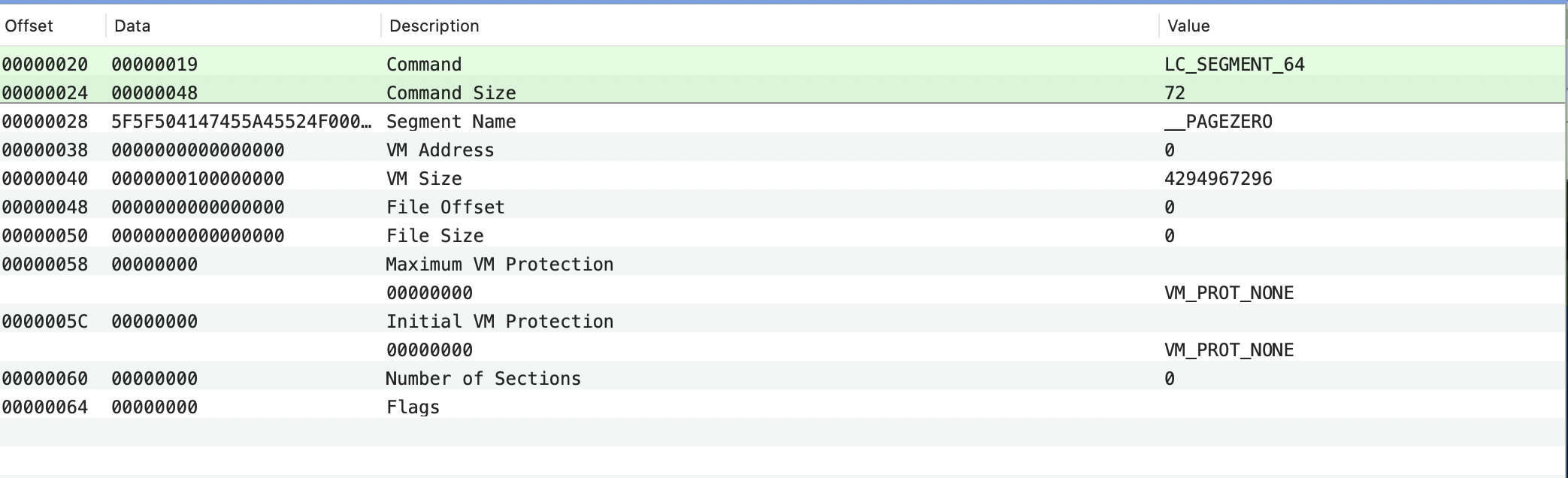
Segment: __PAGEZERO
__PAGEZERO用于捕捉NULL指针引用
#define LC_SEGMENT_64 0x19 // 即64位的segment// vm_prot.h
typedef int             vm_prot_t;#define VM_PROT_NONE    ((vm_prot_t) 0x00)// 读/写/执行
#define VM_PROT_READ    ((vm_prot_t) 0x01)      /* read permission */
#define VM_PROT_WRITE   ((vm_prot_t) 0x02)      /* write permission */
#define VM_PROT_EXECUTE ((vm_prot_t) 0x04)      /* execute permission */
...| 变量名 | 值 | 说明 |
|---|---|---|
| cmd | 0x19 | segment的类型 |
| cmdsize | 0x48 | segment的长度, 这里是0x48 = 0x000000068 - 0x00000020 |
| segname | 0x5F5F504147455A45524F000000000000 | segment的名,这里是__PAGEZERO, ASCII表示:5F = ‘_’,50 = ‘P’,41 = ‘A’…,4F = ‘O’ |
| vmaddr | 0 | segment在虚拟内存的起始地址,8个字节uint64_t |
| vmsize | 0x0000000100000000 | segment的长度,2^32 = 4GB,即64位的虚拟内存的前4G都是__PAGEZERO |
| fileoff | 0 | 文件的偏移量,从磁盘的角度看 |
| filesize | 0 | 占用文件的大小,这是磁盘的角度看,实际未占用磁盘大小 |
| maxprot | 0 | 虚拟内存的最高的权限设置,未设置,即不能读,不能写,也不能被加载到cpu中执行 |
| initprot | 0 | 初始化时的虚拟内存的权限设置,未设置 |
| nsects | 0 | segment中包含的section的数量,这里为0个 |
| flags | 0 | 标志,没有 |
Segment: __TEXT 代码
__TEXT用于描述代码segment的一些信息
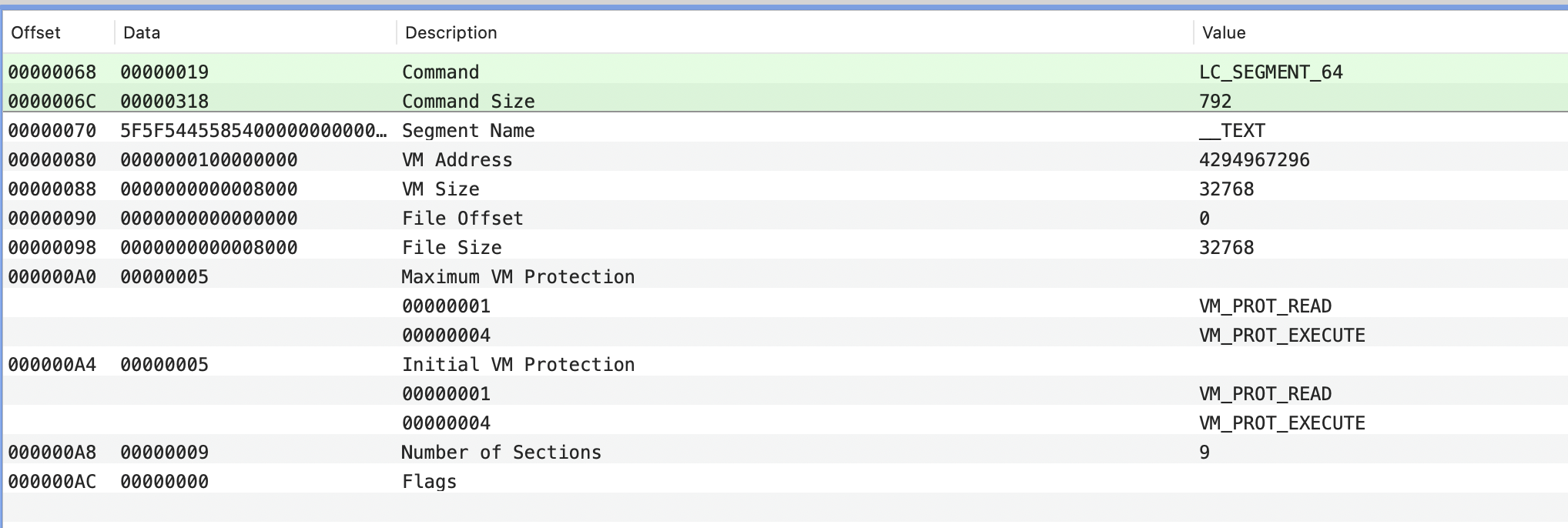
也是segment_command_64结构体,可以看到这个segment中的initprot中是有VM_PROT_EXECUTE,声明这部分是可以被执行的。segment中9个sections
Section: __text
每个section的结构体如下
struct section_64 { /* for 64-bit architectures */char		sectname[16];	/* name of this section */char		segname[16];	/* segment this section goes in */uint64_t	addr;		/* memory address of this section */uint64_t	size;		/* size in bytes of this section */uint32_t	offset;		/* file offset of this section */uint32_t	align;		/* section alignment (power of 2) */uint32_t	reloff;		/* file offset of relocation entries */uint32_t	nreloc;		/* number of relocation entries */uint32_t	flags;		/* flags (section type and attributes)*/uint32_t	reserved1;	/* reserved (for offset or index) */uint32_t	reserved2;	/* reserved (for count or sizeof) */uint32_t	reserved3;	/* reserved */
};
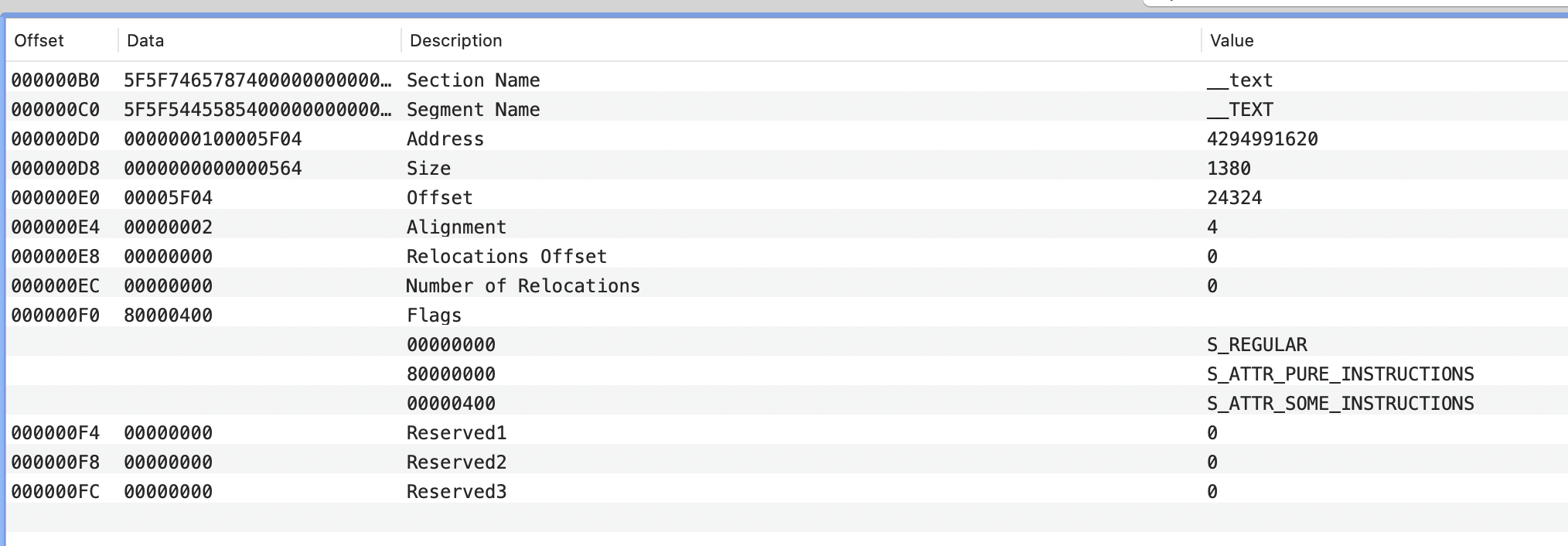
#define	S_REGULAR		0x0	/* regular section */
#define S_ATTR_PURE_INSTRUCTIONS 0x80000000 // 这个sections只包含机器指令
#define S_ATTR_SOME_INSTRUCTIONS 0x00000400	/* section contains somemachine instructions */
| 变量名 | 值 | 说明 |
|---|---|---|
| sectname | 0x5F5F7465787400000000000000000000 | section的名称,__text |
| segname | 0x5F5F5445585400000000000000000000 | section所属segment的名称,__TEXT |
| addr | 0x0000000100005F04 | 虚拟内存的起始地址 |
| size | 0x0000000000000564 | section的长度 |
| offset | 0x5F04 | 代码在文件的具体偏移量,每个应用都不一样 |
| align | 4 | 对齐 |
| reloff | 0 | 静态链接重定位,.a文件中__objc_const能看到 |
| nreloc | 0 | 静态链接重定位的符号的数量 |
| flags | 0x80000400 | 标志,详见loader.h |
| reserved1 | 保留,动态链接时的符号 | |
| reserved2 | 保留,动态链接时的符号数量 | |
| reserved3 | 保留 |

然后因为__PAGEZERO占用了0x0000000100000000 加上前面文件占用了空间,所以应用的汇编代码的起始位置在0x5F04位置,从上面的截图看确实如此
Section: __stubs
动态链接的符号,看reserved2有12个,这部分在二进制中的地址是0x0000000100006468
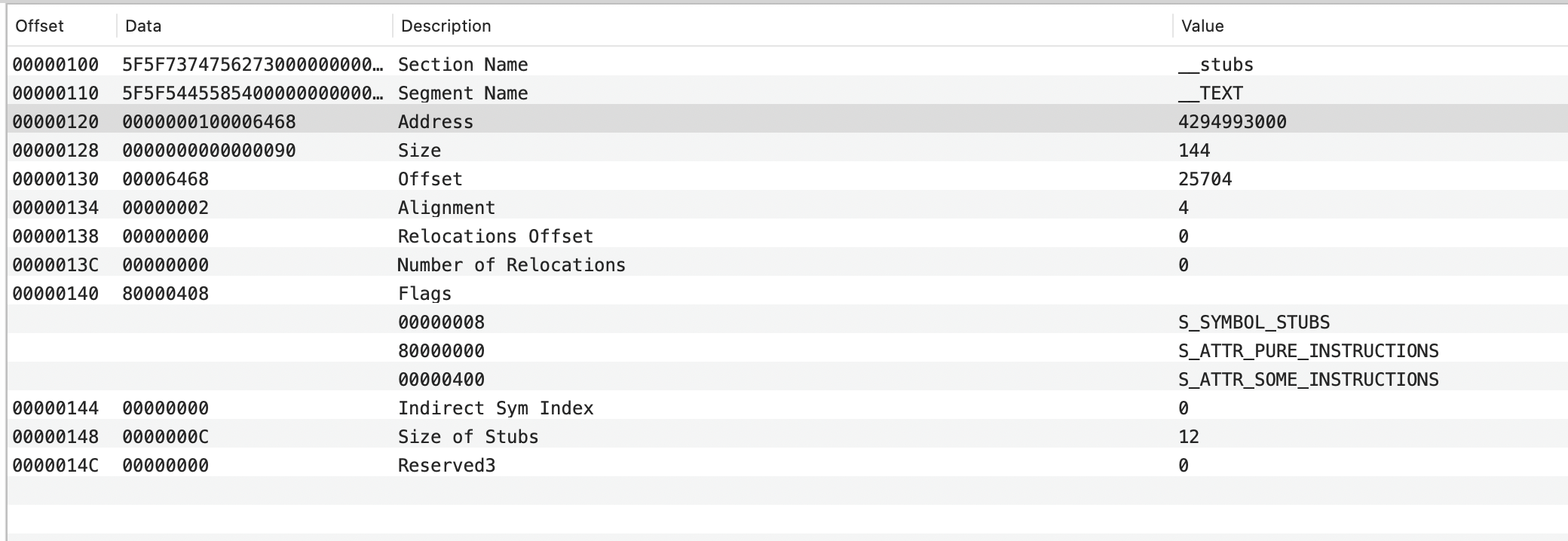
到0x0000000100006468查看
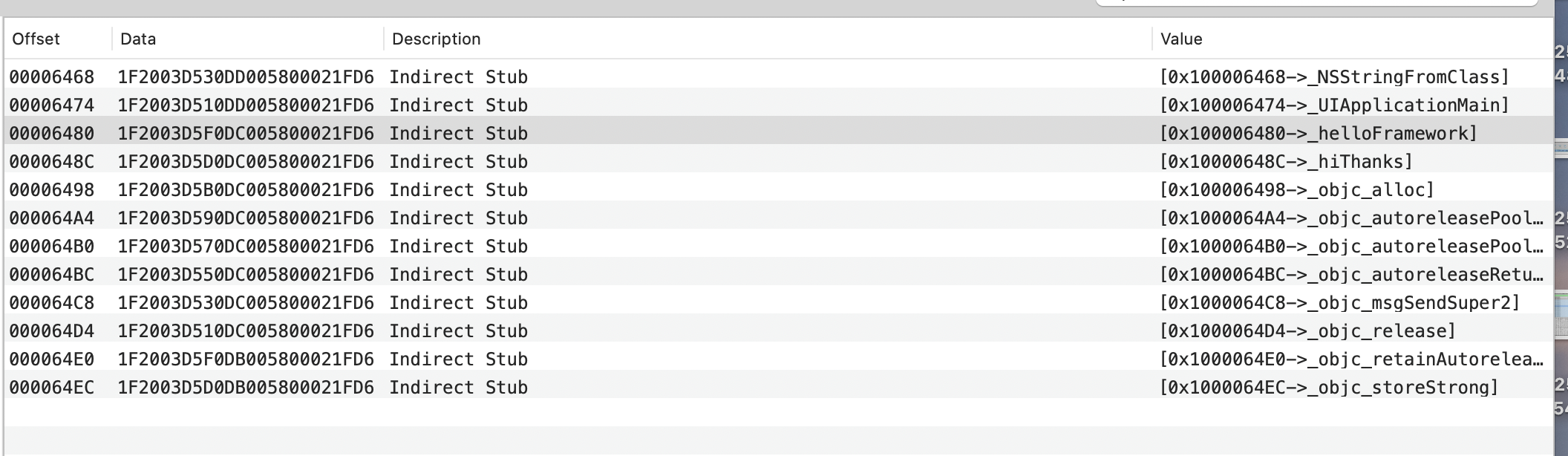
这里存放的是运行时需要从系统和其他动态库中加载的符号
Section: __stub_helper
加载动态库有rebinding符号的过程,比如上面__stub的需要12个外部的符号,__stub_helper是辅助该过程能顺利完成
Section: __objc_stubs
__objc_stubs is a section in iOS binaries that contains stub functions for Objective-C calls. These stubs are used for debugging and analyzing Objective-C code
iOS Apps compiled with recent versions of XCode can generate stubs for msgSend calls, where each stub is just a call to the actual msgSend address after setting a specific selector:
应该是个高版本SDK跳过消息查找过程,加快方法调用的优化,后面再探究。
Section: __objc_methods
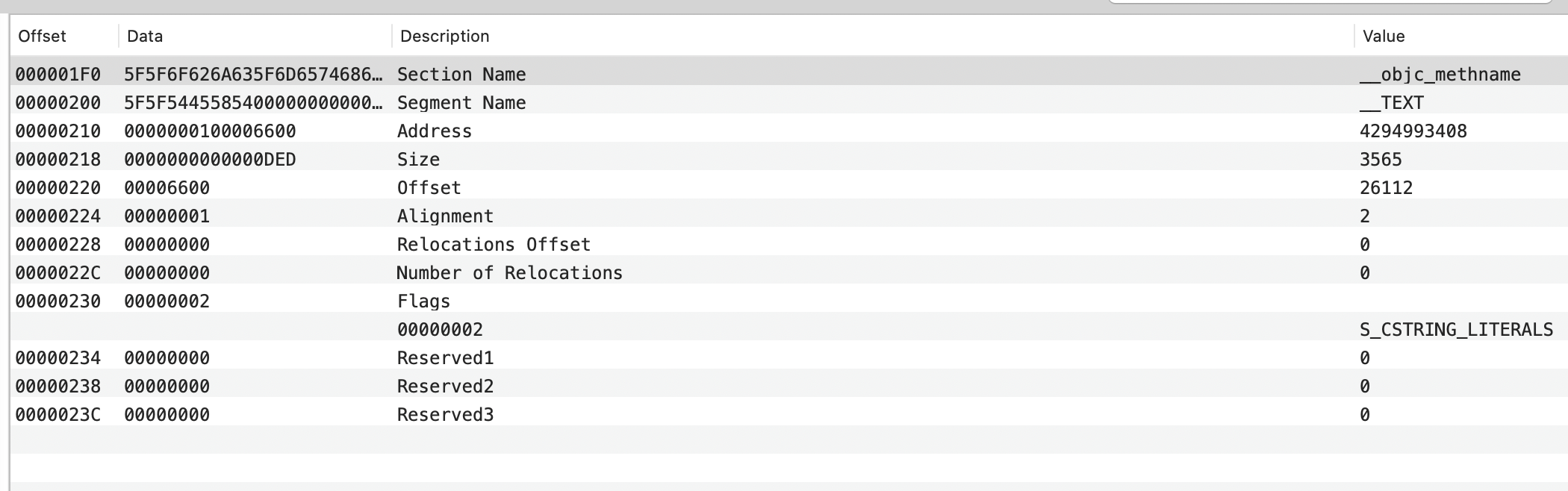
OC方法的信息
#define S_CSTRING_LITERALS 0x2 /* section with only literal C strings*/ // sections里只有C语言的常量字符串
Section:__objc_classname
OC的类名相关的描述,和__objc_methods差不多
Section:__objc_methtype
OC的方法签名部分的描述
找到Data部分实际存的内容
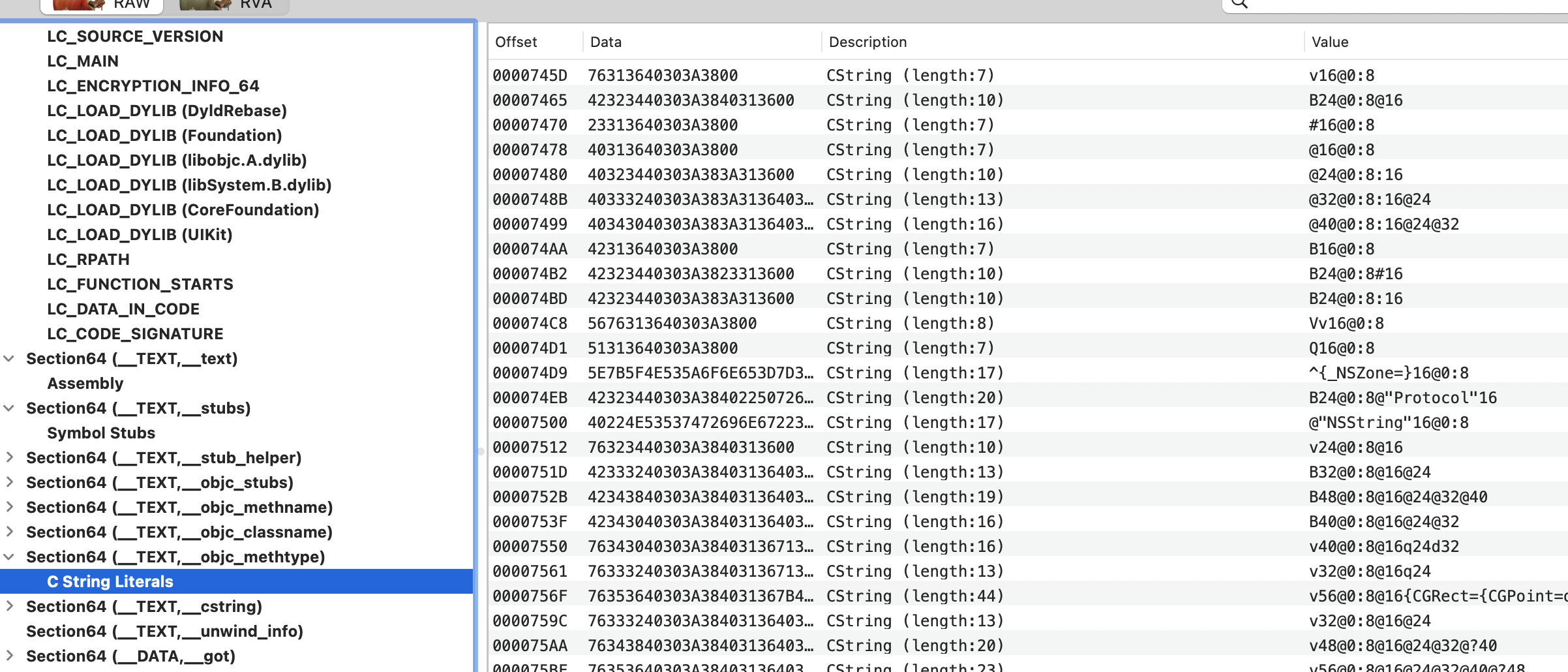
Section: __cstring
C的常量字符串的描述
Section: __unwind_info
用于存储处理异常情况的信息
Segment: __DATA 数据
对数据部分的组织规则的描述,这部分也有一些sections
Section: __got
非懒加载指针,dyld 加载时会立即绑定表项中的符号

dyld_stub_binder 负责绑定符号,objc_msgSend消息发送,这两个懒加载没有意义
Seciton: __la_symbol_ptr
相对的是懒加载指针,表中的指针一开始都指向 __TEXT.__stub_helper
Section: __cfstring
Core Foundation 字符串
Section: __objc_classlist
记录了App中所有的class,包括meta class。该节中存储的是一个个的指针,指针指向的地址是class结构体所在的地址
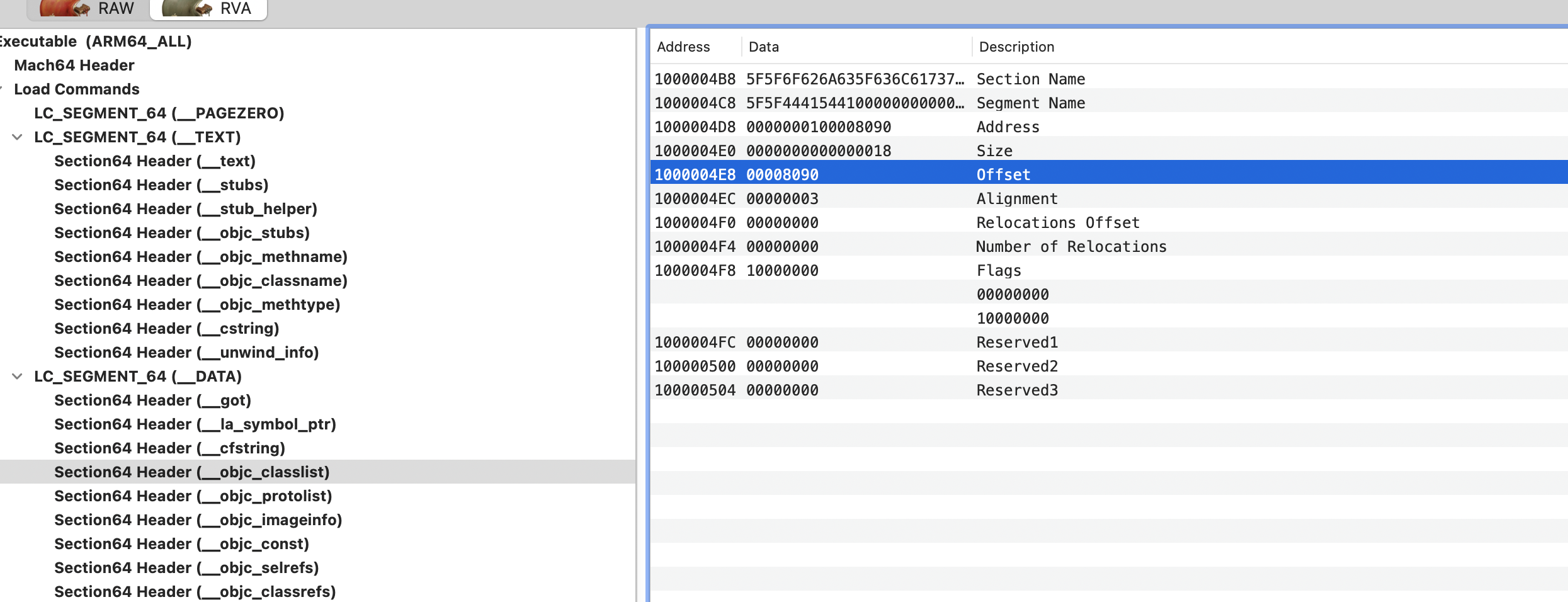
这里Address是0x100008090,去掉前面的0x100000000(__PAGEZERO),找0x8090的地址
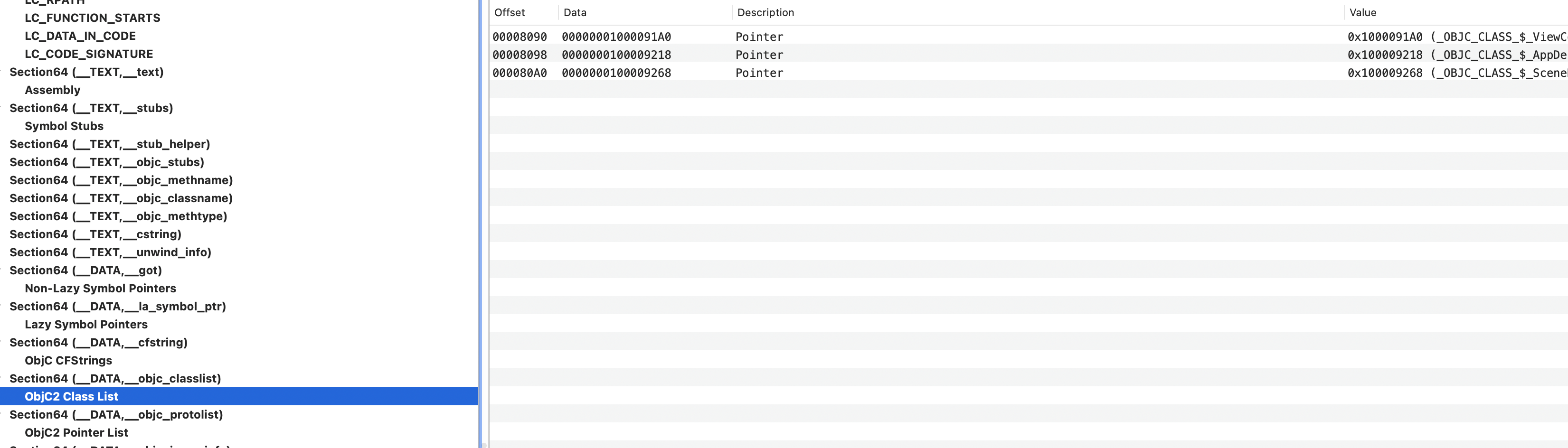
里面的值是0x00000001000091A0,描述是指针,再去找0x91A0,走到__DATA.__objc_data,这里存着实际的OC的类
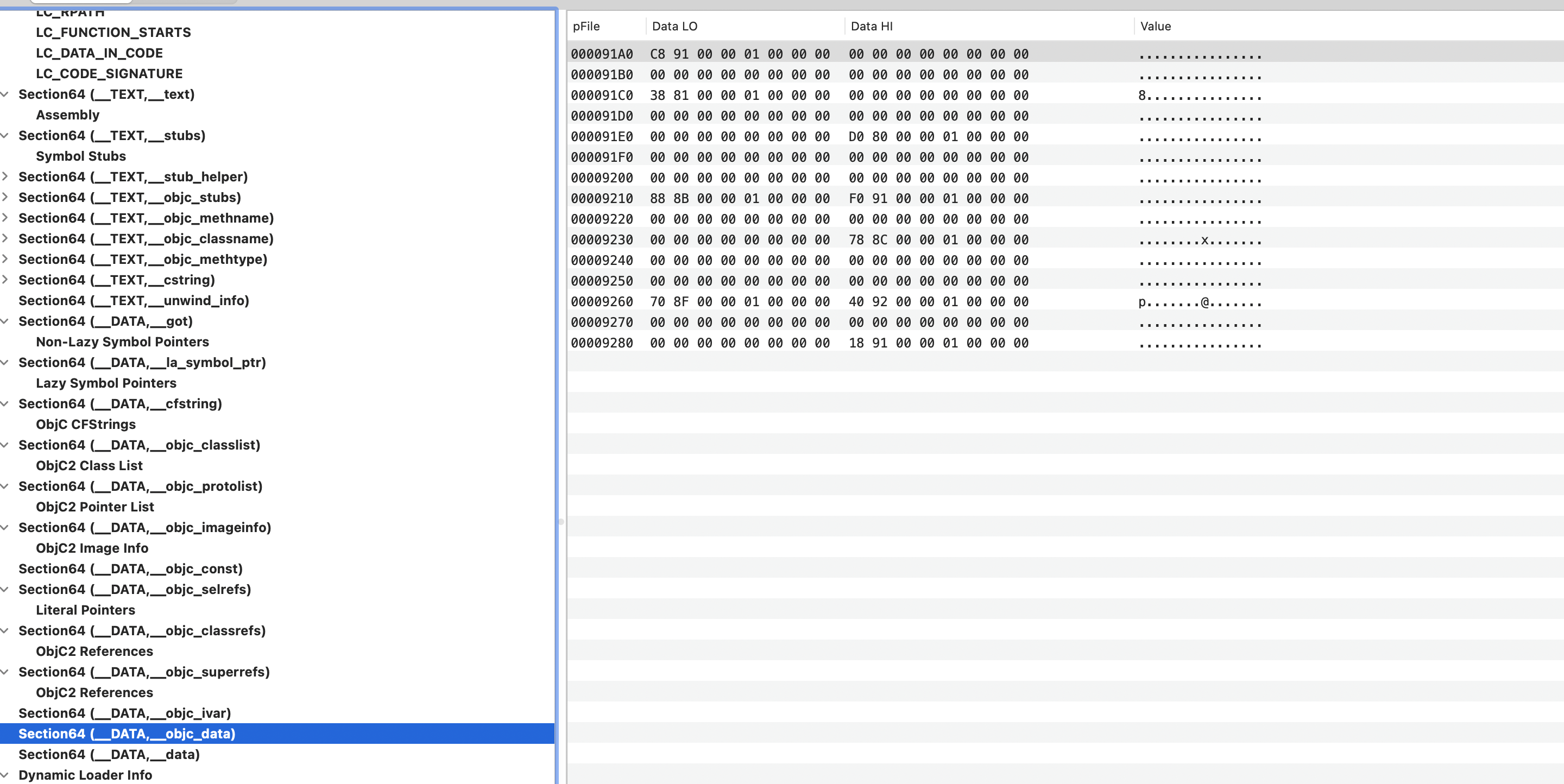
Section: __objc_protolist
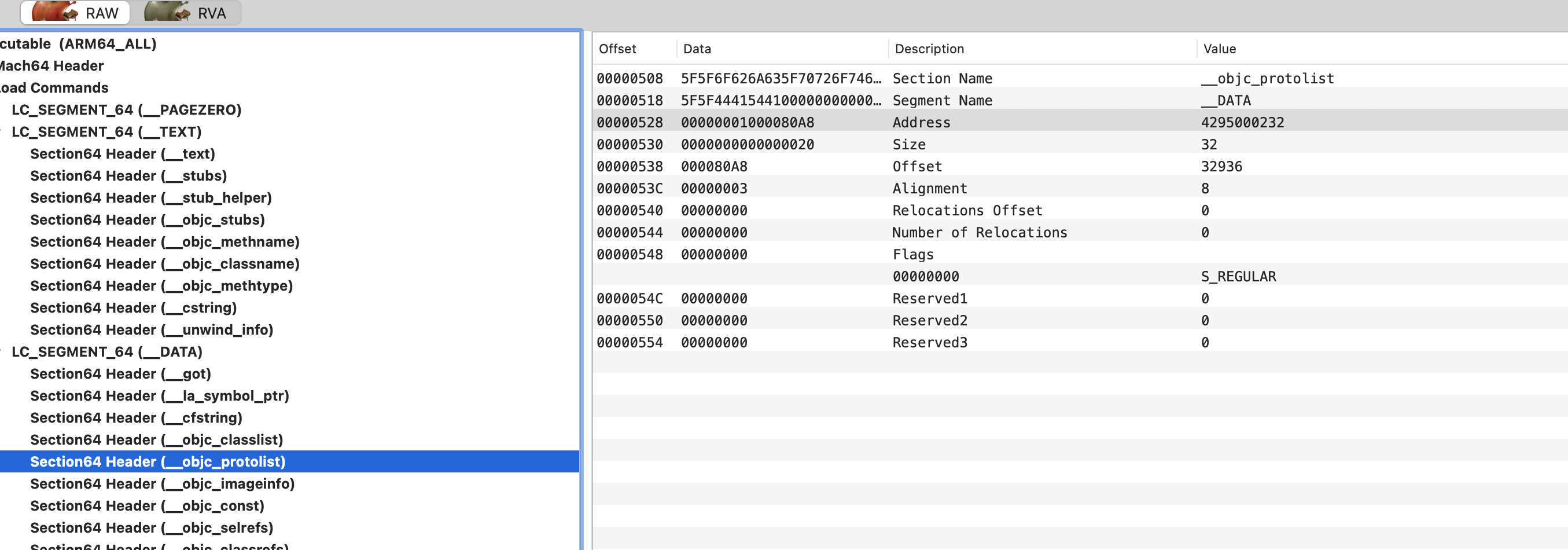
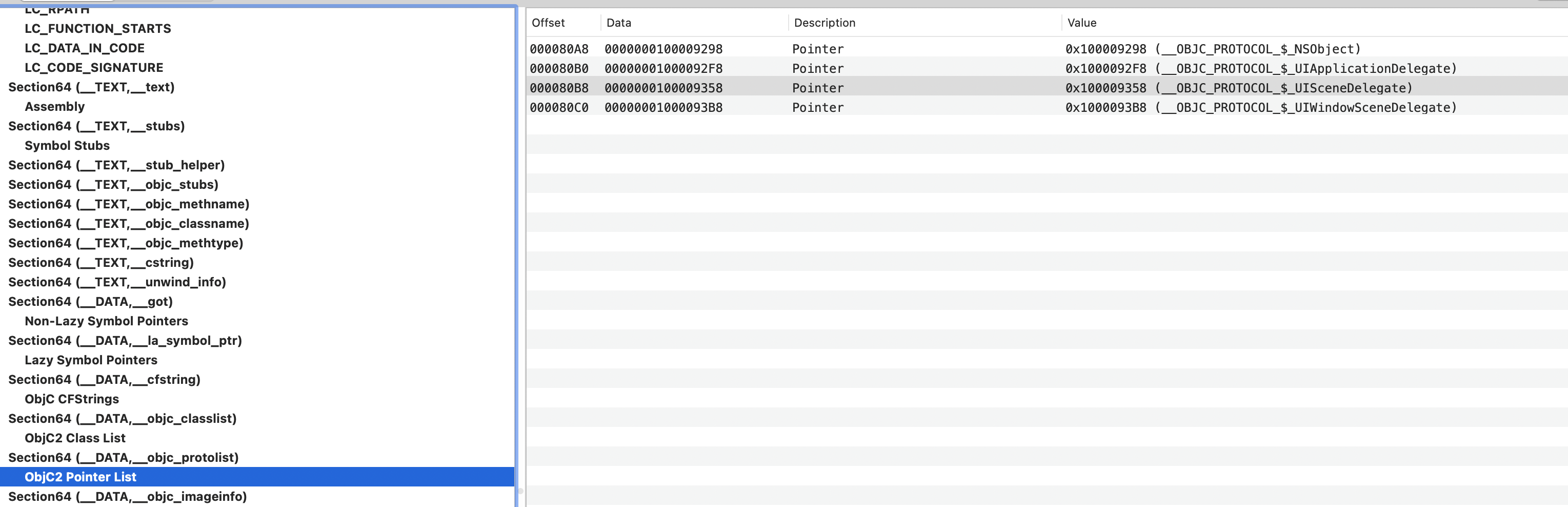
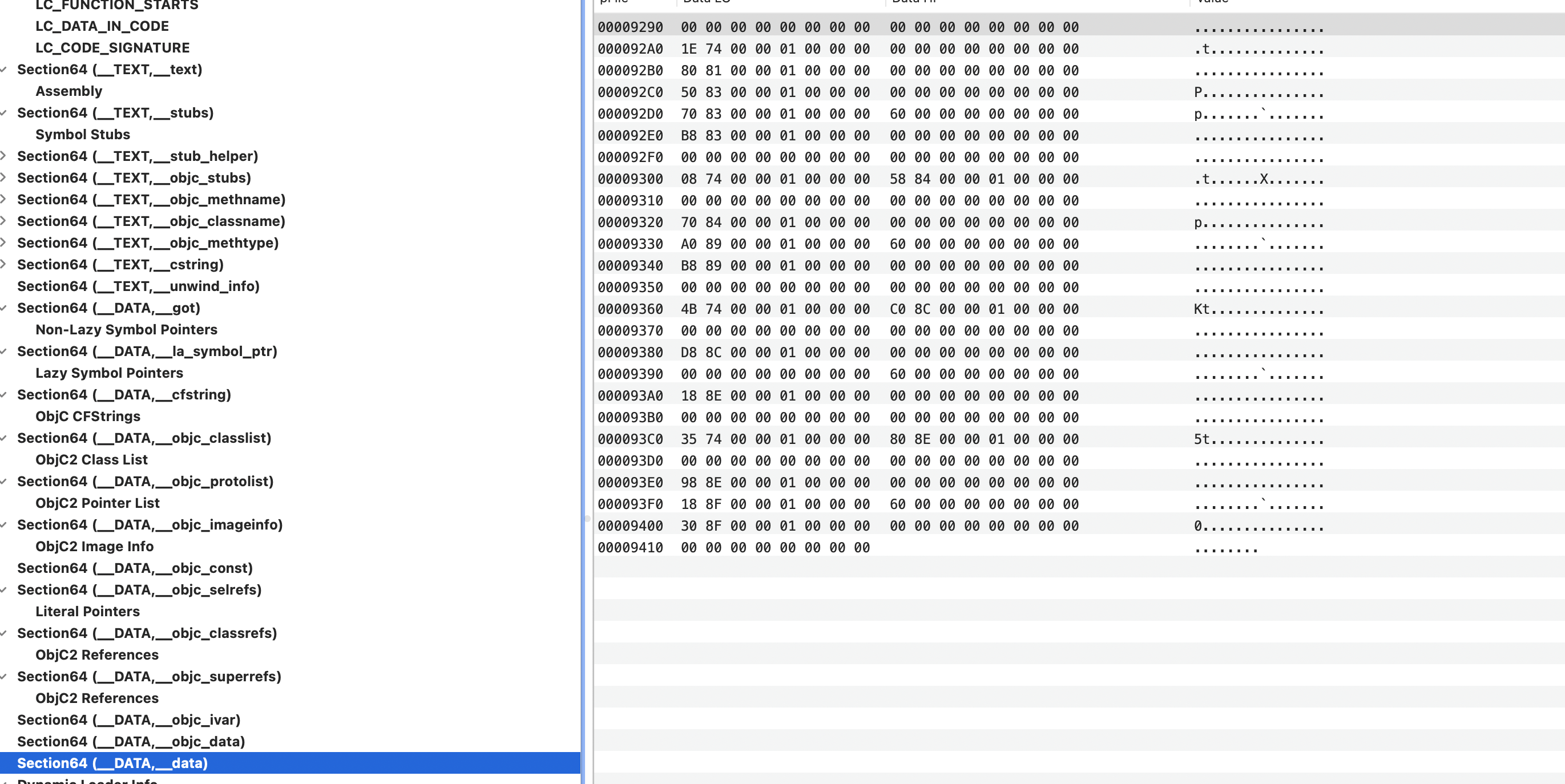
0x1000080A8 => 0x0000000100009298,到了 __DATA.__data?
Section: __objc_imageInfo
主要用来区分OC的版本是 1.0 还是 2.0
Section: __objc_const
记录在OC内存初始化过程中的不可变内容,比如 method_t 结构体定义
Section: __objc_selrefs
标记哪些SEL对应的字符串被引用了
Section: __objc_classrefs
标记哪些类被引用了
Section: __objc_superrefs
Objective-C 超类引用
Section: __objc_ivar
存储程序中的 ivar 变量
Section: __objc_data
用于保存 OC 类需要的数据。最主要的内容是映射 __objc_const 地址,用于找到类的相关数据
Section: __data
初始化过的可变数据
Segment: __LINKEDIT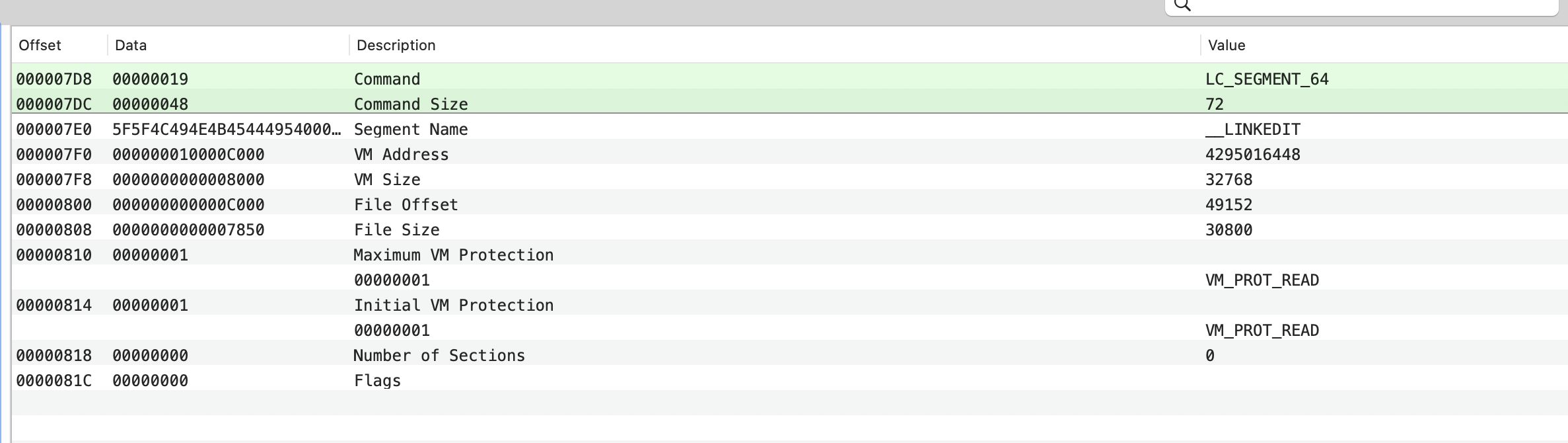
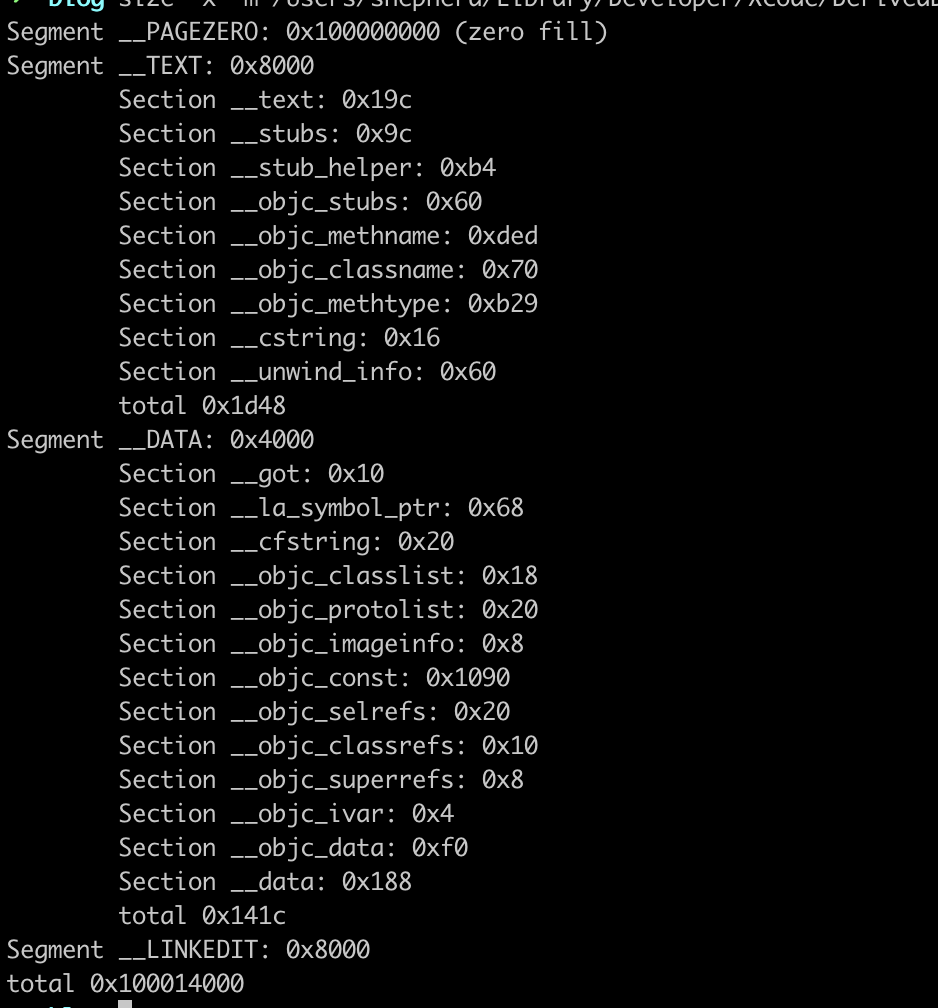
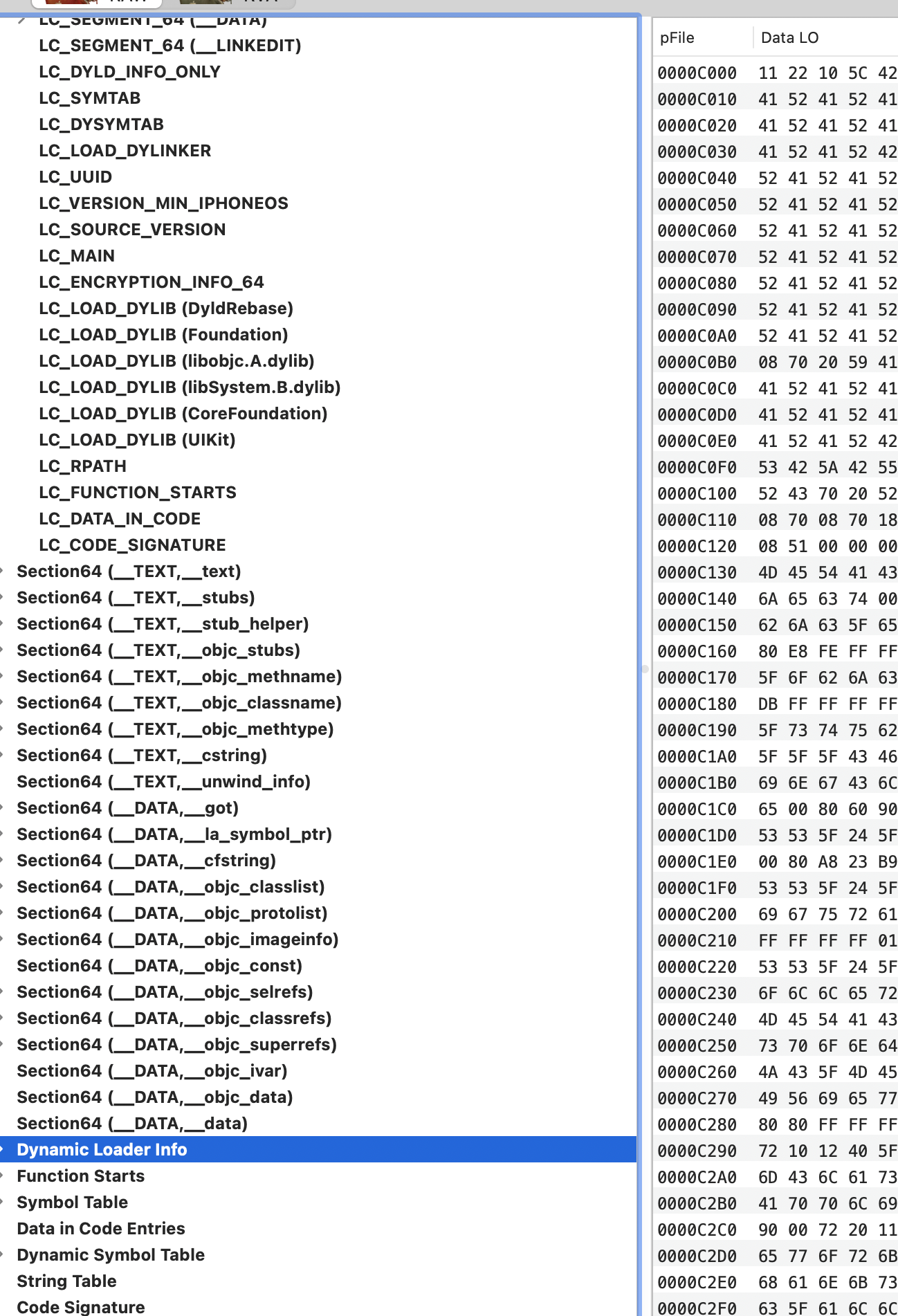
fileOffset是 0xc000,size是0x7850,两者相加得 0x13850,从下图可知Dynamic Loader Info 到Code Signature都是这个区间内,里面包含动态库加载哪些符号,符号表,二进制的签名信息。所以可执行文件的加载指令后的实际内容就是__TEXT,__DATA,__LINKEDIT,__PAGEZERO是占位
# 用size命令显示macho文件时就是4个段
$ size -x -m path/to/macho-execute

使用其他结构体的Command
Command:LC_DYLD_INFO_ONLY
描述dyld要绑定动态库的哪些符号,是强绑定还是弱绑定
/** The dyld_info_command contains the file offsets and sizes of * the new compressed form of the information dyld needs to * load the image.  This information is used by dyld on Mac OS X* 10.6 and later.  All information pointed to by this command* is encoded using byte streams, so no endian swapping is needed* to interpret it. */
struct dyld_info_command {uint32_t   cmd;		/* LC_DYLD_INFO or LC_DYLD_INFO_ONLY */uint32_t   cmdsize;		/* sizeof(struct dyld_info_command) */uint32_t   rebase_off;	/* file offset to rebase info  */uint32_t   rebase_size;	/* size of rebase info   */uint32_t   bind_off;	/* file offset to binding info   */uint32_t   bind_size;	/* size of binding info  */uint32_t   weak_bind_off;uint32_t   weak_bind_size;  /* size of weak binding info  */uint32_t   lazy_bind_off;uint32_t   lazy_bind_size;  /* size of lazy binding infs */uint32_t   export_off;	/* file offset to lazy binding info */uint32_t   export_size;	/* size of lazy binding infs */
};
Command: LC_SYMTAB
macho文件的符号表的描述
/** The symtab_command contains the offsets and sizes of the link-edit 4.3BSD* "stab" style symbol table information as described in the header files* <nlist.h> and <stab.h>.*/
struct symtab_command {uint32_t	cmd;		/* LC_SYMTAB */uint32_t	cmdsize;	/* sizeof(struct symtab_command) */uint32_t	symoff;		/* symbol table offset */uint32_t	nsyms;		/* number of symbol table entries */uint32_t	stroff;		/* string table offset */uint32_t	strsize;	/* string table size in bytes */
};
Command: LC_DYSYMTAB
macho文件依赖的动态库的符号表
Command: LC_LOAD_DYLINKER
加载dyld链接器
/** A program that uses a dynamic linker contains a dylinker_command to identify* the name of the dynamic linker (LC_LOAD_DYLINKER).  And a dynamic linker* contains a dylinker_command to identify the dynamic linker (LC_ID_DYLINKER).* A file can have at most one of these.* This struct is also used for the LC_DYLD_ENVIRONMENT load command and* contains string for dyld to treat like environment variable.*/
struct dylinker_command {uint32_t	cmd;		/* LC_ID_DYLINKER, LC_LOAD_DYLINKER orLC_DYLD_ENVIRONMENT */uint32_t	cmdsize;	/* includes pathname string */union lc_str    name;		/* dynamic linker's path name */
};

Command: LC_UUID
静态连接器生成的128位随机数,用于标识macho文件
/** The uuid load command contains a single 128-bit unique random number that* identifies an object produced by the static link editor.*/
struct uuid_command {uint32_t	cmd;		/* LC_UUID */uint32_t	cmdsize;	/* sizeof(struct uuid_command) */uint8_t	uuid[16];	/* the 128-bit uuid */
};
Command: LC_VERSION_MIN_IPHONEOS
指定最低版本号
/** The version_min_command contains the min OS version on which this * binary was built to run.*/
struct version_min_command {uint32_t	cmd;		/* LC_VERSION_MIN_MACOSX orLC_VERSION_MIN_IPHONEOS orLC_VERSION_MIN_WATCHOS orLC_VERSION_MIN_TVOS */uint32_t	cmdsize;	/* sizeof(struct min_version_command) */uint32_t	version;	/* X.Y.Z is encoded in nibbles xxxx.yy.zz */uint32_t	sdk;		/* X.Y.Z is encoded in nibbles xxxx.yy.zz */
};
Command: LC_SOURCE_VERSION
指定iOS SDK系统库的版本
/** The source_version_command is an optional load command containing* the version of the sources used to build the binary.*/
struct source_version_command {uint32_t  cmd;	/* LC_SOURCE_VERSION */uint32_t  cmdsize;	/* 16 */uint64_t  version;	/* A.B.C.D.E packed as a24.b10.c10.d10.e10 */
};
Command: LC_MAIN
应用程序入口
/** The entry_point_command is a replacement for thread_command.* It is used for main executables to specify the location (file offset)* of main().  If -stack_size was used at link time, the stacksize* field will contain the stack size need for the main thread.*/
struct entry_point_command {uint32_t  cmd;	/* LC_MAIN only used in MH_EXECUTE filetypes */uint32_t  cmdsize;	/* 24 */uint64_t  entryoff;	/* file (__TEXT) offset of main() */uint64_t  stacksize;/* if not zero, initial stack size */
};
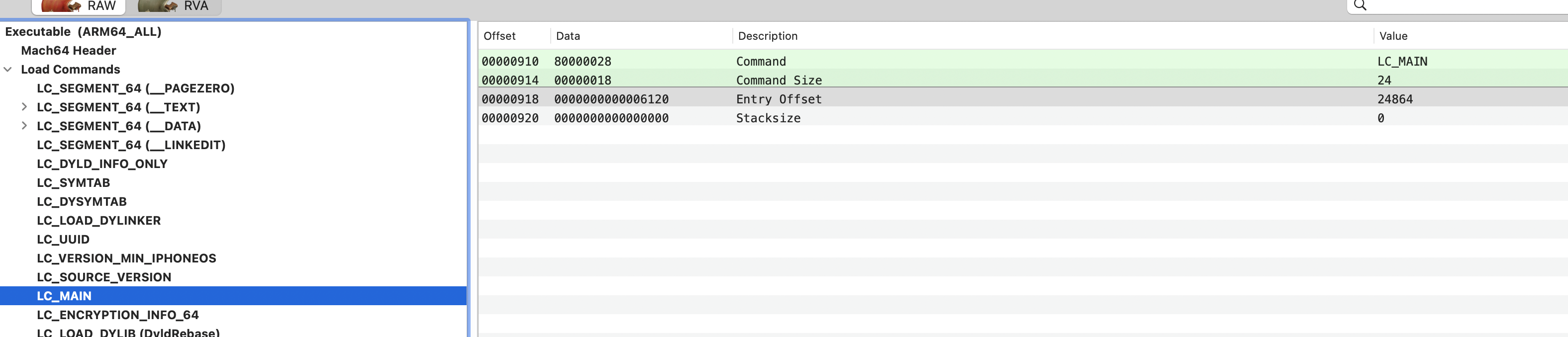
地址是 0x6120,找到对应地址可知就是 _main函数的地址

Command: LC_ENCRYPTION_INFO_64
/** The encryption_info_command contains the file offset and size of an* of an encrypted segment.*/
struct encryption_info_command {uint32_t	cmd;		/* LC_ENCRYPTION_INFO */uint32_t	cmdsize;	/* sizeof(struct encryption_info_command) */uint32_t	cryptoff;	/* file offset of encrypted range */uint32_t	cryptsize;	/* file size of encrypted range */uint32_t	cryptid;	/* which enryption system,0 means not-encrypted yet */
};
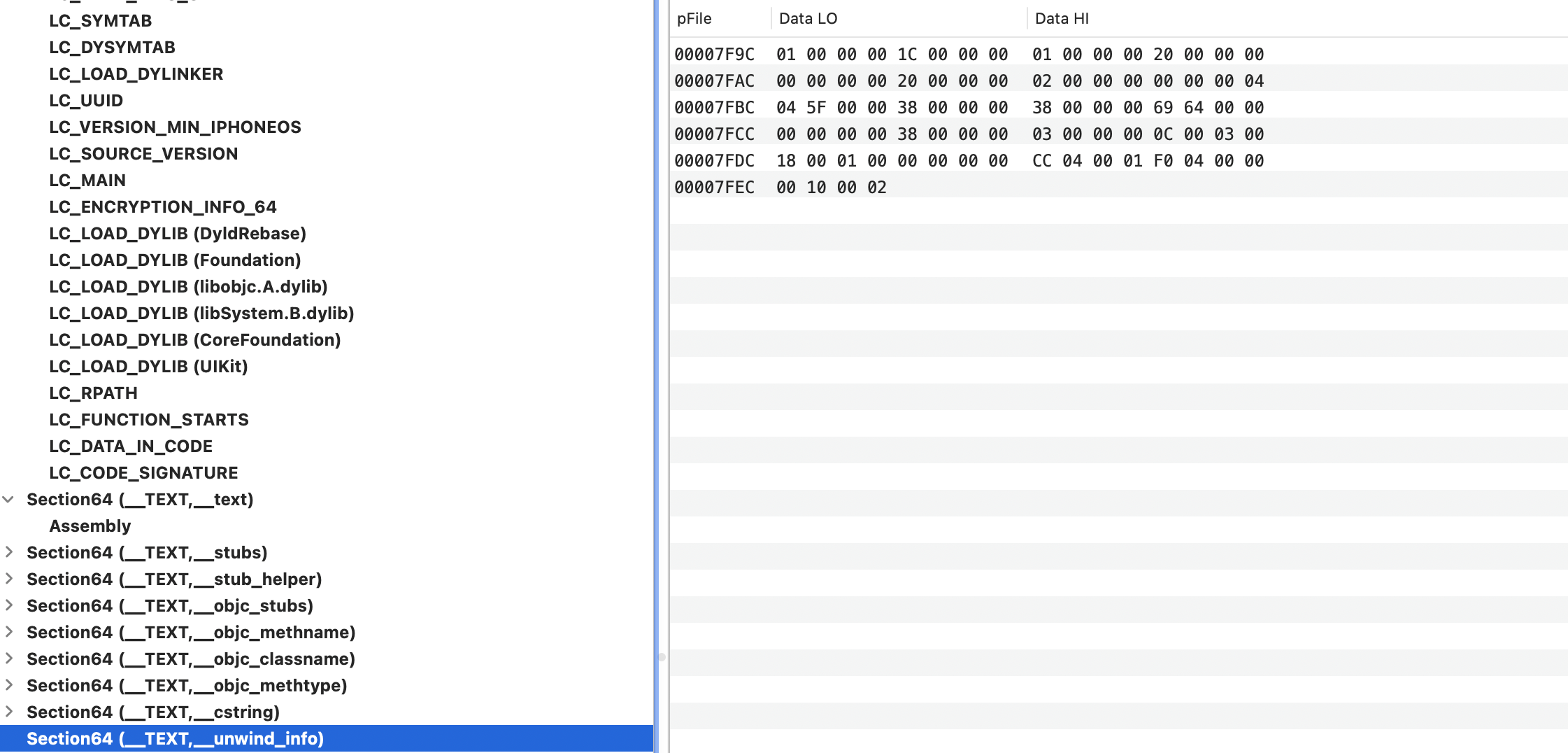
加密部分是Crypt Offset:0x4000 , Crypt Size: 0x4000,两者相加末尾地址为0x8000,根据下图看,实际加密的部分是代码Segment的内容

Command: LC_LOAD_DYLIB
有若干个该命令,用于加载系统及应用链接的动态库
/** Dynamicly linked shared libraries are identified by two things.  The* pathname (the name of the library as found for execution), and the* compatibility version number.  The pathname must match and the compatibility* number in the user of the library must be greater than or equal to the* library being used.  The time stamp is used to record the time a library was* built and copied into user so it can be use to determined if the library used* at runtime is exactly the same as used to built the program.*/
struct dylib {union lc_str  name;			/* library's path name */uint32_t timestamp;			/* library's build time stamp */uint32_t current_version;		/* library's current version number */uint32_t compatibility_version;	/* library's compatibility vers number*/
};/** A dynamically linked shared library (filetype == MH_DYLIB in the mach header)* contains a dylib_command (cmd == LC_ID_DYLIB) to identify the library.* An object that uses a dynamically linked shared library also contains a* dylib_command (cmd == LC_LOAD_DYLIB, LC_LOAD_WEAK_DYLIB, or* LC_REEXPORT_DYLIB) for each library it uses.*/
struct dylib_command {uint32_t	cmd;		/* LC_ID_DYLIB, LC_LOAD_{,WEAK_}DYLIB,LC_REEXPORT_DYLIB */uint32_t	cmdsize;	/* includes pathname string */struct dylib	dylib;		/* the library identification */
};

name字段指明加载路径
Command: LC_RPATH
前面动态库name里有@rpath变量的描述,@rpath的值在这里指定
Command: LC_FUNCTION_STARTS
该命令用于描述函数的起始地址信息,指向了链接信息段中 Function Starts 的首地址 Function Starts 定义了一个函数起始地址表,调试器和其他程序通过该表可以很容易地判断出一个地址是否在函数内
Command: LC_DATA_IN_CODE
该命令使用一个 struct linkedit_data_command 指向一个 data_in_code_entry 数组 data_in_code_entry 数组中的每一个元素,用于描述代码段中一个存储数据的区域
Command: LC_CODE_SIGATURE
签名信息的描述,从这里可知,二进制文件的签名是在文件内
Data
Load Commands部分是在描述MachO文件如何组织。比如代码部分的长度是多少,这种很像C语言操作数组时要传长度。如果再扩展一下概念,网络协议通过各种包的格式控制数据的传输,那前面这些命令也是在控制如何解析后面的Data。
参考
- MacOS 链接特性:Two-Level Namespace
- ghidra-issues
- MachO文件学习笔记
相关文章:
学习笔记: Mach-O 文件
“结构决定性质,性质决定用途”。如果不了解结构,是很难真正理解的。 通过一个示例的可执行文件了解Mach-O文件的结构 Mach-O基本结构 Header: :文件类型、目标架构类型等Load Commands:描述文件在虚拟内存中的逻辑结构、布局Data: 在Load commands中…...

图论-BFS搜索图/树-最短路径问题的解决
续上篇~图论--DFS搜索图/树-CSDN博客 先看第一次学习的博客!!👇👇👇👇 👉 有一些问题是广搜 和 深搜都可以解决的,例如岛屿问题,这里我们记dfs的写法就好啦,…...

【uniapp】vue2 使用 Vuex 状态管理
创建store文件夹:store/index.js // index.js import Vue from vue import Vuex from vuex import address from ./modules/address.jsVue.use(Vuex)const store new Vuex.Store({modules: {address} })export default store 创建modules文件夹:modul…...

vcpkg缓存问题研究
vcpkg缓存问题研究 问题描述解决方案官网给出的方案其实并不是大多数人语境中的“清除缓存”实际解决方案 问题描述 使用vcpkg管理c的库的时候,vcpkg会在c盘某些地方缓存下载的库,如果安装的库过多,这个缓存文件夹会过大占用磁盘空间&#x…...
个人自用-导入安装Hexo
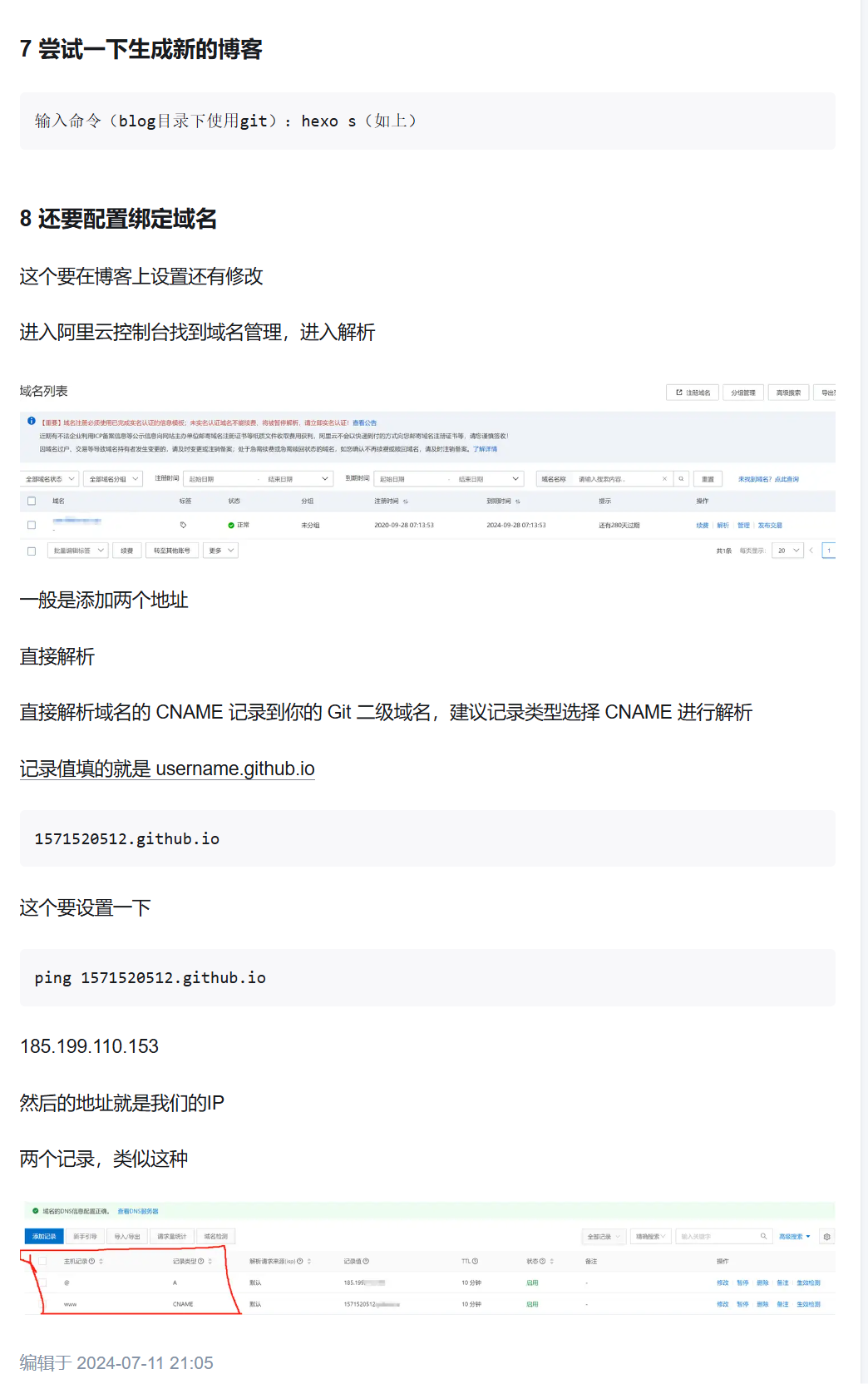
因为本人原来就有备份好的资料,所以重新安装起来会很方便,这个教程也只适合我自己用 但是所有的命令行都要在Git的命令行里面使用(因为我就是这样操作的) 1 安装Git Git的官网 Git git --version 这个是查看Git的版本 git --…...

《AI大模型应知应会100篇》第26篇:Chain-of-Thought:引导大模型进行步骤推理
第26篇:Chain-of-Thought:引导大模型进行步骤推理 摘要 在自然语言处理(NLP)和人工智能领域,如何让大模型像人类一样进行逐步推理是一个核心挑战。Chain-of-Thought (思维链) 技术的出现为这一问题提供了强有力的解决…...

大模型API中转平台选择指南:如何找到优质稳定的服务
在人工智能快速发展的今天,大模型的应用已经渗透到各个领域。无论是开发智能应用的技术团队,还是希望通过AI提升效率的企业,都离不开大模型API的支持。然而,市场上的大模型API中转服务良莠不齐,层层转包的中间商模式不…...
STM32单片机入门学习——第43节: [12-3] 读写备份寄存器实时时钟
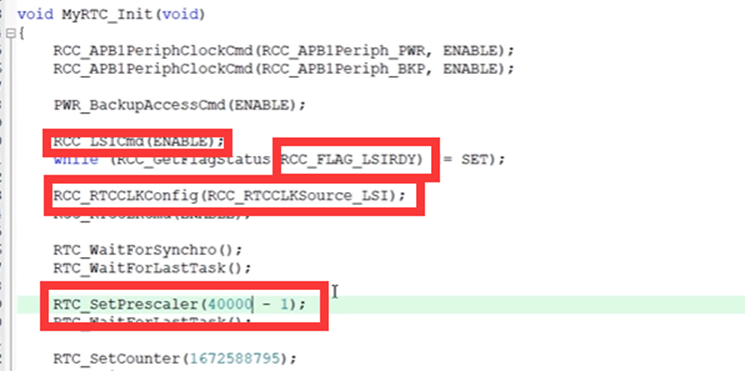
写这个文章是用来学习的,记录一下我的学习过程。希望我能一直坚持下去,我只是一个小白,只是想好好学习,我知道这会很难,但我还是想去做! 本文写于:2025.04.19 STM32开发板学习——第43节: [12-3] 读写备份寄存器&实时时钟 前言开发板说明…...

零基础上手Python数据分析 (18):Matplotlib 基础绘图 - 让数据“开口说话”
写在前面 —— 告别枯燥数字,拥抱可视化力量,掌握 Matplotlib 绘图基础 欢迎来到 “高效数据分析实战指南:Python零基础入门” 专栏! 经过前面 Pandas 模块的学习和实战演练,我们已经掌握了使用 Python 和 Pandas 进行数据处理、清洗、整合、分析的核心技能。 我们能够从…...
【网络原理】UDP协议
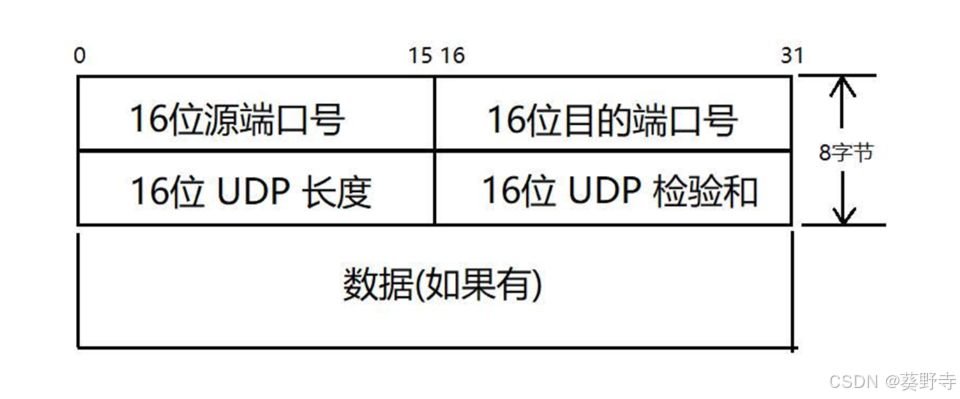
目录 一. UDP 报文格式 (1)端口号 (2)UDP长度 (3)校验和 UDP协议属于传输层协议,由操作系统内核内置 一. UDP 报文格式 UDP数据报:无连接,不可靠传输,面…...

云服务器和本地打通内网端口方式
如何通过云服务器FRP 配置让树莓派板子运行的服务端程序被客户端访问? 要通过 云服务器 FRP 内网穿透,让公网客户端访问你 树莓派运行的 Qt 服务端程序,下面是详细的完整步骤,适合你现在的场景: 云服务器安装并启动…...
HCIP OSPF综合实验
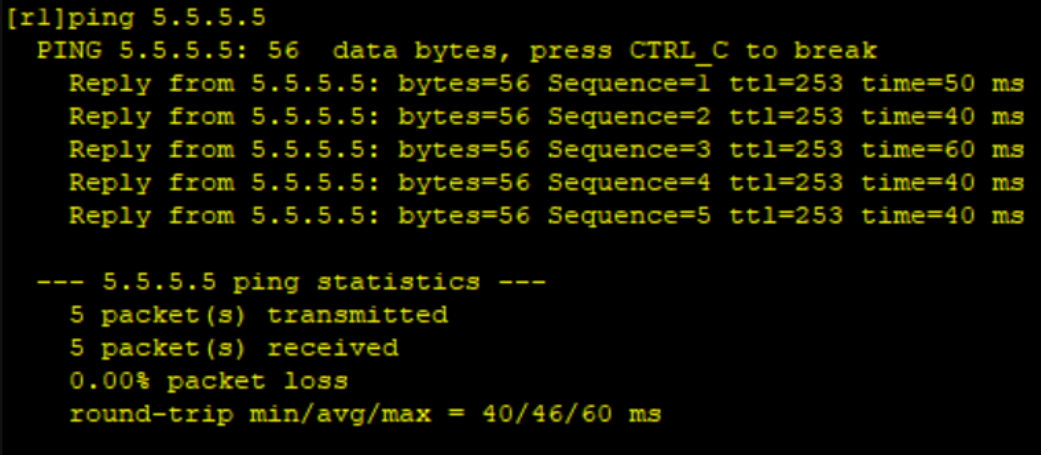
1.网络拓扑图 实验要求: 2.需求分析 IP规划: 对每个路由器配置ospf并用172.16.0.0/16网段进行划分,项目中一共有area0 - area4五个ospf区域加一个rip网段,所以我们在172.16.0.0/16选出6个网段 ISP 对r5只能配ip可以把他看成外…...

tensor.repeat和tensor.repeat_interleave
tensor.repeat 在指定维度上整体复制张量内容: x torch.arange(6).reshape(2,3) print(x) print(x.repeat(2,1))上述代码的执行结果为: tensor([[0, 1, 2],[3, 4, 5]]) tensor([[0, 1, 2],[3, 4, 5],[0, 1, 2],[3, 4, 5]])可以看到,x.rep…...
实现批量图片文字识别(python+flask+EasyOCR)
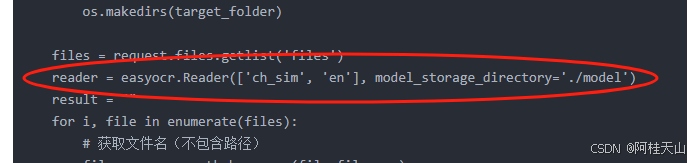
话不多说,向上效果图 1)先说框架版本 为什么要先说框架版本呢,因为我在各种版本中尝试了两天,总算确定了如下版本适合我,至于其他的版本,各位自己去尝试 python 3.9.7 EasyOCR 1.7.2 flask 3.0.3 2)执行操作效果图 2.1)多选文件 2.2)图片预览 2.3)提取选中文件 2.4)提取所有文…...

Vue3+TS中svg图标的使用
安装依赖 pnpm i vite-plugin-svg-icons -D配置引入 vite.config.ts ... import { createSvgIconsPlugin } from vite-plugin-svg-icons import path from node:pathconst svgIconsPlugin createSvgIconsPlugin({iconDirs: [path.resolve(process.cwd(), src/assets/icons)]…...

【java实现+4种变体完整例子】排序算法中【堆排序】的详细解析,包含基础实现、常见变体的完整代码示例,以及各变体的对比表格
以下是堆排序的详细解析,包含基础实现、常见变体的完整代码示例,以及各变体的对比表格: 一、堆排序基础实现 原理 基于二叉堆结构(最大堆),通过以下步骤实现排序: 构建最大堆:将…...
WhatTheDuck:一个基于浏览器的CSV查询工具
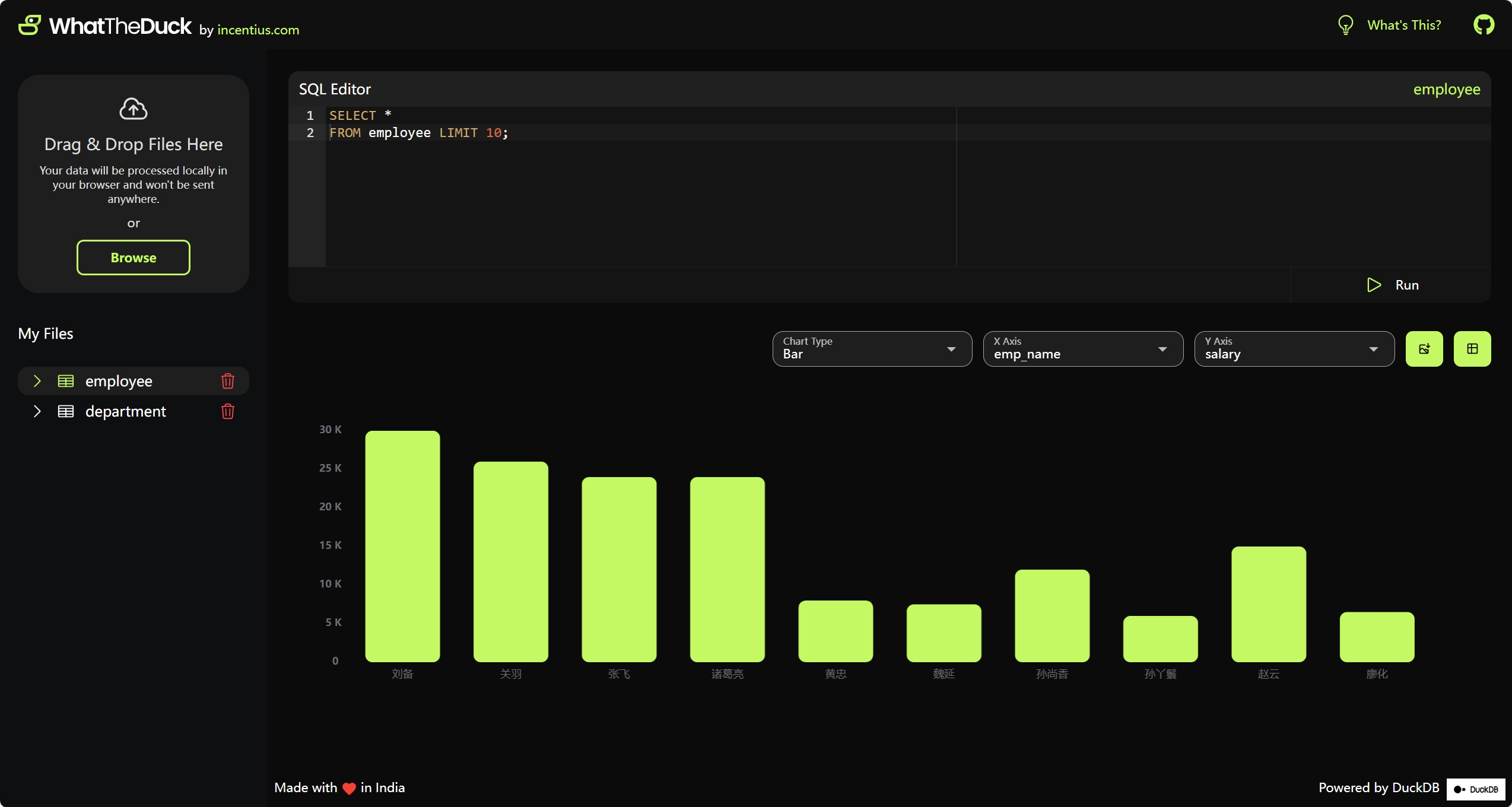
今天给大家介绍一个不错的小工具:WhatTheDuck。它是一个免费开源的 Web 应用程序,允许用户上传 CSV 文件并针对其内容执行 SQL 查询分析。 WhatTheDuck 支持 SQL 代码自动完成以及语法高亮。 WhatTheDuck 将上传的数据存储为 DuckDB 内存表,继…...

从数据处理方式,系统可扩展性和处理性能三方面比较管道过滤器风格和仓储风格
在软件架构设计中,管道-过滤器风格和仓储风格是两种典型的数据处理模式,它们在数据处理方式、系统可扩展性和处理性能上有显著差异。以下从三个方面进行对比: 1. 数据处理方式 方面管道-过滤器风格仓储风格数据流动数据以流(Stre…...
工控系统前端设计(pyqt)
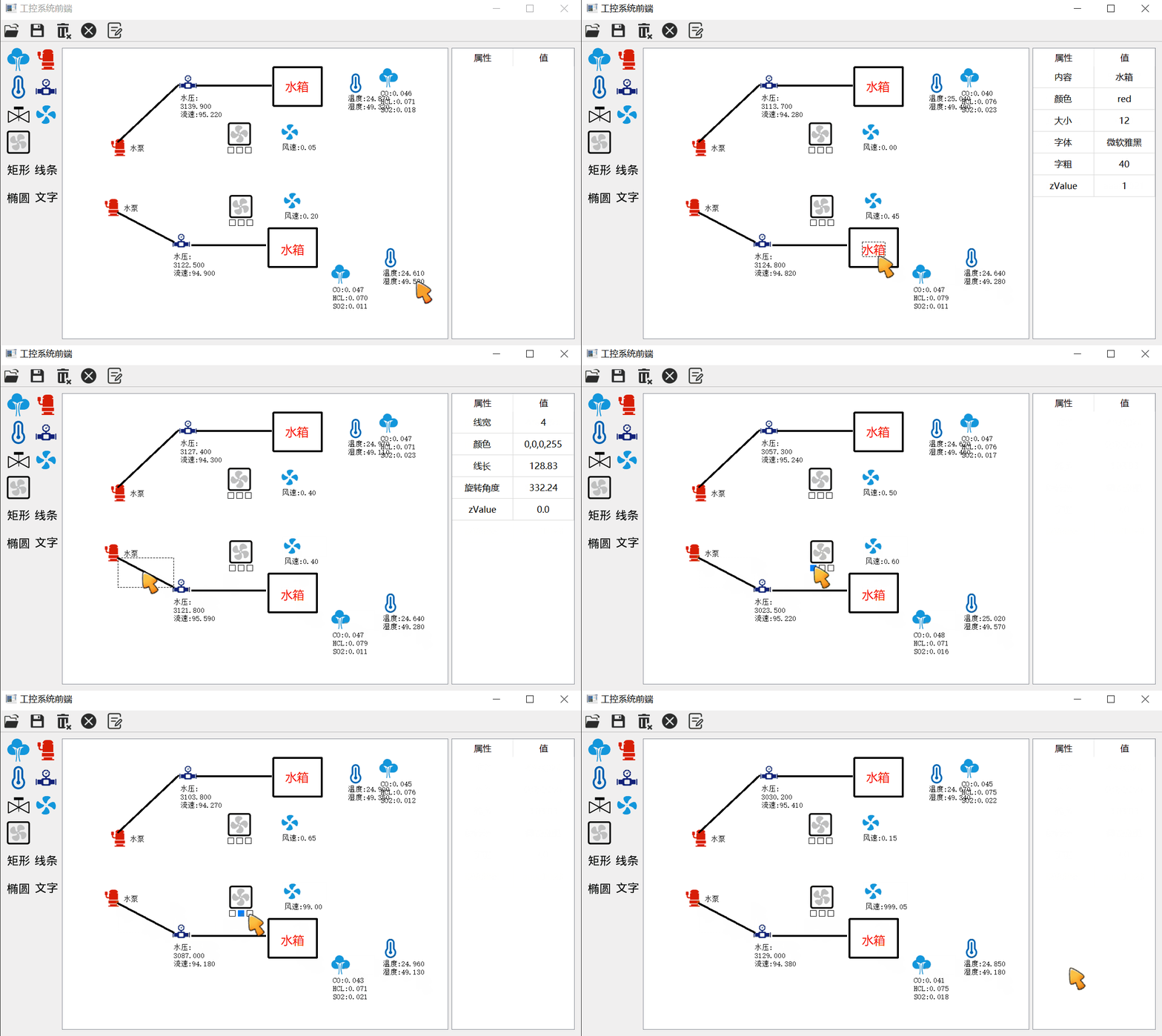
题目源自:白月黑羽的项目实战四-[工控系统前端] 代码已上传至gitcode https://gitcode.com/m0_37662818/Industrial_Control_System_Front_End 心得体会:直接用组态软件或者js吧 项目亮点 tablemodel的使用,绑定了表格和数据风机自定义ite…...
)
哲学家就餐问题(避免死锁)
解决方案: 策略:奇偶哲学家拿筷子顺序不同,破坏循环等待。 流程: 偶数哲学家先左后右。 奇数哲学家先右后左。 分析: 无死锁,哲学家交替进餐,不同拿筷顺序避免循环等待。 实验总结 遇到的…...
剑指Offer(数据结构与算法面试题精讲)C++版——day15
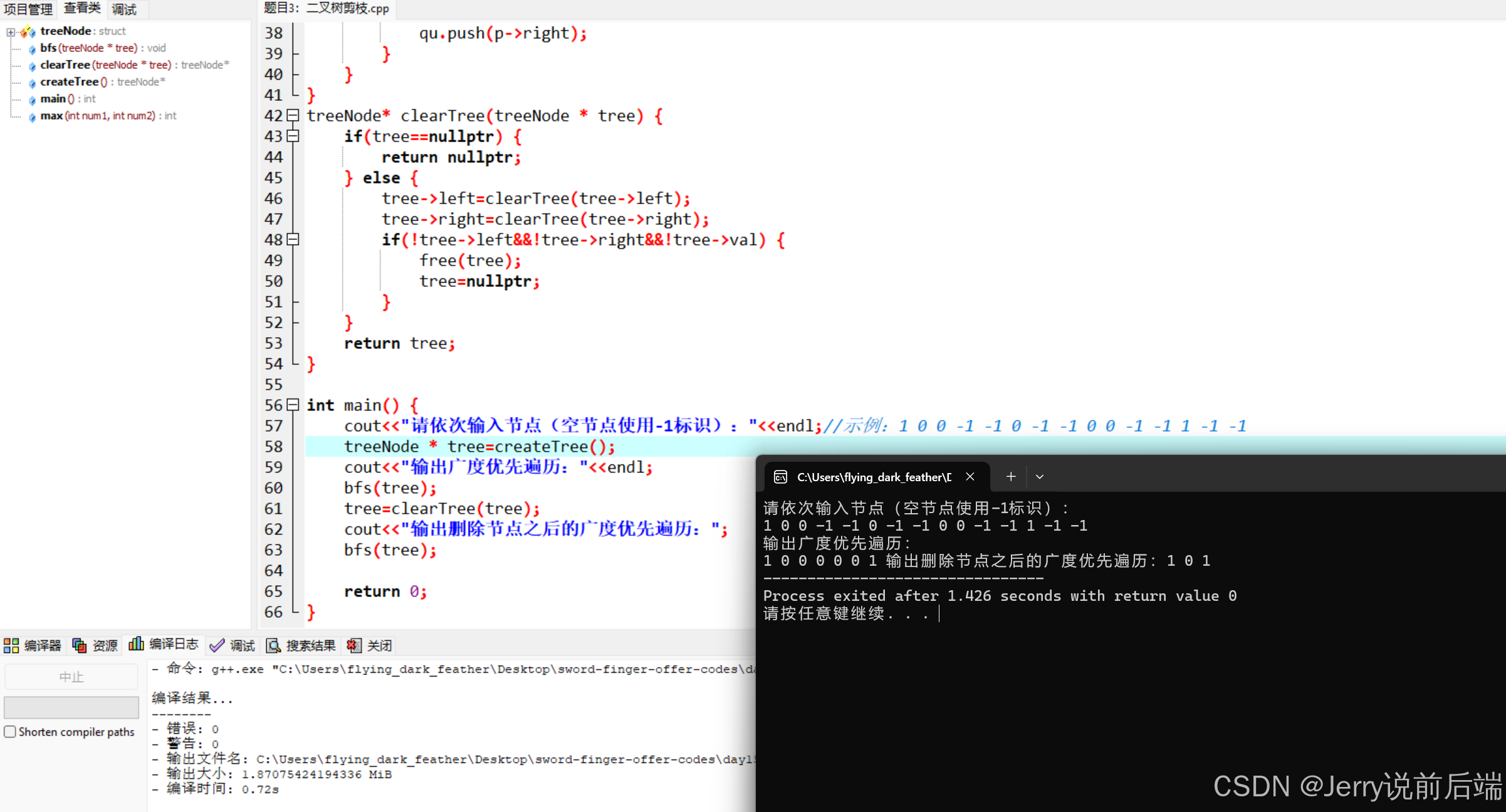
剑指Offer(数据结构与算法面试题精讲)C版——day15 题目一:二叉树最低层最左边的值题目二:二叉树的右侧视图题目三:二叉树剪枝附录:源码gitee仓库 题目一:二叉树最低层最左边的值 题目ÿ…...
打靶日记 zico2: 1
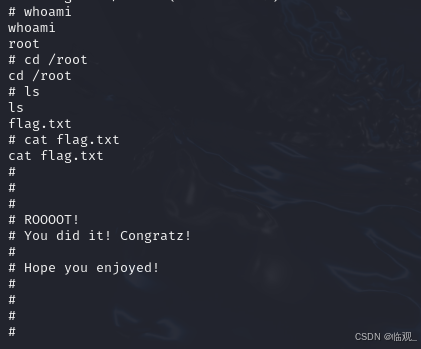
一、探测靶机IP(进行信息收集) 主机发现 arp-scan -lnmap -sS -sV -T5 -p- 192.168.10.20 -A二、进行目录枚举 发现dbadmin目录下有个test_db.php 进入后发现是一个登录界面,尝试弱口令,结果是admin,一试就出 得到加…...
程序性能(1)嵌入式基准测试工具
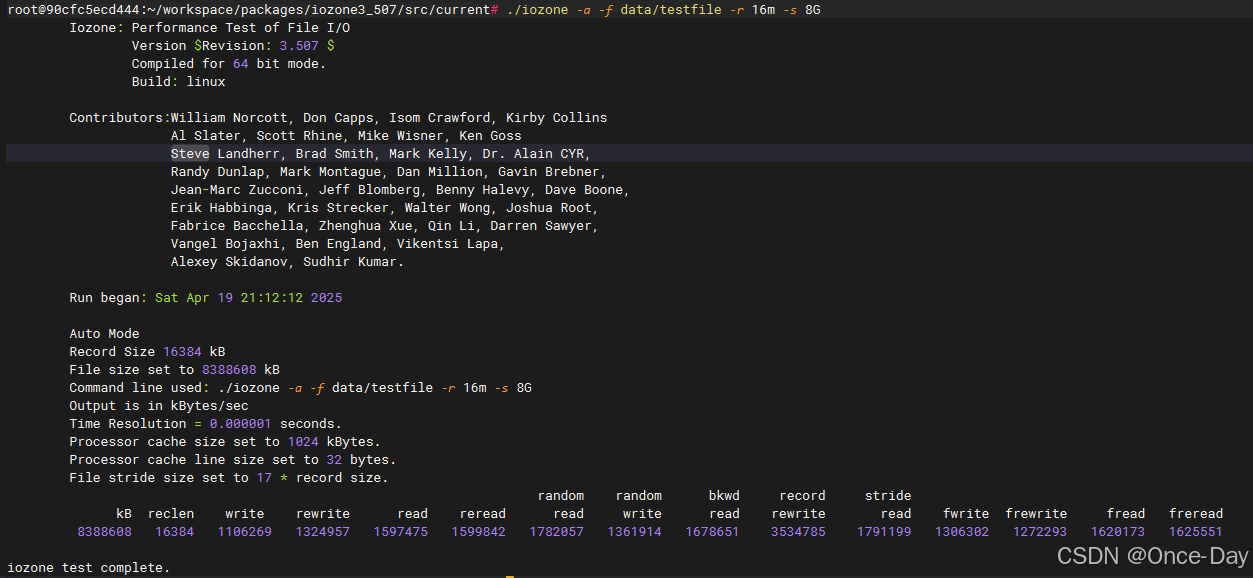
程序性能(1)嵌入式基准测试工具 Author:Once Day date: 2025年4月19日 漫漫长路,才刚刚开始… 全系列文档查看:Perf性能分析_Once-Day的博客-CSDN博客 参考文档: CPU Benchmark – MCU Benchmark – CoreMark – EEMBC Embedded Micropr…...
LLM MCP模型上下文协议快速入门(for Java)
什么是MCP Model Control Protocol(MCP)是由AI研究机构Anthropic在2023年第二季度首次提出的新型协议规范,旨在解决大语言模型LLM应用中的上下文管理难题。作为LLM交互领域的创新标准,MCP协议在发布后短短一年内已进行了多次更新…...

STM32单片机教程:从零开始打造智能天气时钟
STM32单片机教程:从零开始打造智能天气时钟 大家好!今天我想为大家详细介绍一下我们的STM32课程,以及如何从零基础逐步掌握单片机开发技能,最终实现一个完整的智能天气时钟项目。 课程面向人群 本课程主要面向那些已经通过野火…...
支持向量机(SVM):原理、应用与深入解析
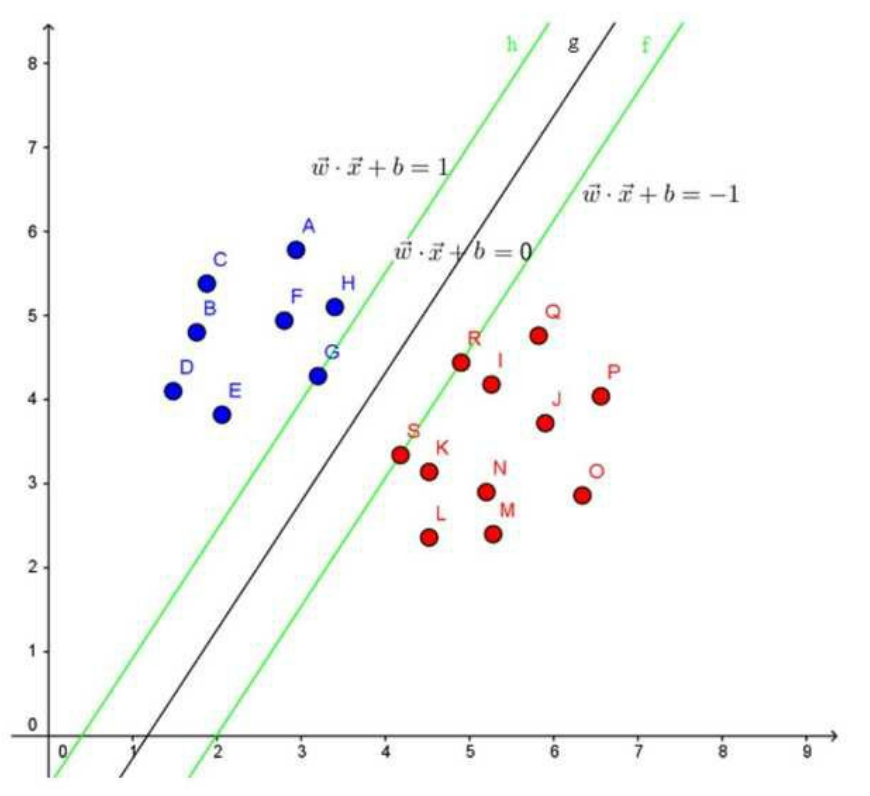
内容摘要 本文深入探讨支持向量机(SVM)。阐述其作为分类算法在小样本、非线性及高维模式识别中的优势,详细介绍SVM基本概念、能解决的问题、核函数作用、对偶问题引入及常见核函数等内容,同时分析其优缺点,并与逻辑回…...
chapter32_SpringMVC与DispatcherServlet
一、简介 从本章节开始进入SpringMVC的学习,SpringMVC最重要的类就是DispatcherServlet DispatcherServlet的本质是一个Servlet,回顾一下Servlet JavaWeb就是基于Servlet的Servlet接口有5个方法Servlet实现类是HttpServlet,自定义的Servle…...

构建批量论文格式修改系统:从内容识别到自动化处理
在学术研究和论文管理中,自动化处理论文格式是一个极具挑战性但非常有价值的任务。无论是提取论文的关键信息,还是批量修改格式,都需要一个强大的内容识别系统作为基础。本文将结合两份代码(paper_parser.py 和 paper_analyzer.py),深入分析它们如何实现论文内容的识别,…...
spring security解析
Spring Security 中文文档 :: Spring Security Reference 1. 密码存储 最早是明文存储,但是攻击者获得数据库的数据后就能得到用户密码。 于是将密码单向hash后存储,然后攻击者利用彩虹表(算法高级(23)-彩虹表&…...
STM32单片机C语言
1、stdint.h简介 stdint.h 是从 C99 中引进的一个标准 C 库的文件 路径:D:\MDK5.34\ARM\ARMCC\include 大家都统一使用一样的标准,这样方便移植 配置MDK支持C99 位操作 如何给寄存器某个值赋值 举个例子:uint32_t temp 0; 宏定义 带参…...