
【0803作业】创建两个线程:其中一个线程拷贝图片的前半部分,另一个线程拷贝后半部分(4种方法)
方法一:使用pthread_create、pthread_exit、pthread_join函数【两个线程不共用同一份资源】
先在主函数创建并清空拷贝的目标文件,再创建两个线程,在两个线程内部同时打开要读取的文件以及要拷贝的目标文件(两个线程不共用同一份资源)。
使用到的函数:
- 标准IO函数(fprintf)【用于打印错误信息】
- 文件IO函数(open、close、lseek)
- 有关线程的函数(pthread_create、pthread_exit、pthread_join)
#include <stdio.h>
#include <unistd.h>
#include <pthread.h>
#include <sys/types.h>
#include <sys/stat.h>
#include <fcntl.h>
#include <head.h>
//线程的执行体
void* callback_1(void* arg)   //void* arg = (void*)&c
{umask(0);int fp_r=open("./1.png",O_RDONLY);                                               if(fp_r < 0){ERR_MSG("open");}int fp_w=open("./copy.png",O_WRONLY);if(fp_w <0){ERR_MSG("open");}char c = 0;off_t len=lseek(fp_r,0,SEEK_END);int i=0;lseek(fp_r,0,SEEK_SET);lseek(fp_w,0,SEEK_SET);for(i=0;i<len/2;i++){bzero(&c,sizeof(c));read(fp_r,&c,1);write(fp_w,&c,1);}close(fp_r);close(fp_w);printf("前半部分拷贝完毕\n");pthread_exit(NULL);
}
void* callback_2(void* arg)
{umask(0);int fp_r=open("./1.png",O_RDONLY);if(fp_r < 0){ERR_MSG("open");}int fp_w=open("./copy.png",O_WRONLY);if(fp_w < 0){ERR_MSG("open");}char c = 0;off_t len=lseek(fp_r,0,SEEK_END);int i=0;lseek(fp_r,len/2,SEEK_SET);lseek(fp_w,len/2,SEEK_SET);for(i=0;i<len/2;i++){bzero(&c,sizeof(c));read(fp_r,&c,sizeof(c));write(fp_w,&c,sizeof(c));}close(fp_r);close(fp_w);printf("后半部分拷贝完毕\n");pthread_exit(NULL);}
int main(int argc, const char *argv[])
{//两个线程在拷贝前,确保文件w存在,且是清空状态int fp_w=open("./copy.png",O_WRONLY|O_CREAT|O_TRUNC,0664);if(fp_w <0){ERR_MSG("open");}close(fp_w);pthread_t tid_1,tid_2;if(pthread_create(&tid_1,NULL,callback_1,NULL) != 0){fprintf(stderr, "pthread_create failed __%d__\n",__LINE__);return -1;}pthread_join(tid_1,NULL);if(pthread_create(&tid_2,NULL,callback_2,NULL)!=0){fprintf(stderr, "pthread_create failed __%d__\n",__LINE__);return -1;}pthread_join(tid_2,NULL);printf("主线程准备退出... ...\n");return 0;
}
方法二:使用结构体【两个线程共享同一份资源】
创建一个结构体用于存放需要打开的两个文件文件标识符、需要拷贝的字节大小。
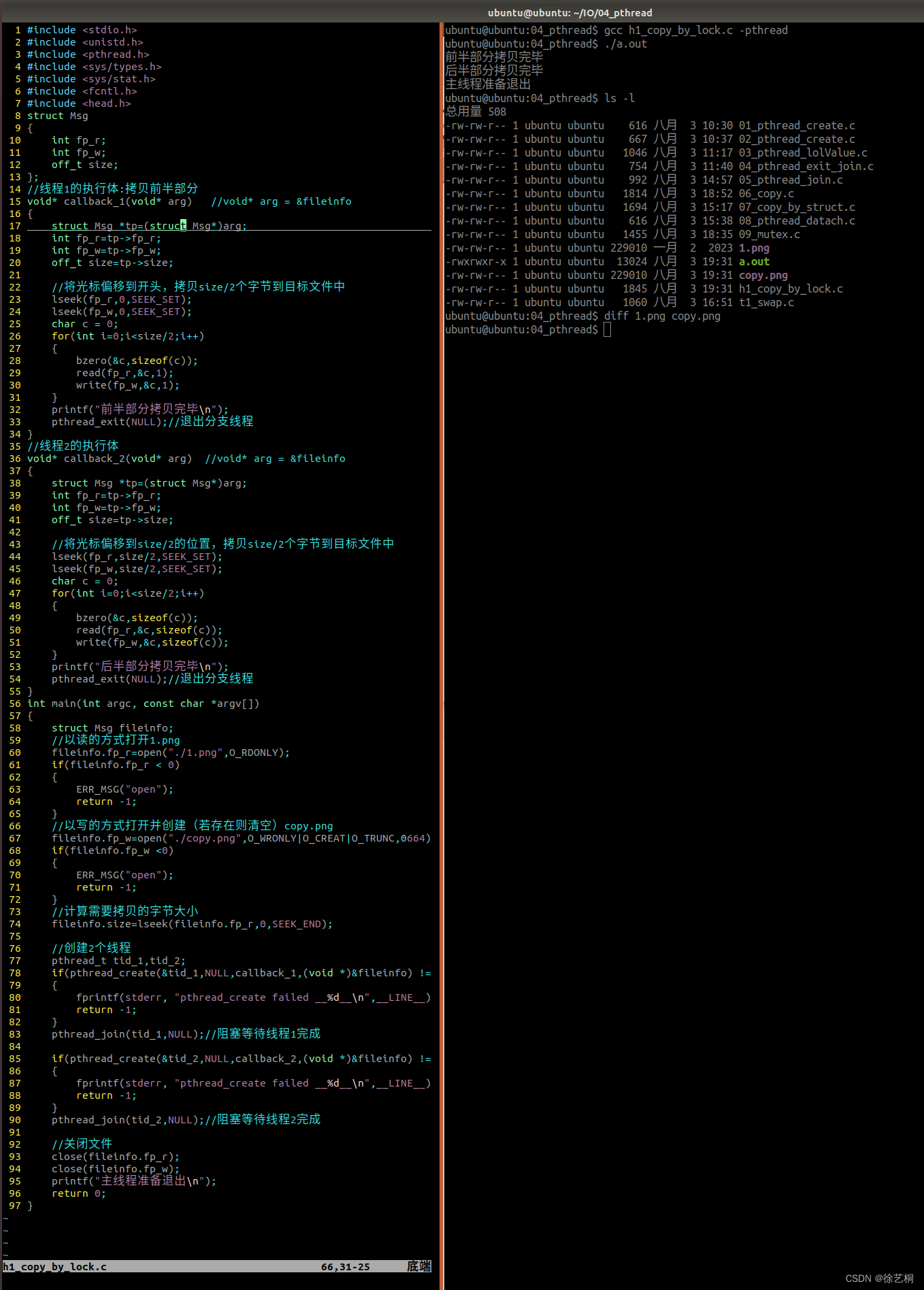
在主函数中打开两个文件,计算好需要拷贝的字节大小,再创建两个线程,将结构体fileinfo的地址传递到线程中(强转成(void*)类型再传,否则报错),线程中用指针void* arg接fileinfo的地址。线程中需要将指针arg的地址转为struct Msg类型。
PS:两个线程共享同一份资源,使用pthread_exit函数使线程1先完成拷贝(与sleep达到的效果一致)。
使用到的函数:
- 结构体struct
- 标准IO函数(fprintf)【用于打印错误信息】
- 文件IO函数(open、close、lseek)
- 有关线程的函数(pthread_create、pthread_exit、pthread_join)
#include <stdio.h>
#include <unistd.h>
#include <pthread.h>
#include <sys/types.h>
#include <sys/stat.h>
#include <fcntl.h>
#include <head.h>
struct Msg
{int fp_r;int fp_w;off_t size;
};
//线程1的执行体:拷贝前半部分
void* callback_1(void* arg)   //void* arg = &fileinfo
{struct Msg *tp=(struct Msg*)arg;int fp_r=tp->fp_r;int fp_w=tp->fp_w;off_t size=tp->size;//将光标偏移到开头,拷贝size/2个字节到目标文件中lseek(fp_r,0,SEEK_SET);lseek(fp_w,0,SEEK_SET);char c = 0;for(int i=0;i<size/2;i++){bzero(&c,sizeof(c));read(fp_r,&c,1);write(fp_w,&c,1);}printf("前半部分拷贝完毕\n");pthread_exit(NULL);//退出分支线程
}
//线程2的执行体
void* callback_2(void* arg)  //void* arg = &fileinfo
{//sleep(5);//主动放弃cpu资源,让线程1先执行struct Msg *tp=(struct Msg*)arg;int fp_r=tp->fp_r;int fp_w=tp->fp_w;off_t size=tp->size;//将光标偏移到size/2的位置,拷贝size/2个字节到目标文件中lseek(fp_r,size/2,SEEK_SET);lseek(fp_w,size/2,SEEK_SET);char c = 0;for(int i=0;i<size/2;i++){bzero(&c,sizeof(c));read(fp_r,&c,sizeof(c));write(fp_w,&c,sizeof(c));}printf("后半部分拷贝完毕\n");pthread_exit(NULL);//退出分支线程
}
int main(int argc, const char *argv[])
{struct Msg fileinfo;//以读的方式打开1.pngfileinfo.fp_r=open("./1.png",O_RDONLY);if(fileinfo.fp_r < 0){ERR_MSG("open");return -1;}//以写的方式打开并创建(若存在则清空)copy.pngfileinfo.fp_w=open("./copy.png",O_WRONLY|O_CREAT|O_TRUNC,0664);if(fileinfo.fp_w <0){ERR_MSG("open");return -1;}//计算需要拷贝的字节大小fileinfo.size=lseek(fileinfo.fp_r,0,SEEK_END);//创建2个线程pthread_t tid_1,tid_2;if(pthread_create(&tid_1,NULL,callback_1,(void *)&fileinfo) != 0){fprintf(stderr, "pthread_create failed __%d__\n",__LINE__);return -1;}pthread_join(tid_1,NULL);//阻塞等待线程1完成if(pthread_create(&tid_2,NULL,callback_2,(void *)&fileinfo) !=0){fprintf(stderr, "pthread_create failed __%d__\n",__LINE__);return -1;}pthread_join(tid_2,NULL);//阻塞等待线程2完成//关闭文件close(fileinfo.fp_r);close(fileinfo.fp_w);printf("主线程准备退出\n");return 0;
}
方法三:互斥锁【两个线程共享同一份资源】
创建一个结构体用于存放需要打开的两个文件文件标识符、需要拷贝的字节大小;将互斥锁初始化。
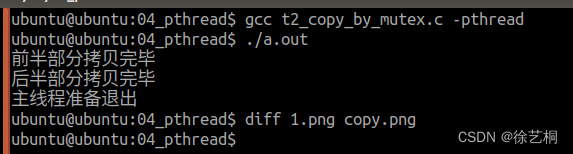
达到的效果:
- 拷贝完前半部分或后半部分解锁
PS:两个线程共享同一份资源,利用互斥锁完成任务。
使用到的函数:
- 结构体struct
- 标准IO函数(fprintf)【用于打印错误信息】
- 文件IO函数(open、close、lseek)
- 有关线程的函数(pthread_create、pthread_exit、pthread_join)
- 互斥锁(创建互斥锁pthread_mutex_init、上锁pthread_mutex_lock、解锁pthread_mutex_unlock、销毁互斥锁pthread_mutex_destroy)
修改后:
#include <stdio.h>
#include <unistd.h>
#include <pthread.h>
#include <sys/types.h>
#include <sys/stat.h>
#include <fcntl.h>
#include <head.h>pthread_mutex_t mutex = PTHREAD_MUTEX_INITIALIZER;
//临界资源
struct Msg
{int fp_r;int fp_w;off_t size;pthread_mutex_t mutex;//互斥锁
};
//线程1的执行体:拷贝前半部分
void* callback_1(void* arg)   //void* arg = &fileinfo
{struct Msg *fileinfo=(struct Msg*)arg;int fp_r=fileinfo->fp_r;int fp_w=fileinfo->fp_w;off_t size=fileinfo->size;char c = 0;/************************临界区***************************///上锁pthread_mutex_lock(&fileinfo->mutex);//将光标偏移到开头,拷贝size/2个字节到目标文件中lseek(fp_r,0,SEEK_SET);lseek(fp_w,0,SEEK_SET);for(int i=0;i<size/2;i++){//bzero(&c,sizeof(c));read(fp_r,&c,1);write(fp_w,&c,1);}printf("前半部分拷贝完毕\n");//解锁pthread_mutex_unlock(&fileinfo->mutex);/************************临界区***************************/pthread_exit(NULL);//退出分支线程
}
//线程2的执行体
void* callback_2(void* arg)  //void* arg = &fileinfo
{struct Msg *fileinfo=(struct Msg*)arg;int fp_r=fileinfo->fp_r;int fp_w=fileinfo->fp_w;off_t size=fileinfo->size;char c = 0;/************************临界区***************************///上锁pthread_mutex_lock(&fileinfo->mutex);//将光标偏移到size/2的位置,拷贝size/2个字节到目标文件中lseek(fp_r,size/2,SEEK_SET);lseek(fp_w,size/2,SEEK_SET);for(int i=0;i<size/2;i++){//bzero(&c,sizeof(c));read(fp_r,&c,1);write(fp_w,&c,1);}printf("后半部分拷贝完毕\n");//解锁pthread_mutex_unlock(&fileinfo->mutex);/************************临界区***************************/pthread_exit(NULL);//退出分支线程
}
int main(int argc, const char *argv[])
{struct Msg fileinfo;//以读的方式打开1.pngfileinfo.fp_r=open("./1.png",O_RDONLY);if(fileinfo.fp_r < 0){ERR_MSG("open");return -1;}//以写的方式打开并创建(若存在则清空)copy.pngfileinfo.fp_w=open("./copy.png",O_WRONLY|O_CREAT|O_TRUNC,0664);if(fileinfo.fp_w <0){ERR_MSG("open");return -1;}//计算需要拷贝的字节大小fileinfo.size=lseek(fileinfo.fp_r,0,SEEK_END);//申请一个互斥锁pthread_mutex_init(&fileinfo.mutex,NULL);//创建2个线程pthread_t tid_1,tid_2;if(pthread_create(&tid_1,NULL,callback_1,(void *)&fileinfo) != 0){fprintf(stderr, "pthread_create failed __%d__\n",__LINE__);return -1;}//pthread_detach(tid_1);  //分离线程1if(pthread_create(&tid_2,NULL,callback_2,(void *)&fileinfo) !=0){fprintf(stderr, "pthread_create failed __%d__\n",__LINE__);return -1;}pthread_join(tid_1,NULL);//阻塞等待线程1完成pthread_join(tid_2,NULL);//阻塞等待线程2完成//销毁互斥锁pthread_mutex_destroy(&fileinfo.mutex);//关闭文件close(fileinfo.fp_r);close(fileinfo.fp_w);printf("主线程准备退出\n");return 0;
}
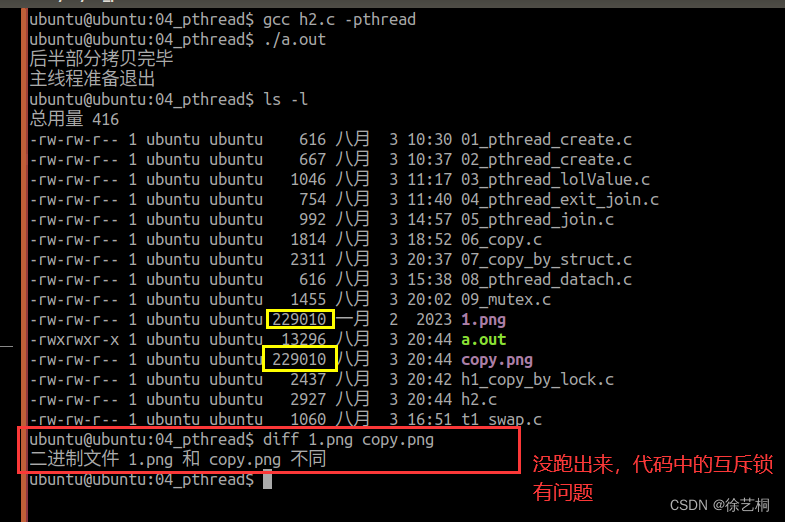
错误:将线程1分离
#include <stdio.h>
#include <unistd.h>
#include <pthread.h>
#include <sys/types.h>
#include <sys/stat.h>
#include <fcntl.h>
#include <head.h>
//临界资源
struct Msg
{int fp_r;int fp_w;off_t size;pthread_mutex_t mutex;//互斥锁
};
//线程1的执行体:拷贝前半部分
void* callback_1(void* arg)   //void* arg = &fileinfo
{struct Msg *fileinfo=(struct Msg*)arg;/************************临界区***************************///上锁pthread_mutex_lock(&fileinfo->mutex);int fp_r=fileinfo->fp_r;int fp_w=fileinfo->fp_w;off_t size=fileinfo->size;//将光标偏移到开头,拷贝size/2个字节到目标文件中lseek(fp_r,0,SEEK_SET);lseek(fp_w,0,SEEK_SET);char c = 0;for(int i=0;i<size/2;i++){bzero(&c,sizeof(c));read(fp_r,&c,1);write(fp_w,&c,1);}printf("前半部分拷贝完毕\n");//解锁pthread_mutex_unlock(&fileinfo->mutex);/************************临界区***************************/pthread_exit(NULL);//退出分支线程
}
//线程2的执行体
void* callback_2(void* arg)  //void* arg = &fileinfo
{struct Msg *fileinfo=(struct Msg*)arg;/************************临界区***************************///上锁pthread_mutex_lock(&fileinfo->mutex);int fp_r=fileinfo->fp_r;int fp_w=fileinfo->fp_w;off_t size=fileinfo->size;//将光标偏移到size/2的位置,拷贝size/2个字节到目标文件中lseek(fp_r,size/2,SEEK_SET);lseek(fp_w,size/2,SEEK_SET);char c = 0;for(int i=0;i<size/2;i++){bzero(&c,sizeof(c));read(fp_r,&c,sizeof(c));write(fp_w,&c,sizeof(c));}printf("后半部分拷贝完毕\n");//解锁pthread_mutex_unlock(&fileinfo->mutex);/************************临界区***************************/pthread_exit(NULL);//退出分支线程
}
int main(int argc, const char *argv[])
{struct Msg fileinfo;//以读的方式打开1.pngfileinfo.fp_r=open("./1.png",O_RDONLY);if(fileinfo.fp_r < 0){ERR_MSG("open");return -1;}//以写的方式打开并创建(若存在则清空)copy.pngfileinfo.fp_w=open("./copy.png",O_WRONLY|O_CREAT|O_TRUNC,0664);if(fileinfo.fp_w <0){ERR_MSG("open");return -1;}//计算需要拷贝的字节大小fileinfo.size=lseek(fileinfo.fp_r,0,SEEK_END);//申请一个互斥锁pthread_mutex_init(&fileinfo.mutex,NULL);//创建2个线程pthread_t tid_1,tid_2;if(pthread_create(&tid_1,NULL,callback_1,(void *)&fileinfo) != 0){fprintf(stderr, "pthread_create failed __%d__\n",__LINE__);return -1;}pthread_detach(tid_1);  //分离线程1if(pthread_create(&tid_2,NULL,callback_2,(void *)&fileinfo) !=0){fprintf(stderr, "pthread_create failed __%d__\n",__LINE__);return -1;}pthread_join(tid_2,NULL);//阻塞等待线程2完成//关闭文件close(fileinfo.fp_r);close(fileinfo.fp_w);printf("主线程准备退出\n");//销毁互斥锁pthread_mutex_destroy(&fileinfo.mutex);return 0;
}
方法四:互斥锁【两个线程共享同一份资源】
创建一个结构体用于存放需要打开的两个文件文件标识符、需要拷贝的字节大小;将互斥锁初始化。
达到的效果:
- 记录拷贝的位置,给偏移量和offset上锁。记录完fooset的数据后解锁
- 可两个线程切换拷贝
PS:两个线程共享同一份资源,利用互斥锁完成任务。
使用到的函数:
- 结构体struct
- 标准IO函数(fprintf)【用于打印错误信息】
- 文件IO函数(open、close、lseek)
- 有关线程的函数(pthread_create、pthread_exit、pthread_join)
- 互斥锁(创建互斥锁pthread_mutex_init、上锁pthread_mutex_lock、解锁pthread_mutex_unlock、销毁互斥锁pthread_mutex_destroy)
#include <stdio.h>
#include <unistd.h>
#include <pthread.h>
#include <sys/types.h>
#include <sys/stat.h>
#include <fcntl.h>
#include <head.h>pthread_mutex_t mutex = PTHREAD_MUTEX_INITIALIZER;
//临界资源
struct Msg
{int fp_r;int fp_w;off_t size;pthread_mutex_t mutex;//互斥锁
};
//线程1的执行体:拷贝前半部分
void* callback_1(void* arg)   //void* arg = &fileinfo
{struct Msg *fileinfo=(struct Msg*)arg;int fp_r=fileinfo->fp_r;int fp_w=fileinfo->fp_w;off_t size=fileinfo->size;char c = 0;off_t offset=0;for(int i=0;i<size/2;i++){/******************临界区*******************///上锁pthread_mutex_lock(&fileinfo->mutex);//将光标偏移到开头,拷贝size/2个字节到目标文件中lseek(fp_r,offset,SEEK_SET);lseek(fp_w,offset,SEEK_SET);read(fp_r,&c,1);write(fp_w,&c,1);offset=lseek(fp_r,0,SEEK_CUR);//解锁pthread_mutex_unlock(&fileinfo->mutex);/****** ************临界区*******************/}printf("前半部分拷贝完毕\n");pthread_exit(NULL);//退出分支线程
}
//线程2的执行体
void* callback_2(void* arg)  //void* arg = &fileinfo
{struct Msg *fileinfo=(struct Msg*)arg;int fp_r=fileinfo->fp_r;int fp_w=fileinfo->fp_w;off_t size=fileinfo->size;char c = 0;off_t offset=size/2;for(int i=0;i<size/2;i++){/*******************临界区*******************///上锁pthread_mutex_lock(&fileinfo->mutex);//将光标偏移到size/2的位置,拷贝size/2个字节到目标文件中lseek(fp_r,offset,SEEK_SET);lseek(fp_w,offset,SEEK_SET);read(fp_r,&c,1);write(fp_w,&c,1);offset=lseek(fp_r,0,SEEK_CUR);//解锁pthread_mutex_unlock(&fileinfo->mutex);                                                            /******************临界区*********************/}printf("后半部分拷贝完毕\n");pthread_exit(NULL);//退出分支线程
}
int main(int argc, const char *argv[])
{struct Msg fileinfo;//以读的方式打开1.pngfileinfo.fp_r=open("./1.png",O_RDONLY);if(fileinfo.fp_r < 0){ERR_MSG("open");return -1;}//以写的方式打开并创建(若存在则清空)copy.pngfileinfo.fp_w=open("./copy.png",O_WRONLY|O_CREAT|O_TRUNC,0664);if(fileinfo.fp_w <0){ERR_MSG("open");return -1;}//计算需要拷贝的字节大小fileinfo.size=lseek(fileinfo.fp_r,0,SEEK_END);//申请一个互斥锁pthread_mutex_init(&fileinfo.mutex,NULL);//创建2个线程pthread_t tid_1,tid_2;if(pthread_create(&tid_1,NULL,callback_1,(void *)&fileinfo) != 0){fprintf(stderr, "pthread_create failed __%d__\n",__LINE__);return -1;}if(pthread_create(&tid_2,NULL,callback_2,(void *)&fileinfo) !=0){fprintf(stderr, "pthread_create failed __%d__\n",__LINE__);return -1;}pthread_join(tid_1,NULL);//阻塞等待线程2完成pthread_join(tid_2,NULL);//阻塞等待线程2完成//销毁互斥锁pthread_mutex_destroy(&fileinfo.mutex);//关闭文件close(fileinfo.fp_r);close(fileinfo.fp_w);printf("主线程准备退出\n");return 0;
} 
相关文章:
【0803作业】创建两个线程:其中一个线程拷贝图片的前半部分,另一个线程拷贝后半部分(4种方法)
方法一:使用pthread_create、pthread_exit、pthread_join函数【两个线程不共用同一份资源】 先在主函数创建并清空拷贝的目标文件,再创建两个线程,在两个线程内部同时打开要读取的文件以及要拷贝的目标文件(两个线程不共用同一份资…...

php运算符的短路特性
php运算符的短路特性 1、逻辑运算符:逻辑与(&&)和逻辑或(||),存在着短路特性 PHP中有以下两个运算符具有短路的特性,他们是逻辑运算符的逻辑与(&&)和逻辑或(||&am…...
C语言假期作业 DAY 13
一、选择题 1、如果 x2014 ,下面函数的返回值是( ) int fun(unsigned int x) { int n 0; while(x 1) { n; x x | (x 1); } return n; } A: 20 B: 21 C: 23 D 25 答案解析 正确答案:C 这个作用是对整型中0的个数进行统计&…...
以产品经理的角度去讲解原型图---会议OA项目
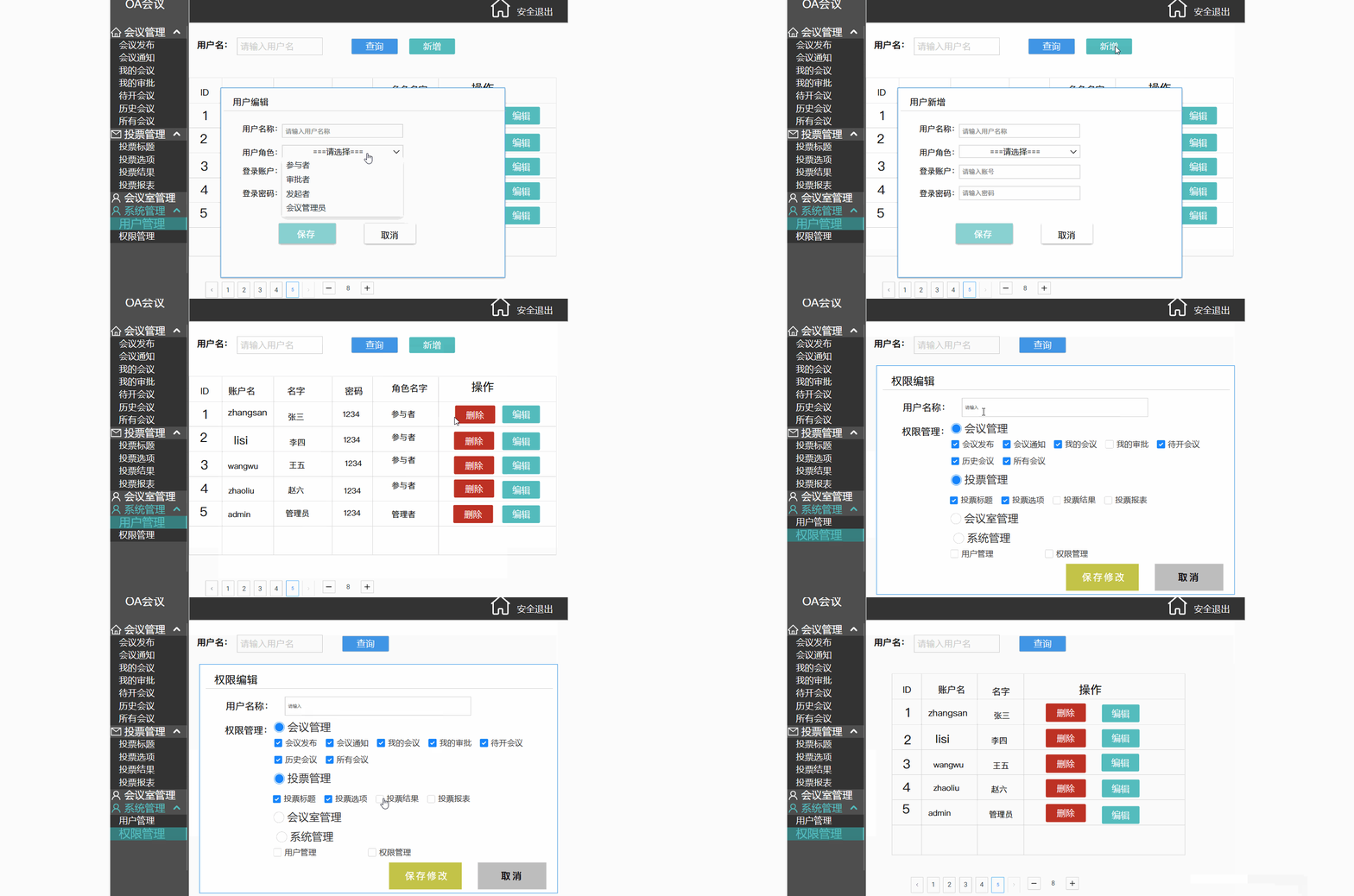
目录 一.前言 二.原型图 2.1 原型图是什么 3.1 原型图的作用 三.演示讲解 3.1 项目背景 3.2 项目介绍 3.2.1 会议管理(会议的发起,通知) 3.2.2 投票管理(会议的流程重大决策记录) 3.2.3 会议室管理 3.2.4 系统管…...
C++ 外部变量和外部函数
1.外部变量 如果一个变量除了在定义它的源文件中可以使用外,还能被其他文件使用,那么就称这个变量为外部变量。命名空间作用域中定义的变量,默认情况下都是外部变量,但在其他文件中如果需要使用这一变量,需要用extern…...
C# Onnx Paddle模型 OCR识别服务
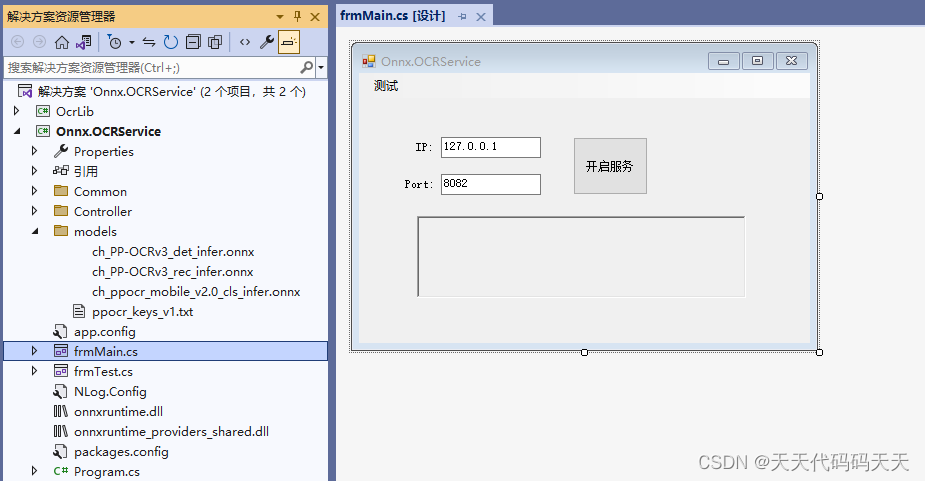
效果 项目 可运行程序exe下载 Demo(完整源码)下载...
MCUXpresso for VS Code -- 基于VSCode开发RT1176
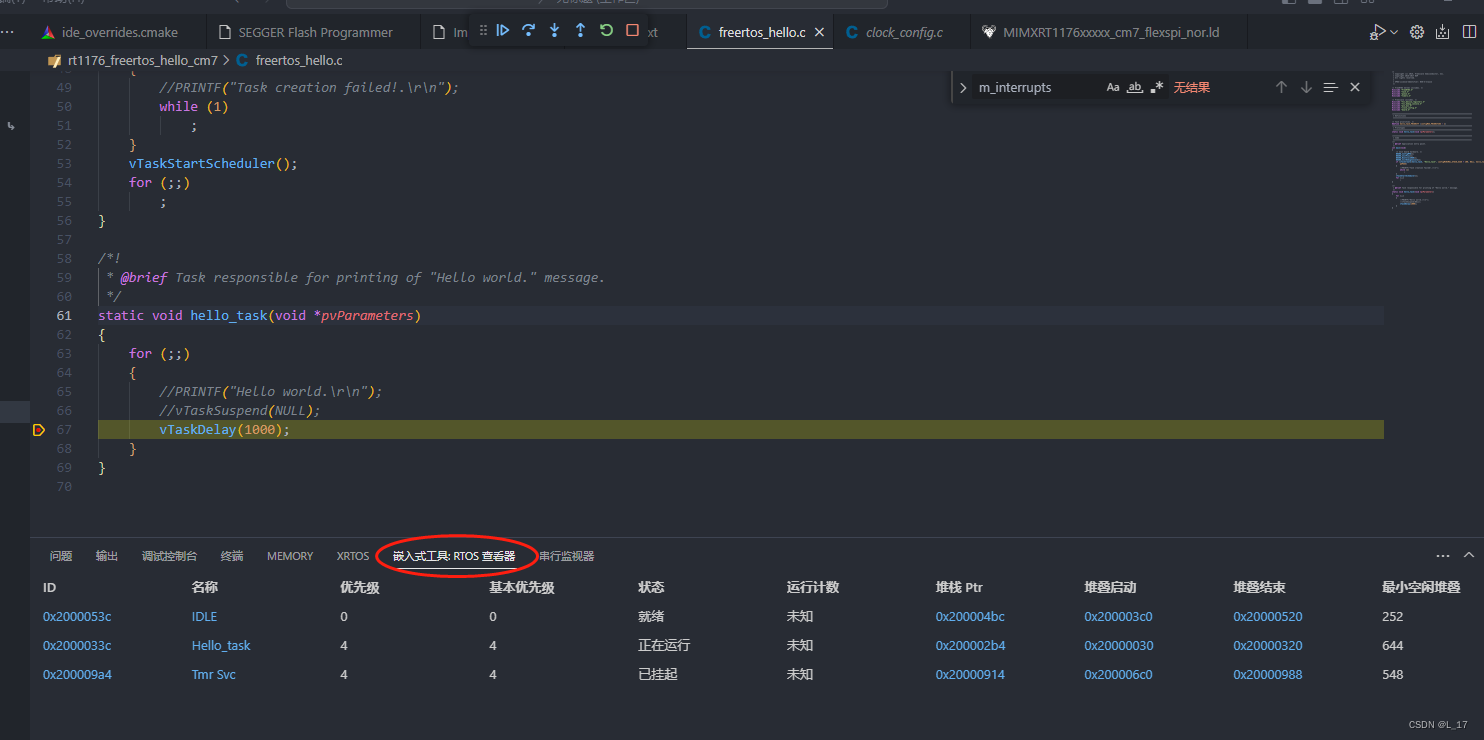
MCUXpresso for VS Code 是nxp推出插件,旗下MCX LPC, Kinetis和i.MX rt等MCU,都能在VS Code平台进行嵌入式开发。功能框图如下: 前期准备: 软件环境: windows(实际可以跨系统,linux和mac没有测试) VS Code ninja CMa…...
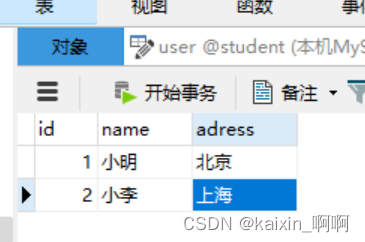
MySQL的使用——【初识MySQL】第二节
MySQL的使用——【初识MySQL】第二节 文章目录 MySQL环境变量的配置(如使用Navicat可忽略)使用命令行连接MySQL(如使用Navicat可忽略)步骤注意 NavicatNavicat的下载Navicat的使用连接MySQL新建表 总结总结 MySQL环境变量的配置&a…...

MySQL最终弹-并发(脏读,不可重复读,幻读及区别),JDBC的使用和安装,最全万字
一、💛并发基本概念 并发的基本意思: 什么是并发呢?简单的理解就是同一时间执行 服务器同一时刻,给多个客户端提供服务~~,这两个客户端都可以给服务器提交事务。 如果提交两个事务,改…...
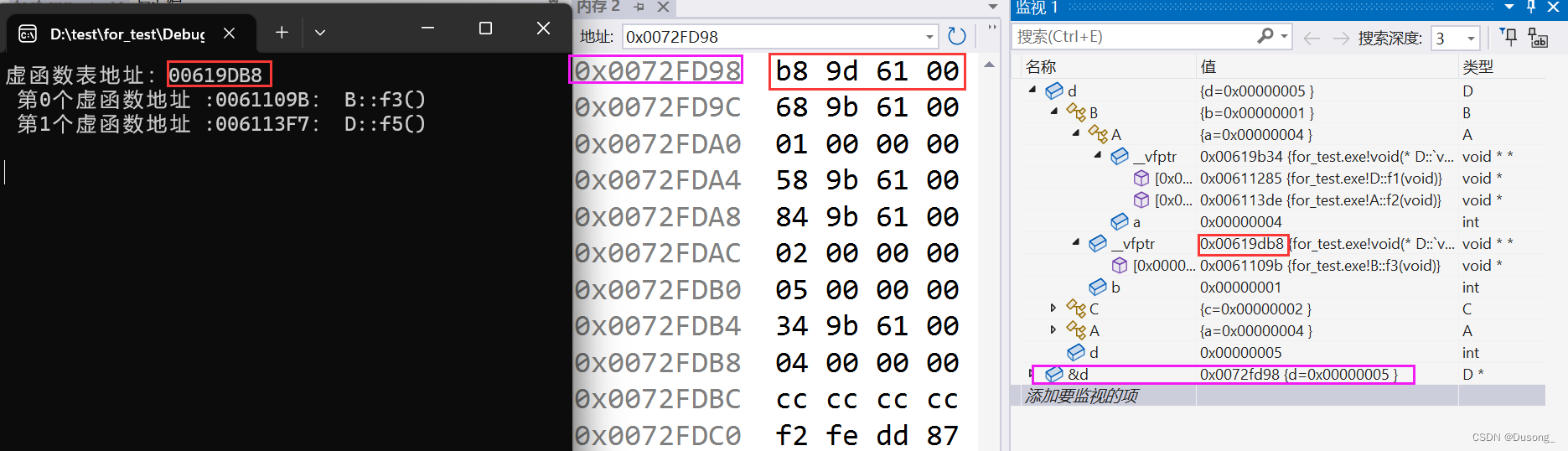
⌈C++⌋从无到有了解并掌握C++面向对象三大特性——封装、继承、多态
前置知识:类和对象 参考书籍:《C Primer 第五版》 目录 什么是面向过程?什么是面向对象? 一、封装 1、封装的含义以及如何实现封装 1.1 访问限定符(访问说明符) 1.2 什么是封装? 2、封装的优点…...

Element的el-select下拉框多选添加全选功能
先看效果图 全选: 没有选中时: 选中部分: 作者项目使用的是vue3写法,如果是vue2的自己转换一下 html代码: js代码: 拓展 另一种方法,如果不想使用勾选框,可以试试下面的方…...
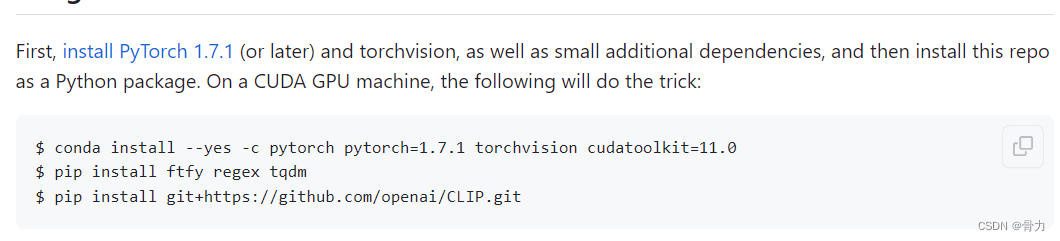
python调用pytorch的clip模型时报错
使用python调用pytorch中的clip模型时报错:AttributeError: partially initialized module ‘clip’ has no attribute ‘load’ (most likely due to a circular import) 目录 现象解决方案一、查看项目中是否有为clip名的文件二、查看clip是否安装成功 现象 clip…...

MySQL 数据库 binLog 日志的使用
一、概念与作用 binlog(二进制日志)是MySQL数据库中的一种日志类型。它记录了数据库中的所有更改操作,例如插入、更新、删除操作。binlog以二进制形式存储,因此可以更高效地进行读取和解析。 binlog通常用于以下几个方面&#x…...
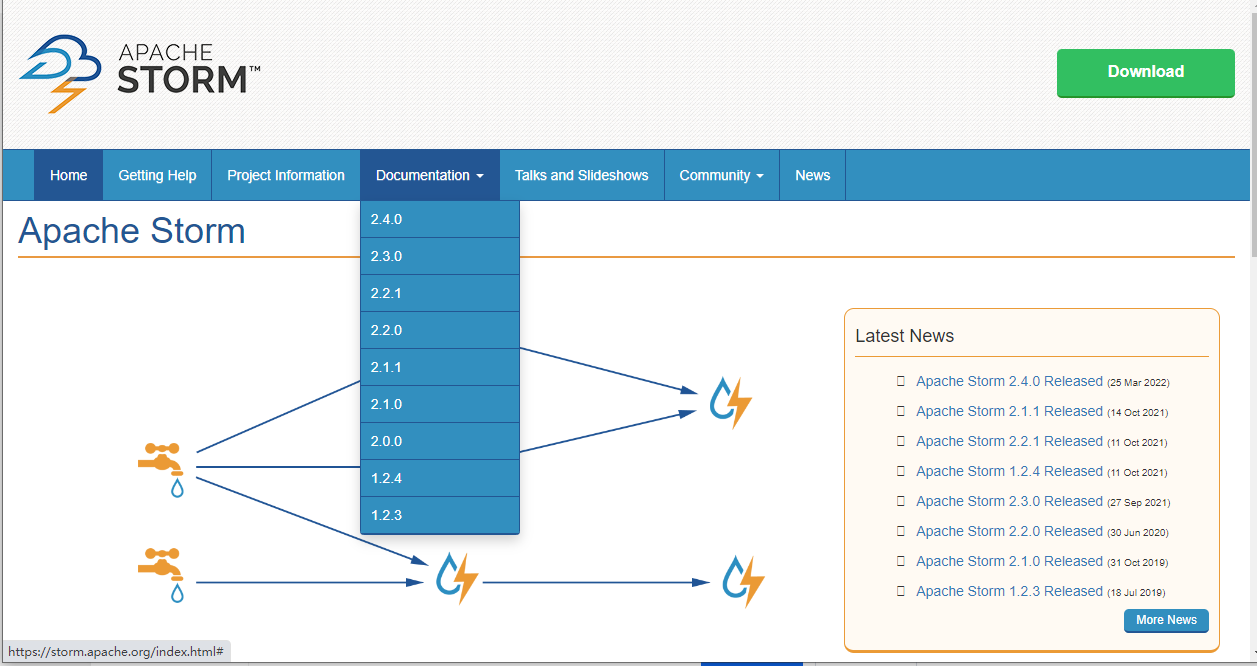
Apache Storm入门介绍之三分钟看懂Apache Storm
文章目录 0.前言1. 什么是 Apache Storm?1.1. Nimbus1.2. Zookeeper1.3. Supervisor1.4. Worker1.5 集群模式下各组件职责 2. 核心概念2.1基本架构和任务模型2.2 工作流程 3. 源码地址3.1. 代码结构3.1. 核心模块介绍 4. Storm入门实例0.创建java工程并引入依赖1. 创…...
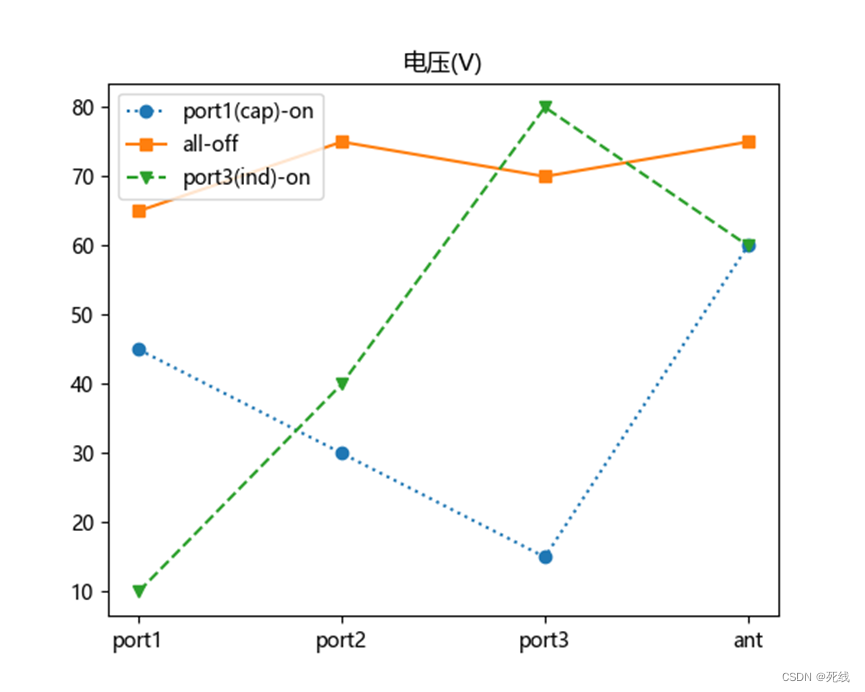
RF手机天线仿真介绍(三):调谐开关分析
目录 简介调谐开关RON、COFF的影响分析不同位置的调谐器件coff影响分析不同位置的调谐器件Ron影响分析Coff引起谐振的解决示例 调谐开关VPEAK分析调谐开关Vpeak示例 简介 孔径调谐能调节天线的电长度,可将其谐振点切换到所需支持的工作频段。天线孔径调谐器通过改变…...
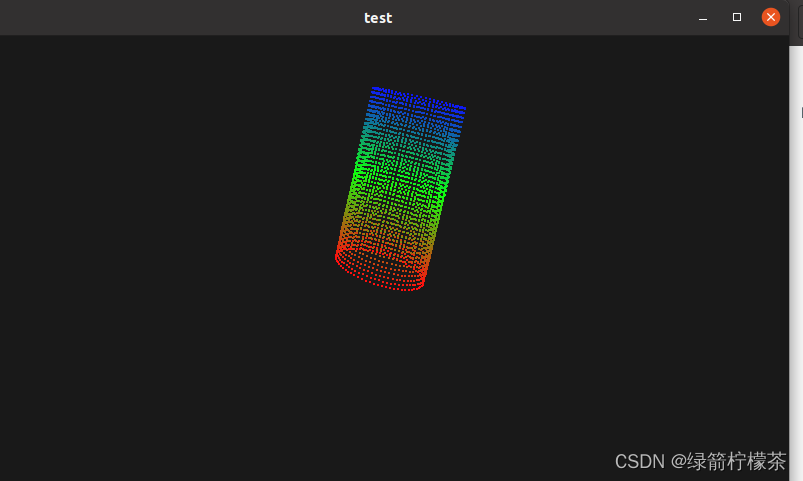
Ubuntu20.04 + QT5.14.2 + VTK8.2.0 + PCL 1.10 环境配置
目录 Ubuntu20.04 QT5.14.2 VTK8.2.0 PCL 1.10 环境配置一、VTK 编译和安装1、库依赖:2、下载资源:[下载VTK8.2.0](https://www.vtk.org/files/release/8.2/VTK-8.2.0.tar.gz)3、编译:4、安装5、qtcreator 配置编译的libQVTKWidgetPlugin.…...

GPT Prompt编写的艺术:如何提高AI模型的表现力
随着AI技术的迅速发展,人工智能模型变得越来越强大,能够协助我们完成各种任务。然而,如何更好地利用AI的能力仍然存在很大的探索空间。在与AI进行交互的过程中,我们主要依赖于Prompt,不管是直接与大模型交互࿰…...
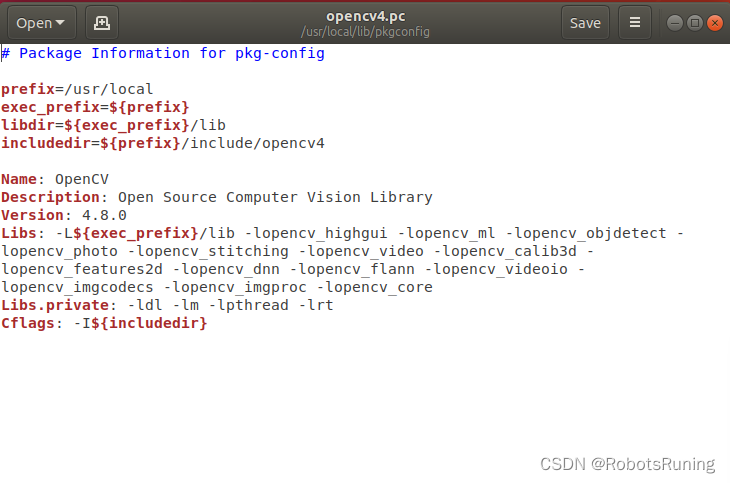
Ubuntu18.04 安装opencv 4.8.0教程(亲测可用)
1. 安装准备 安装前需要下载一些必须的依赖项。 不同版本opencv依赖会有不同,具体见官网opencv安装 sudo apt-get install build-essential sudo apt-get install cmake git libgtk2.0-dev pkg-config libavcodec-dev libavformat-dev libswscale-dev sudo apt-…...
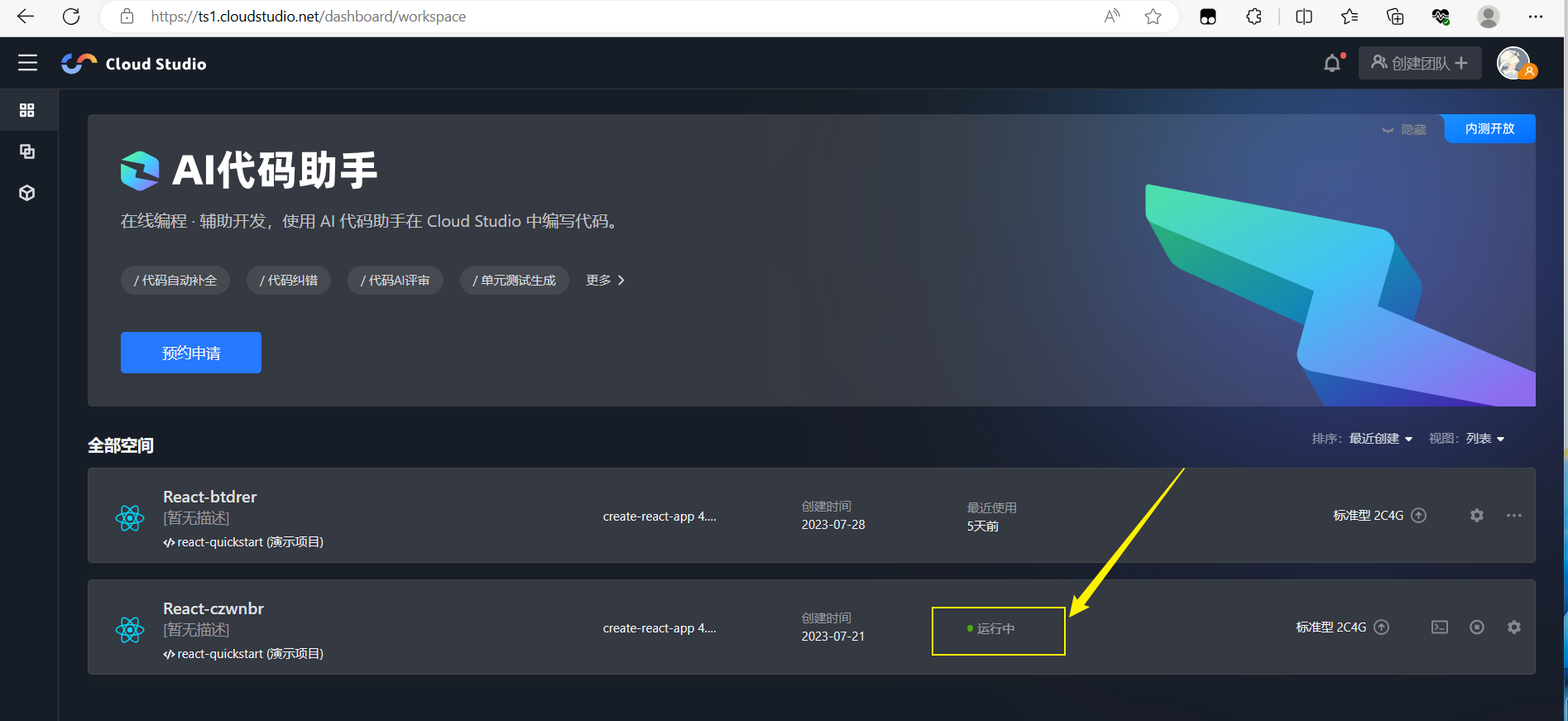
【腾讯云Cloud Studio实战训练营】React 快速构建点餐页面
前言: Cloud Studio是一个在线的云集成开发环境(IDE),可以让开发人员在浏览器中轻松地开发、测试、调试和部署应用程序。它提供了基于云的计算资源和工具,例如代码编辑器、编译器、调试器、版本控制系统和项目管理工具…...
自监督去噪:Noise2Self原理分析及实现 (Pytorch)
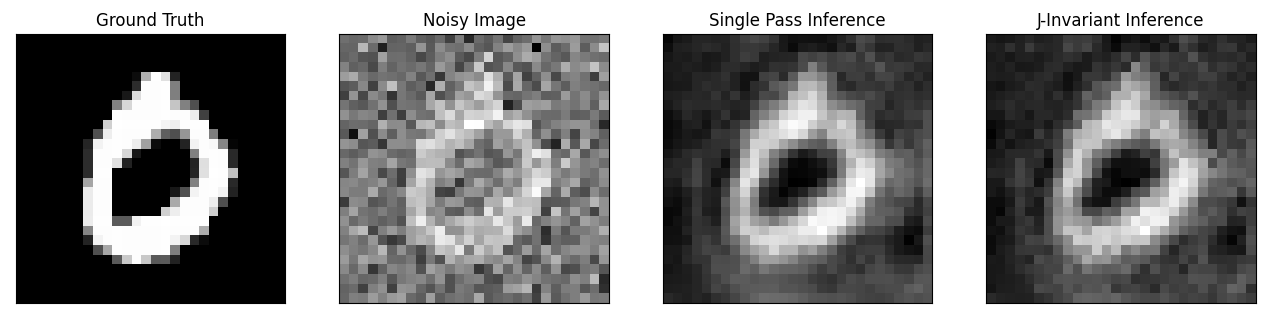
文章地址:https://arxiv.org/abs/1901.11365 代码地址: https://github.com/czbiohub-sf/noise2self 要点 Noise2Self方法不需要信号先验信息、噪声估计信息和干净的训练数据。唯一的假设就是噪声在测量的不同维度上表现出的统计独立性,而真实信号表现出一定的…...
,附基准测试代码包)
【SITS2026独家数据】:主流大模型长文本任务准确率断崖分析(Llama-3-70B vs Qwen2-72B vs Claude-3.5),附基准测试代码包
第一章:SITS2026分享:大模型长上下文处理 2026奇点智能技术大会(https://ml-summit.org) 长上下文带来的核心挑战 当大语言模型需处理超长输入(如128K tokens以上)时,传统注意力机制面临显存爆炸与二次时间复杂度瓶颈…...

BLIP 实战手册:从零到一完成 Image-Text Captioning 任务微调
1. 认识BLIP与Image-Text Captioning 第一次接触BLIP模型时,我被它处理图像和文本的能力惊艳到了。想象一下,你给模型一张猫咪晒太阳的照片,它能自动生成"一只橘猫在窗台上慵懒地晒太阳"这样的描述——这就是Image-Text Captioning…...

TrollInstallerX实用指南:3分钟快速安装TrollStore的完整教程
TrollInstallerX实用指南:3分钟快速安装TrollStore的完整教程 【免费下载链接】TrollInstallerX A TrollStore installer for iOS 14.0 - 16.6.1 项目地址: https://gitcode.com/gh_mirrors/tr/TrollInstallerX TrollInstallerX是一款专为iOS 14.0至16.6.1设…...

Windows下不同目录Git仓库同步
Windows下不同目录Git仓库同步的核心逻辑与实施方案 在Windows环境中,不同目录的Git仓库同步本质是“分布式版本控制的协作流程”——Git作为分布式系统,没有“直接同步两个本地仓库”的原生命令,必须通过远程仓库(Remote Reposit…...

LFM2.5-1.2B-Thinking-GGUF轻量化优势展示:与更大参数模型的效率对比
LFM2.5-1.2B-Thinking-GGUF轻量化优势展示:与更大参数模型的效率对比 1. 小模型的大能量 在AI领域,大参数模型往往被视为性能的代名词。但今天我们要展示的LFM2.5-1.2B-Thinking-GGUF模型,将彻底改变这一认知。这个仅有12亿参数的"小个…...

抖音批量下载工具实战指南:3步实现高效内容采集与智能管理
抖音批量下载工具实战指南:3步实现高效内容采集与智能管理 【免费下载链接】douyin-downloader A practical Douyin downloader for both single-item and profile batch downloads, with progress display, retries, SQLite deduplication, and browser fallback s…...

Qwen3.5-9B-AWQ-4bit软件测试用例生成:基于需求描述的自动化测试
Qwen3.5-9B-AWQ-4bit软件测试用例生成:基于需求描述的自动化测试 1. 引言:当AI遇见软件测试 "测试工程师80%的时间都在写测试用例"——这个行业现状正在被AI改写。想象一下,当你拿到一份产品需求文档,只需要简单描述功…...

如何一键永久禁用Windows Defender?终极开源解决方案指南
如何一键永久禁用Windows Defender?终极开源解决方案指南 【免费下载链接】defender-control An open-source windows defender manager. Now you can disable windows defender permanently. 项目地址: https://gitcode.com/gh_mirrors/de/defender-control …...

Python:深入理解set_seed——确保机器学习实验的可重复性
1. 为什么我们需要set_seed? 做机器学习实验时,最让人头疼的就是结果不可复现。昨天跑出来的准确率是92%,今天同样的代码跑出来变成了89%。这种"薛定谔的准确率"让很多开发者抓狂。我在实际项目中就遇到过这种情况:在调…...

Qwen3-4B-Instruct-2507提示词编写技巧:如何让AI更懂你的需求
Qwen3-4B-Instruct-2507提示词编写技巧:如何让AI更懂你的需求 1. 为什么你的提示词总是不管用 你有没有遇到过这样的情况:你向AI模型提问,结果它要么答非所问,要么给你一堆没用的信息,要么干脆理解错了你的意思。你可…...