
【雕爷学编程】MicroPython动手做(33)——物联网之天气预报3
天气(自然现象)
是指某一个地区距离地表较近的大气层在短时间内的具体状态。而天气现象则是指发生在大气中的各种自然现象,即某瞬时内大气中各种气象要素(如气温、气压、湿度、风、云、雾、雨、闪、雪、霜、雷、雹、霾等)空间分布的综合表现。
天气过程就是一定地区的天气现象随时间的变化过程。各种天气系统都具有一定的空间尺度和时间尺度,而且各种尺度系统间相互交织、相互作用。许多天气系统的组合,构成大范围的天气形势,构成半球甚至全球的大气环流。天气系统总是处在不断新生、发展和消亡过程中,在不同发展阶段有着其相对应的天气现象分布。
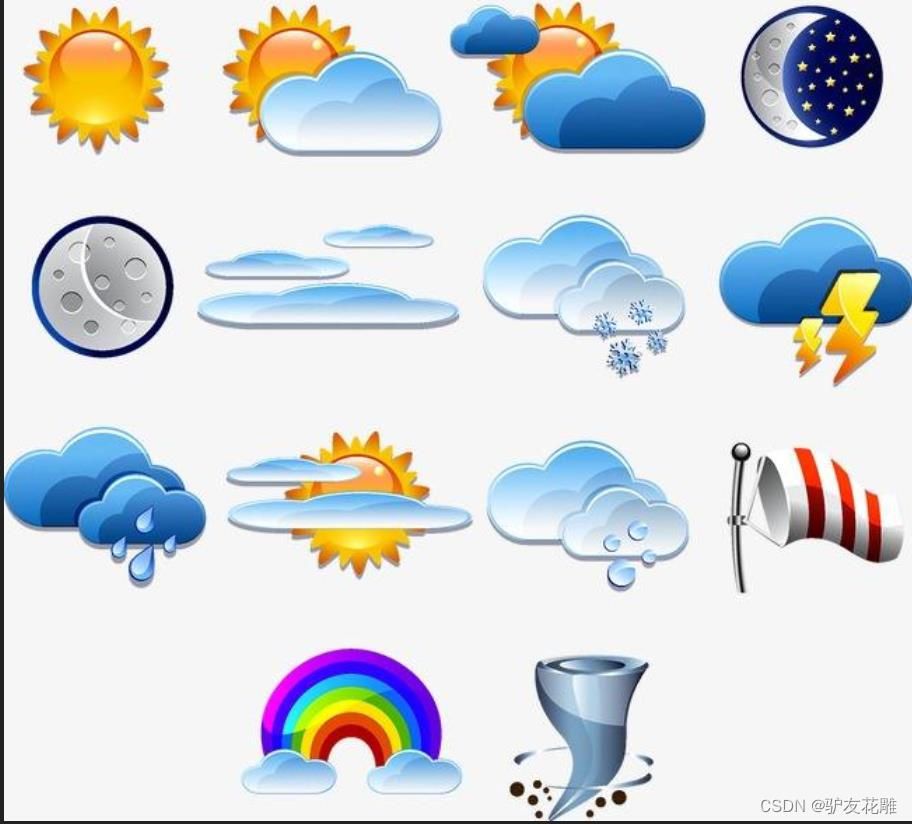
天气预报
是应用大气变化的规律,根据当前及近期的天气形势,对某一地未来一定时期内的天气状况进行预测。它是根据对卫星云图和天气图的分析,结合有关气象资料、地形和季节特点、群众经验等综合研究后作出的。如我国中央气象台的卫星云图,就是我国制造的“风云一号”气象卫星摄取的。利用卫星云图照片进行分析,能提高天气预报的准确率。天气预报就时效的长短通常分为三种:短期天气预报(2~3天)、中期天气预报(4~9天),长期天气预报(10~15天以上),中央电视台每天播放的主要是短期天气预报。
天气预报的主要内容是一个地区或城市未来一段时期内的阴晴雨雪、最高最低气温、风向和风力及特殊的灾害性天气。就中国而言,气象台准确预报寒潮、台风、暴雨等自然灾害出现的位置和强度,就可以直接为工农业生产和群众生活服务。天气预报是根据气象观测资料,应用天气学、动力气象学、统计学的原理和方法,对某区域或某地点未来一定时段的天气状况作出定性或定量的预测。它是大气科学研究的一个重要目标。对人们生活有重要意义。
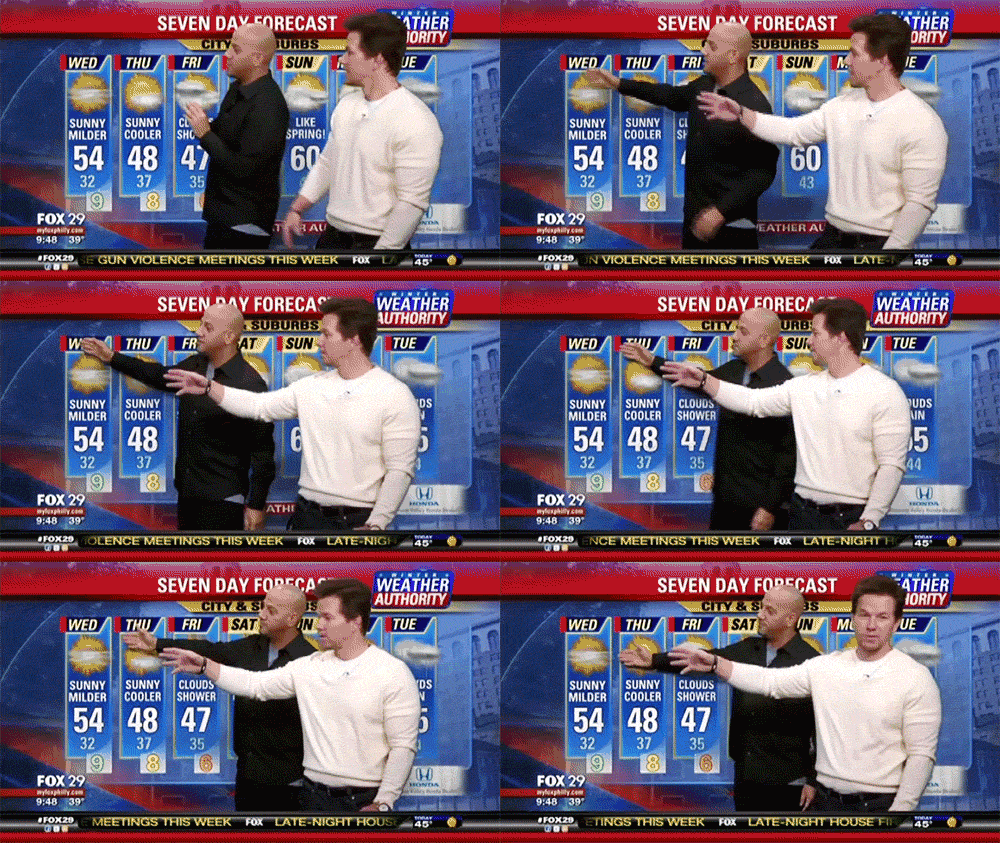
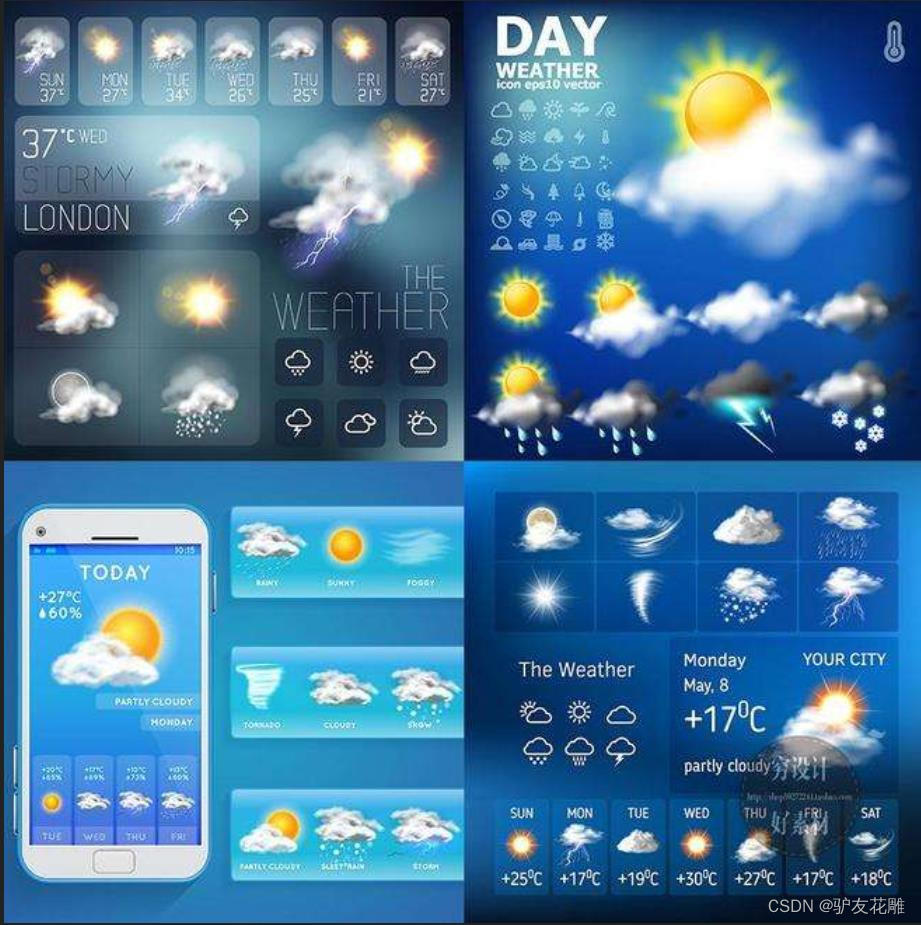
9、使用三轴传感器选择城市天气预报
向前倾斜为安徽合肥,向后为福建福州
向左为上海,向右为北京
#MicroPython动手做(33)——物联网之天气预报
#使用三轴传感器选择城市天气预报from mpython import *
import urequests
import network
import ntptime
import music
import jsonbrightness=9weather_serveraddr = "http://server.mindplus.top"weather_appid = "31982666"weather_appsecret = "E6MtBcxQ"def weather_getWeather(_weather, _city):if weather_serveraddr=="http://www.tianqiapi.com":nowResult = urequests.get(weather_serveraddr+"/api/?appid="+weather_appid+"&appsecret="+weather_appsecret+"&version=v6&cityid="+_city)json=nowResult.json()nowResult.close()return json[_weather]else:nowResult = urequests.get(weather_serveraddr+"/api/weather/?appid="+weather_appid+"&appsecret="+weather_appsecret+"&version=v6&cityid="+_city)json=nowResult.json()nowResult.close()return json[_weather]my_wifi = wifi()
my_wifi.connectWiFi("zh","zy1567")
while not (my_wifi.sta.isconnected()):pass
rgb[1] = (0*brightness//9, 102*brightness//9, 0*brightness//9)
rgb.write()
music.pitch(165, 50)
ntptime.settime(8, "ntp.ntsc.ac.cn")
while True:if (accelerometer.get_x() < -0.3):music.pitch(196, 50)oled.fill(0)oled.DispChar("安徽 合肥", 0, (1-1)*16, 1)oled.DispChar(weather_getWeather("wea", "101220101"), 0, (2-1)*16, 1)oled.DispChar((str("最低温度:") + str(weather_getWeather("tem2", "101220101"))), 0, (3-1)*16, 1)oled.DispChar((str("最高温度:") + str(weather_getWeather("tem1", "101220101"))), 0, (4-1)*16, 1)oled.show()if (accelerometer.get_x() > 0.3):music.pitch(262, 50)oled.fill(0)oled.DispChar("福建 福州", 0, (1-1)*16, 1)oled.DispChar(weather_getWeather("wea", "101230101"), 0, (2-1)*16, 1)oled.DispChar((str("最低温度:") + str(weather_getWeather("tem2", "101230101"))), 0, (3-1)*16, 1)oled.DispChar((str("最高温度:") + str(weather_getWeather("tem1", "101230101"))), 0, (4-1)*16, 1)oled.show()if (accelerometer.get_y() > 0.3):music.pitch(392, 50)oled.fill(0)oled.DispChar("上海", 0, (1-1)*16, 1)oled.DispChar(weather_getWeather("wea", "101020100"), 0, (2-1)*16, 1)oled.DispChar((str("最低温度:") + str(weather_getWeather("tem2", "101020100"))), 0, (3-1)*16, 1)oled.DispChar((str("最高温度:") + str(weather_getWeather("tem1", "101020100"))), 0, (4-1)*16, 1)oled.show()if (accelerometer.get_y() < -0.3):music.pitch(659, 50)oled.fill(0)oled.DispChar("北京", 0, (1-1)*16, 1)oled.DispChar(weather_getWeather("wea", "101010100"), 0, (2-1)*16, 1)oled.DispChar((str("最低温度:") + str(weather_getWeather("tem2", "101010100"))), 0, (3-1)*16, 1)oled.DispChar((str("最高温度:") + str(weather_getWeather("tem1", "101010100"))), 0, (4-1)*16, 1)oled.show()
Mind+ 实验图形编程

10、全球天气API平台
链接:http://www.tianqiapi.com

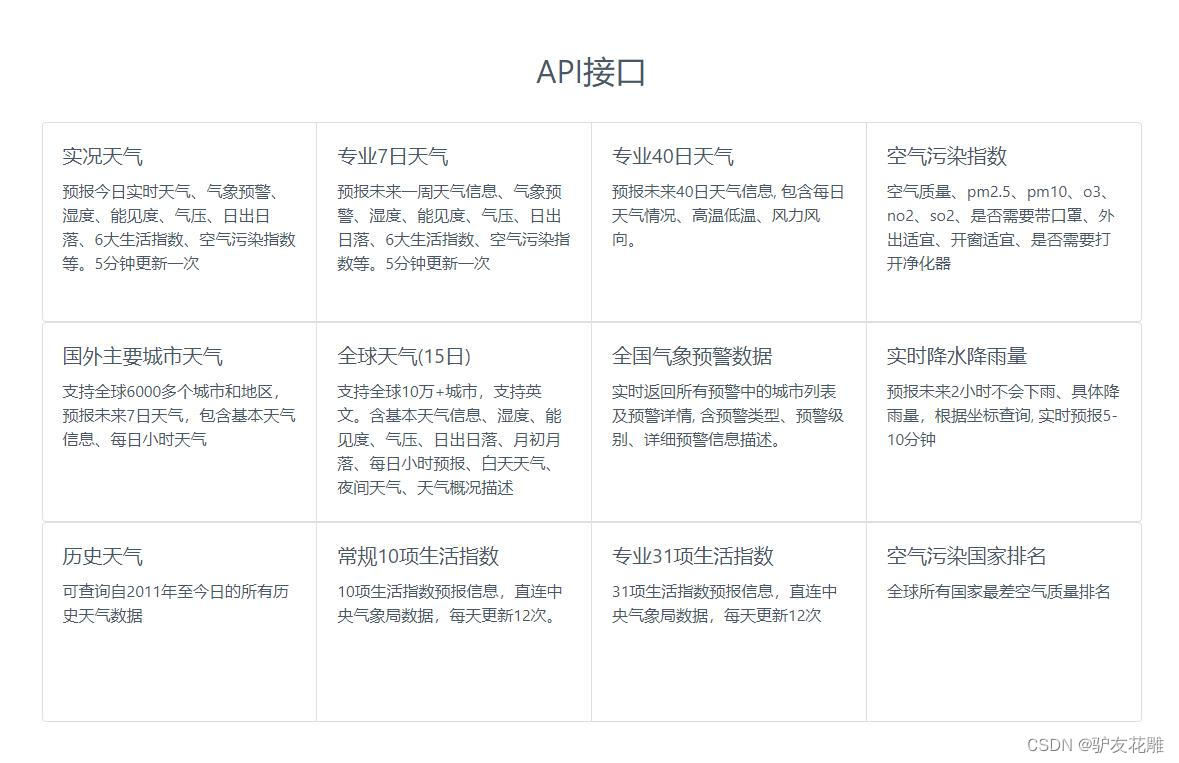
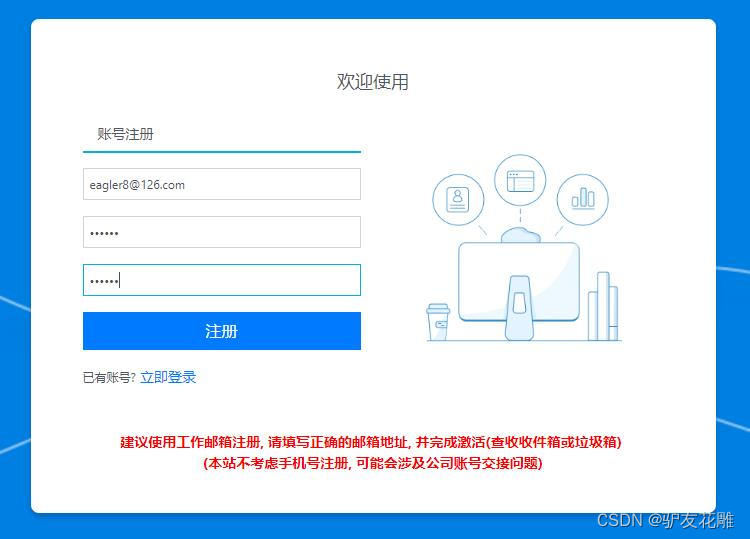
注册全球天气API平台账号
链接:http://www.tianqiapi.com/user/register
登录全球天气API平台
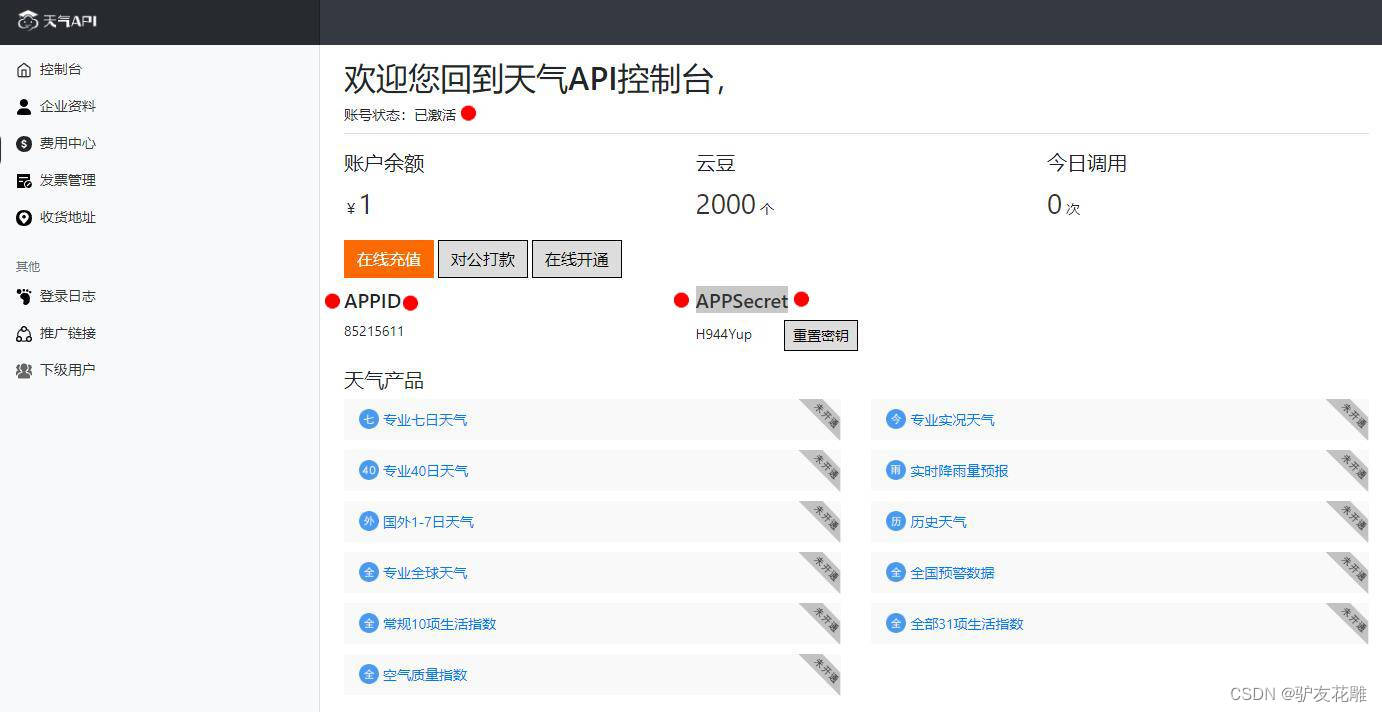
链接:http://www.tianqiapi.com/user/index
激活账号,获取APPID和APPSecret(密钥)
11、六位触摸按键选择城市天气预报
P 上海 Y 福州 T 北京 H 重庆 O 深圳 N 济南
#MicroPython动手做(33)——物联网之天气预报
#六位触摸按键选择城市天气预报from machine import Timer
from mpython import *
import urequests
import network
import ntptime
import music
import jsontouch_threshold = {'P': 400, 'Y': 400, 'T': 400, 'H': 400, 'O': 400, 'N': 400}tim12 = Timer(12)
_status_p = _status_y = _status_t = _status_h = _status_o = _status_n = 0
def on_touchpad_P_pressed():pass
def on_touchpad_P_unpressed():pass
def on_touchpad_Y_pressed():pass
def on_touchpad_Y_unpressed():pass
def on_touchpad_T_pressed():pass
def on_touchpad_T_unpressed():pass
def on_touchpad_H_pressed():pass
def on_touchpad_H_unpressed():pass
def on_touchpad_O_pressed():pass
def on_touchpad_O_unpressed():pass
def on_touchpad_N_pressed():pass
def on_touchpad_N_unpressed():passdef timer12_tick(_):global _status_p, _status_y, _status_t, _status_h, _status_o, _status_ntry:touchPad_P.read();passexcept:returnif touchPad_P.read() < touch_threshold['P']:if 1 != _status_p:_status_p = 1;on_touchpad_P_pressed()elif 0 != _status_p:_status_p = 0;on_touchpad_P_unpressed()if touchPad_Y.read() < touch_threshold['Y']:if 1 != _status_y:_status_y = 1;on_touchpad_Y_pressed()elif 0 != _status_y:_status_y = 0;on_touchpad_Y_unpressed()if touchPad_T.read() < touch_threshold['T']:if 1 != _status_t:_status_t = 1;on_touchpad_T_pressed()elif 0 != _status_t:_status_t = 0;on_touchpad_T_unpressed()if touchPad_H.read() < touch_threshold['H']:if 1 != _status_h:_status_h = 1;on_touchpad_H_pressed()elif 0 != _status_h:_status_h = 0;on_touchpad_H_unpressed()if touchPad_O.read() < touch_threshold['O']:if 1 != _status_o:_status_o = 1;on_touchpad_O_pressed()elif 0 != _status_o:_status_o = 0;on_touchpad_O_unpressed()if touchPad_N.read() < touch_threshold['N']:if 1 != _status_n:_status_n = 1;on_touchpad_N_pressed()elif 0 != _status_n:_status_n = 0;on_touchpad_N_unpressed()def weather_getWeather(_weather, _city):if weather_serveraddr=="http://www.tianqiapi.com":nowResult = urequests.get(weather_serveraddr+"/api/?appid="+weather_appid+"&appsecret="+weather_appsecret+"&version=v6&cityid="+_city)json=nowResult.json()nowResult.close()return json[_weather]else:nowResult = urequests.get(weather_serveraddr+"/api/weather/?appid="+weather_appid+"&appsecret="+weather_appsecret+"&version=v6&cityid="+_city)json=nowResult.json()nowResult.close()return json[_weather]brightness=9weather_serveraddr = "http://www.tianqiapi.com"weather_appid = "85215611"weather_appsecret = "Kx8r5ZCY "# 事件回调函数
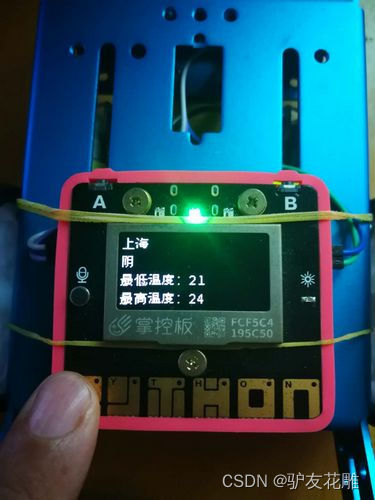
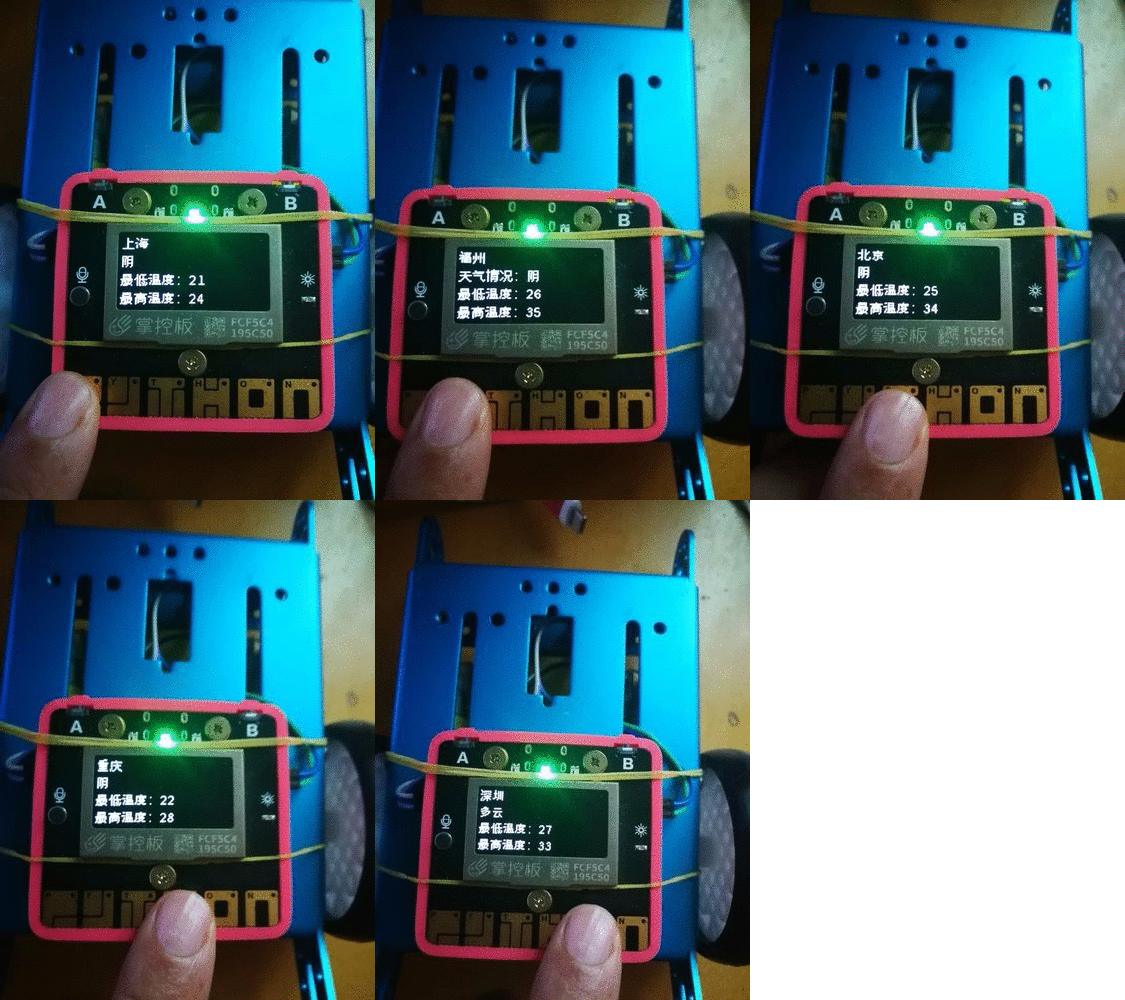
def on_touchpad_P_pressed():global g_my_variablemusic.pitch(147, 500)oled.fill(0)oled.DispChar("上海", 0, (1-1)*16, 1)oled.DispChar(weather_getWeather("wea", "101020100"), 0, (2-1)*16, 1)oled.DispChar((str("最低温度:") + str(weather_getWeather("tem2", "101020100"))), 0, (3-1)*16, 1)oled.DispChar((str("最高温度:") + str(weather_getWeather("tem1", "101020100"))), 0, (4-1)*16, 1)oled.show()
def on_touchpad_H_pressed():global g_my_variablemusic.pitch(175, 500)oled.fill(0)oled.DispChar("重庆", 0, (1-1)*16, 1)oled.DispChar(weather_getWeather("wea", "101040100"), 0, (2-1)*16, 1)oled.DispChar((str("最低温度:") + str(weather_getWeather("tem2", "101040100"))), 0, (3-1)*16, 1)oled.DispChar((str("最高温度:") + str(weather_getWeather("tem1", "101040100"))), 0, (4-1)*16, 1)oled.show()
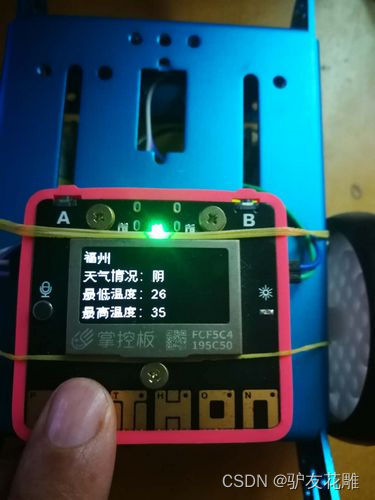
def on_touchpad_Y_pressed():global g_my_variablemusic.pitch(247, 500)oled.fill(0)oled.DispChar("福州", 0, (1-1)*16, 1)oled.DispChar((str("天气情况:") + str(weather_getWeather("wea", "101230101"))), 0, (2-1)*16, 1)oled.DispChar((str("最低温度:") + str(weather_getWeather("tem2", "101230101"))), 0, (3-1)*16, 1)oled.DispChar((str("最高温度:") + str(weather_getWeather("tem1", "101230101"))), 0, (4-1)*16, 1)oled.show()
def on_touchpad_O_pressed():global g_my_variablemusic.pitch(196, 500)oled.fill(0)oled.DispChar("深圳", 0, (1-1)*16, 1)oled.DispChar(weather_getWeather("wea", "101280601"), 0, (2-1)*16, 1)oled.DispChar((str("最低温度:") + str(weather_getWeather("tem2", "101280601"))), 0, (3-1)*16, 1)oled.DispChar((str("最高温度:") + str(weather_getWeather("tem1", "101280601"))), 0, (4-1)*16, 1)oled.show()
def on_touchpad_T_pressed():global g_my_variablemusic.pitch(165, 500)oled.fill(0)oled.DispChar("北京", 0, (1-1)*16, 1)oled.DispChar(weather_getWeather("wea", "101010100"), 0, (2-1)*16, 1)oled.DispChar((str("最低温度:") + str(weather_getWeather("tem2", "101010100"))), 0, (3-1)*16, 1)oled.DispChar((str("最高温度:") + str(weather_getWeather("tem1", "101010100"))), 0, (4-1)*16, 1)oled.show()
def on_touchpad_N_pressed():global g_my_variablemusic.pitch(220, 500)oled.fill(0)oled.DispChar("济南", 0, (1-1)*16, 1)oled.DispChar(weather_getWeather("wea", "101120101"), 0, (2-1)*16, 1)oled.DispChar((str("最低温度:") + str(weather_getWeather("tem2", "101120101"))), 0, (3-1)*16, 1)oled.DispChar((str("最高温度:") + str(weather_getWeather("tem1", "101120101"))), 0, (4-1)*16, 1)oled.show()tim12.init(period=100, mode=Timer.PERIODIC, callback=timer12_tick)
my_wifi = wifi()
my_wifi.connectWiFi("zh","zy1567")
while not (my_wifi.sta.isconnected()):pass
rgb[1] = (0*brightness//9, 102*brightness//9, 0*brightness//9)
rgb.write()
music.pitch(131, 50)
ntptime.settime(8, "ntp.ntsc.ac.cn")
oled.fill(0)
oled.DispChar("触摸按键选城市", 0, (1-1)*16, 1)
oled.DispChar("P 上海   Y 福州", 0, (2-1)*16, 1)
oled.DispChar("T 北京   H 重庆", 0, (3-1)*16, 1)
oled.DispChar("O 深圳  N 济南", 0, (4-1)*16, 1)
oled.show()
Mind+ 实验图形编程
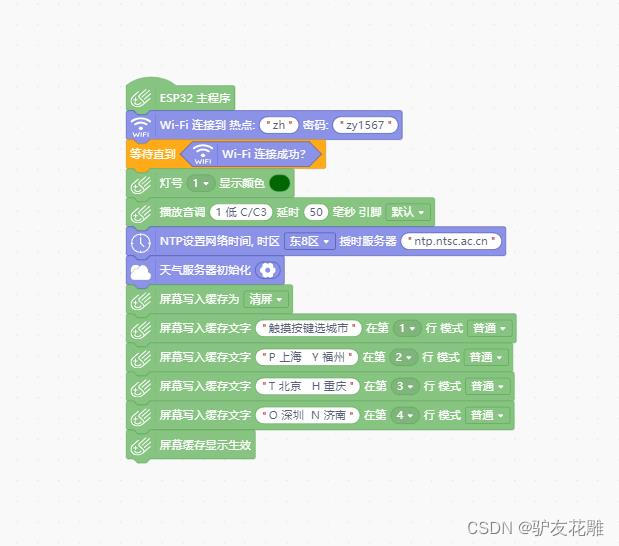


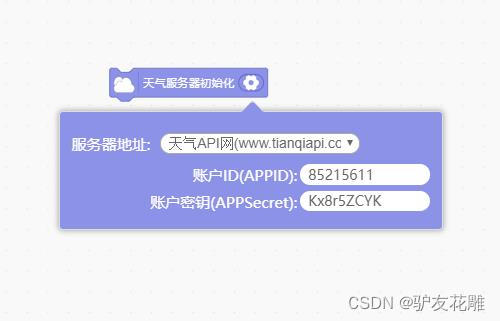
六位触摸按键选择城市天气预报
相关文章:
【雕爷学编程】MicroPython动手做(33)——物联网之天气预报3
天气(自然现象) 是指某一个地区距离地表较近的大气层在短时间内的具体状态。而天气现象则是指发生在大气中的各种自然现象,即某瞬时内大气中各种气象要素(如气温、气压、湿度、风、云、雾、雨、闪、雪、霜、雷、雹、霾等ÿ…...

Screens 4 for mac VNC客户端 强大的远程控制工具
Screens 4 for Mac 是一款功能强大的 VNC 客户端软件,为 Mac 用户提供了便捷的远程访问和控制解决方案。无论您是需要远程管理服务器、办公电脑,还是需要远程协助他人解决问题,Screens 4 都是您的理想选择。 Screens 4 for Mac具备简洁直观的…...
)
搜索与图论(三)
一、最小生成树 1.1Prim算法 朴素版Prim 一般用于稠密图 算法流程: 集合表示当前已经在连通块的点 1.初始化距离,把所有距离都初始化为正无穷 2.n次迭代,找到集合外距离最小的点 ->t 3.用t来更新其它点到集合的距离 #include<iostream> #include&…...

阿里云“通义千问”开源,可免费商用
我是卢松松,点点上面的头像,欢迎关注我哦! 阿里云成为国内首个加入大模型开源行列的大型科技企业。就在昨天,阿里云公开表态,把自家的通义千问大模型开源。 阿里云把通用70亿参数模型,包括Qwen-7B和对话模…...

23.7.31 牛客暑期多校5部分题解
E - Red and Blue and Green 题目大意 构造一个长度为 n n n 的序列,满足 m m m 个条件,每个条件包含三个数 l , r , w l,\space r,\space w l, r, w,表示区间左端点,区间右端点,这个区间的逆序对数的奇偶性&…...
Python爬虫的学习day02 requests 模块post 函数, lmxl 模块的 etree 模块
1. requests 模块post 函数 1.1 post 函数的参数 (简单版) 参数1: url 网络地址 参数2: data 请求数据 (一般数据是 账号,密码) 参数3: headers 头请求 (…...

客户流失分析预测案例 -- 机器学习项目基础篇(7)
客户流失 它是指现有的客户、用户、订阅者或任何类型的回头客停止与公司开展业务或结束与公司的关系。 客户流失的类型 合同客户流失:当客户签订了服务合同并决定取消服务时,例如有线电视,SaaS。自愿流失:当用户自愿取消服务时…...

uniapp中我使用uni.navigateTo跳转webview页面传参,但是接收的参数只有一半。
在uniapp中使用uni.navigateTo跳转webview页面传参时,可能会遇到接收的参数只有一半的情况。这可能是因为在跳转时,url的长度超过了限制。为了解决这个问题,可以使用encodeURIComponent和decodeURIComponent进行编码和解码。 具体的解决办法…...

使用kaminari,在列表页实现分页功能
安装 1. bundller 大于1的话,可以使用这个版本 gem install kaminari -v 0.16.3 或者 gem kaminari 2. 使用命令: $ bundle install 3. 然后使用这个命令可以创建一个config文件 $ rails g kaminari:config 4. 重新启动服务器 bundle exec rail…...

Android 性能调优之bitmap的优化
背景 Android开发中,加载图片过多、过大很容易引起OutOfMemoryError异常,即我们常见的内存溢出。因为Android对单个应用施加内存限制,默认分配的内存只有几M(具体视不同系统而定)。而载入的图片如果是JPG之类的压缩格…...

HOT74-数组中的第K个最大元素
leetcode原题链接:数组中的第K个最大元素 题目描述 给定整数数组 nums 和整数 k,请返回数组中第 k 个最大的元素。请注意,你需要找的是数组排序后的第 k 个最大的元素,而不是第 k 个不同的元素。 你必须设计并实现时间复杂度为 O…...
类与对象【中】
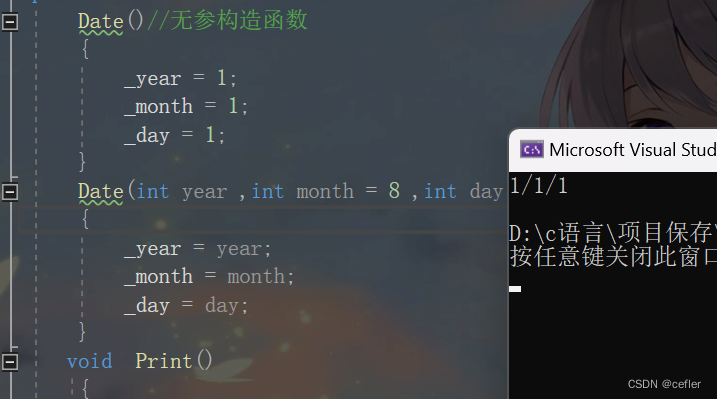
欢迎来到Cefler的博客😁 🕌博客主页:那个传说中的man的主页 🏠个人专栏:题目解析 🌎推荐文章:题目大解析2 目录 👉🏻类的默认6个成员函数👉🏻构造…...
uni-app:实现列表单选功能
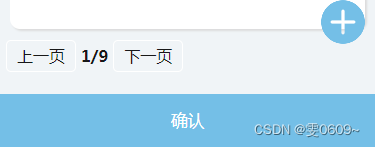
效果图: 核心解析: 一、 <view class"item_all" v-for"(item, index) in info" :key"index"><view classposition parameter-info text-over :classitem.checked?"checked_parameter":""…...
vue中axios二次封装并发起网络请求配置
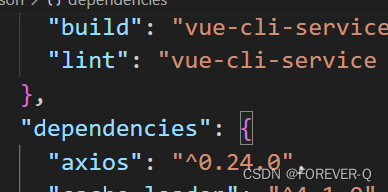
1.安装axios npm i axios 2.导入 //对axios进行二次封装 import axios from "axios"// 创建axios实例,其实request就是axiosconst requests axios.create({// 发请求的时候自动出现api// baseURL:"api",// 请求超时的时间timeout:5000, })…...

开源全文搜索引擎汇总
1、Apache Lucene Java 全文搜索框架 许可证:Apache-2.0 开发语言:Java 官网:https://lucene.apache.org/。Apache Lucene 是完全用 Java 编写的高性能、功能齐全的全文检索引擎架构,提供了完整的查询引擎和索引引擎、部分文本分析引擎。目的是为软件开发人员提供一个简单…...
gitlab CI/CD 安装 gitlab runner
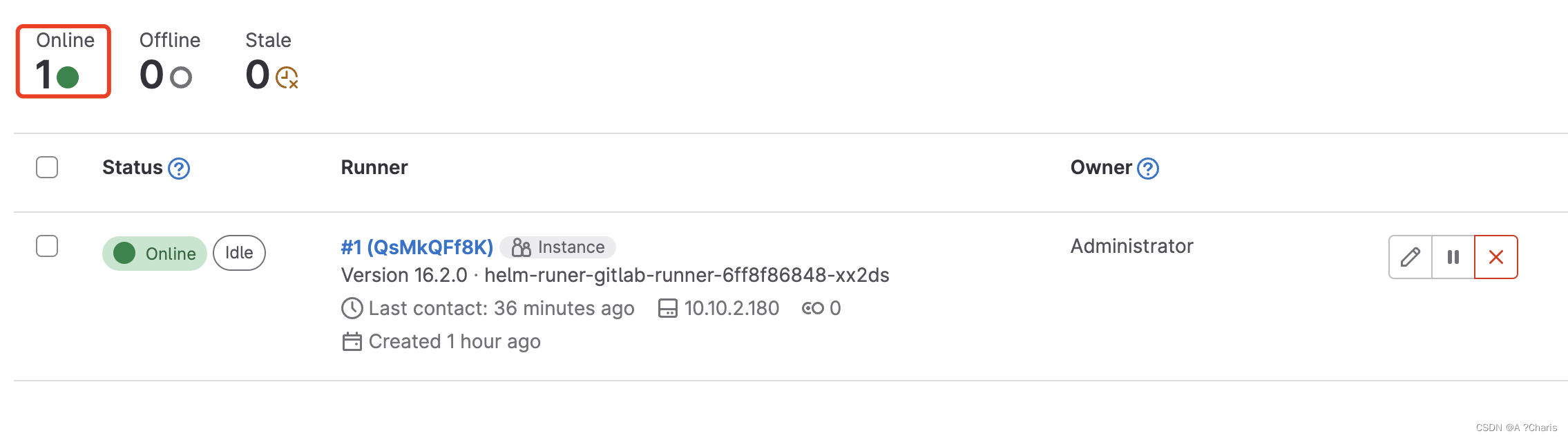
一、为什么需要安装gitlab runner ? 极狐GitLab Runner 极狐GitLab Runner 是在流水线中运行作业的应用,与极狐GitLab CI/CD 配合运作。 说白了就是你部署的一个agent。 二、如何安装? 1.介绍通过helm部署github runner 2.helm添加仓库 h…...

服务器中了malox勒索病毒后怎么办怎么解决,malox勒索病毒解密数据恢复
服务器遭受Malox勒索病毒攻击后,快速解密并恢复数据至关重要,以便减少更大的经济损失。近期,新的一波malox勒索病毒正在肆虐,我们收到很多企业的求助,企业的服务器数据库遭到了malox勒索病毒攻击,导致系统内…...
Python小白学习:超级详细的字典介绍(字典的定义、存储、修改、遍历元素和嵌套)
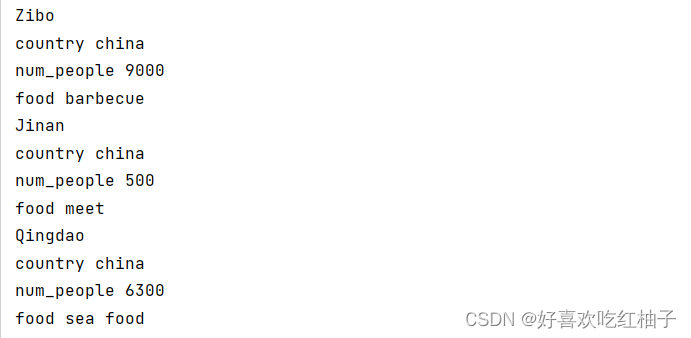
目录 一、字典简介1.1 创建字典1.2 访问字典中的值1.3 添加键值对1.4 修改字典中的值实例 1.5 删除键值对1.6 由多个类似对象组成的字典1.7 使用get()访问值1.8 练习题 二、遍历字典2.1 遍历所有键值对实例 2.2 遍历字典中的所有键2.3 按照特定顺序遍历字典中的所有键2.4 遍历字…...
word转pdf两种方式(免费+收费)
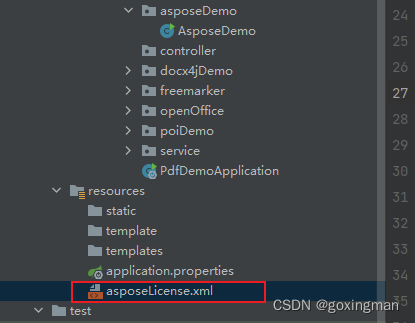
一、免费方式 优点:1、免费;2、在众多免费中挑选出的转换效果相对较好,并且不用像openOffice那样安装服务 缺点:1、对字体支持没有很好,需要安装字体库或者使用宋体(对宋体支持很好)2、对于使…...
基于图像形态学处理的目标几何形状检测算法matlab仿真
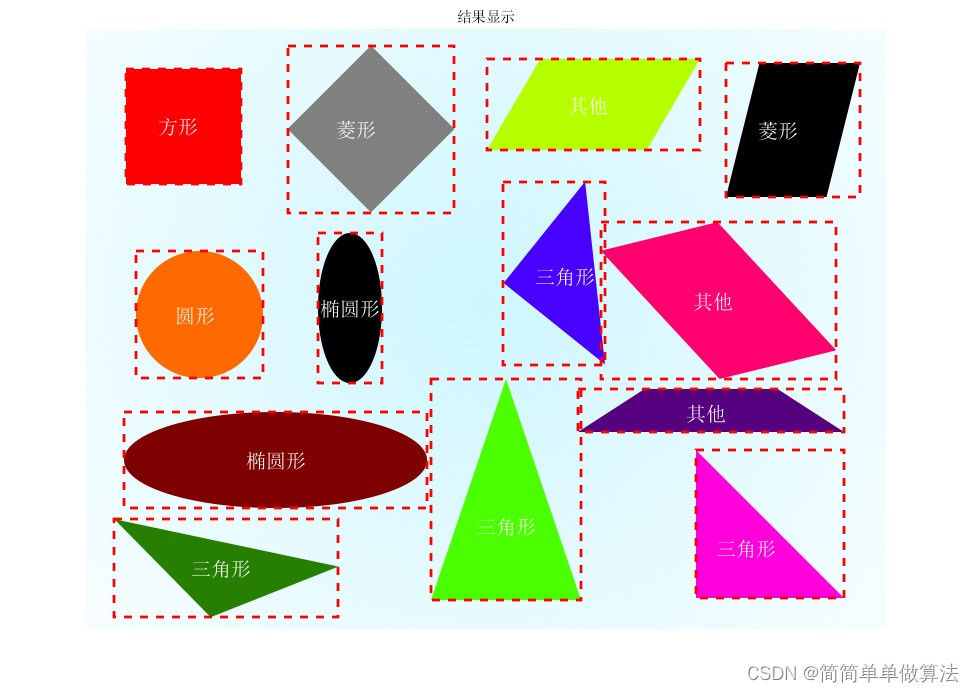
目录 1.算法运行效果图预览 2.算法运行软件版本 3.部分核心程序 4.算法理论概述 5.算法完整程序工程 1.算法运行效果图预览 2.算法运行软件版本 matlab2022a 3.部分核心程序 .................................................... %二进制化图像 Images_bin imbinari…...

嵌入式开发工具演进:从传统IDE到多核AI系统协同平台
1. 嵌入式开发工具的演进:从“编译助手”到“系统协作者”干了十几年嵌入式,从51单片机玩到现在的多核异构AI SoC,我最大的感受就是:手里的家伙事儿,越来越跟不上趟了。早些年,一个IDE(集成开发…...

如何用开源工具LibreDWG解决CAD文件格式兼容性问题?
如何用开源工具LibreDWG解决CAD文件格式兼容性问题? 【免费下载链接】libredwg Official mirror of libredwg. With CI hooks and nightly releases. PRs ok 项目地址: https://gitcode.com/gh_mirrors/li/libredwg 你是否曾遇到过不同CAD软件之间无法互相打…...

初创公司如何借助 Taotoken 多模型能力低成本验证产品创意
🚀 告别海外账号与网络限制!稳定直连全球优质大模型,限时半价接入中。 👉 点击领取海量免费额度 初创公司如何借助 Taotoken 多模型能力低成本验证产品创意 对于初创团队而言,在产品原型开发阶段,快速验证…...

避开这些坑:Tessent Shell中MBIST流程的DRC检查与调试指南
避开这些坑:Tessent Shell中MBIST流程的DRC检查与调试指南 在芯片设计领域,可测试性设计(DFT)是确保产品质量的关键环节。而作为DFT的重要组成部分,存储器内建自测试(MBIST)的实现质量直接影响着…...

cann/cann-bench: Softmax算子API描述
Softmax 算子 API 描述 【免费下载链接】cann-bench 评测AI在处理CANN领域代码任务的能力,涵盖算子生成、算子优化等领域,支撑模型选型、训练效果评估,统一量化评估标准,识别Agent能力短板,构建CANN领域评测平台&#…...

Pearcleaner:Mac应用彻底清理的终极解决方案,告别数字垃圾困扰
Pearcleaner:Mac应用彻底清理的终极解决方案,告别数字垃圾困扰 【免费下载链接】Pearcleaner A free, source-available and fair-code licensed mac app cleaner 项目地址: https://gitcode.com/gh_mirrors/pe/Pearcleaner 还在为Mac应用卸载后残…...
)
UE5实战:手把手教你用AIController和PathFollowingComponent实现NPC智能移动(含源码解析)
UE5智能寻路实战:从零构建NPC导航系统 在虚幻引擎5的游戏开发中,AI角色的自主移动能力直接影响着游戏体验的真实感。许多开发者初次接触UE5的AI系统时,往往会被NavigationSystem、AIController和PathFollowingComponent等模块的复杂关系所困扰…...
)
保姆级教程:在Windows上用CMake搞定Qt 6.5与WebRTC M114的集成(附完整代码)
Windows平台Qt 6.5与WebRTC M114深度集成实战指南 环境准备与工具链配置 在Windows平台上进行Qt与WebRTC的集成开发,首先需要搭建完整的工具链环境。不同于简单的库引用,这种深度集成对工具版本和系统配置有着严格要求。 必备组件清单: Visua…...

R3nzSkin国服特供版:免费体验英雄联盟全皮肤终极指南
R3nzSkin国服特供版:免费体验英雄联盟全皮肤终极指南 【免费下载链接】R3nzSkin-For-China-Server Skin changer for League of Legends (LOL) 项目地址: https://gitcode.com/gh_mirrors/r3/R3nzSkin-For-China-Server 还在为英雄联盟皮肤价格昂贵而烦恼吗&…...

在华为欧拉openEuler 22.03 SP2上搞定Oracle 11g R2:一个踩坑无数的可视化安装实录
在华为欧拉openEuler 22.03 SP2上搞定Oracle 11g R2:一个踩坑无数的可视化安装实录 当国产操作系统遇上传统商业数据库,这场跨越技术栈的"联姻"注定充满挑战。作为在openEuler 22.03 SP2上成功部署Oracle 11g R2的实践者,我将以时间…...