
springboot在线小说阅读网站的设计与实现
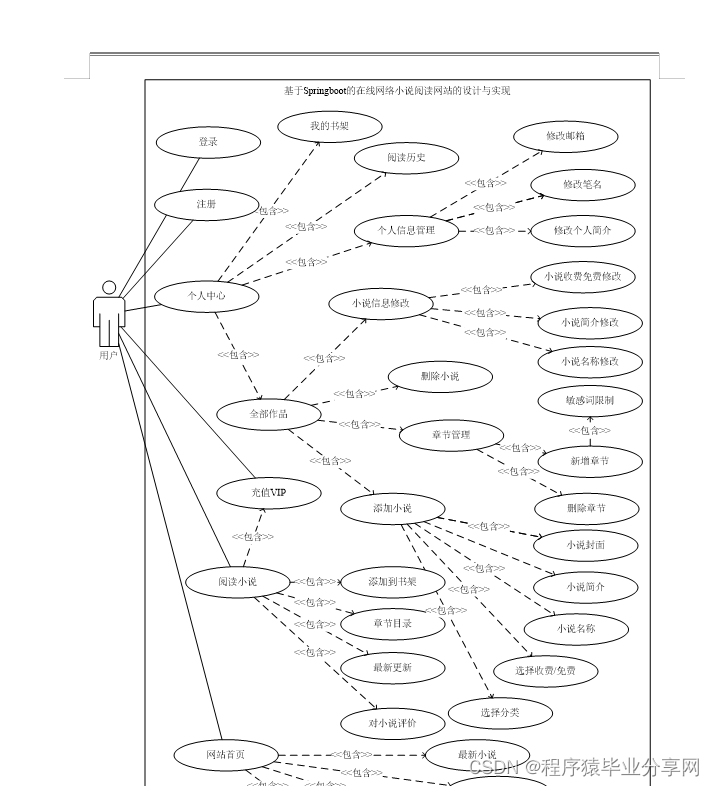
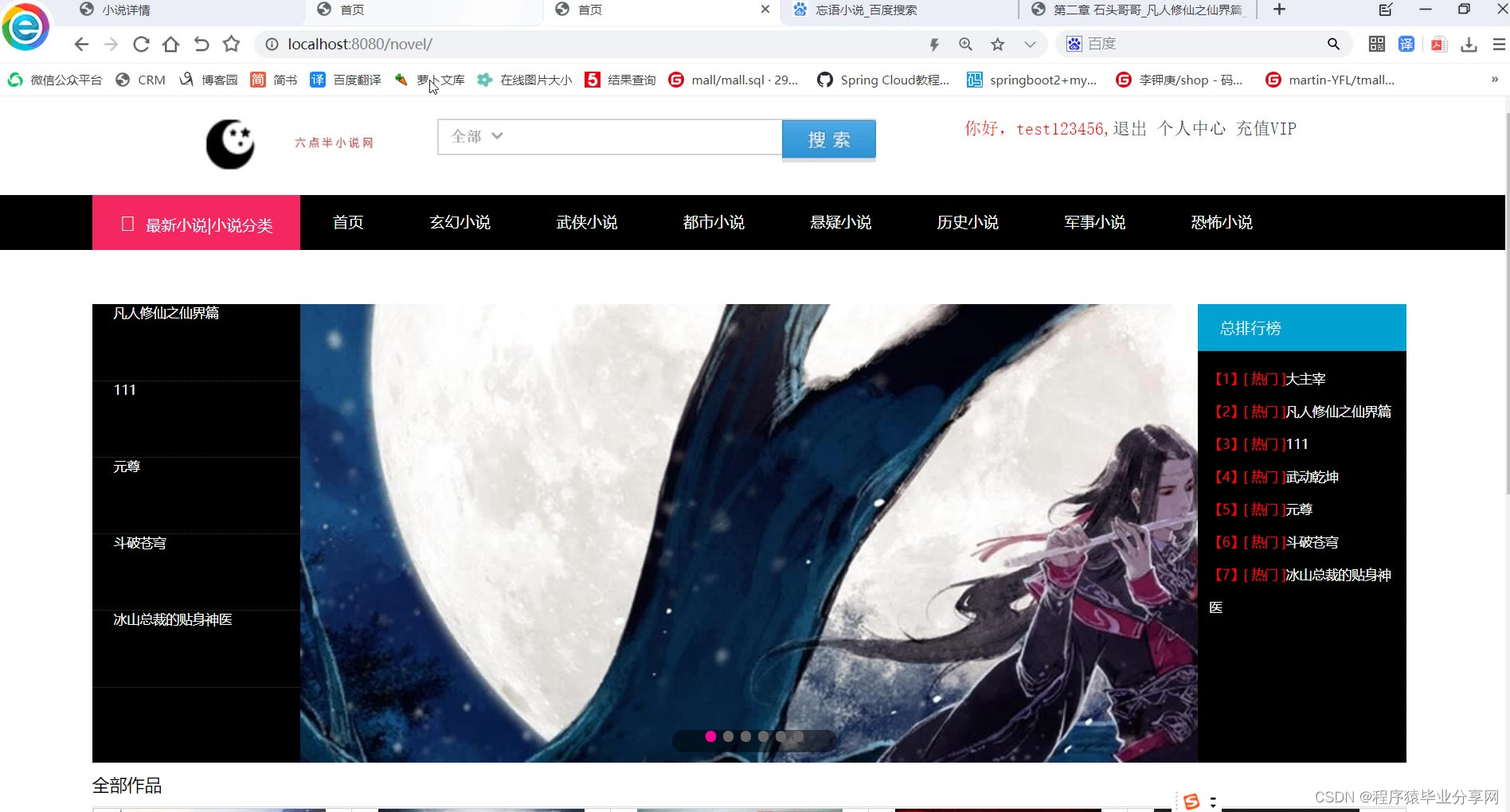
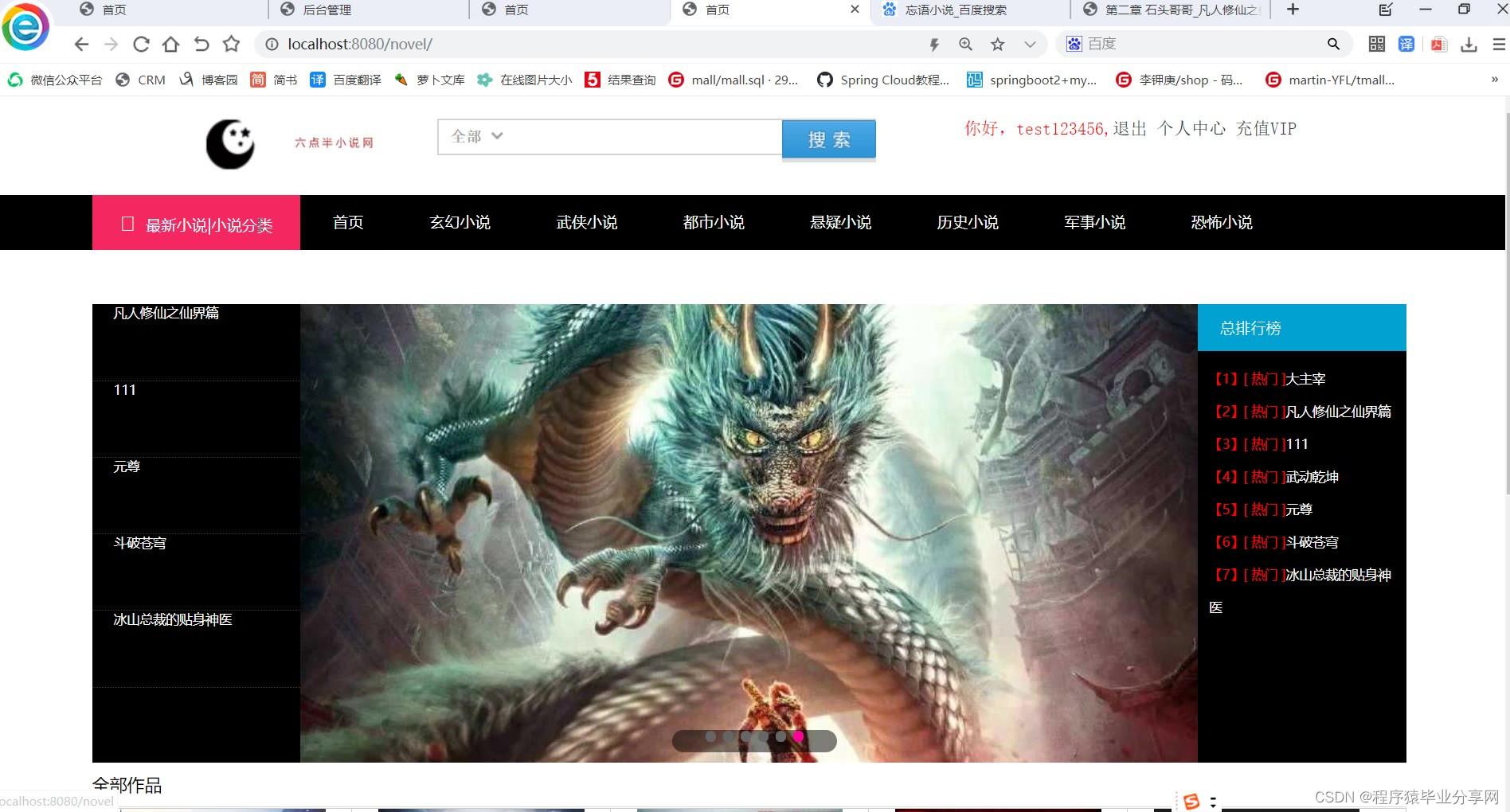
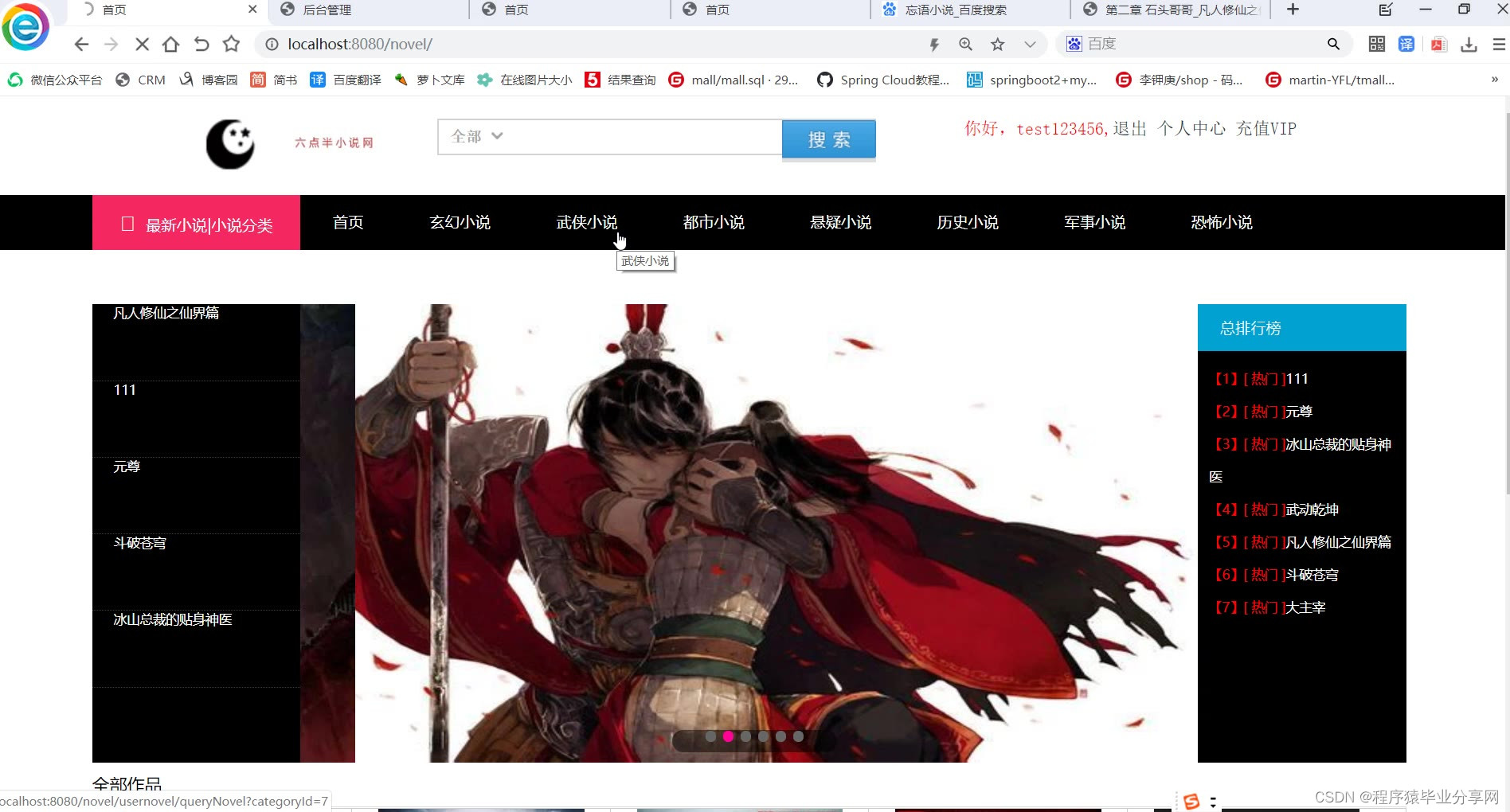
网站首页:
- 用户登录/注册:用户注册时进行用户名及笔名存在的限制
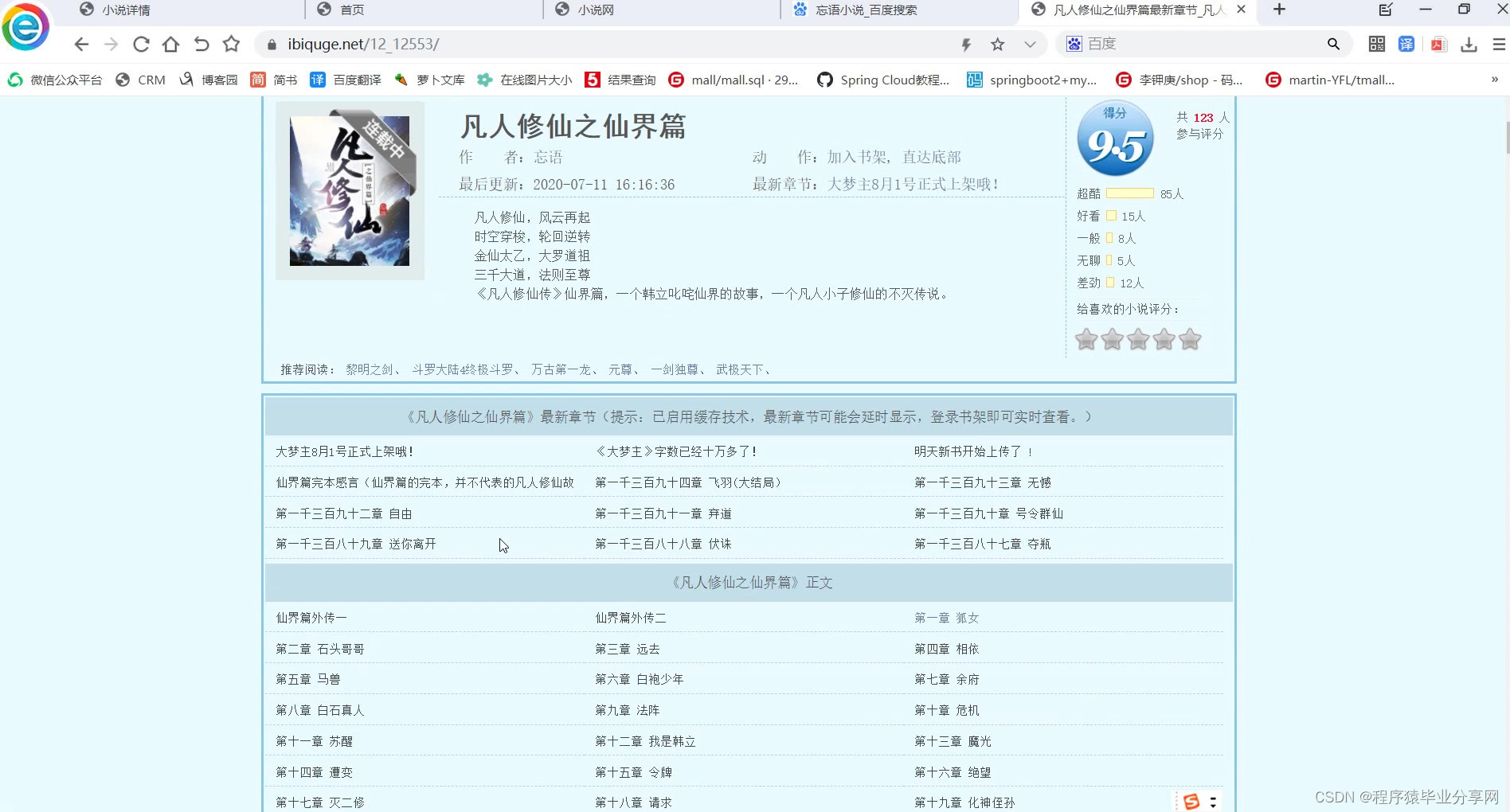
- 热门小说推荐:显示小说名及作者名,点击进入对应小说
- 小说类别:玄幻,武侠,言情,历史等,点击对用分类到分类下所有小说
- 最新小说:显示新更新的小说名称,点击进入对应小说
- 查询:根据小说名/笔名进行查询
登录注册:
- 注册:用户注册时进行用户名及笔名存在的限制,存在则不能注册成功显示已存在
- 登录:登录有用户名密码及图片验证的校验
用户:
- 网站首页
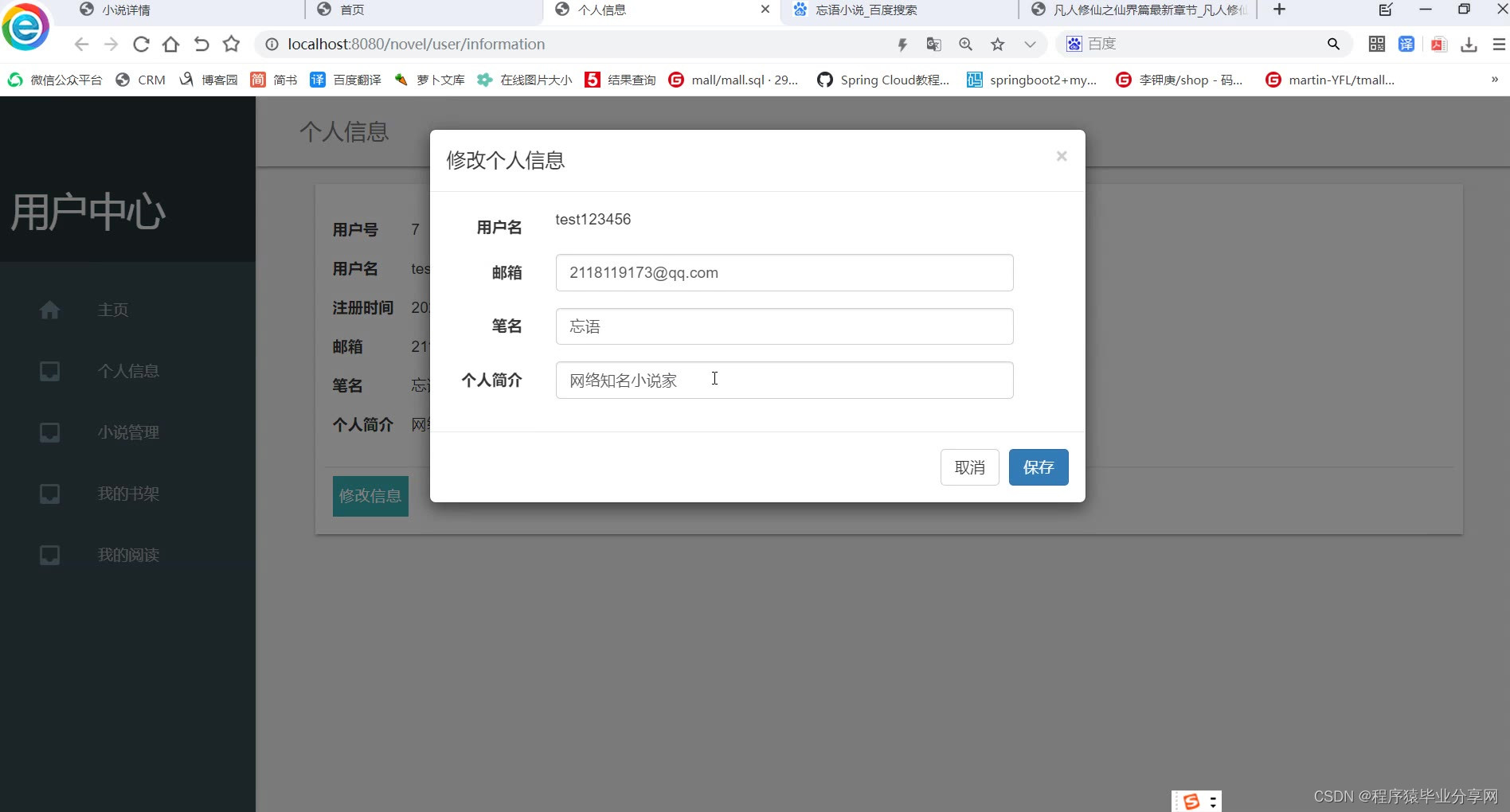
- 个人信息管理:邮箱,用户名,笔名
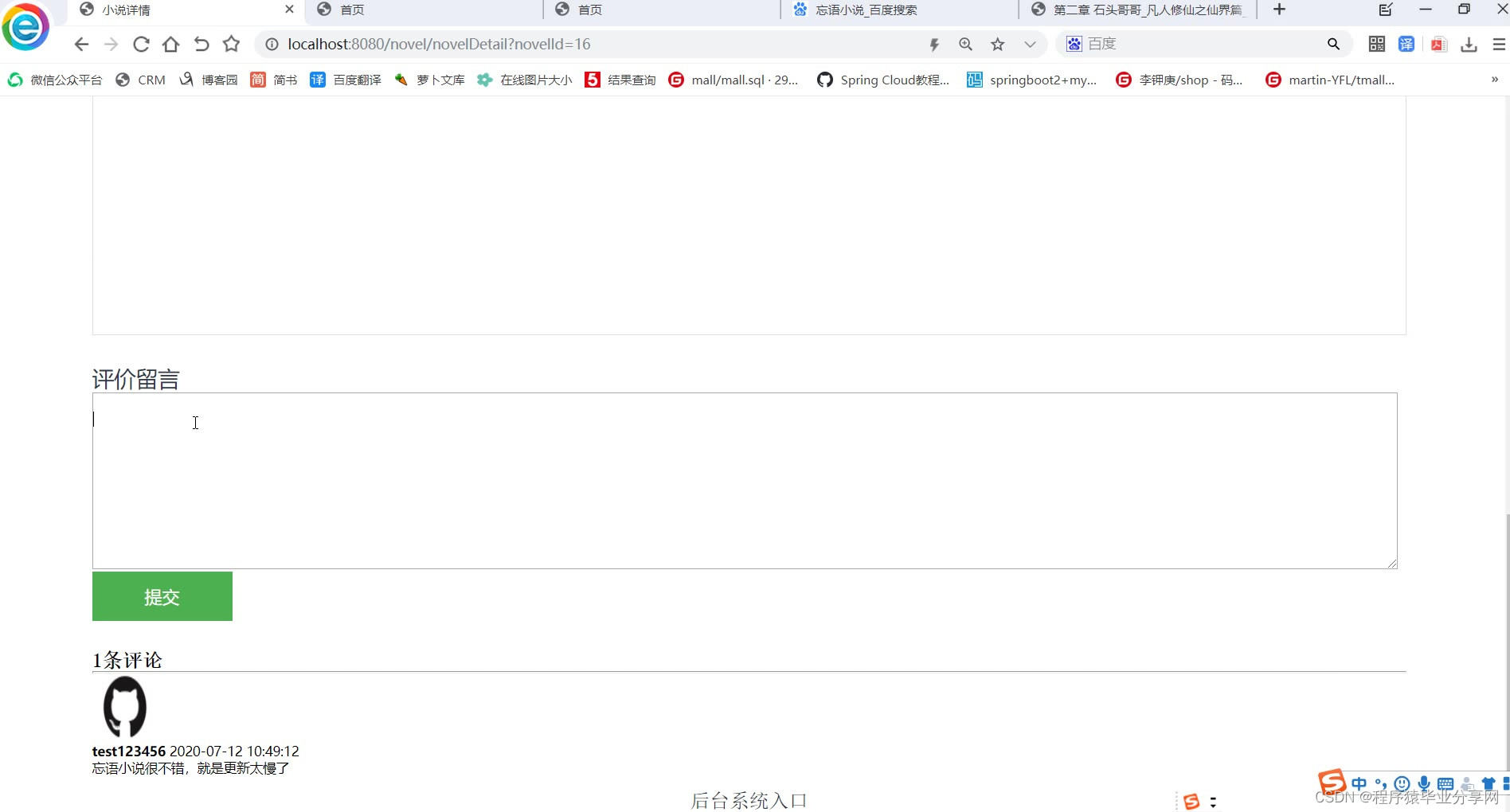
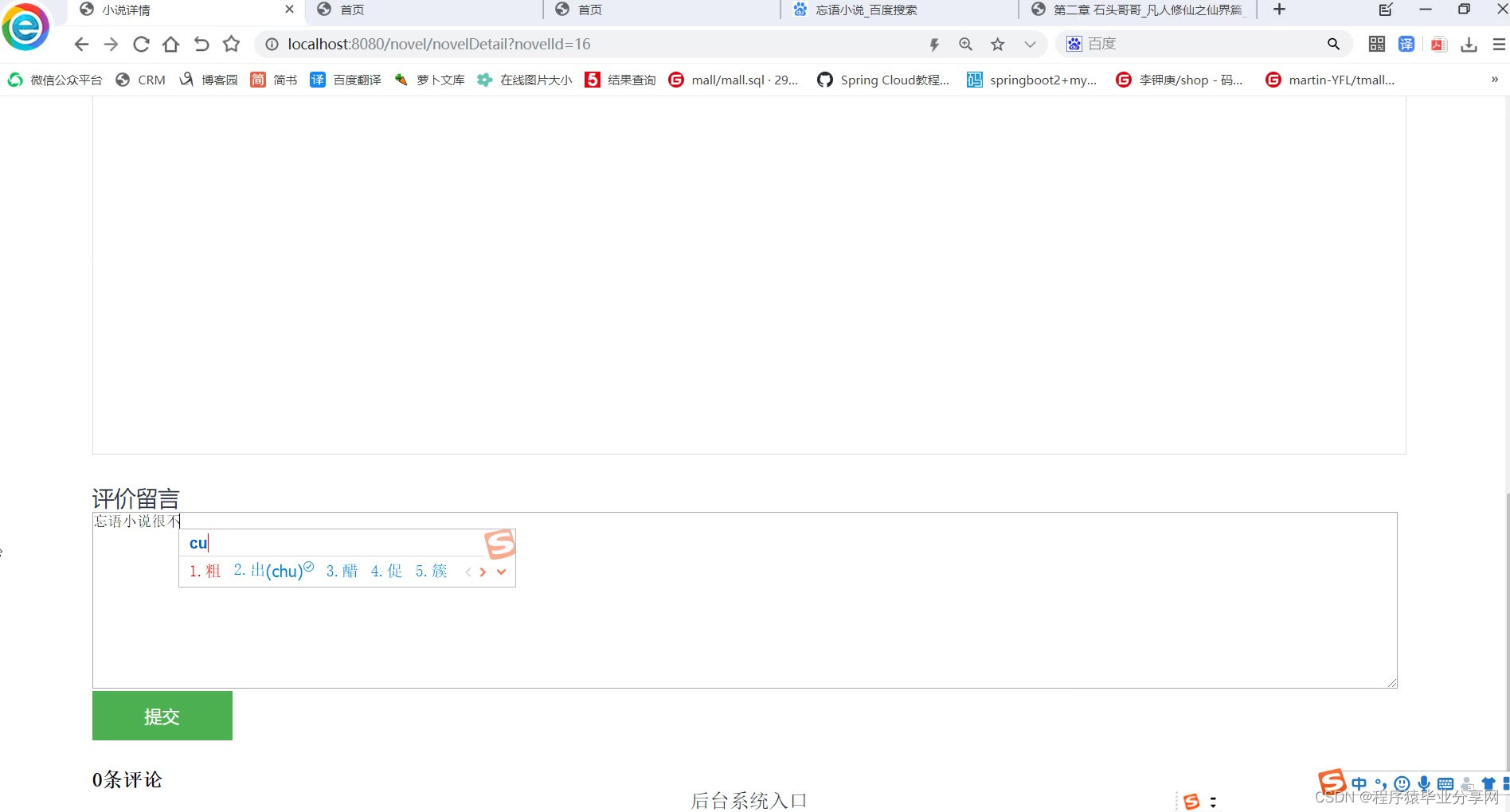
- 对小说进行评价
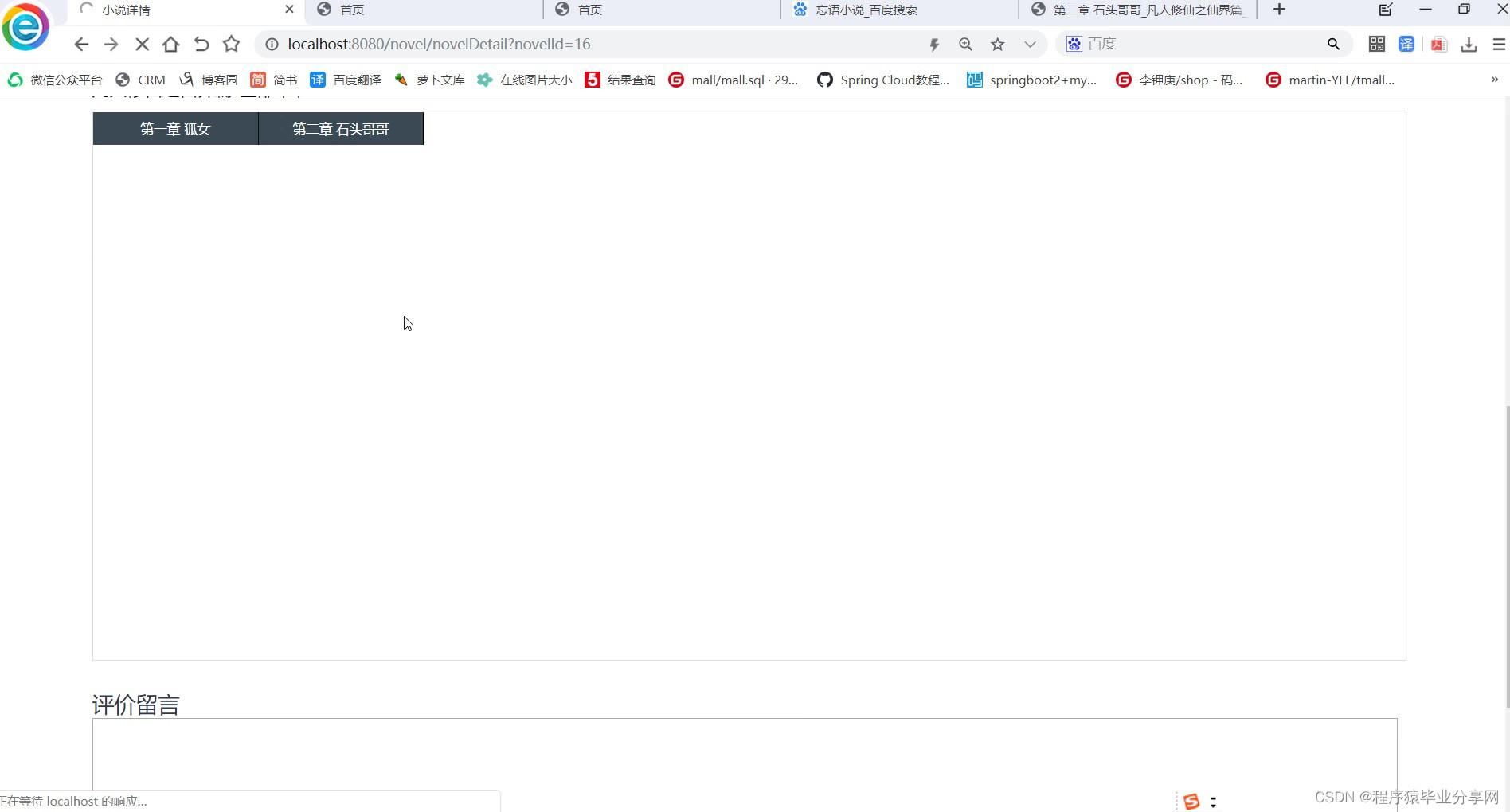
- 在线阅读小说(收费作品需要充值才能浏览):章节目录,添加到书架,下一章的点击按钮
- 购买VIP:每本付费小说下都能跳转到充值界面,未充值的用户浏览收费小说自动跳转到充值界面,充值后显示VIP剩余日期
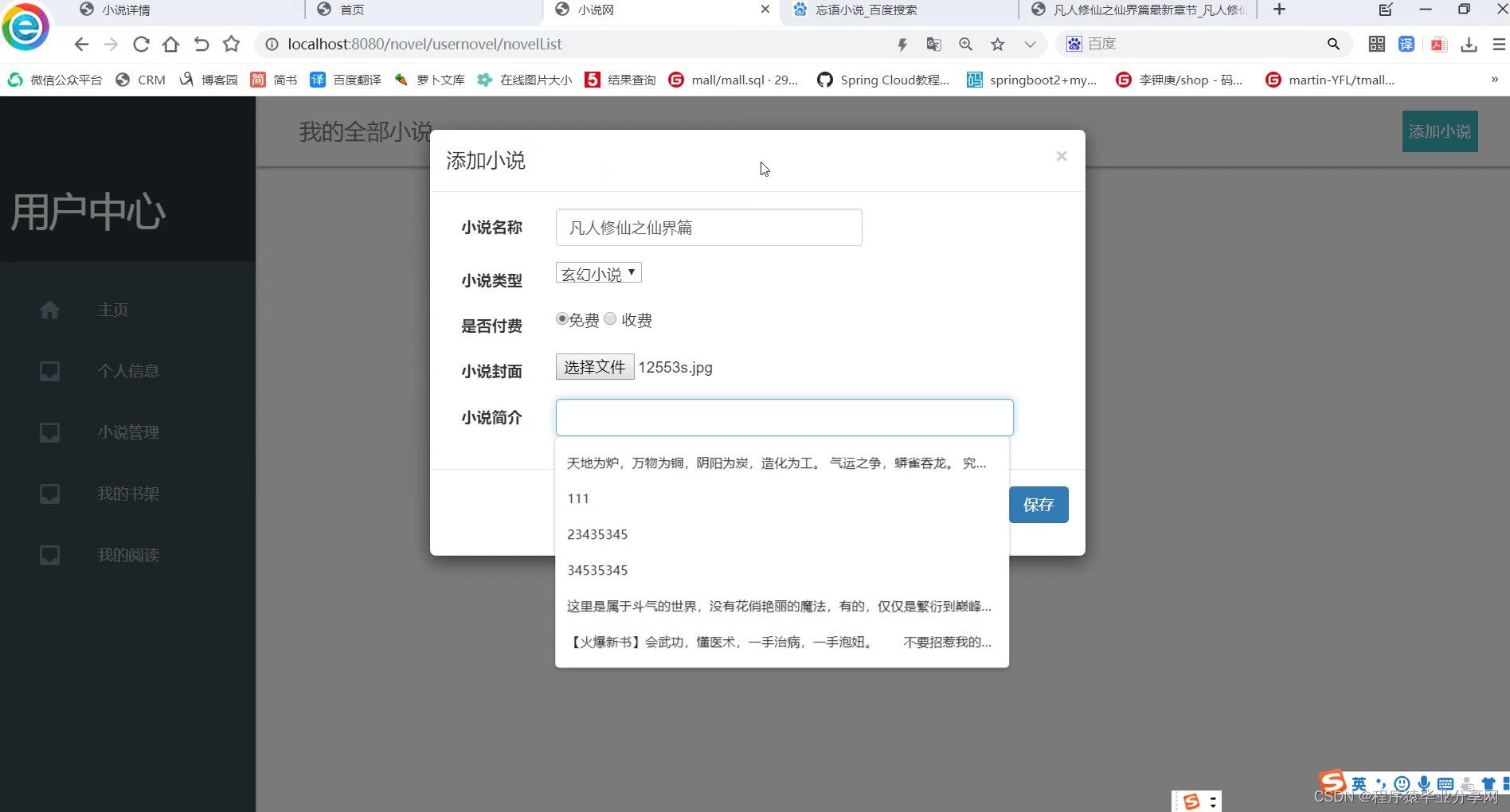
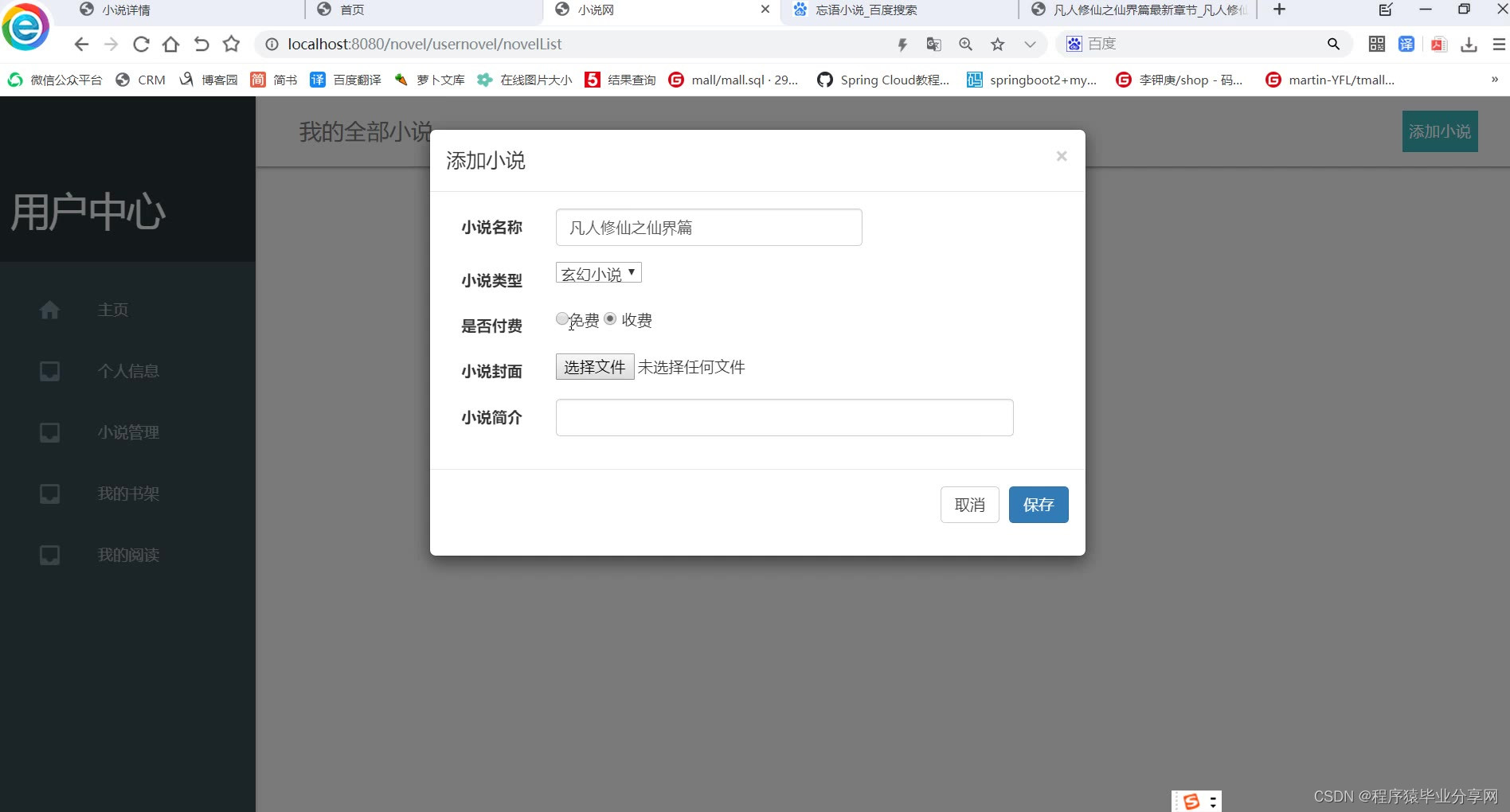
- 我的全部作品:添加小说(小说名,小说封面,收费/免费,小说分类,小说简介),删除小说,章节管理(更新章节,删除章节),更改小说完结状态
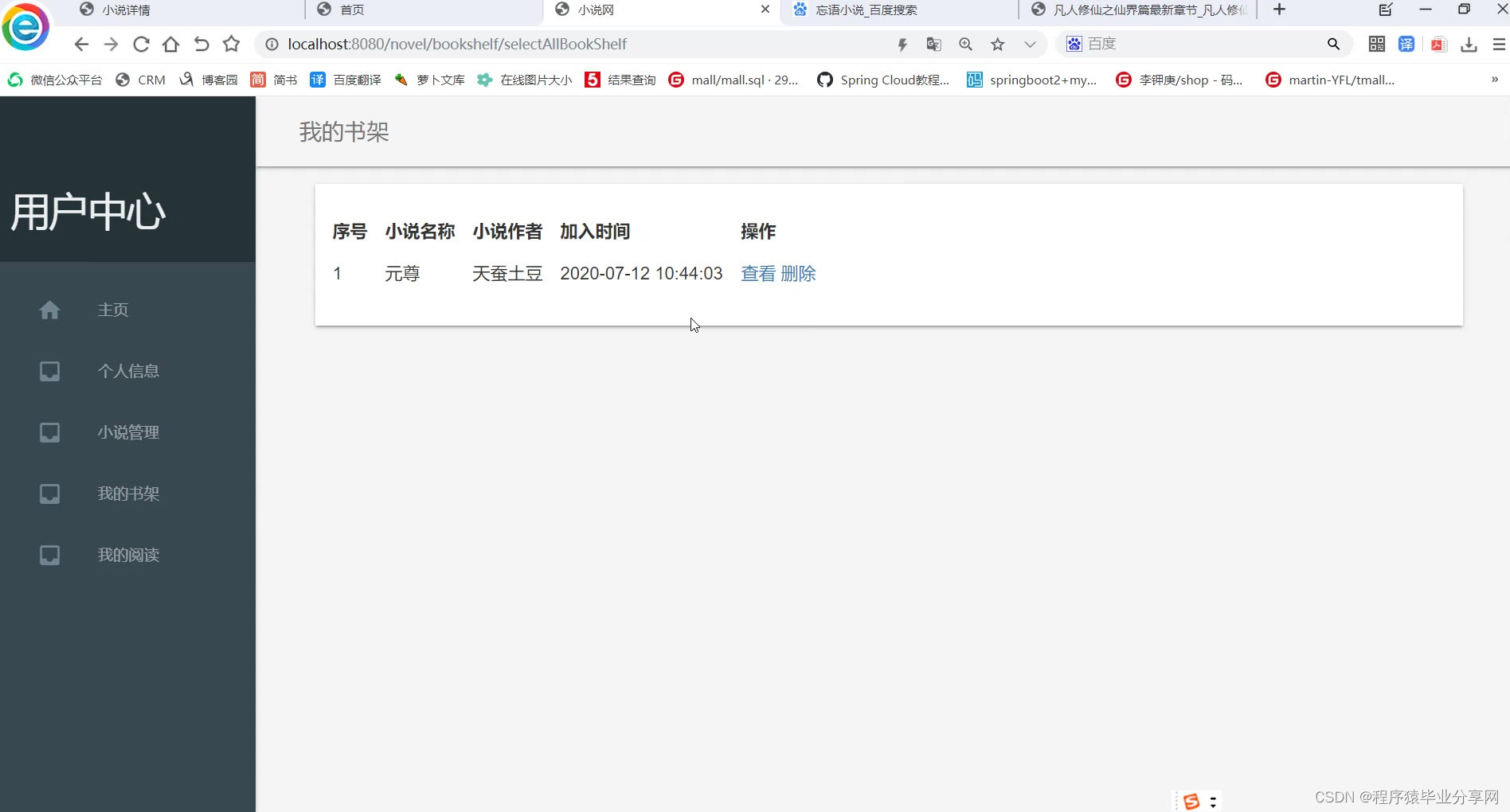
- 我的书架:可以进行查看及删除
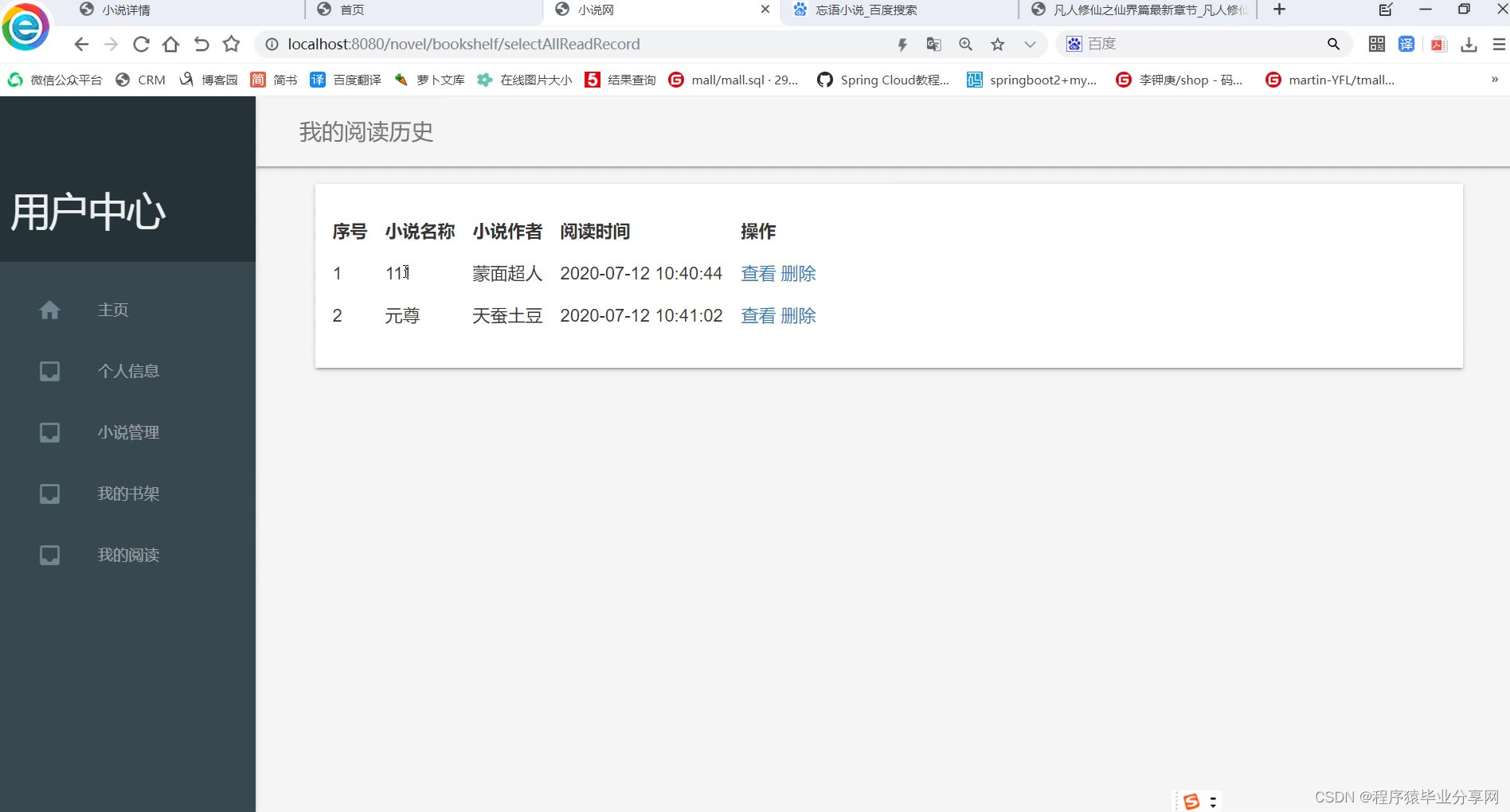
- 阅读记录:可以进行查看及删除
后台管理:
- 用户管理:有删除用户的权限
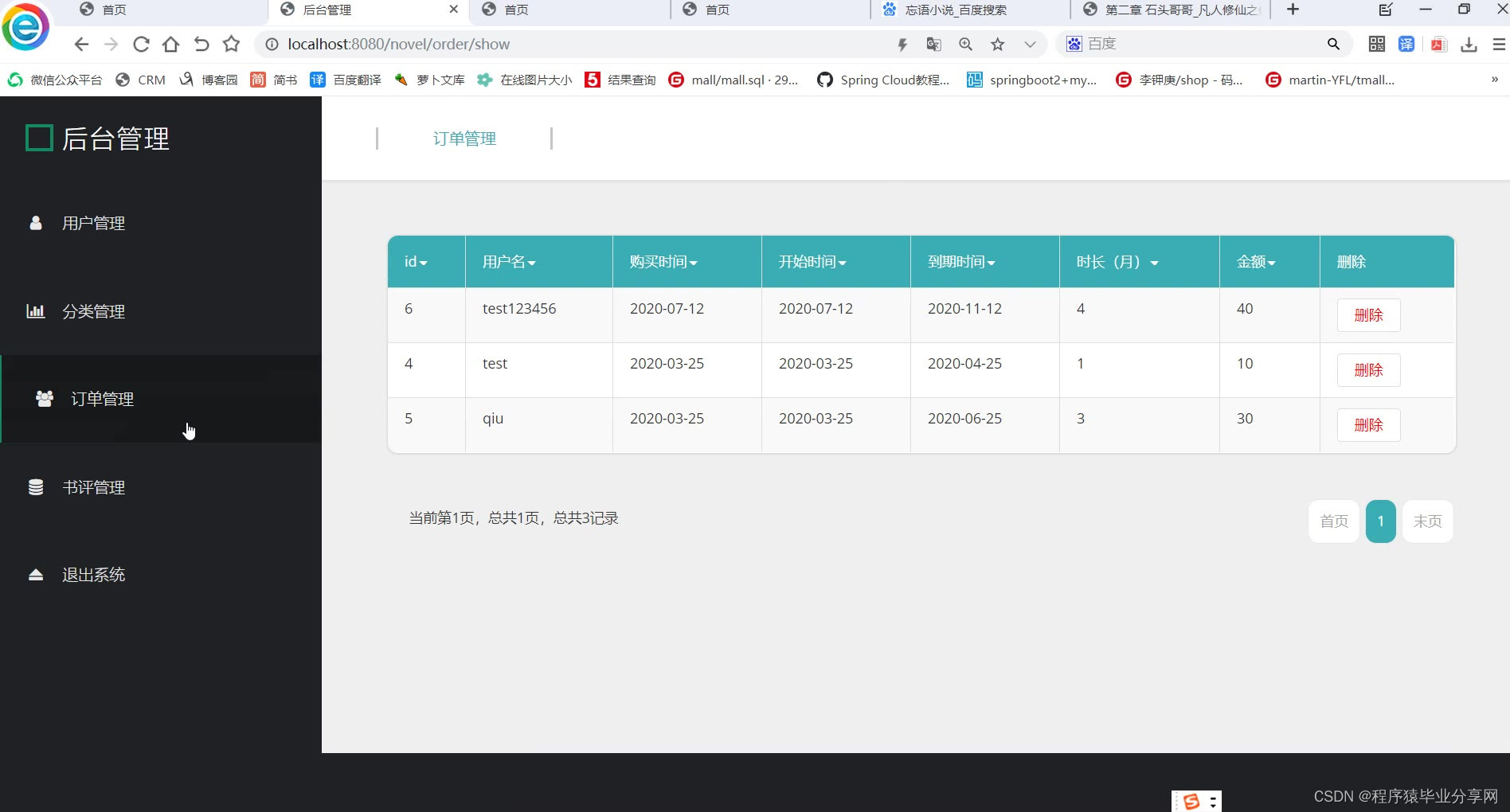
- 订单管理:所有购买VIP的订单的删除及查询
- 书评管理:书评敏感词审查及删除
- 分类管理:添加删除分类,所管理的分类在用户添加小说时给一个下拉框进行选择

package com.novel.controller;import com.github.pagehelper.PageHelper;
import com.github.pagehelper.PageInfo;
import com.novel.entity.Order;
import com.novel.entity.User;
import com.novel.service.OrderService;
import com.novel.util.AlipayConfig;
import com.novel.util.DateUtil;
import com.novel.util.Msg;
import org.springframework.beans.factory.annotation.Autowired;
import org.springframework.stereotype.Controller;
import org.springframework.ui.Model;
import org.springframework.web.bind.annotation.*;import javax.servlet.http.HttpServletResponse;
import javax.servlet.http.HttpSession;
import java.util.Date;
import java.util.List;
import java.util.UUID;
import com.alipay.api.AlipayApiException;
import com.alipay.api.AlipayClient;
import com.alipay.api.DefaultAlipayClient;
import com.alipay.api.request.AlipayTradePagePayRequest;
/*** @Author: * @Date: 2024/3/11 14:29* @Description: 订单管理*/
@Controller
@RequestMapping("/order")
public class OrderController {@Autowiredprivate OrderService orderService;/*** 跳转到后台订单管理* @return*/@RequestMapping("show")public String show(){return "orderManage";}/*** 订单列表* @param pn* @return*/@RequestMapping("/showjson")@ResponseBodypublic Msg getAllGoods(@RequestParam(value = "page",defaultValue = "1") Integer pn, HttpServletResponse response, Model model) {//一页显示几个数据PageHelper.startPage(pn, 10);List<Order> orderList = orderService.selectOrderList();orderList.forEach(order -> {order.setCreatetime1(DateUtil.getStringDate(order.getCreatetime()));order.setStarttime1(DateUtil.getStringDate(order.getStarttime()));order.setEndtime1(DateUtil.getStringDate(order.getEndtime()));});//显示几个页号PageInfo page = new PageInfo(orderList,5);return Msg.success("查询成功!").add("pageInfo", page);}/*** 删除* @param id* @return*/@RequestMapping(value = "/delete/{id}", method = RequestMethod.DELETE)@ResponseBodypublic Msg deleteUser(@PathVariable("id")Integer id) {orderService.deleteByPrimaryKey(id);return Msg.success("删除成功!");}/*** 跳转到充值页面*/@RequestMapping("toPayPage")public String toPayPage(HttpSession session, Model model){User user = (User) session.getAttribute("user");if(user==null){return "login";}Order order = orderService.selectOneOrder(user.getUserid());if(order!=null){int i = new Date().compareTo(order.getEndtime());if(i<0 || DateUtil.getStringDate(new Date()).equals(DateUtil.getStringDate(order.getEndtime()))){model.addAttribute("endtime",DateUtil.getStringDate(order.getEndtime()));}else{model.addAttribute("endtime","已过期,上次到期日:"+DateUtil.getStringDate(order.getEndtime()));}}else{model.addAttribute("endtime","无充值记录");}return "pay";}/*** 用户充值支付*/@RequestMapping("userPay")public void pay(Integer month,HttpServletResponse rep, Model model,HttpSession session){User user = (User) session.getAttribute("user");session.setAttribute("month",month);//接入支付宝沙箱支付
//获得初始化的AlipayClientAlipayClient alipayClient = new DefaultAlipayClient(AlipayConfig.gatewayUrl, AlipayConfig.app_id, AlipayConfig.merchant_private_key, "json", AlipayConfig.charset, AlipayConfig.alipay_public_key, AlipayConfig.sign_type);//设置请求参数AlipayTradePagePayRequest alipayRequest = new AlipayTradePagePayRequest();alipayRequest.setReturnUrl(AlipayConfig.return_url);//alipayRequest.setNotifyUrl(AlipayConfig.notify_url);try{//商户订单号,商户网站订单系统中唯一订单号,必填String out_trade_no = UUID.randomUUID().toString();//付款金额,必填int total = month*10;String total_amount =String.valueOf(total);//订单名称,必填String subject   ="用户"+user.getUsername()+"订单";//商品描述,可空String body = "";alipayRequest.setBizContent("{\"out_trade_no\":\""+ out_trade_no +"\","+ "\"total_amount\":\""+ total_amount +"\","+ "\"subject\":\""+ subject +"\","+ "\"body\":\""+ body +"\","+ "\"product_code\":\"FAST_INSTANT_TRADE_PAY\"}");//请求String result = alipayClient.pageExecute(alipayRequest).getBody();rep.setContentType("text/html;charset=" + AlipayConfig.charset);//直接将完整的表单html输出到页面rep.getWriter().write(result);rep.getWriter().flush();rep.getWriter().close();}catch (Exception e){e.printStackTrace();}}/*** 支付成功以后回调* @return*/@RequestMapping("payreturn")public String payreturn(HttpSession session,Model model){User user = (User) session.getAttribute("user");int month = (int) session.getAttribute("month");Order order = orderService.selectOneOrder(user.getUserid());int num=0;if(order!=null){int i = new Date().compareTo(order.getEndtime());if(i<0 || DateUtil.getStringDate(new Date()).equals(DateUtil.getStringDate(order.getEndtime()))){//更新order.setEndtime(DateUtil.subMonth(order.getEndtime(),month));order.setMonth(order.getMonth()+month);order.setTotalmoney(order.getTotalmoney()+(month*10));orderService.updateByPrimaryKey(order);}else{num++;}}else{num++;}if(num>0){order = new Order();order.setUserid(user.getUserid());order.setUsername(user.getUsername());order.setCreatetime(new Date());order.setStarttime(new Date());order.setEndtime(DateUtil.subMonth(new Date(),month));order.setMonth(month);order.setTotalmoney(month*10);orderService.insert(order);}session.setAttribute("uservip",1);return "redirect:/order/toPayPage";}}

package com.novel.controller;import com.novel.entity.Category;
import com.novel.entity.Novel;
import com.novel.entity.NovelDetails;
import com.novel.entity.User;
import com.novel.service.CategoryService;
import com.novel.service.NovelDetailsService;
import com.novel.service.NovelService;
import com.novel.util.DateUtil;
import com.novel.util.Msg;
import org.springframework.beans.factory.annotation.Autowired;
import org.springframework.stereotype.Controller;
import org.springframework.ui.Model;
import org.springframework.web.bind.annotation.RequestMapping;
import org.springframework.web.bind.annotation.RequestParam;
import org.springframework.web.bind.annotation.ResponseBody;
import org.springframework.web.multipart.MultipartFile;import javax.servlet.http.HttpServletRequest;
import javax.servlet.http.HttpServletResponse;
import javax.servlet.http.HttpSession;
import java.io.File;
import java.io.IOException;
import java.util.Date;
import java.util.List;
import java.util.UUID;@Controller
@RequestMapping("usernovel")
public class NovelController {@Autowiredprivate NovelService novelService;@Autowiredprivate NovelDetailsService novelDetailsService;@Autowiredprivate CategoryService categoryService;@RequestMapping("queryNovel")public String queryNovel(Model model,Novel record){if(record==null){model.addAttribute("novelList",null);}else{List<Novel> novelList =  novelService.selectAllNovel(record);model.addAttribute("novelList",novelList);}return "serch";}@RequestMapping("addNovel")public String insert( Novel novel, @RequestParam MultipartFile fileToUpload, HttpServletRequest request, HttpServletResponse response, HttpSession session){User user = (User) session.getAttribute("user");novel.setUserid(user.getUserid());novel.setPenname(user.getPenname());novel.setCreatetime(DateUtil.getStringDate(new Date()));novel.setUpdatetime(DateUtil.getStringDate());novel.setEndfinsh(0);//上传图片String name = UUID.randomUUID().toString();String newFileName = name + ".jpg";File newFile = new File(request.getServletContext().getRealPath("/image"), newFileName);newFile.getParentFile().mkdirs();try {fileToUpload.transferTo(newFile);} catch (IOException e) {e.printStackTrace();}novel.setImgpath("image/"+newFileName);Category category = categoryService.selectByPrimaryKey(novel.getCategoryId());novel.setCategoryName(category.getCategoryname());novelService.insert(novel);return "redirect:/usernovel/novelList";}/*** 我的所有小说* @param session* @param model* @return*/@RequestMapping("novelList")public String novelList( HttpSession session,Model model){User user = (User) session.getAttribute("user");Novel novel123 = new Novel();novel123.setUserid(user.getUserid());List<Novel> novelList =  novelService.selectAllNovel(novel123);model.addAttribute("novelList",novelList);List<Category> categoryList = categoryService.selectByCategory();model.addAttribute("categoryList",categoryList);return "user_novel";}/*** 删除小说* @param novel* @return*/@RequestMapping("/deleteNovel")@ResponseBodypublic Msg deleteAddr(Novel novel) {novelService.deleteByPrimaryKey(novel.getNovelid());return Msg.success("删除成功");}/*** 修改小说* @return*/@RequestMapping("editNovel")public String editNovel(Novel novel,HttpSession session,Model model){novelService.updateByPrimaryKeySelective(novel);return "redirect:/usernovel/novelList";}/*** 完结小说* @return*/@RequestMapping("endNovel")public String endNovel(Novel novel){novel.setEndfinsh(1);novelService.updateByPrimaryKeySelective(novel);return "redirect:/usernovel/novelList";}/*** 查询某个小说下所有章节*/@RequestMapping("queryNovelByNovelId")public String queryNovelByNovelId(Integer novelId,Model model){Novel novel = novelService.selectByPrimaryKey(novelId);List<NovelDetails> novelDetailsList = novelDetailsService.selectAllNovelIdASC(novelId);model.addAttribute("novelDetailsList",novelDetailsList);model.addAttribute("novel",novel);return "user_novel_detail";}/*** 跳转到添加章节页面* @return*/@RequestMapping("toAddUserNovelDetail")public String toAddUserNovelDetail(Model model,Integer novelId){Novel novel = novelService.selectByPrimaryKey(novelId);model.addAttribute("novel",novel);return "user_addnoveldetail";}/*** 添加小说章节* @param novelDetails* @return*/@RequestMapping("addNovelDetail")public String addNovelDetail(NovelDetails novelDetails){String dateTime = DateUtil.getStringDate();novelDetails.setCreatetime(dateTime);novelDetailsService.insert(novelDetails);Novel novel = novelService.selectByPrimaryKey(novelDetails.getNovelid());novel.setUpdatetime(dateTime);novelService.updateByPrimaryKey(novel);return "redirect:/usernovel/queryNovelByNovelId?novelId="+novelDetails.getNovelid();}/*** 删除小说章节* @return*/@RequestMapping("deleteNovekDetail")public String deleteNovekDetail(Integer detailsid,Integer novelId){NovelDetails novelDetails =  novelDetailsService.selectByPrimaryKey(detailsid);novelDetailsService.deleteByPrimaryKey(detailsid);return "redirect:/usernovel/queryNovelByNovelId?novelId="+novelDetails.getNovelid();}}



相关文章:
springboot在线小说阅读网站的设计与实现
网站首页: 用户登录/注册:用户注册时进行用户名及笔名存在的限制热门小说推荐:显示小说名及作者名,点击进入对应小说小说类别:玄幻,武侠,言情,历史等,点击对用分类到分类…...
整理mongodb文档:改
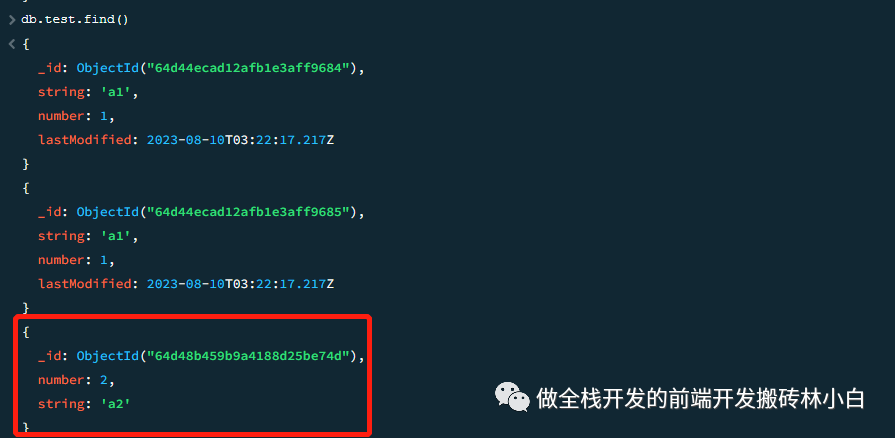
个人博客 整理mongodb文档:改 求关注,求批评,求进步 文章概叙 本文主要讲的是mongodb的updateOne以及updateMany,主要还是在shell下进行操作,也讲解下主要的参数upsert以及更新的参数。 数据准备 本次需要准备的数据不是很多…...
【设计模式】单例模式
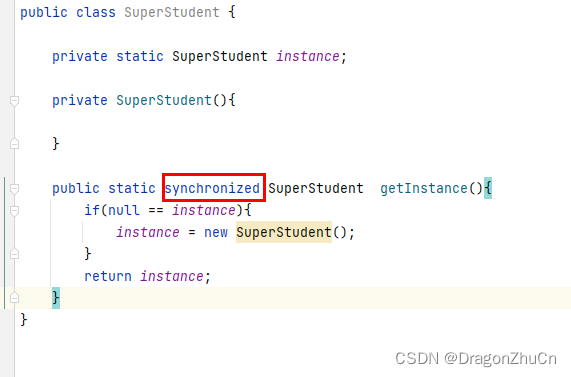
什么是单例模式? 保证一个类仅有一个实例,并提供一个访问它的全局访问点 单例模式的应用场景 1.整个程序的运行中只允许有一个类的实例; 2.需要频繁实例化然后销毁的对象。 3.创建对象时耗时过多或者耗资源过多,但又经常用到…...
原神角色数据分析-2)
(2)原神角色数据分析-2
功能一: 得到某个属性的全部角色,将其封装在class中 """各元素角色信息:一对多""" from pandas import DataFrame, Series import pandas as pd import numpy as npclass FindType:# 自动执行,将…...

138. 复制带随机指针的链表
138. 复制带随机指针的链表 题目-中等难度示例1. 题目-中等难度 给你一个长度为 n 的链表,每个节点包含一个额外增加的随机指针 random ,该指针可以指向链表中的任何节点或空节点。 构造这个链表的 深拷贝。 深拷贝应该正好由 n 个 全新 节点组成&…...

Windows中redis怎么设置密码
设置密码有两种方式,用过第一种可以 1. 命令行设置密码。 运行cmd切换到redis根目录,先启动服务端 >redis-server.exe 另开一个cmd切换到redis根目录,启动客户端 >redis-cli.exe -h 127.0.0.1 -p 6379 客户端使用config get requ…...
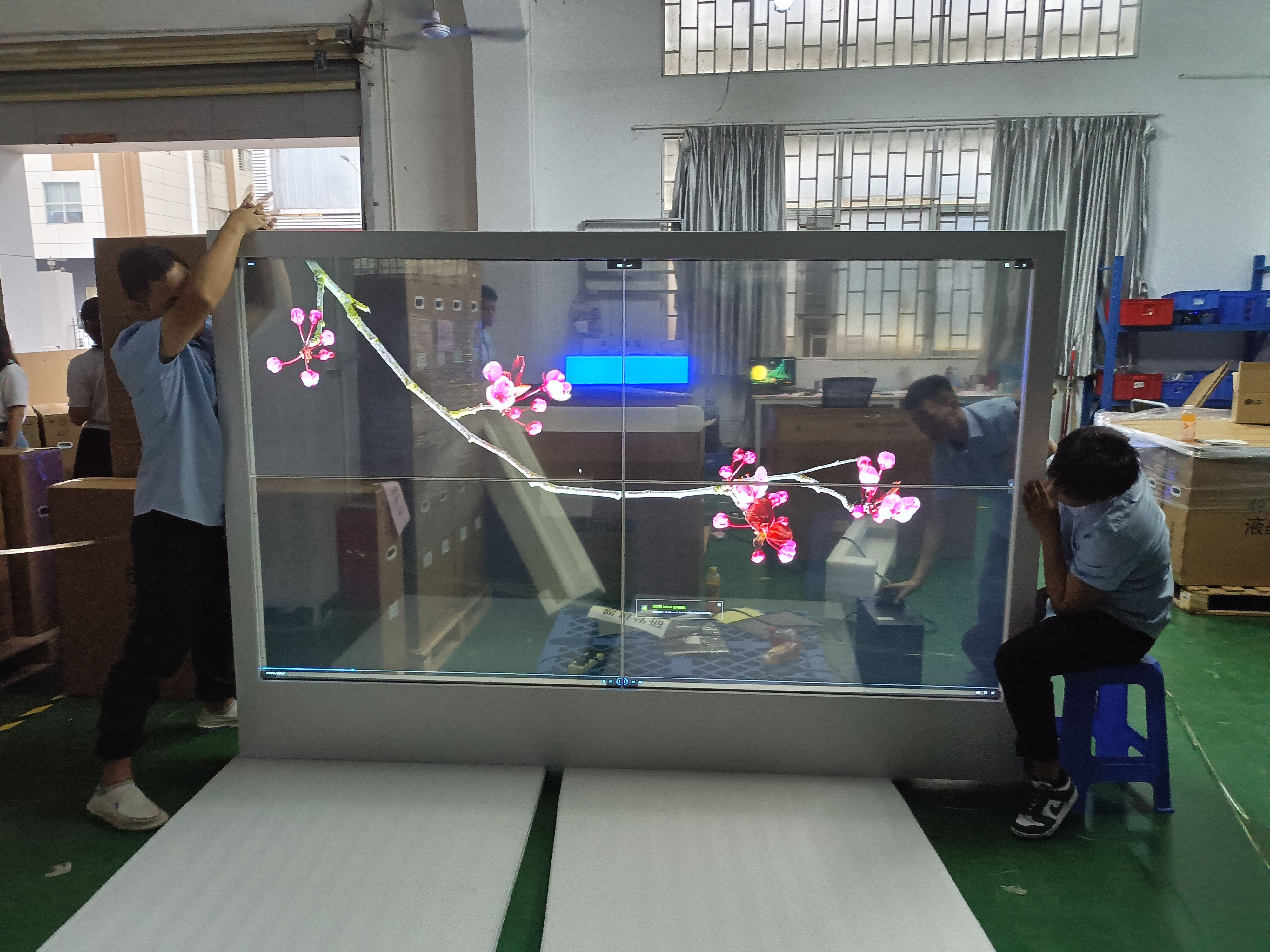
租赁OLED透明屏:打造独特商业体验的智慧选择
近年来,OLED透明屏技术在商业领域中迅速崛起,其高透明度和卓越的图像质量为商家创造了全新的展示方式。 租赁OLED透明屏作为一种智慧选择,不仅能提升品牌形象和吸引力,还能创造与众不同的视觉体验。 对此,尼伽将和大…...
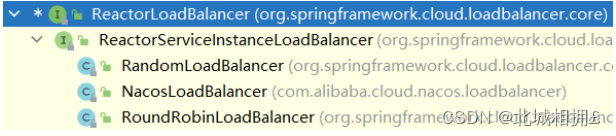
Nacos服务治理—负载均衡
引入负载均衡 在消费方引入负载均衡机制,同时简化获取服务提供者信息的流程 Spring Cloud引入组件LoadBalance实现负载均衡 添加依赖 <dependency> <groupId>org.springframework.boot</groupId> <artifactId>spring-boot-starter-web<…...
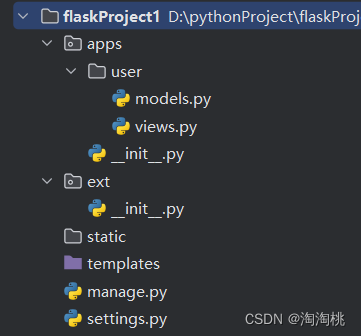
flask-----初始项目架构
1.初始的项目目录 -apps 包 ------存放app -user文件夹 -------就是一个app -models.py --------存放表模型 -views.py -------存放主代码 -ext包 -init.py -------实例化db对象 -manage.py -----运行项目的入口 -setting.py -----配置文件 2.各文件内容 manage…...
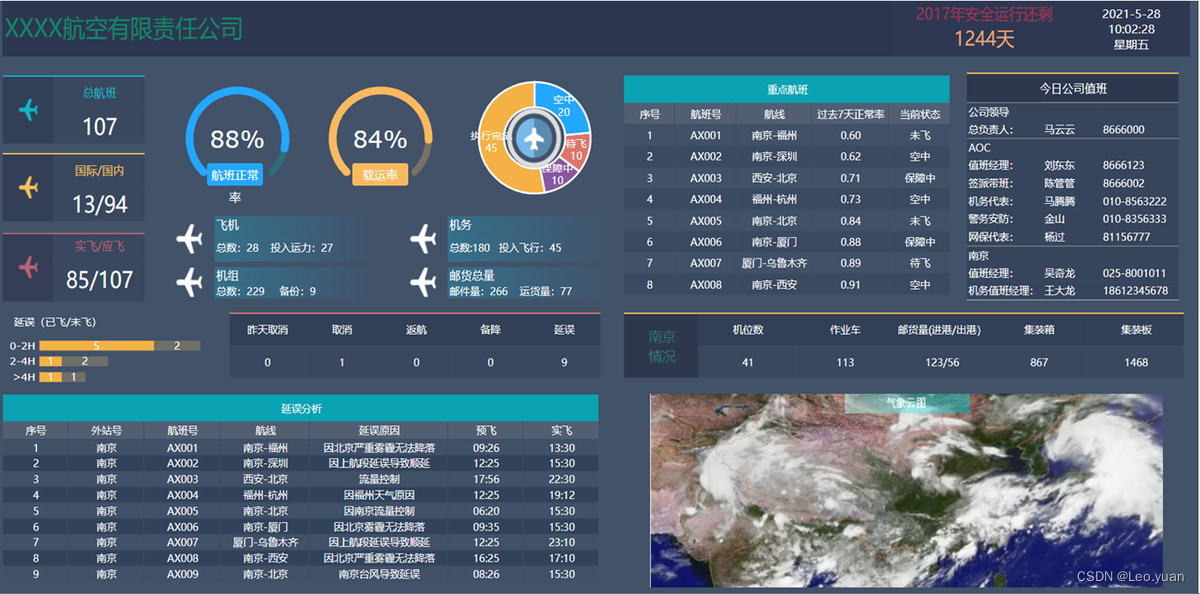
揭秘史上最全可视化大屏模板,00后亲测好用到离谱,效率加速99%
前几天老陈公司刚入职的一个00后,昨天被领导叫到办公室怒批了一个小时,我在外面都能听到领导的怒吼声,直接骂他是个垃圾,屁用没有,学都白上了。一个180的大高个小伙,直接被骂到痛哭流涕,走出办公…...
nginx基于主机和用户访问控制以及缓存简单例子
一.基于主机访问控制 1.修改nginx.conf文件 2.到其他主机上测试 (1)191主机 (2)180主机 二.基于用户访问控制 1.修改nginx.conf文件 2.使用hpasswd为用户创建密码文件,并指定到刚才指定的密码文件webck 3.测试…...

React使用antd的图片预览组件,点击哪个图片就预览哪个的设置
使用了官方推荐的相册模式的预览,但是点击预览之后,每次都是从图片列表的第一张开始预览,而不是点击哪张就从哪张开始预览: 所以这里我就封装了一下,对初始化预览的列表进行了逻辑处理: 当点击开始预览的…...

排序的介绍
排序算法介绍 排序是计算机内经常进行的一种操作,其目的是将一组“无序”的记录序列调整为“有序”的记录序列 粗暴理解 将杂乱无章的数据元素,通过一定的方法按照关键字顺序排列的过程叫做排序 排序分内部排序和外部排序,若整个排序过程不需…...

appuploader使用教程
转载:appuploader使用教程 目录 问题解决秘籍 登录失败 don’t have access,提示没权限或同意协议 上传后在app管理中心找不到版本提交 不是等待上传状态 提示已经上传过包 上传提示tcpPort or udpPorts错误 上传提示已经有进程在上传 保存上传专用密码提示…...
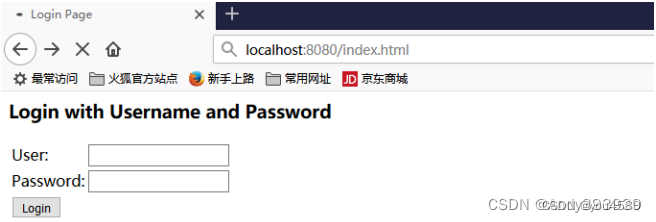
企业权限管理(七)-权限操作
1. 数据库与表结构 1.1 用户表 1.1.1 用户表信息描述 users 1.1.2 sql语句 CREATE TABLE users( id varchar2(32) default SYS_GUID() PRIMARY KEY, email VARCHAR2(50) UNIQUE NOT NULL, username VARCHAR2(50), PASSWORD VARCHAR2(50), phoneNum VARCHAR2(20), STATUS INT )…...
【深度学习笔记】TensorFlow 常用函数
TensorFlow 提供了一些机器学习中常用的数学函数,并封装在 Module 中,例如 tf.nn Module 提供了神经网络常用的基本运算,tf.math Module 则提供了机器学习中常用的数学函数。本文主要介绍 TensorFlow 深度学习中几个常用函数的定义与用法&…...
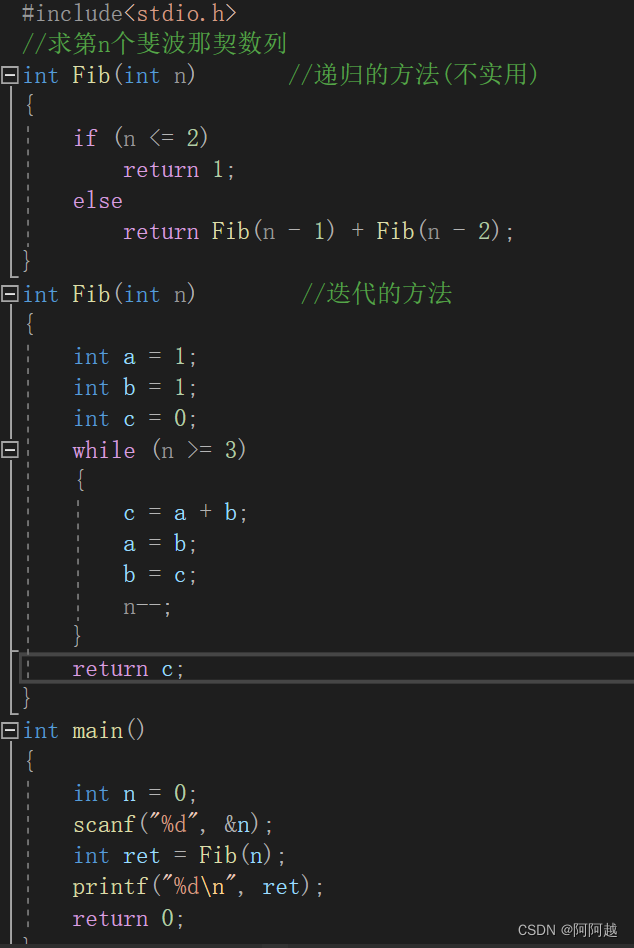
函数的递归与迭代
递归经典问题:(自行尝试) 1、汉诺塔问题 2、青蛙跳台阶问题 练习1、 练习2、...
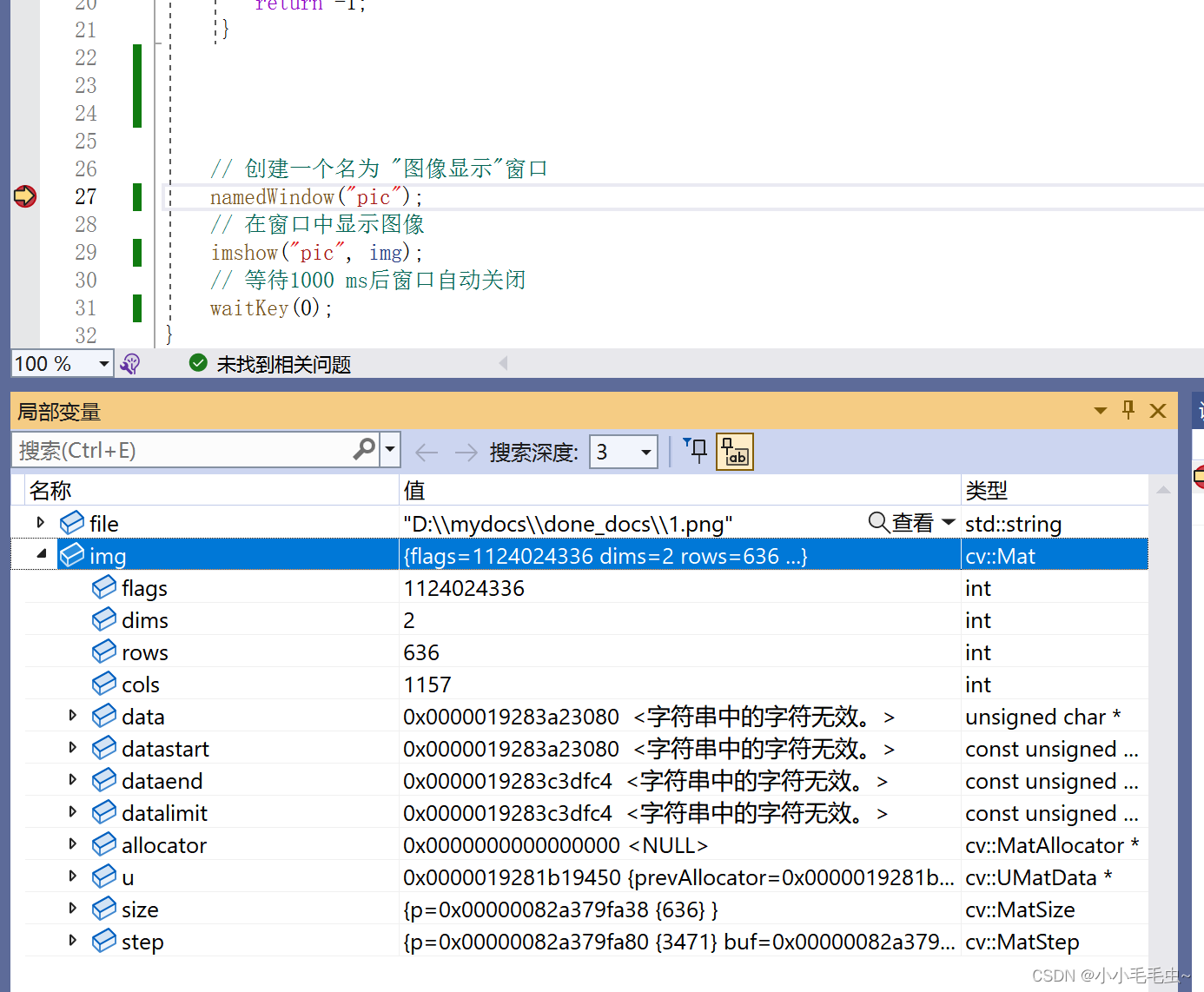
win10 + VS2022 安装opencv C++
最近需要用到C opencv,看了很多帖子都需要自己编译opencv源码。为避免源码编译,可以使用VS来配置opencv C。下面是主要过程: 目录 1. 从官网下载 opencv - Get Started - OpenCV 2. 点击这个exe文件进行安装 3. 配置环境变量 4. VS中的项…...

nginx反向代理及负载均衡的实现
目录 1.nginx反向代理 2.nginx负载均衡 3.nginx反向代理及负载均衡实现 nginx反向代理 4台主机都需要的操作: 两台服务器操作: 两台主机服务器进行测试; nginx负载均衡配置 4.nginx配置其他参数 多虚拟机访问 后端服务器日志中需要…...

Tomcat部署SpringBoot项目
1.修改打包方式 pom.xml 里 加上 <packaging>war</packaging>2.移除内嵌的Tomcat <dependency><groupId>org.springframework.boot</groupId><artifactId>spring-boot-starter-tomcat</artifactId><scope>provided</scope…...

逆向工程趣谈:如何通过残缺的重定位表‘猜’出C代码中的秘密数组名?
逆向工程趣谈:如何通过残缺的重定位表‘猜’出C代码中的秘密数组名? 当你面对一个被故意混淆了符号名的目标文件时,那种感觉就像拿到了一张被墨水涂改过的藏宝图。最近我在分析一个名为phase5.o的目标文件时,就遇到了这样的挑战—…...
)
Matlab串口通信上位机开发:从零搭建实时数据采集系统(附完整代码)
Matlab串口通信上位机开发实战:从零构建工业级数据采集系统 在工业自动化、物联网设备调试和科研实验数据采集领域,串口通信作为最基础也最可靠的数据传输方式,至今仍发挥着不可替代的作用。Matlab凭借其强大的数值计算能力和丰富的可视化工具…...

2.76亿|国网浙江电力 2026 年第一次物资框架采购成交候选人名单出炉
4月3日,国网浙江电力2026年第一次物资类框架协议竞争性谈判采购推荐的成交候选人名单公示(采购编号:ZBGW26-003),涵盖线路防雷、通信配件、量子加密模组、带电作业机器人附件等 23 类细分品类。中标总金额27552.5万元&…...

Omron NJ/NX程序:自动化控制与智能人机交互的集成
omron欧姆龙NJ/NX程序 欧姆龙NJ501-1300,欧姆龙NB系列触摸屏,分布式总线控制,CJ1W-DRM21模块通信主从站控制。 全自动马达电机组装机,整机采用EtherCAT总线网络节点控制, 欧姆龙R88D系列总线伺服,发那科机…...
)
推三返一小程序(源码部署)
推三返一小程序源码部署指南环境准备确保已安装Node.js(建议版本14)、微信开发者工具、MySQL数据库(或云数据库)。 克隆或下载推三返一小程序源码至本地,检查package.json确认依赖完整性。后端配置修改server/config.j…...

HTTP/3 QUIC 协议深度解析:从 Wireshark 抓包到性能优化实战
1. HTTP/3 QUIC 协议为何成为技术焦点 最近两年,每当我和团队讨论网络优化方案时,HTTP/3 QUIC 总是绕不开的话题。记得去年优化一个海外直播项目时,我们被TCP的队头阻塞折磨得够呛——明明服务器带宽充足,观众端却频繁卡顿。直到切…...

[Linux][虚拟串口]x一个特殊的字节辟
简介 langchain专门用于构建LLM大语言模型,其中提供了大量的prompt模板,和组件,通过chain(链)的方式将流程连接起来,操作简单,开发便捷。 环境配置 安装langchain框架 pip install langchain langchain-community 其中…...

Qwen3.5-9B-AWQ-4bit智能Agent框架实践:自动化工作流设计
Qwen3.5-9B-AWQ-4bit智能Agent框架实践:自动化工作流设计 1. 引言 想象一下,你每天需要花费数小时收集行业数据、分析趋势、撰写报告。这种重复性工作不仅耗时耗力,还容易出错。现在,借助Qwen3.5-9B-AWQ-4bit模型和智能Agent框架…...

【RocketMQ】消息重试机制深度解析:从异常处理到死信队列的最佳实践
1. RocketMQ消息重试机制全景解读 第一次接触RocketMQ的重试功能时,我踩过一个坑:线上系统突然出现大量消息堆积,排查后发现是消费者处理异常导致消息不断重试。这个经历让我深刻认识到,理解消息重试机制是保障分布式系统可靠性的…...
)
从激光雷达到摄像头:手把手教你用知识蒸馏提升单目3D检测性能(以UniDistill为例)
从激光雷达到单目视觉:UniDistill框架下的跨模态3D检测实战指南 当自动驾驶车辆在暴雨中行驶时,激光雷达点云变得稀疏,而摄像头图像因雨滴模糊失真——这正是跨模态知识蒸馏技术大显身手的场景。本文将带您深入UniDistill框架的核心ÿ…...