
Vue+SpringBoot项目开发:登录页面美化,登录功能实现(三)
写在开始:一个搬砖程序员的随缘记录
上一章写了从零开始Vue+SpringBoot后台管理系统:Vue3+TypeScript项目搭建
Vue+TypeScript的前端项目已经搭建完成了
这一章的内容是引入element-plus和axios实现页面的布局和前后端数据的串联,实现一个登陆的功能,跳转到首页
现在前端项目的一个结构目录

文章目录
- 一、引入element-plus
- 1、登录页面构建
- 2、登录页面加入校验
- 二、引入axios
- 1、下载axios
- 2、配置axios
- 3、请求后端数据跨域处理
- 4、首页
- 5、实现登录
一、引入element-plus
npm i element-plus
在src/main.js中加入element-plus
import { createApp } from 'vue'
import App from './App.vue'
import router from './router'
import ElementPlus from 'element-plus'
import 'element-plus/dist/index.css'createApp(App).use(router).use(ElementPlus).mount('#app')
1、登录页面构建
修改登陆页面src/views/Login.vue
<template><el-form ref="form" :model="loginUser" label-width="55px" class="loginForm"><h3 class="login_title">登录</h3><el-form-item label="用户名"><el-input v-model="loginUser.username" placeholder="请输入用户名"></el-input></el-form-item><el-form-item label="密码"><el-input v-model="loginUser.password" type="password" placeholder="请输入密码"></el-input></el-form-item><el-form-item style="width: 100%"><el-button type="primary" style="width: 100%;background: #505458;border: none">登录</el-button></el-form-item></el-form>
</template><script lang="ts">
import { reactive } from 'vue'export default {name: 'Login',setup() {// 表单字段const loginUser = reactive({username: '',password: ''})return { loginUser }},
}
</script><style>
.loginForm {border-radius: 15px;background-clip: padding-box;margin: 90px auto;width: 350px;padding: 35px 35px 35px 35px;background: #fff;border: 1px solid #eaeaea;box-shadow: 0 0 25px #cac6c6;
}.login_title {margin: 0px auto 40px auto;text-align: center;color: #505458;
}</style>
运行项目可以看到现在的登录界面算比较美观了
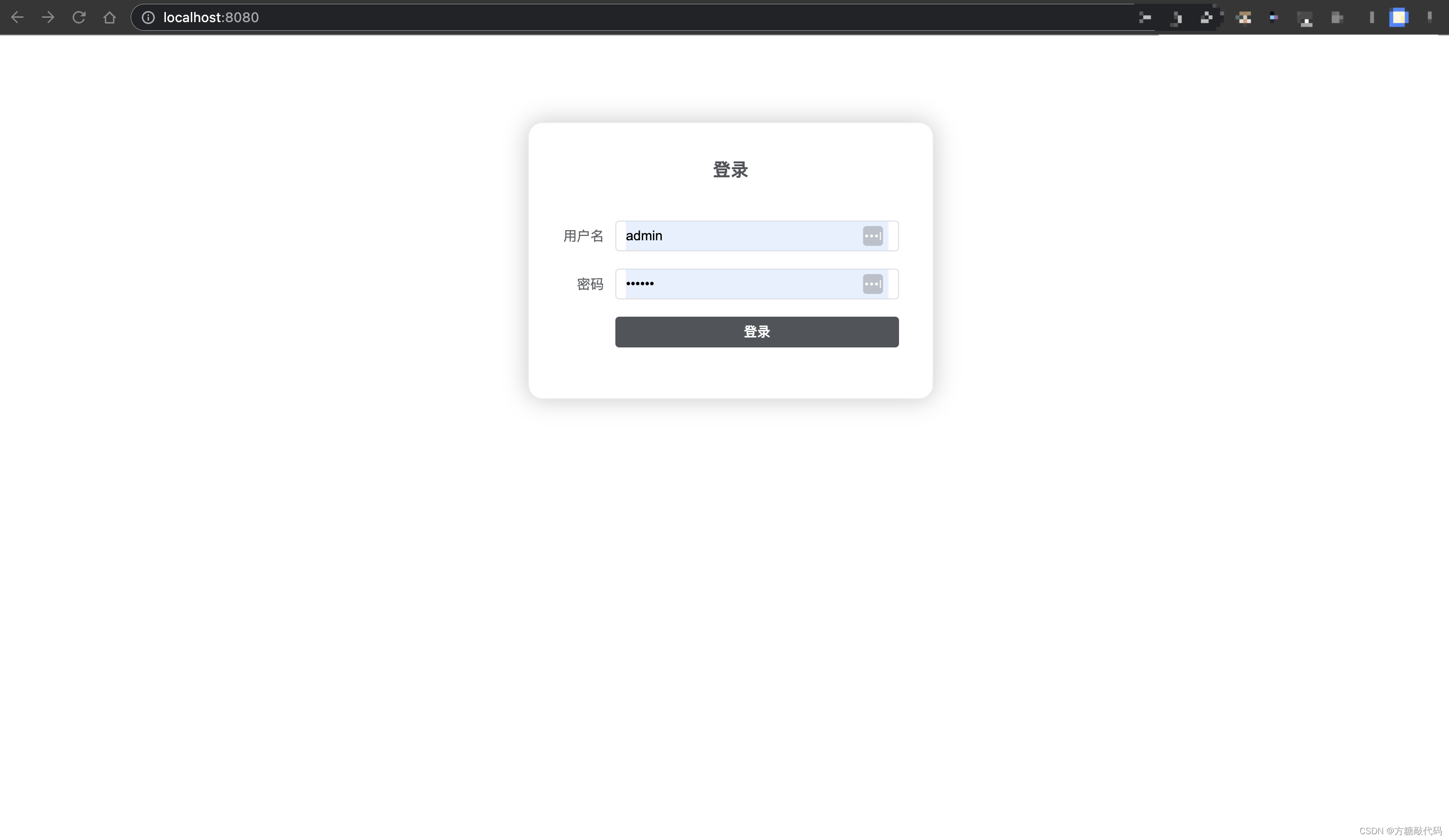
2、登录页面加入校验
现在给登录页面表单添加简单的校验规则
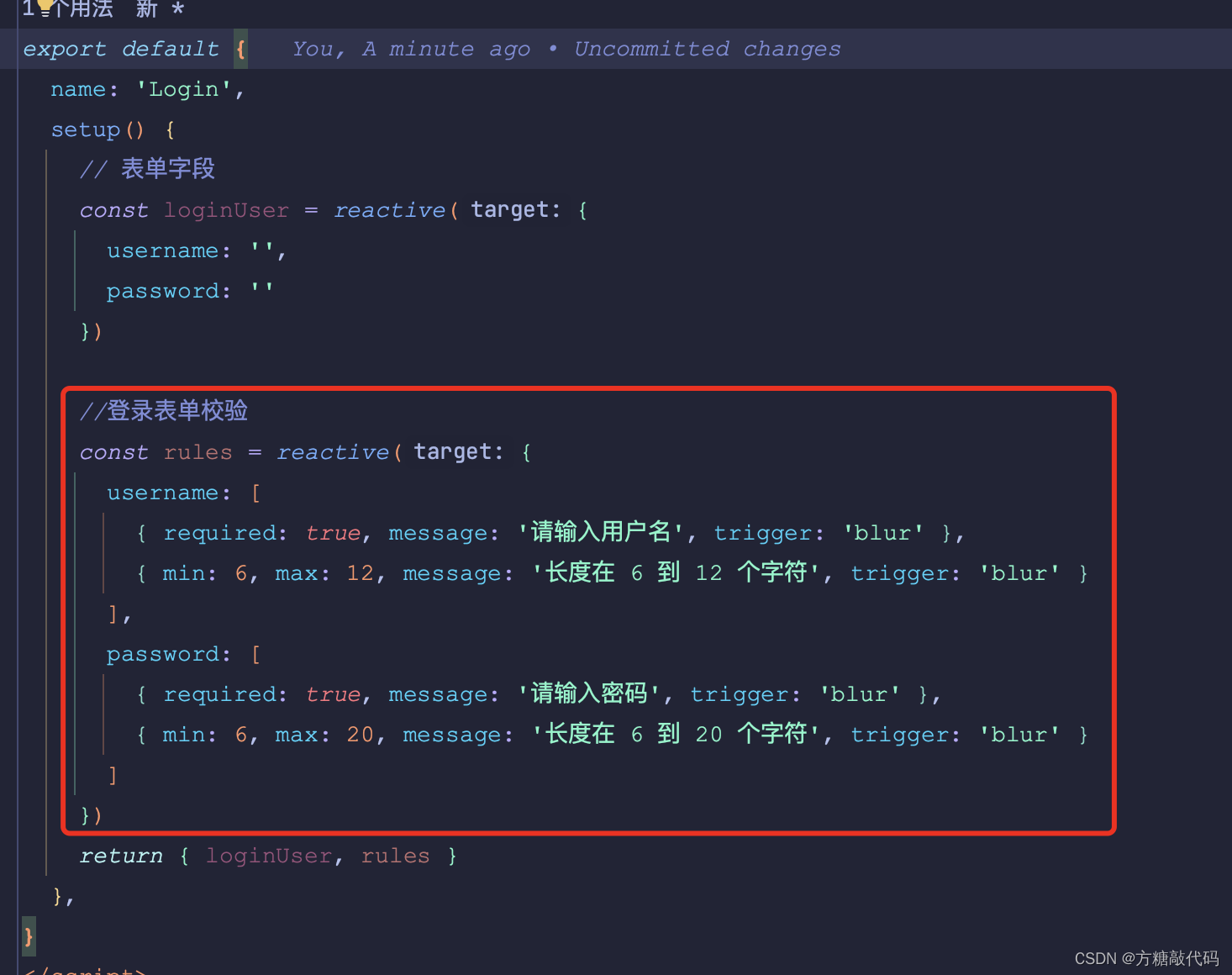
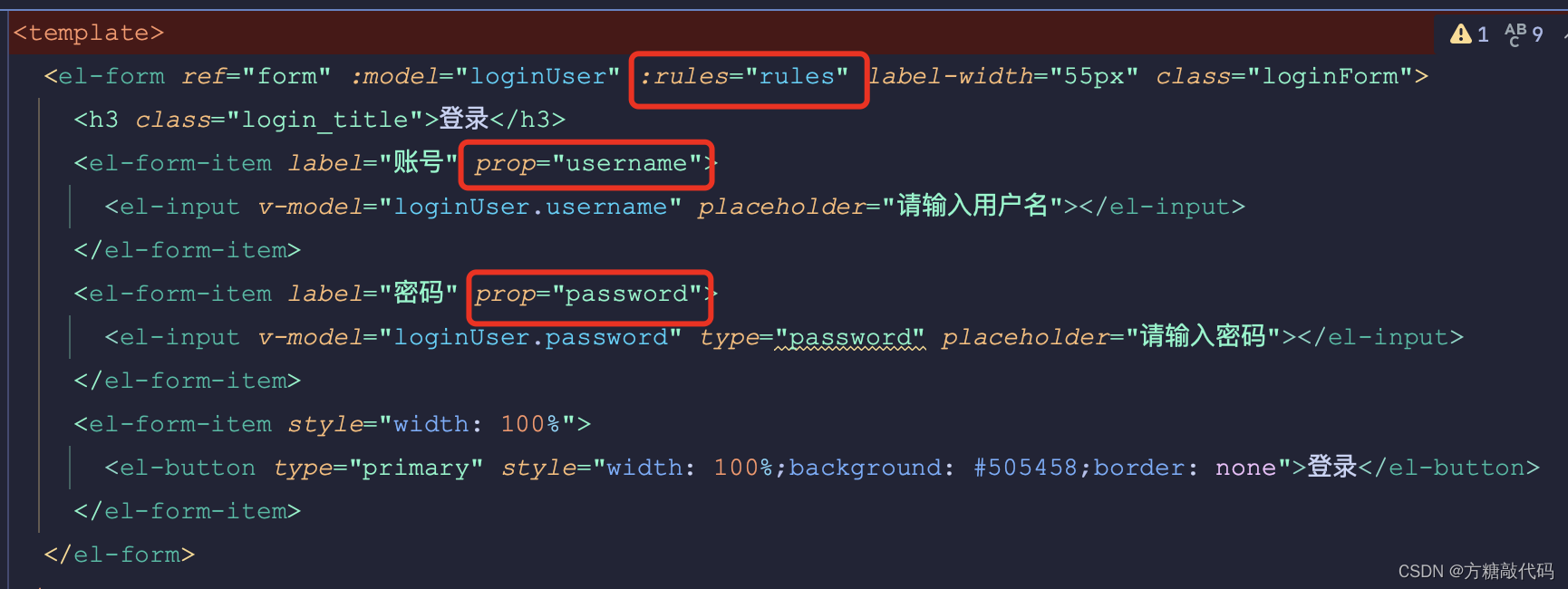
关键点:
script部分
template部分
加入表单校验Login.vue完整代码
<template><el-form ref="form" :model="loginUser" :rules="rules" label-width="55px" class="loginForm"><h3 class="login_title">登录</h3><el-form-item label="账号" prop="username"><el-input v-model="loginUser.username" placeholder="请输入用户名"></el-input></el-form-item><el-form-item label="密码" prop="password"><el-input v-model="loginUser.password" type="password" placeholder="请输入密码"></el-input></el-form-item><el-form-item style="width: 100%"><el-button type="primary" style="width: 100%;background: #505458;border: none">登录</el-button></el-form-item></el-form>
</template><script lang="ts">
import { reactive } from 'vue'export default {name: 'Login',setup() {// 表单字段const loginUser = reactive({username: '',password: ''})//登录表单校验const rules = reactive({username: [{ required: true, message: '请输入用户名', trigger: 'blur' },{ min: 6, max: 12, message: '长度在 6 到 12 个字符', trigger: 'blur' }],password: [{ required: true, message: '请输入密码', trigger: 'blur' },{ min: 6, max: 20, message: '长度在 6 到 20 个字符', trigger: 'blur' }]})return { loginUser, rules }},
}
</script><style>
.loginForm {border-radius: 15px;background-clip: padding-box;margin: 90px auto;width: 350px;padding: 35px 35px 35px 35px;background: #fff;border: 1px solid #eaeaea;box-shadow: 0 0 25px #cac6c6;
}.login_title {margin: 0px auto 40px auto;text-align: center;color: #505458;
}</style>
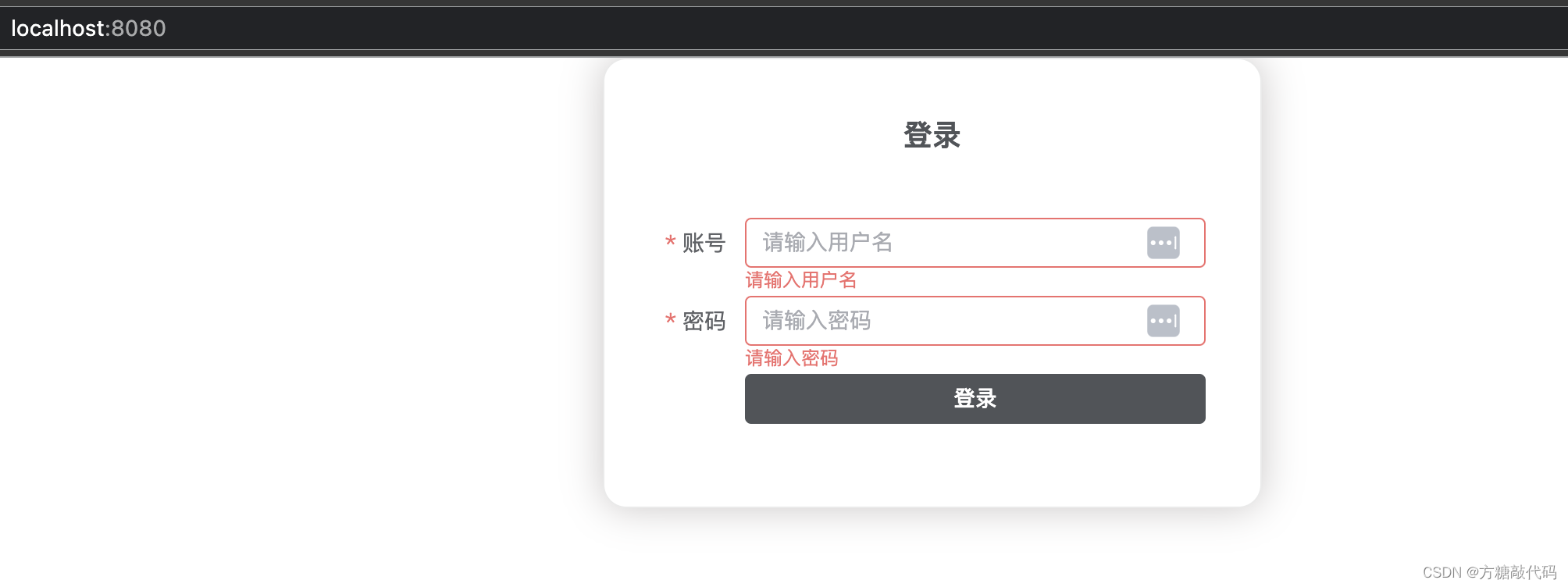
登录页面效果
二、引入axios
1、下载axios
npm i axios
2、配置axios
在src下新建api文件夹,在api文件夹下新建request.ts
import axios,{InternalAxiosRequestConfig,AxiosResponse} from 'axios'
import { ElLoading } from 'element-plus'
import { ElMessage } from 'element-plus'let loading:any;
const startLoading = () =>{interface Options{lock: boolean;text: string;background: string;}const options:Options = {lock: true,text: 'Loading',background: 'rgba(0, 0, 0, 0.7)'}loading = ElLoading.service(options)
}
const endLoading = ()=>{loading.close()
}// 请求拦截
axios.interceptors.request.use((config:InternalAxiosRequestConfig<any>)=>{// 开始LoadingstartLoading()return config
})//请求响应拦截
axios.interceptors.response.use((res:AxiosResponse<any, any>)=>{endLoading()// 成功直接返回响应数据if(res.status === 200){return res.data}
},error=>{endLoading()const { response: res } = errorconst msg = typeof res.data === 'string' ? res.data: res.data.error || '请求错误,请稍后重试'ElMessage.error(msg)// 错误提醒return Promise.reject(error)
})export default axios
在main.ts中引入axios,全局挂载axios
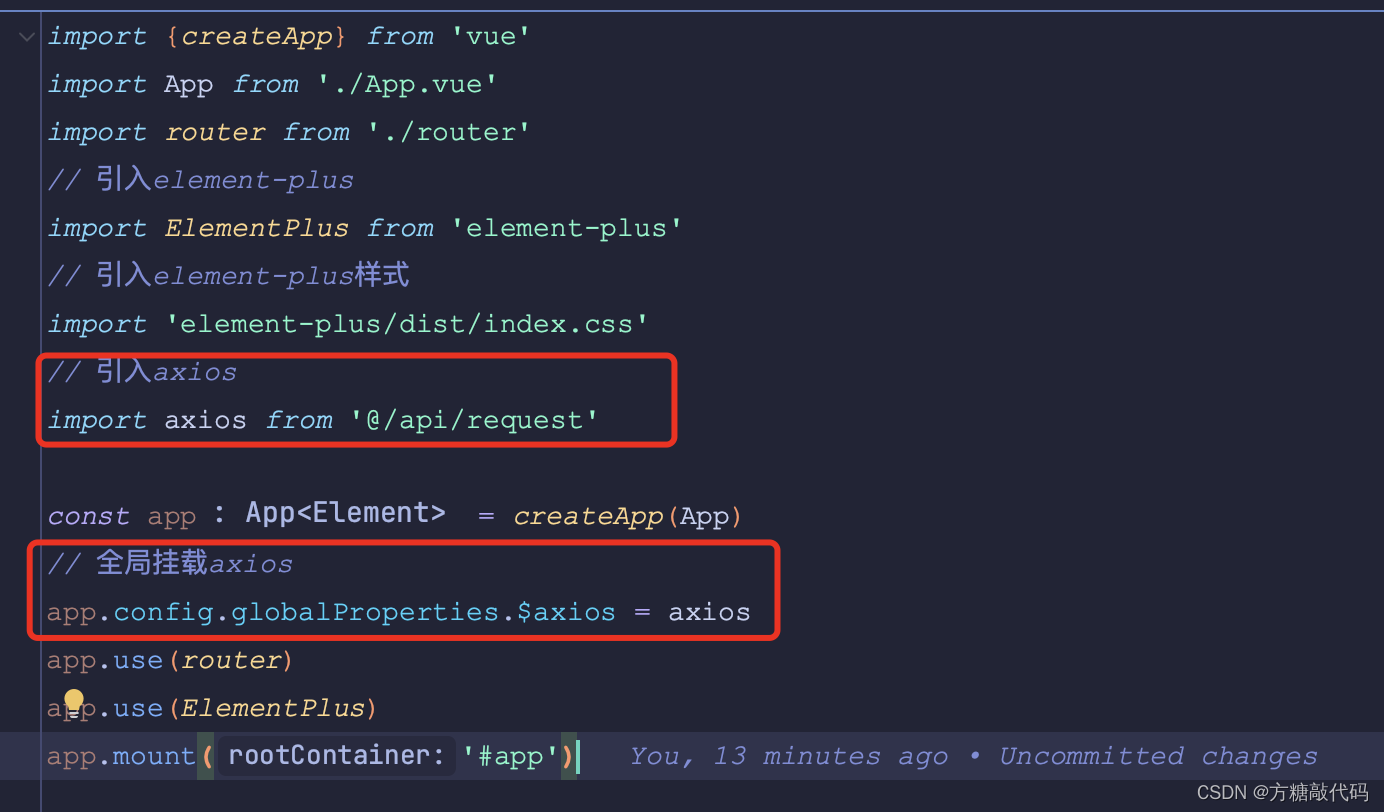
main.ts完整代码
import {createApp} from 'vue'
import App from './App.vue'
import router from './router'
// 引入element-plus
import ElementPlus from 'element-plus'
// 引入element-plus样式
import 'element-plus/dist/index.css'
// 引入axios
import axios from '@/api/request'const app = createApp(App)
// 全局挂载axios
app.config.globalProperties.$axios = axios
app.use(router)
app.use(ElementPlus)
app.mount('#app')
3、请求后端数据跨域处理
在项目根目录新建 vue.config.js 文件
module.exports = {devServer: {open: true,//前端项目域名host: 'localhost',//前端项目端口port: 8081,https: false,//配置跨域proxy: {'/api': {//后端项目请求接口地址target: 'http://localhost:8082/api/',//如果要代理 websockets,配置这个参数ws: true,//允许跨域changOrigin: true,pathRewrite: {//请求的时候使用这个api就可以'^/api': ''}}}}
}
4、首页
在src/views下新建首页页面Home.vue
<template><div>首页</div>
</template><script>export default {name: 'Index'}
</script>
5、实现登录
加入请求登录方法

在页面中点击登录按钮时请求登录方法
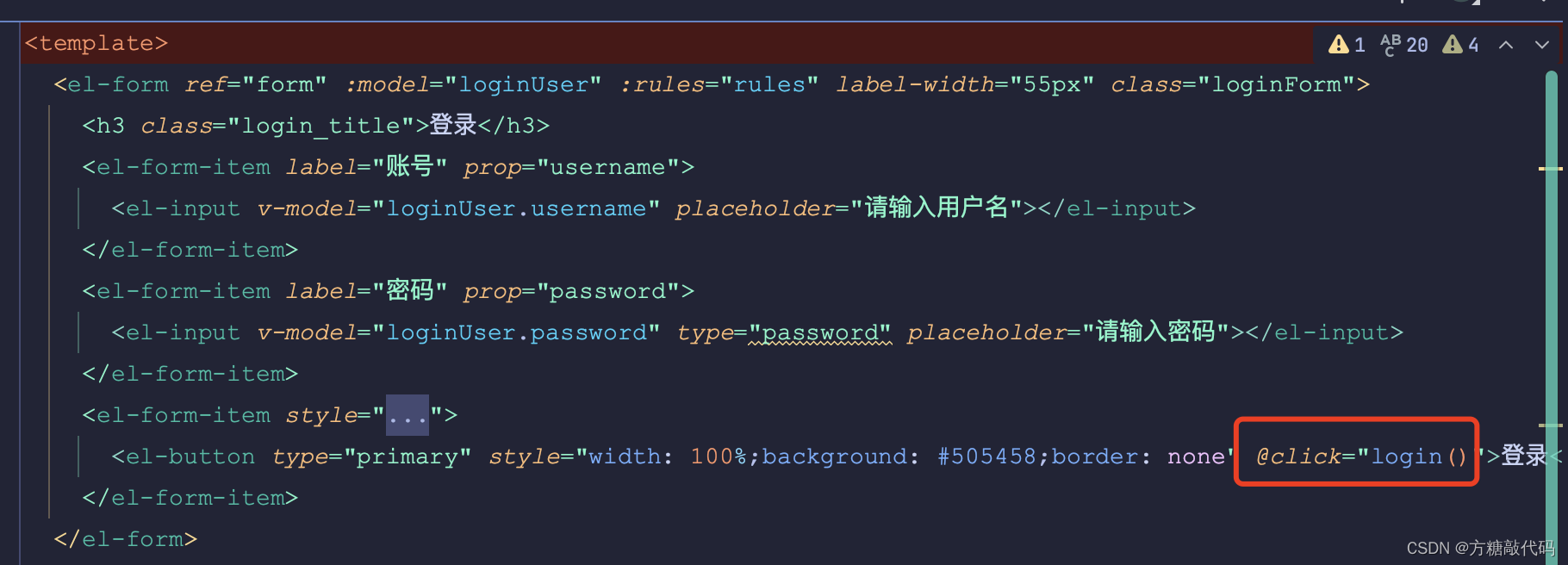
登录方法代码
const login = () => {proxy.$axios({url: '/api/user/login',method: 'post',data: loginUser}).then((res: any) => {if (res.code == 200) {proxy.$message({message: '登录成功',type: 'success'})router.push('/home')} else {proxy.$message({message: res.data.msg,type: 'error'})}})console.log('login')}
Login.vue整体代码
<template><el-form ref="form" :model="loginUser" :rules="rules" label-width="55px" class="loginForm"><h3 class="login_title">登录</h3><el-form-item label="账号" prop="username"><el-input v-model="loginUser.username" placeholder="请输入用户名"></el-input></el-form-item><el-form-item label="密码" prop="password"><el-input v-model="loginUser.password" type="password" placeholder="请输入密码"></el-input></el-form-item><el-form-item style="width: 100%"><el-button type="primary" style="width: 100%;background: #505458;border: none" @click="login()">登录</el-button></el-form-item></el-form>
</template><script lang="ts">
import {reactive, getCurrentInstance} from 'vue'
import {useRouter} from 'vue-router'export default {name: 'Login',setup() {// @ts-ignoreconst {proxy} = getCurrentInstance()// 表单字段const loginUser = reactive({username: '',password: ''})//登录表单校验const rules = reactive({username: [{required: true, message: '请输入用户名', trigger: 'blur'},{min: 6, max: 12, message: '长度在 6 到 12 个字符', trigger: 'blur'}],password: [{required: true, message: '请输入密码', trigger: 'blur'},{min: 6, max: 20, message: '长度在 6 到 20 个字符', trigger: 'blur'}]})const router = useRouter()const login = () => {proxy.$axios({url: '/api/user/login',method: 'post',data: loginUser}).then((res: any) => {if (res.code == 200) {proxy.$message({message: '登录成功',type: 'success'})router.push('/home')} else {proxy.$message({message: res.data.msg,type: 'error'})}})console.log('login')}return {loginUser, rules, login}},
}
</script><style>
.loginForm {border-radius: 15px;background-clip: padding-box;margin: 90px auto;width: 350px;padding: 35px 35px 35px 35px;background: #fff;border: 1px solid #eaeaea;box-shadow: 0 0 25px #cac6c6;
}.login_title {margin: 0px auto 40px auto;text-align: center;color: #505458;
}
</style>
登录成功然后跳转到首页的功能就实现了
Over
相关文章:
Vue+SpringBoot项目开发:登录页面美化,登录功能实现(三)
写在开始:一个搬砖程序员的随缘记录上一章写了从零开始VueSpringBoot后台管理系统:Vue3TypeScript项目搭建 VueTypeScript的前端项目已经搭建完成了 这一章的内容是引入element-plus和axios实现页面的布局和前后端数据的串联,实现一个登陆的功能&#x…...
2.若依前后端分离版第一个增删查改
1.介绍 若依提供了代码生成功能,单表的CRUD可以直接用若依框架提供的代码生成进行创建。 2.实现 2.1 在数据库创建业务表test_teacher 2.2 生成代码 运行系统,进入菜单[系统工具]-》[代码生成],点击导入按钮,选择需要生成代码的表进行导…...

javaSE_2.2——【方法的介绍】
1.方法的定义 (1)方法声明的语法规则如下所示: [修饰符] 返回值类型 方法名称([参数列表]){// 方法体 } 方法修饰符:是一种关键字,用来描述方法、类、变量等各种元素的声明,一个程序可以同时拥有多个修饰…...

【02】基础知识:typescript数据类型
1、布尔类型 boolean let flag: boolean false2、数字类型 number let num: number 6 //十进制 let num2: number 0xf00d //十六进制 let num3: number 0b1010 //二进制 let num4: number 0o744 //八进制3、字符串类型 string 用双引号(“)或单引…...

DIP: NAS(Neural Architecture Search)论文阅读与总结(双份快乐)
文章地址: NAS-DIP: Learning Deep Image Prior with Neural Architecture SearchNeural Architecture Search for Deep Image Prior 参考博客:https://zhuanlan.zhihu.com/p/599390720 文章目录 NAS-DIP: Learning Deep Image Prior with Neural Architecture Search1. 方法…...
AI:02-基于深度学习的动物图像检索算法的研究
文章目录 一、算法原理二、代码实现三、实验结果四、总结深度学习在计算机视觉领域中的应用越来越广泛,其中动物图像检索算法是一个重要的应用场景。本文将介绍一种基于深度学习的动物图像检索算法,并提供相应的代码实现。 一、算法原理 本算法采用卷积神经网络(Convolutio…...
IDEA项目实践——Spring集成mybatis、spring当中的事务
系列文章目录 IDEA项目实践——创建Java项目以及创建Maven项目案例、使用数据库连接池创建项目简介 IDEWA项目实践——mybatis的一些基本原理以及案例 IDEA项目实践——动态SQL、关系映射、注解开发 IDEA项目实践——Spring框架简介,以及IOC注解 IDEA项目实践—…...
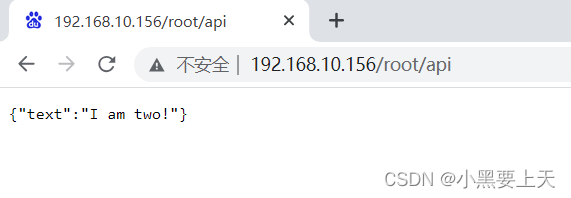
6-Ngnix配置反向代理
1.前提 虚拟机能连接外网 仿真http应用需在本虚拟机启用(原因:只有一台虚拟机做测试) http_8080和http_8081要启用(http测试应用) [rootcent79-2 ~]# ls -l http_* -rwxr-xr-x 1 root root 6391676 Jul 19 13:39 http_8080 -rwxr-xr-x 1 …...
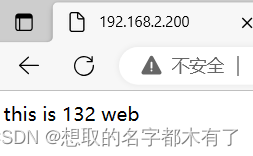
构建 LVS-DR 群集、配置nginx负载均衡。
目录 一、基于 CentOS 7 构建 LVS-DR 群集 1、准备四台虚拟机 2、配置负载调度器(192.168.2.130) 3、部署共享存储(192.168.2.133) 4、配置两个Web服务器(192.168.2.131、192.168.2.132) 测试集群 二…...

【UE4的垃圾回收】
UE4的垃圾回收 1 UObjects及子类1.1 UObjects类包含UObjects成员(UPROPERTY)1.2 UObjects类包含非UObjects成员 2 非UObject及子类2.1 非UObjects类包含UObjects成员12.2 非UObjects类包含UObjects成员22.3 非UOjbects类包含非UObjects成员 3 UStructs4 …...
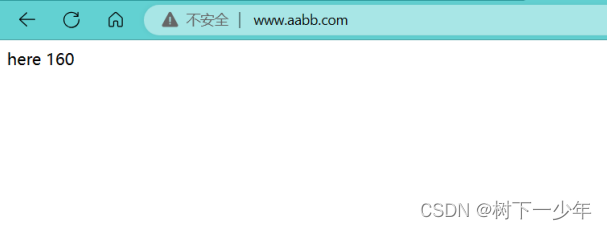
nginx负载均衡的几种配置方式介绍
一.负载均衡含义简介 二.nginx负载均衡配置方式 准备三台设备: 2.190均衡服务器,2.191web服务器1,2.160web服务器2,三台设备均安装nginx,两台web服务器均有网页内容 1.一般轮询负载均衡 (1)…...
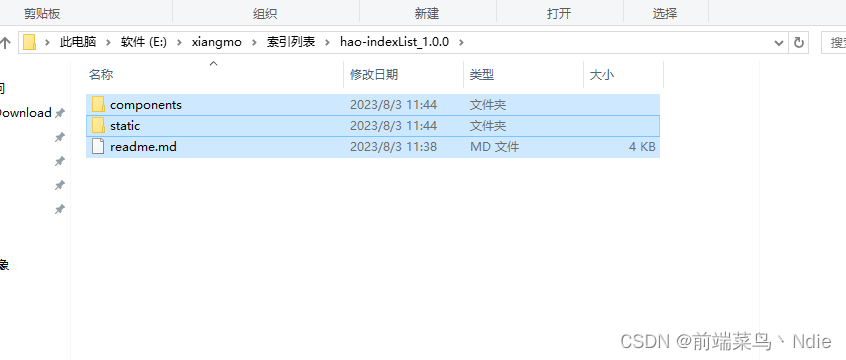
uniapp发布插件显示components/xxx文件没找到,插件格式不正确
uniapp发布插件显示components/xxx文件没找到,插件格式不正确 将插件文件这样一起选中,然后右键压缩成zip文件,而不是外层文件压缩...
Kubernetes(K8s)入门
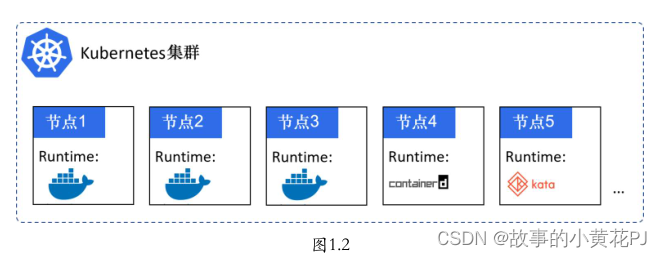
一、Kubernetes是什么 Kubernetes是什么? 首先,它是一个全新的基于容器技术的分布式架构领先方案。这个方案虽然还很新,但它是谷歌十几年以来大规模应用容器技术的经验积累和升华的一个重要成果。确切地说,Kubernetes是谷歌严格保密十几年的…...

[前端系列第3弹]JS入门教程:从零开始学习JavaScript
本文将带领大家,从零开始学习JavaScript,fighting~ 目录 一、JavaScript简介 二、变量和数据类型 三、注释和分号 四、算术运算符 五、表达式和语句 六、代码块和作用域 七、函数(最重要) 一、JavaScript简介 JavaScript&…...
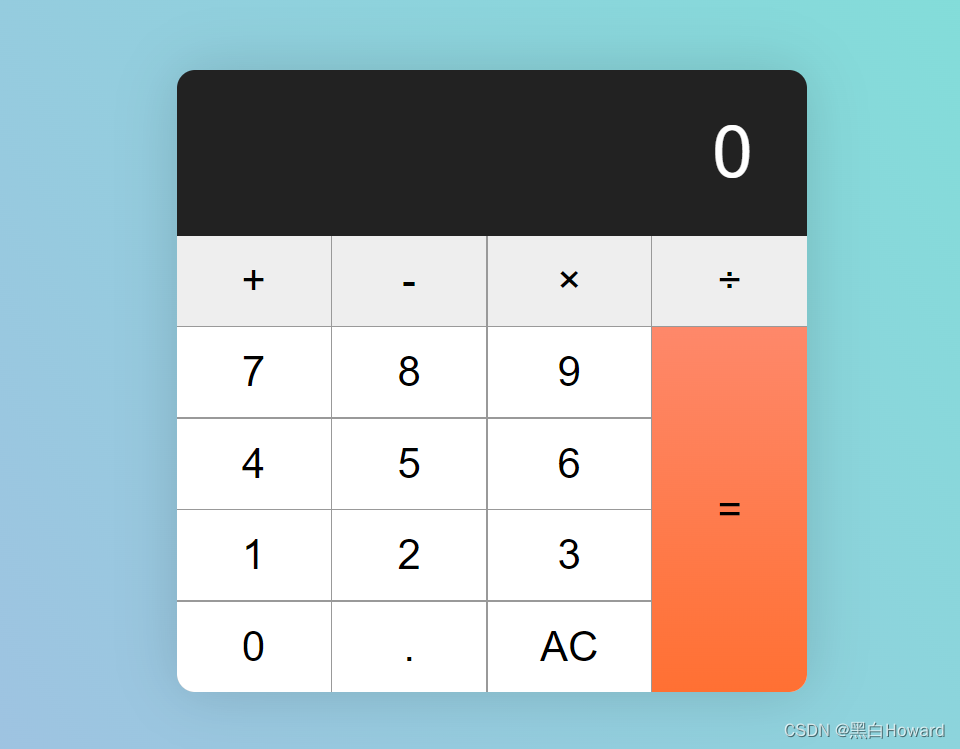
html 计算器界面
其他链接: https://www.freecodecamp.org/news/how-to-build-an-html-calculator-app-from-scratch-using-javascript-4454b8714b98/ https://codepen.io/pen/tour/welcome/start 下面展示一些 内联代码片。 <!DOCTYPE html> <html lang"en">…...
性能测试工具——LoadRunner(1)
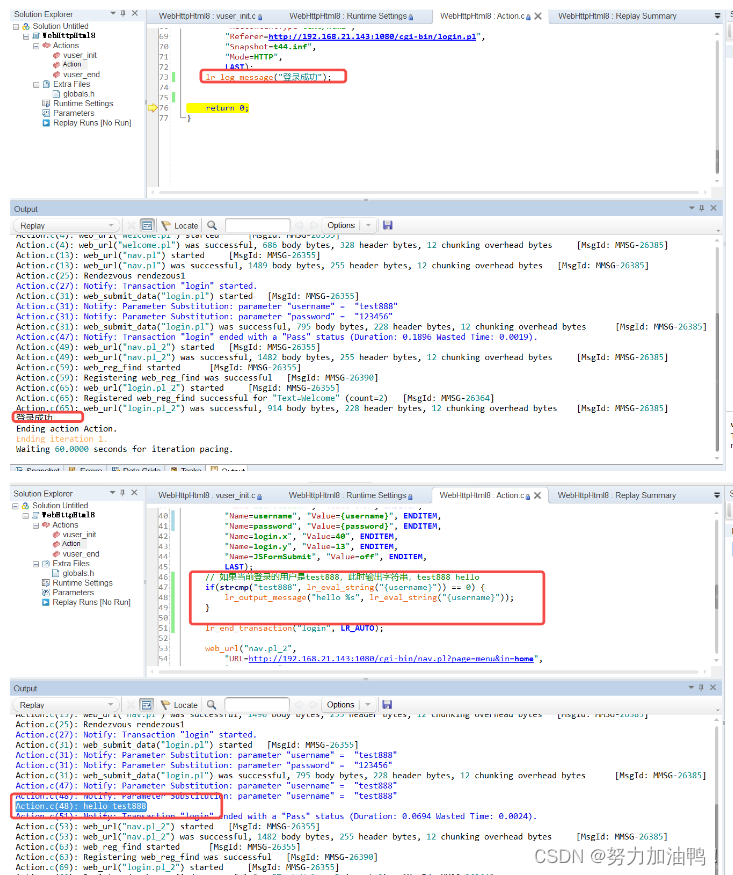
一、LoadRunner三大组件 1.1每个组件是干什么的 VUG:录制脚本(编写脚本) Controller:设计场景,运行场景 Analysis:产生性能测试报告 1.2三大组件之间的关系 二、LoadRunner脚本录制 2.1了解WebTours系统 启动WebTours…...
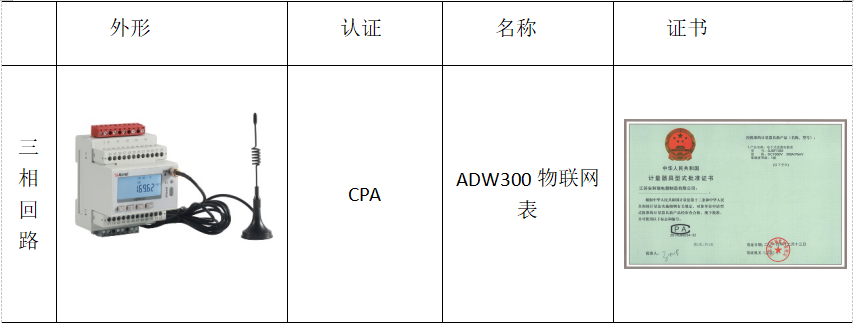
安科瑞物联网表在虚拟电厂的应用
安科瑞 崔丽洁 应用场景 一般应用于控制中心 功能 能计量当前组合有功电能,正向有功电能,反向有功电能,正向无功电能,反向无功电能; ADW300支持RS485通讯、LORA通讯、NB、4G及Wifi通讯; 三套时段表,一年可以…...

XSS和CSRF
web安全策略和同源策略的意义 如果登陆了一个网站,不小心又打开另一个恶意网站,如果没有安全策略,则他可以对已登录的网站进行任意的dom操作、伪造接口请求等,因此安全策略是必要的; 浏览器的同源策略限制了非同源的域…...

2.物联网LWIP网络
一。创建工程 1.Cubemx创建工程 (1)操作系统的时钟配置 (2)配置ETH 注意:根据底板原理图,不是核心板原理图 (3)配置USART1串口,配置为异步通信 注意:配置结…...

tomcat多实例与动静分离
实验:在一台虚拟机上配置多台tomcat 1.配置 tomcat 环境变量 vim /etc/profile.d/tomcat.sh source /etc/profile.d/tomcat.sh 2.修改 tomcat2 中的 server.xml 文件,要求各 tomcat 实例配置不能有重复的端口号 vim /usr/local/tomcat/tomcat2/conf/…...
)
FPGA高速通信实战:手把手教你用Vivado搭建Aurora 8B/10B IP核(附完整源码)
FPGA高速通信实战:从零构建Aurora 8B/10B全功能链路 在当今数据爆炸的时代,高速串行通信已成为FPGA设计中的核心需求。Xilinx的Aurora 8B/10B协议凭借其轻量级、低延迟和高带宽特性,成为芯片间、板卡间通信的理想选择。本文将带您从零开始&am…...

从‘木偶’到‘活人’:用Unity Avatar肌肉与自由度设置,解决角色动画穿模和僵硬问题
从‘木偶’到‘活人’:用Unity Avatar肌肉与自由度设置,解决角色动画穿模和僵硬问题 角色动画的"生命力"往往藏在细节里。当角色持枪瞄准时肩膀不自然地塌陷,弯腰拾取物品时腰部像木板一样僵硬,或是呼吸时胸腔毫无起伏—…...

LeetCode 123. Best Time to Buy and Sell Stock III 题解
LeetCode 123. Best Time to Buy and Sell Stock III 题解 题目描述 给定一个数组,它的第 i 个元素是一支给定的股票在第 i 天的价格。 设计一个算法来计算你所能获取的最大利润。你最多可以完成 两笔 交易。 注意: 你不能同时参与多笔交易(你…...

SMS Backup+技术评测:如何安全高效地备份安卓通信数据
SMS Backup技术评测:如何安全高效地备份安卓通信数据 【免费下载链接】sms-backup-plus Backup Android SMS, MMS and call log to Gmail / Gcal / IMAP 项目地址: https://gitcode.com/gh_mirrors/sms/sms-backup-plus 你是否曾因手机丢失、系统重置或设备更…...
]派生宏)
Rust的#[derive(Hash, PartialEq, Eq)]派生宏
Rust语言中的派生宏是简化代码的利器,其中#[derive(Hash, PartialEq, Eq)]的组合尤为实用。它允许开发者通过一行代码自动为结构体或枚举实现多个关键trait,大幅提升开发效率。对于需要哈希计算或相等比较的场景,这个宏能避免大量重复劳动。本…...

UCIe多模块链路训练实战:当你的4个Module训练结果不一致时,MMPL是怎么“和稀泥”的?
UCIe多模块链路训练实战:当你的4个Module训练结果不一致时,MMPL是怎么“和稀泥”的? 在芯片物理层设计中,UCIe(Universal Chiplet Interconnect Express)的多模块(Multi-Module)配置…...

ADS瞬态仿真实操:从数据手册参数到共射放大器波形,一步步验证你的设计
ADS瞬态仿真实战:从2N2222参数到共射放大器波形验证 在硬件设计领域,理论计算与仿真验证如同车之两轮,缺一不可。当我们翻开一本经典的模拟电路教材,共射放大器总是作为第一个实战案例出现——它简单到足以用一支三极管搭建&…...

告别枯燥理论!用Python+Matplotlib动手仿真通信原理:从ASK调制到星座图分析
告别枯燥理论!用PythonMatplotlib动手仿真通信原理:从ASK调制到星座图分析 通信原理常被视为电子工程领域最抽象的课程之一,充斥着大量数学公式和概念推导。但当我们用Python代码将这些理论可视化时,那些晦涩的术语会突然变得生动…...
)
从‘深分页’到‘游标分页’:一次订单导出性能提升500%的优化实录(附EasyExcel配置)
百万级订单导出性能跃迁:从深分页陷阱到游标分页实战 当系统需要导出百万级订单数据时,很多开发者会遭遇一个典型困境:明明已经采用分批查询策略,导出速度却依然缓慢如蜗牛。这背后往往隐藏着数据库深分页(Deep Pagina…...

基于CodeDefined Skill与 Agent Framework 的实践探索
上一节我们讲了 File-Based Skill,这一节介绍另外一种方式,直接用代码来写 Skill。简单说一下区别File-Based:用 SKILL.md 脚本 资源文件Code-Defined:全部写在代码里1. 创建项目 安装包先建一个控制台项目,然后把依…...