
开箱报告,Simulink Toolbox库模块使用指南(六)——S-Fuction模块(TLC)
文章目录
前言
Target Language Compiler(TLC)
C MEX S-Function模块
编写TLC文件
生成代码
Tips
分析和应用
总结
前言
见《开箱报告,Simulink Toolbox库模块使用指南(一)——powergui模块》
见《开箱报告,Simulink Toolbox库模块使用指南(二)——MATLAB Fuction模块》
见《开箱报告,Simulink Toolbox库模块使用指南(三)——Simscape 电路仿真模块》
见《开箱报告,Simulink Toolbox库模块使用指南(四)——S-Fuction模块》
见《开箱报告,Simulink Toolbox库模块使用指南(五)——S-Fuction模块(C MEX S-Function)》
Target Language Compiler(TLC)
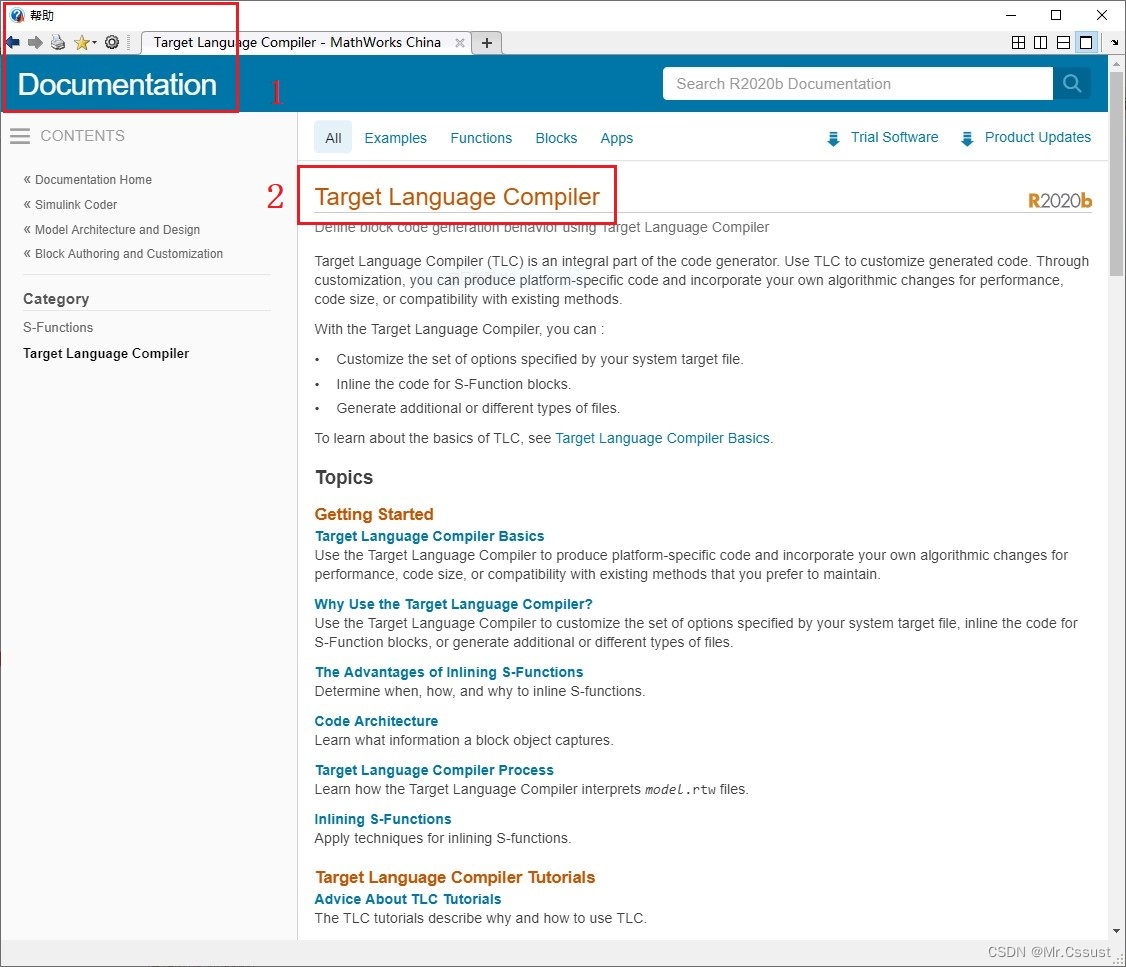
目标语言编译器(Target Language Compiler)代码生成器的重要组成部分。Mathworks官方Help对该部分内容的说明如下所示。
在使用Simulink自动生成代码时,Library中自带的模块可以顺利的生成代码,但是如果用户在Model中用到了自己开发的C MEX S-Function模块,Simulink就不知道这个模块如何生成代码了。TLC文件的作用就是,告诉Simulink自己想把C MEX S-Function模块生成一些什么样的代码,以及如何与Model中的其他内容互联融合。TLC及模型代码的生成过程如下图所示:
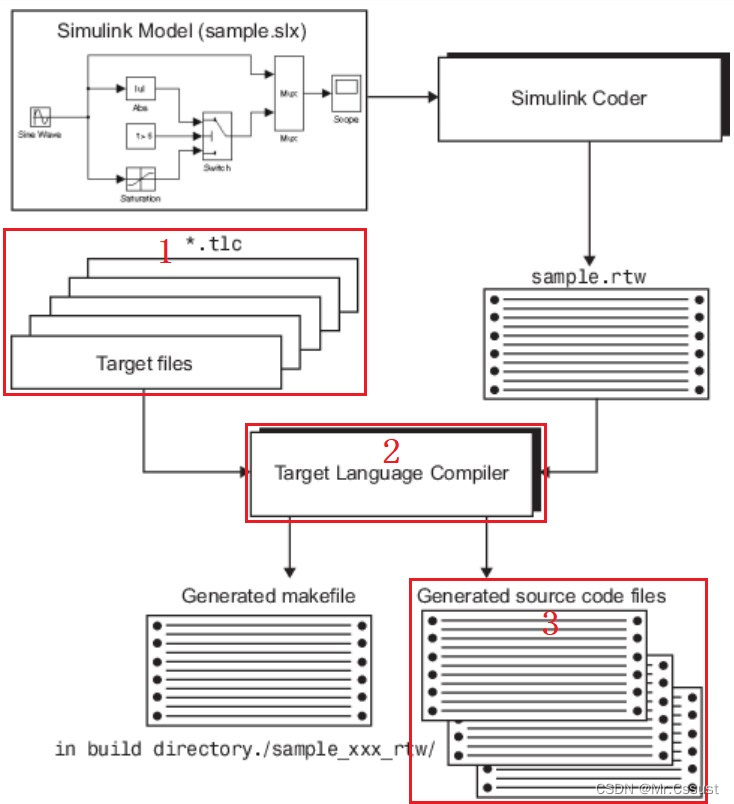
本文继续以DFT算法为例,介绍如何编写一个TLC文件,将C MEX S-Function模块生成代码。
C MEX S-Function模块
DFT算法的原理讲解和C MEX S-Function模块的开发在上一篇文章中已经完成了,见 《开箱报告,Simulink Toolbox库模块使用指南(五)——S-Fuction模块(C MEX S-Function)》。到这里仅仅是在Simulink中仿真时可以使用这样一个算法模块,本文是要把他生成C代码。由于算法中涉及了4个状态变量,对应到C语言中就要定义一组全局变量,这在TLC文件中实现会稍微麻烦一些。为了简化该过程,让大家更好地理解TLC,笔者对原有的C MEX S-Function模块进行了一些调整,将全局变量的定义放到了模块外面。如下图所示:
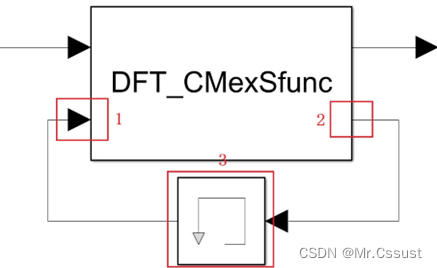
DFT_CMexSfunc.c中对应代码的调整如下:
//增加一个输入端口
if (!ssSetNumInputPorts(S, 2)) return;
ssSetInputPortWidth(S, 0, 1);
ssSetInputPortWidth(S, 1, 4); //新增的输入端口有4个信号//增加一个输出端口
if (!ssSetNumOutputPorts(S, 2)) return;
ssSetOutputPortWidth(S, 0, 1);
ssSetOutputPortWidth(S, 1, 4); //新增的输处端口有4个信号
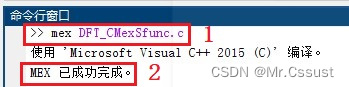
DFT_CMexSfunc.c调整后需要用mex命令重新编译,如下图所示:
编写TLC文件
在Model的Workspace文件夹下,新建一个DFT_CMexSfunc.tlc文件,编写tlc代码。写好后的完整内容如下,各部分代码的解释,以注释形式标注在对应位置。
%implements "DFT_CMexSfunc" "C"//与C MEX S-Function模块相对应%% Function: Outputs
%function Outputs(block, system) Output//定义一个输出函数%assign u = LibBlockInputSignal(0,"","",0)//获取输入信号
%assign u_count = LibBlockInputSignal(1,"","",0)
%assign u_t = LibBlockInputSignal(1,"","",1)
%assign u_cos_integ = LibBlockInputSignal(1,"","",2)
%assign u_sin_integ = LibBlockInputSignal(1,"","",3)%assign y = LibBlockOutputSignal(0,"","",0) //获取输出信号
%assign y_count = LibBlockOutputSignal(1,"","",0)
%assign y_t = LibBlockOutputSignal(1,"","",1)
%assign y_cos_integ = LibBlockOutputSignal(1,"","",2)
%assign y_sin_integ = LibBlockOutputSignal(1,"","",3)/%下面是要为C MEX S-Function模块生成的代码%/
if(%<u_count> < 5e3)//为了降低TLC复杂度,将常量L的值5e3直接写出来
{  %<y_cos_integ> = %<u_cos_integ> + %<u>*cos(2*3.14 * 50*%<u_t>);//将常量Freq的值50直接写出来%<y_sin_integ> = %<u_sin_integ> + %<u>*sin(2*3.14 * 50*%<u_t>);%<y_t> = %<u_t> + 1/10e3; //将常量Fs的值10e3直接写出来%<y_count> = %<u_count> + 1;
}
else if(%<u_count> == 5e3)
{%<y> = sqrt((%<u_cos_integ>/L*2)^2 + (%<u_sin_integ>/L*2)^2); //将过程变量real和imag用对应公式直接写出来%<y_count> = %<u_count> + 1;//避免无效运行消耗资源
}
else
{}%endfunction//结束函数定义
DFT_CMexSfunc.tlc文件保存在对应的路径下即可,不需要做额外的编译操作。
生成代码
C MEX S-Function模块调整后对应的完整模型如下:
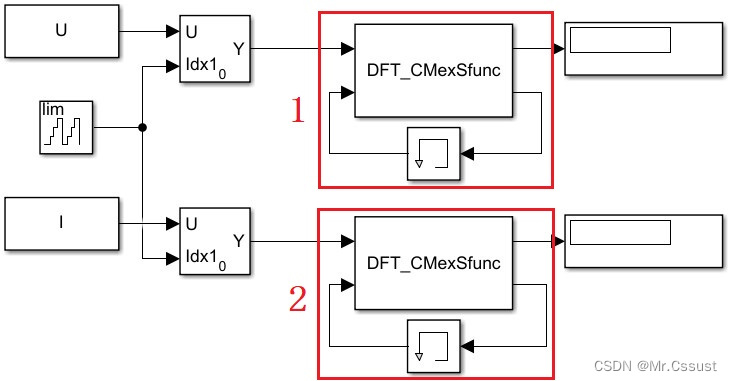
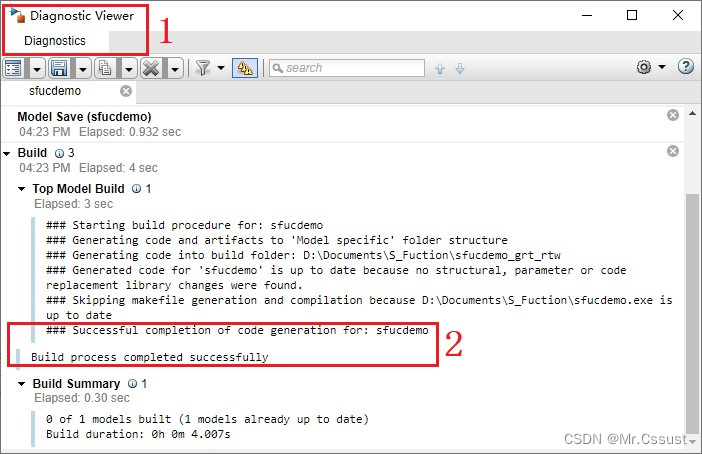
点击代码生成按钮 ,可以看到如下过程提示:
点击打开报告按钮 ,可以看到如下生成报告:
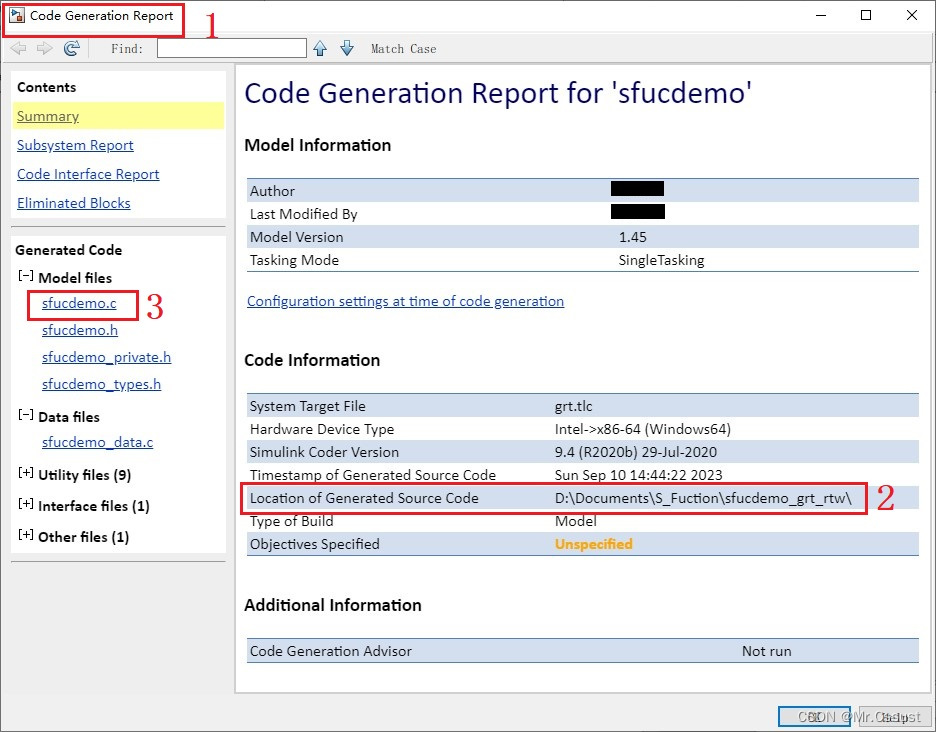
点击左侧的sfucdemo.c超链接,可以看到如下生成的代码,其中30行到140行是该模型主要功能的代码,40行到53行是与我们C MEX S-Function模块直接相关的代码。
File: sfucdemo.c
1	/*
2	 * sfucdemo.c
3	 *
4	 * Code generation for model "sfucdemo".
5	 *
6	 * Model version              : 1.45
7	 * Simulink Coder version : 9.4 (R2020b) 29-Jul-2020
8	 * C source code generated on : Sun Sep 10 14:44:22 2023
9	 *
10	 * Target selection: grt.tlc
11	 * Note: GRT includes extra infrastructure and instrumentation for prototyping
12	 * Embedded hardware selection: Intel->x86-64 (Windows64)
13	 * Code generation objectives: Unspecified
14	 * Validation result: Not run
15	 */
16
17	#include "sfucdemo.h"
18	#include "sfucdemo_private.h"
19
20	/* Block signals (default storage) */
21	B_sfucdemo_T sfucdemo_B;
22
23	/* Block states (default storage) */
24	DW_sfucdemo_T sfucdemo_DW;
25
26	/* Real-time model */
27	static RT_MODEL_sfucdemo_T sfucdemo_M_;
28	RT_MODEL_sfucdemo_T *const sfucdemo_M = &sfucdemo_M_;
29
30	/* Model step function */
31	void sfucdemo_step(void)
32	{
33	  /* Selector: '<Root>/Selector2' incorporates:
34	   *  Constant: '<Root>/Constant2'
35	   *  UnitDelay: '<S1>/Output'
36	   */
37	  sfucdemo_B.Selector2 =
38	    sfucdemo_ConstP.Constant2_Value[sfucdemo_DW.Output_DSTATE];
39
40	  /* S-Function (DFT_CMexSfunc): '<Root>/S-Function3' */
41	  if (sfucdemo_B.Memory[0] < 5e3) {
42	    sfucdemo_B.SFunction3_o2[2] = sfucdemo_B.Memory[2] + sfucdemo_B.Selector2*
43	      cos(2*3.14 * 50*sfucdemo_B.Memory[1]);
44	    sfucdemo_B.SFunction3_o2[3] = sfucdemo_B.Memory[3] + sfucdemo_B.Selector2*
45	      sin(2*3.14 * 50*sfucdemo_B.Memory[1]);
46	    sfucdemo_B.SFunction3_o2[1] = sfucdemo_B.Memory[1] + 1/10e3;
47	    sfucdemo_B.SFunction3_o2[0] = sfucdemo_B.Memory[0] + 1;
48	  } else if (sfucdemo_B.Memory[0] == 5e3) {
49	    sfucdemo_B.SFunction3_o1 = sqrt((sfucdemo_B.Memory[2]/L*2)^2 +
50	      (sfucdemo_B.Memory[3]/L*2)^2);
51	    sfucdemo_B.SFunction3_o2[0] = sfucdemo_B.Memory[0] + 1;
52	  } else {
53	  }
54
55	  /* Selector: '<Root>/Selector3' incorporates:
56	   *  Constant: '<Root>/Constant3'
57	   *  UnitDelay: '<S1>/Output'
58	   */
59	  sfucdemo_B.Selector3 =
60	    sfucdemo_ConstP.Constant3_Value[sfucdemo_DW.Output_DSTATE];
61
62	  /* S-Function (DFT_CMexSfunc): '<Root>/S-Function4' */
63	  if (sfucdemo_B.Memory1[0] < 5e3) {
64	    sfucdemo_B.SFunction4_o2[2] = sfucdemo_B.Memory1[2] + sfucdemo_B.Selector3*
65	      cos(2*3.14 * 50*sfucdemo_B.Memory1[1]);
66	    sfucdemo_B.SFunction4_o2[3] = sfucdemo_B.Memory1[3] + sfucdemo_B.Selector3*
67	      sin(2*3.14 * 50*sfucdemo_B.Memory1[1]);
68	    sfucdemo_B.SFunction4_o2[1] = sfucdemo_B.Memory1[1] + 1/10e3;
69	    sfucdemo_B.SFunction4_o2[0] = sfucdemo_B.Memory1[0] + 1;
70	  } else if (sfucdemo_B.Memory1[0] == 5e3) {
71	    sfucdemo_B.SFunction4_o1 = sqrt((sfucdemo_B.Memory1[2]/L*2)^2 +
72	      (sfucdemo_B.Memory1[3]/L*2)^2);
73	    sfucdemo_B.SFunction4_o2[0] = sfucdemo_B.Memory1[0] + 1;
74	  } else {
75	  }
76
77	  /* Switch: '<S3>/FixPt Switch' incorporates:
78	   *  Constant: '<S2>/FixPt Constant'
79	   *  Sum: '<S2>/FixPt Sum1'
80	   *  UnitDelay: '<S1>/Output'
81	   */
82	  if ((uint16_T)(sfucdemo_DW.Output_DSTATE + 1U) > 4999) {
83	    /* Update for UnitDelay: '<S1>/Output' incorporates:
84	     *  Constant: '<S3>/Constant'
85	     */
86	    sfucdemo_DW.Output_DSTATE = 0U;
87	  } else {
88	    /* Update for UnitDelay: '<S1>/Output' */
89	    sfucdemo_DW.Output_DSTATE++;
90	  }
91
92	  /* End of Switch: '<S3>/FixPt Switch' */
93
94	  /* Memory: '<Root>/Memory' */
95	  sfucdemo_B.Memory[0] = sfucdemo_DW.Memory_PreviousInput[0];
96
97	  /* Memory: '<Root>/Memory1' */
98	  sfucdemo_B.Memory1[0] = sfucdemo_DW.Memory1_PreviousInput[0];
99
100	  /* Update for Memory: '<Root>/Memory' */
101	  sfucdemo_DW.Memory_PreviousInput[0] = sfucdemo_B.SFunction3_o2[0];
102
103	  /* Update for Memory: '<Root>/Memory1' */
104	  sfucdemo_DW.Memory1_PreviousInput[0] = sfucdemo_B.SFunction4_o2[0];
105
106	  /* Memory: '<Root>/Memory' */
107	  sfucdemo_B.Memory[1] = sfucdemo_DW.Memory_PreviousInput[1];
108
109	  /* Memory: '<Root>/Memory1' */
110	  sfucdemo_B.Memory1[1] = sfucdemo_DW.Memory1_PreviousInput[1];
111
112	  /* Update for Memory: '<Root>/Memory' */
113	  sfucdemo_DW.Memory_PreviousInput[1] = sfucdemo_B.SFunction3_o2[1];
114
115	  /* Update for Memory: '<Root>/Memory1' */
116	  sfucdemo_DW.Memory1_PreviousInput[1] = sfucdemo_B.SFunction4_o2[1];
117
118	  /* Memory: '<Root>/Memory' */
119	  sfucdemo_B.Memory[2] = sfucdemo_DW.Memory_PreviousInput[2];
120
121	  /* Memory: '<Root>/Memory1' */
122	  sfucdemo_B.Memory1[2] = sfucdemo_DW.Memory1_PreviousInput[2];
123
124	  /* Update for Memory: '<Root>/Memory' */
125	  sfucdemo_DW.Memory_PreviousInput[2] = sfucdemo_B.SFunction3_o2[2];
126
127	  /* Update for Memory: '<Root>/Memory1' */
128	  sfucdemo_DW.Memory1_PreviousInput[2] = sfucdemo_B.SFunction4_o2[2];
129
130	  /* Memory: '<Root>/Memory' */
131	  sfucdemo_B.Memory[3] = sfucdemo_DW.Memory_PreviousInput[3];
132
133	  /* Memory: '<Root>/Memory1' */
134	  sfucdemo_B.Memory1[3] = sfucdemo_DW.Memory1_PreviousInput[3];
135
136	  /* Update for Memory: '<Root>/Memory' */
137	  sfucdemo_DW.Memory_PreviousInput[3] = sfucdemo_B.SFunction3_o2[3];
138
139	  /* Update for Memory: '<Root>/Memory1' */
140	  sfucdemo_DW.Memory1_PreviousInput[3] = sfucdemo_B.SFunction4_o2[3];
141
142	  /* Matfile logging */
143	  rt_UpdateTXYLogVars(sfucdemo_M->rtwLogInfo, (&sfucdemo_M->Timing.taskTime0));
144
145	  /* signal main to stop simulation */
146	  {                                    /* Sample time: [0.001s, 0.0s] */
147	    if ((rtmGetTFinal(sfucdemo_M)!=-1) &&
148	        !((rtmGetTFinal(sfucdemo_M)-sfucdemo_M->Timing.taskTime0) >
149	          sfucdemo_M->Timing.taskTime0 * (DBL_EPSILON))) {
150	      rtmSetErrorStatus(sfucdemo_M, "Simulation finished");
151	    }
152	  }
153
154	  /* Update absolute time for base rate */
155	  /* The "clockTick0" counts the number of times the code of this task has
156	   * been executed. The absolute time is the multiplication of "clockTick0"
157	   * and "Timing.stepSize0". Size of "clockTick0" ensures timer will not
158	   * overflow during the application lifespan selected.
159	   * Timer of this task consists of two 32 bit unsigned integers.
160	   * The two integers represent the low bits Timing.clockTick0 and the high bits
161	   * Timing.clockTickH0. When the low bit overflows to 0, the high bits increment.
162	   */
163	  if (!(++sfucdemo_M->Timing.clockTick0)) {
164	    ++sfucdemo_M->Timing.clockTickH0;
165	  }
166
167	  sfucdemo_M->Timing.taskTime0 = sfucdemo_M->Timing.clockTick0 *
168	    sfucdemo_M->Timing.stepSize0 + sfucdemo_M->Timing.clockTickH0 *
169	    sfucdemo_M->Timing.stepSize0 * 4294967296.0;
170	}
171
172	/* Model initialize function */
173	void sfucdemo_initialize(void)
174	{
175	  /* Registration code */
176
177	  /* initialize non-finites */
178	  rt_InitInfAndNaN(sizeof(real_T));
179
180	  /* initialize real-time model */
181	  (void) memset((void *)sfucdemo_M, 0,
182	                sizeof(RT_MODEL_sfucdemo_T));
183	  rtmSetTFinal(sfucdemo_M, 10.0);
184	  sfucdemo_M->Timing.stepSize0 = 0.001;
185
186	  /* Setup for data logging */
187	  {
188	    static RTWLogInfo rt_DataLoggingInfo;
189	    rt_DataLoggingInfo.loggingInterval = NULL;
190	    sfucdemo_M->rtwLogInfo = &rt_DataLoggingInfo;
191	  }
192
193	  /* Setup for data logging */
194	  {
195	    rtliSetLogXSignalInfo(sfucdemo_M->rtwLogInfo, (NULL));
196	    rtliSetLogXSignalPtrs(sfucdemo_M->rtwLogInfo, (NULL));
197	    rtliSetLogT(sfucdemo_M->rtwLogInfo, "tout");
198	    rtliSetLogX(sfucdemo_M->rtwLogInfo, "");
199	    rtliSetLogXFinal(sfucdemo_M->rtwLogInfo, "");
200	    rtliSetLogVarNameModifier(sfucdemo_M->rtwLogInfo, "rt_");
201	    rtliSetLogFormat(sfucdemo_M->rtwLogInfo, 0);
202	    rtliSetLogMaxRows(sfucdemo_M->rtwLogInfo, 0);
203	    rtliSetLogDecimation(sfucdemo_M->rtwLogInfo, 1);
204	    rtliSetLogY(sfucdemo_M->rtwLogInfo, "");
205	    rtliSetLogYSignalInfo(sfucdemo_M->rtwLogInfo, (NULL));
206	    rtliSetLogYSignalPtrs(sfucdemo_M->rtwLogInfo, (NULL));
207	  }
208
209	  /* block I/O */
210	  (void) memset(((void *) &sfucdemo_B), 0,
211	                sizeof(B_sfucdemo_T));
212
213	  /* states (dwork) */
214	  (void) memset((void *)&sfucdemo_DW, 0,
215	                sizeof(DW_sfucdemo_T));
216
217	  /* Matfile logging */
218	  rt_StartDataLoggingWithStartTime(sfucdemo_M->rtwLogInfo, 0.0, rtmGetTFinal
219	    (sfucdemo_M), sfucdemo_M->Timing.stepSize0, (&rtmGetErrorStatus(sfucdemo_M)));
220
221	  /* InitializeConditions for UnitDelay: '<S1>/Output' */
222	  sfucdemo_DW.Output_DSTATE = 0U;
223
224	  /* InitializeConditions for Memory: '<Root>/Memory' */
225	  sfucdemo_DW.Memory_PreviousInput[0] = 0.0;
226
227	  /* InitializeConditions for Memory: '<Root>/Memory1' */
228	  sfucdemo_DW.Memory1_PreviousInput[0] = 0.0;
229
230	  /* InitializeConditions for Memory: '<Root>/Memory' */
231	  sfucdemo_DW.Memory_PreviousInput[1] = 0.0;
232
233	  /* InitializeConditions for Memory: '<Root>/Memory1' */
234	  sfucdemo_DW.Memory1_PreviousInput[1] = 0.0;
235
236	  /* InitializeConditions for Memory: '<Root>/Memory' */
237	  sfucdemo_DW.Memory_PreviousInput[2] = 0.0;
238
239	  /* InitializeConditions for Memory: '<Root>/Memory1' */
240	  sfucdemo_DW.Memory1_PreviousInput[2] = 0.0;
241
242	  /* InitializeConditions for Memory: '<Root>/Memory' */
243	  sfucdemo_DW.Memory_PreviousInput[3] = 0.0;
244
245	  /* InitializeConditions for Memory: '<Root>/Memory1' */
246	  sfucdemo_DW.Memory1_PreviousInput[3] = 0.0;
247	}
248
249	/* Model terminate function */
250	void sfucdemo_terminate(void)
251	{
252	  /* (no terminate code required) */
253	}
254
人工检查上述自动生成的C代码,可以实现该Simulink模型设计的功能。
至此,可以证明该TLC文件可以较好地生成C MEX S-Fuction模块的自动代码。
Tips
TLC的特殊性在于,它本身是一种编程语言,具有文本类编程语言的大部分特点,同时它要实现的功能又是控制C或C++另一种文本语言代码的生成,所以TLC的开发必须熟练掌握它特有的语法结构,常见的一些基础语法如下。
1、%,TLC指令开始的标志符。
2、%implements,一个模块的TLC文件要执行的第一条指令,不可省略。
3、%function,声明一个函数,要配合%endfunction使用。
4、%assign,创建变量。
5、函数LibBlockInputSignal(portIdx, "","",sigIdx),返回模块的输入信号,portIdx和sigIdx都从0开始计数。
6、函数LibBlockOutputSignal(portIdx, "","",sigIdx),返回模块的输出信号。
7、函数LibBlockParameterValue(param, elIdx),返回模块的参数值。
8、<>,TLC表达式的开始和结束。
9、%%和/% %/,注释。
分析和应用
本文上述内容中看到,TLC实现了C MEX S-Fuction模块的代码生成,但是进一步仔细研究发现,Library中自带的模块的代码生成也是由TLC实现的,甚至生成代码的总体结构也是由TLC实现的,这些模块的TLC文件就存放在Matlab的系统路径ProgramFiles\Matlab2020b\rtw\c\tlc下。
所以说Simulink的自动代码生成过程,并不是完全固定死的,当我们有特定需求时,可以通过调整TLC文件的内容来实现的。这样就给了代码开发工程师们在代码生成方面的灵活度和自由度,为Simulink的自动代码生成提供了无限可能。
总结
以上就是本人在使用TLC时,一些个人理解和分析的总结,首先介绍了TLC的背景知识,然后展示它的使用方法,最后分析了该模块的特点和适用场景。
后续还会分享另外几个最近总结的Simulink Toolbox库模块,欢迎评论区留言、点赞、收藏和关注,这些鼓励和支持都将成文本人持续分享的动力。
另外,上述例程使用的Demo工程,可以到笔者的主页查找和下载。
版权声明,原创文章,转载和引用请注明出处和链接,侵权必究!
相关文章:
开箱报告,Simulink Toolbox库模块使用指南(六)——S-Fuction模块(TLC)
文章目录 前言 Target Language Compiler(TLC) C MEX S-Function模块 编写TLC文件 生成代码 Tips 分析和应用 总结 前言 见《开箱报告,Simulink Toolbox库模块使用指南(一)——powergui模块》 见《开箱报告&am…...
Kafka详解
目录 一、消息系统 1、点对点的消息系统 2、发布-订阅消息系统 二、Apache Kafka 简介 三、Apache Kafka基本原理 3.1 分布式和分区(distributed、partitioned) 3.2 副本(replicated ) 3.3 整体数据流程 3.4 消息传送机制…...

rabbitmq+springboot实现幂等性操作
文章目录 1.场景描述 1.1 场景11.2 场景2 2.原理3.实战开发 3.1 建表3.2 集成mybatis-plus3.3 集成RabbitMq 3.3.1 安装mq3.3.2 springBoot集成mq 3.4 具体实现 3.4.1 mq配置类3.4.2 生产者3.4.3 消费者 1.场景描述 消息中间件是分布式系统常用的组件,无论是异…...
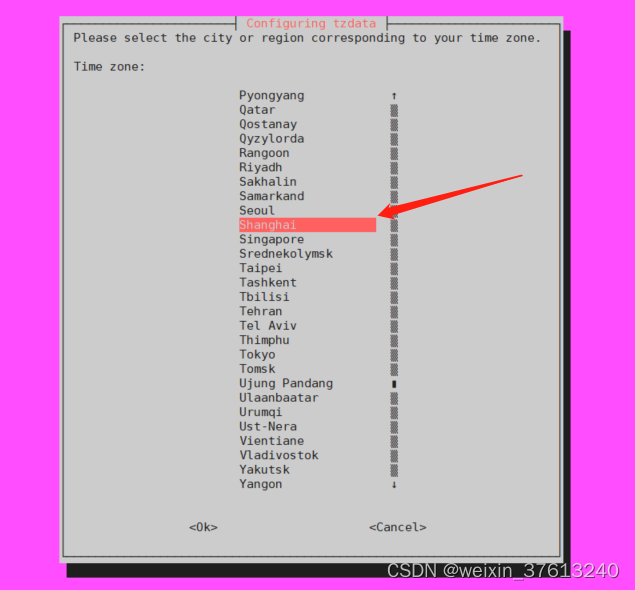
ubuntu server 更改时区:上海
1. 打开终端,在命令行中以超级用户或具有sudo权限的用户身份运行以下命令: sudo dpkg-reconfigure tzdata 这会打开一个对话框,用于选择系统的时区设置。 2. 在对话框中,使用上下箭头键在地区列表中选择"Asia"&#x…...

java 整合 swagger-ui 步骤
1.在xml 中添加Swagger 相关依赖 <!-- springfox-swagger2 --><dependency><groupId>io.springfox</groupId><artifactId>springfox-swagger2</artifactId><version>2.9.2</version></dependency><!-- springfox-swa…...

介绍两款生成神经网络架构示意图的工具:NN-SVG和PlotNeuralNet
对于神经网络架构的可视化是很有意义的,可以在很大程度上帮助到我们清晰直观地了解到整个架构,我们在前面的 PyTorch的ONNX结合MNIST手写数字数据集的应用(.pth和.onnx的转换与onnx运行时) 有介绍,可以将模型架构文件(常见的格式都可以)在线上…...
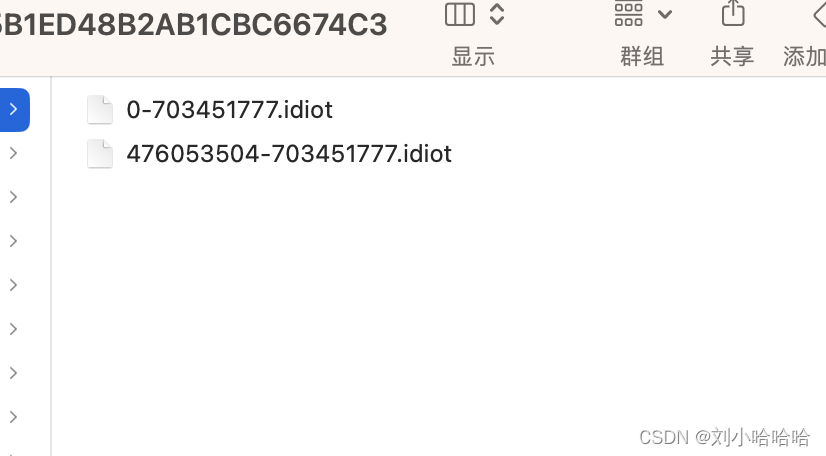
iOS IdiotAVplayer实现视频分片缓存
文章目录 IdiotAVplayer 实现视频切片缓存一 iOS视频边下边播原理一 分片下载的实现1 分片下载的思路2 IdiotAVplayer 实现架构 三 IdiotAVplayer 代码解析IdiotPlayerIdiotResourceLoaderIdiotDownLoader IdiotAVplayer 实现视频切片缓存 一 iOS视频边下边播原理 初始化AVUR…...

SpringBootWeb请求-响应
HTTP请求 前后端分离 在这种模式下,前端技术人员基于"接口文档",开发前端程序;后端技术人员也基于"接口文档",开发后端程序。 由于前后端分离,对我们后端技术人员来讲,在开发过程中&a…...

List集合详解
目录 1、集合是什么? 1.1、集合与集合之间的关系 2、List集合的特点 3、遍历集合的三种方式 3.1、foreach(增强佛如循环遍历) 3.2、for循环遍历 3.3、迭代器遍历 4、LinkedList和ArrayList的区别 4.1、为什么ArrayList查询会快一些? 4.2、为什么LinkedLi…...
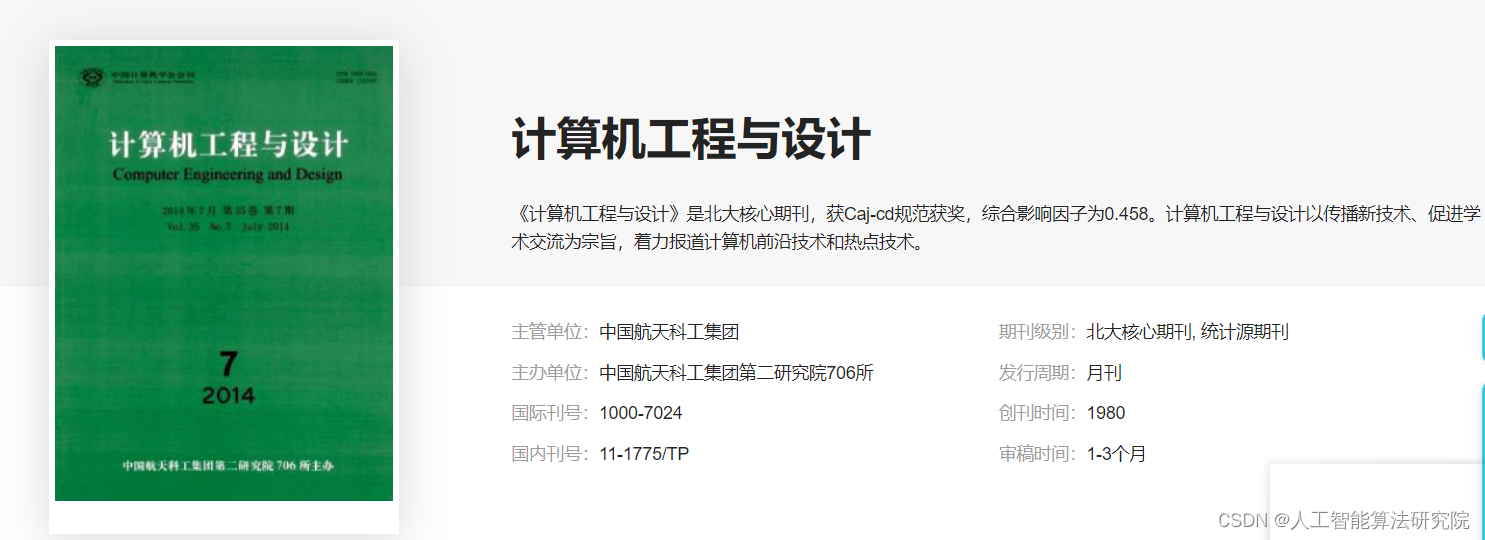
投稿指南【NO.12_8】【极易投中】核心期刊投稿(组合机床与自动化加工技术)
近期有不少同学咨询投稿期刊的问题,大部分院校的研究生都有发学术论文的要求,少部分要求高的甚至需要SCI或者多篇核心期刊论文才可以毕业,但是核心期刊要求论文质量高且审稿周期长,所以本博客梳理一些计算机特别是人工智能相关的期…...

解决git无法上传大文件(50MB)
解决方法 使用LFS解决GitHub无法上传大于50MB的文件 LFS简介 Git LFS(Large File Storage)是 Git 的一个扩展,用于管理大型文件,如二进制文件、图像、音频和视频文件等。它的主要目的是解决 Git 对大型二进制文件的版本控制和存…...
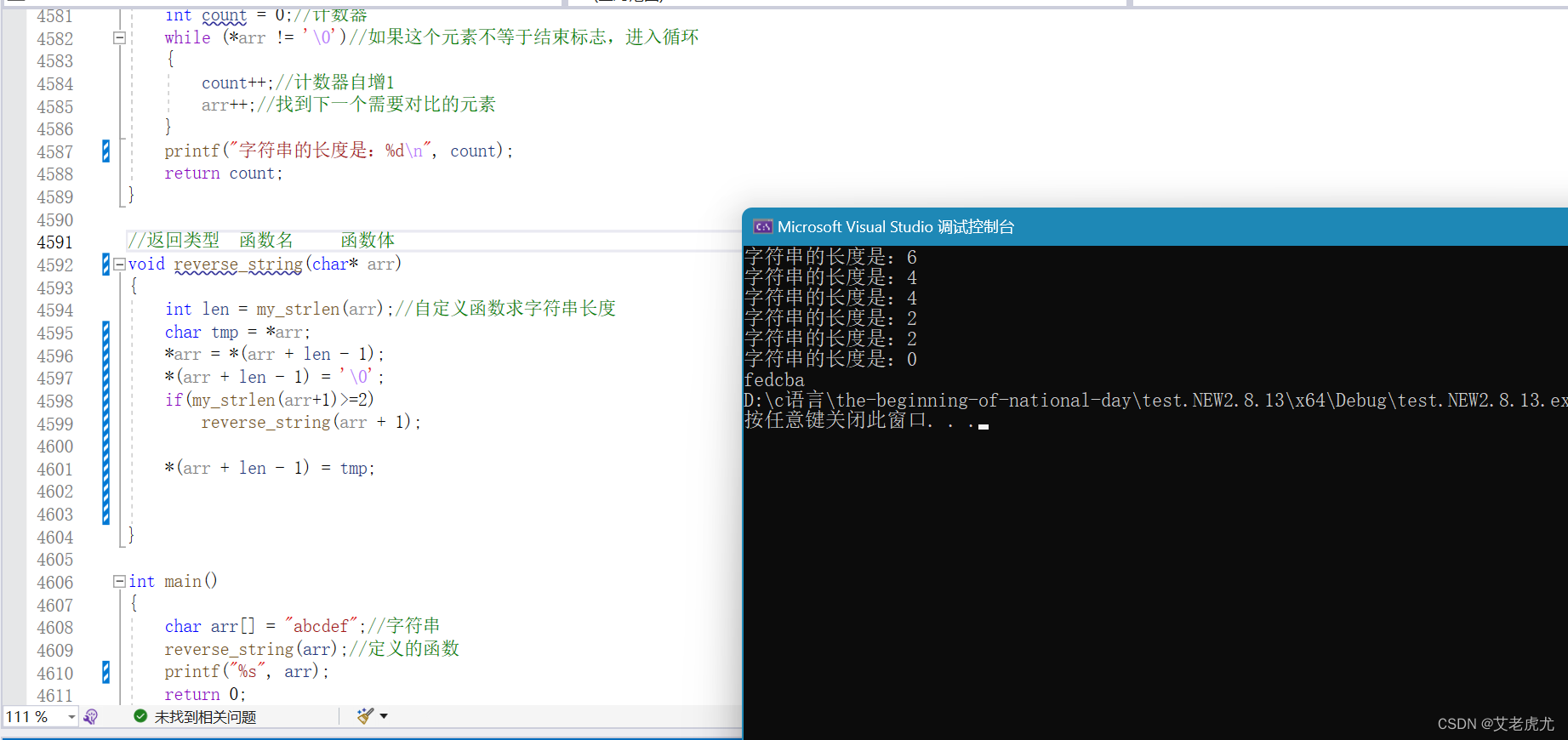
用递归实现字符串逆序(不使用库函数)
文章目录 前言一、题目要求二、解题步骤1.大概框架2.如何反向排列?3.模拟实现strlen4.实现反向排列5.递归实现反向排列 总结 前言 嗨,亲爱的读者们!我是艾老虎尤,今天,我们将探索一个题目,这个题目对新手非…...
初学python(一)
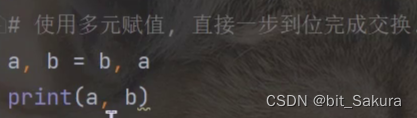
一、python的背景和前景 二、 python的一些小事项 1、在Java、C中,2 / 3 0,也就是整数 / 整数 整数,会把小数部分舍掉。而在python中2 / 3 0.66666.... 不会舍掉小数部分。 在编程语言中,浮点数遵循IEEE754标准,不…...
Excel VSTO开发8 -相关控件
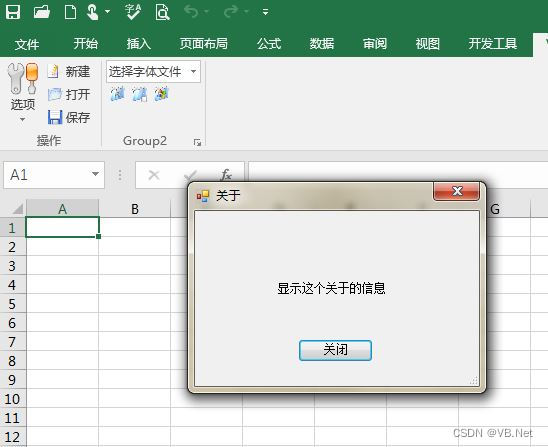
版权声明:本文为博主原创文章,转载请在显著位置标明本文出处以及作者网名,未经作者允许不得用于商业目的。 8 相关控件 在VSTO开发中,Ribbon(或称为Ribbon UI)是指Office应用程序中的那个位于顶部的带有选…...
华为数据管理——《华为数据之道》
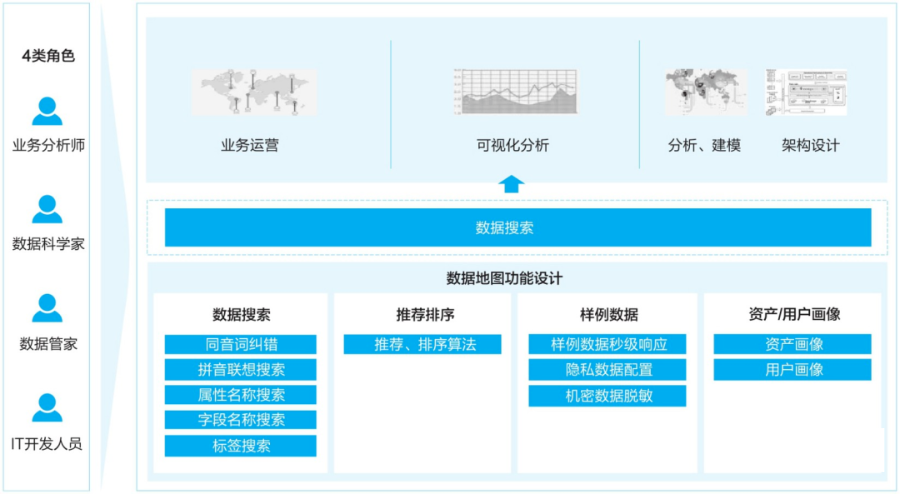
数据分析与开发 元数据是描述数据的数据,用于打破业务和IT之间的语言障碍,帮助业务更好地理解数据。 元数据是数据中台的重要的基础设施,元数据治理贯彻数据产生、加工、消费的全过程,沉淀了数据资产,搭建了技术和业务…...

Flink CDC 菜鸟教程 -环境篇
本教程将介绍如何使用 Flink CDC 来实现这个需求, 在 Flink SQL CLI 中进行,只涉及 SQL,无需一行 Java/Scala 代码,也无需安装 IDE。 系统的整体架构如下图所示: 环境篇 1、 准备一台Linux 2、准备教程所需要的组件 下载 flink-1.13.2 并将其解压至目录 flink-1.13.2 …...
)
【线上问题】linux部署docker应用docker-compose启动报端口占用问题(感觉上没有被占用)
目录 一、问题说明二、排查过程 一、问题说明 1.linux服务器使用的不是root用户权限 2.docker应用服务没有关闭的情况下,做了些重装docker,重启docker等操作 3.docker-compose up -d然后docker logs查看日志报端口被占用 4.netstat -ntpl | grep 端口 也…...
解决虚拟机克隆后IP和命名冲突问题
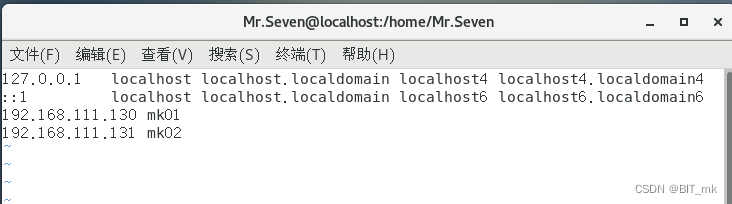
目录 解决IP冲突问题 解决命名冲突 解决IP冲突问题 克隆后的虚拟机和硬件地址和ip和我们原虚拟机的相同,我们需要重新生成硬件地址和定义ip,步骤如下: (1)进入 /etc/sysconfig/network-scripts/ifcfg-ens33 配置文件…...
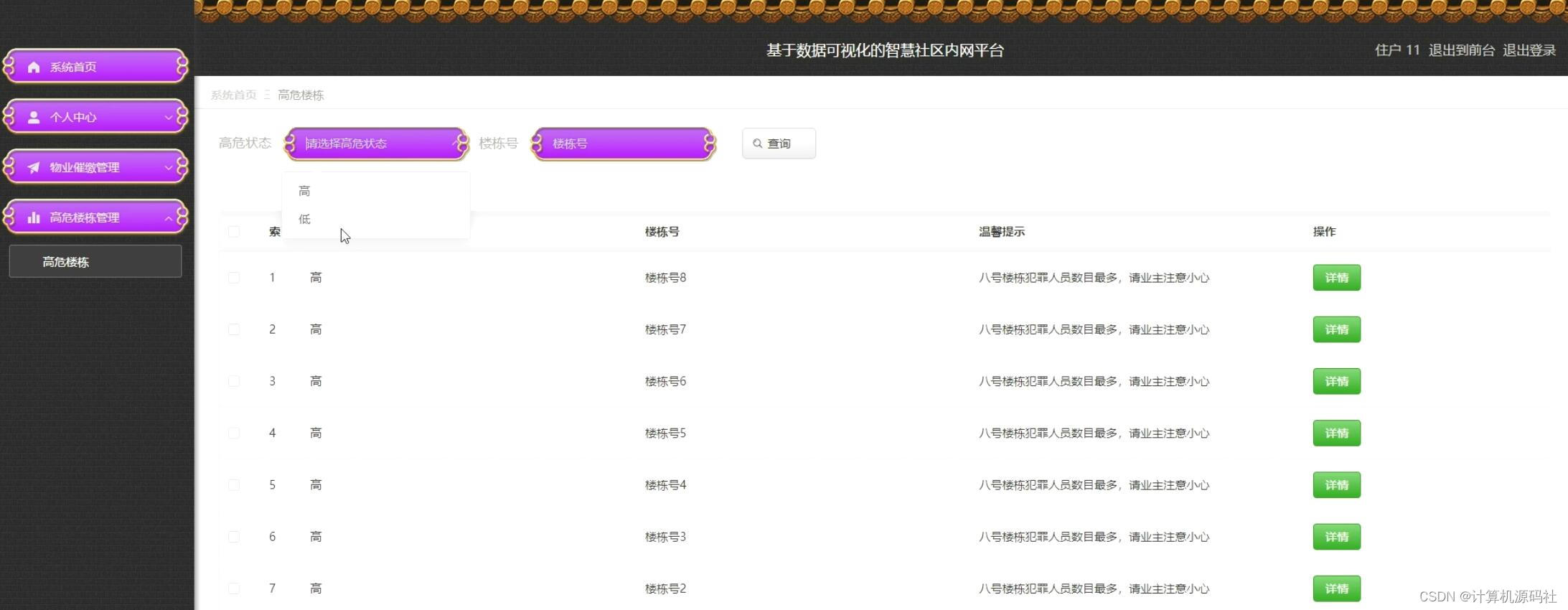
分享一个python基于数据可视化的智慧社区服务平台源码
💕💕作者:计算机源码社 💕💕个人简介:本人七年开发经验,擅长Java、Python、PHP、.NET、Node.js、微信小程序、爬虫、大数据等,大家有这一块的问题可以一起交流! …...

[密码学入门]凯撒密码
单表代换 单表:英文26字母的顺序 代换:替换为别的字母并保证解密的唯一性 假如我们让加密方式为所有字母顺序移动3位 import stringstring.ascii_lowercase abcdefghijklmnopqrstuvwxyz b3 加密算法y(xb)mod26 解密算法为x(y-b)mod26 密钥空间26 …...

零代码到全球上线:我用 Dify + EdgeOne Pages 为跨境电商打造了一个 7×24 小时 AI 智能客服
文章目录每日一句正能量目录1. 引言:一个独立站卖家的深夜焦虑2. 技术选型:为什么选择 Dify EdgeOne Pages?3. 场景拆解:跨境电商客服的三大核心痛点3.1 痛点一:意图混杂,一句话可能包含多个需求3.2 痛点二…...

告别繁琐操作:一键下载国家中小学智慧教育平台电子课本的智能解决方案
告别繁琐操作:一键下载国家中小学智慧教育平台电子课本的智能解决方案 【免费下载链接】tchMaterial-parser 国家中小学智慧教育平台 电子课本下载工具,帮助您从智慧教育平台中获取电子课本的 PDF 文件网址并进行下载,让您更方便地获取课本内…...

Foundation Sites响应式设计原理:5个核心断点系统详解,打造完美移动优先体验
Foundation Sites响应式设计原理:5个核心断点系统详解,打造完美移动优先体验 【免费下载链接】foundation-sites The most advanced responsive front-end framework in the world. Quickly create prototypes and production code for sites that work …...

FastAPI + 异步 SQLAlchemy 实战:从零搭建图书管理 CRUD 项目
前言 本篇将从零开始,带你搭建一个完整的异步图书管理 CRUD 项目,覆盖环境搭建、数据库连接、模型定义、12 种核心接口实现。献给和博主一样刚踏入SQLAlchemy的新手小白们。 注意:本文基础知识较多,不需要的大佬可直接跳到具体操…...

Mem Reduct:让电脑告别卡顿的必备内存清理神器
Mem Reduct:让电脑告别卡顿的必备内存清理神器 【免费下载链接】memreduct Lightweight real-time memory management application to monitor and clean system memory on your computer. 项目地址: https://gitcode.com/gh_mirrors/me/memreduct 你的电脑是…...

EMAC寄存器系统:网络诊断与性能优化的关键
1. EMAC寄存器系统概述以太网媒体访问控制器(EMAC)是现代网络设备中负责数据链路层操作的核心硬件模块。作为网络通信的"交通警察",EMAC不仅负责以太网帧的收发调度,还通过精密的寄存器系统记录着网络通信的每一个关键细…...

如何高效使用DdddOcr:免费开源的离线验证码识别终极指南
如何高效使用DdddOcr:免费开源的离线验证码识别终极指南 【免费下载链接】ddddocr 带带弟弟 通用验证码识别OCR pypi版 项目地址: https://gitcode.com/gh_mirrors/dd/ddddocr 在当今数字世界中,验证码识别已成为自动化测试、数据采集和网络安全测…...

为VS Code集成GPT-4V视觉能力:VisualChatGPTStudio实战指南
1. 项目概述:当ChatGPT“睁开双眼”如果你和我一样,是个重度依赖ChatGPT进行编程、文档撰写和头脑风暴的开发者,那你一定体验过它的强大与局限。它能写出漂亮的代码片段,解释复杂的概念,但当你指着屏幕上的一个错误说“…...

为OpenClaw配置Taotoken实现高效AI智能体工作流
🚀 告别海外账号与网络限制!稳定直连全球优质大模型,限时半价接入中。 👉 点击领取海量免费额度 为OpenClaw配置Taotoken实现高效AI智能体工作流 OpenClaw 是一个流行的开源AI智能体框架,它允许开发者快速构建和编排复…...
)
毕设成品 深度学习安全帽佩戴检测(源码+论文)
文章目录 0 前言🔥这两年开始毕业设计和毕业答辩的要求和难度不断提升,传统的毕设题目缺少创新和亮点,往往达不到毕业答辩的要求,这两年不断有学弟学妹告诉学长自己做的项目系统达不到老师的要求。为了大家能够顺利以及最少的精力…...