
uniapp----微信小程序 日历组件(周日历 月日历)【Vue3+ts+uView】
uniapp----微信小程序 日历组件(周日历&& 月日历)【Vue3+ts+uView】
- 用Vue3+ts+uView来编写日历组件;
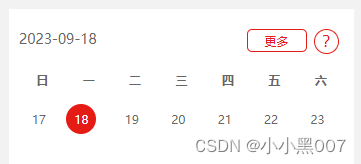
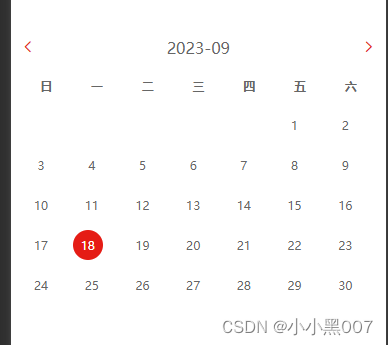
- 存在周日历和月日历两种显示方式;
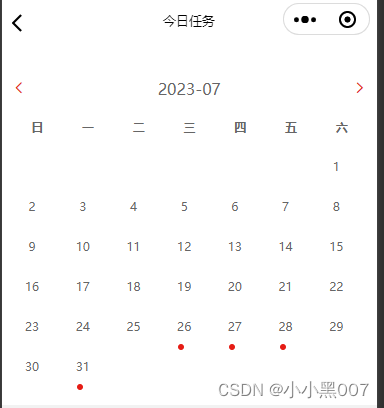
- 高亮显示当天日期,红点渲染有数据的日期,点击显示数据
1. calendar-week-mouth组件代码
<template><view class="calender-container"><view class="calender-content"><!-- 头部 --><view class="calender-title" v-if="isWeek"><view class="calender-title-left">{{ checkedDay }}</view><view class="calender-title-morebtn" v-if="isMorebtn" @click="toggleMove">更多</view><view class="calender-title-right" @click="popupShowBtn" v-if="ispopupShow">?</view></view><view class="calender-title" v-if="!isWeek"><view class="calender-title-chevronl" @click="changeMonth(-1)"><text class="iconfont icon-back text-[28rpx]"></text></view><view class="calender-title-mouth">{{ MoutnTitle }}</view><view class="calender-title-chevronr calender-title-chevronr-right"><text class="iconfont icon-right text-[28rpx]" @click="changeMonth(1)"></text></view></view><!-- 星期头部 --><view class="calender-week-head"><view class="calender-week-head-item" v-for="(item, index) in WEEK_LIST" :key="index">{{ item.text }}</view></view><transition name="fade"><view class="calender-month-container" :class="{ transition: transition }" :style="{height: isWeek ? '120rpx' : '540rpx'}"><view v-for="(month, index) in monthList" :key="index" class="calender-month-item"><view v-for="(week, weekindex) in month" :key="weekindex" class="calender-month-week"><!--   :class="{ ischecked: checkedDay == day.date, istoday: day.istoday }" --><view v-for="(day, dayindex) in week" :class="{ ischecked: checkedDay == day.date }"@click.stop="chooseDay(day)" :key="dayindex" class="calender-month-week-item"><view class="calender-week-day" :class="{ischecked: checkedDay == day.date,othermonth: day.othermonth}"><span class="calender-one-day"><i class="day">{{day.othermonth === -1 || day.othermonth === 1? '': day.day}}</i></span><!-- 有事项标记 --><view class="thing" v-if="day.thing.task_time != null"><i class="dot"></i></view></view></view></view></view></view></transition></view><slot></slot></view><!-- 日历问号提示弹出框 --><w-calender-popup :popupShow="popupShow"></w-calender-popup>
</template>
<script setup lang="ts">
import { ref, onMounted, watch, nextTick } from 'vue'const props = withDefaults(defineProps<{isWeek: booleanthings: Array<any> //日期对应的相关数据 数据格式 一维数组ispopupShow: booleanisMorebtn: boolean}>(),{isWeek: true, // true周 false 月ispopupShow: true, // 是否显示?问号弹窗 默认显示isMorebtn: false //是否显示日历更多按钮 默认不显示}
)const emits = defineEmits(['chooseDay', 'toggleMove']) //组件传递数据
const popupShow = ref<boolean>(false) //是否显示日历问号提示
// 打开提示框
const popupShowBtn = () => {popupShow.value = !popupShow.value
}// 头部星期列表
const WEEK_LIST = [{text: '日'},{text: '一'},{text: '二'},{text: '三'},{text: '四'},{text: '五'},{text: '六'}
]
const dateThing: any = ref([]) //某天事项// const things: any = ref([]) // 全部事项,用来插入到日历中
const dispDate = ref<Date>(new Date()) //当前时间type DayType = {date?: string | numberistoday?: booleanothermonth?: booleanthing?: []
}
type MonthList = DayType[]
const monthList: Record<string, any> = ref<MonthList>([])
const today = ref<Date>(new Date()) //当前时间
const MoutnTitle = ref('') //当前月份 x-x格式
const checkedDay = ref('') //选中时间
const currentDay = ref<Date>(new Date()) //当前时间
const transition = ref<boolean>(true) //是否显示动画const get3FullYear = ref(dispDate.value.getFullYear()) //定义当前年
const get3Monthz = ref(dispDate.value.getMonth()) //定义当前月
onMounted(() => {setTimeout(() => {todayDate()props.isWeek ? get3week() : get3month(get3FullYear.value, get3Monthz.value)initCalenderInfo()}, 200)
})
watch(() => props.things,async () => {await nextTick()todayDate()props.isWeek ? get3week() : get3month(get3FullYear.value, get3Monthz.value)initCalenderInfo()},{ immediate: true }
)
const selectDay = ref<Date>(new Date())
/*** 转换时间格式* @param date 标准时间*/
const formatDateTime = (date: Date): string => {const y = date.getFullYear()let m: string = date.getMonth() + 1 + ''m = Number(m) < 10 ? '0' + m : mlet d = date.getDate() + ''d = Number(d) < 10 ? '0' + d : dreturn y + '-' + m + '-' + d
}/*** 获取今天日期*/
const todayDate = () => {checkedDay.value = formatDateTime(today.value)selectDay.value = new Date(checkedDay.value)MoutnTitle.value = formatDateTime(today.value).substring(0, 7)
}
/*** 初始化当天事项*/
const initCalenderInfo = () => {const todayThing = monthList.value.flat(2).find((item: any) => item.date === checkedDay.value)?.thingdateThing.value = todayThing || []
}
/*** 返回该天事项* @param year 年* @param month 月* @param day 日*/
const ifOrder = (year: number, month: number, day: number) => {const dateTime = format(year, month, day)let dateItem = {}props.things.map((item: any) => {if (dateTime === item.task_time) {dateItem = item}})return dateItem
}/*** 转换时间* @param year 年* @param month 月* @param day 日*/
const format = (year: number, month: number, day: number | string) => {month++const m = month < 10 ? '0' + month : monthNumber(day) < 10 && (day = '0' + day)return year + '-' + m + '-' + day
}/*** 选中某一天* @param year 年* @param month 月* @param day 日* @param othermonth 其他月份,当前月前面空值* @param mode 类型,'month','week'* @param thing 事项*/
interface chooseDayParams {year: numbermonth: numberday: numberothermonth: numbermode: stringthing: Thing[]
}interface Thing {date: stringinfos?: ThingInfo[]
}interface ThingInfo {title: stringaddress: stringdates: string
}/*** @description: 选中日期* @param {*} year* @param {*} month* @param {*} day* @param {*} othermonth* @param {*} mode* @param {*} thing* @return {*}*/
const chooseDay = ({ year, month, day, othermonth, mode, thing }: chooseDayParams): void => {currentDay.value = new Date(year, month - 1, day) //标准时间checkedDay.value = format(year, month - 1, day) //"2020-11-11"if (othermonth && mode === 'month') {const tmpDt = new Date(dispDate.value.getFullYear(), dispDate.value.getMonth() - othermonth)const maxday = tmpDt.getDate()const days = maxday < day ? maxday : daydispDate.value = new Date(year, month - othermonth, days)changeIndex(othermonth || 0, true)} else {dispDate.value = currentDay.value}dateThing.value = thing || []emits('chooseDay', checkedDay.value)
}/*** 获取三周*/
const get3week = () => {const year = dispDate.value.getFullYear()const month = dispDate.value.getMonth()const day = dispDate.value.getDate()monthList.value = []monthList.value.push(getWeek(year, month, day - 7))monthList.value.push(getWeek(year, month, day))monthList.value.push(getWeek(year, month, day + 7))
}/*** 获取星期* @param year 为选中当天的年* @param month 为选中当天的月* @param day 为选中当天的日*/
const getWeek = (year: number, month: number, day: number) => {const dt = new Date(year, month, day)const weekArr = []const dtFirst = new Date(year, month, day - ((dt.getDay() + 7) % 7))const week = []//循环选中当天所在那一周的每一天for (let j = 0; j < 7; j++) {const newdt = new Date(dtFirst.getFullYear(), dtFirst.getMonth(), dtFirst.getDate() + j)const years = newdt.getFullYear()const months = newdt.getMonth()const days = newdt.getDate()const weekItem: weekParams = {mode: 'week',day: days,year: years,month: months + 1,date: format(years, months, days),//日历要显示的其他内容thing: ifOrder(years, months, days),istoday:today.value.getFullYear() === years &&today.value.getMonth() === months &&today.value.getDate() === days? true: false,ischecked: false,othermonth: months !== month}week.push(weekItem)}weekArr.push(week)return weekArr
}/*** 获取三个月(上月,本月,下月)*/
const get3month = (year: any, month: any) => {monthList.value = []monthList.value.push(getMonth(year, month - 1))monthList.value.push(getMonth(year, month))monthList.value.push(getMonth(year, month + 1))
}
const MonthType = ref(0) //0 当前月 -1上一个月 1下一个月
let Mnum = 1 //计数
let Ynum = 0// 点击上一个月 或者下一个月
const changeMonth = (type: number) => {MonthType.value = typeconst date = new Date()const year = date.getFullYear()const month = date.getMonth()let nextYear = year - Ynumlet chMonth = month + Mnumif (type === -1) {// 上一个月Mnum -= 1chMonth = month + MnumYnum = chMonth <= 0 ? Ynum - 1 : YnumchMonth = chMonth <= 0 ? 12 + chMonth : chMonth}if (type === 1) {// 下一个月Mnum += 1chMonth = month + MnumYnum = chMonth > 12 ? Ynum + 1 : YnumchMonth = chMonth > 12 ? chMonth - 12 : chMonth}nextYear = year + Ynumget3FullYear.value = nextYear //修改当前年get3Monthz.value = chMonth - 1 //修改当前月get3month(get3FullYear.value, get3Monthz.value)const newMonthTitle = `${nextYear}-${chMonth < 10 ? '0' + chMonth : chMonth}`MoutnTitle.value = newMonthTitle
}interface weekParams {mode: stringday: numberyear: numbermonth: numberdate: string//日历要显示的其他内容thing: ReturnType<typeof ifOrder>istoday: booleanischecked: booleanothermonth?: number | boolean
}/*** 创建单月历 顺序是从周日到周六* @param year 年* @param month 月*/
const getMonth = (year: number, month: number): DayType => {const monthArr = [] as anyconst dtFirst = new Date(year, month, 1) // 每个月第一天const dtLast = new Date(year, month + 1, 0) // 每个月最后一天const monthLength = dtLast.getDate() // 月份天数const firstDayOfWeek = dtFirst.getDay() // 第一天是星期几const rows = Math.ceil((monthLength + firstDayOfWeek) / 7) // 表格显示行数for (let i = 0; i < rows; i++) {const week = []for (let j = 0; j < 7; j++) {const day = i * 7 + j + 1 - firstDayOfWeekif (day > 0 && day <= monthLength) {const weekItem: weekParams = {mode: 'month',day: day,year: year,month: month + 1,date: format(year, month, day),// 日历要显示的其他内容thing: ifOrder(year, month, day),istoday:today.value.getFullYear() === year &&today.value.getMonth() === month &&today.value.getDate() === day? true: false,ischecked: false,othermonth: 0}week.push(weekItem)} else {// 其它月份const newDt = new Date(year, month, day)const years = newDt.getFullYear()const months = newDt.getMonth()const days = newDt.getDate()const weeksItem: weekParams = {mode: 'month',day: days,year: years,month: months,date: format(year, month, day),thing: ifOrder(year, month, day),istoday:today.value.getFullYear() === years &&today.value.getMonth() === months &&today.value.getDate() === days? true: false,ischecked: false,othermonth: day <= 0 ? -1 : 1}week.push(weeksItem)}}monthArr.push(week)}return monthArr
}
/*** 左右移动* @param index 月的index* @param isWeek 是否显示周* @param isClick 移动不可点击*/
const changeIndex = (index: number, isClick = false) => {if (props.isWeek) {dispDate.value = new Date(dispDate.value.getFullYear(),dispDate.value.getMonth(),dispDate.value.getDate() + 7 * index)currentDay.value = dispDate.valueget3week()} else {const tmpDt = new Date(dispDate.value.getFullYear(), dispDate.value.getMonth() + index, 0)const maxday = tmpDt.getDate()const days = maxday < dispDate.value.getDate() ? maxday : dispDate.value.getDate()dispDate.value = new Date(dispDate.value.getFullYear(),dispDate.value.getMonth() + index,days)if (!isClick) {checkedDay.value = format(dispDate.value.getFullYear(),dispDate.value.getMonth(),dispDate.value.getDate())}get3month(get3FullYear.value, get3Monthz.value)}initCalenderInfo()
}/*** 切换月或周* @param e event*/
const toggleMove = () => {emits('toggleMove')
}
</script>
<style scoped lang="scss">
.calender {&-container {width: 100%;}&-content {color: #666666;}&-title {display: flex;&-left {width: 70%;}&-right {position: absolute;right: 60rpx;width: 50rpx;height: 50rpx;border: 1px solid #e51c15;color: #e51c15;line-height: 44rpx;text-align: center;border-radius: 50%;font-size: 32rpx;padding-left: 14rpx;}&-morebtn {border: 2rpx solid #e51c15;// padding: 10rpx 40rpx;width: 120rpx;height: 46rpx;line-height: 46rpx;text-align: center;color: #e51c15;box-sizing: border-box;font-size: 24rpx;margin-right: 20rpx;border-radius: 10rpx;}&-chevronl text,&-chevronr text {color: #e51c15;font-size: 28rpx;font-weight: 400;&-right {text-align: right;}}&-mouth {width: 92%;text-align: center;font-size: 32rpx;color: #666666;}}&-week-head {width: 100%;display: flex;align-items: center;padding-top: 20px;font-size: 24rpx;font-weight: bold;&-item {// width: 14.2%;flex: 1;text-align: center;}}&-month {&-container {display: flex;position: relative;height: 460rpx;}&-item {position: absolute;width: 100%;min-height: 128rpx;padding: 30rpx 0;box-sizing: border-box;}&-item:nth-child(1) {left: -110%;}&-item:nth-child(2) {left: 0;}&-item:nth-child(3) {left: 110%;}&-week {display: flex;align-items: center;&-item {// width: 14.2%;flex: 1;text-align: center;position: relative;}}}&-week-day {display: block;text-align: center;font-style: normal;padding: 2rpx;line-height: 60rpx;height: 80rpx;width: 80rpx;}&-one-day {font-size: 24rpx;}
}.istoday .day,
.ischecked .day {width: 60rpx;height: 60rpx;color: #fff;background: #e51c15;border-radius: 50%;line-height: 60rpx;text-align: center;
}// .ischecked {
//     border-radius: 50px;
//     color: #fff !important;
//     background: #7687e9;
// }
.thing {position: absolute;left: 34%;// bottom: 2px;transform: translateX(-50%);color: #e51c15;
}.thing .dot {display: block;width: 12rpx;height: 12rpx;word-break: break-all;line-height: 12rpx;color: #e51c15;background: #e51c15;border-radius: 50%;margin-top: 6rpx;
}
</style>
2. 在页面引用组件
<template>
<calendar-week-mouth :things="things" @chooseDay.stop="chooseDay" :isMorebtn="true" @toggleMove="toggleMove" ispopupShow :isWeek="isWeek">
</calendar-week-mouth>
</template><script setup lang="ts">
import { ref, watch, nextTick, shallowRef } from 'vue'
import { onLoad, onShow } from '@dcloudio/uni-app'
onLoad(async (options) => {tag.value = Number(options.tag) || 1isWeek.value = tag.value === 1 || false
})
const tag = ref(1) //tag 1是周日历显示 2是月日历显示
const isWeek = ref(true)/*** @description: 点击单个日期获取选中的日期* @param {*} date:选中的日期 xxxx-xx-xx* @return {*}*/
const chooseDay = (date: string) => {checkedDay.value = date
}// 点击更多
const toggleMove = () => {uni.navigateTo({ url: '/package-legal/task-list/task-list?tag=2' })
}
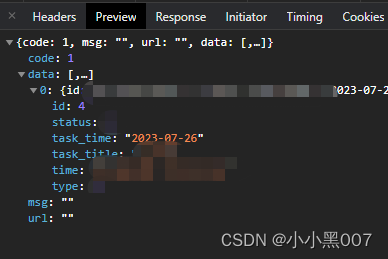
/**
things数据结构
重要的是task_time字段
[{
id: 4,
status: 3,
task_time: "2023-07-26",
task_title: "",
time: "222",
}]
*/
</script>
相关文章:
uniapp----微信小程序 日历组件(周日历 月日历)【Vue3+ts+uView】
uniapp----微信小程序 日历组件(周日历&& 月日历)【Vue3tsuView】 用Vue3tsuView来编写日历组件;存在周日历和月日历两种显示方式;高亮显示当天日期,红点渲染有数据的日期,点击显示数据 1. calenda…...
【记录】深度学习环境配置(pytorch版)
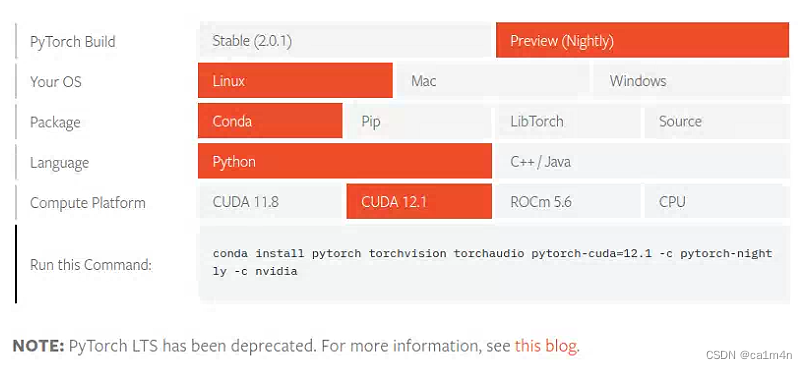
1080面对Transformer连勉强也算不上了,还是要去用小组的卡 完整记一个环境配置,方便后面自用✍️ 目前要简单许多,因为显卡驱动已经装好,后安装的库版本与其对应即可。 nvidia-smi查看GPU信息 ** CUDA版本12.2 conda -V查询conda…...

如何将项目推送到GitHub中
将项目推送到 GitHub 仓库并管理相关操作,遵循以下步骤: 创建 GitHub 账户:如果您没有 GitHub 账户,首先需要在 GitHub 官网 上创建一个账户。 创建新仓库:在 GitHub 页面上,点击右上角的加号图标…...
数据库直连提示 No suitable driver found for jdbc:postgresql
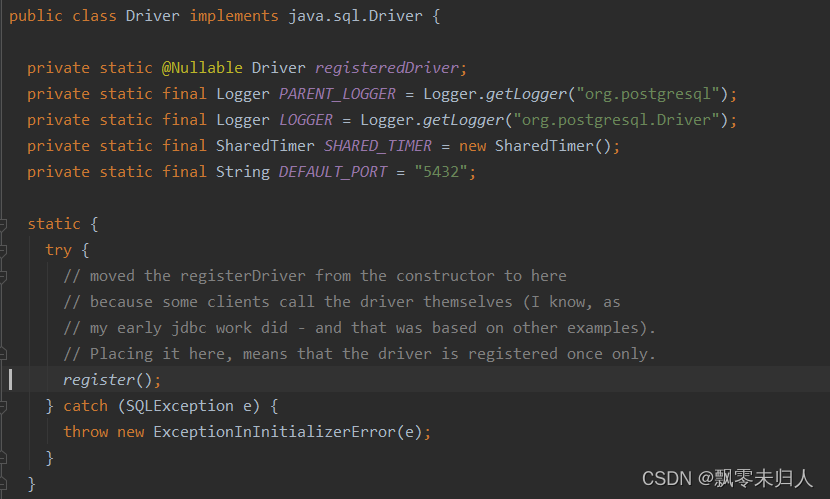
背景:我在代码里使用直连的方式在数据库中创建数据库等,由于需要适配各个数据库服务所以我分别兼容了mysql、postgresql、oracal等。但是在使用过程中会出现错误: No suitable driver found for jdbc:postgresql 但是我再使用mysql的直连方式…...
Stability AI推出Stable Audio;ChatGPT:推荐系统的颠覆者
🦉 AI新闻 🚀 Stability AI推出Stable Audio,用户可以生成个性化音乐片段 摘要:Stability AI公司发布了一款名为Stable Audio的工具,用户可以根据自己的文本内容自动生成音乐或音频。免费版可生成最长20秒音乐片段&a…...

HTML中的<canvas>元素
聚沙成塔每天进步一点点 ⭐ 专栏简介⭐ canvas元素⭐ 用途⭐ 示例⭐ 写在最后 ⭐ 专栏简介 前端入门之旅:探索Web开发的奇妙世界 欢迎来到前端入门之旅!感兴趣的可以订阅本专栏哦!这个专栏是为那些对Web开发感兴趣、刚刚踏入前端领域的朋友们…...
【论文阅读】MARS:用于自动驾驶的实例感知、模块化和现实模拟器
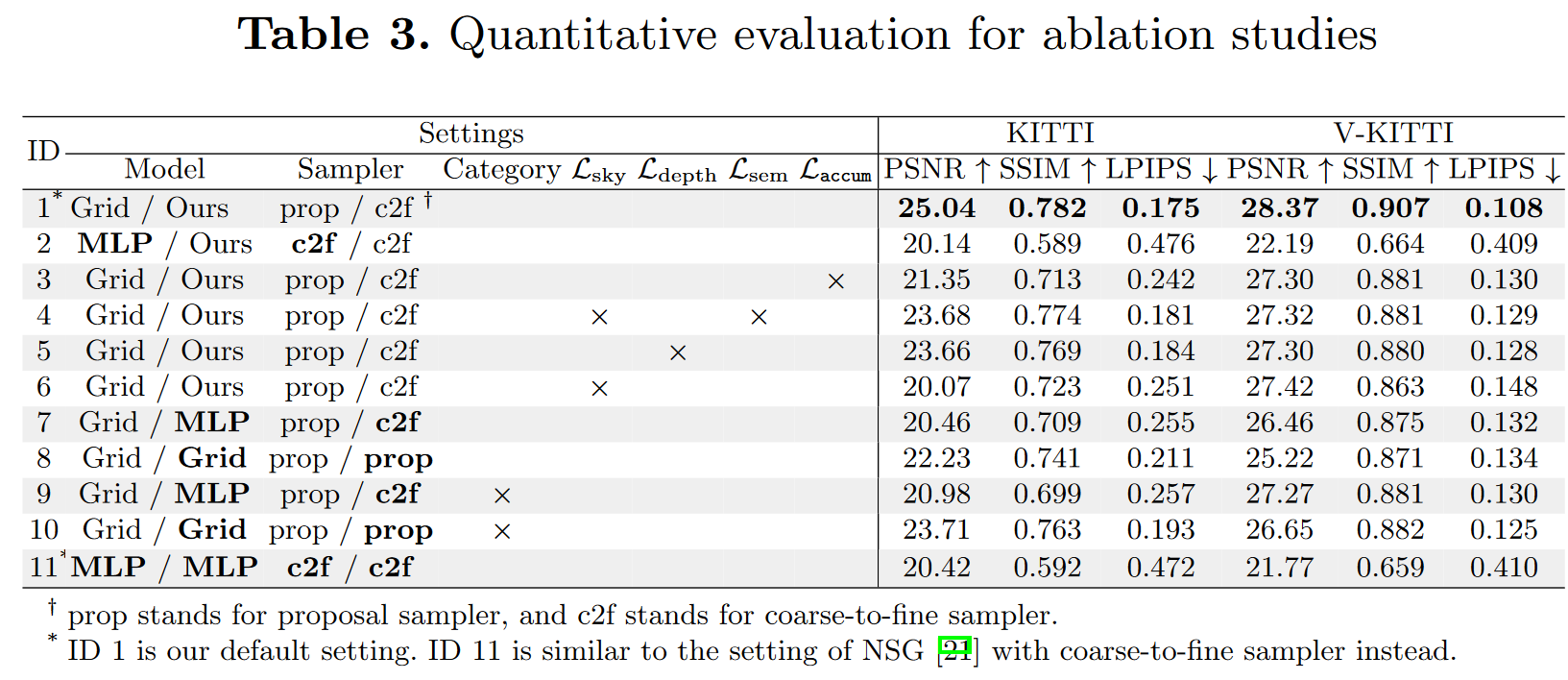
【论文阅读】MARS:用于自动驾驶的实例感知、模块化和现实模拟器 Abstract1 Introduction2 Method2.1 Scene Representation2.3 Towards Realistic Rendering2.4 Optimization3.1 Photorealistic Rendering3.2 Instance-wise Editing3.3 The blessing of moduler des…...

Leetcode 2856. Minimum Array Length After Pair Removals
Leetcode 2856. Minimum Array Length After Pair Removals 1. 解题思路2. 代码实现 题目链接:2856. Minimum Array Length After Pair Removals 1. 解题思路 这一题思路而言个人觉得还是挺有意思的,因为显然这道题没法直接用greedy的方法进行处理&am…...

深入了解Vue.js框架:构建现代化的用户界面
目录 一.Vue前言介绍 二.Vue.js框架的核心功能与特性 三.MVVM的介绍 四.Vue的生命周期 五.库与框架的区别 1.库(Library): 2.框架(Framework): 六.Vue常用指令演示 1.v-model 2.v-on:click&…...
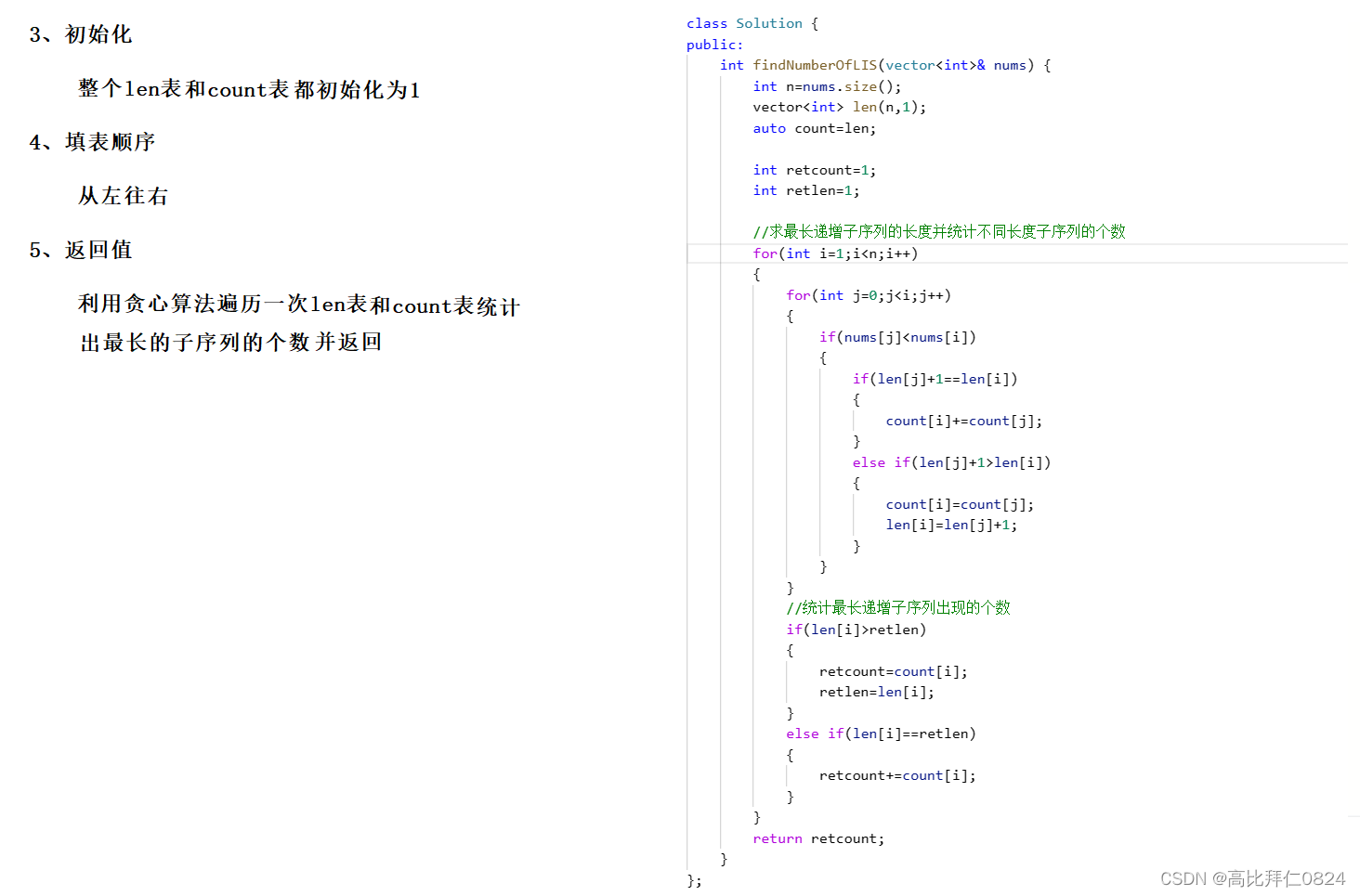
力扣 -- 673. 最长递增子序列的个数
小算法: 通过一次遍历找到数组中最大值出现的次数: 利用这个小算法求解这道题就会非常简单了。 参考代码: class Solution { public:int findNumberOfLIS(vector<int>& nums) {int nnums.size();vector<int> len(n,1);auto…...

43.248.189.X网站提示风险,存在黑客攻击页面被篡改,改如何解决呢?
当用户百度搜索我们的网站,准备打开该网站时,访问页面提示风险,告知被黑客攻击并有被篡改的情况,有哪些方案可以查看解决问题? 当遇到网站提示风险到时候,可以考虑采用下面几个步骤来解决问题:…...

Java8中判断一个对象不为空存在一个类对象是哪个
Java8中判断一个对象不为空存在一个类对象是哪个? 在Java 8中,你可以使用java.util.Optional类来处理可能为空的对象。Optional类可以帮助你优雅地处理空值情况,而不需要显式地进行空值检查。 这是一个简单的Optional示例: imp…...

项目:点餐系统
项目扩展: 1.订单操作 2.用户管理(临时用户生成用户注册与登录) 项目有可能涉及到的面试: 说说你的项目 为什么要做这个项目 服务器怎么搭建的 最初我自己写了一个简单的服务器,但是不太稳定,比较粗…...
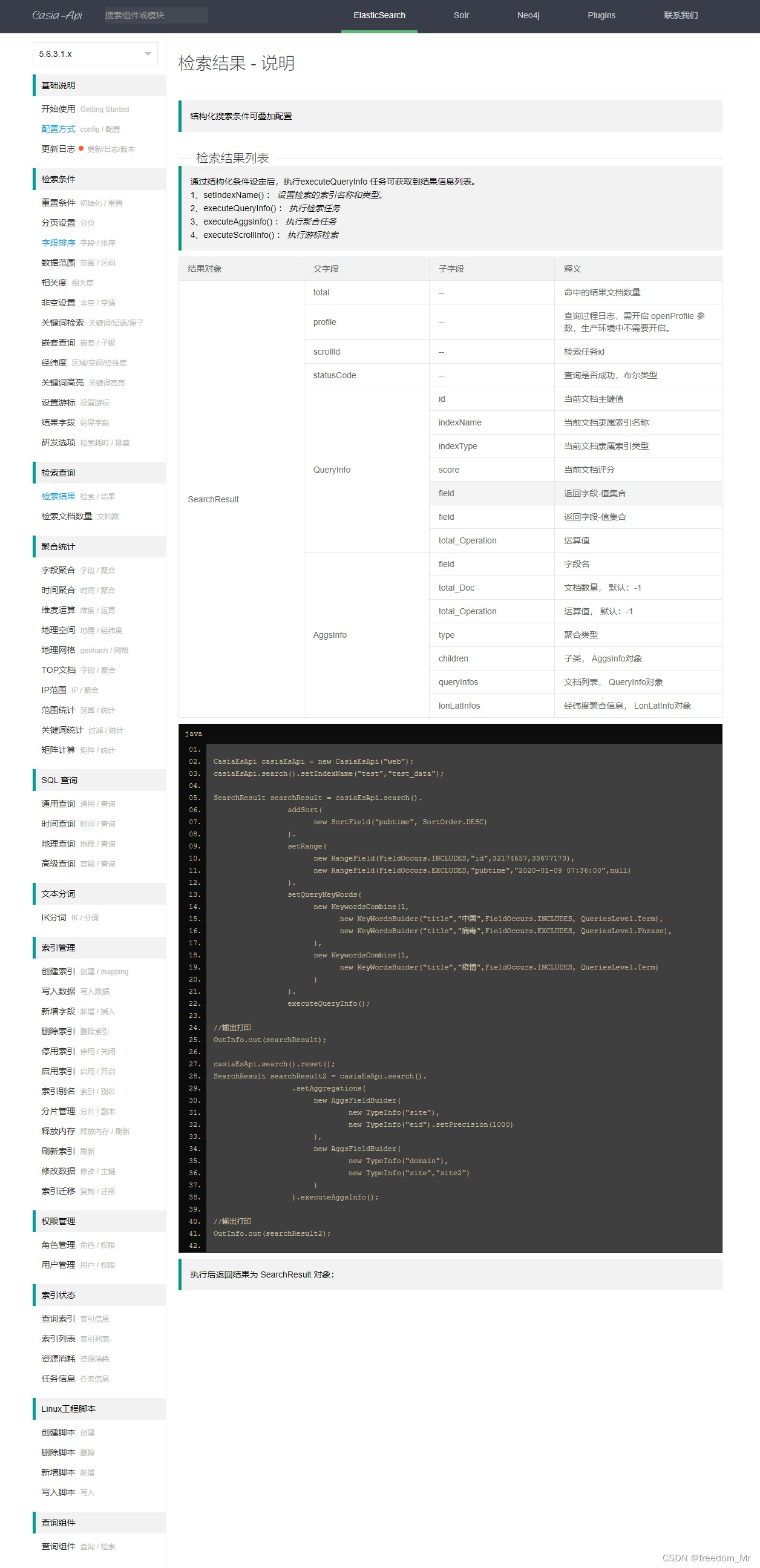
ElasticSearch 5.6.3 自定义封装API接口
在实际业务中,查询 elasticsearch 时会遇到很多特殊查询,官方接口包有时不便利,特殊情况需要自定义接口,所以为了灵活使用、维护更新 编写了一套API接口,仅供学习使用 当前自定义API接口依赖 elasticsearch 5.6.3 版本…...
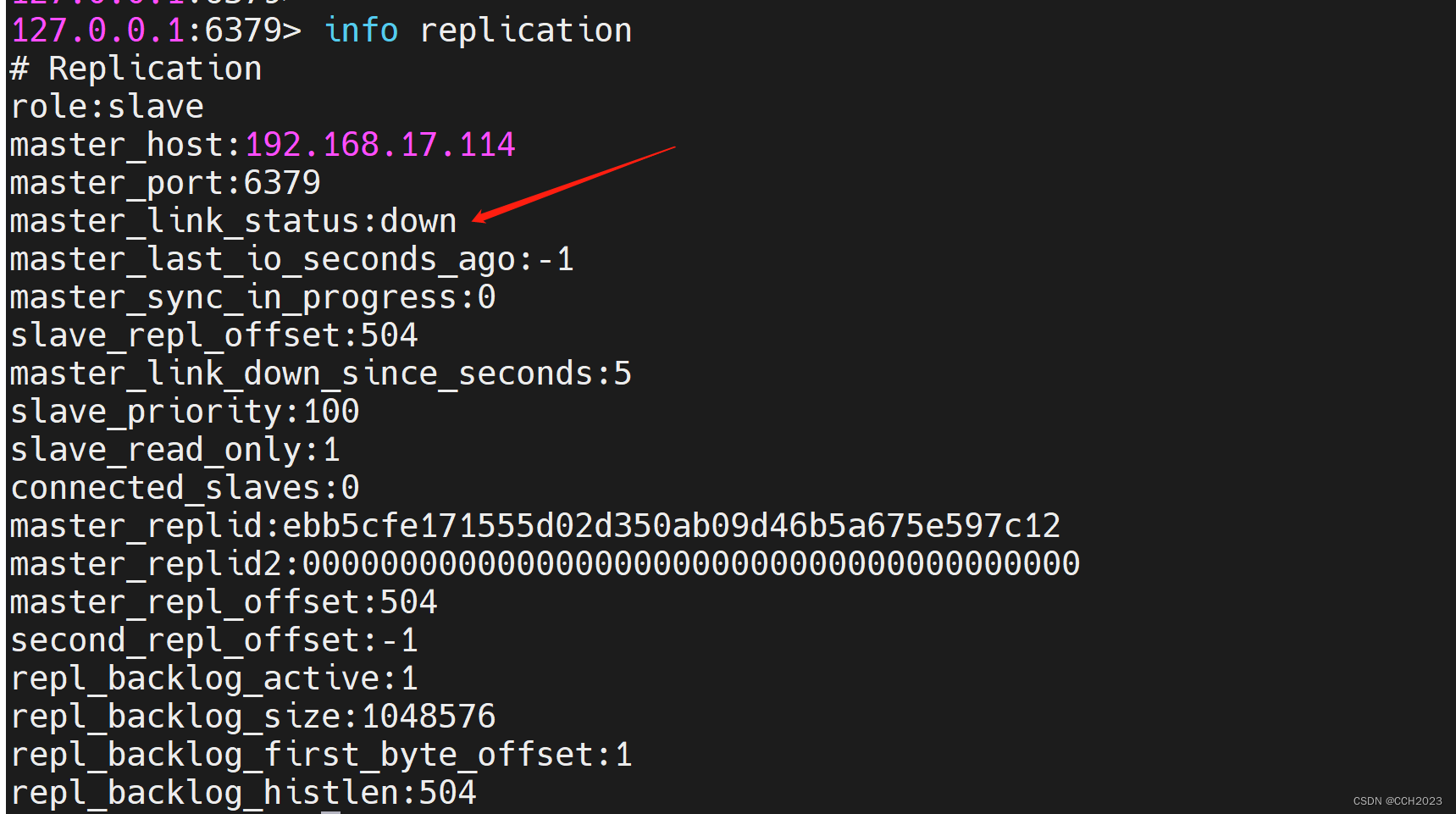
企业架构LNMP学习笔记51
企业案例使用: 主从模式: 缓存集群结构示意图: 去实现Redis的业务分离: 读的请求分配到从服务器上,写的请求分配到主服务器上。 Redis是没有中间件来进行分离的。 是通过业务代码直接来进行读写分离。 准备两台虚…...
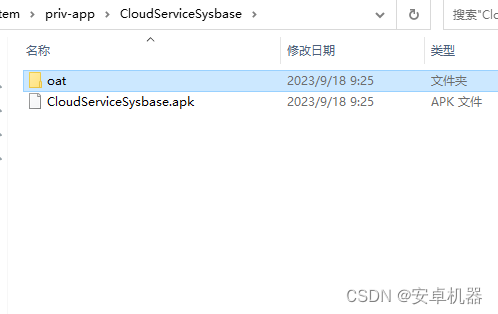
rom修改----安卓系列机型如何内置app 如何选择so文件内置
系统内置app的需求 在与各工作室对接中操作单中,很多需要内置客户特定的有些app到系统里,这样方便客户刷入固件后直接调用。例如内置apk 去开机引导 去usb调试 默认开启usb安全设置等等。那么很多app内置有不同的反应。有的可以直接内置。有的需要加so…...

SpringMvc中的请求转发和重定向
之前的案例,我们发现request域中的值可以传到jsp页面中,也就是通过视图解析器跳转到视图的底层是请求转发。 如果我们跳转时不想使用视图解析器,可以使用原生HttpServletRequest进行请求转发或HttpServletResponse进行重定向: Req…...
Oracle,高斯创建自增序列
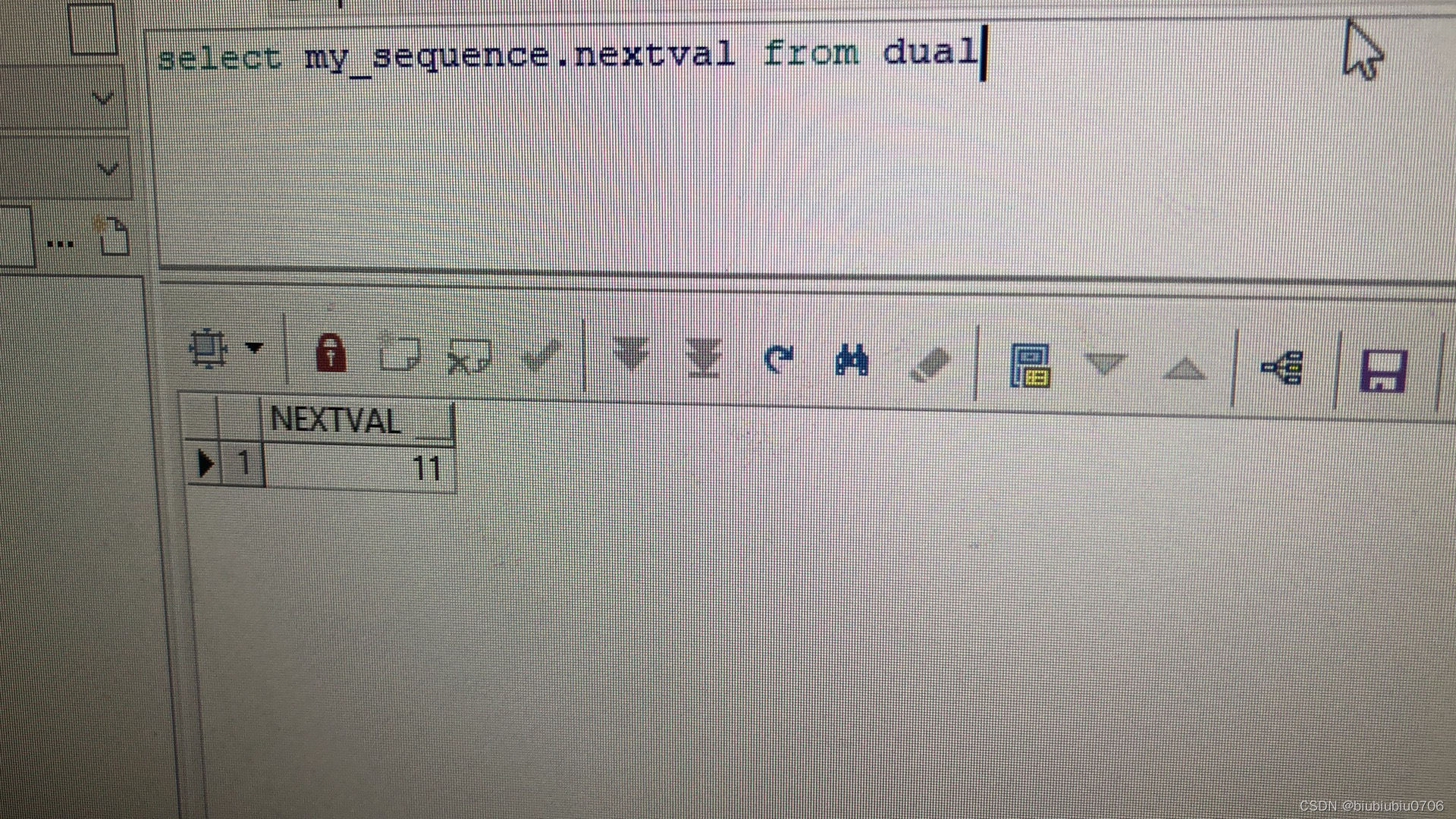
某些时候,需要获取到一个自增值 然后点击左下 Apply 也可以通过SQL语句执行 dual在Oracle中是张虚拟表,通常用于执行这样的查询 Oracle中查询语句: select 序列名.nextval from dual 在高斯数据库中:查询是 select my_sequence.nextval 不需要加form xxx …...
操作系统学习笔记-精简复习版
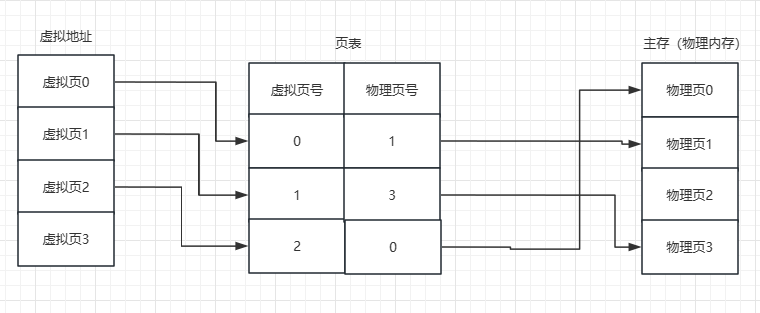
文章目录 操作系统概述1、操作系统2、主要功能3、用户态和内核态4、系统调用 进程管理1、进程和线程2、引入线程的好处3、线程间同步4、进程控制块 PCB5、进程的状态6、进程的通信方式7、进程的调度算法8、僵尸进程&孤儿进程9、死锁 内存管理1、内存碎片2、内存管理3、虚拟…...
系统架构:软件工程速成
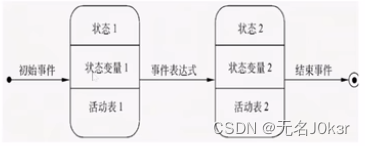
文章目录 参考概述软件工程概述软件过程 可行性分析可行性分析概述数据流图数据字典 需求分析需求分析概述ER图状态转换图 参考 软件工程速成(期末考研复试软考)均适用. 支持4K 概述 软件工程概述 定义:采用工程的概念、原理、技术和方法来开发与维护软件。 三…...

谷歌seo搜索引擎优化教程有吗?只需4步:快速提升关键词前10概率
搜索结果首页占据了超过 94% 的点击流量。如果你的网站排在第二页,那几乎等同于不存在。很多人在寻找 谷歌seo搜索引擎优化教程有吗?只需4步:快速提升关键词前10概率 的答案时,容易被复杂的技术词汇绕晕。提升排名的过程其实是关于…...

Super IO插件:Blender文件操作效率革命,从繁琐拖拽到智能粘贴
Super IO插件:Blender文件操作效率革命,从繁琐拖拽到智能粘贴 【免费下载链接】super_io blender addon for copy paste import / export 项目地址: https://gitcode.com/gh_mirrors/su/super_io Super IO是一款革命性的Blender插件,通…...

CoverM如何革新宏基因组覆盖率分析:从短读长到PacBio HiFi的完整解决方案
CoverM如何革新宏基因组覆盖率分析:从短读长到PacBio HiFi的完整解决方案 【免费下载链接】CoverM Read alignment statistics for metagenomics 项目地址: https://gitcode.com/gh_mirrors/co/CoverM 宏基因组研究正经历着从短读长测序到长读长技术的深刻变…...

基于OpenClaw与TDX API的智能停车查询技能开发实战
1. 项目概述:一个能听懂人话的停车位“雷达”如果你和我一样,经常在台北、新北这些城市里开车找车位,那你一定懂那种绕了半小时、看着导航APP上一个个“车位已满”的绝望感。市面上的停车APP不少,但要么信息更新慢,要么…...

对lsof、tcpdump、strace命令的简单记录
1. lsof (List Open Files) —— “谁占用了资源?” 核心哲学:Linux 中一切皆文件(包括磁盘文件、网络 Socket、设备)。 常用操作:lsof -i :15000:查看指定端口的进程占用及连接状态(LISTEN/EST…...

ctf show web入门48
这是一道典型的 PHP 代码审计与命令注入(Command Injection) 绕过题。代码逻辑分析 代码的核心逻辑如下: 输入点:通过 GET 方式接收参数 c。 过滤机制:使用 preg_match 进行正则匹配,过滤了大量关键字符和命…...
)
告别PLC!用Python+ModbusTCP玩转FactoryIO仿真(附完整代码与可视化界面)
PythonModbusTCP工业仿真实战:从零构建FactoryIO智能分拣系统 工业自动化领域正在经历一场静默革命——传统PLC的垄断地位首次被通用编程语言打破。去年某国际自动化展会上,一位工程师仅用200行Python代码就复现了某品牌PLC的复杂流水线控制逻辑…...

从找石油到防灾害:地震勘探技术如何跨界守护城市安全?
地震勘探技术的跨界革命:从油气勘探到城市安全守护者 上世纪20年代,当第一批地球物理学家尝试用炸药激发地震波来寻找石油时,他们或许不会想到,这项技术会在百年后成为保护现代城市安全的"透视眼"。传统的地震勘探技术…...

3分钟掌握SRWE:打破屏幕分辨率限制的终极窗口编辑神器
3分钟掌握SRWE:打破屏幕分辨率限制的终极窗口编辑神器 【免费下载链接】SRWE Simple Runtime Window Editor 项目地址: https://gitcode.com/gh_mirrors/sr/SRWE SRWE(Simple Runtime Window Editor)是一款革命性的实时窗口编辑器&…...

热潮下的冷思考:从OpenClaw“龙虾”困境看AI Agent的理性选择与国产平替
2026年初,开源AI智能体项目OpenClaw(俗称“小龙虾”)以一种近乎野蛮的方式闯入大众视野。两天内GitHub星标突破17万,线下排队安装,甚至催生了“代装龙虾”的灰色产业。然而,这场技术狂欢的B面,却…...