
YOLOV8 C++ opecv_dnn模块部署
废话不多说:opencv>=4.7.0
opencv编译不做解释,需要的话翻看别的博主的编译教程
代码饱含V5,V7,V8部署内容
头文件yoloV8.h
#pragma once
#include<iostream>
#include<opencv2/opencv.hpp>
using namespace std;
using namespace cv;
using namespace cv::dnn;
struct Detection
{int class_id{ 0 };//结果类别idfloat confidence{ 0.0 };//结果置信度cv::Rect box{};//矩形框
};
class Yolo {
public:bool readModel(cv::dnn::Net& net, std::string& netPath, bool isCuda);void drawPred(cv::Mat& img, std::vector<Detection> result, std::vector<cv::Scalar> color);virtual	vector<Detection> Detect(cv::Mat& SrcImg, cv::dnn::Net& net) = 0;float sigmoid_x(float x) { return static_cast<float>(1.f / (1.f + exp(-x))); }Mat formatToSquare(const cv::Mat& source){int col = source.cols;int row = source.rows;int _max = MAX(col, row);cv::Mat result = cv::Mat::zeros(_max, _max, CV_8UC3);source.copyTo(result(cv::Rect(0, 0, col, row)));return result;}const int netWidth = 640;   //ONNX图片输入宽度const int netHeight = 640;  //ONNX图片输入高度float modelConfidenceThreshold{ 0.0 };float modelScoreThreshold{ 0.0 };float modelNMSThreshold{ 0.0 };std::vector<std::string> classes = { "person", "bicycle", "car", "motorcycle", "airplane", "bus", "train", "truck", "boat", "traffic light","fire hydrant", "stop sign", "parking meter", "bench", "bird", "cat", "dog", "horse", "sheep", "cow","elephant", "bear", "zebra", "giraffe", "backpack", "umbrella", "handbag", "tie", "suitcase", "frisbee","skis", "snowboard", "sports ball", "kite", "baseball bat", "baseball glove", "skateboard", "surfboard","tennis racket", "bottle", "wine glass", "cup", "fork", "knife", "spoon", "bowl", "banana", "apple","sandwich", "orange", "broccoli", "carrot", "hot dog", "pizza", "donut", "cake", "chair", "couch","potted plant", "bed", "dining table", "toilet", "tv", "laptop", "mouse", "remote", "keyboard", "cell phone","microwave", "oven", "toaster", "sink", "refrigerator", "book", "clock", "vase", "scissors", "teddy bear","hair drier", "toothbrush" };
};class Yolov5 :public Yolo {
public:vector<Detection> Detect(Mat& SrcImg, Net& net);
private:float confidenceThreshold{ 0.25 };float nmsIoUThreshold{ 0.45 };
};class Yolov7 :public Yolo {
public:vector<Detection> Detect(Mat& SrcImg, Net& net);
private:float confidenceThreshold{ 0.25 };float nmsIoUThreshold{ 0.45 };const int strideSize = 3;   //stride sizeconst float netStride[4] = { 8.0, 16.0, 32.0, 64.0 };const float netAnchors[3][6] = { {12, 16, 19, 36, 40, 28},{36, 75, 76, 55, 72, 146},{142, 110, 192, 243, 459, 401} }; //yolov7-P5 anchors
};class Yolov8 :public Yolo {
public:vector<Detection> Detect(Mat& SrcImg, Net& net);
private:float confidenceThreshold{ 0.25 };float nmsIoUThreshold{ 0.70 };
};
源文件yoloV8.cpp:
#include"yoloV8.h"bool Yolo::readModel(Net& net, string& netPath, bool isCuda = false) {try {net = readNetFromONNX(netPath);}catch (const std::exception&) {return false;}if (isCuda) {net.setPreferableBackend(cv::dnn::DNN_BACKEND_CUDA);net.setPreferableTarget(cv::dnn::DNN_TARGET_CUDA);}else {net.setPreferableBackend(cv::dnn::DNN_BACKEND_DEFAULT);net.setPreferableTarget(cv::dnn::DNN_TARGET_CPU);}return true;
}void Yolo::drawPred(Mat& img, vector<Detection> result, vector<Scalar> colors) {for (int i = 0; i < result.size(); ++i){Detection detection = result[i];cv::Rect box = detection.box;cv::Scalar color = colors[detection.class_id];// Detection boxcv::rectangle(img, box, color, 2);// Detection box textstd::string classString = classes[detection.class_id] + ' ' + std::to_string(detection.confidence).substr(0, 4);cv::Size textSize = cv::getTextSize(classString, cv::FONT_HERSHEY_DUPLEX, 1, 2, 0);cv::Rect textBox(box.x, box.y - 40, textSize.width + 10, textSize.height + 20);cv::rectangle(img, textBox, color, cv::FILLED);cv::putText(img, classString, cv::Point(box.x + 5, box.y - 10), cv::FONT_HERSHEY_DUPLEX, 1, cv::Scalar(0, 0, 0), 2, 0);}
}//vector<Detection> Yolov5::Detect(Mat& img, Net& net) {
//
//	img = formatToSquare(img);
//	cv::Mat blob;
//	cv::dnn::blobFromImage(img, blob, 1.0 / 255.0, Size(netWidth, netHeight), cv::Scalar(), true, false);
//	net.setInput(blob);
//
//	std::vector<cv::Mat> outputs;
//	net.forward(outputs, net.getUnconnectedOutLayersNames());
//
//
//
//	float* pdata = (float*)outputs[0].data;
//	float x_factor = (float)img.cols / netWidth;
//	float y_factor = (float)img.rows / netHeight;
//
//	std::vector<int> class_ids;
//	std::vector<float> confidences;
//	std::vector<cv::Rect> boxes;
//
//	// yolov5 has an output of shape (batchSize, 25200, 85) (Num classes + box[x,y,w,h] + confidence[c])
//	int rows = outputs[0].size[1];
//	int dimensions = outputs[0].size[2];
//
//	for (int i = 0; i < rows; ++i)
//	{
//		float confidence = pdata[4];
//		if (confidence >= modelConfidenceThreshold)
//		{
//
//			cv::Mat scores(1, classes.size(), CV_32FC1, pdata + 5);
//			cv::Point class_id;
//			double max_class_score;
//
//			minMaxLoc(scores, 0, &max_class_score, 0, &class_id);
//
//			if (max_class_score > modelScoreThreshold)
//			{
//				confidences.push_back(confidence);
//				class_ids.push_back(class_id.x);
//
//				float x = pdata[0];
//				float y = pdata[1];
//				float w = pdata[2];
//				float h = pdata[3];
//
//				int left = int((x - 0.5 * w) * x_factor);
//				int top = int((y - 0.5 * h) * y_factor);
//
//				int width = int(w * x_factor);
//				int height = int(h * y_factor);
//
//				boxes.push_back(cv::Rect(left, top, width, height));
//			}
//		}
//		pdata += dimensions;
//	}
//
//	vector<int> nms_result;
//	NMSBoxes(boxes, confidences, confidenceThreshold, nmsIoUThreshold, nms_result);
//	vector<Detection> detections{};
//	for (unsigned long i = 0; i < nms_result.size(); ++i) {
//		int idx = nms_result[i];
//		Detection result;
//		result.class_id = class_ids[idx];
//		result.confidence = confidences[idx];
//		result.box = boxes[idx];
//		detections.push_back(result);
//	}
//	return detections;
//}
//
//vector<Detection> Yolov7::Detect(Mat& SrcImg, Net& net) {
//	Mat blob;
//	int col = SrcImg.cols;
//	int row = SrcImg.rows;
//	int maxLen = MAX(col, row);
//	Mat netInputImg = SrcImg.clone();
//	if (maxLen > 1.2 * col || maxLen > 1.2 * row) {
//		Mat resizeImg = Mat::zeros(maxLen, maxLen, CV_8UC3);
//		SrcImg.copyTo(resizeImg(Rect(0, 0, col, row)));
//		netInputImg = resizeImg;
//	}
//	vector<Ptr<Layer> > layer;
//	vector<string> layer_names;
//	layer_names = net.getLayerNames();
//	blobFromImage(netInputImg, blob, 1 / 255.0, cv::Size(netWidth, netHeight), cv::Scalar(0, 0, 0), true, false);
//	net.setInput(blob);
//	std::vector<cv::Mat> netOutput;
//	net.forward(netOutput, net.getUnconnectedOutLayersNames());
//#if CV_VERSION_MAJOR==4 && CV_VERSION_MINOR>6
//	std::sort(netOutput.begin(), netOutput.end(), [](Mat& A, Mat& B) {return A.size[2] > B.size[2]; });//opencv 4.6 三个output顺序为40 20 80,之前版本的顺序为80 40 20
//#endif
//	std::vector<int> class_ids;//结果id数组
//	std::vector<float> confidences;//结果每个id对应置信度数组
//	std::vector<cv::Rect> boxes;//每个id矩形框
//	float ratio_h = (float)netInputImg.rows / netHeight;
//	float ratio_w = (float)netInputImg.cols / netWidth;
//	int net_width = classes.size() + 5;  //输出的网络宽度是类别数+5
//	for (int stride = 0; stride < strideSize; stride++) {    //stride
//		float* pdata = (float*)netOutput[stride].data;
//		int grid_x = (int)(netWidth / netStride[stride]);
//		int grid_y = (int)(netHeight / netStride[stride]);
//		// cv::Mat tmp(grid_x * grid_y * 3, classes.size() + 5, CV_32FC1, pdata);
//		for (int anchor = 0; anchor < 3; anchor++) {	//anchors
//			const float anchor_w = netAnchors[stride][anchor * 2];
//			const float anchor_h = netAnchors[stride][anchor * 2 + 1];
//			for (int i = 0; i < grid_y; i++) {
//				for (int j = 0; j < grid_x; j++) {
//					float confidence = sigmoid_x(pdata[4]); ;//获取每一行的box框中含有物体的概率
//					cv::Mat scores(1, classes.size(), CV_32FC1, pdata + 5);
//					Point classIdPoint;
//					double max_class_socre;
//					minMaxLoc(scores, 0, &max_class_socre, 0, &classIdPoint);
//					max_class_socre = sigmoid_x(max_class_socre);
//					if (max_class_socre * confidence >= confidenceThreshold) {
//						float x = (sigmoid_x(pdata[0]) * 2.f - 0.5f + j) * netStride[stride];  //x
//						float y = (sigmoid_x(pdata[1]) * 2.f - 0.5f + i) * netStride[stride];   //y
//						float w = powf(sigmoid_x(pdata[2]) * 2.f, 2.f) * anchor_w;   //w
//						float h = powf(sigmoid_x(pdata[3]) * 2.f, 2.f) * anchor_h;  //h
//						int left = (int)(x - 0.5 * w) * ratio_w + 0.5;
//						int top = (int)(y - 0.5 * h) * ratio_h + 0.5;
//						class_ids.push_back(classIdPoint.x);
//						confidences.push_back(max_class_socre * confidence);
//						boxes.push_back(Rect(left, top, int(w * ratio_w), int(h * ratio_h)));
//					}
//					pdata += net_width;//下一行
//				}
//			}
//		}
//	}
//
//	//执行非最大抑制以消除具有较低置信度的冗余重叠框(NMS)
//	vector<int> nms_result;
//	NMSBoxes(boxes, confidences, confidenceThreshold, nmsIoUThreshold, nms_result);
//	vector<Detection> detections{};
//	for (unsigned long i = 0; i < nms_result.size(); ++i) {
//		int idx = nms_result[i];
//		Detection result;
//		result.class_id = class_ids[idx];
//		result.confidence = confidences[idx];
//		result.box = boxes[idx];
//		detections.push_back(result);
//	}
//	return detections;
//}vector<Detection> Yolov8::Detect(Mat& modelInput, Net& net) {modelInput = formatToSquare(modelInput);cv::Mat blob;cv::dnn::blobFromImage(modelInput, blob, 1.0 / 255.0, Size(netWidth, netHeight), cv::Scalar(), true, false);net.setInput(blob);std::vector<cv::Mat> outputs;net.forward(outputs, net.getUnconnectedOutLayersNames());// yolov8 has an output of shape (batchSize, 84,  8400) (Num classes + box[x,y,w,h])int rows = outputs[0].size[2];int dimensions = outputs[0].size[1];outputs[0] = outputs[0].reshape(1, dimensions);cv::transpose(outputs[0], outputs[0]);float* data = (float*)outputs[0].data;// Mat detect_output(8400, 84, CV_32FC1, data);// 8400 = 80*80+40*40+20*20float x_factor = (float)modelInput.cols / netWidth;float y_factor = (float)modelInput.rows / netHeight;std::vector<int> class_ids;std::vector<float> confidences;std::vector<cv::Rect> boxes;for (int i = 0; i < rows; ++i){cv::Mat scores(1, classes.size(), CV_32FC1, data + 4);cv::Point class_id;double maxClassScore;minMaxLoc(scores, 0, &maxClassScore, 0, &class_id);if (maxClassScore > modelConfidenceThreshold){confidences.push_back(maxClassScore);class_ids.push_back(class_id.x);float x = data[0];float y = data[1];float w = data[2];float h = data[3];int left = int((x - 0.5 * w) * x_factor);int top = int((y - 0.5 * h) * y_factor);int width = int(w * x_factor);int height = int(h * y_factor);boxes.push_back(cv::Rect(left, top, width, height));}data += dimensions;}//执行非最大抑制以消除具有较低置信度的冗余重叠框(NMS)vector<int> nms_result;NMSBoxes(boxes, confidences, confidenceThreshold, nmsIoUThreshold, nms_result);vector<Detection> detections{};for (unsigned long i = 0; i < nms_result.size(); ++i) {int idx = nms_result[i];Detection result;result.class_id = class_ids[idx];result.confidence = confidences[idx];result.box = boxes[idx];detections.push_back(result);}return detections;
}
main.CPP
#include "yoloV8.h"
#include <iostream>
#include<opencv2//opencv.hpp>
#include<math.h>#define USE_CUDA false //use opencv-cudausing namespace std;
using namespace cv;
using namespace dnn;int main()
{string img_path = "./bus.jpg";string model_path3 = "./yolov8n.onnx";Mat img = imread(img_path);vector<Scalar> color;srand(time(0));for (int i = 0; i < 80; i++) {int b = rand() % 256;int g = rand() % 256;int r = rand() % 256;color.push_back(Scalar(b, g, r));}/*Yolov5 yolov5; Net net1;Mat img1 = img.clone();bool isOK = yolov5.readModel(net1, model_path1, USE_CUDA);if (isOK) {cout << "read net ok!" << endl;}else {cout << "read onnx model failed!";return -1;}vector<Detection> result1 = yolov5.Detect(img1, net1);yolov5.drawPred(img1, result1, color);Mat dst = img1({ 0, 0, img.cols, img.rows });imwrite("results/yolov5.jpg", dst);Yolov7 yolov7; Net net2;Mat img2 = img.clone();isOK = yolov7.readModel(net2, model_path2, USE_CUDA);if (isOK) {cout << "read net ok!" << endl;}else {cout << "read onnx model failed!";return -1;}vector<Detection> result2 = yolov7.Detect(img2, net2);yolov7.drawPred(img2, result2, color);dst = img2({ 0, 0, img.cols, img.rows });imwrite("results/yolov7.jpg", dst);*/Yolov8 yolov8; Net net3;Mat img3 = img.clone();bool isOK = yolov8.readModel(net3, model_path3, USE_CUDA);if (isOK) {cout << "read net ok!" << endl;}else {cout << "read onnx model failed!";return -1;}vector<Detection> result3 = yolov8.Detect(img3, net3);yolov8.drawPred(img3, result3, color);Mat dst = img3({ 0, 0, img.cols, img.rows });cv::imshow("aaa", dst);imwrite("./yolov8.jpg", dst);cv::waitKey(0);return 0;
}
opencv编译需要时间久,GPU版本可以达到实时,有问题先尝试解决,搞定不了私信留言。
相关文章:

YOLOV8 C++ opecv_dnn模块部署
废话不多说:opencv>4.7.0 opencv编译不做解释,需要的话翻看别的博主的编译教程 代码饱含V5,V7,V8部署内容 头文件yoloV8.h #pragma once #include<iostream> #include<opencv2/opencv.hpp> using namespace std; using namespace cv; using name…...
STM32 DMA从存储器发送数据到串口
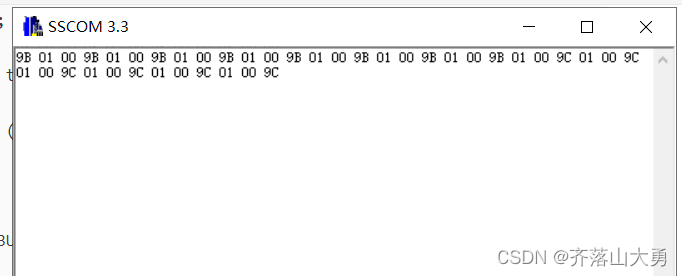
1.任务描述 (1)ds18b20测量环境温度存储到存储器(数组)中。 (2)开启DMA将数组中的内容,通过DMA发送到串口 存在问题,ds18b20读到的数据是正常的,但是串口只是发送其低…...

Flask连接数据库返回json数据
常用方法: json.dumps(字典) 将python的字典转换为json字符串json.loads(字符串) 将字符串转换为python中的字典方法一:将python字典转化为json from flask import Flask import jsonapp Flask(__name__)app.route("/index") def index():# 返回json数据的方法…...

Openresty通过Lua+Redis 实现动态封禁IP
求背景 为了封禁某些爬虫或者恶意用户对服务器的请求,我们需要建立一个动态的 IP 黑名单。对于黑名单之内的 IP ,拒绝提供服务。并且可以设置失效 1.安装Openresty(编译安装) wget https://openresty.org/download/openresty-1.…...

碎片笔记|AIGC核心技术综述
前言:AIGC全称为AI-Generated Content,直译为人工智能内容生成。即采用人工智能技术来自动生产内容。AIGC在2022年的爆发,主要是得益于深度学习模型方面的技术创新。不断涌现的生成算法、预训练模型以及多模态等技术的融合引发了AIGC的技术变…...

28385-2012 印刷机械 锁线机 学习笔记
声明 本文是学习GB-T 28385-2012 印刷机械 锁线机. 而整理的学习笔记,分享出来希望更多人受益,如果存在侵权请及时联系我们 1 范围 本标准规定了锁线机的型式、基本参数、要求、试验方法、检验规则、标志、包装、运输与贮存。 本标准适用于用线将书帖装订成书芯的锁线机。 …...

【大规模 MIMO 检测】基于ADMM的大型MU-MIMO无穷大范数检测研究(Matlab代码实现)
💥💥💞💞欢迎来到本博客❤️❤️💥💥 🏆博主优势:🌞🌞🌞博客内容尽量做到思维缜密,逻辑清晰,为了方便读者。 ⛳️座右铭&a…...

MySQL数据库记录的删除操作与特殊字符
在数据库管理中,除了添加和修改记录之外,删除操作也是一个重要的方面。同时特殊字符序列的处理也是必不可少的一步。 本文将深入探讨如何在MySQL数据库中进行表记录的删除操作,以及如何处理特殊字符序列。将使用《三国志》游戏数据作为示例来进行解释。 文章目录 表记录的…...

什么是TypeScript
TypeScript是一个开源的编程语言,它是JavaScript的超集。它允许开发人员编写更具可靠性和高效性的代码,同时提供了强类型支持、类、接口、模块等新的特性。TypeScript的代码可以编译成纯JavaScript代码,可以在任何支持JavaScript的平台上运行…...

[docker]笔记-网络故障处理
1、同事在虚拟机上部署docker,发现电脑无法登录虚拟机了。首先ping测是通的,从我电脑继续进行登录测试发现没问题,初步判断是她电脑网络和虚拟机网络之间连接出错。 2、进行虚拟机登录查看,首先使用route -n命令查看路由…...

牛客网_HJ1_字符串最后一个单词的长度
HJ1_字符串最后一个单词的长度 原题思路代码运行截图收获 原题 字符串最后一个单词的长度 思路 从最后一个字符开始遍历,遇到第一个空格时的长度即为最后一个单词的长度 代码 #include <iostream> #include <string> using namespace std;int main…...
智算创新,美格智能助力智慧支付加速发展
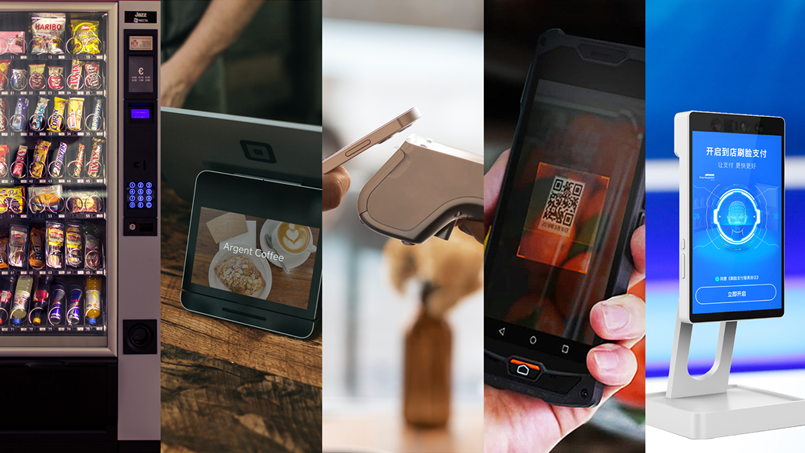
9月21日,以“智算引领创新未来”为主题的紫光展锐2023泛物联网终端生态论坛在深圳举行。作为紫光展锐重要战略合作伙伴,美格智能标准模组产品线总经理郭强华、高级产品总监刘伟鹏受邀出席论坛。美格智能基于紫光展锐5G、4G、智能SoC、Cat.1 bis等芯片平台…...
常用SQL语法总结
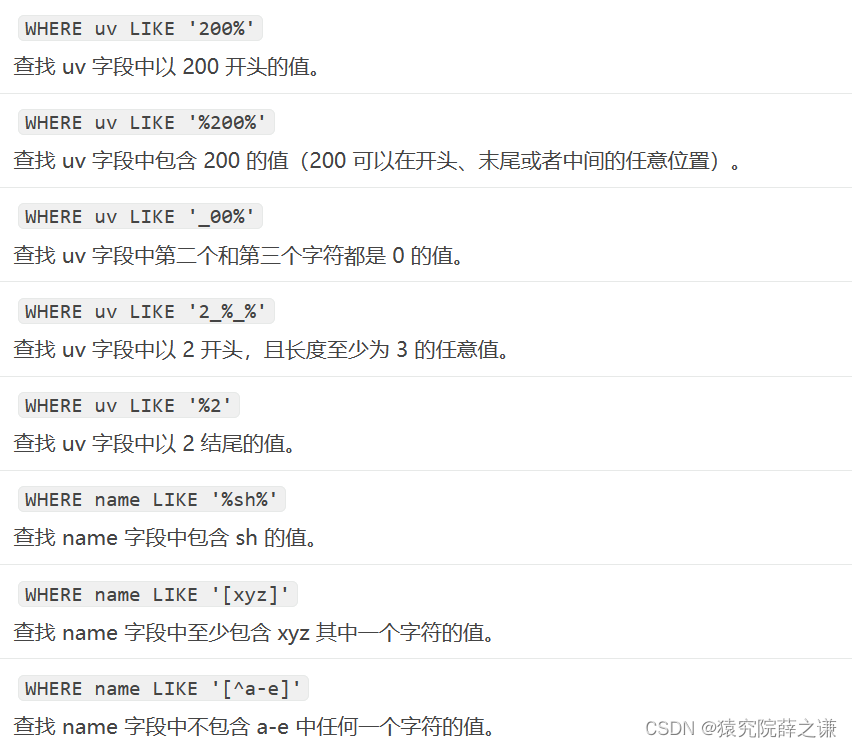
1.库操作 1.1.创建数据库 CREATE DATABASE 语句用来创建一个新的数据库。 语法:CREATE DATABASE DatabaseName; DatabaseName 为数据库名字,它的名字必须是唯一的,不能和其它数据库重名。 1.2.删除数据库 DROP DATABASE语句用来删除已经…...
Promise击鼓传花的游戏
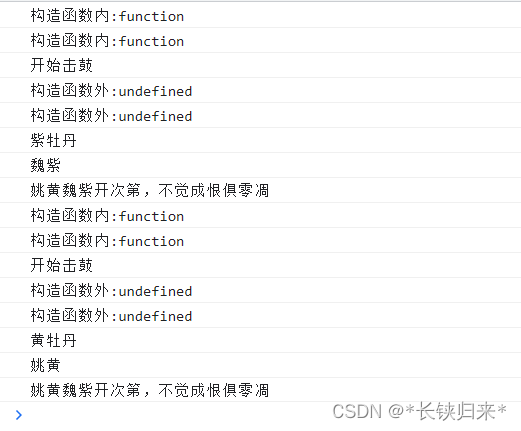
Promise击鼓传花的游戏 Promise系列导航前言一、学习Promise的原因二、揭开击鼓传花游戏的面纱补充小知识 Promise系列导航 1.Promise本质击鼓传花的游戏 2.Promise四式击鼓 3.Promise击鼓传花 4.Promise花落谁家知多少 前言 👨💻👨&…...
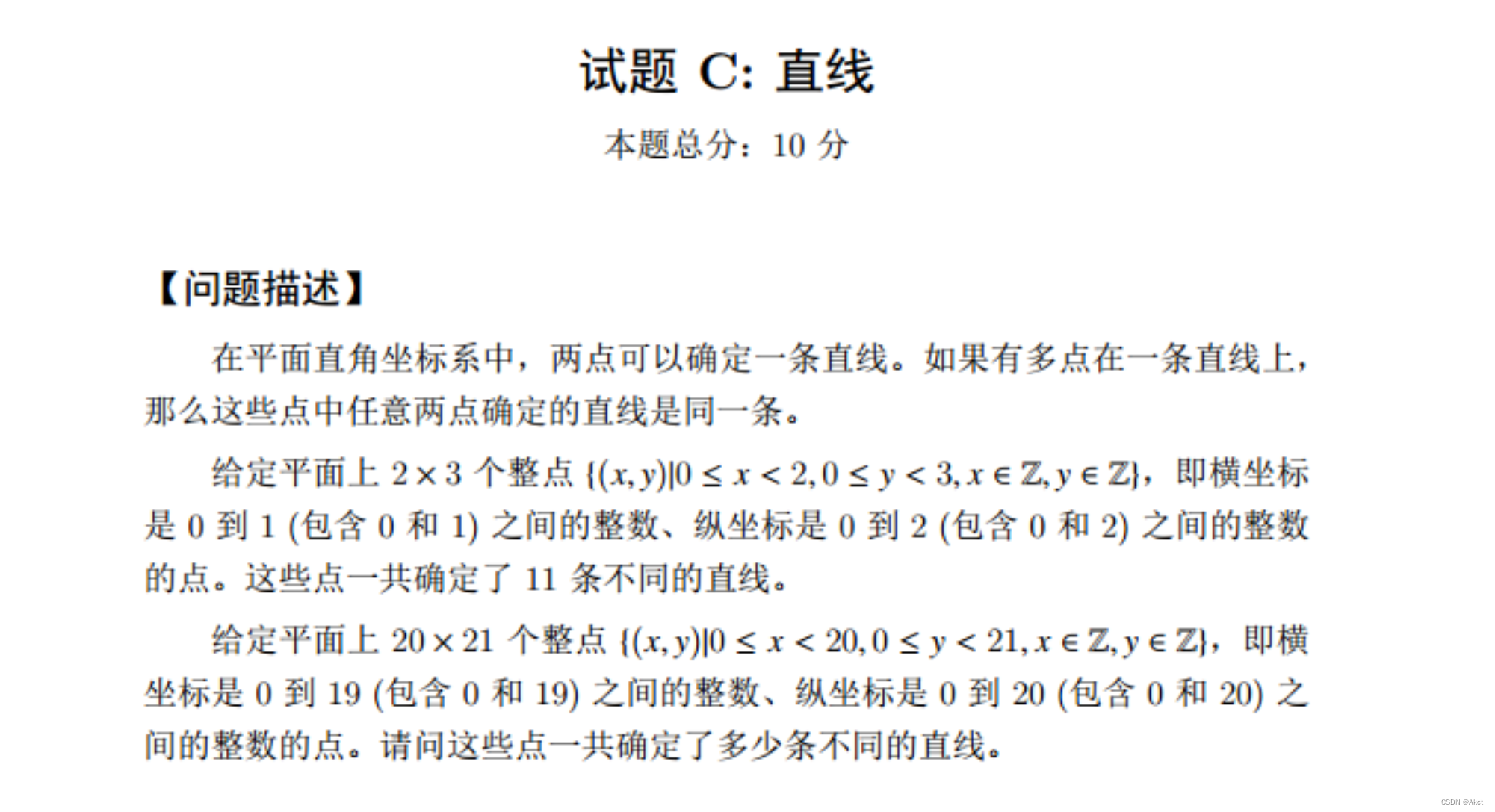
蓝桥杯每日一题2023.9.29
蓝桥杯大赛历届真题 - C&C 大学 B 组 - 蓝桥云课 (lanqiao.cn) 题目描述1 题目分析 看见有32位,我们以此为入手点, B代表字节1B 8b b代表位,32位即4个字节 (B) 1KB 1024B 1MB 1024KB (256 * 1024 * 1024) / 4 67108864 故答案…...

Spring Boot的自动装配中的@ConditionalOnBean条件装配注解在Spring启动过程中,是如何保证处理顺序靠后的
前言 为什么Spring Boot条件注解那么多,而标题中是ConditionalOnBean呢? 因为,相比之下我们用的比较多的条件装配注解也就是ConditionalOnClass、ConditionalOnBean了,而ConditionalOnClass对顺序并不敏感(说白了就是判…...
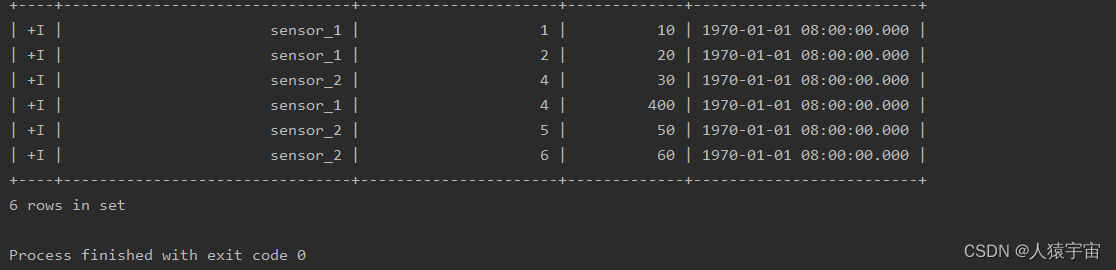
玩转数据-大数据-Flink SQL 中的时间属性
一、说明 时间属性是大数据中的一个重要方面,像窗口(在 Table API 和 SQL )这种基于时间的操作,需要有时间信息。我们可以通过时间属性来更加灵活高效地处理数据,下面我们通过处理时间和事件时间来探讨一下Flink SQL …...
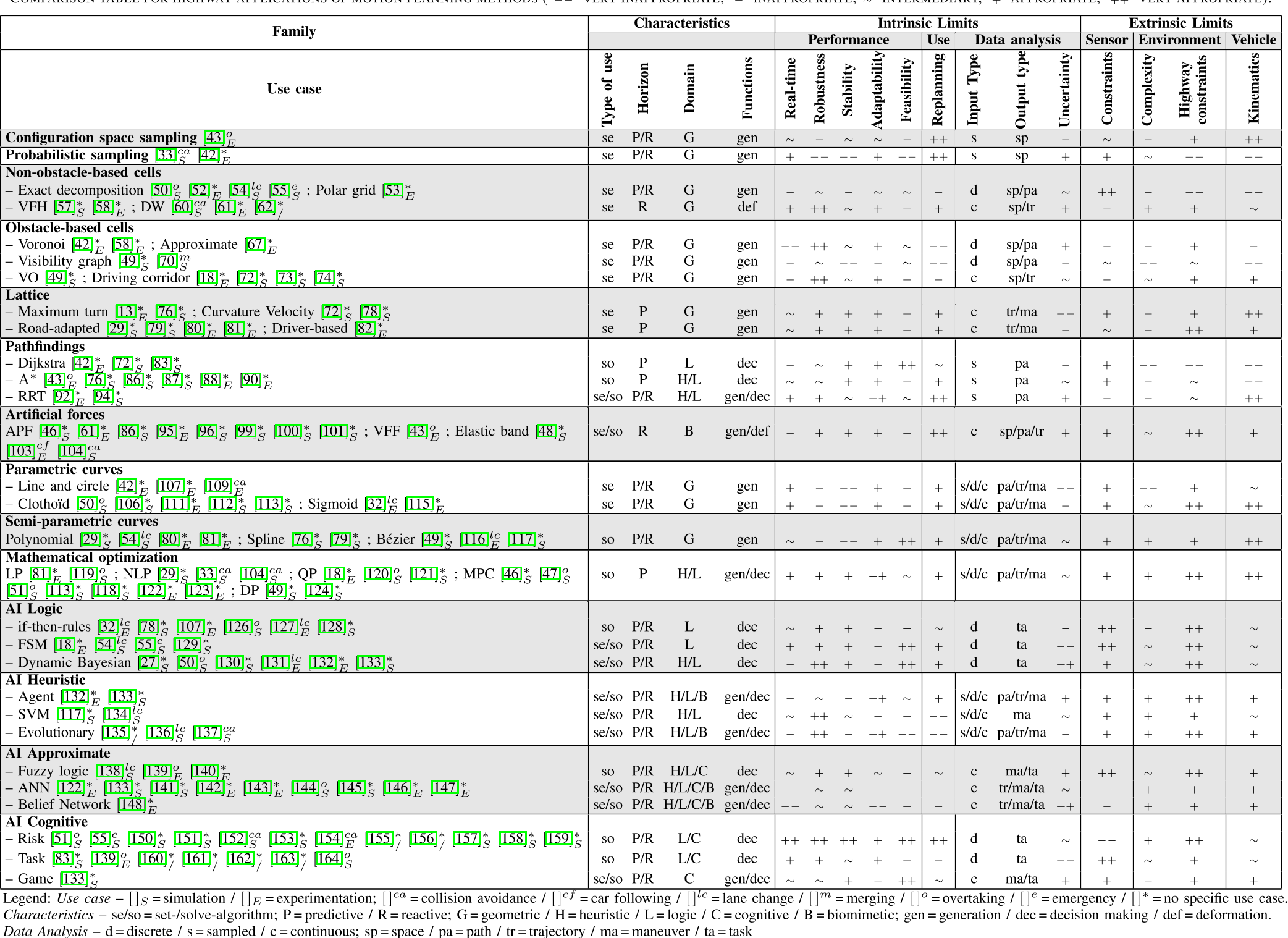
【论文笔记】A Review of Motion Planning for Highway Autonomous Driving
文章目录 I. INTRODUCTIONII. CONSIDERATIONS FOR HIGHWAY MOTION PLANNINGA. TerminologyB. Motion Planning SchemeC. Specificities of Highway DrivingD. Constraints on Highway DrivingE. What Is at Stake in this Paper III. STATE OF THE ARTA. Taxonomy DescriptionB…...
YOLOv8改进算法之添加CA注意力机制
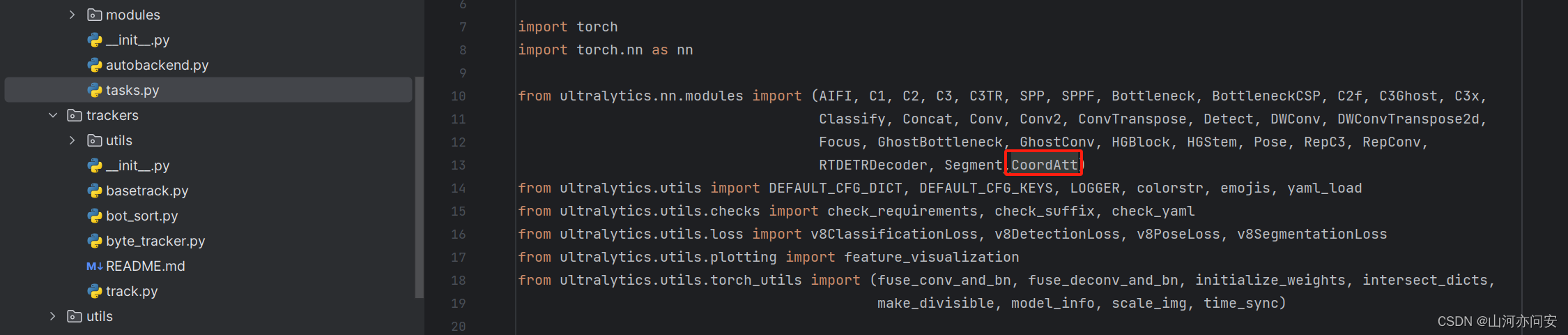
1. CA注意力机制 CA(Coordinate Attention)注意力机制是一种用于加强深度学习模型对输入数据的空间结构理解的注意力机制。CA 注意力机制的核心思想是引入坐标信息,以便模型可以更好地理解不同位置之间的关系。如下图: 1. 输入特…...
2023年10月腾讯云优惠活动汇总:腾讯云最新优惠、代金券整理
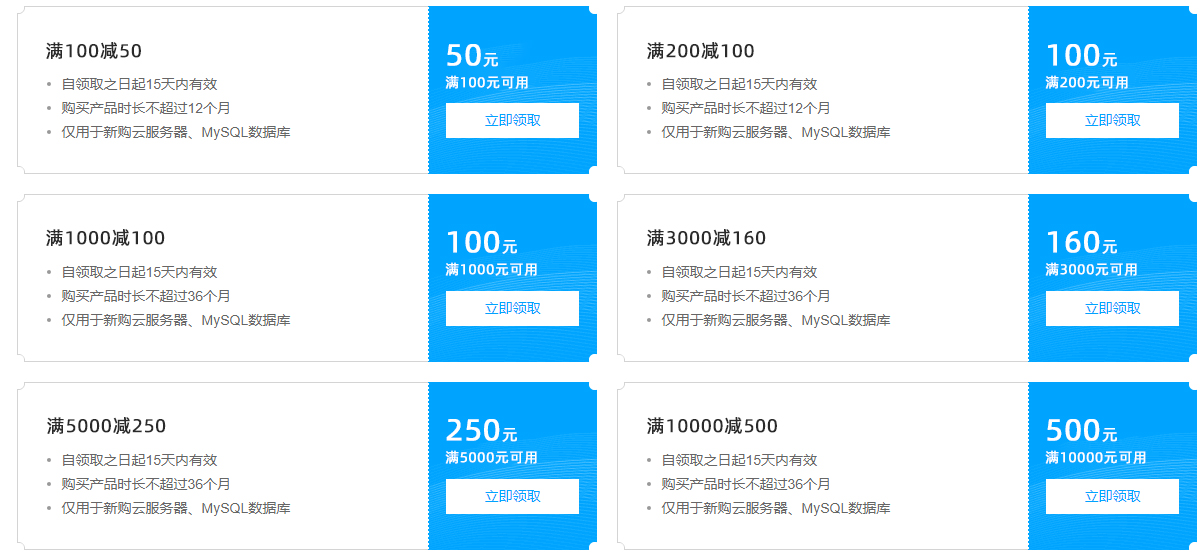
腾讯云作为国内领先的云服务提供商,致力于为用户提供优质、稳定的云服务。为了更好地满足用户需求,腾讯云推出了各种优惠活动。本文将给大家分享腾讯云最新优惠活动,帮助用户充分利用腾讯云提供的优惠。 一、腾讯云优惠券领取【点此领取】 腾…...

Token Plan 套餐怎么选,Taotoken 预付费模式下的成本控制实践
🚀 告别海外账号与网络限制!稳定直连全球优质大模型,限时半价接入中。 👉 点击领取海量免费额度 Token Plan 套餐怎么选,Taotoken 预付费模式下的成本控制实践 对于有稳定大模型调用需求的开发者或团队而言࿰…...

3款实用论文降重神器,帮你轻松解决重复率难题
对于正在撰写毕业论文或者期刊论文的创作者来说,重复率不达标绝对是最头疼的问题之一。自己手动改了三五遍,重复率还是卡在要求线以上,不仅耽误时间还影响心态,这时候一款好用的降重工具就能帮你省下不少精力。今天我们就以第三方…...
)
别再死记硬背了!用一块74283芯片搞定所有BCD码转换(附实战练习题)
用74283芯片玩转BCD码转换:从原理到实战的终极指南 在数字电路设计与计算机组成原理的学习中,BCD码转换一直是让许多学生头疼的"拦路虎"。传统的死记硬背方法不仅效率低下,更无法应对考试中千变万化的题型。本文将彻底改变这一现状…...

终极指南:3分钟学会在Windows电脑上安装安卓应用
终极指南:3分钟学会在Windows电脑上安装安卓应用 【免费下载链接】APK-Installer An Android Application Installer for Windows 项目地址: https://gitcode.com/GitHub_Trending/ap/APK-Installer 你是否曾经想过在Windows电脑上直接运行手机应用ÿ…...

SkillPilot:AI编程助手技能一键管理与安全部署实战
1. 项目概述与核心价值最近在折腾AI编程助手的时候,发现了一个挺有意思的痛点:虽然Claude Code、Cursor这些工具都支持通过SKILL.md文件来扩展功能,但每次想找个新技能,都得手动去GitHub上翻找、下载、配置,还得担心代…...
掰掰手腕)
从零手搓CLAHE算法:用Python实现图像去雾,并与OpenCV的cv2.createCLAHE()掰掰手腕
从零实现CLAHE算法:Python实战图像去雾与OpenCV性能对决 当一张雾霾笼罩的风景照出现在眼前时,我们往往会感到遗憾——那些本应清晰的细节被一层灰蒙蒙的雾气所掩盖。传统直方图均衡化虽然能提升对比度,但往往会过度放大噪声,让图…...

Dell G15终极散热控制指南:开源热控中心完全教程
Dell G15终极散热控制指南:开源热控中心完全教程 【免费下载链接】tcc-g15 Thermal Control Center for Dell G15 - open source alternative to AWCC 项目地址: https://gitcode.com/gh_mirrors/tc/tcc-g15 厌倦了官方AWCC软件的臃肿和卡顿?想要…...

从灾难电影到现实防疫:技术视角下的系统脆弱性与韧性构建
1. 从科幻到现实:流行病史与灾难电影的预言性对话作为一名长期关注科技与社会交叉领域的写作者,我发现自己近年来越发沉迷于一种特殊的电影类型——灾难片,尤其是那些以病毒大流行为主题的影片。这并非单纯的娱乐消遣,而更像是一种…...

ComfyUI-VideoHelperSuite VHS_VideoCombine节点缺失问题深度分析与解决方案
ComfyUI-VideoHelperSuite VHS_VideoCombine节点缺失问题深度分析与解决方案 【免费下载链接】ComfyUI-VideoHelperSuite Nodes related to video workflows 项目地址: https://gitcode.com/gh_mirrors/co/ComfyUI-VideoHelperSuite 技术问题深度分析 问题现象与影响范…...

避坑指南:ArcGIS处理SRTM DEM时空间参考丢失、裁剪异常的终极解决方案
ArcGIS处理SRTM DEM数据避坑实战手册:从空间参考丢失到精准裁剪的全流程解析 当你从NASA官网下载了SRTM DEM数据,满心欢喜地准备进行地形分析时,是否遇到过这些"玄学"问题?裁剪后的中国地图边界莫名其妙偏移了几百公里&…...