
Java:SpringBoot 整合Spring-Retry实现错误重试
SpringBoot 整合Spring-Retry可以实现错误重试
目录
- 引入依赖
- 开启spring-retry
- 使用重试注解
- `@Retryable` 注解
- `@Backoff` 注解
- 测试
- 参考
引入依赖
<dependency><groupId>org.springframework.boot</groupId><artifactId>spring-boot-starter-aop</artifactId>
</dependency>
<dependency><groupId>org.springframework.retry</groupId><artifactId>spring-retry</artifactId>
</dependency>
完整依赖pom.xml
<?xml version="1.0" encoding="UTF-8"?>
<project xmlns="http://maven.apache.org/POM/4.0.0" xmlns:xsi="http://www.w3.org/2001/XMLSchema-instance"xsi:schemaLocation="http://maven.apache.org/POM/4.0.0 https://maven.apache.org/xsd/maven-4.0.0.xsd"><modelVersion>4.0.0</modelVersion><parent><groupId>org.springframework.boot</groupId><artifactId>spring-boot-starter-parent</artifactId><version>2.7.7</version><relativePath/> <!-- lookup parent from repository --></parent><groupId>com.example</groupId><artifactId>demo</artifactId><version>0.0.1-SNAPSHOT</version><name>demo</name><description>Demo project for Spring Boot</description><properties><java.version>1.8</java.version></properties><dependencies><dependency><groupId>org.springframework.boot</groupId><artifactId>spring-boot-starter-web</artifactId></dependency><dependency><groupId>org.springframework.boot</groupId><artifactId>spring-boot-devtools</artifactId><scope>runtime</scope><optional>true</optional></dependency><dependency><groupId>org.projectlombok</groupId><artifactId>lombok</artifactId><optional>true</optional></dependency><dependency><groupId>org.springframework.boot</groupId><artifactId>spring-boot-starter-test</artifactId><scope>test</scope></dependency><!-- spring-retry --><dependency><groupId>org.springframework.boot</groupId><artifactId>spring-boot-starter-aop</artifactId></dependency><dependency><groupId>org.springframework.retry</groupId><artifactId>spring-retry</artifactId></dependency></dependencies><build><plugins><plugin><groupId>org.springframework.boot</groupId><artifactId>spring-boot-maven-plugin</artifactId><configuration><excludes><exclude><groupId>org.projectlombok</groupId><artifactId>lombok</artifactId></exclude></excludes></configuration></plugin></plugins></build></project>
开启spring-retry
启动类上增加注解 @EnableRetry
package com.example.demo;import org.springframework.boot.SpringApplication;
import org.springframework.boot.autoconfigure.SpringBootApplication;
import org.springframework.retry.annotation.EnableRetry;@EnableRetry
@SpringBootApplication
public class Application {public static void main(String[] args) {SpringApplication.run(Application.class, args);}}
使用重试注解
@Retryable 注解
- value,可重试的异常类型。含义同include。默认为空(如果excludes也为空,则重试所有异常)
- include:可重试的异常类型。默认为空(如果excludes也为空,则重试所有异常)
- exclude:无需重试的异常类型。默认为空(如果includes也为空,则重试所有异常)
- maxAttempts:最大重试次数(包括第一次失败),默认为3次
- backoff:重试等待策略,下面会在@Backoff中介绍
- recover:表示重试次数到达最大重试次数后的回调方法
@Backoff 注解
- delay,重试之间的等待时间(以毫秒为单位)
- maxDelay,重试之间的最大等待时间(以毫秒为单位)
- multiplier,指定延迟的倍数
- delayExpression,重试之间的等待时间表达式
- maxDelayExpression,重试之间的最大等待时间表达式
- multiplierExpression,指定延迟的倍数表达式
- random,随机指定延迟时间
使用示例
package com.example.demo.component;import org.springframework.retry.annotation.Recover;
import org.springframework.retry.annotation.Retryable;
import org.springframework.stereotype.Component;@Component
public class HttpRequest {private int count = 0;/*** 模拟网络请求异常* @return*/@Retryable(recover = "errorHandler")public String getResponse() {count++;System.out.println("time: " + count);if (count < 4) {throw new RuntimeException("count: " + count);}return "success";}/*** 错误处理函数* 注意:需要返回 String,否则会抛出方法找不到异常* org.springframework.retry.ExhaustedRetryException: Cannot locate recovery method** @param e* @return*/@Recoverpublic String errorHandler(RuntimeException e) {System.out.println("errorHandler");return "ok";}
}
测试
package com.example.demo.component;import org.junit.jupiter.api.Test;
import org.springframework.beans.factory.annotation.Autowired;
import org.springframework.boot.test.context.SpringBootTest;@SpringBootTest
public class HttpRequestTest {@Autowiredprivate HttpRequest httpRequest;@Testpublic void getResponse(){httpRequest.getResponse();}
}
输出结果
time: 1
time: 2
time: 3
errorHandler
参考
- SpringBoot 中使用 spring-retry 轻松解决重试
相关文章:

Java:SpringBoot 整合Spring-Retry实现错误重试
SpringBoot 整合Spring-Retry可以实现错误重试 目录引入依赖开启spring-retry使用重试注解Retryable 注解Backoff 注解测试参考引入依赖 <dependency><groupId>org.springframework.boot</groupId><artifactId>spring-boot-starter-aop</artifactI…...

MyBatis学习笔记(二) —— 搭建MyBatis项目
2、搭建MyBatis 2.1、开发环境 IDE:idea 2019.2 构建工具:maven 3.5.4 MySQL版本:MySQL 8 MyBatis版本:MyBatis 3.5.7 MySQL不同版本的注意事项 1、驱动类 driver-class-name MySQL 5版本使用jdbc5驱动,驱动类使用…...

linux服务器上Docker中安装jenkins
前言 Jenkins是开源CI&CD软件领导者, 提供超过1000个插件来支持构建、部署、自动化, 满足任何项目的需要。 本文主要提供通过docker安装jenkins镜像,并配置nginx反向代理页面配置和使用。通过jenkins完成项目的自动部署。 我在安装之前…...
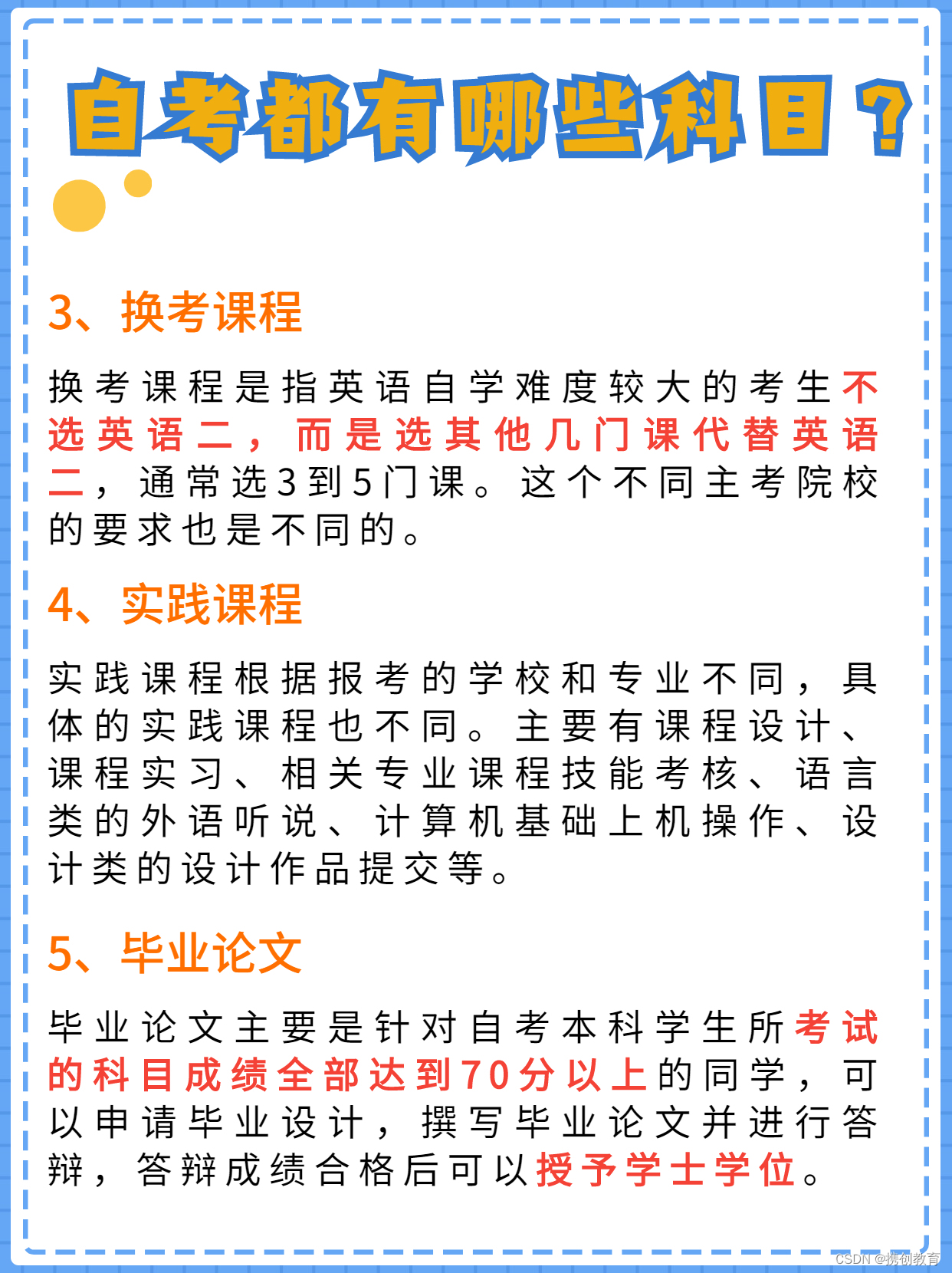
自考都有哪些科目?怎么搭配报考?
第一次自考科目搭配 先报理论课,熟悉学习和考试套路 参考搭配模式: 一、全报考公共课 公共课难度较低,通过率高,复习起来比较轻松。对于不确定考什么专业,后期想换专业的同学,考过公共课,…...
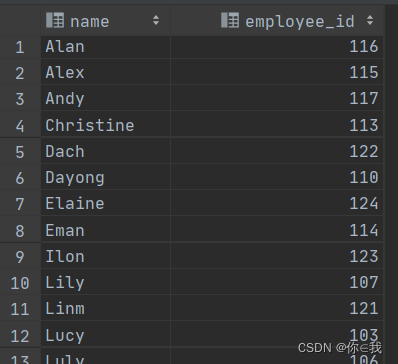
HIVE --- 高级查询
目录 CTE和嵌套查询 嵌套查询 关联查询(join) MapJoin MapJoin操作在Map端完成 开启MapJoin操作 MAPJOIN不支持的操作 union 数据交换(import/export) 数据排序 order by sort by distribute by cluster by CTE和嵌…...

【手撕源码】vue2.x双向数据绑定原理
🐱 个人主页:不叫猫先生 🙋♂️ 作者简介:前端领域新星创作者、阿里云专家博主,专注于前端各领域技术,共同学习共同进步,一起加油呀! 💫系列专栏:vue3从入门…...
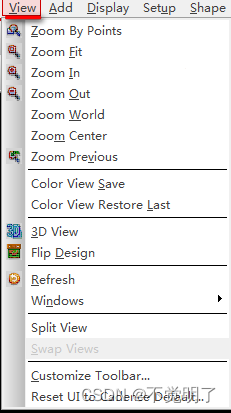
Allegro如何显示层叠Options和Find操作界面
Allegro如何显示层叠Options和Find操作界面 Allegro常规有三大操作界面,层叠,Options和Find,如下图 软件第一次启动的时候,三大界面是关闭的,下面介绍如何把它们打开,具体操作步骤如下 点击菜单上的View点击Windows...
【数据结构】双向链表
目录 数据结构之双向链表:: List.h List.c 1.创建返回链表的头结点 2.双向链表初始化 3.双向链表打印 4.双向链表销毁 5.双向链表尾插 6.双向链表尾删 7.双向链表头插 8.双向链表头删 9.双向链表查找 10.双向链表在pos前插入 11.双向链表删除pos位置 12…...
Editor工具开发基础三:自定义组件菜单拓展 CustomEditor
一.创建脚本路径 创建脚本路径不再限制 一般写在自定义组件类的下边二.特性CustomEditor 定义主设计图面由自定义代码实现数组的编辑器。两个构造函数1.public CustomEditor(Type inspectedType);2.public CustomEditor(Type inspectedType, bool editorForChildClasses);参数意…...

拒绝摆烂!神仙网站Python自学,一路从入门闯到最后,边学边玩
前言给大家推荐3个边玩边学python的网站在刚接触编程,培养对其持续的兴趣是最最重要的事情辣!!!因为前期需要大量的基础代码知识积累,这个过程对于不少人来说还是挺枯燥的,很有可能学到一半就放弃了&#x…...

Linux基础命令-locate快速查找文件
文章目录 locate 命令介绍 语法格式 基本参数 参考实例 1)查找1.txt相关的文件 2)查找包含pass和txt都有的文件 3)只匹配文件名,有路径的情况下不进行匹配 4)匹配不区分大小写的文件 5&#…...
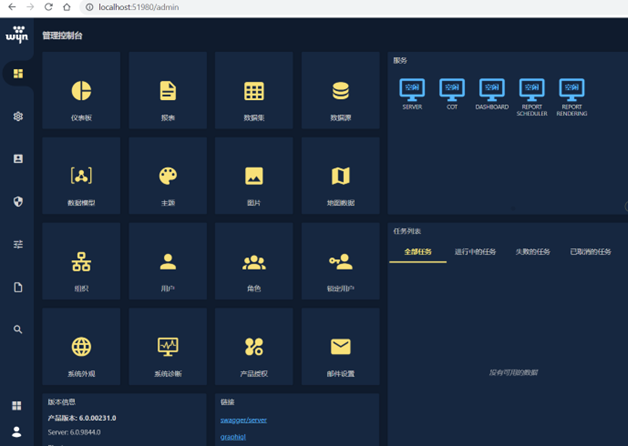
揭穿数据分析的六大谎言
目前许多企业在决策时仍沿用以往的个人经验,没有用数据说话,这在实际决策运行时会出现很多问题。在数据分析行业发展成熟的国家,90%的市场决策和经营决策都是通过数据分析研究确定的。用数据说话,重视定量分析,也逐渐成…...

LinkSLA智能运维技术派-Redis的监控
Redis是一个开源,内存存储的数据服务器,可用作数据库、高速缓存和消息队列代理等场景。 首先我们对内存进行监控,主要指标如下: - used_memory:使用内存 - used_memory_rss:从操作系统分配的内存 - mem_fragmentation_ratio:内…...
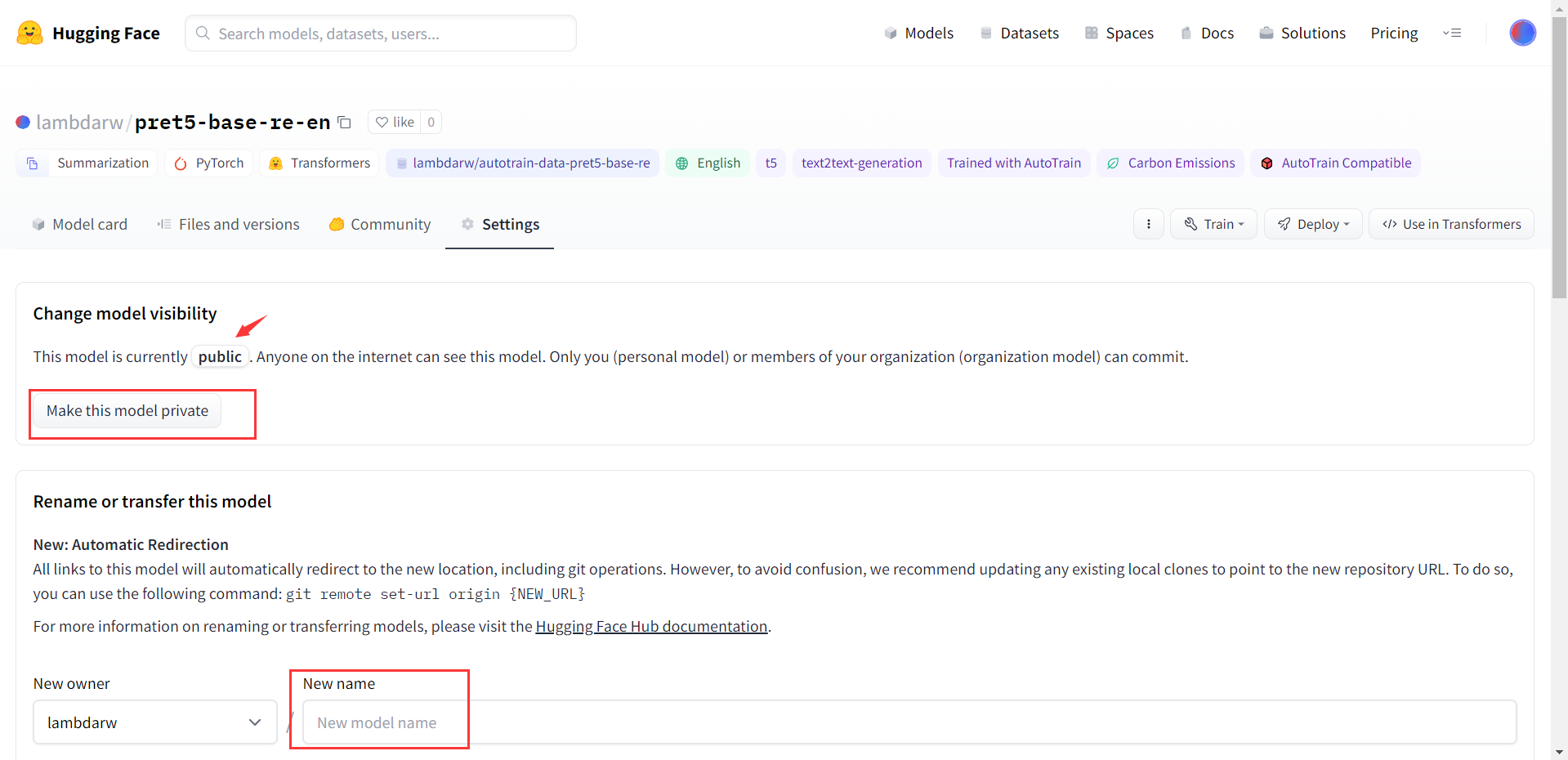
Hugging face 模型微调学习:T5-base的微调
最近想做一点文本生成的小实验,无意发现了NLPer应该了解到了一个网站:Hugging face。 Hugging face 在 github上开源了一个Transformers库,允许用户上传和下载的预训练的模型,并进行原有模型的基础上进行微调。如此,使…...
JavaScript 测试 Prototype
文章目录JavaScript 测试 Prototype引用 PrototypePrototype 描述测试 PrototypeJavaScript 测试 Prototype 测试 JavaScript 框架库 - Prototype 引用 Prototype 如需测试 JavaScript 库,您需要在网页中引用它。 为了引用某个库,请使用 <!DOCTYP…...

pnpm / yarn / npm管理依赖包
pnpm pnpm官网:https://pnpm.io/zh/ pnpm安装方式有很多,详见官网。 用最简单的npm来安装pnpm:npm install -g pnpm pnpm安装依赖包 pnpm install # 安装所有项目中的依赖包 pnpm install vue # 安装依赖到dependencies pnpm in…...
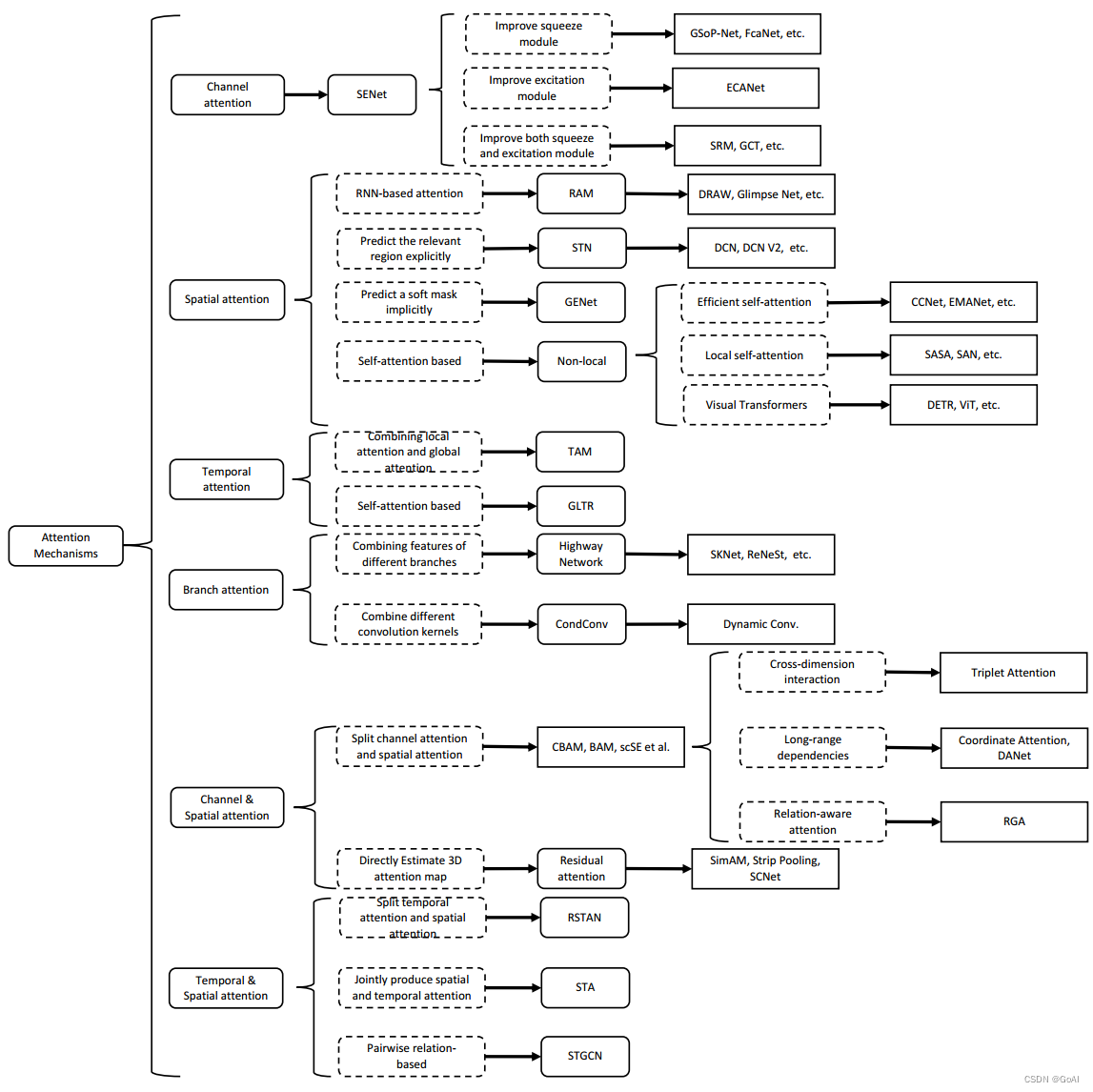
注意力机制详解系列(一):注意力机制概述
👨💻作者简介: 大数据专业硕士在读,CSDN人工智能领域博客专家,阿里云专家博主,专注大数据与人工智能知识分享。 🎉专栏推荐: 目前在写CV方向专栏,更新不限于目标检测、…...
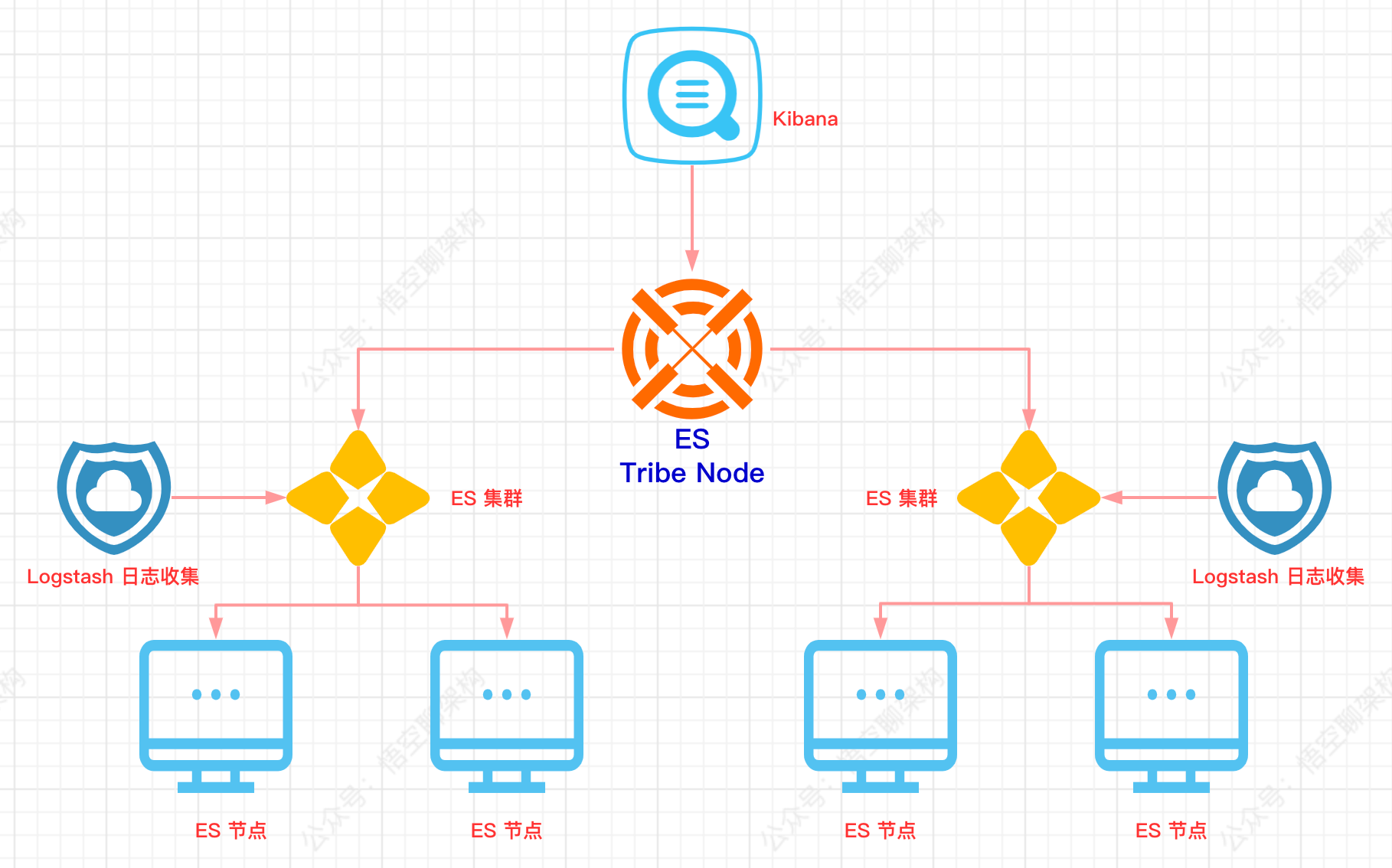
搜索引擎 Elasticsearch 的三大坑
搜索引擎的坑 ES 搜索引擎系列文章汇总: 一、别只会搜日志了,求你懂点原理吧 二、ES 终于可以搜到”悟空哥“了! 三、1W字|40 图|硬核 ES 实战 本文主要内容如下: 搜索引擎现在是用得越来越多了&#…...
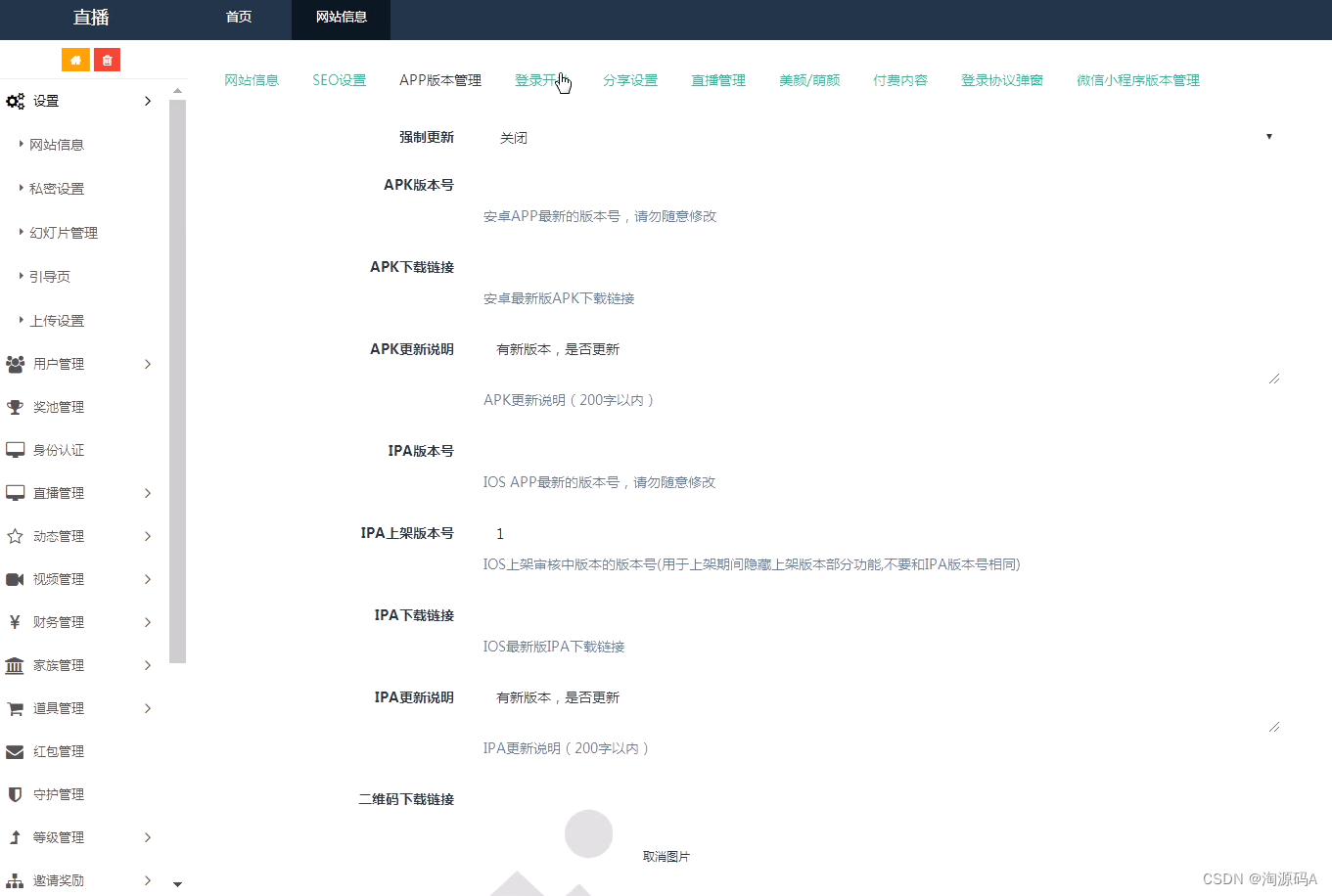
运营级手机直播平台源码 短视频直播带货APP源码
短视频直播带货APP源码 全开源原生直播APP源码 前端:原生APP 安卓端:Java 苹果端:OC 后台:PHP 数据库:Mysql 技术框架:Thinkphp5.1 系统特色功能包括:礼物系统;提现方式&#…...
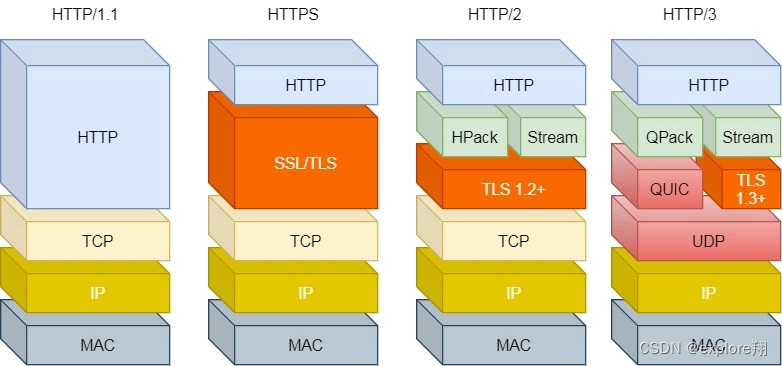
http/HTTPS相关的一些知识
2、http和https HTTP,超文本传输协议,规定了浏览器和服务器之间数据传输的规则。HTTP 是应用层协议,它以 TCP(传输层)作为底层协议,默认端口为 80。 http的通信过程:服务器在80端口等待客户的请…...

Tomcat隐藏Server响应头的三种实战方案
1. 为什么连Tomcat默认的版本号都得藏起来?你有没有在浏览器开发者工具的Network面板里,随手点开一个Java Web应用的响应头,就看到这么一行:Server: Apache-Coyote/1.1或者更直白的Server: Apache Tomcat/9.0.83?我第一…...

d2dx终极教程:三步让暗黑破坏神2在现代PC上焕然一新
d2dx终极教程:三步让暗黑破坏神2在现代PC上焕然一新 【免费下载链接】d2dx D2DX is a complete solution to make Diablo II run well on modern PCs, with high fps and better resolutions. 项目地址: https://gitcode.com/gh_mirrors/d2/d2dx 还在为暗黑破…...

市面上靠谱的ERP/MES/定制开发/APP开发/软件开发公司
在数字化浪潮下,80%的实体企业都想通过ERP、MES或定制软件实现降本增效,但选对服务商比“买系统”更重要——用模板化系统的企业,70%会因为流程适配差、运维跟不上而半途而废;找外包开发的企业,又面临“开发完就甩手”…...

3分钟快速完成Windows 11系统优化:开源神器Win11Debloat完全指南
3分钟快速完成Windows 11系统优化:开源神器Win11Debloat完全指南 【免费下载链接】Win11Debloat A simple, lightweight PowerShell script that allows you to remove pre-installed apps, disable telemetry, as well as perform various other changes to declut…...

HermesAgent工具如何快速对接Taotoken的多模型服务提供商
🚀 告别海外账号与网络限制!稳定直连全球优质大模型,限时半价接入中。 👉 点击领取海量免费额度 HermesAgent工具如何快速对接Taotoken的多模型服务提供商 基础教程类,本文将指导使用HermesAgent工具的开发者…...

FactoryBluePrints:戴森球计划终极蓝图仓库,5步打造高效自动化工厂
FactoryBluePrints:戴森球计划终极蓝图仓库,5步打造高效自动化工厂 【免费下载链接】FactoryBluePrints 游戏戴森球计划的**工厂**蓝图仓库 项目地址: https://gitcode.com/GitHub_Trending/fa/FactoryBluePrints 你是否曾在戴森球计划中花费数小…...

在自动化客服系统中集成多模型API以提升回答稳定性与成本可控性
🚀 告别海外账号与网络限制!稳定直连全球优质大模型,限时半价接入中。 👉 点击领取海量免费额度 在自动化客服系统中集成多模型API以提升回答稳定性与成本可控性 对于需要7x24小时稳定运行的智能客服系统而言,单一模型…...

3大技术革命:openpilot如何重新定义自动驾驶开源生态
3大技术革命:openpilot如何重新定义自动驾驶开源生态 【免费下载链接】openpilot openpilot is an operating system for robotics. Currently, it upgrades the driver assistance system on 300 supported cars. 项目地址: https://gitcode.com/GitHub_Trending…...

终极网站性能优化指南:publiccode.asia 加载速度提升10个技巧
终极网站性能优化指南:publiccode.asia 加载速度提升10个技巧 【免费下载链接】publiccode.asia-legacy Website of https://publiccode.asia 项目地址: https://gitcode.com/gh_mirrors/pu/publiccode.asia-legacy 想要让你的网站像闪电一样快速加载吗&…...

linux系统之进程管理详解
进程(Process) 是计算机中的程序关于某数据集合上的一次运行活动,是系统进行资源分配和调度的基本单位,是操作系统结构的基础。 在当代面向线程设计的计算机结构中,进程是线程的容器。程序是指令、数据及其组织形式的描…...