
Qt (QInputDialog 、QMessageBox、QMessageBox)对话框实战
目录
一、QInputDialog 类(输入对话框)
二、QMessageBox 类(消息框)
三、QMessageBox 类(自定义消息框)
一、QInputDialog 类(输入对话框)
QInputDialog 是一个提供输入对话框的 Qt 类。它允许用户输入文本,并提供给用户选择可用选项的选项列表。QInputDialog 可以显示多种输入类型的对话框,例如:
- 文本输入框:允许用户输入文本;
- 整数输入框:仅允许用户输入整数;
- 浮点数输入框:仅允许用户输入浮点数;
- 列表框:显示可用选项的选项列表,用户可以从中选择一个选项。
QInputDialog 通过静态函数调用。例如,要显示一个文本输入框,可以使用以下代码:
QString text = QInputDialog::getText(this, "Input Dialog", "Enter your name:");此代码将显示一个对话框,提示用户输入文本,并将用户输入保存在 text 变量中。除了 getText() 函数之外,还有其他静态函数可用于显示整数和浮点数输入框以及列表框。
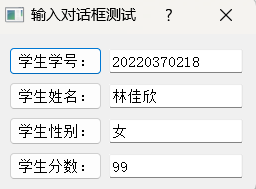
案例分析:实现下图功能
dialog.h
#ifndef DIALOG_H
#define DIALOG_H#include <QDialog>#include <QGridLayout>
#include <QLineEdit>
#include <QPushButton>#include <QInputDialog>class Dialog : public QDialog
{Q_OBJECTpublic:Dialog(QWidget *parent = nullptr);~Dialog();private:QGridLayout *glayout;QPushButton *inputstudentnobutton;QLineEdit *inputstudentnobuttonLineEdit;QPushButton *inputstudentnamebutton;QLineEdit *inputstudentnamebuttonLineEdit;QPushButton *inputstudentsexbutton;QLineEdit *inputstudentsexbuttonLineEdit;QPushButton *inputstudentscorebutton;QLineEdit *inputstudentscorebuttonLineEdit;private slots:void  modifystudentno();void  modifystudentsex();};
#endif // DIALOG_H
dialog.cpp
#include "dialog.h"Dialog::Dialog(QWidget *parent): QDialog(parent)
{resize(260,110);setWindowTitle("输入对话框测试");// 布局glayout=new QGridLayout(this);inputstudentnobutton=new QPushButton;inputstudentnobutton->setText("学生学号:");inputstudentnobuttonLineEdit=new QLineEdit("20220370218");inputstudentnamebutton=new QPushButton;inputstudentnamebutton->setText("学生姓名:");inputstudentnamebuttonLineEdit=new QLineEdit("林佳欣");inputstudentsexbutton=new QPushButton;inputstudentsexbutton->setText("学生性别:");inputstudentsexbuttonLineEdit=new QLineEdit("女");inputstudentscorebutton=new QPushButton;inputstudentscorebutton->setText("学生分数:");inputstudentscorebuttonLineEdit=new QLineEdit("99");glayout->addWidget(inputstudentnobutton,0,0);glayout->addWidget(inputstudentnobuttonLineEdit,0,1);glayout->addWidget(inputstudentnamebutton,1,0);glayout->addWidget(inputstudentnamebuttonLineEdit,1,1);glayout->addWidget(inputstudentsexbutton,2,0);glayout->addWidget(inputstudentsexbuttonLineEdit,2,1);glayout->addWidget(inputstudentscorebutton,3,0);glayout->addWidget(inputstudentscorebuttonLineEdit,3,1);connect(inputstudentnobutton,SIGNAL(clicked()),this,SLOT(modifystudentno()));connect(inputstudentsexbutton,SIGNAL(clicked()),this,SLOT(modifystudentsex()));
}Dialog::~Dialog()
{
}void  Dialog::modifystudentno()
{bool isbool;QString strText=QInputDialog::getText(this,"标准输入对话框","请输入学号:",QLineEdit::Normal,inputstudentnobuttonLineEdit->text(),&isbool);if(isbool && !strText.isEmpty()){inputstudentnobuttonLineEdit->setText(strText);}
}void  Dialog::modifystudentsex()
{QStringList strSexItems;strSexItems<<"男"<<"女";bool isbool;QString strsexItem=QInputDialog::getItem(this,"标准输入对话框","请选择性别:",strSexItems,0,false,&isbool);if(isbool && !strsexItem.isEmpty()){inputstudentsexbuttonLineEdit->setText(strsexItem);}}
main.cpp
#include "dialog.h"#include <QApplication>int main(int argc, char *argv[])
{QApplication a(argc, argv);Dialog w;w.show();return a.exec();
}
二、QMessageBox 类(消息框)
QMessageBox 类是一个交互式的对话框类,用于显示一个或多个按钮、图标和文本消息,以便用户根据需要进行选择。它是 Qt 中的一个标准对话框类,提供了许多方便的方法来创建、显示和处理对话框。
QMessageBox 类的常用函数包括:
-
QMessageBox():构造函数,创建一个空的 QMessageBox 对象。
-
setText():设置消息对话框中的文本内容。
-
setIcon():设置消息对话框中的图标。
-
addButton():向消息对话框中添加按钮。
-
exec():执行消息对话框,并返回用户选择的按钮 ID。
使用 QMessageBox 类可以快速创建常见的对话框,如询问用户是否确定某个操作、提醒用户操作出错等。它是 Qt 应用中常用的基础对话框之一。
案例分析:实现下图功能

代码示例:
dialog.h
#ifndef DIALOG_H
#define DIALOG_H#include <QDialog>#include <QLabel>
#include <QPushButton>
#include <QGridLayout>
#include <QMessageBox>class Dialog : public QDialog
{Q_OBJECTpublic:Dialog(QWidget *parent = nullptr);~Dialog();private:QGridLayout *glayout;QLabel *displabel;QPushButton *questionbutton; // 问题消息框命令按钮QPushButton *informationbutton; // 信息消息框命令按钮QPushButton *warningbutton; // 警告消息框命令按钮QPushButton *criticalbutton; // 错误消息框命令按钮QPushButton *aboutbutton; // 关于消息框命令按钮QPushButton *aboutqtbutton; //private slots:void displayquestionMsg();void displayinformationMsg();void displaywarningMsg();void displaycriticalMsg();void displayaboutMsg();void displayaboutqtMsg();};
#endif // DIALOG_H
dialog.cpp
#include "dialog.h"Dialog::Dialog(QWidget *parent): QDialog(parent)
{setWindowTitle("消息框测试");resize(320,150);glayout=new QGridLayout(this);displabel=new QLabel("请你选择一个消息框");questionbutton=new QPushButton("questionMsg"); // 问题消息框命令按钮informationbutton=new QPushButton("informationMsg"); // 信息消息框命令按钮warningbutton=new QPushButton("warningMsg"); // 警告消息框命令按钮criticalbutton=new QPushButton("criticalMsg"); // 错误消息框命令按钮aboutbutton=new QPushButton("aboutMsg"); // 关于消息框命令按钮aboutqtbutton=new QPushButton("aboutQtMsg"); //glayout->addWidget(displabel,0,0,1,2);glayout->addWidget(questionbutton,1,0);glayout->addWidget(informationbutton,1,1);glayout->addWidget(warningbutton,2,0);glayout->addWidget(criticalbutton,2,1);glayout->addWidget(aboutbutton,3,0);glayout->addWidget(aboutqtbutton,3,1);connect(questionbutton,SIGNAL(clicked()),this,SLOT(displayquestionMsg()));connect(informationbutton,SIGNAL(clicked()),this,SLOT(displayinformationMsg()));connect(warningbutton,SIGNAL(clicked()),this,SLOT(displaywarningMsg()));connect(criticalbutton,SIGNAL(clicked()),this,SLOT(displaycriticalMsg()));connect(aboutbutton,SIGNAL(clicked()),this,SLOT(displayaboutMsg()));connect(aboutqtbutton,SIGNAL(clicked()),this,SLOT(displayaboutqtMsg()));}Dialog::~Dialog()
{
}void Dialog::displayquestionMsg()
{displabel->setText("question QMessageBox");switch(QMessageBox::question(this,"Question消息框","你是否想退出程序应用,请选择?",QMessageBox::Ok|QMessageBox::Cancel,QMessageBox::Ok)){case QMessageBox::Ok:displabel->setText("你选择questionMsg命令按钮当中的button/Ok!");break;case QMessageBox::Cancel:displabel->setText("你选择questionMsg命令按钮当中的button/Cancel!");break;default:break;}return ;
}void Dialog::displayinformationMsg()
{displabel->setText("information QMessageBox");QMessageBox::information(this,"Information消息框","Information消息框测试成功,大家可以自己描述");return ;
}
void Dialog::displaywarningMsg()
{displabel->setText("warning QMessageBox");switch(QMessageBox::warning(this,"Warning消息框","是否删除数据库sudent.mdb,请注意数据的操作安全?",QMessageBox::Save|QMessageBox::Discard|QMessageBox::Cancel,QMessageBox::Save)){case QMessageBox::Save:displabel->setText("你选择warningMsg命令按钮当中的button/Save!");break;case QMessageBox::Discard:displabel->setText("你选择warningMsg命令按钮当中的button/Discard!");break;case QMessageBox::Cancel:displabel->setText("你选择warningMsg命令按钮当中的button/Cancel!");break;default:break;}return ;}
void Dialog::displaycriticalMsg()
{displabel->setText("critical QMessageBox");QMessageBox::critical(this,"critical消息框","数据库文件备份错误,请重新检查?");return ;}
void Dialog::displayaboutMsg()
{displabel->setText("about QMessageBox");QMessageBox::about(this,"about消息框","测试Qt about消息框");return ;}
void Dialog::displayaboutqtMsg()
{displabel->setText("aboutQt QMessageBox");QMessageBox::aboutQt(this,"aboutQt消息框测试--罗小白的干爹");return ;}
main.cpp
#include "dialog.h"#include <QApplication>int main(int argc, char *argv[])
{QApplication a(argc, argv);Dialog w;w.show();return a.exec();
}
三、QMessageBox 类(自定义消息框)
在 Qt 中,可以使用 QMessageBox 类创建标准的消息框,但是如果需要自定义消息框,可以通过以下步骤实现:
- 创建一个 QDialog 类型的窗口,该窗口将作为自定义消息框。
- 在窗口中添加 QLabel 控件用于显示消息文字。
- 在窗口中添加自定义按钮,如确定、取消等。
- 通过信号和槽连接自定义按钮的点击事件,以在用户点击按钮时执行相应的操作。
- 在需要使用自定义消息框的地方,实例化该 QDialog 类型的窗口并显示。
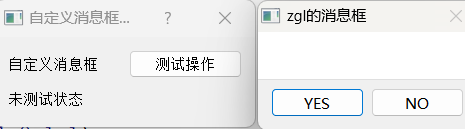
案例分析:实现下图功能
代码示例:
dialog.h
#ifndef DIALOG_H
#define DIALOG_H#include <QDialog>#include <QMessageBox>
#include <QLabel>
#include <QGridLayout>
#include <QPushButton>class Dialog : public QDialog
{Q_OBJECTpublic:Dialog(QWidget *parent = nullptr);~Dialog();private:QLabel *labelmsg,*labeldispmsg;QPushButton *msgbutton;QGridLayout *glayout;private slots:void customMsg();
};
#endif // DIALOG_H
dialog.cpp
#include "dialog.h"Dialog::Dialog(QWidget *parent): QDialog(parent)
{setWindowTitle("自定义消息框测试");resize(260,90);glayout=new QGridLayout(this);labelmsg=new QLabel("自定义消息框");msgbutton=new QPushButton("测试操作");labeldispmsg=new QLabel("未测试状态");glayout->addWidget(labelmsg,0,0);glayout->addWidget(msgbutton,0,1);glayout->addWidget(labeldispmsg,1,0,1,1);connect(msgbutton,SIGNAL(clicked()),this,SLOT(customMsg()));}Dialog::~Dialog()
{
}void Dialog::customMsg()
{QMessageBox cMsgBox;cMsgBox.setWindowTitle("zgl的消息框");// 添加按钮QPushButton *yes=cMsgBox.addButton("YES",QMessageBox::ActionRole);QPushButton *no=cMsgBox.addButton("NO",QMessageBox::ActionRole);// 添加图标cMsgBox.setIconPixmap(QPixmap("d:\\lspng.png"));cMsgBox.exec();// 判断用户点击按钮 yes noif(cMsgBox.clickedButton()==yes){labeldispmsg->setText("用户点击YES按钮");}else if(cMsgBox.clickedButton()==no){labeldispmsg->setText("用户点击NO按钮");}}
main.cpp
#include "dialog.h"#include <QApplication>int main(int argc, char *argv[])
{QApplication a(argc, argv);Dialog w;w.show();return a.exec();
}
相关文章:
Qt (QInputDialog 、QMessageBox、QMessageBox)对话框实战
目录 一、QInputDialog 类(输入对话框) 二、QMessageBox 类(消息框) 三、QMessageBox 类(自定义消息框) 一、QInputDialog 类(输入对话框) QInputDialog 是一个提供输入对话框的 Qt 类。它允许用户输入文本,并提供给用户选择可用选项的选项列表。QInputDialog 可…...
Java 解析 cURL(bash) 命令
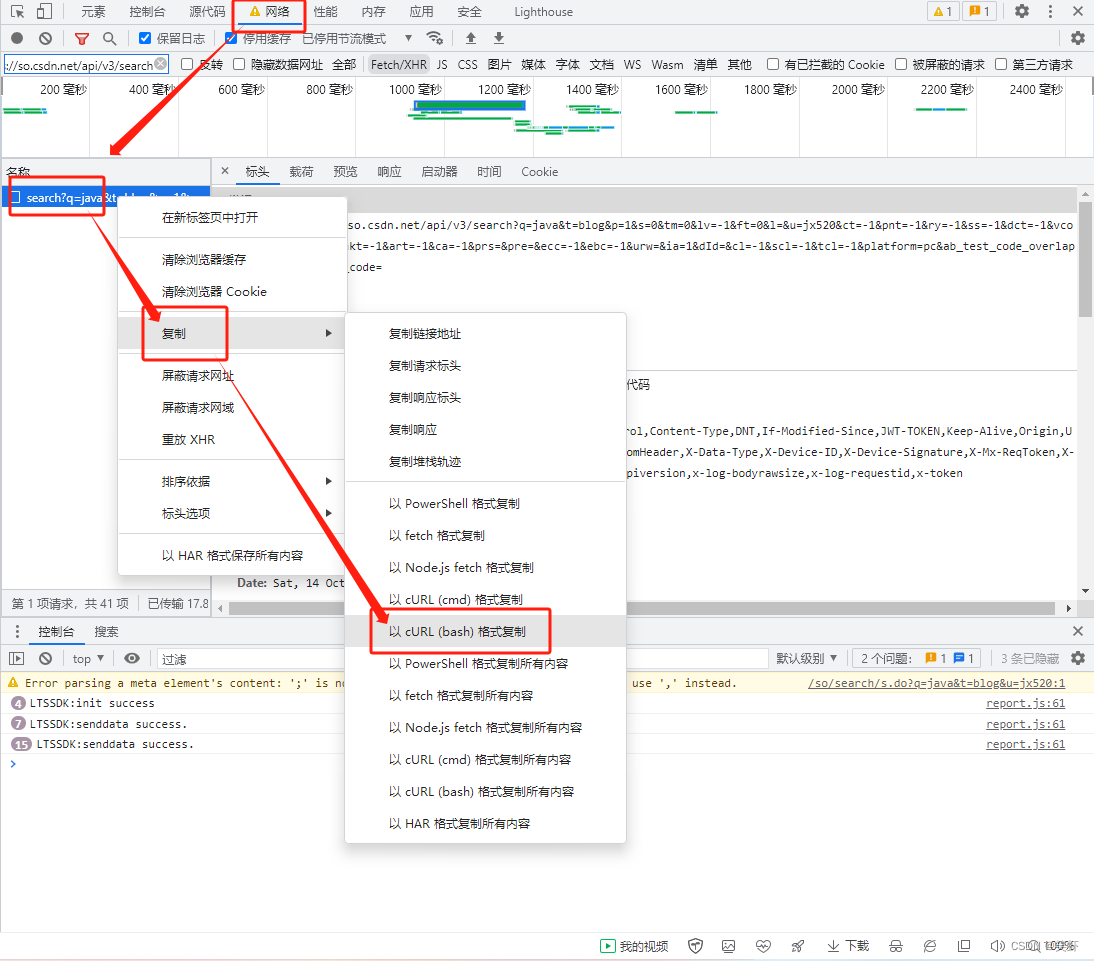
解析 cURL(bash) 命令 1. 主要用于解析从浏览器复制来的 cURL(bash)2. 废话不多说,都在🍻代码里了。参考资料 1. 主要用于解析从浏览器复制来的 cURL(bash) curl https://eva2.csdn.net/v3/06981375190026432f77c01bfca33e32/lts/…...

JDK21的虚拟线程是什么?和平台线程什么关系?
虚拟线程(Virtual Thread)是 JDK 而不是 OS 实现的轻量级线程(Lightweight Process,LWP),由 JVM 调度。许多虚拟线程共享同一个操作系统线程,虚拟线程的数量可以远大于操作系统线程的数量。 在引入虚拟线程…...

Unity DOTS Component概述
最近DOTS终于发布了正式的版本, 我们来分享以下DOTS里面地几个关键概念,方便大家上手学习掌握Unity DOTS开发。 Unity DOTS 中Entity作为实体不直接去存放数据,而是将数据以一个个的组件为载体来存放起来。每个Entity会得到一些不同的ComponentData的组…...
element ui 下拉框 选择月份和天数
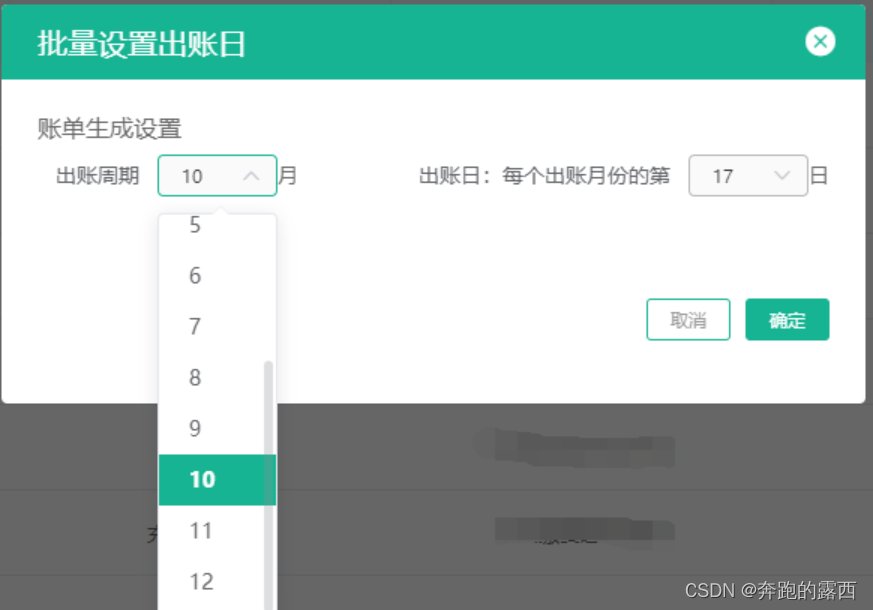
一、背景 目前做的管理系统项目,期望实现功能为:设置出账周期和出账日,考虑使用element ui下拉框实现功能 二、所用技术 vue2element ui 三、实现效果 四、具体代码 <template><popup-frame :title"批量设置出账日" …...
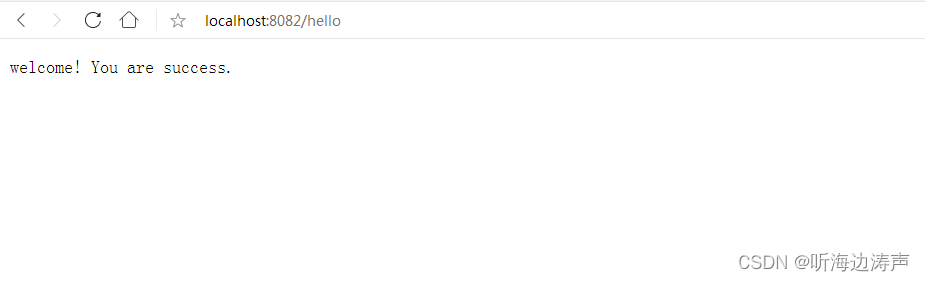
用Java包com.sun.net.httpserver下面的类实现一个简单的http服务器demo
java的com.sun.net.httpserver包下的类提供了一个高层级的http服务器API,可以用来构建内嵌的http服务器。支持http和https。这些API提供了一个RFC 2616 (HTTP 1.1)和RFC 2818 (HTTP over TLS)的部分实现。 https://docs.oracle.com/en/java/javase/19/docs/api/jdk.…...
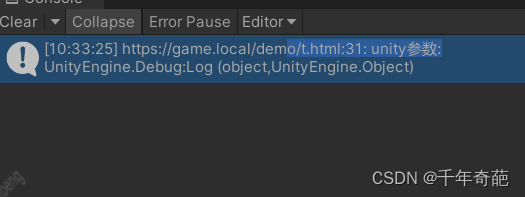
unity 浏览器插件【embedded browser(原zfbrowser)】简单教程,使unity支持web h5页面,附软件下载链接
一 简介 这是个在项目中使用了很久的浏览器插件。 很负责任的说这是在pc平台上最好用的浏览器插件 商业付费价格78刀,相比3d webview等插件动不动就178、368的价格就显得很良心 最新版下载链接(请勿商用) 1.1 功能概述 基本和普通浏览器无…...
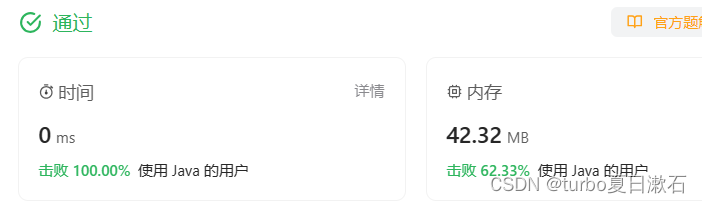
LeetCode算法位运算—只出现一次的数字
目录 136. 只出现一次的数字 - 力扣(LeetCode) 解题思路: 代码: 运行结果: 补充 异或的重要性质 136. 只出现一次的数字 - 力扣(LeetCode) 给你一个 非空 整数数组 nums ,除了某…...
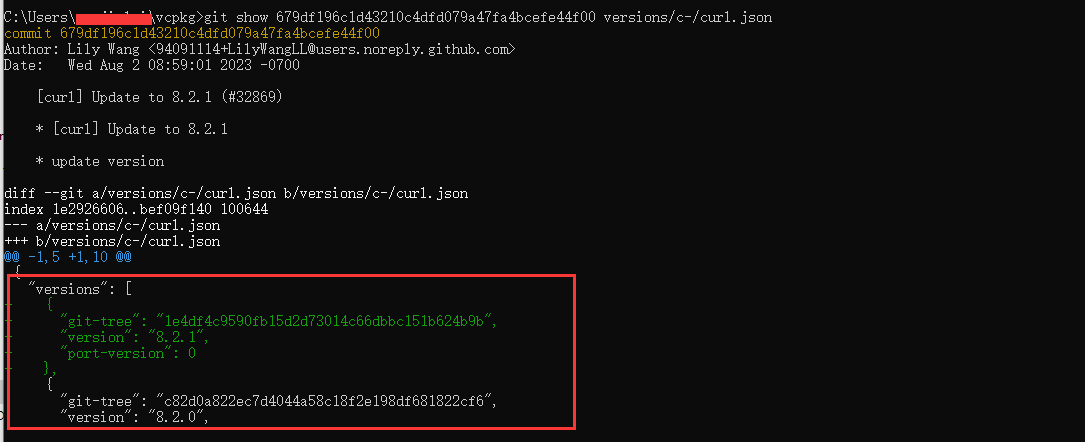
vcpkg manifest 的使用
最近项目上要使用 CMakeLists 管理,由于 Windows 版本有依赖到 vcpkg 提供的库,所以需要使用 vcpkg manifest 来统一设置库的版本,方便后续维护 推荐一个文章,介绍的可以说是非常全面了 VCPKG 特性 - Versioning 不过里面也有一些…...
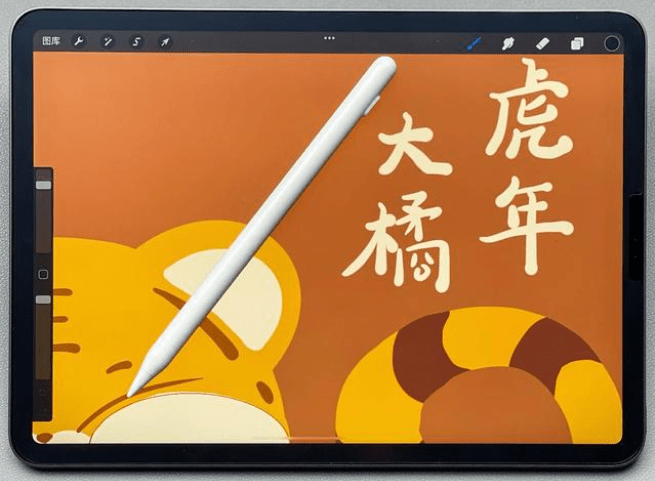
选择什么电容笔比较好?平板手写笔推荐
由于苹果Pencil的热销,让华国内市场上,也出现了不少的平替式电容笔,这些产品,有好有坏,价格也很公道。不过,也有很多产品的价格都很平价。我是一个拥有多年经验的数码发烧友,在前几年就开始用上…...
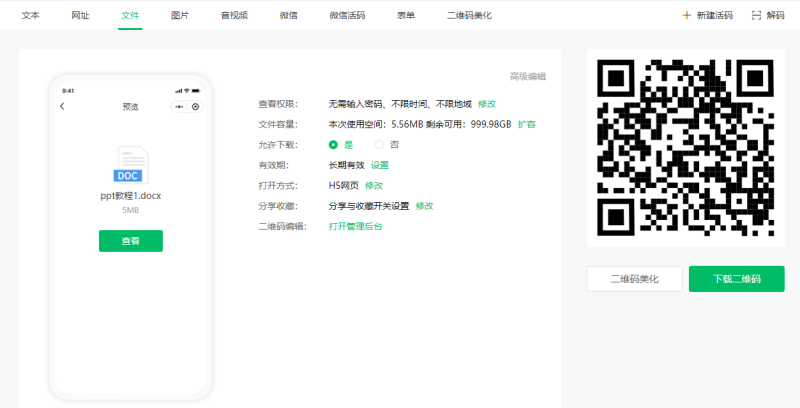
pdf转二维码怎么做?pdf二维码制作简单技巧
pdf是一种很常见的文件储存格式,一般通知、发票、简历都会保存为这种格式来使用,那么需要将pdf格式文件做成二维码,该用什么方式来制作呢?下面给大家分享一个pdf转二维码的在线工具,可以通过上传文件一键生成二维码&am…...

【CANoe】TX Self-ACK自应答配置与CPAL实现
一、引言 在测试CAN&CANFD通信或者网络管理的时候,我们经常遇到使用报文(网络管理报文或者通信报文)唤醒被测件这个测试点,如果测试比较多的情况下,我们就会发现,如果CANoe没有接被测件或者被测件没有…...
MATLAB mat矩阵和Python npy矩阵转换)
(Python)MATLAB mat矩阵和Python npy矩阵转换
Python np.ndarray矩阵转换为MATLAB mat文件 import numpy as npimport scipy.io as iomat_path mat_save_pathmat np.zeros([6, 128])io.savemat(mat_path, {name: mat})Python读取MATLAB mat文件 import numpy as np from scipy import iomat io.loadmat(your_mat_file.…...
)
Flink1.14 SourceReader概念入门讲解与源码解析 (三)
目录 SourceReader 概念 SourceReader 源码方法 void start(); InputStatus pollNext(ReaderOutput output) throws Exception; List snapshotState(long checkpointId); CompletableFuture isAvailable(); void addSplits(List splits); 参考 SourceReader 概念 Sour…...
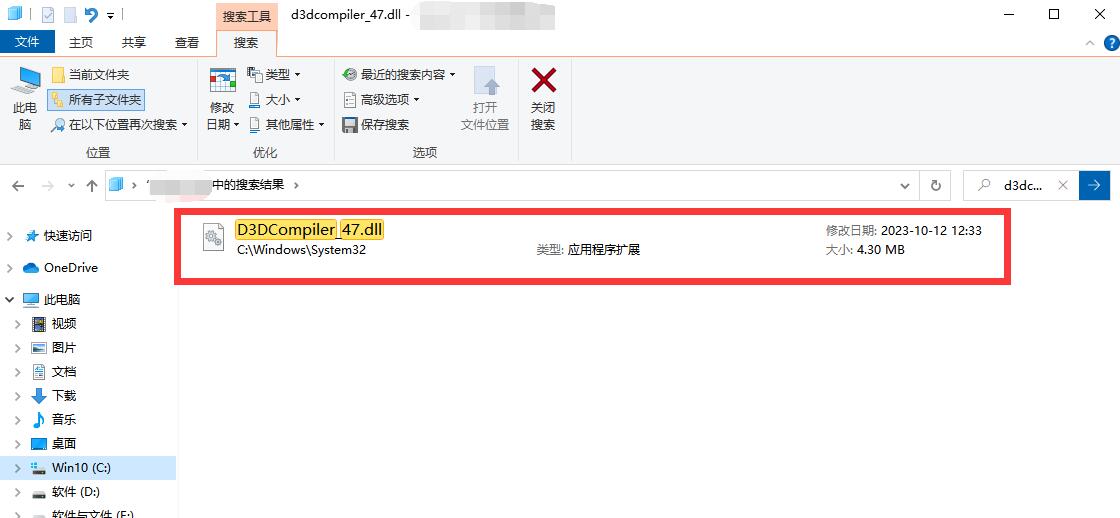
PS运行中缺失d3dcompiler_47.dll问题的5个有效修复方法总结
在使用ps作图的时候,我们有时会遇到一些问题,其中之一就是“PS运行中缺失d3dcompiler_47.dll”的问题。这个问题可能会导致PS无法正常运行,“d3dcompiler_47.dll”。这是一个动态链接库文件,它是DirectX的一部分,主要负…...
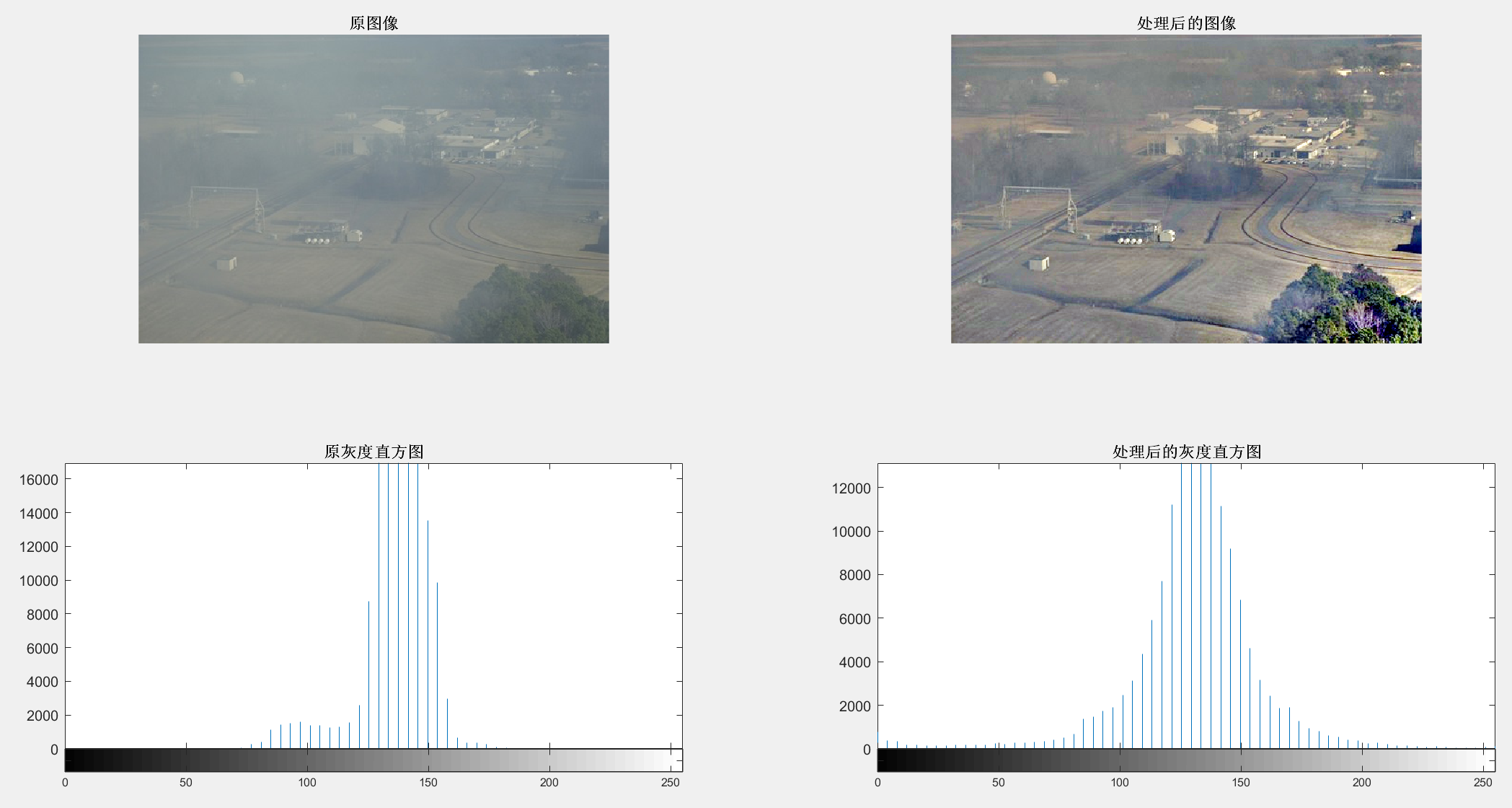
【MATLAB-Retinex图像增强算法的去雾技术】
续:【MATLAB-基于直方图优化的图像去雾技术】 【MATLAB-Retinex图像增强算法的去雾技术】 1 原图2 MATLAB实现代码3 结果图示 参考书籍:计算机视觉与深度学习实战:以MATLAB、Python为工具, 主编:刘衍琦, 詹福宇, 王德建…...

使用 2 个 HSplitView 在 swiftUI 中创建一个 3 窗格界面
Pet*_*ter 8 嗯,我会的。在断断续续地挣扎了几个星期之后,在我问这个问题一个小时后,我似乎解决了它!只需将第二个 HSplitView 的 layoutPriority 设置为 1,并将中心视图也设置为 1。当你想到它时是有道理的࿱…...

【C++ 操作符重载:定制自己的运算符行为】
在C编程中,操作符重载是一项强大的特性,它允许程序员定制内置运算符的行为,使它们适用于用户自定义的数据类型。这篇博客将介绍什么是操作符重载,如何使用它,以及一些最佳实践。 什么是操作符重载? 操作符…...
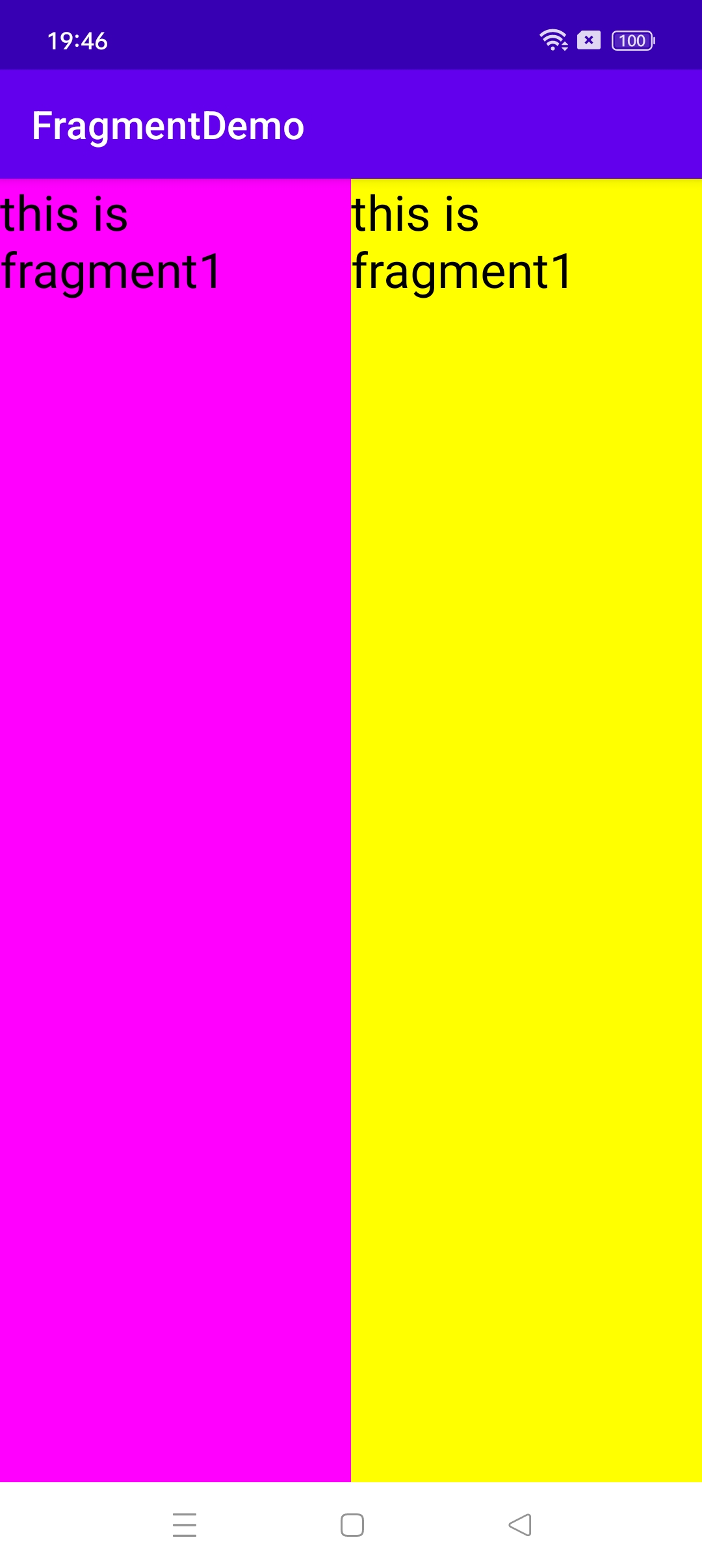
Android Fragment 基本概念和基本使用
Android Fragment 基本概念和基本使用 一、基本概念 Fragment,简称碎片,是Android 3.0(API 11)提出的,为了兼容低版本,support-v4库中也开发了一套Fragment API,最低兼容Android 1.6。 过去s…...
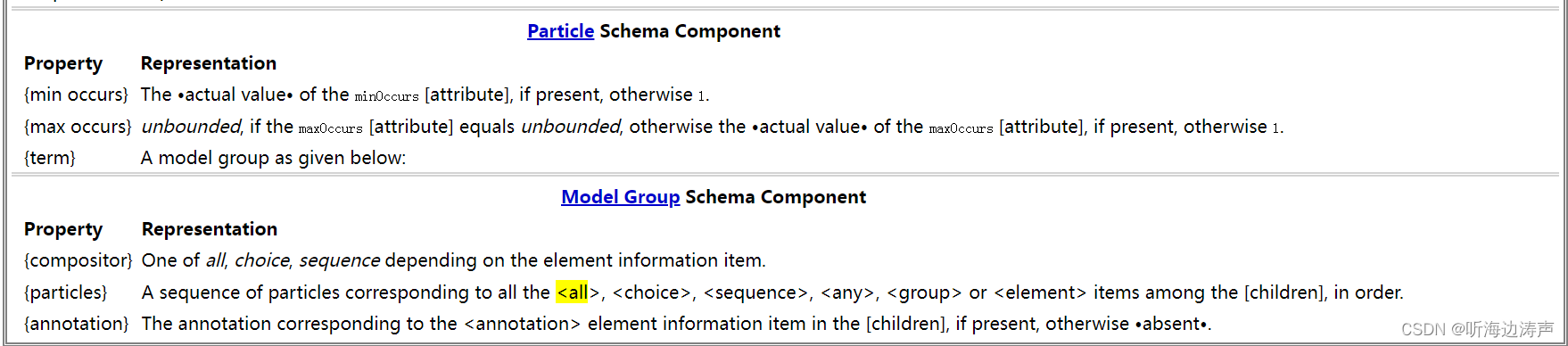
xml schema中的all元素
说明 xml schema中的all元素表示其中的子元素可以按照任何顺序出现,每个元素可以出现0次或者1次。 https://www.w3.org/TR/xmlschema-1/#element-all maxOccurs的默认值是1,minOccurs 的默认值是1。 举例 <element name"TradePriceRequest&…...

全息三维空间孪生,全域无感精准智位:数字孪生·视频孪生·无感定位 行业地位核心优势
在全域空间数字化、实景虚实融合与空间智能快速演进的产业周期中,镜像视界(浙江)科技有限公司持续深耕视频原生三维重构、时空AI像素解算、全域无感精准定位、跨镜轨迹智能推演底层核心领域,依托八大自主可控核心引擎构筑全栈技术…...

如何快速解锁教学控制:JiYuTrainer极域电子教室防控制完全指南
如何快速解锁教学控制:JiYuTrainer极域电子教室防控制完全指南 【免费下载链接】JiYuTrainer 极域电子教室防控制软件, StudenMain.exe 破解 项目地址: https://gitcode.com/gh_mirrors/ji/JiYuTrainer 你是否曾在计算机课堂上,眼睁睁看着老师的演…...

基于AVR单片机的无线图像侦检系统:从硬件选型到软件实现
1. 项目概述与核心价值最近在整理过去的项目资料,翻到了一个挺有意思的老项目——基于Atmel AVR单片机的无线图像侦检系统。虽然现在STM32、ESP32满天飞,各种高性能MCU和无线模块层出不穷,但这个项目在当年(以及现在某些特定场景下…...
)
别再只用Telnet了!手把手教你给思科路由器配置SSH远程登录(附Packet Tracer验证)
从Telnet到SSH:思科路由器安全远程管理实战指南 每次看到运维同事用Telnet登录路由器时,我都忍不住想提醒——这就像在咖啡馆用明信片写密码。作为从业十年的网络工程师,我见过太多因Telnet导致的安全事故。本文将用Packet Tracer带您完成从T…...

从账单明细看 Taotoken 按 Token 计费模式带来的成本控制优势
🚀 告别海外账号与网络限制!稳定直连全球优质大模型,限时半价接入中。 👉 点击领取海量免费额度 从账单明细看 Taotoken 按 Token 计费模式带来的成本控制优势 1. 成本感知的起点:账单明细结构 对于使用大模型 API 的…...

计算机视觉与VR融合:构建远程协助独居老人的智能生活守护系统
1. 当计算机视觉遇见VR:守护独居老人的科技新思路 早上8点,张阿姨家的智能摄像头捕捉到她起床时的一个踉跄,这个细微动作触发了系统的预警机制。200公里外的女儿立刻收到通知,戴上VR眼镜后,她仿佛瞬间"穿越"…...

BiliTools终极指南:三步搞定B站资源下载神器
BiliTools终极指南:三步搞定B站资源下载神器 【免费下载链接】BiliTools A cross-platform bilibili toolbox. 跨平台哔哩哔哩工具箱,支持下载视频、番剧等等各类资源 项目地址: https://gitcode.com/GitHub_Trending/bilit/BiliTools BiliTools是…...

ubuntu服务器部署ai应用如何通过taotoken实现多模型稳定调用
🚀 告别海外账号与网络限制!稳定直连全球优质大模型,限时半价接入中。 👉 点击领取海量免费额度 Ubuntu 服务器部署 AI 应用如何通过 Taotoken 实现多模型稳定调用 在 Ubuntu 服务器上部署 AI 应用时,开发者常常面临一…...

别再只用默认配置了!GaussDB密码安全策略的这8个参数,DBA必须知道怎么调
GaussDB密码安全策略深度实战:8个关键参数配置指南 在数据库安全管理中,密码策略往往是最容易被忽视却又最常被攻击利用的薄弱环节。许多DBA习惯性地沿用数据库默认配置,殊不知这些默认值可能无法满足企业实际安全需求。GaussDB作为企业级分布…...

新手PM如何快速成长?一套可落地的自我迭代复盘方法
新手 PM 想快速成长,不能只靠多做几个项目,更要学会从每个项目里复盘经验、发现问题、沉淀方法。尤其是从市场、运营、业务等岗位转型做项目经理的人,更需要通过复盘提升需求管理、进度管理和团队协作能力。本文分享一套适合项目经理新人的自…...