
uniapp 自定义导航栏
自定义导航栏
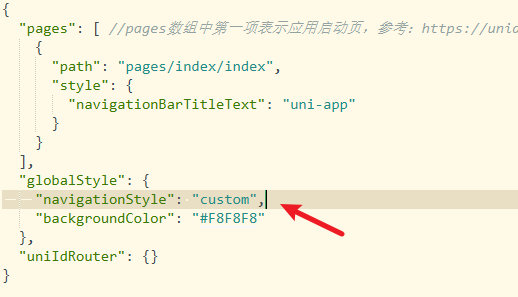
修改 pages.json
在 pages.json 中将 navigateionStyle 设为 custom
新建 systemInfo.js
systemInfo.js 用来获取当前设备的机型系统信息,放在 common 目录下
/*** 此 js 文件管理关于当前设备的机型系统信息*/
const systemInfo = function() {/****************** 所有平台共有的系统信息 ********************/// 设备系统信息let systemInfomations = uni.getSystemInfoSync()// 机型适配比例系数let scaleFactor = 750 / systemInfomations.windowWidth// 当前机型-屏幕高度let windowHeight = systemInfomations.windowHeight * scaleFactor //rpx// 当前机型-屏幕宽度let windowWidth = systemInfomations.windowWidth * scaleFactor //rpx// 状态栏高度let statusBarHeight = (systemInfomations.statusBarHeight) * scaleFactor //rpx// 导航栏高度  注意:此导航栏高度只针对微信小程序有效 其他平台如自定义导航栏请使用:状态栏高度+自定义文本高度let navHeight = 0 //rpx/****************** 微信小程序头部胶囊信息 ********************/// #ifdef MP-WEIXINconst menuButtonInfo = wx.getMenuButtonBoundingClientRect()// 胶囊高度let menuButtonHeight = menuButtonInfo.height * scaleFactor //rpx// 胶囊宽度let menuButtonWidth = menuButtonInfo.width * scaleFactor //rpx// 胶囊上边界的坐标let menuButtonTop = menuButtonInfo.top * scaleFactor //rpx// 胶囊右边界的坐标let menuButtonRight = menuButtonInfo.right * scaleFactor //rpx// 胶囊下边界的坐标let menuButtonBottom = menuButtonInfo.bottom * scaleFactor //rpx// 胶囊左边界的坐标let menuButtonLeft = menuButtonInfo.left * scaleFactor //rpx// 微信小程序中导航栏高度 = 胶囊高度 + (顶部距离 - 状态栏高度) * 2navHeight = menuButtonHeight + (menuButtonTop - statusBarHeight) * 2// #endif// #ifdef MP-WEIXINreturn {scaleFactor,windowHeight,windowWidth,statusBarHeight,menuButtonHeight,menuButtonWidth,menuButtonTop,menuButtonRight,menuButtonBottom,menuButtonLeft,navHeight}// #endif// #ifndef MP-WEIXINreturn {scaleFactor,windowHeight,windowWidth,statusBarHeight}// #endif
}export {systemInfo
}
新建组件 HeadNav
<!--注意:1、在传入宽度或者高度时,如果是Number数据,传入的值为px大小,无需带单位,组件自动计算2、在使用此导航栏时,建议传入UI规定的导航栏高度,此高度只针对除微信小程序的其他平台有效,微信小程序的导航栏高度,组件自计算
-->
<template><view :style="{height:navHeight+'rpx'}"><!-- 微信小程序头部导航栏 --><!-- #ifdef MP-WEIXIN --><view class="wx-head-mod" :style="{height:navHeight+'rpx',backgroundColor:navBackgroundColor}"><view class="wx-head-mod-nav" :style="{height:navigationBarHeight+'rpx',top:statusBarHeight+'rpx'}"><view class="wx-head-mod-nav-content":style="{height:customHeight+'rpx',justifyContent:textAlign === 'center'?'center':'left'}"><!-- 文本区 --><view class="wx-head-mod-nav-content-mian":style="{width:navTextWidth,lineHeight:customHeight + 'rpx',paddingLeft:textPaddingLeft*scaleFactor+'rpx',fontSize:fontSize*scaleFactor+'rpx',fontWeight:fontWeight,color:titleColor}">{{textContent}}</view><!-- 返回按钮 --><view class="wx-head-mod-nav-content-back" :style="{display:isBackShow?'flex':'none'}"@click="backEvent"><view class="wx-head-mod-nav-content-back-img":style="{width:backImageWidth*scaleFactor+'rpx',height:backImageHeight*scaleFactor+'rpx'}"><image :src="backImageUrl" mode="" style="width: 100%;height: 100%;"></image></view></view></view></view></view><!-- #endif --><!-- 除微信小程序之外的其他设备 --><!-- #ifndef MP-WEIXIN --><view class="other-head-mod":style="{height:navHeightValue*scaleFactor+statusBarHeight+'rpx',backgroundColor:navBackgroundColor}"><view class="other-head-mod-mian":style="{height:navHeightValue*scaleFactor+'rpx',justifyContent:textAlign === 'center'?'center':'left'}"><!-- 返回按钮 --><view class="other-head-mod-mian-back" v-show="isBackShow" @click="backEvent"><view class="other-head-mod-mian-back-img":style="{width:backImageWidth*scaleFactor+'rpx',height:backImageHeight*scaleFactor+'rpx'}"><image :src="backImageUrl" mode="" style="width: 100%;height: 100%;"></image></view></view><!-- 标题 --><view class="other-head-mod-mian-title" :style="{width:windowWidth - 184+'rpx',lineHeight:navHeightValue*scaleFactor+'rpx',paddingLeft:textPaddingLeft*scaleFactor+'rpx',fontSize:fontSize*scaleFactor+'rpx',fontWeight:fontWeight,color:titleColor}">{{textContent}}</view></view></view><!-- #endif --></view>
</template><script>const app = getApp()import {systemInfo} from '@/pages/v2/acommon_js/system_info.js'export default {name: "HeadView",props: {// 文本区域位置 left:左  center:中  textAlign: {type: String,default: 'center'},// 文本区内容textContent: {type: String,default: '哈哈哈哈哈哈哈哈哈哈哈哈哈哈哈哈就啊哈哈好借好还'},// 文本区离左边的距离textPaddingLeft: {type: Number,default: 16},// 是否需要返回按钮isBackShow: {type: Boolean,default: true},// 文本区字体大小fontSize: {type: Number,default: 20 //px},// 文本区字体粗细fontWeight: {type: Number,default: 700},// 文本区返回按钮图片宽backImageWidth: {type: Number,default: 12 //px},// 文本区返回按钮图片高backImageHeight: {type: Number,default: 24 //px},// 返回按钮图标路径backImageUrl: {type: String,default: '/static/v2/aichat/ai_robot.png'},// 导航栏整体背景颜色navBackgroundColor: {type: String,default: '#2476F9'},// 标题字体颜色titleColor: {type: String,default: '#ffffff',},/******** h5端,app端需要传入自定义导航栏高度 *******/navHeightValue: {type: Number,default: 44 //px}},computed: {// 文本区宽度navTextWidth() {if (this.textAlign === 'center') {return (this.windowWidth - (this.windowWidth - this.menubarLeft) * 2) + 'rpx'} else {return this.menubarLeft + 'rpx'}},// 文本区paddingLefttextPaddingleft() {if (this.textAlign === 'center') {return '0'} else {return this.textPaddingLeft + 'rpx'}}},data() {return {statusBarHeight: app.globalData.statusBarHeight, //状态栏高度navHeight: app.globalData.navHeight, //头部导航栏总体高度navigationBarHeight: app.globalData.navigationBarHeight, //导航栏高度customHeight: app.globalData.customHeight, //胶囊高度scaleFactor: app.globalData.scaleFactor, //比例系数menubarLeft: app.globalData.menubarLeft, //胶囊定位的左边leftwindowWidth: app.globalData.windowWidth * app.globalData.scaleFactor};},methods: {backEvent() {uni.navigateBack({delta: 1})}},created() {/* 获取设备信息 */const SystemInfomations = systemInfo()/* 通用平台 */this.statusBarHeight = SystemInfomations.statusBarHeight //状态栏高度this.scaleFactor = SystemInfomations.scaleFactor //比例系数this.windowWidth = SystemInfomations.windowWidth //当前设备的屏幕宽度/* 微信小程序平台 */// #ifdef MP-WEIXINthis.navHeight = SystemInfomations.navHeight + SystemInfomations.statusBarHeight //头部导航栏总高度this.navigationBarHeight = SystemInfomations.navHeight //头部导航栏高度this.customHeight = SystemInfomations.menuButtonHeight //胶囊高度this.menubarLeft = SystemInfomations.menuButtonLeft //胶囊左边界距离左上角的距离// #endifconsole.log("this.navHeight:", this.navHeight)}}
</script><style>/* #ifdef MP-WEIXIN */.wx-head-mod {box-sizing: border-box;width: 100%;position: fixed;top: 0;left: 0;}.wx-head-mod-nav {box-sizing: border-box;width: 100%;position: absolute;left: 0;display: flex;justify-content: center;align-items: center;}.wx-head-mod-nav-content {box-sizing: border-box;width: 100%;display: flex;justify-content: left;align-items: center;position: relative;}/* 文本区 */.wx-head-mod-nav-content-mian {box-sizing: border-box;height: 100%;white-space: nowrap;text-overflow: ellipsis;overflow: hidden;}/* 返回按钮 */.wx-head-mod-nav-content-back {box-sizing: border-box;width: 60rpx;height: 100%;/* background-color: aqua; */position: absolute;top: 0;left: 32rpx;display: flex;align-items: center;justify-content: left;}.wx-head-mod-nav-content-back-img {box-sizing: border-box;}/* #endif *//* #ifndef MP-WEIXIN */.other-head-mod {box-sizing: border-box;width: 100%;position: fixed;top: 0;left: 0;}.other-head-mod-mian {box-sizing: border-box;width: 100%;display: flex;align-items: center;justify-content: left;position: absolute;left: 0;bottom: 0;}/* 返回按钮 */.other-head-mod-mian-back {box-sizing: border-box;height: 100%;width: 60rpx;position: absolute;left: 32rpx;top: 0;display: flex;align-items: center;}/* 标题 */.other-head-mod-mian-title {box-sizing: border-box;height: 100%;white-space: nowrap;text-overflow: ellipsis;overflow: hidden;}/* #endif */
</style>
使用
引入组件,使用
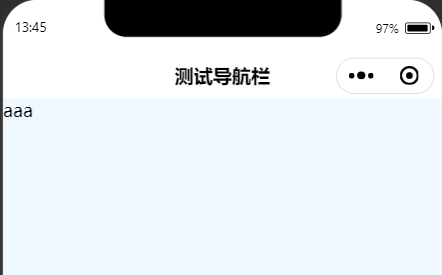
<template><view><HeadNav text-content="测试导航栏" nav-background-color="#fff"></HeadNav>aaa</view>
</template><script>import HeadNav from '@/components/HeadNav.vue'export default {components: {HeadNav},data() {return {title: 'Hello',}},onLoad() {},methods: {}}
</script><style>
body {background-color: aliceblue;
}
</style>
如果需要定义状态栏前景字体的颜色,可以设置 navigationBarTextStyle ,只能设置 white 或 black
{"pages": [{"path": "pages/index/Index","style": {"navigationBarTextStyle": "black"}}],"globalStyle": {"navigationStyle": "custom","backgroundColor": "#F8F8F8"},"uniIdRouter": {}
}
效果
uview 导航栏使用
引入 uview ,根据文档引入
Navbar 自定义导航栏 | uView 2.0 (uviewui.com)
使用 u-navvar
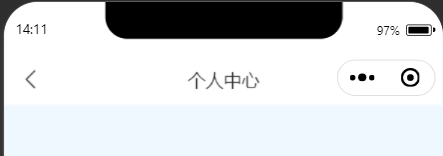
<template><view><!-- 2.0.19支持autoBack,默认为false --><u-navbar title="个人中心" @rightClick="rightClick" :autoBack="true"></u-navbar></view>
</template><script>export default {components: {},data() {return {title: 'Hello',}},onLoad() {},methods: {rightClick() {console.log('rightClick');},leftClick() {console.log('leftClick');}}}
</script><style>body {background-color: aliceblue;}
</style>
效果
相关文章:
uniapp 自定义导航栏
自定义导航栏 修改 pages.json 在 pages.json 中将 navigateionStyle 设为 custom 新建 systemInfo.js systemInfo.js 用来获取当前设备的机型系统信息,放在 common 目录下 /*** 此 js 文件管理关于当前设备的机型系统信息*/ const systemInfo function() {/***…...

查分小程序:一键查询成绩,班主任和家长的得力助手
作为一名老师,是否曾经为了让学生能够方便地查询成绩而烦恼?担心学生忘记密码?还是手动输入成绩太繁琐?今天,给大家分享一个超级实用的查分小程序,让成绩查询变得更轻松! 什么是成绩查询系统&am…...

Linux内核驱动开发的步骤
Linux操作系统的内核是一个强大的、开源的操作系统内核,它为各种硬件设备提供支持。为了让硬件设备能够与Linux系统无缝协作,需要编写相应的内核驱动程序。本文将介绍Linux内核驱动开发的一般步骤,以帮助开发者了解如何创建自己的内核驱动。 …...
【Java 进阶篇】HTML DOM 事件详解
当用户在网页上点击按钮、输入文本、鼠标移动到某个区域或执行其他互动操作时,这些动作都可以触发事件。HTML DOM(文档对象模型)允许我们使用JavaScript来捕获、处理和响应这些事件,以实现网页的交互和动态性。本篇博客将围绕HTML…...
redis 从小白到大师系列
字符串 Redis 字符串数据类型 set 字符串 /*** 设置字符串*/ $t $redis->set(o1,o1); //返回true or false var_dump($t);get字符串 /*** 获取字符串*/ $t $redis->get(o1); //返回true or false var_dump($t);结果: string(2) “o1” 返回 key 中字符串…...

vue使用.filter方法检索数组中指定时间段内的数据
假设你有一个名为dataArray的数组,其中包含了你要筛选的数据。那么,你可以按照以下步骤进行筛选: 创建一个名为filteredArray的新数组,用于存储筛选后的结果。使用数组的filter方法遍历dataArray,并对每个元素应用筛选…...
Ubuntu 安装 npm 和 node
前言 最近学习VUE,在ubuntu 2204 上配置开发环境,涉及到npm node nodejs vue-Cli脚手架等内容,做以记录。 一、node nodejs npm nvm 区别 ? node 是框架,类似python的解释器。nodejs 是编程语言,是js语言的…...
Matlab论文插图绘制模板第122期—函数折线图(fplot)
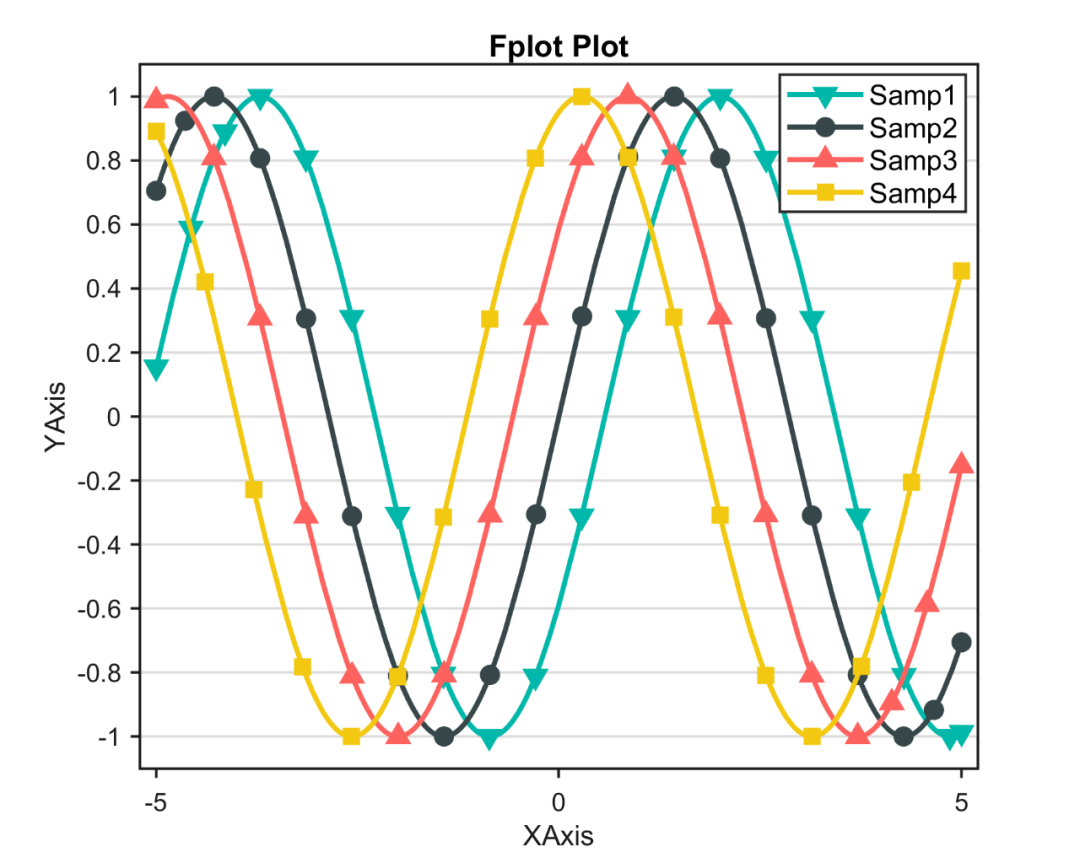
本期分享的是函数折线图的绘制模板。 所谓函数折线图,就是将自定义线函数进行可视化表达。 先来看一下成品效果: 特别提示:本期内容『数据代码』已上传资源群中,加群的朋友请自行下载。有需要的朋友可以关注同名公号【阿昆的…...
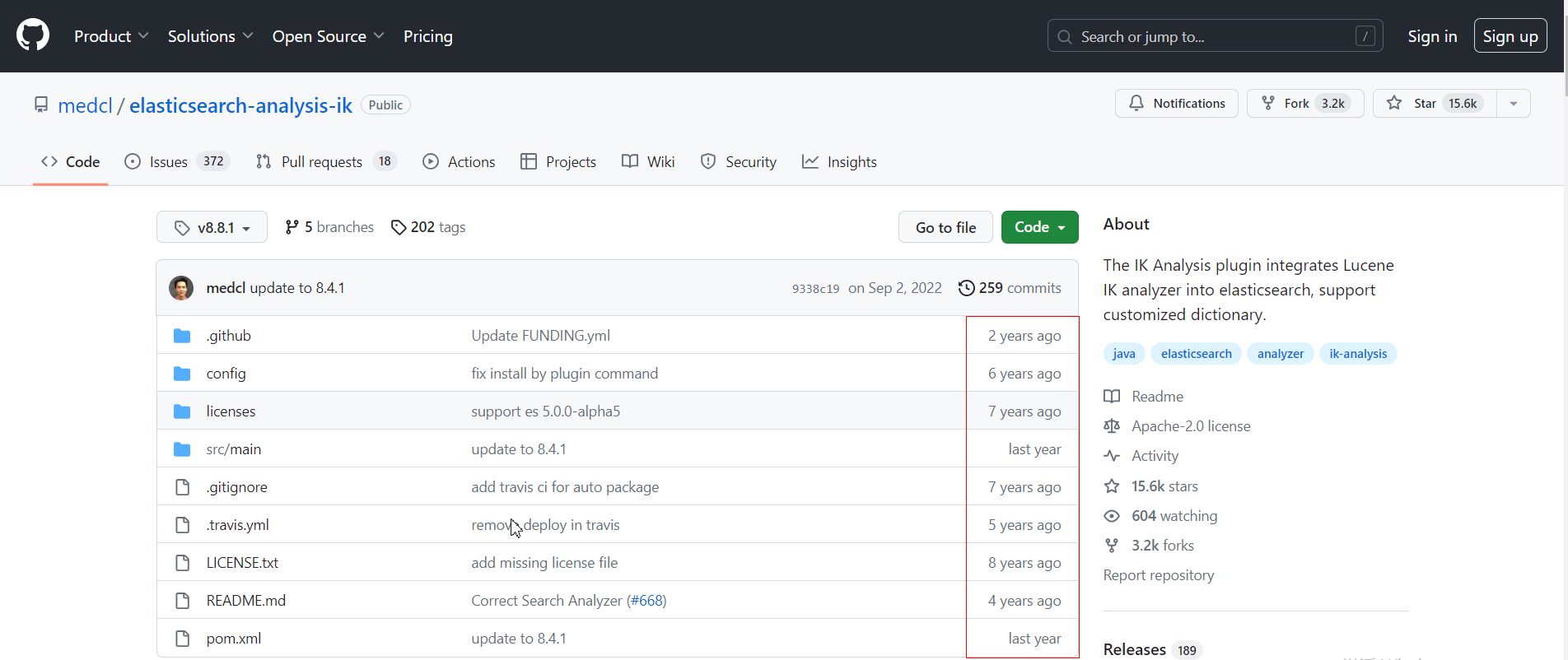
IK分词器如何修改支持跨版本ES
一、问题描述:IK分词器版本和ES版本不一致,无法找到和自己ES版本匹配的分词器。 IK分词器,提供的插件版本,远赶不上ES的更新版本,在使用过程中,不一定能顺利的找到与自己使用的ES版本相对应。在ES集群中使用…...
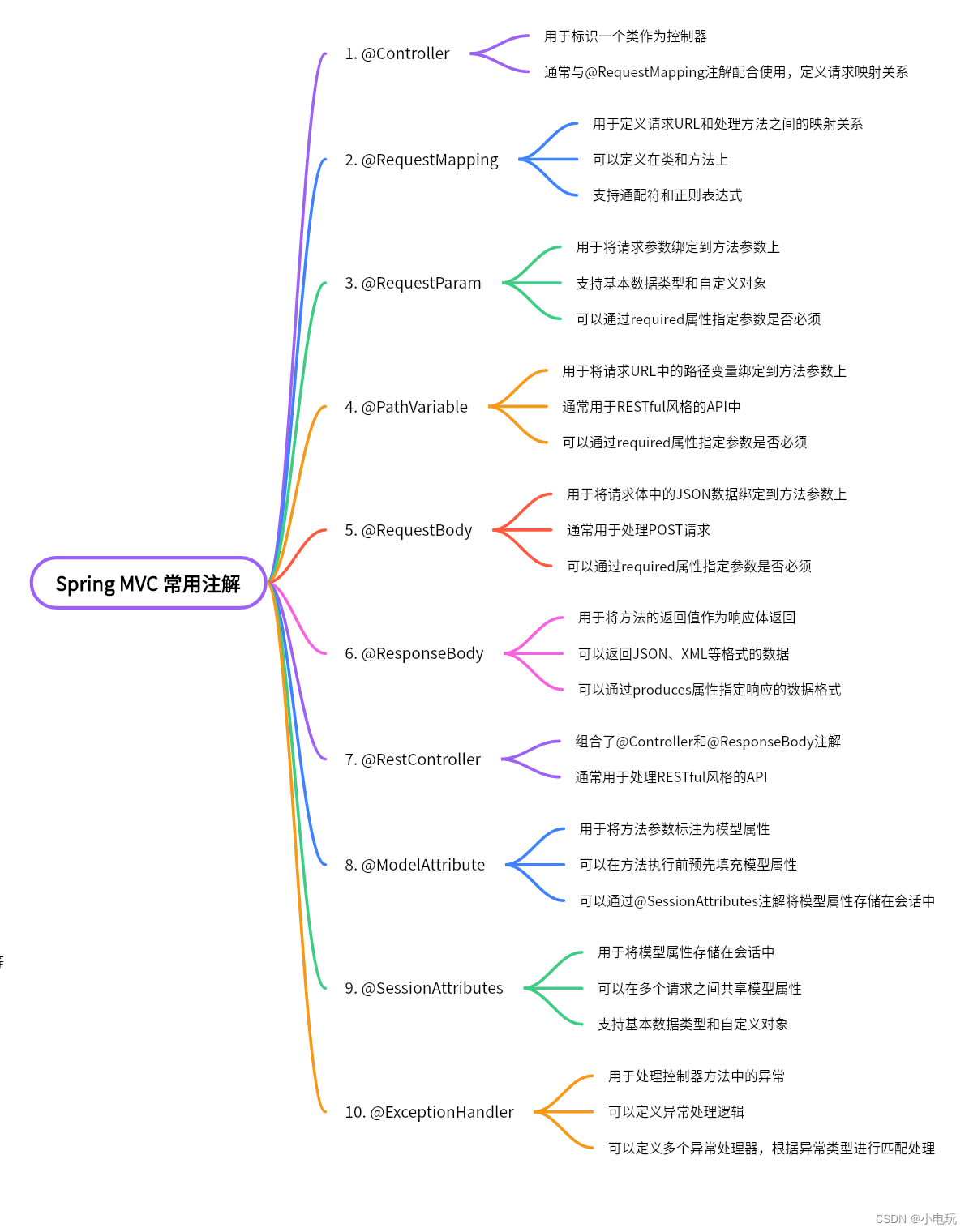
Spring MVC常用十大注解
Spring MVC常用十大注解 一,什么要使用注解 使用注解可以简化配置,提高代码的可读性和可维护性。通过注解可以实现依赖注入,减少手动管理对象的代码量。注解还支持面向切面编程,实现切面、切入点和通知等。此外,注解提…...

二、【MyBatis】 MyBatis入门与简单使用
二、【MyBatis】 MyBatis入门与简单使用 二、【MyBatis】 MyBatis入门与简单使用一、什么是ORM二、为什么mybatis是半自动的ORM框架2.1 Hibernate优点2.2 Hibernate缺点2.3 MyBatis与Hibernate区别三、Mybatis快速入门3.1 项目引入Maven相关依赖3.2 创建测试数据库3.3 编写数据…...

基于DF模式的协作通信技术matlab性能仿真
目录 1.算法运行效果图预览 2.算法运行软件版本 3.部分核心程序 4.算法理论概述 4.1、DF概述 4.2、DF基本原理 5.算法完整程序工程 1.算法运行效果图预览 2.算法运行软件版本 matlab2013b 3.部分核心程序 clc; clear; close all; warning off; addpath(genpath(pwd))…...

Angular-01:基本架构
各种学习后的知识点整理归纳,非原创! ① 概述 angular是一个使用HTML、CSS、TypeScript构建的客户端应用的框架,用来构建单页面应用程序。是一个重量级的框架,内部集成了大量开箱即用的功能模块。是为大型应用开发而设计…...

字符串划分
题目描述 给定一个小写字母组成的字符串s,请找出字符串中两个不同位置的字符作为分割点,使得字符串分成的三个连续子串且子串权重相等,注意子串不包含分割点。 若能找到满足条件的两个分割点,请输出这两个分割点在字符串中的位置…...

ImportError: /lib64/libstdc++.so.6: version `CXXABI_1.3.9‘ not found的解决方法
导致该错误的原因:gcc动态库版本太老了 解决方法: 1、编辑~/.bash_profile vim ~/.bash_profile 2、将anaconda3/lib的路径加入库文件的路径 LD_LIBRARY_PATH/your_path/anaconda3/lib:$LD_LIBRARY_PATH export LD_LIBRARY_PATH 3、重载~/.bash_pr…...
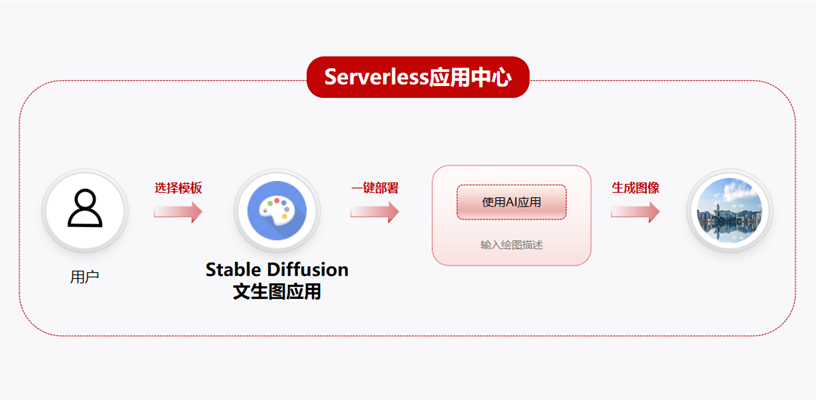
华为云全新上线Serverless应用中心,支持一键构建文生图应用
近日,华为云全新上线Serverless应用中心,提供了大量应用模板,让用户能够一键部署函数和周边依赖资源,节省部署时间,快速上手将应用部署到华为云函数计算FunctionGraph,并一键开通周边依赖资源。 本次Serve…...
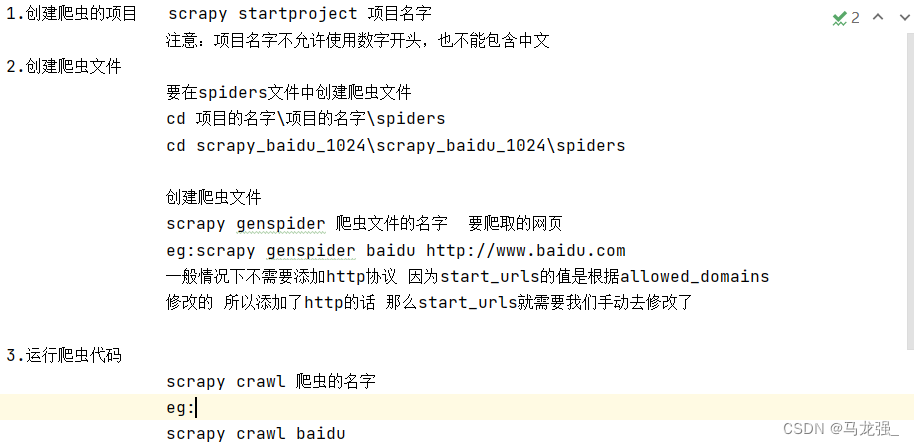
scrapy的安装和使用
一、scrapy是什么:Scrapy是一个为了爬取网站数据,提取结构性数据而编写的应用框架,可以应用在包括数据挖掘,信息处理或存储历史数据等一系列的程序 二、scrapy的安装:pip install scrapy -i https://pypi.douban.com/…...

Kotlin中的异常处理
异常是在程序执行过程中出现的错误或意外情况,可以干扰程序的正常流程。在Kotlin中,我们可以通过异常处理机制来捕获和处理异常,以保证程序的稳定性。本篇博客将介绍异常的产生、捕获、定义、受检异常和finally关键字,并提供相应的…...
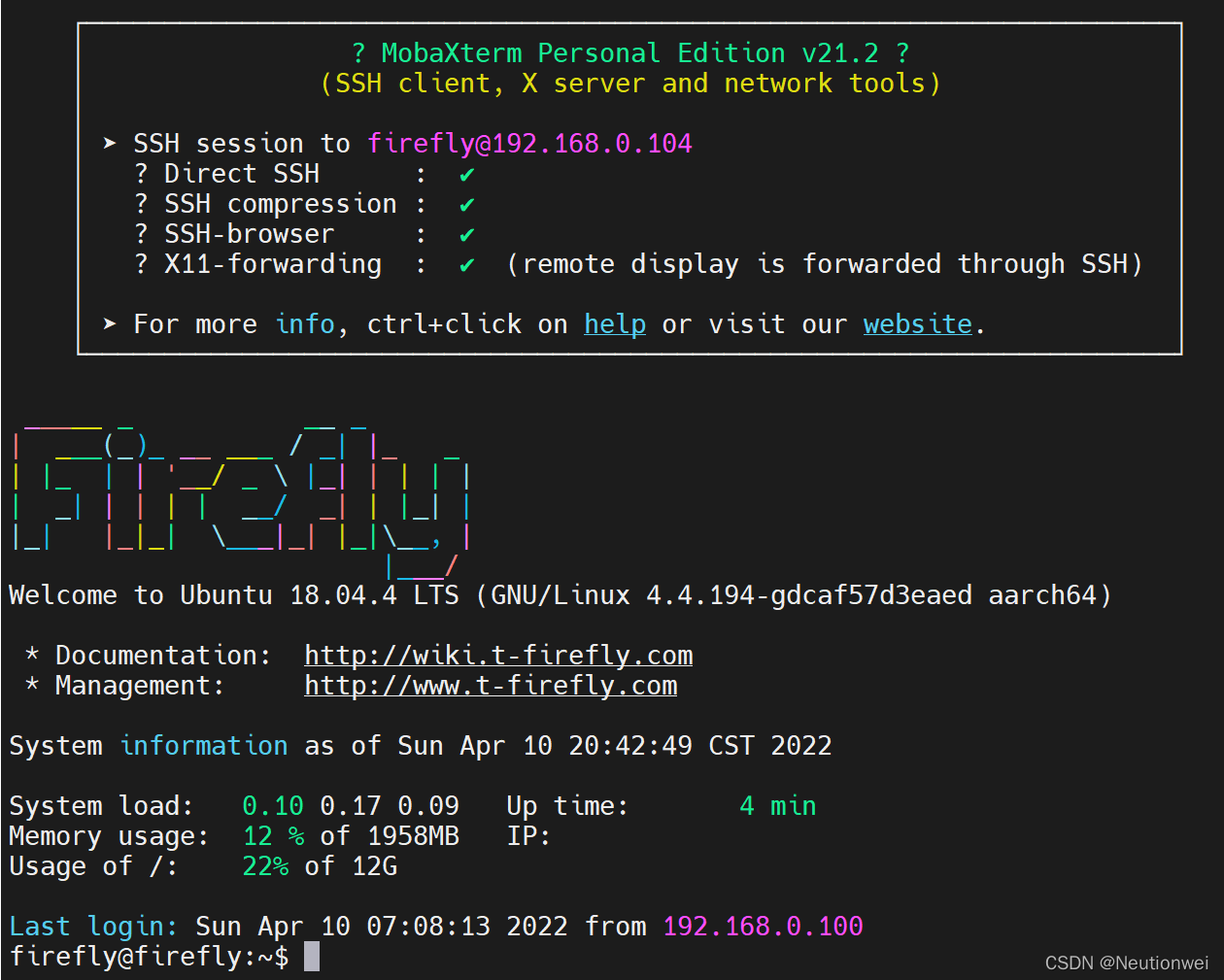
[Ubuntu 18.04] 搭建文件夹共享之Samba服务器
Samba是一个开源项目,允许Windows用户在Linux和Unix系统上进行文件共享。 Samba服务器是一个可以让Linux或Unix系统在网络上充当Windows NT/2000/XP/2003等网络操作系统的共享资源的软件。它允许用户通过SMB/CIFS协议在Linux或Unix系统与Windows共享资源。 Samba服务器的主要…...

设计模式-装饰器模式
目录 设计模式-装饰器模式什么是装饰器设计模式?java示例 设计模式-装饰器模式 什么是装饰器设计模式? 装饰器设计模式(Decorator Pattern)是一种结构型设计模式,它允许你通过将对象包装在一个装饰器类中来动态地扩展…...

避开这5个坑!WPS宏调用DeepSeek API识别标题的实战经验分享
WPS宏调用DeepSeek API识别标题的五个典型陷阱与实战解决方案 当技术文档超过20页时,手动设置标题样式和目录的工作量会呈指数级增长。去年我为某科技公司处理一份87页的技术白皮书时,团队花了整整两天时间调整标题层级,而最终因为格式不一致…...

OpenClaw 太难装了?试试 LangTARS:一行命令部署 + WebUI 管理面板,还能接入 Dify/Coze/nn??
1. 什么是 Apache SeaTunnel? Apache SeaTunnel 是一个非常易于使用、高性能、支持实时流式和离线批处理的海量数据集成平台。它的目标是解决常见的数据集成问题,如数据源多样性、同步场景复杂性以及资源消耗高的问题。 核心特性 丰富的数据源支持&#…...

16.为什么 Fragment 相比额外包一层 div 更优?
在 React 里,只要你写过几行组件,很容易掉进一个老毛病:“反正组件要有一个根节点,那我就随手包一层 <div> 吧。”一开始看不出问题,但项目一大,你会发现:DOM 结构被一堆没意义的 <div…...

嵌入式环形缓冲区:统一队列/栈/数组的零分配实现
1. 项目概述SSVQueueStackArray 是一个面向嵌入式系统的轻量级、零分配(zero-allocation)、编译期类型安全的环形缓冲区(Ring Buffer)实现库,专为资源受限的 MCU 环境设计。其核心目标并非提供通用容器抽象,…...

信通院:AI4SE行业现状调查报告 2026
这份信通院 2026 年 AI4SE 行业现状调查报告,核心是 AI 与软件工程深度融合进入规模化落地关键期,全流程提效显著,企业高度重视,但仍面临人才、成本等挑战,未来将走向自主编程、多智能体协同的新范式。一、调研概况有效…...
,6 大框架从入门到精通,收藏这一篇就够了!)
AI 编程 Harness 框架深度拆解(非常详细),6 大框架从入门到精通,收藏这一篇就够了!
AI 会写,不等于 AI 能稳定交付。 前段时间我们都在说 Vibe Coding,大家都知道是氛围编程的意思,但是现在也有叫“直觉编程”。什么叫直觉编程,就是完全不用管其它的,想到什么就做什么,主打一个靠直觉写代码…...

SpringBoot-基础面试篇
什么是 Spring Boot?Spring Boot 是 Spring 开源组织下的子项目,是 Spring 组件一站式解决方案,主要是简化了使用 Spring 的难度,简省了繁重的配置,提供了各种启动器,使开发者能快速上手。为什么要用Spring…...

IDM激活开源工具:永久使用Internet Download Manager的完整指南
IDM激活开源工具:永久使用Internet Download Manager的完整指南 【免费下载链接】IDM-Activation-Script IDM Activation & Trail Reset Script 项目地址: https://gitcode.com/gh_mirrors/id/IDM-Activation-Script 当你发现下载工具突然停用࿰…...

夸克网盘自动化助手:彻底告别手动转存的智能管理方案
夸克网盘自动化助手:彻底告别手动转存的智能管理方案 【免费下载链接】quark_auto_save 夸克网盘签到、自动转存、命名整理、发推送提醒和刷新媒体库一条龙 项目地址: https://gitcode.com/gh_mirrors/qu/quark_auto_save 还在为每天重复的夸克网盘转存操作而…...
)
PX4开发实战:uORB通信机制详解与代码实操(附避坑指南)
PX4开发实战:uORB通信机制详解与代码实操(附避坑指南) 在PX4飞控开发中,uORB(Micro Object Request Broker)作为核心通信机制,承担着模块间数据交换的重要职责。不同于传统嵌入式系统中的全局变…...